Disclosure: Some links in this post are affiliate links. As an Amazon Associate I earn from qualifying purchases, at no extra cost to you. Learn more
Specs are compiled from manufacturer listings and verified buyer reviews and can change over time — please confirm the key details on the product page before buying.
A dual system PC case solves one specific headache: your graphics card and CPU cook each other inside a single sealed box. These cases split the interior into separate chambers, so the hot parts get their own air and the cables disappear behind the wall. The catch most first-time buyers miss is that “dual chamber” can mean two zones or three, and the size difference between them is enormous — some of these cases swallow a desk, and a couple stay surprisingly manageable. Below are nine cases worth your money, sorted from the strongest all-rounder down to the budget-friendly end of the shelf.
This guide is built by comparing the manufacturers’ published specifications and the patterns across verified customer reviews, so you get each pick’s real strengths and trade-offs instead of marketing spin.
You will see how chamber layout, fan capacity, and GPU clearance actually change your build. The best dual system PC case for your money is the one whose chamber count matches your hardware, not the one with the biggest number on the box.
Top Picks

How To Choose The Best Dual System PC Case
Three numbers decide whether a dual-chamber case works for you: how much graphics card room it gives you, how many fans it can hold, and how big a radiator it swallows. Everything else — glass shape, RGB, whether the power switch clicks — is taste. Get those three right and the rest of the build follows.
Chamber layout: two zones or three
A classic dual-chamber case puts your motherboard and graphics card in the front and hides the power supply and cables in a second compartment behind the wall. That separation is the whole point — the wires never cross the parts you are trying to show off. A triple-chamber case goes further and gives the CPU cooler its own isolated zone, which matters when you are running two liquid coolers at once. If you only air-cool one CPU, a standard two-chamber layout is plenty and usually cheaper.
Fan capacity and radiator sizes
Fan mounts are counted in millimeters: a 120 mm mount takes a 120 mm fan or a 120 mm radiator section, and a 360 mm radiator is simply three of those sections joined together. More mounts means you can run slower, quieter fans for the same airflow. Check whether the case includes a fan hub — a small board that powers and controls several fans from one cable — because adding one later is a separate purchase.
GPU clearance and case footprint
Graphics card length limits are printed in millimeters, and a 420 mm clearance figure means a card up to that length slides in without a fight. But the outside of the case matters just as much: some dual-chamber towers are wide enough that they crowd a normal desk. Measure your desk depth and the gap under your shelf before you commit, because these cases are designed to stay put once built.
Side-by-Side Comparison
| Model | Best For | Chamber Layout | Max GPU Clearance | Internal Bays | Amazon |
|---|---|---|---|---|---|
| MONTECH King 95 PRO★ Best Overall | First big build with fans included | Dual Chamber | 420 mm | 8 | Amazon |
| Hyte Y70Showpiece Pick | Showpiece builds with a vertical GPU | Dual Chamber | 4-slot vertical | 3 | Amazon |
| CORSAIR AIR 5400 RSTriple-Chamber Design | Running two liquid coolers at once | Triple Chamber | — | 4 | Amazon |
| CORSAIR iCUE Link 2500X RGB | Compact mATX builds with clean cables | Dual Chamber | — | 5 | Amazon |
| ASUS TUF Gaming GT502 Horizon | Workstations that need storage room | Dual Chamber | 400 mm | 13 | Amazon |
| LIAN LI O11D EVO RGB | E-ATX builds with a pillarless view | Dual Chamber | 455.7 mm | 2 | Amazon |
| be quiet! Light Base 900 FX | Reversible layouts and triple radiators | 2-Chamber | — | 4 | Amazon |
| HAVN HS 420 | Maximum fan count and airflow | Dual Chamber | — | 3 | Amazon |
| NZXT H9 Flow RGB+ | Plug-and-play RGB with a control hub | Dual Chamber | — | 6 | Amazon |
Detailed Reviews
1. MONTECH King 95 PRO PC Case
Our pick — 4.5+★ from 500+ verified ratings; the strongest balance of quality and price.
Six fans and a ten-port controller arrive already wired, so your first dual-chamber build starts half-finished.
What makes this the strongest pick here is how much you get before you buy a single extra part. Six ARGB fans (addressable RGB, meaning each fan’s lighting is individually controllable) come pre-installed and plug into a 1-to-10-port controller that lives in the case — two 140 mm RX140 side fans, three 120 mm RX120 bottom fans, and one 120 mm AX120 rear fan. You skip the usual fan shopping trip entirely and still have four spare controller ports for later. The curved 4 mm tempered glass on the front and side, paired with 0.8 mm metal panels, gives you a wide look at the inside, and both glass panels pop off quick-release without a screwdriver.
Space is where it quietly wins. The dual-chamber layout puts the power supply and all your wiring behind the motherboard wall, so the front stays a clean showcase. Officially it supports ATX, Micro-ATX, and Mini-ITX boards, graphics cards up to 420 mm, CPU coolers up to 175 mm, and ATX power supplies up to 185 mm, with seven PCIe slots (the mounting slots for expansion cards). Against the Hyte Y70’s 3 internal bays, this MONTECH carries 8 — a 2.7x gap in drive capacity, which matters the moment you keep a media library on spinning disks. You can run up to five 3.5-inch hard drives or eight 2.5-inch SSDs, and fit radiators up to 360 mm on top, 240 mm on the side, and 120 mm at the rear.
The honest catch is size and weight. At 10,000 g (10 kg) it is a solid lump of a case, and buyers report: “This is a bit bigger than it looks so check measurements.” Reported quirks are minor — the top-mounted CPU cooler can stop the lid latching fully, the GPU support bracket no longer includes standoff screws, and the fans can run loud until you adjust the curve in BIOS. None of that is a dealbreaker on a case that otherwise delivers this much for the money.
What lands on day one
- Six ARGB fans and a 10-port controller pre-installed — nothing extra to buy
- 8 internal bays versus 3 on the Hyte Y70, a 2.7x gap for storage-heavy builds
- 420 mm GPU clearance and a 175 mm CPU cooler limit cover current high-end parts
- Quick-release curved glass and a patented side fan bracket for easy access
Where it asks a little patience
- 10 kg of case — measure your desk before ordering
- Top-mounted CPU coolers can stop the lid latching fully
- Pre-installed fans need a BIOS tweak to quiet down
Built for: anyone assembling a first serious dual-chamber build who wants the fan bill already paid.
Think twice: if your CPU cooler sits right at the top edge, the lid may not close flush.
2. Hyte Y70 PC Case
A four-slot vertical graphics card mount plus the riser cable to make it work — ready for a build you cannot stop staring at.
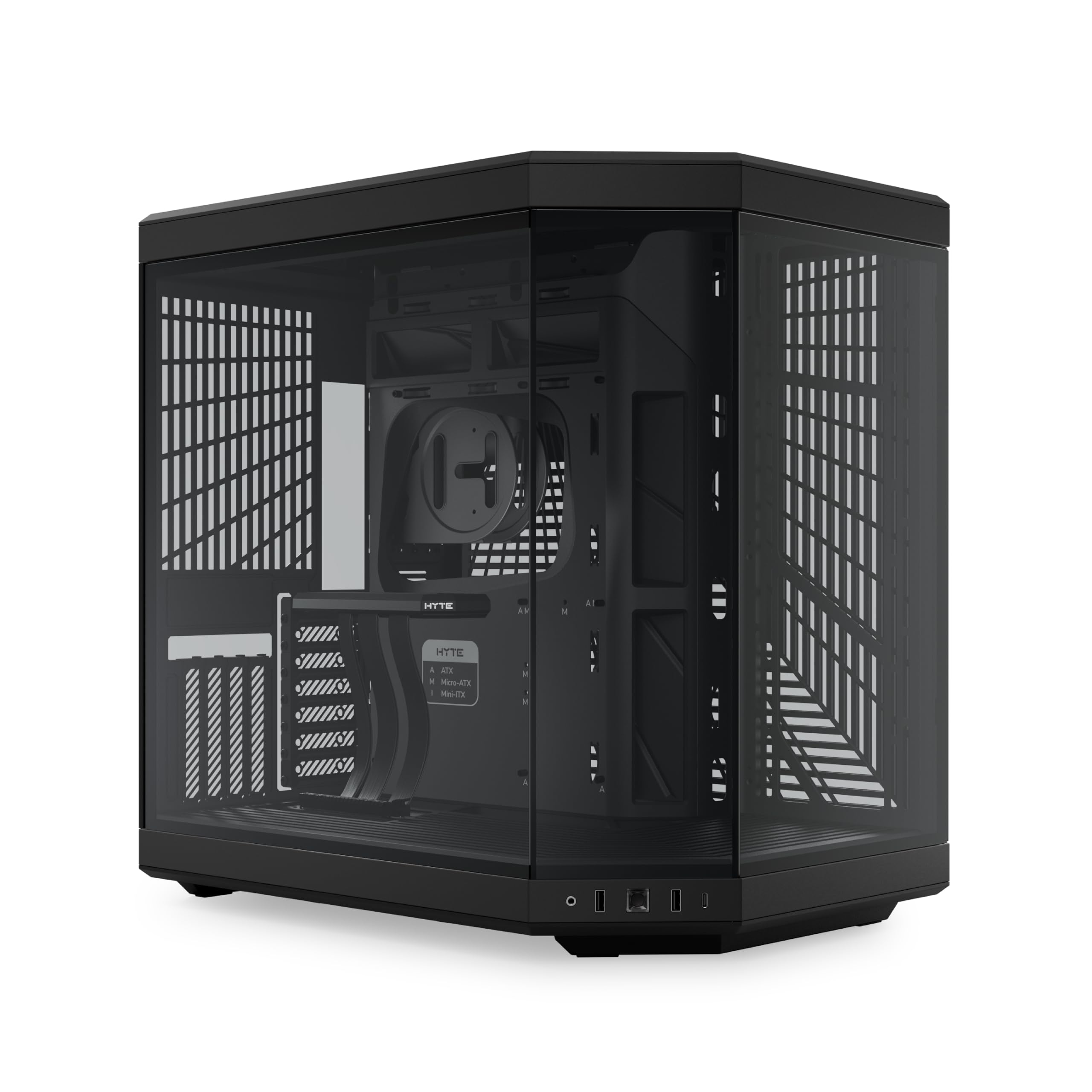
Start with the piece that defines this case: a luxury PCIe 4.0 x 16 riser cable (the ribbon that lets a graphics card sit vertically instead of lying flat) with a color-matched canopy, included in the box. That lets you stand the card up behind the 3-piece panoramic glass and see the whole thing. The chassis holds a massive four-slot-wide vertical GPU, and the design — 177 buyers single it out, with appearance close behind — is what this case is really sold on. It comes in 4 colorways, and the dual-chamber interior keeps the power supply and cables behind the board.
Cooling is genuinely generous: up to a 360 mm radiator on the side at 125 mm thick, an adjustable top mount at up to 68 mm thick, plus cold floor cooling for either three 120 mm or two 140 mm fans up to 32 mm thick — 10 fans in total if you fill every mount. Motherboards covered are ITX, mATX, and ATX, and the power supply bay takes an ATX unit up to 224 mm long. Compared with the MONTECH above, this one trades storage capacity for glass and vertical-mount theatrics — 3 internal bays against the MONTECH’s 8.
The trade-off is weight and price tier. At 24.3 pounds it is heavy, and the layout is built for display rather than deep storage — those 3 bays fill fast if you keep large drives. The vertical GPU mount can also slightly restrict card airflow, so plan your fan direction deliberately. For a high-end gaming build where the glass is the point, none of that reads as a problem.
Why builders reach for it: the riser cable and canopy are included, so vertical mounting is a setup decision you make on day one, not a separate purchase.
The trade you make: storage stays at 3 bays, and the vertical card position means airflow comes from your floor and side fans rather than the card’s own face.
Reach for this if: showing off the graphics card is the whole plan.
Look elsewhere if: you run a stack of large hard drives and need bay count over glass.
3. CORSAIR AIR 5400 RS ARGB PC Case
Three separate air zones — CPU, GPU, and power supply each breathe on their own.
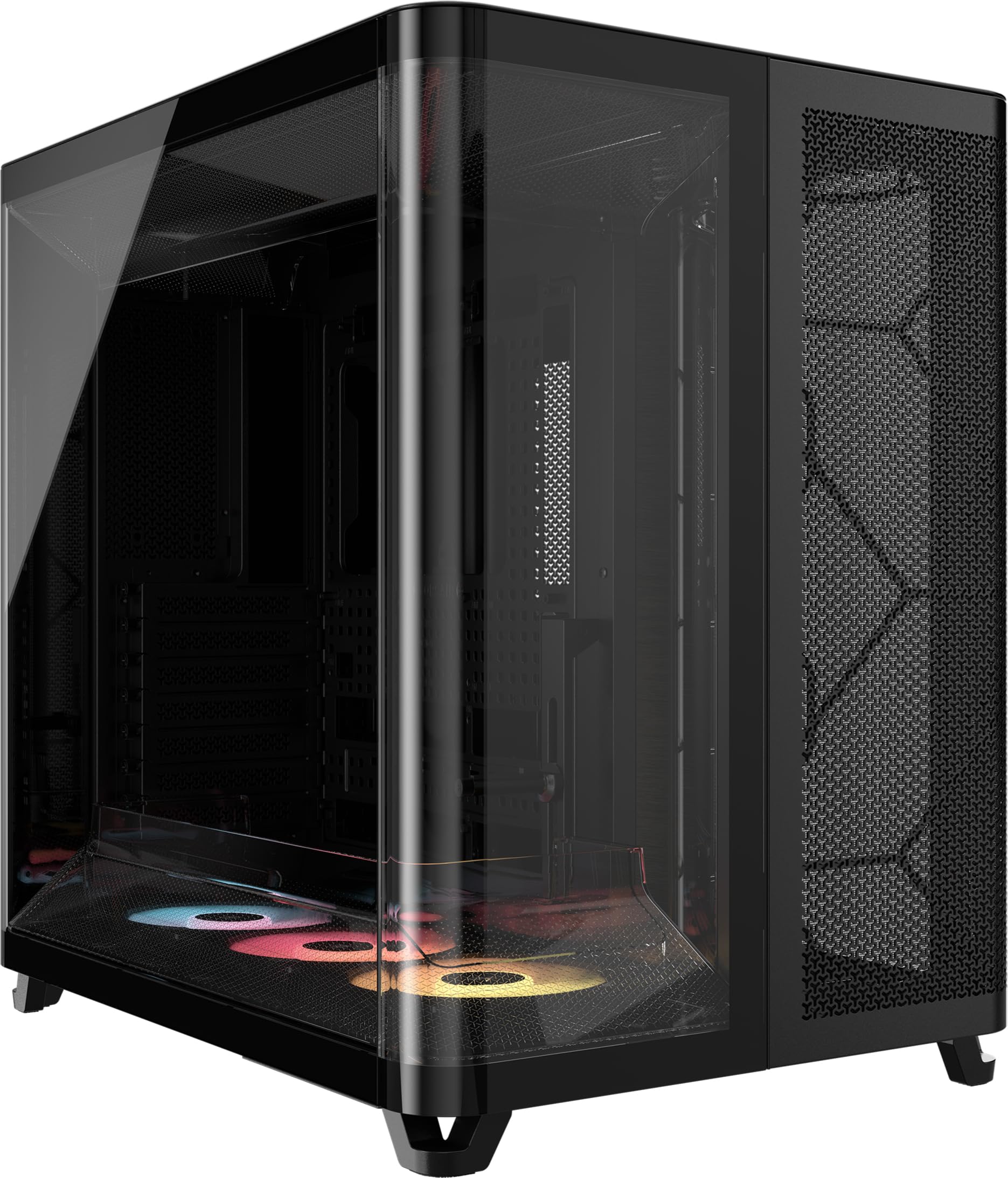
This is the case for anyone running two liquid coolers, because the design splits the interior three ways instead of two. A dedicated front chamber holds a 360 mm radiator for the CPU alone, so the heat it produces never drifts into the rest of the build. The middle chamber feeds massive vertical airflow across the graphics card and motherboard, then pushes hot air out of the chassis. A third chamber houses the power supply, storage, and cables with its own intake and exhaust. Owners mention a swap from another case dropped CPU temperatures from 85°C to 58°C and GPU from 90°C to 55°C with smaller fans and AIO.
Then there is the duct on the bottom fan array, which forces air through a narrow channel to raise its speed without spinning the fans faster — more cooling, less noise. Three reverse-rotor fans (fans designed to pull air cleanly from the glass side) come pre-installed, and reverse-motherboard support means the connectors can sit out of sight. The footprint is the widest here: 18.5″D x 13.39″W x 18.39″H, which is 6% more in one dimension than the MONTECH’s 17.4″D x 11.81″W x 18.7″H footprint. Weighing in at 13.92 kg, it is not a case you shuffle around casually. Storage lands at 4 internal bays.
The catch is fit and finish in tight spots. Customers note: “You have so much room for activity’s. It is big and heavy.” Two separate review themes flag that the rear exhaust fan sits half over glass, that AIO hoses must mount at the top because a heat shield blocks the bottom, and that 400 mm tubes run tight. A single 5.25-inch bay is tight too, and it can be modified with standoffs.
Where it earns its keep
- Triple-chamber layout isolates CPU radiator heat from the GPU zone entirely
- Airflow ducts raise air speed without raising fan noise
- Reverse-motherboard support keeps cables hidden from the glass side
- Buyer-reported drops from 85°C to 58°C on CPU and 90°C to 55°C on GPU
What to plan around
- 13.92 kg and a wide footprint — check desk and shelf clearance
- AIO hoses must mount at the top since a heat shield blocks the bottom
- Only one 5.25-inch bay without modifying with standoffs
Suits: dual-AIO builders who want the CPU radiator sealed off from everything else.
Check first: whether your liquid cooler’s tubes reach the top mount, since bottom mounting is blocked.
4. CORSAIR iCUE Link 2500X RGB PC Case
Dual-chamber airflow in a body built around Micro-ATX and Mini-ITX boards, not full-size towers.
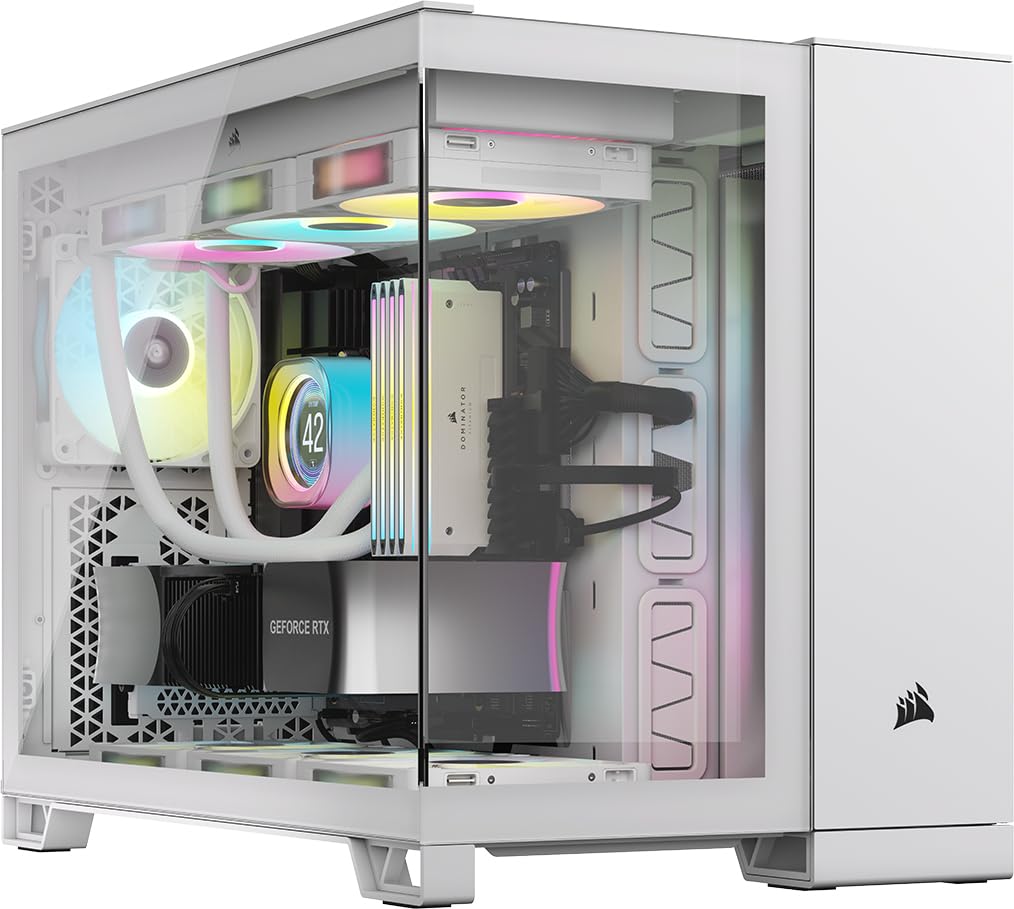
Not everyone wants a case the size of a small suitcase, and this is the Corsair answer to that. It takes Mini-ITX and MicroATX motherboards, so the whole build is smaller, but the dual-chamber idea still holds: one chamber carries the fans and radiators, the other holds the power supply, cable runs, and drive storage. Two pre-installed RX120 RGB fans and an iCUE LINK System Hub (a small control box that links Corsair’s fans and lighting through a single cable chain) come in the box, so the lighting side is handled from the start. Case quality is the thing owners talk about most, with spaciousness right behind it.
The cooling ceiling is real for this size: room for up to nine 120 mm or four 140 mm fans, with radiator mounts up to 360 mm in the roof and bottom and 240 mm on the side. It is also validated for rear-connecting motherboards like ASUS BTF and MSI Project Zero, where the power and data plugs sit on the back of the board — keeping the glass side free of visible cabling.
Be honest about the footprint, though. Reviewers point out: “Incredible case that has everything you’d want, but it’s much wider than you’d expect.” It weighs 26.2 pounds, and the recurring gripe is exactly that heft and width, not the cooling. A few owners also find the iCUE ecosystem confusing because only one hub is included and each hub supports only two device sets, so a big lighting plan needs more hardware. If your build stays small on purpose, the extra width is not a strike against it.
Why small-format builders like it: dual-chamber cabling, a 360 mm radiator ceiling, and rear-connect motherboard support in a case built for mATX and ITX boards.
The honest limit: at 26.2 pounds and a reported extra-wide profile, it takes up more desk than a small-format case would lead you to expect.
Best matched to: Micro-ATX or Mini-ITX builds that still want a 360 mm radiator mount and hidden cables.
skip it if: you want a genuinely compact footprint — the width surprises people.
5. ASUS TUF Gaming GT502 Horizon ATX Mid-Tower Gaming PC Case

Thirteen internal drive mounts in a dual-chamber body — the workstation pick that still shows off the build.
If you keep a media library, run backups, or store project files locally, this is the case that stops you worrying about bays. Thirteen internal bays is the highest count on this list and more than double what the Hyte Y70 and HAVN HS 420 offer at 3 each. Around that storage spine sits a dual-chamber chassis that splits the CPU and graphics card into independent cooling zones, so the two hot parts do not share air. Tempered and tinted glass at the front and side gives you a fully unobstructed view of the main chamber, and most panels detach to speed up installation. GPU clearance runs to 400 mm and radiators to 360 mm.
The front panel carries a USB 10 Gbps Type-C port — a 10 gigabit-per-second connection, which moves a big file in seconds rather than minutes — and the side panels come off by pressing a hidden button at the rear, no screws. Shoppers say the layout fits a Gigabyte AORUS Master RTX 5080 with ease, and one full build squeezed in an Asus Z790 Plus WiFi board, an i9 14900K, four 2TB Gen4 M.2 drives, an RTX 5070 OC, a 10TB HDD, and liquid cooling — running local AI models without heat trouble. The magnetic GPU support bracket keeps a heavy card from sagging.
Two things to know before you commit. First, it is heavy and tank-like, which owners mention repeatedly — this is a case that stays where you build it. Second, the RGB edge lighting is sold separately, so the glass shows your parts, not the case’s own glow. On a rig where the hardware itself is the exhibit, that is a fair trade.
The defining number: 13 internal bays, a figure no other case here matches, which suits content creators and local-storage setups.
One thing missing at checkout: the RGB edge lighting is not included, so budget for it separately if you want the case itself to glow.
Pick this when: drive count and a fast front USB port matter more than RGB lighting built into the chassis.
Pass if: you want the case’s own lighting included rather than a separate line item.
6. LIAN LI O11D EVO RGB Case

The front pillar comes out and the glass stays solid, so the interior has nothing blocking the view.
The trick here is structural: you remove the front support pillar without weakening the case, which turns the front and side glass into one uninterrupted window. Two 1.5 mm L-shaped RGB strips sit at the top and bottom of the tempered glass, and they sync easily with your motherboard. Then there is the room — 455.7 mm of GPU clearance across seven expansion slots, which is more generous than the MONTECH King 95 PRO’s 420 mm and the ASUS GT502 Horizon’s 400 mm. It takes Extended ATX boards (the wide motherboard format that most mid-towers turn away), and the interior can be reconfigured with two different motherboard height positions to change how your fans and CPU cooler sit.
Cable management is carefully thought through: Velcro straps and dual-layered clips bundle big and small cables together, and the power supply bracket protrudes 15 mm out from the case for extra routing space. Buyers report builds with 9+ fans and a thick radiator, with load temperatures dropping after the swap. Two 360 mm radiators fit, or 420 mm on a single mount, and the dust filters clean out without dismantling the build. It weighs 32.6 pounds — the heaviest case here — and the 2 internal bays are the fewest on this list, so plan storage with that in mind.
A couple of quirks come up in owner builds. One owner-mount detail stands out: fitting a 2.5-inch SSD behind the motherboard tray with the included rubber stoppers can stop the back panel’s top nubs from latching, so the panel will not sit flush. There are also no external 3.5-inch or 5.25-inch bays, so all storage goes inside. Move it and you will feel the 32.6 pounds.
What sets the build apart: removing the front pillar creates a single pillarless glass view, with built-in RGB strips top and bottom.
Plan storage early: at 2 internal bays, this chassis assumes you run a compact drive load rather than a large archive.
Fits like a glove for: E-ATX builders who want the widest glass view and room to reconfigure the internals.
Reconsider if: you need more than a couple of internal drives, or move your case between rooms often.
7. be quiet! Light Base 900 FX PC Case
Pull the feet, flip the case, lay it flat — this one changes orientation in seconds to fit your room.
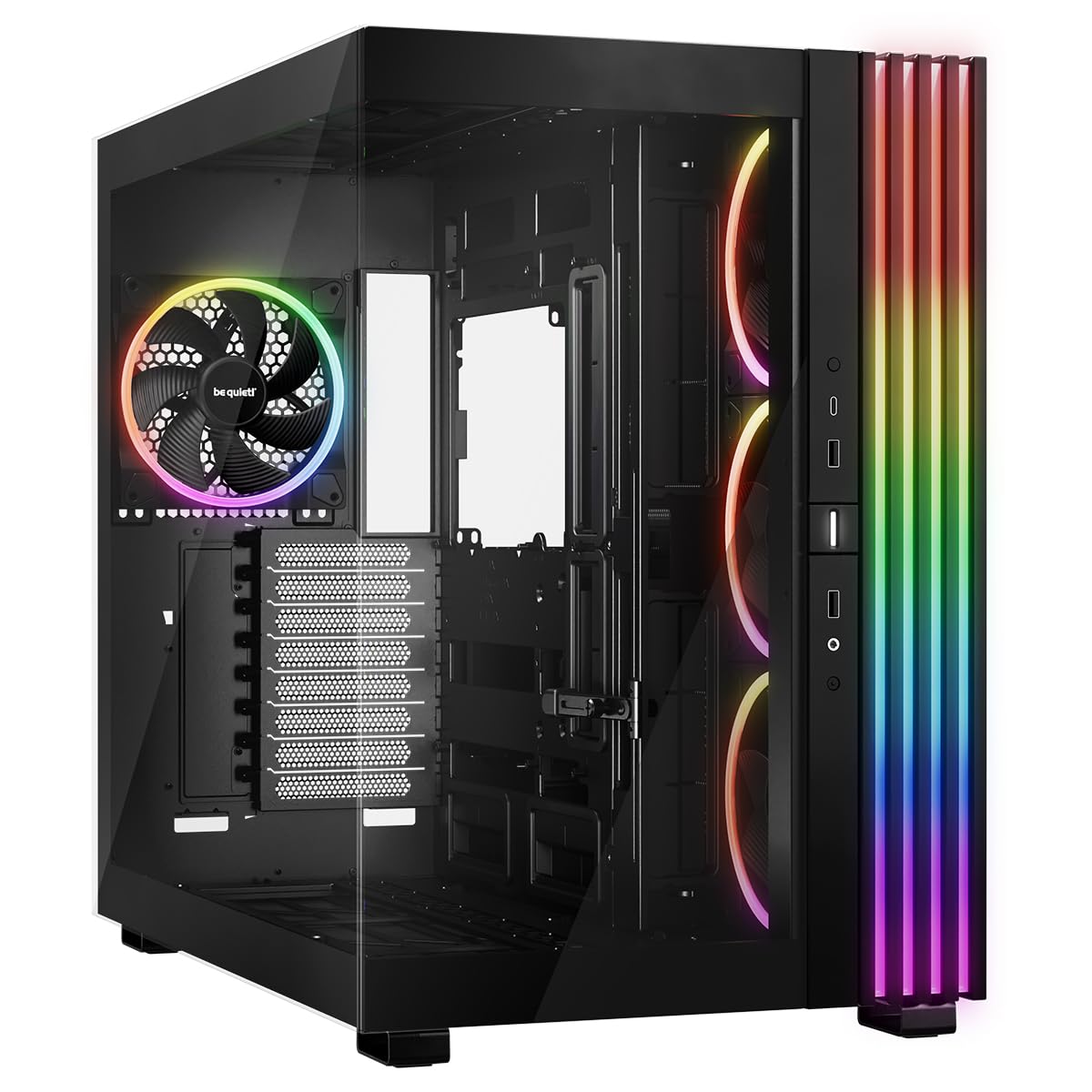
No other case on this list rearranges itself the way this one does. Its removable feet let you invert it in seconds, or lay it horizontally, so it fits an under-desk slot or a shelf without a rebuild. The massive ARGB LED strip is visible from every angle and syncs with the motherboard lighting. The 2-chamber design keeps drives and cables tucked behind the main space for cleaner airflow, and large window panels on the front and side keep the components in view. Four Light Wings 140 mm PWM fans come pre-installed, and two ARGB and PWM hubs with 12 total ports sit top and bottom so hardware plugs in easily.
The cooling capacity is the biggest here in radiator terms: removable fan and radiator holders in the lid and base each take a 420 mm radiator, and a 360 mm radiator fits on the side, which means three radiators running at once alongside an E-ATX motherboard and up to 10 fans. Against the HAVN HS 420’s 11 fan mounts, this lands at 10 fans but with those 12 hub ports included where the HAVN relies on its SimpliCable and fan hub system. Around every panel the quality reads as precise — solid metalwork, tight fit, easy-clean removable filters.
The honest caveat is that size and layout take planning. This is a full tower with a large footprint, and the bottom dust filter is awkward to remove when the case is standing vertically. Cable management room is tighter than some builders expect, and one real watch-out: the power supply heat can reach the motherboard, so a bottom-mounted PSU orientation is worth considering. The removable-feet design also means you cannot buy a spare set separately, which one owner wanted purely to protect against scratches. At 6 kg, it is far lighter than it looks.
What makes it different
- Removable feet allow inverted or horizontal orientation in seconds
- Three simultaneous radiators — 420 mm in the lid, 420 mm in the base, 360 mm on the side
- Two ARGB and PWM hubs with 12 ports total, pre-installed
- Four Light Wings 140 mm PWM fans included at only 6 kg
Where it needs a plan
- Bottom dust filter is hard to reach when the case stands vertically
- Cable management space is tighter than the footprint suggests
- Power supply heat can reach the motherboard in some layouts
The right call for: builders who need to reposition a case to fit a room, with triple-radiator headroom.
Know going in: the PSU location matters here — mount it low to keep its heat away from the board.
8. HAVN HS 420 PC Case

It feeds the graphics card cool air straight off the floor — and still finds room for eleven fans.
Eleven 140 mm fan slots is the highest count on this list, and combined with up to three 420 mm radiators across the top, right, and bottom, this case is built around airflow above all else. The hybrid structure directs cool air from the bottom intake directly onto the centrally positioned GPU, which is why owners keep calling the temperatures excellent. The heat-formed UniSheet glass panel uses the smallest possible curve radius they could engineer, which minimizes visual distortion and gives one continuous, clear view inside. Every fan bracket also sits on flexible rubber pads to stop resonance from building up into a hum.
The SimpliCable routing system is the other half of the pitch — top-to-bottom grooved guides disappear your cables for a tidy interior, and a PWM fan hub (a board that controls several fans from one connection) is included. A 3-way adjustable support bracket keeps graphics cards of all shapes stable. Owners mention a 9800X3D build with glass panel wheels, thoughtful panel insertion, a huge rear cable area, and removable shock-mounted radiator and fan cages. The rear cable space is more generous than what the LIAN LI O11D EVO RGB offers, and owners moving up from budget cases notice the difference immediately.
Two things to weigh. It is heavy at 17.83 kg, so treat it as a permanent fixture. And builders report the bottom PCIe slot can end up unusable because the motherboard rail shifts the board down slightly — a riser cable solves it for a capture card. Thick radiators can also clash with large motherboard heatsinks. Fit fans sensibly — around 6 to 8 for most builds, with 11 as the ceiling — and the airflow stays controlled.
Where it pulls ahead: 11 fan mounts, three 420 mm radiator positions, and a glass panel engineered for minimal distortion.
A build detail to catch early: the motherboard sits shifted down, so the bottom PCIe slot may need a riser if you add a capture card.
Made for: airflow-first builders who count fan mounts before anything else.
Weigh carefully: 17.83 kg and that shifted bottom slot — plan your expansion cards before you close it up.
9. NZXT H9 Flow RGB+ – Dual-Chamber ATX PC Case – Black

Seven RGB fans and a control hub arrive wired and synced, so the lighting works the moment you power on.
For a first dual-chamber build where you want the lighting handled, this is the least fuss: two F420 RGB Core single-frame fans, one F120 RGB Core case-version fan in the rear, and an NZXT Control Hub all come installed, and the lighting syncs through NZXT’s CAM software straight away. The dual-chamber design separates the main components from the power supply and drives for better thermal behavior and cleaner cabling, while perforated steel panels and angled front-right fans push air through efficiently. Case quality is what wins people over here, with appearance a close second. Customers note the GPU stays under 157°F under load in this case.
Fan capacity reaches ten: nine 140 mm fans across the top, front-right, and bottom, plus one 120 mm at the rear. Radiators go up to 420 mm on the top and front-right, with plenty of clearance for high-end graphics cards — owners have fitted a 5090 without trouble. It is also back-connect ready, compatible with rear-connecting motherboards like ASUS BTF and MSI Project Zero, so cables hide behind the board. Cable channels are extra-wide with built-in Velcro straps and tie-down points.
One setup detail trips people up: the case control module itself needs a PCIe power cable. Reviewers point out that running a card with four PCIe power cables means you need five in total, and plugging in the wrong cable left one build powerless for two days until the correct PCIe connector went in. At 13,400 g it is also a substantial case. Get the cabling right and the glass side stays clean.
The magnetic pull: seven pre-installed RGB fans plus a Control Hub mean the lighting is synced from day one through CAM.
Do not miss this at build time: the control module needs its own PCIe power cable, separate from the ones feeding your graphics card.
Go here if: you want a dual-chamber build with the RGB done for you, from the start.
Double-check: count your PCIe cables before you start — the hub needs one of its own.
Know the Specs
Chamber layout and how many zones you get
A dual-chamber case splits the interior so that the power supply and cables live behind a wall, away from the motherboard and graphics card. A triple-chamber case goes one step further and gives the CPU cooler a sealed zone of its own, which matters when you run two liquid coolers. More chambers usually means more separation of heat, but also a bigger exterior. Pick based on how hot your components run, not on which number sounds higher.
GPU clearance and radiator sizing in millimeters
Graphics card clearance is the length of card the case accepts — a 420 mm figure means a card up to that length fits without forcing. Radiator sizing works the same way: a 360 mm mount holds three 120 mm fan sections in a row. Read both numbers against the parts you plan to use, because a roomy case with a small GPU limit will still block your next upgrade. Fan mounts and radiator mounts usually overlap, so fill a shared mount with one or the other.
Common Questions
Will a dual system PC case fit under a standard desk?
What is the difference between a dual-chamber and a triple-chamber case?
How much GPU clearance do I need for a modern high-end graphics card?
Can I run two liquid coolers in one dual-chamber case?
Do I need a power supply cable for the case fan hub?
Are pre-installed fans worth it or should I buy my own?
How many internal bays do I need for a storage-heavy build?
Will my motherboard fit if it is a Micro-ATX or Mini-ITX board?
What does reverse connection or back-connect motherboard support actually change?
Is a dual-chamber case easier to build in than a standard ATX tower?
The Bottom Line
The best dual system PC case for most builders is the MONTECH King 95 PRO, because it hands you six ARGB fans, a 10-port controller, 420 mm of GPU clearance, and 8 internal bays before you spend a cent on extras. If running two liquid coolers or chasing the lowest temperatures is the goal, step up to the CORSAIR AIR 5400 RS and its isolated triple-chamber design. For a build where the graphics card is the star, the Hyte Y70 includes the PCIe 4.0 riser cable that makes vertical mounting work from day one.
Whichever you choose, check three numbers against your own parts before ordering: your graphics card’s length, your radiator’s size, and the width of the space the case will live in. The fits that go wrong are almost always one of those three, never the chamber design itself.
How we choose
We do not accept paid placement. Every pick is matched to a real buyer and a real use-case; we do not hands-on test units.
Sources
Specifications: manufacturer listings and product documentation. Review insights: verified customer reviews, as of October 2026. Pricing: not shown on this page (it changes often); check the current price via the retailer link.
As an Amazon Associate, Aappliancez earns from qualifying purchases. This does not affect which products we feature.