Disclosure: Some links in this post are affiliate links. As an Amazon Associate I earn from qualifying purchases, at no extra cost to you. Learn more
Specs are compiled from manufacturer listings and verified buyer reviews and can change over time — please confirm the key details on the product page before buying.
You want to know who is at your door right now, and whether you can tell what they are holding. That is the whole point of a door camera. So three things decide which one you buy: does it run on a battery you recharge every few months, or on your existing doorbell wiring? Do you pay a monthly fee to keep recordings? And is the picture sharp enough to read a face at night? Below are seven door cameras that get the job done, with the strongest all-rounder at the top and the specialty picks after it.
This guide is built by comparing the manufacturers’ published specifications and the patterns across verified customer reviews, so you get each pick’s real strengths and trade-offs instead of marketing spin.
A wired camera never asks you to climb a ladder for a recharge, while a battery model installs anywhere without touching your home’s wiring. Across the picks below you will see how resolution, storage, and power source decide which door camera earns a spot on your frame.
Top Picks
How To Choose The Best Door Cameras
Check your wall before you check any spec sheet. You install a door camera once and live with it for years, so the practical question comes first: is there doorbell wiring at your frame, or does the camera need a battery you detach and charge? Getting that answer wrong is the single most common reason people return these things.
Battery or hardwired — pick the power source first
A battery camera installs anywhere, no electrician and no existing wiring. The trade-off is recharge day: you pull the unit off the wall and plug it in with a USB cable, then wait. A hardwired camera draws from your home’s doorbell transformer so you never think about charging, but it only works if the wiring and transformer are already adequate. Some cameras here do both — they run on a battery but can also be hardwired so the battery tops itself up.
Resolution and field of view
2K is the practical floor now, and 4K sits at the top. Resolution decides whether a face is identifiable or a smudge. Field of view, measured in degrees, decides how much of your porch, path, and driveway lands in the frame. A wider view often matters more than a higher number, because a sharp picture of half your doorway still misses the delivery you were waiting for.
Subscriptions and local storage
Many door cameras record to the cloud on a paid plan after a free trial ends. Some store footage locally instead — on a memory card or built-in memory — so you keep your clips without a monthly charge. If you hate subscriptions, filter for the local-storage models before anything else. Just check the storage details, because a built-in card slot or a set amount of internal memory fills up unless it cycles old footage automatically.
Alerts, night vision, and extras
Motion alerts are the whole point, so the useful question is how well the camera tells a person from a passing car or a swaying branch. Custom activity zones let you draw the areas that matter and ignore the sidewalk. Night vision keeps the picture usable after dark, since most delivery and prowling happens in low light. A bundled chime, if it is in the box, saves you from running a separate indoor unit.
Side-by-Side Comparison
| Model | Best For | Power Source | Video Resolution | Storage | Amazon |
|---|---|---|---|---|---|
| Ring Battery Doorbell★ Best Overall | Simple wireless install | Built-in battery (USB-C) | Head-to-Toe video | Ring Protect plan | Amazon |
| Tapo D205Best Value | No-fee local recording | Battery (5,200mAh) | 2K, 160° field of view | microSD up to 512GB | Amazon |
| Arlo Video Doorbell 2K (2nd Gen) | Bundled chime and siren | Rechargeable or hardwired | 2K, head-to-toe | Arlo Secure plan | Amazon |
| eufy C31 | Rechargeable with 24/7 option | 6,500mAh battery or wired | 2K FHD, 4:3 view | microSD (sold separately) | Amazon |
| Google Nest Doorbell (Wired, 3rd Gen) | Wide-view sharp picture | Hardwired | 2K HDR, 166° field of view | Google Home Premium plan | Amazon |
| eufy E340 Kit | Seeing packages at your feet | Battery or wired | 2K, dual-camera | Built-in 8GB | Amazon |
| Ring Wired Doorbell 4K Pro | Highest-detail footage | Hardwired | Retinal 4K, 10x zoom | Ring Protect plan | Amazon |
Detailed Reviews
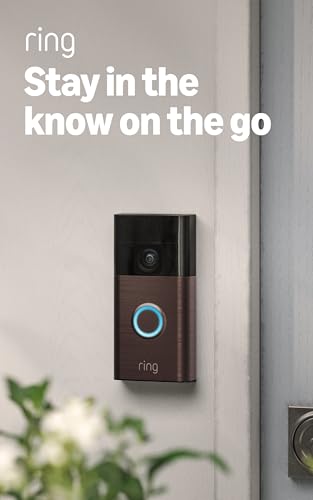
1. Ring Battery Doorbell
Our pick — 4.5+★ from 56,000+ verified ratings; the strongest balance of quality and price.
A head-to-toe porch view with no wiring, no electrician, and no recharge panic.
You see a face and the parcel on the ground in the same shot, instead of a view that cuts off at chest level. That is what 66% more vertical coverage than the earlier version of Ring’s best-selling doorbell buys you. It runs on a built-in battery that recharges through a USB-C port (a small oval connector that plugs in either way up), so you detach the unit from the wall, plug in the included cable, and click it back into place. No wiring, no transformer, no installer.
You get alerts on your phone while the visitor is still standing there, and setup takes minutes. One long-term buyer tracked the battery from an install in late November down to 52% by early March, which puts a full charge at roughly the three-month mark. Know that before you buy, because a detached-to-recharge camera is offline while it sits on the charger. You need a Ring Protect plan to scroll back through old recordings, and the Smart Alerts that separate a person from a package need that same plan.
This is the pick for someone who wants the simplest possible path to a working doorbell cam — no wiring, no hub, no fuss. Ring’s own ecosystem rewards you here if you already have Echo devices, since an Echo Dot can announce visitors and an Echo Show can pull up the live feed. The one habit to build is setting Motion Frequency to “Frequently,” because in a quieter setting you can miss people and packages. Buyers report the ring itself fires instantly while motion alerts lag a couple of seconds, so nobody waits at your door.
Battery freedom and heat tolerance
- 66% more vertical coverage than the previous Ring model, so faces and floor-level packages both fit the frame.
- Built-in battery charges by USB-C — detach, plug in, click back, done.
- Live View and Two-Way Talk let you answer from anywhere.
- Echo and Alexa integration for announcements and hands-free monitoring.
Subscription fees add up
- Person and package Smart Alerts require a Ring Protect subscription.
- Footage history past the trial needs that same paid plan.
- Motion Frequency must be set to “Frequently” or events get missed.
- Two- to three-second delay on motion alerts, though the doorbell ring itself is instant.
Grab this if: you want a full-height view without touching your home’s wiring, and you already lean on Alexa.
Think twice if: you refuse a subscription — the person-versus-package alerts and recording history both sit behind Ring Protect.
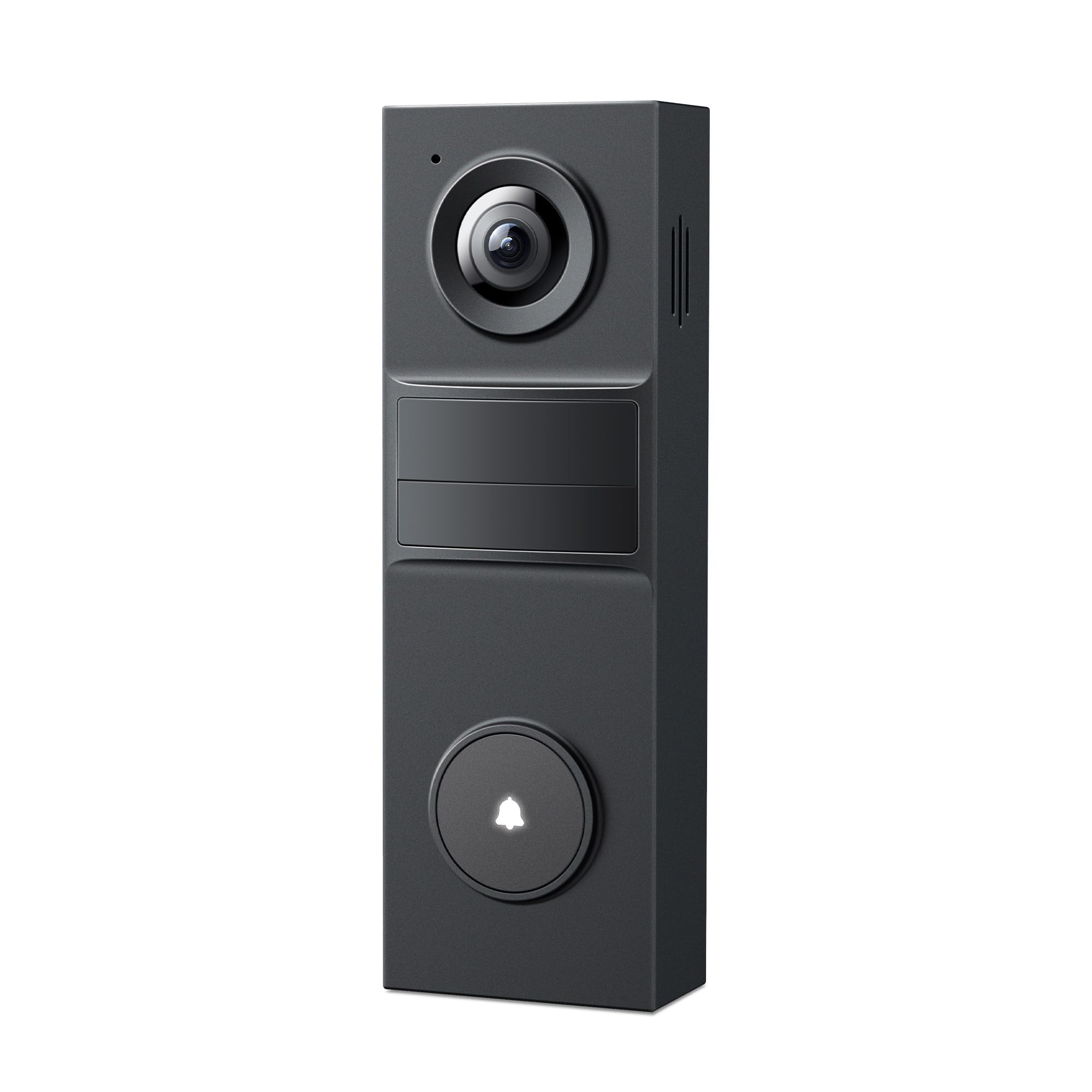
2. Tapo D205 Doorbell
Records to a microSD card with no monthly fee, and the 5,200mAh battery lasts up to 180 days.
You charge this one about twice a year, not every few weeks. The 5,200mAh built-in battery (mAh is a measure of battery capacity) is rated for up to 180 days of use, and one owner tracking a real install went from a full charge on August 28 to 83% by October 1 while the camera was tripped three to four times a day. That is a battery that sips power, not one you babysit. The 2K picture (2K means roughly 2,000 pixels across, sharp enough to read a face) stays clear in daylight and switches to infrared night vision after dark, and the 160° field of view is wide enough to catch someone stepping up to the door from either side.
The part that separates it from the pack is storage. Drop in a microSD card — the slot takes up to 512GB — and your recordings live on the camera with no subscription at all. Built-in AI sorts people from noise and fires the alert, all without a fee. If cloud backup matters to you, Tapo Care is available, but the local option is genuinely free and that is rare in this category. The card is sold separately, so factor that in.
A couple of small things to know before you mount it. The doorbell call feature rings your phone like a normal call when a visitor presses the button, and there is a slight mic-to-speaker lag. The angled mounting bracket helps if your door faces at an angle to the path. The weather resistance is IP54 — meaning it handles rain spray and dust, though not full submersion. Owners in heavy-summer climates have flagged the durability in high heat as untested, so treat that as the honest unknown here.
Reach for this if: subscription fees are a dealbreaker and you want a wide-view battery doorbell that stores everything locally.
Look elsewhere if: you need the camera to survive extreme summer heat without question — that is the one condition owners have not confirmed.
3. Arlo Video Doorbell 2K

Ships with an indoor Chime 2 that rings through the house and doubles as an 80+ decibel siren.
What sets this Arlo apart is what comes in the box: an Arlo Chime 2, a separate indoor unit that plugs in anywhere on Wi-Fi with no base station. When someone presses the button, that chime rings through your home, and the chime itself can blast an 80+ decibel siren or door alarm to send a prowler running. Pair it with person, package, pet, and vehicle recognition and you are covering the four things that actually show up at a front door. The camera takes either a rechargeable battery or existing doorbell wiring for trickle charging — a useful flexibility you do not get on every pick here.
The 2K head-to-toe view and IP65 weather rating are both real upgrades. IP65 means it is built to handle rain and dust on the porch, and the head-to-toe framing lets you see the face and the package at the floor. It works with Alexa, Apple Home, Google Home, Samsung SmartThings, and IFTTT, so it slots into almost any smart home you have already built. The 30-day trial open up the smart detection and video history, and after that a paid plan takes over.
The honest catch is battery life in wireless mode. Owners using it detached from wiring report that recharging gets old fast, and a household without existing doorbell wiring has to take the camera off the wall every time the battery runs down. Hardwiring solves this if you have the wiring. The chime and the siren are genuinely useful, and the setup is straightforward once you decide the power path. If your home has doorbell wiring, this is an easy recommendation.
Pick it if: you want an indoor chime and a porch siren in the box, plus the flexibility to run wired or wireless.
skip it if: your home has no doorbell wiring and a recharge every few weeks would be a chore.
4. eufy Video Doorbell C31

A 6,500mAh battery you can swap in minutes — or hardwire it for 24/7 recording with five-second pre-roll.
The C31 earns its place with a dual-power setup most doorbells do not offer. Run it on the rechargeable 6,500mAh battery and it installs in minutes with no wiring at all. Wire it in instead and you open up 24/7 continuous recording plus a five-second pre-roll that captures the moments just before motion triggers — the split-second before someone steps into frame, which is exactly when things happen. The 2K resolution with a 4:3 view keeps faces and packages both in the picture, and the pop-up video call on your phone when someone rings feels like a proper front-door intercom.
There is no subscription pressure here, which is the whole point. Footage goes to a microSD card (sold separately), and the setup is quick enough that even a first-timer can have it running in an afternoon. Alexa and Google Assistant integration plus the eufy HomeBase and MiniBase Chime compatibility round it out. Setup is the aspect this camera does best — it goes live fast and the app walks you through it.
The honest caveat: connectivity is where this model has taken the most knocks. Some owners have had trouble getting it to hold a stable Wi-Fi connection, and the local storage sits on an SD card you supply and manage yourself. Hardwiring requires bypassing your existing doorbell chime, which is worth knowing before you start. The battery charging itself is straightforward — pull it, charge it, snap it back. If your Wi-Fi reaches the porch strongly, this is an excellent no-fee choice; if your signal is weak at the door, the reliable-wired versions above may serve you better.
Choose this when: you want the option to hardwire for 24/7 recording without a monthly fee.
Consider alternatives if: your porch has weak Wi-Fi, since a steady signal is what keeps this one running smoothly.
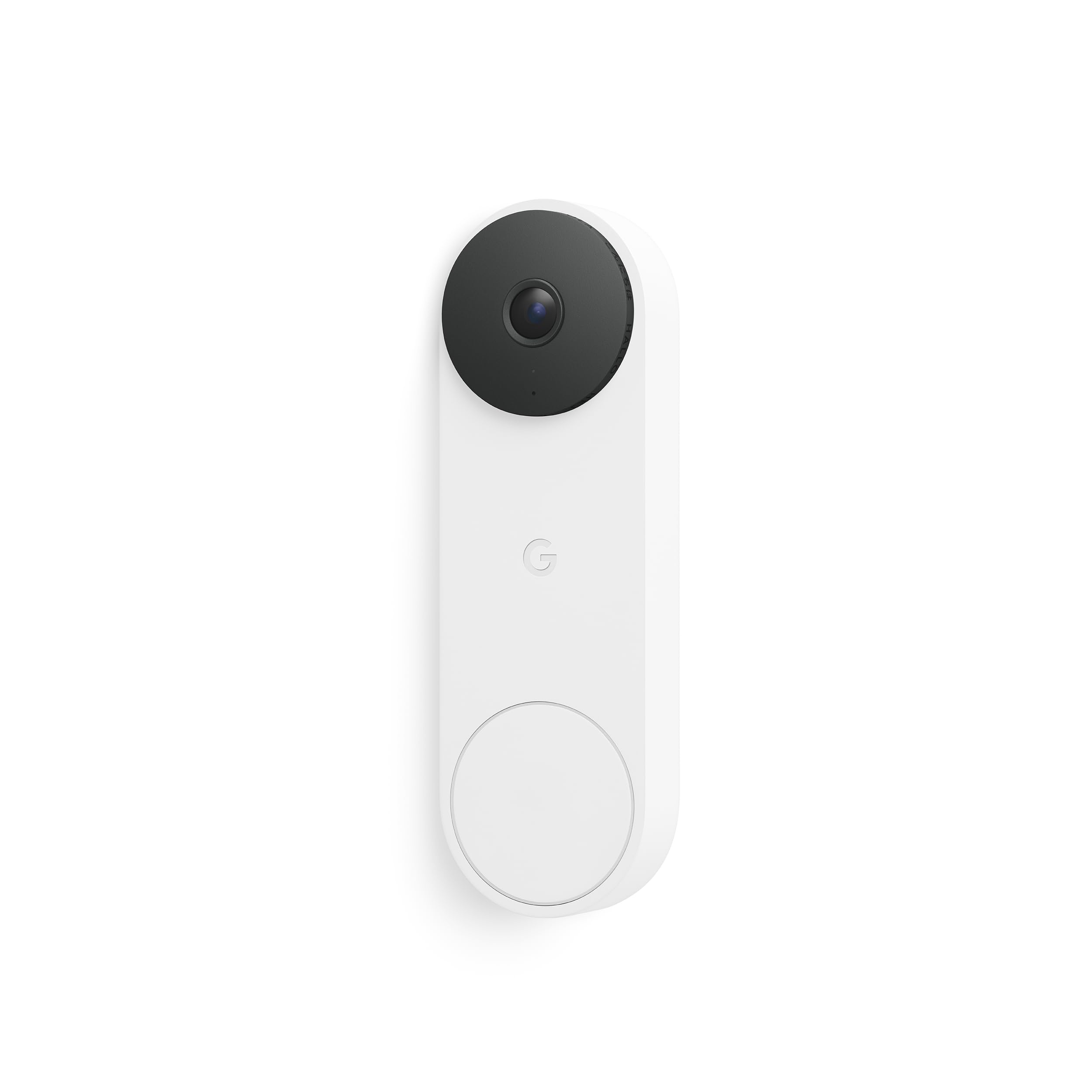
5. Google Nest Doorbell
The widest view here — 2K HDR with a 166° field of view that takes in the whole path.
If a single spec makes the case for the Nest, it is the 166° field of view paired with 2K HDR video. That wide angle is the biggest number on this list — the closest competitor is the Tapo at 160° — and HDR means color and contrast stay accurate from a shaded porch into bright daylight. In low light it uses color night vision that picks up porch light, and in total darkness it still delivers a usable picture. The wired build means you plug it into existing doorbell wiring and never think about charging again.
What earns the most praise here is the quality of the picture day and night, backed up by setup that owners describe as straightforward. The build feels solid, the magnification is easy, and it recognizes faces and packages quickly with the right subscription. A green LED tells you when it is processing or streaming, and data is encrypted with two-step verification through your Google account. On the smart side it works with Google Home, and with a premium subscription talkative notifications like “Person with flowers” make it clear what is happening without opening the app.
Two honest realities. First, this is a wired camera — it needs existing doorbell wiring and a transformer that meets spec, so check your setup before ordering. Second, the advanced Gemini features and longer video history need a Google Home Premium plan after the free month. Owners also note the Google Home app menus can be fiddly to set up compared with rival doorbells. If you are already inside Google’s ecosystem and want the sharpest, widest porch view available, this is the one.
The match if: you have doorbell wiring, a Google Home setup, and want the widest sharpest porch view on the list.
Pause if: you have no existing doorbell wiring — this one must be hardwired, no battery option.
6. eufy Video Doorbell E340
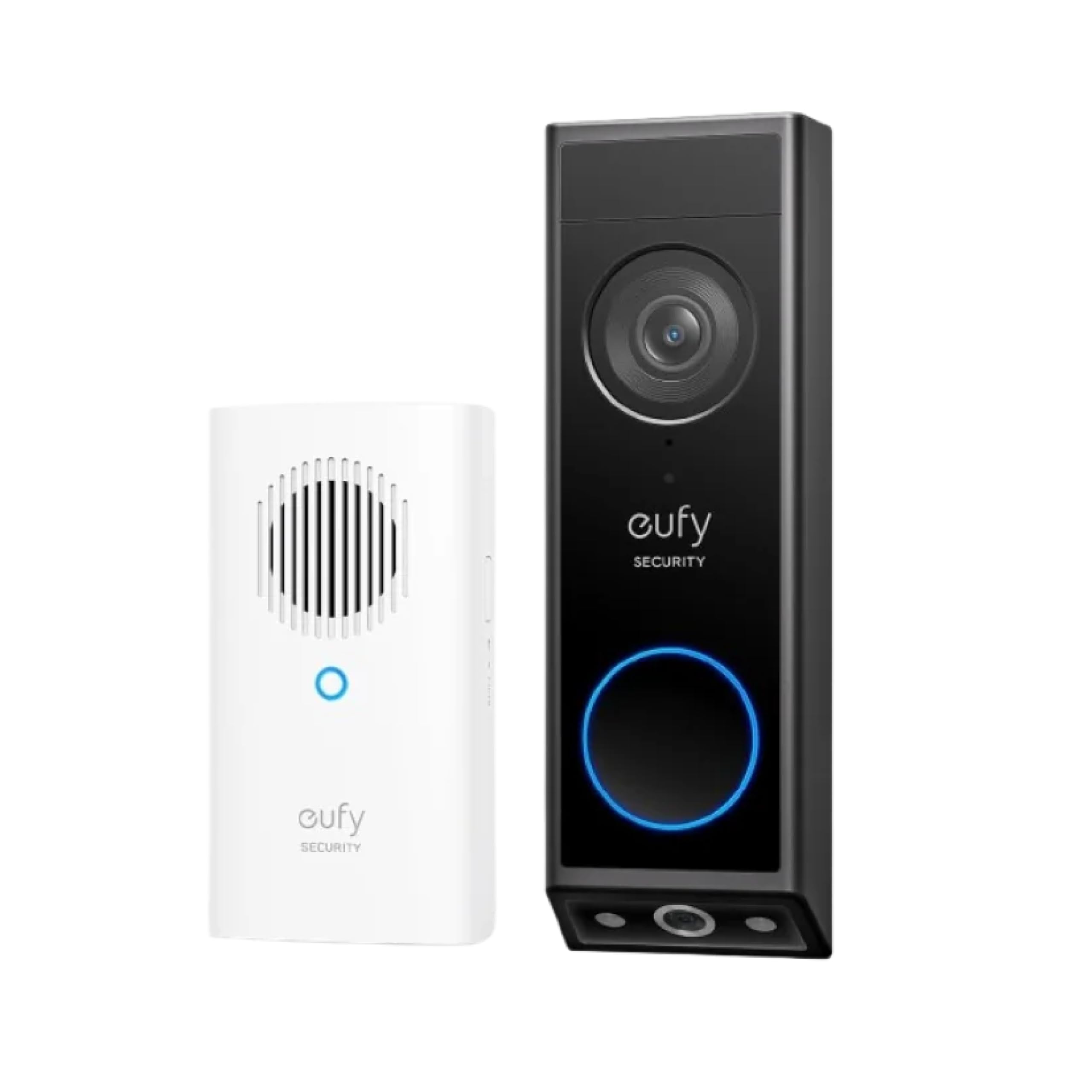
Two lenses on one camera — a front lens for faces and a downward lens aimed at the parcel on your step.
Most door cameras point straight ahead and miss what is sitting at the base of the door. The E340 solves that with a dual-camera design: a front-facing lens for people and a downward-facing lens that captures the floor directly in front of your door. Together they cover the gap where packages get dropped and picked up. It shoots in 2K Full HD, and the color night vision pushes a clear view out to roughly 16 feet, which is further than most competitors manage in the dark.
The storage story is what makes this a strong value for the right buyer. It carries 8GB of built-in memory with no subscription required at all, and can pair with a HomeBase for extra storage down the line. Setup is genuinely easy, and installs without wiring for people who want no-drill mounting. The included chime rings through the house, and it works alongside Alexa and Google Assistant devices.
The catch worth knowing: battery life is the trade-off. High-sensitivity motion detection in a busy area drains the battery faster, since the camera is watching and recording more often. The fix is reducing alert sensitivity, which slows the drain. If you have existing chime wiring, hardwiring tops the battery up and removes that concern entirely — and wired mode needs a 16 to 24V source. The dual-camera view is the standout feature here, and it solves a real problem no single-lens doorbell can.
Perfect for: a home where packages land on the step and you want them captured without a monthly fee.
Not for you if: your porch sees constant foot traffic — high sensitivity plus heavy triggers will eat the battery faster.
7. Ring Wired Doorbell 4K Pro
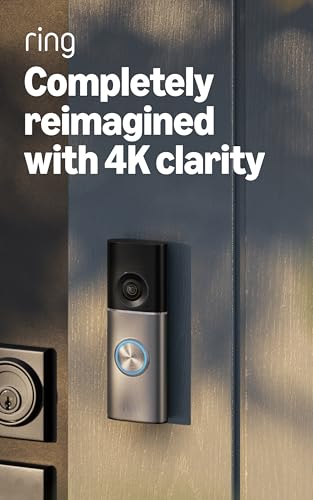
The detail king — Retinal 4K video and 10x zoom that reads a license plate across the street.
You can zoom in on a hand and still read what it is holding. That is what 4K buys you here. Its Retinal 4K resolution (4K means about 4,000 pixels across, the sharpest picture on this list) delivers a 2880×2880 image — four times the pixel count of the 2K doorbells here — and that extra detail is what lets you zoom in up to 10x without the image turning to mush. The 140°x140° head-to-toe view keeps a visitor’s face and the package at their feet both in frame, and Low-Light Sight keeps true color going as long as there is a little ambient light before dropping to black-and-white in full darkness.
The smart layer here is 3D Motion Detection, which pinpoints movement and cuts the number of false alerts, plus Video Descriptions that tell you what triggered the alert before you even open the app. Picture quality is what owners single out most, with installation close behind — a hardwired setup most people finish in about 20 minutes. The premium finishes let it match your exterior instead of standing out. Everything runs off existing doorbell wiring, so there is no battery to swap.
Two things to sort out before you buy. First, this is hardwired-only and needs adequate doorbell transformer power and a strong Wi-Fi signal, because 4K video is data-hungry — a weak connection causes stutter and missed recordings. Second, some advanced features like the Video Descriptions require a Ring Protect subscription, so factor that in. If your wiring and Wi-Fi are up to the job, this delivers the most detailed front-door footage you can install yourself.
Best for: a home with solid doorbell wiring, a strong Wi-Fi signal, and a need for the sharpest detail possible.
pass on it if: your porch Wi-Fi is weak — 4K needs bandwidth, and a poor signal means missed recordings.
Know the Specs
Resolution — 2K vs 4K and what it changes
Resolution is the number of pixels that make up the picture, and it decides whether a face is recognizable or a blur. 2K is the current practical standard — sharp enough to identify most visitors in normal light. 4K pushes past that into detail you can zoom into and still read, useful when a plate or a package label matters. Higher resolution also means bigger files and a heavier demand on your Wi-Fi, so the raw number is only worth it if your network can feed it.
Field of view — how much porch you actually see
Field of view is the width and height the lens captures, measured in degrees. A wider view takes in more of your path, porch, and driveway, so you catch people before they reach the door. A taller “head-to-toe” framing matters too, because it captures a face and a package on the step in the same shot. A high-resolution camera with a narrow view can still miss the delivery sitting at the base of your door.
Power source — battery vs hardwired
How the camera gets power shapes everything about ownership. A battery model installs anywhere with no wiring, but must come off the wall to recharge, and it is offline while it charges. A hardwired model draws from your home’s existing doorbell transformer and never needs a recharge, but only works if that wiring is present and adequate. Some doorbells do both — running on a battery while hardwiring keeps it topped up.
Storage — local card vs cloud plan
Storage is where the recurring cost usually hides. Local storage keeps recordings on a memory card or built-in memory inside the camera, at no monthly charge, though you manage the card and its capacity yourself and most cards cycle over old footage once full. Cloud storage keeps clips off the device and rarely caps out, but almost always requires a paid plan after a short trial. Decide whether no-fee local clips or easy cloud backup matters more to you.
Common Questions
Do I need to pay a monthly subscription to use a door camera?
Can a battery door camera run on my existing doorbell wiring instead?
What field of view do I need to see a package on the ground?
Is 4K worth it over 2K on a doorbell camera?
How long does a rechargeable doorbell battery actually last?
Will a door camera work with Alexa or Google Home?
Can a wired doorbell camera really record 24 hours a day?
Why do some door cameras miss people or send false alerts?
Do I need a chime for my door camera to ring inside my home?
What happens to my recordings if the door camera is stolen?
The Bottom Line
For most front doors, the strongest all-rounder among these door cameras is the Ring Battery Doorbell — head-to-toe coverage that captures faces and floor-level packages in one frame, a built-in USB-C battery that installs without any wiring, and a track record across 56,000+ ratings that speaks to how reliably it just works. If the ongoing subscription is a concern, the Tapo D205 keeps recording to a memory card with no monthly fee, while the Ring Wired Doorbell 4K Pro tops the range with Retinal 4K detail when you need to read fine print from across the street. Decide first whether battery or wiring suits your wall — that single answer narrows the list to one or two picks, and everything else falls into place.
How we choose
We do not accept paid placement. Every pick is matched to a real buyer and a real use-case; we do not hands-on test units.
Sources
Specifications: manufacturer listings and product documentation. Review insights: verified customer reviews, as of October 2026. Pricing: not shown on this page (it changes often); check the current price via the retailer link.
As an Amazon Associate, Aappliancez earns from qualifying purchases. This does not affect which products we feature.