Disclosure: Some links in this post are affiliate links. As an Amazon Associate I earn from qualifying purchases, at no extra cost to you. Learn more
Specs are compiled from manufacturer listings and verified buyer reviews and can change over time — please confirm the key details on the product page before buying.
If you want a digital notepad that feels like real paper under your hand, the Boogie Board Basics is the safest place to start — a reusable writing pad with instant erase and a stylus included. But it is not the only answer. Some buyers need pages that scan straight into Google Drive, some need a double-sided screen for quick notes at a desk, and some simply want a cheap doodle board to keep the kids quiet in the car. This guide sorts the real difference between LCD writing tablets and app-connected reusable notebooks, so you pick the right one the first time.
This guide is built by comparing the manufacturers’ published specifications and the patterns across verified customer reviews, so you get each pick’s real strengths and trade-offs instead of marketing spin.
Some pads erase with one button press and hold a note forever; others scan handwriting into the cloud and wipe clean with a damp cloth. Either way, the right pick depends on if you need notes saved or just paper replaced.
Top Picks


How To Choose The Best Digital Notepad
The first fork in the road is simple: do you want your notes to stay digital, or do you just want to stop wasting paper? A basic LCD writing pad lets you scribble, then wipe the screen with one button and start again — nothing is saved. A reusable smart notebook like the Rocketbook line keeps a real page you can photograph and send to the cloud with an app, then wipe clean with a damp cloth. Decide that first, because it determines if you need an app, a stylus, or neither.
Watch the light, not just the screen size
An LCD writing pad reflects light rather than producing it, so the writing is easy to read in a bright room and faint in a dim one. Most of these pads say so plainly in their own listings. If your main note-taking happens on an evening train or a dark office, plan on a lamp nearby, or pick a model whose listing calls out brighter, thicker lines. Screen size is the second thing to check: an “8.5 inch” label can describe the whole board diagonally rather than the usable writing area, so read the listed surface dimensions before you commit.
Lock switch, one-button erase, and partial erase
A lock switch freezes the screen so a sleeve or a palm does not wipe your shopping list. A single erase button clears everything at once — quick, but you cannot rub out one word and keep the rest. Several pads in this list have a lock but no partial erase; that trade-off matters if you like to correct spelling mistakes as you go. On the notebooks, an included pen eraser handles small fixes, while a damp cloth clears a whole page.
Battery, stylus, and the little things
Most LCD pads run on a coin-cell battery that only drains while you erase, and the listing tells you which cell it takes — the Mafiti pad names a CR2016 3.0V. Some batteries are user-replaceable with a small screwdriver; a few pads are sealed. Check how the stylus is held too, because several pads have no built-in holder and owners end up taping or clipping the pen on themselves. Those small details are what you notice after a week of daily use.
Side-by-Side Comparison
| Model | Best For | Screen Type | Writing Surface | Weight | Amazon |
|---|---|---|---|---|---|
| bravokids 10 Inch★ Best Overall | Kids drawing and letters | Single LCD, color screen | 6.8″W x 10″H | 150 g | Amazon |
| Boogie Board BasicsAlso Great | Everyday quick notes | Single LCD, instant erase | 61.575 sq in | 112 g | Amazon |
| Rocketbook Fusion PlannerBest for Planners | Planning plus note-taking | Reusable paper, app scan | 8.5 x 11 in, 7 templates | 8 ounces | Amazon |
| Rocketbook Core Letter | Meeting notes to cloud | Reusable paper, app scan | 8.5 x 11 in | 224 g | Amazon |
| Rocketbook Core Executive | Bag-and-desk portability | Reusable paper, app scan | 6 x 8.8 in | 5.92 ounces | Amazon |
| Rocketbook Mini | Pocket jotting | Reusable paper, app scan | 3.5 x 5.5 in, 48 pages | 1.44 ounces | Amazon |
| Ksequ 10.5″ Double-Sided | Desk work and study | Double-sided LCD | 10.5 in | 6.8 ounces | Amazon |
| JSJGETYI 10in with Cover | Carry-with-case use | Single LCD, PU cover | 100 sq in | 300 g | Amazon |
| YOLIPULI 6.5″ with Case | Shift work and purse notes | Single LCD, leather case | 6.5 in | 0.1 kg | Amazon |
| Ksequ 6.5″ Double-Sided | Pocket-size office notes | Double-sided LCD | 11.025 sq in | 2 ounces | Amazon |
| Mafiti 8.5 Inch | Budgets and classroom | Single LCD, lock switch | 8.93″W x 0.13″H | 3.84 ounces | Amazon |
Detailed Reviews
1. bravokids 10 Inch LCD Writing Tablet for 3-8 Year Olds
Our pick — 4.5+★ from 31,000+ verified ratings; the strongest balance of quality and price.
A 10-inch colour drawing board built to survive toddlers, car trips, and homework.
This is the pad parents reach for to keep small hands busy without handing over a phone. The 10-inch LCD color screen draws in bright lines and wipes with one press of the erase button, with a lock key to keep a finished doodle from vanishing. It’s made of durable plastic with rounded corners and anti-fall protection, and it weighs 150 grams — light enough for a toddler to hold with one hand. The battery door on the back is fixed by a screw, a small detail that matters when a curious child is poking at it.
Parents get real mileage out of it. It stands up to drawing, letters, and numbers in homeschooling, and it’s easy to toss in a school bag or travel bag. As one mother put it: “i bought 2 of these and my children love it. still use it after months. they are so easy to use and has encourage them to draw.” That durability line comes up again and again — the plastic shell takes knocks that would kill a glass tablet. It’s a 10-inch board with a 6.8-inch-wide frame, so it sits comfortably on a small lap.
Two things to know. The colour isn’t as vivid as some listings make it look, and the writing shows as a lighter line than the photos suggest. The cord that tethers the stylus to the board can be fiddly to thread through its hole on first setup. Neither keeps kids from using it; they just set expectations.
Why parents keep buying it
- 10-inch colour screen with one-button erase and a lock key
- Anti-fall plastic shell with rounded corners for young children
- Light at 150 grams and screw-fixed battery door for safety
Setting expectations
- Colours are less vivid than the product photos suggest
- Stylus tether cord is fiddly to thread at first
- Needs decent light to read the screen
Pick it for: a child aged roughly 3 to 8 who needs a tough, cheap drawing board for home and car trips.
Not the one for: adults who want fine, high-contrast handwriting — the colour lines are softer.
2. Boogie Board Basics Reusable Writing Pad
A cordless LCD pad that clears the whole screen with one button press.
This is the pad to buy when you want one thing done well: write a note, read it, wipe it, move on. Push the button on top and the whole screen clears at once with Quick Clear technology — no eraser, no paper towel, no cloth. The writing surface is 61.575 square inches, which is roughly the footprint of a small tablet, so a grocery list or a phone number during a call fits easily. It weighs 112 g, light enough to sit on a desk or drop in a bag without you noticing it.
What wins people over is how little there is to fuss with. There are no cords and no charger, and the included stylus isn’t strictly required — a fingernail or a pencil works too. The slide clip locks the screen so a bag strap doesn’t wipe your list, and the stylus clips into its holster. In a head-to-head with the JSJGETYI 10-inch pad, this one is the smaller, simpler board: 61.575 square inches of writing surface against 100, with none of the case-flap complications. Owners lean on it daily for shopping lists and reminders, and one summed it up plainly: “I love my boogie board and I use it daily for my grocer list or for things to remember.”
The honest limit is contrast. The writing shows as a dull gray on a cyan-tinted screen, and the edges carry a slight blue tint — you notice it if you are used to crisp black ink. There’s also no partial erase, so correcting one word means clearing the page and starting again. Neither is a fault so much as the nature of a reflective LCD board. And if you need a note to survive tomorrow, this isn’t the tool; nothing here is saved, so you photograph the screen or re-write it.
What earns its place on the desk
- One-button Quick Clear wipes the entire screen instantly
- No cords or chargers, and a replaceable CR2025 battery that some owners swap themselves after years of use
- Slide clip locks the screen so notes survive a bag
- Write with the stylus, a pencil, or a fingernail
The trade-offs you live with
- Dull gray writing on a cyan screen with a slight edge tint
- No partial erase — one button clears everything
- Nothing is saved, so you photograph pages you need to keep
Reach for this if: you want a dependable desk pad for lists, reminders, and quick sums with zero charging and zero setup.
Look elsewhere if: you need notes that scan into the cloud or survive past the next erase — a Rocketbook is the better fit.
3. Rocketbook Fusion Reusable Undated Productivity Planner
Seven page types in one reusable planner, from monthly calendar to dotted notes.
If you plan your week and take notes in the same breath, this is the pick. The Fusion packs seven page templates into one letter-size notebook: monthly and weekly calendars, a to-do list, a goal tracker, an idea list, and both dotted and lined note pages. You write with the included Pilot Frixion pen, scan the page with the Rocketbook app straight into Google Drive, Dropbox, or OneNote, then wipe it clean with a damp cloth and plan again. The waterproof cover and spiral binding let it lay flat while you write.
The clever part is that it is undated — you fill in the dates yourself, so a quiet month doesn’t waste a printed calendar. Setup with the app is quick; owners describe scanning a page to email or Drive in seconds and using hashtag titling to file notes under a heading. Teachers and students keep coming back to it for exactly that: a planning section that saves to the cloud, plus dotted and lined pages for class notes. At 8 ounces and 8.5 x 11 inches, it’s a desk-and-backpack notebook rather than a pocket one.
The catch is ink discipline. The pages are glossy, so wet Frixion ink needs around ten seconds to dry before a hand or sleeve drags it. Skip that and you get smudges that need a spray and cloth to fix. The pen that ships in the box sits in a separate side compartment and is easy to miss on unboxing, so check the packaging before you assume it’s missing.
Where it shines: one notebook covers a month of planning, a week of to-dos, and open-ended note pages, all scannable into your own cloud service.
Where it asks something of you: it only works with Frixion-style erasable pens, and the glossy pages punish rushed handwriting.
The verdict: the strongest all-rounder for anyone who plans and notes in the same book and wants both in the cloud.
Not the one for: buyers who want to scribble and instantly erase without waiting for ink to dry.
4. Rocketbook Core Reusable Smart Notebook, Letter Size
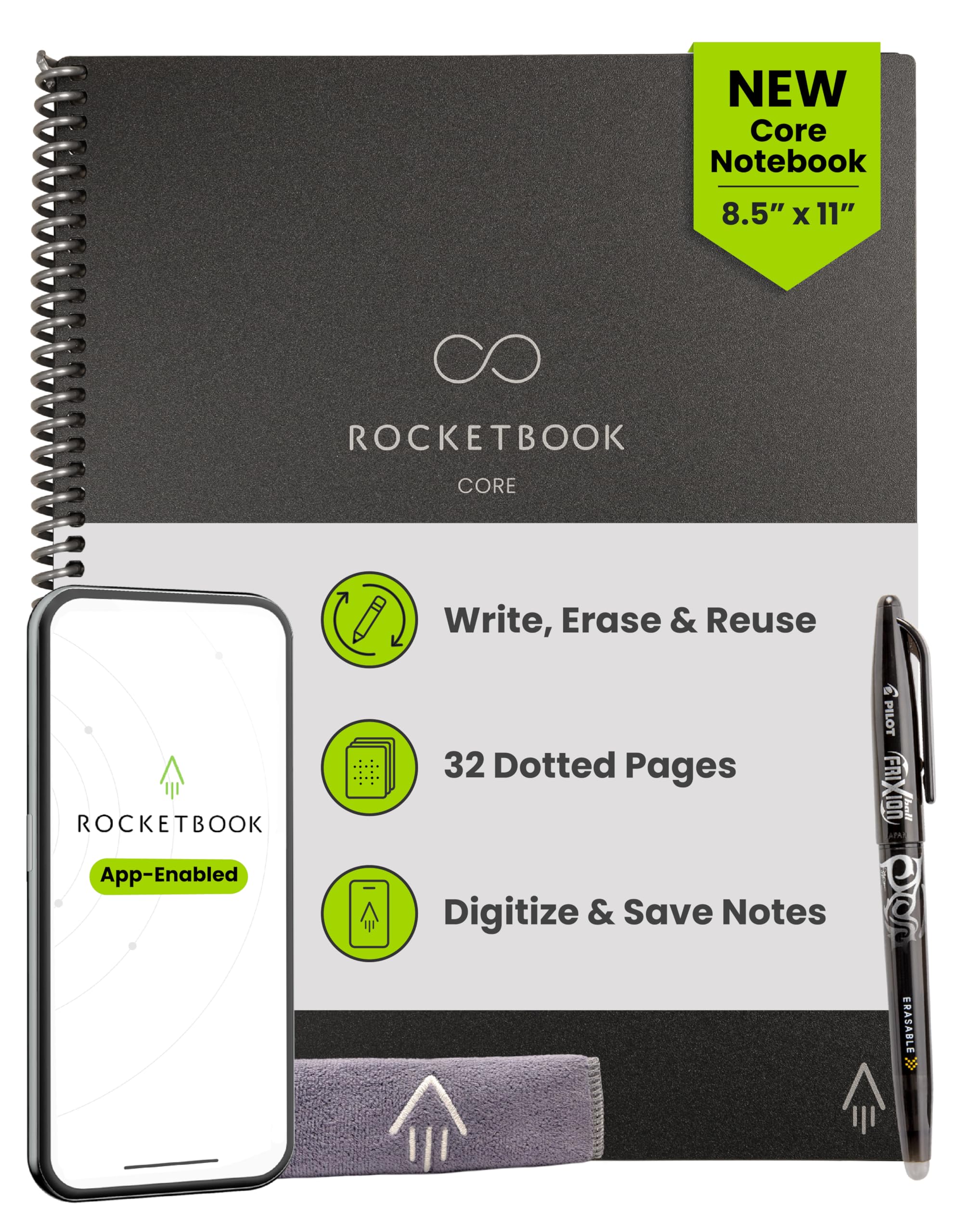
A full-size reusable notebook that turns handwritten meeting notes into cloud files.
Full letter-size pages, a Pilot Frixion pen in the box, and an app that scans your writing into Google Drive, Dropbox, or OneNote — that combination is the reason this notebook earns its spot. At 8.5 x 11 inches and 224 g it is a proper desk notebook, not a pocket pad. The scratch-resistant cover and spiral binding hold up to daily bag travel. Write, scan, wipe with a damp cloth, and write again.
Grid pages now carry Smart Titles and Smart Tags, so you name a file and file it under a heading without digging through menus. People who live in meetings describe it as the bridge between paper and digital: the tactile feel of a pen, the searchability of a cloud folder. Heavier note-takers get around a year of steady use from the same pages before the surface starts to wear. Compared with the smaller Rocketbook Core Executive, this one gives you the full 8.5 x 11 sheet for sprawling notes, where the Executive trades that space for bag-friendly size.
Ink smearing is the recurring gripe. Let the Frixion ink dry before you close the book or drag a hand across the page, or you’ll be cleaning a smudge. It also locks you into Frixion-style pens and refills, so a favourite gel pen is out. A few owners find the dot grid takes adjusting if they’re used to plain lined paper.
The appeal: notebook-sized pages plus one-click scanning to the cloud, with a cover built to survive a commute.
The fine print: Frixion pens only, and a moment of patience while the ink dries.
Best for: meeting-heavy days where you want handwritten pages searchable by tomorrow.
skip it if: you refuse to change pens — this notebook only plays nicely with erasable Frixion ink.
5. Rocketbook Core Reusable Smart Notebook, Executive Size
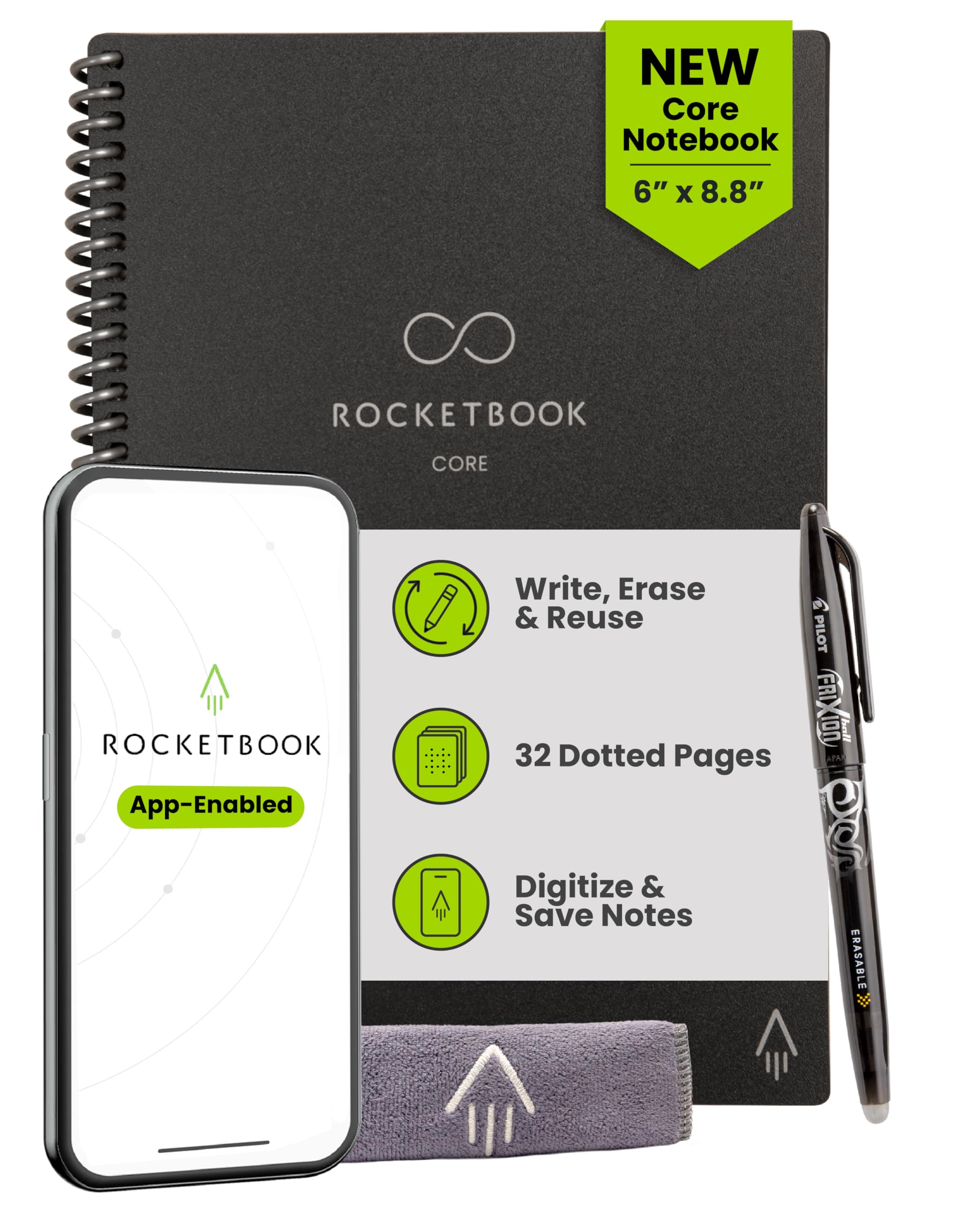
The same cloud-scanning Core in a size that slips into a work bag without a bulge.
The Executive Core trims the letter-size notebook down to 6 x 8.8 inches and 5.92 ounces — small enough for a purse or briefcase, big enough for real notes. You still get the Pilot Frixion Pen, the Rocketbook app scan to Google Drive, Dropbox, or OneNote, and Smart Titles and Smart Tags on the dotted grid. Wipe the pages with a damp cloth and start fresh.
What wins people over is the paper feel. Owners describe the writing as smooth and silky, and the erasability as complete — pages clear without leaving shadow marks behind. That combination makes it a natural fit for lists, reminders, and follow-up notes you want searchable later. A small business owner who juggles to-dos and client reminders keeps it on the desk and scans each page into the cloud. School users and kids take to it too, since the reusable concept means no running out of pages mid-term.
Two honest notes. The app doesn’t connect automatically — you open it, point the camera, and capture the page, so it’s closer to filing a photo than to a wireless sync. And the soft covers are durable and wipeable but not rigid, so an add-on folder or sleeve is worth considering if you carry it loose in a bag.
Why it earns the bag space
- 6 x 8.8 inches at 5.92 ounces — genuinely portable
- Pages wipe completely clean with a damp cloth
- Smart Titles and Smart Tags make cloud files findable
What to plan around
- Scanning is a manual photo step, not an automatic sync
- Soft cover isn’t rigid, so loose bag carry wants a sleeve
- Frixion-style pens only
Pick this one if: you want cloud-ready notes without a full letter-size book in your bag.
Think twice if: you expect the app to pull pages in on its own — you’ll be photographing each page yourself.
6. Rocketbook Mini Reusable Smart Notepad
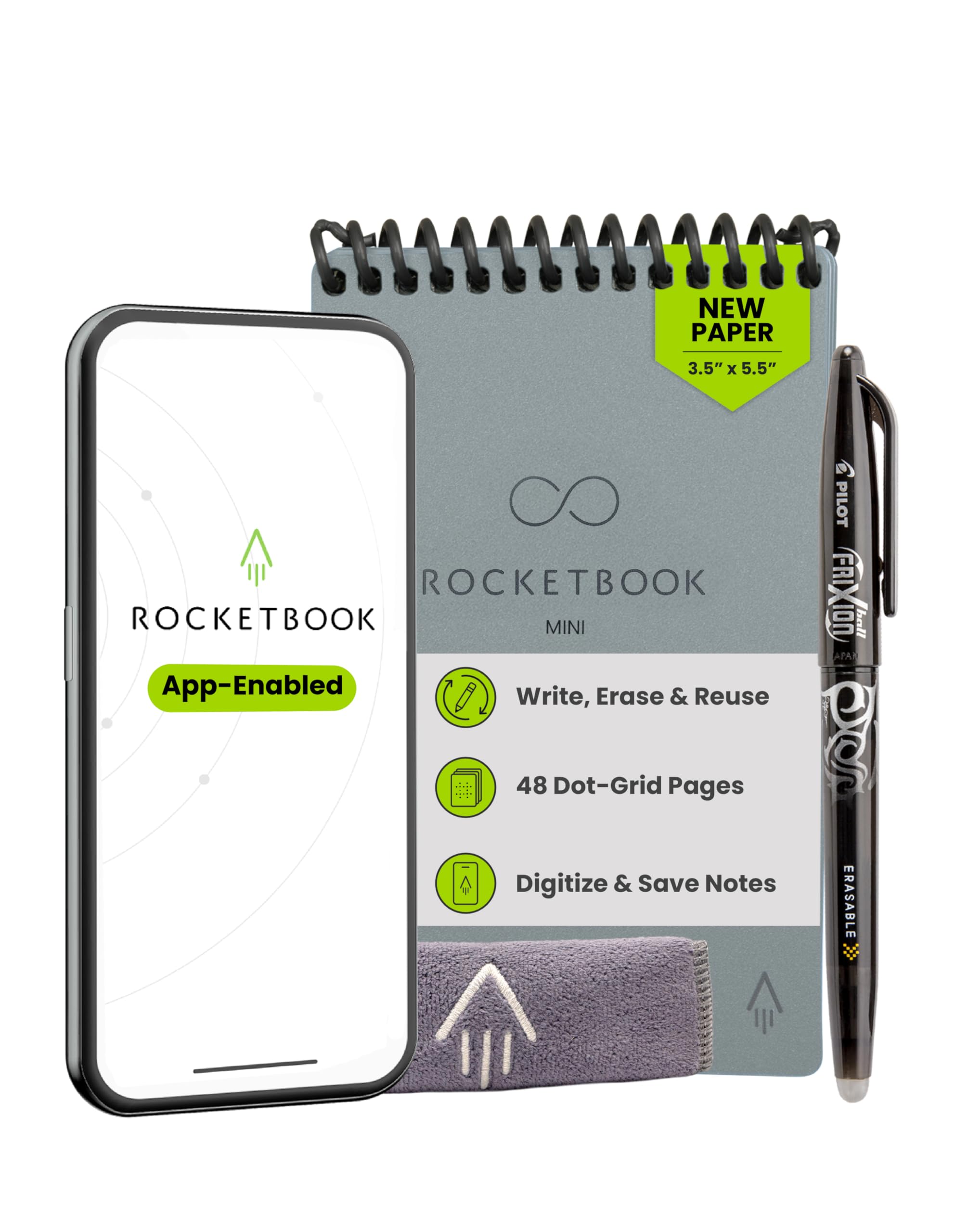
A pocket-sized reusable notepad for the ideas that arrive when you’re away from a desk.
At 3.5 x 5.5 inches and 1.44 ounces, this is the notepad that lives in a pocket or purse and gets used in the queue, the car park, the corridor. It carries 48 dotted pages, a top-bound spiral binding, and a waterproof cover. Write with the included pen, scan with the Rocketbook app to your chosen cloud service, then wipe the pages with a damp cloth. For raw portability it beats the Rocketbook Core Executive outright — 1.44 ounces against 5.92 — though you trade a full page for a slip of paper.
The paper quality is what stands out most; owners describe it as smooth and a real improvement on earlier Rocketbook stock. A pocket-sized notebook that looks professional in a meeting is a nice bonus at this size. For anyone who prefers a pen to typing on a phone, it’s the natural way to catch a thought before it evaporates.
The gloss is the weak point. The pages smear easily with the provided erasable pen, and spot-correcting with the pen’s eraser tends to make things worse rather than better. There’s also a real caution if a note must survive: one buyer’s notes erased themselves overnight while the pad sat in a cup holder. Treat anything you can’t lose as a page to scan the same day.
Standout: a genuinely pocketable reusable notepad at 1.44 ounces with smooth, professional-looking pages.
Worth knowing: glossy pages smear, and unstored notes can fade — scan what matters promptly.
Fits you if: your notes happen on the move and you want them digitised the moment you stop walking.
Not for: long-form notes or anything you need to keep on paper for weeks.
7. Ksequ 10.5″ Double-Sided Full Screen Writing Tablet

A double-sided 10.5-inch board that gives you two full screens of scratch space.
The headline here is the double-sided full screen. You write on one face, flip it, and keep writing — twice the scratch space without doubling the footprint. The board packs a 10.5-inch active surface into a very thin frame at 6.8 ounces, so it rides in a bag next to a laptop without complaint. A one-click clear button wipes it, and a lock switch protects what’s on the screen.
For office and study work this is a practical everyday pad. The thin strokes read more like an ink pen than a chunky kids’ tablet, palm and finger marks are minimal, and the writing runs right to the edge of the screen. It writes with the attached pen across thousands of notes without paper. Sit it beside the Ksequ 6.5″ double-sided model and the difference is clear: this one is built for a desk, that one for a pocket.
Two things to plan for. It needs decent room light — the listing says plainly that brightness is poor in weak light, and the writing is hard to read in a dark room. And there’s no way to erase part of the page; the clear button wipes everything. Owners also mention the buttons feel inexpensive and there’s nowhere built in to park the stylus, so a piece of velcro or a clip becomes part of the setup.
The case for it: two usable screens on one thin board, with a lock switch and a clear button that just works.
The honest catch: reflective LCD means you need a lit room, and the stylus has no home unless you make one.
Choose this if: you want maximum jotting area for desk work and are happy to work near a lamp.
A different fit if: your notes happen after dark or you want to rub out one line instead of all of them.
8. JSJGETYI 10inch LCD Writing Tablet with PU Cover
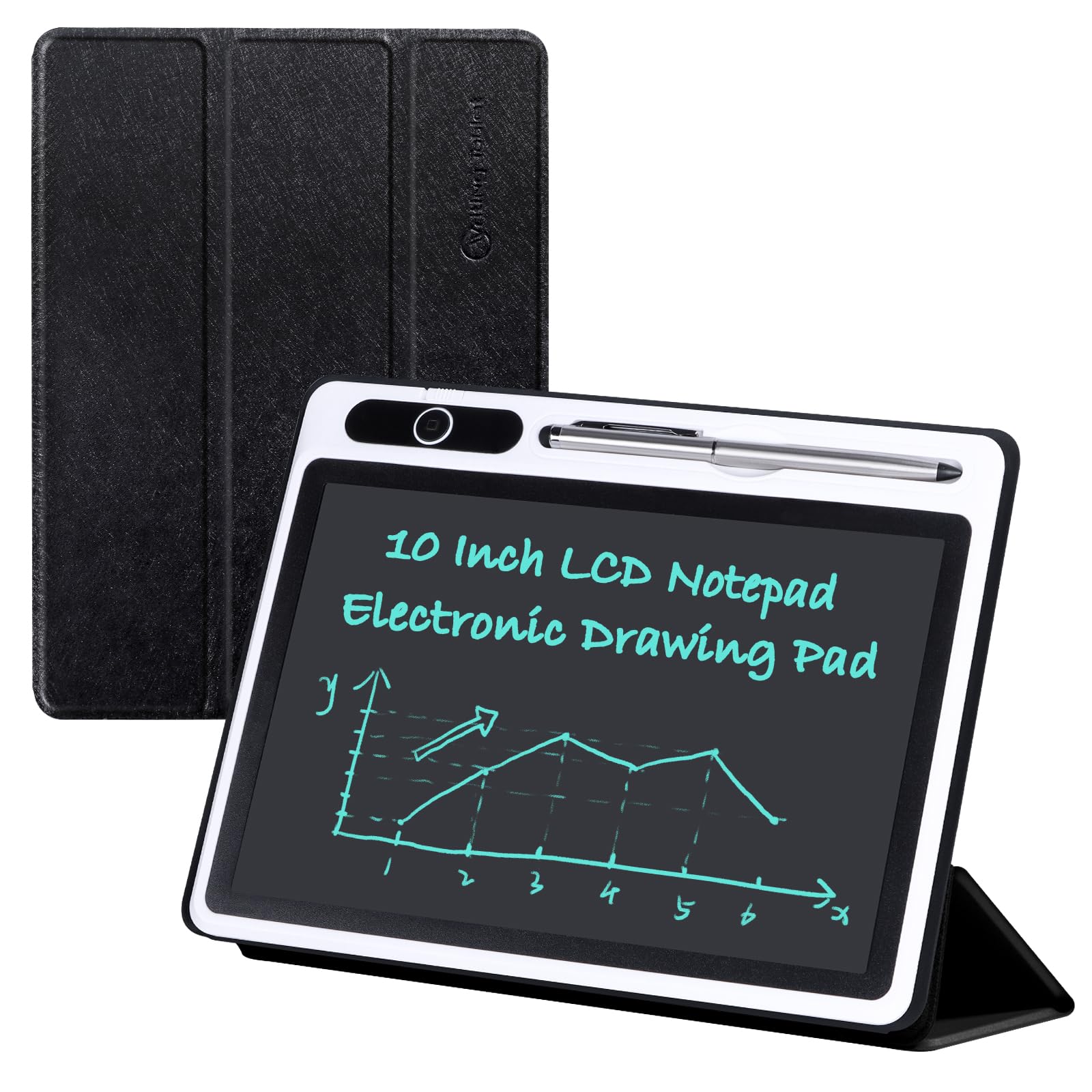
A 10-inch board with a foldable cover that doubles as a stand on your desk.
The cover is the reason to pick this one. A PU protective cover wraps the electronic notepad all-round, then folds back into a stable stand so you can prop it up for viewing or writing. The flexible 10-inch screen carries a 100 square inch writing surface and turns out brighter, thicker blue-green lines than a basic board — handy when you’re reading back your own handwriting across a desk.
It has the one-key delete and a lock function so an accidental sleeve swipe doesn’t wipe your sketch. If notes matter, you photograph the screen with your phone; the listing is clear that it doesn’t connect to a computer. Owners use it for work notes to stop wasting paper, and the lock switch earns its keep. Dropped once and it kept working — the plastic body takes knocks better than you’d expect at this weight of 300 g.
The cover is the weak spot: owners describe it as flimsy, tablet-like plastic rather than a stiff folio, so it protects against scratches more than drops. The reflective LCD also needs a lit room, and there’s no partial erase — closing the cover as a clear gesture isn’t a feature here, so you clear the whole screen when you’re done with it. The pen has a solid metal body with a hard writing tip and a soft touchscreen tip, and pressure changes the line thickness.
What the cover buys you
- Folds into a stand for desk viewing and writing
- Brighter, thicker lines on a 100 square inch screen
- Lock switch keeps a sketch from being wiped by accident
Where it falls short
- Cover feels flimsy — scratch protection more than drop protection
- No connection to a phone or computer, so you photograph notes to keep them
- Needs a well-lit room to read the screen
Worth it for: desk users who want a prop-up board with a cover that keeps dust and scratches off the screen.
Look past it if: you need a hardy case for a bag or a way to save notes digitally.
9. YOLIPULI 6.5 Inch LCD Writing Tablet with PU Leather Case
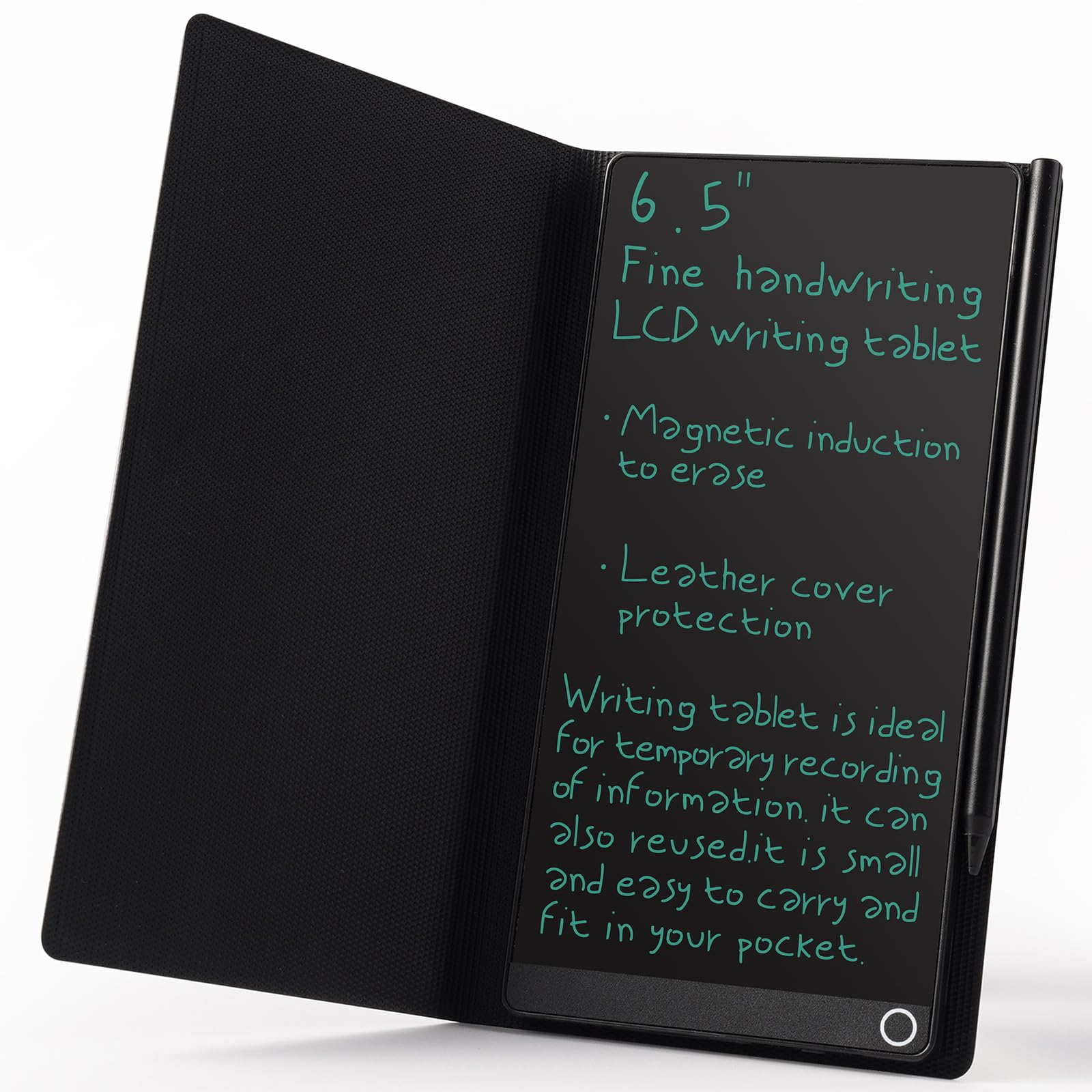
A purse-sized notepad with a leather case and two ways to clear the screen.
This one is built for people who take notes standing up. The 6.5-inch screen sits in a leather case that guards the writing from scratches, and the board measures just 0.4 inches thin and 0.2 pounds — it drops into a school bag, handbag, or travel bag and disappears. There are two ways to clear it: the traditional push button, or the end of the magnetic pen held near a circle on the front. One press or one touch and the screen is blank.
What wins people over is how it looks and carries. Desk workers who want to stop covering their workspace in sticky notes like that it reads as professional rather than colourful paper scraps. The 93.5% screen-to-body ratio puts a lot of writing area into a small frame. Owners use it for meeting records, shift notes, and calculations, and the LCD pressure-sensitive surface leaves barely a palm or finger mark behind.
The screen brightness is the sticking point. There’s no brightness adjustment, and reading the blue-green lines in a dim room is hard work — several owners say daytime only. It’s also a single-sided board, so if you were expecting two writing faces, this isn’t that model.
Best for: shift workers and desk users who want a neat, professional-looking pad that fits every purse.
Worth knowing: no brightness control, so plan on using it in daylight or well-lit rooms.
If this sounds like you: you want handwritten notes that look tidy on a desk and travel without bulk.
Better to choose: the Ksequ 6.5″ double-sided pad if you need two writing faces and a bigger drawing area.
10. Ksequ 6.5″ and 6″ Double-Sided Digital Notepad

Two writing faces, a magnet on the back, and 2 ounces of bag-friendly note space.
At 2 ounces and 0.2 inches thick, this pad is thinner than a phone and lighter than most keyrings. The trick is the double-sided full screen: 6.5 inches on one face and 6 inches of capacity behind it, giving you two surfaces in a tiny frame. It has an 11.025 square inch active area, a magnet built in for sticking to a fridge or metal desk, and a one-click clear key.
For pocket-sized office notes this is a practical, budget-friendly option. The strokes are fine and need little pressure, palm and finger marks are minimal, and writing runs to the very edge of the screen. There’s a lock switch to keep a note in place. If you like to copy your writing into a computer later, the clear button makes wiping quick. Compared with the bigger Ksequ 10.5″ double-sided board, this one sacrifices writing area for genuine pocketability.
The light issue is real and the listing admits it up front: it needs a bright room, and the handwriting is hard to see in weak light. It’s also reflective rather than backlit, so there’s no reading it in bed. If you can work near a window or a lamp, the trade-off is small at this price.
The draw: a featherweight double-sided pad with a built-in magnet and a clear button that works.
The caution: you need decent light to read the screen, and there’s no partial erase.
Buy this if: you want a tiny, budget-friendly notepad for quick notes and sums close to a light source.
Think again if: you’ll be writing in dim rooms or want to save notes digitally.
11. Mafiti LCD Writing Tablet 8.5 Inch

An entry-level board with a kick-stand stylus and a replaceable coin battery.
This is the cheapest way onto the list, and it does the basic job: write with the plastic stylus, press the erase button, start again. It’s 1/8 inch thin and 3.84 ounces, so it slides into a bag and stays out of the way. The stylus doubles as a kick-stand so you can prop the board up to show a message to family or a colleague, and there’s a built-in stylus dock for storage. It’s the widest of the small boards here at 8.93 inches across, and it’s thicker in writing than the earlier version of the same model.
Owners use these as a reusable replacement for sticky notes — doodling, quick reminders, stress relief between tasks. The erase button works when the lock switch is in the right position, so set that first. Kids take to them too, and the price means you can buy a few and scatter them around the house. If you want more writing area, the JSJGETYI 10-inch pad above gives you 100 square inches against this narrower board.
The catch is contrast. The writing shows as a low-contrast dark blue on dark gray, and the product photos flatter it — you’ll want good light. There’s also a note on the battery: it takes a CR2016 3.0V coin cell, replaceable with a small specialty screw and clasp that some find fiddly. An occasional unit arrives stuck in lock mode, which a quick flip of the back switch fixes. The “8.5 inch” figure describes the board’s length, not the writing surface, so expect a smaller canvas than the name implies.
The bargain: a thin, light board with a stylus kick-stand and a battery you can swap out yourself.
The lowdown: low-contrast writing and a screen that’s smaller than the “8.5 inch” label suggests.
Good fit for: classrooms, kids, and anyone who wants a cheap reusable board for sticky-note tasks.
Better luck elsewhere if: you need crisp, bright handwriting or a large writing area.
Know the Specs
LCD writing surface and active area
An LCD writing pad works by pressure, not pixels. Press the stylus into the screen and the line appears; press harder and the line thickens. The figure that matters is the active surface area — the actual writing space, measured in square inches. A board labeled “8.5 inch” often means the diagonal length of the whole unit, not the writing area, so check the listed active surface if size matters. Bigger areas suit desk work and maths; smaller ones suit pockets and purses.
Reflective screens and room light
These screens reflect light rather than glow, which is why they’re easy on the eyes and why they go faint in a dim room. There’s no brightness setting on most models, so you can’t crank it up at night. Plan your use around a lamp, a window, or daylight. It’s also why the writing looks like a dull gray or blue-green rather than black ink, and why product photos can look more vivid than the real thing.
Lock switch and one-button erase
A lock switch freezes the screen so a sleeve or palm doesn’t wipe it. The erase button clears everything at once — fast and simple, but it means you can’t rub out a single word and keep the rest. If partial corrections matter, a reusable notebook with an included pen eraser is the closer match. Most LCD pads here have the lock but not partial erase.
Battery type and replaceability
LCD pads run on a coin cell that only drains while erasing. The listing usually names the cell — the Mafiti pad uses a CR2016 3.0V. Some batteries sit behind a small screw and are user-replaceable; a few pads are sealed. A replaceable coin cell keeps the pad erasing for years, so check that detail if you plan to keep it long-term.
Common Questions
Do LCD writing tablets save notes or sync to a phone?
Why is my writing tablet hard to read in a dim room?
What does the lock switch on a digital notepad actually do?
Can I erase just one word or does the whole screen clear?
Is a Rocketbook worth it compared with a cheap LCD pad?
Do these digital notepads need charging?
Can the battery in an LCD writing tablet be replaced?
How big is the writing area on an 8.5 inch tablet?
Will a digital notepad work with any pen or stylus?
Are these reusable notepads safe to use around young children?
How long will a reusable digital notepad last?
The Bottom Line
For most buyers, the digital notepad that does the job without fuss is the Boogie Board Basics — a single button press clears the screen, there are no cords or chargers, and it holds up to daily list-making and quick sums. If your notes need to live in the cloud and come back searchable, the Rocketbook Fusion is the stronger choice, packing seven page templates and app scanning into one reusable book. And if you want a pocket-sized reusable pad that catches ideas on the move, the Rocketbook Mini is the one to reach for. Whichever route you take, match the pad to how you actually write — desk, desk-to-bag, or pocket.
How we choose
We do not accept paid placement. Every pick is matched to a real buyer and a real use-case; we do not hands-on test units.
Sources
Specifications: manufacturer listings and product documentation. Review insights: verified customer reviews, as of October 2026. Pricing: not shown on this page (it changes often); check the current price via the retailer link.
As an Amazon Associate, Aappliancez earns from qualifying purchases. This does not affect which products we feature.