Disclosure: Some links in this post are affiliate links. As an Amazon Associate I earn from qualifying purchases, at no extra cost to you. Learn more
Specs are compiled from manufacturer listings and verified buyer reviews and can change over time — please confirm the key details on the product page before buying.
The best of this bunch is the Dell 23.8″ All-in-One, which pairs a bright 1920×1080 screen with a 4.7 GHz Intel Core 3 100U and a genuinely calm setup process — and it backs that up with a 4.5+ star reputation built on hundreds of owner reviews.
This guide is built by comparing the manufacturers’ published specifications and the patterns across verified customer reviews, so you get each pick’s real strengths and trade-offs instead of marketing spin.
Below you will find eleven desktops sorted by what they actually do well — big screens for tired eyes, quiet all-in-ones for small rooms, and one tower for the person who wants real horsepower. Every pick is here because a set of owners already lives with it daily, and the full breakdown of the best desktop computers for seniors below explains exactly who each one fits.
Top Picks



How To Choose The Best Desktop Computers for Seniors
The mistake most buyers make is shopping the processor first. For reading email, browsing, video calls with grandchildren, and paying bills, a mid-tier chip with plenty of memory feels smoother than a fast chip choking on 4 GB of RAM. Start with the screen, then memory, then the processor.
Start with the screen you can actually read
A 1920×1080 resolution (often called FHD, or full high definition) is the baseline you want — it keeps text crisp instead of fuzzy. Panel type matters too: an IPS screen holds its colors and brightness when you view it slightly off to the side, which matters if two people are watching together. An anti-glare coating cuts the mirror-like reflection from a window or lamp behind you.
Size is a comfort call. A 21.5-inch panel keeps the whole desktop compact; a 23.8- or 27-inch panel means bigger text and less squinting, but takes up more desk. If reading small print is the whole reason for the upgrade, go bigger.
Memory and storage: the numbers that keep it from stalling
RAM is short-term working memory. With 4 GB, a handful of browser tabs and a video call at once can make the machine crawl. 8 GB is the comfortable everyday floor, and 16 GB gives you headroom for photo editing or many tabs at once. Storage is where your files live: an SSD (solid-state drive) boots and opens programs far faster than an old spinning hard drive, and 256 GB is a sensible minimum while 512 GB or 1 TB leaves room for photos and documents.
All-in-one or tower — and what about the cables
An all-in-one packs the computer into the monitor, so there is one power cord and a couple of peripherals instead of a box under the desk with a tangle of cables. A tower separates the two, which makes future upgrades easier and usually buys more power. For a simple, tidy setup, the all-in-one wins; for a tinkerer who wants to add parts later, a tower is more flexible.
Side-by-Side Comparison
| Model | Best For | Screen | Memory | Storage | Amazon |
|---|---|---|---|---|---|
| Dell 23.8″ All-in-One★ Best Overall | Best Overall for everyday use | 23.8″ FHD | — | — | Amazon |
| Lenovo 23.8″ i3-N305 AIOTop Performer | Fastest everyday multitasker | 23.8″ FHD IPS | 16 GB DDR4 | 512 GB SSD | Amazon |
| HP 21.5″ FHD All-in-OneBest Value | Compact desk with a docking hub | 21.5″ FHD | 8 GB DDR5 | 384 GB | Amazon |
| HP 22″ 13th Gen AIO | Windows 11 Pro on a budget | 21.5″ FHD IPS | 8 GB DDR5 | 128 GB SSD | Amazon |
| HP 27″ FHD Touchscreen AIO | Biggest, touch-friendly screen | 27″ FHD Touch IPS | 16 GB LPDDR5 | 1 TB SSD | Amazon |
| Lenovo IdeaCentre 24″ AIO | Quiet, comfortable viewing | 24″ FHD | 8 GB | 256 GB SSD | Amazon |
| HP 21.45″ 22-dg0340 | Big SSD in a small footprint | 21.45″ FHD VA | 8 GB | 512 GB SSD | Amazon |
| HP 24″ Ryzen 7 AIO | Fast AMD multitasking | 23.8″ FHD | 16 GB | 512 GB SSD | Amazon |
| STGSivir 21.5″ AIO | Budget Core i7 build | 21.5″ FHD | 16 GB | 512 GB SSD | Amazon |
| Core Innovations 24″ AIO | Entry-level big screen | 24″ FHD IPS | 4 GB | 128 GB | Amazon |
| Dell Tower Desktop | Maximum power for upgrades | No display | 32 GB | — | Amazon |
Detailed Reviews
1. Dell 23.8″ All-in-One Desktop
Our pick — 4.5+★ from 250+ verified ratings; the strongest balance of quality and price.
A one-cord desktop that sets up quickly and stays quiet in the corner.
The number to start with is the 1920×1080 screen, because that is what you look at all day. The FHD IPS panel covers 99% sRGB (a color gamut, meaning a wide range of accurate colors) with 50% higher contrast than the previous generation, so photos and video calls look natural rather than washed out. It sits inside a narrow border, which keeps the whole unit compact enough to slide onto a modest desk.
Eye comfort is the feature you will use without noticing it. Dell ComfortView Plus is built to cut the blue light that can tire your eyes during long sessions, and the refresh rate is 66% higher than the previous generation — a smoother screen that is easier to read scrolling text on. The 5MP+IR camera (the IR part helps it work in dim rooms) means video calls stay sharp even when the lamp behind you is off, and the stand tilts from 0 to 20 degrees so you can angle it to your chair.
Day-to-day speed holds up because the Intel Core 3 100U chip peaks at 4.7 GHz, with 10 MB of cache (fast built-in memory the chip uses first). Compare that with the Core Innovations 24″ at 2.9 GHz and 1.5 MB — the Dell’s cache is 10 MB versus 1.5 MB, and its top speed is 4.7 GHz versus 2.9 GHz. Performance is what owners praise most, and it shows: this is the crowd favorite here at 4.5+ stars across 250+ owners. Buyers report the everyday tasks run smoothly, and a wife using it “especially likes the screen size, cordless mouse & keyboard and compactness of it all.”
What it gets right
- 1920×1080 FHD IPS screen with ComfortView Plus to ease long viewing sessions
- 4.7 GHz Core 3 100U chip with 10 MB cache — far more headroom than budget AIOs
- 5MP+IR camera and tilt from 0 to 20 degrees for comfortable video calls
- 1 Year Onsite Service means Dell comes to you if a warranty issue cannot be fixed remotely
Where it asks you to accept a limit
- No fingerprint reader, so you sign in with a password or PIN
- The white finish shows dust and fingerprints faster than darker housings
Reach for this if: you want the calmest all-round choice — a bright big screen, a fast chip, and a quiet all-in-one shape for a living room or study.
Think twice if: you need fingerprint sign-in or a dark finish to hide smudges.
2. Lenovo 23.8″ All-in-One Desktop Computer
Eight cores and 16 GB of memory squeeze into a tidy white AIO that thinks fast.
For a buyer who keeps a dozen browser tabs, a document, and a video call open at once, this is the one that shrugs it off. The Intel Core i3-N305 is an 8-core processor running up to 3.8 GHz, backed by 16 GB of DDR4 RAM and a 512 GB PCIe NVMe SSD (a fast drive type that boots the machine in seconds). That is a lot of breathing room for a mid-range AIO, and it keeps up with spreadsheets, photo libraries, and multiple pages without the hourglass.
The 23.8-inch FHD IPS anti-glare panel has a three-sided borderless design and 99% sRGB color accuracy, so it reads cleanly from an angle and is gentle on the eyes over a long afternoon. Office 365 for the web lets you edit Word, Excel, and PowerPoint documents in the browser when you are online. Wi-Fi 6 (a newer, less crowded wireless standard) and Bluetooth 5.2 keep the connection steady, and the port spread includes two USB-A at 10Gbps, two at USB 2.0, HDMI-out 1.4b, Ethernet, and a headphone/mic combo jack.
What wins people over is the 16 GB of RAM and 8-core i3-N305, and it holds up in daily life — owners describe it as easy on the eyes and reliable for office work, with fast browsing even with several pages open. The catch is sound: the speakers are fine rather than impressive, so if you watch movies at volume, plan on a small speaker or headphone for better audio.
The honest read: this is the most capable everyday multitasker on this list for the money, with 16 GB RAM and a fast NVMe drive doing the heavy lifting. It is a strong value for anyone who does more than one thing at a time.
Worth knowing: the audio is modest, and the included Office 365 is the web version — you edit in the browser rather than with a full installed suite.
Best for: a busy household that runs many tabs and apps at once and wants a quick, tidy AIO without stepping up to premium money.
Look elsewhere if: loud, room-filling speakers are a priority.
3. HP 21.5″ All-in-One Desktop Computer
A compact AIO that throws in a docking hub and newer, faster memory.
You get two conveniences here that most rivals skip. First, the 8 GB of DDR5 RAM is the newer generation of memory, which keeps everyday switching between windows snappy. Second, the included 8-in-1 docking hub adds ports and an SD card slot, and the 384 GB of total storage splits into a 128 GB SSD plus 256 GB of extra space through that hub — enough room for photo albums and documents without hunting for a flash drive.
The 21.5-inch 1920×1080 anti-glare VA panel (VA is a panel type known for strong contrast) is easy to read, and the stand tilts from -6° to 21°, so you can angle it up or down to your chair. The Intel N100 processor runs up to 3.4 GHz with 6 MB cache, which is plenty for email, browsing, banking, and video calls. A front-facing 720p camera, speakers tuned by DTS Audio, Wi-Fi 6, and Bluetooth round out the setup.
Owners find the N100 setup easy and the everyday performance smooth for email, browsing, and video calls. The honest caveat is long-term reliability: some units have developed a black screen after about ten months, so it is worth registering the warranty and keeping support details handy. Treated as a compact, budget-friendly daily machine, it does the job well.
The value angle: a docking hub, newer DDR5 memory, and an anti-glare screen in one compact package — the extras are what make it stand out at this tier.
The catch: reliability is mixed in owner reports, with a few black screens appearing around the ten-month mark, so lean on the warranty.
Pick this if: you want a small-footprint AIO with useful extra ports and a card reader built in.
Pass if: you need ironclad long-term durability above all else.
4. HP 22″ All-in-One Desktop Computer

A no-fuss all-in-one for the person who wants a webcam shutter and Pro security.
The detail that nudges this one ahead of its price-class rivals is Windows 11 Pro, which adds business-grade security features and remote desktop support that Home does not include. If a family member manages the computer remotely or you want that extra layer from day one, that matters. The 13th Gen Intel N100 runs four cores up to 3.4 GHz with 6 MB cache and 8 GB of DDR5 RAM, so browsing, streaming, and basic coding feel smooth rather than sluggish.
The 21.5-inch 1920×1080 anti-glare display keeps reflections down, and the built-in HD webcam has a privacy shutter — a small physical slider that covers the lens so you know the camera is closed between calls. Connectivity is generous: USB Type-C at 5Gbps, three USB-A ports, an HDMI-out, an Ethernet jack, and a headphone/mic combo, plus Wi-Fi 6 and Bluetooth 5.3. The 128 GB SSD boots fast but is the smallest storage here, so if you keep a lot of photos, budget for an external drive.
Setup is the thing owners praise most, and it shows — people describe the N100 machine as easy and user friendly, with smooth performance for basic coding and home-office use. The sound is the soft spot: a few find the volume a little quiet, and one unit quit after a day before a replacement worked fine. Sized honestly, it is a dependable everyday machine, not a multimedia powerhouse.
Why it stands out: Windows 11 Pro, a privacy shutter on the webcam, and Wi-Fi 6 with Bluetooth 5.3 in a compact black AIO — the professional touches set it apart.
The trade-off: 128 GB storage is tight for large photo or video collections, and the speakers do not get very loud.
Go with this if: you want a simple compact AIO with Pro-level security and a camera shutter for video calls.
Look at the Lenovo 23.8″ instead if: storage capacity is your bigger worry.
5. HP 27 inch All-in-One Desktop PC

The biggest panel here, and the only one you can tap instead of clicking.
If a 22-inch screen still feels cramped, this 27-inch touchscreen is the answer. The 1920×1080 IPS panel has a three-sided micro-edge border, an anti-glare coating, 250nits brightness (nits measure screen brightness), and 99% sRGB, and you can touch the screen to open apps or zoom photos instead of hunting for a cursor. The 1 TB PCIe NVMe SSD is the most storage on this list, giving real room for decades of family photos and video.
Under the hood is an AMD Ryzen 5 7520U running up to 4 GHz with 16 GB of LPDDR5-5500 memory, which keeps several browser windows and a video call moving without complaint. A 1080p FHD IR tilt privacy camera with dual array microphones and noise reduction handles video calls, and the white wireless keyboard and mouse combo is included. Windows 11 Pro is pre-installed.
There is a good story here for older owners: a husband over 80 “enjoys the bigger screen and the lit keyboard,” and performance is the quality that gets mentioned most, with owners saying it works like a dream. The downside is that long-term reliability is a real question mark — one unit arrived without a power cord and later lost its motherboard — so keep the warranty close. For the buyer who wants the largest, easiest-to-see screen, it earns its place.
The standout spec: a 27-inch FHD touch IPS panel and a 1 TB SSD in a single sleek white unit — the biggest and roomiest screen in the lineup.
Keep in mind: reliability is mixed in owner accounts, so treat the warranty as part of the purchase.
The one for you if: large text and touch control matter more than anything else on your list.
Not ideal if: you want the proven track record and would rather trade some screen size for it.
6. Lenovo IdeaCentre 24″ All-in-One Desktop
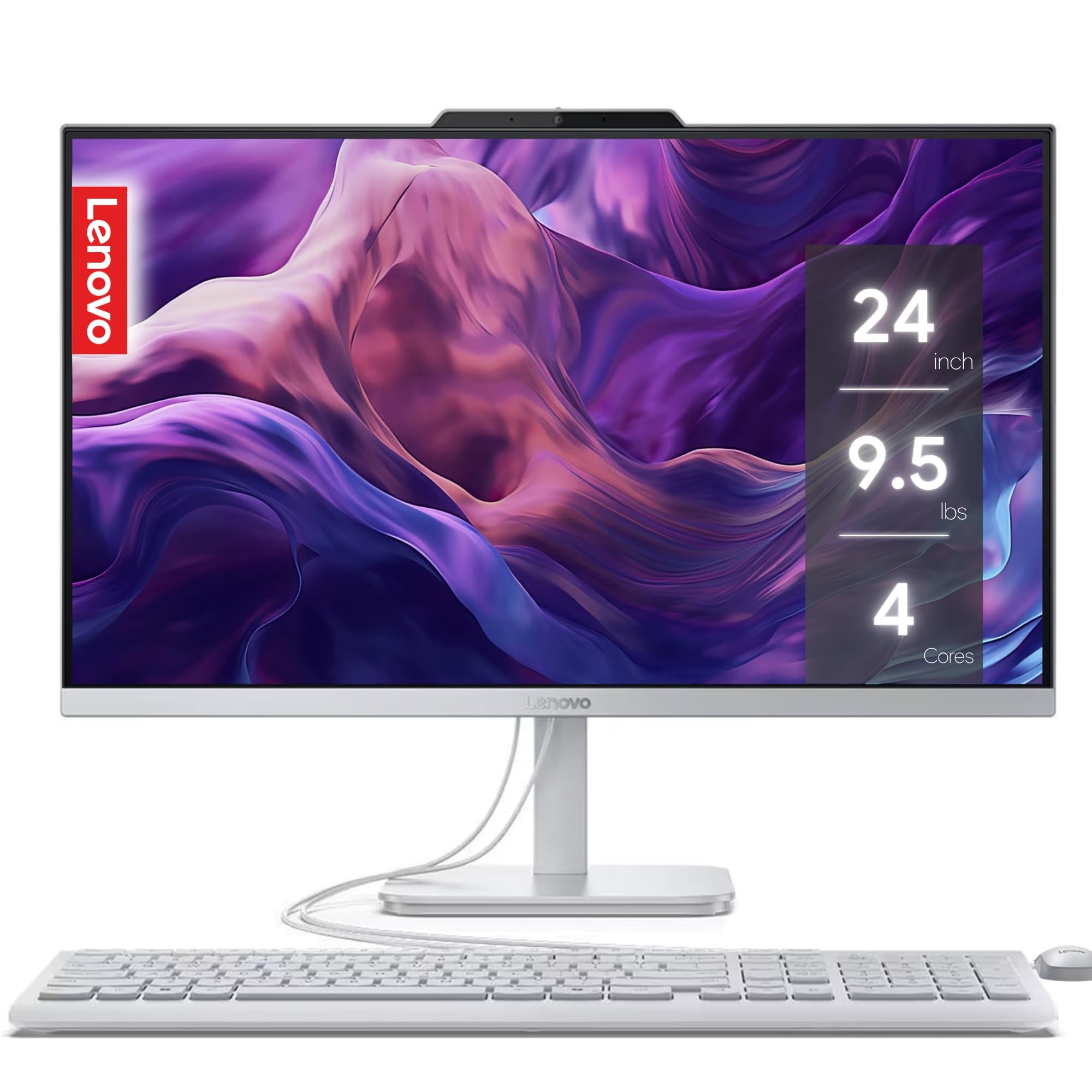
Built for people who want a quiet room and a sharp video call.
If your desk sits in a shared living space, the noise level matters as much as the speed. This IdeaCentre is pitched as whisper-quiet in use, and it pairs that with a 24-inch FHD display and Harman audio-enhanced speakers. Low blue light technology is built in to ease eye strain during long sessions, and the 5MP webcam with Smart Noise Cancelling quiets background clatter so the person on the other end hears your voice, not the room.
It runs an Intel 4-core processor with 8 GB of RAM and a 256 GB SSD — enough for email, browsing, streaming, and video calls, though not a machine for heavy editing. The 5MP camera is a step up from the 720p webcams elsewhere here, and a privacy e-shutter lets you physically close the lens between calls. Office 365 for the web is included for browser-based editing.
Setup is the bright spot — owners call it easy, and the big screen and easy-typing keyboard win fans. Where it asks patience is quality consistency: the value and build get a mixed reception, with one unit reportedly failing to power on after a couple of months, so it is worth confirming the return window before you load up your files.
The draw: a genuinely quiet all-in-one with a 5MP webcam and Smart Noise Cancelling — good for shared spaces and frequent calls.
The honest caveat: owner feedback on quality is mixed, so keep receipts and the return window in mind.
Suits you if: you take lots of video calls and want a machine that stays quiet in a shared room.
Keep looking if: you need heavy processing power or maximum confidence in build quality.
7. HP 21.45 inch All-in-One Desktop PC 22-dg0340
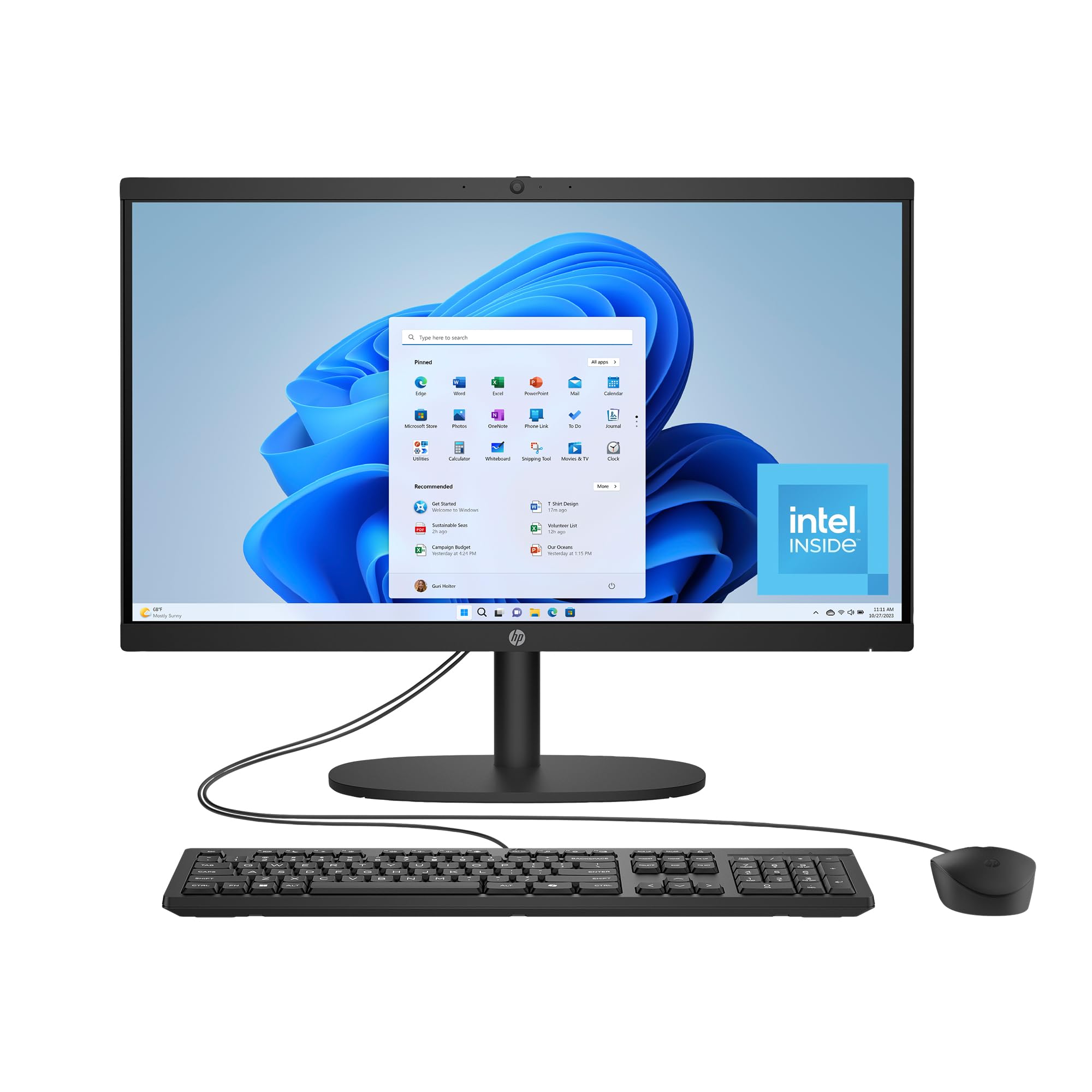
A small-footprint AIO with a generous drive and a camera shutter for privacy.
This is the compact-machine pick for a buyer who worries about running out of room. The 512 GB solid-state drive is described by HP as 15x faster than a traditional hard drive, and that size leaves real space for photos, videos, and documents without a flash drive. The Intel N200 processor runs up to 3.7 GHz with 6 MB cache and 8 GB of RAM, which covers email, banking, streaming, and web browsing comfortably.
The 21.45-inch FHD VA display has a wide screen-to-body ratio, and DC Dimming technology cuts screen flicker for more comfortable viewing over long sessions. Wi-Fi 6 and Bluetooth 5.3 keep the wireless connection modern and stable, and the manual camera shutter gives you a physical way to close the lens. AI-noise reduction keeps your voice clear on video calls.
For a straightforward machine, it does what it says — owners describe it as arriving on time, in good condition, and working as advertised, with one praising “fine rich color.” A couple of setup hiccups appear in the reports: a defective mouse on one unit (fixed by swapping in an old one) and an activation headache on another, so check the mouse and activation on day one.
What makes it a pick: 512 GB of SSD storage plus Wi-Fi 6 and Bluetooth 5.3 in a small chassis — a practical fit for a cramped desk.
Before you buy: test the mouse and run the Windows activation on day one, since a few units hit snags there.
It fits you if: space is tight but you still want a roomy drive and a private camera shutter.
skip it if: you want the largest possible screen — the 27-inch HP is the better match there.
8. HP 24 inch All-in-One Desktop PC 24-cr0032

An AMD Ryzen 7 AIO for the household that wants more muscle than basics.
The heart of this machine is the AMD Ryzen 7 7730U, paired with 16 GB of RAM and a 512 GB SSD — a combination that turns a long task into a short one. Owners say the Ryzen 7 7730U cuts an hour-long task down to about thirty minutes. The 23.8-inch FHD display sits behind an ultra-slim three-sided micro-edge frame with up to an 89% screen-to-body ratio, so the picture fills the front of the unit with little bezel around it.
For video-calling, there is a tiltable pop-up privacy camera that tucks away when not in use, plus dual array microphones with noise reduction to keep your voice clean. The 512 GB SSD is described by HP as 15x faster than a traditional hard drive, which speeds up booting and loading files. Windows 11 Home is pre-installed and ready to go from the start.
Value is what owners appreciate most, with setup a close second — the machine is often described as fast and easy to set up, spending a fair price on real performance. The honest note is durability: reliability gets mixed feedback, and one unit arrived with a blank screen while a mouse on another quit. Treat it as a fast everyday machine and keep the warranty registered.
The speed pitch: a Ryzen 7 7730U with 16 GB RAM and a 512 GB SSD — noticeably quicker than the small all-in-ones at opening apps and loading pages.
The trade-off: reliability is mixed in owner reports, and the included keyboard and mouse are described as small or basic.
Choose this if: you want AMD speed and 16 GB of RAM for multitasking-heavy days.
Rather not if: long-term reliability is your top priority and you would trade some speed for proven consistency.
9. STGSivir All in One Computer PC
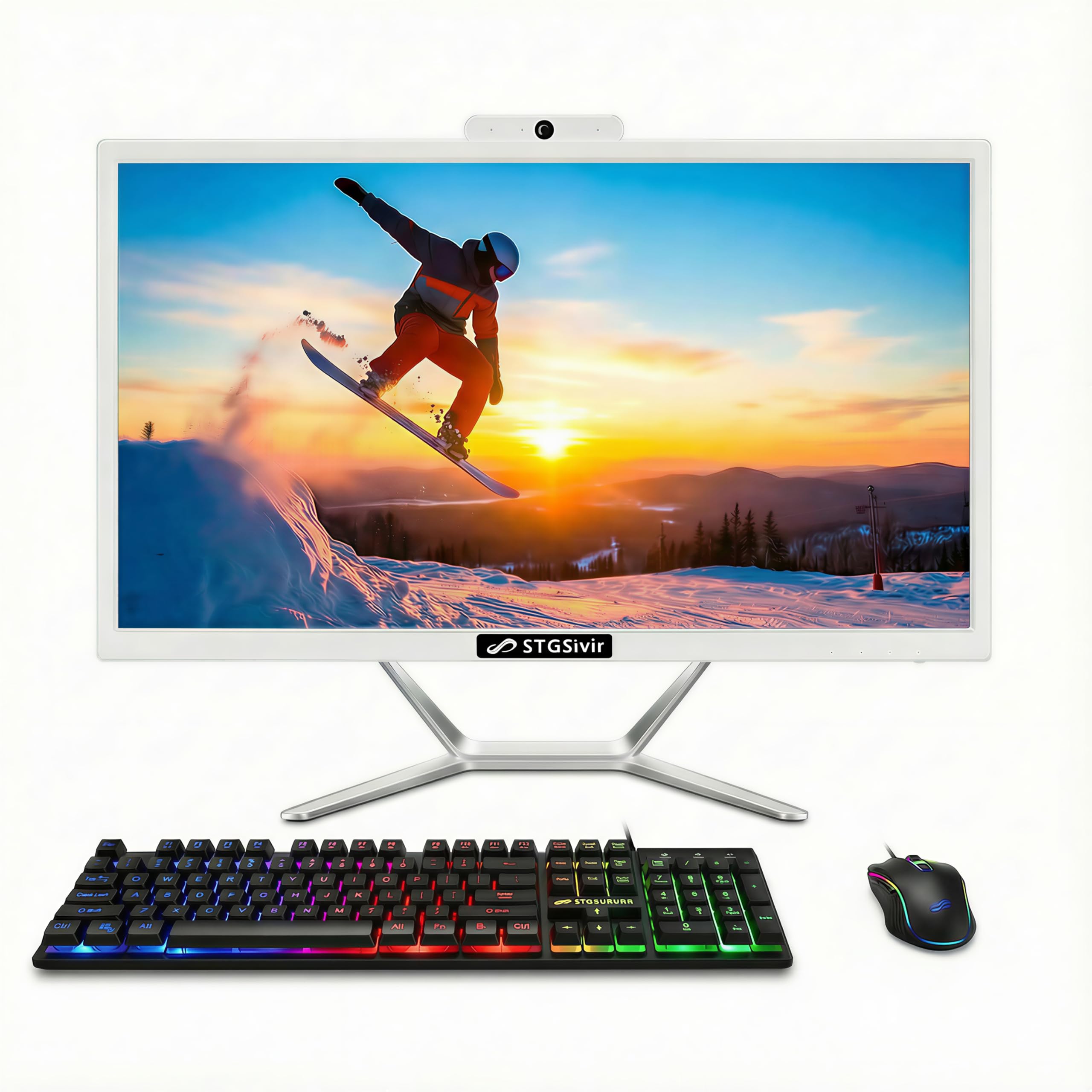
A 16 GB, half-a-terabyte build for buyers watching every dollar.
On paper this is the value story of the group: an Intel Core i7 processor running up to 3.9 GHz, 16 GB of memory, and a 512 GB SSD at a friendly price. Compare the memory with the Core Innovations 24″ at 4 GB — this one carries 16 GB versus 4 GB, and 512 GB of storage versus 128 GB. For the person who wants everyday speed and space without paying for a big brand, that combination is the whole appeal.
The 21.5-inch 1920×1080 LED display is clear and true to detail, with a built-in webcam for sharing and calls. Connectivity covers USB 3.0, Ethernet, Wi-Fi 5, Bluetooth, HDMI, and VGA. It arrives preassembled, so setup is little more than plugging in the included RGB keyboard and mouse and the power cord. It also comes with 1 year of parts and labor plus free lifetime tech support.
Performance is the quality owners single out — the machine boots fast and handles multiple tasks without lag, and one owner sums up the 16 GB RAM and screen size as “true 22″ screen, 16GB RAM.” Two honest caveats: the bundled keyboard and mouse are wired rather than wireless, and an occasional unit has arrived not working and gone back. For a budget buy that you check over on arrival, it delivers a lot of memory for the money.
Why it is here: 16 GB RAM and a 512 GB SSD from a low-cost brand — huge on paper for the tier.
What to expect: wired RGB keyboard and mouse, and the odd dead-on-arrival unit, so open and test it right away.
For you if: big memory and storage at a low price is the whole goal and you do not need a household name.
Look elsewhere if: you want wireless peripherals from the start or a longer brand track record.
10. Core Innovations 24″ All-in-One Desktop PC with Windows 11

A 24-inch IPS screen for the lightest possible load — and a clear warning sign.
The appeal is simple: a 24-inch 1920×1080 IPS panel for the smallest outlay on this list. That screen is roomier than the 21.5-inch STGSivir, at 24 in versus 21.5 in, so text reads larger. But the electronics are the trade: an Intel Celeron N5095 at 2.9 GHz, 1.5 MB cache, 4 GB of RAM, and 128 GB of storage. That is fine for light email and web pages and tight the moment you pile on tabs.
Setup is where it earns fans — owners describe it as easy and user friendly, and it comes with a keyboard and supports 2.4GHz/5GHz Wi-Fi for a stable connection. The concern is reliability: some machines have stopped working or failed to power up, and the wireless keyboard and mouse have needed re-pairing on occasion. If you are buying for someone who relies on a computer daily, that is the risk to weigh.
Reasons it earns a spot
- 24-inch FHD IPS screen for larger, easier-to-read text
- Easy to set up and use, with a keyboard included
- 2.4GHz/5GHz Wi-Fi support for a steady connection
What weighs against it
- 4 GB RAM and 128 GB storage are the lightest here — fine for basics only
- Reliability and connectivity draw concern from some owners
Only if: the bare-minimum spend and a big screen are the entire goal, and the computer is for very light use.
Best avoided if: the person relies on their computer daily — the risk of reliability trouble is real at this tier.
11. Dell Tower Desktop

No screen in the box — but a serious tower for anyone who wants real power.
This is the one for the buyer who wants a machine that can grow with them. It is a tower rather than an all-in-one, so you bring your own monitor, and inside sits an Intel Core Ultra 7-265 running up to 5.3 GHz with 30 MB of cache and 32 GB of RAM — the most memory on this list by a wide margin. For comparison, the Dell 23.8″ all-in-one carries 10 MB of cache to this tower’s 30 MB, and tops out at 4.7 GHz versus 5.3 GHz here. Owners describe the Core Ultra 7-265 as fast across heavy spreadsheets, documents, and photos, and quiet while doing so.
Upgrades are easy thanks to tool-less entry and a removable side panel, so you can add parts without a screwdriver. It supports multiple monitors — up to four FHD displays via DisplayPort and daisy chaining, or two 4K displays via HDMI 2.1 and DisplayPort. A hardware TPM security chip, a lock slot, and a padlock loop protect the machine physically and digitally, and recycled materials make up the build. Dell’s 1 Year Onsite Service comes with it.
Quality is the trait owners praise most, and it shows in how they describe it as a no-brainer for the money. The catch: it is a tower, so it comes with no display, and the USB ports are mixed — plenty of them, but a wish for more USB-C on the back. If you have a monitor already, this is the most expandable, most powerful option in the lineup.
The case for it: a Core Ultra 7-265, 32 GB RAM, 30 MB cache, and tool-less upgrades — real headroom few all-in-ones can match.
The caveat: no monitor in the box, and USB-C on the rear is limited.
Built for: the buyer who already has a monitor and wants maximum power, easy upgrades, and multi-display support.
Not for: anyone who wants an all-in-one with the screen included.
Know the Specs
RAM (memory) and why 8 GB is the floor
RAM is the computer’s short-term workspace. Every open tab and program sits in it. With 4 GB, a pile of tabs plus a video call can force the machine to borrow from storage, which feels like a stall. 8 GB is the comfortable everyday minimum, and 16 GB gives you room for photo work or many tabs at once. More RAM keeps everything moving smoothly.
SSD storage explained in plain terms
An SSD (solid-state drive) stores your photos, documents, and system files, and it has no moving parts, so it boots and opens programs far faster than an old spinning hard drive. 256 GB is a sensible minimum; 512 GB and 1 TB give you room to keep years of photos and video without plugging in an external drive.
FHD, IPS, and anti-glare — the screen words that matter
FHD (full high definition) means a 1920×1080 resolution, which keeps text crisp. IPS is a panel type that holds its colors when viewed from an angle, good for shared viewing. Anti-glare is a coating that cuts reflections from a window or lamp. Together they make long reading and video calls easier on the eyes.
All-in-one versus tower in real life
An all-in-one packs the computer into the monitor, so there is one power cord and less clutter — great for a living room or small desk. A tower leaves room to swap parts and usually offers more power, but it needs a separate monitor. Pick the all-in-one for tidiness, the tower for flexibility and upgrades.
Common Questions
Is an all-in-one desktop easier for an older parent to use than a laptop?
How much RAM do I need for email, browsing, and video calls?
Will an all-in-one desktop work with a printer and a wired mouse?
What is the difference between an SSD and a traditional hard drive?
Can I add more storage or memory to an all-in-one later?
Is a 24-inch screen noticeably easier to read than a 21.5-inch one?
Do these desktops come with Windows 11 already installed?
How many USB ports will I need for a mouse, keyboard, and printer?
Why does the processor speed matter for everyday tasks?
Is it worth buying a desktop with a touchscreen for someone who is not tech-savvy?
The Bottom Line
For most buyers, the desktop computers for seniors winner is the Dell 23.8″ All-in-One because it balances a bright, comfortable FHD screen with a fast 4.7 GHz chip and a calm, quiet setup — and it holds the strongest owner reputation of the group. The Lenovo 23.8″ i3-N305 has more reviews, but the Dell carries the higher score, and for everyday use the two land in the same neighborhood of real-world comfort.
If you want the most screen and the most storage, reach for the HP 27″ FHD Touchscreen and its roomy 1 TB drive. And for the buyer who already has a monitor and wants maximum power with easy upgrades, the Dell Tower Desktop is the one to reach for, with its 32 GB of RAM and 30 MB cache.
How we choose
We do not accept paid placement. Every pick is matched to a real buyer and a real use-case; we do not hands-on test units.
Sources
Specifications: manufacturer listings and product documentation. Review insights: verified customer reviews, as of October 2026. Pricing: not shown on this page (it changes often); check the current price via the retailer link.
As an Amazon Associate, Aappliancez earns from qualifying purchases. This does not affect which products we feature.