Disclosure: Some links in this post are affiliate links. As an Amazon Associate I earn from qualifying purchases, at no extra cost to you. Learn more
Specs are compiled from manufacturer listings and verified buyer reviews and can change over time — please confirm the key details on the product page before buying.
If you want to fire up a Commodore, a TI-99, a Ms Pac-Man board, or a 1994 Haas mill, you cannot buy a new CRT tube anymore. What you actually need is an LCD that speaks your old gear’s language. The two things that matter are the connector and the shape: a 4:3 or 5:4 panel (a squarer screen shape, not widescreen) with VGA, BNC, or D-Sub inputs (three common older video plugs). This guide covers nine screens that do exactly that, from a dual-monitor pair for old PCs to a 49-inch widescreen that has nothing retro about it.
This guide is built by comparing the manufacturers’ published specifications and the patterns across verified customer reviews, so you get each pick’s real strengths and trade-offs instead of marketing spin.
Most shoppers assume the flat panel will look wrong. The screens below hold their native square ratios and accept the older signals, which is why each one earns its place on this list of the best crt pc monitor replacements. Pick by connector first and everything else falls in line.
Top Picks
How To Choose The Best CRT PC Monitor Replacement
You cannot buy a fresh glass tube, so a CRT replacement means matching a flat panel to the machine you already own. Get three things right and the rest is easy: the screen shape, the connector, and how the panel handles motion.
Match the aspect ratio to your gear
A CRT displayed a squarish picture, and old software was built for it. Look for a 4:3 ratio (the shape of a classic tube) or a 5:4 ratio (slightly taller, common on older workstations) so text and graphics are not stretched sideways. A modern 16:9 widescreen will letterbox or squeeze the image, which is why square panels still sell in this niche.
Pick the connector before the picture
Your old PC, DVR, or arcade board dictates the port you need. VGA carries the analog signal most legacy machines output. BNC is a twist-lock coaxial connector used on security cameras and DVRs. D-Sub is another name for the same VGA-style plug. If your source only speaks analog, an HDMI-only screen is a dead end no matter how good it looks.
Check the response time for motion
Response time, measured in milliseconds, is how fast a pixel changes color. A 6-millisecond panel keeps scrolling text and CCTV feeds crisp. For fast arcade action or racing games, a 1-millisecond rating cuts the smear a slow panel shows.
Side-by-Side Comparison
| Model | Best For | Resolution | Aspect Ratio | Connectivity | Amazon |
|---|---|---|---|---|---|
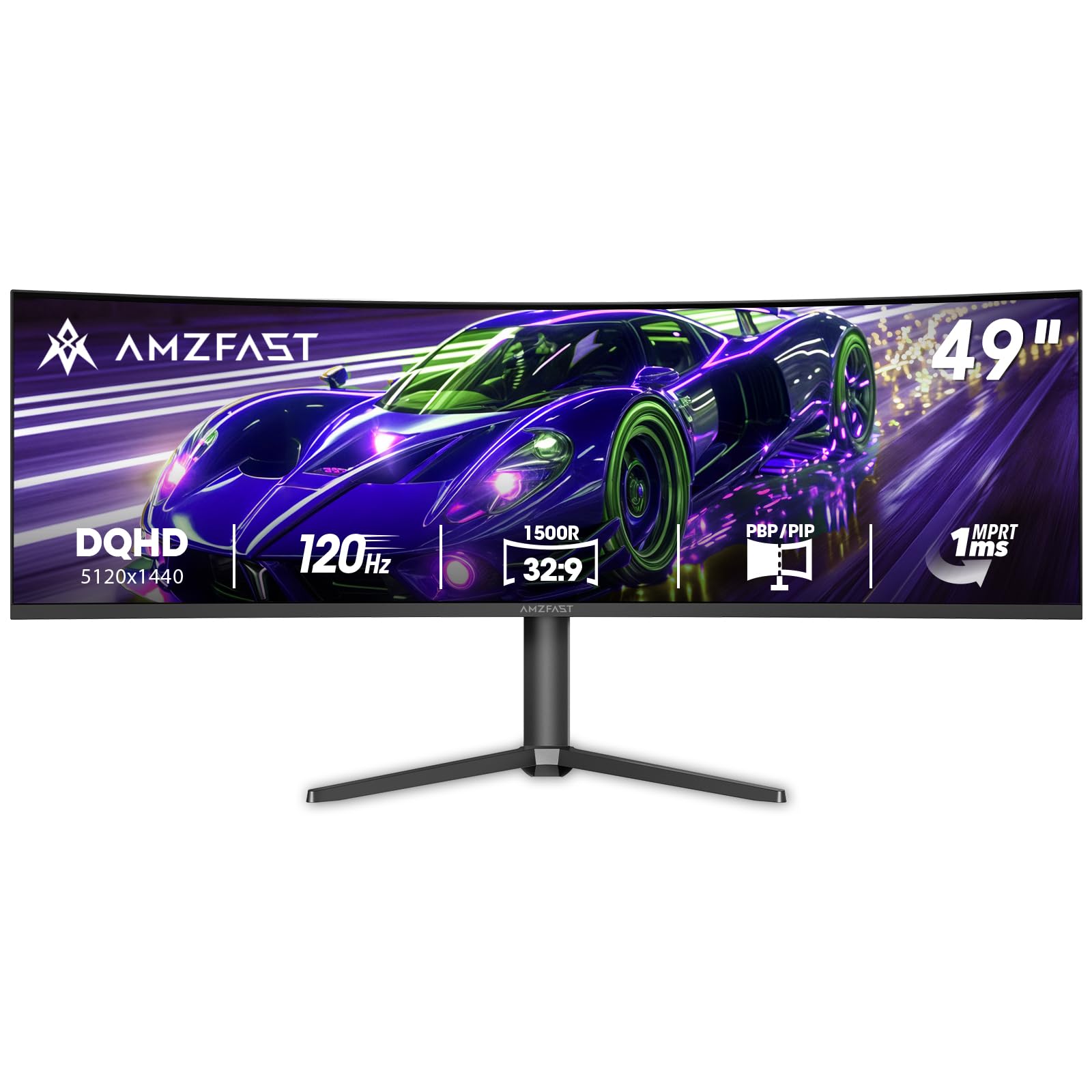
| Amzfast 49 Inch Curved Monitor★ Best Overall | Ultrawide gaming and multitasking | 5120×1440 | 32:9 | HDMI 2.0, DP 1.4 | Amazon |
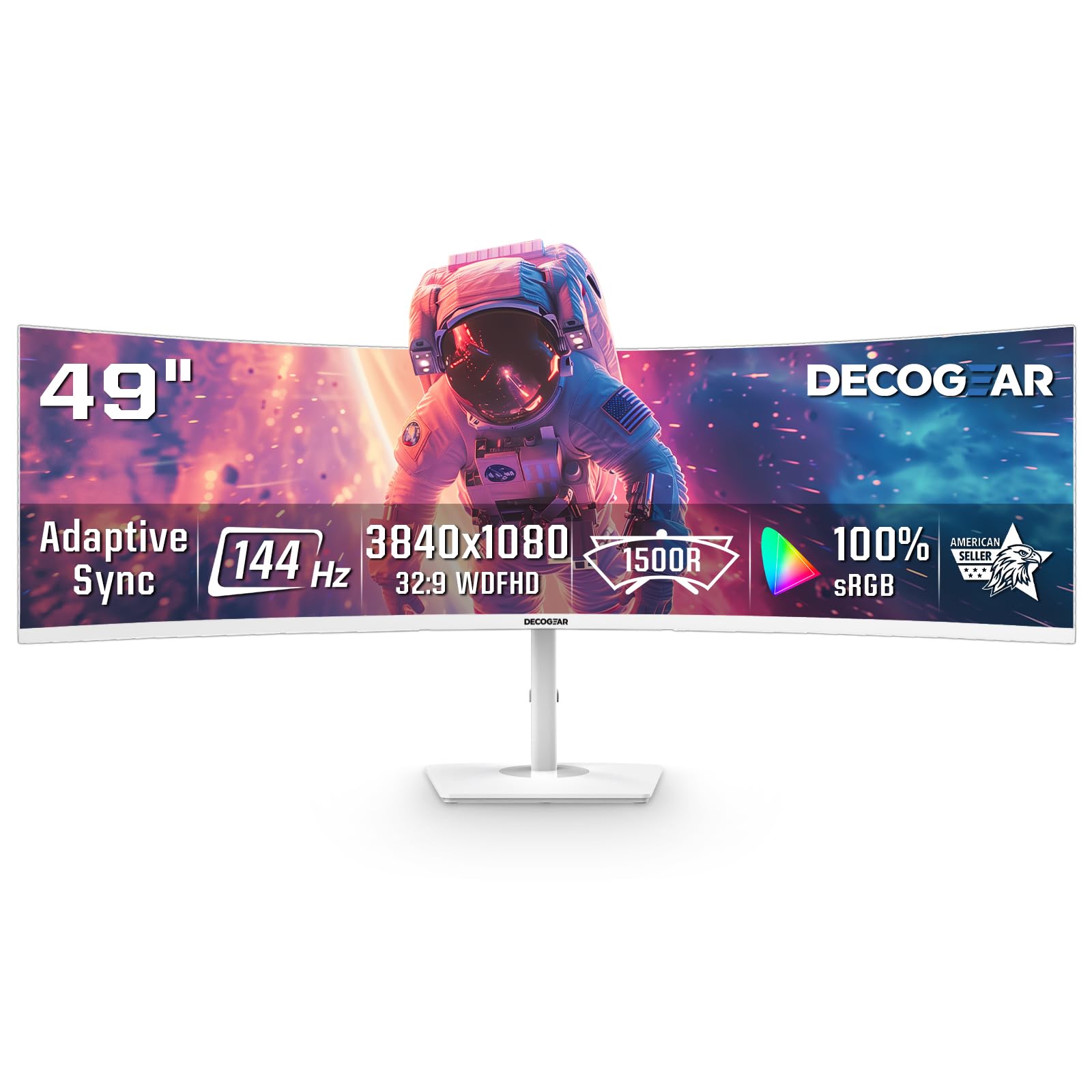
| Deco Gear White 49 Inch Curved MonitorBold White Design | Sim racing and console cockpits | 3840 x 1080 | 32:9 | HDMI 2.0, DP 1.4 | Amazon |
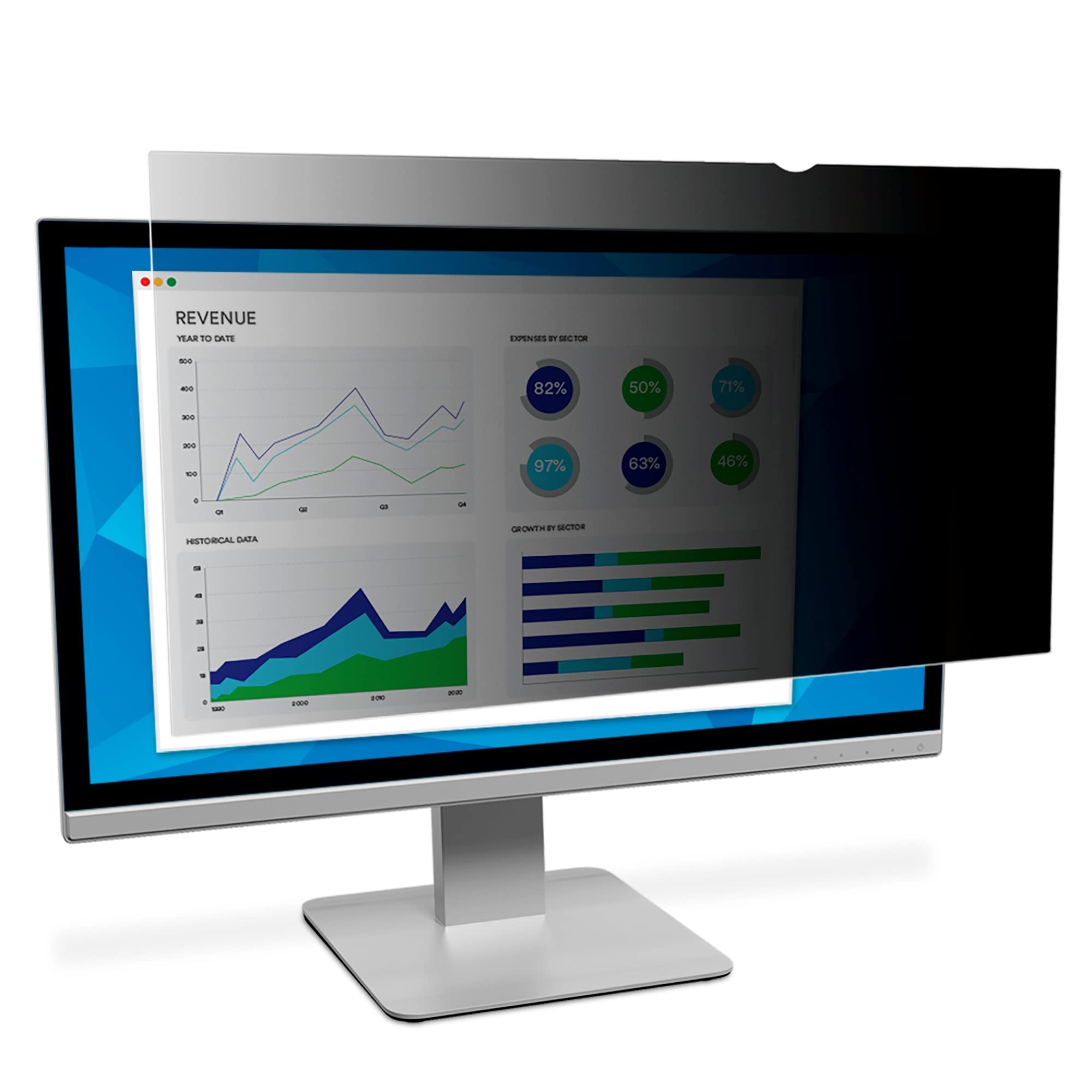
| 3M Privacy Filter for CRT/Flat PanelPrivacy Add-On | Desk privacy on legacy monitors | Fits 15″ to 17″ screens | — | Command adhesive, hanger arms | Amazon |
| YOTETION 19-inch Full HD 2PACKS | Multi-screen desk extension | 1440 x 900 | 14:9 | HDMI, VGA | Amazon |
| JaiHo 17 Inch Square LCD Monitor | Older PCs and CCTV desks | 1280 x 1024 | 4:3 | VGA, HDMI, BNC, USB | Amazon |
| ASUS ProArt PA278CGRV | Color work and Mac creators | 2560 x 1440 | 16:9 | USB-C, HDMI, DisplayPort | Amazon |
| RetroArcade 19 Inch Arcade Monitor | Upright arcade cabinet rebuilds | 1024 x 768 | 4:3 | D-Sub, VGA | Amazon |
| DEJUN 12.1″ LCD for HAAS VF | CNC mill display swaps | 800 x 600 | 4:3 | VGA | Amazon |
| ZZA Ultrawide 49 Inch Curved Monitor | Large widescreen gaming and work | 5120×1440 | 32:9 | HDMI 2.1, DP 1.4 | Amazon |
Detailed Reviews
1. Amzfast 49 Inch Curved Monitor
Our pick — 4.5+★ from 1,500+ verified ratings; the strongest balance of quality and price.
A 49-inch curved desk-dominator that wraps your whole field of view around one 5120×1440 canvas.
If you want one panel that swallows a map, a spreadsheet, and a chat window at once, this is the one. The 49-inch VA panel runs a 5120×1440 Dual QHD resolution across a 32:9 ratio, and the 1500R curve — a gentle bend that matches the human eye’s arc — sits you inside the picture instead of beside it. That is a 3.6x resolution gap over the little 19-inch pair further down this page, and a 2.6x size gap, and once you are sitting in front of it the difference is not subtle.
The refresh side is where gamers get their money’s worth. It hits 120Hz (120 picture refreshes per second) over DisplayPort 1.4, pairs that with Adaptive Sync and a 1ms MPRT response, and keeps tearing and stutter out of fast action. Colour coverage runs 120% sRGB with 350 nits of brightness and a 3000:1 contrast ratio, so HDR content and dark scenes hold detail rather than crushing to grey. PIP/PBP — picture-in-picture and picture-by-picture, meaning you can run two sources side by side — turns it into two 1440p screens in one frame if you split between a work laptop and a console.
You will need your own speakers, because there are none inside. One buyer put it plainly — “Does not have speakers, have to use externals.” The stand moves 0-110mm up and down, rotates 20 degrees left and right, and tilts from -5 to +20 degrees, so you can set the screen at eye level. It also has VESA 75×75 mounting (a standard four-hole bracket pattern) if you would rather hang it on a wall. If you game or stream from one big screen and already own speakers, this is the pick.
What buyers keep going on about
- 5120×1440 Dual QHD resolution across a 32:9 ratio for a full wrap-around view
- 120Hz over DisplayPort 1.4 with 1ms MPRT and Adaptive Sync for tear-free action
- 120% sRGB, 350 nits brightness, and a 3000:1 contrast ratio for rich colour
- PIP/PBP splits one screen into dual 1440p workspaces
Worth knowing before you buy
- No built-in speakers, so plan for external audio
- The 120Hz refresh only turns on over DisplayPort 1.4
- Some owners find MPRT mode causes reverse ghosting and VRR mutes colour
Best for: Gamers and streamers who want one giant rich screen and already own speakers.
Skip if: You need a square 4:3 picture for legacy software — this is pure widescreen territory.
2. Deco Gear White 49 Inch Curved Monitor
A white 49-inch cockpit screen built for sim rigs, with a 144Hz refresh that outruns the Amzfast.
Sim racers and flight-sim builders are the target here, and the numbers line up. The 3840×1080 DFHD panel runs the same 32:9 shape as the Amzfast but pushes a 144Hz refresh rate — that is 1.9x the 75Hz of the 19-inch pair further down. It carries a 3000:1 contrast ratio, versus the 2000:1 on that small pair, so blacks stay deeper in a darkened racing room. The 1800R curve is gentler than a tight wrap, which suits a cockpit where you sit back a little.
The selling point for a lot of builders is the finish. A white monitor on a white desk is a look, and it is rare in this size. Connectivity covers HDMI 2.0 and DisplayPort 1.4 plus a 3.5mm audio out, and VRR support is there for PlayStation 5 and modern GPUs so console and PC both get a smooth feed. PIP/PBP lets you stack inputs if you run a rig and a work machine together, and the maker pitches it as a straight swap for two 24-inch monitors.
Be realistic about reliability, though. A handful of buyers report the screen crashed or stopped working within months of arrival — one summed it up with “Save your money.” Others are perfectly happy, calling the resolution impeccable and praising the tall adjustable stand. If you buy, keep the receipt and plan to use the warranty early. For a white sim rig with a strong GPU (graphics card), the refresh rate and the look are the draw.
Where it shines: The 144Hz refresh and 3000:1 contrast make it a natural cockpit screen, and the white finish stands out in a market of black rectangles.
The honest trade-off: Durability is the risk here — several units failed within months. It is best for a buyer who wants the white 32:9 look and is comfortable leaning on the warranty.
Reach for this if: You run a sim racing or flight setup and want a white ultrawide with a fast 144Hz panel.
Look elsewhere if: You want a screen you can install once and forget — the failure reports make that a gamble.
3. 3M Framed Desktop Monitor Privacy Filter
The privacy screen that turns your old square monitor into a private one-person viewing booth.
Anyone still running a 15 to 17-inch CRT or flat panel in a shared office knows the problem: your screen is a billboard to the next desk over. This 3M filter blackens the view to anyone past about a 25-degree angle while you keep a clear picture straight on. It is an anti-reflective surface too, cutting glare off the glass. Two mounting options come in the box — 3M Command adhesive strips or hanger arms that clip over the bezel — so you can avoid tape if you prefer.
It is also a protective layer. The surface is rated 9H on the hardness scale (a measure of scratch resistance), smudge-resistant, and repels permanent marker, so a shared or public desk stays legible. For a law office, a healthcare counter, or any place with confidential text on screen, the point is the person beside you seeing a darkened panel rather than your records.
The clear caveat is shape and alignment. It works on flat monitors but not curved ones — the panel pops up and causes double vision, so measure flat before you buy. It also darkens the display a little, though on a bright monitor that is rarely a problem. A few owners mention a small gap at the top even after using 3M’s sizing tool, so check your exact screen before ordering.
What makes it worth it
- Blocks the side view past roughly a 25-degree angle while you see clearly
- Two mounting methods: Command adhesive or hanger arms
- Anti-reflective, 9H scratch-resistant, and repels permanent marker
Where it falls flat
- Not for curved monitors — it lifts and doubles the image
- Darkens the screen slightly
- Some customers note a top gap despite using the brand’s sizing guide
Right choice for: Anyone guarding confidential work on a flat 15 to 17-inch screen in a shared space.
Not for: Curved-display owners — the fit simply does not hold.
4. 19-inch Full HD 75Hz Small Thin Monitor 2PACKS
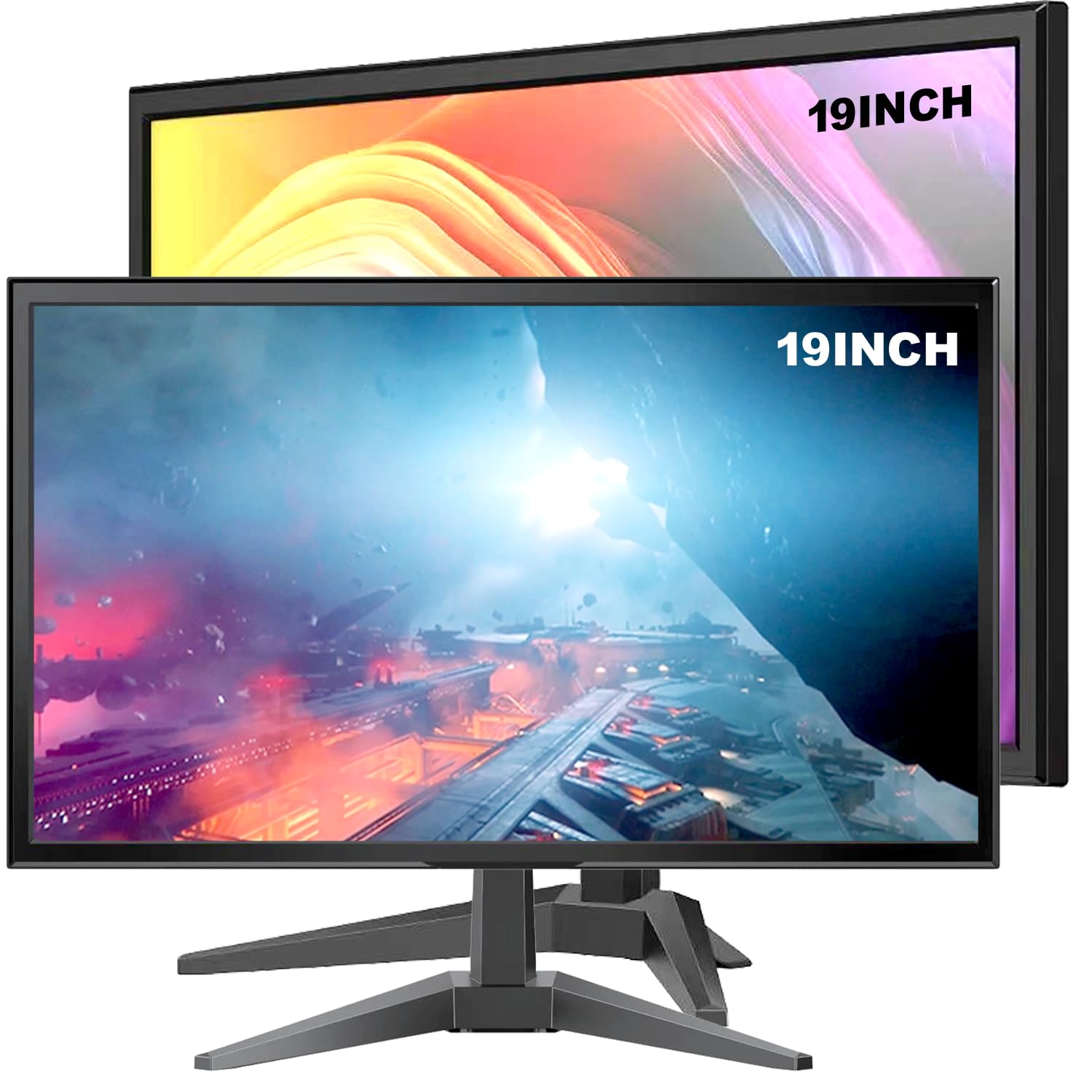
A twin-pack of compact screens that quietly solve the multi-monitor desk without a big spend.
Buyers who want three or four panels on a desk for less turn up here. Each screen runs a 1440 x 900 HD+ resolution on a 14:9 ratio — squarer than widescreen but not a full classic tube — with a 6-millisecond response time so scrolling text and windows stay crisp. HDMI and VGA ports mean both modern laptops and older machines connect without an adapter hunt. The set arrives with two HDMI cords, and one owner running three screens noted you may want a docking station for the extra ports.
Where this earns its keep is volume. Two screens for a small outlay is the whole pitch, and the picture quality holds up for home and office work. A buyer who set them up as an extended desktop called them worth it for the money. If you are outfitting a beginner setup or a spare desk, that value is the point.
The trade-offs here are sharper than on the pricier picks. Resolution and refresh rate are modest — a buyer acknowledged they could be higher. One unit in one order arrived broken and another needed heavy adjustment, so inspect on arrival and use the included one-year replacement protection if anything is off. This is a value pair for light tasks, not a colour-critical screen.
The core appeal: Two usable HD+ panels with HDMI and VGA for a budget-wide multi-screen desk, easy to set up and beginner-friendly.
Best fit: Home and office users building a multi-monitor desk on a tight budget.
Think twice if: You need high colour accuracy or a fast gaming refresh — this pair is built for everyday work.
5. JaiHo 17 Inch Square LCD Monitor for Older PCs and CCTV

A square 4:3 screen with BNC and VGA that speaks the language of old PCs and security cameras alike.
This is the pick for someone whose machine predates HDMI. The 17-inch panel runs a native 1280 x 1024 resolution on a 4:3 ratio, so software written for a taller display sits correctly instead of stretching. It carries a 450 cd/m² brightness rating and a 175-degree viewing angle, so a monitoring-area screen stays readable from across the room. On the connection front you get BNC or AV for analog cameras, HDMI and VGA for a DVR, NVR, or PC, and you can switch between them for camera viewing and recorder setup on one dedicated screen.
Retro computer fans are the surprise audience. The 4:3 shape and VGA input suit machines like the TI-99 and C64, and it plays photos and video off a USB drive through its 10W speaker. There is a remote for changing inputs when it is mounted high, and the 75 x 75mm VESA holes let you hang it. Quality is what gets praised most on this model — nine buyers single it out, and one retro user called it a “great monitor” for the connection to their computer.
Lean into the fit question before buying. Image quality is mixed across the feedback: it is fine for retro PCs and CCTV, but it blurs when upscaling and its composite and HDMI inputs add lag that retro gamers find too slow. The stand does not tilt and its screws can scratch a desk. For straight legacy-PC and camera work it does the job; for twitchy retro gaming, expect compromises.
Why it earns its spot
- Native 1280 x 1024 on a true 4:3 ratio for older PCs and software
- BNC, AV, HDMI, VGA, and USB give it security-desk flexibility
- 450 cd/m² brightness with a 175-degree viewing angle and a 10W speaker
What to weigh up
- Upscaling blurs and its composite/HDMI lag is slow for retro gaming
- The stand does not tilt and its screws can mark a table
- It is a non-touch screen for PC and CCTV use only
Pick this if: You are reviving an old desktop PC or need one screen for a mixed BNC and HDMI security desk.
Leave it if: You want razor-sharp upscaling or low-lag retro gaming from analog sources.
6. ASUS ProArt PA278CGRV 27 Inch Monitor
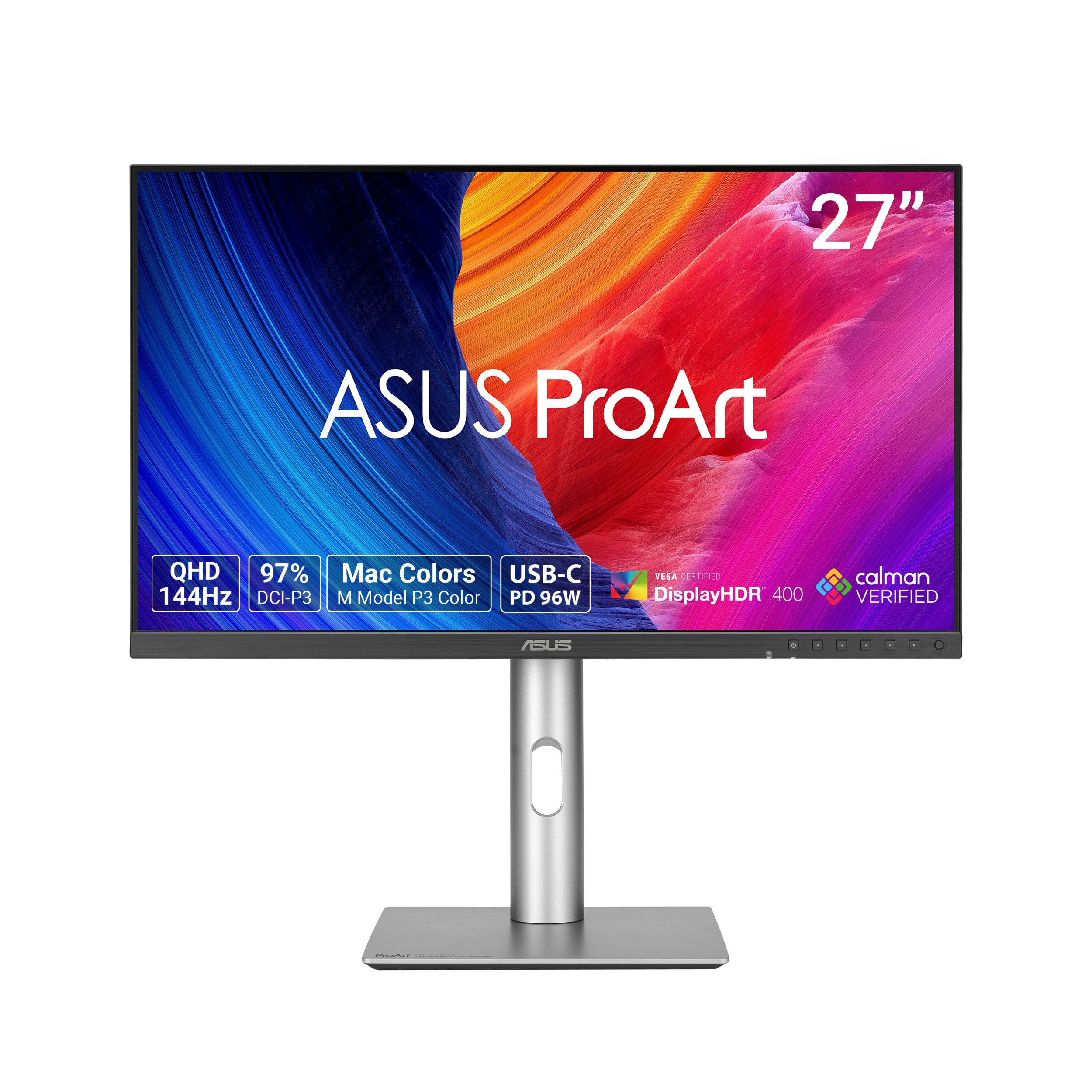
The colour-accurate Mac companion that doubles as a KVM hub for two machines on one keyboard.
If you edit photos or design for print, this is the one to look at. The 27-inch IPS panel (a screen type with wide viewing angles and accurate colour) runs a 2560 x 1440 QHD resolution and covers 97% of the DCI-P3 colour space plus 100% sRGB, so colours stay true across the screen. It comes factory calibrated to Delta E under 2 (a measure of colour error, where lower is better), so prints and edits match what you see. It is Calman Verified, with a P3 colour temperature tuned to match a MacBook display. Buyers applaud the colour quality most, and it clears the bar for editing, design, and photography.
The hub features are what make it a Mac person’s pick. USB-C delivers up to 96W of power (enough to charge a laptop over one cable), and the built-in Auto KVM switches a single keyboard and mouse between two connected machines. Owners running a desktop and a MacBook move the mouse to the other side and tap the ASUS OSD to swap — no extra switching hardware. Refresh rate reaches 144Hz with AMD FreeSync, so it is smooth in motion too, and the stand tilts, swivels, pivots, and adjusts in height.
The most-discussed topic is panel consistency, and it cuts both ways. Some units arrive flawless and match OLED side by side; others show a red or pinkish tint that calibration cannot fully fix, and requiring a DisplayPort 2 port. As with any colour-critical screen, test it in your own lighting during the return window and exchange if the tint shows.
For colour-focused work: 100% sRGB and 97% DCI-P3 with Delta E under 2, 144Hz, and 96W USB-C power make it a genuine all-rounder for a Mac or PC workflow.
Test it early: A few units show a colour tint; check uniformity on arrival and swap within the return window if it appears.
Suits: Designers, editors, and Mac users who want accurate colour and one-cable power in a single screen.
Consider another if: You need 4K for fine-detail work or DisplayPort 2 for triple-display chains — this stops at 1440p and DP 1.4.
7. RetroArcade.us 19 Inch Arcade Monitor

A drop-in 19-inch LCD that retires a failing arcade tube and bolts straight into the old cabinet.
When a cabinet’s original glass tube finally dims out, rebuilt ones cost a fortune, so a lot of owners go flat. This 1024 x 768 LCD mounts into an upright cabinet on a 4:3 ratio that matches the old picture area, and it is built Jamma and Mame ready — meaning it plugs into standard arcade board wiring. It runs D-Sub and VGA connections. Builders report the colours look brighter and richer than the tired CRT it replaces, and on fast action the change is unnoticeable.
What is striking is how well it lands with rebuilders. Owners restoring a Ms Pac-Man machine call the install a breeze and the brackets a perfect fit, to the point that one rebuild gave the unit its thanks. Others simply say it worked perfectly. Its 4:3 shape and Jamma/Mame wiring fit an upright cabinet where a widescreen never would.
Two things to plan for. The panel is flat rather than rounded, so it is very slightly smaller in the frame than the old curved tube. And the box includes housing directions but no monitor wiring diagrams, so if you are unsure of the hookup, a mounting kit is strongly recommended. For anyone refreshing a classic cabinet, though, it is the practical route.
The rebuild case
- 4:3 1024 x 768 panel that drops into an upright cabinet
- Jamma and Mame ready with D-Sub and VGA connections
- Brighter, sharper picture than a worn-out CRT
Plan around this
- Flat screen sits slightly smaller in the frame than a rounded tube
- Only housing directions are included, not monitor wiring diagrams
- A mounting kit is strongly recommended for a clean install
Made for: Arcade owners replacing a dead CRT in a Jamma or Mame upright cabinet.
Not ideal if: You expected a wiring guide in the box — most builders should budget for the mounting kit too.
8. DEJUN 12.1″ LCD Screen Monitor for HAAS VF System

A metal-cased 12.1-inch LCD built to retire the dim CRT on a HAAS VF mill control panel.
If you run a HAAS mill, this screen drops straight in. The 800 x 600 panel on a 4:3 ratio is a plug-and-play replacement for the original CRT on HAAS VF1, VF2, and VF3 systems — it uses the original screw holes and the original signal and power interface, so no rewiring of the machine. It reads monochrome display output (black-and-white video), runs on a VGA connection, and its metal shell blocks electrical interference and sheds heat, which an industrial control cabinet needs.
Machine operators like the adjustability. The menus let you set full image width, horizontal and vertical position, and shift adjustments, and a factory-configured unit in a 1994 VF4 went in easily. There is full RGB colour control and adjustable brightness to cut glare in the shop, and owners say the matte finish beats the old glossy tube. Above all, the quality of the build is what wins people over, and several call it a clean upgrade over the original screen.
Two practical wrinkles to know. On some older machine models there is a small gap in the fit, and one operator made an acrylic spacer to close it; you may also need to wire a male power plug to the adapter depending on your setup. And a rare unit has started flickering after a few weeks, so test it soon after install. For the right mill, this is the LCD upgrade path that keeps a legacy machine running.
Why operators choose it: Original screw holes and the original signal and power interface make it a true plug-and-play swap, with onboard menus for width, position, RGB, and brightness tuning.
Set expectations: A minor fit gap on some older machines and a rare flicker issue mean you should check it in the first weeks and be ready to add a spacer or power plug.
The pick for: Shops keeping a HAAS VF1, VF2, or VF3 mill alive with a brighter display.
Not the one if: Your machine is outside that model list or you cannot do a small spacer and plug fit.
9. ZZA Ultrawide 49 Inch Curved Monitor 5120×1440P 165Hz
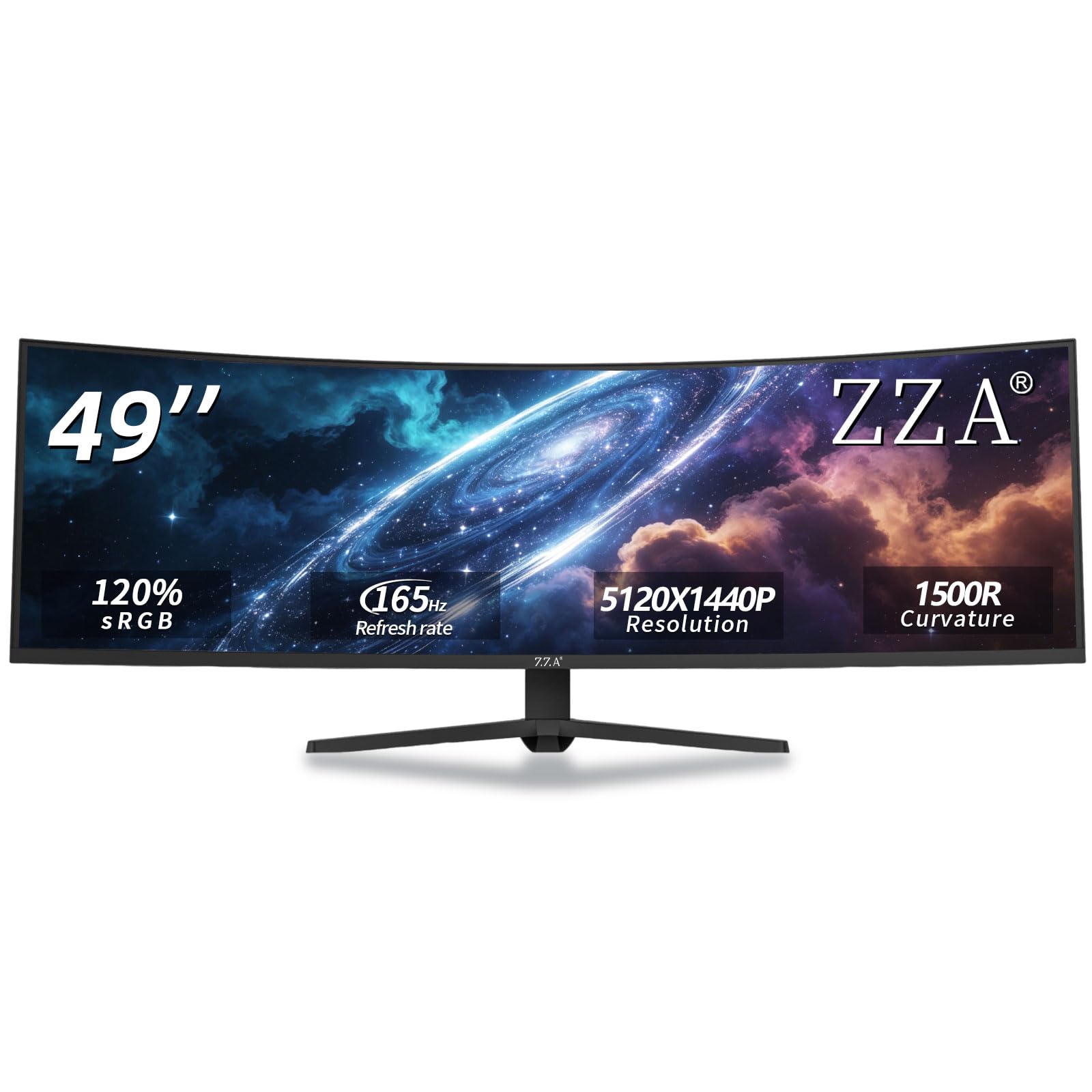
A 165Hz 49-inch DQHD that leads the ultrawide field on refresh — with a reliability caveat to weigh.
If raw motion speed is your priority, note where this beats the Amzfast above: 165Hz over HDMI 2.1 and DisplayPort 1.4 versus the Amzfast’s 120Hz, both on the same 5120×1440 32:9 canvas. The 1500R curve pulls you into the picture, AMD FreeSync trims tearing, and 120% sRGB with a 3000:1 contrast ratio keeps colour and dark scenes rich. At up to 300 cd/m² brightness it is bright enough for a home office or gaming room. Quality is the most-praised quality of all here, and owners also like the thin-bezel look for a contemporary desk.
Programmer and everyday users turn out to love it. One owner ran it 18 hours a day for a year with no eye fatigue or headaches. Setup is quick, and a happy buyer summed it up with “Works amazingly. very easy to set up.” The stand adjusts in height, tilt, and swivel, and VESA mounting lets you hang it on a wall in a gaming room or studio.
The honest caveat is durability. A minority of units have arrived with the screen separating from the frame or failed after hours of use, and there are reports of flickering in some games and a hot-running power supply. Most buyers are clearly pleased, but buy with the return window and extended coverage in mind. For value, the panel is competitive; the reliability risk is the part you accept to get it.
Where it pulls ahead
- Up to 165Hz refresh on a 5120×1440 32:9 DQHD canvas
- 120% sRGB and 3000:1 contrast for vivid colour and deep blacks
- Height, tilt, and swivel stand plus VESA wall mounting
The honest part
- A minority of units have failed or separated at the frame
- Some games show FreeSync flicker and a hot power supply
- No built-in speakers — audio goes through the 3.5mm jack
Great choice if: You want the fastest refresh in this size class at a competitive price and will use the return window.
Pause if: You need bulletproof long-term reliability — the failure reports make that the trade-off for the price.
Know the Specs
Resolution and Native Mode
Resolution is the number of pixels across the screen, and a panel looks sharpest at its native resolution — the one it was built for. Run a screen below native and the picture blurs, which is why upscaling legacy 6-millisecond CCTV feeds on a higher-res panel can look soft. Match the resolution to your source: square panels at 1280 x 1024 or 1440 x 900 suit old PCs, while a modern 5120×1440 canvas is for widescreen gaming and multitasking.
Aspect Ratio and Connectors
Aspect ratio is the screen’s shape — 4:3 for a classic tube, 16:9 for widescreen, 32:9 for a super-ultrawide. Old software expects the squarer shape, so a 4:3 or 5:4 panel avoids stretched graphics. Connectors decide what will even light up: VGA and D-Sub carry the analog signal of older machines, BNC is the twist-lock coaxial plug on security gear, and HDMI 2.0 or 2.1 handles modern consoles. Confirm your source’s port before anything else.
Common Questions
Can I still use a real CRT monitor with a modern PC?
Why do old games look wrong on a widescreen monitor?
What connector do I need for an arcade cabinet monitor?
What does the response time in milliseconds actually mean?
Is a 5:4 aspect ratio different from 4:3?
Are these LCD replacements dimmer than the old tubes they replace?
Can a privacy filter work on a CRT and a flat panel?
Will a modern monitor run 165Hz over an old connection?
Does the DEJUN LCD work on every HAAS mill?
Do these CRT-replacement monitors include speakers?
The Bottom Line
Which one you buy depends on the machine you are feeding. For a modern desk that wants one rich screen, the Amzfast 49 Inch Curved Monitor is the do-everything choice — a 5120×1440 canvas, 120Hz, and 120% sRGB in one frame. If you want the fastest refresh in this size class and will lean on the return window, grab the ZZA Ultrawide 49 Inch at up to 165Hz. And for a true legacy job — a C64, a security desk, or a Jamma cabinet — the square 4:3 screens here are the ones that actually light up your old gear.
How we choose
We do not accept paid placement. Every pick is matched to a real buyer and a real use-case; we do not hands-on test units.
Sources
Specifications: manufacturer listings and product documentation. Review insights: verified customer reviews, as of October 2026. Pricing: not shown on this page (it changes often); check the current price via the retailer link.
As an Amazon Associate, Aappliancez earns from qualifying purchases. This does not affect which products we feature.