Disclosure: Some links in this post are affiliate links. As an Amazon Associate I earn from qualifying purchases, at no extra cost to you. Learn more
Specs are compiled from manufacturer listings and verified buyer reviews and can change over time — please confirm the key details on the product page before buying.
You want a laptop that turns heads and still gets work done. The short answer: the Space Black Apple MacBook Pro with the M5 Pro chip leads for visual presence and speed, while the VAIO FS 14″ gives you an all-aluminum chassis for far less. Design matters here — a lid that closes flush, a screen that makes colors pop, a body that feels solid in your hand instead of flexing. This guide covers thirteen machines that nail that brief and explains which one fits how you actually work.
This guide is built by comparing the manufacturers’ published specifications and the patterns across verified customer reviews, so you get each pick’s real strengths and trade-offs instead of marketing spin.
Looks get you in the door, but airflow, hinge feel, and screen quality decide whether you still love the thing after six months. That balance is what separates the genuinely coolest laptops from ones that just photograph well.
Top Picks


How To Choose The Best Coolest Looking Laptops
A laptop that looks stunning on a desk can still disappoint you three weeks in — because design is not just the color of the lid. It is the screen you stare at for hours, the hinge that holds its angle, the weight in your bag, and whether the keyboard still feels crisp after a long day. Pick on those four things and the looks take care of themselves.
Start With the Screen, Because That Is What You Actually Look At
The panel is the single biggest driver of whether a laptop feels premium. OLED screens light every pixel on its own, so blacks go truly black and colors look richer than on a standard LED panel — that is why OLED machines photograph so well and hold up in person too.
Brightness matters just as much. A display rated at 600 nits peak brightness (a nit is a unit of screen brightness) stays readable near a bright window, while a 300-nit panel can start to look washed out. If you work near glass or outdoors, chase the higher number.
Weigh the Chassis Material Against the Scale
Aluminum feels cold, dense, and expensive — and it usually adds heft. Magnesium alloy gets you the same solid feel at a fraction of the weight. A carbon-fiber-style body splits the difference. None of these is automatically better; the question is whether you carry the laptop daily or park it on a desk.
Also check how thin the machine actually is. A body under half an inch thick slides into a sleeve without a fight, while a thicker chassis needs a roomier bag. Thin does not automatically mean fragile, but it does usually mean fewer full-size ports.
Do Not Ignore Refresh Rate and Hinge Feel
Refresh rate is how many times per second the screen redraws, measured in hertz. A 60Hz panel is perfectly fine for documents and video. A 120Hz panel makes scrolling, stylus strokes, and fast animations look noticeably smoother, and once you use one it is hard to go back.
The hinge is the last thing buyers check and the first thing they regret. A hinge that holds a firm angle lets you type on a plane tray table or a couch cushion. A loose one lets the screen flop. If the laptop flips into tent or tablet mode, test that the hinge tightens rather than sags at each stop.
Side-by-Side Comparison
| Model | Best For | Display | Memory | Weight | Amazon |
|---|---|---|---|---|---|
| Apple 2026 MacBook Pro (M5 Pro)★ Best Overall | Creative pros who want the sharpest screen | 14.2-inch Liquid Retina XDR | 24GB | 3.52 lb | Amazon |
| VAIO FS 14″Best Chassis Finish | Buyers who want an all-metal body | 14″ Full HD IPS (1920×1200) | 16GB | 1.47 kg | Amazon |
| ASUS ZenBook 13 OLEDBest OLED On A Budget | Students who want an OLED for less | 13.3″ OLED FHD (1920 x 1080) | 8GB | — | Amazon |
| Lenovo Yoga 7i 2-in-1 | Desk workers who want a big touchscreen | 16″ 2K touchscreen (1920 x 1200) | 16GB | — | Amazon |
| Dell 16 DC16251 | Business buyers who want a low-key look | 16″ FHD+ (16:10) | 16GB | — | Amazon |
| Lenovo Slim 7i Aura Edition | Creators who want all-day battery | 14″ WUXGA OLED (1920×1200, 60Hz) | 16GB | 2.82 lb | Amazon |
| GEEKOM GeekBook X14 Pro | Travelers who want a featherweight OLED | 14″ 2.8K OLED (120Hz) | 32GB | 2.2 lb | Amazon |
| Microsoft Surface Laptop (2024) | Everyday users who want a big touch panel | 15″ touchscreen | 16GB | — | Amazon |
| Samsung Galaxy Book5 Pro 360 | Samsung owners who want S Pen support | 16″ 3K AMOLED touch (2880 x 1800, 120Hz) | 32GB | 3.72 lb | Amazon |
| HP 17 Touchscreen | Multitaskers who want a giant display | 17.3″ HD+ touch (1600 x 900) | 64GB | — | Amazon |
| ASUS Zenbook Duo | Power users who want two screens | Dual 14″ OLED 3K (2880 x 1800, 120Hz) | 32GB | 3.64 lb | Amazon |
| HP OmniBook X 14 | Frequent flyers who want marathon battery | 14″ 3K OLED touchscreen | 24GB | — | Amazon |
| LG gram Pro 17 | Designers who want a big screen and a GPU | 17″ (Variable Refresh 31Hz–144Hz) | 32GB | 3.3 lb | Amazon |
Detailed Reviews
1. Apple MacBook Pro
Our pick — 4.5+★ from 200+ verified ratings; the strongest balance of quality and price.
Space Black aluminum, a screen that hits 1600 nits, and the fastest chip in this list
This is the machine for the designer, editor, or developer who wants a laptop that looks serious at a glance and backs it up when the renders start. The 14.2-inch Liquid Retina XDR display peaks at 1600 nits and holds 1000 nits sustained, with a 1,000,000:1 contrast ratio. In plain terms, that means colors stay true and highlights stay punchy even when you are editing next to a window. The Space Black finish absorbs light rather than reflecting it, which is why it reads as deliberately understated instead of flashy.
Underneath sits the M5 Pro chip with a 15-core CPU and 16-core GPU, paired with 24GB of unified memory — and that memory figure is the headline when you put it beside the ASUS ZenBook 13’s 8GB. Apps that normally make a thin laptop wheeze just keep moving here. Owners call the M5 Pro an absolute powerhouse and single out how quietly it runs under heavy workloads. The 1TB SSD, Wi-Fi 7, and three Thunderbolt 5 ports mean you are not hunting for dongles the moment you dock.
The honest trade-off is weight. At 3.52 pounds this is the heaviest pick that is not a 16- or 17-inch machine, so it is not the one you toss in a tote without noticing. Nor is it the lightest way to get a gorgeous screen — the GEEKOM GeekBook X14 Pro undercuts it dramatically on the scale. What you pay for instead is the combination of color accuracy, silent thermals, and six speakers with Spatial Audio and Dolby Atmos support that make it feel like a studio in a bag.
What Earns Its Place Here
- 14.2-inch Liquid Retina XDR screen at 1600 nits peak and 1000 nits sustained brightness
- M5 Pro with 15-core CPU and 16-core GPU pushing 24GB of unified memory — three times what the ASUS ZenBook 13 carries
- Three Thunderbolt 5 ports plus MagSafe 3, HDMI, an SDXC card slot, and a headphone jack
Where It Asks More of You
- 3.52 pounds is real heft for a 14-inch body
- You are paying for the display, the chip, and the finish together — there is no stripped-down version that keeps the screen
Reach for this if: your work lives in color-accurate editing, code builds, or anything that flattens a lesser chip.
Look elsewhere if: you carry your laptop all day and every ounce counts — the 2.2-pound GEEKOM is built for that instead.
2. VAIO FS 14″ Laptop (Intel Core Ultra 7, 16-Core, AI)
An all-metal 14-incher that looks like it costs more than it does
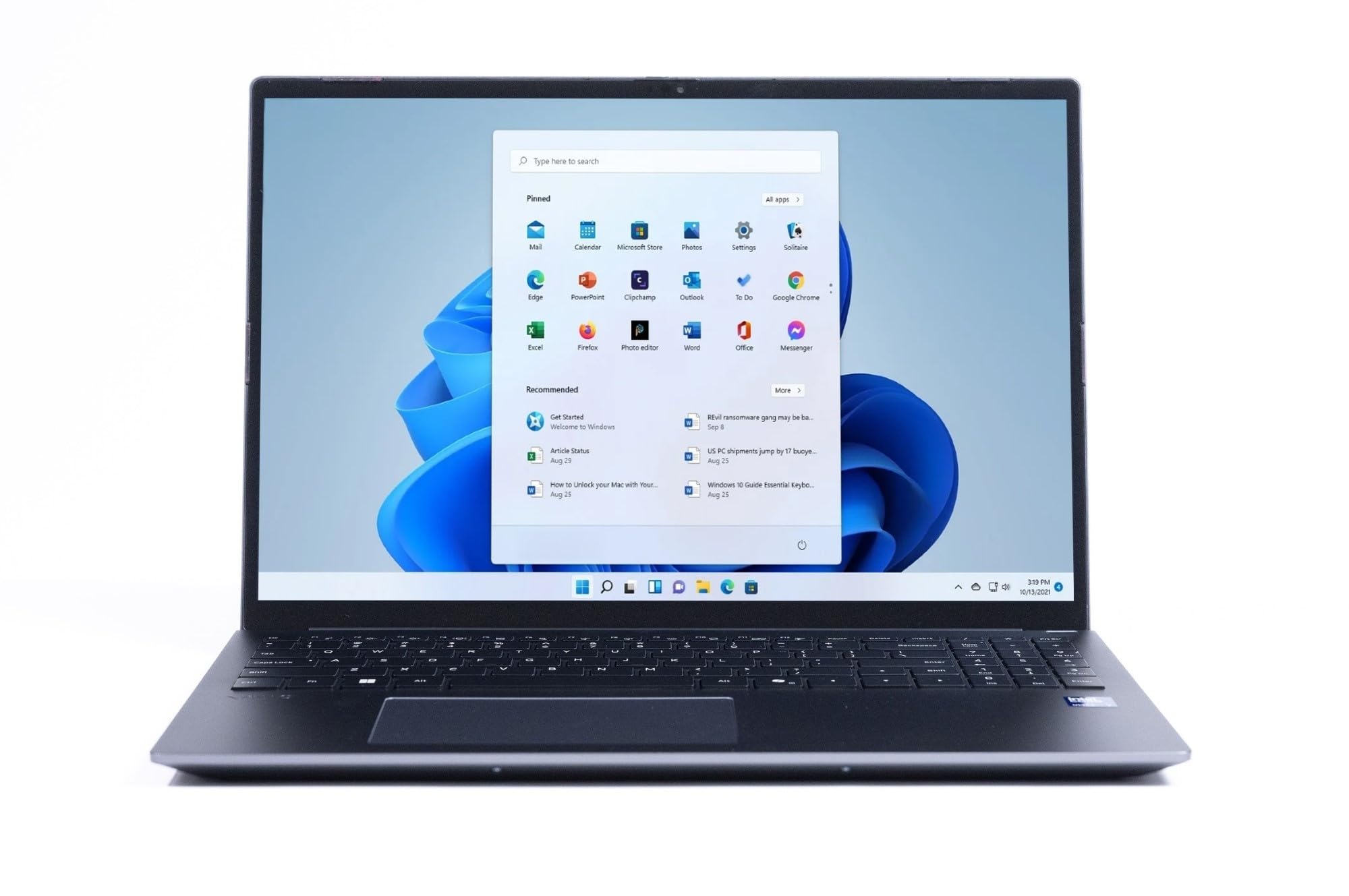
Metal does something to a laptop that plastic simply cannot fake. The VAIO FS 14 wraps its body in an all-aluminum chassis with a metal C cover, and that is the part your palms rest on all day — so the solidity is something you feel, not just see. The color is Gray, and at 1.47 kg it walks the line between sturdy and portable rather than tipping to either extreme.
The 14-inch Full HD IPS panel runs 1920×1200 at a 16:10 aspect ratio, which gives you more vertical room for documents and code than a standard 16:9 screen. Brightness is rated at 300 nits, so it is comfortable indoors but not built for direct sunlight. It runs at 60Hz, which is perfectly smooth for text and video. The 135° hinge adds a nice touch of control — you can open it flat for showing someone across a table without the whole machine slipping.
Speed comes from an Intel Meteor Lake 155H-series processor at 28W paired with Intel Arc graphics, backed by 16GB of LPDDR5 RAM and a 1TB PCIe Gen 4 SSD. Buyers report the aluminum body feels strong for its 1.47 kg, though the right shift key sits right of the up arrow and takes getting used to. A spill-resistant backlit keyboard and Windows Hello login through both an IR webcam and a fingerprint reader round out the package.
The 1920×1200 resolution is the place where this one gives ground. Step up to the Samsung Galaxy Book5 Pro 360 and you jump to 2880 x 1800 on an AMOLED touch panel — noticeably denser pixel-for-pixel. The VAIO’s screen-to-size ratio also runs smaller than the Lenovo Yoga 7i’s 16-inch panel, which measures 14% larger across the diagonal. So if raw screen acreage is the goal, this is not the pick.
The design payoff: the aluminum body and spill-resistant keyboard make this feel like a machine you can use hard for years, not a showpiece you handle with kid gloves.
Your pick if: you want the metal-lid look and a roomy 16:10 screen without paying flagship money.
Consider another if: you need a high-density display for color work — 1920×1200 is the ceiling here.
3. ASUS ZenBook 13 Ultra-Slim Laptop (13.3″ OLED)
The cheapest way into an OLED screen with a bezel so thin it disappears
A 13.3-inch OLED panel with a four-way NanoEdge bezel is the entire reason this laptop is on a looks-first list. Because the frame around the display is so narrow, the screen dominates the lid, and OLED means each pixel lights itself — so blacks are genuinely black, not dark gray. At 400 nits full HD and 1920 x 1080 resolution, colors carry the saturation OLED is known for. Buyers call the 13.3-inch OLED gorgeous and name it above every other feature.
Inside sits an 11th-generation Intel Core i7-1165G7 running at 2.8 GHz with a 12MB cache and four cores, working with 8GB of LPDDR4X RAM and a 512GB PCIe NVMe SSD. That 8GB figure is the clearest dividing line between this and the Apple MacBook Pro at the top of this list, which carries 24GB — a 3.0x gap in working memory. It is enough for browser-heavy days and light gaming, but not for juggling heavy creative apps.
There is a real caveat to weigh here, and it is worth being straight about it. The number pad built into the touchpad and the Thunderbolt 4 port are genuinely nice touches, but the battery is rated at 6 hours, and some owners mention it falling well short of ten hours under real load. A few units have frozen or dropped Wi-Fi. That is not most buyers, but it is enough that this is the one pick here you should buy with a return window open.
The honest read: you are buying the OLED screen first and the rest of the machine second — and at this price tier, that is a fair trade.
Worth it if: the screen is what sells you and you mostly run browsers, documents, and streaming.
Keep looking if: you need all-day unplugged runtime or you push sustained heavy workloads.
4. Lenovo Yoga 7i 2-in-1 Laptop (16″ 2K Touchscreen)

One machine that folds into four different shapes without looking gimmicky
Some designs catch your eye; this one holds it because it changes shape. The Yoga 7i flips through four modes — laptop, tablet, tent, and stand — and Lenovo Transition automatically resizes your apps full-screen as you switch. Folded into tent mode it becomes a second display sitting behind a desktop monitor, which is exactly how one owner runs it alongside dual 32-inch screens. That is a genuinely clever look for a home office.
The 16-inch touchscreen runs 1920 x 1200 with IPS technology for wide viewing angles and an energy-efficient LED backlight. That 16-inch diagonal measures 14% larger than the VAIO FS 14’s panel — you notice the extra real estate the moment you open two documents side by side. Performance comes from a 12-core Intel Ultra 7 155U boosting to 4.8 GHz, Buyers praise the 12-core Ultra 7 155U for handling day-to-day work without drama.
The catching point is weight. In tablet mode it is a heavy thing to hold in one hand, and speakers are described as weak for media. If you mostly want a lap-friendly reading tablet, look at the 2.2-pound GEEKOM instead. If you want a portable workstation that also demos beautifully in a meeting, this is the shape-shifter.
Standout spec: WiFi 6E plus a Gigabit LAN port means a wired connection is on the table — something almost no ultra-thin competitor in this list offers.
Suits you if: you want one device for desk work, presentations, and couch browsing.
Better to skip if: you mainly want a light tablet to read on — this one is heavy when folded back.
5. Dell 16 Laptop DC16251 (Intel Core 7 150U)

A plain-silver laptop that wins on the parts you touch, not the parts you see
Not every cool laptop has to shout. The Dell 16 DC16251 comes in Platinum Silver with an edge-to-edge 16-inch screen and a 16:10 aspect ratio (a taller, wider shape than the usual 16:9), so you see more rows and columns without a bigger bag. It looks professional in a client meeting and quietly expensive up close. Dell ComfortView Plus trims blue light while keeping colors true, so late-night spreadsheet sessions are easier on the eyes.
Under the lid is an Intel Core 7-150U processor boosting to 5.4 GHz (that’s how fast it can sprint when needed) with 16GB of RAM, and the performance holds up across real workloads. Owners name the keyboard, trackpad, and quiet operation as the standout touches. An adaptive thermal system senses when the laptop is on a stable surface like a desk, then adjusts power and cooling — so it runs cooler and quieter on a table than on your lap. A fingerprint reader, Bluetooth 5.3 (a short-range wireless standard for accessories), and a 65-watt AC adapter come in the box.
The one area to weigh carefully is the screen resolution. Dell rates this panel at “up to FHD+,” and the graphics department is where owners say it holds back — one buyer summed it up as the lowest-performing graphics they had experienced, adding that it will not play most games. If you occasionally game or do GPU-heavy work, the LG gram Pro 17 with its NVIDIA RTX 5050 is the machine for that job instead.
Why It Holds Its Own
- ComfortView Plus blue-light reduction keeps colors accurate rather than yellowing the screen
- Adaptive thermals adjust cooling to what the laptop is sitting on
- 16:10 aspect ratio gives more vertical working room than a standard widescreen
What To Keep In Mind
- Graphics performance is modest by design — this is not a gaming machine
- Some customers note long-term reliability varies; keep the return window open while you test
Made for: business and study work where a calm, quiet, professional-looking machine beats a flashy one.
Not the one if: you want a display that pops or graphics that can game.
6. Lenovo Slim 7i Aura Edition (14″ WUXGA OLED)

A 2.82-pound OLED that keeps glowing hours after most rivals have dimmed
Battery life is not usually a design feature, but 17 hours in a chassis that starts at 2.82 pounds absolutely is. The Slim 7i Aura Edition runs a 14-inch WUXGA OLED panel (a sharp 1920×1200 screen with self-lit pixels) rated at 600 nits peak brightness with DisplayHDR True Black 500 certification — that last spec means the screen can hit deep, near-black levels while still throwing bright highlights, which is what makes HDR content look three-dimensional rather than flat. The 1920×1200 resolution at 60Hz keeps text crisp and motion smooth.
The body is a sleek aluminum chassis with a gently rounded edge designed for grabbing on the way out the door, finished in Luna Grey. Inside, the Core Ultra 7 processor runs a 30-watt thermal design with internal blowing technology to stay cool and quiet under load. Lenovo’s AI-powered apps adapt to how you use the machine, and Premium Suite bundles noise-canceling mics, Voice ID, and a silent trackpad into meetings. The Intel Unison app also lets you tap an Android or iOS phone against the laptop and drag photos straight across.
Where this asks patience is startup reliability. Some units have arrived refusing to power on, and that is a fair question to test immediately during your return window. It is not a universal experience, but it is enough of a pattern to mention plainly. Performance itself draws praise — it handles a stack of browser tabs without bogging down.
The display story: 600 nits peak plus DisplayHDR True Black 500 is a combo reserved for premium panels; here you get it at under three pounds.
Built for: creators and students who want a bright OLED and go days between charges.
Worthhesitating if: you want the reassurance of a long track record rather than a newer model.
7. GEEKOM GeekBook X14 Pro Laptop (2.2 lb Ultra Thin)
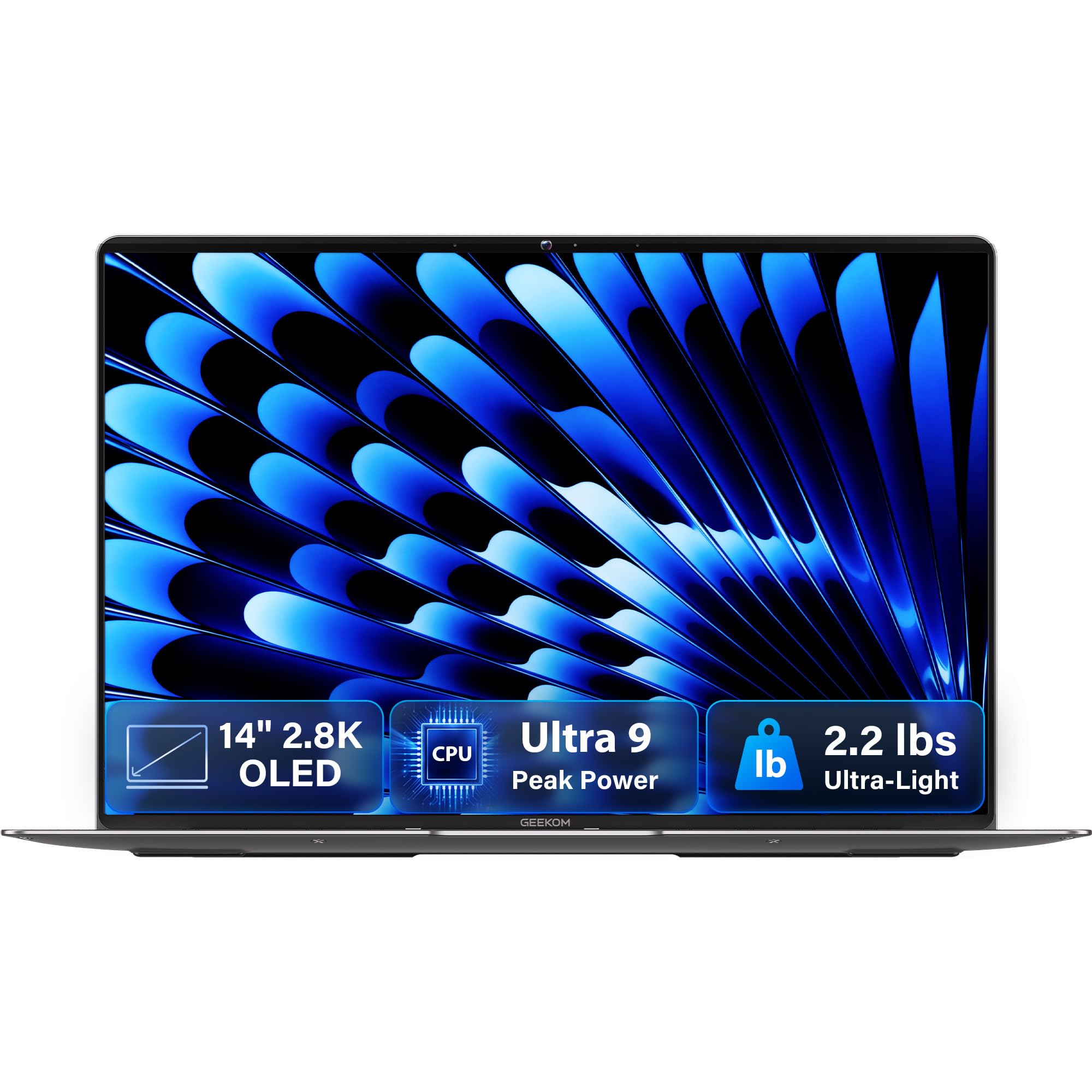
At 2.2 pounds and 0.23 inches thick, this is the one people pick up and gasp at
Two numbers define this laptop: 2.2 pounds of weight and 0.23 inches of thickness. For context, that is roughly a pound and a third lighter than the Apple MacBook Pro at the top of this list. The chassis is aerospace-grade magnesium alloy with a precision-milled CNC unibody, finished in Titanium Gray with a multi-step coating that feels warm rather than cold to the touch and resists fingerprints. Owners call the magnesium alloy unibody the best thing about it.
The 14-inch 2.8K OLED screen runs a 120Hz refresh rate — double the smoothness of the 60Hz panels on several picks here — with 100% DCI-P3 color coverage and up to 450 nits of brightness. A Core Ultra 9 185H processor with 16 cores, 22 threads, and up to 5.1 GHz does the heavy lifting, backed by 32GB of LPDDR5x memory at 7500MHz and a 1TB PCIe Gen 4 SSD. Intel Arc graphics handle modern gaming and video encoding, and a dedicated NPU works with Copilot for on-device AI tasks.
The connective package is where this beats most thin-and-light rivals outright: two 40Gbps USB4 ports, HDMI 2.1, USB 3.2 Type-A, and a 3.5mm jack — plus an included docking station so you never reach for a dongle. A fingerprint reader and a physical camera shutter handle privacy. The battery holds 72Wh and is rated up to 16 hours, with the compact 65W GaN charger refilling to 80% in about an hour. Note that the shutter does block Windows Hello facial recognition, so you will rely on the fingerprint reader instead.
Everything This Gets Right
- 120Hz 2.8K OLED with 100% DCI-P3 coverage and up to 450 nits brightness
- 32GB LPDDR5x at 7500MHz and a 1TB PCIe Gen 4 SSD
- Dual 40Gbps USB4 ports, HDMI 2.1, USB-A, and an included dock
The Fair Caveats
- The brand is newer, so resale and service familiarity lag the big names
- Windows Hello face login is unavailable because of the physical camera shutter — use the fingerprint reader
Your best match if: you want premium OLED and top-tier specs in the lightest possible body.
Think twice if: brand pedigree matters more to you than pure spec-per-pound.
8. Microsoft Surface Laptop (2024), 15″ Touchscreen

A razor-thin 15-inch slab in black that looks like it belongs on a design studio desk
The 15-inch Surface Laptop carries the same clean, minimalist silhouette the line is known for, now in a black finish that makes the ultra-thin display bezel look almost invisible. It runs on a Snapdragon X Elite 12-core processor — an ARM-based chip (the same family of processor that powers most modern phones) clocking up to 4 GHz — paired with 16GB of RAM and 1TB of SSD storage (solid-state drive, fast flash storage with no moving parts). The 15-inch touchscreen pairs HDR technology with that thin bezel for a bright, spacious panel you can tap and swipe rather than reach for a mouse.
Battery life is the marquee number: up to 20 hours, which puts it alongside the Lenovo Slim 7i Aura Edition as the longest-lasting pick in this group. Omnisonic speakers tuned with Dolby Atmos handle audio, and Bluetooth 5.4 keeps wireless accessories snappy. Face recognition through the camera makes signing in instant, with no fingerprint dance required.
Owners are split on value. Some owners say it functions flawlessly and is worth the money; others report it stops working entirely or call it overpriced for the specs. That split opinion is worth knowing before you click buy — it is a machine that most people who commit to it love, and a minority bounce off. It is heavier than the ultra-light GEEKOM, so if portability is your first priority this sits lower on the list.
Why it earns its spot: the combination of a genuinely huge 15-inch touch display, a 20-hour battery rating, and a thin black chassis is rare in one machine at this size.
Best for: everyday users who want the biggest touchscreen possible in a laptop that still looks refined.
Look past it if: you want the density and richness of an OLED panel instead.
9. Samsung 16” Galaxy Book5 Pro 360 Copilot+ PC

A 2880 x 1800 AMOLED canvas that makes every other screen look flat by comparison
The Galaxy Book5 Pro 360 is carved from CNC aluminum with a 12.7mm thickness, and the 16-inch 3K AMOLED touchscreen pushes 2880 x 1800 pixels at 120Hz. That resolution beats nearly every panel on this list, and the two-tone gray finish plus anti-reflective Corning Gorilla Glass with DX coating means it looks sharp at any viewing angle, even in bright light. Vision Booster technology shifts brightness automatically as ambient light changes. Owners praise the two-tone gray CNC aluminum finish as the standout.
Inside sits an Intel Core Ultra 7 258V with an Intel ARC GPU (graphics processor) and an AI processing unit rated as high as 47 TOPS — that figure measures how many AI operations the chip can run per second, and it is what enables Copilot+ AI features. The S Pen works with enhanced tilt sensitivity and multi-touch gestures, so drawing and note-taking feel natural on the responsive panel. The Aura Edition’s multi-control lets you navigate a Galaxy phone, Tab, or smart monitor from the laptop’s own touchpad and keyboard, and Transcript Assist turns recorded meetings into searchable notes.
There is a screen durability story to be aware of, and it is worth a straight look. Multiple reviewers point out the panel cracking within three months, and battery life gets mixed marks — some find it incredible, others say it lasts three hours or less. That is not the experience everyone has, but it is the honest read on the risk. If you need maximum resilience, the LG gram Pro 17 passed seven military-grade standards for durability, which makes it the sturdier option on paper.
A Screen That Sells Itself
- 16-inch 3K AMOLED at 2880 x 1800 with a 120Hz refresh rate
- Anti-reflective Corning Gorilla Glass with DX plus Vision Booster adaptive brightness
- S Pen included with enhanced tilt sensitivity for natural-feeling stylus work
What To Weigh Carefully
- Repeated reports of the AMOLED panel cracking within a few months
- Battery life splits opinion — some users get very little runtime
Ideal for: Samsung phone and tablet owners who want their devices to work as one.
A caution if: you need a laptop you can throw in a backpack without a padded sleeve.
10. HP 17 Touchscreen Laptop PC (Rose Gold)
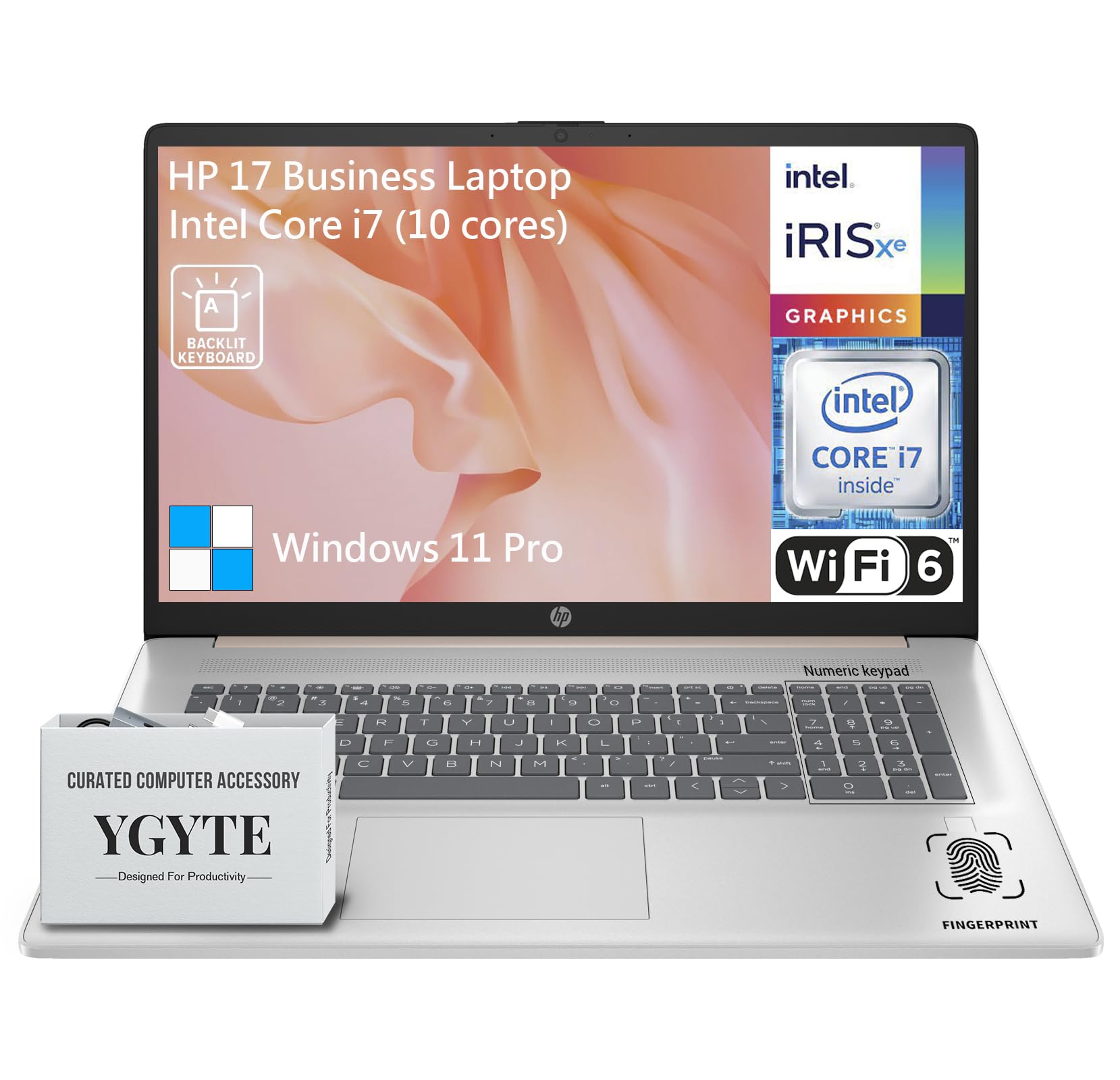
A huge 17.3-inch touch screen wrapped in a rose gold body you will not miss
Size is a design choice, and this HP makes it loudly. It is a laptop that gets noticed on a coffee shop table — partly for the finish, partly because it is simply enormous compared to a 14-inch machine.
The internals are aimed at people who run everything at once. A 13th-gen Intel Core i7 processor with 10 cores, 12 threads, and speeds up to 5.0 GHz pairs with Intel Iris Xe graphics. Then there is 64GB of DDR4 RAM and a 2TB PCIe NVMe SSD (a very fast solid-state drive) — those are the two largest figures in this entire list, and they mean you can keep dozens of browser tabs, apps, and documents open without the machine slowing down. A brushed full-size backlit keyboard with a 10-key numeric pad, a fingerprint reader, and a 720p HD camera with dual array mics round out the package.
The obvious trade-offs: the display resolution is 1600 x 900 on a 17.3-inch panel, which is not as sharp as the 3K screens elsewhere on this list, and it only refreshes at 60Hz. Also note the power button placement — one owner found it small and awkwardly tucked among the top-row keys. If you want a portable machine, this is not it; it is a desktop replacement that happens to fold.
The value play: 64GB of RAM and 2TB of SSD storage at this price tier is class-leading anywhere else on this list, and owners back up the quality of the build.
Best fit for: multitaskers who want a giant screen and the biggest memory and storage combo in this group.
Skip past it if: you value a crisp, high-density panel or you travel with your laptop daily.
11. ASUS Zenbook Duo Laptop (Dual 14″ OLED 3K)

Two 14-inch OLED screens stacked in a 3.64-pound package that folds flat
Nothing else on this list stops a room like a laptop that opens to reveal two screens. The Zenbook Duo’s dual 14-inch Lumina OLED touch displays run 2880 x 1800 at 500 nits HDR peak brightness, a 120Hz refresh rate, and Pantone-validated 100% DCI-P3 color accuracy. You can use them as one giant canvas, or split into Dual Screen, Desktop, Sharing, or Laptop mode with the detachable Bluetooth keyboard. The built-in kickstand and a pouch that doubles as a stand mean it stands on its own wherever you go.
Power comes from an Intel Core Ultra 9 285H processor with Intel AI Boost NPU and Intel Arc graphics, driving 32GB of LPDDR5x RAM and a 1TB SSD. The 75Wh battery is rated up to 16 hours in laptop mode and 9 hours in dual-screen mode. An FHD IR front camera handles Windows Hello login, and the machine meets US MIL-STD 810H durability standards, meaning it has been tested against shock, vibration, and temperature extremes.
The honest limitation is that running two screens drains the battery faster, and the fans get louder under sustained load. Some owners also wish it shipped with Windows 11 Pro rather than Home, and the keyboard’s own battery is on the shorter side, so you will be charging it separately. That said, buyers describe the versatility as something they cannot go back from — the phrase “can’t go back to one screen” comes up more than once. It is a productivity tool that happens to be the most visually distinctive laptop here.
Two screens, one hinge: the dual 3K OLED panels at 120Hz are genuinely rare, and the flexibility of switching displaymodes is what earns it a place on a looks-first list.
Worth it for: traders, editors, and multitaskers who want two full screens in a single bag.
Not for you if: you need long unplugged runtime or dead-silent fans.
12. HP OmniBook X 14 inch Next Gen AI PC

A 3K OLED touchscreen in a 14-inch frame that sips power for more than a full day
This is the laptop for the flyer who wants premium looks without hunting for an outlet. HP rates battery life at up to 27 hours and 30 minutes, and HP Fast Charge restores 0 to 50% in roughly 30 minutes. For a 14-inch machine with a 3K OLED touchscreen inside, that combination is unusual. The Glacier Silver finish keeps it looking clean and businesslike, and OLED means every pixel of that 3K panel is lit individually for deep blacks and richer contrast than a standard LED screen.
Performance comes from an Intel Core Ultra 7 processor 356H boosting to 4.7 GHz, backed by 24GB of LPDDR5x RAM and a 1TB PCIe Gen4 NVMe SSD. Intel Graphics handles everyday entertainment and multitasking, and the AI-driven Smart Sense optimizer switches performance modes automatically based on what you are doing — which also keeps fan noise and heat in check. A 5MP IR camera with HDR auto-switch handles video calls and Windows Hello face login, and Poly Studio audio with dual speakers covers meetings.
Bluetooth 6 makes this the most current wireless pick in the entire list, and buyers praise its size, weight, and performance as excellent for travel. That is a small trade-off for the battery headline. If you want a machine that looks sharp and stays unplugged for flights and field days, this is a strong fit.
Best-in-group stamina: 27.5 hours rated with a 3K OLED screen is a combination almost no laptop in this tier manages.
The match if: you travel often and want a 3K OLED screen that lasts through a full day of meetings.
Less ideal if: you rely on built-in speakers for music and movies.
13. LG gram Pro 17-inch Lightweight Laptop (RTX 5050)

A 17-inch powerhouse that weighs barely more than most 14-inch machines
The gram Pro 17 pulls off a trick that should not be possible in a 17-inch laptop: 3.3 pounds of weight and a 0.6-inch-thick body that has passed seven military-grade standards for durability. Owners literally hand it to stunned friends to feel how light it is. The 17-inch panel uses a Variable Refresh Rate that adapts from 31Hz to 144Hz (Hz is how many times per second the screen redraws) — that range lets the screen refresh only as fast as the content needs, which keeps animation smooth while saving power when the screen is still.
Under the hood, an Intel Core Ultra 9 (Series 2) 285H processor boosts up to 5.4 GHz and pairs with 32GB of DDR5 memory and a 2TB SSD. That 2TB figure ties the HP 17 for the largest storage in this list. Then there is the NVIDIA RTX 5050 laptop GPU, which is what separates this from every other pick — no other machine here carries a dedicated graphics card, and owners confirm it handles business work, video editing, and light gaming without lag. A 90Wh battery (watt-hours, a measure of capacity) is rated up to 25 hours of video playback, and gram’s AI Smart Assistant learns your patterns to extend it further.
The caveats are worth flagging honestly. There is no Ethernet port, so wired networking is off the table. One reviewer noted that even with an RTX 5050, CAD programs can stutter under heavy load — so if professional 3D modeling is your job, verify it handles your specific software before relying on it. Setup also drew some complaints about unnecessary bundled apps. But for a laptop this size, this light, with this much power, it is the strongest combination in the group for anyone who needs screen real estate and GPU muscle at once.
Where It Delivers
- 3.3 pounds and 0.6 inches thick in a 17-inch body that passed seven military-grade durability standards
- NVIDIA RTX 5050 GPU and Intel Core Ultra 9 285H with 32GB DDR5 and 2TB SSD
- Variable Refresh Rate from 31Hz to 144Hz plus a 90Wh battery rated for 25 hours of video
The Realistic Understanding
- No Ethernet port for wired networking
- Heavy 3D CAD work can still stutter despite the dedicated GPU
The right call for: designers, gamers, and creators who need a big screen and real GPU power without the weight penalty.
Look to a smaller machine if: you need maximum graphics throughput for professional 3D work or a wired network connection.
Know the Specs
Display Technology, Measured in Nits and Hertz
A nit is a unit of screen brightness, and peak nits tells you how readable a panel stays in a bright room. OLED screens light each pixel on its own, which produces true black and deeper color than a standard LED panel. Hertz measures how many times per second the display redraws, so a 120Hz panel scrolls noticeably smoother than a 60Hz one. If you love how a laptop looks, the panel is usually what you are responding to.
Chassis Materials and the Weight Trade-Off
Aluminum feels substantial and premium but tends to add weight. Magnesium alloy delivers the same solid hand-feel at a fraction of the bulk, which is why featherweight machines like the 2.2-pound GEEKOM use it. Carbon finishes land between the two. None of these is objectively better — the right pick depends on whether the laptop travels with you daily or sits on a desk, and every material choice is really a trade between looks, weight, and durability.
Common Questions
Does a higher display resolution actually matter for everyday use?
Is OLED worth it over a standard LED display on a laptop?
How light should a laptop be if I carry it every day?
Does a 120Hz refresh rate really look different from 60Hz?
What does battery life in hours actually mean in real use?
Is a magnesium alloy chassis as durable as aluminum?
Do I need a dedicated graphics card like the RTX 5050 in a thin laptop?
How many ports should I expect on a thin premium laptop?
Does a 2-in-1 design hold up as well as a standard laptop?
Is Wi-Fi 7 worth paying more for over Wi-Fi 6?
The Bottom Line
For most people hunting the coolest looking laptops, the winner is the Apple 2026 MacBook Pro with the M5 Pro chip — it pairs the densest, brightest display on this list with a finish that looks the part and performance that earns its staying power. If you want the lightest machine that still looks premium, grab the GEEKOM GeekBook X14 Pro at 2.2 pounds with a 120Hz OLED (a screen that redraws 120 times per second). For a huge touchscreen at a home-office-friendly price, the HP 17 Touchscreen with 64GB of RAM and 2TB of SSD is the one to reach for.
How we choose
We do not accept paid placement. Every pick is matched to a real buyer and a real use-case; we do not hands-on test units.
Sources
Specifications: manufacturer listings and product documentation. Review insights: verified customer reviews, as of October 2026. Pricing: not shown on this page (it changes often); check the current price via the retailer link.
As an Amazon Associate, Aappliancez earns from qualifying purchases. This does not affect which products we feature.