Disclosure: Some links in this post are affiliate links. As an Amazon Associate I earn from qualifying purchases, at no extra cost to you. Learn more
Specs are compiled from manufacturer listings and verified buyer reviews and can change over time — please confirm the key details on the product page before buying.
You want one pen that taps your tablet screen and writes on paper without switching tools. The innhom 24-pack is the safest place to start: a two-ended barrel that does both jobs and never needs charging. Below are five picks, each built for a slightly different desk: bulk classroom stock, a precision disc nib for sketching, an iPad pencil with a locator chip, a pen-first stylus for office paper, and a proper active pen for HP convertibles.
This guide is built by comparing the manufacturers’ published specifications and the patterns across verified customer reviews, so you get each pick’s real strengths and trade-offs instead of marketing spin.
The tip decides the feel: silicone rubber, a clear plastic disc and a powered active nib each behave differently on glass. Read on for the five picks that make the most sense as everyday computer pens.
Top Picks


How To Choose The Best Computer Pens
Start with one question: are you tapping a screen, writing on paper, or both? That answer narrows the list faster than any spec sheet. A capacitive stylus (a pen with a soft or disc tip that mimics your fingertip on glass) is the cheap, battery-free route. An active pen (a powered barrel that talks to the screen) adds palm rejection and pressure control, but only on screens built to accept it.
The tip material decides how your screen survives
Silicone rubber tips are soft and scratch-resistant, so they protect glass from fingerprints and grease and suit quick typing on a small phone. The trade-off is wear — rubber domes flatten with heavy use, which is why bulk packs exist. A clear plastic disc nib sits at an angle and glides smoother for drawing and handwriting, and the smaller the disc, the more precise the point. Mixoo fits a 6mm disc tip here, which is the fine end of that scale.
Match the barrel to the device, not the marketing
Passive styluses work on any capacitive screen — iPhone, iPad, Android tablets, Surface and other touchscreen laptops. Active pens are fussier: the HP pen uses MPP 2.0 (a pen protocol Windows convertibles speak), and the JEDOUBAL relies on iPad-specific features like palm rejection and tilt. Buy the pen whose protocol matches your machine, or you get a barrel that taps but never writes properly.
Weight and length in the hand
A 6 g aluminum barrel feels like a slim pencil and disappears in a pocket; a 15 g pen feels closer to a real ballpoint during an hour of notes. Neither is wrong — it depends on speed versus control. Length matters too, since a barrel around 5.5 to 6.7 inches sits naturally in an adult grip.
Side-by-Side Comparison
| Model | Best For | Tip Type | Power Source | Pack Size | Amazon |
|---|---|---|---|---|---|
| innhom 24 Pack Stylus Pens★ Best Overall | Shared desks and classrooms | Silicone + ballpoint | None needed | 24 Count | Amazon |
| Mixoo 2-in-1 Stylus (2 Pack)Top Performer | Precision drawing and notes | 6mm disc + rubber | None needed | 2 Count | Amazon |
| JEDOUBAL iPad Pencil | iPad note-takers who lose pens | 1.5mm hard tip | USB-C rechargeable | 1 Count | Amazon |
| Gel Ink Rollerball Stylus (18 Pack) | Paper-first office work | Stylus + 0.38mm gel | None needed | 18 Count | Amazon |
| HP Active Rechargeable Tilt Pen MPP 2 | HP and MPP convertibles | Active exchangeable tips | USB-C rechargeable | 1 Count | Amazon |
Detailed Reviews
1. innhom 24 Pack Stylus Pens for Touch Screens
Our pick — 4.0+★ from 10,000+ verified ratings; the strongest balance of quality and price.
Two dozen aluminum barrels that tap a tablet on one end and write in black ink on the other.
Twenty-four pens in one box is the whole argument. This is the pack you leave in a classroom drawer, a reception desk, or a shared kitchen table, because losing one costs you nothing and nobody has to hunt for a charger. Twist the body and a black ink ballpoint extends; flip it and a soft silicone tip taps the glass. The tip is scratch-resistant, so it keeps your screen free of fingerprints and grease while giving you a finer point than a finger — handy on a small phone when your thumb covers three keys.
What wins people over is the sheer build and color spread. You get 12 colors across the 24 pens — yellow, royal blue, green, red, wine, salmon, deep pink, orchid, black, silver, gold and more — so you can color-match to a device or a case. Each barrel is aluminum with a clip, and it is remarkably light: the whole pen weighs 6 g and measures 5.5 inches long. Compare that with the Mixoo below, which is 15 g and runs 6.7 inches — the innhom is the thinner, pocket-friendly pencil of the two, the Mixoo the weightier pen.
The honest catch is wear, and it shows up in two places. The silicone tips flatten and the pocket clips can work loose over heavy use, so this is a consumable rather than a heirloom. That is exactly why the pack is this size — rotate the barrel to the ink side or grab a fresh one when a tip goes slick. Compatibility is broad, covering iPhone, iPad, Samsung, Kindle, iPod touch and touchscreen laptops from Surface, HP, ASUS, Acer and Dell. It holds 4.0+ stars across 10,000+ ratings, and buyers report it outperforms its price.
Why it holds the top slot
- 24 pens, 12 colors — you never run short and can match a device
- Aluminum body at 6 g and 5.5 inches keeps it light in a pocket
- Works on almost any capacitive screen, iOS or Android
- No battery, no pairing, no charging routine
Where it asks for patience
- Silicone tips wear and go slick with heavy tapping
- Pocket clips can detach before the ink runs out
- No palm rejection or pressure control — it is a passive stylus
Stock it if: you need a cheap pen at multiple desks and want ink and touch in one barrel.
Pass if: you sketch seriously — a disc nib will out-precise this rubber dome.
2. Mixoo 2-in-1 High Sensitivity Retractable Stylus (2 Pack)
A retractable 6mm disc nib that clicks away when you are done, like a ballpoint.
If the innhom is the pencil you never think about, the Mixoo is the pen you reach for when the line has to land where you want it. Its party piece is the 6mm clear disc tip — a smaller-than-usual nib that lets the pen angle naturally while you write and keeps the point from blocking your view. Press the clip and the disc retracts into the barrel, which shields it from snapping off in a bag. That is a meaningful difference over a fixed-tip stylus, and it is the single feature buyers call the advantage.
Feel matters here. At 15 g and 6.7 inches, this barrel carries real weight and length in the hand — closer to a proper pen than the 6 g innhom, and a better match for longer handwriting sessions. It is also magnetic, so it latches onto the side of an iPad for storage. Each box includes two pens, four disc tips and four rubber tips, and both nibs swap without tools. The disc nib glides smoothly across the glass; the rubber end handles tapping and scrolling without smearing fingerprints. No battery or charging is involved.
The recurring gripe is durability, and it is specific: the thin rod holding the disc can break or fall out, and spare discs cannot be bought in bulk. So treat the disc end as the delicate one and use the rubber tip for everyday taps. It is a real limit on an otherwise excellent pen, and it is the one thing to know before you commit. Owners mention it beats far pricier styluses, including one that failed within a week.
Precision where it counts: the 6mm disc keeps your fingertip off the glass and your line exactly where you aim it — the accuracy the innhom’s rubber dome cannot match.
The nib holds the wallet: no pressure sensitivity and a fragile disc rod mean the Mixoo suits writing and tapping far more than true artist work.
Reach for it if: you draw, annotate, or handwrite, and want a real pen feel with a protective retract.
Look elsewhere if: you need pressure sensitivity for artwork — a passive disc cannot do it.
3. JEDOUBAL iPad Pencil with Apple Find My
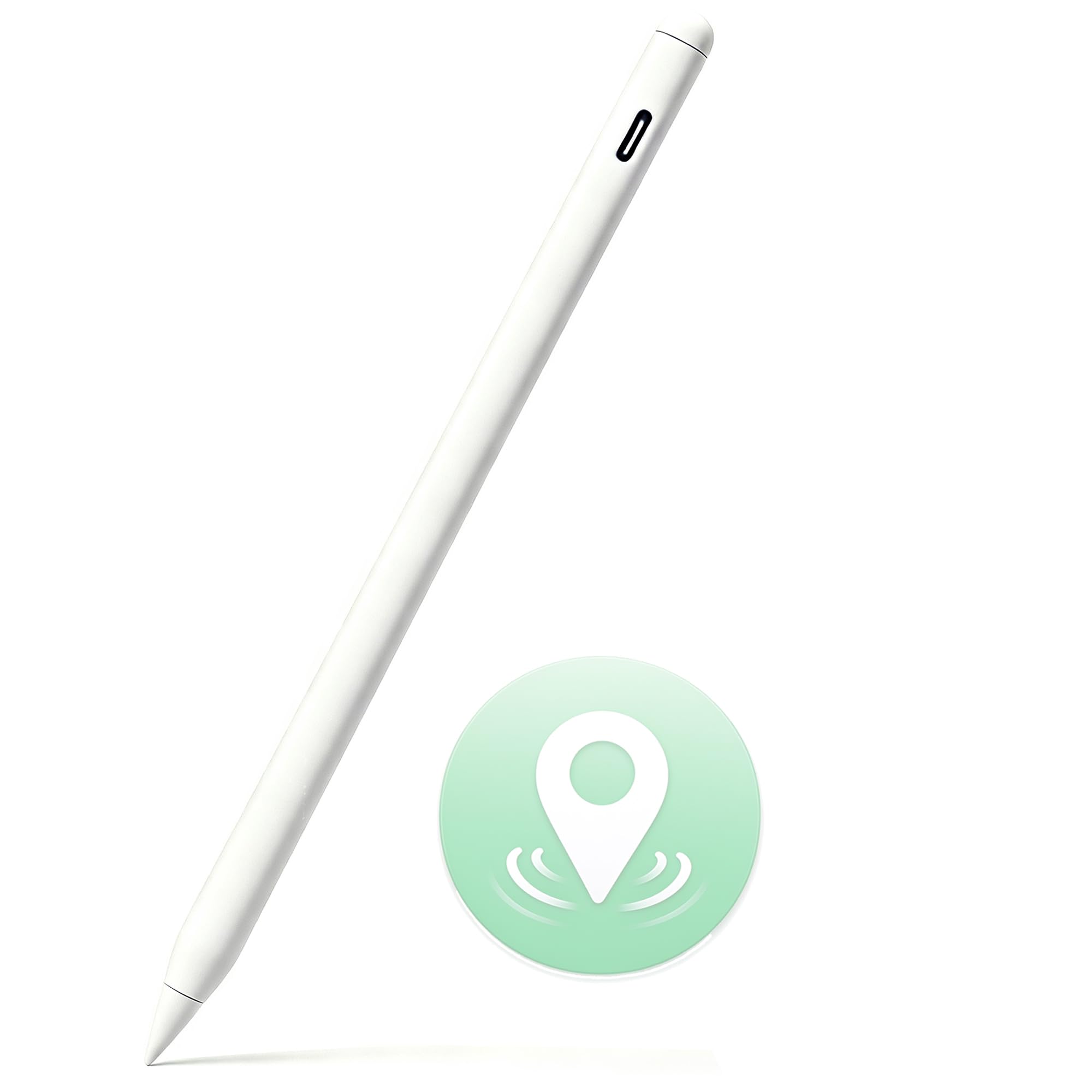
The iPad stylus that phones home when it goes missing between the couch cushions.
Built-in Apple Find My support is the hook — the one feature that changes the ownership experience. Open the Find My app on your iPhone or iPad and the pen’s last known location shows up, whether it slid under a sofa or stayed behind at the office. That baked-in locator is rare on a third-party stylus and is the reason this pen earns its spot. It also brings iPad-specific tools: palm rejection so your resting hand makes no stray marks, and tilt sensitivity so the stroke widens as you angle the nib, plus a smooth 1.5mm tip for note-taking and PDF markup.
The rest of the package is generous. Charging runs over USB-C with a standard cable, and the makers credit it with twice the holding power of single-magnet styluses, so it stays put on the iPad’s side. Compatibility stretches to iPad models from 2018 onward — the A16 11th through 7th Gen, Air M2/M3/M4, Air 3rd through 5th Gen, Pro 11/12.9/13-inch, and Mini 5/6/7. It carries a one-year warranty, and spare tips ship in the box. The color options and included charger round out the value.
Here is the straight talk, because this pick has more caveats than the two above. It needs manual Bluetooth pairing, and the battery splits opinion — recharging fast for some, running down quickly for others. The hard plastic tip can feel harsh, pressure sensitivity is absent, and charging takes longer than an Apple Pencil. Most of all, it will not talk to an iPad that refuses to pair, and at least a couple of owners hit exactly that wall. On the right iPad it works, but the setup is part of the deal.
Where it earns the premium slot
- Apple Find My tracking built in — no other pick here has it
- Palm rejection and tilt sensitivity for real note-taking
- Magnetic side attach and USB-C charging
- Ships with a charger and spare tips, covered by a 1-year warranty
The setup tax you pay
- Manual Bluetooth pairing required
- No pressure sensitivity, so depth in artwork is limited
- Reports split on battery life, and one unit would not pair at all
- Does not charge through the iPad magnetically like a first-party pencil
Best match: an iPad owner who keeps misplacing styluses and wants palm rejection without first-party pricing.
Second thoughts: you draw for a living or demand a flawless out-of-box link — the pairing and absent pressure sensitivity will get in the way.
4. Gel Ink Rollerball Stylus Pen, 0.38mm (18 Pack)

A pen first and a stylus second — the one to hand a colleague who still takes paper notes.
Most two-in-one pens treat the ink side as an afterthought. Not this one. The writing end is a 0.38mm extra-fine gel needle tip in blue ink, which lays a tighter, more precise line than a standard ballpoint and flows evenly across the page. It is the barrel that earns a permanent spot in a work bag for paper-first offices, where tablet taps are occasional and handwriting is the daily job. Turn it around and the sensitive stylus tip handles the touchscreen.
Your grip stays comfortable and non-slip thanks to the soft-touch rubber coating, and the durable metal clip rides in a pocket. Shiny silver accents give it a finish a few owners describe as looking far pricier than the shelf suggests. Blue ink, an ambidextrous round body, and a click-off cap make it easy to hand around. In a department where pens vanish into colleagues’ pockets, the 18-pack with a gift box means you can restock without a second trip. What defends this pen best is the writing itself — dark, smooth blue that does not smudge on the page and needs no battery.
Two things to know. First, the 0.38mm needle lays ink slower and finer than a broad ballpoint, so if you press hard and write fast you may find it too fine. Second, the stylus end divides opinion — some find it works great, while others report only around half the barrels tap properly, so test each pen early and set aside any stubborn ones. The ink smudges slightly for one fast writer and dries a touch slower than claimed, which is a minor point for a pen this smooth. This is the pick for paper and the occasional screen, not a dedicated drawing tool.
The writing side does the heavy lifting: an extra-fine 0.38mm gel tip in blue with a contoured, non-slip grip — this is a proper office pen with a stylus bonus, not the reverse.
The honest asterisk: test all 18 from the start, because the stylus end does not work consistently across every barrel in the box.
Buy it for: the desk where ink still rules and you want the stylus as a convenience, not the main event.
Not for: full-time drawing on a tablet — the stylus tip here is a secondary feature with uneven reliability.
5. HP Active Rechargeable Tilt Pen MPP 2

An active pen built for HP convertibles — MPP protocol, two buttons, and a charge that lasts.
Buy this one only if your laptop speaks the same language. The HP pen runs MPP 2.0, the pen protocol Windows convertibles use, and it works the moment you charge it — no pairing ritual in most cases. That is the deal: on a compatible HP Envy, Spectre or Omnibook, it writes like a native pen with pen-point accuracy at just 9 g of pressure. Two side buttons can be mapped to shortcuts, and a small indicator blinks when the battery is low so you are never caught mid-annotation. It is also the sturdiest-feeling pick here, an aluminum barrel with a magnetic side that parks on the laptop.
Battery life is where this pen distances itself from the rest. HP rates standby at 720 hours, and customers note a full charge in under half an hour lasting a full work week. Charging is USB-C with the cable you already carry, and the pen includes two exchangeable tips so the writing point stays fresh. At 13.61 g and 5.89 inches it feels like a proper instrument in the hand, slim enough to tuck into a laptop sleeve.
The catch is compatibility and value, and both are real. It shines on HP convertibles and MPP tablets from other makers, but it is not a universal stylus — a passive pen it is not, and it will not do much on a device that lacks MPP support. Some find it pricey for what it does, and the side buttons can shed their finish after extended use, though that cosmetic wear has not stopped them working. It is also an active pen, so unlike the innhom and Mixoo above there is a battery to keep topped up.
Worth it if: you own an HP or other MPP convertible and annotate, draw, or mark up documents daily.
Not the one if: you need a pen for a plain iPad or Android phone — the MPP link simply will not apply.
Know the Specs
Tip type: rubber dome versus disc versus active
A silicone rubber tip mimics your fingertip — soft, scratch-resistant, and fine for tapping and typing, but it wears and cannot draw a truly fine line. A clear disc nib sits angled on a thin rod, glides smoother, and pinpoints better as the disc gets smaller, which is why the Mixoo uses a 6mm tip; the trade-off is a fragile rod. An active pen like the HP has a powered nib that the screen reads directly, adding palm rejection and pressure response, but only on screens built to accept that protocol.
Protocol and compatibility, not brand hype
A passive capacitive stylus (a pen with no electronics that mimics your finger) works on any touchscreen, iPhone to Surface, which is why the innhom pack travels between devices. An active pen is tied to a protocol (the language a pen and screen use to talk): the HP pen uses MPP 2.0 for Windows convertibles, so pairing is often instant on a matching machine. Check your device’s supported pen protocol before buying an active pen, because an class-leading barrel will not write the way you expect regardless of how good the hardware is.
Common Questions
Will a computer pen work on both my phone and my laptop?
Why do the rubber tips on my stylus wear out so fast?
Does a disc-tip stylus scratch the screen?
What is palm rejection and do I need it?
Is an active pen worth it over a cheap passive stylus?
Can I use these pens on a Nintendo Switch?
How long does the HP pen hold a charge between top-ups?
Why would a stylus not pair to my iPad?
Do these pens need a battery or charging cable?
Can I replace the nib or tips when they wear down?
The Bottom Line
For most people, the innhom 24-pack is the smartest starting point in computer pens — two dozen aluminum barrels give you ink on one end and a scratch-safe touch tip on the other, with no battery to manage and enough colors to match any device. If precision is your priority, the Mixoo 2-in-1 and its 6mm retractable disc nib (a small disc tip that writes finer than a rubber tip) is the finer writer. And if you live on a Windows convertible, the HP Active Tilt Pen is the one that speaks your machine’s language.
How we choose
We do not accept paid placement. Every pick is matched to a real buyer and a real use-case; we do not hands-on test units.
Sources
Specifications: manufacturer listings and product documentation. Review insights: verified customer reviews, as of October 2026. Pricing: not shown on this page (it changes often); check the current price via the retailer link.
As an Amazon Associate, Aappliancez earns from qualifying purchases. This does not affect which products we feature.