Disclosure: Some links in this post are affiliate links. As an Amazon Associate I earn from qualifying purchases, at no extra cost to you. Learn more
Specs are compiled from manufacturer listings and verified buyer reviews and can change over time — please confirm the key details on the product page before buying.
Which machine actually belongs in your closet as a server? The short answer: a mini PC or a NAS box beats a full rack unit for most homes and small offices, because a 1U rack server is loud and power-hungry while a compact box runs quiet and sips electricity. This guide separates the two worlds so you buy the right shape of machine the first time.
This guide is built by comparing the manufacturers’ published specifications and the patterns across verified customer reviews, so you get each pick’s real strengths and trade-offs instead of marketing spin.
You will see what each box is built to do, where it falls short, and which one fits your workload. Start with the shape you need, then match the specs to the job, and you will land on the right computer for server.
Top Picks
How To Choose The Best Computer for Server
The first decision is not a brand or a processor — it is the shape of the box. A rack server is built to slide into a data-center cabinet and run 24/7 under load. A mini PC or NAS sits on a shelf and stays quiet. Pick the wrong shape and you end up with a machine that works but that you cannot live with.
Decide between a rack unit, a NAS, and a mini PC
A 1U rack server packs the most cores and memory per dollar, because enterprise buyers replace them in bulk and the used market is deep. The trade-off is noise and heat. A NAS box gives you drive bays you can fill and swap without opening a computer case, plus built-in backup software. A mini PC draws little power and stays silent, but it has no room for multiple full-size hard drives. Match the shape to the job before you compare any spec.
Count the drive bays before anything else
Your storage plan decides the machine more than your processor does. Four bays let you run a mirrored pair and a spare, or a RAID 5 set that survives one failed drive. Eight bays give you room to grow without replacing the box. Note whether the machine takes 2.5-inch drives, 3.5-inch drives, or both — desktop hard drives are usually 3.5-inch, while enterprise small-form-factor drives are 2.5-inch.
Check the network port speed against your files
A single 1GbE port (a gigabit Ethernet port) tops out around 125 megabytes per second, which is fine for documents and photos and slow for 4K video files. A 2.5GbE port moves data noticeably faster, and a 10GbE port is the one that makes big-file work feel instant. If the machine you like has only gigabit ports, make sure that suits your file sizes before you commit.
Plan the power, noise, and testing reality of renewed hardware
Renewed enterprise gear is the cheapest way into high core counts and large memory, and it genuinely works — but you must plan for it. Rack fans spin up loud at boot, idle draw on older Xeon systems runs far above a mini PC, and shipping damage or a stale firmware set is possible. Budget for a quiet corner or a closet, and test every drive and port in the first days while the return window is open.
Side-by-Side Comparison
| Model | Best For | Memory | Storage Setup | Network | Amazon |
|---|---|---|---|---|---|
| UGREEN DXP4800 Plus★ Best Overall | Families, creators, small teams | 8GB DDR5 | 4 bays, up to 144TB | 1x 10GbE, 1x 2.5GbE | Amazon |
| GEEKOM IT13 MAXTop Performer | AI-heavy creative work | 24GB LPDDR5 | 500GB SSD, expandable to 4TB | Dual 2.5GbE | Amazon |
| GMKtec K15Most Versatile | Multi-service mini server | 48GB DDR5 | 1TB SSD, 3x M.2 slots | Dual 2.5GbE | Amazon |
| ZimaBoard 2 1664 | Compact self-hosted node | 16GB LPDDR5 | 64GB eMMC + dual SATA | Dual 2.5GbE | Amazon |
| Dell PowerEdge R630 | Dense virtualization | 128GB DDR4 | 2x 1TB SSD, 8 bays | Gigabit | Amazon |
| Dell PowerEdge R620 | Budget hypervisor host | 128GB DDR3 | 4x 600GB SAS, 8 bays | 4x 1GbE | Amazon |
| HP ProLiant DL360p Gen8 | Learner homelab rack | 64GB DDR3 ECC | 8x 300GB SAS | 4x 1GbE | Amazon |
| HP Pro Tower 290 G9 | Quiet office tower | 16GB DDR4 | 512GB NVMe SSD | Gigabit + Wi-Fi | Amazon |
| Dell Pro Tower QCT1250 | Small business desktop | 8GB DDR5 | 512GB NVMe SSD | Gigabit | Amazon |
| GEEKOM Air12 | Low-draw always-on node | 8GB DDR4 | 256GB NVMe SSD | Gigabit + Wi-Fi 6 | Amazon |
| Dell PowerEdge T40 | Small dental/shop file server | 8GB DDR4 | 1TB 7.2K RPM SATA | Bluetooth | Amazon |
Detailed Reviews
1. UGREEN DXP4800 Plus 4-Bay NAS
Our pick — 4.5+★ from 600+ verified ratings; the strongest balance of quality and price.
The quiet box that turns four bare drives into a private cloud you own.
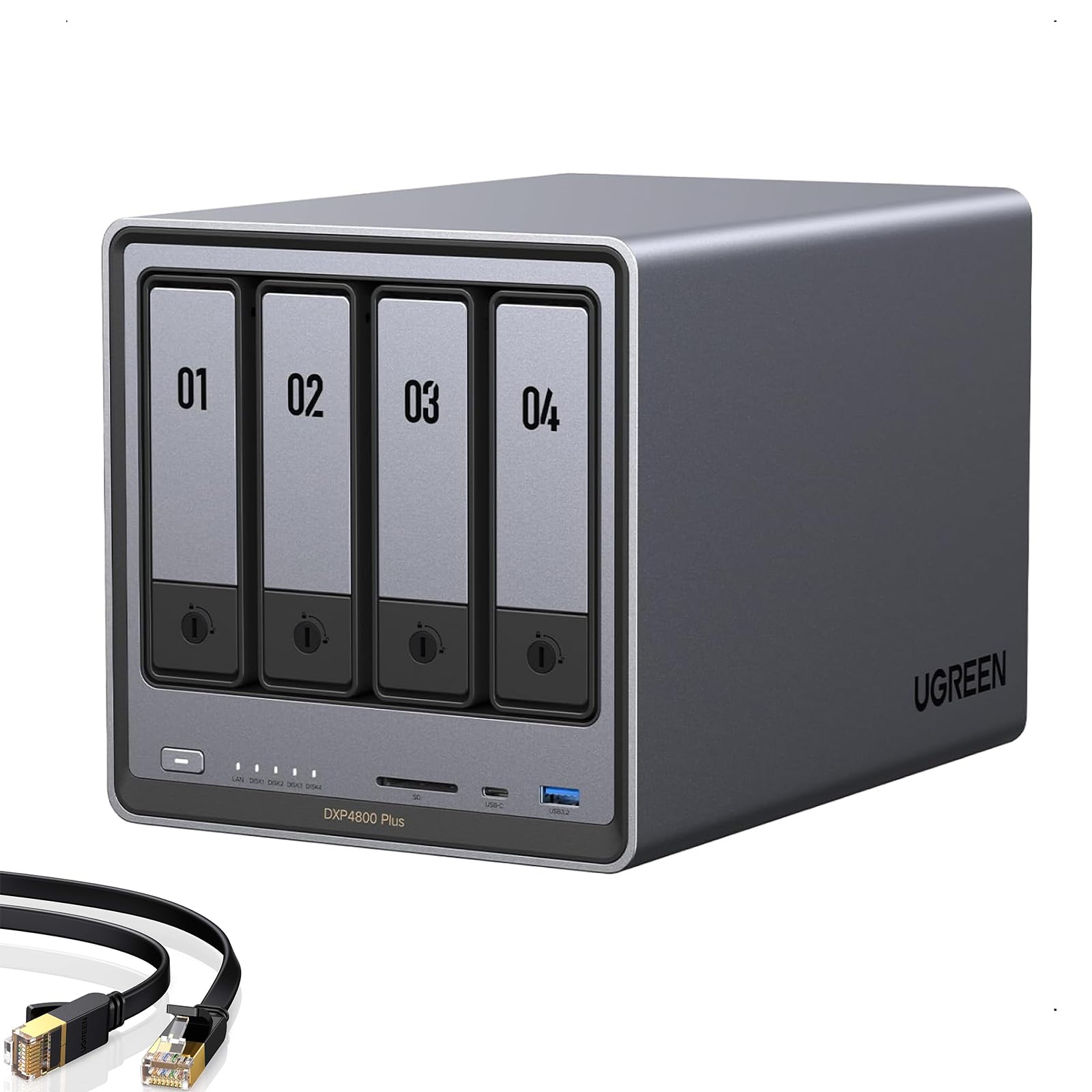
For most people who want a server at home, this is the shape that makes sense — a four-bay NAS (network-attached storage, meaning a box full of drives that every device on your network can reach). It holds up to 144TB across those four bays, which is enough for a photo and video library that would swamp any laptop. The 8GB of DDR5 memory and the Intel 5-core processor are the reasons it can juggle file sharing, media streaming, and a few background apps at once.
The headline connection is the 10GbE port (a 10-gigabit Ethernet port, roughly ten times a standard gigabit connection), paired with a 2.5GbE port for everyday traffic. A 128GB SSD handles the system side, and there is 4K HDMI output plus an SD 3.0 slot on the front. Compared with the mini PCs further down, this is the one built around drive bays rather than raw processor speed — the UGREEN holds four drives where the GEEKOM Air12 has none.
Where this box earns its keep is the mix of hardware and software. What wins people over is performance, with reliability close behind — owners describe the fan as near-silent under load and the aluminum body as solid. The AI photo album sorts pictures by face, scene, and object and strips out duplicates on its own. People run Plex, Docker containers, virtual machines, Pi-hole, and VPNs on it. As buyers report after a heavy build: “Upgraded 32GB RAM, 3x18TB RAID5 + 2TB NVMe; UGOS okay but some baffling UI (folder deletion).” That is the honest shape of it — the operating system, UGOS, gets the job done but some menus are not where you expect.
Two housekeeping notes before you buy. Drives are not included, so add the cost of the hard drives to your plan. The advertised 144TB assumes RAID 0 with compatible drives — RAID 0 spreads data across all drives for speed with no redundancy, so one drive failure takes everything. For a real server, plan a RAID 1 or RAID 5 layout instead. A handful of owners also found network-drive mapping less intuitive than the big-name NAS brands, and very large 20TB-plus drives had limited support at launch.
Why this one leads the list
- 10GbE and 2.5GbE ports on one box, which is rare at this tier
- Four bays handling up to 144TB of combined storage
- Near-silent fan and stable build reported across heavy use
- Runs Docker, virtual machines, Plex, and the AI photo album from the start
Where you will feel friction
- Drives are sold separately, so the real cost runs higher
- UGOS menus can be confusing for permissions and folder tasks
- Wired Ethernet only — no Wi-Fi on this model
- Very large drives above 20TB had thin support early on
Buy this if: you want one quiet box holding all your files, media, and backups with a fast network port for big transfers.
Think twice if: you need Wi-Fi built in or you planned to fill it with drives bigger than 20TB.
2. GEEKOM IT13 MAX Mini PC, Ultra 9 185H, 24GB RAM, 500GB SSD
A book-sized workstation that pushes 24GB of fast memory and a 5.1GHz ceiling.
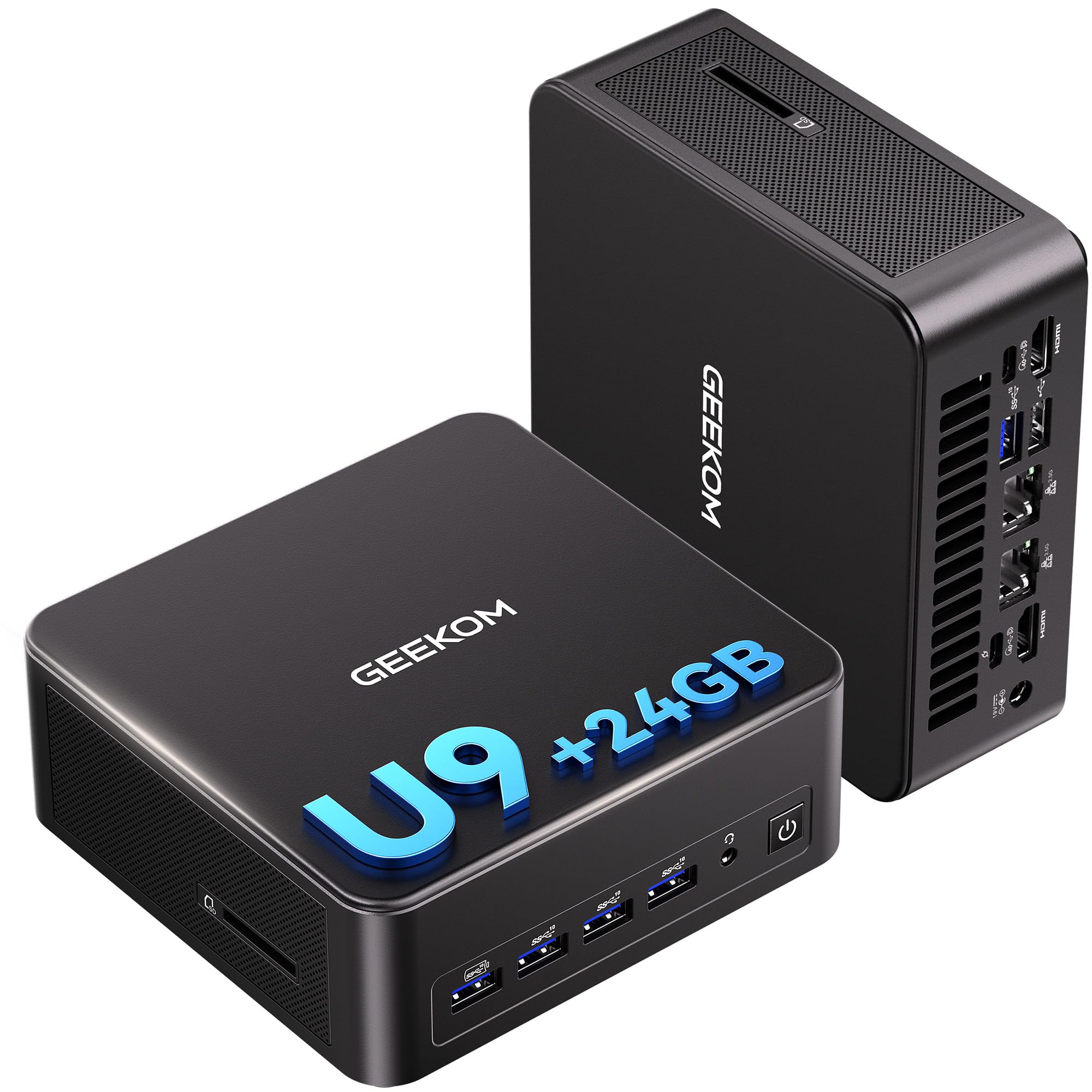
If your “server” work is really heavy compute — video renders, local AI models, Photoshop batches, a trading desk running four screens — this is the pick. The Core Ultra 9 185H boosts to 5.1GHz with 24MB of cache, and the built-in NPU (a neural processing unit, a small chip dedicated to AI tasks) speeds up supported AI features. The 24GB of LPDDR5 memory runs at 5600MT/s, a fast low-power memory type, and there is a 500GB PCIe 4.0 SSD with room to add M.2 2242 and SATA/HDD storage up to 4TB.
The connectivity is what separates it from the cheaper mini PCs here. Dual 2.5GbE LAN ports let you split a fast NAS link from your main network, or run a firewall and a normal connection side by side. Quad-display support covers a trading or monitoring wall, and RS-232/RS-485 support means it can talk directly to industrial gear. Compare that with the GEEKOM Air12, which has a single gigabit path and three displays — the IT13 MAX is the one that behaves like a small workstation rather than a desktop replacement.
Owners lean on the raw speed and the compact footprint, but the honest friction shows up around setup. Some units ship with older drivers and a loud default fan profile that needs a BIOS tweak to quiet down, and the bundled HDMI cable has been finicky for some buyers. Storage tops out at 500GB from the start, so plan your expansion drives early. GEEKOM backs it with 3-year coverage and four-screw access to the internals, which is a longer safety net than most mini PCs offer.
What the hardware buys you: a 5.1GHz processor, 24GB of high-speed memory, dual 2.5GbE, and quad-display output in a chassis you can VESA-mount behind a monitor.
The honest catch: it is not plug-and-play — expect driver updates and a fan-profile trip into the BIOS before it runs quietly.
Reach for this if: your server task is compute-heavy and you want workstation speed without a tower under the desk.
Look elsewhere if: you want a silent, zero-setup box — the fan tuning and driver updates will frustrate you.
3. GMKtec K15 AI Mini PC
48GB of memory and three M.2 slots make this the storage-minded small server.
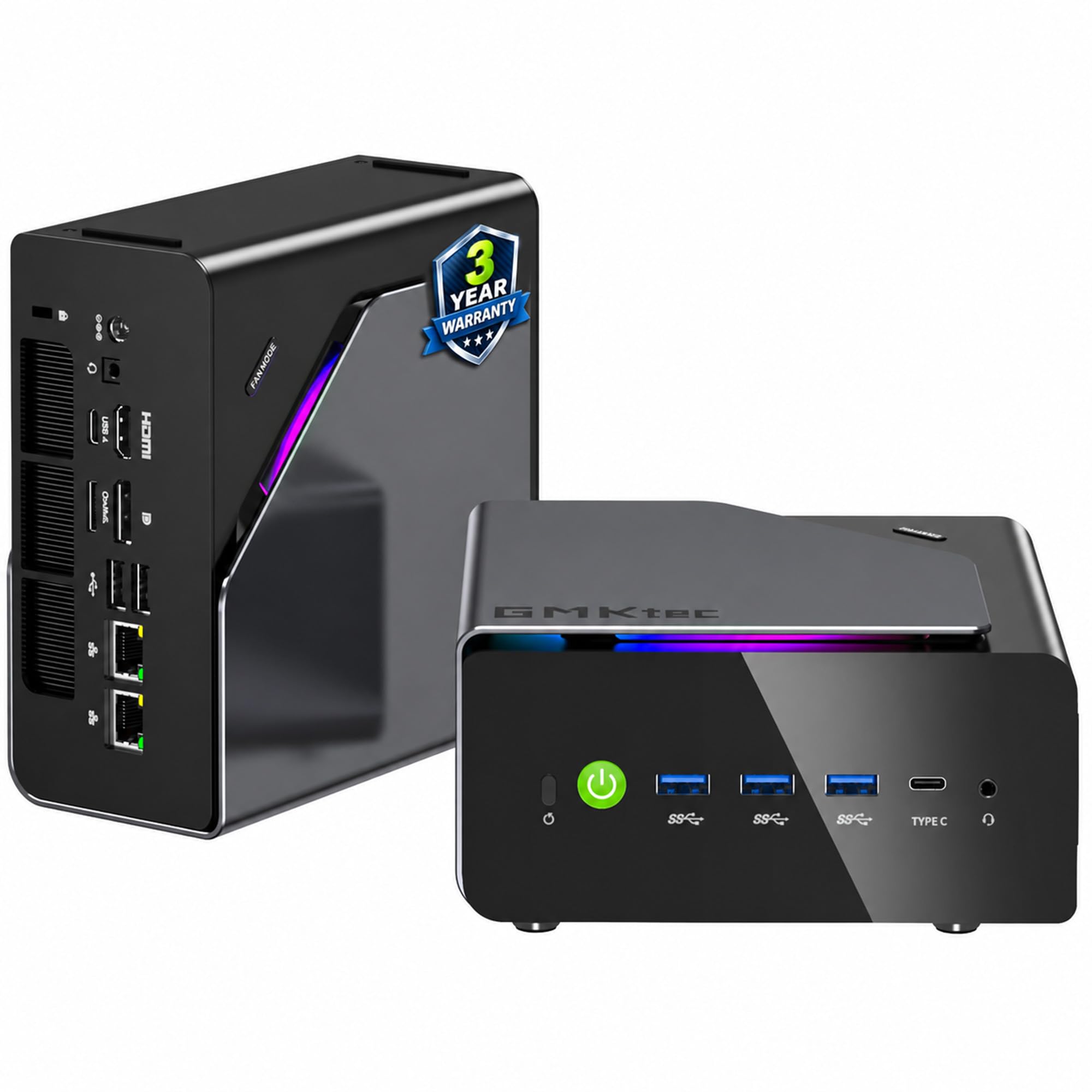
Here is the mini PC for someone who wants to run a lot of containers or virtual machines without stepping up to a rack. The 48GB of DDR5 memory, split across two 24GB sticks at 4800MHz, is more than double what the IT13 MAX carries, and there is a 1TB PCIe 4.0 SSD with three M.2 2280 slots that each read up to 8TB for a 24TB ceiling. The Intel Core Ultra 5 125U runs at a 15W TDP (thermal design power, a rough measure of heat output), which is why it can sit in a quiet corner all day without spiking your power bill.
The rear Oculink port is the trick most mini PCs skip — it runs at PCIe x4 speeds so you can attach an external GPU enclosure for better frame rates and lower lag. Dual 2.5GbE LAN ports cover firewall and file-server duties, and quad-screen output runs through HDMI 2.1, DisplayPort 1.4, and USB-C. Fans are rated for quiet operation at 35dB in Quiet Mode, and the dual cooling setup keeps temperatures in check under load.
The trade-offs are about ports and polish. The chassis is crowded, with only one front USB-C and a single front audio jack, and the AI/NPU hardware needs specialty software to do anything useful. Some buyers wanted more RAM headroom than 48GB. GMKtec’s 3-year limited warranty runs one year of replacement plus two years of parts, which softens the risk on a box this dense.
The standout spec: three M.2 2280 slots at 8TB each give you 24TB of flash storage without opening a rack cabinet.
The follow-up question: will you actually use the Oculink port? If not, the extra cost over a plain mini PC is hard to justify.
Best fit for: tinkerers running Proxmox, Docker stacks, or firewall duty who want a roomy memory pool and room to grow storage.
Less ideal for: plug-and-play home users who will not use the expansion slots or the Oculink port.
4. ZimaBoard 2 1664 Home Server

A palm-sized single board that swaps a tower for a PCIe slot and dual SATA.
Imagine a server you can hold in one hand and mount behind a screen. The ZimaBoard 2 1664 is a purpose-built single board server, not a general mini PC — it runs a quad-core x86 processor up to 3.6GHz with 16GB of DDR5 memory and 64GB of eMMC storage for the operating system. The full PCIe 3.0 x4 slot is the reason it stands apart from typical small boards: it accepts 10GbE network cards, NVMe adapters, GPUs, and AI accelerators, so you expand it without USB bottlenecks.
For storage it uses dual SATA ports for direct hard drive connections, and dual 2.5GbE Ethernet ports for fast networking. That combination suits a DIY NAS, a router, a firewall, or a multi-service node. ZimaOS comes preinstalled with a private cloud dashboard, backups, P2P downloads, and 500+ plug-ins. It also runs TrueNAS, Proxmox, Debian, Ubuntu Server, pfSense, OpenWrt, and Linux containers — a wider menu than the closed NAS boxes offer.
The things to know before buying are practical. Setup documentation is thin for first-time buyers, and the dual Ethernet ports can confuse Windows if you do not bond them properly in software. A stubborn bottom-plate screw with threadlocker residue has come up more than once. Boot reliability is the one mixed signal, and a couple of units ran hot and died early. Run it lightly at first, give it airflow, and use a properly rated power supply.
What makes it interesting: native PCIe 3.0 x4 expansion plus dual SATA and dual 2.5GbE, in a board you can mount anywhere.
What to watch: the setup path is aimed at tinkerers — ZimaOS even lacks native support for an external display, so a touchscreen build needs a Linux install.
Pick this for: a tiny, low-power homelab node where you want a PCIe slot and SATA drives instead of a full case.
Skip it for: a first server where you expect clear documentation and zero fiddling from the start.
5. Dell PowerEdge R630 Server

Twenty-eight cores and 128GB of memory in a 1U rack shell, if you can feed it power.
For a homelab that must run a stack of virtual machines at once, this is the serious hardware. Two Intel Xeon E5-2690 v4 processors deliver 28 cores at 2.60GHz with a 3.5GHz boost, backed by 128GB of PC4-2133 DDR4 memory and a pair of 1TB 2.5-inch SATA SSDs. It arrives with a PERC 730-mini RAID controller, iDRAC 8 Enterprise remote management, and an 8-bay chassis that leaves room for more drives. The R630 gives you rack-server density where the mini PCs above give you a shelf footprint.
Owners describe it as more machine than they expected — smooth with a full VM load, quiet enough for a home lab corner, and packaged so well that units arrive with firmware already current. What everyone notices first is the memory and core headroom: one buyer sums it up as “so much RAM,” and the consensus points to performance as the reason people keep it running for a year and beyond.
The renewed-hardware reality is the main thing to weigh. It arrives with no operating system, so you supply your own Windows Server or Hyper-V license. A rare unit dies early, and one arrived with a false power-supply error and a stubborn VGA port. Test the drives, the RAID controller, and both power supplies in the first week while you can still return it — that is the routine for any renewed server, not a reason to skip this one.
The case for it: 28 cores and 128GB of DDR4 make it the best value here for running many virtual machines at once.
The catch: it ships with no OS, and you need a real plan for the noise, heat, and power a 1U rack unit produces.
For the homelab builder: you need to run a dozen virtual machines and want the highest core and memory count in this list.
Not for the plug-and-play buyer: no operating system is included, and testing renewed hardware is part of the deal.
6. Dell PowerEdge R620 Server

The cheapest way onto the virtualization ladder with a serious memory pool.
Suppose your goal is to spin up ESXi and learn real enterprise virtualization without a big budget. The R620 gives you two Intel Xeon E5-2660 processors at 2.20GHz — 16 cores and 32 threads in total — plus 128GB of DDR3 memory, four 600GB 10K SAS drives, and an H710 RAID controller. It ships with iDRAC7 Express management, four 1GbE network ports, and dual 750W redundant power supplies. New enterprise hardware at this core count is far more expensive.
The design calls for 2.5-inch drives in an 8-bay chassis, so you have room to swap in SSDs later. A triple-digit number of ratings and a 4.0+ star score tell you most people are happy with the unit, and performance is the dominant theme in owner accounts. It runs ESXi with no complaints, and one buyer had good luck reaching the seller for replacement parts even after the warranty window closed.
Plan for the rack-server tax. It runs loud at boot, needs a monitor and keyboard to provision on arrival, and the free iDRAC7 license omits remote console access. Older firmware may not support the newest ESXi version — some buyers hit an unsupported controller and had to settle for an older release. Cosmetic wear is common on renewed units. None of that undermines its usefulness as a learning platform.
Generous hardware for the outlay
- 128GB of RAM and 16 cores ready for ESXi or Proxmox
- Four 1GbE ports and dual redundant power supplies
- 8-bay chassis leaves room for more 2.5-inch drives
- Sellers have shipped replacement parts when issues arose
The honest trade-offs
- Loud fans at boot, and it wants a keyboard and monitor to set up
- Free iDRAC7 license skips the remote console
- Newer ESXi releases may be blocked by the H710 controller
- Renewed cosmetic wear is common
Worth it for: a budget hypervisor host where raw memory matters more than a quiet running and slick software.
Skip it for: a media server that has to live in a living space — the noise and power draw will wear thin.
7. HP ProLiant DL360p Gen8 Server

Twelve cores, enterprise build, and the lowest entry point for a real rack server.
For a learner who wants to see a genuine 1U rack unit spin up, this HP is the starting point. It pairs two Intel Xeon E5-2640 processors at 2.5GHz — 6 cores each, 12 cores total — with 64GB of PC3-10600R memory, eight 300GB 10K SAS drives, and a P420i RAID controller. There are four gigabit network ports and two redundant power supplies, all in a 1U chassis.
The gap versus the UGREEN NAS is stark on memory and cores — 64GB in the HP against 8GB in the UGREEN, an 8x difference in memory. That is what makes it worth a look here: you are buying compute density rather than easy software. It runs Proxmox, XCP-NG, and Hyper-V without firmware drama for most buyers, and one owner ran two pfSense firewalls, Windows and Linux servers, and several desktop virtual machines on it with every system green.
The friction is honest. The fans are loud at idle and louder at boot. The included evaluation operating system is password-protected. The P420i controller will not mix SAS and SATA drives in one virtual disk. Old firmware needs updating, and the iLO remote console needs a license you do not get by default. Memory is easy to add — one owner reported dropping in another 64GB on top of what shipped. Treat it as a learning rack unit that rewards patience.
Where it shines: a genuine 1U server with 12 cores and 64GB of memory for far less than new enterprise hardware.
The reality check: loud fans, a locked evaluation OS, and firmware updates are part of the first day with it.
Best for: a patient learner who wants real rack hardware and plans to add memory and update firmware.
Not for: anyone who wants a quiet machine or a server that is ready to use the moment it arrives.
8. HP Pro Tower 290 G9 Desktop

A tower that sips power, runs silent, and handles a small office’s file duties.
Not every server needs to live in a rack. If your “server” is really a shared desktop running a small database or a file share for a handful of people, this HP tower does that job quietly. The Intel Core i5-12500 runs six cores up to 4.6GHz with 18MB of cache, paired with 16GB of DDR4 memory and a 512GB PCIe NVMe SSD. Intel UHD Graphics 770 supports dual displays through HDMI and VGA, and there is a gigabit Ethernet port plus built-in Wi-Fi and Bluetooth.
For everyday file serving and office workloads, owners describe it as fast and quiet, with the performance theme standing out most. It ships with Windows 11 Home and an HP wired keyboard and mouse, plus a TPM 2.0 security chip for encrypted drive support. For a small office that just needs one dependable machine, that bundle removes setup friction.
Where it falters is on the margins. Storage at 512GB fills quickly once you start gathering shared files. A few owners found it strains with a lot of heavy applications open at once, and Bluetooth was flaky on at least one unit. This is a solid shared desktop, not a machine to run a dozen virtual machines on.
The everyday reality: six cores and 16GB of memory keep a small office moving, and the fan stays quiet while it works.
Where it stops: 512GB of storage and no room for many drives limits its reach beyond a starter server.
Choose this for: a small office or home that needs one quiet machine handling shared files and daily apps.
Choose differently if: you plan on multiple drives or virtual machines — a NAS or rack unit fits better.
9. Dell Pro Tower QCT1250 Desktop
New-generation memory and a compact footprint for a tidy small-business front desk.
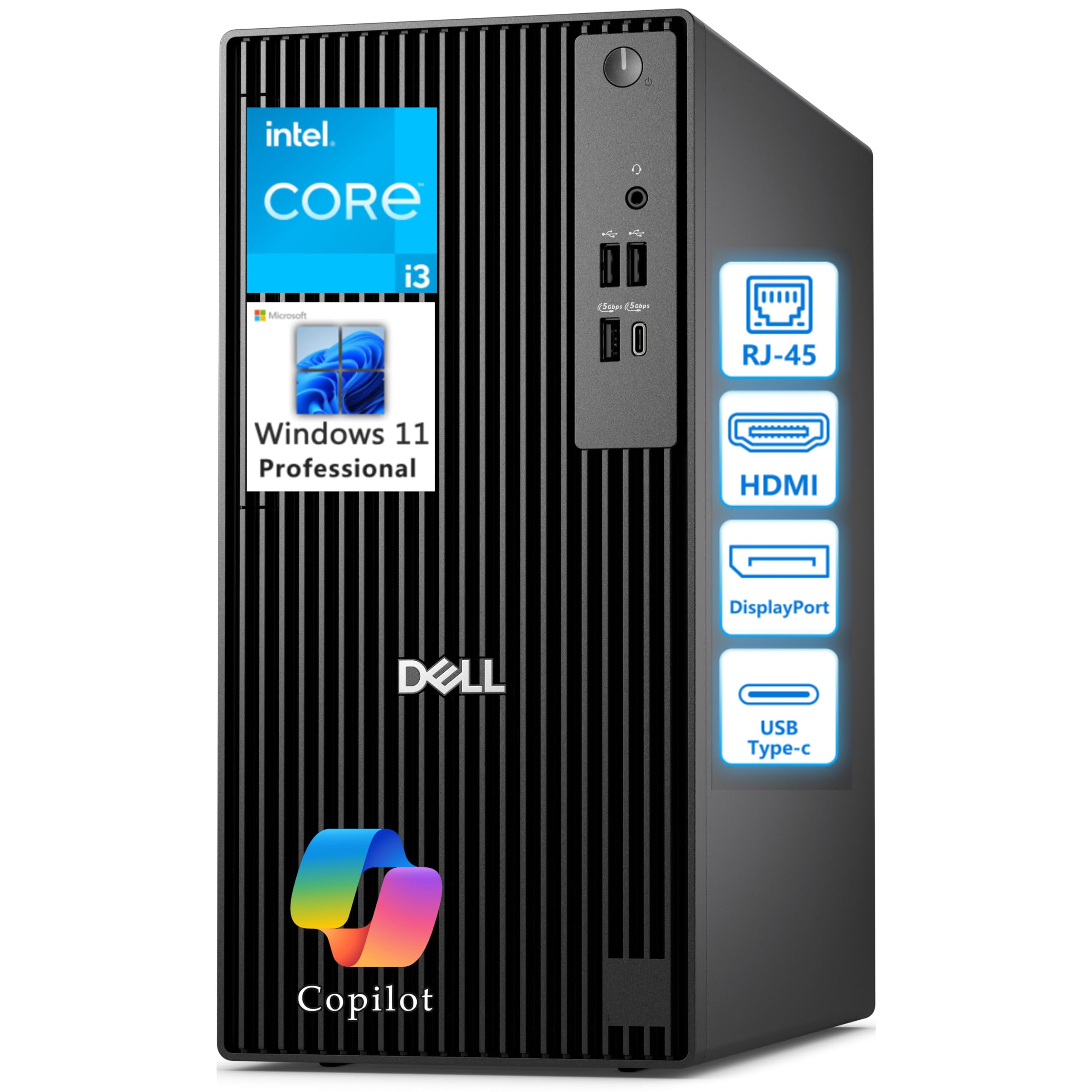
This is the tidy little tower for a reception desk, a small office, or a home workspace where a real server cabinet makes no sense. The 14th Gen Intel Core i3-14100 runs four performance cores with 8 threads, 12MB of cache, and up to 4.7GHz turbo. It carries 8GB of DDR5 memory and a 512GB PCIe NVMe SSD, and it starts at 12 pounds with a 12.77 x 6.06 x 11.54 inch body that fits under a desk.
The port selection covers a workstation: DisplayPort 1.4a and HDMI 2.1 can drive two 4K monitors, with USB 3.2 Gen 1 Type-C and Type-A ports up front and in back plus a gigabit Ethernet jack. For a machine that mostly runs browser tabs, spreadsheets, and a shared folder, that is enough.
The catch is the absent rear audio port and the minimal 8GB of memory — enough for daily office work, thin for anything heavier. There is no documentation in the box, and a buyer who wanted onboard sound had to plan for a PCIe card. Read it as a compact business desktop first and a light-duty file server second. It is fine for a small shop, not for a virtualization host.
What you get: a new 14th Gen processor, DDR5 memory, and a 512GB NVMe SSD in a 12-pound tower.
What to check first: the missing rear audio jack and the 8GB memory ceiling for anything beyond basic tasks.
Fits the bill for: a small office or front desk needing a modern, quiet machine with recent memory tech.
Not the pick if: you expect to run demanding software or need room for extra drives.
10. GEEKOM Air12 Mini PC
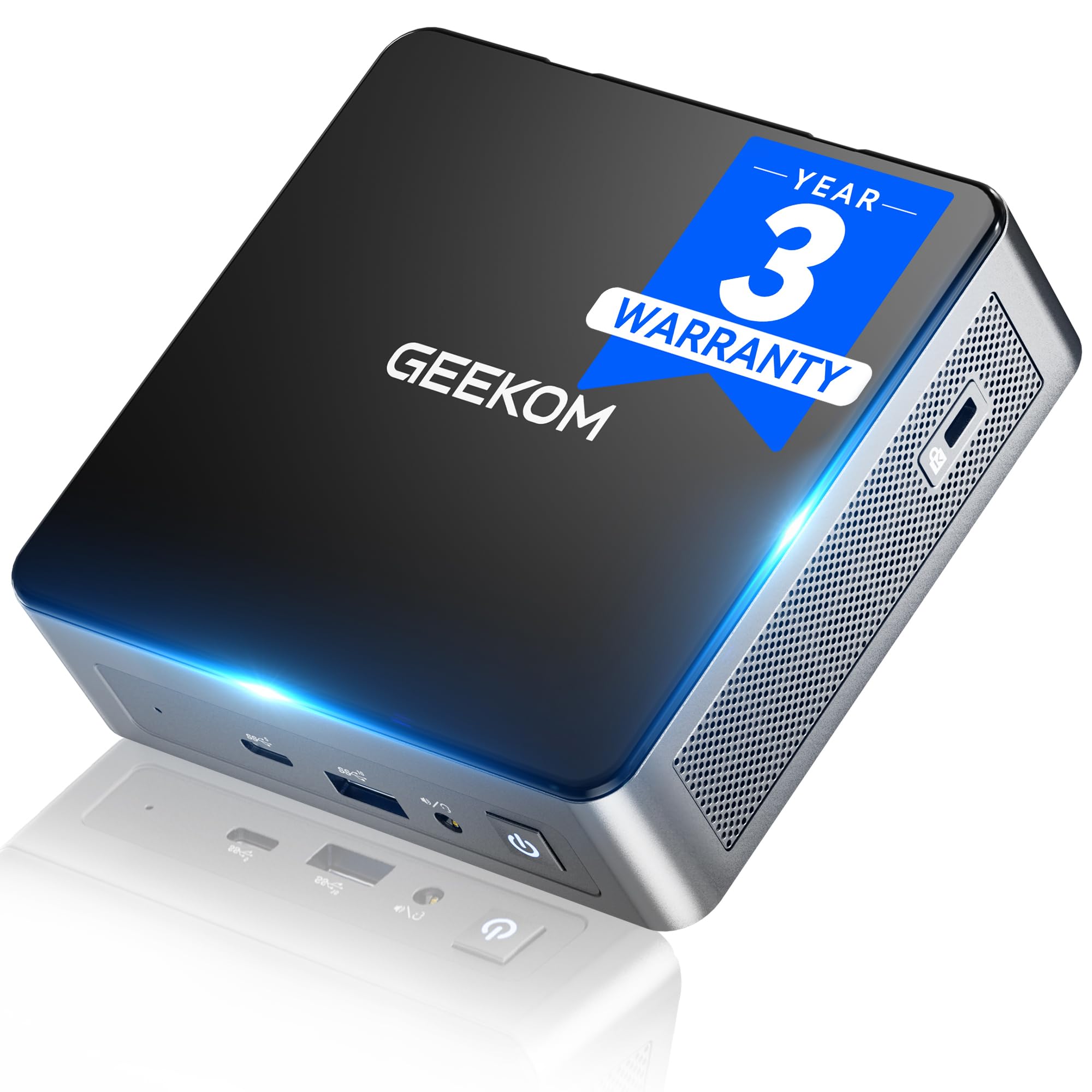
A palm-sized always-on node for a camera server, a router, or a light file share.
Here is the budget entry point for someone who wants a small box to run a single service all day. The Intel Pentium Gold 7505 boosts to 3.5GHz with 6MB of cache, backed by 8GB of DDR4 memory and a 256GB NVMe SSD. The DDR4 and SSD slots both allow upgrades, to 64GB of RAM and a 2TB SSD, so the box can grow with you.
What makes it a plausible server is the low power draw and quiet running. The IceBlast 3.0 cooling system uses dual copper heat pipes and a quiet fan, and GEEKOM rates the chassis to withstand up to 440 lb of pressure in its own tests. For storage-minded buyers, there is an SD 4.0 slot and five USB ports. Three 4K displays run through HDMI 2.0, Mini DP 1.4, and USB-C. For someone testing a home server on a budget, this is a sensible way to start small.
The limit is the processor and memory ceiling. Eight gigabytes of DDR4 is enough for a few light services, not for a memory-hungry virtualization lab. Some units had trouble with certain large files or drives, and it is not a machine for heavy creative work. GEEKOM backs it with a 3-year limited warranty and brand-direct support, which softens the gamble.
Why it earns a place: silent, low-power, and upgradeable to 64GB of RAM and a 2TB SSD, at the budget end of the list.
The honest ceiling: an Intel Pentium and 8GB of memory mean it handles light services only — this is a starter box, not a workhorse.
Best for: a beginner testing a single home service like a camera recorder or a simple file share.
Not for: anyone planning heavy multitasking or several virtual machines at once.
11. Dell PowerEdge T40 Server, Xeon E-2224G, 8GB DDR4, 1TB SATA

A tower server for a dental office or small shop that needs one dependable machine.
The T40 is the tower-server shape for a small business that wants one machine running a shared database or file store. It carries an Intel Xeon E-2224G at 3.5GHz, 8GB of 2666MT/s DDR4 memory, and a 1TB 7.2K RPM SATA drive. The Xeon badge means this is server-grade hardware rather than a repurposed desktop, and one owner runs 30 PCs through it to share a dental database.
The reliability story is what owners point to — automatic restart after a power outage and redundant internal components are the reasons it keeps running when a desktop would stop. Everyone who has had it a year or more describes it as steady. It also takes Ubuntu cleanly with a USB install, and one buyer ran remote desktop into it with no issues after adding 4x16GB of memory.
Two things to know up front. A Windows Server license is not included, so budget for that if you need it. It also ships with two DisplayPort outputs and no VGA, which caught some buyers — one had to buy a specific converter for their KVM switch. It is a dependable, old-school tower server for straightforward work, not a virtualization or storage monster.
Why it is on the list: a genuine Xeon tower with a 1TB drive that restarts itself after outages.
The catches: no Windows Server license included, and the DisplayPort-only video output needs planning.
Choose it when: a small dental clinic, shop, or office needs one steady machine running a shared database.
Look past it if: you want a virtualization host or room to grow beyond a single drive.
Know the Specs
Memory (RAM) and ECC
Memory is the pool your server draws on for virtual machines and apps, and it is the spec that gates how many services a machine can hold at once. Large pools here range from 8GB up to 128GB, and the gap matters — 64GB in the HP ProLiant against 8GB in the UGREEN is a real 8x difference. ECC (error-correcting code) memory catches and fixes small bit errors, which matters on machines that run for months without a reboot.
Drive Bays and RAID Levels
Bays decide how many drives you can install, and RAID decides what happens when one fails. RAID 1 mirrors two drives so one can die without data loss. RAID 5 spreads data plus parity across several drives so one failure is survivable. RAID 0 stripes for speed with no protection at all, so a single dead drive wipes the array. Always confirm your RAID level before you trust a machine with the only copy of your files.
Network Ports: 1GbE, 2.5GbE and 10GbE
A gigabit port is the baseline and suits documents, photos, and backups that run overnight. A 2.5GbE port speeds up large transfers noticeably, and a 10GbE port is the one that makes raw video work feel local. Dual ports let you separate a fast storage link from your everyday traffic, or run firewall duty on one and file sharing on the other.
CPU Cores, Threads and TDP
Core count is how many jobs the processor can run at once, and threads are the virtual lanes it can split them into. A 16-core, 32-thread Xeon handles many virtual machines side by side. TDP (thermal design power) is a rough measure of heat output — a 15W mini PC chip runs cool and quiet, while an older Xeon rack unit draws far more and needs airflow. Match the core count to your workload and the TDP to your room.
Common Questions
Can a mini PC actually work as a server?
How loud is a 1U rack server like the PowerEdge R630 compared with a mini PC?
Do I need ECC memory in a home server?
Will a NAS like the DXP4800 Plus replace a rack server?
Do renewed servers come with an operating system?
How much power does a renewed rack server draw?
Should I buy a server with 2.5-inch or 3.5-inch drive bays?
Can I run virtual machines on a 48GB mini PC like the GMKtec K15?
Why do some servers arrive with the wrong drives or firmware?
Is a business tower like the HP 290 G9 strong enough to run a small office file share?
The Bottom Line
For most people who want a server at home, the answer is a NAS — the UGREEN DXP4800 Plus holds four drives up to 144TB, runs a 10GbE port plus a 2.5GbE port, and stays quiet while it does it. If raw compute is your game and you want the highest core and memory count here, the Dell PowerEdge R630 gives you 28 cores and 128GB of DDR4 in a genuine 1U rack shell. And if you only need a small, quiet box for a single service, the GMKtec K15 packs 48GB of DDR5 memory and three M.2 slots into a case you can tuck behind a monitor.
One last thought for the buyer still on the fence: the trick with any of these is choosing the shape before the spec sheet. Pick the shape that fits your space, power, and noise reality first, then let the drive bays, network ports, and memory decide the exact model. That way the machine you buy still fits your space, power, and noise limits a year from now.
How we choose
We do not accept paid placement. Every pick is matched to a real buyer and a real use-case; we do not hands-on test units.
Sources
Specifications: manufacturer listings and product documentation. Review insights: verified customer reviews, as of October 2026. Pricing: not shown on this page (it changes often); check the current price via the retailer link.
As an Amazon Associate, Aappliancez earns from qualifying purchases. This does not affect which products we feature.