Disclosure: Some links in this post are affiliate links. As an Amazon Associate I earn from qualifying purchases, at no extra cost to you. Learn more
Specs are compiled from manufacturer listings and verified buyer reviews and can change over time — please confirm the key details on the product page before buying.
Live streaming stresses hardware harder than gaming alone, because the encoder competes with the game for the same cores. Your encoder runs while your game runs, and a machine that games fine can still turn your broadcast into a slideshow. The picks below are chosen for real broadcast work — CPU headroom for encoding, graphics that keep frames moving, and cooling that survives a four-hour session without throttling.
This guide is built by comparing the manufacturers’ published specifications and the patterns across verified customer reviews, so you get each pick’s real strengths and trade-offs instead of marketing spin.
You will see each machine’s real strengths, its thermal weak points, and which one fits your stream. Here is the honest breakdown of the best computer for live streaming, from compact mini PCs to full towers with 64GB of memory.
Top Picks


How To Choose The Best Computer for Live Streaming
Streaming asks your machine to render the game and encode the video at the same time. It renders the game, then it compresses that video into a stream. A computer that handles only one of those jobs will drop frames mid-broadcast.
Core count beats clock speed for encoding
Encoding is a background workload, so it needs spare cores. An 8-core, 16-thread chip like the Ryzen 9 8945HS or Ryzen 7 8700F leaves room for the game while the encoder works. A 24-thread part like the Ryzen AI 9 HX 370 gives you more headroom if you also run chat, overlays, and a browser.
The graphics card carries your encoder
Modern GPUs have dedicated encoder hardware, which offloads the stream from your processor. An RTX 5060 or RTX 5070 with its own memory keeps the broadcast smooth while the game renders. On a mini PC with integrated Radeon 890M graphics, the encoder shares memory bandwidth instead.
Memory and storage decide your multitasking ceiling
32GB of DDR5 is the comfortable starting point for a single-PC stream with overlays and a browser open. 64GB lets you run a development environment or a second heavy app beside the game. A 1TB NVMe SSD keeps scene loads and game installs fast.
Cooling, not just specs, keeps a stream stable
Long broadcast sessions push heat. Liquid cooling on a 240mm radiator or a 360mm AIO holds clocks steadier than a stock air cooler. On a mini PC, air cooling with a larger fan pair is what keeps noise and temperature in check.
Side-by-Side Comparison
| Model | Best For | CPU | Memory | Graphics | Amazon |
|---|---|---|---|---|---|
| GMKtec K11 Mini PC★ Best Overall | Compact streaming rig | Ryzen 9 8945HS (8C/16T) | 32GB DDR5 5600 | Radeon integrated | Amazon |
| iBUYPOWER Y40 PROTop Performer | Stream and play at once | Ryzen 9 7900X, 5.6 GHz | 32GB DDR5 5200 | RTX 5070 Ti 16GB | Amazon |
| VIPRTECH Ghost 3.0Best Starter Rig | First streaming setup | Ryzen 7 3700X, 4.4 GHz | 16GB DDR4 | RTX 4060 8GB | Amazon |
| CyberPowerPC Ryzen 7 8700F | Balanced stream build | Ryzen 7 8700F, 8 cores | 16GB DDR5 | RTX 5060 Ti 8GB | Amazon |
| GEEKOM A9 Max | AI and creator workflows | Ryzen AI 9 HX 370 (12C/24T) | 32GB DDR5 | Radeon 890M | Amazon |
| Acer Nitro V 16S AI | Streaming on the move | Ryzen 7 260, 5.1 GHz | 32GB DDR5 5600 | RTX 5060 Laptop | Amazon |
| ASUS ROG Strix G16 | Laptop with fast display | Core i7 14650HX, 5.2 GHz | 16GB DDR5 5600 | RTX 5060 Laptop | Amazon |
| Skytech Archangel 5 | White-case tower build | Ryzen 7 7700, 5.3 GHz | 32GB DDR5 6000 | RTX 5060 8GB | Amazon |
| MSI Codex Z2 | Streaming plus multitasking | Ryzen 7 8700F, 5.0 GHz | 32GB DDR5 | RTX 5070 12GB | Amazon |
| Alienware Aurora | Tidy living-room tower | Core Ultra 7 265F, 5.3 GHz | 32GB DDR5 | RTX 5070 | Amazon |
| Thermaltake LCGS View | Liquid-cooled streaming tower | Core i9-14900KF | 32GB DDR5 6000 | RTX 5070 12GB | Amazon |
| Lenovo Legion Tower 5i | Quiet long-session streaming | Core Ultra 7 265F | 32GB DDR5 | RTX 5070 Ti 16GB | Amazon |
| Horizon Autherium Dragon | Heavy multi-app streams | Core i9, 5.3 GHz | 64GB RAM | RTX 5070 OC 12GB | Amazon |
Detailed Reviews
1. GMKtec K11 AMD Ryzen 9 8945HS Mini PC
Our pick — 4.0+★ from 1,000+ verified ratings; the strongest balance of quality and price.
A whole streaming rig that fits where a tower never would.
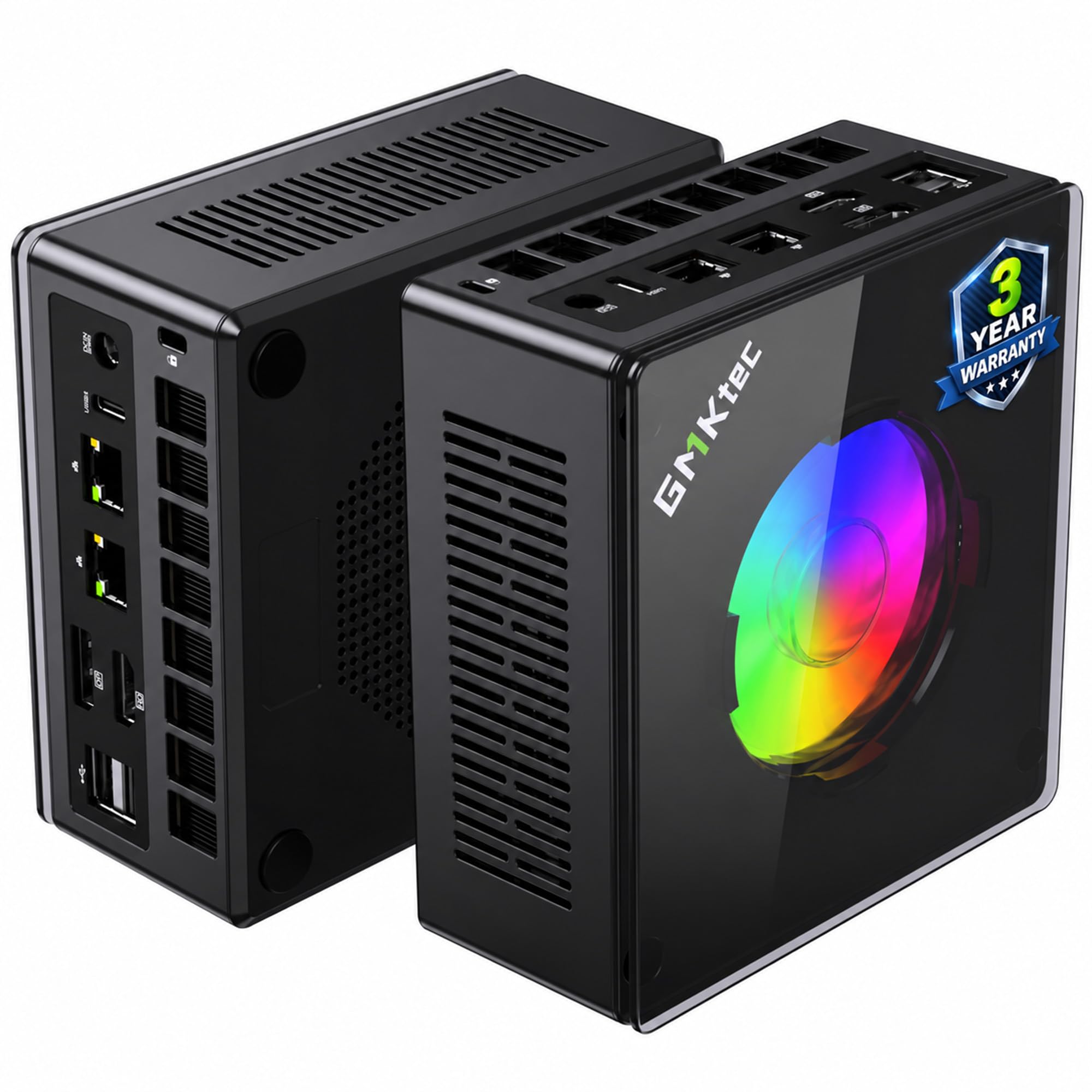
The K11 puts an 8-core, 16-thread Ryzen 9 8945HS into a metal chassis small enough to mount behind a monitor. That core count is the point. Sixteen threads mean the encoder gets its own lanes while your game keeps running, so your broadcast does not tank the moment a fight starts.
For memory, you get 32GB of dual-channel DDR5 running at 5600 MT/s, expandable to 128GB. Storage is a 1TB PCIe 4.0 drive with a second Gen4 x4 slot that takes total capacity to 8TB. If you record local VODs alongside your stream, that second slot is where the raw footage goes. Compared with the iBUYPOWER Y40 PRO’s 2TB drive, this is a smaller 1TB, but the slot layout makes it easy to add more.
Connectivity is where this stops being a compromise. There is an Oculink port for an external graphics dock, dual Intel i226V 2.5GbE LAN, WiFi 6, and Bluetooth 5.2. Two USB4 ports each carry up to 40Gb/s, and the machine drives four 4K screens at once through HDMI 2.1, DisplayPort 2.1, and USB4 — so game, chat, control panel, and a reference monitor all have a home. The Hyper Ice Chamber 2.0 cooling runs dual top-and-bottom fans and lowers noise to 35dB in Quiet mode, which matters when your mic is live.
What earns it the top slot
- 8 cores and 16 threads leave genuine encoder headroom on a single-PC stream
- Dual 2.5GbE LAN lets you dedicate one port to your broadcast feed
- Oculink and dual USB4 open the door to an external GPU later
- Four 4K displays handled from one small box
Where it asks for patience
- Integrated Radeon graphics share memory, so heavy GPU encoding favors a tower
- Long-term reliability is the weak spot — some units develop power and cooling faults, and warranty claims can take weeks
Worth it for: desk-bound streamers who want a silent, tiny machine with real CPU muscle and room for an eGPU down the road.
Think twice if: you need a warranty claim handled fast — that side of the ownership experience is the weak link here.
2. iBUYPOWER Y40 PRO Gaming PC (Ryzen 9 7900X, RTX 5070 Ti)
Big graphics memory for the stream, water cooling for the marathon session.
Sixteen gigabytes of dedicated graphics memory is the number that matters for a streamer here. The RTX 5070 Ti’s 16GB is twice what the CyberPowerPC’s RTX 5060 Ti carries, so your encoder, game textures, and overlay compositor all have room. The Ryzen 9 7900X runs to 5.6 GHz, while the GMKtec K11’s chip tops out at 5.2 GHz — the extra clock helps on single-threaded work like scene switching.
Storage is 2TB of NVMe, which is twice the GMKtec K11’s 1TB. That is a comfortable home for your game library plus hours of local recordings without juggling drives. The case is tempered glass with 16-color RGB lighting, and a water cooler handles the CPU. Rounding it out are 32GB of DDR5-5200 RGB memory, 802.11AC WiFi, and a bundled keyboard and mouse, with no bloatware preloaded.
Brace for the setup ritual, though. The review pages tell a consistent story: the machine is quick and easy to assemble, then needs a clean Windows reinstall in the first couple of weeks before it settles down. “After reinstall windows because it crashes in 2 weeks, I have a solid pc,” as buyers report. Cooling and appearance are what people come away praising. Power supply reliability is the recurring sore point — one unit’s PSU failed after six months of occasional use.
The honest read: the best graphics-memory-per-dollar pick for a streamer who wants 16GB of VRAM to game and encode on one machine. Budget for a clean Windows reinstall in the first two weeks and a one-year warranty, then expect years of smooth output.
Reach for this if: you want 16GB of graphics memory and a water-cooled CPU without paying flagship money.
Look elsewhere if: you expect a flawless first boot and zero maintenance — give it a fortnight of patience first.
3. VIPRTECH Ghost 3.0 Gaming PC
The white glass showpiece that quietly gets on with the job.
An 8-core, 16-thread Ryzen 7 3700X runs alongside an RTX 4060 with 8GB of graphics memory. That pairing is built for 1080p streaming, and it delivers. It ships with Windows 11 Pro rather than the Home edition most rivals use, plus built-in WiFi and Bluetooth — so your capture card and peripherals connect without a dongle.
Under the glass you get 16GB of DDR4, a 1TB boot SSD, a 600W gold-rated power supply, and a 120mm RGB liquid cooler. The RGB runs from a button on the case, so no software is required for lighting control. What people notice first is how quiet it runs — the liquid cooling keeps the fan hum low, and a small closet placement does not cause it to overheat.
The trade-off is memory and headroom. 16GB of DDR4 is the lightest loadout on this list, so a browser-heavy stream with overlays will feel tighter than on the 32GB towers. The bundled WiFi adapter is the other recurring snag; switching to Ethernet solves it cleanly. Note also that the SSD has been the failure point in some units — ViprTech replaced those with a preconfigured drive, but budget-tier drives are worth backing up around.
Best fit: a first streaming rig that looks the part and stays quiet on a desk or in a spare room.
The caveat: wired networking and an external backup drive are sensible additions from day one.
4. CyberPowerPC Ryzen 7 8700F / RTX 5060 Ti

The AM5 upgrade path that keeps a streamer current for years.
You can upgrade this one instead of replacing it. The Ryzen 7 8700F sits on an AM5 socket (AMD’s mounting standard for its newer CPUs) with a B850 chipset (the chip that links the CPU to the rest of the board), and the parts inside are non-proprietary — so when you want more CPU power in two or three years, you swap the chip rather than the whole tower. For a streamer, that is the difference between one purchase and three.
The 8-core chip runs at 4.1GHz base, paired with an RTX 5060 Ti holding 8GB of GDDR7 graphics memory. There is 16GB of DDR5 and a 1TB PCIe 4.0 NVMe drive. Connectivity gives you WiFi 6, Bluetooth 5.3, and 7.1 channel audio, plus two USB-C and four USB-A ports at 3.2 speeds for a mic, capture card, and interface. The 650W gold-rated PSU leaves overhead for an upgrade later.
What you gain in future-proofing you give up in memory today. 16GB of DDR5 is the entry point, half the 32GB found on most towers here, so a busy scene with a browser open will feel the pinch sooner. from the start, the brand’s quality control has let some dead-on-arrival units through, and support is slow to answer at weekends. The rest of the picture is strong: fast, quiet, and cool under load.
Why it earns a spot: the AM5 socket plus non-proprietary parts make this the easiest machine on the list to grow with, and it still holds up on modern titles today.
Go for it when: you plan to upgrade one component at a time instead of replacing the whole machine.
Hold off if: 16GB is already tight for your overlay stack — the 32GB towers are the safer buy.
5. GEEKOM A9 Max AI Mini PC

Twenty-four threads in a box that takes up no desk space.
Twelve cores and 24 threads from the Ryzen AI 9 HX 370 is the most processing headroom of any mini PC here. That is a lot of room to keep an encoder, a chat client, and a browser all fed at once. You also get a dedicated XDNA 2 neural processor rated at 50 TOPS, which handles on-device AI work like background removal or local transcription without leaning on the CPU.
Memory is 32GB of DDR5, expandable to 128GB, with 2TB of storage across dual PCIe Gen4 slots that can grow to 8TB. The Radeon 890M handles graphics, with 16 RDNA 3.5 compute units built in. Around the back you will find WiFi 7, Bluetooth 5.4, dual 2.5GbE LAN, and support for four 8K displays across dual USB4 and dual HDMI 2.1 ports.
Quiet is the word that comes up — the all-metal chassis and the IceBlast 2.0 cooling run cool enough that it disappears under the desk. Performance is the trait it gets praised for most. It is not a gaming tower, though: the integrated Radeon graphics share system memory, so a graphics-heavy stream with a demanding game will not match a dedicated card. Owners mention one more thing worth knowing: the fan can raise its voice in a quiet room.
Suits you if: your stream lives beside creative work — editing, rendering, AI tools — and desk space is scarce.
Not the pick if: your broadcast is built on a graphics-heavy game that wants a dedicated card.
6. Acer Nitro V 16S AI Gaming Laptop

Stream from anywhere with 32GB already in the tray.
Most laptops make you choose between memory and price. This one ships with 32GB of DDR5-5600 across both slots — the same capacity as the full towers here, in a chassis you can carry. The 8-core Ryzen 7 260 runs to 5.1 GHz and pairs with an RTX 5060 Laptop GPU rated at 572 AI TOPS, which carries the encoding load.
The screen is a 16-inch WUXGA panel at 1920 x 1200 with 100% sRGB coverage and a 180Hz refresh rate. On camera, that is a color-accurate view of what your viewers see. Storage is a 1TB PCIe Gen 4 SSD with a second M.2 slot free, so you can drop in a capture drive without removing anything.
What owners praise most is the performance — it keeps pace on shooters and grand strategy alike without stutter. The honest limits are heat and battery. Under load the fans get loud and the battery drains fast, which is expected for a gaming laptop but means you stream plugged in. The screen also runs dimmer than premium panels, so a bright room is not its friend.
Reasons it makes the cut
- 32GB DDR5 already fitted with 1TB Gen 4 storage and a free M.2 slot
- 180Hz 100% sRGB panel that shows your scene accurately
- RTX 5060 Laptop GPU rated at 572 AI TOPS for encoding headroom
What you trade away
- Battery life under load is short — keep the power brick close
- Fan noise rises in long sessions, so a desk mic beats the built-in one
Choose this if: you stream from more than one room and want tower-grade memory in a backpack.
Skip the idea if: you need all-day untethered runtime — this is a plug-in machine.
7. ASUS ROG Strix G16 Gaming Laptop
Liquid metal and vapor chamber cooling for the long haul.
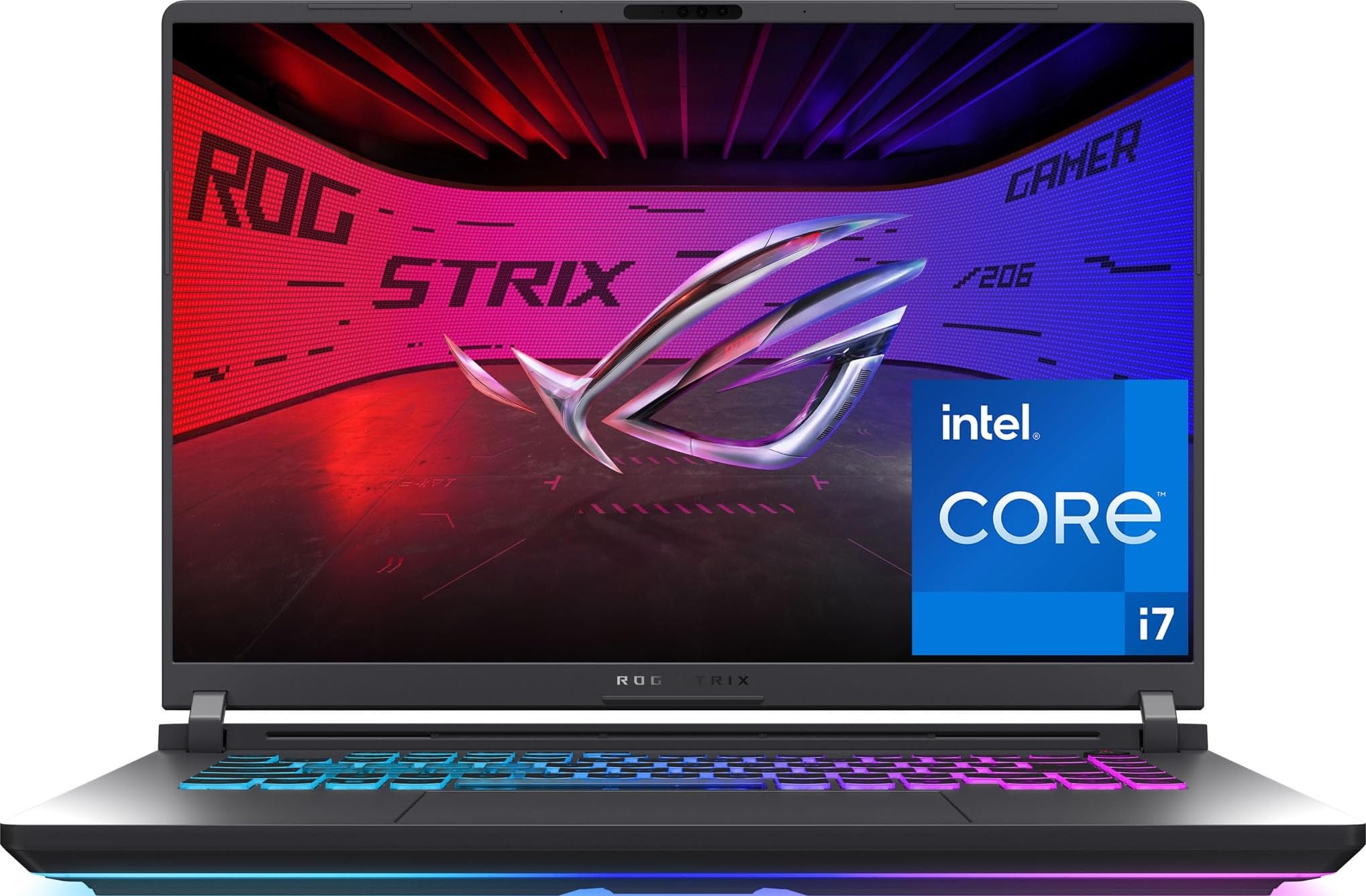
The cooling system is the engineering headline. An end-to-end vapor chamber and tri-fan setup with Conductonaut Extreme liquid metal applied to the chipset — that is a thermal design built to hold clocks through a four-hour broadcast, not just a benchmark run. Intel’s Core i7 14650HX runs to 5.2 GHz, matched with an RTX 5060 Laptop GPU.
The display is a 16-inch FHD+ panel at 1920 x 1200 with a 165Hz refresh rate and a 3ms response. A new ACR film boosts contrast and cuts glare, which helps on camera in a lit room. Memory is 16GB of DDR5-5600 with a 1TB PCIe Gen 4 SSD, and networking steps up to WiFi 7 — useful when your uplink and game share one router.
Build quality is the trait buyers return to most, and the light bar adds a look you can dial down with Stealth Mode when you want a plain aesthetic on stream. The compromises are familiar laptop ones. 16GB of memory is the lighter loadout here, so expect to upgrade or manage tabs. Heat builds under sustained gaming loads with the CPU and GPU both working, and battery life is short.
Where it lands: a premium-feeling laptop whose thermal engineering is what justifies the step up — for streamers who want their machine quiet and steady under pressure.
Right call for: laptop streamers who value a cool, quiet chassis over maximum memory from the start.
Wrong call if: you run a heavy browser beside an overlay suite — start by planning a memory upgrade.
8. Skytech Gaming Archangel 5

White glass, fast memory, and a power supply with room to spare.
The spec sheet here reads like a step up. The Ryzen 7 7700 runs to 5.3 GHz, paired with 32GB of DDR5-6000 RGB memory — the fastest memory clock on this list — and a 750W gold-rated power supply, the largest reserve of any pick here. An RTX 5060 with 8GB of GDDR7 handles graphics, and a 1TB NVMe drive stores your library.
The case is a white Archangel 5 with tempered glass and ARGB fans, and buyers respond to it: “The case is so pretty!” as one owner put it. An 80% keyboard and wired mouse come in the box. Out of the gate, expect to spend an evening smoothing the edges — random freezes and Bluetooth dropouts showed up before fixing the RAM settings in the BIOS. Once sorted, it runs quietly with good airflow and holds high frame rates with background apps open.
Consider the risk honestly. A small share of units have shown cold-start faults and a graphics card that stops being recognized after an update. With a lower purchase count behind it than the senior picks, there is less of a track record to lean on. That is the trade for the memory speed and the 750W headroom.
Ideal for: a builder-adjacent buyer happy to spend a little time in the BIOS and save on a good-looking tower.
Better to pass if: you want a machine that works flawlessly from the first boot with zero tinkering.
9. MSI Codex Z2 Gaming Desktop

Built for the streamer who games, chats, and multitasks at once.
One PC can run your game and your stream at the same time here. An 8-core, 16-thread Ryzen 7 8700F (16-thread means it handles 16 tasks at once) boosting to 5.0 GHz sits beside an RTX 5070 with 12GB of graphics memory. That pairing is the balance for a single-PC stream: enough graphics memory for the encoder (the part that compresses your video for the stream), enough CPU threads for chat and overlays. There is 32GB of DDR5 (the current fast RAM standard) and 2TB of SSD storage, and the interior is roomy enough to add more RAM later.
Cooling comes from an ARGB air cooler plus four system fans — three up front pulling air in, one at the back pushing heat out. That is a straightforward airflow design that holds up. The output story is good: titles run on ultra settings at 200-300+ FPS while streaming to Discord and Twitch at once, and alt-tabbing stays smooth. Setup is quick for a first-time tower owner, and MSI Center software handles the RGB lighting.
Watch the sleep and shutdown behavior. Multiple owners describe lights flickering on during sleep and shutdowns that need a forced power-off — one calls it the only flaw in an otherwise strong machine. Register the machine online and the warranty extends by three months.
Straight talk: the RTX 5070’s 12GB plus 2TB of storage is a strong one-box streaming build, and the four-fan airflow keeps it cool when both the game and encoder are running.
Good match for: streamers running chat, alerts, and a browser alongside a AAA game on one machine.
Look past it if: sleep-and-wake reliability tops your wishlist over raw frame rates.
10. Alienware Aurora Gaming Desktop

The tower that looks as composed on camera as it runs.
The matte basalt black chassis with AlienFX lighting zones is the draw for anyone whose PC sits in frame. Behind the looks, an Intel Core Ultra 7 265F runs to 5.3 GHz with an RTX 5070, both air-cooled. Alienware Command Center software makes custom lighting, fan curves, and per-game profiles easy to set for a stream.
Quiet operation is a genuine strength — several customers note the fan staying whisper-quiet under load, and it earned consistent praise for cooling and looks. Dell includes a year of onsite service, which means a technician comes to your home if a covered fault cannot be fixed remotely. That is a level of support the smaller brands here do not match.
The catch is the power supply. With an RTX 5070 fitted, the lower-wattage unit gets pushed hard and can trigger shutdowns under load — one owner had to order a 1000W replacement. Check what PSU your unit ships with before you stream a marathon. Some buyers also report the listing’s spec sheet not matching the delivered parts, so confirm the configuration at checkout.
Look here if: a clean-looking tower and onsite warranty service matter as much as frame rates.
Worth a pause when: you need maximum graphics memory — the RTX 5070 here carries less than the RTX 5070 Ti towers on this list.
11. Thermaltake LCGS View i570-170 Gaming Desktop

A flagship Intel core wrapped in a closed-loop liquid cooler.
The i9-14900KF is the headline. This is a flagship-class processor paired with an RTX 5070 carrying 12GB of graphics memory, 32GB of DDR5-6000 RGB memory, and a 1TB NVMe drive. A 240mm closed-loop liquid cooler with a radiator sits behind the front panel, keeping the CPU cool through long streaming sessions.
The chassis is a display piece in its own right, with a filtered ventilated side panel and a vertical radiator mount. On the function side, buyers describe it as quiet, fast, and trouble-free. It runs battle royale titles and role-play servers smoothly, and the graphics card handles those titles with clarity — “runs like a champ,” as the reviews put it. Windows 11 comes preloaded.
Do your homework on ports. The high-speed USB selection is limited compared to rivals, and the second M.2 slot is hard to reach if you add storage later. Support documentation is thin, so identifying which motherboard you have takes a trip through the Device Manager. An expansion card solves the port issue cleanly, but it is an add-on the other picks do not need.
My take: the liquid-cooled flagship CPU is what you buy this for, and it delivers smooth performance for streaming and play. Just budget for a USB expansion card and expect a slightly fussy upgrade path.
Fits you if: you want a flagship Intel processor with a proper liquid cooler and a case worth showing off.
Consider another route if: you plan on adding lots of high-speed peripherals or a second drive.
12. Lenovo Legion Tower 5i

Sixteen gigabytes of graphics memory that never raises its voice.
The RTX 5070 Ti with 16GB matches the iBUYPOWER Y40 PRO for graphics memory, so both treat the encoder to the same generous buffer. Where this one pulls ahead is acoustic and thermal manners. The tune air-cooling setup keeps the internals cool while running quiet enough that several owners describe it as barely audible even at full load — a real advantage when your mic is open.
Inside you find an Intel Core Ultra 7 265F, 32GB of DDR5 expandable to 128GB, and 1TB of storage. It is a strong 1440p performer: Forza motors through at roughly 180 FPS maxed out, and it clears 130-140 FPS on demanding titles while staying stable through marathon gaming sessions. The tool-less transparent side panel makes upgrades simple, and WiFi 6E keeps your uplink fast.
Two honest limits. First, the memory is locked by the motherboard, so it runs below the advertised 6000MT/s — about 5500MT/s is the practical ceiling. Second, the machine is quiet until it is not; at full load it makes itself heard. For a streamer, that only matters on the loudest scenes.
Why it earns a premium spot
- 16GB RTX 5070 Ti graphics memory to match the iBUYPOWER
- Quiet under load for an air-cooled tower
- 32GB DDR5 expandable to 128GB with a tool-less side panel
- 3 months of PC Game Pass bundled in
Where it concedes ground
- Memory is capped by the motherboard and runs below its rated speed
- The fans make themselves heard at full load
This is the one for: streamers who want the top graphics-memory tier without the noise of a gaming tower.
Not for you if: you plan to tune memory speeds — the motherboard locks that path off.
13. The Horizon Autherium Dragon RGB i9 RTX Gaming PC

Twice the memory, five times the storage, and a 360mm radiator to match.
You can keep everything open at once, because 64GB of RAM is the reason this one exists. That is twice the 32GB the rest of this list carries, and it changes what you can run at once: a game, an encoder, a browser with many tabs, a chat client, plus editing software or a development environment, all without swapping to disk (the slow fallback to your drive when memory runs out). Add 5TB of storage — a 1TB M.2 NVMe (a fast stick-shaped drive) up to 7000MB/s plus a 4TB 7200RPM hard drive (a spinning drive that turns 7200 times a minute) — and recording hundreds of hours of VODs (saved past broadcasts) is a real option.
The processor is an open up Core i9 running up to 5.3 GHz, matched with an RTX 5070 OC carrying 12GB of graphics memory and factory overclocked. Cooling is serious: a 360mm AIO radiator, 11 fans total across thecase, GPU, and power supply, and a 850W 80+ GOLD PSU with x6 extra SATA connectors. Windows 11 Pro comes preinstalled, and the machine ships with a 3-year parts and 5-year labor warranty.
The sound profile is a selling point. Owners describe it as impressively quiet despite that fan count, and setup is simple enough to move two old computers’ worth of work across in an evening. Performance is what gets called out most — the RTX 5070 OC and 64GB keep a game, a stream, and a browser all moving without complaint. Support responds fast; a support card in the box gets you a phone call back quickly.
Budget a small extra for a power cable — some units ship without one. And a single larger power supply failure has been reported, though support handled the repair smoothly. At this level, the warranty coverage is the reassurance.
The straight answer: if your stream runs beside editing, rendering, or software development, 64GB of RAM and 5TB of storage remove the ceiling that stops other machines cold.
Choose it when: you run several heavy apps at once and want a machine built to outlast the workload.
skip it if: a game, an encoder, and a browser is the whole job — the 32GB towers are simpler and lighter.
Know the Specs
Cores and Threads: Your Encoder’s Budget
Think of threads as lanes on a road. A stream needs its own lane, separate from the game. An 8-core, 16-thread chip like the Ryzen 9 8945HS has enough lanes to keep both moving. When you also run chat, alerts, and a browser, more lanes help — the 12-core, 24-thread Ryzen AI 9 HX 370 gives you that extra room.
GPU Memory and the Encoder
Graphics memory holds your game textures and the encoder’s working buffer. More of it means the broadcast has its own space. An RTX 5070 Ti’s 16GB is twice the RTX 5060 Ti’s 8GB, so heavy overlays and high-resolution scenes have somewhere to live. Integrated graphics like the Radeon 890M share system RAM instead, which is why a mini PC suits lower-intensity streams better.
DDR5 Memory Speed and Capacity
Memory speed is how fast your system moves data between the processor and storage. DDR5 at 5600 MT/s and 6000 MT/s both keep a stream smooth; the bigger decision is capacity. 32GB covers a single-PC stream with overlays and a browser. 16GB is the floor and will feel tight with a busy scene. 64GB is for running several heavy applications at once.
Cooling and Broadcast Stability
Heat is the enemy of a long session. A 240mm or 360mm liquid cooler holds clocks steadier than a stock air cooler. On a mini PC, larger dual fans and lower noise ratings keep a live mic clean. Air-cooled towers with good airflow, like the MSI Codex Z2’s four-fan setup, handle streaming fine as long as the case breathes.
Common Questions
Do I need a dedicated graphics card to stream, or is integrated fine?
Is 16GB of RAM enough for a single-PC stream?
Will a mini PC handle live streaming as well as a tower?
How many displays can I run for a streaming setup?
Do these computers come with Windows already installed?
Is liquid cooling worth it on a streaming PC?
What storage do I need for recording VODs while streaming?
Will the built-in WiFi handle a live broadcast, or should I use Ethernet?
Is a gaming laptop a real option for streaming?
Can I upgrade these prebuilt computers later?
The Bottom Line
For most streamers, the computer for live streaming winner is the GMKtec K11 because 8 cores and 16 threads plus dual 2.5GbE give you real encoder headroom in a box that mounts out of sight. If your budget stretches to a graphics card with room to spare, grab the iBUYPOWER Y40 PRO and its 16GB RTX 5070 Ti. And for a stream that runs beside editing, rendering, or development work, the Horizon Autherium Dragon with 64GB of RAM is the one to reach for. There is a quieter option too — the Lenovo Legion Tower 5i pairs that same 16GB graphics memory with a chassis that stays hushed under load. Whichever you pick, count spare threads first: the machine with cores left over after the game loads is the one that keeps your broadcast smooth.
How we choose
We do not accept paid placement. Every pick is matched to a real buyer and a real use-case; we do not hands-on test units.
Sources
Specifications: manufacturer listings and product documentation. Review insights: verified customer reviews, as of October 2026. Pricing: not shown on this page (it changes often); check the current price via the retailer link.
As an Amazon Associate, Aappliancez earns from qualifying purchases. This does not affect which products we feature.