Disclosure: Some links in this post are affiliate links. As an Amazon Associate I earn from qualifying purchases, at no extra cost to you. Learn more
Specs are compiled from manufacturer listings and verified buyer reviews and can change over time — please confirm the key details on the product page before buying.
A cheap PS5 controller earns its place in your setup for one reason: it keeps working after the official pads have quit. The real question is which budget pad survives months of daily play, and which one develops stick drift (the joystick creeping on its own so your character walks without you touching anything) inside a few weeks. This guide covers the seven third-party options worth a look, what their published specs actually give you, and which type of buyer each one fits.
This guide is built by comparing the manufacturers’ published specifications and the patterns across verified customer reviews, so you get each pick’s real strengths and trade-offs instead of marketing spin.
Third-party pads generally cost less than half of Sony’s own, and the ones with Hall Effect sticks (magnetic joysticks with no physical contact surfaces to wear down) are the reason so many players are switching. Every pick below is judged on stick technology, battery capacity, wireless stability, and how it behaves when a PS5 update lands — the four things that decide whether a budget pad lasts. This is the shortlist for the Best Cheap PS5 Controller.
Top Picks
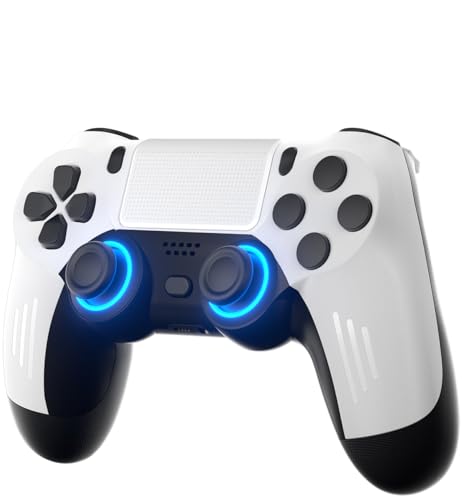
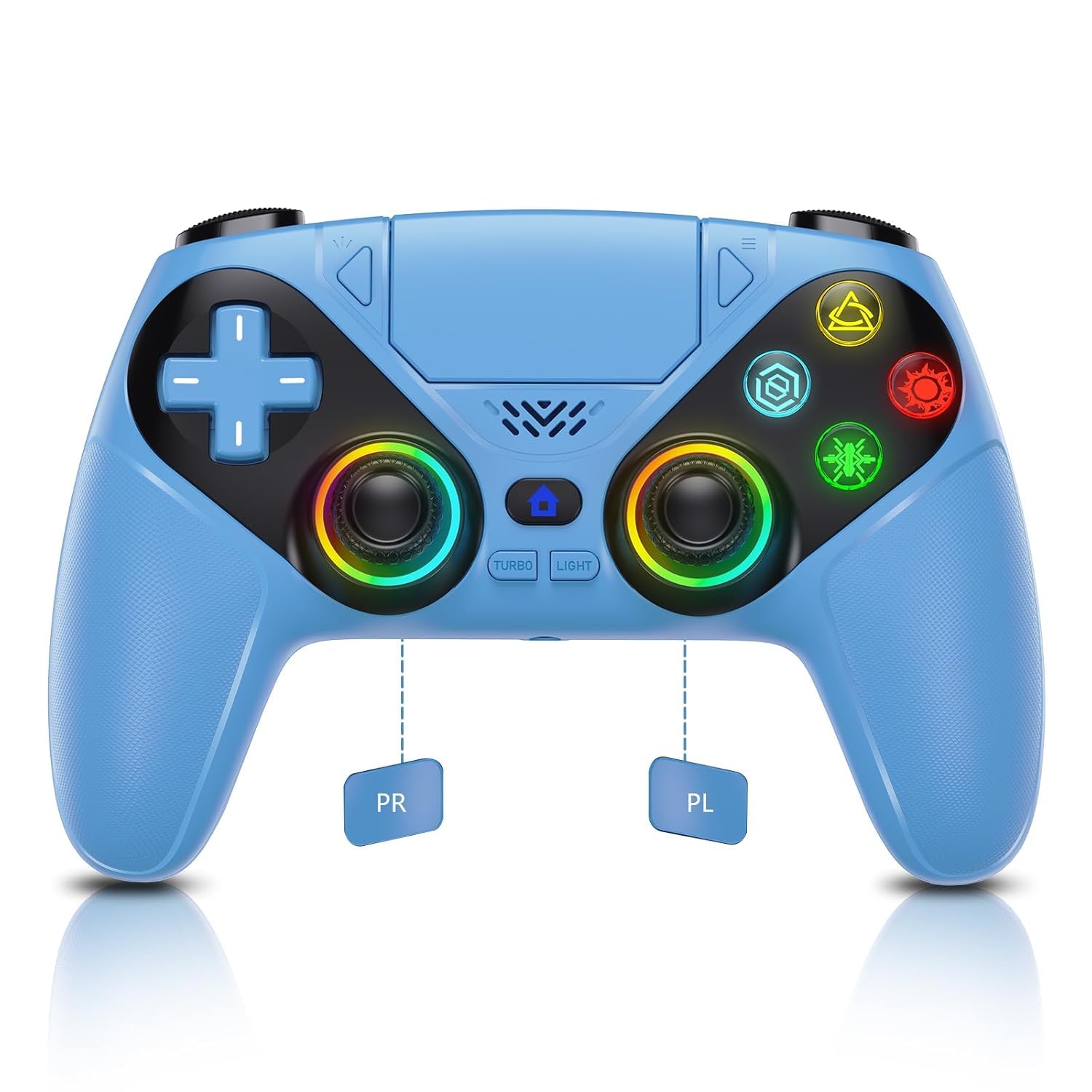
How To Choose The Best Cheap PS5 Controller
A cheap PS5 controller is only a bargain if its joysticks hold their accuracy. Almost every complaint about budget pads traces back to one part: the analog stick mechanism. Get that right and the rest of the pad tends to hold up for years of casual and competitive play.
Stick technology comes first
A standard analog stick works by a wiper rubbing against a carbon track — that physical contact wears out and produces drift. A Hall Effect stick (a magnetic joystick that reads position without any parts touching) removes that wear point entirely. If you play shooters or racing games several nights a week, prioritise the magnetic version. It costs a little more up front and saves you a replacement pad six months later.
Battery capacity and the lighting tax
Most pads in this bracket carry a 1000 mAh rechargeable battery, charged over USB-C. That is enough for long sessions, but addressable RGB lighting (individually controlled colour LEDs running around the sticks and body) pulls from the same cell. If you want maximum playtime between charges, turn the lights down or off and keep the brightness low — several owners run their pads dark specifically for the extra hours.
Firmware, pairing, and system updates
Third-party pads talk to the PS5 twice: once through the Bluetooth handshake and once through the console’s security updates. When Sony pushes a system update, vibration and speaker functions on some pads go quiet until the manufacturer ships a firmware patch. That patch is usually applied by plugging the pad into a Windows PC over USB and running the file. Check the listing for a firmware-update link before you buy, and keep a USB-C data cable (not just a charge-only one) in the drawer.
Where budget pads fall short
Two features rarely survive the price cut. Adaptive triggers (the variable-resistance triggers on Sony’s own pad) are almost never present, and none of the pads here include a built-in microphone — voice chat runs through the 3.5mm headset jack instead. If both of those matter for your play style, that is the honest trade you are making for the lower outlay.
Side-by-Side Comparison
| Model | Best For | Joystick Type | Battery | Buttons | Amazon |
|---|---|---|---|---|---|
| ThinTree Wireless Controller★ Best Overall | All-round value pick | Hall Effect | 1000 mAh | 15 | Amazon |
| Dinosoo RGB Wireless ControllerMost Buttons | Fighting-game macros | Standard analog | 1000 mAh | 22 | Amazon |
| LENISUOLE Wireless Controller | Colour and comfort | Standard analog | 1000 mAh | — | Amazon |
| Nonbliep LED for PS5 Controller | Custom lighting setups | Hall Effect | — | — | Amazon |
| BETMI Wireless Controller | Multi-device players | Hall Effect | — | 16 | Amazon |
| Gamrombo LED Wireless Controller | Second-pad households | Standard analog | — | 20 | Amazon |
| AFMVV Wireless Controller | Grip and reliable pairing | Standard analog | — | — | Amazon |
Detailed Reviews
1. ThinTree Wireless Controller for PS-5/Pro/Slim/PC
The pad that kills drift at the source
If your last two PlayStation pads ended up with a joystick that steers itself, this is where the search usually stops. The ThinTree’s electromagnetic Hall Effect joystick is rated for 5 million cycles, and the 0.1mm precision sensing keeps fast turns and straight-line acceleration clean in racing and shooter titles. That magnetic design is the direct difference from the standard analog sticks in the Dinosoo and LENISUOLE pads above — there is no carbon track to scuff, so drift has nowhere to start.
The control layout is fully adjustable, which is rare at this level. Holding TURBO plus a push on the left stick cycles motor vibration through four gears — 100%, 75%, 50% and 0% — so you can calm the rumble for late-night play or turn it off entirely. The 7-mode RGB lighting switches with a simultaneous LIGHT + R3 or L3 press, and the same LIGHT key combined with the up or down direction buttons steps the brightness one gear at a time. The rated battery is 1000 mAh, recharged over USB-C, and there is a 3.5mm audio jack for a wired headset.
Compatibility covers PS5, PS5 Pro, PS5 Slim and PC, with a gyroscope and accelerometer handling motion aiming in supported games. The slip-resistant inner grips are the practical touch — they hold on during sweaty ranked sessions. What buyers talk about most is simply the build: it feels like a controller that works, buttons and sticks respond without noticeable lag, and it pairs in seconds. The one honest catch is that the firmware sometimes needs a Windows PC update after a major PS5 system change to bring vibration and the speaker back, so keep a data cable around. It is the highest-rated pad in this group.
Why This One Wins The Group
- Hall Effect joystick rated for 5 million cycles — no wear surface, so drift never gets a foothold
- 1000 mAh battery over USB-C plus a 3.5mm jack for wired headsets
- Four-gear vibration adjustment (100/75/50/0%) and seven RGB modes you can dim on the fly
- Works across PS5, Pro, Slim and PC with gyro and accelerometer motion sensing
Where It Asks For Patience
- Post-update firmware fixes need a Windows PC, not the console itself
- No adaptive triggers and no built-in microphone — chat runs through the headset jack
- RGB brightness eats into the 1000 mAh cell if you leave it at full
Buy it if: you are replacing a drifting official pad and want the strongest-rated budget alternative with magnetic sticks.
Think twice if: you rely on adaptive trigger feedback, which this pad does not carry.
2. Dinosoo RGB Wireless Controller for PS5/PlayStation 5 PC
The macro machine: more buttons than any other pad here
Fighting-game players count buttons the way runners count grams, and this pad leads the field. It carries 22 buttons to the ThinTree’s 15 — 47% more — and the extra inputs sit behind the turbo and macro functions, which chain multi-button combos to a single press. The share button fires with one click, the light bar is integrated, and a 1000 mAh cell feeds dual vibration motors, a touchpad and a built-in speaker. That speaker is the standout extra: it plays higher-fidelity game sound directly out of the pad in supported titles, though there is no microphone inside — voice chat needs a headset on the 3.5mm TRRS jack.
Pairing works two ways. The first PS5 connection needs a USB-C cable, after which the pad wakes the console wirelessly with the Home button, and it also runs wired on Windows PCs. Six-axis sensors track motion, and the seven-colour RGB can be swapped to taste. Over a thousand owners have rated it, and the mood in the reviews is mostly warm: the light-blue finish, the comfortable build, and the button and stick response all draw credit, and one household summed it up as a pad their tween son took to instantly. It runs on PS5 and PC only — PS4 is not supported.
The trade-off buyers report is durability. Budget third-party pads that see heavy use sometimes develop stick drift within about a month — exactly the failure the Hall Effect sticks on the ThinTree were built to dodge — and a minority find the wireless link stutters during PS5 play and works better with the USB-C cable plugged in. If your sessions are short and social, that risk is small. If you game competitively for hours nightly, the magnetic-stick pads later in this list will hold up longer.
The value read: the most inputs per dollar in this group, with a speaker and a seven-colour light bar most rivals skip.
The one to know: stick drift can show up in heavy use, and the wireless link sometimes prefers the cable.
Reach for this if: arcade fighters and macro combos are your daily game and you want more buttons than the competition.
Look elsewhere if: you want magnetic sticks that shrug off drift over years of nightly shooter sessions.
3. LENISUOLE Wireless Controller PS5
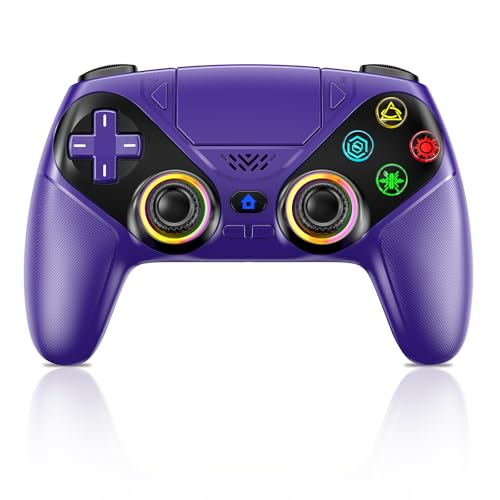
The purple one your friends will ask about mid-match
Colour has become a real buying criterion in this bracket, and this is the pad to pick on looks alone. The deep purple shell pairs with an RGB light bar that switches modes from the Light button, useful for telling players apart in local multiplayer, and the modern finish is what owners notice first. Colours aside, the functional core is solid: Bluetooth 5.3 radio for a 10m lag-free wireless link, with a wired USB-C option when you want zero latency. The first pairing needs the cable, after which a single press wakes the console.
Two programmable back buttons (marked P1 and P2) sit under your middle fingers, and macro programming records up to 24 key presses — handy for one-button combos in fighting games. There is a 1000 mAh rechargeable battery, a 3.5mm jack for wired chat headsets, a built-in speaker for game audio, and a dual-point capacitive touchpad. Motion comes from a 3D accelerometer and gyroscope reading the X, Y and Z axes plus roll, pitch and yaw, which suits racing and sports titles. Firmware updates run through a PC to keep the pad talking to future PS5 system updates.
The honest gripe is durability. Build quality and button response split opinion — many find the shell sturdy and the sticks smooth, while a few report random button presses when the pad sits idle and a fast battery drain with the lights running. It is a single-player pad first. If you mostly run campaign games solo and want striking looks with programmable rear buttons, it fits well. If it will be passed around a couch of four every night, the record is less certain.
Set up in minutes: USB-C for the first link, then one press to wake — and firmware updates over a PC to stay compatible after PS5 system changes.
A strong fit for: solo campaign players who want a distinctive purple pad with programmable back buttons and reliable Bluetooth 5.3.
Less suited to: nightly competitive play where maximum durability matters more than style.
4. Nonbliep LED for PS5 Controller

Nine lighting effects and sticks engineered to skip the drift years
Suppose the draw is a pad that glows. The Nonbliep cycles through nine RGB modes — breathing, strobe and static among them — from a single button press, and it remembers your last colour and effect so you are not re-dialling the setup every session. Beyond the light show, the engineering is where it earns its place: Hall sensor joysticks with no wear surfaces, rated against drift over 100k+ moves. That puts it in the same drift-proof camp as the ThinTree, but a step behind on raw precision — the ThinTree quotes a 0.1mm sensing tolerance the Nonbliep does not specify.
Feature-wise the pad is stacked. Dual vibration motors handle haptics, a 6-axis gyro covers motion aiming, macro programming chains combos to a single button, and turbo mode converts taps into auto-fire. A 3.5mm jack plus a built-in speaker cover audio, and pairing is plug-and-play — USB-C for the first-time setup, then the Home button for instant wireless, with Windows PC support and no drivers to install. Hundreds of owners have rated it well, and the lighting and ergonomics both draw steady praise, with the grips described as comfortable and the sticks smooth from the start.
The niggles are real but manageable. The bundled charging cable is USB-A rather than USB-C, which is a small annoyance if your charger bricks are the newer type. A minority of units arrive with a battery that has already seen better days, and a rare few fail outright after months of use. Stick with the lightning-quick pairing and the drift-free sticks as the reason to buy, and treat this as a great-looking daily pad rather than a decade-long tournament investment.
What makes the glow special: nine modes that stick to your favourite setting between sessions, paired with Hall sensor sticks that resist the drift older analog pads develop.
Where to stay realistic: a USB-A charging cord and the occasional rough unit — the core buying proposition here is the visuals and the magnetic sticks, not the accessories.
Worth grabbing if: you want your controller to be part of the aesthetic as much as the kit, with hall sticks behind the light show.
Maybe not for: anyone who judges a pad mainly on its long-term battery health, which is variable on this one.
5. BETMI Wireless Controller PS5
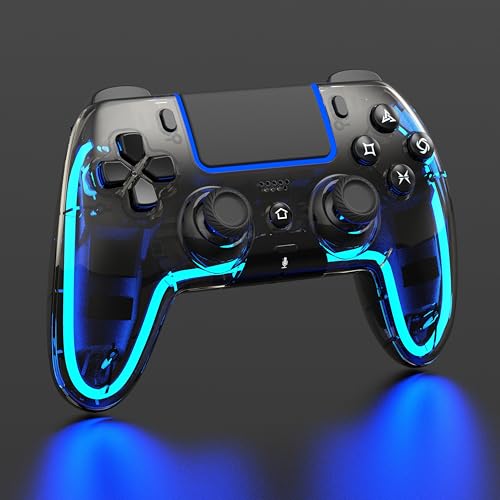
One pad, six platforms — the traveller that plays nice everywhere
If you own a Steam Deck or a Mac alongside your PS5, this is the pad that saves the drawer space. It runs on PS5, PS5 Pro, PS5 Slim, Mac, Android and Steam Deck, wired or over Bluetooth, and it is not compatible with PS4. Joystick drift is handled by Hall Effect sticks (magnetic, no wear surfaces) plus a calibration function you can call up yourself if the stick ever feels off — a genuinely useful safety net the Dinosoo and LENISUOLE pads above do not offer. The shell is transparent black, the pad weighs 0.23 kg, and the controls number 16, with programmable M1 and M2 buttons that can each absorb between 1 and 16 button functions.
Under the shell the feature list reads like a premium pad. Two turbo modes — Auto and Manual — with three speeds (4, 8 and 16Hz) across eight keys, a 6-axis gyro for motion play, a responsive multi-touch touchpad that reads swipes and presses, and a 3.5mm TRRS headset jack for chat. The built-in speaker carries game audio; long-press the mute button to silence the headphone mic, speaker and vibration in one go. The LED ring chooses from nine colours and four effects — breathing, fast flash, slow flash and gradient — and remembers your last setting.
Two things buyers should know up front. The connection memory only tracks the last device it paired with, so if you last used it on PC you will need the USB data cable to re-pair it to the PS5 — a small friction if you share the pad across machines. And like every third-party pad here, a major PS5 system update can silence the speaker and vibration until you update the firmware over a Windows PC. For those who keep the pad mostly on one console, both issues fade into the background.
Where It Shines
- Six-platform compatibility — PS5, Pro, Slim, Mac, Android and Steam Deck, wired or Bluetooth
- Hall Effect sticks with a self-serve calibration function
- Programmable M1 and M2 buttons handing 1-16 inputs each
- Nine colours with four effects that stick to your last pick
What To Watch For
- Remembers only the last paired device, so switching consoles means a cable re-pair
- Firmware updates need a Windows 10/11 PC over USB
- No built-in microphone — chat needs a headset on the 3.5mm TRRS jack
Pick it when: you juggle a PS5 and a Steam Deck (or PC) and want one pad to cover both without fiddling.
Skip it when: you want a plug-and-forget pad locked to a single console — the last-device memory will frustrate more than it helps.
6. Gamrombo LED Wireless Controller for PS5

The second pad that makes multiplayer nights feel first class
Every PS5 household eventually needs a second controller, and this is the pad that steps in without matching Sony’s price. It carries 20 buttons, runs a dual-vibration motor and a 6-axis gyroscope for motion sensing, and covers the essentials for shared play. The White shell is clean and understated, and the LED colour memory means the pad returns to your preferred shade the next time you pick it up. Setup is straightforward: USB-C data cable for the first pairing, then a single press of the Home button wakes the console, with Windows PC support as a bonus. PS4 is out of scope.
The feel is where this pad earns the second-pad slot. Owners describe it as comfortable with a semi-premium heft, and the joysticks are upgraded to trim the dead zone (the small dead area around the stick’s centre where inputs are ignored) and stretch the pad’s service life. Bluetooth pairing with an iPad A16 is mentioned as a bonus, and the light effects draw steady praise — colours that shift as you play, with a memory function so nobody’s favourite setting disappears. It weighs 0.35 kg, slightly heavier than the ThinTree.
The one caveat is durability under rough handling. A drop onto a hard floor has been known to knock the L1 and R1 shoulder buttons out of action, and the pad thrives on care rather than abuse. The dedicated spring fix in one case restored the click, though not the full sensitivity. Give it a soft home between sessions, keep it away from table edges, and the risk drops sharply. Perfect as a second-player pad for the household, less so as the only pad in a house full of grabby kids.
The honest verdict: a solid everyday pad with colour memory and soft-touch sticks, ideal where two players share a couch and one is still learning combos.
One caution: shoulder buttons are not built for tumbles — a single drop can be the end of them, so treat the pad gently.
Matches well with: households adding a second controller for multiplayer nights on a reasonable budget.
Not the right call if: the pad will be tossed between sofas and bedrooms — shoulder buttons do not forgive hard drops.
7. AFMVV Wireless Controller for PS5 with RGB LED
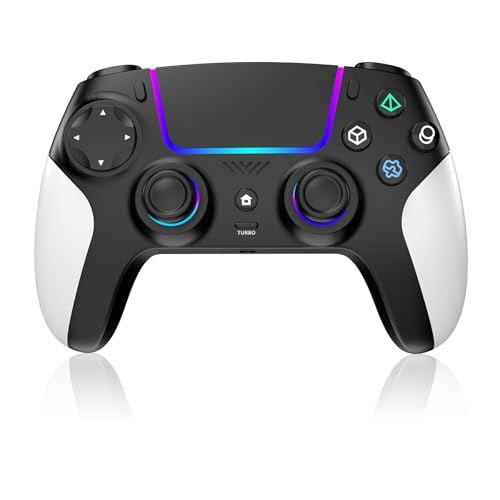
The understated one: quiet looks, trustworthy grip, reliable pairing
The Black and White colourway is the calmest in this group — a marketing-free shell that reads more like Sony’s own pad than a budget alternative, and that is deliberate. AFMVV built this one around grip and balance: a comfortable shape that fights fatigue over long sessions, with an anti-slip finish so your palms stay planted. Bluetooth handles the wireless link with the PS5, the connection is fast to lock in, and lower latency keeps shooting, racing and sports titles feeling responsive. It also pairs with PC and Mac, so it travels across setups.
The LED lighting underneath the shell is the visual highlight — vibrant and customisable, wrapped around the joysticks and the base rather than splashed across every surface. Owners single out the quality and the reliability of the pad, with the ergonomic shape and the responsive buttons both appearing in the feedback often.
Two notes before you order. The trigger sensitivity runs on the light side — the L2 and R2 shoulder buttons can register an accidental tap when your finger brushes past, so you may need a session or two to dial in the pressure. And there is no built-in microphone, matching the rest of this list. On the battery side, a minority of owners find they end up tethered more often than expected, and the pad is not compatible with Sony’s charging dock. Fine on the cable, less ideal if battery life is the deciding factor.
One clean fact: this pad’s reliability record is excellent, built on its ergonomic shape and understated looks.
Best for: players who want a no-fuss spare pad with a grippy, well-balanced shell and dependable Bluetooth pairing.
Skip if: battery endurance is the deciding factor — some owners find themselves reaching for the cable more than they would like.
Know the Specs
Joystick Type — Why Hall Effect Matters
Hall Effect joysticks read position with a magnetic field instead of a wiper rubbing on a carbon pad. No part touches another, so the wear that causes stick drift simply has no surface to develop on. Budget pads with standard analog sticks can drift within months of heavy use, so if stick reliability tops your list, look for the words “Hall Effect” in the listing before anything else.
Battery and Lighting — The Real Trade
Most pads in this group pack a 1000 mAh battery recharged over USB-C. That is enough for long sessions — until RGB lighting enters the equation. Addressable lighting pulls from the same cell, and several owners run the pad dark specifically to stretch a charge. Watch the brightness setting if you want the longest playtime between charges.
Macro Buttons and Turbo — What They Actually Do
A macro button logs a sequence of inputs and fires them all with one press. Turbo turns a single tap into continuous auto-fire. Both are genuinely useful in fighting and shooter games. Programming usually happens on the pad itself, so no PC software is needed for the remap. Look at how many buttons the pad has and how many of them can be reassigned if you plan to lean on this feature.
Wireless vs Wired — Which Connection to Choose
Third-party pads almost always need a USB-C cable for the first pairing, then switch to Bluetooth for daily use. A few owners prefer the wired link for competitive play because it avoids any wireless hiccup. Keep a USB-C data cable — not just a charge-only one — on hand for the initial setup and for firmware updates after a major PS5 system change.
Common Questions
Will a third-party PS5 controller work with the PS5 Pro and PS5 Slim?
What is stick drift, and do Hall Effect sticks fix it?
Do any of these controllers include a built-in microphone?
Why does my controller stop vibrating or putting out sound after a PS5 update?
How long does the battery last on these pads?
Can I use these controllers with my PC as well as the PS5?
Do these pads support gyro aiming like Sony’s controller?
Can the RGB lighting on these controllers be turned off?
Will a cheap controller feel noticeably worse than the official one?
What should I keep in mind for the first setup?
The Bottom Line
The seven pads here fall into two camps. The ones with Hall Effect sticks — the ThinTree, Nonbliep and BETMI — are the ones built to dodge the drift that kills most budget pads, and if you play several nights a week, that is the feature worth paying for. The rest bring their own charm: Dinosoo’s 22 buttons and built-in speaker for macro-heavy battles, LENISUOLE’s purple shell for style-first set-ups, Gamrombo as a family second pad, and AFMVV for a calm, grippy everyday backup.
For the best balance of build, features and reliability, the ThinTree Wireless Controller is the one I would reach for — its Hall Effect sticks are rated to 5 million cycles at the low end of this group’s price range. If macro buttons and a louder speaker matter more than stick longevity, the Dinosoo RGB Wireless Controller delivers 22 buttons and seven-colour lighting. And for anyone juggling a Steam Deck or a PC alongside their PS5, the BETMI Wireless Controller is the one pad on this list that covers all six. Whichever you pick, remember the first pairing needs a USB-C data cable, and a firmware update over PC is the fix if vibration ever goes quiet after a PS5 system update.
How we choose
We do not accept paid placement. Every pick is matched to a real buyer and a real use-case; we do not hands-on test units.
Sources
Specifications: manufacturer listings and product documentation. Review insights: verified customer reviews, as of October 2026. Pricing: not shown on this page (it changes often); check the current price via the retailer link.
As an Amazon Associate, Aappliancez earns from qualifying purchases. This does not affect which products we feature.