Disclosure: Some links in this post are affiliate links. As an Amazon Associate I earn from qualifying purchases, at no extra cost to you. Learn more
Specs are compiled from manufacturer listings and verified buyer reviews and can change over time — please confirm the key details on the product page before buying.
You can buy a laptop with a great processor and still hate it the day you install Linux, because what really decides your experience is whether the Wi-Fi card, the trackpad, and the sleep function work after install. That is why this list leads with machines owners actually boot Linux on. The HP Essential at the top is the crowd favorite here, holding 4.0+ stars across 40+ ratings, and the rest of the field runs from a 2-in-1 mini that ships ready for Ubuntu up to a Snapdragon machine that lasts all day. Every pick below was chosen for how it behaves once Windows is gone.
This guide is built by comparing the manufacturers’ published specifications and the patterns across verified customer reviews, so you get each pick’s real strengths and trade-offs instead of marketing spin.
Most people buying a cheap machine for a Linux install worry about the same handful of things: does the Wi-Fi work, will the touchpad scroll, and how long does the battery actually hold. This breakdown ranks 11 picks by how well they handle that reality, so you can find the best cheap laptop for Linux without a week of forum digging.
Top Picks

How To Choose The Best Cheap Laptop for Linux
Buying cheap for Linux is a different game than buying cheap for Windows. On Windows, a weak part just feels sluggish. On Linux, a weak part can mean your Wi-Fi never turns on at all. So the order you check things in matters.
Wireless hardware before raw speed
The network card is the single most common reason a fresh install goes wrong. Intel and AMD wireless chips tend to be picked up by the kernel without extra work, which is why machines built around those platforms stay on this list. A machine that boots into a desktop but cannot find your network is a paperweight, no matter how fast its processor is. Check the wireless standard a laptop lists — Wi-Fi 5, Wi-Fi 6, or Wi-Fi 6E — because the newer the standard, the more likely the driver is already baked into the kernel you install.
Storage and memory you can live inside
A clean Linux install is light, but the moment you add a browser, a code editor, and a few virtual machines, the numbers on the box start to matter. 128GB of storage fills fast once you keep more than one distribution around. 8GB of memory is the comfortable floor for a desktop that stays smooth with several browser tabs open, and 16GB or more gives you headroom for containers and heavier tooling. Watch for whether a machine uses DDR4 or DDR5 and whether the storage is an SSD, because an SSD is what makes an older processor still feel quick.
Battery, weight, and the small stuff
Battery capacity decides whether this is a machine that lives on a desk or travels in a bag. Charging over USB Type-C is worth looking for, because it means one cable can power the laptop and your phone. A privacy shutter over the webcam and a fingerprint reader are small extras that hold their value after you switch operating systems. Finally, weigh the build: a hinge that feels loose on day one rarely tightens up later.
Side-by-Side Comparison
| Model | Best For | Processor | Memory & Storage | Battery / Power | Amazon |
|---|---|---|---|---|---|
| HP Essential Laptop★ Best Overall | First Linux install | Intel Processor N150 | 4GB DDR4 / 128GB | All-day, 45W fast charge | Amazon |
| BOSGAME E4 Air Mini PCBudget Champion | Desk build, not a laptop | AMD Ryzen 5 3500U | 8GB DDR4 / 256GB SSD | Wall power only | Amazon |
| KUMNOSAL 15.3″ LaptopMost Memory | Heavy multitasking on a budget | i5-8210Y, up to 3.6GHz | 24GB RAM / 512GB SSD | 5000mAh, over 6 hours | Amazon |
| HP 15.6″ FHD Laptop | Work and study | 11th Gen Intel Core i5 | 8GB DDR4 / 256GB SSD | 7 hours | Amazon |
| ASUS Vivobook Go 15.6″ | Students and travel | AMD Ryzen 3 7320U | 8GB DDR5 / 128GB SSD | 45W AC adapter | Amazon |
| CHUWI MiniBook X | Pocketable starter | Intel N150, up to 3.6GHz | 16GB LPDDR5 / 512GB SSD | 2 full-function Type-C | Amazon |
| NIMO 15.6″ IPS FHD | Storage and memory upgrade | AMD Ryzen 5, up to 3.7GHz | 32GB RAM / 1TB SSD | 9 hours, 65W Type-C | Amazon |
| Dell 15.6 Laptop | Plain dependable workhorse | Intel Core 3 100U | 8GB RAM | Express Charge support | Amazon |
| Lenovo ThinkPad L14 (Renewed) | Repairable business shell | Ryzen 5 PRO 7530U, 6-core | 16GB DDR4 / 256GB SSD | 65W AC adapter | Amazon |
| Acer Aspire Go 15 | All-round Ryzen 7 power | AMD Ryzen 7 7730U | 16GB DDR4 / 512GB SSD | Exceptional battery life | Amazon |
| Lenovo IdeaPad Slim 3X | All-day battery and portability | Snapdragon X, 45 TOPS NPU | 16GB Memory / 512GB Storage | 15 hours, 60Wh battery | Amazon |
Detailed Reviews
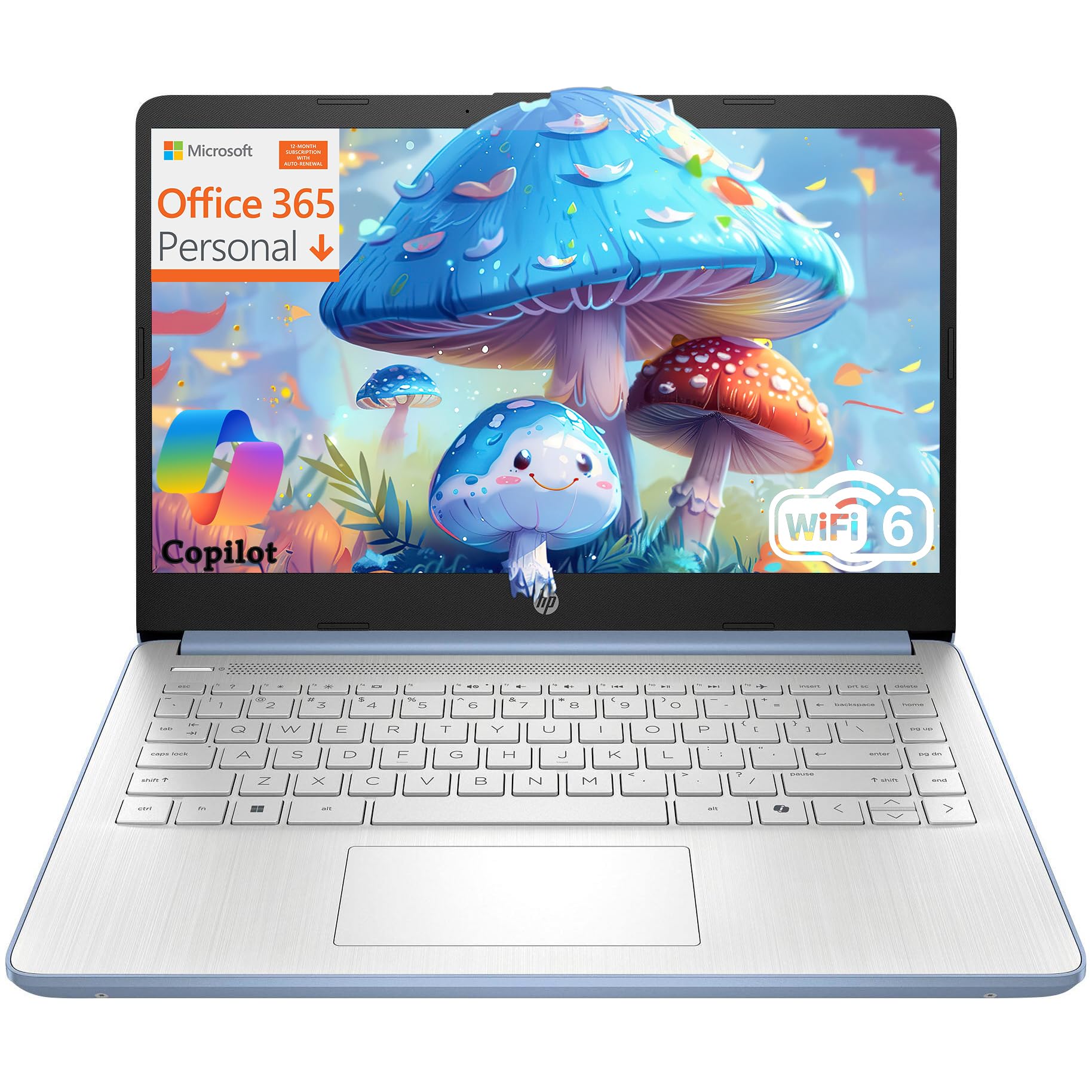
1. HP Essential Laptop
The light, quiet machine for a first clean install
You can carry this laptop in one hand between classes or from couch to kitchen table without thinking about it, because at 3.11 lb it is the lightest pick on the list. The Intel Processor N150 (a low-power chip made for basic everyday tasks) draws so little power that HP pairs it with an all-day battery and a 45W AC adapter (the power brick that refills the battery) that tops it back up quickly — so a mid-morning charge gets you through an afternoon of terminal work and browser tabs.
The physical camera privacy shutter and the dedicated mic mute key are the details that keep mattering after you wipe Windows off. You get a hardware kill for the webcam and a keyboard key for the microphone, which is the kind of switch Linux users usually have to hunt for in software. On the 4GB DDR4 memory and 128GB of eMMC storage, plan accordingly: this is a machine for a light desktop distribution, a browser, and a terminal, not for running containers or a stack of virtual machines.
Against the KUMNOSAL, the gap is stark on paper. The KUMNOSAL carries 24GB of memory against this machine’s 4GB, and 512GB of storage against 128GB. If you intend to keep three distributions on the drive and compile regularly, the HP is the wrong tool and the KUMNOSAL is the right one. If you want the cheapest entry into Linux and value portability above all, the HP is the one.
The case for the little blue one
- Only 3.11 lb — genuinely easy to carry all day
- All-day battery with 45W fast charging
- Hardware camera shutter and a mic mute key
Where it runs out of headroom
- 4GB of memory is tight once you open several browser tabs
- 128GB of eMMC storage fills quickly with a second distribution
Get this if: you want the lightest, cheapest entry into Linux and you mostly browse, write, and use a terminal.
skip it if: you plan to run virtual machines or compile code — 4GB of memory and 128GB of storage will be the wall you hit.
2. BOSGAME E4 Air Mini PC
No screen, no keyboard, and that is precisely the point
If you already own a monitor and a keyboard, a machine with a Ryzen 5 3500U (a mid-range AMD processor) and Radeon Vega 8 graphics (the built-in AMD graphics chip) sitting under your desk is the smartest Linux box on this page. The 4-core, 8-thread chip runs up to 3.7GHz, which is faster than the KUMNOSAL’s 3.6GHz maximum. The triple-output setup — HDMI, DisplayPort, and USB-C, each driving a 4K screen — is what makes it interesting for a home lab, because driving three monitors is exactly the kind of load a Linux desktop handles with a bit of config work rather than luck.
Connectivity is where a mini PC usually embarrasses a cheap laptop. This one carries dual Gigabit Ethernet ports, which is unusual at this tier and genuinely useful if you want a separate wired link for your desk and a second one for something else. Dual-band Wi-Fi 5 and Bluetooth 5.0 cover the wireless side, and the 256GB SATA SSD keeps the boot quick. Since you are supplying your own peripherals, the 8GB of DDR4 memory and 256GB of storage are the two numbers that will decide how far you can push it.
The one thing to know is reliability. Buyers report the reliability gets mixed feedback — while some say it works well, others report it stops working after 6 months. That is the honest split here, and it is why this is the machine for a hobbyist desk rather than something you would hang a business on. If you want a machine that replaces a laptop on your sofa, the ASUS Vivobook further down is the better plan. If you want a fixed Linux desktop with real wired networking, this is the value pick.
What wins people over: three 4K displays and dual Gigabit Ethernet from one small box, running a Ryzen 5 3500U with Vega 8 graphics.
Reach for this if: you already have a monitor and keyboard, want wired networking, and plan a fixed desk Linux install.
Look elsewhere if: you need a screen and a battery — this one plugs into the wall and nothing more.
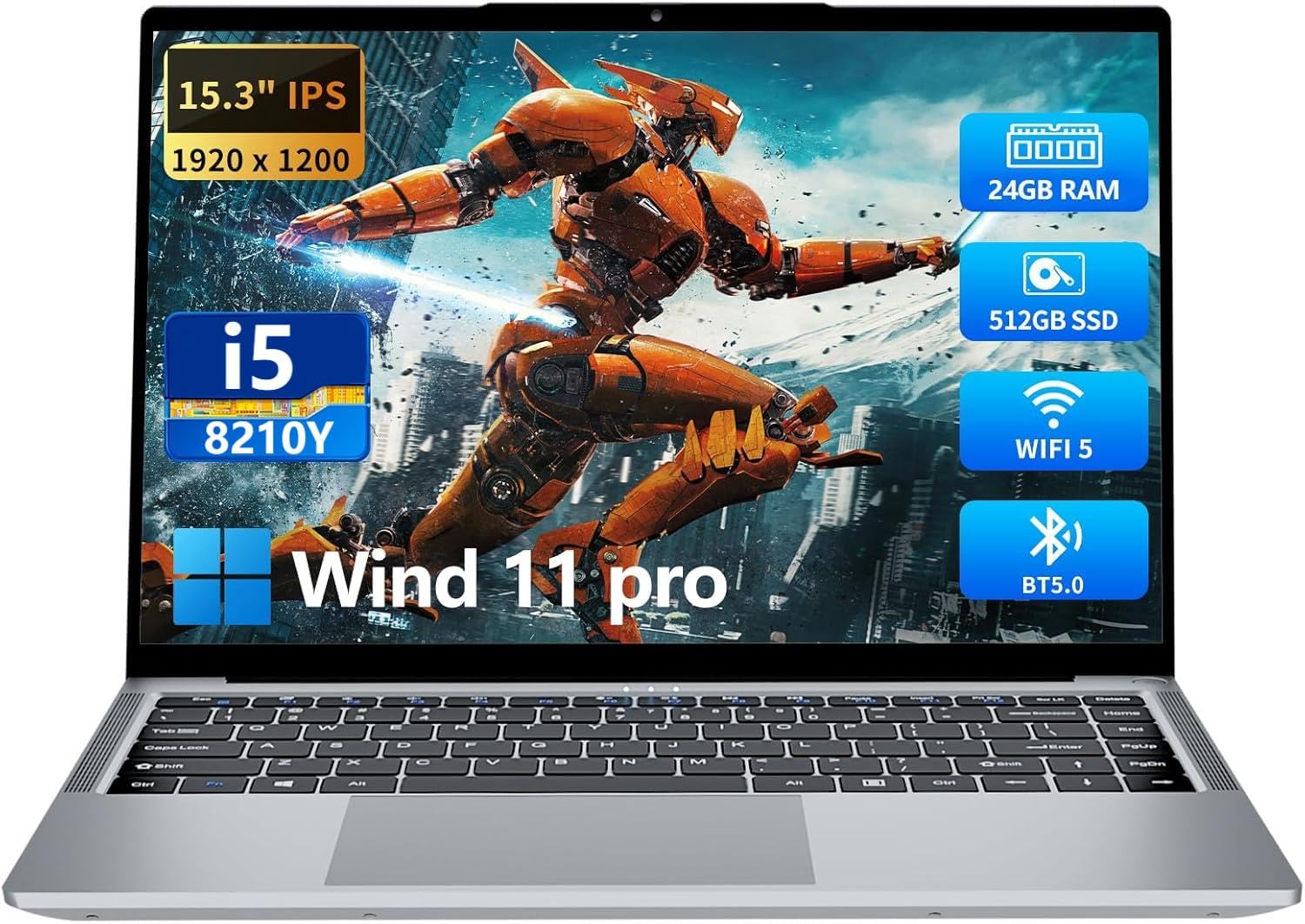
3. KUMNOSAL 2026 Laptop
Twenty-four gigabytes at a price the other brands will not match
Multiply the memory on the HP Essential by six and you get the KUMNOSAL. The 24GB of RAM against that machine’s 4GB is the largest gap in this entire round-up, and the 512GB solid-state drive is four times the HP’s 128GB. For anyone planning to run virtual machines, keep several distributions side by side, or spin up local tooling that eats memory for breakfast, this is the machine that buys you the room to do it.
The screen does not get shortchanged either. A 15.3-inch Full HD IPS panel at 1920 x 1200 gives you a taller 16:10 work area with a screen-to-body ratio of up to 90%, and the 180° hinge lets it lie flat on a desk. The i5-8210Y runs a 1.6GHz base clock with a turbo frequency up to 3.6GHz and a 4MB L3 cache. The port selection is generous once you are installing things — three USB-A 3.0 ports, a Type-C data port, full-size HDMI, a 3.5mm headphone jack, and a Micro SD slot, plus Bluetooth 5.0 and Wi-Fi 5.0.
The honest catch is the hinge. A small number of these arrive fragile, with the hinge failing and the display and hard disk following it. That is a real risk on a machine at this price, and it sits alongside everything else here — this laptop is a strong performer that wants to be carried in a sleeve rather than thrown in a bag. It runs on a 5000mAh battery (a measure of battery capacity) with a 12V adapter and gets over 6 hours per charge.
Where the money went: 24GB of RAM and a 512GB SSD — the biggest memory and storage of any budget machine here, on a 15.3-inch 1920 x 1200 IPS screen.
This one is for: anyone who wants to run VMs, containers, or several distributions without paying premium money.
Not the one for: heavy travelers — treat the hinge carefully and always carry it in a sleeve.
4. HP 15.6″ Laptop

A mainstream Intel machine that has already proven itself
The 11th Gen Intel Core i5 in this HP is the most conventional processor on the list, and that is a strength. Mainstream Intel silicon has been supported in the kernel for years, so the odds of a clean boot on first try are higher here than on an unfamiliar budget chip. The 256GB SSD wakes the machine from suspend in seconds, and the 8GB of DDR4 memory runs a browser, an editor, and a terminal without complaint. What owners keep coming back to is that it just keeps up with work — the performance is the thing people bring up most, and then the value.
A fingerprint reader on a laptop at this level is unusual, and it turns a Windows Hello feature into a Linux login option once you have your fingerprint stack set up. Battery life is listed at 7 hours. The fingerprint reader, Bluetooth 5.3, and the 1920 x 1080 Full HD panel round out a package that feels standard in the best way.
The catch concerns the battery. A number of owners run into trouble with it, reporting the battery does not charge at all. If you are buying this machine, treat the battery as the part to test first and confirm early. That aside, for a cheap machine, this is the safe Intel bet that also happens to be among the most-reviewed laptops here.
What it gets right
- Mainstream 11th Gen Intel silicon — kernel support is not a gamble
- 256GB SSD with 8GB DDR4, plus a fingerprint reader
- Bluetooth 5.3 and a Full HD 1920 x 1080 panel
What to watch for
- Battery charging trouble is a recurring owner complaint
- 7 hours of rated battery is modest against the longer-running picks
The smart pick if: you want the most predictable Intel Linux experience and do not want to gamble on an unfamiliar chip.
Test first: the battery, since a share of owners mention charging problems from the start.
5. ASUS Vivobook Go 15.6″ Laptop

The one students keep buying because it simply does the work
The Ryzen 3 7320U is a Zen3 chip built for thin laptops, and ASUS has sold a great many of these. The 15.6-inch NanoEdge display uses a slim bezel around a 60Hz panel with a 45% NTSC color gamut and 250-nit brightness, and the 180° hinge lets it sit flat when you are showing someone your screen. Memory is 8GB of DDR5 — the newer generation — with a 128GB SSD alongside it. Wi-Fi 5 and Bluetooth 5.1 handle the wireless side.
The processor performance is the part owners single out most, and then the value on top. The fast charging helps on a long day and the webcam shield is a small but welcome touch. The 720p camera and SonicMaster speakers round it out. It weighs 3.59 lb, which makes it a realistic bag companion for a commute or a campus day.
Two things come up repeatedly: the screen can show light bleed, and the battery life splits opinion — some get a good run from a charge and others find it dropping quickly. Neither is unique to this machine at this price. If a bright, uniform screen is your priority above all, look at the Acer Aspire Go further down instead.
Why it holds its place: 8GB of DDR5 memory and a Ryzen 3 7320U in a 3.59 lb body with a 45W charger and a webcam shutter.
Made for: the student who wants a familiar, proven laptop for classes, browsing, and light work.
Second choice if: you need an even, blemish-free screen or long unplugged battery life from day one.
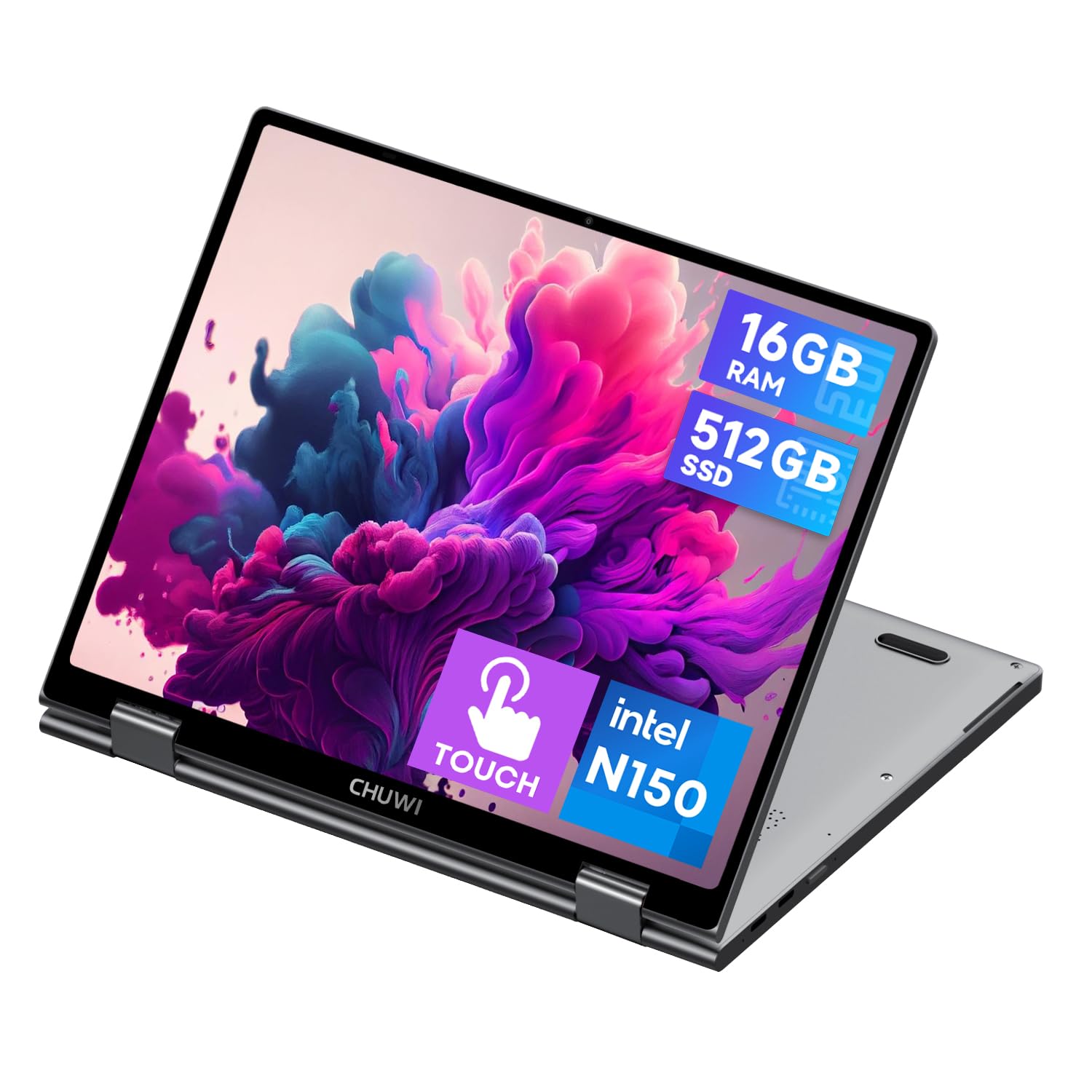
6. CHUWI 2-in-1 Mini Laptop
The one the Linux crowd already benchmarks against
Almost every buyer review of this 10.51-inch convertible reads like a Linux field report, and that is the point. Ubuntu 24.04 runs on it, Fedora KDE Plasma works from the start, and Debian installs cleanly with good battery performance. The connectivity is the thing people praise most across those reports, followed by the size. At 0.31 inches thin and 1.96 lb it fits a small bag and disappears into a stack of books. The 1920 x 1200 FHD+ touchscreen covers 100% sRGB with a 16:10 aspect ratio, so it is a full-sized keyboard’s worth of type on a genuinely tiny machine.
The hardware is more capable than the size suggests. The Intel N150 runs up to 3.6GHz with 12th Gen Intel UHD graphics, paired with 16GB of LPDDR5 memory and a 512GB SSD that you can expand with an M.2 2280 drive up to 2TB. Wi-Fi 6 and Bluetooth 5.2 handle the wireless side, there is a backlit full-sized keyboard, and two full-function Type-C ports handle charging, data, and 4K video output through a single cable. The 2-in-1 hinge supports stand, tent, and tablet modes.
There are real costs to the small package. The screen is native portrait, so expect to fiddle with orientation on first boot. Battery life runs in the 3 to 4 hour range on a heavier desktop session. Heat builds under load — one buyer notes the bottom grips came out after the unit got hot. And there are occasional reports of hardware failure and of the Windows license being a problem, though that last one simply does not apply if you are wiping Windows off anyway.
The Linux-first surprise
- Fedora and Ubuntu both documented working on real hardware
- 16GB LPDDR5, 512GB SSD, and M.2 expansion up to 2TB
- Under 2 lb with Wi-Fi 6 and Bluetooth 5.2
The small-box costs
- Native portrait screen needs orientation fiddling on boot
- Battery runs only 3 to 4 hours on a desktop session
Buy it for: travel and tablet use — the smallest machine here that runs Ubuntu and Fedora properly.
Do not expect: a battery that survives a full workday or a machine that stays cool under a heavy compile.
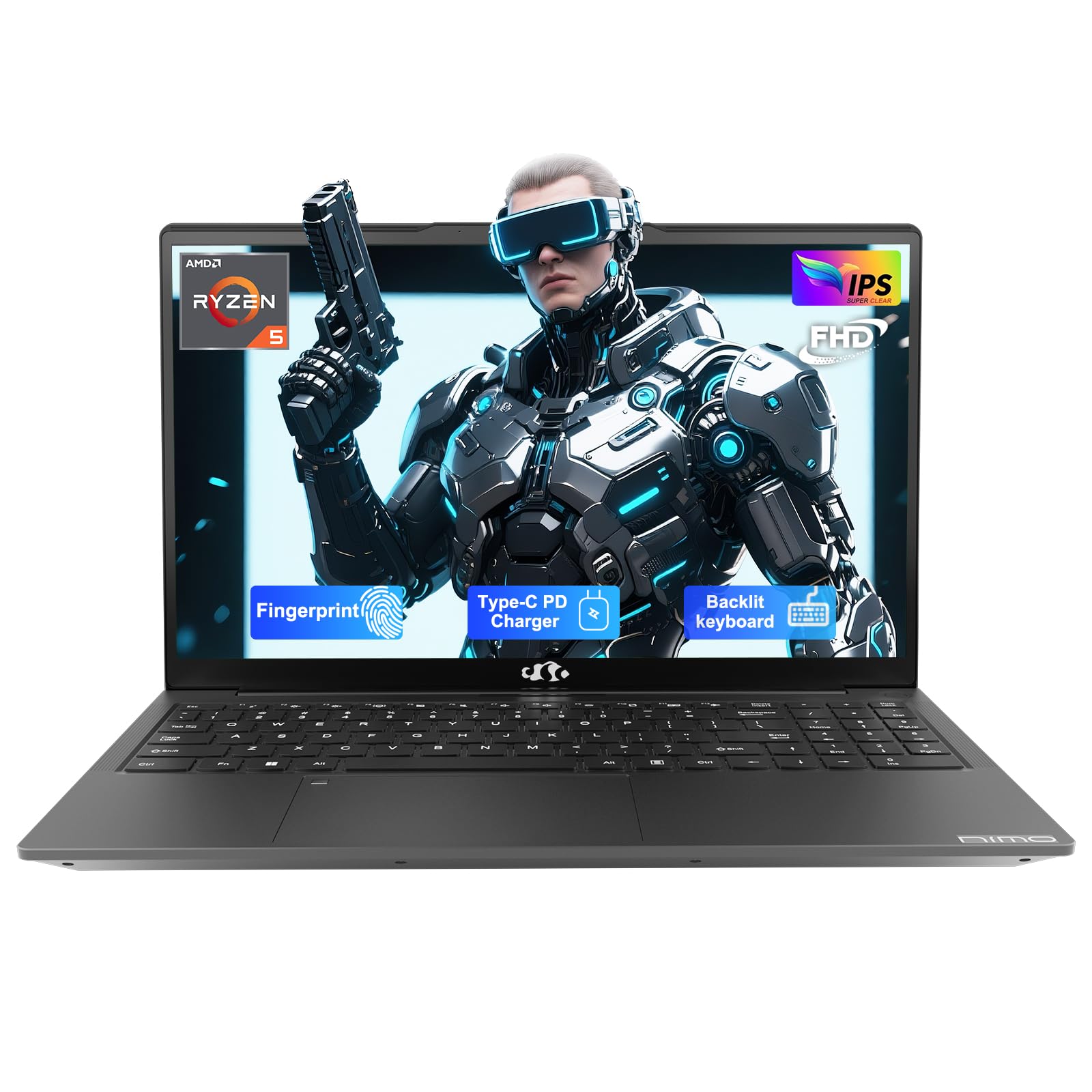
7. NIMO 15.6” Laptop
Thirty-two gigabytes and a terabyte — no other pick comes close
No machine on this page comes close to the NIMO’s 32GB of memory and 1TB of solid-state storage, and that combination is what makes it the top of the range. It runs an AMD Ryzen 5 with Radeon Vega 8 graphics at up to 3.7GHz, and it is the only pick here with a full 2-Year Warranty, partial USA assembly, and a 90-Day Return policy behind it. The 65W USB Type-C charger is reversible and works with other compatible devices, so one cable can feed the laptop and your phone.
The hidden camera design physically blocks the lens when it is not in use, and the fingerprint reader handles Windows Hello login with one touch. The backlit keyboard has adjustable lighting and status lights for CapsLock and NumLock, and the metal chassis gives it a nicer feel than most at this level. Customers note that a good spread of users run everything from Krita and Paint Tool SAI to Steam games like Skyrim and Left 4 Dead on it, with streaming and schoolwork alongside. It is the pick for the buyer who wants the most memory and storage headroom without paying more.
Wireless connectivity is where the caveats sit. Reviewers point out that Wi-Fi and paired devices drop out during use, which is a real annoyance in a machine this capable. Battery life is listed at 9 hours, though shoppers say closer to 4.5 hours in practice. The advertised 3.7GHz also shows lower in the system information. The speakers are weak, and the laptop is on the bulky side for its class. Treat those as trade-offs against the memory and storage rather than deal-breakers.
What you are paying for: 32GB of RAM with a 1TB SSD, USB-C 65W charging, and a fingerprint reader — with the wireless reliability being the honest trade-off.
The one for: anyone who wants the largest memory and storage here, or who values the longer warranty and return window.
Check first: whether steady Wi-Fi matters more to you than storage headroom — the wireless drops are the recurring complaint.
8. Dell 15.6 Laptop

The plain, familiar machine that gets the job done
If you want a laptop that boots into a Linux desktop every day without drama, this is the safe one. The Intel Core 3 100U is a 12th Gen chip running up to 4.7GHz, and the machine comes with 8GB of RAM and a 15.6-inch Full HD panel and Wi-Fi 6. Buyers report it handles emails, word processing, and streaming without fuss, and the anti-glare screen stays readable under office lights. It is the pick for someone who wants a Linux desktop that boots without drama.
Dell ComfortView reduces blue light emissions for long viewing sessions, the keyboard has a separate numeric keypad and a calculator hotkey, and the lifted hinges give the machine an ergonomic typing angle. Bluetooth 5.3 handles accessors. Dell also includes a 1 Year Onsite Service, which means the maker comes to your home or office if an issue under the limited hardware warranty cannot be solved remotely.
The honest caveats: speed receives mixed feedback, with owners split on whether login is instant or takes several minutes, and the battery dies quickly. The laptop is also on the loud side. Those are the weaknesses against the machine’s core strength — it is a very predictable, very well-reviewed plain workhorse. If your main use is a browser and a terminal, and you want the brand with the strongest on-site support here, this is the one.
What it does reliably
- 12th Gen Intel Core 3 100U up to 4.7GHz — mainstream Linux-friendly silicon
- Wi-Fi 6 and Bluetooth 5.3 for a modern wireless stack
- 1 Year Onsite Service from Dell
What comes up short
- Battery drains quickly according to owner reports
- Speed splits opinion — some find login slow
Settle on this if: you want a no-surprises daily driver with mainstream Intel support and on-site service.
Look past it if: you need long battery life or a snappy login — those are the gripes here.
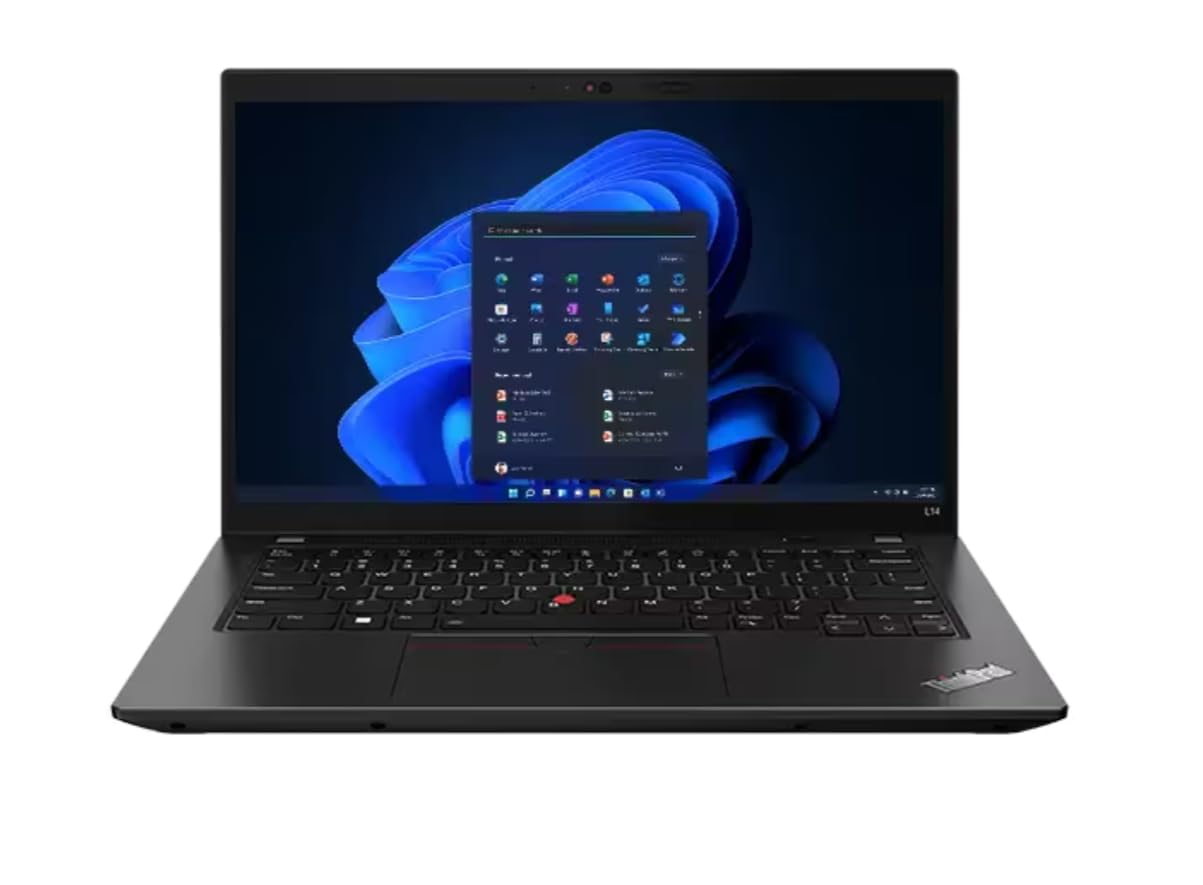
9. Lenovo ThinkPad L14 Ryzen 5 PRO 7530U 6-Core, 256GB SSD, 16GB RAM, FHD IPS (Renewed)
The business shell that was built to be taken apart
A ThinkPad is the machine the Linux world has trusted for decades, and the L14 Gen 4 continues that reputation. The AMD Ryzen 5 PRO 7530U is a 6-core, 12-thread chip running up to 4.5GHz with a 16MB cache, paired with 16GB of DDR4 3200MHz RAM and a 256GB PCIe SSD. The FHD IPS non-touch panel runs at 60Hz. A refurbished unit at this level gets you a business laptop at a consumer price, and since it has already been rebuilt, the odds of a driver surprise when you install a fresh distribution are low.
You can plug in almost any setup you own, because the port selection is business-grade. Two USB-A 3.2 Gen 1 ports, a USB-C 3.2 Gen 2, a USB-C 3.2 Gen 1, HDMI 2.1 supporting resolution up to 4K@60Hz (a sharp 4K picture at 60 frames per second), an RJ45 Ethernet port (a wired network jack), a headphone and mic combo jack, and a microSD reader cover almost any setup. Wi-Fi 6E at 2 x 2 with Bluetooth 5.3 is the newest wireless standard in this round-up. Windows 11 Pro comes installed, and the 65W AC adapter and standard keyboard with Trackpoint are included.
What to check first on a renewed unit: that the refurbished grading matches your expectation. Owners mention units that look nearly new with no scratches or dents, and the battery life holds up well. The 6-core processor and 16GB of memory make it plenty quick, and it has a small screen but a sturdy feel and it travels well. It is the pick for someone who wants proven Linux hardware without paying new-chassis prices.
Why it earns a slot: a 6-core Ryzen 5 PRO 7530U with 16GB and Wi-Fi 6E in a chassis people have been running Linux on for years.
The sensible choice for: the buyer who wants a proven business laptop and does not mind buying renewed to stretch the budget.
The thing to verify: the grading on your specific unit — refurbished stock varies, so read the listing photos closely.
10. Acer Aspire Go 15 Laptop

The Ryzen 7 machine that handles everything and complains about none of it
The Ryzen 7 7730U is the most capable processor on this list that is not a Snapdragon, paired with 16GB of DDR4 memory and a 512GB PCIe Gen4 SSD — the newest fast storage in this group. That combination makes it the most complete all-rounder here for work, streaming, and everything else. The 15.6-inch Full HD IPS panel has a narrow bezel and Acer BluelightShield to cut blue light for long viewing sessions.
Wi-Fi 6 and HDMI 2.1 with a full-function USB Type-C port cover connectivity, and AcerSense manages battery life, storage, and apps through one interface. There is also the Acer TNR and PurifiedVoice pair for video calls that improves clarity when you are taking meetings over Zoom or Google Meet. A 15.6-inch 1080p panel at this price feels like Acer did not cut corners.
Where it stumbles is sound. Customers note the volume levels are low and the fan gets loud under load. That is the compromise with a machine at this level — everything else is well above average for its class. The performance is the highlight, and the battery life supports extended use.
Where it shines
- Ryzen 7 7730U with 16GB RAM — the fastest all-round Intel-alternative machine here
- 512GB PCIe Gen4 SSD — the newest SSD interface in the round-up
- Wi-Fi 6 and HDMI 2.1 with a Full HD IPS panel
Where it falls short
- Sound is thin and the fan noise is noticeable under load
- No dedicated Linux validation from Acer
Most versatile here: if you want the strongest AMD all-rounder, this is the one to pick.
Know going in: the speakers are weak and the fans get loud, so budget for headphones.
11. Lenovo IdeaPad Slim 3X Laptop

Fifteen hours per charge, in a case you will forget you are carrying
The 60Wh battery and Snapdragon X processor deliver an advertised 15 hours per charge — the longest figure on this list. The 15.3-inch WUXGA display runs at 120Hz for smooth scrolling, and the 16:10 aspect gives you a taller work area. The metal chassis meets the MIL-STD 810H durability standard for commute knocks. The 45 TOPS NPU handles the Copilot+ features in Windows, and a physical webcam shutter and fingerprint reader cover privacy.
For Linux use, the story is more complicated. Snapdragon X is the newest platform in this round-up, and support for it in the Linux kernel (the core of the Linux operating system) is still being built out, which is why it sits at the bottom of this list. The onboard SSD slot lets you expand storage later, an Xbox PC Game Pass trial for three months is included, and Bluetooth 5.1 covers wireless peripherals, but the real use case for this machine is Windows or a lightweight distribution that has already been ported to ARM (a different processor family that needs its own version of Linux). If that fits your plan, nothing else here comes close on battery life and portability.
Owners are loud about what they like: the performance leads every other comment, and the value read follows closely behind. The display gets singled out for its size and clarity, the machine stays cool and quiet in normal use, and the backlit keyboard with a numeric pad earns steady praise. It is a light machine that is easy to carry, and it lasts a full day on a charge.
Set your expectations here: a 15-hour Snapdragon X machine with a 120Hz 15.3-inch WUXGA display and a MIL-STD 810H metal chassis — but the ARM platform means Linux support is still a moving target.
Choose this when: battery life and portability top your list and you are happy running Windows or a dedicated ARM distribution.
Look elsewhere when: you want a fully supported mainstream Linux desktop today — x86 hardware lower down the list is the safer bet.
Know the Specs
Why the wireless chipset matters more than the CPU
The processor usually gets the attention, but the network card is the part that decides whether your first boot ends at a working desktop or a dead end. A laptop with an Intel or AMD wireless chip tends to hand its driver straight to the kernel, which is why the machines on this list cluster around those platforms. When you are comparing listings, look for the wireless standard a machine names — Wi-Fi 5, Wi-Fi 6, or Wi-Fi 6E — because newer standards carry longer-supported drivers. The Lenovo ThinkPad L14, for example, lists Wi-Fi 6E, the newest wireless standard in this round-up, which gives it the widest driver support here.
Memory, storage, and where you actually run out of room
A fresh Linux install is modest, but the numbers on the box decide how far the machine carries you. 8GB of memory is the point where a browser, a code editor, and a terminal all stay comfortable at once — the ASUS Vivobook, the ThinkPad, and the Acer Aspire Go all sit at or above it. 16GB and up opens up containers and virtual machines, which is where the KUMNOSAL’s 24GB and the NIMO’s 32GB earn their keep. Storage works the same way: 128GB fills quickly if you keep more than one distribution installed, while 512GB and 1TB give you room to keep files without pruning. The type of storage matters too — an SSD wakes the machine from suspend in seconds, and a PCIe Gen4 drive like the Acer Aspire Go’s is the newest interface in this group.
Battery capacity in mAh and hours, translated
Battery figures are quoted in two ways — as capacity in mAh, and as runtime in hours — and the two do not always agree. The KUMNOSAL’s 5000mAh battery is quoted at over 6 hours of continuous use. The NIMO is quoted at 9 hours, while the Lenovo IdeaPad Slim 3X is quoted at 15 hours with a 60Wh battery. Real-world numbers often come in below the box, so the honest way to read a battery spec is to treat the quoted figure as a ceiling. A high-capacity battery in a machine you keep on a desk matters less than a fast charger, and a machine like the HP Essential with a 45W adapter is a better fit for that pattern.
Ports, charging, and the parts you plug in
After you install Linux, the ports decide what you can plug in. HDMI 2.1 on the Lenovo ThinkPad L14 supports resolution up to 4K@60Hz, so an external monitor runs smoothly at 4K. USB Type-C charging varies across these machines — the NIMO and the Lenovo IdeaPad Slim 3X both include a 65W USB Type-C adapter, and the CHUWI MiniBook X uses its two Type-C ports for charging, data, and 4K video output through a single cable. If you want one cable to power the laptop and a monitor on a desk, look for a machine that supports power delivery and display output together. If you want a wired network for a home lab, the ThinkPad’s RJ45 port is the exception here — most laptops in this price band skip it entirely.
Common Questions
Will a cheap laptop actually run Linux without driver problems?
Is 8GB of RAM enough for a Linux desktop?
Why is the Snapdragon X laptop at the bottom of this list?
Can I upgrade the RAM and storage on these laptops?
Is a renewed laptop a good option for running Linux?
Does the HP Essential’s 4GB of RAM cause problems with a clean Linux install?
How much battery life should I expect from a budget Linux laptop?
Are Wi-Fi 6 and Wi-Fi 6E worth having on a Linux machine?
Is a mini PC a better choice than a cheap Linux laptop?
How do I know if a laptop’s storage can be replaced after I install Linux?
The Bottom Line
For most people, the cheap laptop for linux winner is the HP Essential because it pairs an Intel N150 that draws little power with an all-day battery, a 3.11 lb body, and a hardware camera shutter you can trust after the install — all for the least money here. If you want the most room to run virtual machines and a second operating system, the KUMNOSAL is the pick, with 24GB of RAM and a 512GB SSD that no other budget machine matches. And if a fully portable Linux tablet is what you have been looking for, the CHUWI MiniBook X runs Ubuntu and Fedora on hardware under 2 lb. One nudge if you are still deciding: the NIMO gives you the largest memory and storage here along with a 2-Year Warranty, so it is the one worth stretching for if you want a single machine to carry you for years.
How we choose
We do not accept paid placement. Every pick is matched to a real buyer and a real use-case; we do not hands-on test units.
Sources
Specifications: manufacturer listings and product documentation. Review insights: verified customer reviews, as of October 2026. Pricing: not shown on this page (it changes often); check the current price via the retailer link.
As an Amazon Associate, Aappliancez earns from qualifying purchases. This does not affect which products we feature.