Disclosure: Some links in this post are affiliate links. As an Amazon Associate I earn from qualifying purchases, at no extra cost to you. Learn more
Specs are compiled from manufacturer listings and verified buyer reviews and can change over time — please confirm the key details on the product page before buying.
Most 43-inch TVs at the budget end of the shelf look great in the store and then disappoint you at home in one specific way: fast motion turns to mush. A receiver running downfield or a camera pan across a kitchen goes soft and smeary, and you spend the next five years noticing it. This guide sorts that out first, then walks through the picture processing, the streaming system built into each set, and the ports you will actually plug into.
This guide is built by comparing the manufacturers’ published specifications and the patterns across verified customer reviews, so you get each pick’s real strengths and trade-offs instead of marketing spin.
A 43-inch screen is the size that fits a bedroom wall, a small apartment living room, or a dorm without swallowing the room — and the picks below cover every budget tier. Here is the honest shortlist of the cheap 43 inch tv options that get the fundamentals right without the showroom tricks.
Top Picks



How To Choose The Best Cheap 43 Inch TV
A 43-inch set is small enough that every shortcut in the panel shows up close, so the buying decision is less about the resolution badge and more about how well the TV handles ordinary content. Start with what you actually watch, then work backwards to the specs.
Match the panel to the room, not the brochure
Brightness and contrast behave differently in a sunlit living room versus a dark bedroom. Sets with local dimming (zones of LEDs that switch off independently) hold deeper blacks in a dim room. Simpler direct-lit panels stay evenly bright across the screen, which suits a bright kitchen or a guest room where the lights are usually on.
Check the smart system before you commit
The operating system decides how fast the TV feels every single day. Fire TV leans heavily on Alexa voice control and Amazon content. Google TV organizes recommendations across your subscriptions. Tizen and Roku are known for snappy navigation, and Xumo bundles a large free channel lineup. Pick the one whose menu logic matches how you already find things to watch.
Count your HDMI ports before delivery day
A cable box, a game console, and a soundbar can all want a socket at once. Three HDMI inputs covers most households, and at least one should support ARC or eARC so a single cable carries audio out to a soundbar. If you still run a VCR or an older disc player, look for composite or RF inputs that newer sets sometimes drop.
Decide how much motion smoothing you can tolerate
Motion processing estimates and fills in frames so fast camera moves stay readable. On sports it helps. On movies it can make film look like a home video, which is why most sets let you switch it off. A panel with a higher native refresh rate handles motion more naturally than one relying on interpolation alone.
Side-by-Side Comparison
| Model | Best For | Resolution | Refresh Rate | Smart System | Amazon |
|---|---|---|---|---|---|
| Staging Product – Receive and Stow★ Best Overall | Bright-room movie nights | 4K QLED | — | Fire TV | Amazon |
| Samsung 43-Inch U8000H Crystal UHDBest Value | Everyday family viewing | 4K | — | Tizen | Amazon |
| Westinghouse Xumo 43 InchBest Free Content | Free channels, no subscriptions | 4K UHD | — | Xumo | Amazon |
| FPD 43 Inch 1080p FHD | Simple, familiar TV use | 1080p FHD | — | Tizen | Amazon |
| Samsung 43-Inch M70H Mini LED | Contrast and gaming | 4K Mini LED | 120Hz (DLG) | Tizen | Amazon |
| TCL QLED 43P7K | HDR movie watching | 4K QLED | 120Hz accelerator | Google TV | Amazon |
| Hisense A7 43A7N | Google TV on a budget | 4K | 60Hz | Google TV | Amazon |
| TCL S3 43S350R | Guest rooms and offices | 1080p Full HD | 60Hz | Roku TV | Amazon |
| Hisense S5 DécoTV 43S5QF | Rooms where looks matter | 4K Hi-QLED | — | Fire TV | Amazon |
Detailed Reviews
1. Staging Product – Receive and Stow
The screen that keeps its blacks dark in a room with the curtains open.
This is the pick for the buyer who wants a bright, room-filling picture and does not want to give up contrast to get it. The panel pairs a 4K Quantum Dot layer (tiny particles that widen the color range) with full array local dimming across 48 individual zones — meaning the TV can dim one patch of the screen while another stays bright. In practice that is what makes starfields look black instead of grey and makes a night scene read properly instead of washing out.
HDR support is the other reason it earns the top slot. Dolby Vision IQ and HDR10+ Adaptive both adjust the picture to your room as it changes, and the built-in light sensor handles the rest automatically. Dolby Vision and 4K YouTube look genuinely striking on this set, and the Ambient Experience mode turns the screen into a display for free artwork when nobody is watching. Four HDMI inputs, including one eARC port that carries audio to a soundbar over a single cable, also make it easy to build a small home theater around.
The trade-off here is software temperament, not picture. The Fire TV interface leans on ads and a busy home screen, and the YouTube TV app in particular drags when you scroll the live guide. Wi-Fi speeds top out in the high-100s to low-200s Mbps even near the router, so a wired Ethernet run is worth considering. Wall-mounting needs care too — the VESA bracket sits off-center, so check your mount before the set goes up. As owners put it about the interface: it is an ad-first TV you tune to taste. If you want the best-looking picture in this group and can live with some menu friction, this is the one.
What wins people over
- Full array local dimming across 48 zones keeps darks deep and highlights bright in the same frame
- Dolby Vision IQ and HDR10+ Adaptive adjust the picture to your room lighting as it changes
- Four HDMI inputs, one with eARC, so a soundbar and console can both live plugged in
- Hands-free Alexa with a microphone switch that physically disconnects the mics for privacy
Where it asks for patience
- Fire TV’s home screen is ad-heavy and the YouTube TV guide scrolls sluggishly
- Wi-Fi measures in the high-100s to low-200s Mbps even near the gateway — a wired connection is kinder
- The VESA mount point sits off-center, so some wall brackets need extender arms
- Motion smoothing ships switched on; you will want to disable it for films
Reach for this if: you want the richest 4K picture in this lineup and do not mind spending ten minutes turning off the picture processing.
Think twice if: you want a bare-bones menu with no advertising — its Fire TV shell will irritate you daily.
2. Samsung 43-Inch Class Crystal UHD U8000H Series
Free channels by the thousand and a processor that sharpens ordinary cable into 4K.
For a household that mostly watches broadcast, streaming apps, and the odd ball game, this Samsung does the sensible thing well: it takes whatever you feed it and tidies it up. The Crystal Processor handles 4K upscaling — filling in detail on lower-resolution sources so a regular HD channel does not look soft on a 4K panel. Motion Xcelerator estimates and adjusts frame transitions in real time, rated up to 4K 60Hz, so a fast break or a quick pan stays readable rather than smearing.
What makes it easy to live with is the content buried inside. Samsung TV Plus serves 750+ subscription-free channels within a wider pool of 2,700+ free streaming options, at no extra cost. Bluetooth 5.3 covers pairing a soundbar or headphones, and a 4000:1 contrast ratio gives it a more solid black floor than most budget panels manage. Setup is quick, the bezels are slim, and Alexa is built in for voice searching. Owners tend to describe the picture as crisp and vibrant and the value as the real headline.
Honest limitations exist and they are specific. The panel holds up well in dim light but loses punch and red detail in strong daylight, so a sun-drenched room will need curtains. Only two HDMI inputs are commonly reported on this model, which is tight if a console and soundbar both want a socket. The picture presets ship on a rather cartoonish default, so budget time to dial contrast and sharpness back. Voice control lands in that slightly mixed territory too: it works, but expectations should stay modest.
Where it shines: a huge free-channel library plus dependable 4K upscaling for a mid-range outlay, which is exactly what a family room needs most days.
The honest catch: daylight is its weak spot — the picture loses saturation in a bright room, so treat it as a dim-light performer.
Best fit: a family living room where the TV runs all evening and nobody wants another subscription bill.
Look elsewhere if: your room faces a wall of windows at midday — you will want a brighter panel.
3. Westinghouse Xumo 43 Inch Smart TV
A free-channel machine with a 350-channel library built right into the remote.
If the goal is to stop paying for television altogether, this Westinghouse is built around that idea. The Xumo system bundles 350+ free live channels and 70,000+ on-demand movies and shows with no sign-up required. Dolby Vision and HDR+ both make the jump to a 4K panel, and the 43-inch 4K UHD display renders detail sharply enough that sports and movies look clean rather than soft.
The connection options are more generous than the tier suggests. Three HDMI inputs, one USB, a composite video input, and an optical digital audio output mean a game console, a soundbar, and an old disc player can all coexist. Apple AirPlay 2 lets you mirror from an iPhone, iPad, or Mac, and Bluetooth 5.1 pairs headphones or a soundbar without cables. Universal voice search across apps is the quiet convenience here: speak a title, genre, or actor and it finds the match without hopping between services.
Treat the reliability side as the honest question mark. Long-term smart-OS speed is a fair concern on a value set, and there is a lesson in the reports of cracked screens arriving on larger siblings — inspect on delivery before mounting. The remote also has a known compatibility gap with DirecTV, so plan around your box. For a bright kitchen, a spare bedroom, or a cord-cutting living room, though, the free-channel depth is hard to argue with. Sound is better than expected too, with the built-in speakers delivering real stereo separation.
The case for cutting the cord
- 350+ free live channels and 70,000+ on-demand titles with no subscription required
- Dolby Vision and HDR+ both supported on a 4K UHD panel
- Three HDMI, USB, composite video, and optical audio cover older gear and new
- Apple AirPlay 2 and Bluetooth 5.1 for wireless mirroring and audio
What to plan around
- The remote does not control DirecTV boxes — you will need a second remote
- Smart-OS speed over several years is a fair concern on value hardware
- Inspect the screen on arrival before mounting; damage sometimes surfaces late
Worth it for: the household that wants a full channel lineup without a monthly bill, and a room bright enough that HDR punch matters.
Not the one if: you run DirecTV and want one remote to rule the room.
4. FPD 43 Inch 1080p FHD Smart TV
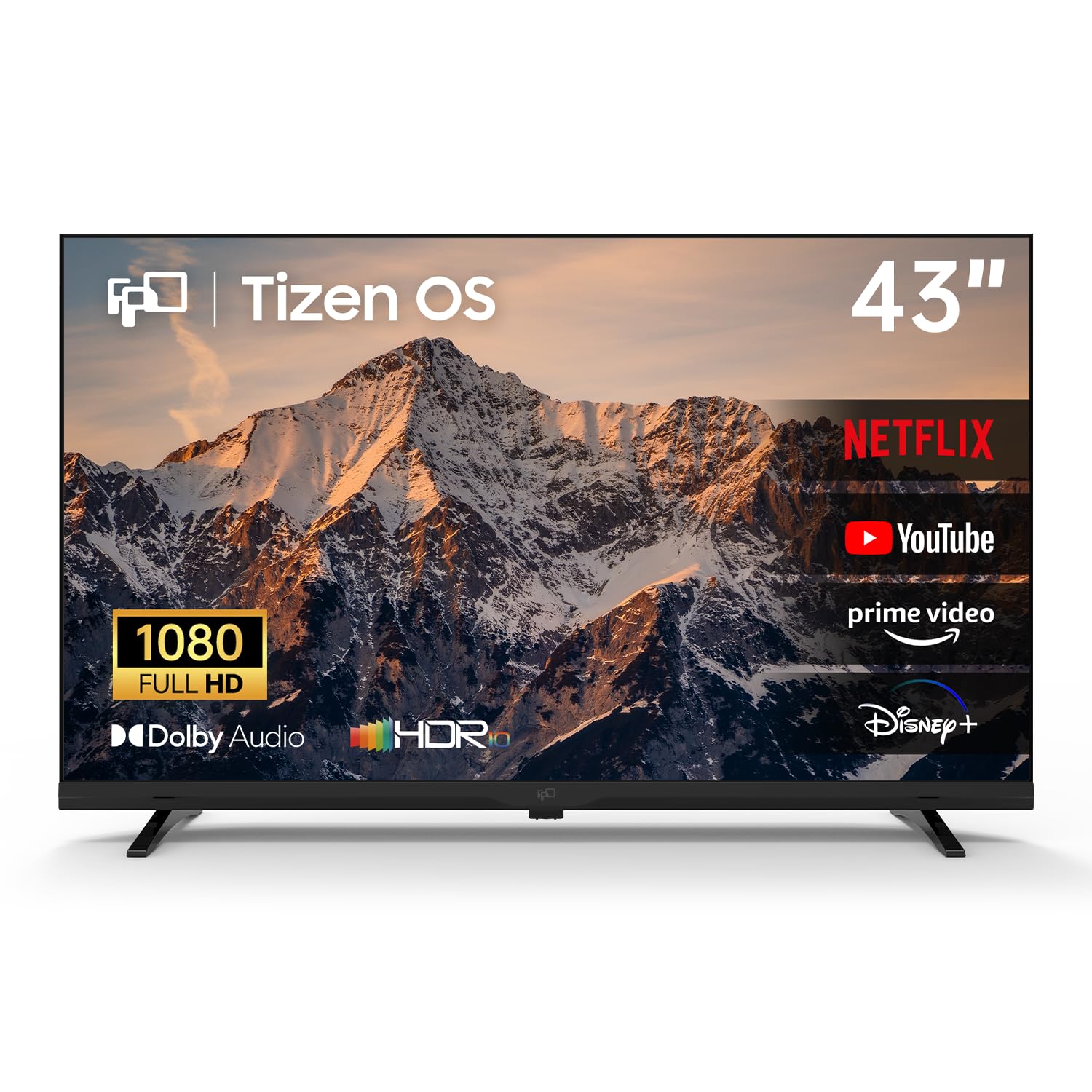
Full HD done plainly, with a familiar menu system and a remote that keeps a number pad.
Not everybody needs 4K, and this set is the honest admission of that. It runs 1080p Full HD resolution with HDR layered on top for richer color, paired with Dolby Audio for the sound side. The Tizen operating system is the same one Samsung uses, so Netflix, YouTube, and Prime Video open quickly and the menus respond without a learning curve. Samsung TV Plus adds 350+ free live channels with no sign-up or extra fee.
The detail that makes it stand out in this particular group is convenience for older or simpler setups. The included remote reaches channel 3, which matters if you still run a VCR or an older cable feed. Samsung Gaming Hub streams 1,000+ cloud games via Xbox Cloud Gaming and NVIDIA GeForce NOW without a console, and SmartThings controls compatible smart-home gear from the TV. Miracast handles screen mirroring from a phone or laptop, and Bluetooth 5 keeps wireless audio available.
Here is the fair caveat. At 1080p, fine text and small on-screen menu elements do not carry the precision of a 4K panel, so this suits a bedroom or kitchen at normal viewing distance rather than a desk. One reviewer noted color failure within four months, which anyone should weigh as a risk on an entry-level set — and it underlines why checking the return window with a value brand matters. Otherwise the picture, stereo sound, and setup draw steady praise, and the color reproduction lands well for the money.
The practical read: if you watch cable, DVDs, and a couple of streaming apps, Full HD is plenty and this set keeps the whole experience familiar.
Know before you buy: it is a 1080p panel, so it will not match the sharpness of the 4K picks above at close range.
Pick this one for: a bedroom, kitchen, or older relative’s room where simple beats sharp.
Step up if: you sit close to the screen or stream a lot of 4K content — the extra resolution is worth the jump.
5. Samsung 43-Inch Class M70H Series Mini LED

Mini LED backlighting and a 120Hz refresh rate, in a 43-inch frame that games properly.
This is the pick for someone who splits time between movies and a game console, and it makes its argument with the panel itself. Mini LED backlighting means the LEDs behind the screen are far smaller and far more numerous than a standard LED array, so Supreme Mini LED dimming can drive bright highlights and deep blacks in the same scene. The Pure Color Spectrum layer claims one billion colors, and Mini LED HDR pushes highlights brighter than a standard HDR panel while holding shadow detail.
Motion is where it separates from the cheaper sets. Motion Xcelerator with DLG running at 120Hz analyzes and lifts the refresh rate for games and sports, keeping quick action sharp rather than blurring through it. Soccer Mode applies a preset the maker rates at 40% clearer motion and 30% more vibrant greens for match viewing. Samsung TV Plus contributes 750+ subscription-free channels inside a 2,700+ free streaming pool, and Gaming Hub gathers console, cloud, and app games into a single menu with recommendations.
The one consistent friction point is the remote. It has very few buttons, so changing caption or audio settings means cycling an on-screen menu — mildly annoying at first and still mildly annoying later. Channel guide information is also sparse from the start, and the screen is delicate enough that you should transport it carefully. About the remote, as owners put it: it is a minimal design that trades buttons for hunting. Beyond that, the picture, setup speed, and reliability record all read strongly positive.
Standout spec: Mini LED dimming plus a 120Hz-capable panel is the combination that makes this the best motion performer of the group.
Small irritation: the stripped-back remote forces you through on-screen menus for basic changes.
Suits you if: you want a 43-inch that handles a fast game or a match without softening, and you value contrast over button count.
Choose a different set if: you want a remote with dedicated caption and audio keys.
6. TCL QLED 43″ 43P7K
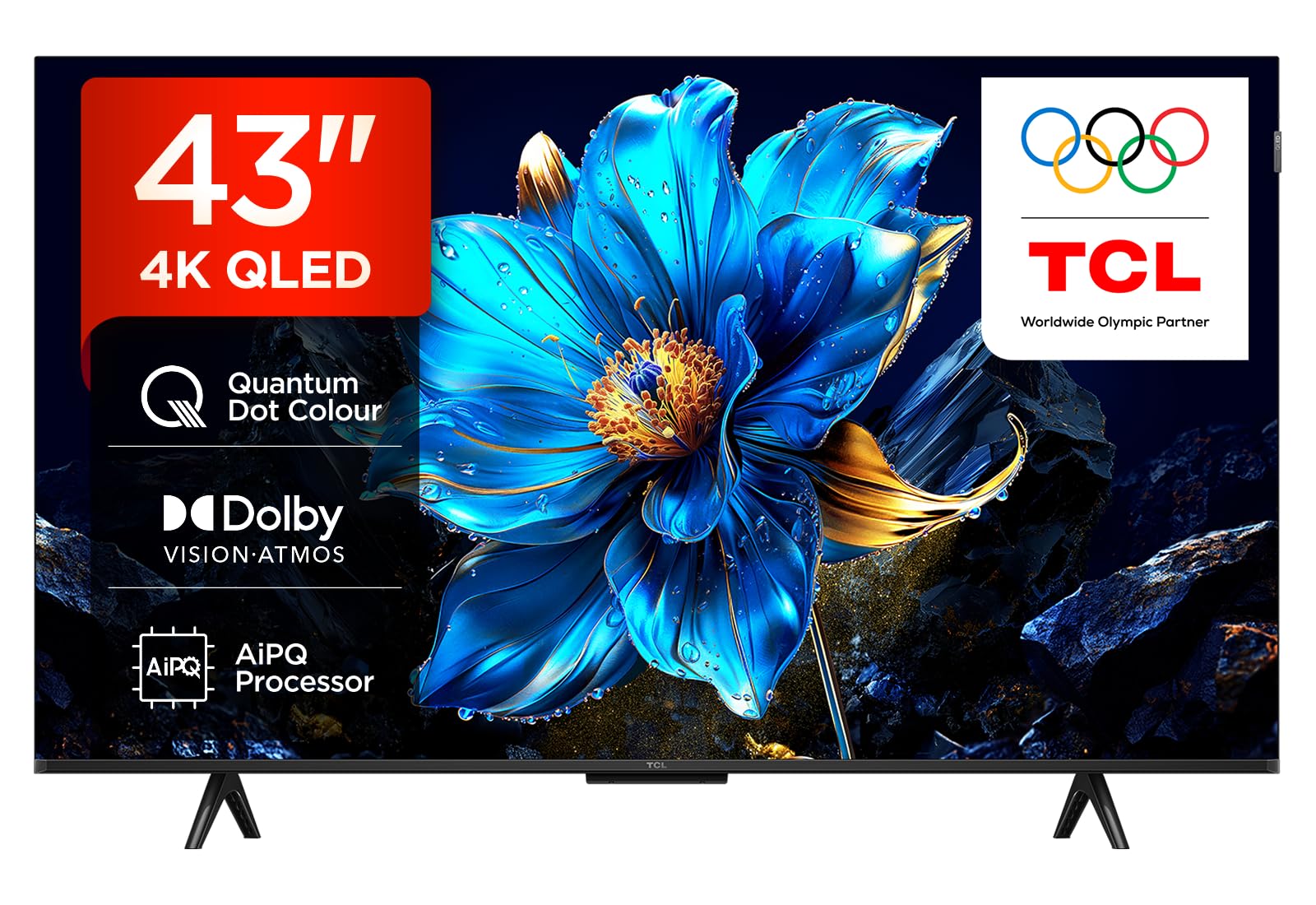
Every major HDR format at once, wrapped in a borderless 43-inch frame.
The case for this TCL is straightforward: it accepts HDR10+, Dolby Vision, and standard HDR without making you choose a side. A QLED panel paired with the AiPQ processor and a 120Hz display refresh rate does the picture work, and Game Master keeps latency down when a controller is connected. It runs Google TV with Google Assistant built in, so recommendations pull across your subscriptions and voice search works from the remote.
Design gets real attention here. The borderless front gives you more screen inside the same footprint, and the chrome-less look sits well in a smaller room where the TV is always in view. Dolby Atmos audio comes through the built-in speakers, though the set also plays audio out to a TCL soundbar if you want the deeper version. At 73 kilowatt hours per year, it draws the least power in this group.
The honest part: the software is not finished. Program information can misreport what is currently airing, recording a TV program is not supported, and reviews written in other languages flag the same kinds of glitches. Google TV itself runs cleanly, but do not expect the polish of Samsung’s Tizen. Picture and price land very well for the money. Think of it as a great panel with an operating system that occasionally forgets what channel it is on.
Strengths that matter
- Dolby Vision, HDR10+, and Dolby Atmos all supported on a QLED panel with a 120Hz refresh rate
- AiPQ processor pairs with Game Master for low-latency console play
- Borderless design boost screen inside a compact footprint
- 73 kWh per year is the leanest energy draw in this group
Where the software falls short
- Program information can be inaccurate on the live guide
- Recording a TV program is not supported
- Google TV is solid, but polish sits below Samsung’s Tizen
The one to grab if: HDR movie watching is the priority and you want every format covered without paying premium-tier money.
Skip the upgrade if: you rely on a TV guide and expect it to be accurate — the software slips there.
7. Hisense A7 Series 43-Inch Class (43A7N)
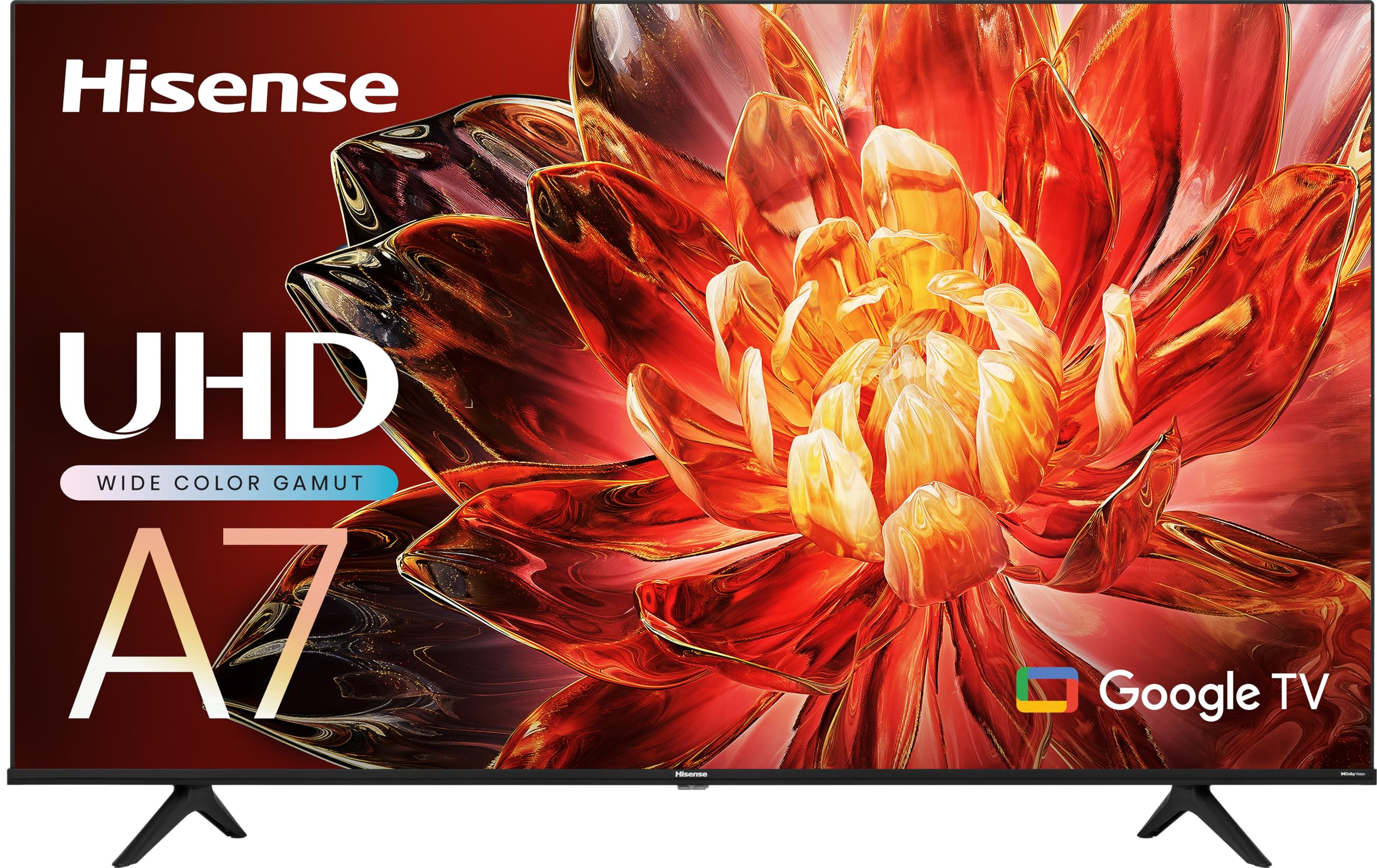
Wide color and virtual surround sound for the apartment that just got its first TV.
For a first apartment or a room that needs a television without a whole home-theater project, this Hisense makes a coherent pitch. The 4K AI Upscaler takes older shows, home video, and ordinary broadcast and pushes them toward 4K sharpness, while a wide color gamut built on special phosphor technology widens the spectrum and boosts saturation. DTS Virtual:X simulates rear and height channels through the built-in speakers, so action scenes get some lift without a separate soundbar.
Game Mode Plus bundles a 60Hz panel with variable refresh rate and auto low latency mode, which is exactly what next-gen consoles want from a budget display. Google TV organizes movies, shows, live TV, and subscription apps into one interface and surfaces recommendations based on what you watch. The voice remote handles channel changes, volume, and searches by speech, and the whole setup process is short enough that non-technical buyers report getting through it fine on their own.
The trade-offs are the honest kind. Performance is genuinely mixed — fast and responsive for many, sluggish and glitch-prone for others, with the operating system’s bugs and freezes the recurring complaint. Physical fragility is the other caution: one report describes a small bump to a rear corner spreading into a tint and then a dead screen within months, so handling it carefully during setup is not optional. Picture and sound quality themselves draw consistent praise. If the software behaves, it is a fine television for the money.
Picture and sound: wide color gamut plus DTS Virtual:X makes this one of the more enjoyable budget sets to just watch a movie on.
Where it wobbles: the smart system’s speed and stability vary from unit to unit, and the panel is not built to take knocks.
Choose it for: a first apartment where Google TV’s organization and strong built-in sound carry the day.
Consider alternatives if: a stable, fast interface matters more than color richness to you.
8. TCL 43-Inch Class S3 1080p LED Smart TV (43S350R)

The Roku interface, a 1080p panel, and a metal frame that fits a guest room beautifully.
Roku owners tend to describe this TV’s picture as bright and color-accurate at 1080p, and that is the whole point of it. Full HD resolution with Dynamic Contrast adjusting brightness and contrast per scene, a Direct LED backlight for even uniformity across the panel, and a FullView metal bezel-less front that looks more expensive than it behaves. Three HDMI inputs, one with ARC, cover a console and a soundbar at the same time.
Roku TV is the reason to pick this over the other budget sets. It brings 250+ free live channels, a home screen that most people find genuinely easier than the alternatives, and a Remote that behaves without lag. Apple AirPlay 2 lets you send video, photos, or music from an iPhone, and the set responds to Amazon Alexa, Google Assistant, and Apple HomeKit voice commands. Game Mode drops input lag when a controller connects. The panel’s VA design (a vertical-alignment LCD that trades viewing angle for contrast) gives it deeper blacks than an IPS panel would, which is why movies look the way they do here.
Expect the odd bit of character. The feet can be awkward to attach, the preset app buttons on the remote are not reprogrammable, and there is no number pad or dedicated power button on the remote. The live TV guide sorts awkwardly for antenna users, and the VA panel narrows the viewing angle — noticeable on a plain wallpaper background, less so in normal shows. None of that stops it being a strong bedroom or office set. For the asking money, it is one of the safest picks here.
Why it earns its place
- Roku TV with 250+ free live channels and a home screen that stays out of the way
- Direct LED backlight for even brightness across the panel
- Works with Amazon Alexa, Google Assistant, and Apple HomeKit, plus AirPlay 2
- Three HDMI inputs, one with ARC, and a sturdy remote with no lag
Quirks to expect
- The remote has no number pad or dedicated power button and its app keys are fixed
- The VA panel narrows viewing angles compared with an IPS screen
- The antenna guide lacks a sort-by-channel option
Hand this to: a guest room, home office, or bedroom that needs a no-fuss TV with the friendliest streaming menu around.
Look at 4K instead if: you sit close to the screen or plan to game on a current console.
9. Hisense 43-Inch S5 DécoTV Series (43S5QF)
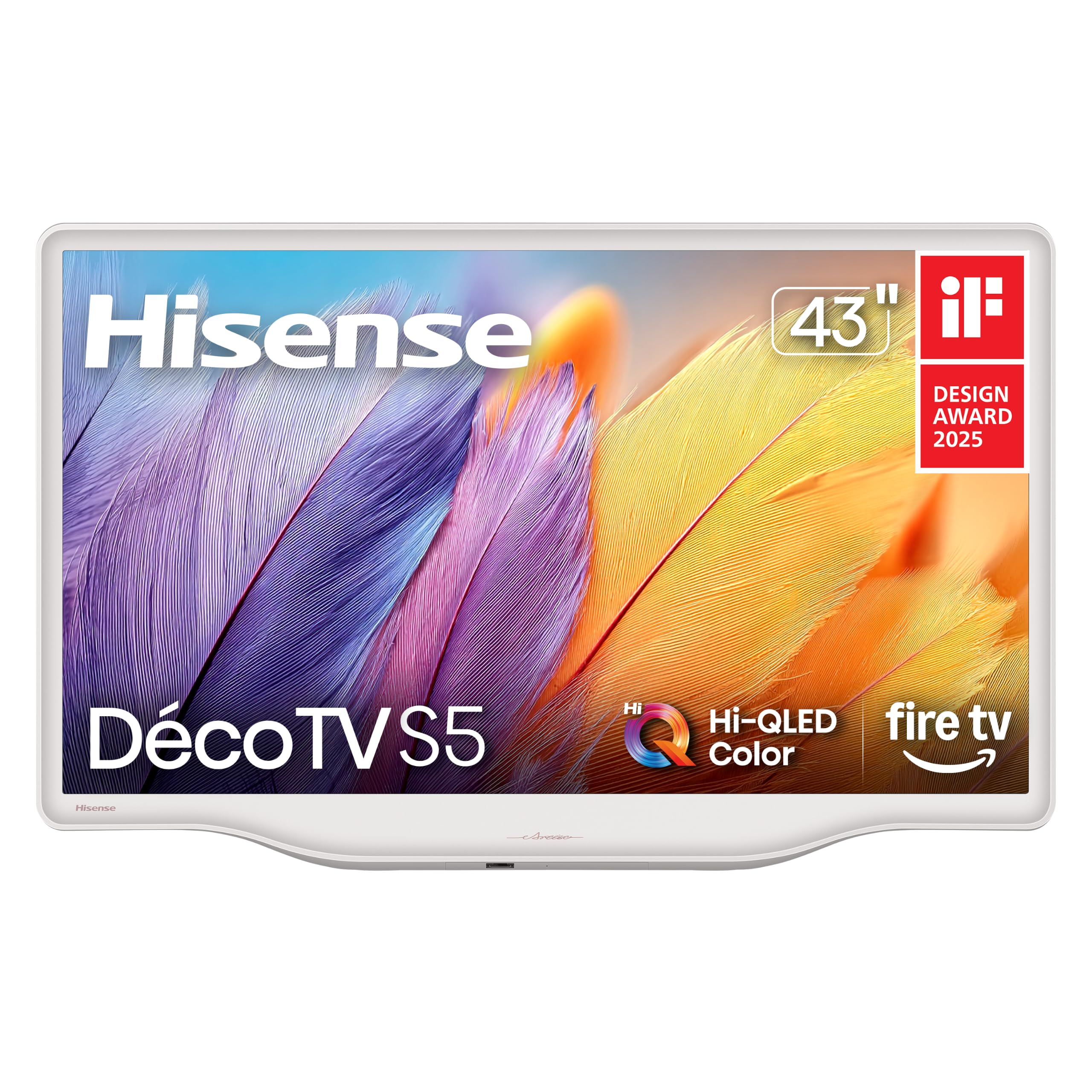
A television in Morandi white that looks like decor first and a screen second.
Most TVs in this price range are black rectangles you hide or work around. This one is a design decision you make on purpose: a Morandi white finish with smooth, flowing curves and a sculpted central stand that replaces the usual two feet. It sits on a dresser or cabinet and reads like part of the room rather than a piece of electronics. Plenty of owners buy it precisely because it fits a beige, cream, or slate-blue bedroom that a black bezel would spoil.
Underneath the looks, the hardware holds up. Hi-QLED color keeps shades rich and true to life, an AI 4K Upscaler sharpens older and lower-resolution content, and AI Smooth Motion with MEMC keeps fast action fluid by estimating missing frames. High Contrast pushes deep blacks against bright whites, Noise Reduction cleans grain from low-light scenes, and Filmmaker Mode locks the aspect ratio, color, and frame rate to what the director intended. Dolby Vision handles the HDR picture, Dolby Atmos handles the sound, and VRR support keeps console gaming smooth.
The notable catch here is the styling premium. Owners openly acknowledge that the same television is available for less in a conventional finish — what you are paying extra for is the way it looks in your room. There are smaller functional gripes too, including an input setting that will not stay put on HDMI between sessions, forcing a manual switch each time. Handle the delicate finish carefully and it rewards you with a room that looks considered.
Looks that earn their keep: a Morandi white body and central flowing stand make this the one TV in the group you would actually leave on display.
The trade-off: you pay a visible premium for the finish versus the equivalent set in black.
It is for you if: the TV lives in a styled bedroom or dining nook and a black slab would clash with everything.
Save your money if: the set sits in a dark media corner where the finish never shows.
Know the Specs
Resolution and upscaling
Resolution is the number of pixels on the panel. A 1080p set draws roughly two million; a 4K set draws four times that, which is why 4K panels look sharper up close. Upscaling is the separate job of filling in detail on lower-resolution sources like cable, older DVDs, and some streams. A good processor makes an ordinary broadcast look clean on a 4K screen; a weak one leaves it soft. On a 43-inch set, 4K sharpness is most noticeable when you sit within a few feet of the screen.
HDR formats and dimming
HDR (high dynamic range) lets the TV show brighter highlights and deeper shadows in the same frame. Dolby Vision and HDR10+ both adjust the picture scene by scene, while standard HDR10 and HLG use a fixed curve. Local dimming decides how convincing the result looks: full array dimming switches zones of LEDs off for genuine blacks, and Mini LED packs far more, smaller LEDs into the same space for finer control. A direct-lit panel without dimming stays evenly bright, which suits rooms with the lights on.
Refresh rate and motion processing
Refresh rate is how many times per second the panel redraws the image; 60Hz is standard on budget sets, and 120Hz redraws twice as often. Higher rates make fast pans and sports feel smoother. Motion processing names like Motion Xcelerator and MEMC estimate and insert frames to smooth motion further, and they help most on lower-refresh panels. These features usually ship switched on and can be turned off if you prefer the original film look.
Ports and the smart system
HDMI handles your cable box, console, and soundbar, and at least one port should support ARC or eARC so audio travels out over a single cable. USB covers a flash drive or a streaming stick, and optical audio feeds a soundbar on older gear. The smart system is the interface you use every day: Fire TV leans on Alexa and Amazon content, Google TV organizes across subscriptions, Roku and Tizen are known for quick menus, and Xumo bundles a large free channel library.
Common Questions
Is a 4K 43-inch TV worth it over a 1080p one?
Will a 43-inch TV fit on a dresser or a small stand?
Do budget 43-inch TVs need a soundbar?
What is the difference between Dolby Vision and HDR10+?
Will a 120Hz TV make sports look smoother?
Can I use a 43-inch TV as a computer monitor?
How long do cheap 43-inch TVs usually last?
Do I need Wi-Fi or is Ethernet better for streaming?
Is a QLED panel better than a standard LED panel?
What is VESA mounting and will my bracket fit?
The Bottom Line
For most people, the cheap 43 inch tv to buy is the Staging Product – Receive and Stow, because full array local dimming across 48 zones and Dolby Vision IQ give it the deepest, most balanced picture in this group. If you mostly want free channels and a clean 4K picture without subscriptions, the Samsung U8000H covers more ground per dollar. For gaming and motion, the Samsung M70H Mini LED is the one that keeps fast action sharp —without softening, and the TCL S3 remains the safest small-room pick with the friendliest streaming menu. One honest nudge: the TCL S3 carries the group’s highest rating at 4.0+ stars across 3,500+ owners, making it the crowd favorite for a bedroom or guest room.
How we choose
We do not accept paid placement. Every pick is matched to a real buyer and a real use-case; we do not hands-on test units.
Sources
Specifications: manufacturer listings and product documentation. Review insights: verified customer reviews, as of October 2026. Pricing: not shown on this page (it changes often); check the current price via the retailer link.
As an Amazon Associate, Aappliancez earns from qualifying purchases. This does not affect which products we feature.