Disclosure: Some links in this post are affiliate links. As an Amazon Associate I earn from qualifying purchases, at no extra cost to you. Learn more
Specs are compiled from manufacturer listings and verified buyer reviews and can change over time — please confirm the key details on the product page before buying.
Buying charger cables feels like it should be simple until you are standing in a hotel room at midnight with a dead phone and a cord that only charges if you hold it at a weird angle. The fix is not a fancier brand name — it is the right connector for your devices, the right length for where you use them, and a rating that matches what your phone or laptop can pull. Below are eleven cables laid out by who each one genuinely suits, from lightning cords for older iPhones to 240W USB-C lines that will top up a laptop.
This guide is built by comparing the manufacturers’ published specifications and the patterns across verified customer reviews, so you get each pick’s real strengths and trade-offs instead of marketing spin.
Start with the connector, not the brand, and the choice narrows fast. You will see which cables survive daily bending and which ones only look tough, which lengths reach your bedside table, and where the real limits sit — all within this guide to the best charger cables.
Top Picks
![INIU 240W USB C to USB C Cable, [6.6ft+6.6ft] Fast Charging Type C, Orange](https://m.media-amazon.com/images/I/51Ta1k49CRL.jpg)
How To Choose The Best Charger Cables
The most common mistake is buying a cable by brand and price alone. A cord is a physical pipe: if the connector shape is wrong or the metal inside is too thin for your device’s draw, no amount of fancy braiding will make it charge faster.
Match the connector before anything else
A Lightning plug — the flat reversible one Apple used on iPhones before the 15 — only fits those phones, iPads with Lightning ports, and AirPods cases. A USB-C plug is the rounded, symmetrical one that now sits on almost everything else, including current iPhones. Walk into this backwards and you own a cable that fits nothing in your drawer.
Read the wattage or amp rating as a maximum, not a promise
A cable rated 240W does not make a laptop charge at 240W. The actual speed comes from the charger and the device, and the cable is simply capable of carrying up to that. A 3A cord is a real ceiling, though — it will not pass the high wattage a big laptop needs, so it belongs with phones rather than a MacBook.
Look hard at the joint where the plug meets the cord
Almost every cable dies in the same spot: the bend just behind the connector. Strain relief — the extra flexible collar of material at that junction — is what buys you months or years. Bend-test figures the makers publish, like 30,000 or 100,000 bends, are the best public hint at how much flexing the joint is built to take.
Side-by-Side Comparison
| Model | Best For | Connector | Length | Power Rating | Amazon |
|---|---|---|---|---|---|
| Anker USB A to Lightning★ Best Overall | Older iPhones | USB-A to Lightning | 6 ft | MFi, 480 Mbps data | Amazon |
| JSAUX USB C 3-PackBest Length Set | Whole-house coverage | USB-A to USB-C | 3.3 + 6.6 + 10 ft | 3.1A | Amazon |
| INIU 240W USB-CTop Performer | Laptop-level power | USB-C to USB-C | 6.6 ft (2-pack) | 240W | Amazon |
| Amazon Basics Lightning | Budget Apple backup | USB-A to Lightning | 6 ft | 2.4A, 480 Mbps | Amazon |
| PRAKIE USB-A to USB-C | Everyday phone charging | USB-A to USB-C | 6 ft (2-pack) | 3A, 480 Mbps | Amazon |
| UYOUNG 3-in-1 Multi | Mixed-device households | Lightning + USB-C + Micro USB | 10 ft (2-pack) | 3A total | Amazon |
| DEWALT 100W USB-C | Jobsite abuse | USB-C to USB-C | 6 ft | 100W | Amazon |
| Apple USB-C to Lightning | Pocket and travel | USB-C to Lightning | 1 m (3 ft) | Fast-charge with USB-C adapter | Amazon |
| AOHI 140W Digital Display | Watching live wattage | USB-C to USB-C | 4 ft | 140W (5A) | Amazon |
| Belkin BoostCharge 240W | Desk and car | USB-C to USB-C | 6.6 ft (2-pack) | 240W, 480 Mbps | Amazon |
| Apple 240W Woven USB-C | MacBook charging | USB-C to USB-C | 2 m (6 ft) | 240W, USB 2 data | Amazon |
Detailed Reviews
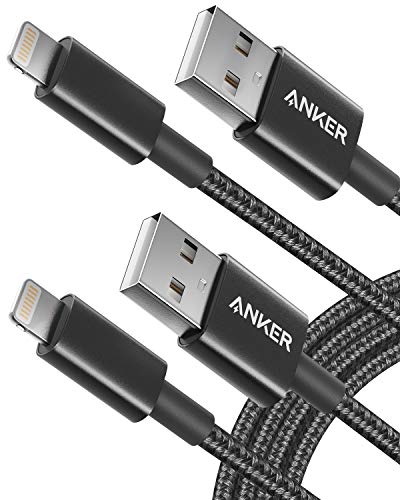
1. Anker USB A to Lightning Cable
Our pick — 4.5+★ from 110,500+ verified ratings; the strongest balance of quality and price.
A Lightning cable built to survive pocket life, not just the first month of it.
If your iPhone still uses the flat Lightning plug, this is the pair to buy. Anker’s own numbers say the cable is built to withstand 90-degree bends over 12,000 times — meaning it is designed for the daily fold-and-stuff routine that kills ordinary cords. The 6 ft / 1.8 m length lets you keep using the phone while it charges, whether that is talking on it or scrolling in bed.
The MFi certification is the part that matters most day to day. It means an Apple-licensed chip sits inside the Lightning plug, and the phone treats the cable as legitimate rather than flashing an “accessory not supported” warning. Anker notes this cable has a limited charging speed for the iPhone 14, so treat it as a dependable everyday lead rather than the fastest option available.
What wins people over is plainly the durability — it is the single thing owners talk about more than anything else. The cables hold their connection through travel and daily power-bank use where cheaper leads have died. The honest catch is stiffness: the same sturdy build that resists fraying makes the cord less pliable in tight spaces. That is the price of the toughness, and most buyers happily take the trade.
What earns the top slot
- MFi certification with an Apple C48 Lightning plug — no compatibility warnings on the phone
- Rated for 12,000 bends and tested to bear 88 lbs of weight
- Two 6 ft cables in the box, so one lives in a bag and one stays by the bed
Where it holds back
- USB-A on the charger end caps the speed compared with a USB-C setup
- The cord runs stiff, which is awkward in a tight pocket
- Not the fastest charging for the newest iPhones
Reach for this if: you run an iPhone 14 or older and want a two-pack that keeps charging reliably for years.
Look elsewhere if: your phone charges over USB-C — this plug will not fit it.
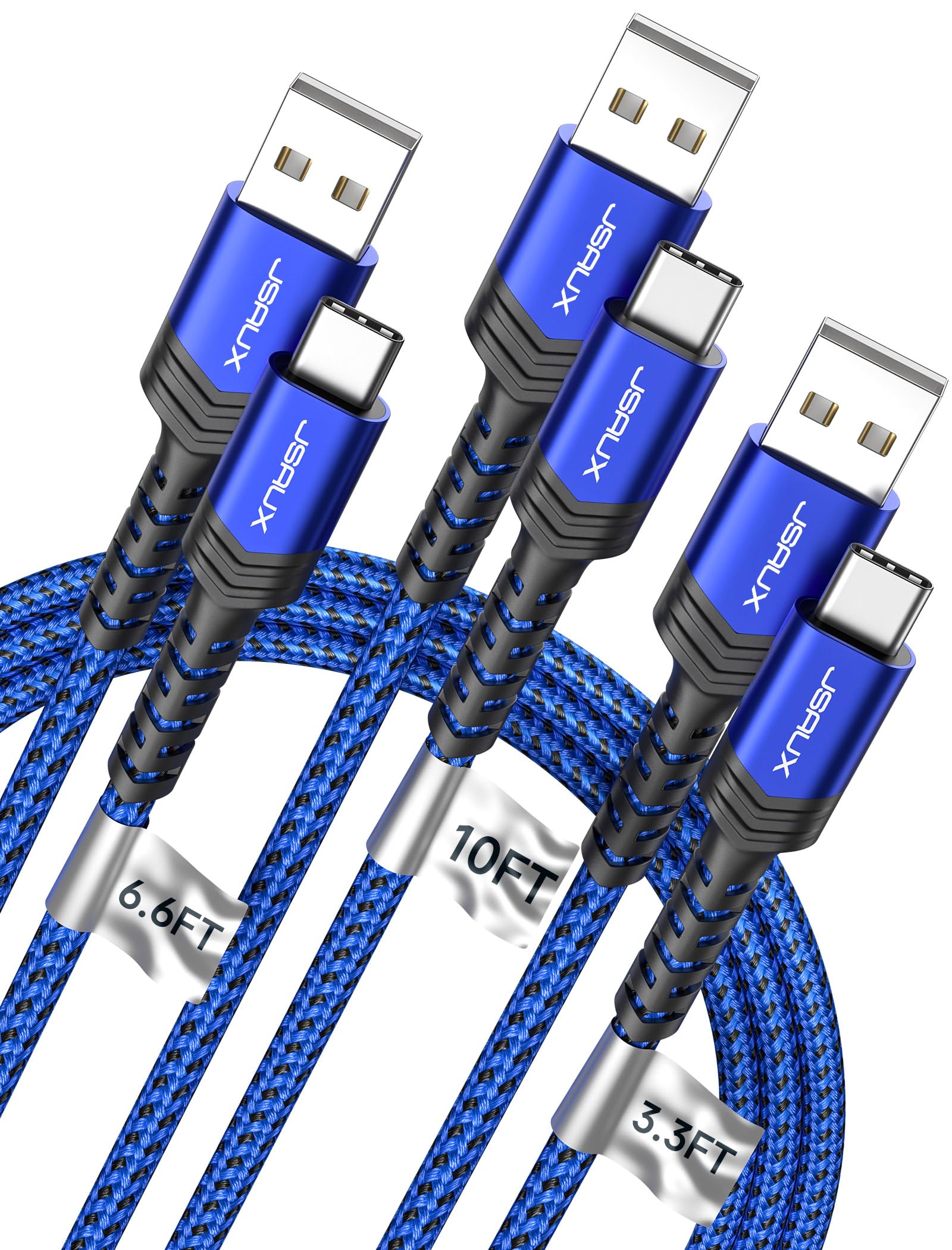
2. JSAUX USB C Cable 3-Pack
Three cables, three lengths, so every outlet in the house actually reaches your phone.
Here is a straightforward way to cover a home: one short 3.3 ft cord for the power bank in your bag, one 6.6 ft for the desk, and one 10 ft to stretch across the couch. That 10 ft run is the headline — a full 4 ft longer than the 6 ft Anker above and the cable you want when the only free socket is across the room. The set runs 3.1A with 480 Mbps data transfer, which is fine for a phone.
The build is where JSAUX makes its case. Each cable carries a reinforced strain-relief collar at the plug, the joint that fails first on cheap cords, and the maker rates the assembly for 10,000+ bends. The braided jacket resists tangling and the connectors are reinforced at the connection points. Quality is the aspect that earns the most goodwill here, and it shows in the little practical touches.
The one thing to plan around: the woven jackets arrive somewhat stiff and need working straight out of the packaging. And a 10 ft lead running to an iPhone tops out at 7.5W charging on the iPhone 16 and 15 series, so long length and fast speed are a compromise on those phones. For a drawer full of different jobs, though, the three-length spread is hard to match.
Best-value organizing trick: each cable ships with a clever little wrap strap that keeps the coils tidy in a bag or drawer, a small detail that keeps the three leads from tangling into one knot.
Honest limit: that long 10 ft run is not the fast-charge path for recent iPhones — the plug end is limited to 7.5W there.
Who it beats: anyone buying one length and wishing it were longer — this pack solves all three spots in one purchase.
Who should pass: a single-phone buyer who only charges at a desk and wants one premium cord instead of a family of three.
3. INIU 240W USB C to USB C Cable
The cord that brings laptop-level power to a phone-and-tablet desk setup.
A 240W rating is the number that separates this cable from everything else on the list. It means the cord can carry enough current for a MacBook Pro, not just a phone, and INIU’s own figures put a MacBook Pro at 88% and an iPad Pro at 91% in 30 minutes with a matching high-power charger. Both cables in the pack stretch 6.6 ft, so one can stay by the laptop and one by the bed.
The detail that makes the power visible is a small green LED in the plug. It lights up when the device is pulling a fast charge, so you can tell at a glance that the wall port is delivering the full rate rather than trickling. An E-Marker chip (a tiny chip in the connector that negotiates safe power levels) sits inside for over-charge and temperature protection, guarding the battery while it takes all that current.
People treat these as daily workhorses — the pair gets repurchased and gifted, and the strain relief at the plug is built to stop the fraying that ends most cables. The honest trade is that this is a USB-C to USB-C cable only, and the high wattage needs a suitably powerful charger at the other end. Plug it into an old low-power brick and it charges slowly like any other cord.
What the display tells you: the green light confirming a live fast charge is genuinely useful — it saves you wondering whether a slow top-up is the cable or the wall adapter.
Worth knowing: a three-year INIU Care plan rides along with the pair, which is generous coverage for a cable that already feels dense and well made.
The right pick if: you charge a laptop, tablet, and phone from the same USB-C charger and want one cable type that handles all three at full speed.
Think twice if: your charger is an older low-wattage brick — you will not see the fast rate this cable is capable of.
4. Amazon Basics USB-A to Lightning Cable

An iPhone lead that behaves like the original for a fraction of the markup.
This is the cable to grab when you need a spare for a car, a guest room, or a charging pouch and do not want to think hard about it. It carries Apple’s MFi certification and the original C89 smart chip, so it pairs cleanly with every Lightning iPhone listed from the 5 up through the 14 line. Wide-diameter wires and reduced cord resistance let it draw up to 2.4 amps, and the nylon braid plus an extra layer of protection at both ends holds up to daily plugging.
Where this earns its keep is consistency. It charges at the same pace as a stock Apple cord and connects without warnings, and buyers who use three different lengths of the same model keep coming back. The 6 ft reach is the practical piece — long enough to charge from a car socket while you navigate, short enough to coil into a bag pocket.
Worth being clear-eyed about: the cord is sturdy but not immortal, and a few long-term users find it frays at the plug after heavy daily use. That is a fair caveat for a budget-priced cable, not a reason to avoid it. For the price of one branded lead you get a dependable spare that just works.
Value read: the MFi smart chip is the whole point here — it is what stops the “unsupported accessory” pop-up and lets the phone charge at its normal rate, all for budget-tier money.
The one caveat: the fabric braid can start to wear near the connector after years of daily bending, so a little care when coiling it helps it last.
Grab it for: a cheap, certified spare to leave in the car or a travel bag without a second thought.
skip it if: you want a USB-C connection for a newer phone — this is the old Lightning plug.
5. PRAKIE USB to USB C Cable 3A Fast Charging, 2 Pack, 6FT

Two plain, tough USB-C cords for the phones you charge every single day.
This is the workhorse option if you are moving an Android phone or an iPhone 15-and-later over USB-C and want a pair of no-fuss leads. The 3A rating and 480 Mbps data transfer cover everyday phone charging and file moves comfortably. Each cable is rated past 40,000 bends — a stout figure for the flex point behind the plug — and the reinforced joint is built to stop the fraying that ends most phone cords.
There is a bit of extra insurance in the safety certification and voltage-regulation built in, which filters out the small current wobbles that wear on a battery over time. The 6 ft length hits a practical middle ground: enough slack to use the phone while it charges in bed or in the car, without a giant coil to manage.
A fair share of buyers report quick, reliable charging with a secure plug, while a smaller group runs into a lead that charges slowly or loses its connection over time. That split is worth knowing going in. The reinforced plug design, though, is the specific thing frequent users single out for keeping the bend point intact.
What you get for the money
- Two 6 ft cables, so one for home and one for the car or office
- Rated past 40,000 bends with a reinforced joint at the plug
- Built-in voltage filtering to protect the battery
Worth knowing first
- Charging speed lands mid-pack — some buyers find it slower than hoped
- A small share of units lose connection over time
- Only 3A, so not built for laptop-level wattage
Good fit for: a two-phone household that wants a matched pair of dependable everyday cords.
Not for: a laptop user chasing 100W or higher — look to a 240W cable for that job.
6. UYOUNG Multi Charging Cable 10FT 2-Pack
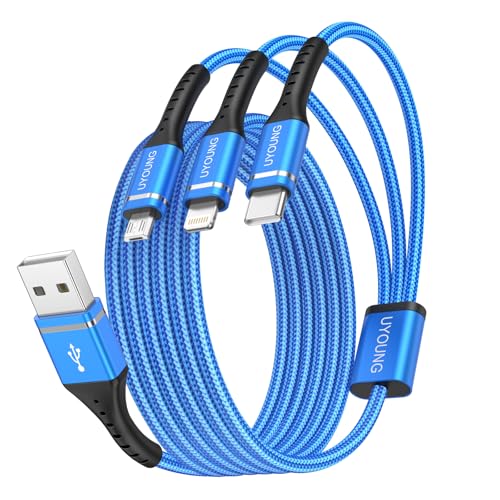
One cord that ends the nightly hunt for whichever plug charges which device.
For a house with an iPhone and an Android tablet and a pair of earbuds, this is the clutter-killer. The single cord branches into three heads — Lightning, USB-C, and Micro USB — so the same lead charges three different devices, and the total output is capped at 3A. Two cables come in the pack, each stretching 10 ft, which reaches a recliner or a bedside table without a stretch.
It pays to read the fine print on data: only the Lightning head passes data as well as power, at 480 Mbps. The USB-C and Micro USB heads charge only, which is fine for most people and a deal to know if you move files off an Android phone. The double nylon braid and aluminum alloy housing are built to shrug off being pulled, yanked, or chewed.
The convenience is what people love — the classic scene of one cord freeing a recliner USB port for both an iPhone and an iPad at once. The honest trade-off is speed on the branch heads: the multi-head design tends to charge more slowly than a dedicated single cable, and a few buyers find it takes hours to top up. It is the tidy-desk answer, not the fast-charge answer.
A desk-drawer winner: the spread of connectors is the whole appeal, and 10 ft of reach means the same cord serves a couch, a car seat, or an office chair without repositioning.
The real catch: only the Lightning head carries data, and the shared power tends to be slower than a one-device cable — plan around a longer top-up.
Pick this when: you keep juggling different phone brands and just want one cable per room to catch them all.
Choose a dedicated cord instead if: raw charging speed is your priority.
7. DEWALT Heavy Duty 100W USB C to USB C Cable, 6 ft

A jobsite cable for people who are famously hard on their cords.
This one is dressed for abuse: a thickly braided exterior, Kevlar reinforcement, and flexible strain relief at the plug. It carries up to 100W, enough for a phone, tablet, or MacBook Pro when paired with a 100W charger. The 6 ft length reaches across a truck cab or a workbench, and a little Velcro tie keeps it tidy when it is not in use. If you have a habit of wrapping a cord around your hand and shoving it in a bag, this is aimed at you.
Charging speed leads the praise here, followed closely by the build. It fast-charges a phone and pairs readily with a matching DEWALT charger block, and it is compatible with the iPhone 15 series, MacBook Pro, iPad, and the DEWALT USB Charging Kit. The thick, protective jacket is the star — it feels rugged the moment you pick it up.
The honest note on that ruggedness: the cable runs on the stiffer side, which some owners see as a plus for durability and others find a nuisance in a pocket. Either way it charges at its advertised wattage and shrugs off the kind of handling that shortens a normal cord’s life.
Why it belongs here
- 100W output reaches laptop-level charging with a matching adapter
- Kevlar reinforcement and braided jacket built to take abuse
- Yellow and black housing is easy to spot in a dark bag
The honest caveat
- Stiffer than a soft braided cord, so less supple in tight spots
- Needs a 100W charger to hit its full rate
Made for: tradespeople and heavy handlers who want a cable that survives being tossed in a tool bag daily.
Not the pick if: you want a featherweight cord that coils flat into a coin pocket.
8. Apple USB-C to Lightning Cable (1 m)

The genuine lead for a Lightning iPhone — short, tidy, and built to disappear in a bag.
If you want the cable Apple itself makes, this is it: a USB-C connector on one end and a Lightning connector on the other, with a 1 m / 3 ft run that suits a bedside table, a desk, or a carry-on pocket. Pair it with an Apple 18W, 20W, 29W, 30W, 61W, 87W, or 96W USB-C adapter and it taps the fast-charging feature on select iPhones. The short length is the point — it flexes where you need it without a coil of slack.
What you get is predictability. The connection seats firmly every time, charging and file transfer run without glitches, and there are no accessory warnings because it is the genuine Apple part. The build is sturdy and flexible rather than stiff, so it handles being wrapped and unwrapped on the go without fighting you.
Be realistic about the short run: 1 m is ideal for a charger on a nightstand or in a car mount, but it will not stretch from a far wall outlet to your hand. And it is a Lightning cable only — an iPhone 15 or later takes USB-C and will not fit. For the phone it is designed for, it simply charges and syncs without fuss.
Where it shines: genuine Apple construction means secure seating and zero compatibility quirks, and the compact 1 m coil slips into the smallest travel pouch.
Plan around: the short reach suits a nearby outlet — charging and using the phone from across a room is not its job.
Best for: a Lightning iPhone owner who wants the exact Apple cable for a travel kit or bedside charger.
Spare yourself the letdown if: you have an iPhone 15 or newer — that port is USB-C, not Lightning.
9. AOHI 140W USB-C Cable with Digital Display, 4 ft
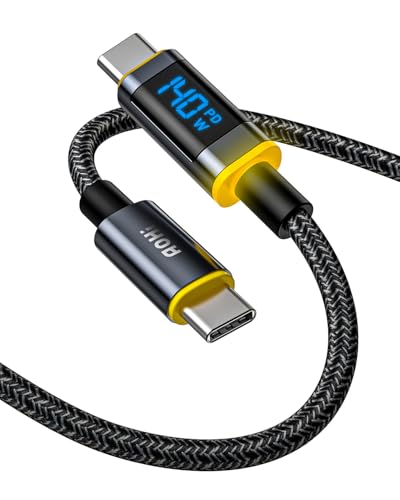
The cable that shows you exactly how fast your phone is actually charging.
The hook here is a small LED display built into the plug: it reads out the live wattage and shifts color across three charging stages — so you are not guessing whether the wall brick or the cable is the reason your laptop trickles. It carries up to 140W at 5A, enough for most USB-C laptops and phones, and the 4 ft run is sized for a desk rather than a long couch stretch. An E-Marker chip manages the voltage so the current stays steady.
Owners get real value from seeing the number. The display tracks wattage closely and the three-stage colors tell you at a glance when a device has finished charging. The braided nylon and TPE jacket flexes without kinking and is rated past 30,000 bends, so it handles daily plug-and-unplug well.
The honest consideration on a premium display cable is longevity — the circuitry that runs that LED has more ways to fail than a plain cord. A few units have stopped showing wattage over time; the company’s support has stood behind the product with replacements and refunds when that happens. If the charge-rate readout is the reason you are buying, treat it as a smart accessory that most buyers get years from.
The clever part: the color-changing display turns an invisible process into something you can read — fast charging, ordinary charging, and done, all at a glance.
Fair word of caution: a thicker connector end can be tight with some bulky phone cases, so check your case fit before relying on it as your only lead.
Made for: tinkerers and multi-device owners who want to see live charging speed before deciding a charger is slow.
Skip if: you just want a dumb, cheap cable and never look at wattage.
10. Belkin BoostCharge USB C to USB C 240W Cable 2 Pack, 6.6ft

A soft, supple braid with serious 240W muscle hidden underneath.
The standout spec is the combination: 240W of charging power wrapped in a braided jacket that feels soft and pliable rather than stiff. Belkin’s figures put an iPhone 16 Pro Max from 0 to 50% in 25 minutes and a MacBook Pro 2021 14″ to 50% in 31 minutes. The two-pack ships two 6.6 ft cables, so a desk and a car are both covered, and the brand offers multiple lengths and colors across the line.
A USB-IF certification (an independent standards check for USB cables) backs the data side, with USB 2.0 speeds up to 480 Mbps — enough for file moves and backups. It plays nicely with Apple CarPlay and Android Auto too. And the durability figures are high: tested to survive over 100,000 bends and 20,000 plug-ins without cracking at the head.
The practical upside is comfort — the soft braid and sturdy connector make daily plugging feel easy, and buyers find it ideal for both a desk and a travel bag. If there is a fair caveat, it is that a soft jacket holds up beautifully but still rewards a little care; treat the head kindly and it will last a long stretch. For a desk-and-car pair with laptop-level power, this is a strong all-rounder.
Two jobs, one box: the 6.6 ft length and two-pack setup mean one lead stays on the desk and one rides in the car for CarPlay without unplugging.
Small trade-off: the soft braid feels great but is not the stiffest jacket, so it wants some care at the connector during tight coiling.
Best for: an Apple or Android USB-C owner who wants laptop-grade power with a soft, easy-handling cord for the car.
Look elsewhere if: you need a single long run to reach deep across a room — this tops out at 6.6 ft.
11. Apple 240W USB-C to USB-C Woven Charge Cable (2 m)

The heavy-duty Apple cord that keeps a MacBook topped up from across the room.
This is the cable Apple bundles for its big machines, and the 240W rating plus the 2 m / 6 ft woven run are why. It replaces the short stock cable with roughly double the reach, so you can charge a MacBook from a distant outlet without dragging it off the desk. The woven jacket is tougher and more tangle-resistant than Apple’s older rubber leads and resists fraying at the strain points.
As a charging pipe it is fully capable — it handles all Apple chargers and full charging on MacBooks rated 60W to 140W with no throttling or undue heat. Data is limited to USB 2.0 rates of 480 Mbps, which is fine for backups and syncing but not a fast pipe for big video files. In short: buy it to charge, not to move gigabytes quickly.
The trade-off to understand is simple. This is a charge-first cable, and at 2 m it is longer and heavier than a travel cord — it wants to live on a desk or beside a bed, not in a small pocket. For an owner who wants one sturdy, genuine cable to power a MacBook and an iPhone at once, that reach and that 240W ceiling are the whole case.
Charging muscle: 240W with no throttling across the MacBook range and secure seating every time make it a reliable one-cable desk anchor.
Know before you buy: data is capped at USB 2.0 speeds, so it is a charger first and a file-transfer cable second.
The confident choice for: MacBook owners who want genuine Apple construction and enough length to charge from across the desk.
Overkill if: you only ever charge a phone at night on a short lead.
Know the Specs
Wattage (W) and amps (A)
Power is the size of the pipe. A 240W cable can carry far more current than a 3A one, and it is what lets a single cord charge both a phone and a laptop. The device and the charger set the actual speed; the cable only has to be capable of carrying it. So a 3A lead is fine for a phone, while a big laptop needs a higher-rated cord — match the rating to what you will plug in.
Bend-test rating
This is the maker’s stated count of how many times the flex point behind the plug can be folded before it fails. A 12,000-bend figure and a 100,000-bend figure describe very different levels of built-in survival. Higher is not always essential for a desk cable, but it matters a lot for one that rides in a bag or pocket every day.
Data speed in Mbps
Many cords move files at 480 Mbps, the speed of older USB 2.0. That is fine for charging and small syncing, but slow for moving large video files. If you regularly shift big files, look at the data rating; for pure charging, it is not the number that matters.
MFi certification
For Lightning iPhones, MFi (Made for iPhone) means an Apple-licensed chip sits in the plug. It prevents “accessory not supported” warnings and keeps the phone charging smoothly. A Lightning cable without it may work intermittently or not at all with newer iOS versions.
Common Questions
Will a USB-C to Lightning cable charge an iPhone 15 or newer?
Why does my phone say the accessory is not supported?
Do I need a 240W cable if I only charge a phone?
Can a longer cable charge more slowly than a shorter one?
Will a 3A USB-A to USB-C cable fast charge my laptop?
How long should a charger cable last with daily use?
What is the difference between a 100W and a 240W USB-C cable?
Can I use a multi-head 3-in-1 cable for fast charging?
Does a braided nylon cable fray less than a rubber one?
Will a thick connector end fit through my phone case?
The Bottom Line
For most buyers, the best charger cables pick is the Anker USB A to Lightning Cable — it carries the MFi chip that keeps a Lightning iPhone charging cleanly, and its 12,000-bend build is what keeps it alive through daily pocket abuse. If you charge a laptop alongside your phone, reach for the INIU 240W USB-C Cable, whose green charge light confirms the full fast rate is flowing. And for a house full of mixed brands, the UYOUNG 3-in-1 Multi Cable replaces three separate cords with one 10 ft lead per room.
The single most useful buying habit: match the connector to your device first, then the power rating to what you plug in. The Anker’s top spot is well earned on straight reliability and build, which is exactly what you want a charger cable judged on.
How we choose
We do not accept paid placement. Every pick is matched to a real buyer and a real use-case; we do not hands-on test units.
Sources
Specifications: manufacturer listings and product documentation. Review insights: verified customer reviews, as of October 2026. Pricing: not shown on this page (it changes often); check the current price via the retailer link.
As an Amazon Associate, Aappliancez earns from qualifying purchases. This does not affect which products we feature.