Disclosure: Some links in this post are affiliate links. As an Amazon Associate I earn from qualifying purchases, at no extra cost to you. Learn more
Specs are compiled from manufacturer listings and verified buyer reviews and can change over time — please confirm the key details on the product page before buying.
You can buy a laptop that boots in seconds, runs Word and Chrome all day, and costs a fraction of a sealed box — as long as you know which refurbishers actually test their machines and which just wipe a hard drive and ship it. Every pick below is a certified or renewed unit, and the ones that made this list have the specs that matter (RAM you can live with, a screen you can stare at for hours, and a battery that still holds) written down in black and white.
This guide is built by comparing the manufacturers’ published specifications and the patterns across verified customer reviews, so you get each pick’s real strengths and trade-offs instead of marketing spin.
The same refurbished model can arrive mint or arrive with a dead battery cell, so the return terms and certification level matter as much as the CPU. Here is my honest shortlist of the best certified refurbished laptops, ranked by who each one actually suits.
Top Picks


How To Choose The Best Certified Refurbished Laptops
A refurbished laptop is a used machine that a company has inspected, cleaned, and re-sold — sometimes with a new drive and a fresh copy of Windows, sometimes with the original parts and a new coat of paint. The word “certified” usually means the original maker (Dell, Apple, Lenovo) signed off on it. The word “renewed” usually means a third-party seller did the work. That distinction is the single biggest thing to check before you click buy.
Who did the refurbishing, and what warranty comes with it
A Dell unit certified and warrantied by Dell is a very different animal from a machine that a reseller cleaned up in a warehouse. Look for the phrase “1YR Factory Warranty” or a named refurbisher in the listing. Read what the seller promises for returns, because a bad battery discovered in week three needs a smooth path back.
Battery health is the hidden spec nobody prints
A used lithium-ion pack (the rechargeable battery inside) loses capacity with every charge cycle, so a three-year-old business laptop may hold only a fraction of its original runtime. Some listings quote a battery-health floor — Amazon’s “Excellent” condition, for example, is defined as 80% capacity or better. That number tells you how much of the original runtime you should expect.
8GB of RAM is the floor, not the target
Modern Windows plus a browser with a dozen tabs will happily chew through 8GB of memory. 16GB gives you breathing room for years. If the listing shows 8GB and you cannot upgrade it later — many slim models solder the memory to the board — plan your workload around that limit.
Screen brightness and panel type beat resolution on paper
A 1920 x 1080 panel (that is roughly two million pixels across the display) is plenty sharp on a 15-inch screen. What most buyers forget is brightness, measured in nits — a dim 250-nit panel washes out near a window, while a brighter one stays readable. Check the nits figure before you fall for a high resolution headline.
Side-by-Side Comparison
| Model | Best For | Memory | Storage | Display | Amazon |
|---|---|---|---|---|---|
| Apple MacBook Neo 13″★ Best Overall | All-day battery, everyday tasks | 8GB Unified | 512GB SSD | 13″ Liquid Retina | Amazon |
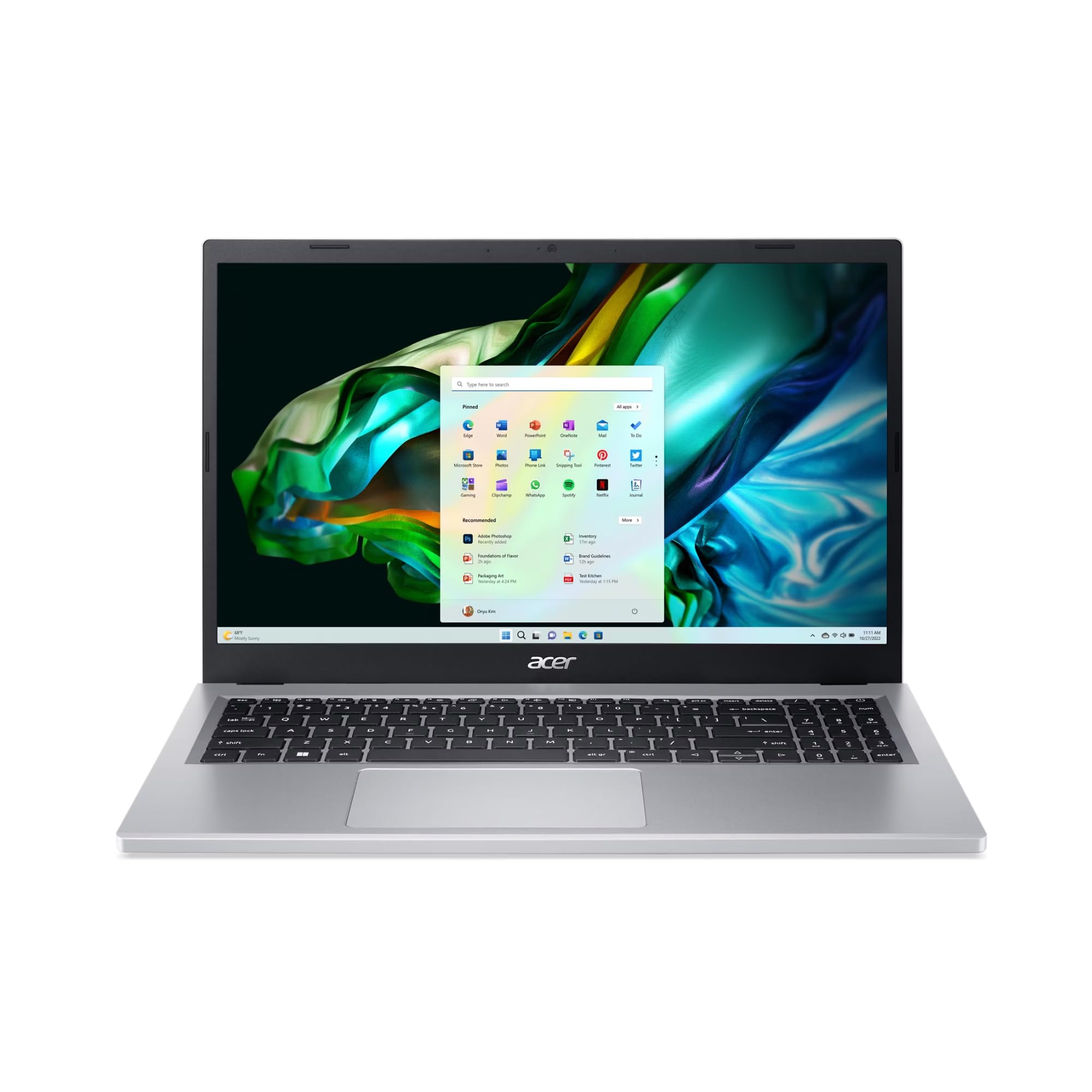
| Acer Aspire 3 15 (Renewed)Touch Value | Touchscreen on a budget | 16GB LPDDR5 | 1TB NVMe SSD | 15.6″ FHD Touch | Amazon |
| ASUS Vivobook Go 15.6″Student Pick | Students and light office work | 8GB | 512GB SSD | 15.6″ 60Hz | Amazon |
| Dell Latitude 5430 | Business users who need ports | 16GB | 512GB PCIe SSD | 14″ FHD Anti-Glare | Amazon |
| Acer Aspire 3 A315-24P-R7VH | Cheapest route to a working laptop | 8GB LPDDR5 | 128GB NVMe SSD | 15.6″ FHD IPS | Amazon |
| Lenovo ThinkPad L14 (Renewed) | Durable workhorse typing machine | 16GB DDR4 | 256GB PCIe SSD | 14″ FHD IPS | Amazon |
| Dell Pro 15.6″ | Smooth 120Hz scrolling on a budget | 8GB DDR5 | 512GB NVMe SSD | 15.6″ FHD 120Hz | Amazon |
| Lenovo Ryzen 5 7535HS 15″ | Coding, data work, light gaming | 8GB DDR5 | 512GB PCIe SSD | 15.3″ WUXGA IPS | Amazon |
| Lenovo V15 Business | Heavy multitaskers on a large RAM budget | 40GB | 1TB PCIe NVMe | 15.6″ FHD | Amazon |
| HP EliteBook 16 | Remote workers who need security | 16GB DDR5 | 1TB NVMe SSD | 16″ FHD+ (1920×1200) | Amazon |
| Microsoft Surface Laptop | Touchscreen versatility and long runtime | 16GB | 256GB SSD | 13.8″ Touchscreen | Amazon |
Detailed Reviews
1. Apple 2026 MacBook Neo 13-inch (A18 Pro, 8GB, 512GB)
Our pick — 4.5+★ from 1,500+ verified ratings; the strongest balance of quality and price.
Sixteen hours of rated runtime in a 2.71-pound aluminum shell — the lightest, longest-running pick on this list.
If you want a laptop you can carry all day and not hunt for an outlet, this is the one. Apple rates the MacBook Neo at up to 16 hours of battery life, and that figure sits well above the 13 hours Acer claims for the Aspire 3 15 renewed unit below. In plain terms: a full school day plus an evening of streaming without a charger. The whole machine weighs 2.71 pounds, so it slides into a purse or a backpack and disappears.
The A18 Pro chip (Apple’s own processor, the same family that powers its phones) is what makes the 8GB of unified memory (one pool shared by the processor and graphics, rather than two separate sticks) feel bigger than the number suggests. Owners consistently describe it as fast and smooth with a pile of apps open, and plenty of them call it the best value in the lineup. The 13-inch Liquid Retina panel supports 1 billion colors, so photos and video look right rather than washed out — and text stays crisp for long reading sessions.
Two things to know before you commit. The keyboard is not backlit, which is a real annoyance if you type in a dark room. And the speakers are thin on bass — fine for a call, flat for music. Neither is a defect; both are just where Apple trimmed. One more note on the math: the Acer Aspire 3 A315-24P-R7VH further down has far more reviews behind it, but this MacBook holds the higher score at 4.5+ stars, and that is the number I would trust for a long-term daily driver.
What earns it first place
- Up to 16 hours of battery life — the longest figure in this group by a clear margin
- A18 Pro chip handles everyday assignments, note summarising, and presentations without stutter
- 2.71 lbs of recycled aluminum that survives being thrown in a bag
- 512GB SSD leaves room for years of files and photos
- 1080p FaceTime HD camera and a dual-mic array for clear video calls
Where it asks you to compromise
- No backlit keyboard, so typing in dim light means hunting for keys
- Speakers lack bass and sound flat at volume
- 8GB of unified memory is soldered — you cannot add more later
Grab this one if: you want a light, quiet laptop that goes a full day on one charge and runs macOS apps without fuss.
Think twice if: you work after dark on the keyboard or expect decent built-in audio for movies.
2. Acer Aspire 3 15 A315-24PT-R288 Ryzen 5, 16GB, 1TB (Renewed)
A touchscreen, a terabyte of storage, and 16GB of memory — the renewal that punches above its tier.
The 15.6-inch IPS panel at 1920 by 1080 (full HD) adds direct finger input on top of wide viewing angles. The AMD Ryzen 5 7520U chip inside runs everyday browsing, office work, and streaming without drama. Storage is a 1TB NVMe SSD (a fast solid-state drive with no moving parts), which is more room than most brand-new machines in this tier offer.
What owners keep coming back to is build feel — the keyboard earns more praise than anything else on this listing, and buyers describe the unit as arriving in near-perfect condition. As one puts it: “16GB RAM is definitely the min these days.” A 50 watt-hour battery is rated for up to 13 hours of use, which covers a workday away from the wall if you are not pushing it.
The honest catch is audio. Sound is muffled and quiet even at full volume, so plan on headphones for anything you actually want to hear. The touch layer also pauses briefly during system updates, and the screen holds a high brightness even at its lowest setting — minor, but worth knowing if you work late. Runtime here is 13 hours against the MacBook’s 16, so it trails the top pick on endurance while beating it on storage and touch.
Best fit: a family machine or a school laptop where several people share it and someone always wants to tap the screen.
The trade-off to accept: built-in speakers are genuinely poor — this is a headphone laptop for media.
Reach for this if: you want touch, 16GB of memory, and a terabyte of storage without paying for a new-in-box machine.
Look elsewhere if: you watch films and shows with the built-in speakers as your main audio.
3. ASUS Vivobook Go 15.6″ (Ryzen 5 7520U, 8GB, 512GB)
A 15.6-inch screen, a privacy shutter over the camera, and fast charging — the school-run workhorse.
The 15.6-inch NanoEdge display keeps the bezel (the frame around the screen) thin, so the panel fills most of the lid without the laptop growing bulky. That 60Hz refresh rate means the screen redraws 60 times a second — standard, and smooth enough for scrolling documents and slides. The AMD Ryzen 5 7520U processor and integrated Radeon graphics are built for browsing and light gaming, and 512GB of storage holds a semester of files with room left over.
What people like most is simply that it does the job — performance is the thing buyers talk about, and the standard read is that it handles work and school tasks without complaint. The webcam shield is a genuinely useful touch for dorm and café use, and fast charging means a short plug-in gets you moving again. It runs Windows 11 Home and pairs over Wi-Fi 5 and Bluetooth 5.1.
Here is where I would slow you down: 8GB of memory is the ceiling, and it is not upgradeable. Run twenty browser tabs alongside a video call and you will feel it. There is also no backlit keyboard, and screen and battery feedback is genuinely mixed — some find the display crisp and the runtime impressive, others find it dim and short. That wide spread is the trade-off for the price.
Why it makes the list: the Ryzen 5 chip and 512GB SSD give you snappy everyday speed in a machine that is light enough to carry between classes.
Know before you buy: the 8GB memory is fixed and the keyboard is not lit, so heavy multitaskers should look at the 16GB options here instead.
Suits you if: you need one dependable laptop for classes, email, and streaming and you keep your open tabs reasonable.
Pass if: you routinely run a dozen heavy programs at once — the fixed 8GB will hold you back.
4. Dell Latitude 5430 14″ (i5-1245U, 16GB, 512GB, Renewed)
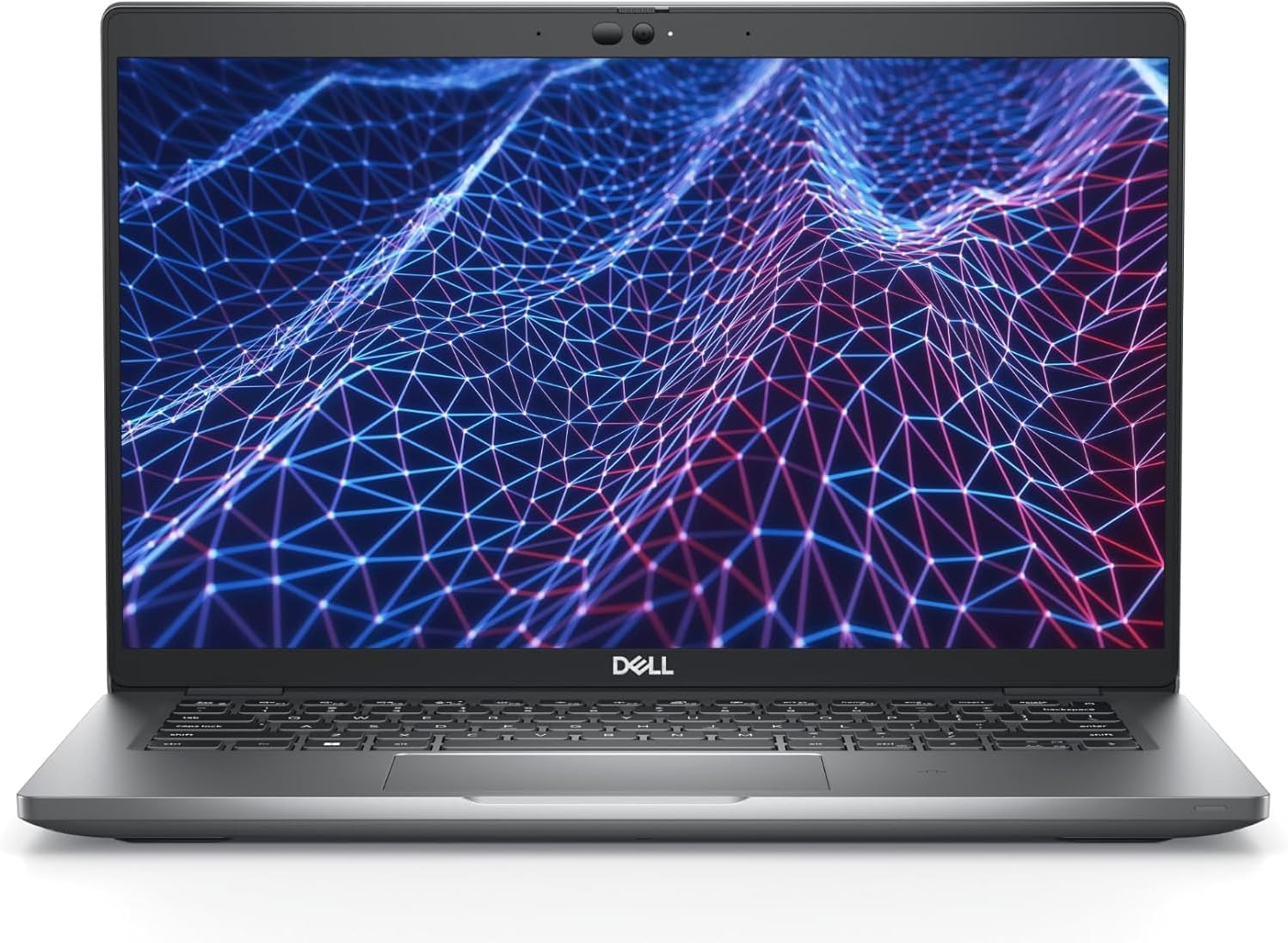
Refurbished and warranted by Dell itself — and the port list reads like a docking station in a 3.01-pound shell.
This is the pick for anyone who has ever cursed a laptop with two ports. Dell certifies and backs this Latitude 5430 with a 1YR factory warranty, which is the strongest coverage promise in this whole lineup. The port spread includes two Thunderbolt 4 USB-C ports with power delivery and DisplayPort, two USB 3.2 Gen 1 ports (one with PowerShare), HDMI 2.0, an RJ45 Ethernet jack, a microSD 4.0 card reader, a headset jack, and a wedge lock slot.
Inside sits a 12th Gen Intel Core i5-1245U with 10 cores and 12 threads, running up to 4.40 GHz (the top speed it can sprint to). That is more raw horsepower than the Ryzen 5 7520U machines above, and it pairs with 16GB of RAM and a 512GB PCIe SSD — a combination that laughs at a spreadsheet and a dozen tabs. The 14-inch FHD anti-glare panel at 250 nits keeps reflections down, and there is a fingerprint reader plus a backlit keyboard.
The honest warning with this one is the battery. Some units arrive with a pack that shuts down the moment you pull the plug — that is the most-discussed issue on this listing — and the 4-cell 58Whr battery is the part of a refurb most likely to have worn. Check it the day it arrives and use the warranty if it fails. Otherwise, the build is the thing buyers praise: a quality machine that looks the part and arrives in excellent condition.
Why business buyers like it
- A 1YR factory warranty direct from Dell, not a reseller’s promise
- Full port set — Ethernet, two Thunderbolt 4, HDMI, and a card reader
- 10-core i5-1245U up to 4.40 GHz with 16GB RAM and 512GB SSD
- Backlit keyboard and a fingerprint reader for quick logins
- 3.01 lbs with a 250-nit anti-glare 14-inch panel
What to check on arrival
- Battery health is the weak link — test it unplugged on day one
- Some units ship with cosmetic scratches and repainted bases
- Refurbished units can arrive with a leftover software image that needs a clean wipe
Best for: the buyer who needs a real Ethernet port and a docking-station spread in a portable 14-inch body.
Keep in mind: run a full discharge test the first day — the battery is the one part Dell’s warranty may genuinely need to replace.
5. Acer Aspire 3 A315-24P-R7VH (Ryzen 3 7320U, 8GB, 128GB)

The cheapest honest way into a working laptop — 11 hours of battery and a sharp 15.6-inch screen.
For the buyer who needs a laptop that turns on, opens a browser, and holds a charge, this Acer is the entry point. The AMD Ryzen 3 7320U processor with Radeon graphics is aimed squarely at family use and light productivity, and the 15.6-inch Full HD IPS panel (a screen that stays readable from the sides, not just head-on) delivers crisp colors at a 16:9 ratio. Acer lists 11 hours of battery life, real enough to get most people through a day of browsing.
Quality is the aspect buyers rate most, and the machine earns it — the design is thin and light enough to carry, and it comes with Wi-Fi 6 for faster connections. Acer’s TNR (temporal noise reduction, a trick that cleans up grainy image sensors in dim light) helps the front camera look decent on video calls, and Acer PurifiedVoice with AI Noise Reduction cuts background sound in meetings.
Two limits bite. The 128GB SSD is small and the memory is soldered with no extra slot, so you cannot expand your way out of either — this is a machine you buy as-is. The keyboard also lacks backlighting, and the sound is thin and tinny. It is a study-and-browse laptop, not a media center, and it is not built for gaming beyond the simplest titles.
Where it shines: low cost, a bright-enough 15.6-inch FHD screen, and an 11-hour battery rating make it a genuine school or kitchen-table laptop.
Where it stops: 128GB of storage and fixed 8GB of RAM are the walls, so keep your file load lean.
Choose it when: the job is browsing, email, school assignments, and streaming, and you want the lowest honest entry point.
Skip it when: you need to store a large media library or run apps that demand more than 8GB of memory.
6. Lenovo ThinkPad L14 Ryzen 5 PRO 7530U
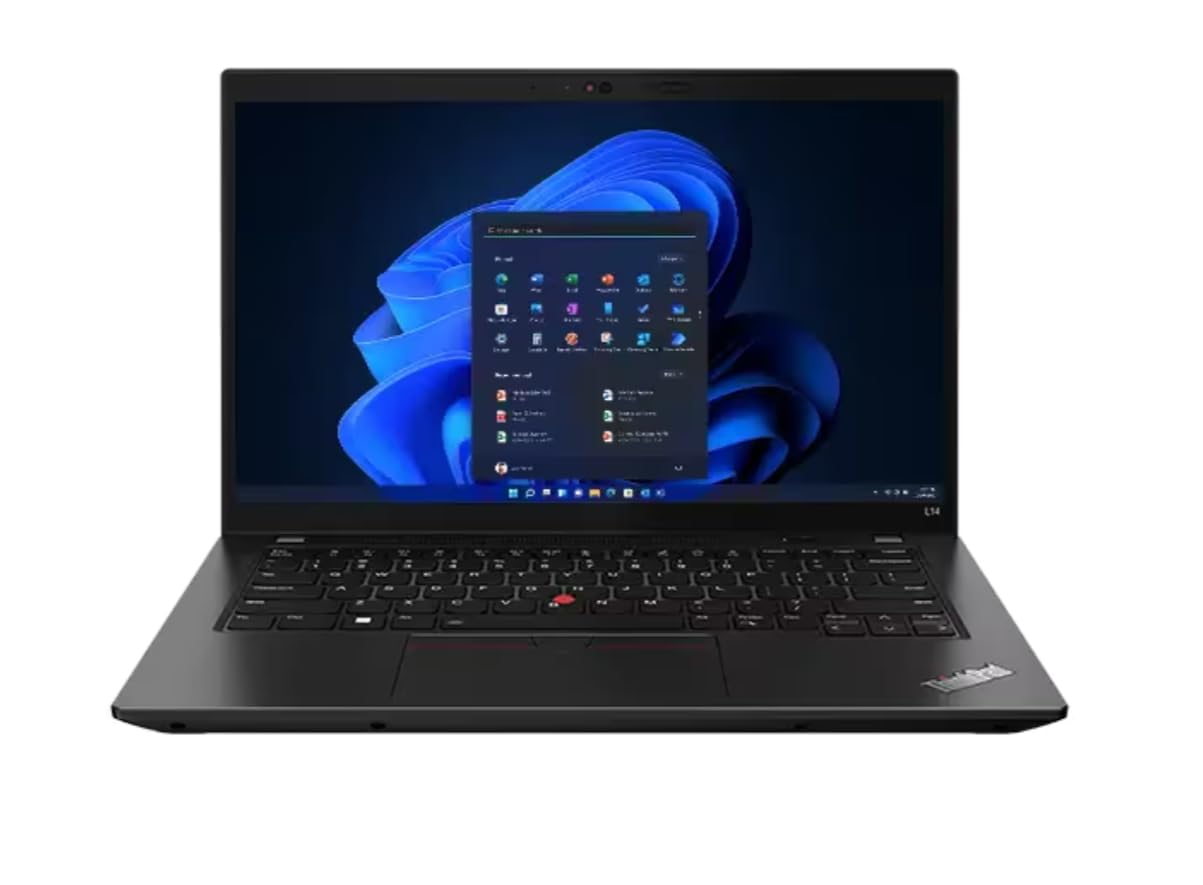
The keyboard-first business laptop: a TrackPoint nub, 16GB of RAM, and near-new condition from the start.
ThinkPad people do not switch for specs — they switch for the typing. This L14 pairs a standard keyboard with the little red TrackPoint nub in the middle, so your hands never leave home row. Under the lid is an AMD Ryzen 5 PRO 7530U with 6 cores, 12 threads, and up to 4.50 GHz max boost, matched to 16GB of DDR4 RAM and a 256GB PCIe SSD. Performance is what gets talked about most here, and the standard read is that it stays smooth with real work open.
The port situation is generous for a 14-inch machine: two USB-A 3.2 Gen 1, one USB-C 3.2 Gen 2, one USB-C 3.2 Gen 1, HDMI 2.1 that pushes up to 4K at 60Hz, an RJ45 Ethernet jack, a headset combo, and a microSD reader. Wi-Fi 6E (the newer wireless standard with more open channels) and Bluetooth 5.3 handle the cordless side, and Windows 11 Professional comes installed. Battery life is a bright spot — the machines arrive with healthy packs, hard to tell from a new unit.
Two real caveats. The 256GB drive is the smallest among the 16GB machines here, so budget on an external drive if you shoot photos or video. And a few units ship locked to a standard user account where admin rights are blocked — if you hit that, resetting Windows fights the encryption, so contact the seller immediately rather than reinstalling.
Standout strength: that legendary ThinkPad keyboard plus a 16GB/6-core pairing that keeps up with office multitasking all day.
The catch: only 256GB of storage, and the occasional unit arrives with restricted admin access that needs the seller to open up.
Ideal for: writers, students, and office workers who value a great keyboard and durability over raw horsepower.
Not ideal for: anyone storing large video libraries — the 256GB SSD fills fast.
7. Dell Pro 15.6″ 2026 (Intel Core 3 100U, 8GB DDR5, 512GB)
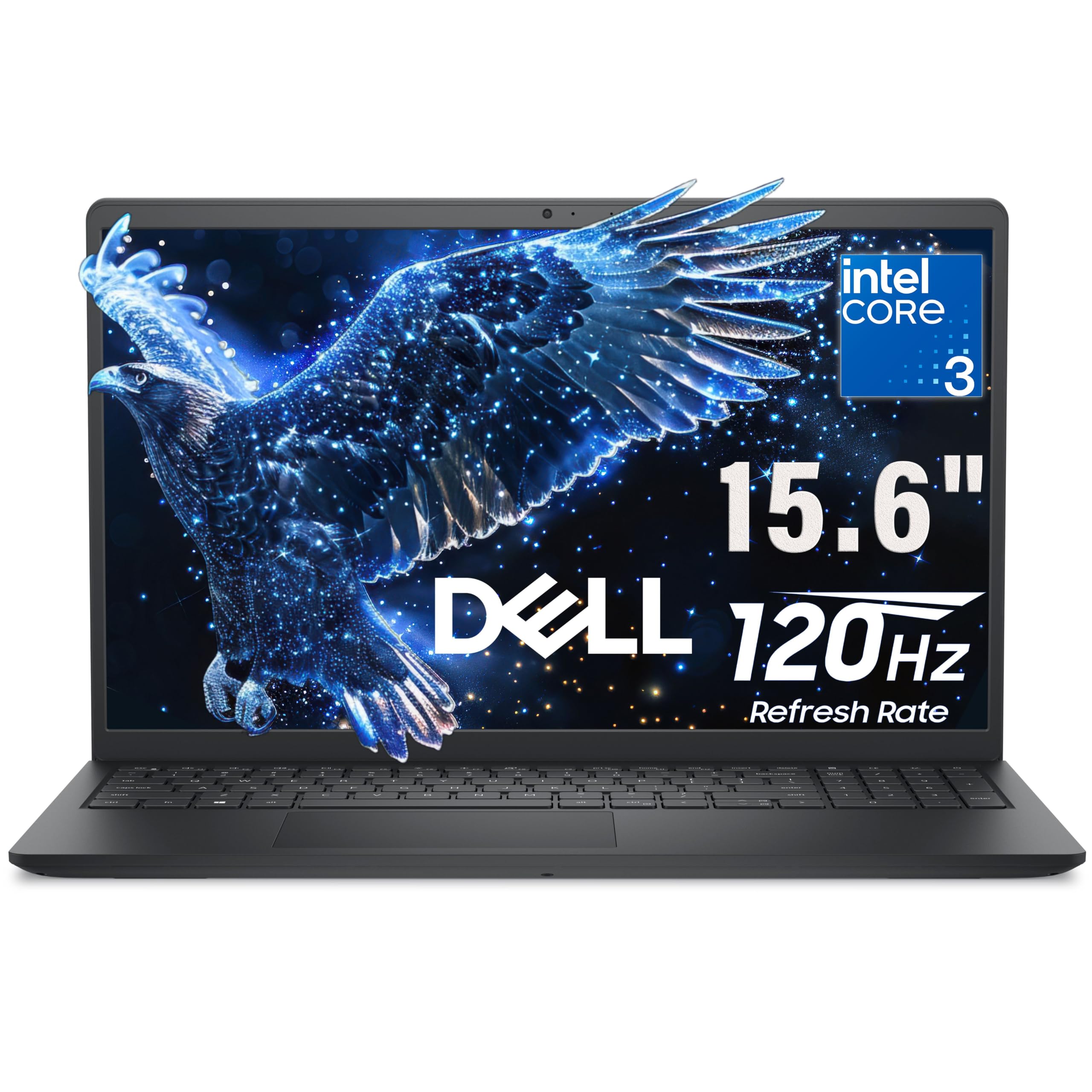
The 120Hz screen is the reason to look here — scrolling and cursor movement feel twice as fluid as a standard panel.
Most budget laptops run a 60Hz panel, which refreshes the image 60 times a second. This Dell doubles that to 120Hz, so every scroll, cursor drag, and window slide lands noticeably smoother — the kind of improvement you feel before you can explain it. Backing it up is an Intel Core 3 100U with 6 cores reaching up to 4.7GHz (the highest clock speed on this list), plus 8GB of DDR5 memory (a newer, faster generation than DDR4) and a 512GB PCIe NVMe SSD.
The 15.6-inch Full HD anti-glare panel uses IPS technology (wide-viewing angles, so the picture holds up from the side) at 250 nits brightness, and there is a 720p HD camera with a built-in mic for calls. Connectivity covers Realtek Wi-Fi 6 with MU-MIMO (which shares bandwidth across devices more evenly), Bluetooth, USB 3.2 Gen 1 Type-A and Type-C, USB 2.0, HDMI 1.4, an audio jack, and an SD card slot. The chassis is carbon-black plastic at 4.19 lbs.
Owners describe it as fast and dependable for school and work, and a couple of things come up as fair caveats. The keyboard is not backlit, so typing in dim light is a strain, and the fan spins up during heavy loads or video calls. The 8GB of memory is also this laptop’s ceiling — fine for daily work, tight if you pile on tabs.
What you feel daily: that 120Hz refresh on a 15.6-inch screen — the smoothest scrolling of any pick here at this tier.
What to plan around: no backlit keys, an audible fan under load, and 8GB of memory you cannot upgrade.
Pick it for: everyday productivity where the smoothness of the display is what you notice most — plus a roomy 512GB drive.
Consider another option if: you need a lit keyboard for late-night work or you routinely run heavy multitasking.
8. Lenovo 2026 Ryzen 5 7535HS 15″ (8GB DDR5, 512GB, Copilot AI)
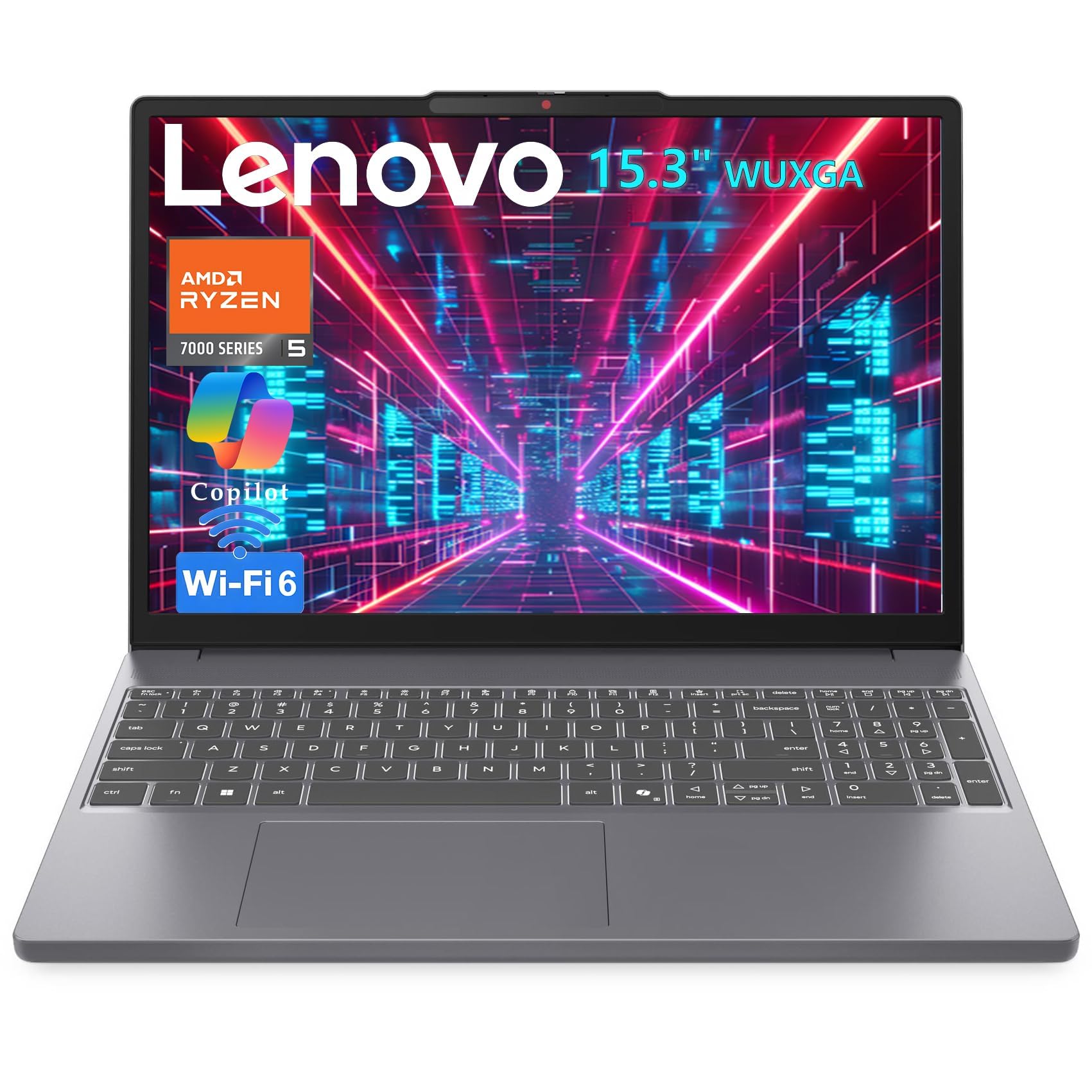
A Yoga-class processor in a plain chassis — raw horsepower for coders who do not care about the metal.
This is the sleeper on the list. The AMD Ryzen 5 7535HS (Zen 3+ architecture, 6 cores, 12 threads, up to 4.55GHz) with Radeon 660M integrated graphics is the same silicon you find in high-end Yoga Pro and ThinkBook creator laptops — here in a plastic-bodied machine that spends its money on the chip instead of the exterior. That means 1080p video editing, Docker containers, and virtual machines run without the stutter you would get from a Ryzen 3.
The display is a 15.3-inch WUXGA panel at 1920 x 1200 (a taller 16:10 shape than the 16:9 screens on most picks here, giving more vertical rows). It carries 300 nits brightness and an anti-glare coating. Lenovo claims 11% more vertical space than a standard FHD screen — in practice that is one more spreadsheet row or a few more lines of code before you scroll. Memory is 8GB of DDR5, storage is a 512GB PCIe SSD, and connectivity covers Wi-Fi 6, Bluetooth 5.3, USB-C with power delivery and DisplayPort, HDMI, and an SD reader. There is a privacy shutter over the HD webcam.
What it does not do: it has no fancy chassis, and it is a new machine rather than a factory-certified refurb, so the renewal savings are not the story here. The attraction is horsepower per pound — it weighs 3.51 lbs and measures 0.67 inches thin. For a coder or data worker who wants serious performance and light gaming on the side, that trade is a good one.
The upgrade you are paying for: an HS-series Ryzen 5 with Radeon 660M graphics — far beyond the U-series chips on most picks, and it plays League of Legends, DOTA 2, and Genshin Impact around 40 to 60fps.
What you give up: a premium metal body and any expectation of refurb savings — this one is bought new, for the chip.
Fits you if: you code, run VMs, or edit 1080p video and want the strongest processor in this lineup.
Look on if: you specifically want a refurbished unit at a refurbished price, or you insist on an aluminum chassis.
9. Lenovo V-Series V15 Business (Ryzen 7, 40GB, 1TB SSD)

Forty gigabytes of memory is a strange and wonderful thing — enough to keep fifty browser tabs and a spreadsheet open at once.
Nobody else on this list comes close on memory. 40GB of high-bandwidth RAM sits behind an AMD Ryzen 7 5825U (8 cores, 16 threads, up to 4.5 GHz) with Radeon graphics, paired with a 1TB PCIe NVMe SSD. That is a machine built for people who live in a hundred tabs, run big spreadsheets, or keep a dozen apps stacked in the taskbar. It comes with Windows 11 Pro, a 15.6-inch FHD (1920 x 1080) display, a numeric keypad, and an RJ45 Ethernet jack.
The consensus is that this feels fast and light — the setup is simple, and owners describe it as a fantastic home machine with quick boots. The keyboard gets plenty of credit, and the numeric keypad is a real convenience for anyone doing data entry. Speed is the second-most-praised trait; buyers describe OS loads measured in seconds and easy multitasking.
The trade-offs are real and worth naming. Battery life is the recurring complaint — the high-end processor and fan eat into runtime, and people report it running warm enough to need propping up for airflow. The display also draws criticism for viewing angles and color depth. And while quality is praised overall, there is a durability caveat: some buyers report failures over the long haul. Buy it for the memory and the price-to-performance, not for a decade of service.
Why the memory hounds love it
- 40GB RAM — the most on this list by a wide margin
- Ryzen 7 5825U with 8 cores and 16 threads
- 1TB PCIe NVMe SSD with fast boots and data transfer
- Numeric keypad and Windows 11 Pro for work
- Described as fast, light, and simple to set up
Where it makes you work around it
- Battery life is the most-discussed weakness
- Runs warm and needs airflow space underneath
- Display angle and color depth draw criticism
- Long-term durability is a question mark for a few buyers
Built for: the power multitasker who would rather have memory than a premium finish.
Think about it if: you plan to be mostly plugged in — the battery is the one spec that will make you plug in sooner than you like.
10. HP 2026 EliteBook 16 (Ryzen 5 200, 16GB DDR5, 1TB SSD)

A 16-inch screen with enterprise-grade security baked in — the remote worker’s machine.
The 16-inch FHD+ (1920 x 1200) panel gives you more vertical room than a standard 15.6-inch FHD display, so spreadsheets and long documents need less scrolling. The AMD Ryzen 5 200 Series processor brings integrated Copilot AI (Microsoft’s built-in assistant) and Radeon 740M graphics, backed by 16GB of DDR5 RAM and a 1TB PCIe NVMe SSD. Boot and file access are quick, and the storage is generous for business files and media.
Security is where this EliteBook earns its keep: Windows 11 Pro includes BitLocker drive encryption and Group Policy management, with a TPM 2.0 chip (a dedicated security processor that stores encryption keys) and an integrated fingerprint reader for password-free sign-in. Wi-Fi 6E covers fast wireless, and the backlit keyboard, HDMI, and USB-C cover the meeting-room and projector rounds. Fast charging is on board to cut downtime between meetings.
Owners praise the light, clean build and the smooth performance, and describe refurbished units arriving looking brand new — the only giveaway being the missing original box. One practical warning: keep the bottom and side cooling vents clear and avoid running it with the lid closed against an external monitor, because the heat can build up. The display and graphics get consistent praise for quality.
Where it earns its place: a 16-inch FHD+ panel, 16GB DDR5, a 1TB SSD, and serious security tools in one portable package.
A real caution: the machine runs warm with the lid shut — give it open-lid airflow if you drive an external monitor.
Right for: remote and hybrid workers who want encryption, a fingerprint log-in, and a big 16-inch view.
Hold back if: you work docked with the lid closed all day — this one wants breathing room and airflow.
11. Microsoft Surface Laptop 13.8″

Twenty hours of battery in a razor-thin touchscreen body — the most runtime on the whole list.
Microsoft rates this Surface Laptop for up to 20 hours of battery life, the longest figure anywhere in this comparison and well beyond the MacBook Neo’s 16. The 13.8-inch touchscreen runs a 2304 x 1536 resolution (a noticeably finer panel than the 1920 x 1080 displays on most picks) with HDR technology, so text and photos look razor sharp. Under the hood is a Snapdragon X Elite 12-core chip — the engine behind the Copilot+ PC (a machine built to run AI features right on the device), with an NPU (a dedicated AI processor) for those tasks.
It is paired with 16GB of RAM and a 256GB SSD, and the design is the sleek, light premium build Surface is known for. Owners describe it as easy to set up and very user friendly — one buyer picked it for a husband with limited tech skills and called it perfect, and another moved a wife onto it for how simple it is to use. The screen and keyboard get consistent praise for comfort over long typing and viewing sessions.
The catch is compatibility and storage. Snapdragon is an ARM-based chip (a different architecture from Intel and AMD), so a handful of programs built only for x86 machines may not install or run — pick this when your day is browser, Office, and mainstream apps rather than niche Windows software. And 256GB fills quickly if you keep photos and video on device.
What stands out: a 20-hour battery rating and a 2304 x 1536 touchscreen make it the runtime and display leader here.
What to weigh: 256GB of storage and the ARM-architecture app-compatibility edge cases are the two things to check against your software list.
Suits you if: you want a feather-light touchscreen with the longest battery here and you live in mainstream apps.
Think again if: you depend on specialty Windows programs built only for Intel, or you store large medialibraries on device.
Know the Specs
Battery Health and Rated Runtime
A used lithium-ion pack (the rechargeable battery inside) loses capacity with every charge cycle, so a laptop rated for 16 hours when new may deliver noticeably less after a few years. The rated figure — 16 hours for the MacBook Neo, 13 for the Acer Aspire 3 15, 11 for the Aspire 3 A315-24P-R7VH — tells you the ceiling, not the current reality. Some listings state a battery-health floor: Amazon’s “Excellent” condition, for example, is defined as 80% capacity or better. Test a refurbished machine unplugged on day one, because the battery is the part most likely to have worn.
Memory (RAM) and Whether You Can Add More
RAM is the short-term workspace your open apps and browser tabs share. 8GB is the modern floor for Windows 11 with a dozen tabs; 16GB gives you comfortable headroom for years; 40GB, as the Lenovo V15 carries, is for serious multitaskers running big spreadsheets or dozens of apps at once. The catch: many slim laptops solder the memory to the board, so once you buy 8GB, that is your ceiling. Check whether the model you are eyeing allows an upgrade before you commit to a low figure.
Refresh Rate and Screen Brightness
Refresh rate is how many times per second the screen redraws — 60Hz means 60 times, which is standard and fine for documents and video. The Dell Pro’s 120Hz panel doubles that, so scrolling and cursor movement feel noticeably smoother. Brightness is measured in nits: a 250-nit panel can wash out near a window, while a brighter display stays readable. Resolution tells you sharpness — a 1920 x 1080 panel is plenty on a 15-inch screen, and a 2304 x 1536 panel like the Surface’s is finer still.
Processor Class and the Port Spread
The processor (the chip that runs everything) sets how much work you can throw at the machine. A Ryzen 3 or Core 3 handles browsing and office tasks; a Ryzen 5 or Core i5 steps up comfortably; an HS-series Ryzen 5 or a Snapdragon X Elite is for coding, data work, and light gaming. Ports matter just as much day to day — a business laptop like the Dell Latitude 5430 packs Ethernet, Thunderbolt 4, HDMI, and a card reader, so you can plug into an office dock without dongles.
Common Questions
Is a certified refurbished laptop as reliable as a new one?
How do I check the battery health on a renewed laptop?
Can I upgrade the RAM or storage on a refurbished laptop?
Will a refurbished laptop come with a fresh copy of Windows?
What is the difference between “certified refurbished” and “renewed”?
Is 8GB of RAM enough for a refurbished laptop?
Why does a refurbished laptop sometimes arrive with the wrong specs?
How long should a refurbished laptop last?
Should I buy a refurbished laptop with a touchscreen?
Does a refurbished laptop come with a warranty?
The Bottom Line
After weighing every spec and every trade-off, the best certified refurbished laptop for most people is the Apple MacBook Neo 13-inch — it leads on battery at up to 16 hours, weighs just 2.71 pounds, and holds the highest rating here at 4.5+ stars. If a touchscreen and a terabyte of storage matter more to you than runtime, the Acer Aspire 3 15 delivers both for less. And for anyone who needs raw RAM and a big 1TB drive, the Lenovo V-Series V15 with 40GB of memory is the machine to reach for.
How we choose
We do not accept paid placement. Every pick is matched to a real buyer and a real use-case; we do not hands-on test units.
Sources
Specifications: manufacturer listings and product documentation. Review insights: verified customer reviews, as of October 2026. Pricing: not shown on this page (it changes often); check the current price via the retailer link.
As an Amazon Associate, Aappliancez earns from qualifying purchases. This does not affect which products we feature.