Disclosure: Some links in this post are affiliate links. As an Amazon Associate I earn from qualifying purchases, at no extra cost to you. Learn more
Specs are compiled from manufacturer listings and verified buyer reviews and can change over time — please confirm the key details on the product page before buying.
A speaker tuning mic is not a recording mic — it is a measuring tool, and the wrong one leaves you chasing peaks that aren’t there. The short answer: buy a mic that ships with a calibration file or a serial-matched one, because an uncalibrated capsule tells your software a small lie at every frequency, and every EQ filter you cut then chases that lie. Below are seven mics that actually get used for room analysis, each with the honest catch you should know before you buy.
This guide is built by comparing the manufacturers’ published specifications and the patterns across verified customer reviews, so you get each pick’s real strengths and trade-offs instead of marketing spin.
Every pick here connects to real measurement software and reports what it hears with numbers, not adjectives. Read on for the calibration microphones for speaker tuning that match how you actually work.
Top Picks


How To Choose The Best Calibration Microphones for Speaker Tuning
Start with the file, not the frequency range. Every measurement mic claims a flat response, and every one of them drifts a little from that claim. A calibration file (a small text file your software loads that corrects your exact capsule’s deviation) is what turns a general-purpose mic into a measuring instrument. Without one you are EQ-ing to the mic’s personality, not your room’s.
The calibration file question comes first
Individually calibrated mics carry a serial number that matches the file, so the correction is specific to the unit in your hand. Generic files are better than nothing, but they only correct the model’s average behavior. If a listing cannot tell you how to obtain the file, treat that as a real risk before you buy — several buyers of USB mics here ran into exactly that confusion.
USB-C or XLR plus an interface
A USB mic plugs straight into your laptop or phone and appears as an input device, no phantom power (the 48-volt supply a condenser mic needs from a preamp) and no audio interface required. An XLR mic needs a preamp or interface that supplies phantom power, which means more cabling but more flexibility. If you already own a mixer or interface, XLR is often the simpler reach; if you want to sweep a room with only a phone, USB-C wins on sheer convenience.
Side-by-Side Comparison
| Model | Best For | Connection | Frequency Response | Calibration Source | Amazon |
|---|---|---|---|---|---|
| dbx RTA-M★ Best Overall | DriveRack owners and live sound | XLR | 20 kHz | — | Amazon |
| PreSonus PRM1Best Value | Budget live measurement | XLR | 20 Hz–20 kHz | Not supplied | Amazon |
| Audyssey ACM1-X | MultEQ-X AVR owners | 3.5 mm jack | — | Individually serialized | Amazon |
| EVERSOLO EM-01 | Phone-based REW sweeps | USB Type-C | 20 Hz–20 kHz | Downloadable per serial | Amazon |
| Dayton Audio UMM-6 | Desktop room correction on PC | USB | 20 kHz | By serial number | Amazon |
| Superlux ECM999U | Portable plug-and-play testing | USB Type-C | 10 Hz–20 kHz | One generic file | Amazon |
| IK Multimedia ARC Studio | Studio-grade room correction | XLR, USB-C | — | Included with software | Amazon |
Detailed Reviews
1. dbx RTA-M Driverack Series Reference Microphone
Our pick — 4.5+★ from 300+ verified ratings; the strongest balance of quality and price.
The mic that lives permanently in the rack — and the one DriveRack owners buy twice.
Its listed audible noise is 78 db and its audio sensitivity is 63 db, so the mic’s own electrical hiss stays below the room sound your RTA app displays. The frequency response reaches 20 KHz. What wins people over is how completely it disappears into a DriveRack setup: leave it connected and the VU meter on the unit is always live, always measuring.
Buyers report the biggest gains come when they stop using a generic RTA mic and switch to this one — the same PA, the same room, noticeably cleaner results. One caution that is easy to miss: this mic is PIN-3 Hot, which means if you measure with several mics from different brands at once, you will need to flip polarity for the dbx so they agree. It is also worth knowing it is so picky about its own feedback behavior that it is best kept strictly to measurement duties, not live performance.
Where It Earns Its Keep
- Flat response and omni pattern make it a genuine measurement tool, not a stage mic wearing the label.
- Drops into DriveRack setups so cleanly that owners leave it permanently connected for live RTA and feedback suppression.
- Metal enclosure, XLR connector, and a frequency response that reaches 20 KHz cover the full audible range you need to EQ.
- The switch from a generic RTA mic to this one produces a clear, reported jump in PA sound quality in the same room.
The Honest Limitations
- PIN-3 Hot wiring means you must flip polarity when mixing brands on one measurement session.
- If you don’t run a DriveRack or similar, you need a phantom-powered interface to use it at all.
- Not a live mic — its extreme sensitivity to its own feedback makes it a measurement-only tool.
Reach for this if: you own a DriveRack, a PA, or any rack-mounted system that will keep the mic plugged in permanently and show you a live RTA at all times.
Think twice if: you work with a mix of mic brands in one session and don’t want to keep track of polarity flips.
2. PreSonus PRM1 Precision Reference Microphone
A stainless-steel measurement mic at the entry tier — the tightest way to start tuning on a budget.
The PRM1 pairs a 1/4-inch, pre-polarized electret-condenser capsule with a linear frequency response stated between 20 Hz and 20 kHz and an omnidirectional polar pattern. Its maximum SPL is 132 dB SPL (the loudest sound pressure it can take before distorting), so close-miking a loud PA cabinet is workable. The sensitivity figure is -37 dB/PA, the equivalent input noise is 26 dB, the signal-to-noise ratio is 70 dB, and the dynamic range is 106 dB — enough headroom to measure a real room without the noise floor getting in the way.
Its 132 dB max SPL, listed next to the dbx RTA-M’s 78 dB noise figure, shows the two mics at the low end of this list are built for very different jobs. Where this one falls short of the Audyssey and the dbx is calibration support: the PRM1 ships without a calibration file. One buyer put it bluntly: “No calibration file? Makes it useless for perfect calibration Ok for live not for calibration of a dolby atmos room.” That is the catch — for live sound work, or for getting a rough frequency read, it earns its keep. For a Dolby Atmos room or anything that needs a precise correction curve, the missing file is a real ceiling.
If you already mix live and just want a hard-case XLR mic you can throw in the toolbag, this is a sensible buy. If you are calibrating a multichannel media room, save up for the Audyssey or the Dayton.
What the case gets you: a rigid hard case that owners routinely call out as the best part of the bundle, plus a stainless-steel body that shrugs off the road.
The honest trade-off: no calibration file means your measurement software is correcting nothing — you’re EQ-ing to the mic’s own curve, and a human ear can hear the difference in a treated room.
The short version: buy this for live-sound frequency checks, not for precision room correction.
Look elsewhere if: your workflow depends on a per-serial calibration file to hit a target curve accurately.
3. Audyssey Official ACM1-X Individually Calibrated Microphone

The mic that exists for one job only — making MultEQ-X measure your AVR room correctly.
Each ACM1-X leaves the factory with its own unique calibration file, generated by analyzing that specific microphone and matching its measurements to a “Type 1” reference mic. It pairs with the Audyssey MultEQ-X app, an in-app purchase from the Microsoft Store — which means you need the paid software to open up what makes this mic different. The connection is a 3.5 mm jack, the impedance is 250 ohm, and the enclosure is metal. It weighs 2.96 ounces and captures sound from all directions.
What owners consistently come back to is the difference from the mic bundled in their AVR box. One buyer flatly said the results were “night and day different” versus the stock Denon mic. Another pointed out that the ACM1-X is physically the same mic as the one in the box with a Marantz or Denon — same body, different calibration file — which is exactly why the file matters so much. Compare it head-to-head with the mic that ships with your AVR and the difference is not in the hardware, it’s in what the software does with the serialized curve.
One recurring nuance worth knowing: owners mention the default calibration sometimes sets speakers that can play lower down to 40 Hz, which can steal energy from dual subs — manually raising the crossover to 60-80 Hz brings the sub energy back. The 4-star review that flagged this still calls the mic itself “slightly more accurate than older Audyssey ACM1H.” The bigger caveat is simply that the mic and the software work together: if you do not already own (or won’t buy) the MultEQ-X app, this mic’s unique advantage is locked behind that purchase.
What Makes It Different
- The calibration file is specific to your exact mic’s serial number — not a generic model file.
- Owners measuring against the bundled AVR mic report a clear, audible jump in accuracy.
- 3.5 mm jack means it plugs directly into the AVR’s front mic input with no adapter.
- Pairs with MultEQ-X software, which owners describe as a bigger overall improvement than the mic alone.
What You Need First
- MultEQ-X app (in-app purchase) is required to use the mic’s calibration — the mic alone will not open up it.
- Default calibration curves may set crossovers too low, so manual tweaking afterward is often necessary.
- Only useful for AVRs that support MultEQ-X; not a general-purpose mic for REW, Dirac, or other software.
The straight answer: if you run a compatible Denon or Marantz AVR and already intend to buy the MultEQ-X app, this is the correct microphone and nothing else on this list does the job better.
Do not buy if: you are not running MultEQ-X capable hardware — your money is better spent on a UMM-6 or Superlux.
4. EVERSOLO EM-01 Measurement Microphone
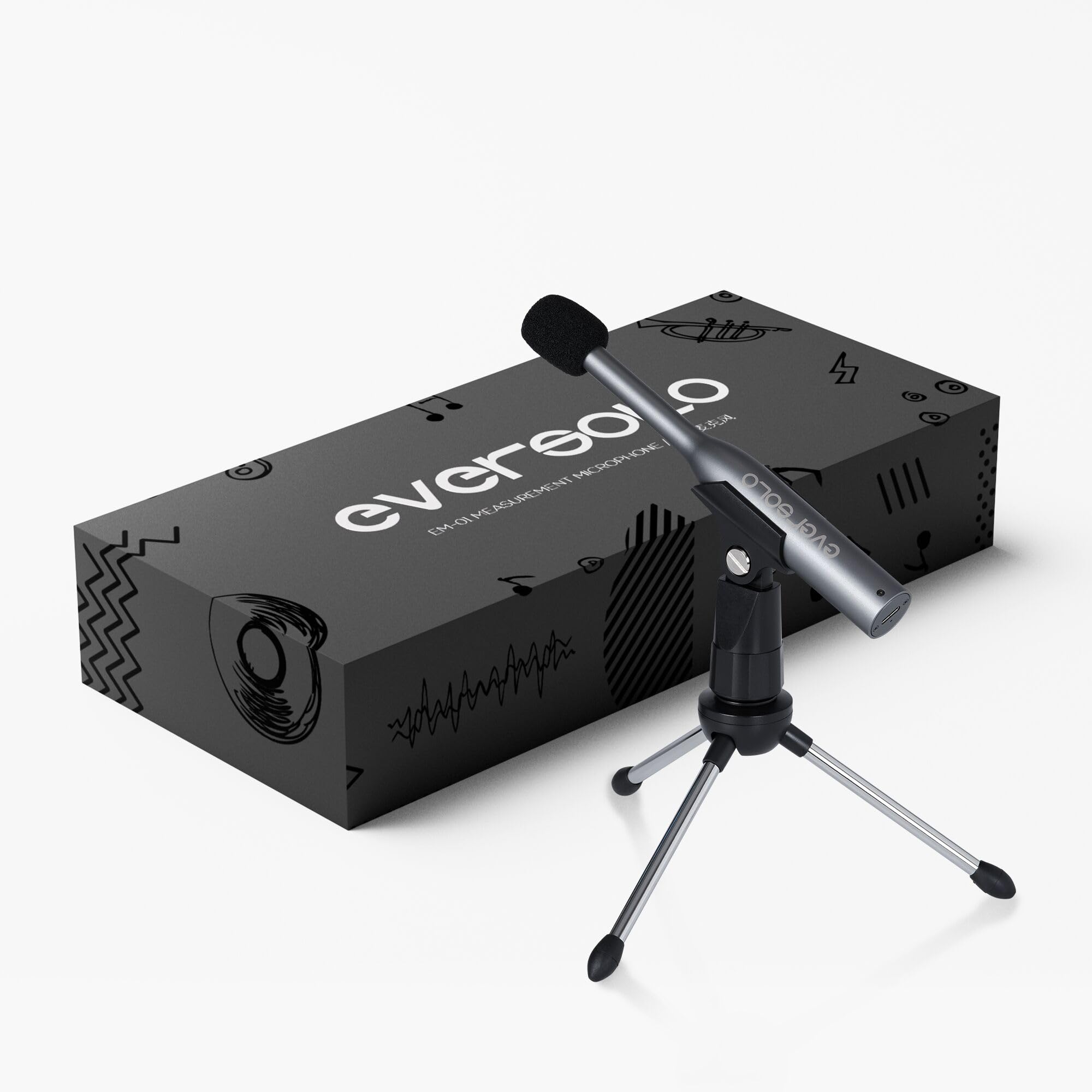
Plug it into your phone, open the app, and sweep the room in minutes — no interface required.
The EM-01 runs on a 6mm electret microphone chip with an omnidirectional design, and EVERSOLO quotes its sensitivity at -13dBFS and its frequency response from 20Hz to 20kHz. The USB Type-C connector means it goes straight into a laptop, phone, or tablet — Windows, macOS, iOS, and Android all work. The aluminum alloy body measures 155mm and weighs 47g, which is light enough that a desktop tripod (included) holds it steady without wobble. Noise level is -84dBFS (+30dB IGPA), and the max sound pressure it absorbs is 130dBSPL.
For anyone who does not want to drag a laptop and interface to every calibration session, the ability to plug into a phone is what sets this apart. EVERSOLO’s DMP-A6 streamers recognize the mic immediately and see the calibration file — one buyer had the whole correction workflow running from an iPhone without touching a computer. In a room with an awkward shape, the difference between the DMP6 Gen 2 Master’s built-in EQ and a proper mic calibration was enough that the owner’s friends wanted their own systems tuned.
The catch is real and specific: a few M1 MacBook owners found their machine would not recognize the mic at all, and one buyer tried three different Apple devices without success. That’s the minority report, not the pattern — but if you are on an Apple Silicon laptop, be prepared to test quickly. The calibration file download has also occasionally required contacting EVERSOLO for a working link, and they respond by uploading files to their site the next day.
The winning move: the “all you need is your phone” reality — one Type-C cable and the calibration file, and you’re sweeping. No phantom power, no interface.
The thing nobody mentions up front: not every USB-C host is friendly to it. If your machine doesn’t see it, the calibration file walk is your first stop, not your last.
It’s the pick for: anyone running REW or Dirac-style software off a phone or tablet who wants a properly calibrated room sweep without extra gear.
Hold off if: your only computer is an Apple Silicon laptop and you need a guaranteed plug-and-play experience.
5. Dayton Audio UMM-6 USB Measurement Microphone

The desktop calibration workhorse that has EQ’d more home studios than any other mic here.
Dayton’s UMM-6 is a precision condenser built into a rugged USB package: it plugs directly into your PC or Mac, carries a true omnidirectional pattern, and its flat frequency response is calibrated per unit. Its enclosure is electret condenser, its impedance is 600 ohm, and the frequency response tops out at 20000 hertz. The list price sits near the entry tier, but what it does with that makes it anything but entry-level in practice.
Where it earns its reputation is in software compatibility — it works with REW, with Dirac, and with any desktop tool that accepts a USB measurement input. One owner used it for roughly a year to EQ and amp-tune a new SUV stereo and came out with the best-sounding car audio they’d ever owned. A home-theater owner said the mic that came with the receiver was “garbage in comparison” and they couldn’t calibrate at all until they bought this. A desktop 2.1 speaker owner said the UMM-6 made room correction “a breeze” with REW and EQ APO.
The honest catch: this mic is larger than some others on the list, which is a real limitation for cramped car cabins or tight field work. For large-room measurements, an owner noted it’s better suited to SPL and FOH RTA duty than full field calibration. Another caveat — the UMM-6 is USB, so it will not work with software requiring an XLR connection (Sonarworks is the one repeatedly named), and the rubber mounting ring can be stiff on some stands. For desktop room correction, though, this is the crowd’s pick — 4.5+ stars across 100+ owners is the highest satisfaction rate on this list.
The Long-Term Track Record
- Works natively with REW, Dirac, and desktop EQ tools — no adapter or interface needed.
- Per-serial calibration file means the correction is specific to your unit.
- Hard case and mic stand clip included — the whole thing travels safely.
- Customers note long-term reliability (one used it for a year of car-audio tuning with no issues).
What It Won’t Do
- Bigger body than the other USB mics here — awkward in tight spaces like a car cabin.
- Won’t work with software that insists on an XLR input (Sonarworks among them).
- Mounting ring can deform on pressure — worth a spare stand clip if you swap positions.
The one to buy if: you’re doing desktop or in-room speaker correction on a Windows or Mac machine and want the most compatible USB mic at a budget price.
Don’t buy it for: car-cabin sweeps or software with an XLR-only requirement — grab the Superlux for portability instead.
6. Superlux ECM999U USB-C Measurement Microphone
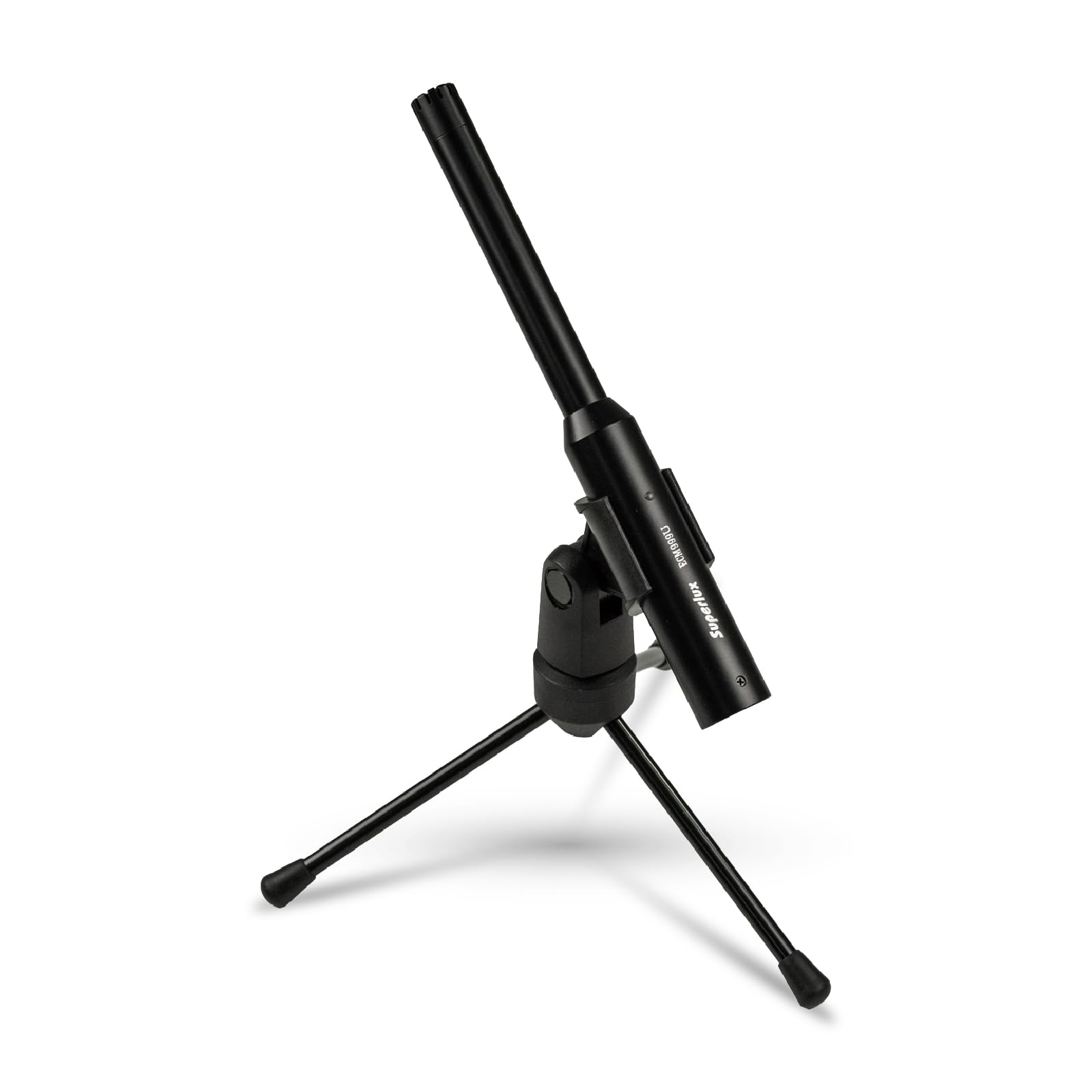
The field-bag mic — USB-C, rugged, and light enough to ride along to every speaker job.
The ECM999U is built around a 1/4-inch pre-polarized condenser capsule with an omni free-field configuration (it measures as if the sound is arriving from directly in front — the standard shape for speaker measurement). Its frequency response spans 10Hz to 20kHz, wider at the low end than the dbx and PreSonus here, which matters for subwoofer work. The maximum SPL is 133dB, and it captures 24-bit/48kHz digital audio over USB Type-C. No phantom power, no external audio interface — the mic and the laptop are the whole system.
Setup is one cable: USB-C into a laptop, or USB-C into a phone with the right cable. One owner noted it does not require a long USB run or any extra cabling — plug into the phone and the app sees it. Compared to a traditional mixer-and-phantom-power setup, the workflow is a fraction of the effort, and the included mic clip, table stand, windscreen, and 2-meter USB cable mean you can start measuring with no additional purchases. In portability and build, it is the standout of this list.
Here is the real trade-off buyers should walk in knowing: the calibration is generic, not serialized. One owner deducted a full star for that single reason, and another found the file missing from the box entirely. For a car-cabin sweep or a home-theater sanity check, a generic file is fine. For a professional install where you need to hit a target curve exactly, you’ll want the serial-matched file the Dayton or Audyssey provides. Superlux does point buyers to a slip on the outer packaging for calibration file details, and their support has helped when asked.
Where it shines: a 10Hz–20kHz range and 133dB max SPL in a package that survives being knocked off a table — the field-bag credentials are real.
Where it loses ground: generic calibration file only — you’re trusting the model average, not your unit’s measured curve.
For the field kit: an installer or home-theater tuner who wants a durable, USB-C mic that goes anywhere and doesn’t need an interface.
If precision matters more than portability: the Dayton UMM-6’s serialized file is the better calibration tool.
7. IK Multimedia ARC Studio Room Correction System
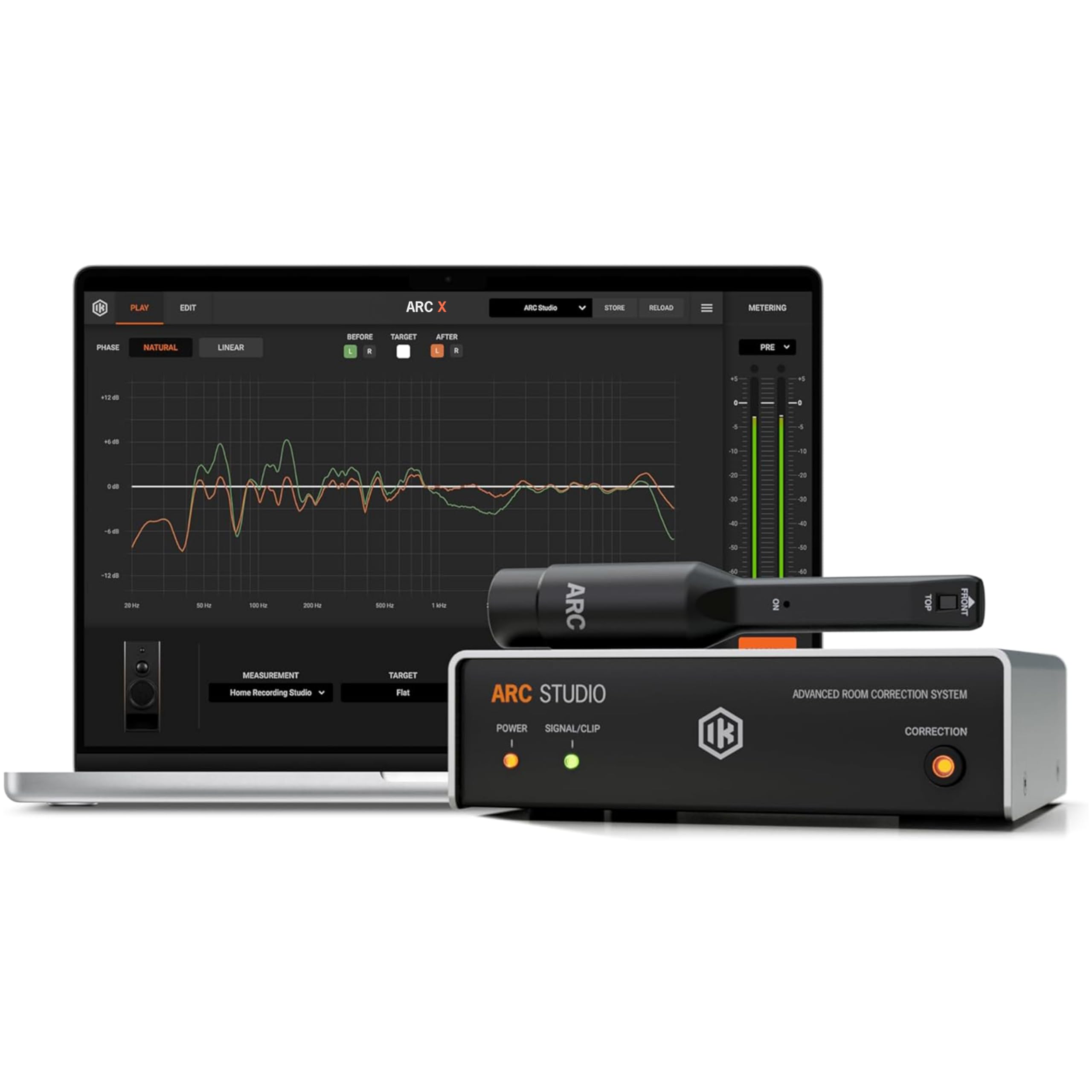
More than a mic — a complete correction system with a hardware box that keeps working after the measurement is done.
ARC Studio bundles three things: a high-precision measurement microphone, ARC 4 calibration software, and a dedicated stand-alone correction processor that sits between your monitors and your interface. Its connection options are broad — XLR, USB-C, and RCA — and it works with a desktop, laptop, audio interface, or studio monitors. The microphone needs phantom power or an audio interface, and several reviewers point out the listing doesn’t say that loudly enough, so plan for a mixer or interface with 48V if you buy this.
What wins people over is the result on the other side of the measurement. Owners describe the 21-point measurement taking roughly 10 minutes, then the soundstage opening up — tighter imaging, more predictable bass, mids evening out. A producer running Yamaha HS5s with an HS8 sub found the difference subtle at first, then clear on familiar songs. A vintage Klipsch Heresy user reported the tweeter roll-off moving from around 9kHz to around 14kHz — like a blanket lifted off the speakers. The included virtual monitoring (the software’s monitor emulation) is called out as a highlight by more than one owner.
The honest limit is in the software setup, and a minority find it steep: registration issues, unclear software modules, and firmware updates that tripped one buyer up. One owner also noted there’s no multiple calibration storage, so if you move studios, expect to re-sweep. If you already own a treated room and just want a mic for REW, you don’t need this; if you want a correction box that stays in the signal chain, it earns its place.
The bigger picture: a mic, a measurement-sweep workflow, and a hardware EQ network that corrects in real time — the whole kit for someone who wants the room fixed, not just diagnosed.
The honest bottleneck: software onboarding. The processor stays, but the setup can take an afternoon of patience the first time.
It’s the pick for: a project or professional studio that wants a permanent, hardware-based room correction solution with the mic and software included.
skip it if: you already have a good mic and just want one more measurement tool — the processor is the bulk of what you’re paying for.
Know the Specs
Calibration File & Per-Unit Matching
A calibration file (a small text file your software loads to correct your specific capsule’s deviation from the ideal curve) is what turns a measurement mic into an instrument. The Audyssey ACM1-X is individually serialized; the Dayton UMM-6 calibrates per serial number; the Superlux ECM999U ships a generic file. The practical difference: generic files correct the model average, so two units from the same run can still measure slightly differently at 5kHz — which matters if you’re setting a target response curve for a professional install.
Omnidirectional Pattern & Frequency Response
An omnidirectional pattern means the mic picks up sound roughly evenly from all directions, so it doesn’t change the measurement as you aim it — the correct shape for room measurements. A flat frequency response from 20Hz to 20kHz, or 10Hz to 20kHz in the Superlux’s case, means you’re seeing what the speaker can actually reproduce. The wider low-end range (10Hz vs 20Hz) helps you see subwoofer behavior below 40Hz that a 20Hz-limited mic might miss.
Common Questions
Do I need a calibration file to tune my speakers?
Can I use a USB measurement mic without an audio interface?
Is the Audyssey ACM1-X different from the mic that comes with my AVR?
Will the Dayton UMM-6 work with Dirac?
How loud a speaker can my measurement mic handle?
Why does my measurement mic seem to be wired backwards?
Do I need an audio interface for the IK Multimedia ARC Studio?
How many measurement points should I take with the ARC Studio?
Can I leave my measurement mic permanently connected for live RTA?
Will the EVERSOLO EM-01 work on an M1 MacBook?
The Bottom Line
For most people tuning speakers, the calibration microphones for speaker tuning winner is the dbx RTA-M — it earns its place because it stays in the rack, measures live, and has the track record in DriveRack systems to back that up. If you want a per-unit calibration file for desktop room EQ, grab the Dayton Audio UMM-6, the highest-satisfaction mic on this list with a serial-matched file and rock-solid REW and Dirac support. And if you’re building a complete studio correction chain with the mic built in, the IK Multimedia ARC Studio is the one to reach for.
How we choose
We do not accept paid placement. Every pick is matched to a real buyer and a real use-case; we do not hands-on test units.
Sources
Specifications: manufacturer listings and product documentation. Review insights: verified customer reviews, as of October 2026. Pricing: not shown on this page (it changes often); check the current price via the retailer link.
As an Amazon Associate, Aappliancez earns from qualifying purchases. This does not affect which products we feature.