Disclosure: Some links in this post are affiliate links. As an Amazon Associate I earn from qualifying purchases, at no extra cost to you. Learn more
Specs are compiled from manufacturer listings and verified buyer reviews and can change over time — please confirm the key details on the product page before buying.
You want real photos in your hand, not another camera roll you never look at again — and you want to spend a modest amount doing it. That is the whole job here. This guide separates the small printers that quietly turn your phone into a photo booth from the ones that jam, streak, or drink ink faster than you can buy it. Some picks fit in a purse and cost pennies per print; others sit on a desk and churn out lab-style 4x6s for scrapbooks and frames. Read on to match a printer to your shelf, your budget, and your patience.
This guide is built by comparing the manufacturers’ published specifications and the patterns across verified customer reviews, so you get each pick’s real strengths and trade-offs instead of marketing spin.
Printing at home sounds simple until you meet the ink tax, the sticker paper quirks, and the app that will not connect. Below, each pick is matched to the people who will actually love it, with the honest catches spelled out. The right budget photo printer depends less on specs and more on whether you print tiny stickers or full 4×6 keepsakes.
Top Picks

How To Choose The Best Budget Photo Printer
Most people start by looking at the printer and forget the paper. The paper and cartridge are the real cost, and they decide whether you print freely or wince every time you tap the button. Get the printing technology and photo size right first, then worry about the box itself.
Ink-free ZINK versus dye-sublimation
ZINK (Zero Ink) paper hides dye crystals inside the sheet, so there is no cartridge to swap — the printer just heats the paper and the image appears. It is the simplest system and great for small sticker prints. Dye-sublimation is different: the printer lays down three color layers and a clear protective coat, so the print comes out dry, laminated, and better at resisting water, scratches, and fingerprints. That extra layer is why a dye-sub photo feels like a real lab print.
2×3 stickers versus full 4×6 prints
2×3-inch prints are credit-card sized and peel-and-stick, which makes them perfect for journals, planners, phone cases, and wall collages. A 4×6-inch print is frame-ready and far more detailed, but it needs a bigger printer and typically costs more per sheet. Decide what you will actually do with the photos before you buy — a sticker printer is wasted on someone who wants framed portraits.
How the printer talks to your phone
Bluetooth is the easiest for pocket printers: pair once in the app and print. Some larger models skip Bluetooth and run their own Wi-Fi hotspot instead, which avoids outside network trouble but means you join the printer’s network each session. USB-C and memory-card slots matter if you print from a camera or laptop. Whatever the connection, the app is half the product — a clunky app can make a good printer feel broken.
Side-by-Side Comparison
| Model | Best For | Print Tech | Max Photo Size | Color Speed | Amazon |
|---|---|---|---|---|---|
| Canon PIXMA MG3620★ Best Overall | Home office plus occasional photos | Inkjet (CL-241/PG-240) | Up to 8.5 x 11 in paper | 5.7 pages per minute | Amazon |
| Nelko PP01Pocket Pick | Students and sticker lovers | Inkjet cartridge on 2×3 paper | 2×3 in | 1 page per minute | Amazon |
| KODAK StepInstant Favorite | Instant prints on the go | ZINK ink-free | 2×3 in | 1 page per minute | Amazon |
| Canon Ivy 2 | Journaling and bullet logs | ZINK ink-free | 2×3 in | — | Amazon |
| KODAK Mini 2 Retro | Laminated keepsake prints | 4PASS dye-sublimation | 2×3 in | 5 pages per minute | Amazon |
| Liene Pearl K100 | Planners and party favors | ZINK ink-free | 2×3 in | 1 page per minute | Amazon |
| KODAK Dock Plus | 4×6 albums with phone charging | 4PASS dye-sublimation | 4×6 in | 1 page per minute | Amazon |
| Canon Selphy CP1500 | Lab-style prints at home | Dye-sublimation | Postcard size | 1 page per minute | Amazon |
| Liene M100 | High-volume 4×6 printing | Thermal dye-sublimation | 4×6 in | 1 page per minute | Amazon |
| Canon PIXMA TR160 | Travel documents plus photos | 5-color hybrid inkjet | Up to 8.5 x 11 in paper | 5.5 pages per minute | Amazon |
| Epson PictureMate PM-400 | Archival 4×6 and 5×7 prints | Inkjet with genuine cartridge | 5×7 in | 1 page per minute | Amazon |
Detailed Reviews
1. Canon PIXMA MG3620 Wireless All-in-One Color Inkjet Printer
One small white box that prints, scans, and copies — and still squeezes out real photos.
If a printer has to earn its desk space, this is the one that does: it prints photographs and your tax forms from the same machine. That all-in-one skill (printing, scanning, and copying in a single unit) is the reason it sits at the top for a household that wants photos without dedicating a whole counter to the hobby. When you need a passport photo, a school form, and a birthday picture in the same afternoon, this covers all three.
On speed it is no slouch for an entry inkjet: 5.7 pages per minute in color and 9.9 pages per minute in black and white. Compare that with the Nelko PP01’s 1 page per minute on its 2×3 prints — a 5.7x gap, so a stack of photos or documents moves far faster here than on any pocket model. A 48-bit color depth earns its keep in photos with smooth skies and skin tones, where a lower-depth printer tends to band the gradient.
What wins people over is how much it does for a home setup, and the honest gripes are equally clear. The output tray is short enough that finished pages can slide to the floor, a fixable annoyance some buyers solve themselves. The wireless link has a reputation for dropping jobs, so a USB cable is the calmer route when reliability matters. Ink is the recurring sore point — the CL-241 and PG-240 cartridges can cost close to the printer itself, so budget for replacement ink as part of the deal, not an afterthought.
cheap all-in-one color
- Prints, scans, and copies from one compact unit — photos and documents share one machine.
- 5.7 pages per minute color and 9.9 pages per minute black and white outrun the pocket printers by a wide margin.
- AirPrint, Google Cloud Print, NFC, Mopria, and Canon Print give you plenty of ways to send a job from a phone or tablet.
- 48-bit color handling keeps photo gradients smooth rather than striped.
slow wireless setup
- Replacement CL-241 and PG-240 cartridges can rival the printer’s own price.
- The short output tray lets completed pages fall to the floor.
- Wireless jobs occasionally drop; USB is the steadier connection.
budget home printing: the household that needs a scanner and copier as much as a photo printer, and wants one compact all-in-one on the desk.
volume printing: you print photos weekly and hate shopping for ink — the cartridge cost will wear you down.
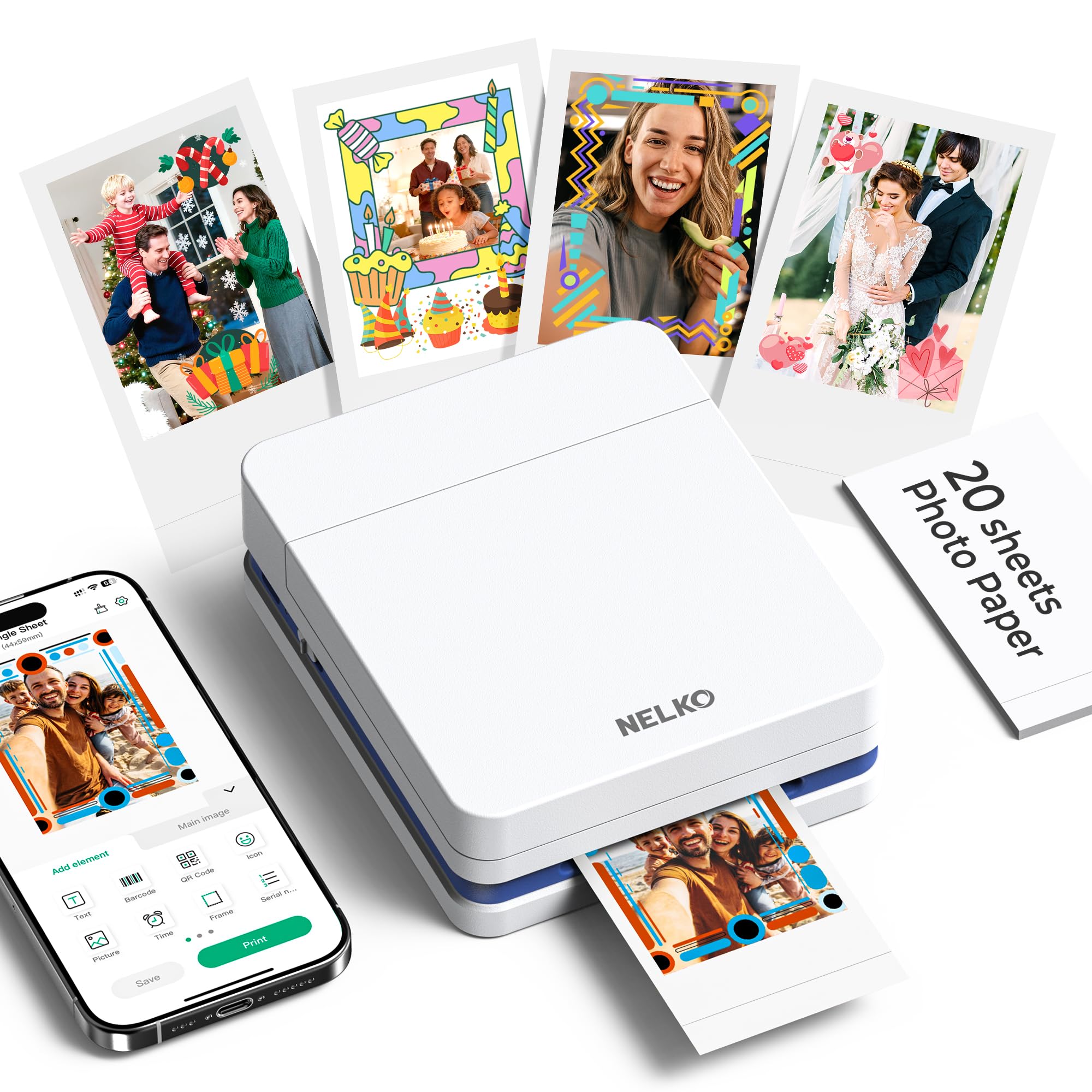
2. Nelko PP01 Photo Printer, 2×3 Portable Photo Printer
A pocket-sized inkjet that turns your phone gallery into peel-and-stick memories.
Here is the trick that sells this one: it is an inkjet, not a ZINK printer, so it lays down real CMYk ink on premium sticky-backed paper that resists smudges, water, and tears. You get 600 DPI detail on a 2×3-inch sheet — enough that faces and fine print stay legible, which is more than most pocket printers manage. It weighs just 308 g and lives in a bag, so it travels to school, trips, and field days without complaint.
Each ink cartridge prints up to 80 full-color 2×3 photos, which is the number to remember when you are planning a scrapbook or a party favor run. Photos land in under 90 seconds via the Nelko app. That app does more than send files: collages, filters, stickers, text, borders, and AI editing all live there, so you can style a photo before it prints instead of fiddling afterward.
The catch is volume and format. One page per minute means this is a treat-it-slowly printer, and mono printing needs separate mono paper you buy yourself. Loading the paper is fussy the first time — smooth side down, ink cartridge seated — and a photo printer with no screen means you trust the app to tell you what is happening. Journalers and students decorating a dorm wall can live with that; someone printing fifty 4x6s for a reunion cannot.
pocket 2×3 prints: students, bullet-journal keepers, and crafters who want sticky 2×3 prints from their phone anywhere, with an editing app that does the decorating for them.
no battery: at 1 page per minute on 2×3 paper, it is built for a handful of keepsakes, not a bulk print run.
phone photo printing: you want real inkjet color on sticker paper small enough to fit in a purse.
large prints: you need 4×6 frames filled — the max media size here is 2×3.
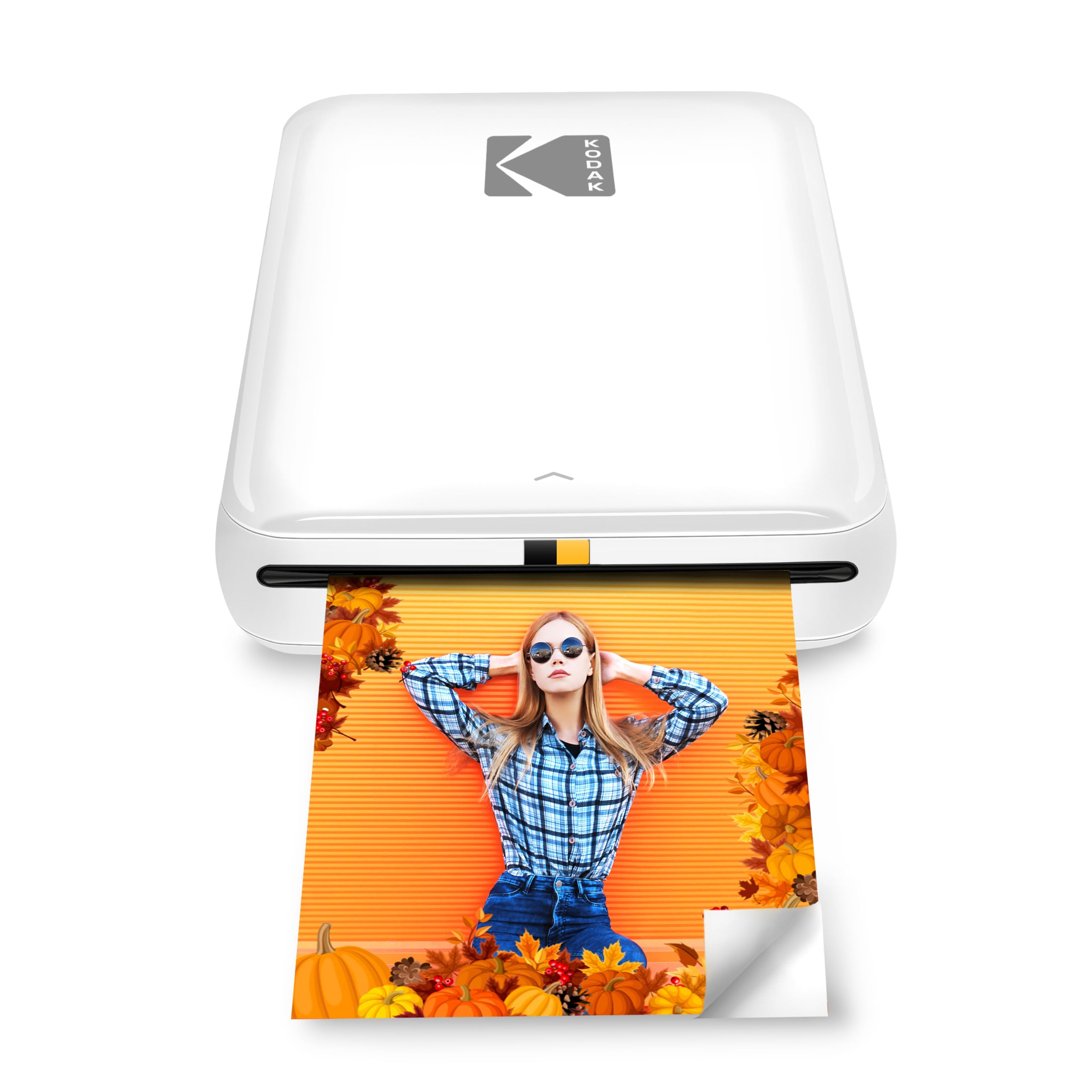
3. KODAK Step Instant Smartphone Photo Printer
Zero ink, a built-in battery, and selfies that become stickers in about a minute.
No cartridges, no ink refills, no mess — the KODAK Step uses ZINK paper with dye crystals embedded in the sheet, so you just feed paper and print. The lithium-ion battery inside prints 25 photos on a full charge, which makes it a genuinely cord-free companion for a day out. A first print arrives in about 60 seconds, and the palm-sized body means it rides along in a bag without a second thought.
The photos come out on 2×3-inch sticky-back paper resistant to moisture, rips, tears, and smudges, and the KODAK app lets you build collages, add filters, borders, text, and stickers before you print. It handles the fun end of this category: party favors, fridge stickers, and baby-book pages. It also connects by Bluetooth or NFC, so older and newer phones both have a route in.
Print consistency is the honest catch. ZINK prints (a zero-ink process that heats special paper) look slightly matte and softer than a dye-sub print (a printer that melts dye into the paper), so colors come close but are not lab-accurate. Streaks can appear once the unit is low on charge; a full charge and the blue calibration sheet from a fresh paper pack restore it. The app also freezes or disconnects at times, which needs a Bluetooth toggle and a restart. None of that stops it being a delight for quick projects; it just means you keep expectations at “fun instant print,” not “framed portrait.”
quick photo fun: gifters, journalers, and party hosts who want instant sticky prints with no ink to buy and no cable to hunt for.
archival quality: you need consistent, color-matched archival prints — this is a fun-print machine, not a lab.
4. Canon Ivy 2 Mini Photo Printer

The smallest ticket to sticker prints — 145 g of no-ink ZINK and Bluetooth 5.0.
At 145 g this is the lightest printer in the group, small enough to live in a pen case and light enough that you forget it is in your bag. The IVY 2 prints on ZINK paper with no ink, and the peel-and-stick backing means every photo goes straight onto a journal page, laptop lid, or scrapbook. For a bullet-journal habit, that combination is close to ideal.
Canon sharpened the output for this generation: skin tones are tune, contrast is improved, and sharpness is tuned for the small format. On connection it uses Bluetooth 5.0, which pairs cleanly with phones and keeps the app talking, and a first print takes up to 50 seconds. The Canon Mini Print app handles collages and customization so you can lay out a grid of memories before printing.
Where it asks care: paper and app are not perfect. The app occasionally crashes mid-print or drops Bluetooth, and images need small color and temperature tweaks; non-Canon ZINK paper needs a blue calibration sheet to read right. Printing gets pricey per sheet if you buy packs one at a time. But for the planner crowd, the sticky backing and the tiny body make this a daily-use companion, and the quality — the thing buyers rave about most — holds up fine for a 2×3 print.
mini journal size
- 145 g body is the lightest here — slips into a pen case or pocket.
- ZINK means no ink cartridges to buy or swap.
- Peel-and-stick backing makes every print an instant sticker.
- Bluetooth 5.0 pairs with both iOS and Android phones.
small print area
- The app can crash or drop Bluetooth mid-job, needing a reconnect.
- Images often need 1-2 color or temperature adjustments in-app.
- CANON ZINK paper costs far more than plain photo paper.
journaling crafters: 145 g and no ink — it is the smallest, simplest way to get a sticker out of your phone.
wall displays: 2×3 only, and you pay a premium for Canon-branded ZINK paper.
5. KODAK Mini 2 Retro 2×3 Portable Photo Printer
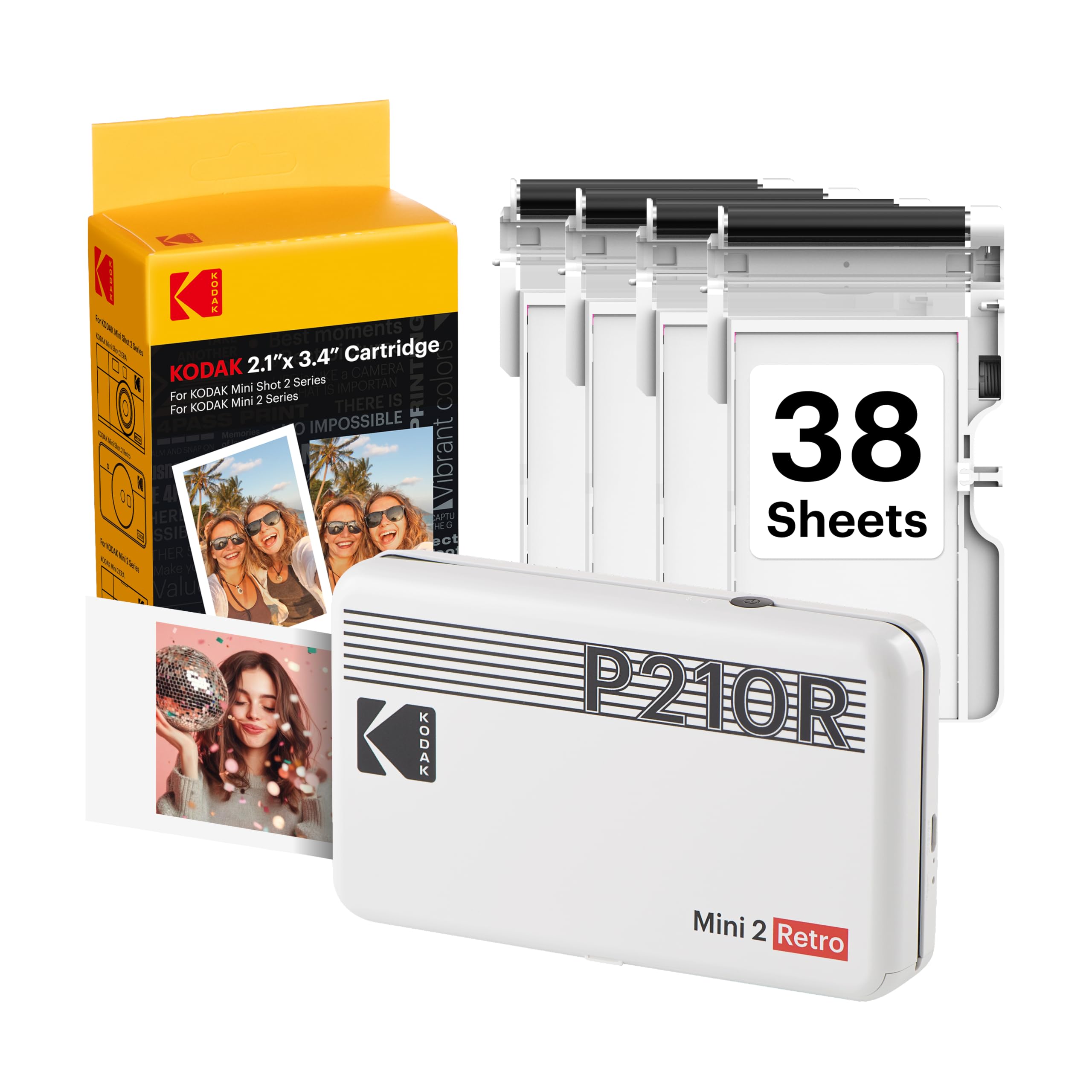
Four-pass dye-sublimation in a retro shell, with the print sealed in its own lamination.
Dye-sublimation is the reason these prints feel different. Genuine 4PASS lays down three color layers and finishes with a clear protective lamination, so each 2×3 print arrives in about 55 seconds smooth, detailed, and built to resist fingerprints, water, and fading. That laminated surface is what owners notice — prints come out smear-proof and wallet-ready without any spray or extra care.
The bundle is generous for a starter: 4 cartridges and 38 sheets of photo paper are in the box, plus a USB Type-C cable. Setup is just power on, connect Bluetooth, and start printing — the app edits and crops before the job goes through. It fits in a pocket or bag, so trips, parties, and school projects all get real prints on the spot.
The honest trade-off is speed and cost. It runs about a minute per photo, slower than a 4×6 printer churning out a wedding album, and the per-print cost climbs once you start buying replacement cartridges. Bluetooth pairing can be stubborn on the first attempt, though the KODAK app usually finds the printer on its own. Prints are 2×3 — smaller than some expect — so this is a keepsake printer, not a wall-art printer.
retro 2×3 style: 4PASS dye-sublimation gives you a laminated, fade-resistant 2×3 print in about 55 seconds, with 38 sheets and 4 cartridges ready in the box.
slow print speed: roughly a minute per photo and rising refill costs mean bulk albums take time and money.
nostalgic photo fans: anyone who wants durable, laminated credit-card prints for wallets, planners, and albums without extra protective work.
fast batches: big-format frames — you are capped at 2×3.
6. Liene Pearl K100 2×3 Photo Printer

A sticker printer with 50 sheets in the box and a print-head cleaner baked into the app.
The headline here is what you get on day one: 50 sheets of ZINK adhesive paper to start printing immediately. It uses Bluetooth 5.2 with no Wi-Fi needed, so a road trip or campsite never stalls the fun — pair the phone, slide the cover open, load the roll, and print. Type-C charging means it tops up from the same cable as your phone, and one charge handles about 30 photos.
It prints color or mono (mono needs separate mono paper you buy), and the ZINK film layer boosts water and dust resistance so prints hold up better than plain paper. A clean print-head function in the app tackles white spots and lines, and you can add frames, filters, borders, and stickers before printing. The sliding cover keeps paper loading simple, which matters on a device this small.
Quality is the honest swing factor: print quality is mixed in reviews, with sharpness trailing a dye-sub printer and the occasional dull or streaked sheet. The app is required and unavailable in some regions, and reconnect prompts pop up now and then. But for planner-keepers and party hosts, 50 starter sheets and 2×3 sticker prints at a modest cost is a lot of fun per charge — just feed it high-quality source images.
casual photo printing: you want a ZINK sticker printer that shows up ready to print 50 photos and lives happily in a crossbody bag.
desk printing: sharp detail matters more than convenience — dye-sublimation models print crisper.
7. KODAK Dock Plus 4×6 Photo Printer
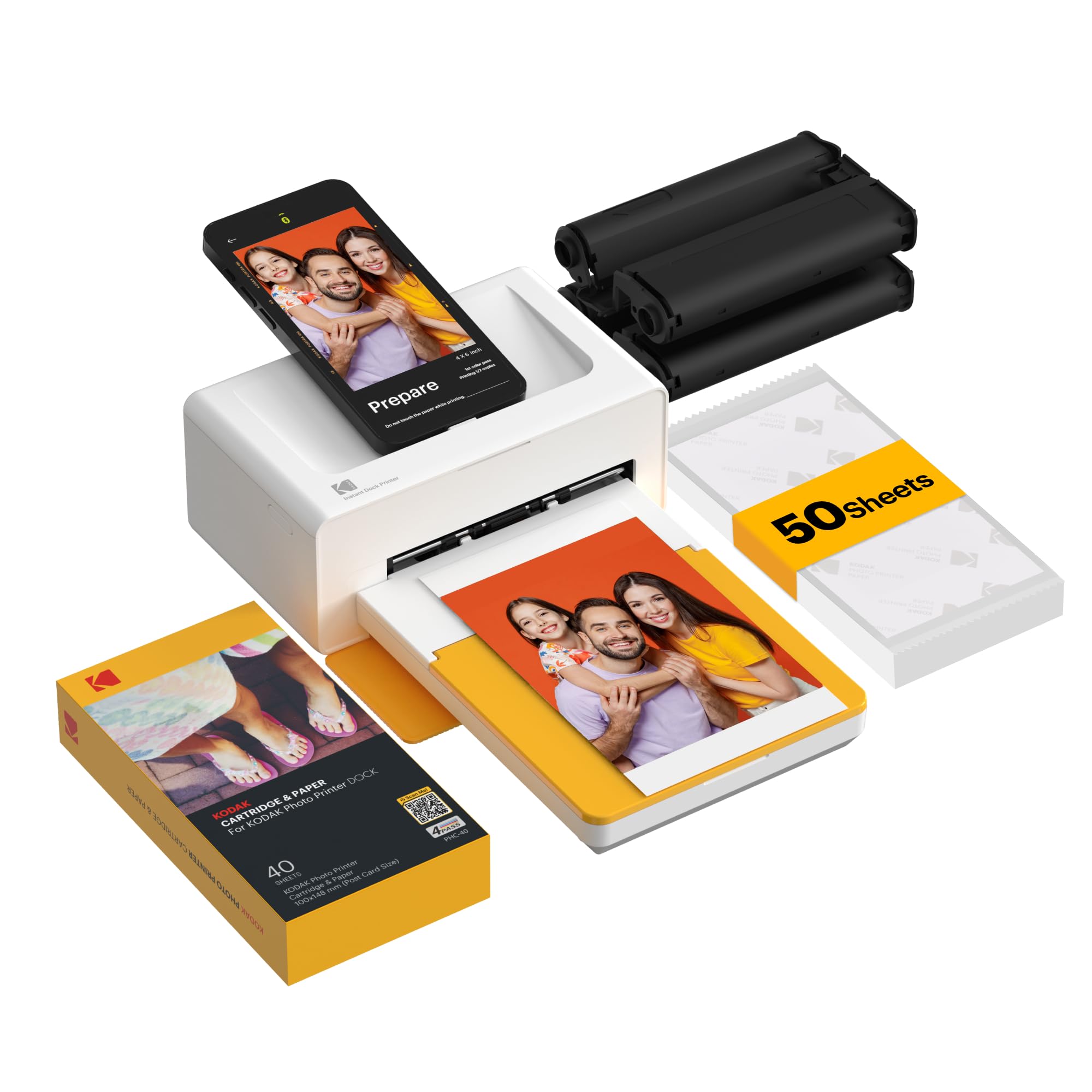
Full-size 4×6 prints from a printer that also charges the phone sitting on it.
This is the pick for people who want frames and albums, not stickers. The Dock Plus produces 4×6-inch prints using genuine 4PASS dye-sublimation — three color layers plus a clear lamination — so each photo arrives in about 55 seconds dry, smooth, and protected against fingerprints, water, and fading. Bigger prints mean more detail on the wall and a better fit for family albums.
The docking station is the clever part: set your phone on top and it connects while charging, so a long print session does not drain the battery. It sits on a desk plugged into the wall for stable performance, making it a home printing station rather than a travel gadget. The KODAK app handles cropping and customization, and the 4×6 format is the size you actually need for frames and albums.
The reality check is setup and paper handling. Instructions are tiny and skip steps, and the app sometimes needs Bluetooth pairing done in a set order to avoid Android looping. Paper jams and single-sheet loading show up in the mix, and the four-pass process (yellow, magenta, cyan, clear coat) makes for deliberate, not fast, printing. Buyers who get it running love churning out hundreds of photos; buyers who fight the setup get frustrated. Read the app guide carefully and it rewards you.
4×6 desk dock
- True 4×6-inch dye-sub prints at about 55 seconds each, laminated and fade-resistant.
- Docks and charges your phone while it prints.
- Plug-in power keeps long print sessions stable.
bulky footprint
- Instructions are small and easy to misread during setup.
- Paper loading and occasional jams need a careful hand.
- Four-pass printing is deliberate rather than quick.
desk photo station: you want genuine 4×6 album prints and a phone dock that keeps your battery topped up.
travel printing: you expect plug-and-play — the setup needs patience.
8. Canon Selphy CP1500 Wireless Compact Photo Printer

The compact that prints like a photo lab and shows you a preview on a 3.5-inch screen first.
Sleek, small, and surprisingly capable, the SELPHY CP1500 is the one for people who want real prints that look like the counter at a photo store. Prints come out instantly dry and water-resistant, and Canon rates them at up to 100 years, which is what you want for albums and gifts. The large 3.5-inch display lets you view, edit, and even add a sepia or black-and-white filter before a single sheet feeds.
Connection options are the widest here: Wi-Fi, USB, and memory card support cover phones, computers, cameras, and even USB flash drives, so it fits almost any workflow. It prints a full album in roughly an hour on average, which is the sort of speed that makes a weekend scrapbook project realistic. Quality is what owners keep coming back to — sharp, vibrant, near-lab results that hold their color.
The honest caveat: this printer wants Canon’s combined ink-and-paper packs, and each refill has to match, which means occasional stock juggling and proprietary cartridges. A battery for cord-free printing is sold separately, and it wants a power outlet during a session. Dark images can print slightly dark, so brighten shadows before sending. None of that undercuts the output — it is a home lab that asks you to buy its own supplies.
compact dye-sub: lab-quality dye-sublimation prints on a 3.5-inch preview screen, with Wi-Fi, USB, and memory card inputs for any device you own.
ink cartridge cost: Canon’s combined ink-and-paper packs are the only refill path, and the battery is sold separately.
portable photo events: scrapbookers and gifters who want crisp, water-resistant prints with a screen to preview before spending paper.
bulk printing: anyone who hates proprietary supplies — the Canon packs are non-negotiable.
9. Liene M100 4×6 Photo Printer
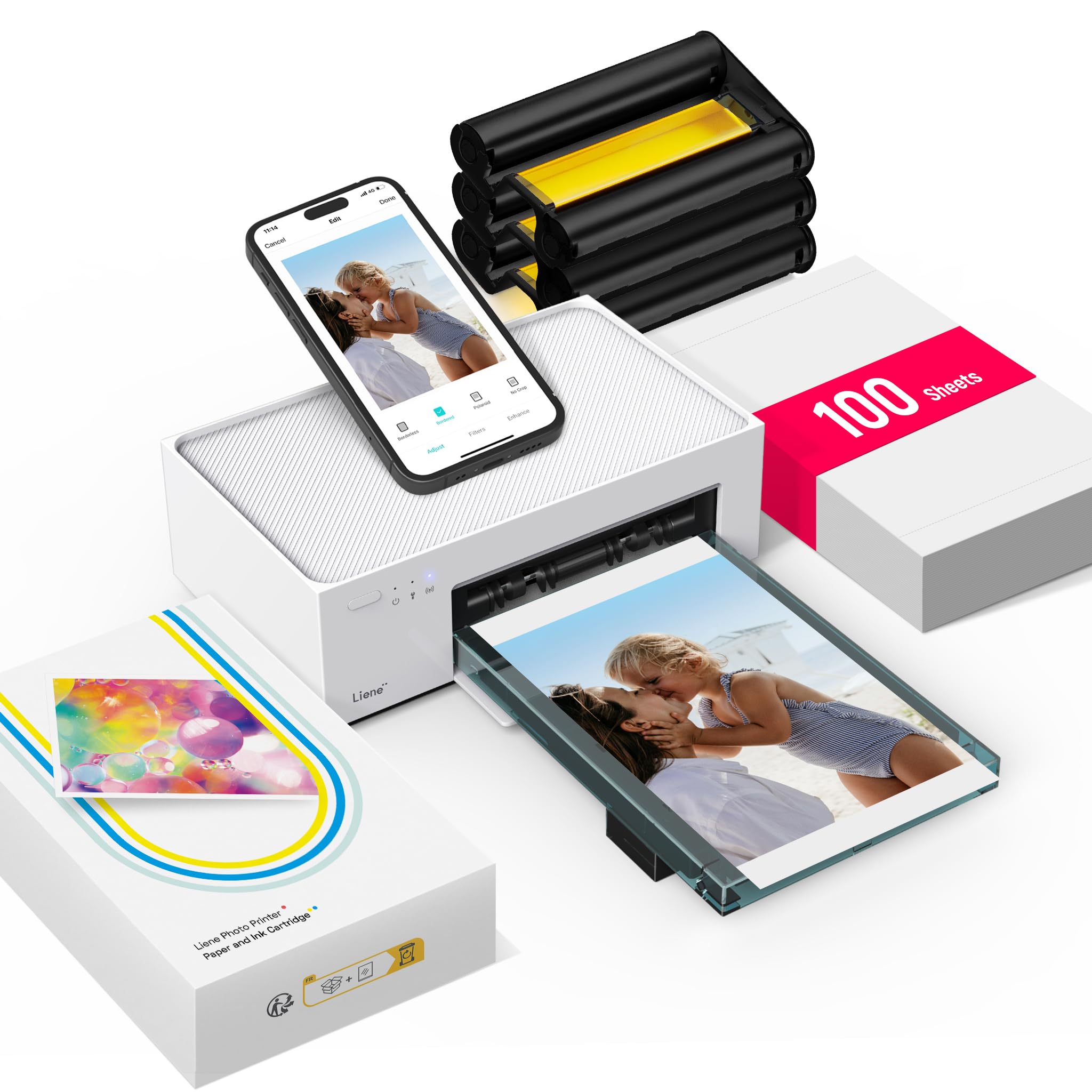
A full 100-sheet, three-cartridge starter kit that prints frame-ready 4×6 photos in about a minute.
Few printers arrive this stocked: the box carries a 100-sheet photo paper supply and three color cartridges, so you are not hunting refills on day one. It uses thermal dye-sublimation, which drives the dye deep into the paper and seals it under a laminated surface that resists water, scratches, fingerprints, and fading. A first print lands in about 59 seconds, and the 4×6 size is the one that drops straight into frames and albums.
You get prints without touching your home network: the printer runs its own Wi-Fi hotspot, so no Bluetooth and no router needed, and up to five devices can connect at once — handy when family and friends want prints from their own phones. The sealed cassette keeps dust off the paper between sessions. The Liene app adds square borders, filters, contrast and brightness tweaks, and even prints ID or visa photos at home.
The catch is cost per print and a slow-feeling first photo. Dye-sub supplies are the priciest part of any printer in this class, and cartridges are not always sold separately, so bundle carefully. It is not a fast-feed lab machine — about a minute per print means a big album takes an evening. Size is worth checking too: actual print dimensions run slightly under a 4×6 frame, which can leave small gaps at the edge.
home photo printing: one printer, 100 sheets, three cartridges, and five-device Wi-Fi — the best-equipped 4×6 starter kit here, so you can start printing the day it arrives.
high volume: refill cartridges are hard to find separately, so buy bundles when you restock.
10. Canon PIXMA TR160 Color Wireless Portable Printer

A 4.5-pound printer that handles full-size pages and photos from a bag.
At 4.5 pounds with a body that slips into a backpack, this is the printer for someone who prints on the move — documents at a client meeting, photos on a trip. A 5-color hybrid ink system covers square and borderless prints up to 8.5 x 11 inches, and the 1.44-inch monochrome OLED shows ink levels and status at a glance. Print speed runs 9 pages per minute in black and white and 5.5 pages per minute in color.
Wireless Direct Mode lets your phone connect even without a router, and the Canon PRINT app, Apple AirPrint, and Mopria cover phones, tablets, and computers. A 50-sheet tray keeps a run going, and the display helps you check settings without digging into an app. It is a strong travel companion when the day mixes documents and the occasional photo.
The honest split is photos versus everything else. Owners find photo prints come out dull and too warm, and pre-editing on the phone restores vividness a little; this is a document printer that also does photos, not a dedicated photo lab. Ink capacity is limited and a battery for true cord-free use is sold separately. The lid can feel flimsy. If your priority is crisp pages on the road, it fits; if your priority is gallery-grade prints, look to the dye-sublimation picks.
on-the-go documents: you travel with a laptop and need full-size pages plus the odd photo, with a screen to check ink levels.
photo quality: photo quality is the whole reason you are buying — this one favors documents.
11. Epson PictureMate PM-400 Wireless Compact Photo Printer
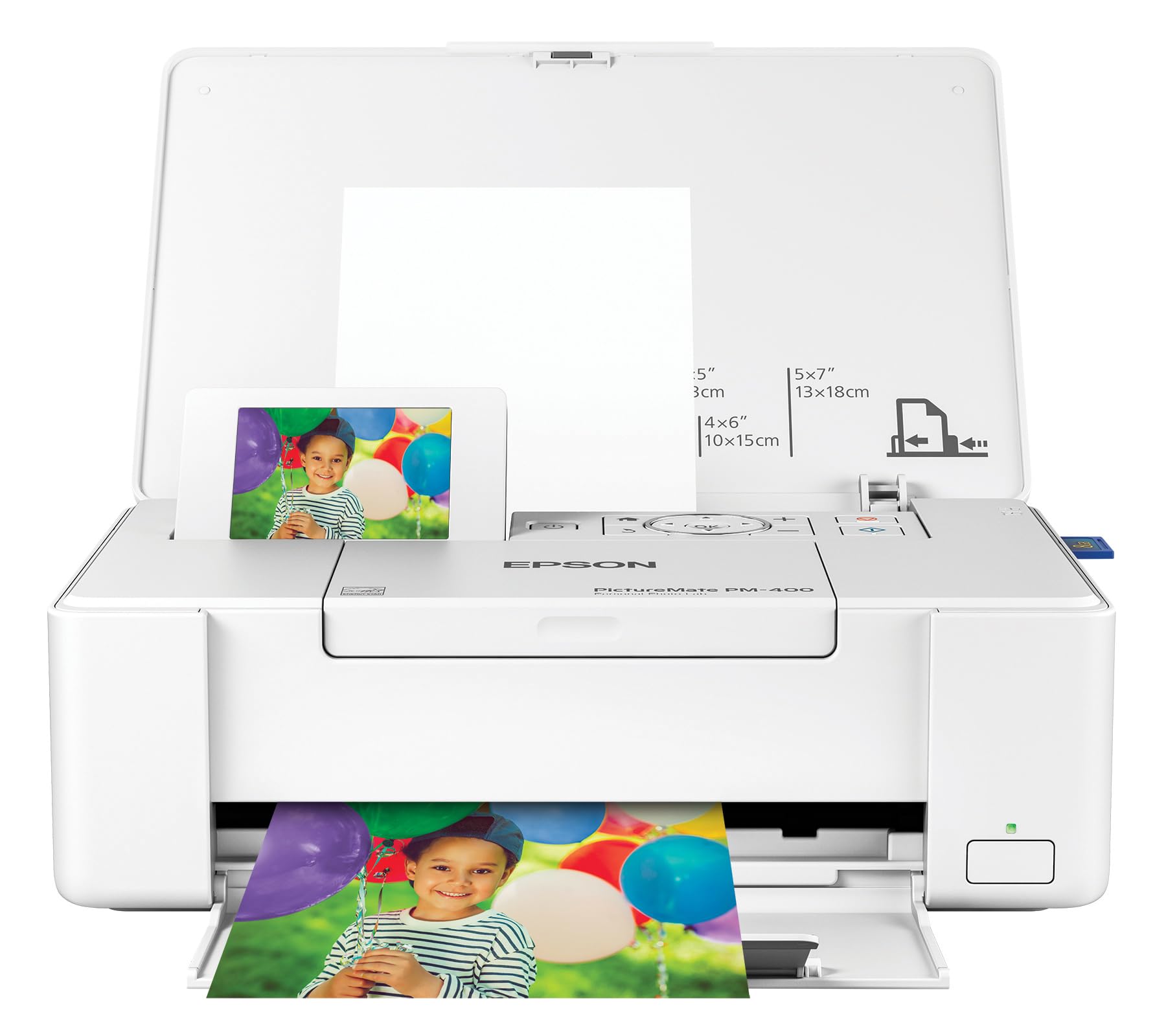
A 36-second borderless 4×6 — and the one owners keep for a decade.
The number that stands out is 36: that is how many seconds a 4×6 borderless photo takes in default mode on Premium photo paper glossy, measured from paper feed. It also prints 5×7 borderless, which is the size for actual frames rather than albums. It is compact and light for a unit that handles real photo sizes, so it sits happily on a desk or shelf. The total wireless setup lets iPads, iPhones, tablets, and phones all send jobs.
What makes this one the archival pick is how long it lasts. Buyers report years of constant scrapbooking with bright, high-quality prints and no fading, and one owner has run over 1,000 prints across eight ink purchases. Photos come out sharp on Epson’s own paper and ink, and the printer has earned a reputation for running and running. For anyone who prints in real volume month after month, that durability is the whole pitch.
The catch is portability and price. There is no battery, handle, or carry bag, and no Bluetooth — it wants a power cable and, for some features, internet, so it is a home unit, not a travel one. Prints come out great but the machine itself sits firmly at the premium end, and it insists on genuine Epson cartridges and paper. It is the one you buy to keep for years rather than to throw in a bag.
durable compact prints: owners mention nine years of scrapbooking and 1,000+ prints from one unit, with bright results that do not fade.
premium price: no battery, no Bluetooth, and a premium-Epson-only supply path make it a desk printer, not a travel gadget.
long-lasting photos: a decade-proof 4×6 and 5×7 printer for people who print constantly and want it to last.
budget buyers: you want cord-free portability — this one stays near an outlet.
Know the Specs
Print Technology: ZINK vs 4PASS vs Inkjet
ZINK paper carries dye crystals inside the sheet, so no cartridge is involved and the printer only heats the paper. It is the cheapest and smallest route to a sticker print, but colors run a touch matte and soft. 4PASS dye-sublimation lays down three color layers plus a clear coat, giving a dry, laminated print that resists water and fading. Inkjet like the PIXMA models uses liquid cartridges, which is best when you need documents and photos from one machine.
Pages Per Minute and Print Time
Pages per minute describes throughput in a continuous run, so a higher figure means a stack of prints finishes faster. Dye-sublimation printers often quote print time per photo instead — 36 seconds, 55 seconds, or about 59 seconds — because each sheet gets multiple passes. For a handful of keepsakes, a minute a photo is fine. For an album or a party favor run, throughput becomes the deciding spec.
Print Size and Borderless Output
A 2×3-inch print is credit-card sized and fine for journals, planners, and wallets. A 4×6-inch print is the standard album and frame size, while 5×7 is better for a wall frame. Borderless means no white margin, so the image reaches the edge. Check both the max media size and whether borderless is supported — a printer that caps at 2×3 cannot fill a 4×6 frame no matter how good the color is.
Connection Type and Battery
Bluetooth suits pocket printers because you pair once and print from the app. A built-in Wi-Fi hotspot keeps printing independent of your home router and can take several phones at once. USB-C and memory card slots matter if you print from a camera or computer. A built-in battery adds true portability, but many compact photo printers run only on wall power or sell a battery separately, so confirm before you plan travel printing.
Common Questions
Is a ZINK photo printer cheaper to run than a dye-sublimation one?
Will a 2×3 photo printer fit a standard picture frame?
Do I need an app to print from my phone?
Why do my printed photos come out dull or too warm?
How long do dye-sublimation prints last compared with ZINK prints?
Can I use non-branded paper in these photo printers?
Which is better for scrapbooking, a 2×3 or a 4×6 printer?
Do portable photo printers need ink cartridges?
How many photos can I print on a full charge?
Why does my printer keep dropping the Bluetooth connection?
Can I print passport or visa photos on a budget photo printer?
The Bottom Line
For most households the budget photo printer that works hardest is the Canon PIXMA MG3620, because it prints, scans, and copies from one compact box and handles photos and documents in the same afternoon. If sticker prints for journals and planners are your real habit, reach for the Canon Ivy 2 or the Nelko PP01 — both run on small 2×3 paper you can peel and stick. And when you want real 4×6 album prints that last, the Canon Selphy CP1500 and the Liene M100 give you lab-style dye-sub output with the supplies to start printing right away. Pick the print size you will actually use, and the printer earns its shelf space.
How we choose
We do not accept paid placement. Every pick is matched to a real buyer and a real use-case; we do not hands-on test units.
Sources
Specifications: manufacturer listings and product documentation. Review insights: verified customer reviews, as of October 2026. Pricing: not shown on this page (it changes often); check the current price via the retailer link.
As an Amazon Associate, Aappliancez earns from qualifying purchases. This does not affect which products we feature.