Disclosure: Some links in this post are affiliate links. As an Amazon Associate I earn from qualifying purchases, at no extra cost to you. Learn more
Specs are compiled from manufacturer listings and verified buyer reviews and can change over time — please confirm the key details on the product page before buying.
The biggest mistake first-time AR glasses buyers make is assuming a bigger number equals a better picture. It does not. A 500-inch virtual screen is worthless if the image blurs when you turn your head, and glasses that press on your nose for two hours end up in a drawer no matter how sharp the panel is. The picks below stay comfortable and stable long enough that you keep wearing them, and each runs off your phone or laptop over plain USB-C instead of a new ecosystem.
This guide is built by comparing the manufacturers’ published specifications and the patterns across verified customer reviews, so you get each pick’s real strengths and trade-offs instead of marketing spin.
Glasses that skip the battery and draw power straight from your phone or laptop are the cheapest way into a wearable screen. Here is what to know before picking from these budget AR glasses.
Top Picks


How To Choose The Best Budget AR Glasses
These glasses are not VR headsets. You still see your room around the edges of the image, and that single fact changes everything about what makes a good pair. You want a wearable monitor you can wear through a full movie without your nose aching, and you want it to plug into the phone in your pocket.
Field of view beats screen size on paper
The “215-inch” or “152-inch” number describes how big the image appears when projected at a set distance — it is not the wall you actually see. What truly decides immersion is the field of view (FOV), the angle in degrees your eyes can look into. A 50° FOV and a 52° FOV look similar on a listing, but both are narrow enough that plenty of buyers describe the picture as looking through a window rather than sitting in a cinema.
Check how the thing is powered before anything else
Most of these glasses carry no battery of their own. They pull power over the USB-C cable from your phone, laptop, or handheld, which keeps them light but drains the host device. If long flights or all-afternoon sessions are your plan, budget for a way to charge while you watch.
Fit matters as much as resolution
IPD is the distance between the centers of your pupils in millimeters. Get it wrong and you get blur, double edges, or a headache instead of a picture. Look for swappable nose pads and adjustable arms or IPD modes, and expect a slightly fussy setup the first time while you dial the screen into focus.
Side-by-Side Comparison
| Model | Best For | Display | Field of View | Weight | Amazon |
|---|---|---|---|---|---|
| Rokid Max 2★ Best Overall | Multi-device gaming and media | 215″ Micro-OLED, 120Hz | 50° | 75 g | Amazon |
| INAIR 2 PROBest for 3D Conversion | 2D-to-3D conversion and work screens | 135″ Micro-OLED, 120Hz | — | 80 g | Amazon |
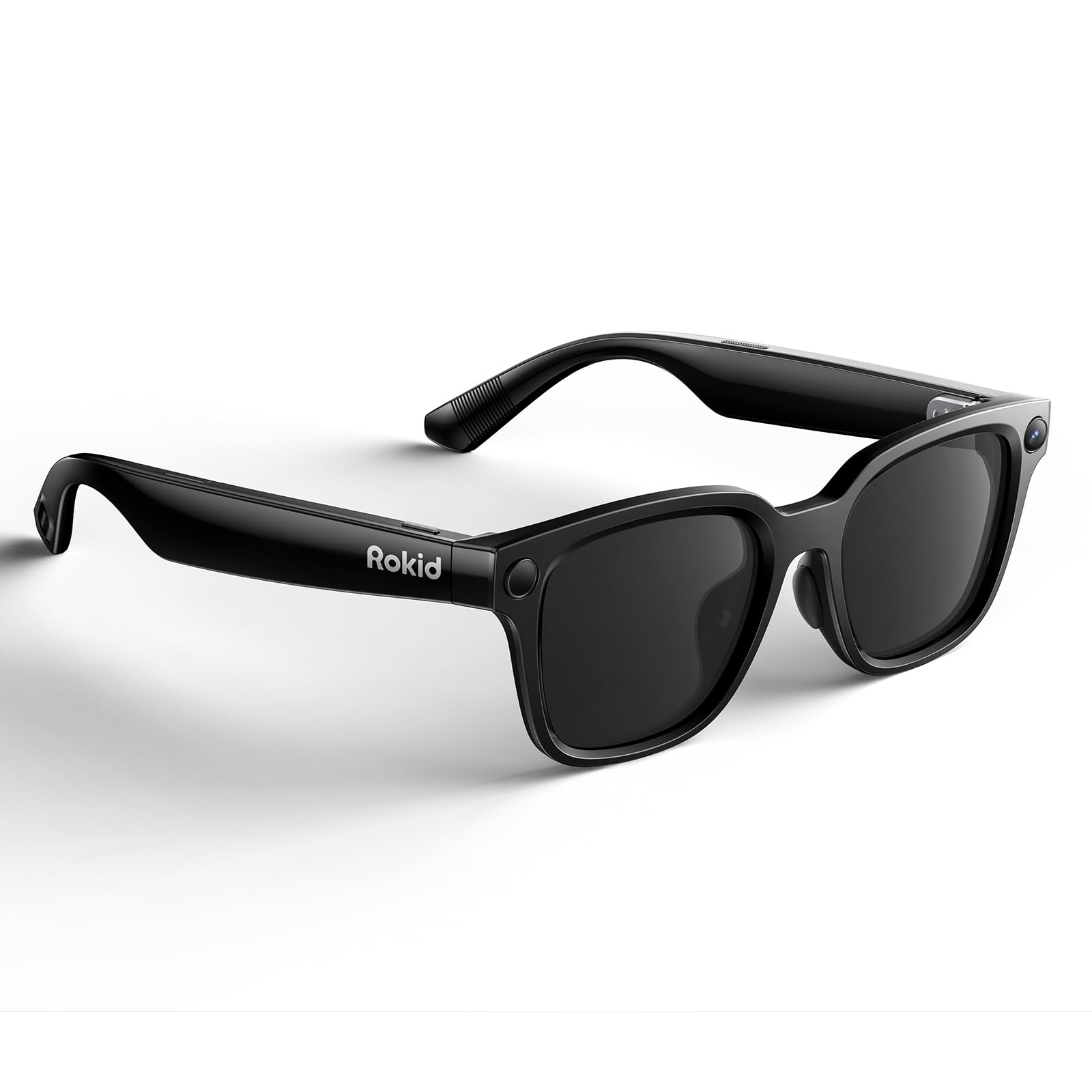
| Rokid AI Glasses StyleBest for Hands-Free Capture | Camera and AI assistant without a screen | No display | — | 38.5 g | Amazon |
| INAIR Pod | Turning existing AR glasses into 6 screens | 6-window spatial OS | — | 158 g | Amazon |
| XREAL 1S | Native 3DoF plug-and-play | 500″ OLED, 120Hz | 52° | 0.08 kg | Amazon |
| ASUS AirVision M1 | ROG Ally and Steam Deck gaming | 100″ Micro-OLED, 1100 nits | — | 3.2 oz | Amazon |
| VITURE Luma Pro | Brightest picture with built-in focus dial | 152″ 1200p, 120Hz | 52° | 2.79 oz | Amazon |
| VITURE Luma Ultra | 6DoF spatial computing and hand gestures | 152″ 1200p, 120Hz | 52° | 83 g | Amazon |
| XREAL One Pro | Widest view for work and gaming | 171″ FHD, 120Hz | 57° | — | Amazon |
Detailed Reviews
1. Rokid Max 2 AR Glasses
A giant virtual screen that runs off whatever USB-C device you already own.
The Rokid Max 2 throws a 215-inch virtual picture at what looks like a six-meter distance, and it does it at a 120Hz refresh rate — that is the number of times per second the image redraws, so fast motion in a game or an action scene stays smooth rather than smeary. Brightness peaks at 600 nits (a measure of screen brightness, and 600 is genuinely usable in a dim room or on a shaded train). Together those numbers make this the most balanced starting point in this list: big image, smooth motion, no companion box required.
Plug it into a PS5, an Xbox Series X/S, a Switch, a Steam Deck, a laptop, or the right phone over the included USB-C cable and it simply mirrors your screen. There is no internal battery, so it sips power from the source device instead of holding its own charge — that is why it stays so light. At 75 grams it is a touch lighter than the INAIR 2 Pro at 80 grams, which matters once you are an hour into a session.
Where it gets interesting is the fit adjustment. A dial on top corrects nearsightedness up to 600 diopters, so most people who wear glasses for distance can use it without inserts. The nose pad uses an airy cushioning design to stop it slipping, and the frame is wide enough for faces up to 16cm. The review page is split, though: the virtual cinema experience is what lands, while the overall functionality rating sits mixed — several buyers find the picture soft unless the glasses sit in exactly the right spot on their face. A minority report headaches, and the cable joint at the left arm is the recurring weak point.
Where it holds its ground
- 215-inch virtual screen at 120Hz keeps games and films fluid
- 75 g body with no battery to charge or carry
- Built-in dial corrects nearsightedness without extra lenses
- Works across PS5, Xbox, Switch, Steam Deck, laptop and phone
What to weigh first
- Picture quality is position-sensitive — a nudge off-center and edges soften
- The USB-C joint at the left arm is the most-reported wear point; as owners put it, a couple of months of weekend use left the warranty offering only a credit
- Astigmatism and presbyopia are not corrected by the dial
Go for it if: you want one pair that mirrors every console and laptop you own onto a huge floating screen.
Second thoughts if: you have astigmatism or need the picture sharp from any head angle.
2. INAIR 2 PRO AR Glasses
It turns your flat photo library into a 3D wall you can actually walk into.
The party piece here is a spatial rendering engine — software that reads depth in a flat 2D image and rebuilds it as a stereoscopic picture with real depth. Point it at an ordinary photo or video and it comes out feeling three-dimensional. Pair it with a Mac or Windows laptop and you get multi-screen and ultrawide layouts on a 135-inch display at 120Hz, which is a serious work-goggle setup.
The display itself is Micro-OLED (the same tiny, high-contrast panel technology the rest of this list uses) at a dual-eye 3840×1080 resolution, with 49 PPD edge clarity — PPD counts pixels per degree of your view, so a high number means text stays crisp right out to the edges, not just the middle. Brightness is 500 nits. The temples use electrochromic film, which tints the lenses at the swipe of a finger: rich mode blocks nearly 100% of outside light, while transparent mode lets between 0.1% and 16% through so you can see your keyboard and phone.
Here is the honest read on the reviews. Build quality is the standout — buyers describe it as solid and well-made — but setup is where people get stuck. As buyers report: “Initial setup difficult; took 2 hours using documentation.” The multi-monitor feature is the other sore spot, with several owners saying it would not work properly in Windows. Note the dimensions: this is a physically bigger shell than the Rokid Max 2, and that bulk is the price of the electrochromic lens and the extra optics.
What really lands: the depth conversion is the feature you will show friends. Flat vacation photos and streaming video come alive in a way a plain mirror can’t match, and the one-swipe tint control means you can go from total immersion to glancing at your desk without lifting the glasses.
The honest friction: the software is not the easy part. Windows multi-monitor support is inconsistent, so treat that feature as a maybe rather than a promise, and plan a patient first evening with the manual.
Reach for this if: 3D is the reason you are buying — photos, films, and games that you want to feel deep rather than flat.
Look elsewhere if: you need multi-monitor productivity to just work the moment you plug in.
3. Rokid AI Glasses Style
No screen at all — just a camera, two AI brains, and a very light frame on your face.
Buy this knowing one thing up front: there is no display. It is not a wearable monitor and it will not float a movie in front of you. What it does instead is put a 12MP first-person camera with a Sony IMX681 sensor and electronic image stabilization (a system that smooths out your hand and head shake) on your face, plus live AI from Gemini and ChatGPT, and real-time translation.
The weight figure explains the appeal in one number. At 38.5 grams without lenses, it is the lightest thing in this article and less than half the mass of the 83-gram VITURE Luma Ultra. You can keep it on all day without the bridge-of-nose ache the heavier display glasses can cause. The built-in 210mAh battery manages 6 hours of music, 5 hours of calls, or 45 minutes of video recording, and an optional 3000mAh charging case extends that if you buy it separately.
Battery and camera hold up in real use — the stills and video from the field come out crisp, and the Gemini translation got a workout on a cruise in one buyer’s hands. The AI is the shaky part. Some owners found setup confusing, with two apps to sort out before anything worked, and one hit a wall where the wake command fired and then the assistant shut off. A separate gripe: advanced AI features are moving toward paid Rokid credits. Pairing is Bluetooth-based and it covers iOS devices.
The case for it: you want a camera and an assistant, not a screen. Getting a photo or a translated conversation without pulling a phone out of your pocket is the whole point, and at 38.5 g it disappears on your face.
Set your expectations: the AI setup path is not smooth for everyone, and some features may cost extra down the line.
Right for: travellers, cyclists, and vloggers who want first-person capture and live translation with zero screen.
Wrong for: anyone hoping to watch Netflix on a virtual cinema screen — there is no display here.
4. INAIR Pod
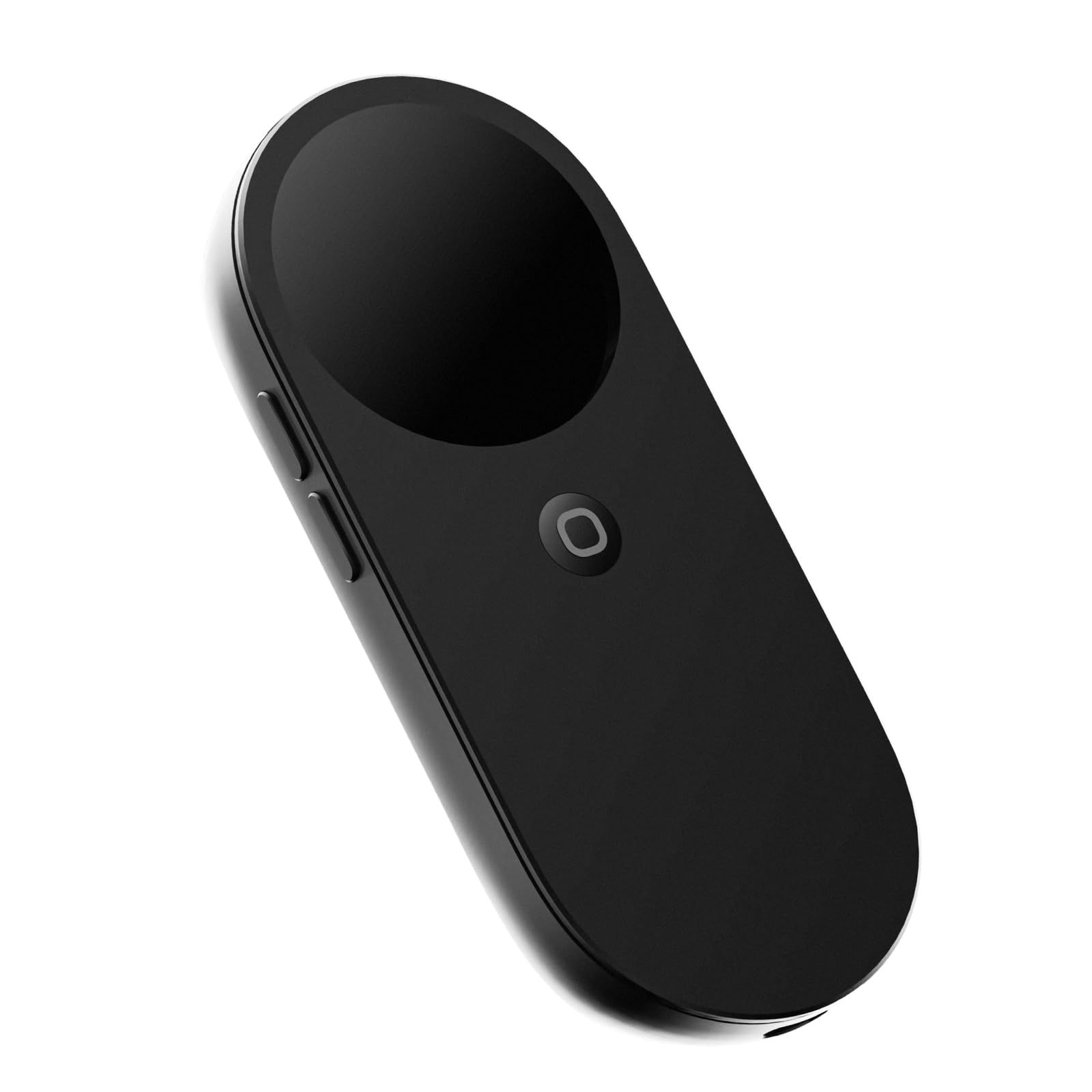
Not a pair of glasses — the pocket computer that turns glasses you own into six floating windows.
You only buy this if you already have AR glasses. The INAIR Pod is a spatial station about the size of a computer mouse, and you plug your XREAL, VITURE, RayNeo, or Rokid glasses into it to add head-tracking, floating windows, and app support that the glasses alone can’t do. Inside it runs a Qualcomm 8-core processor with 8GB RAM and 128GB storage, and this Fan Version adds active cooling so 3D content doesn’t throttle when it heats up.
The screen expansion is the headline: up to 6 windows floating at once, arranged and resized however you like. There is a built-in touch surface, haptic feedback, beam-forming microphones, and fingerprint recognition, plus a 5,000mAh battery that holds up to one month of standby. At 158 grams it is small enough to slip in a jacket pocket. It streams from Windows or Mac PCs over Wi-Fi, and it handles both HDMI and USB-C connections.
The technology itself is what wins people over — the spatial OS and multi-window arrangement are what buyers talk about most. The rough edges are in connectivity and 3DoF accuracy. Some owners with RayNeo glasses found the screen drifting every couple of minutes and needing a recalibration, and others note a single USB-C port means you need an adapter to charge while using it. Software quirks aside, the cooling fan really does keep heavy 3D sessions stable.
Best of the Pod
- 6 floating windows from a device the size of a mouse
- Active fan keeps 3D work from throttling
- 8GB RAM and 128GB storage run Android apps natively
- Broad glasses compatibility — XREAL, VITURE, RayNeo, Rokid
Where it strains
- 3DoF drift with some RayNeo models needs recalibrating
- Only one USB-C port, so charging while in use needs an adapter
- An add-on you buy on top of the glasses themselves
The upgrade path: if you already own display glasses and want head tracking and multi-window apps without buying a whole new pair.
The catch: your glasses-technology combo determines how smooth it feels, so compatibility and drift vary by what you plug in.
5. XREAL 1S AR Glasses

The X1 chip does the head tracking on its own, without an app or a companion box.
Here is the number that matters on this pair: 3ms motion-to-photon latency. That is the delay between you moving your head and the image reacting, and 3 milliseconds is fast enough that the screen feels locked in space instead of trailing behind you. It gets there because the X1 chip is a dedicated spatial processor built into the glasses, so 3DoF anchoring works the moment you plug into a USB-C DP device — no Spacewalker app, no setup wizard.
The screen goes up to 500 inches, which is on the large side of this list, with a 120Hz refresh rate and a 52° field of view. Each unit is individually color-tuned and there is a custom AR-grade audio system co-developed with Bose. The Real 3D mode converts anything you watch into a 3D image with a single switch, though it runs at up to 30fps with 90–100ms of latency, so it’s a novelty layer rather than a competitive-gaming mode.
The consensus is that quality is what carries it — durability and build are what owners call out most, followed by the Real 3D conversion. The glass half-empty: picture and comfort are both split. Some find the image crisp, edge to edge; others say it isn’t sharp. Some wear it comfortably; others feel it after 30–45 minutes. And it has no diopter dial, so if your eyes need correction you’re adding prescription lenses on top.
The takeaway: this is the smoothest plug-and-play experience here. If you want to connect to a phone or handheld, see a giant screen, and not touch a settings menu, the X1 chip is worth the price of entry.
What to expect: the 52° window is still a window — real 3D is fun, but don’t buy it purely for gaming at 30fps.
Pick this one if: you want native 3DoF and plug-and-play simplicity without a companion device.
Hold off if: you need built-in vision correction or guaranteed sharp edges at any angle.
6. ASUS AirVision M1

Built to pair with the ROG Ally, with a bright 1100-nit screen and real speakers in the arms.
The brightness number is the selling point: 1,100 nits, which is high enough that you can watch a game or a film in a bright room without the image washing out. The 100-inch virtual display uses a Micro-OLED panel with 95% DCI-P3 coverage, a color gamut that describes how much of the visible color range it can show. It weighs 3.2 ounces and packs a noise-canceling mic and built-in speakers so you don’t need to add headphones.
The intended use is clear — gaming. Connect it to a ROG Ally and you get a super-wide screen locked in place, which makes racing games feel like sitting in a cockpit. The AirVision app handles multi-screen layouts, adjusts screen distance, and lets you set pupillary distance. USB-C DP Alt-Mode and Thunderbolt 4 are both supported, and there’s a magnetic shade for blocking light.
The reviews are honest about the downside: image quality is the most-criticized thing here, and it’s not soft criticism. Several owners describe the picture as blurry with cut-off edges, and the software IPD adjustment didn’t fix it for everyone. The one recurring pattern is that it depends on your eyes — one happy owner’s wider-IPD friend also found the image blurry. If you’re set on clarity as your top priority, know that this is the riskiest bet in the roundup on that front.
The strong suit: bright, gamer-focused, and built to lock in with a handheld. In racing and action games where a locked image and vivid color matter, the 1100-nit screen and wide gamut do their job, and the built-in speakers mean no extra gear.
The honest caveat: image sharpness is the most-divided point of the whole set. Comfort and build are fine; the panel-to-eye fit is the gamble.
Built for: ROG Ally and Steam Deck players who want brightness and in-arm speakers for handheld gaming.
Look elsewhere if: sharp text and edge-to-edge clarity are non-negotiable for you.
7. VITURE Luma Pro

1200p of clarity, a focus dial you turn with your own eyes, and almost nothing you can’t read.
The resolution is where this one earns its spot. 1200p on a 152-inch virtual screen means text reads like print rather than a blurry grocery receipt, and that is the difference between a device you can work on and one you only watch movies on. Brightness is 1000 nits with a 120Hz refresh rate and a 52° field of view, so the image stays legible in a bright room.
Then there is the vision correction, which is the feature buyers keep coming back to. Built-in myopia adjustment up to -4.0D lets you dial your own focus directly on the glasses — no prescription inserts, no separate lens order. If your prescription is stronger than -4.0D or you have astigmatism, there’s a magnetic prescription frame you can add. That single dial is the reason many people can use this straight from the start.
The picture and comfort are what get praised: sharp, bright, and comfortable for hours on end. The weak spot is software — the Luma Pro relies on apps for anchor and follow modes rather than doing it in the glasses, and some owners want a built-in chip for that. A few also mention the magnetic cable can disconnect if you lie back. Value for money is where opinions split, but the picture rarely is.
what separates it: the 1200p sharpness plus the -4.0D focus dial makes it the most “eyes-free” pick for nearsighted buyers who want to skip prescription lenses.
Worth knowing: the tracking modes want the companion app — it’s not as plug-and-play as the XREAL chip-based pair above.
Choose it if: sharp text, built-in focus correction, and comfortable long wear top your list.
Think twice if: you want head-tracking features baked in without an app.
8. VITURE Luma Ultra
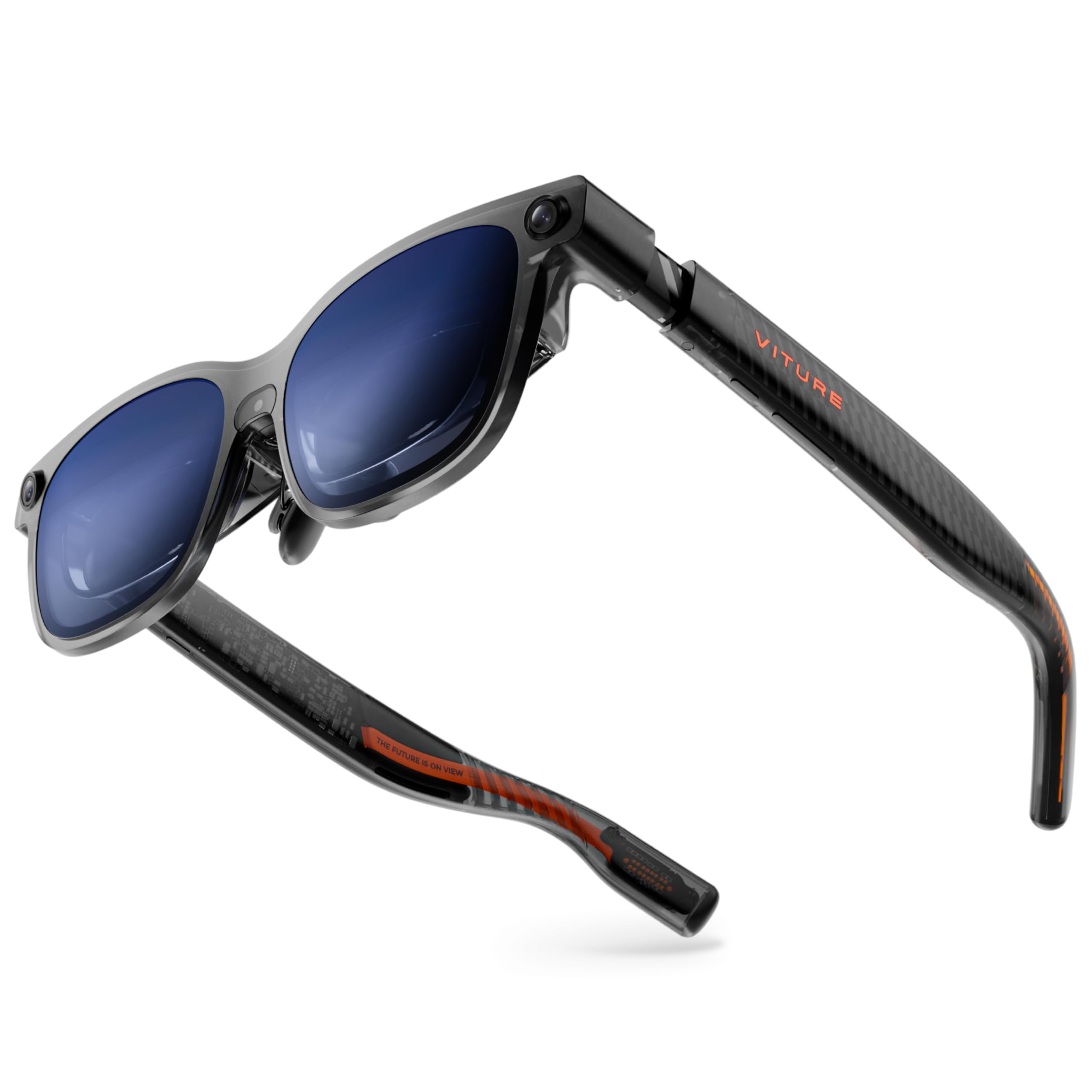
Three cameras, 6DoF tracking, and enough brightness to cut through daylight.
The 1500-nit number is the top of the whole group. That brightness comes from Sony’s latest Micro-OLED panels, which the maker says cut power consumption by 35% — meaning less drain on your phone and less heat, even at high brightness. Add a 120Hz refresh rate, a 52° field of view, and DeltaE under 2 for color accuracy, and the visual side is genuinely strong.
The spatial part is what makes this the most ambitious pair here. A front RGB camera plus dual depth cameras give it 6DoF tracking — the screen can be pinned to a real spot in your room rather than floating relative to your head — and with the VITURE Pro Neckband it recognizes hand gestures too. There’s built-in myopia adjustment up to -4.0D, an electrochromic film that darkens on one tap, three swappable nose pads, and a 58–70 mm IPD range.
Display quality is what earns the most love — owners call the panel visually stunning. But the split in the reviews is real: several say the advanced 6DoF and gesture features only work with extra accessories, the Android app trails the Apple and Windows experience, and a few report overheating at the right temple or video that stutters. The frame also blocks the screen corners for deeper-set eyes. Treat this as a hardware platform that’s still growing into its promise.
Why it draws attention
- 1500 nits from Sony Micro-OLED — the brightest display here
- Triple-camera 6DoF tracking with gesture support
- Built-in -4.0D focus adjustment and three nose pads
- 120Hz and DeltaE under 2 for accurate color
What to plan for
- Full 6DoF and hand gestures lean on the optional Neckband
- Android app support lags the Apple and Windows side
- Recurring heat at the right temple in long sessions
Best for the bleedin’ edge: buyers who want spatial 6DoF tracking and the widest brightness envelope, and don’t mind adding accessories to open up it.
Look at the Luma Pro instead if: you want the same 1200p sharpness and focus dial without paying for 6DoF features you won’t use.
9. XREAL One Pro

The widest window in this list — and the one that came closest to replacing a real monitor.
57° of field of view is the largest in the group and noticeably bigger than the 52° most other picks here offer. Combine that with a 171-inch virtual screen and the Optic Engine’s anti-glare optics, and the effect is a picture that fills more of your vision with less of a “looking through a porthole” feeling. The X1 chip handles 3DoF anchoring at 3ms motion-to-photon latency, and an optional XREAL Eye open up full 6DoF spatial anchoring when you’re ready to walk around your screen.
Buyers who work on it describe it as a pocket-sized theater that anchors solidly and pairs with a Mac in one cable. It handles 700 nits of brightness with electrochromic dimming, plus one-tap controls for brightness, screen size, and distance right on the glasses. The dual-IPD design comes in two sizes — M at 57–66mm and L at 66–75mm — to fit over 95% of users, and the arms adjust in three stages.
The honest limitations are heat and text. Long sessions get warm enough that some owners describe sweating or dry eyes, and a few find text easy to read only after zooming in. Since it draws power from your phone or laptop with no internal battery, a 35-minute video can knock a noticeable chunk off the host device. This is a marathon device for travel and movies, not a desk-replacement for all day in a hot room.
The draw: 57° is the widest view here — it makes the whole experience feel less like a screen hovering in your face and more like a room-scale display. The dual IPD sizing and spring hinges make it one of the better fits for a wide head.
The reality check: long sessions get warm and power-hungry, so plan short-to-medium windows, and don’t expect text to be sharp without adjusting.
The pick for immersion: if the widest field of view and a screen that stays anchored matter more than slimness.
Not for: marathon all-day text work in a warm room, or anyone who needs a built-in battery.
Know the Specs
Field of View (FOV)
FOV is the angle, in degrees, that your eye can see into the virtual image. A 52° or 57° figure decides how much of your vision the screen fills — the difference between a “window” and a “wall.” A narrow FOV forces you to keep your head pointed dead ahead, while a wider FOV lets you glance naturally at the edges.
Refresh Rate and Latency
Refresh rate is how many times per second the image is redrawn, measured in Hz. 120Hz is smooth enough that fast motion doesn’t smear. Latency is the delay between your head moving and the image following it, measured in milliseconds; on a chip-driven pair like the XREAL One Pro it can be 3ms, which is why the screen feels anchored instead of drifting.
Micro-OLED and Brightness (Nits)
Micro-OLED is the tiny, high-contrast panel technology behind almost every display here, which is why text looks crisp. Nits measure brightness — a higher number holds up in a brighter room, while a lower one works best in dim light.
IPD and Diopter Correction
IPD is the gap between your pupils in millimeters; wrong IPD means blur or eye strain. Diopter correction is a focus dial that fixes nearsightedness directly on the glasses (up to -4.0D on the VITURE pairs), which is why some people can use them without prescription lenses — while astigmatism usually still needs a custom frame.
Common Questions
Do budget AR glasses need a phone or laptop to work?
Will AR glasses work with an iPhone?
Can I wear AR glasses over my prescription glasses?
What is IPD and why does it matter for AR glasses?
Why does my connected phone battery drop fast when using these glasses?
Is a bigger virtual screen number always better?
Do these glasses have USB-C video built in, or do some need an adapter?
Can I use these with a PS5 or Xbox if there’s no USB-C video port?
What’s the difference between 3DoF and 6DoF?
Are AR glasses safe for long sessions?
The Bottom Line
For most buyers, the best budget AR glasses are the Rokid Max 2 — it pairs a 215-inch Micro-OLED picture with a 120Hz refresh rate, a 75-gram frame, and a built-in dial that fixes nearsightedness, all running off whatever USB-C device you already carry. If wide, rich views for work and gaming are the priority, the XREAL One Pro gives you the widest 57° field of view in the group. And if you want to turn your existing glasses into six floating windows, the INAIR Pod is the add-on built for exactly that. One last honest nudge: the finest picture of the bunch is the 1500-nit VITURE Luma Ultra, but only pull the trigger once you know you’ll use the 6DoF features it charges a premium to include.
How we choose
We do not accept paid placement. Every pick is matched to a real buyer and a real use-case; we do not hands-on test units.
Sources
Specifications: manufacturer listings and product documentation. Review insights: verified customer reviews, as of October 2026. Pricing: not shown on this page (it changes often); check the current price via the retailer link.
As an Amazon Associate, Aappliancez earns from qualifying purchases. This does not affect which products we feature.