Disclosure: Some links in this post are affiliate links. As an Amazon Associate I earn from qualifying purchases, at no extra cost to you. Learn more
Specs are compiled from manufacturer listings and verified buyer reviews and can change over time — please confirm the key details on the product page before buying.
If you read for an hour or more a day, the right book reader tablet disappears in your hand and leaves only the page. The wrong one leaves you squinting at glare, hunting for a charger, or fighting notifications mid-chapter. This guide ranks nine readers on screen sharpness, page-turn speed, battery life in weeks, and whether the store stocks the books you actually want.
This guide is built by comparing the manufacturers’ published specifications and the patterns across verified customer reviews, so you get each pick’s real strengths and trade-offs instead of marketing spin.
Each pick below lists what it wins at and what it costs you, from a 6-inch pocket Kindle to a 12.2-inch NXTPAPER Android tablet. Below is the honest shortlist of book reader tablets that earn their place on a nightstand.
Top Picks


How To Choose The Best Book Reader Tablets
The first decision is not brand, it is screen technology. A dedicated E Ink reader (electronic ink, microscopic capsules that hold a static image without power) shows crisp text and sips battery for weeks. A colour LCD or NXTPAPER tablet (a matte, paper-textured LCD that cuts glare and reflections) gives you apps, video, and colour covers, but you will charge it far more often. Decide which one you actually read on before you compare anything else.
Screen sharpness and where ppi matters
Sharpness depends on ppi (pixels per inch — how many dots fit in one inch of screen). A 300 ppi E Ink panel (a paper-like screen that only uses power when the page changes) renders letterforms with smooth edges, so a long paragraph feels like print rather than a grid of dots. Lower-density colour layers look grainy on comics and PDF charts. If you mostly read novels, check the black-and-white ppi first.
Front light, warmth, and night reading
A front light shines across the page instead of into your eyes. Warm or amber settings cut blue light so the page does not feel like a phone screen at midnight. Some readers let you schedule the warmth, others leave it manual. If you read in bed most nights, this is the single setting you will adjust most.
Store lock-in versus open formats
Buying inside one store is convenient but ties your library to that store. Readers that accept EPUB, PDF, MOBI, and a microSD card let you drag files across from a computer, borrow from library apps, and keep your books if you switch devices. Readers with third-party app support add even more flexibility. Weigh that against how much you value one-tap buying.
Side-by-Side Comparison
| Model | Best For | Display | Storage | Battery | Amazon |
|---|---|---|---|---|---|
| Amazon Kindle Paperwhite Signature Edition 32GB★ Best Overall | Serious readers who want the best all-round E Ink page | 7″ glare-free, auto light | 32 GB | Up to 12 weeks | Amazon |
| Amazon Kindle 16 GBPocket Pick | Small hands and pocket carry | 6″ glare-free | 16 GB | Up to 6 weeks | Amazon |
| Kobo Clara BWLibrary Pick | Borrowing from library apps with a light, waterproof body | 6″ E Ink Carta 1300 HD | 16 GB | Weeks | Amazon |
| PocketBook Basic Lux 4 | Open file formats and a memory card slot on a tight budget | 6″ HD E Ink Carta | 8 GB + microSD | 4 weeks | Amazon |
| BOOX Tablet Go Color 7 Gen II | Anyone who wants any reading app in colour | 7″ Kaleido 3 colour E Ink | 64 GB + microSD | 2,300mAh | Amazon |
| TCL TAB A1 Plus NXTPAPER | Reading plus work, notes, and video on one big screen | 12.2″ 2.4K 120Hz NXTPAPER | 256 GB + microSD | 10,000mAh | Amazon |
| Kobo Elipsa 2E | PDF reading and margin notes on a large E Ink page | 10.3″ E Ink Carta 1200 | 32 GB | Several weeks | Amazon |
| Penstar eNote 2 | Handwriting-to-text and split-screen study | 10.3″ HD 300 ppi | 128 GB | Up to 4 weeks | Amazon |
| reMarkable Paper Pro Move | Jacket-pocket note capture on colour paper | 7.3″ Canvas Color | — | Days | Amazon |
Detailed Reviews
1. Amazon Kindle Paperwhite Signature Edition 32GB (2024 model)
Our pick — 4.5+★ from 13,000+ verified ratings; the strongest balance of quality and price.
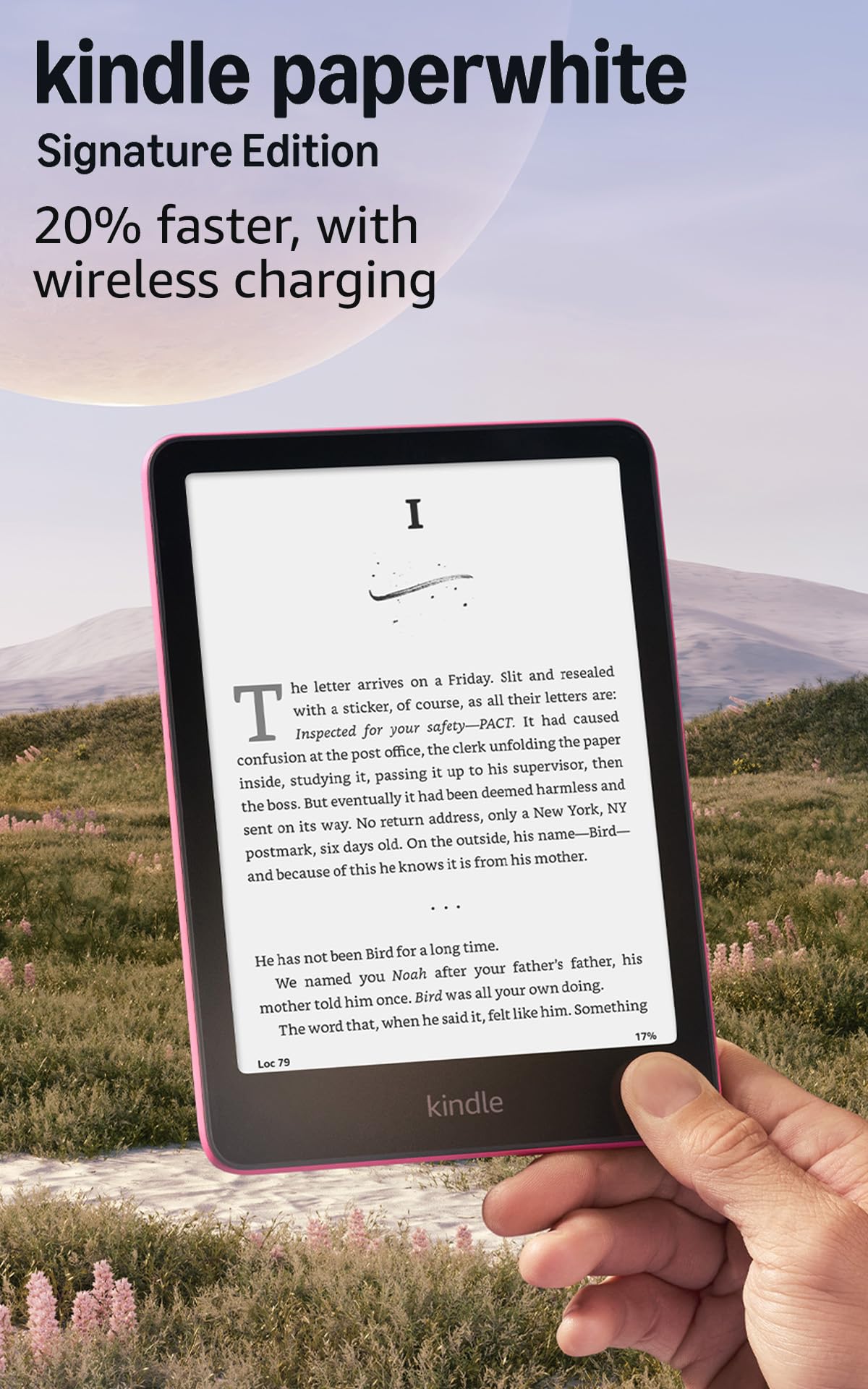
A 7-inch E Ink reader that runs up to 12 weeks per charge and has no social apps to pull you away.
Start with the number that changes your week: a single charge lasts up to 12 weeks. That is the longest stretch on this list, and it means the charger can stay in a drawer while you move through a whole season of novels. The screen is a 7-inch glare-free panel with a higher contrast ratio than the model before it, so text sits darker against a cleaner background — letters stay crisp at the pool or on a sunny balcony.
Page turns are the other spec that touches you every few seconds. Amazon calls this its fastest Paperwhite yet, with page turns 25% faster than the prior generation, and the 32 GB of storage holds thousands of books, so you are never asked to delete a title to make room. You also get an auto-adjusting front light that reads the room and softens the glow at night, plus wireless charging if you spring for a dock. It is waterproof, so a dropped book in the bath is not a disaster.
The catch is the ecosystem, not the hardware. You are buying inside the Kindle Store, and the huge catalogue of 15 million titles is the upside of that. The trade is that your library lives in Amazon’s world. Buyers report a smooth start — “Easy setup, no lag on page turns, no ghosting, fast charge” — and the shared view across reviews is that the enjoyment of picking it up never fades. It is the crowd favourite at 4.5+ stars across 13,000+ ratings, and the daily-use consensus is that it simply feels good to hold.
What earns the top spot
- Up to 12 weeks per charge — the longest here, and 3x the PocketBook Basic Lux 4’s 4 weeks.
- 7-inch glare-free screen is a full inch larger than the PocketBook’s 6-inch panel.
- 32 GB storage, versus 8 GB on the PocketBook — a 4.0x gap in book room.
- Auto-adjusting front light and waterproof body for bath and pool reading.
Where it asks for patience
- Locked to the Kindle Store for shopping; no third-party reading apps.
- No speakers for audiobooks, so you need headphones.
- Wireless charging requires a separate dock.
The verdict: This is the one to buy if you read novels nightly and want zero friction — the longest battery, the largest store, and the sharpest mainstream screen.
The honest limit: If you want colour comics or a stylus, this is not that device.
2. Amazon Kindle 16 GB (2024 model)
A 158 g, 6-inch reader that fits a coat pocket and runs up to 6 weeks per charge.
Size is the whole argument here. The 6-inch glare-free display is smaller than the Paperwhite’s 7-inch screen, and that is entirely the point — the whole device is built to sit in one hand and stay there for an hour. The front light is 25% brighter at maximum than the earlier version, so a dim bedside lamp is no problem. Dark mode flips the page to white text on black for late nights. Battery runs up to 6 weeks on a charge, and 16 GB holds thousands of books.
What people describe again and again is fitting. This reader suits small hands and pockets, and the matte plastic back feels deliberate rather than cheap. The Matcha colour is a small daily joy for a lot of buyers. The touchscreen is sensitive enough that a gentle tap turns the page. One trade to know: there is no warm lighting and no waterproofing, so this is a dry-land, bedside-and-commute reader rather than a bathtub one.
If you already own a Paperwhite, this is a second reader for a bag, not a replacement — the smaller screen and lack of water protection are the honest costs of the smaller footprint. If it is your first, it is the simplest possible way into e-reading: a distraction-free screen, no social apps, and a store that stocks nearly everything.
Why the size wins: the 158 g body and pocket dimensions mean the reader travels with you instead of sitting on a shelf. Buyers who read 1-2 hours nightly describe the battery still sitting around 40% after a month.
The trade to weigh: no warm light and no waterproof rating, so a bathtub reader should step up to the Paperwhite or Kobo Clara BW.
Reach for this if: you want the smallest, lightest way into e-reading and mostly read in bed or on transit.
Look elsewhere if: you need warm night lighting or a waterproof body.
3. Kobo Clara BW
A 6-inch E Ink reader with library-app borrowing and an IPX8 rating for 60 minutes in up to 2 meters of water.
The headline feature is the borrowing, not the hardware. The Clara BW is built to work smoothly with library apps, so you can check out free titles from your local library instead of buying every book. Pair that with the 6-inch E Ink Carta 1300 HD panel, which keeps text crisp in bright sunlight with no reflection, and you have a reader that costs nothing per book after the purchase.
ComfortLight PRO is the spec worth understanding: it adjusts brightness, colour temperature, and blue light, so the screen warms toward amber at night and stops keeping you alert. There is also an IPX8 rating, which means the reader survives 60 minutes submerged in up to 2 meters of water. Practically, that covers a bath, a pool edge, or a rain-soaked commute. The 16 GB of storage holds up to 12,000 eBooks or 75 Kobo audiobooks, and Bluetooth handles wireless headphones for those audiobooks.
The honest trade is the store. If your library is on Amazon, this reader will not open it. The community around this model, though, is enthusiastic — the shared view is that it doubled their reading. Owners like the one-hand hold, the clean UI, and the rear power-button placement. One quirk some mention is an occasional freeze needing a hard reset, which is a small thing you should know about rather than a reason to avoid it.
The library angle: the Libby and Overdrive access here is the difference between buying three books a month and borrowing them, and the 6-inch body still fits in one hand.
The catch worth planning for: Kobo prices for purchased books are comparable to other stores, but you lose access to any Kindle library you already own.
Who it beats: the readers above, if you want free library borrowing and a waterproof body at a 6-inch size.
Who it does not: anyone whose whole library sits inside the Amazon store, because those titles will not open here.
4. PocketBook Basic Lux 4 E-Book Reader

A 6-inch E Ink reader that opens 25+ formats, including EPUB, PDF, and CBR, and adds a microSD slot to its 8 GB.
Formats, not features, are this reader’s whole pitch. It opens over 25 book and graphic formats — EPUB, PDF, MOBI, CBR, and more — so you can drag a whole existing library from your computer and read it without converting anything. The 8 GB of internal memory is smaller than the Paperwhite Signature Edition’s 32 GB, but the microSD slot makes that moot: add a card and store thousands of books and files. Compare the storage numbers side by side and the PocketBook’s 8 GB looks bare next to the Signature’s 32 GB — the card slot is what closes the gap.
For physical feel, the 155 g body and 8 mm thickness are light enough to hold in one hand for long stretches, and the physical buttons mean you turn pages by touch without looking. The front light adjusts for a dim room, and the screen is a 6-inch HD E Ink Carta panel. Battery reaches 4 weeks with regular reading.
The one real warning is falling. The screen is glass, and a short drop can end it. That is true of any E Ink reader, but owners of this model report it feeling on the fragile side, so budget for a cover and do not toss it around. The store is also less stocked than the big names, and international services like some library access may not work depending on your region. For readers who load their own files and want the lowest-cost entry, that trade is worth it.
The open-format argument
- Reads over 25 formats, including EPUB, PDF, MOBI, and CBR comics.
- microSD slot adds storage beyond the built-in 8 GB.
- 155 g at 8 mm — light and thin for one-hand reading.
The fragility you must plan for
- Screen can crack from short drops; a cover is close to essential.
- Smaller, less-stocked store than the big names.
- Not waterproof, so it stays out of the bath.
A good fit if: your books live on a computer and you want a reader that accepts them all without conversion.
Less of a fit if: you buy books inside a store as you finish them.
5. BOOX Tablet Go Color 7 Gen II

A 7-inch Kaleido 3 colour E Ink reader running Android 13 with Google Play, so Kindle, Kobo, and Libby apps all install.
Start with the operating system. This runs Android 13 with Google Play support, so you can install the Kindle app, the Kobo app, the Libby library app, and nearly any other reading app side by side. No other reader on this list does that. The screen is a 7-inch Kaleido 3 panel (a colour E Ink screen) with 4,096 colours at a 1680 x 1264 resolution — that means 300 ppi in black and white and 150 ppi in colour. So novels stay sharp, and colour covers or comics are readable, if a little muted.
The hardware is generous for an e-reader: an octa-core processor, 4 GB of RAM, 64 GB of storage, a microSD slot, a built-in speaker and microphone, Bluetooth 5.1, Wi-Fi, and a G-sensor for auto-rotation. There are page-turn buttons on the side and a grippy back. The 2,300mAh battery is smaller than a phone’s, but E Ink sips power; owners mention roughly a week of reading between charges. USB-C handles both charging and audio via the same port.
The honest limit is colour. Kaleido 3 has a darker, grayer surface than an LCD, and the resolution drops to 150 ppi in colour. That registers on comics and art books but does not touch black-and-white text. There is also a choice: colour costs some sharpness versus a pure E Ink panel. You also need to buy the InkSense stylus separately if you want to annotate — it is not in the box.
What open up the value: Android 13 with Google Play support means this reader replaces whatever tablet app you use to read, without locking you into one store. If you love library borrowing plus Kindle plus Kobo, this is the only reader that holds all three.
Weigh this honestly: the colour screen is duller than an LCD, and the stylus is sold separately. Neither is a defect — both are the cost of a screen that never bothers your eyes at midnight.
The point of it: a single reader for anyone who refuses to be locked into one store and wants apps, colour, and an expanding card slot.
The honest cost: it is not a tablet for video or games, and the stylus is an extra purchase.
6. TCL TAB A1 Plus NXTPAPER
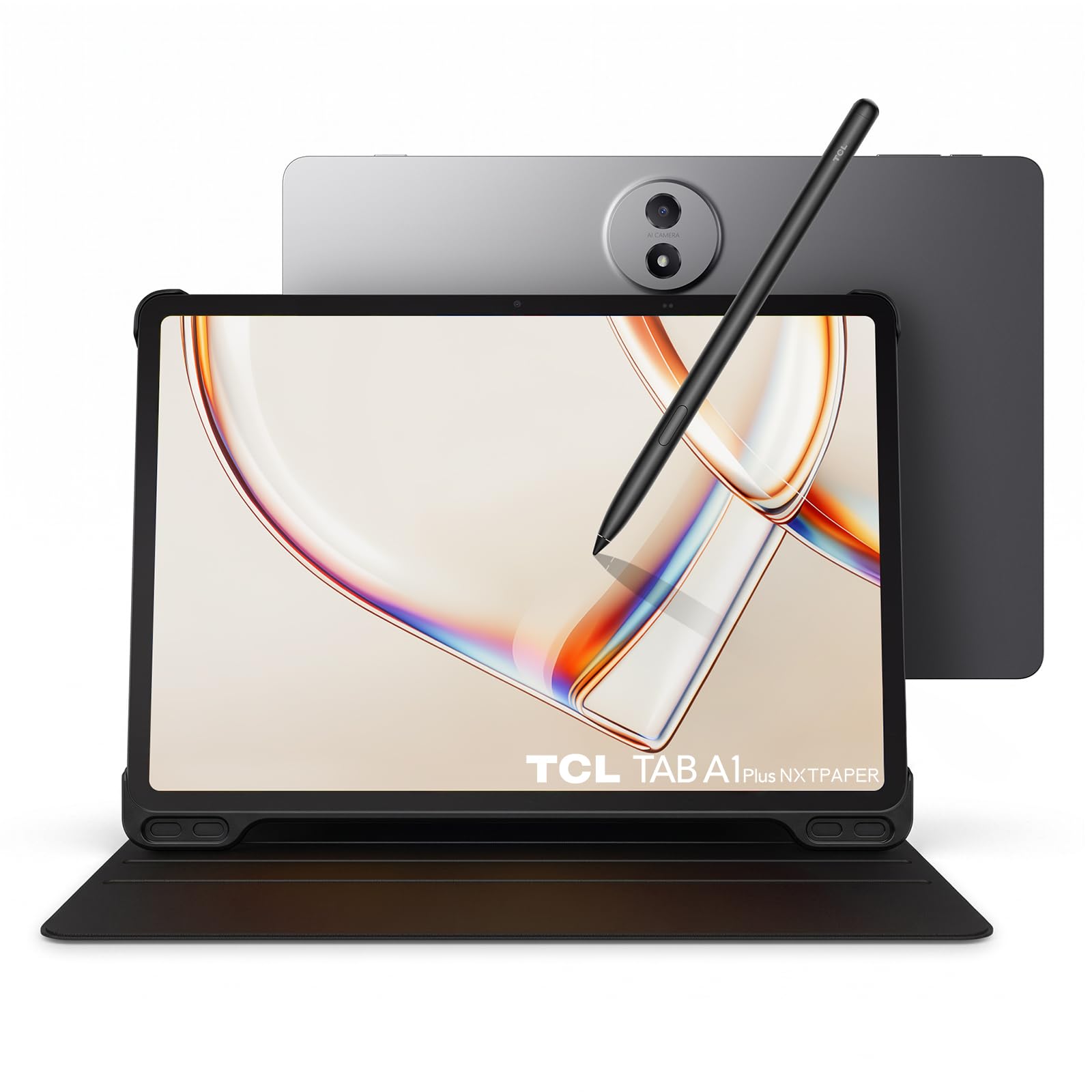
A 12.2-inch 2.4K NXTPAPER tablet with a one-tap switch between Ink, Color, and Regular modes.
The screen is the reason this made the list. NXTPAPER is TCL’s paper-textured LCD finish, and it cuts glare, reflections, blue light, and flicker while adapting brightness and colour temperature to the room. At 12.2 inches, 2.4K resolution, and up to 120Hz refresh, it is the smoothest page-scroller here — no E Ink delay, no ghosting. The NXTPAPER Key toggles between Ink Paper, Color Paper, and Regular modes in one tap, so books stay paper-like while video stays vivid.
It does more than read. The Snapdragon 4 Gen 2 octa-core processor, 6 GB RAM (plus up to 10 GB virtual), and 256 GB storage (with microSD up to 2 TB) handle notes, streaming, and light gaming. A 10,000mAh battery with 33W fast charging keeps it running through a study day. The 0.26-inch, 1.23-lb metal unibody carries an IP54 dust-and-splash rating — enough for a coffee-shop spill, not the pool. The T-Pen 2 offers 4,096 pressure levels for writing and sketching.
The trade is that this is a full tablet, not a dedicated reader. It needs charging every day or so, unlike the E Ink readers above. Auto-brightness is described as uneven, and a few owners note the stylus takes time to win them over. If you want one device for reading and work, that daily charge is the real cost.
Where it shines
- 12.2-inch 2.4K 120Hz NXTPAPER screen that kills glare and flicker.
- One-tap switch between Ink, Color, and Regular modes via the NXTPAPER Key.
- 10,000mAh battery with 33W fast charging and IP54 splash resistance.
Where it asks for patience
- Needs regular charging — no weeks-long battery like an E Ink reader.
- Auto-brightness behaviour divides opinion.
- Twelve inches is too large for one-hand, jacket-pocket reading.
Suits you if: you want one large, matte, paper-textured screen for reading, notes, and video without buying two devices.
Think twice if: you want set-and-forget battery for a novel on the go.
7. Kobo Elipsa 2E

A full-page PDF reader you can write on, with the stylus already in the box.
Ten point three inches is the whole point. A screen that size fits a full PDF page at readable size, which changes research reading entirely: no pinching, no sideways scrolling, just the page as it was designed. The E Ink Carta 1200 panel is glare-free with ComfortLight PRO, so you can adjust brightness and colour temperature to cut blue light at night. The included Kobo Stylus 2 writes in margins and underlines with Kobo’s markup tech, which keeps your notes aligned even when you change the font size.
Storage is 32 GB, which Kobo rates at up to 24,000 eBooks. Battery is described as several weeks on a charge, though that depends on how much you write and read. The exterior uses recycled and ocean-bound plastic, and the body weighs 13.62 ounces — lighter than a Kindle Scribe by owner reports. The one-hand hold is out; this is a desk, lap, or two-hand reader.
Responsiveness is the real dividing line. Owners describe the stylus as needing some learning, and complex notebook operations can feel slow. A few note the occasional page-change freeze. It is fine for reading and highlighting, less smooth if you expect tablet-speed writing. And there is the store: Kobo’s catalogue works well, but if your library is on Amazon, this reader will not reach it.
Why researchers pick it: the 10.3-inch page and included Stylus 2 turn a PDF into something you can mark up, not just scroll. For anyone studying from academic papers or long documents, the screen size is a daily benefit.
Where it holds back: writing lags behind the fastest note devices, and the Kobo store is a different catalogue from Kindle.
A match for: students, researchers, and document-heavy readers who want a big page and a bundled stylus.
Not for: readers who want tablet-smooth writing response or one-hand pocket carry.
8. Penstar eNote 2 E-Ink Digital Notebook

A 300 ppi writing slate with 128 GB of room and two pens already in the box.
The clarity claim here is unusual. Penstar says it removed layers between the e-ink panel and the glass to cut haze and refraction, bringing the text closer to the surface for whiter whites and punchier blacks. The result is a 10.3-inch HD paper-like screen at 2480 x 1860 and 300 ppi — the same sharpness as the Kindle Paperwhite, but on a much bigger page. That combination is what earns it a spot: sharp text plus a surface that feels like printed paper.
Writing is the second pillar. The stylus has 8,192 levels of pressure sensitivity, which means it detects how hard you press and varies line weight accordingly — a fine line for a light touch, a thick line for a heavy one. It needs no charging. There are 9 customizable buttons, an octa-core processor, 4 GB RAM, 128 GB storage, and Android 14. A 6,500mAh battery holds up to 4 weeks. The built-in mic plus four speakers support voice-to-text, and handwriting converts to typed text.
The caveat is the software. Owners describe a learning curve and a clunky UI, some difficulty saving text conversions directly, and no Google certification — meaning not every Android app runs. The upside is that once the workflow clicks, users report replacing reams of paper, and customer service stands out. This is a productivity notebook first and a casual novel reader second.
The sharpness plus pressure combo: 300 ppi text and 8,192 pressure levels is a pairing no dedicated e-reader here offers, and the bundle ships with two pens, spare nibs, and a folio.
Be ready to learn it: the interface and text-conversion workflow take time, and some Android apps will not install.
Ideal for: note-takers and annotators who want the sharpest writing surface and the most storage in the box.
Less ideal for: anyone who wants a simple, one-tap novel reader with no setup.
9. reMarkable Paper Pro Move with Marker Plus

A notebook that slips into a jacket pocket and answers nothing but your own thoughts.
The size is the hook. At 7.3 inches and 248.4 g, the Paper Pro Move is smaller than a paperback — a digital notebook for capturing ideas on the train or in a meeting without carrying a laptop bag. The 7.3-inch Canvas Color display looks, feels, and even sounds like paper, with a reading light and 9 pen types, 3 thicknesses, and 9 colours for marking up notes. Marker Plus ships in the box, along with 6 spare tips.
Distraction-free is not a slogan here. It has no social apps and no notifications, so the only thing on the screen is what you put there. Notes sync to the cloud and appear in mobile and desktop apps. Handwriting converts to typed text for sharing, and search across handwritten notes works if you subscribe to the Connect service. Templates for notebooks, meetings, and daily journals come from the same subscription.
That subscription is the honest catch. At a small monthly fee, the full experience — including template imports and handwritten search — is behind it, so plan for it as an ongoing cost rather than a one-time purchase. Battery also drops when the stylus sits on its magnet or when the light and Wi-Fi are on. This is a companion notebook for people who already read elsewhere, not a full reading tablet. If your books live in an app and your thoughts live in a paper notebook, this replaces the notebook.
Why it travels well: the sub-paperback size and rubber feet mean it sits flat on a café table and stays in a jacket pocket, which is a different use case from the desk-sized readers above.
The recurring cost: the Connect subscription open up templates and handwritten search, so the device is not fully featured without it.
The right pick for: people who want a distraction-free colour notebook in a pocket and already read their books elsewhere.
The wrong pick for: anyone expecting a full e-reader or refusing an ongoing subscription.
Know the Specs
E Ink versus NXTPAPER versus colour E Ink
E Ink holds an image without drawing power, so battery lasts weeks and the page feels like print. NXTPAPER is a matte LCD that cuts glare and flicker but still needs daily charging. Colour E Ink (Kaleido 3) adds colour but drops resolution on the colour layer — 150 ppi versus 300 ppi in black and white, which is why comics look softer than text.
ppi and why 300 is the number that matters
Pixels per inch measures sharpness. A 300 ppi E Ink panel hides the grid of dots entirely, so text looks like print. Below that, letterforms start to look dotted at close reading range. If you read dense text for hours, check for 300 ppi first.
IPX8 versus IP54 — what waterproof really means
IPX8 means the reader survives 60 minutes in up to 2 meters of water — bath and pool safe. IP54 means dust-protected and splash-resistant only — a coffee spill, not a dunking. Match the rating to your actual habits.
Storage and file formats
A closed store sells you books you can only read on that store’s device. Format support — EPUB, PDF, MOBI, and a microSD slot — means you can add files from anywhere. If you already own a library, format support is the decision-maker.
Common Questions
Will a Kindle open EPUB files borrowed from my library app?
Is 6 inches too small for reading PDFs?
How long does the battery actually last on an E Ink reader?
Do I need a subscription to use a reMarkable Paper Pro Move?
Can I read comics on a colour E Ink reader?
Is a waterproof e-reader worth it?
Can I hand-write notes on a standard e-reader?
Will a larger screen make reading more tiring?
Can I install the Kindle app on a tablet-style reader?
Do colour e-readers strain your eyes less than LCD screens?
The Bottom Line
The winner is the Amazon Kindle Paperwhite Signature Edition — up to 12 weeks per charge, a 7-inch glare-free screen, and the largest store on this list. If you borrow library books and want a waterproof body, grab the Kobo Clara BW. And if you want every reading app on one colour screen, the BOOX Go Color 7 Gen II is the one to reach for. For a pocket notebook with a stylus in the box, the reMarkable Paper Pro Move rounds it out — just budget for the Connect subscription up front.
How we choose
We do not accept paid placement. Every pick is matched to a real buyer and a real use-case; we do not hands-on test units.
Sources
Specifications: manufacturer listings and product documentation. Review insights: verified customer reviews, as of October 2026. Pricing: not shown on this page (it changes often); check the current price via the retailer link.
As an Amazon Associate, Aappliancez earns from qualifying purchases. This does not affect which products we feature.