Disclosure: Some links in this post are affiliate links. As an Amazon Associate I earn from qualifying purchases, at no extra cost to you. Learn more
Specs are compiled from manufacturer listings and verified buyer reviews and can change over time — please confirm the key details on the product page before buying.
If you are tired of losing tiny USB receivers, hunting for a free port, or watching a dongle stick out of a slim laptop, a Bluetooth mouse that pairs straight to your computer is the fix. The catch most people discover the hard way is that “Bluetooth” does not automatically mean “no dongle problems” — some models still ship with a receiver as the main path, and some have noisy pairings that drop mid-task. This guide walks you through exactly which cordless mice pair cleanly, which ones suit long workdays and travel, and how to spot the trade-offs before you buy.
This guide is built by comparing the manufacturers’ published specifications and the patterns across verified customer reviews, so you get each pick’s real strengths and trade-offs instead of marketing spin.
If you want one that just works on your desk without extra hardware, this breakdown of the bluetooth mouse without usb receiver will help you pick the right one for your setup and grip.
Top Picks
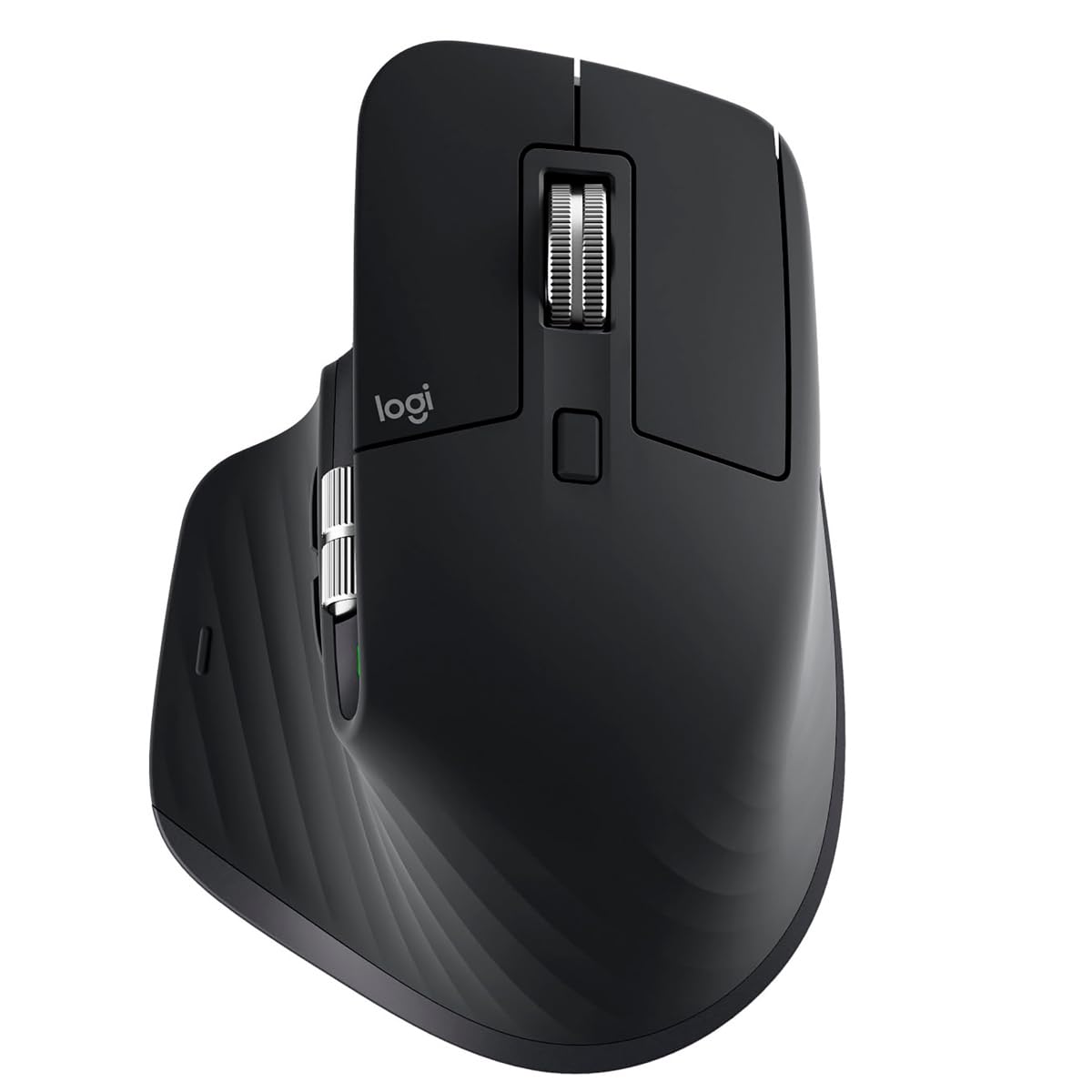

How To Choose The Best Bluetooth Mouse Without USB Receiver
The first thing to sort out is whether the mouse truly pairs over Bluetooth alone or whether it ships with a wireless dongle as the main plan. Some models list both, and how you set them up changes how many ports stay free on your machine.
Check the pairing method before anything else
If your laptop only has USB-C ports, a mouse that requires a USB-A dongle means carrying an adapter. A mouse that offers direct Bluetooth pairing means you never touch a receiver at all — you just open your system settings and connect.
Match the sensitivity to what you actually do
DPI (dots per inch, how far the cursor moves per inch of hand movement) decides whether you can sweep across a wide monitor with a tiny flick or need a big arm motion. Higher numbers mean faster cursor travel with less hand effort, which matters most on large or high-resolution screens.
Decide on the shape before the features
A vertical mouse tilts your hand into a handshake posture, which changes how your wrist sits on the desk. A flat or slim mouse is easier to slip into a bag. Neither is wrong — the right pick depends on whether you sit at one desk for hours or move around with a laptop.
Multi-device pairing is the quiet hero
Being able to pair one mouse with a laptop, a desktop, and a tablet — and switch between them with a button — saves you from owning three mice. Look for a stated device limit if that matters to you.
Side-by-Side Comparison
| Model | Best For | Sensor | Buttons | Battery Claim | Amazon |
|---|---|---|---|---|---|
| Logitech MX Master 3S★ Best Overall | All-day desk work | 8000 dpi | 5 | Up to 70 days | Amazon |
| Logitech MX VerticalErgonomic Pick | Wrist-friendly posture | 4000 dpi | 4 | 4 months | Amazon |
| Apple Magic Mouse | Mac users | — | — | About a month or more | Amazon |
| Evoluent VMC Classic | Long-time vertical users | 4 speeds | 6 | 4 months | Amazon |
| Srfc Arc Mouse SC | Travel | — | 3 | — | Amazon |
| JLab JBuds Wireless Mouse | Multi-device flex | Adjustable | 7 | Rechargeable | Amazon |
| Logitech MX Master 4 for Mac | Mac power users | Haptic Sense Panel | 7 | — | Amazon |
Detailed Reviews
1. Logitech MX Master 3S, Black
Our pick — 4.5+★ from 950+ verified ratings; the strongest balance of quality and price.
The 8000 dpi desk mouse built for nine-hour workdays, with a near-silent scroll wheel and quiet clicks.
The 8000 dpi sensor is the headline here — that is a measure of how far the cursor glides per inch of hand movement, and it is double the 4000 dpi on the MX Vertical in this list. For you, that means a light nudge can cross a big screen instead of a full arm sweep.
The real draw for heavy spreadsheet and document users is the MagSpeed scroll wheel — that is an electromagnetic wheel that spins fast for long pages and clicks precisely for line-by-line reading. It is rated by the maker as 90% faster and 87% more precise than a standard wheel, and it also runs near-silent. Pair that with Quiet Clicks that the brand says cut click noise by 90%, and a shared office or a quiet room stops being a problem.
What wins people over beyond the specs is the overall feel — build quality is the thing owners comment on most, with the shape and thumb controls close behind. Buyers report the setup is easy, the battery stretches months between charges, and three saved device slots let you hop between computers without re-pairing. The honest caveat: a few people hit lag or compatibility puzzles when they try to use the older Unifying Receiver route, and the value question comes up when you weigh the price. If you simply pair over Bluetooth and skip the receiver, those gripes stay out of your way.
What earns its keep
- 8000 dpi tracking that works on glass and most desks
- Silent click buttons and a near-silent scroll wheel for shared spaces
- Up to 70 days of battery on a single charge
- Connects to up to 3 devices and moves text and files between Windows and macOS
Where it asks patience
- Receiver-route pairings draw mixed feedback — Bluetooth is the clean path
- The premium price is a real decision, not an impulse buy
- At 4.96 ounces it is not a featherweight travel partner
Settle on this if: you work at one desk for hours and want one mouse to rule a multi-computer setup.
Keep looking if: you only need something tiny to carry in a laptop sleeve.
2. Logitech MX Vertical Wireless Mouse
A 57° vertical mouse that tilts your hand into a handshake grip to take pressure off the wrist.
Your wrist stays straighter with this mouse because it tilts your hand up to a 57° angle, like a handshake. The maker claims that 57° position cuts muscle activity by about 10% versus a standard mouse. The 4000 dpi sensor (dots per inch — how far the cursor moves for each inch you slide the mouse) is half as sensitive as the MX Master 3S above. But the brand claims it needs about 4x less hand movement than a basic 1000 dpi mouse, so you steer with your arm instead of your wrist.
The review pages tell a consistent story: the shape is the star. Buyers describe relief from wrist and hand strain after a short adjustment period, and a few mention using it for years across Windows, Mac, and iPad. One owner with arthritis and carpal tunnel reported no end-of-day fatigue compared to a flat mouse — a strong signal for anyone who has already tried a cheap vertical design that failed. Battery runs about 4 months per charge according to the spec, and you can keep using it while it charges.
Be ready for the first week to feel odd. Several owners mention knocking it over while their hand re-learns the angle, and a couple with specific grip needs found the shape harder to get used to. Durability is the one subject that splits opinion — with some reporting the rubber surface at the touch points wears and gets tacky over long-term use.
Worth noting: the body is about 7.5″ long and 6″ wide, which suits larger hands and a stationary desk better than a cramped bag pocket.
Reach for it if: wrist comfort over a long day is your top priority and you want a shape proven over years of use.
Think twice if: you switch machines constantly and want more programmable buttons.
3. Apple Magic Mouse – White Multi-Touch Surface
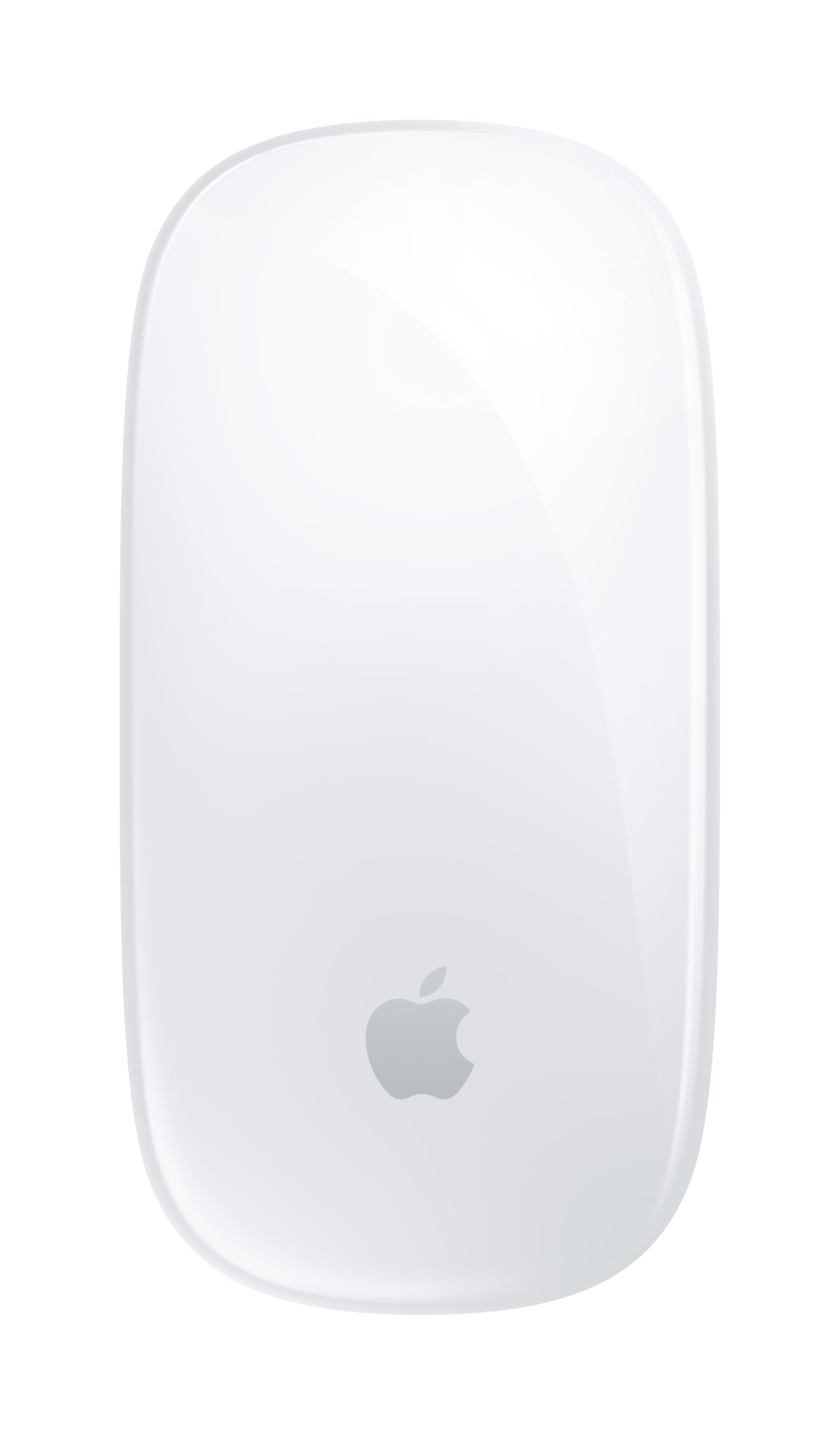
The Multi-Touch mouse that pairs to your Mac automatically — no setup screen, no dongle.
The single feature that defines this mouse is its Multi-Touch surface — that is the entire top of the mouse acting as a touchpad, so you swipe between web pages and scroll through documents with your fingertips. It pairs automatically with your Mac right from the start, and it charges through the woven USB-C cable included in the box. You do not need a receiver at all here, which is exactly the point of the category.
Battery life is stated as about a month or more between charges. The crowd reaction splits cleanly: quality, design, and ease of use are the things owners praise most, and MacBook users love the instant pairing.
Here is the honest catch. If your desk setup already bugs you — a low-profile, flat shape that some people find uncomfortable after several hours — that feeling does not go away. And the connection side is the subject buyers comment on most evenly: while the mouse snaps to MacBooks instantly, some owners mention it will not work with MacBook Pro 2021 models. Check your Mac generation before you commit.
Ties to the ecosystem: it only makes sense if your daily driver is a Mac. On Windows you lose the automatic pairing that makes this pick special.
It belongs on your desk if: you use a modern Mac laptop or desktop and want zero-fuss gesture scrolling.
Pass on it if: you have an older MacBook Pro generation or want a raised, wrist-friendly shape.
4. Evoluent VMC Classic Wireless Mouse
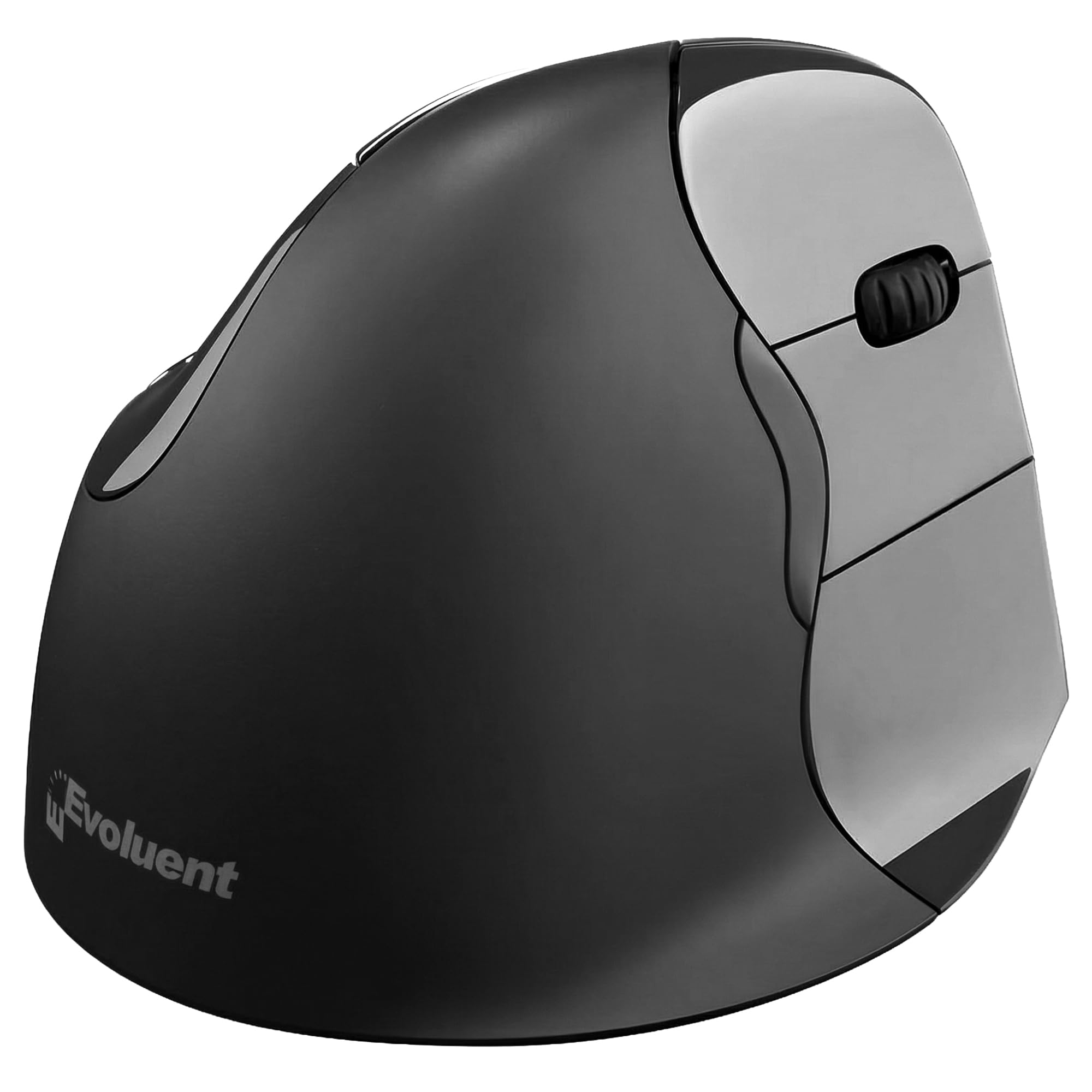
The original vertical mouse maker’s 6-button model, with a switch between Bluetooth and its USB receiver.
Evoluent built the original vertical mouse line, and this VMC Classic is the modern version — a right-hand shape with a natural handshake grip and a matte finish that includes a magnetic battery door. You get a physical switch to flip between Bluetooth and a USB-Wireless receiver, so you can run it dongle-free on your laptop and drop in the included receiver on a locked-down work PC. Buttons sit at 6, and the body is compact at roughly 4.4″ by 3.5″ — smaller on the desk than the MX Vertical above.
Owners who have used the brand for a decade describe the update as adding both Bluetooth and a dongle in one unit, which solves the old problem of needing different mice for home and office. A buyer with joint hypermobility said the vertical shape relieved finger, hand, and wrist pain, and reported getting a full six years out of the previous one. Comfort, ergonomics, and wrist relief all show up as the things people appreciate most.
The trade-offs are worth knowing up front. Two buttons are preset for Copy and Paste only — they are not programmable, so you cannot remap them to different shortcuts. Windows 11 users have hit problems trying to reprogram the buttons, and the manufacturer has not refreshed its driver software in a long time. Design and functionality draw a mixed response from buyers, and a few find the sculpted body too big for their grip.
Fast real-world take: if you live inside standard desktop work — spreadsheets, docs, browsing — the fixed copy-paste buttons quietly speed up your day. If you do creative work that needs custom shortcuts, look elsewhere.
Made for you if: you want the original vertical silhouette plus the option to use either Bluetooth or a dongle depending on the machine.
Skip the upgrade if: you need deeply customizable buttons, especially on Windows 11.
5. Srfc Arc Mouse SC Bluetooth EN/XD/XX Black

A Bluetooth-only mouse that folds flat for a laptop sleeve and arcs up into a working shape.
What makes this mouse worth a look is the fold-flat trick — it snaps down to a slab you can slide into a laptop sleeve, then arcs up into a working shape when you flip it open. That magnetic snap is satisfying in a way a plastic hinge never is, and build quality is the thing owners praise most. It is Bluetooth-only at 3 buttons, with no dongle to lose at all.
It slips easily into a bag, according to owners, and pairs without fuss to a Surface Pro. They also report smooth scrolling and a solid click for a mouse this thin. Buyers mention reliability second most often, which matters when this is your only travel mouse. It rates highly among the smaller pool of owners.
Two honest notes. The scrolling speed feels slow to some people, especially if you came from a fast-spinning wheel. And while most find the grip comfortable, that low, flat profile gives your hand very little support over a long day. There is no rechargeable battery to worry about here — it runs on batteries included in the box, so keep a spare in your bag on long trips.
Quick verdict: it earns its place as a second, travel-only mouse rather than a full-time desk companion.
Buy it as your road mouse if: portability and a compact footprint come first and you want a shape that disappears into a bag.
Not for you if: you need wrist support or fast wheel scrolling all day at a fixed desk.
6. JLab JBuds Wireless Mouse, Bluetooth and USB dongle, 4 Pack

Seven customizable buttons, three paired devices, and a rechargeable battery instead of spare AAs.
You get more controls here than on the MX Master 3S: 7 customizable buttons with adjustable DPI (cursor speed), versus 5 on the MX Master 3S. That means you can set the cursor speed in software and remap keys to match how you work — one button for copy, one for the tab you close ten times an hour, and so on. It pairs with up to 3 devices over Bluetooth or the included dongle (a small USB plug) and switches between them. The rechargeable battery means no stack of spare AAs.
Owners describe the mouse as smooth and comfortable with a solid feel, and the size lands well for smaller hands according to several buyers. Functionality and comfort show up as the things people appreciate most, and the battery lasts weeks in mixed use. There are 7 customizable buttons and 2-year warranty coverage in the box, plus the JLab Work app stores up to 3 custom user profiles per mouse.
Two quirks to be ready for. The click is quiet and feels slightly less responsive to some people — responsive enough for everyday work, just softer than a standard click. A couple of owners mention an odd grip feel because there is no rubber texture on the thumb rest or sides. And a small number have run into constant beeping noise with their unit. Pairing is the biggest variable: most people find it easy, a few hit trouble.
what separates it: the size of the pack. This is a 4-pack, so you can cover a home office desk, a second setup, and a couple of backups without buying twice.
The right call if: you want maximum buttons and multi-device pairing at a mid-range level, especially if you have smaller hands.
Look past it if: you need a distinct tactile click and grippy rubber side panels.
7. Logitech MX Master 4 for Mac, Ergonomic Bluetooth Mouse

The flagship pick with a Haptic Sense Panel and an Actions Ring under your thumb.
This is the top of the stack in this lineup. The Haptic Sense Panel is the piece that separates it — that is a surface that gives a subtle physical buzz on specific actions, shortcuts, and notifications, so you feel the computer respond instead of just seeing it.
The MagSpeed scroll wheel gets the marquee claim here: the brand says it scrolls 1,000 lines per second and stops on a pixel. In practice, that means one flick can cover a long document without the cursor drifting past your target. Logi Options+ handles full app-specific custom profiles, and the mouse is finished in matching Apple colors for a setup that looks intentional. Customers note the setup is instant and it works without a mousepad on any surface they drop it on.
The caveat that matters most for Mac buyers: the “For Mac” version omits the 2.4GHz dongle, so you must use Bluetooth — a fair trade for a cleaner setup but one some buyers felt was a step back. A few also found the shape slippery to lift and heavier than the MX 3S. Ergonomic comfort splits opinion, with owners either loving the natural tilt or finding it awkward, so if you are sensitive to shape this is worth trying before committing.
Where the money goes: the haptic panel and Actions Ring are features no other mouse on this list offers. For Mac users who work in Photoshop, Premiere, or any app with heavy shortcut use, that is the differentiator worth paying for.
The one to pick if: you are on macOS or iPadOS and want the most capable control surface available, feedback and all.
Not the right fit if: you want a dongle in the box or you are unsure about the tilt configuration.
Know the Specs
DPI (Dots Per Inch)
DPI (dots per inch) measures how far your cursor travels for every inch you move your hand. Higher numbers let you cross a big, high-resolution display with a small wrist movement. A mouse at 8000 dpi, like the MX Master 3S, tracks faster and works on trickier surfaces such as glass. A 4000 dpi mouse like the MX Vertical trades that top speed for a larger, more deliberate feel that many people find easier to control.
Bluetooth Pairing vs. USB Receiver
Bluetooth pairing connects your mouse directly to your computer with no dongle at all — nothing to lose, nothing plugging into a port. A USB receiver plugs into a USB-A port and typically offers the same reliability with fewer pairing headaches. Since some mice ship with one method as the main option and the other as a backup, checking the pairing method before you buy prevents an adapter purchase later.
Vertical Angle and Handshaking Grip
A vertical mouse rotates your hand into a handshake posture rather than laying it flat. That angle changes how your wrist rests on the desk and, for many people, feels more natural over long sessions. Vertical mice like the MX Vertical use a 57° angle, while others use their own sculpted shape. The trade-off is that the taller body takes a few days to get used to and can be knocked over in the beginning.
Battery Life and Charging
Rechargeable mice need a cable now and then, while battery-powered mice need fresh cells. The numbers vary widely: up to 70 days on a charge for the MX Master 3S, about 4 months for the MX Vertical and the Evoluent VMC, and roughly a month or more for the Apple Magic Mouse. Some models let you charge while you work, so you avoid downtime during a busy afternoon.
Common Questions
How do I pair a Bluetooth mouse without a USB receiver?
Will a Bluetooth-only mouse work with my laptop if it only has USB-C ports?
Is a vertical mouse actually more comfortable than a flat one?
How long does the rechargeable battery last on these mice?
Can one Bluetooth mouse pair with multiple devices at the same time?
Does a vertical or flat mouse work better for long hours at a desk?
What does “Quiet Clicks” mean on a Logitech mouse?
Do I need special software to use the buttons on a premium Bluetooth mouse?
Which mouse is best for a Mac user choosing between the Magic Mouse and the MX Master 4 for Mac?
Is a mouse designed for travel worth it as my only mouse?
The Bottom Line
For most people, the bluetooth mouse without usb receiver winner is the Logitech MX Master 3S because its 8000 dpi sensor, quiet clicks, and up to 70 days of battery make it the most complete desk mouse here. If you want wrist relief above all else, grab the Logitech MX Vertical and let the 57° angle do its work. And for Mac users who want every shortcut reachable from one hand, the Logitech MX Master 4 for Mac is the one to reach for.
How we choose
We do not accept paid placement. Every pick is matched to a real buyer and a real use-case; we do not hands-on test units.
Sources
Specifications: manufacturer listings and product documentation. Review insights: verified customer reviews, as of October 2026. Pricing: not shown on this page (it changes often); check the current price via the retailer link.
As an Amazon Associate, Aappliancez earns from qualifying purchases. This does not affect which products we feature.