Disclosure: Some links in this post are affiliate links. As an Amazon Associate I earn from qualifying purchases, at no extra cost to you. Learn more
Specs are compiled from manufacturer listings and verified buyer reviews and can change over time — please confirm the key details on the product page before buying.
Most Android tablets have no USB-A port at all, so a mouse that insists on a dongle is dead weight before you leave the house. The five picks below all pair over Bluetooth alone, and the one that suits the largest number of people is the Logitech Pebble i345 — it runs on a single AA battery the maker rates at 18 months, so you are not hunting for a charging cable every week. If your tablet is a Samsung, a Lenovo, or a Fire slate, keep reading: the differences that actually matter are battery type, how quiet the click is, and whether the mouse can hold a connection to more than one device at once.
This guide is built by comparing the manufacturers’ published specifications and the patterns across verified customer reviews, so you get each pick’s real strengths and trade-offs instead of marketing spin.
Android tablets are fussier than laptops about pairing, and a mouse that adds a second accessory to your bag is one you will leave at home. Read the click noise, the battery style, and the pairing method closely to find the Best Bluetooth Mouse for Android Tablet for your setup.
Top Picks

How To Choose The Best Bluetooth Mouse for Android Tablet
An Android tablet is not a laptop with a screen missing — it usually has one USB-C port, often already occupied by a charger. That single fact reshapes the whole shopping list. A mouse that needs a dongle is only a good idea if you plan to plug the dongle in permanently and never charge while you work.
Start with pairing, not with specs
Every mouse here uses Bluetooth, but the setup path differs. Some pair with a single press and no app; others get filed under a named device in your tablet’s Bluetooth menu. Look for a mouse that states Bluetooth 5.2 or plain “Bluetooth” in its specification rather than “2.4GHz only” — a 2.4GHz mouse needs a physical receiver, and that receiver must match a port your tablet actually has.
Decide between a battery you replace and a battery you plug in
An AA or AAA mouse means a fresh cell every many months and no cable in your bag. A rechargeable mouse means one USB-C cable and no battery drawer, but you are tied to charging windows. Neither is better in the abstract — pick the upkeep you will actually keep up with on a tablet you carry around.
Match the size to the hand and the bag
Travel mice are deliberately small. That helps in a backpack pocket and pinches in a bigger palm. Flat, slim shapes pack well but give your wrist less to rest on over a long spreadsheet session. If you type and click for hours on a tablet, a slightly taller body earns its space in the bag.
Sound, DPI, and the jiggler question
Silent-click mice reduce the click sound, which matters in a lecture hall, a shared office, or a bedroom where someone else is asleep. DPI (dots per inch — how far the cursor travels per inch of physical movement) sets your cursor speed, and most tablet users are comfortable somewhere around 1200. A jiggler mode nudges the cursor on a timer so a tablet or laptop screen does not sleep mid-download.
Side-by-Side Comparison
| Model | Best For | Battery Style | Connection | Cursor Speed | Amazon |
|---|---|---|---|---|---|
| Logitech Pebble i345★ Best Overall | Set-and-forget tablet use | 1 AA battery (18 months) | Bluetooth only | — | Amazon |
| Logitech M240 SilentQuietest Click | Shared rooms and small hands | 1 AAA battery (18 months) | Bluetooth, up to 10 m | — | Amazon |
| FYBC LED Wireless Mouse | Screen-awake remote work | Rechargeable (60 days) | Bluetooth + 2.4G USB-A/USB-C | 800/1200/1600 DPI | Amazon |
| Gizdot-S1 | Hopping between two devices | Rechargeable 850mAh (90 days) | BT 5.2/3.0 + 2.4G USB-A/USB-C | 800/1200/1600 DPI | Amazon |
| FOPATO Donut Pink Mouse | Small hands and light travel | Rechargeable (20 days) | Bluetooth + 2.4G, up to 30 ft | 1200 DPI | Amazon |
Detailed Reviews
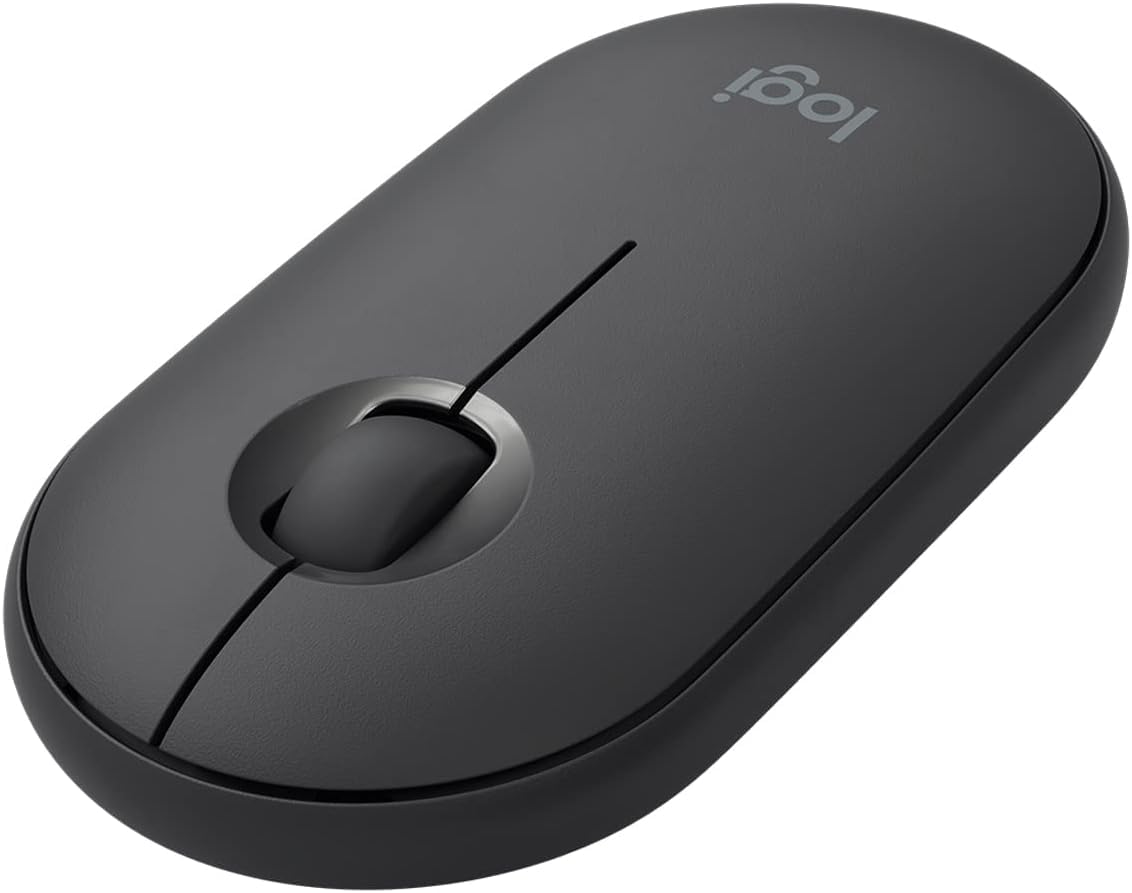
1. Logitech Pebble i345 Mouse
Our pick — 4.5+★ from 900+ verified ratings; the strongest balance of quality and price.
One AA cell, eighteen months of use, and not a single cable in your tablet bag.
The number that decides this pick is the 18-month battery rating on a single AA cell that ships pre-installed. That means you open the box, slide the mouse out, and it is already powered — no first charge, no waiting. For an Android tablet that lives in a bag, that is the difference between a mouse you use and a mouse you forget to top up. The body measures 4.2″L x 2.3″W, which is small enough for a jacket pocket and still wide enough that your fingers are not folded under your palm.
Reviewers keep praising its reliable pairing and everyday function, and setup is just a short trip through your tablet’s Bluetooth menu. It is a Bluetooth-only mouse with no USB receiver in the box, which is exactly what an Android tablet with one USB-C port needs. Buyers report it “Connects to Mac without dongle; excellent battery life; nearly silent clicks; responsive scroll wheel.” The tracking also handles rougher ground than a desk — bed covers and cafe tables are both called out as surfaces it copes with.
The catch is the shape, not the electronics. The slim profile divides opinion: some hands settle into it instantly and others find a low, flat body tiring across a long afternoon. Switching between two devices is also clumsy — you re-pair rather than tap a button. And because the weight of that AA cell sits inside a small shell, it is a work and browsing mouse, not a gaming one.
Where the Pebble earns its keep
- 18 months of power from one pre-installed AA battery, so no charging cable joins your travel kit
- Bluetooth-only pairing with no dongle to lose or port to occupy
- Compact 4.2″L x 2.3″W body that slips into a pocket or a tablet sleeve
- Tracks on bed covers and cafe tables, not just a flat desk
What to weigh before you commit
- The slim shape splits opinion — fine for short sessions, less giving over a long one
- Moving between two devices means re-pairing rather than pressing a switch
- No USB receiver included, so it will not work with a tablet that only accepts a dongle
Reach for this if: you want a mouse you charge roughly never and pair once, then forget about.
Look elsewhere if: your palm is on the larger side or you regularly bounce between a tablet and a laptop mid-task.
2. Logitech M240 Compact Silent Bluetooth Wireless Mouse – Rose
The mouse you can click through a full meeting without anyone on the call hearing it.
Logitech rates the click at 90% reduced sound versus a standard mouse, with the same click feel under your finger. In a shared office, a lecture hall, or a bedroom with someone asleep two feet away, that is the spec that matters most. The Bluetooth link holds up to 10m/33 feet from your tablet, so you can leave the slate docked across the room and still drive the cursor. A single AAA battery is rated at 18 months, with an auto-sleep feature to stretch it further.
Comfort is the trait reviewers mention most, and the deliberately small shape is built for small hands. Owners mention it stays comfortable for small hands in a way larger mice do not, and the compact body is genuinely bag-friendly. It also lists Windows, macOS, Linux, ChromeOS, iPadOS, and Android among its platforms, so the same mouse drives your tablet today and your laptop next year. The scroll wheel is a touch louder than the clicks themselves, which is a small wrinkle in an otherwise hushed design.
Go in knowing the trade: there is no DPI button and no side buttons, so cursor speed is whatever the tablet’s own settings give you. Medium and large hands will find the palm support thin. It is also a Bluetooth mouse with no receiver, so a tablet that wants a dongle is not its home.
The honest read: this is the pick for anyone whose main annoyance is click noise and whose main constraint is hand size — it solves both and asks you to give up on-the-fly sensitivity buttons in return.
Best fit: small-handed users who work beside other people and want the quietest possible click.
Think twice if: you rely on a DPI switch or you have a broad palm that needs real support underneath.
3. FYBC Bluetooth LED Wireless Mouse

A mouse and a screen-waker in one shell, so your tablet stops locking while you step away.
Press and hold the DPI button for 3-5 seconds and a jiggler mode kicks in — the cursor nudges itself so your tablet does not fall asleep during a long download, a call you are only listening to, or an online class. That single feature separates it from every other pick on this list, and it is why remote workers and IT staff gravitate to it. The connection story is equally flexible: Bluetooth 5.2, plus a dual-port receiver that covers both USB-A and USB-C, so it works whether your tablet takes a dongle or not.
Buyers keep coming back to its no-drama functionality, summing it up as a unit that “does everything expected from a standard mouse” while pairing instantly with MacBooks and iPads. The optical sensor cycles through 800/1200/1600 DPI with a one-second press, so you can slow the cursor on a small tablet screen and speed it back up on a desktop. Weighing 65g, it disappears into a bag, and the 7-color breathing LED can be switched off when you want a plain work setup.
Battery is the honest weak spot. The maker quotes a 60-day average life, but the lived experience splits: some stretches run about a week between charges, others report needing a top-up every couple of days, and the LED lighting is a likely drain. Charging takes under 2 hours over USB-C and you can use it while it charges. One quirk worth knowing: in some setups the scroll direction comes out reversed, which you either adjust the tablet settings for or get used to.
Why it suits the always-on worker
- Built-in jiggler mode keeps a tablet or laptop screen awake with no extra gadget
- Three connection routes — Bluetooth 5.2 and a USB-A/USB-C dual receiver
- Adjustable 800/1200/1600 DPI with a one-second button press
- 65g body and a dongle storage slot so nothing gets lost in the bag
The parts that divide opinion
- Battery life is inconsistent — some users go a week, others charge every couple of days
- The LED lighting likely shortens runtime and can be switched off
- Scroll direction arrives reversed for some users
Pick this one for: meeting-heavy, download-heavy days when a sleeping screen would cost you the session.
Skip the jiggler if: you want a mouse you charge roughly monthly and would rather not think about battery at all.
4. Gizdot-S1 Bluetooth Mouse
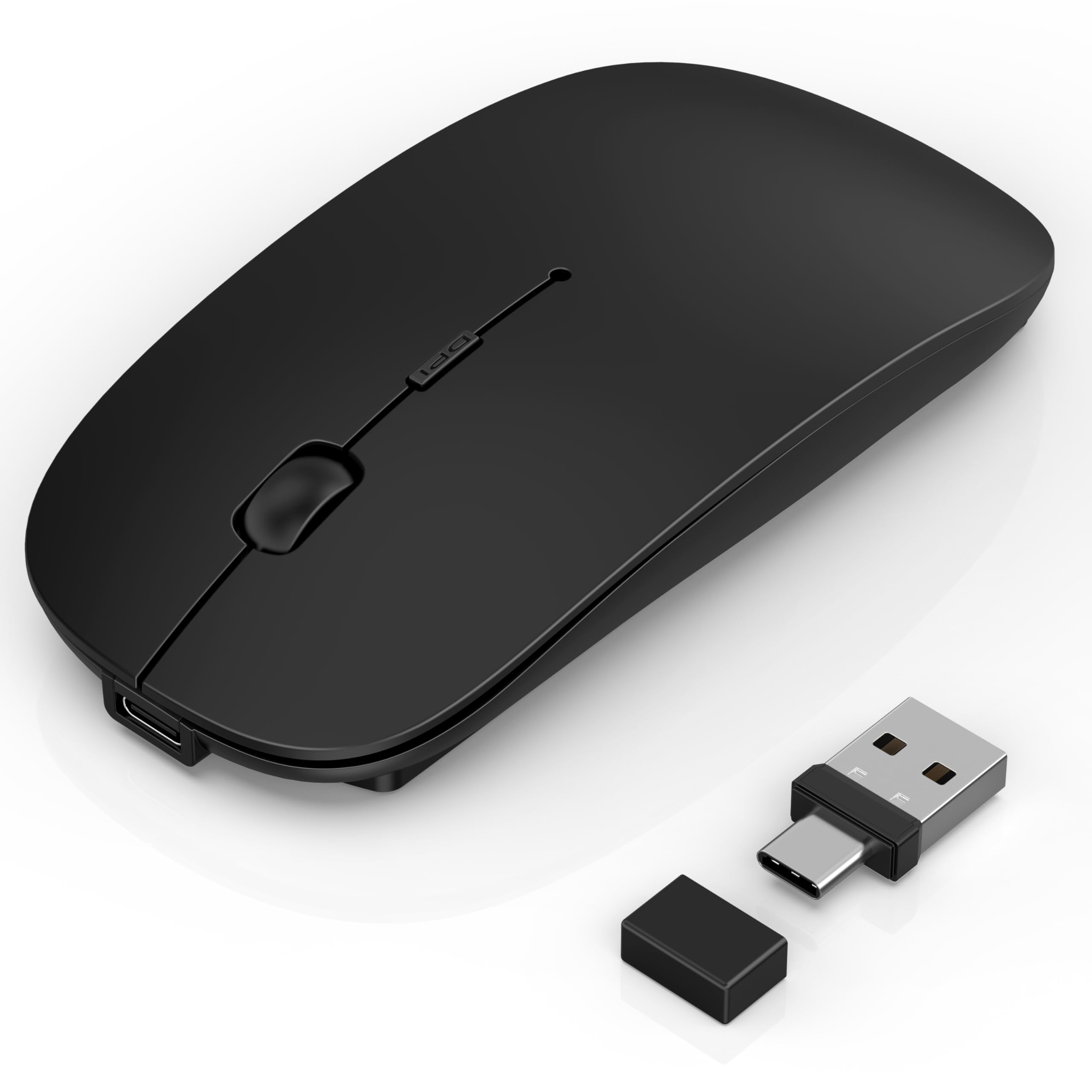
Four ways to connect and one charge that the maker rates at 90 days.
This one gives you more connection paths than anything else here: Bluetooth 5.2, Bluetooth 3.0, a 2.4GHz USB-A receiver, and a 2.4GHz USB-C receiver. If you own an older Android tablet that only plays nice with 3.0, that mode alone justifies the pick — most mice on this list top out at a single Bluetooth version. The 850mAh rechargeable battery is rated at 90 days per 2-4 hour charge, and smart sleep modes put the mouse into light sleep after 8 minutes of inactivity and deep sleep after 30.
Reviews keep landing on its build quality and smooth tracking, and the low-profile shell sits nicely under a relaxed wrist. It switches between two paired devices without re-pairing, which the FYBC above does not do — you press to move, not re-scan. The same DPI button does double duty: short press cycles 800/1200/1600 DPI, long press for 3 seconds toggles the jiggler. A compact 4.3″L x 2.3″W body and a receiver that stores on the underside keep the bag tidy.
Connection and setup are the mixed part of the story. Most pair cleanly and quickly, but a slice of buyers hit pairing snags or find the included instructions unclear — worth knowing if you are setting it up for someone less technical. A single unit arriving with a switch that fell inside the shell speaks to occasional quality slips rather than a pattern. Pairing is a five-minute job when it goes smoothly, and the mouse auto-sleeps and wakes on a tap.
Cut to the point: the four-mode switching and 90-day rechargeable battery make this the most adaptable pick for a house with mixed gear, as long as you are comfortable troubleshooting a pairing iffy on day one.
Suits you when: your household runs an older tablet alongside a newer one and you need the 3.0 fallback.
Worth pausing on: if you want a zero-friction first pairing and are not the person who enjoys solving it.
5. FOPATO Donut Pink Bluetooth Wireless Mouse, Rechargeable
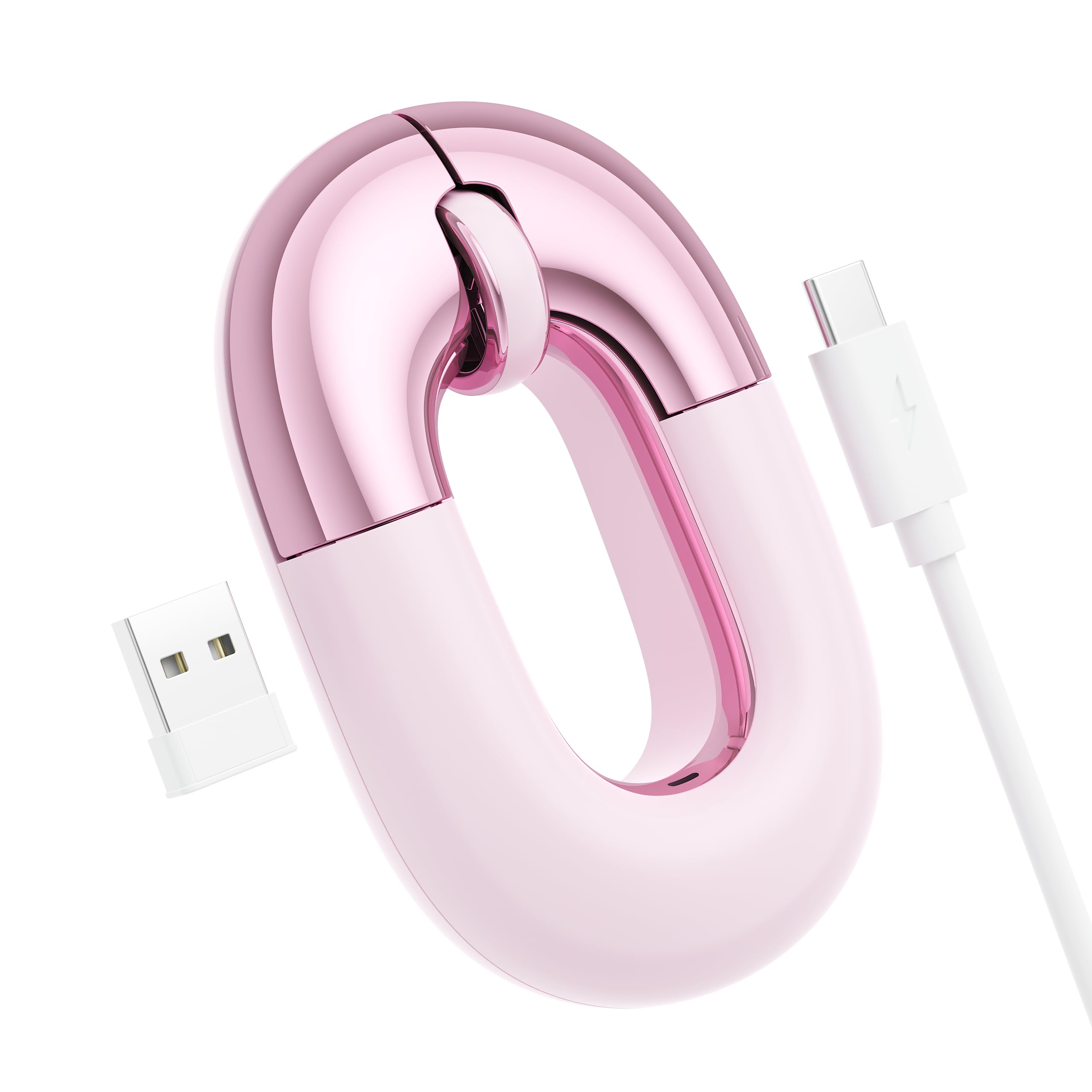
Fifty-six grams of flat, quiet pink plastic that vanishes into a handbag pocket.
At 56 g this is the lightest mouse on the list, and the flat, low body is built for small hands and light travel rather than long desk marathons. The 1200 DPI sensor is a fixed setting — no speed button to fiddle with — which suits a tablet where you set the cursor once and leave it. A built-in battery is rated at 20 days and supports use while charging, so a dead mouse never stops your session, just asks for a cable. It switches between Bluetooth and a 2.4GHz link with one button, and the range is listed at up to 30FT.
Pairing speed is the strong suit: owners describe the connection coming together in a few seconds, and the compact body fits the hand and glides smoothly. Silent clicks keep it discreet in a lecture hall or a shared room. The platform list covers Windows, macOS, iOS, iPadOS, and Android with no drivers, so it moves between your tablet, phone, and laptop without setup software. For many buyers the pink finish is the whole point — a mouse chosen partly for how it looks next to a tablet case.
Be honest about the shape. A body this flat and this small gives the wrist less to rest on, and extended spreadsheet sessions will want a wrist pad underneath. The right-handed orientation also means left-handed buyers should look elsewhere. Charging is over USB-C, so the cable you already own for the tablet usually covers it.
What it gets right
- 56 g body and a flat profile that fits a bag pocket without bulk
- Bluetooth and 2.4GHz switching with a button, range up to 30FT
- 20-day rated battery that charges over USB-C and works while plugged in
- Silent clicks and a fixed 1200 DPI sensor that needs no setup
Where it gives ground
- Flat shape offers little wrist support across long sessions
- Right-handed orientation only
- Fixed DPI means no cursor-speed button for mixed tasks
Made for: a smaller hand, a light commute, and a tablet you actually carry every day.
Better elsewhere if: you want a tall, wrist-supporting body for full workdays at a desk.
Know the Specs
DPI (Dots Per Inch)
DPI tells you how far the cursor travels across your screen for every inch you move the mouse physically. A lower setting gives you finer control for tapping small icons and checkboxes on a tablet; a higher one sweeps the cursor across a bigger screen faster. Adjustable DPI means you can change this on the fly with a button — several of these mice cycle 800/1200/1600 DPI — while a fixed sensor like the 1200 DPI setting on the FOPATO leaves you relying on the tablet’s own pointer settings instead.
Bluetooth Versus 2.4GHz
Bluetooth pair directly with your tablet and need no physical receiver, so they work on a tablet whose USB-C port is busy charging. A 2.4GHz connection uses a small dongle plugged into a USB-A or USB-C port and behaves more like a wired mouse, often with lower latency. On an Android tablet with only one port, Bluetooth-only is the simpler route — a dongle mouse is only worth it if you can leave the receiver plugged in permanently.
Battery Style and Runtime
Replaceable batteries — an AA or AAA cell — mean no charging cables in your bag and a fresh cell every many months. Logitech rates both the Pebble and the M240 at 18 months on a single cell. Rechargeable mice drop the battery drawer in favor of a built-in pack you top up over USB-C; the Gizdot-S1 quotes 90 days per charge, the FYBC quotes 60 days, and the FOPATO quotes 20 days. Runtime in real use varies with LED lighting, sleep settings, and how often the mouse is left switched on.
Silent Clicks and Jiggler Mode
A silent-click mouse reduces the click sound — Logitech quotes a 90% reduction on the M240 — so a shared room stays quiet. Jiggler mode is different: it moves the cursor slightly on a timer so a tablet or laptop screen does not lock while you are away. The FYBC and Gizdot-S1 both include it, activated by holding a button rather than running software, which is useful during downloads, presentations, and online classes.
Common Questions
Will a Bluetooth mouse work with any Android tablet?
Do I need a USB dongle to use a mouse on an Android tablet?
How long does the battery actually last on these mice?
Is a rechargeable mouse better than one that takes AA batteries?
What is jiggler mode and do I need it?
Will silent clicking still feel like a normal click?
Can I switch between my tablet and laptop without re-pairing?
Do these mice work on a bed or a sofa, not just a desk?
What DPI should I use on a smaller tablet screen?
Are these mice small enough for a bag — and comfortable for long use?
The Bottom Line
For most Android tablet owners, the bluetooth mouse for android tablet that makes the most sense is the Logitech Pebble i345. It pairs over Bluetooth with no dongle, borrows your tablet’s own charger for nothing because it runs on a single AA battery rated at 18 months, and slides into a pocket at 4.2″L x 2.3″W. If your tablet shares a room with other people, the Logitech M240 Silent is the quieter choice with its 90% reduced click sound. And if you leave your tablet running through long downloads and calls, the FYBC with its built-in jiggler mode is the one to reach for.
How we choose
We do not accept paid placement. Every pick is matched to a real buyer and a real use-case; we do not hands-on test units.
Sources
Specifications: manufacturer listings and product documentation. Review insights: verified customer reviews, as of October 2026. Pricing: not shown on this page (it changes often); check the current price via the retailer link.
As an Amazon Associate, Aappliancez earns from qualifying purchases. This does not affect which products we feature.