Disclosure: Some links in this post are affiliate links. As an Amazon Associate I earn from qualifying purchases, at no extra cost to you. Learn more
Specs are compiled from manufacturer listings and verified buyer reviews and can change over time — please confirm the key details on the product page before buying.
If you just want the short answer: buy the Produplicator LG BP60NB10 for straight disc playback and ripping, or the 8-in-1 GODBPNYMU drive if you want an SD card slot and extra USB ports built into the same box. Everything else on this list is a variation on those two ideas. An external Blu-ray drive is a small box that plugs into a USB port and lets a modern laptop or desktop read and burn Blu-ray, DVD and CD discs — the thing most new computers stopped including years ago. The catch is that the disc mechanism is only half the purchase. You also need playback software, and you need to know whether the drive reads 4K UHD discs or stops at standard Blu-ray.
This guide is built by comparing the manufacturers’ published specifications and the patterns across verified customer reviews, so you get each pick’s real strengths and trade-offs instead of marketing spin.
The list below separates the drives that rip cleanly from the ones that only play nice with certain systems. Every pick here has a real job it does well, and each one lists the exact disc types it handles so nothing surprises you after it arrives — which is the whole point of choosing a Blu Ray External Drive with your eyes open.
Top Picks
How To Choose The Best Blu Ray External Drive
Three questions decide almost everything here. Does the drive read 4K UHD discs or only standard Blu-ray? Does it burn discs or just read them? And does it include the software you need to actually watch a movie, or is that a separate purchase? Answer those before you look at anything else, because a drive that does all three at 6X is worth more than a cheaper box that does one.
Read the format list, not the marketing headline
A Blu-ray drive might handle BD-R, BD-RE, BD-XL, DVD-R, DVD-RW, DVD-RAM and CD-R at wildly different speeds. The number on the front of the box is usually the best-case Blu-ray read speed, so look for the fuller breakdown — 6X BD, 8X DVD, 24X CD is a common spread. If you plan to archive family photos for the long haul, check whether M-Disc is listed; it is a different disc type built for long-term storage and not every drive supports it.
Playback software is almost never included
Nearly every listing on this page states plainly that Blu-ray playback software is separate. Windows can play DVDs for free through some apps, but Blu-ray is a licensed format and usually needs something like PowerDVD, Leawo, Macgo or VLC. Budget for that. It is the single most common surprise for first-time buyers, and it is not a defect in the drive.
4K UHD is a separate question again
Reading a 4K Ultra HD disc is not guaranteed by a drive that says Blu-ray. Some drives are limited to standard Blu-ray, and some need specific hardware support (SGX on Intel processors, for example) before a 4K disc will play. If 4K playback is your reason for buying, confirm it explicitly before ordering — the drives that support it usually say so, and the ones that do not often hide the limitation in the fine print.
Side-by-Side Comparison
| Model | Best For | Blu-ray Read Speed | Max Disc Size / Formats | Connectors | Amazon |
|---|---|---|---|---|---|
| Produplicator LG BP60NB10★ Best Overall | Straight playback and ripping | 6X | 100GB BDXL (BD-R/RE, DVD, CD, M-Disc) | USB | Amazon |
| GODBPNYMU 8-in-1 External Blu-ray DriveMost Ports Built In | Laptops that need extra ports | 6X | BD-XL 100GB read-only, 50GB burn | USB-A & USB-C 3.0 | Amazon |
| BUNUD External Blu Ray CD DVD Drive | Everyday ripping and burning | 6X | BD/DVD/CD, no 4K Ultra HD | USB 3.0 & Type-C | Amazon |
| LG 6X WP50NB40 Bundle | Long-term M-Disc archiving | 6X | 50GB BDXL (M-Disc BD-R DL included) | USB | Amazon |
| Alphami Dual Interface Blu-Ray Optical Writer | Light travel use | 6X | BD/DVD/CD | USB 3.0 & Type-C | Amazon |
| LLMHHKYK 7 in 1 External Blu Ray Drive | Built-in card reader hub | 6X | 100GB BD read/write listed, no 4K | USB 3.0 & Type-C | Amazon |
| Wbacon 5 in 1 External Blu Ray Drive | Windows desktops and laptops | — | BD/DVD/CD, SD/TF slots | USB 3.0 & Type-C | Amazon |
Detailed Reviews
1. Produplicator LG BP60NB10 Blu-ray Burner
Our pick — 4.0+★ from 50+ verified ratings; the strongest balance of quality and price.
A LG-built drive in a slim shell that handles the biggest Blu-ray discs you can buy
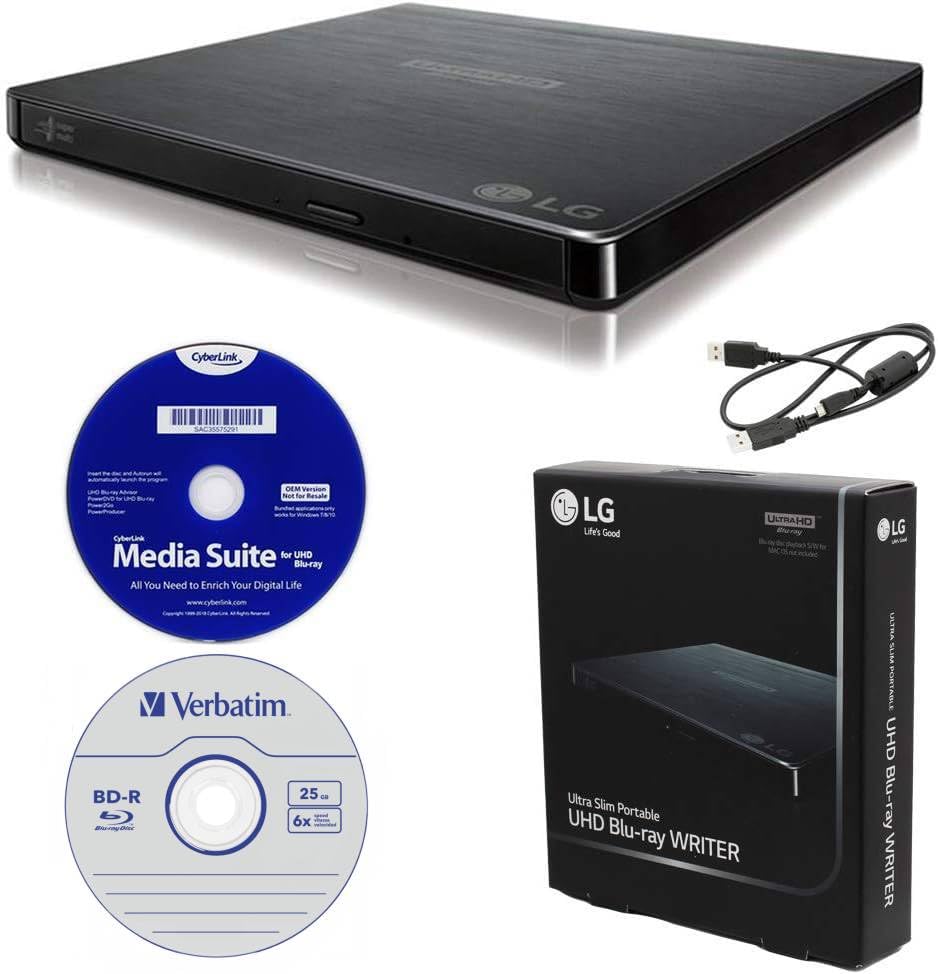
The number to start with is 100GB. That is the largest single BD-XL disc this burner accepts — three data layers on one platter, enough for a full season of video or a serious photo archive on a single disc. It also covers the smaller stuff: BD-R/RE, DVD-R/-RW/+R/+RW, DVD-RAM and CD-R/RW all burn here. The bundle includes a 25GB M-Disc BD-R, a USB cable and CyberLink Media Suite, so you have a disc, a cable and software in the box instead of a shopping list.
Two features quietly earn their keep during a long movie night. Silent Play recognizes what kind of media is spinning and adjusts playback speed to keep the drive quiet. Jamless Play skips past damaged sections of a scratched disc instead of freezing the film. If you have ever had a rental disc stall at the worst possible moment, that second one matters more than any spec sheet line.
Owners who rip their libraries report it works with MakeMKV, and one puts it plainly: “Works with makemkv. I’ve ripped a lot of my blu-rays and it still weighs like a champ.” The catch is 4K Ultra HD playback. The drive is rated for it, but playback depends on your processor and motherboard both supporting SGX (Intel’s protected-content platform), and plenty of newer machines have dropped it. Confirm your hardware before you buy if 4K discs are the goal. On Windows 10 the included CyberLink software installs fine; on older systems it may not.
Pioneer-grade 4K playback
- Burns 100GB BD-XL discs — the largest capacity the format offers
- Ships with a 25GB M-Disc BD-R, USB cable and CyberLink Media Suite
- Silent Play and Jamless Play keep movies smooth and quiet
bulkier than slim drives
- 4K UHD playback needs SGX support on both CPU and motherboard
- Included software works on Windows 10 but not Windows 7
disc-first buyers: you want a single drive that reads and burns Blu-ray, DVD and CD, and you value the biggest disc capacity available.
space-tight setups: 4K Ultra HD playback is your main reason — SGX support is not guaranteed on newer desktops.
2. GODBPNYMU 8-in-1 External Blu-ray Drive
A disc burner that doubles as the port expander your thin laptop never shipped with
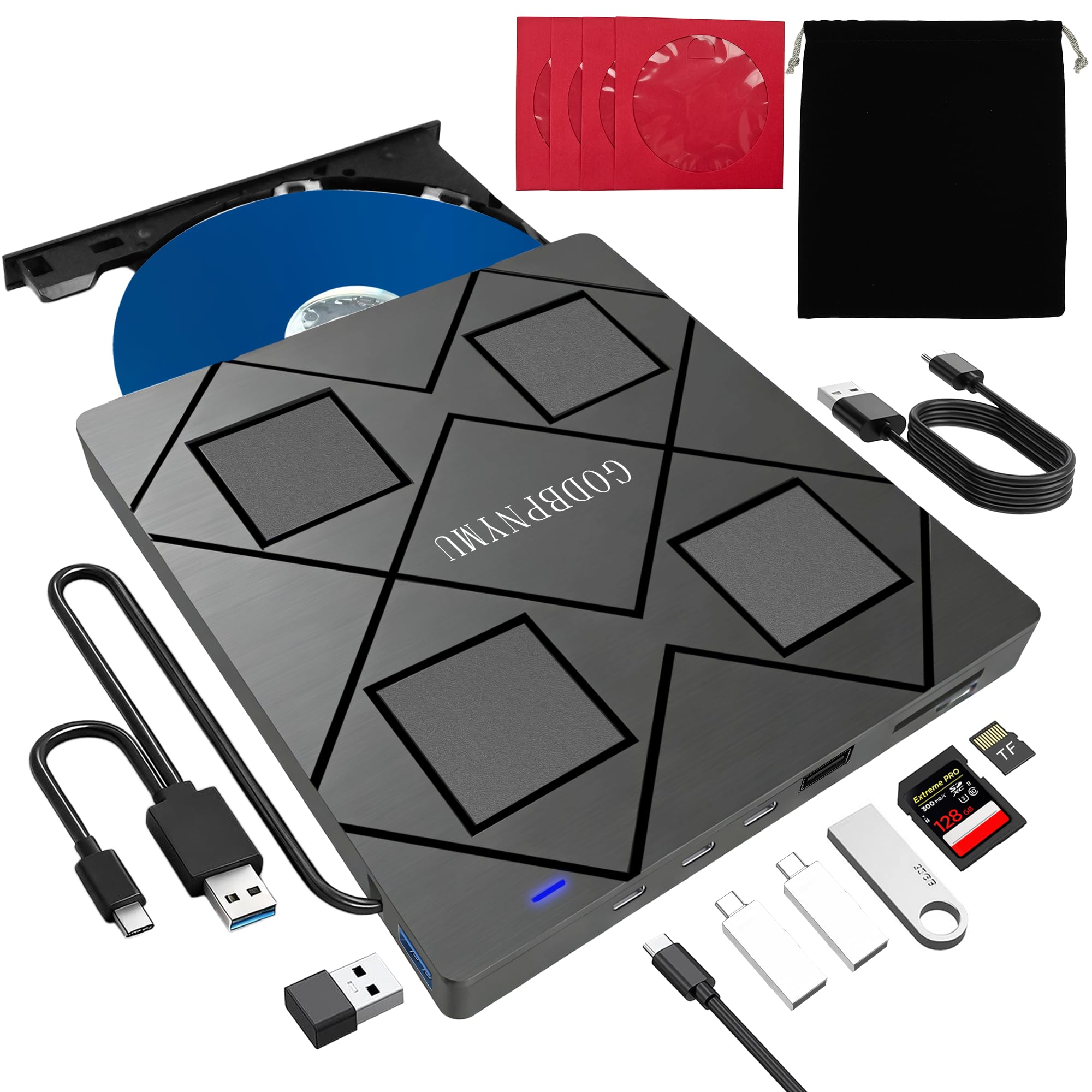
Five hundred grams short of nothing at 300 grams, this is the lightest option on the list, and it folds down to 5.5 x 5.5 x 0.35 inches — thin enough to slide into the same laptop sleeve as the machine. But the reason to pick it is the port count: 2 USB-C ports, 1 USB 3.0 port, 1 USB 2.0 port and a TF/SD card slot, all living alongside the disc tray. On a laptop with two USB-C ports total, that is a meaningful difference in what you can plug in at once.
The disc side reads and burns BD, DVD and CD with 6X Blu-ray read and DVD 8X / CD 24X speeds, and supports 3D Blu-ray playback. Burning tops out at 50GB (dual-layer BD-R DL), and BD-XL 100GB is read-only here — so if you plan to write to the biggest triple-layer discs, that is the one limit to check. SD and TF cards cannot be read at the same time. Everything else about this drive is generous: a carrying pouch, four disc sleeves and a USB-A to DC 5V power cable are all in the box, and the built-in cable stores in the base.
The knock most people hit is the cable. It is short, and a few owners needed a USB extension to reach a tower sitting under a desk. The drive also wants third-party software for Blu-ray playback — PowerDVD, Leawo or AnyDVD — because Blu-ray is licensed and no free app can decode it from the start. Setup itself is fast: the drive connects and the computer finds it right away with no installation needed.
hub plus drive combo: The port arithmetic Four extra ports and a card slot on one cable is the real product here. The disc drive is competent, but the hub is what makes a two-port laptop feel usable again.
mixed-port clutter risk: Fair caveat on the cable Short cords show up again and again in this category. If your desktop lives on the floor, plan on an extension cable from the start.
dockless laptops: your laptop is short on ports and you want a disc drive plus an SD card slot plus extra USB in one small package.
single-cable purists: writing triple-layer BD-XL discs is part of the plan — this one reads them but caps burning at 50GB.
3. BUNUD External Blu Ray CD DVD Drive, USB 3.0 Type-C

The workhorse that quietly does the boring jobs — ripping, burning, backing up — without drama
What wins people over here is performance. This is the drive on the list most consistently reported to just work, and it earns that: 6X Blu-ray, 8X DVD and 24X CD read speeds, with burn speeds of CD-R 24X, DVD-R 8X and DVD-R DL 6X, delivered over a USB 3.0 Type-C connection that also accepts a standard USB-A cable. It reads BD, DVD and CD, plays music, backs up data and installs software — the four jobs most people actually buy one of these for.
Inside the same body it adds a 5-in-1 hub: 2 USB ports and an SD/TF slot, so you can pull files off a camera card or drop them onto a USB stick without hunting for a second adapter. The cable is embedded into the shell, which means one less thing to lose in a bag. Mac and Windows 11 laptops both connect without a driver — plug it in and the system finds it.
The trade-off you should know about is 4K. This drive does not play 4K Ultra HD discs, full stop. Mac owners also hit friction on newer macOS releases, and Blu-ray playback on any machine needs the right third-party player installed first. The tray, meanwhile, is plastic and a little flimsy — treat it like a delicate part, because it is one. None of that changes the fact that for plain DVD and Blu-ray work, it is the least fussy drive in this group.
plain USB-C plug-in
- 6X Blu-ray / 8X DVD / 24X CD read speeds
- Embedded USB-A and Type-C cables — nothing to lose
- Extra SD/TF slot and 2 USB ports built in
- No driver needed on Windows or Mac laptops
short bundled cable
- No 4K Ultra HD disc support at all
- Tray is plastic and wants gentle handling
quick rips: anyone with a stack of DVDs and Blu-rays to rip, back up or play on a laptop that no longer has a disc drive.
long-reach needs: 4K Ultra HD discs — this drive does not read them, and no software will change that.
4. LG 6X WP50NB40 Blu-ray Burner
Built around a disc layer that is meant to outlast the hard drive it came from
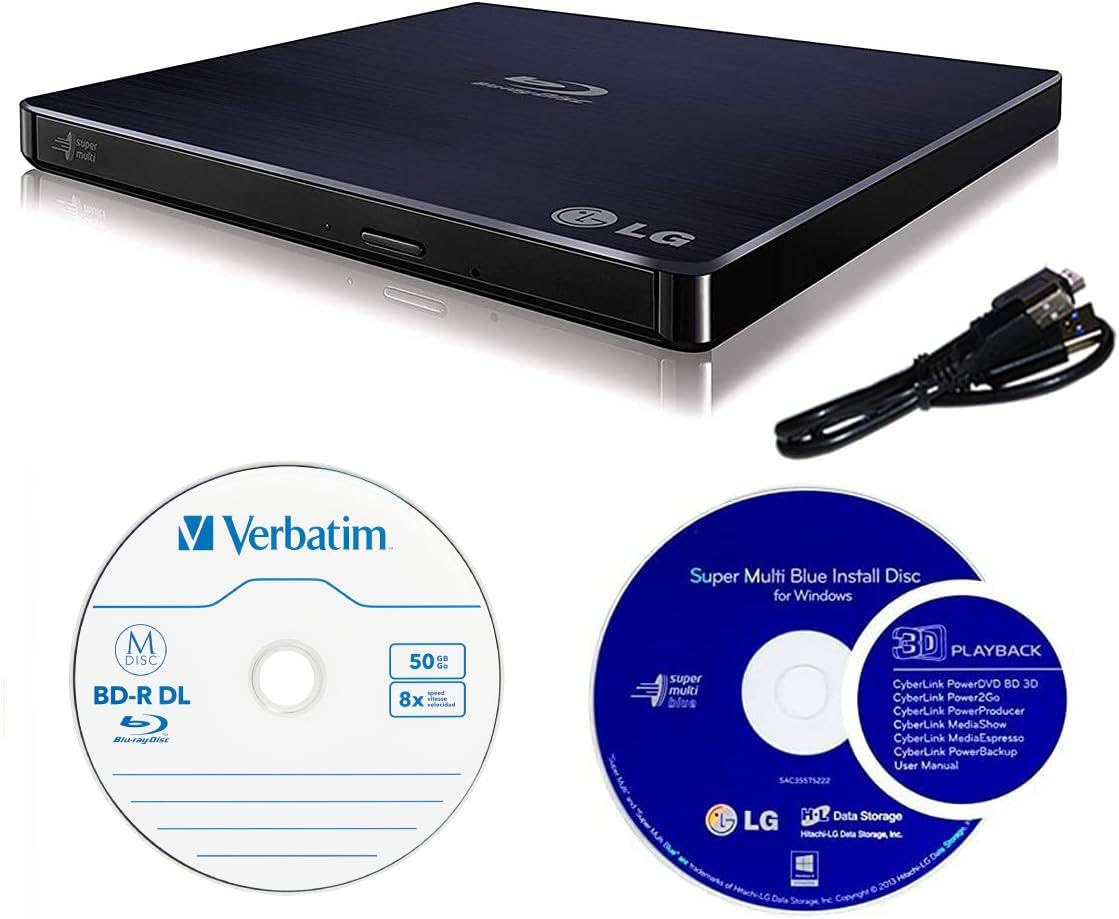
Most drives on this page sell you speed. This bundle sells you a material. M-Disc uses a non-volatile rock-like data layer instead of the reflective organic dye found in ordinary discs, and LG claims an M-Disc written on a supported drive can hold data for up to 1000 years. Take that number as the manufacturer’s claim, not a laboratory result you can verify — but the engineering idea is real, and it is why archival buyers gravitate here. The bundle ships with a 50GB Verbatim M-Disc BD-R DL and CyberLink burning software.
Underneath it is a solid burner: 6X BD-R burn and read, 8X DVD-R/+R, 24X CD-R, and 6X on dual-layer Blu-ray and DVD. There is a 4MB buffer with buffer under-run prevention, which is the feature that stops a burn from failing when your computer stutters mid-write. The drive reads and writes the usual BD, DVD and CD formats and connects over USB.
Two honest notes. from the start it will not decode 4K UHD — owners who want that flash the drive with third-party firmware first, and it is a known procedure rather than a supported feature. The bundled software also changes your computer’s DVD/CD region code during installation without asking, which is worth knowing before you run it. Operating requirements are modest: Mac OS X 10.7.5 or higher, Windows XP SP3 or higher, Pentium IV 2.4GHz and 1GB RAM.
burner with media kit: The archival case If you are burning tax records, family photos or a master copy of a project, the M-Disc layer plus the 4MB buffer is a genuinely different proposition from a drive that just reads discs.
bundle adds cost: Be ready to tinker 4K needs a firmware flash and the bundled software touches your region setting. Neither is a dealbreaker, but both reward a buyer who reads the instructions.
archiving projects: long-term archiving is the job and you want the M-Disc spec plus the software and a blank disc in one box.
playback-only users: you want 4K UHD playback straight out of the packaging — this one needs a manual firmware flash to get there.
5. Alphami Dual Interface Blu-Ray Optical Writer

A slim writer with both cables in the box and no power brick to remember
It reads Blu-ray at 6X, DVD at 8X and CD at 24X, and burns at matching speeds across those formats. The Type-C and USB 3.0 cables both come in the box and the drive needs no external power supply — so a bag with a laptop and this drive is genuinely all you need. It works with Windows XP through 11, Linux and Mac OS, and on a modern laptop the connection is instant. On an older PC, recognition can depend on which USB port you use; a power-hungry port on an aging motherboard is the usual culprit, not the drive itself.
There is no driver needed for DVD and CD playback on a PC, which is where most of these drives bury the user in setup. Blu-ray is the exception — you still need PowerDVD, Leawo, Macgo or VLC installed to watch a Blu-ray movie, and Mac users need that player installed separately. The drive is not 4K UHD capable and it is not flashable, because it uses a Panasonic UJ240 mechanism internally. If 4K ripping is on your list, this is the wrong door.
One fair limitation: it does not work with TVs, tablets or other non-PC devices, so do not buy it hoping to feed a disc player into a television. Used as intended — plugged into a laptop or desktop — it does the job with a low-noise, energy-efficient mechanism. For travel it is the right shape: both cables in the box, no power brick, and a tray that opens wherever the laptop is.
two-machine owners: road warriors who want a Blu-ray writer that travels with both cables in the box and no wall adapter.
plug-and-play seekers: your goal is ripping 4K UHD discs — this mechanism cannot do it and cannot be flashed to try.
6. LLMHHKYK 7 in 1 External Blu Ray Drive
Reads and writes Blu-ray up to 100GB, then turns around and reads your camera cards
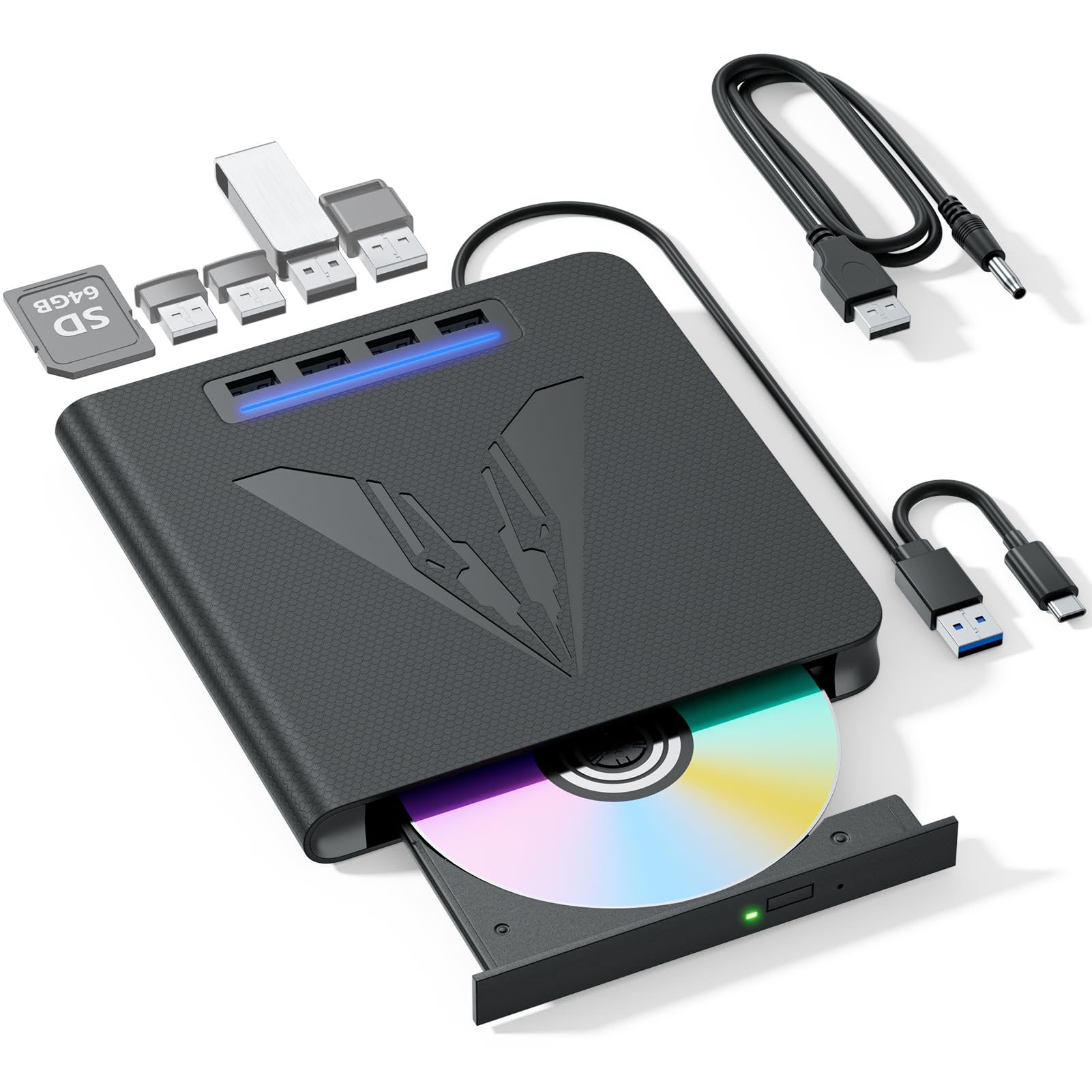
The headline is a genuine one: this drive writes to 100GB Blu-ray discs and reads them at 6X, with an 8X write speed for disc creation. DVD reads at 8X and CD at 24X, so an audio CD rips quickly. Around the disc mechanism sit SD and TF card slots plus multiple USB ports, making it a 7-in-1 hub you can use to move files between a card, a thumb drive and the computer without unplugging anything. Windows, macOS and Linux are all listed as compatible, and the embedded USB 3.0 plus Type-C cable carries both data and power.
Snags are worth naming plainly. It does not support 4K, TVs, tablets, phones or projectors — the listing says so directly. No playback software is included, so you install PowerDVD, Leawo or VLC yourself before the first movie. The dual-purpose cable is short, and tipping the drive on its side reportedly helps it read stubborn disks. The extra 5V round power cable is there for stability on ports that cannot supply enough juice.
Weight comes in at 0.35 kg and the footprint at 6 x 6 x 0.62 inches — small enough to live on a desk shelf. You are buying a 7-in-1 hub that happens to burn 100GB Blu-ray discs, so judge the disc mechanism on its own merits. If the Blu-ray mechanism holds up over years of use, the price is a steal; if it fails early, the SD/TF slots and USB ports still do daily work.
seven-port expansion: Two jobs, one cable Adding SD and TF slots to a 100GB Blu-ray writer is the appeal here. It is the pick if your desk already has too many dongles.
power draw caution: Read the fine print first No 4K, no included software, and a cable that runs short. All three are stated up front, so none of them should surprise you after delivery.
desk tinkerers: you want a Blu-ray writer with SD and TF slots and you are comfortable installing your own playback software.
minimalist setups: you need 4K disc support or a drive that works with a television — this one does neither.
7. Wbacon 5 in 1 External Blu Ray Drive
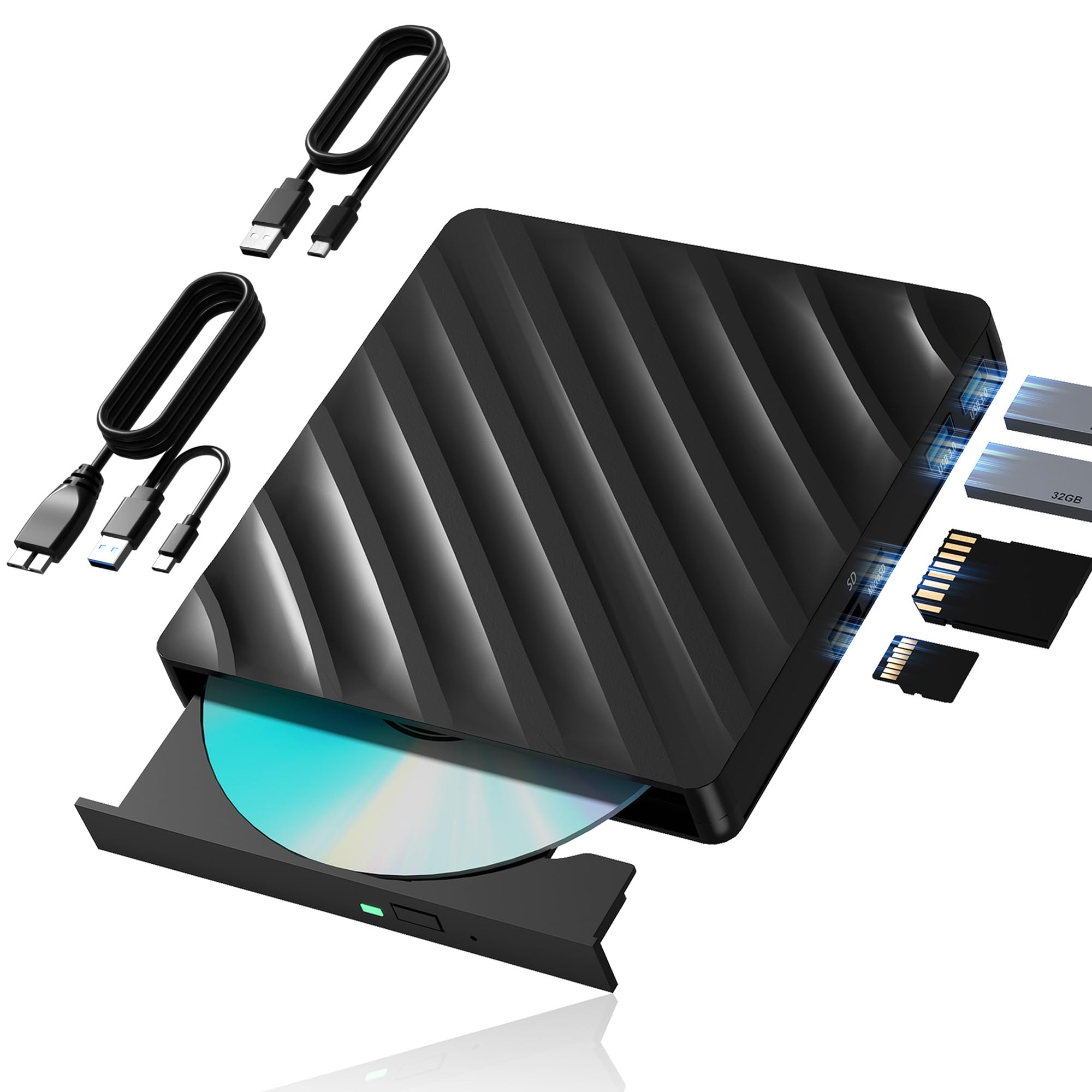
The one that comes with a longer cord — and that turns out to matter more than the spec sheet
Wbacon solves the shortest-common-problem in this category by shipping an extension cable with both USB 3.0 and Type-C ends. On a tower PC sitting under a desk, that reach is the difference between a working drive and a drive you keep unplugging. The data transfer rate is rated at 5 gigabits per second, and the 5-in-1 body packs an SD slot, a TF slot and 2 USB 3.0 ports alongside the disc mechanism.
Format support covers BD, DVD and CD reading with burning for those formats, packed into a lightweight plastic shell designed for travel. The two cables store in concealed grooves on the body so neither goes missing in a bag. Windows 7, 8, 10, Vista, ME, SE, XP and 2000 are listed, plus Linux and Mac OS 10 or below.
The compatibility list is the part to read closely, because it is long. This drive does not work with BD recorders, iPads, Surface tablets, TVs, projectors, smartphones or car systems. It is a computer peripheral, not a media player for your television. You also need to install software before it will play a disc — CyberLink BD & 3D Advisor to check your hardware, then PowerDVD 10-19 or Macgo for actual Blu-ray playback. And the region code can only be changed 5 times, including the initial setting, so pick your region carefully the first time. Used on a Windows desktop with the right software in place, it does the job steadily and quietly.
extension data cable
- Extension cable with USB 3.0 and Type-C ends handles tower PCs
- SD and TF slots plus 2 USB 3.0 ports on the same body
- Both cables store in grooves on the drive itself
heavier chassis
- Will not work with TVs, tablets, phones or car systems
- Region code limited to 5 changes total, initial setting included
- Playback software is a separate install, not in the box
cable-short desks: Windows desktops and laptops where the USB port is not within easy reach and you want the cord problem solved.
travel-first buyers: you want to plug a drive into a TV or tablet — the compatibility list rules those out clearly.
Know the Specs
Read speed (6X, 8X, 24X)
A Blu-ray drive’s headline speed is expressed in multiples of the base Blu-ray rate. A 6X Blu-ray rating means roughly six times that baseline, and it usually comes with a slower DVD figure (often 8X) and a faster CD figure (often 24X) because each format has its own baseline. Higher read speed means a disc loads and copies faster. For a full movie, the difference between a slow and fast drive is a few minutes of waiting; for a stack of 50 discs to rip, it adds up to hours. Note that the rated speed often applies only to the outermost part of the disc, so the real-world average is lower.
BD-XL, BD-R DL and M-Disc
These are three different things. BD-XL is a triple-layer Blu-ray disc that can hold up to 100GB; not every drive writes them, and some read them but cap burning at 50GB. BD-R DL is a dual-layer disc at 50GB, which is the more common burn ceiling. M-Disc is a separate disc chemistry with a non-volatile rock-like data layer instead of organic dye, and drives that support it must say so explicitly. If long-term storage is your goal, check both that the drive supports M-Disc and that your blank discs are genuinely M-Disc — the two must match.
Why playback software is always separate
Blu-ray playback requires licensed decryption, and no drive can legally bundle a full Blu-ray player for free in most cases. That is why nearly every listing on this page tells you to install PowerDVD, Leawo, Macgo or VLC. Windows can play DVDs natively through some apps, but Blu-ray is different. Expect software to be an extra purchase, and expect to install it before the first movie — not after the drive arrives and you wonder why the disc will not open.
USB 3.0 vs USB 2.0 and Type-C
USB 3.0 carries data much faster than USB 2.0, which matters for burning discs and copying large files. Type-C is the connector shape, not the speed — a Type-C port can run at USB 2.0 speeds or USB 3.0 speeds depending on the port. Some drives here ship with both a USB-A and a Type-C cable, which is the most flexible arrangement. A 5 gigabits-per-second rating is the standard USB 3.0 ceiling, and it is plenty for any optical drive.
Common Questions
Will an external Blu-ray drive play movies on my TV?
Do I need to buy software to watch Blu-ray discs?
Can these drives read 4K Ultra HD Blu-ray discs?
What is the difference between BD-R and M-Disc?
Why does the drive not open when I put a Blu-ray disc in?
Can I use an external Blu-ray drive with a Mac?
How do I burn a Blu-ray disc from my computer?
What does the region code limit mean on these drives?
Do these drives need an external power adapter?
Which drive is best for ripping my Blu-ray collection?
The Bottom Line
The strongest all-rounder here is the Produplicator LG BP60NB10. It reads and burns the largest Blu-ray discs the format allows, comes with a blank M-Disc and software in the box, and handles CD, DVD and Blu-ray without asking you to buy anything extra to get started. If your laptop is short on ports, the GODBPNYMU 8-in-1 drive adds an SD card slot and four USB ports on top of a working disc burner, which is a different kind of useful. And if you plan to archive files for the long haul, the LG WP50NB40 bundle is the only pick that pairs an M-Disc-ready mechanism with a blank disc and burner software in the box. Whichever you choose, plan on installing playback software first — that is the single step most buyers skip.
How we choose
We do not accept paid placement. Every pick is matched to a real buyer and a real use-case; we do not hands-on test units.
Sources
Specifications: manufacturer listings and product documentation. Review insights: verified customer reviews, as of October 2026. Pricing: not shown on this page (it changes often); check the current price via the retailer link.
As an Amazon Associate, Aappliancez earns from qualifying purchases. This does not affect which products we feature.