Disclosure: Some links in this post are affiliate links. As an Amazon Associate I earn from qualifying purchases, at no extra cost to you. Learn more
Specs are compiled from manufacturer listings and verified buyer reviews and can change over time — please confirm the key details on the product page before buying.
If the black bars between your monitors keep snapping you out of the action, a bezel free kit can hide them — a pair of optical lenses that sit over the screen edges so your eye reads one continuous picture instead of two or three separate panels. The short answer: buy the MiYee kit for a triple setup, the screenbuddy magnetic clips if your real problem is monitors drifting out of alignment, and the ASUS ABF01 only if your panels are 27 inches or smaller.
This guide is built by comparing the manufacturers’ published specifications and the patterns across verified customer reviews, so you get each pick’s real strengths and trade-offs instead of marketing spin.
Before you spend anything, know that these lenses are not universal — bezel thickness, screen size, and monitor angle decide whether a kit works at all. Below, each pick is matched to the setup it actually fits, so you can find the right bezel free kit without guessing.
Top Picks
How To Choose The Best Bezel Free Kit
A bezel free kit is not a universal accessory. It is a precision optical part cut for a specific monitor width and a specific angle, and getting either wrong is the single reason most kits come back. Match these three numbers to your desk before you buy anything.
Measure your bezel, not just your screen
The lens has to bridge the physical frame around your panel. The MiYee kit states plainly that bezel thickness and width must not exceed 2.5cm (1 inch), and it covers screens from 21 to 35 inches. The ZGRG kit lists a 25mm bezel limit across 23 to 33 inch screens. If your monitor has a chunky plastic frame, no lens will sit flush over it.
Check the angle your monitors sit at
These kits are built for a specific wrap angle — the MiYee for 90-170°, the ZGRG for 100-170°, and the ASUS for 120-130°. That angle is what sets your viewing distance. If your desk is shallow and your monitors sit nearly flat, the lens has to be adjusted further from the glass to work, which is where most setup frustration starts.
Know if you need a lens or just alignment
A lens bends the image so the gap disappears. A magnetic clip does a different job: it holds your panels tightly together so the seam stops opening up when you bump the desk. If your screens already sit close but keep drifting, a clip set solves it for far less than a lens kit.
Side-by-Side Comparison
| Model | Best For | Screen Range | Angle Range | Weight | Amazon |
|---|---|---|---|---|---|
| MiYee Bezel Free Kit (Standard)★ Best Overall | Triple-monitor gaming | 21–35″ | 90–170° | 0.95 kg | Amazon |
| screenbuddy Monitor ConnectorBest for Alignment | Stopping screens from drifting | All sizes | Adjustable | 0.15 kg | Amazon |
| JEEETINTX Magnetic Privacy Screen | Shared-office privacy | 23.6–24″ | — | — | Amazon |
| ZGRG Bezel Free Kit | Sim racing on triples | 23–33″ | 100–170° | — | Amazon |
| ASUS ABF01 ROG Bezel-Free Kit | 27″ and under | Under 27″ | 120–130° | — | Amazon |
Detailed Reviews
1. MiYee Bezel Free Kit 21-35″
Our pick — 4.0+★ from 50+ verified ratings; the strongest balance of quality and price.
The kit that swallows the biggest screens here — all the way up to 35 inches.
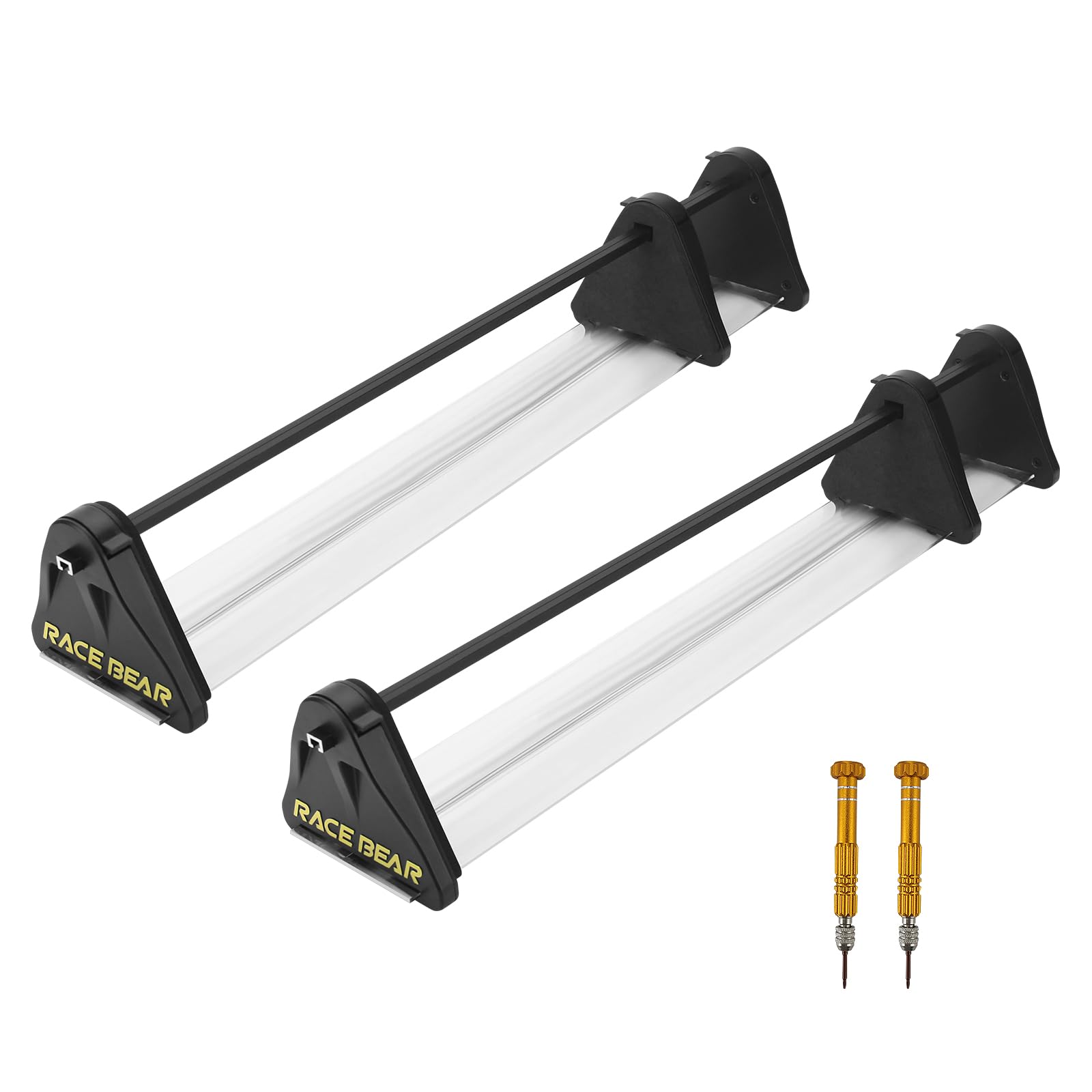
Most bezel kits top out somewhere around 27 inches, which is why triple 32-inch and 55-inch builds are so hard to dress. This MiYee kit covers 21 to 35 inches in its standard form, and the longer version is listed for 35 to 55-inch displays. It is the third generation of the RACEBEAR design, and it is meant for games, not spreadsheets.
The lens is a PMMA (a clear, hard plastic used in place of glass) plate with 95% light transmittance, meaning almost all of the image light passes straight through instead of dimming your picture. The clamps are molded from industrial ABS (a tough, rigid plastic) as a single piece, so the surface is smooth and it is built not to crack. They also open through a 90-170° spread, which gives you real room to tune where your side panels sit.
Buyers praise the build most, by a clear margin, and the “works from the start” factor comes right behind it. A sim racer running three 55-inch TVs summed it up simply: “Works great with my triple 55 inch TVs with no fuss.” Others compare it directly against the ASUS kit and say it holds up or beats it on curved monitors, where they found the ASUS tabs sliding off. The recurring gripe is cost and the fine-tuning: the lens often needs pulling roughly 1/2 to 5/8 inch off the screen and rotating to align the centreline, and some notice a little centre darkening and slight warping through turns. Monitor padding grips the edges to stop them shifting, and pairing the kit with a connector bar keeps everything square.
What earns its spot
- Covers 21-35″ screens in the standard version — far wider than most kits here
- PMMA lens at 95% light transmittance keeps the image bright instead of muddy
- ABS injection clamps open 90-170° for real angle tuning
- Grips curved monitors where rival tabs reportedly slide off
Where it takes work
- Needs lens spacing of roughly 1/2 to 5/8 inch plus rotation to line up properly
- Light centre darkening and slight warping through corners remains
- Bezels must stay under 2.5cm (1 inch) thick to fit at all
The right build: pick this if you are running triple screens up to 35 inches and want the widest size coverage available on this list.
The honest catch: budget a proper tuning session — expect to adjust lens distance and monitor angle before it looks right.
2. Monitor Connector Set of 2
Not a lens at all — it locks your screens together so the gap stops reopening.
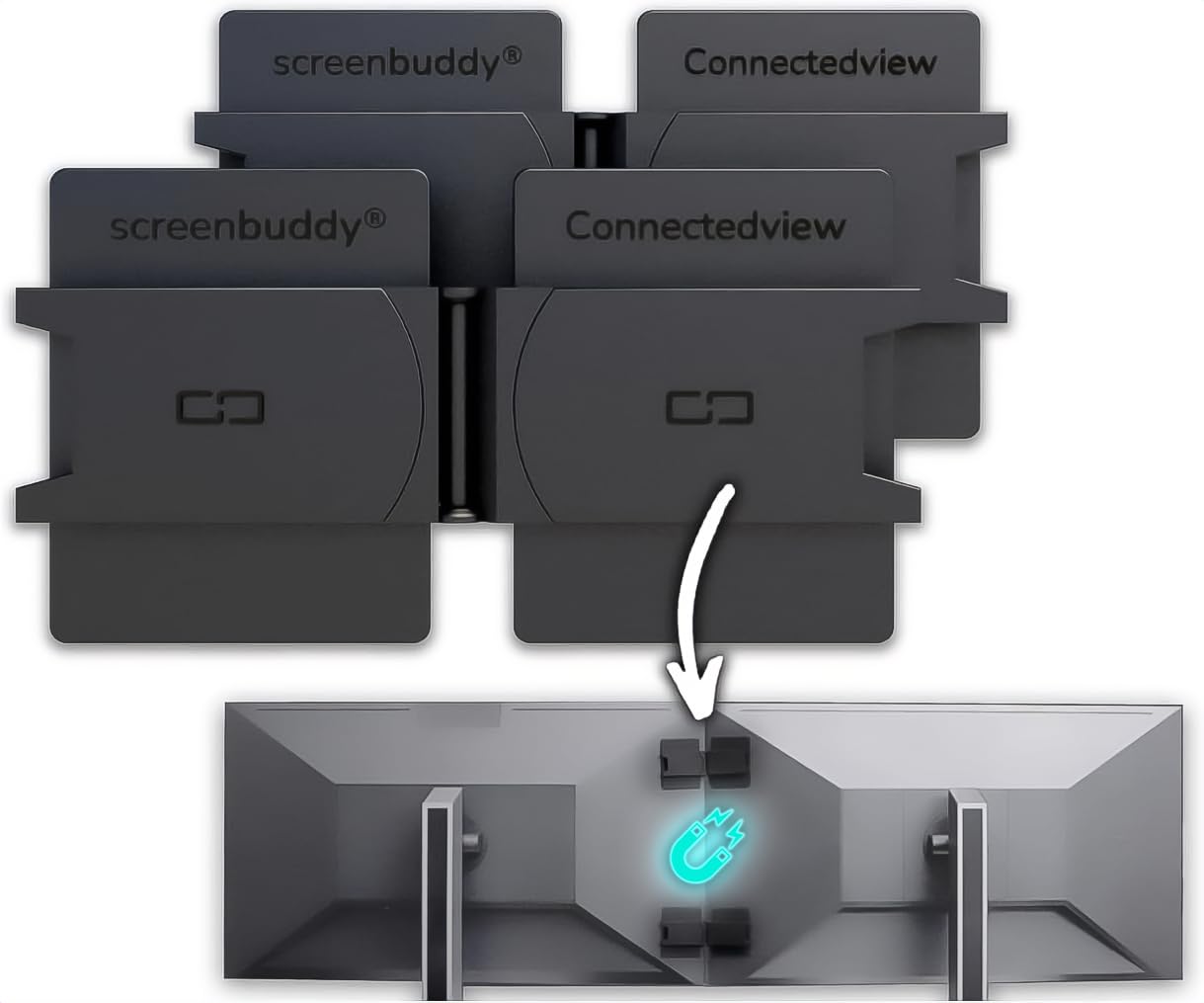
Here is the split most buyers miss. A bezel free kit hides a gap; this screenbuddy pair prevents the gap from ever opening. Two magnetic clips with an adjustable hinge hold your panels at a fixed vertical angle, and a “Snap & Lock” function saves that angle so you can pull the screens apart and put them back without resetting anything. At 0.15 kg it weighs almost nothing on the back of your panels — compared with the 0.95 kg MiYee lens kit, it is the lighter-duty alignment tool rather than a replacement for it.
The engineering is German-built under a patented design, and the TPE (a flexible rubbery plastic) plate adapts to flat or curved monitor backs across all screen sizes. Owners consistently land on the same two things: the quality of the parts and how cleanly the screens line up with no gaps left over. The clever bit is the magnetic breakaway — if something snags the screen, the magnet releases instead of yanking the adhesive patch off the panel, so your setup survives a knock. The review pages sum it up well: “I used to use gaffer tape or little stick on zip tie clips, but then I found these.”
The trade-off is cost for what looks like a small part, and the adhesive is the weak point for a few owners who found it let go. Strong magnets are also exactly right for a permanent rig and slightly annoying if you swing your side screens around all day. Installation itself is a few-minute job, though you supply your own alcohol wipes for the clean.
Where it shines: the magnetic hinge holds a set angle firm against typing and desk bumps, and the breakaway design protects the adhesive over the long run.
Who it is not for: a screen you rotate or swing several times a day — the magnet grip is built to stay put, so repeated detaching gets tiresome.
Go this route if: your monitors already sit close but keep drifting apart and you want them locked in for good.
Look elsewhere if: what you actually want is the seam visually gone — that takes a lens kit, not a clip.
3. Magnetic Computer Privacy Screen Filter 24 Inch

For the open-plan desk where the person beside you reads your screen for free.
This one flips the job. Instead of hiding a bezel, the JEEETINTX panel narrows what the screen shows to a 60° viewing cone, so anyone sitting off to the side sees a dark sheet rather than your spreadsheet. It mounts on a magnetic base that snaps on in about a second with no tape-and-bubble fuss, and the aluminium alloy bracket holds it flat against the glass.
Fit is the number to respect: it is built for frameless or thin-bezel 23.6, 23.8, and 24-inch 16:9 monitors, and the brand states outright that it will not fit a 23-inch panel or a curved one. The dimensions also exclude the bezel, so measure the lit area, not the frame. The composite surface carries a 3H hardness rating (a scratch-resistance grade, where higher means tougher) and is finished matte to cut glare and block blue light during long sessions.
Owners like that it goes on in minutes and sits flush, and the privacy hold works well from the side — people standing at an angle to the desk cannot read the content, and photographing the screen is difficult. What divides opinion is rear privacy: the shield guards the sides, so someone walking directly behind you can still see the panel. That is a viewing-cone limit, not a defect, but it is worth knowing before you buy if your desk faces a walkway.
The appeal: a magnet mount that clicks on in a second plus a matte finish that tones down glare and blue light is a tidy pairing for a shared office.
Set your expectations: privacy is angled-side protection only, and the fit list is narrow — 23.6 to 24 inches, flat, thin bezel, nothing else.
Made for you if: you work in a shared space on a 24-inch flat panel and want shoulder-surfers blocked.
Skip it for: a curved screen, a 23-inch panel, or a desk where people approach from behind rather than the side.
4. ZGRG Bezel Free Kit 24″-32″
Built around a racing rig — the angle range is wider than the ASUS kit’s.
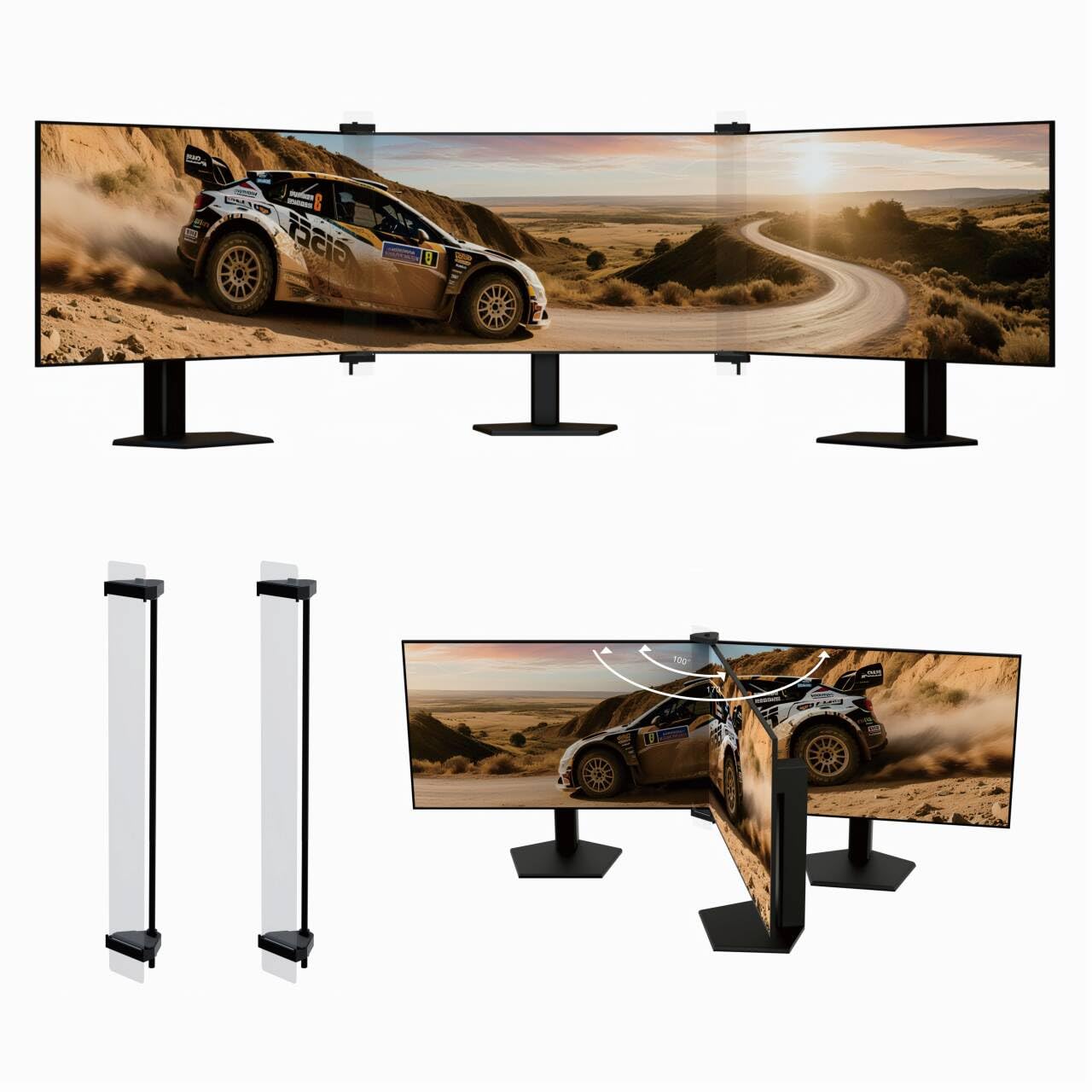
ZGRG aimed this squarely at first-person shooters, flight sims, and racing games, and the geometry shows it. The kit suits a triple setup sitting between 100-170°, against the ASUS kit’s tighter 120-130° window, so a deeply wrapped cockpit is well inside its comfort zone. It covers 23 to 33-inch monitors with a bezel limit of 25mm, and the clamps themselves double as alignment holders, keeping your panels square as a bonus.
Sim racers who got it dialled in are delighted — one running curved panels called it a better design than a rival set and far easier to set up. The more telling feedback is about the lens edge: reading text across the seam draws ghosting and double imaging, so it shines on a moving racing image and stumbles on a document.
What needs sizing honestly is the material and the alignment finesse. The highest-volume gripe is the material feel, and aligning the panels to hide the seam takes patience — there are reports of a stray mark on a strip and a wish for tougher strips. Get it seated well and it does the job across 32-inch flat panels; rush the alignment and you will see the seam fight back.
Why racers rate it
- 100-170° angle range suits a deep cockpit curve better than a narrow window
- Clamps hold panels aligned while they hide the seam
- Fits 23-33″ screens with bezels under 25mm
What to weigh
- Text across the seam shows ghosting, so it is a gaming aid more than a work tool
- The material draws the most mixed feedback of any aspect here
- Panel alignment takes real patience to get clean
Worth grabbing if: you race or fly on a triple rig and want your panels wrapped tighter than a narrow-angle kit allows.
Think twice if: you split time between gaming and reading documents — the ghosting on text will get in the way.
5. ASUS ABF01 ROG Bezel-Free Kit

The big-brand lens with a hard size ceiling — 27 inches, no exceptions.
ASUS builds this around optical micro-structures, tiny ridges that refract light inward and bend the image over the bezel underneath. The box carries four clips, two lenses, and an angle measurement tool, and the whole set is tuned for a triple layout at 120-130°. It is explicitly made for flat screens under 27 inches with a four-sided frameless or slim-bezel design — so if your panels are 32 inches, this is not the kit for you.
The lens itself is where this kit wins. Buyers praise the optical quality most, and once the clips are seated it does hide the bezel convincingly — a triple-27-inch user called it the best kit they had used. The catch sits in the fine print of the fit: the lenses are reported to be delicate and scratch-prone, the clips can be finicky to seat, and pushing the monitor angle too far to hide the gap is exactly where the lens is vulnerable. Thinner film than a DIY solution helps, but it also means treating it gently.
Do the arithmetic on your setup first. If your monitors are 27 inches with a slim frame and you sit close, the optics deliver a clean image across the seam; if they are 32 inches or have a chunky frame, this kit simply does not cover you. Compared with the MiYee kit, the ASUS gives up a lot of size range in exchange for its brand-grade optics.
The core strength: optical micro-structures that refract the image cleanly and a four-clip mounting set with an angle tool in the box.
The size wall: 27-inch-and-under flat panels only, so larger or curved screens will not work and the lenses need care.
The fit is the deal: choose this for 27-inch or smaller flat triples and accept gentle handling of the lens strips.
Not your kit if: you run 32-inch or curved panels — the size ceiling rules it out and the optics cannot bridge the gap.
Know the Specs
Bezel thickness limit
The frame around your panel has to fit under the lens, and each kit names a ceiling — the MiYee at 2.5cm (1 inch) and the ZGRG at 25mm. If your monitor has a thick plastic edge, the lens cannot sit flush and the whole effect collapses. Measure the width and depth of the frame, not the glass.
Screen size range
A kit is cut for a stretch of diagonal sizes. The ASUS handles under 27 inches, the MiYee 21 to 35 inches, and the ZGRG 23 to 33 inches. Buying outside that range means the lens is either too short or too wide to line up, which is why the ASUS users with 32-inch panels need the adapter kit.
Viewing angle
This is the wrap of your outer monitors measured in degrees. The MiYee opens 90-170°, the ZGRG 100-170°, and the ASUS 120-130°. A wider range gives you room to sit further or closer; a narrow range works only if your desk and seating already match it.
Light transmittance
Transmittance is how much of the image light the lens lets through. The MiYee states 95% on its PMMA plate (a clear acrylic panel), meaning almost all of the brightness reaches your eye. A lens with lower transmittance would dim the picture and mute the colours, which defeats the point of a smooth view.
Common Questions
Will a bezel free kit work on curved monitors?
What is the maximum monitor bezel thickness these kits accept?
Do I need a bezel free kit or just magnetic alignment clips?
Why does the image look slightly warped near the seam?
Can I use a bezel free kit for office work like spreadsheets?
Does the ASUS ABF01 fit 32 inch monitors?
How long does installation take on a triple setup?
Can a privacy screen double as a bezel hider?
What angle should I set my outer monitors to?
Will the magnetic clips hold if I bump my desk?
The Bottom Line
The bezel free kit that suits most triple builds is the MiYee standard kit, because it covers the widest screen range on this list — 21 to 35 inches — with a 95% transmittance PMMA lens (a clear acrylic panel that lets 95% of the image light through) and ABS clamps (plastic brackets) that open across 90-170°. If your screens already sit close and just keep drifting, reach for the screenbuddy connector set instead; it is the lighter, cheaper alignment fix at 0.15 kg. And if your panels are 27 inches or under and you want brand-grade optics, the ASUS ABF01 is the one to reach for. Whichever you pick, match the bezel thickness and angle to the spec before you buy — that single check saves the most returns.
How we choose
We do not accept paid placement. Every pick is matched to a real buyer and a real use-case; we do not hands-on test units.
Sources
Specifications: manufacturer listings and product documentation. Review insights: verified customer reviews, as of October 2026. Pricing: not shown on this page (it changes often); check the current price via the retailer link.
As an Amazon Associate, Aappliancez earns from qualifying purchases. This does not affect which products we feature.