Disclosure: Some links in this post are affiliate links. As an Amazon Associate I earn from qualifying purchases, at no extra cost to you. Learn more
Specs are compiled from manufacturer listings and verified buyer reviews and can change over time — please confirm the key details on the product page before buying.
Most disc drives die the same way: the tray sticks, the laser gets fussy, and your archived Blu-rays stop loading. The picks below separate the drives that read cleanly and burn reliably from the ones that quietly scratch your discs. Each pick below is matched to a specific setup, from a laptop bay swap to a desk enclosure.
This guide is built by comparing the manufacturers’ published specifications and the patterns across verified customer reviews, so you get each pick’s real strengths and trade-offs instead of marketing spin.
You will see which drives are built for ripping, which suit laptop swaps, and which just add ports. Below is a straight read on each candidate, so you can pick the right BD-ROM drive for your machine, whether you are archiving discs or just playing them again.
Top Picks

How To Choose The Best BD-ROM Drive
Your first decision is simple: a sealed portable unit you plug in and forget, or an empty enclosure you fill with your own desktop drive. That choice sets the price, the speeds you get, and whether you can swap the drive later.
Enclosure versus all-in-one drive
An enclosure is a shell with a power supply and a USB board inside; you slide a 5.25-inch (desktop-size) SATA drive into it yourself. That is what the NexStar DX2 does, and it accepts any drive depth up to 185mm so older and newer drives both fit. A sealed portable drive, like the BUFFALO MediaStation or the LG WP50NB40, arrives ready to read discs but cannot be opened for a drive swap.
Read speed, write speed, and the buffer
Read speed is how fast the laser pulls data off a disc — the number that matters for ripping a movie to a file. Write speed is how fast it burns. The buffer is a small memory cache (measured in MB) that holds data steady during a burn; a 2 MB buffer is the common figure, and a 4 MB buffer is the larger option on some models.
Disc formats and capacity
BD-ROM is the factory-pressed movie disc format. BD-R is a recordable blank, BD-RE is rewritable, and BD-XL is the high-capacity triple-layer disc that holds up to 100GB. M-Disc is a special archival blank that uses a rock-like data layer instead of organic dye. Check the listing for exactly which of these your candidate supports before you buy blanks.
Laptop-size versus desktop-size drives
Slimline laptop drives are 12.7mm tall and fit inside a notebook bay, which is what the Panasonic UJ240 is built for. Desktop drives are the taller 5.25-inch size and need an enclosure or an internal bay. If you are replacing a drive inside a laptop, you want the slimline format and the matching bezel.
Side-by-Side Comparison
| Model | Best For | Form Factor | Max BD Speed | Connection | Amazon |
|---|---|---|---|---|---|
| NexStar DX2 Enclosure★ Best Overall | Building your own drive | 5.25″ enclosure | — | USB 3.0 Type A | Amazon |
| Produplicator LG BP60NB10Rip-Ready Pick | Ripping and archiving | Portable slim | 6x | USB | Amazon |
| BUFFALO MediaStation | Cross-platform laptop use | Portable slim | 6x | USB 3.2 Gen 1 Type-C | Amazon |
| Panasonic UJ240 | Laptop drive replacement | 12.7mm slimline SATA | 6x | SATA | Amazon |
| 8-in-1 External Blu-ray Drive | One cable for everything | Portable slim | 6x read / 6x write | USB-C and USB-A 3.0 | Amazon |
| Mthstec Multifunction Desktop | Media-server builds | Desktop with HDD dock | 16x | USB 3.0 Type-C | Amazon |
| LG 6X WP50NB40 Bundle | Archival burning kit | Portable slim | 6x | USB | Amazon |
Detailed Reviews
1. NexStar DX2 USB 3.0 External Enclosure
Our pick — 4.5+★ from 1,000+ verified ratings; the strongest balance of quality and price.
The empty shell that turns a desktop Blu-ray drive into a USB workhorse
This is not a drive on its own — it is the shell that holds one. You supply a 5.25-inch SATA Blu-ray, DVD, or CD drive, and the enclosure adds the power brick and USB board that make it work over a cable. The internal SATA cable is flexible, so it reaches drives whatever the position of the connector on the back. That is the difference between a swap-friendly box and one that only accepts a single drive layout.
Size is the headline. The DX2 swallows any optical drive up to 185mm deep, so a deep archive-grade burner and a slim, shallow one both fit without shims. It travels at 6 gigabits per second over USB 3.0, which is far more than any optical disc can feed, so the cable never becomes the bottleneck. It is the crowd favorite on this list — 4.5+ stars across 1,000+ ratings — and the appeal is straightforward: you get to pick your own drive and keep the enclosure for years.
The housing is aluminum alloy with plastic bumpers, which keeps noise and vibration down during a long burn. The 12V, 3A adapter is included, and the unit is hot-swappable on any system with a USB port. A mounting bracket is optional if you later want to drop a 3.5-inch or 2.5-inch hard drive inside instead of an optical drive, turning it into a storage box. TAA compliance matters if you buy for a government or contractor desk.
Where the DX2 earns its keep
- Takes any SATA optical drive up to 185mm deep, so older burners still fit
- Aluminum alloy shell damps vibration and keeps a burn quiet
- Bundled 12V, 3A power adapter and USB cable mean no extra shopping
- Optional bracket converts it to a 2.5-inch or 3.5-inch drive dock later
What to weigh first
- The shell alone is not a player — you need a drive before it does anything
- Uses USB 3.0 Type-B on the box end, not the newer Type-C
- Built for a desk, not a backpack; it is not shock-resistant
Go this way if: you already own a desktop Blu-ray drive, or want to buy a specific one and keep it serviceable. Buyers report it “worked flawlessly with two LG M-DISC DVD/CD-RW drives, plug-and-play on Windows 11 and Linux.”
Think twice if: you want a finished, travel-ready player with nothing to assemble.
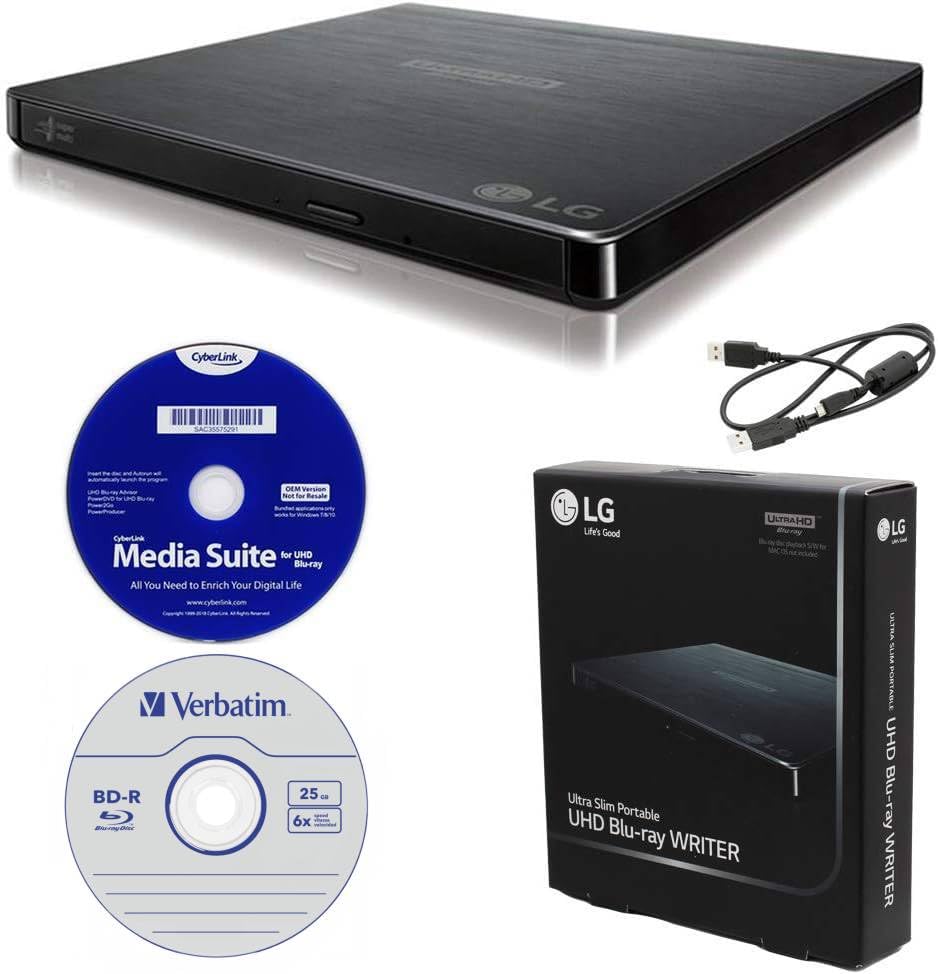
2. Produplicator LG BP60NB10 Blu-ray Burner
A slim burner built for people who copy their disc library, not just watch it
Start with the disc ceiling. This slim portable writes to BDXL triple-layer blanks, so a single disc can hold up to 100GB of files, photos, or documents. That is the capacity that makes a stack of old home videos fit on one archival disc. It also handles BD-R/RE, DVD-R/-RW/+R/+RW, DVD-RAM, CD-R/RW, and M-Disc, and the bundle includes one 25GB M-Disc BD-R to get you going.
Two playback touches are practical. Silent Play slows the spin during quiet scenes so the drive does not whir over dialogue, and Jamless Play skips past damaged spots instead of freezing on a scratched disc. The bundle adds the CyberLink Media Suite for playback and burning, plus the USB cable. It measures 6.1″L x 5.2″W x 0.6″H — a fraction longer than the BUFFALO unit below, at 6.1 inches versus 5.8 — so it needs a little more room in a crowded bag.
Buyers praise the speed and the quiet operation. One owner burned six DVDs in a row without a hitch. Another notes it “worked with makemkv” (MakeMKV, free software that copies a disc to a video file) and “ripped a lot of my blu-rays.” A recurring gripe is the bundled CyberLink software, which some find outdated on newer Windows builds. The drive itself is the winner; treat the software as a bonus you may replace.
What really lands: BDXL capacity up to 100GB on a triple-layer disc, plus M-Disc compatibility, gives you archival burns that outlast ordinary dye-based blanks. The 6x burn speed keeps a feature film from taking all afternoon.
The honest catch: Ultra HD 4K playback is picky. One buyer with an I9 processor found the motherboard lacked SGX support, so the 4K path was closed. Confirm your hardware before you count on 4K.
Right for a ripper’s desk: if you copy Blu-rays to a server, the M-Disc and BDXL support here do exactly that job.
Not for a plug-in-and-watch setup: the bundled playback software can feel dated on a modern Windows laptop.
3. BUFFALO MediaStation 6X Portable USB 3.2 Blu-ray Drive

The Mac-and-PC drive that arrives with its own Type-C adapter
For a laptop without a disc bay, this is a straightforward answer: it plays and burns Blu-ray, DVDs, and CDs, and it ships with a Type-C adapter that plugs onto the USB 3.2 Gen 1 Type-A port. Slim at 5.8 x 5.4 x 0.6 inches and light enough to carry, it slips into a bag and powers from the USB bus for DVD work. Blu-ray playback draws more, so a second USB cord is included to give it extra power from another port.
The speed figures are 6x read and 6x write for Blu-ray, 8x read and 8x write for DVD, and M-Disc support for archival recordings. On raw bandwidth, the internal board here runs at 1 gigabit per second versus the 6 gigabits per second of the NexStar DX2 above — a real difference in board capability, though optical discs rarely push either limit. The 2-year manufacturer warranty and US-based support are note for a buyer who wants a company to call.
Two things show up in practice. Setup can be slow: one buyer had to create a Cyberlink account and download software manually, and disc reads take roughly 30 seconds to first spin. The other is reliability, which is genuinely mixed — most units work from day one, but a minority report trouble, and the recurring note is that Blu-ray needs the extra USB power connection. Give the BUFFALO drive two free USB ports and Blu-ray playback behaves far better.
Best match: the Mac and PC compatibility plus the included Type-C adapter make this the least fussy drive for a mixed-device household. Owners mention it reads CDs, DVDs, and Blu-rays without complaint, and audio CD burning has been called flawless.
Size up before you buy: plan for two free USB ports when you play Blu-ray, and budget time for the software download on first setup.
Choose it for: a MacBook or a Windows laptop where you want one cable and a warranty behind the drive.
Pass on it if: you want instant plug-and-play with no account or software step.
4. Panasonic UJ240 6x Blu-ray Burner SATA Drive

The slimline burner that slides into a laptop bay and just works
This one is a bare internal drive, and that is the whole point. It is 12.7mm tall, the slimline height that fits a notebook optical bay, and it connects over SATA rather than USB. The speed list is generous for the format: 6x BD-R write, 4x BD-RE, 8x DVD-R, 4x DVD-RW, 8x DVD+R, 4x DVD-R DL, 4x DVD+R DL, 4x DVD+RW, 5x DVD-RAM, 24x CD-R, and 16x CD-RW. The 2 MB buffer is standard for a slim drive of this class.
The install story is the real selling point. Owners swap it into an Asus G75-VW, a Dell Inspiron 15R 5520, a Lenovo Z565, and an Acer 5552, and several report the swap taking under five minutes with a small screwdriver. Drivers install automatically in Windows in about 30 seconds. You reuse the bezel and rear bracket from the old drive, so the fit stays flush. Buying the bare drive and skipping a bundled player is the common path; owners add software separately.
The honest limits are worth stating plainly. It ships as a drive only — no mounting cables, screws, or software in the box — so you need your own SATA setup and a player program such as PowerDVD for Blu-ray movies. Blu-ray playback itself is the most mixed part of the picture: plenty of units play movies perfectly, and some do not, so it is worth testing within the return window. DVD and CD reading and burning draw far fewer complaints.
Why laptop owners reach for it
- 12.7mm slimline SATA format fits standard notebook optical bays
- Windows installs the drivers automatically, so no hunting for files
- Reuses your old bezel and bracket for a flush, factory-style fit
- Handles CD, DVD, and Blu-ray burning in one slim unit
Clear the runway first
- Drive only — you supply cables, screws, and playback software
- Blu-ray movie playback is hit-or-miss on some units
- Spins audibly at full speed, similar to the original drive
Made for the swap: you have a laptop with a dead or DVD-only bay and want Blu-ray inside the machine.
Look elsewhere if: you need an external, plug-in drive for a laptop with no bay at all.
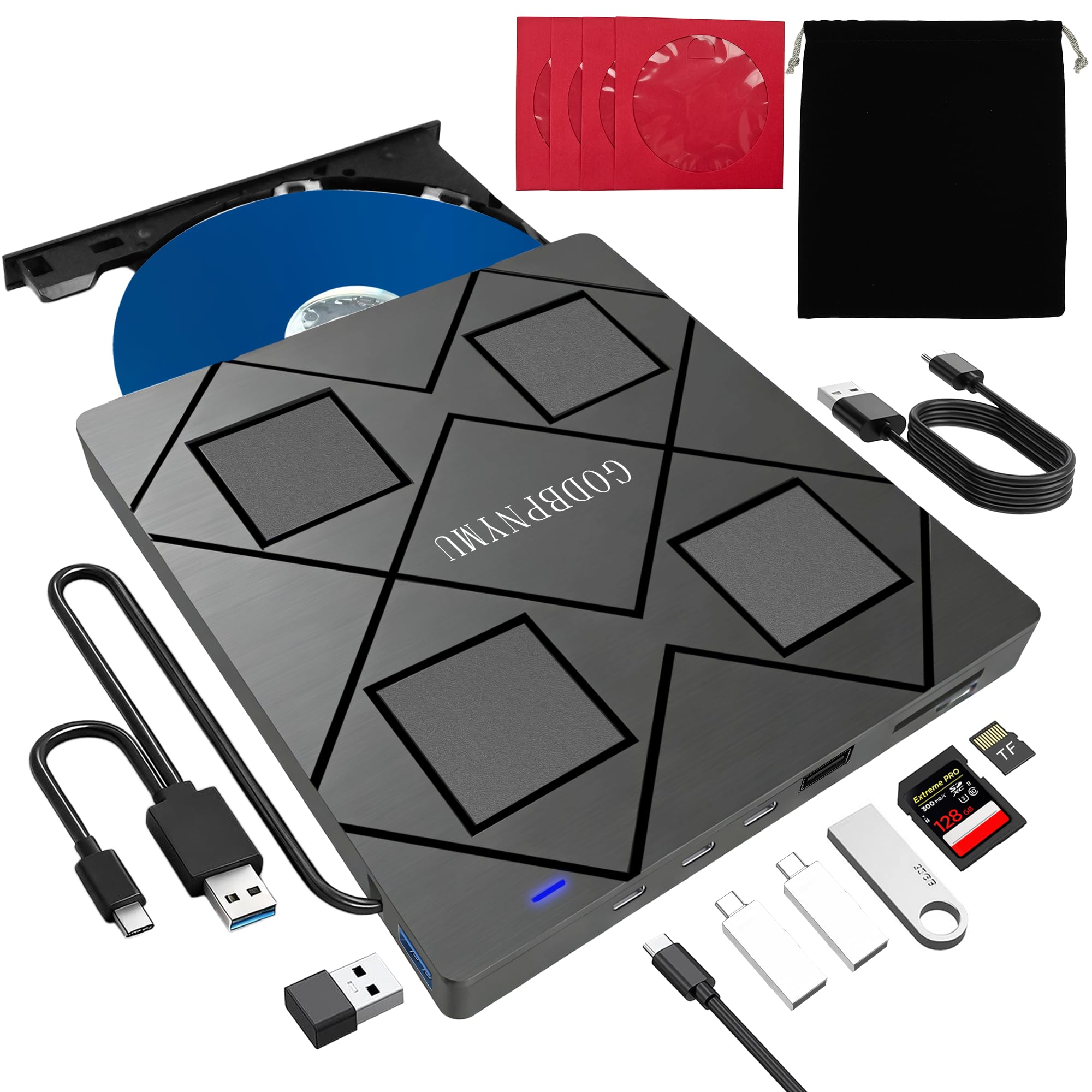
5. 8-in-1 External Blu-ray Drive with USB-C Hub and Card Reader
One slim box that reads discs, charges phones, and pulls photos off a card
Here is a drive that does three jobs. It reads and burns BD, DVD, and CD, with BD read at 6x, DVD at 8x, and CD at 24x; write speeds are 6x for BD-R, 8x for DVD±R, and 24x for CD-R. It supports reading BD-XL at 100GB but caps burns at 50GB on a dual-layer BD-R. Around that it adds two USB-C ports, one USB 3.0 port, one USB 2.0 port, and an SD/TF card slot — so a laptop with one free port gains a hub along with a disc drive.
Portability is the strong suit. It weighs 300 grams and measures 5.5 x 5.5 x 0.35 inches, thin enough to drop into a backpack, and it comes with a carrying pouch and four disc sleeves. Both USB-A and USB-C 3.0 are on board, so a USB-C-only laptop connects without an adapter. There is a power cable for the times a port cannot keep up — plug it into the PC or a 5V/2A adapter and reads stabilize. Just note the TF and SD slots cannot be read at the same time.
The speed promise is where you should temper expectations. Some owners find real read speeds fall well below the printed numbers, so treat the specs as a ceiling rather than a guarantee. The build is light, and the tray is the wear point — after a stretch of steady use, one buyer found the tray no longer sat right every time. Handle it gently and it holds up. Software is on you: VLC for DVDs, and a paid or free burner for writing discs, since Blu-ray playback needs a third-party player.
The reason it sells: a laptop with no disc bay gets a Blu-ray reader, a USB hub, and a card reader in one slim body, at 300 grams and 0.35 inches thick.
Set your hope bar: read speeds can run slower than the listing suggests, and the light plastic tray rewards careful handling.
Good fit for a travel bag: you want the most functions per gram and do not need the fastest rip in the room.
Skip the rush: if you burn discs daily, the plastic tray is the part to watch.
6. Mthstec Desktop Blu-ray Drive

A desk unit that pairs a Blu-ray burner with a hard-drive dock on top
This drive is aimed at one kind of buyer: someone building a media server who needs to move a lot of disc data onto storage fast. It sits on the desk rather than in a bag, and the top of the unit carries a hard-drive enclosure that takes a 3.5-inch or 2.5-inch SATA I/II/III drive. You can drop a bare drive in and read it without buying a separate enclosure. A two-port USB 3.0 hub rides along at up to 5Gbps, and each port can act as a standard port, a data line, or a charger.
The speed claim is the loud part: Blu-ray reads up to 16x, DVDs up to 16x, and CDs up to 40x, which the maker describes as faster than most standard drives. Treat that as a claim rather than a promise, because customers note slower real-world reads, and one owner notes the drive that arrived inside was an HP unit specced lower than listed. The 2 MB internal cache is the likely reason DVD and Blu-ray ripping feels slower than the headline. It burns 8.5G, 4.7G, and 700M DVDs and CDs, and runs on Windows XP through 11 and macOS.
Build quality draws praise — owners describe it as heavy-duty and say it has run hard on media-server duty without a stumble. Reliability is the mixed part: most units work, but a DOA unit that auto-ejected the tray has been reported, so test it on arrival. The USB-C connection, per one owner, is an adapter over a USB-A-to-B cable, not a native Type-C port.
Where it shines: the top-mounted SATA dock plus the front burner let you rip a disc and drop it straight onto a bare drive, which saves buying a second enclosure.
What you give up: the 16x speed figure is a maker claim, and real ripping runs slower with the 2 MB cache; a faulty unit arrives occasionally, so open and test it promptly.
Built for the desk: you run a media server or archive station and want a burner and drive dock in one footprint.
Not the travel type: it is larger than a portable drive and stays put on a desk.
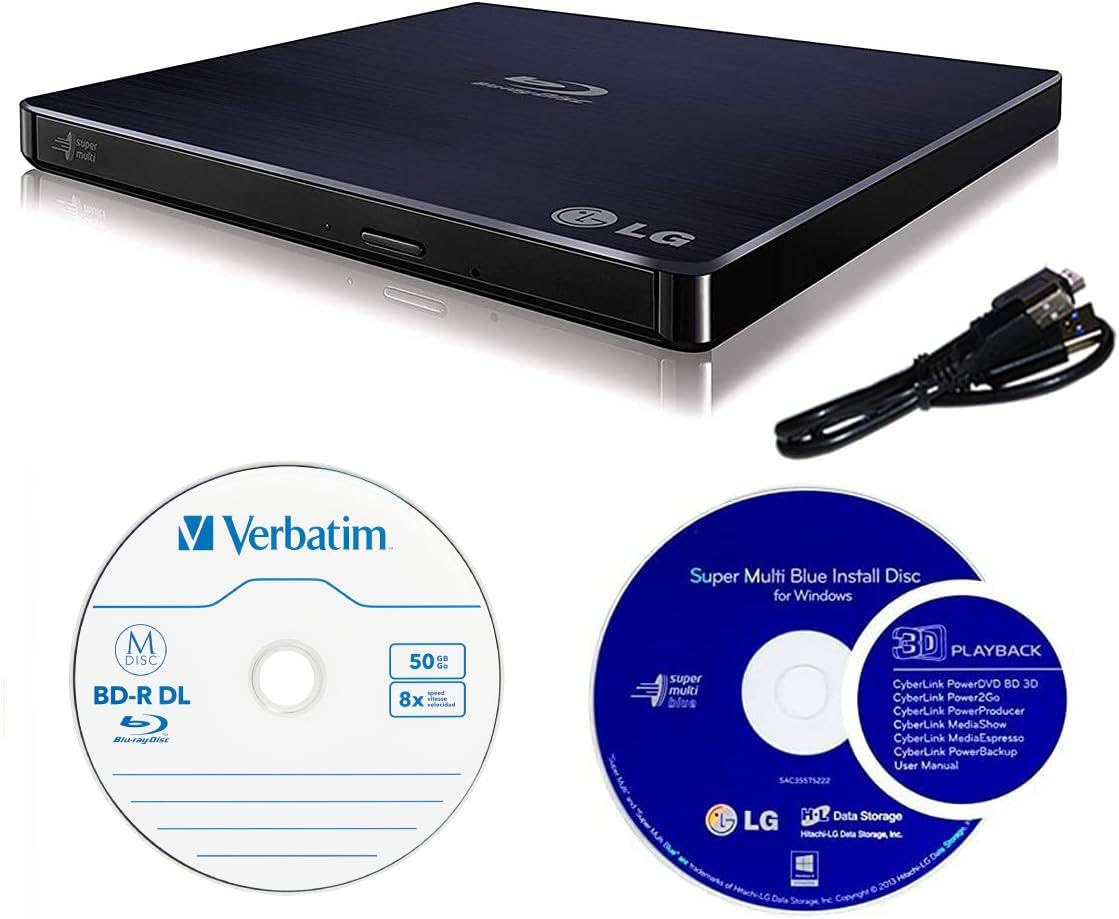
7. LG 6X WP50NB40 External Blu-ray Burner Bundle with M-Disc
A burner sold with the archival blank and software you need on day one
This is a bundle, and the contents matter. You get the LG WP50NB40 portable burner, one 50GB Verbatim M-Disc BD-R DL blank, and CyberLink burning software. The M-Disc is the reason to look: it uses a rock-like data layer instead of organic dye, and the maker states recordings can last up to 1000 years on an M-Disc-supporting drive. If you are preserving family footage or legal files, that is the pitch.
The burn and read speeds are 6x for BD-R, 8x for DVD-R/+R, and 24x for CD-R. Dual-layer BD runs at 6x burn and 6x read, DVD dual-layer at 6x burn and 8x read. The buffer is 4MB with under-run protection built in — double the 2 MB you find in several slim drives here, which helps keep a long burn from stalling. The operating list covers Mac OS X 10.7.5 or higher, Windows XP SP3 through 8.1, and it asks for a Pentium IV at 2.4GHz or higher with 1GB of RAM or more.
Two caveats belong up front. The bundled Cyberlink software can silently change your DVD/CD region code during install, which you will want to know before you run it. And 4K UHD playback does not work from the start; it needs the drive flashed with the right firmware files to decode those discs. Quality is sound — the drive “does everything expected right out the box” — but a failing unit has been reported, so burn a test disc early.
The bundle logic: a 50GB M-Disc blank and burning software arrive together with the drive, so an archival job can start the day it lands.
Know before you install: the Cyberlink setup can flip your region code unannounced, and 4K needs a firmware flash before it plays.
Buy it for long-term storage: M-Disc support and a 4MB buffer make it a natural fit for archival burning.
Look past it if: you just want to read discs — the M-Disc and software bundle add cost you may not use.
Know the Specs
Read speed versus write speed
Read speed is how quickly the drive pulls data off a disc — the figure that matters when you rip a movie to a file. Write speed is how fast it burns a blank. A drive can be fast at one and slow at the other. The Mthstec claims up to 16x Blu-ray read, while several slim drives here sit at 6x.
BD-XL and dual-layer capacity
BD-XL is the high-capacity triple-layer disc that holds up to 100GB. A dual-layer BD-R holds less, and the 8-in-1 drive here reads BD-XL at 100GB but caps burning at 50GB on a dual-layer disc. Check both numbers before you buy blanks in bulk.
The buffer, in megabytes
The buffer is a small memory cache that holds data steady while the laser writes. A 2 MB buffer is common on slim drives; a 4 MB buffer, as on the LG WP50NB40, holds more data in reserve, which helps a long burn avoid stalling. A larger buffer is usually better for long, sustained burns.
USB version and power draw
USB 3.0 moves data at up to 5Gbps, and the NexStar board is rated at 6 gigabits per second. Blu-ray playback pulls more power than DVD, so a portable unit may need a second USB cord for extra power — plan for two free ports and it behaves.
M-Disc and archival life
M-Disc is a recordable blank with a rock-like data layer instead of organic dye, and the maker claims up to 1000 years of life on a supporting drive. It only works if the drive supports M-Disc writing, so confirm that line item before you rely on it for archives.
Slimline versus 5.25-inch size
Slimline drives are 12.7mm tall and fit a notebook optical bay, like the Panasonic UJ240. Desktop 5.25-inch drives are taller and live in a tower bay or an enclosure. Match the drive height to the bay you actually have: 12.7mm slimline for a notebook, 5.25-inch for a tower or enclosure.
Common Questions
Will a BD-ROM drive play regular DVDs and audio CDs as well?
Do I need separate software to play Blu-ray movies?
Can I use an external Blu-ray drive with a MacBook?
What is the difference between BD-ROM, BD-R, and BD-RE?
How much data fits on a BD-XL disc?
Why does my external drive need two USB cables plugged in?
Can I swap a Blu-ray drive into my laptop myself?
Does a Blu-ray drive play 4K UHD discs straight from the start?
Will an enclosure read my old burned discs reliably?
Can a Blu-ray drive read SD cards or act as a USB hub?
The Bottom Line
For a desk setup where you pick your own drive, the NexStar DX2 Enclosure is the winner. It fits any drive up to 185mm deep, keeps a burn quiet with its aluminum shell, and survives a drive swap for years. If you want to copy discs to a server, grab the Produplicator LG BP60NB10 for its BDXL (a Blu-ray format that holds up to 128GB per disc) and M-Disc (a recordable disc built to last decades) support. And for replacing a dead drive inside a laptop, the Panasonic UJ240 is the one to reach for — a bare slimline burner that installs in minutes.
How we choose
We do not accept paid placement. Every pick is matched to a real buyer and a real use-case; we do not hands-on test units.
Sources
Specifications: manufacturer listings and product documentation. Review insights: verified customer reviews, as of October 2026. Pricing: not shown on this page (it changes often); check the current price via the retailer link.
As an Amazon Associate, Aappliancez earns from qualifying purchases. This does not affect which products we feature.