Disclosure: Some links in this post are affiliate links. As an Amazon Associate I earn from qualifying purchases, at no extra cost to you. Learn more
Specs are compiled from manufacturer listings and verified buyer reviews and can change over time — please confirm the key details on the product page before buying.
The one that belongs on most faces first is the Meta Quest 3S — it is the only headset here that blends digital objects into your actual room and does it for the least money. Everything else on this list is a pair of glasses you plug into a phone or laptop. Headset or glasses — that choice decides your purchase before any spec does.
This guide is built by comparing the manufacturers’ published specifications and the patterns across verified customer reviews, so you get each pick’s real strengths and trade-offs instead of marketing spin.
Picture this instead: you are on a plane, your phone rests in your lap, and a 174-inch screen hangs in front of your eyes. Every pair below sells that same promise, and the breakdown that follows measures how close each one gets across the augmented reality glasses category.
Top Picks


How To Choose The Best Augmented Reality Glasses
Start by admitting what you want the frames to do. If you want games that mix with your living room, you need a headset with cameras that show you the real world while drawing over it. If you want a private cinema or extra monitors for your laptop, a slim pair of glasses is the right tool. No single product on this list does both jobs well.
Decide between a headset and a screen-on-your-face pair
A headset like the Quest 3S has passthrough cameras with dual RGB sensors, so it can show your room in full colour before laying creatures and menus on top. Glasses like the INAIR 2 Pro, VITURE or XREAL do something narrower and often more useful: they float a huge virtual monitor in front of you, using light OLED panels and optics. Neither wins outright — the headset answers “what can I play in my room,” the glasses answer “how big a screen can I carry.”
Treat field of view and brightness as your two comfort dials
Field of view is the angle of the world your virtual image fills, written in degrees. A 52° FOV frames your screen like a small window; 58° opens the picture noticeably. Brightness measured in nits decides whether that picture survives daylight — a 500-nit panel dims fast on a sunny platform, while 1500 nits holds its own.
Check that your phone or laptop can actually feed the glasses
These frames need a USB-C port that carries video, not just power. That means DisplayPort output over USB-C, which not every phone has. Older iPhones and the Nintendo Switch usually need an extra adapter. Buy the glasses before confirming DisplayPort output and you own an expensive paperweight.
Side-by-Side Comparison
| Model | Best For | Display Type | Refresh Rate | Weight | Amazon |
|---|---|---|---|---|---|
| Meta Quest 3S★ Best Overall | Mixing games into your real room | LCD | 60 Hz | — | Amazon |
| INAIR 2 PROBest for Desktop Work | Laptop work and 3D photos | Micro-OLED | 120 Hz | 80 g | Amazon |
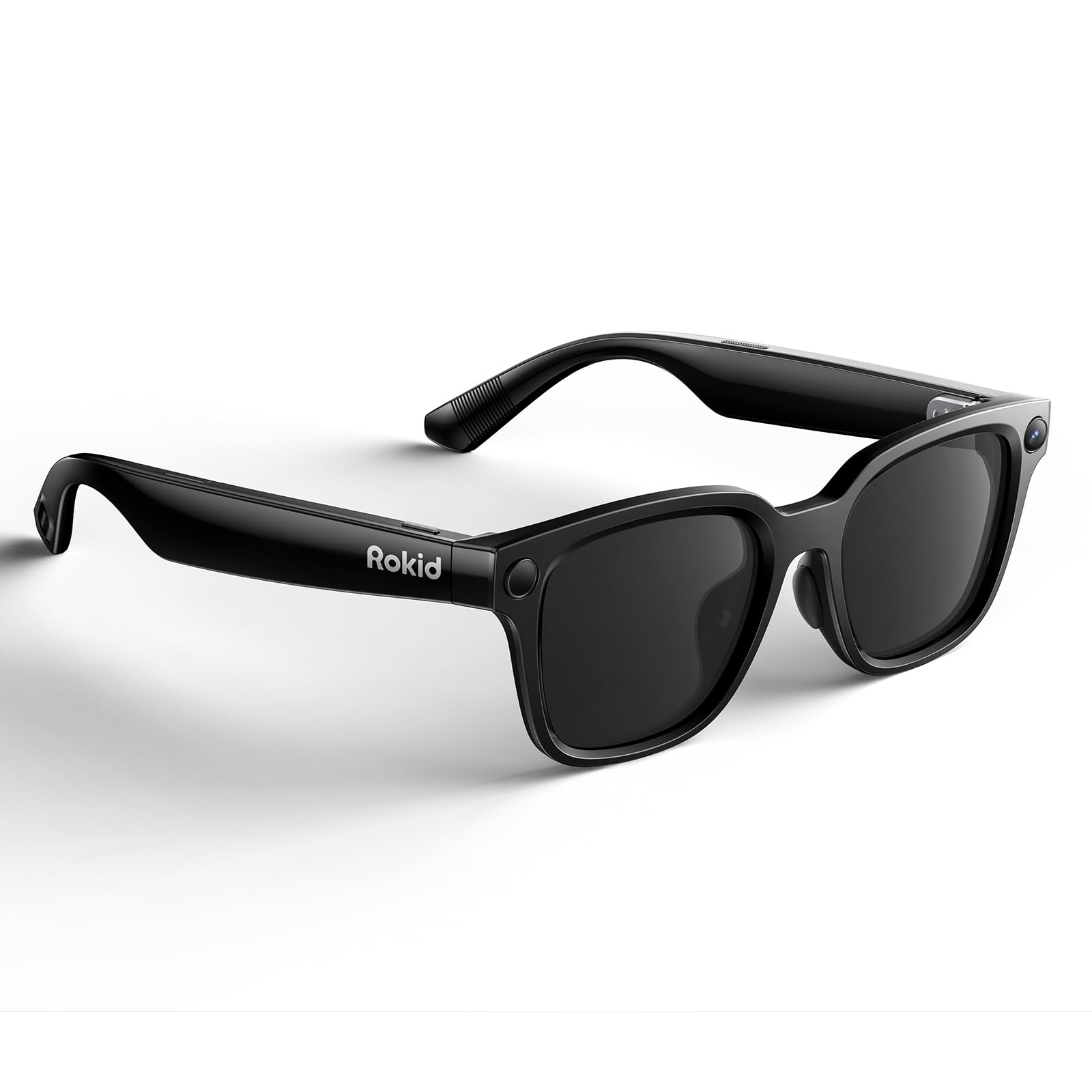
| Rokid AI Glasses StyleFeatherlight Choice | Camera, translation and calls | No Display | — | 38.5 g | Amazon |
| Zenith HUD Sports | Cycling and hiking data | HUD | — | — | Amazon |
| Meta Ray-Ban (Gen 2) Headliner | Everyday style with audio and camera | No Display | — | — | Amazon |
| Rokid AR Spatial Max2 + Station2 | Three virtual screens on the move | Micro-OLED | 120 Hz | 75 g | Amazon |
| Meta Ray-Ban Wayfarer Large | Light-responsive everyday lenses | No Display | — | — | Amazon |
| VITURE Luma Ultra | Hand tracking and 6DoF work | Micro-OLED | 120 Hz | 83 g | Amazon |
| VITURE Beast | Biggest virtual screen, no software | Micro-OLED | 120 Hz | 88 g | Amazon |
| XREAL One Pro | Anchored screen via its own chip | OLED | 120 Hz | — | Amazon |
Detailed Reviews
1. Meta Quest 3S 128GB VR Headset — Gorilla Tag Bundle
Our pick — 4.5+★ from 6,500+ verified ratings; the strongest balance of quality and price.
The only pick here that draws digital creatures into your actual living room.
Two RGB cameras — colour sensors on the front of the headset — capture your real room and feed it to a 1832 x 1920-per-eye LCD display, so a virtual table can sit beside your real one. That is the genuine augmented-reality trick, and it costs you less than any of the slim glasses further down this list.
Fast pans in a shooter feel less fluid here than on the INAIR 2 Pro glasses on this list. The panel runs at 60 Hz (it redraws the picture 60 times a second), while the INAIR 2 Pro refreshes at 120 Hz. Inside the headset the muscle is real: a Snapdragon XR2 Gen 2 processor (the chip that runs the games), 8GB of RAM, and 110 degrees of field of view that wraps around your vision instead of sitting in a rectangle in front of it.
What wins people over is the sheer fun of it — the entertainment pull of this headset is the single loudest theme in owner feedback, and the Gorilla Tag bundle piles cosmetic extras and 2,000 SHINY ROCKS on top. Expect about 2.5 hours of battery per session, and note that the controllers eat two AA batteries each rather than recharging. As buyers report: “Battery: ~1 week at 3+ hrs/day on one AA each, but dies without warning (indicator shows full).”
Comfort splits opinion. The stock strap is the weak link — it tugs hair and needs an upgrade — but the headset itself is light enough that headaches are rare. Several owners also warn that a weak Wi-Fi signal produces soft, low-quality streaming, so a solid router matters more than the spec sheet suggests.
What genuinely delivers
- Full-colour passthrough from two RGB cameras merges your room with the game world.
- Snapdragon XR2 Gen 2 chip and 8GB RAM keep menu loads and games snappy.
- No PC and no cables — setup is quick enough for a ten-year-old to run solo.
- 110-degree field of view wraps the picture around you rather than framing a window.
Where it asks patience
- 60 Hz refresh is the slowest on this list, so quick motion shows its seams.
- Roughly 2.5 hours of play per charge makes long sessions a charging break.
- Over-ear strap needs replacing; the stock one pulls hair.
- Soft Wi-Fi turns crisp video into a blurry, stuttering feed.
The right first buy: If you want one device that games, plays video and shows your real room, this is the sensible entry point.
Know before you commit: It is a headset, not a pair of frames — you cannot wear it on a commute or walk into a shop.
2. INAIR 2 PRO AR Glasses
Eighty grams of Micro-OLED that turns a laptop tray into a three-monitor desk.
Two Micro-OLED panels — tiny self-lit screens — put 3840 x 1080 across both eyes at 49 PPD edge clarity, with 500 nits of brightness and a 120 Hz refresh. In practice, small text on a spreadsheet stays crisp from the centre all the way to the edges, which is the failure point on cheaper optics. It weighs 80 g and the heating element sits on the right temple, away from your skin.
The electrochromic film (a layer that tints the lenses on command) is the feature you will use daily — a swipe on the left temple dials transparency from 0.1% to 16%, so you can black out almost all outside light on a train or let the world back in at your desk. Pair it with a Mac or Windows laptop over a DP cable (DisplayPort, the video cable) and INAIR Space expands your desktop to as many as four screens, with adjustable screen size and distance.
Here is what you should steel yourself for: the setup can fight you, and the multi-screen software is not the finished product the hardware deserves. As owners mention: “Initial setup difficult; took 2 hours with documentation.” Some Windows machines simply refuse to run the multi-monitor feature properly. There is no built-in vision correction either — short-sighted users have to order custom prescription lenses through INAIR directly. The build itself earns the loudest praise, with the folding frame and included case reading as genuinely well-made.
The panel that sells it: 120 Hz and 49 PPD edge clarity mean you can read a full terminal window without turning your head.
Budget for the learning curve: Set aside an evening for the drivers, and confirm your laptop pushes video over USB-C before buying.
Reach for this if: You want more screen real estate in a hotel room or a café and you own a Mac or Windows laptop that outputs DisplayPort over USB-C.
Look elsewhere if: You need plug-and-play on day one, or you have astigmatism and want zero extra ordering steps.
3. Rokid AI Glasses Style (Non-Display)
A 38.5 g TR90 frame that films what you see and answers you out loud — no screen at all.
Read the name carefully, because it changes everything: this is the non-display version. There is no floating screen, no virtual monitor, no heads-up overlay. What you get instead is a 12MP first-person camera on a Sony IMX681 sensor with electronic image stabilisation, shooting stable 3K video from your eyeline while your hands stay free. The TR90 polymer and titanium frame weighs 38.5 g without lenses, light enough to forget you have it on.
The translation feature is the standout for travellers — real-time translation in your field of view through Microsoft Translator across 89 languages, plus built-in offline translation for six (English, Chinese, Japanese, French, German and Spanish). A 210mAh battery covers 6 hours of music, 5 hours of calls, 2 hours of online translation or 45 minutes of video recording. Dual directional AAC speakers keep audio private-ish while leaving your ears open to traffic.
The camera output is where this pair earns its keep; the AI assistant is where it wobbles. Response times stretch, and the wake phrase sometimes needs repeating. The frame also feels lighter on quality than on the scale — plastic hinges draw criticism, and the sunglasses lenses run dark indoors. Expect to pay separately for photochromic lenses and the 3000mAh charging case if you want either.
What the camera gives you: A stabilised 3K first-person shot without pulling out a phone — ideal for cycling clips and travel logs.
The honest trade: No display and an AI assistant that needs a second try; treat it as a camera with a voice bonus, not a virtual assistant you rely on.
Best for the traveller who films: You want hands-free POV capture and quick translation without a screen in your eyeline.
Not for the screen-seeker: If you came here wanting a virtual monitor, this pair cannot do it at all.
4. Zenith HUD Sports Glasses for Cycling and Hiking
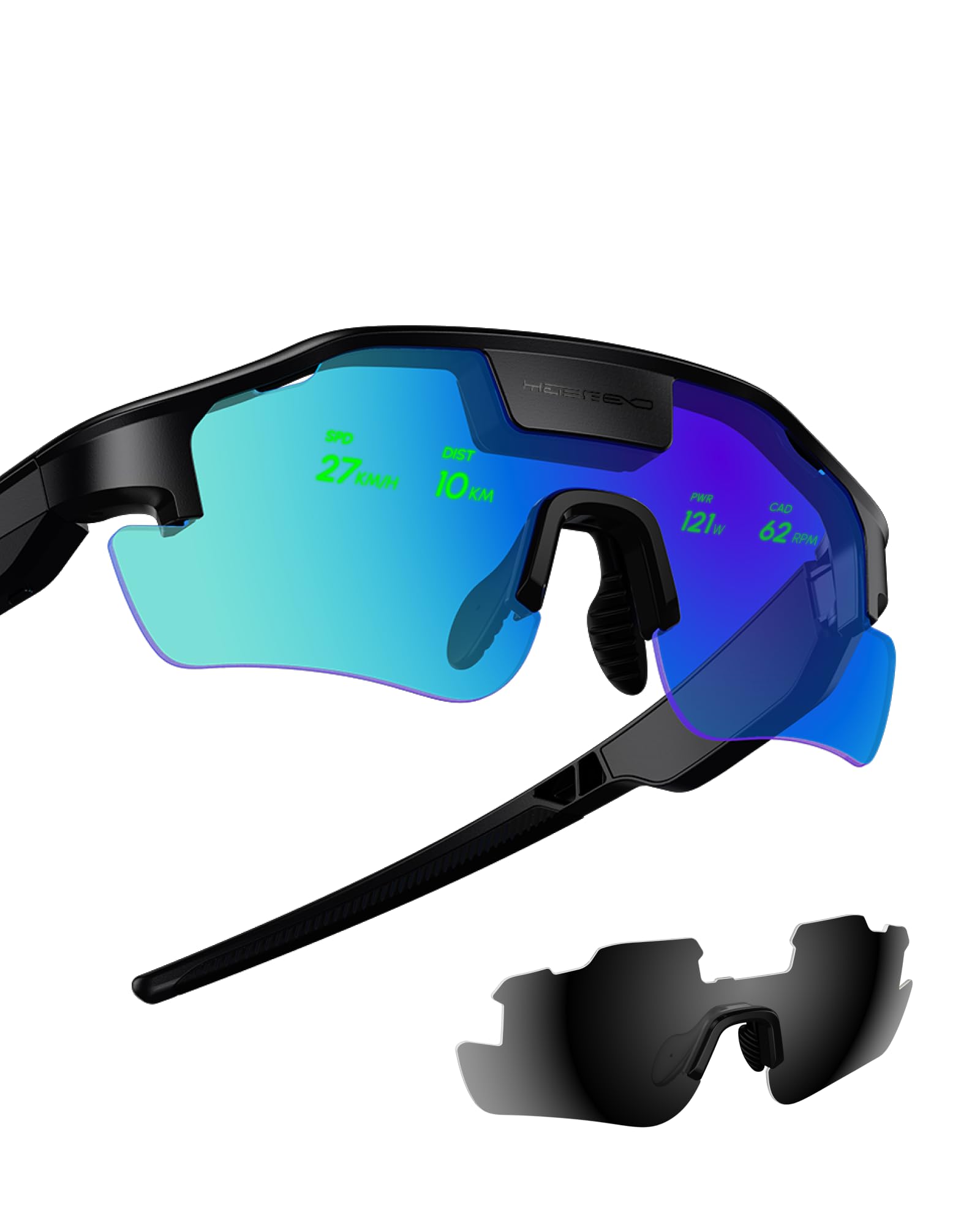
Speed, heart rate and turn arrows floating on the lens while your head stays up.
This is a narrow tool with one job: keep your eyes on the road. The HUD — a heads-up display, meaning data projected onto the inside of the lens — shows speed, heart rate, power and navigation without a glance down at a bike computer. Radar picks up approaching vehicles and turn signals from a paired smart helmet appear in the same overlay. Photochromic lenses darken in sun, and a UV protection coating and octagonal full frame are included along with a case, cleaning cloth and remote.
For cyclists who train on open roads, the safety logic lands. Owners describe the effect as simply keeping their head up on the bars — no more dipping a chin to read a computer at 20 mph — and triathletes call the radar-plus-power overlay a genuine shift in how they ride. A long-time cycling-glasses wearer described the smart display as a major upgrade and noted it stays bright outdoors.
The honest catch is battery and accuracy on the run. One frustrated buyer saw the charge drop to 10% within 25 minutes after hours of charging, and pace readings drifted in the foot-sports mode, so treat the hiking and running side as secondary. Pairing is fiddly too — the setup steps are not obvious on the first attempt, though support tends to sort it out quickly. Garmin’s running mode will not show power data at all.
Where it shines: Radar alerts and live power in your line of sight make fast road riding noticeably calmer.
The catch: Buy it as a cycling tool; the running metrics are the weakest part of the package.
Built for the road rider: You cycle regularly, you already own a helmet and sensors, and you want data without looking down.
Wait if: You are a runner first — pace accuracy and battery life in foot-sports mode are the two softest spots here.
5. Meta Ray-Ban (Gen 2) Headliner AI Glasses
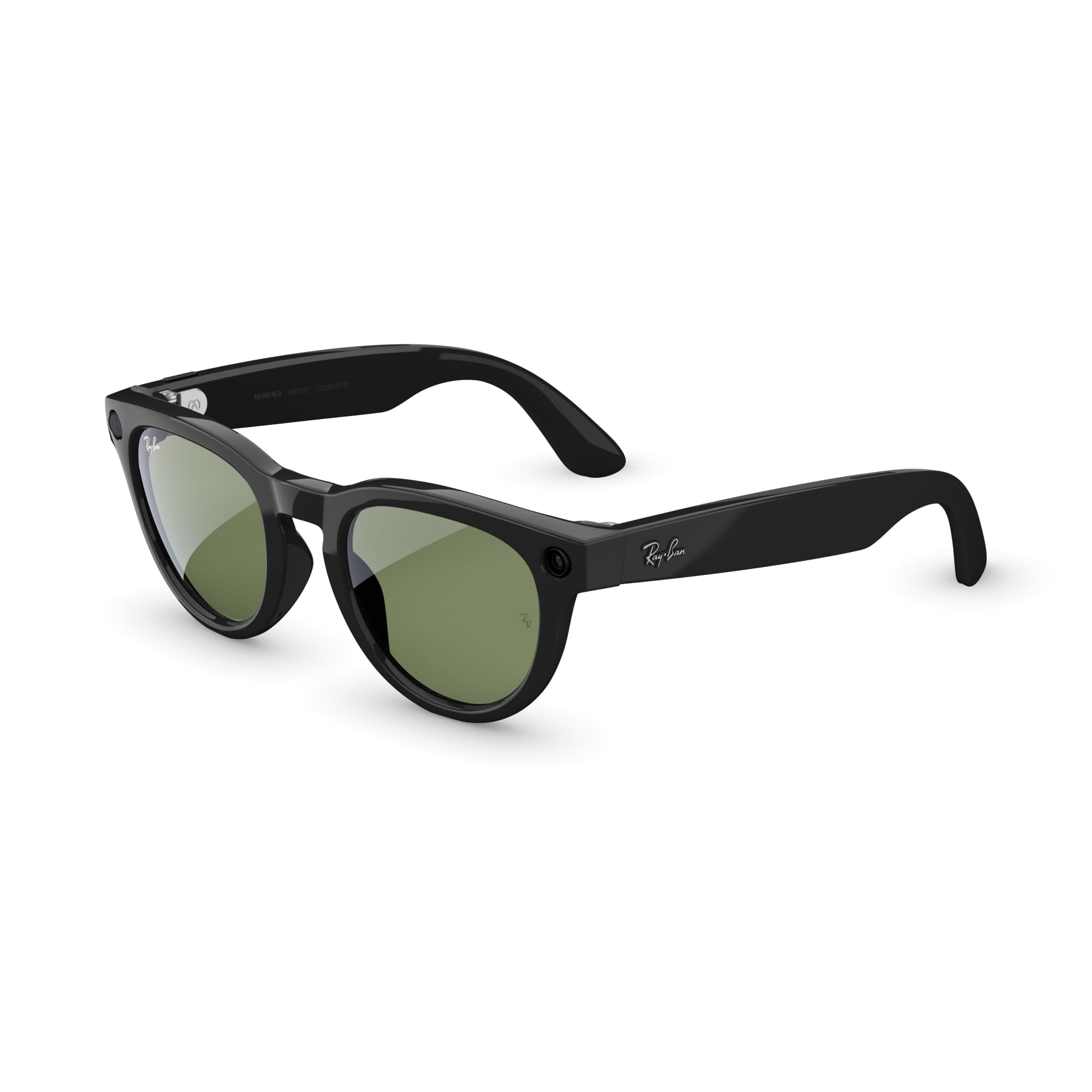
The one nobody notices — audio, camera and AI tucked into a normal-looking Wayfarer.
The pitch is discretion, and it works. Slim arms, a comfortable fit and a shape borrowed from the legendary Wayfarer mean these read as sunglasses, not gadgets. Open-ear speakers sit in the temples and play music while leaving your surroundings audible, so you can cross a street or hold a conversation with them on.
Fit is what buyers talk about most by a wide margin — and favourably. Owners describe them as comfortable enough for all-day wear and genuinely stylish, which is the whole point of buying a Ray-Ban rather than a tech frame. Camera quality and audio clarity draw steady praise, and Meta AI answers spoken questions without you touching a phone. Real-time translation for travel is included too.
The trade-offs run in two directions. Weight is the first — these are not featherweight, and long days on the ears show it, with several owners pointing to the bulkier arm sections. The serious caveat is durability: some pairs have failed outright after a few months of use, which is worth knowing before you treat them as a long-term buy. Battery life at moderate use covers a day of listening and quick clips, and connectivity occasionally drops audio when the signal is weak.
Style without compromise: They look like the sunglasses you already own, which is why they get worn rather than left in a drawer.
The honest risk: A small share of pairs stop working within months, so keep the receipt and the warranty handy.
Best for the style-first buyer: You want hands-free calls, music and photos from frames nobody will clock as tech.
Think twice if: You need a display — there is none here, and Meta states that plainly.
6. Rokid AR Spatial Max2 with Station2
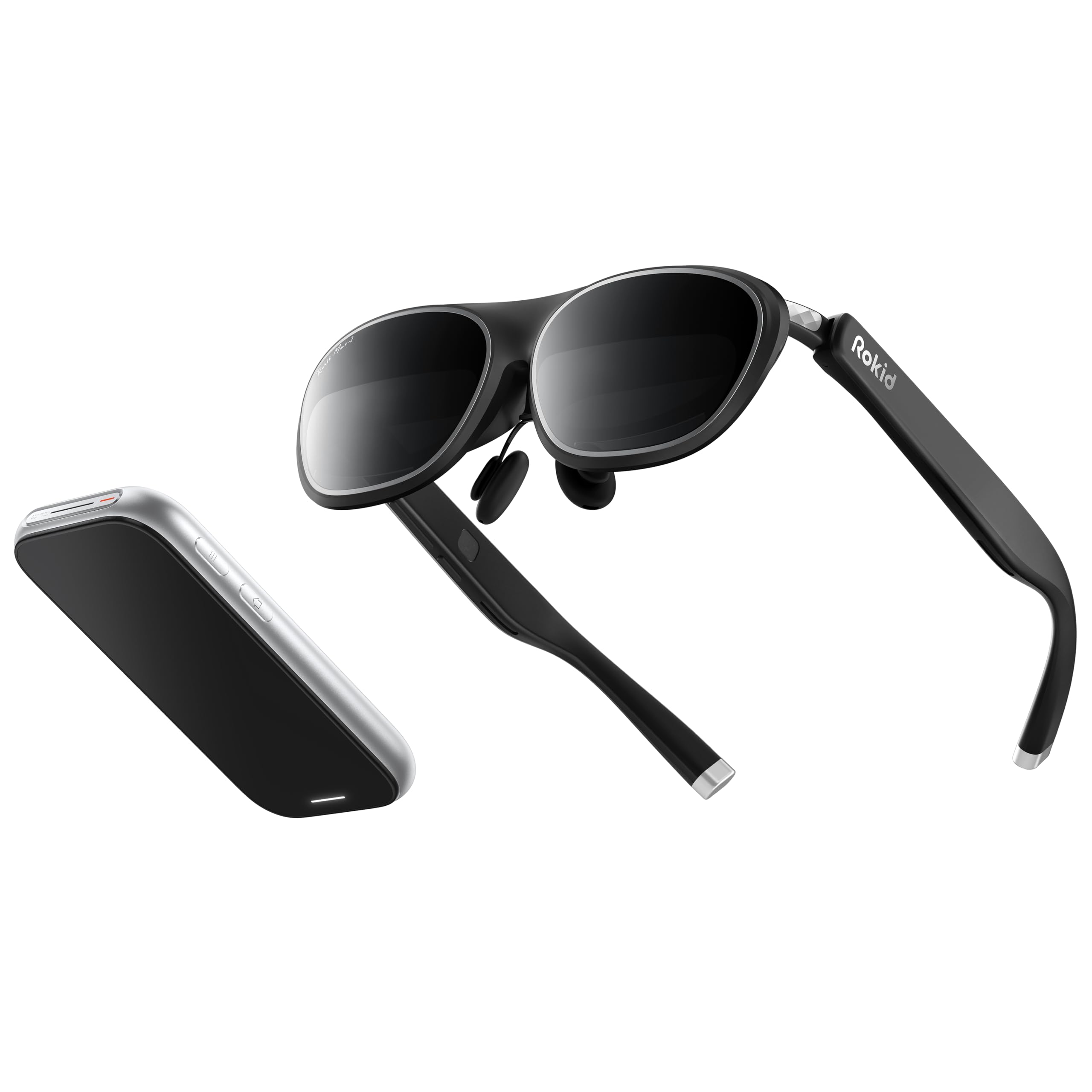
Glasses plus a pocket computer — three apps floating in space while you sit on a train.
Two pieces make this kit. The Max2 glasses weigh 75 g and run 1920 x 1200 Micro-OLED panels at 120 Hz and 600 nits with 108% sRGB colour. The Station2 is the computer half — it carries a 5000mAh battery rated at 3.5 hours, 8GB of RAM, 128GB of storage, Wi-Fi 6 and Bluetooth 5.2, and it weighs 0.31 kg.
Three screens at once is the reason to buy. Reading, Giant Screen, Sports and Multi-Screen modes each stretch to Wide 16:9, Narrow 3:4 or Ultra-Wide 21:9, and Giant Screen can push to 32:9 for films. Dioptre dials on top of the glasses correct up to 600 degrees of short-sightedness — you or your guest can dial the picture sharp without prescription inserts. Auto IPD adjustment between 55 and 72mm happens when the Station2 is paired.
The build and picture quality are what owners single out as the strongest parts of this kit. The friction sits in software and connectivity: the Android three-screen view only works over DLNA, so Miracast and ChromeCast fall back to a single screen, and iPhone users do not get three-screen multitasking at all. Farsighted buyers get no positive dioptre correction, which is a hard stop for some. One unit went black after purchase and needed replacing, so keep the returns window open.
The productivity argument: Three apps side by side plus a 3.5-hour battery pack makes this a genuine travel workstation.
Fit check first: Short-sighted only up to 600 degrees, no positive correction, no three-screen on iPhone — confirm you are in range.
Pick this for portable multitasking: You work from an Android phone, a Switch or a laptop and want multiple windows without carrying a monitor.
The dealbreaker to check: If you are farsighted or use an iPhone for your multi-screen work, this combination does not cover you.
7. Meta Ray-Ban Gen 2 Wayfarer Large
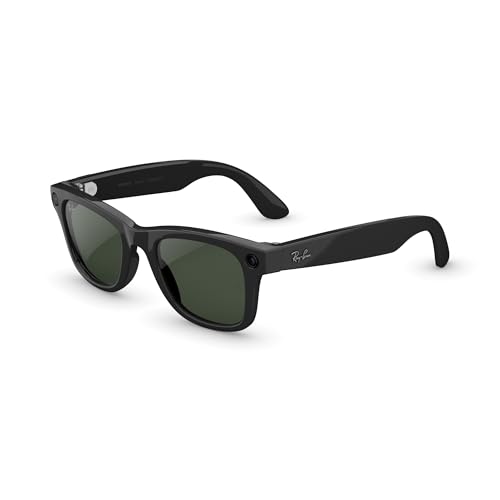
Lenses that darken in sun and clear indoors, with a camera and speakers riding along.
The headline number is 8 hours of battery on a full charge with moderate use, and the included charging case adds another 48 hours of top-ups on the go. That combination means you can leave the charger at home on a weekend trip. The Transitions Graphite Green lenses darken with sunlight and fade back to clear indoors, so one pair covers a bright street and a dim restaurant.
Quality is the theme owners return to again and again — the frames feel like proper Ray-Bans, with open-ear speakers that play music and take calls while your ears stay open to the room. Camera output runs clean for casual photos and short clips, and Meta AI handles spoken questions and translation on the move. This is the large Wayfarer size, so wider faces get a better fit than the standard version.
The real caveat belongs to the lenses, not the tech. Transitions glass does not go as dark as a dedicated sunglass lens, and on glaring days the difference is obvious — several buyers ended up wishing they had ordered polarised or plain tinted instead. Battery also drops fast under constant recording, and a share of pairs have stopped holding a charge after months of use, which makes the warranty worth registering. Mic performance occasionally cuts out mid-call.
The all-day case: One pair, one charge and 48 hours of backup in the case — the least fussy way into this category.
Order the right lens: If you need true sunglasses, skip Transitions and pick the polarised option instead.
Right for the commuter: You want one frame for the office and the sun, with calls and photos handled quietly.
Wrong if: You need a virtual screen — Ray-Ban Meta carries no augmented reality display.
8. VITURE Luma Ultra AR Glasses
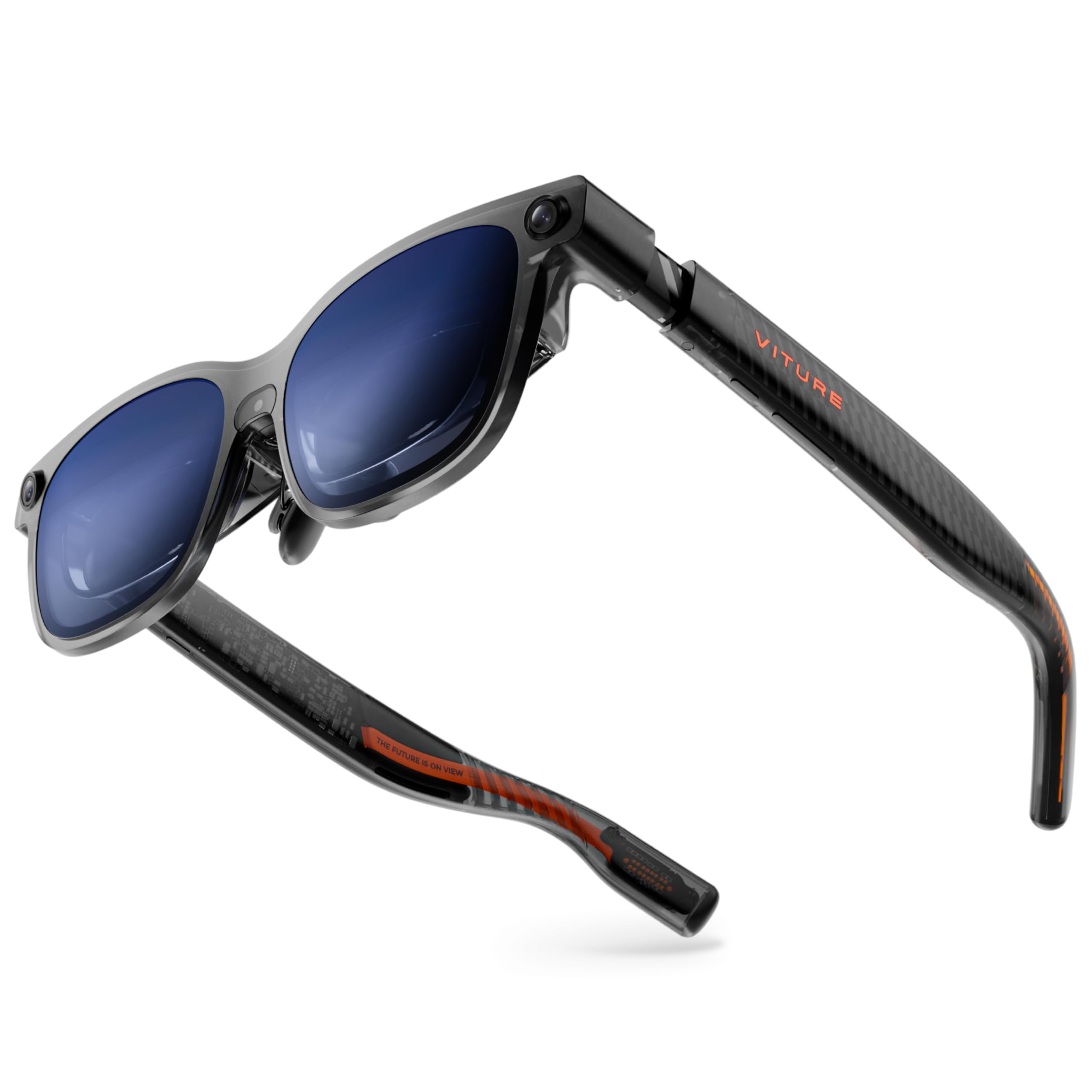
Fifteen hundred nits of Sony Micro-OLED that stays readable under a bright ceiling light.
Three numbers define this pair. The virtual screen is 152 inches at 1200p resolution (a sharp HD-class picture), the field of view is 52 degrees (how wide the image spreads across your vision), and the panel hits 1500 nits (a brightness measure) — Sony’s latest Micro-OLED, which the maker says cuts power consumption by 35% while pushing brightness higher. It weighs 83 g, refreshes at 120 Hz and is colour-tuned to DeltaE under 2 (a colour-accuracy score where lower means truer colour).
That brightness is not a spec-sheet flourish; it decides where you can use these. A 52° window with 1500 nits behind it stays legible outdoors and under office lighting, which cannot be said for dimmer panels. Built-in myopia adjustment reaches -4.0 D, three swappable nose pads are in the box, and the electrochromic film darkens the lenses with one tap when you want full immersion.
The spatial half is where expectations need trimming. A front RGB camera and dual depth cameras enable 6DoF tracking and hand gestures — but only when paired with VITURE’s Pro Neckband, and Android users report the SpaceWalker app crashing and the 2D-to-3D conversion stuttering. The fit also demands honesty: the supported IPD range is 58-70mm, and deeper-set eyes can lose the screen corners with no adjustment available. The display itself is the most celebrated part of the package.
Why the picture wins
- 1500 nits keeps a 152-inch image visible in bright rooms and daylight.
- 1200p across a 52° FOV stays sharp on small text and subtitles.
- Built-in -4.0 D myopia dial removes the need for prescription inserts.
- 83 g with flexible arms and three nose pads suits long viewing sessions.
What the marketing skips
- Hand gestures and full 6DoF need the separate Pro Neckband.
- Android software is the least stable part of the experience.
- 58-70mm IPD range leaves out some face shapes entirely.
- It pulls power from your phone or laptop, so your device drains too.
Choose it for brightness: You watch films and play games in lit rooms and want the brightest picture on this list.
Check your fit first: Measure your IPD before ordering — outside 58-70mm and the screen simply will not frame up.
9. VITURE Beast XR/AR Glasses
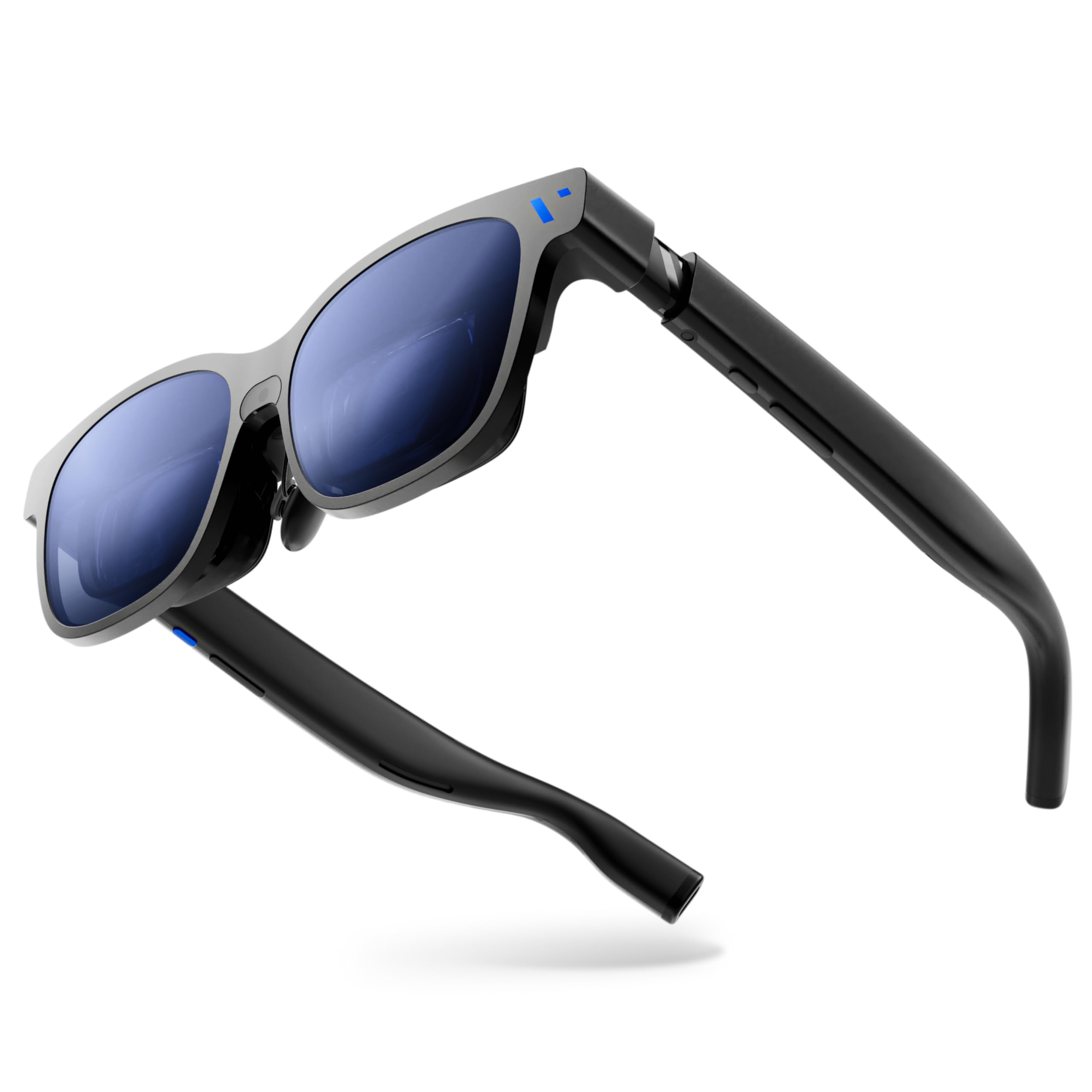
A 174-inch screen with its own 3DoF engine baked in — no app, no dongle, no drift.
The number is 174 inches, delivered through a 58° field of view at 1200p per eye on Sony’s latest Micro-OLED at 120 Hz. Peak brightness reaches 1250 nits, which is enough to see the picture in direct sunlight. Its 88 g frame is forged from aluminium-magnesium alloy rather than plastic, and the arms flex without snapping.
The clever part is that VisionPair 3DoF lives inside the glasses themselves. You can pin, resize and lock that screen in mid-air with no software running — Anchor, Smooth Follow, 32:9 UltraWide and Side Mode are all built in, and Smart Re-Centering snaps your view back with a tap. Nine levels of electrochromic dimming plus Auto Transparency means you can go from clear AR to full blackout without opening an app. Two sizes cover IPD up to 70 and up to 74, and prescription-ready design means no inserts required.
Owner feedback keeps circling one truth: the display impresses, the software frustrates. Setting it up sometimes takes a reboot or a firmware update before the picture locks in, and the SpaceWalker app has a fiddly learning curve. The right temple warms up after a while, so give it air rather than pressing it to your forehead.
The cinema case: 174 inches at 58° FOV (field of view) with HARMAN AudioEFX in an 88 g metal frame is the most rich film setup here.
Where it stumbles: Edge blur and a warm temple make it a poor choice for eight-hour coding sessions.
For the traveller who wants a cinema: Plug into any USB-C device and a 174-inch screen appears without installing anything.
Pass if: Your day job is text-heavy spreadsheet or code work — that is the last use case this pair handles well.
10. XREAL One Pro AR Glasses with X1 Chip

Its own spatial chip keeps the screen locked in place at three milliseconds of latency.
The X1 chip is the differentiator — a processor built into the glasses that handles native 3DoF tracking with 3ms M2P latency, so the image holds steady even when you turn your head quickly. That 171-inch virtual screen comes from Sony 0.55-inch Micro-OLED panels at 120 Hz with a 57° field of view and up to 700 nits of brightness. It is the widest FOV on this list short of the Beast’s 58°.
Fit has been thought through. Two sizes cover 57-66mm and 66-75mm IPD, three-stage arms adjust, and three nose pad sizes are included with a spring hinge that avoids pinching. Electrochromic dimming on the lens adjusts tint in a tap, and audio is tuned by Bose engineers with a dedicated sound chamber. Prescription lens frames ship in the box, so you can add your own correction.
What buys people over is the sheer lack of fuss — plug into a Mac and it works, with four physical buttons (one programmable) for brightness, screen size and distance. The recurring gripe is the field of view: at 57°, several owners describe it as looking through a window rather than being wrapped in a picture. Comfort also fades with time; the nose bears the weight, and after an hour or two of email you will feel it. It draws power from your connected device rather than carrying its own battery.
The engineering case: A dedicated X1 chip with 3ms latency keeps the virtual screen rock-steady through head turns.
The comfort tax: No battery means your phone pays the price, and the nose takes the load on longer sessions.
Right for the plug-and-play user: You want a stable, well-built monitor that starts the moment you connect a cable.
Compare carefully if: You need wide immersion — the Beast offers 58° and the Luma Ultra trades FOV for brightness.
Know the Specs
Field of View (FOV)
The angle of the virtual world your glasses fill, written in degrees. A 52° window looks like a monitor held at arm’s length; 57° or 58° wraps more of the picture around you. Narrow FOV is the most common complaint in owner feedback, so treat it as a comfort spec rather than a marketing number.
Brightness in Nits
How much light the display throws out. A 500-nit panel is fine indoors and washes out near a window; 1250 to 1500 nits keeps a screen legible in daylight. If you plan to use these on a commute or outdoors, brightness matters more than resolution.
Refresh Rate in Hertz
How many times per second the screen redraws. At 60 Hz fast motion shows a slight stutter; 120 Hz smooths pans and makes gaming feel responsive. Every pair of glasses on this list runs at 120 Hz — only the Quest headset sits at 60 Hz.
Degrees of Freedom (DoF)
3DoF tracks your head turning, so the screen stays fixed relative to your face. 6DoF also tracks you moving through space, so the screen can be pinned to a spot in your room. 6DoF usually needs extra cameras or an accessory, which is why some picks list it as conditional.
Common Questions
Do these glasses need a phone or computer to work?
Will my iPhone work with augmented reality glasses?
Can I wear these over my regular prescription glasses?
What is the difference between the Quest 3S and the slim glasses on this list?
How long does the battery last on these devices?
Can I use augmented reality glasses for work instead of a monitor?
Do these glasses work with the Nintendo Switch?
What is IPD and why does it matter for AR glasses?
Are these glasses safe to wear while walking or cycling outdoors?
Do I need an extra accessory to get hand tracking or 6DoF?
The Bottom Line
For most buyers, the augmented reality glasses answer is the Meta Quest 3S — it is the only pick here with dual RGB passthrough cameras, runs games on its own Snapdragon XR2 Gen 2 chip without a PC, and holds 4.5+ stars across 6,000+ owners. If your goal is a private workstation screen, grab the VITURE Beast — its 174-inch virtual display at 58° field of view is the biggest picture on this list, and its built-in 3DoF (three-axis head tracking that needs no extra sensors) works with no software at all. For desk-bound laptop work, the INAIR 2 PRO trades screen size for 49 PPD edge clarity (pixels per degree — a sharpness measure) on a 120 Hz Micro-OLED panel, which is the sharper read for spreadsheets and terminals.
One honest nudge before you commit: the Quest 3S is the only pick here with dual RGB passthrough cameras (two colour cameras that show your real room), which is why it tops the list — if merging digital objects with your actual room is the whole reason you are shopping, nothing else here does that job at all.
How we choose
We do not accept paid placement. Every pick is matched to a real buyer and a real use-case; we do not hands-on test units.
Sources
Specifications: manufacturer listings and product documentation. Review insights: verified customer reviews, as of October 2026. Pricing: not shown on this page (it changes often); check the current price via the retailer link.
As an Amazon Associate, Aappliancez earns from qualifying purchases. This does not affect which products we feature.