Disclosure: Some links in this post are affiliate links. As an Amazon Associate I earn from qualifying purchases, at no extra cost to you. Learn more
Specs are compiled from manufacturer listings and verified buyer reviews and can change over time — please confirm the key details on the product page before buying.
Your motherboard probably has one or two ARGB headers (the plug that feeds addressable RGB lighting), and your case fans, light strips and cooler all want one. The fix is a dedicated ARGB controller: a small box that takes one signal from your PC and splits it across many lighting channels. Which one you should buy depends on how many separate lighting zones you want to run and which software you already use. Below are the five that hold up best.
This guide is built by comparing the manufacturers’ published specifications and the patterns across verified customer reviews, so you get each pick’s real strengths and trade-offs instead of marketing spin.
The short version: NZXT’s box is the safest all-rounder for fan-and-light control, Corsair’s Commander Duo is the only one that speaks both ARGB and iCUE Link, and Airgoo’s 16-port hub is the one to buy if you want separate control of every single lighting zone. These are my picks for the best ARGB controller.
Top Picks


How To Choose The Best ARGB Controller
An ARGB controller does one job: it takes lighting commands from your PC and sends them out to many devices at once. The buying decision is really three questions — how many lighting zones you want, what software you use, and where the box will physically sit inside your case.
Count your lighting zones, not just your fans
A “channel” is one output that can carry its own lighting instruction. Fans daisy-chained onto one channel all show the same effect at the same time, because they share that single instruction. If you want a strip along the bottom of the case to run a different colour from the fans at the front, those must sit on separate channels. Airgoo’s 16-port hub gives you 16 separately controllable channels, which is the most on this list. Corsair’s Commander Duo gives you two ARGB channels, each supporting up to six daisy-chained fans.
Match the hub to the software you already run
This is where most buyers get caught out. An NZXT controller is designed to be driven through NZXT CAM, and Corsair’s box is built around iCUE. Airgoo’s hub is different — it is built for SignalRGB and OpenRGB, and it will not light up correctly until you install that software first. Decide which program you are willing to live in, then buy the hub that speaks it.
Check your power and your USB header
Most of these boxes take SATA power from your power supply rather than drawing current from the motherboard. That keeps the lighting steady when every fan is at full brightness. ASUS fits two SATA connectors to its hub for stable input under full load. Several also need a free USB 2.0 header on the motherboard to talk to your software — so look at your board’s header count before you commit.
Side-by-Side Comparison
| Model | Best For | Lighting Channels | Fan Support | Power / Connection | Amazon |
|---|---|---|---|---|---|
| NZXT RGB & Fan Controller AC-CRFR0-B1★ Best Overall | All-round fan and lighting control | 6 RGB channels | Up to 9 PWM fans | 4-pin, 12V / 5V | Amazon |
| Alphacool Aurora EiscontrolBest Value | Adding ARGB to an older board | 2x 3-pin ARGB outputs | — | SATA | Amazon |
| CORSAIR Commander Duo iCUE Link | Mixing old ARGB and new iCUE Link fans | 2 ARGB channels, up to 50 LEDs each | 2 PWM channels, up to 6 daisy-chained fans each | PCIe SATA power + USB2 header | Amazon |
| Airgoo 16-Port Magnetic USB ARGB Controller | Individual control of every lighting zone | 16 ports, up to 256 LEDs each | — | USB 2.0 + SATA | Amazon |
| ASUS TUF Gaming ARGB PWM Fan Hub | Clean builds with six fans or fewer | 6 ARGB + 6 PWM connectors | Up to 6 case fans | Dual SATA | Amazon |
Detailed Reviews
1. NZXT RGB & Fan Controller AC-CRFR0-B1
Our pick — 4.5+★ from 900+ verified ratings; the strongest balance of quality and price.
Six lighting channels and nine fan slots in one small magnetic box — the safest starting point.
If you have never installed a controller before, this is the one that removes the most guesswork. It gives you six RGB lighting channels for your strips and fans, and it will power up to nine PWM fans (fans with a speed-control wire) with the speed profile managed through NZXT CAM. That means one box handles both the colour and the cooling side of your build, instead of you buying two separate hubs.
Mounting is the part people end up talking about most. Built-in magnets let it stick to the steel inside your case, and NZXT also includes adhesive strips plus 2.5 drive bay mounting screw holes if you want it fixed to an SSD bracket. Owners say the magnets are why installation takes minutes, and routing stays tidy once every fan cable meets at one point. Reviews keep returning to the same two points: it works, and it is built well. It holds 4.5+ stars across 900+ ratings.
The honest catch is brand compatibility. NZXT’s own fans are plug-and-play, but third-party devices are a mixed bag, and one owner had to split fans between the AIO’s controller and this box to get everything lit. If your whole build is NZXT, this is close to automatic. If you are running a patchwork of brands, Alphacool or Airgoo will be less fussy.
Where It Delivers
- Six RGB channels plus nine PWM fan slots from one box
- Magnets, adhesive strips and 2.5 bay screw holes all included
- Fan speed and colour both managed in NZXT CAM
- Two-year warranty backed by the manufacturer
What To Weigh First
- Third-party fan and light compatibility is mixed
- Some buyers judge the value as only fair next to cheaper hubs
- You need a free 4-pin power connection and NZXT CAM installed
Go for this if: your build is mostly NZXT fans and you want one box to control lighting and fan speed together.
Think twice if: your fans come from several different brands — compatibility is the one thing that splits opinion here.
2. Alphacool Aurora Eiscontrol Addressable RGB Controller
No software, no USB header, no fuss — three buttons and two ARGB outputs for an older board.
This is the pick for the person whose motherboard simply has no addressable RGB header. Rather than adding a software layer, Alphacool built a controller you drive by hand: three buttons on the unit cycle through different modes, individual speeds and constant colour settings. It takes SATA power and pushes out to two 3-pin ARGB outputs at 5V. Buyers report using it with Phanteks Halos Lux rings and with an Alphacool Eisblock RTX 3080 plus an RGB AIO for a 9900K, all working as promised.
The trade-off is scale. Two outputs means two lighting zones, so a big case full of fans will need more than one unit or a different hub entirely. There is also a recurring note about the kit not always including the plug you need — one buyer wanted a regular RGB plug on a RAM water block rather than buying an extra manual controller. Check what adapters ship in the box before you order.
The hands-on appeal: no drivers, no software conflicts, no USB header consumed. Press the buttons, get light. For a retrofitted older build that is exactly the level of complexity you want.
The scale problem: two 3-pin ARGB outputs will not light a full fan wall, so treat this as a targeted fix rather than a whole-case solution.
Reach for it if: your motherboard lacks an ARGB header and you want two lighting zones sorted without installing anything.
Look elsewhere if: you need more than two separate lighting channels — this box cannot grow with you.
3. CORSAIR Commander Duo iCUE Link RGB Lighting Fan Controller
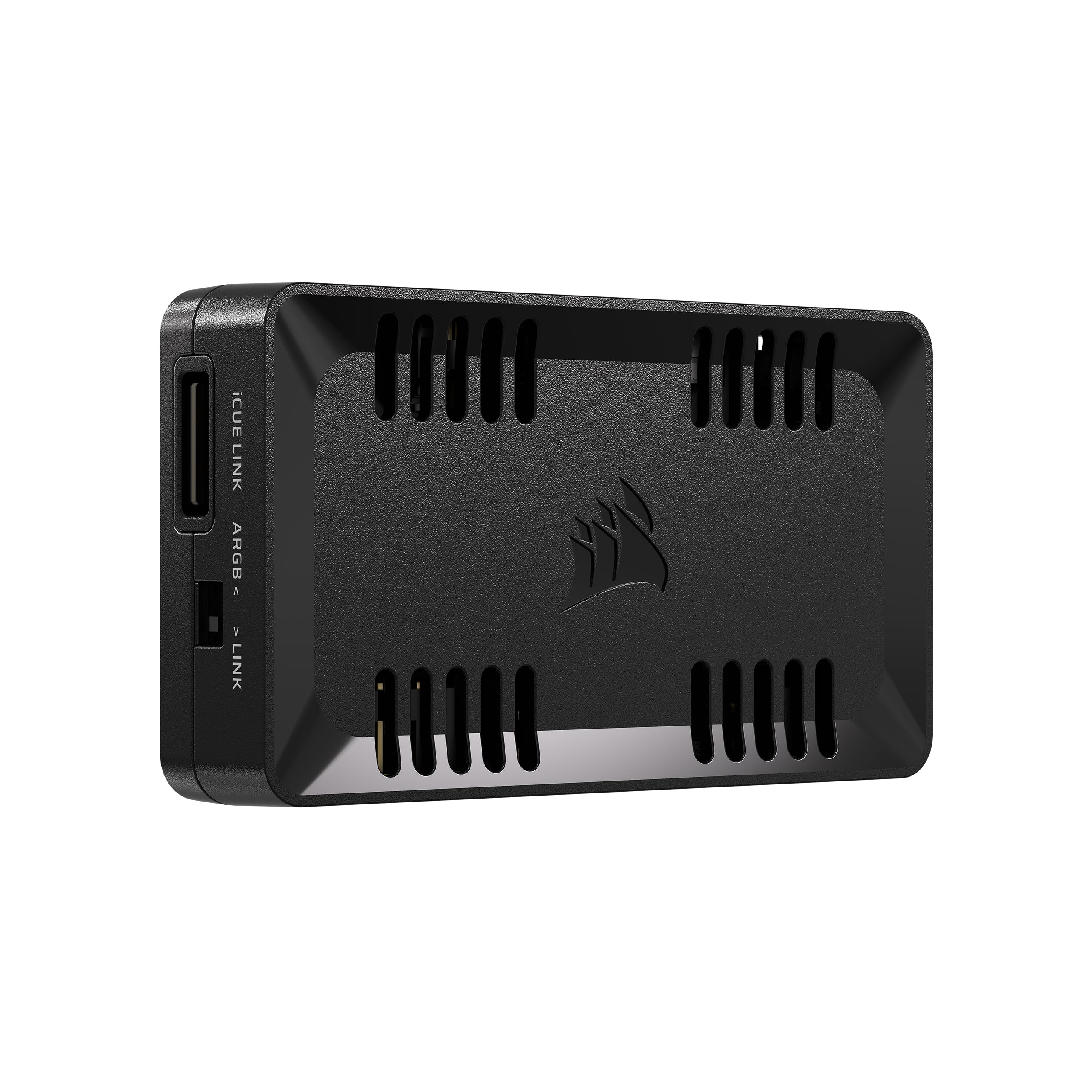
The one box that speaks both old ARGB and new iCUE Link — a bridge between two fan generations.
If your Corsair build is half older ARGB fans and half newer iCUE Link devices, nothing else on this list solves that in one unit. The Commander Duo runs two ARGB and PWM channels, with each channel supporting up to six daisy-chained fans — twice the fan count of the Commander Core XT — and it feeds up to 50 LEDs per ARGB channel for synchronized colour. Everything is driven through Corsair iCUE, which also detects fans automatically and lets you set custom fan curves.
The practical win is cable reduction. Owners mention running ten fans by daisy-chaining up to six per channel into one USB header, and the box ships with two temperature probes for in-case readings. Linked fans share one curve and one lighting profile, while non-linked devices stay independently controllable — which is exactly how you want a mixed build to behave.
One thing to plan for: unlike the NZXT box above, this unit does not have magnets on the back, so you will want to source your own if you want it stuck to the case panel. Corsair also expects PCIe SATA power and a USB2 header to be free. A small number of units have arrived with a faulty ARGB port, which is worth testing the moment it lands rather than after the return window.
Reasons It Earns A Slot
- Controls ARGB PWM fans and iCUE Link devices in one iCUE interface
- Two channels, each handling up to six daisy-chained fans
- Synchronizes up to 50 LEDs per ARGB channel
- Ships with two temperature probes for in-case readings
Before You Commit
- No magnets on the back — you supply your own mounting
- Needs PCIe SATA power and a free USB2 header
- Fans must be daisy-chained; loose separate fans cannot join a channel
Best for: Corsair builds straddling old ARGB and new iCUE Link gear that want one control panel.
Not for: anyone without a spare USB2 header or PCIe SATA lead to spare.
4. Airgoo 16-Port Magnetic-Mount USB ARGB Controller
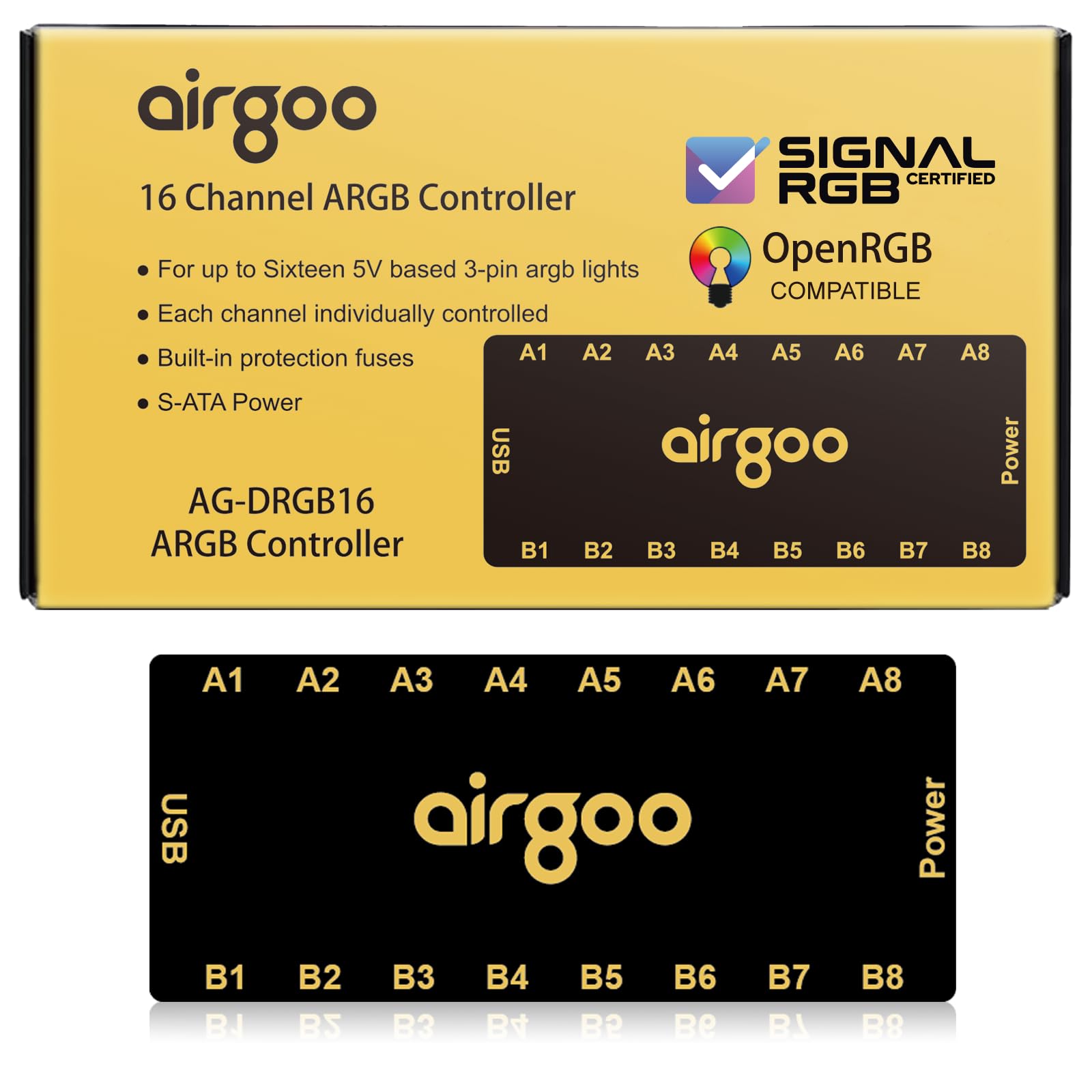
Sixteen ports that each run their own lighting — this is the layer-cake effects machine.
Where the other hubs force devices to share a channel, this one gives you 16 ports, and each one supports up to 256 LEDs with independent control. That is the difference between every fan glowing the same turquoise and each fan running its own slice of a cascading gradient. It connects over USB 2.0 to your motherboard, takes SATA power to keep the signal flicker-free even at full load, and carries an auto-resetting fuse that cuts in on an overload or short circuit.
The catch is the setup order: it does not configure properly until you install the correct software first, which means the latest SignalRGB or OpenRGB release. Do that and it detects every device cleanly; skip it and you will think the hub is broken. Owners running layered, multi-zone effects call it the one-and-done hub, and SignalRGB runs smoother because the hub takes the load off the motherboard headers.
The genuine weak point is the physical ports. The 3-pin connectors do not grip tightly, and fan plugs can work loose from the adapters over time — a strip of electrical tape or a firm reseat settles it, but it is the one build-quality blemish on an otherwise strong hub. Mounting is sorted by strong magnets that hold well on bare steel, though a painted panel may need a velcro strip instead.
Why it earns the port count: 16 separately addressable channels is genuinely a different class of control, and it is the only hub here built around SignalRGB and OpenRGB rather than a brand ecosystem.
Where it falls short: loose 3-pin connectors mean you should seat each cable carefully and recheck after a few weeks.
Pick this when: you want every lighting zone doing its own thing and you are happy to run SignalRGB or OpenRGB.
Skip the fuss if: you want a sealed brand ecosystem that configures itself — this hub demands an upfront software install.
5. ASUS TUF Gaming ARGB PWM Fan Hub

Six fans, six ARGB feeds and two SATA leads — built to take a full power draw without flinching.
What sets the ASUS hub apart is the power design. It uses dual SATA power connectors for stable input under full load, which solves a common failure point on cheaper hubs that brown out when every fan spins up together. Each fan plugs into one ARGB and one PWM connector on the hub, with the PWM cable running on to your SYS FAN header. Each SATA cable is rated for 54W, and at roughly 3.6W per fan at full speed, one cable covers six to nine fans.
The build itself gets praise for looking the part — a solid casing, a strong magnet for sticking to the case’s metal surface, and visible power and operation indicators so you can see at a glance whether the hub is live. It works with any PWM ARGB fans, not just ASUS ones, and pairs with Armoury Crate for control. For a tidy build where you just want the fan cables gathered in one place, it does the job quietly.
Size is the thing to plan around. The unit is larger than it looks in photos, so check you have room behind the motherboard tray, especially if you run a glass side panel. And note that daisy-chaining through it makes all fans run at the same speed, so fine-grained per-fan control still needs to come from your fan software.
Strong Points
- Dual SATA power for stable input under full load
- Visible power and operation indicators on the unit
- Six ARGB plus six PWM connectors in one hub
- Magnetic mounting on any case metal surface
Trade-Offs
- Physically larger than expected — check clearance first
- Needs two separate SATA power cables
- Daisy-chained fans all run at the same speed
The one for tidier builds: six fans’ worth of cables funnelled to one magnet-mounted point with power to spare.
The clearance check: measure the space behind your motherboard tray before ordering — this hub is bulkier than the photos suggest.
Know the Specs
ARGB Channels vs PWM Channels
An ARGB channel carries lighting instructions — colour, pattern, brightness — to the devices plugged into it. A PWM channel carries speed instructions to fans. Some hubs, like the NZXT and ASUS units, handle both. Others, like the Airgoo, are lighting only. Knowing which you need stops you buying a box that cannot control fan speed. Channels are usually grouped: fans on the same channel show the same effect, so more channels means more independently lit zones.
5V 3-Pin vs 12V 4-Pin ARGB
Addressable RGB (ARGB) runs at 5V on a 3-pin connector, and it lets each LED in a strip show a different colour. Standard RGB runs at 12V on a 4-pin connector and makes the whole strip one colour at a time. The two are not interchangeable and plugging a 5V device into a 12V header can damage it. Check the voltage on both your controller and your fans before connecting anything.
SATA Power vs Motherboard Power
Most of these controllers draw their power from a SATA cable plugged into the power supply rather than from the motherboard header. That is deliberate: it means a row of bright fans does not pull current away from the motherboard, and the lighting stays steady at full brightness. Some hubs, like the ASUS unit, use two SATA connectors so the power draw is split for reliability.
USB Header and Software Sync
A software-controlled hub needs a physical link to your PC — usually a USB 2.0 header on the motherboard — plus the right program installed. NZXT uses NZXT CAM, Corsair uses iCUE, and Airgoo uses SignalRGB or OpenRGB. Without that link the hub still passes power through, but you lose the ability to change colours or patterns from the desktop. Count your free USB headers before buying.
Common Questions
Can I plug a 12V RGB strip into a 5V ARGB controller?
How many fans can one ARGB controller handle?
Do I need a free USB header on my motherboard?
What software does each ARGB controller need?
Can I mix Corsair iCUE Link fans and older ARGB fans on one controller?
How long does a magnetic mount hold inside a PC case?
What does it mean to daisy-chain ARGB fans?
Is a fan hub different from an ARGB controller?
Will a third-party ARGB controller work with my NZXT or Corsair software?
The Bottom Line
For most builds, the argb controller worth buying is the NZXT RGB & Fan Controller because it handles six lighting channels and nine PWM fans in one box, mounts with magnets, and pairs with NZXT CAM. If you have mixed Corsair hardware, the Commander Duo is the only hub here that runs old ARGB and new iCUE Link devices together. And if you want each lighting zone on its own channel, the Airgoo 16-port hub is the one to reach for — just install SignalRGB or OpenRGB before you plug it in.
How we choose
We do not accept paid placement. Every pick is matched to a real buyer and a real use-case; we do not hands-on test units.
Sources
Specifications: manufacturer listings and product documentation. Review insights: verified customer reviews, as of October 2026. Pricing: not shown on this page (it changes often); check the current price via the retailer link.
As an Amazon Associate, Aappliancez earns from qualifying purchases. This does not affect which products we feature.