Disclosure: Some links in this post are affiliate links. As an Amazon Associate I earn from qualifying purchases, at no extra cost to you. Learn more
Specs are compiled from manufacturer listings and verified buyer reviews and can change over time — please confirm the key details on the product page before buying.
Buying AR smart glasses really depends on one question: do you want a wearable screen for watching movies and gaming, or do you need a second monitor for spreadsheets and email? Those are two different jobs, and the glasses that win at one often stumble at the other. This guide separates the entertainment-first picks from the genuine productivity tools so you spend your money on the one that matches your actual day.
This guide is built by comparing the manufacturers’ published specifications and the patterns across verified customer reviews, so you get each pick’s real strengths and trade-offs instead of marketing spin.
Some of these glasses project a virtual screen up to 500 inches wide, and a few even convert flat 2D video into depth in real time. The picks below are ranked by how well they do the job you are most likely buying them for — from budget-friendly work screens to premium cinema rigs — so you can match a pair to your own eyes and devices with confidence.
Top Picks

How To Choose The Best AR Smart Glasses
Most first-time buyers fixate on screen size, then discover the hard part is comfort and compatibility. Start with what you will plug the glasses into.
Check the video output on your own devices first
These glasses need a USB-C port that carries both video and power, and not every phone has one. The INAIR 2 Pro works with iPhone 16 and 15, most Android phones, the Steam Deck, ROG Ally, Macs and Windows PCs, but a Nintendo Switch or an iPhone 14 and earlier needs an extra adapter. Do that five-minute check before anything else — a pair of glasses you cannot connect is a paperweight.
Decide if you want a pinned screen or a follow screen
A pinned screen stays stuck in one spot in the room while you turn your head, which is what makes virtual documents usable. A follow screen floats along with your head, better for watching a film on a plane. XREAL’s One Pro anchors the screen in place with native 3DoF tracking and goes further with the optional XREAL Eye, while the Rokid AR Spatial bundle keeps its giant screen and multi-screen modes locked in space.
Match the fit to your face, not the spec sheet
AR glasses come with a set IPD range, the distance between your pupils that the optics are built around. XREAL sizes its One Pro in M and L to fit different IPD ranges, and VITURE makes the Luma Pro in a Regular and a Large. If you fall outside a model’s range or you are farsighted, a set of prescription inserts from a lens maker is the usual fix.
Side-by-Side Comparison
| Model | Best For | Reported Brightness | Refresh Rate | Virtual Screen | Amazon |
|---|---|---|---|---|---|
| INAIR 2 PRO★ Best Overall | Multi-screen desk work | 500 nit | 120Hz | 135″ | Amazon |
| Rokid Max 2Compact Pick | Big-format movie viewing | — | — | 215″ | Amazon |
| TCL NXTWEAR SBudget Champion | First-timers on a budget | — | — | 201″ | Amazon |
| RayNeo Air 4 Pro Batman | Collectors and movie buffs | 1200 nits | 120Hz | 201″ | Amazon |
| TOZO VIZO Z1 Pro | All-day lightweight wear | 1800 nits | 120Hz | 160″ | Amazon |
| Rokid AR Spatial + Station2 | Three-app multitasking | 600 nits | 120Hz | 360″ | Amazon |
| XREAL 1S | Commuting productivity | — | 120Hz | 500″ | Amazon |
| ASUS AirVision M1 | ROG Ally owners | 1100 nits | — | 100″ | Amazon |
| VITURE Luma Pro | Sharp text without inserts | 1000 nits | 120Hz | 152″ | Amazon |
| XREAL One Pro | Widest cinematic view | 700 nits | 120Hz | 171″ | Amazon |
| VITURE Luma Ultra | Spatial gaming and 6DoF | 1500 nits | 120Hz | 152″ | Amazon |
Detailed Reviews
1. INAIR 2 PRO AR Glasses
A 135-inch desk that folds flat and slides into a carry case
If you work from a laptop and answer a dozen emails before lunch, this is the pick to start with. The INAIR 2 Pro projects a 135-inch virtual display at a 120Hz refresh rate — the rate at which the image redraws per second, so motion and cursor movement look smooth rather than choppy. Hook it to a Mac or Windows laptop through the INAIR Space software, which is the only way to open up the multi-screen and ultra-wide modes, and you can spread your work across up to four virtual screens.
The panel inside is Micro-OLED (a tiny organic screen that lights each pixel itself, so black actually looks black), running at a dual-eye 3840×1080 resolution with 49 PPD edge clarity. PPD here means pixels per degree — how many picture dots land in each degree of your vision — and INAIR’s own figure is what keeps small spreadsheet text crisp right out to the edges of the screen instead of blurring there. Brightness tops out at 500 nit, and the glasses weigh 80 g. Against the RayNeo Air 4 Pro Batman edition’s listed 345×201 display figure, the INAIR’s 3840×1080 is the far higher number on paper.
A swipe along the left temple runs electrochromic dimming — a film that darkens electronically with no moving parts — letting you slide between a near-opaque rich mode and a see-through mode that passes between 0.1% and 16% of outside light. The build is the strongest thing about this pair: Swiss SGS A+ 2.0 certification with a visual fatigue index of ≤2.5, plus three temple angles and two nose-pad sizes. Get this for the multi-screen workflow, but go in with your eyes open. Buyers report that the multi-monitor feature can be fussy on some Windows 11 machines — one owner’s exact words were that “the AR glasses is working but, the multi-monitor is not working in windows 11 properly,” which is worth knowing if that is the whole reason you are shopping.
Where it earns its place
- Up to four virtual screens from one Mac or Windows laptop
- Electrochromic dimming adjusts light transmission from 0.1% to 16%
- 49 PPD edge clarity keeps small text sharp center to periphery
- Weighs just 80 g with three temple angles and two nose pads
Where it asks patience
- INAIR Space multi-screen software works only on Mac OS and Windows PCs, not phones
- Multi-monitor setup can misbehave on some Windows 11 hardware
- No built-in vision correction — prescription lenses come from INAIR support
- Reported field of view is narrow, so the widest layouts need head turning
Reach for this if: you want a laptop-tethered workspace you can carry in a bag and dim on a whim.
Look elsewhere if: you need multi-screen mode on a phone, since INAIR Space does not support smartphones at all.
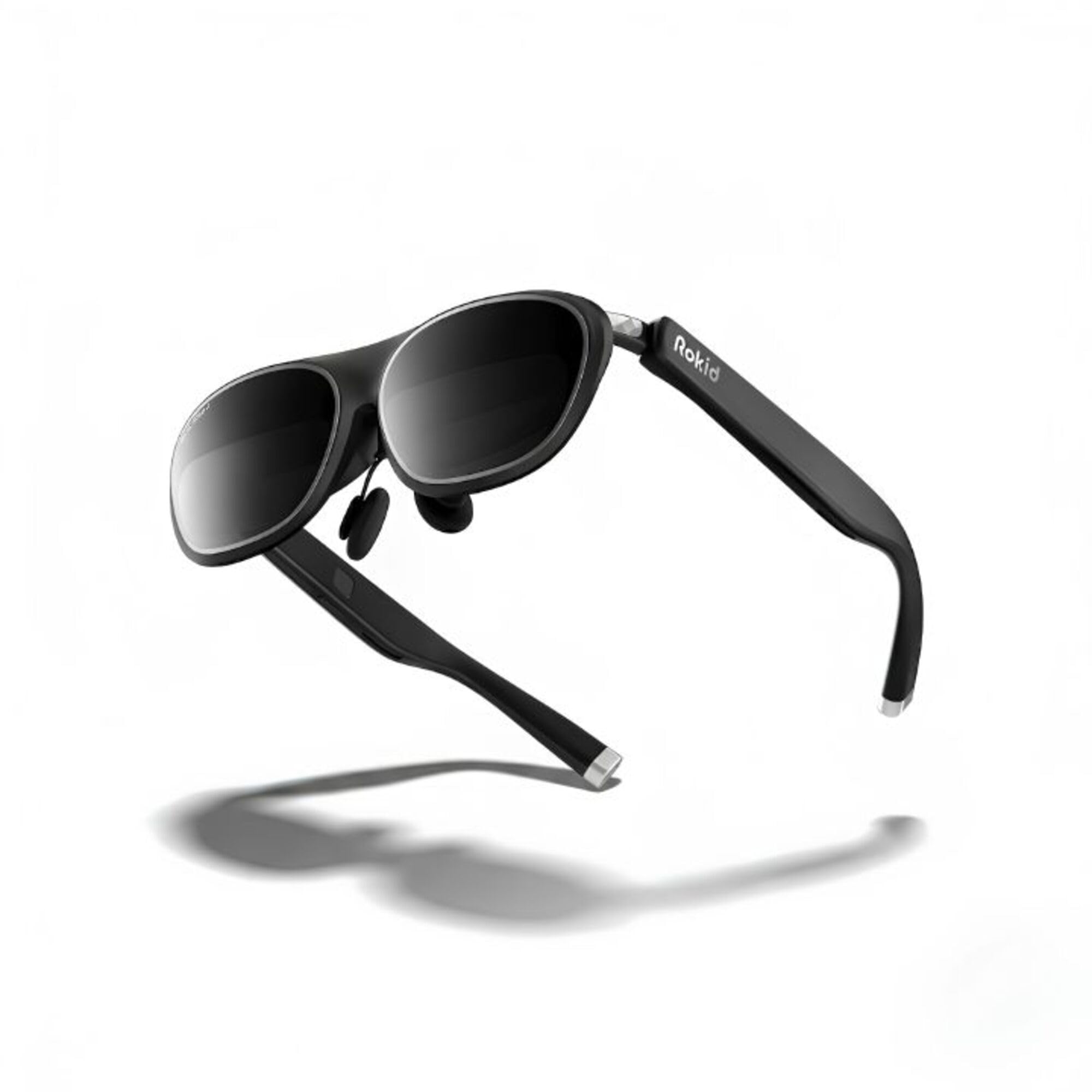
2. Rokid Max 2 AR Glasses Silver
A cinema screen you can swap nose pads on until it sits right
Rokid built this pair around one big promise: a 215-inch Micro-OLED virtual screen, the largest figure in this lineup. The Micro-OLED panel is tuned for high contrast, and the lightweight frames are shaped to resist slipping. The box includes spare nose pads so you can fine-tune how the screen sits in front of your eyes, and the arms adjust to reduce that heavy, tired feeling across the bridge of your nose.
There is a catch you need to know before you buy. The glasses do not correct your eyesight, and anyone who needs more than 600 diopters — a measure of how strong your prescription is — will have to buy prescription lenses separately. Frames for those lenses are also sold separately, not bundled. Compatibility depends on your specific phone or console brand and model, so check the maker’s compatibility list for your exact device before ordering.
The fit story: the adjustable nose pad is the whole point here — if the screen sits slightly too close or too far, swapping pads is how you fix it rather than trying to live with it.
Before you click buy: confirm your device is on the compatible list and budget for separate prescription lenses if your vision needs correction.
Suits: anyone chasing the biggest virtual screen they can strap to their face, provided their eyesight is close to neutral or they will buy inserts.
Check twice: the fit adjustment and lens requirements — a 600-diopter ceiling means serious correction needs a separate purchase.
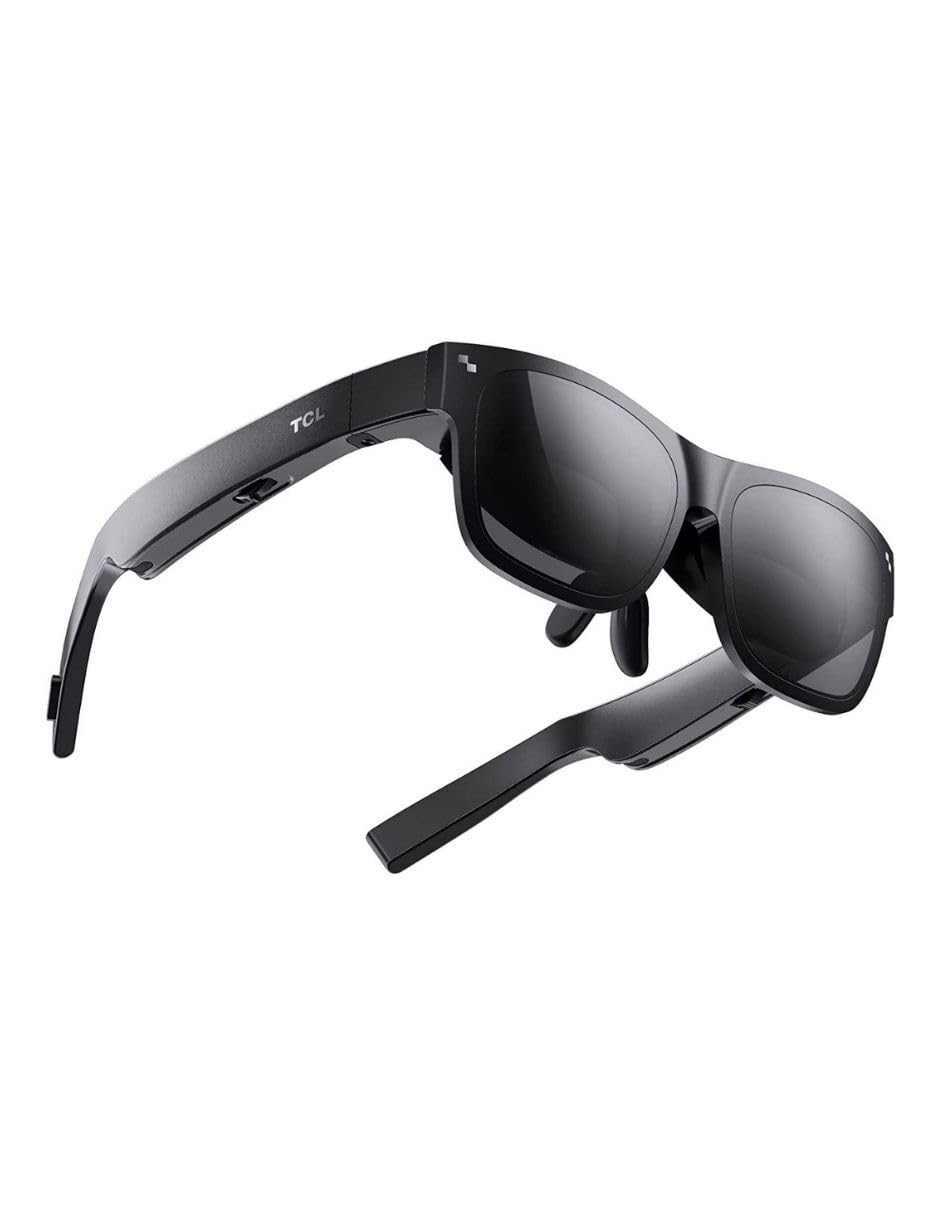
3. TCL NXTWEAR S
The starter pair for anyone testing whether AR glasses fit their life
TCL’s NXTWEAR S is the entry point, and it leads with a 201-inch Micro-OLED virtual screen for watching video on a plane or console gaming from the couch. Dynamic stereo sound is built into the arms, and the magnet design means the nose assembly pops off for swapping. TCL rates the optics at MTF>0.8, an optical sharpness figure, plus a Whisper Mode for quieter listening. If your device cannot output video over USB-C, TCL sells a customized adapter — and for console players there is an HDMI adapter path as well.
The lens partner arrangement is the detail most people miss. TCL runs an official lenses partner program for anyone who needs vision correction fitted into these frames, so you can order proper inserts rather than squinting. Weighing in at 2.89 ounces, it is light enough to wear through a full movie without your nose complaining.
Who this is really for: the curious buyer who wants a big virtual screen without committing top-tier money, and who mostly watches rather than works.
Ideal for: a first AR glasses purchase where movies and console gaming matter more than multi-screen office work.
Watch the cables: if your phone or console lacks DisplayPort output, you will need TCL’s own adapter before anything shows up on screen.
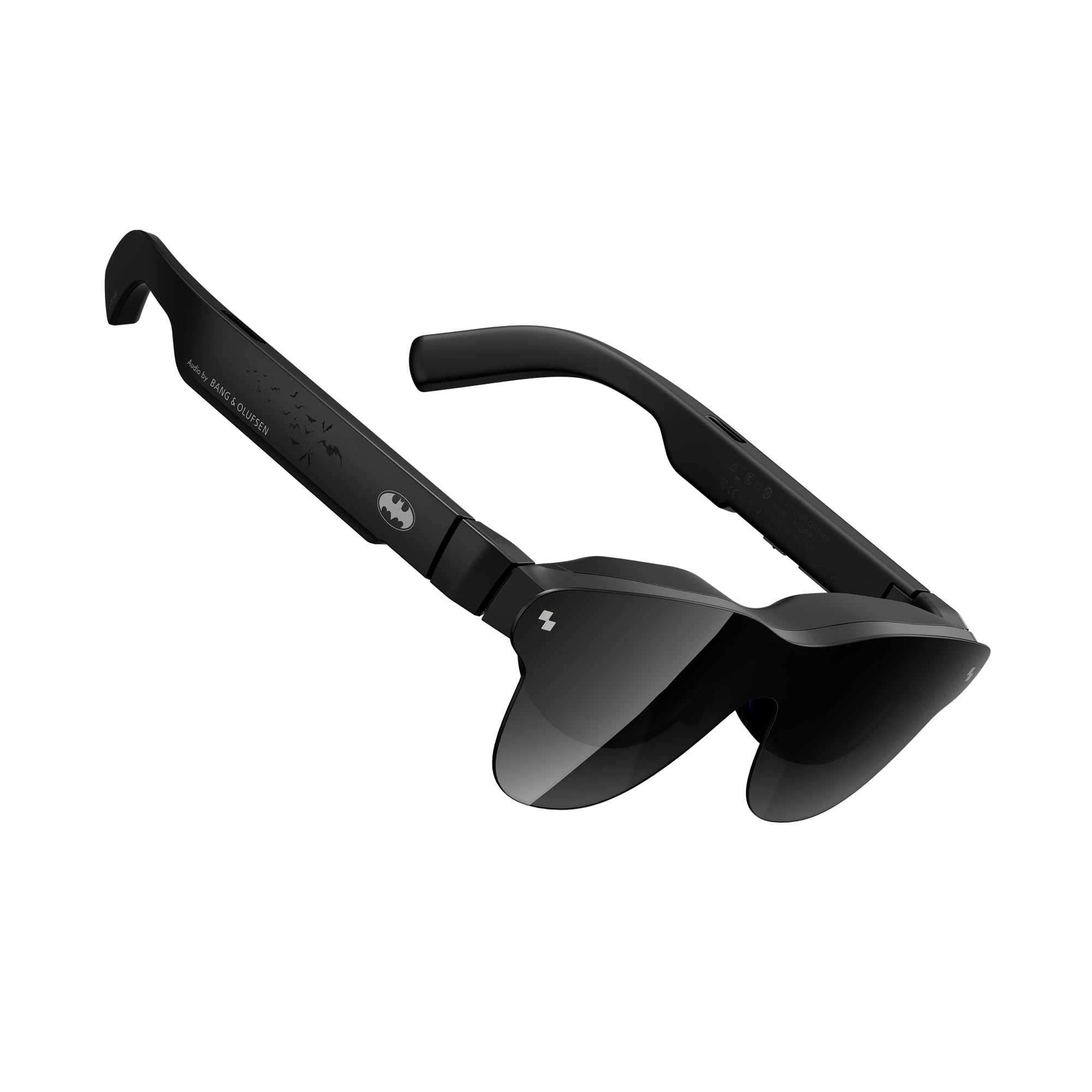
4. RayNeo Air 4 Pro x Batman Limited Edition
A collector’s piece that happens to throw a 201-inch image
RayNeo built this limited Justice Edition for the Batman fan who also wants a serious wearable screen. It runs HDR10 (a format that widens the range between the darkest and brightest parts of a picture) with AI-powered brightness listed at 1200 nits, so dark scenes hold their detail instead of turning to mud. A Vision 4000 chip handles AI SDR-to-HDR conversion on the fly, and the glasses render a 201-inch video display at a 120Hz refresh rate. The AI processing also turns ordinary 2D film and comic panels into layered 3D.
The audio is the standout: a quad-speaker system co-tuned by Bang & Olufsen engineers spreads sound into a 360-degree stage. A quad-speaker system co-tuned by Bang & Olufsen engineers spreads sound into a 360-degree stage — genuinely useful when a Batmobile chase is the point of the evening. Matte Bat Shade styling, a headstrap controller, and a collector-grade vault round out the package.
The thing buyers rave about: the image. Buyers consistently point to the display and its HDR10 picture as the standout, which lines up with that 1200-nit brightness figure.
Be realistic about: the app. Software bugs turn up repeatedly in feedback, so plan on the glasses working best for straight video rather than reliant on their companion app.
Buy it for: the cinema-grade picture and the shelf presence — this is a display-first purchase with a collector’s finish.
Do not buy it for: the app experience, which buyers describe as hit-or-miss, so treat streaming through it as the main event.
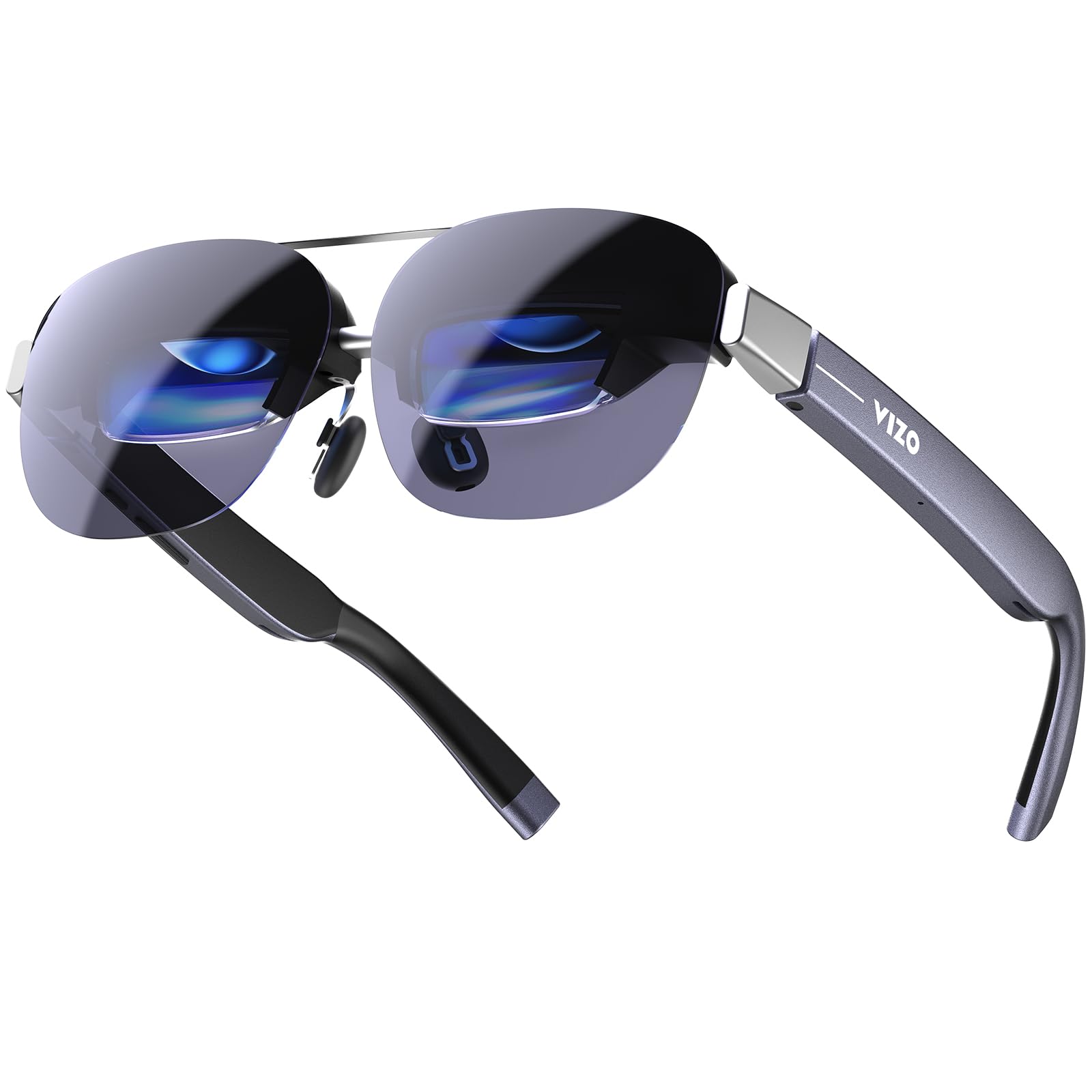
5. TOZO VIZO Z1 Pro AR Glasses
Featherweight frames bright enough to beat a sunny window seat
The number that sells the VIZO Z1 Pro is 63 g, which puts it among the lightest pairs in this lineup and makes a long flight far more bearable. It pairs that low weight with 1800 nits of perceived brightness — a measure of how bright the image looks to your eye — so the picture holds up in harsh direct sunlight instead of washing out. A 160-inch virtual screen, Micro-OLED panels, Full HD per-eye resolution, 98% DCI-P3 color coverage (a wide color range that keeps reds and greens vivid), and up to a 200,000:1 contrast ratio round out the picture. Motion is handled at up to 120Hz for gaming, and dual speakers with tactile buttons mean you can listen and adjust without reaching for a phone.
The setup is deliberately simple: plug into a compatible USB-C DisplayPort phone, tablet, or laptop and the picture appears with no extra apps to install. It is a light pair of glasses you can wear for hours, and owners call it comfortable enough for a four-hour session.
Go in knowing that its 1080p resolution limits how much desktop you can actually spread out — the sheer screen size does not translate into more usable workspace, and the glasses sit close enough to your face that they block a good part of your normal view. A few units have also turned up as previously opened boxes, so inspect yours right away.
Suits: travellers and movie watchers who prioritise low weight and bright outdoor viewing over workspace size.
Consider the trade-off: if you need to fit several windows on screen, the 1080p ceiling caps how wide you can spread them.
6. Rokid AR Spatial Glasses with Station2
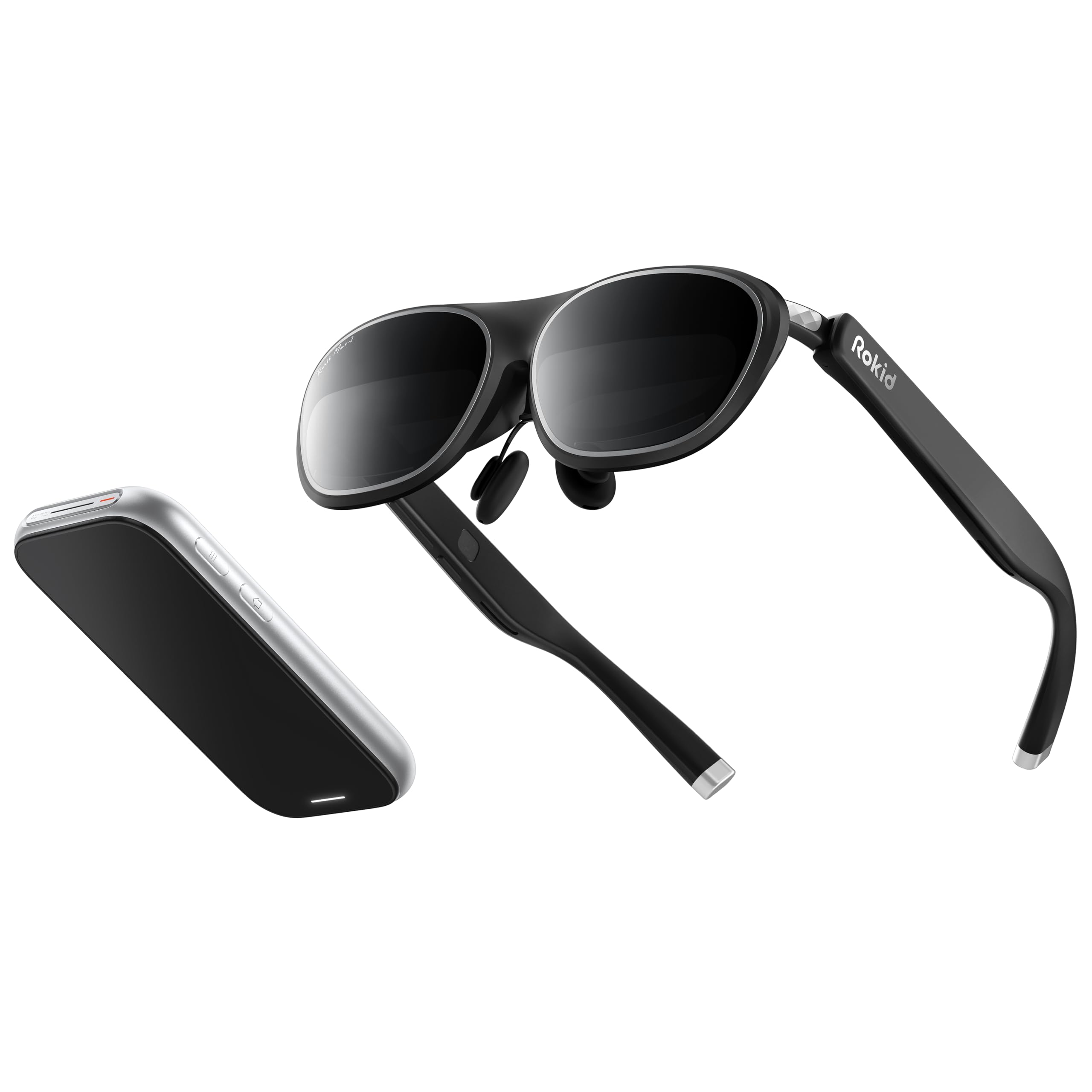
Three apps at once, strapped to your head without a laptop in sight
This is the bundle for someone who wants a real multitasking setup you can use without a computer. The Station2 is a pocket-sized spatial computer with a 5000mAh battery and 3.5-hour runtime, 8GB of RAM, 128GB of storage, Wi-Fi 6, and Bluetooth 5.2. It weighs 0.31kg and carries dual Type-C ports so you can charge while it is running. The Max2 glasses themselves weigh 75 g and pair with a screen listed as 360 inches, with a 50% larger Micro-OLED display than the previous Max, running 1920×1200 at 120Hz with 108% sRGB color.
Where it gets clever is the layout options. You get four Smart Modes — Reading, Giant Screen, Sports, and Multi-Screen — each adjustable to Wide, Narrow, or Ultra-Wide ratios, with Giant Screen Mode expanding all the way to 32:9. The three-screen multitasking lets you run three apps side by side, and 3DoF tracking keeps the display pinned in space instead of trailing your head. When you plug into an Android phone, though, three-screen mode needs the DLNA protocol — Miracast and ChromeCast fall back to a single screen. IPD adjustment runs 55–72mm automatically when paired with the Station2, and the glasses handle myopia up to 600 degrees, with lenses beyond that sold separately.
Two caveats are worth your attention. The eyesight adjustment corrects only nearsightedness, with no positive correction for farsighted eyes, and the Station2’s wireless screen-cast has failed for some owners after a firmware update.
Why it stands out
- Runs three apps at once with no separate computer needed
- Station2 packs 8GB RAM, 128GB storage, and a 3.5-hour battery
- Giant Screen Mode stretches to a 32:9 ultra-wide ratio
- YodaOS-Master system gets regular updates for new AR content
Worth knowing first
- Android multi-screen needs DLNA — Miracast and ChromeCast drop to single-screen
- Some apps do not support the narrower Multi-Screen ratios
- Myopia correction tops out at 600 degrees, with no positive correction for farsightedness
- Wireless screen-cast has broken for some owners after a firmware update
For you if: you want a self-contained three-screen workstation that runs off its own pocket-sized computer.
Pass if: you are farsighted, because the built-in adjustment corrects nearsightedness only and farsighted eyes need separate lenses.
7. XREAL 1S AR Glasses

The commute conqueror that turns a train seat into a private office
If you spend an hour each way on a bus or train and want your laptop to stay in the bag, this is the pair built for exactly that. The XREAL 1S runs on the company’s own X1 chip — a processor designed specifically for AR glasses — which delivers 3ms motion-to-photon latency at 120Hz. That figure means the gap between your head moving and the screen catching up is nearly imperceptible, which is what keeps the image stable instead of smearing. The 3DoF spatial screen works by plug and play, with no apps or setup: just connect to a USB-C DP-enabled device.
Picture quality draws the highest praise. The optics are individually color-tuned, the redesigned optical engine boosts clarity by 9%, and the display handles 1920×1200 at 120Hz in 3DoF with a 90Hz global refresh that removes flicker and blur. REAL 3D converts any input into depth in real time, up to 30fps with 90–100ms latency. The IPD range spans 59.5–70.5mm, which the maker says covers about 95% of users, and the glasses carry TÜV Rheinland certification for low blue light and flicker-free viewing. Bose co-developed the open-ear audio.
Two honest limits stand out. Max brightness runs too intense indoors, so you will lean on the auto-dimming to settle it, and the glasses rely on optical reflection in bright light, which can throw a ghost image off your own cheeks. The bigger deal for many buyers is that there is no diopter adjustment at all, so reading glasses or prescription inserts are the only route.
The productivity verdict: one long-time commuter replaced a heavy laptop and tablet entirely, running Samsung DeX and Citrix on a phone with a foldable keyboard, and reported it handled the bulk of their office work with no eye strain. That is the exact use case these glasses were made for.
Firmware foibles: a few owners have hit a stuck tutorial, occasional false “video not supported” warnings, and settings that do not save after a restart.
Reach for this if: you want heavy productivity on the move and prefer glasses that work without apps or fiddling.
Skip if: you need built-in vision correction, because there is no diopter dial here and prescription inserts are mandatory.
8. ASUS AirVision M1 Smart AR Glasses

Built to bolt onto an ROG Ally and turn it into a big screen
ASUS designed this pair with a specific buyer in mind: the ROG Ally owner who wants a large display without a monitor on the desk. It projects up to a 100-inch image at 1100 nits with a 95% DCI-P3 color gamut, and the AirVision app adds multi-screen setups, screen distance adjustment, and pupil distance customisation. Built-in speakers, a noise-cancelling mic, and high transparency for safety round out the feature set. At 87 g, or 3.2 ounces, it is light enough to wear through a gaming session, and it connects over USB-C cable to gaming consoles, laptops, phones, and tablets.
Here is the honest part: image quality is mixed and for some buyers it is the sticking point. A handful of owners mention blurry visuals, soft corners on the curved lenses, and an IPD adjustment that did not sharpen the picture for their eyes. Several describe it as best suited to wide, fast gaming — one owner found the locked super-wide image rich for racing on an Ally X — while finding text-heavy office apps hard going. Farsightedness is not corrected either, so if crisp desktop work is the goal, this is not the pick.
Our read: when it lands with your eyes, the wide gaming screen genuinely shines; when it does not, the blur is a fit problem rather than a fault with the unit itself.
Best for: ROG Ally owners who want a wide rich gaming display and can dial in the pupil distance to suit their face.
Think twice if: you plan to read documents on it — the blurry-corner reports cluster around office use.
9. VITURE Luma Pro XR Glasses

Sharp 1200p text and a myopia dial you can tune on the fly
The draw here is a sharp 1200p display paired with built-in myopia adjustment. The Luma Pro throws a 152-inch virtual screen at a 1200p resolution, which VITURE describes as sharper than its own Pro model, with a 52-degree field of view and 1000 nits of brightness. The refresh runs at 120Hz with DeltaE < 2 color accuracy (a measure of how closely a display reproduces true color, where a smaller number is better). VITURE claims the Luma Pro’s optical engine delivers the sharpest detail of any VITURE pair to date.
The practical bit for anyone who wears glasses is the built-in myopia adjustment. It corrects up to minus 4.0 diopters — enough for many nearsighted users to leave their glasses off — and a magnetic prescription frame handles stronger prescriptions and astigmatism. You get three nose pads, tilt-adjustable temples, and flexible arms, and the frame is designed to fit different IPD ranges in a Regular size and a Large size. The magnetic USB-C cable is a small design hit, though: it protrudes and can disconnect when you lie down.
The clear strengths
- 1200p resolution and sharp text at a 152-inch virtual size
- Built-in myopia correction up to minus 4.0D, no inserts needed for many users
- 52-degree field of view with 1000 nits and a 120Hz refresh
- Magnetic prescription frame for stronger prescriptions and astigmatism
The minor snags
- Magnetic cable can disconnect when you lie down
- No support for older iPhone or Lightning connections
- Advanced features need the SpaceWalker app rather than on-glasses controls
- Two sizes mean you need to know your IPD before ordering
Pick this one if: you wear glasses and want to leave them off without ordering prescription inserts.
One practical check: confirm your IPD falls inside the Regular or Large range, and avoid lighting-cable use if you plan to watch lying flat on your back.
10. XREAL One Pro AR Glasses

The widest field of view in the lineup, wrapped around a 171-inch screen
If the size of your virtual cinema is the whole point, this is the widest-view option. The XREAL One Pro carries a 57-degree field of view — the best in this group — recreating a 171-inch screen viewed from four meters away. A Sony 0.55-inch Micro-OLED panel runs at 120Hz with up to 700 nits of brightness and advanced electrochromic dimming. The same self-developed X1 chip handles native 3DoF tracking at 3ms motion-to-photon latency, and pairing the optional XREAL Eye open up full 6DoF anchoring so the screen locks to a real spot in your room. Smooth 3DoF combined with a screen that anchors in place is where the comfort gains come from.
The X-Prism optical engine is thinner and cut reflections down with anti-glare design, and the dual IPD design runs M at 57–66mm and L at 66–75mm with three-stage adjustable arms and three nose-pad sizes. Bose-tuned audio and one-tap on-glasses controls for brightness, screen size, and distance keep everyday use quick.
The trade-off every buyer should weigh is display sharpness at close range. Because the panel spreads its pixels across so wide a view, text can shimmer or look pixelated compared to a laptop screen at native scale, and the text-heavy rating tools read as good rather than flawless. There is also a slight right-side drift in anchor mode on some units, though it resets. For most owners, the payoff — near-limitless size and stability — is worth it.
The wide-screen case: one reviewer with deep-set eyes found the pixelated text at 100% scale a problem for document work at 150% but still called it near-perfect for everything else — the review pages, in short, separate the watching from the typing.
The right pick for: home-cinema watchers and mixed media users who want the biggest image and the widest view.
The honest caution: if you read dense text all day, the pixel density here will not match a laptop display.
11. VITURE Luma Ultra AR Glasses
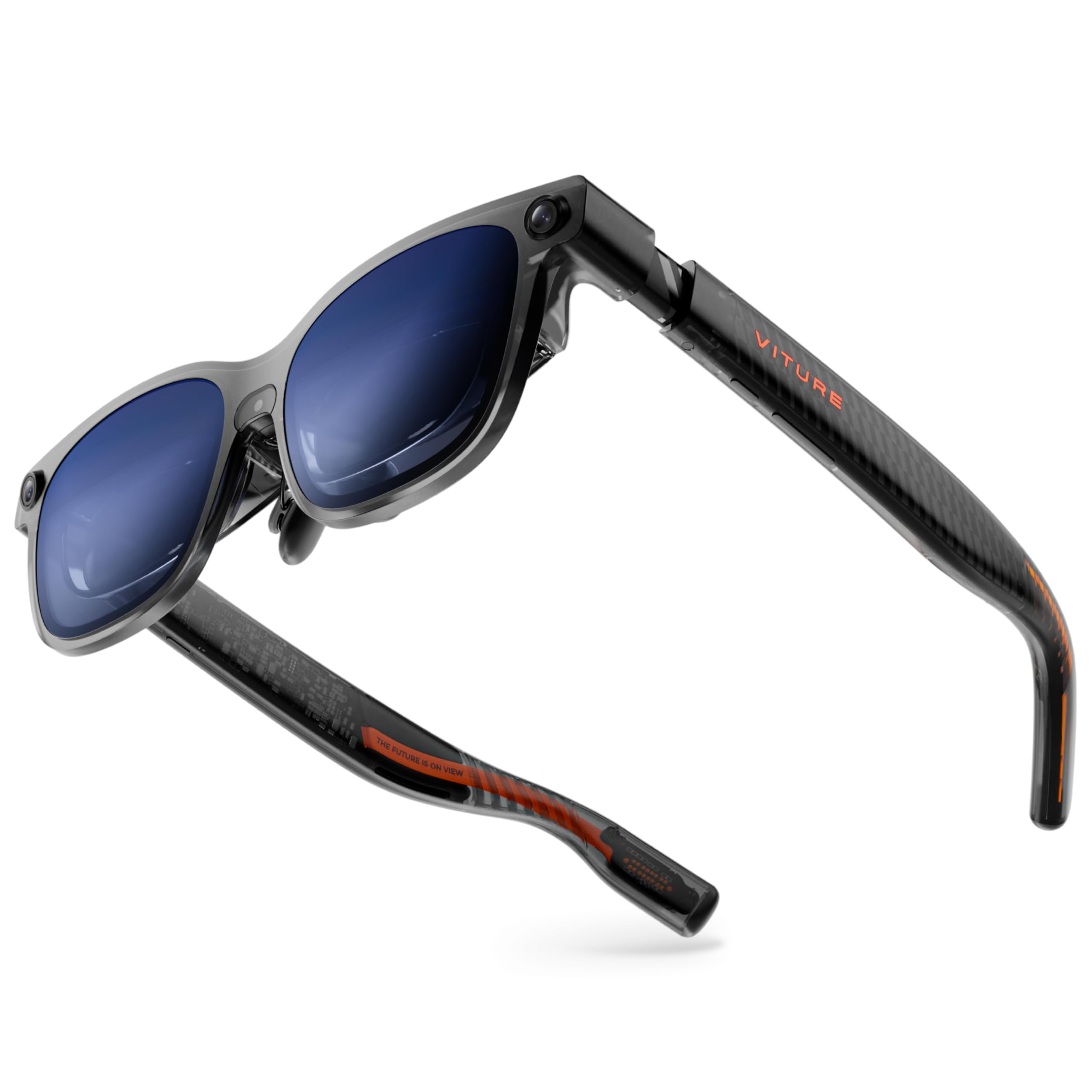
Spatial tracking with three cameras and brightness that fights the sun
This is the most feature-loaded pair in the lineup, aimed at the buyer who wants genuine spatial computing rather than a floating screen. The Luma Ultra runs on Sony’s latest Micro-OLED panels, which cut power consumption by 35% and let VITURE push brightness up to 1500 nits while keeping heat in check. A front RGB camera plus dual depth cameras handle zero-drift 6DoF tracking and hand gesture recognition when paired with the VITURE Pro Neckband, giving you precise spatial interaction. It spans a 152-inch virtual screen at 1200p with a 52-degree field of view and DeltaE < 2 color. Built-in myopia adjustment reaches minus 4.0D, and a one-tap electrochromic film darkens the lenses instantly.
The catch is that the headline spatial features need gear that is not in the box. You need the Pro Neckband for the hand gestures, and full 6DoF support in SpaceWalker runs on macOS and Windows, with mobile compatibility listed as coming soon. The glasses also demand the right phone: older iPhones and Android handsets without DisplayPort Alt Mode are limited to plain mirroring, and a handful of newer iPhone models have not worked at all. Owners also report the front section warming up after about ten minutes of heavier use, so a break now and then is wise.
What you are buying
- 1500 nits on Sony panels with 35% lower power draw
- 6DoF tracking and hand gestures with the Pro Neckband
- Built-in myopia adjustment up to minus 4.0D
- IPD range spans 58–70mm with three swappable nose pads
What to factor in
- Gestures and spatial features need the separately sold VITURE Pro Neckband
- Some older phones and a few recent iPhones do not support the display standard it needs
- Warms at the front section after about 10 minutes of heavier use
- SpaceWalker software has a steep learning curve for new users
Choose this if: you want the most rich spatial tracking available and you already own the right USB-C devices to feed it.
Hold off if: you expect the hand-gesture magic from the start, since it needs the Neckband accessory to work.
Know the Specs
Refresh rate (Hz)
Refresh rate is how many times per second the image redraws, measured in hertz. A 120Hz panel redraws 120 times a second, which keeps fast camera pans and in-game motion smooth instead of blurry. Every model in this lineup that lists a figure runs at 120Hz, so the number rarely separates them — what matters more is whether the panel can hold that rate without flicker or stutter in the content you actually watch.
Brightness (nits)
Brightness is measured in nits, a unit of how much light the picture gives off. The higher the figure, the better the image holds up in bright places like a sunny window seat or an office with the lights up. The TOZO VIZO Z1 Pro lists 1800 nits of perceived brightness, while the XREAL One Pro lists up to 700 nits and leans on electrochromic dimming to control glare instead.
Field of view (degrees)
Field of view is the angular size of the virtual screen you can see at once, measured in degrees. A wider figure means the image fills more of your vision and feels more rich, while a narrower one leaves more room around the edges. The XREAL One Pro leads here at 57 degrees, and the VITURE Luma Pro and Luma Ultra both sit at 52 degrees.
IPD (pupil distance)
IPD is the distance between the centers of your pupils, and the glasses must be built around yours for the image to land sharp. Many models here are split into two sizes or an adjustable range to cover different faces. VITURE makes the Luma Pro in a Regular and a Large, and the Luma Ultra covers a 58–70mm range — if your eyes fall outside a model’s range, no amount of fiddling will make it crisp.
Common Questions
Will AR smart glasses work with my iPhone or Android phone?
Do I still need my prescription glasses with AR smart glasses?
What does the diopter figure on AR glasses actually mean?
Is 3DoF or 6DoF better for watching movies?
How long can I wear AR smart glasses before my eyes get tired?
Can I use AR glasses for work instead of a monitor?
What is the difference between screen size and resolution on AR glasses?
Do AR smart glasses come with built-in speakers or do I need headphones?
Is it safe to wear AR smart glasses outdoors in bright daylight?
Will these glasses fit someone with a large head or wide-set eyes?
Do AR smart glasses need an app to work?
The Bottom Line
For most buyers, the best ar smart glasses winner is the INAIR 2 PRO because it turns a laptop into a multi-screen workstation with dimming you can adjust on the fly and a build that holds up over long sessions. If you want the sharpest text without ordering prescription inserts, grab the VITURE Luma Pro. And for the biggest cinema picture with the widest field of view, the XREAL One Pro is the one to reach for. Many of these picks have built up hundreds of reviews, and the strongest signal across them is the same message repeated everywhere: pick the pair that matches your eyes and your device before you pick the one with the biggest number on the box.
How we choose
We do not accept paid placement. Every pick is matched to a real buyer and a real use-case; we do not hands-on test units.
Sources
Specifications: manufacturer listings and product documentation. Review insights: verified customer reviews, as of October 2026. Pricing: not shown on this page (it changes often); check the current price via the retailer link.
As an Amazon Associate, Aappliancez earns from qualifying purchases. This does not affect which products we feature.