Disclosure: Some links in this post are affiliate links. As an Amazon Associate I earn from qualifying purchases, at no extra cost to you. Learn more
Specs are compiled from manufacturer listings and verified buyer reviews and can change over time — please confirm the key details on the product page before buying.
Every pick on this list will show up in Apple Home, but only some of them give you HomeKit Secure Video, and a few make you pay a monthly cloud plan to open up features you already paid for in hardware. If you want the short answer: buy the camera that records locally and still respects Apple Home, and check whether your hub supports it before you open your wallet.
This guide is built by comparing the manufacturers’ published specifications and the patterns across verified customer reviews, so you get each pick’s real strengths and trade-offs instead of marketing spin.
Below you will find how each camera handles night video, local storage, and Apple Home pairing, plus the plain-English version of what 2K, 4K, pan-tilt, and Matter actually mean for your hallway. The picks are ranked so you can spot which one suits your rooms and your tolerance for subscriptions before you commit to any of these Apple HomeKit Cameras.
Top Picks

How To Choose The Best Apple HomeKit Cameras
The wrong camera here is the one that only half-works in Apple Home. Two things decide that: whether the camera supports HomeKit Secure Video, and whether the features you want live on the camera or behind a subscription. Read those two answers before you read a single resolution spec.
HomeKit Secure Video is an account feature, not a camera bullet point
HomeKit Secure Video is Apple’s private recording setup, and it needs an Apple Home hub plus an active iCloud subscription to run at all. A camera can be “HomeKit compatible” and still not offer that recording path. If private Apple-stored clips are the whole reason you are shopping, confirm Secure Video by name on the listing rather than trusting the compatibility badge.
Resolution: what 2K and 4K actually buy you
2K and 4K describe how many pixels the sensor captures, which mostly decides how much detail survives when you zoom in on a face or a licence plate. There is a real ceiling to watch for: the eufy E30 shoots 4K but its own listing states HomeKit supports up to 1080P resolution, so in Apple Home you will not see the full sensor output. That is not a fault, it is a limit of the Apple pipeline, and knowing it stops you paying for pixels you cannot view.
Local storage versus a monthly plan
A microSD card or an included hub means footage stays in your house and keeps recording without a bill. A cloud subscription means video history lives off-site and features like person recognition or package detection may shut off when the plan lapses. Read the plan length carefully: some kits bundle a trial, and paid tiers kick in afterward.
Field of view and pan-tilt
Field of view, written in degrees, is how wide the lens sees without moving. A 133° lens covers a hallway from one corner; a 180° lens covers a driveway. Pan-tilt adds a motor so the camera can sweep across a room, which suits a nursery or living room where activity moves around.
Side-by-Side Comparison
| Model | Best For | Max Video | Night Vision | Storage | Amazon |
|---|---|---|---|---|---|
| Google Nest Cam Indoor (Wired, 3rd Gen)★ Best Overall | Google Home households | 2K HDR | Night vision | Cloud (Google Home Premium) | Amazon |
| Arlo Essential Outdoor Pan Tilt Zoom 2K (2-Cam)Most Coverage | Wide outdoor coverage | 2K | — | Cloud (Secure Plus plan) | Amazon |
| eufy Security 4K Indoor Camera E30 | Subscription-free indoor watching | 4K | Color night vision with spotlight | microSD (sold separately) | Amazon |
| Aqara Indoor Camera G350 | Apple Home plus a Matter hub | 4K | 940nm invisible infrared | microSD up to 512GB | Amazon |
| Aqara Camera Hub G5 Pro WiFi | True color night footage | 4MP | True Color Night Vision | 8GB eMMC, cloud, RTSP | Amazon |
| eufyCam C35 4-Cam Kit | Whole-property coverage | — | Color night vision, no spotlight | HomeBase Mini up to 1TB | Amazon |
| Arlo Ultra 4K HDR (3rd Gen) 3-Cam | Widest outdoor view | 4K HDR | Spotlight and night vision | Cloud (Secure plan) | Amazon |
Detailed Reviews
1. Google Nest Cam Indoor (Wired, 3rd Gen) – Security Camera
Our pick — 4.5+★ from 1,000+ verified ratings; the strongest balance of quality and price.
A hallway watcher that explains what it saw, not just that something moved.
The Nest Cam Indoor records 2K HDR video, which means the picture keeps detail in both the bright window and the shaded corner of one frame. Setup is the part buyers talk about most — the count behind “quality” is the biggest on this camera’s page, and the install is consistently described as a few minutes through the Google Home app. It is wired, so it stays powered without a battery to think about, and the wide, tall field of view is built to cover a long hallway rather than a single doorway.
Google’s Gemini layer is what separates it from the other wired indoor cams here. Ask the app what happened to the vase in the living room and you get a summary plus the matching clips. That is a genuinely useful way to skip scrubbing through hours of footage, but it needs a Google Home Premium subscription, and the trial runs for one month before billing starts. The camera also handles two-way audio and colour night vision, and the green LED tells you when it is actively processing or streaming.
The honest catch is ecosystem gravity. This is a Google Home camera first, and Apple Home is not in its controller list — the controller type is Google Assistant. Buyers also flag that the motion range between camera and base is too tight to reach a full 90° for some wall mounts, and the image only flips 180° rather than 90/180/270, which blocks mounting on a perpendicular vertical wall. Buyers describe setup as “Easy ~5-min setup, no Wi-Fi/app issues”. It is a strong indoor camera, but only if your smart home already speaks Google.
What earns it the top slot
- 2K HDR video keeps detail in mixed light, so a face at the door stays readable instead of washing out
- Gemini search turns “what happened to the vase” into a summary plus clips, which saves you scrubbing timelines
- Wide, tall field of view is shaped for long hallways and big rooms
- Wired power means no charging routine and no dead-camera mornings
Where it stops short
- Gemini features need a Google Home Premium subscription after the one-month trial
- Not an Apple Home camera — Google Assistant is the controller
- Motion range between camera and base falls short of a full 90° for some wall mounts
- Image flips 180° only, so perpendicular vertical wall mounting is out
Reach for this if: your home runs on Google Home and you want a wired hallway or nursery camera that tells you what happened rather than just pinging you.
Look elsewhere if: Apple Home is the whole point of your setup — this one is built for Google’s app, not Apple’s.
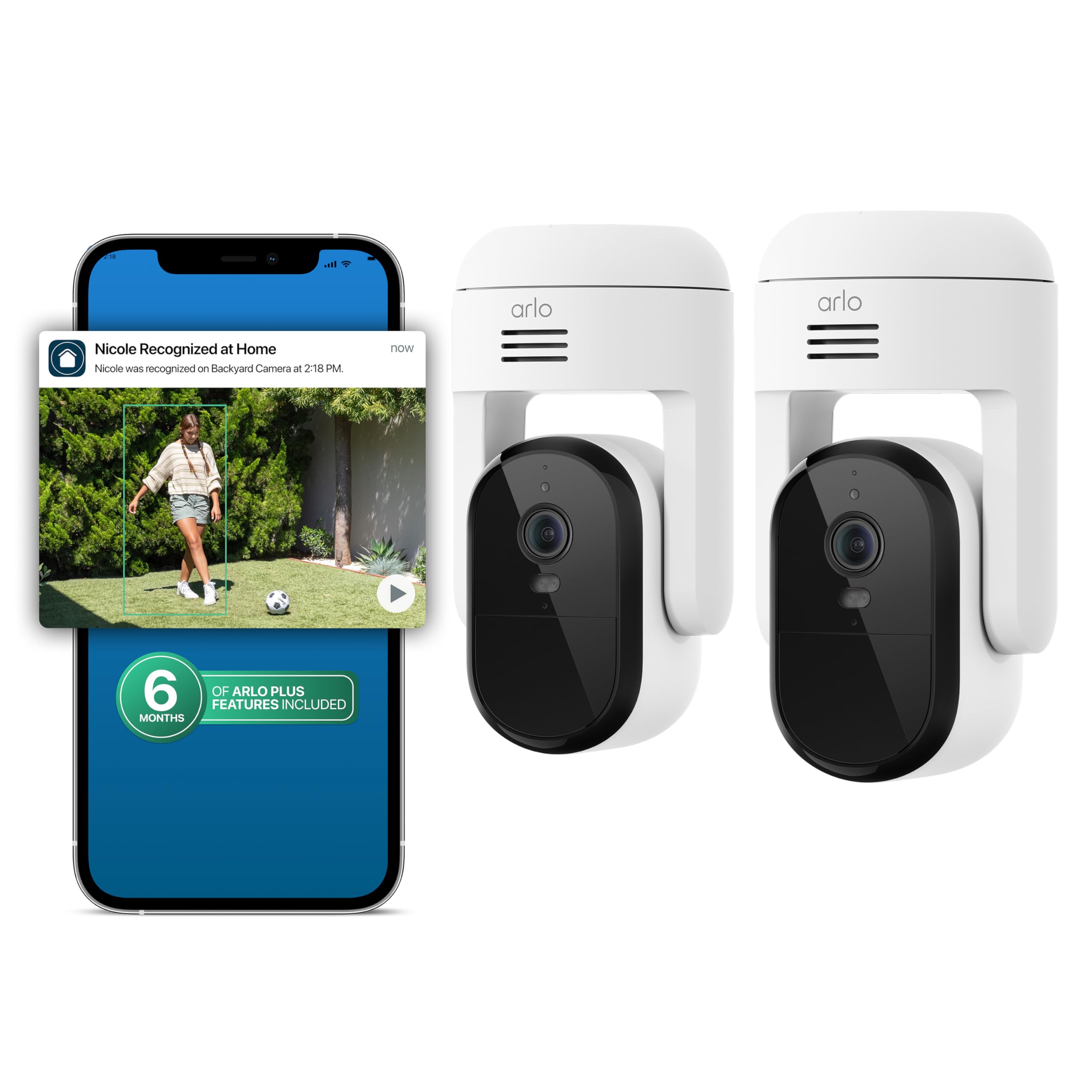
2. Arlo Essential Outdoor Pan Tilt Zoom 2-Cam
Two plug-in cameras that sweep a yard instead of staring at one fence post.
If a fixed lens leaves you guessing what happened at the far corner of the garden, the pan-tilt answer is this pair. Each camera rotates 360° and tilts 180°, so you get the full sweep of a driveway or back patio from a single screw-in mount. It runs on dual-band 2.4GHz and 5GHz Wi-Fi, which means you can push the 5GHz band for faster data transfer when the camera sits close to the router. Video is 2K, and the audio detection picks up on sounds like breaking glass, a dog barking, or a child screaming.
The kit bundles six months of the Arlo Secure Plus plan, which open up 60-day video history, person and vehicle recognition, package detection, audio detection, and activity zones. The part people miss is the last line of that: a paid plan is required after the six months. Those advanced alerts and that long history are subscription features, not hardware features, so the camera keeps working but the smart layer narrows when the plan ends.
Picture clarity is the strength the review pages keep returning to — the 2K feed holds up at night, and installation is described as straightforward on a screw-in mount. The honest stumble is setup on the app side: buyers report “I still haven’t got the second camera to connect, after several months”, which points to a pairing process that occasionally fights you rather than a bad lens. Worth knowing before you buy: the listing carries a warning that this model is not meant for use outside the United States.
Best reason to pick it: two cameras with real 360° pan and 180° tilt cover ground that a fixed 2K indoor cam simply cannot see, and the plug-in power removes the charging chore.
Fair warning: the six-month Secure Plus plan is a trial, and the advanced detection features sit behind the paid tier afterward.
Who it beats: any single fixed outdoor camera that leaves you blind on one side of the house.
Who should pass: anyone outside the US — this model is explicitly not supported there.
3. eufy Security 4K Indoor Camera E30, No Subscription
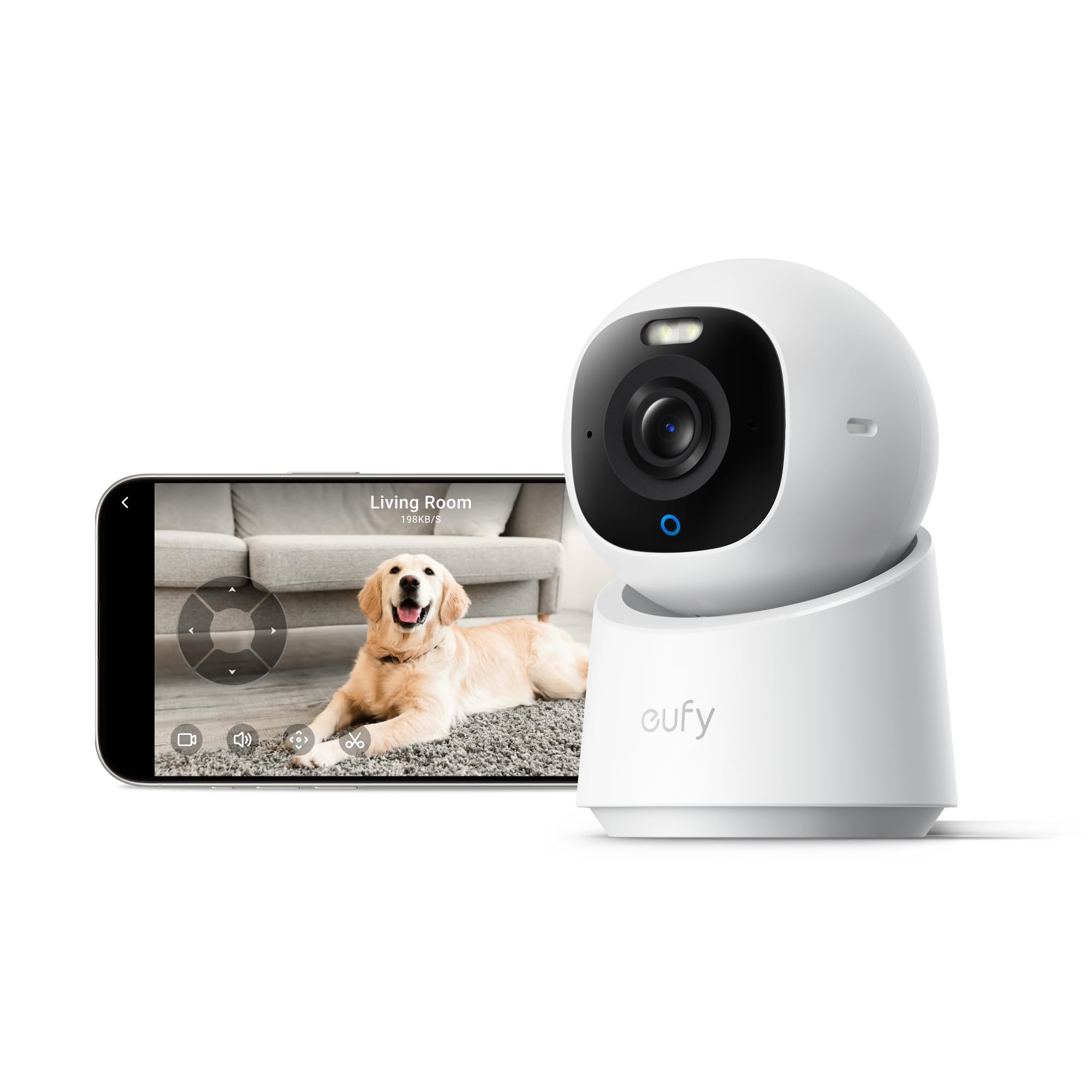
Four times the pixel count of the Nest — and it still keeps the subscription out.
Here is the number that reframes the whole list: the eufy E30 captures 4K while the Google Nest Cam Indoor tops out at 2K, a 2.0x gap in resolution. More pixels means a face across a living room stays identifiable when you zoom in, where a 2K frame starts to smear. It also pans a full 360°, so one camera can sweep the room rather than cover a slice of it, and the on-device AI sorts humans, pets, audio cues, and crying sounds without shipping the footage to a server.
The subscription story is the one that wins people over. Storage goes on a microSD card you supply, and the listing states all functions work with no monthly fees. That is a different deal from the Nest and Arlo picks, where the headline smart features live behind a paid plan. The built-in spotlight does double duty: it enables colour night vision and acts as a deterrent, and the frame rate runs at 25 frames per second for smooth motion.
One catch is worth reading twice. The listing itself notes that HomeKit supports up to 1080P resolution, so inside Apple Home you will not see the full 4K stream — the high-res detail lives in the eufy app. The second gripe is the mounting hardware: a bent or cracked plastic mount and a 2m USB-C cable too short for a ceiling job are the kind of small frustrations that show up in the reviews. It is also a 2.4GHz-only camera, so do not expect a 5GHz option here.
What the 4K really changes: zoom in on a doorway or a school-bus stop and the detail holds — enough that families use it to watch for the bus and talk to a child through two-way audio.
Pick this one if: you want sharp local recording and refuse to pay a monthly cloud bill for features already in the box.
Think twice if: your whole plan depends on full-resolution 4K inside the Apple Home app — HomeKit caps this camera at 1080P.
4. Aqara Indoor Security Camera G350
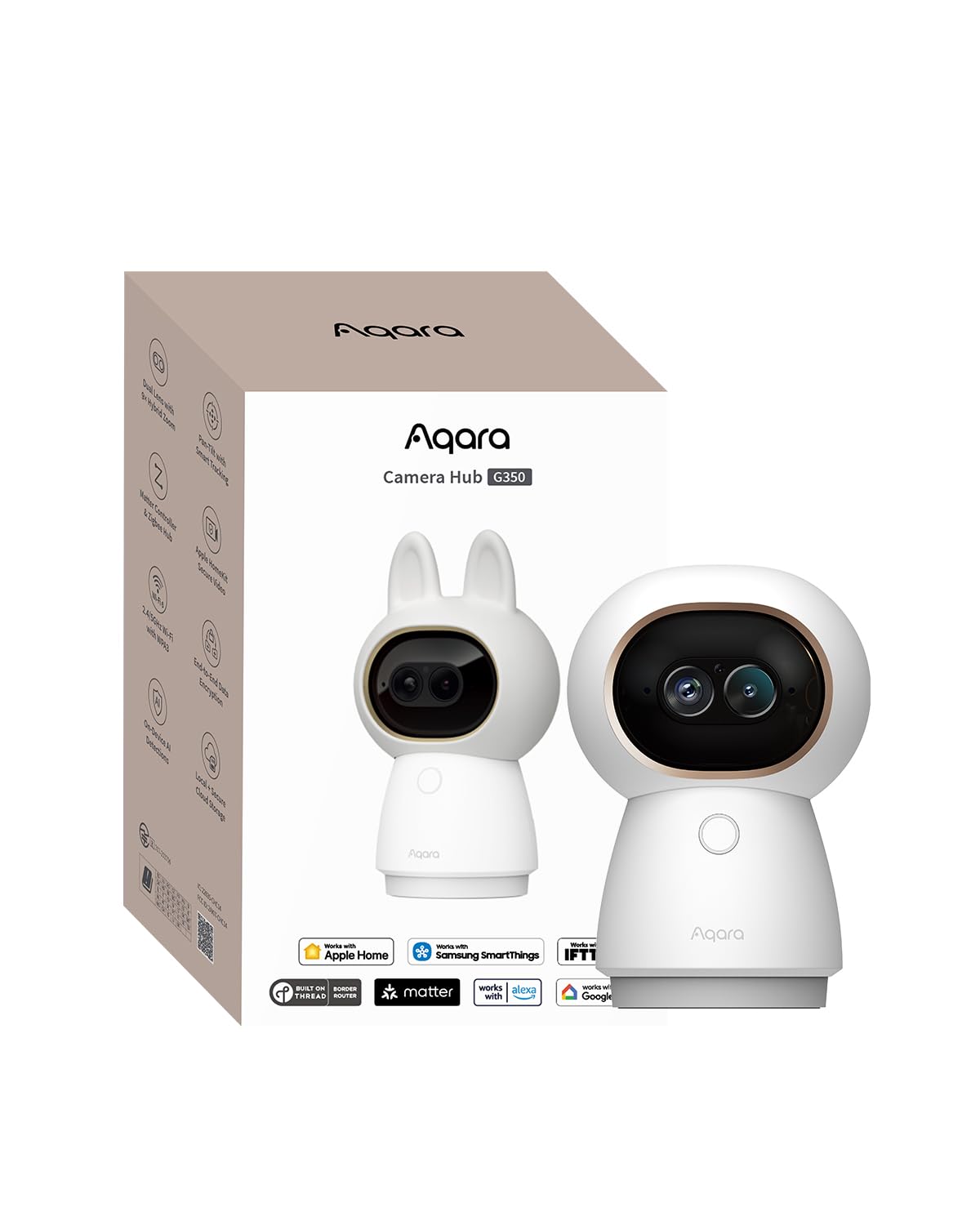
A camera that doubles as the bridge your other Apple Home gear was missing.
Two lenses in one body is the idea here. A 133° wide-angle 4K lens handles the room, and a 2.5K telephoto lens handles the close-up, with 9X hybrid zoom to pull detail out of the middle of the frame. Pan and tilt cover 360°, and the AI tracking keeps a person or pet centred while the motor slows down as you zoom in, which is what stops the close-up from turning into a blur. Night vision runs on 940nm invisible infrared LEDs, so there is no red glow giving the camera away in a dark room.
What makes the G350 different from every other camera here is what it does when it is not filming. It is a Zigbee and Thread hub, able to connect up to 80 Aqara Zigbee sub-devices, or 40 Zigbee plus 40 Thread devices. It bridges those existing Aqara devices out to Matter platforms including Apple Home, SmartThings, Alexa, and Google Home. For a HomeKit household, that means one box that watches a room and also brings your sensors and switches into Apple’s app instead of buying a separate bridge.
The caveat is honest and worth knowing before you buy: the listing itself says Matter camera device type support has been introduced at the specification level, and platform-level adoption remains limited and may vary by ecosystem. In practice that means the hub and sensor bridging is the reliable part today, while the camera-as-Matter-device path may lag. Setup also splits opinions, and the app’s location-based auto on/off feature has left people frustrated. Pair it in the Aqara app first, then add it to Apple Home through the Aqara app.
Why the dual-lens earns its place
- 4K wide lens plus 2.5K telephoto gives you room coverage and a clean close-up from one mount
- 9X hybrid zoom with slowed pan-tilt keeps far-away detail sharp
- Local AI keeps face, pet, gesture, and sound processing on the device, not in the cloud
- Physical privacy mode retracts the lens completely when you want it off
- Works as a Zigbee and Thread hub for up to 80 Aqara sub-devices
Where the promise outruns the reality
- Matter camera device type support is spec-level only, and platform adoption is limited
- Location-based auto on/off has been unreliable for some owners
- Full pan-tilt control requires the Aqara Home app, not Apple Home
- Setup draws mixed feedback depending on which app you start in
Verdict: the strongest choice if you are building an Apple Home setup from scratch and want the camera to earn its shelf space by also running your sensors.
The trade-off: treat the Matter camera support as a future promise, and lean on the Aqara app for the features that matter today.
5. Aqara 4MP Camera Hub G5 Pro WiFi, True Color Night Vision

Night footage in actual colour, thanks to an f/1.0 lens rather than infrared grey.
Most cameras flip to black-and-white when the lights go out. The G5 Pro keeps colour by pairing a 1/1.8″ sensor with an f/1.0 aperture — a very wide opening that pulls in far more light — so a person in the driveway reads as a person in a jacket, not a grey silhouette. Field of view is 133°, and a built-in 3000K dimmable spotlight acts as a deterrent and lifts visibility further. This model is built without infrared light and has no battery, so it needs power from its 5V2A USB-C port.
The other headline is Apple-native storage. The G5 Pro supports HomeKit Secure Video, which needs an active iCloud subscription and an Apple Home hub to run. It also carries a built-in encrypted 8GB eMMC for local clips and supports RTSP with end-to-end encryption — and 24/7 recording is only supported over RTSP, storing to your own local devices. That RTSP path is what makes it a fit for anyone running a NAS and refusing a cloud bill.
The processing is local, which matters for privacy and for speed. A built-in Neural Processing Unit handles seven types of visual detection and four types of abnormal sound detection, including lens obstruction and package detection, and it can keep triggering automations during an internet outage. HomeKit connectivity is the mixed note here — it works and syncs, but not everyone finds it smooth on every iOS release. Buyers describe setup as “Easy ~5-min setup, no Wi-Fi/app issues”. If Apple Home is your target and colour night footage is your priority, this is the one to weigh.
The honest read: the colour night vision is the real justification, not the spec sheet bulk — it changes what you can identify without any light source.
And the catch: HomeKit Secure Video costs you an iCloud plan plus an Apple Home hub, so it is not the subscription-free option it can look like on the box.
Worth it when: you record to a NAS over RTSP and want to know whether the car in the drive is a neighbour’s or a stranger’s.
Not for: a plug-and-play buyer who wants to skip the Aqara app and manage everything inside Apple Home alone.
6. eufy Security eufyCam C35 4-Cam Kit, Wireless Indoor/Outdoor
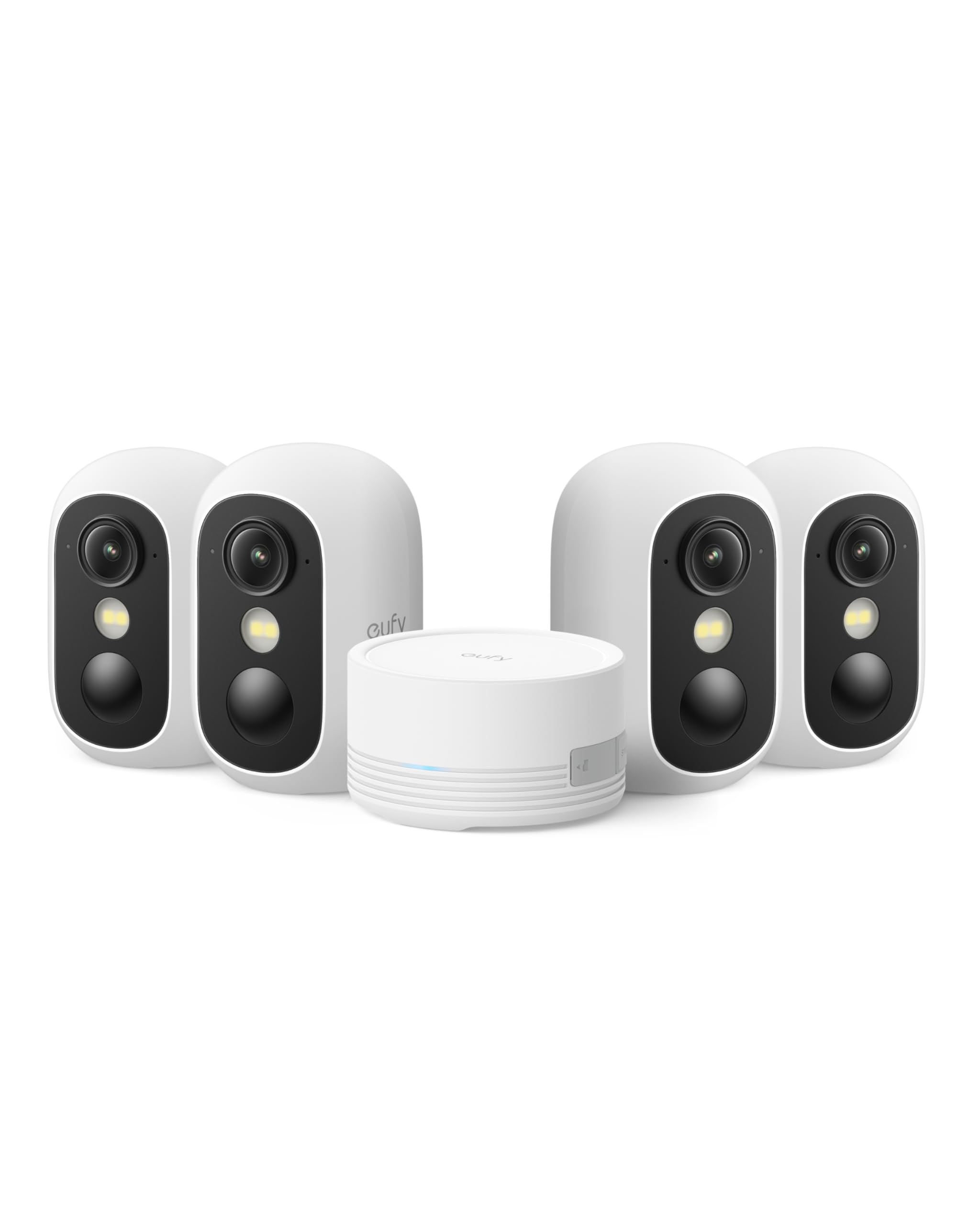
Four wireless cameras and a central box, all without a monthly bill.
Coverage is the entire argument here. Four cameras plus a HomeBase Mini in one kit means front door, back garden, side gate, and garage all get a camera without buying them one at a time. Mounting is screw-free on a magnetic base, so a camera snaps onto anything metal and goes onto a flat surface without a drill. Wireless operation means no cable run across a wall, and the cameras shoot colour night footage without needing a spotlight to illuminate the scene.
The HomeBase Mini is the part that changes how the system behaves. It stores footage centrally indoors, expandable up to 1TB, and the cameras also take their own microSD card up to 256GB if you prefer direct local recording. It also open up the AI layer — facial recognition and cross-camera tracking — and the listing states there is no mandatory subscription for cloud storage or AI. That is a genuinely different deal from the Arlo kits here, where a paid plan is required for the advanced features after the trial ends. The cameras run on 2.4GHz Wi-Fi, so expect a stable signal rather than raw bandwidth.
Setup is what people praise most on this system, and the in-app guidance does the heavy lifting because there are no printed instructions. The honest strain point is the HomeBase Mini itself: owners describe it losing connectivity despite a good Ethernet connection and, in the worst cases, needing a reset. Charging is by USB-C, the battery is described as lasting about a month between charges, and privacy zones let you blank out a neighbour’s window or a busy road so the alerts stay relevant.
Why four cameras change the math
- Four cameras plus a hub in one purchase covers a whole property at once
- Magnetic, screw-free mounting goes up in seconds and comes down just as fast
- HomeBase Mini stores centrally and expands up to 1TB, with no monthly fee
- Colour night footage without a spotlight, so you see real colour in the dark
- Facial recognition and cross-camera tracking run through the included hub
What to weigh first
- The HomeBase Mini has been the weak link, with connectivity drops reported
- Setup relies entirely on the app — there are no printed instructions in the box
- 2.4GHz-only Wi-Fi keeps connection stable but caps bandwidth
- Not compatible with HomeBase 2, so it is not a drop-in for older eufy gear
Ideal buyer: someone fencing a whole property who wants four angles covered and no subscription named in their budget.
The compromise: the hub, not the cameras, is where buyers hit trouble — plan around it rather than expecting a flawless central box.
7. Arlo Ultra Wireless Security Camera 4K HDR 3-Cam
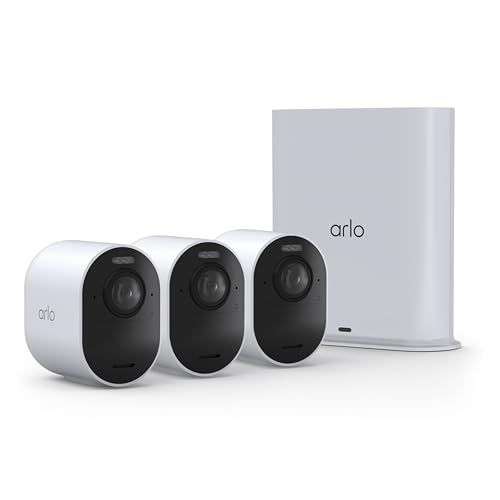
One camera, 180 degrees — a driveway sweep that leaves almost nothing out.
Field of view is the number that separates this Arlo from the rest of the list. At 180° it takes in a whole driveway or back garden from a single wireless camera, where a 133° lens would leave a corner out of frame. Video is 4K HDR, which means highlights and shadows in the same shot both stay readable — a face in a bright doorway and a figure in the shaded side of the garden. The kit bundles three cameras and a SmartHub, and wireless operation means no cable runs outdoors.
Arlo’s emergency response system is the feature nobody else on this list matches. From the app you can trigger a call to police, fire, or medical services tied to the camera’s location, with pre-filled details for faster dispatch. Live streaming and basic alerts work without a subscription. The Arlo Secure plan open up 60-day video history, AI detection, and emergency response, and a paid plan is required after the trial runs out — that is the subscription point to read carefully before you buy.
The recurring sore spot is that last bit. Buyers have been caught out by needing a plan for playback and recording, and it is worth knowing that new-owner experience before you commit. On the plus side, setup with the newer VMB5000r6 hub is described as easier than expected once the hub update finishes, and the magnetic base lets you pull a camera off for overnight charging without tools. The 180° view makes it a natural fit for a driveway or backyard where a fixed lens would need two cameras to cover the same ground.
Why it is the last pick here, not the first: the 180° field and 4K HDR are exactly right for an open driveway, and the SmartHub adds local handling, but the recording plan is the deciding cost.
Strongest case: an open driveway or large backyard where a 180° wireless camera covers what a 133° one would need two cameras to see.
Walk away if: you expect playback and recording to work without a paid Arlo Secure plan.
Know the Specs
Resolution: 2K, 4K, and the HomeKit ceiling
Resolution is the pixel count the sensor captures, and it decides how much detail survives when you zoom. A 4K camera like the eufy E30 captures far more than a 2K one, but if you view it through Apple Home you are limited to 1080P because HomeKit caps the stream. Check where you will actually watch the footage before paying for extra pixels.
HomeKit Secure Video and the hub requirement
HomeKit Secure Video is Apple’s private recording service. It needs an active iCloud subscription and an Apple Home hub — a HomePod or Apple TV, for example — before it will record anything. A camera that lists HomeKit compatibility may still not offer Secure Video, so look for that exact name on the listing rather than the general compatibility badge.
Local storage versus subscription
Local storage means footage sits on a microSD card or an in-home hub, and recording continues with no bill. A cloud subscription means history lives off-site and some smart features may switch off when the plan lapses. Some kits bundle a trial plan; check how long it lasts and what changes afterward.
Pan-tilt, field of view, and Matter
Field of view is how wide the lens sees in degrees — 133° covers a hallway, 180° covers a driveway. Pan-tilt adds a motor that sweeps the view across a room. Matter is the shared smart-home standard that lets a hub expose devices to Apple Home and others; camera-type Matter support is newer and platform adoption varies, so treat it as a bonus rather than a guarantee.
Common Questions
Do these cameras work with Apple HomeKit without a hub?
Will a 4K camera show 4K inside the Apple Home app?
Can I record without a monthly subscription?
What happens to the smart alerts when an Arlo Secure plan ends?
Is a pan-tilt camera better than a fixed one indoors?
Do I need a separate hub for the Aqara cameras?
How long does a wireless camera battery last between charges?
Can these cameras tell a person from a pet or a passing car?
Does the Arlo Essential Pan Tilt Zoom work outside the United States?
What is Matter support and does it matter for Apple Home?
The Bottom Line
If your rooms run on Google Home and you want a wired camera that tells you what happened, the Google Nest Cam Indoor is the easiest fit in this set. For pure video quality per pound and no monthly fee, the eufy E30 gives you 4K against the Nest’s 2K — just remember HomeKit itself caps that stream at 1080P. And if you are building an Apple Home from the ground up, the Aqara G350 earns its place by being a hub as well as a camera, bridging your existing Aqara sensors into Apple’s app before you buy anything else.
The crowd favourite here holds 4.5+ stars across 1,100+ ratings, and it earns that by fitting the most homes with the least app work. Pick the camera that matches the smart-home app you already use, and check its subscription terms before you buy.
How we choose
We do not accept paid placement. Every pick is matched to a real buyer and a real use-case; we do not hands-on test units.
Sources
Specifications: manufacturer listings and product documentation. Review insights: verified customer reviews, as of October 2026. Pricing: not shown on this page (it changes often); check the current price via the retailer link.
As an Amazon Associate, Aappliancez earns from qualifying purchases. This does not affect which products we feature.