Disclosure: Some links in this post are affiliate links. As an Amazon Associate I earn from qualifying purchases, at no extra cost to you. Learn more
Specs are compiled from manufacturer listings and verified buyer reviews and can change over time — please confirm the key details on the product page before buying.
You want to read on a screen that doesn’t feel like a screen, and you want to install Libby, Kindle, Hoopla or your library app without buying into a locked store. That combination is exactly what separates a true Android ereader from a tablet with a reading app bolted on. The short answer: an Android ereader runs Google Play, so you pick your apps, and an E Ink panel keeps the page calm and matte instead of glossy and backlit. Below are eight devices, sorted by what each one actually does best, with the honest trade-offs spelled out.
This guide is built by comparing the manufacturers’ published specifications and the patterns across verified customer reviews, so you get each pick’s real strengths and trade-offs instead of marketing spin.
Some of these are full tablets, some are pure E Ink readers, and one is a paper-textured hybrid. Read the display type first, because that decides how the page feels. If you want the crowd favorite, the Samsung Galaxy Tab A11+ holds 4.5+ stars across 2,700+ owners and runs every reading app in the Play Store on an 11″ 90Hz LCD. Display technology decides more than brand: E Ink sips power but renders color softly and refreshes slowly, while LCD and NXTPAPER give you full color and video at the cost of glare and shorter battery. That’s the whole trade, so pick your panel before you pick your favorite android ereader.
Top Picks


How To Choose The Best Android Ereader
The first split in this category is the screen, not the processor. An E Ink panel holds its image with no power and looks matte like paper, so a battery measured in weeks is normal. An LCD tablet glows, shows video, and needs charging every day or two. Decide whether you read mostly long text or also want color and video, then shop specs inside that lane.
Pick E Ink if your only job is long reading sessions
You get crisp text that stops looking pixelated, thanks to a 6.8″ E Ink screen (a paper-like display that only uses power when the page changes) at 300PPI (300 pixels per inch, a measure of sharpness). A front light built into the screen lets you read at night without a lamp. Because the screen only draws power on a page turn, battery life in the dozens of hours is normal here.
Pick an LCD or NXTPAPER tablet if you also want apps, video, and color
Color covers on comics and graphic novels, YouTube, video calls, and split-screen note-taking all live on LCD or a matte NXTPAPER-style panel. You trade weeks of battery for hours of screen time, but you gain the full Play Store experience.
Check Google Play support before anything else
An open Android ereader can install Kindle, Libby, Hoopla, Kobo and your library app side by side. Some devices are tuned for static reading and slow down on scrolling or video, so check the intended use before you assume every app will feel snappy.
Look at the storage math, not just the RAM number
Text books are tiny, so 32GB carries a full library. Comics and PDFs are the space hogs, which is where a microSD slot pays off. RAM matters for app switching, not for turning pages.
Side-by-Side Comparison
| Model | Best For | Display | Storage | Battery | Amazon |
|---|---|---|---|---|---|
| Samsung Galaxy Tab A11+★ Best Overall | Reading apps and family use on a big screen | 11″ LCD, 1920 x 1200, 90Hz | 128GB, expandable | Hours, fast charge | Amazon |
| Meebook E-Reader M7Best E Ink Value | Pocket-sized E Ink with page-turn buttons | 6.8″ E Ink, 300PPI | 32GB, microSD to 1TB | 60 hours | Amazon |
| Kobo Clara ColourBest Color E Ink | Color E Ink that fits a coat pocket | 6″ Kaleido 3 color E Ink, 1072×1448 | 16GB | 2 weeks | Amazon |
| Galaxy Tab A9 | A small, light Android tablet for books | 8.7″ TFT, 1340×800, 60Hz | 64GB, microSD | 5100 mAh | Amazon |
| HUIHUANG Tablet 10 Inch | Budget-friendly family and kid use | 10.1″ IPS, 16:10 | 128GB, expandable | 6000 mAh | Amazon |
| BOOX Tablet Go Color 7 Gen II | Color E Ink with stylus support | 7″ Kaleido 3, 300 ppi B/W | 64GB, microSD | 2,300 mAh | Amazon |
| TCL TAB A1 Plus NXTPAPER | Paper-like writing and big-screen reading | 12.2″ 2.4K, 120Hz | 256GB, microSD to 2TB | 10,000 mAh, 33W | Amazon |
| BOOX Tablet Note Air 5 C | E Ink note-taking and PDF annotation | 10.3″ Kaleido 3, 300 ppi B/W | 64GB, microSD | 3,700 mAh | Amazon |
Detailed Reviews
1. Samsung Galaxy Tab A11+
Our pick — 4.5+★ from 2,500+ verified ratings; the strongest balance of quality and price.
Eleven inches of LCD that runs every reading app you already own.
If you read in the Kindle app, borrow from Libby, and also want Netflix on the same device, this is the one to buy. The 11″ LCD runs at 1920 x 1200 pixels with a 90Hz refresh rate (the screen redraws 90 times a second, so scrolling feels fluid rather than choppy). That’s a big canvas for a two-column PDF or a magazine spread. The 128GB of storage expands via microSD, and one buyer dropped in a 2TB card, which is more shelf space than most paper libraries.
Speed is where this tablet earns its keep. The upgraded chipset keeps apps opening without lag, and buyers report it behaves like a Galaxy phone rather than a cut-down budget slab. It pairs with an S Pen stylus if you want to annotate. A family bought three over a year for kids aged 7 and 14 and report: “Bought 3 units over a year for kids (ages 7, 14); better than kids tablets—custom parental controls, full functionality.”
The catch is honest and small: this is an LCD, so you charge it like a tablet. Owners mention 0–100% in about two hours on the fast charger, and the box ships with a USB-C cable but no wall adapter, so grab one separately. Expect a day of streaming per charge, not the weeks an E Ink panel gives you. Also worth knowing: an early Wi-Fi dropout issue was fixed by a firmware update, and buyers now report stable connections.
Why this lands first
- 11″ screen at 1920 x 1200 with a 90Hz refresh for smooth page scrolling
- 128GB on board plus microSD expansion for comic and PDF libraries
- Runs the full Play Store, so Kindle, Libby and Kobo all install
- Quad speakers with Dolby Atmos for audiobooks and video
- Charges 0–100% in roughly two hours per owner reports
Where it gives ground
- LCD, not E Ink — expect daily charging and some screen glare
- No wall adapter in the box, only a USB-C cable
- Heavier and larger than any pocket-sized reader here
Buy it if: you want one device for reading apps, streaming, and family use on a roomy 11″ screen.
Think again if: you want to read in sunlight for weeks on a single charge — that’s the E Ink picks below.
2. Meebook E-Reader M7
A 6.8″ paper screen with real buttons and a card slot that swallows a library.
Text on the M7 is genuinely sharp — 300PPI means 300 pixels in every inch, which is the density where letterforms stop looking ragged and start looking printed. On top of that, 24 levels of warm and cold front light let you tune the tint so a night read doesn’t glare. The screen sits in a slim 235 g body with physical page-turn buttons, which is the feature most Kindle owners miss after a hardware refresh.
Where it pulls ahead of the bigger Samsung is shelf space. The M7 carries 32GB internally, and the microSD slot takes up to 1TB — the Tab A11+ starts with 128GB but tops out where your card does. For a device this size, an entire comics run on one card is the whole point. It runs open Android 11 with Google Play, so Libby, Kindle and Kobo install and coexist.
Honesty matters here. The M7 is not fast, and it isn’t pretending to be. App switching and library holds can crawl, and the built-in reader is tuned for static pages, not video. Buyers who want a multi-app reading device love it; buyers who want a smooth app switcher will feel the drag. At 6.8″ it’s purse-sized and nearly matches a Kindle Signature. Kindle cases won’t fit, so plan on a sleeve.
The screen is the sale: 300PPI E Ink with 24-level warm and cold front light, plus page-turn buttons for one-handed reading.
What to expect from speed: open Android 11 handles page turns fine, but app switching and library holds are slow — treat it as a reader, not a tablet.
Reach for this if: you want sharp E Ink with buttons and a card slot in a bag-friendly size.
Look elsewhere if: you bounce between many apps and need snappy switching.
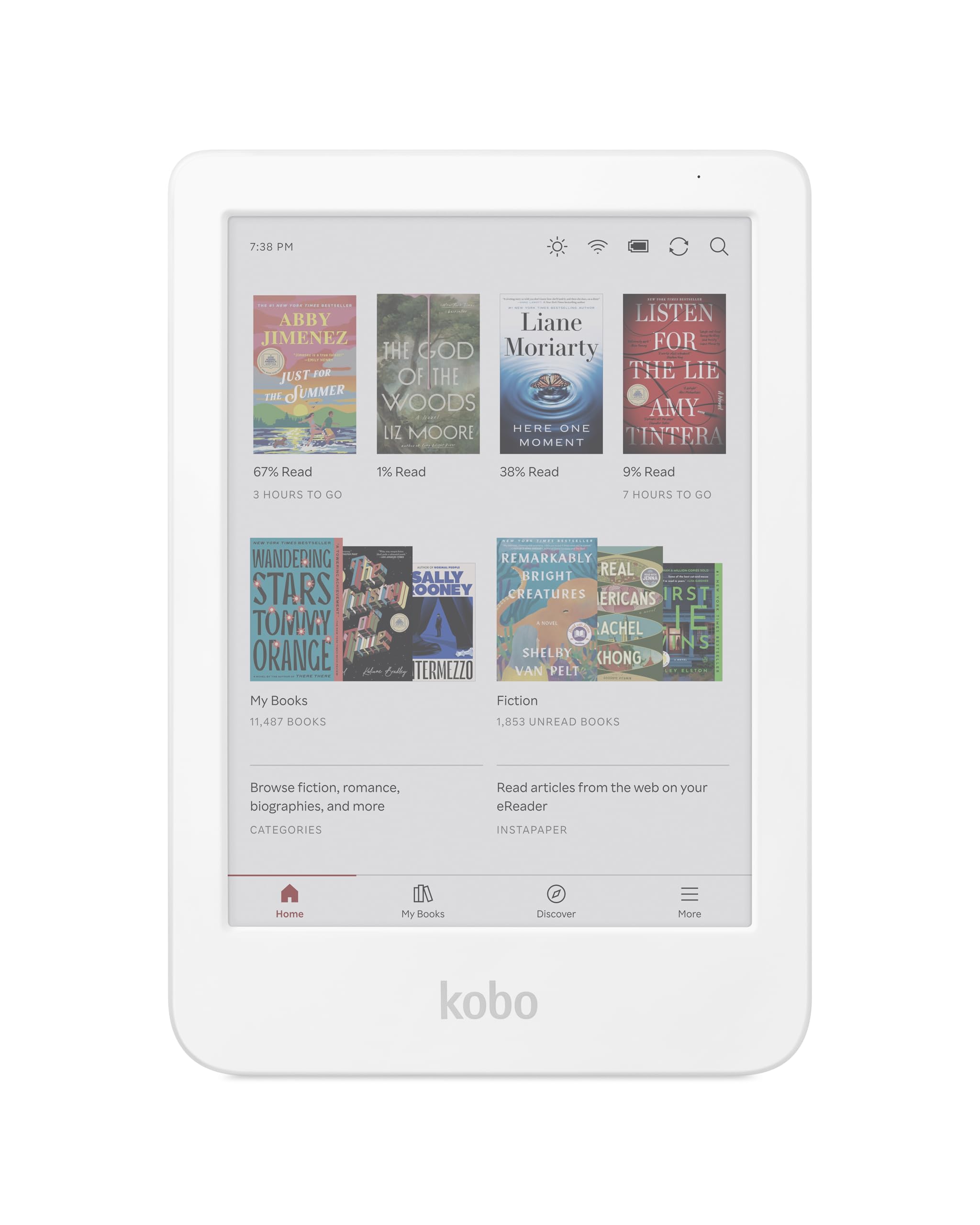
3. Kobo Clara Colour
Comic covers in color, in a pocket, with a battery rated in weeks.
A 6″ E Ink Kaleido 3 screen shows 4,096 colors, so covers, comics and illustrations arrive in soft color instead of grayscale. That’s a different reading mood from the monochrome picks, and it costs you very little in text sharpness — the black-and-white page stays crisp. 16GB holds a large library (the maker’s figure is up to 12,000 eBooks or 75 audiobooks). The panel is glare-free and the ComfortLight PRO front light dials down blue light as the day goes on.
This is the reader for the bathtub and the beach. It carries full waterproof protection and meets the IPX8 rating, which the listing spells out as waterproof for up to 60 minutes in up to 2 metres of water. That’s a real spec, not marketing fluff, and it’s rare among reading devices. Battery is rated at 2 weeks, and customers note staying above 65% after three to four days of use. Compare that with the Samsung’s daily charge and the gap is stark.
The honest caveat: color E Ink is muted by nature, and it needs more front light than a black-and-white panel, which drains the battery faster. Reviewers point out text sharpness is identical to a black-and-white screen, so the trade only bites on glossy color images. PDFs don’t reflow, so dense two-column PDFs are awkward; EPUB reflows well. And it lives in the Kobo ecosystem with OverDrive built in, so it isn’t a Google Play app playground the way the Android tablets are.
What the Clara gets right
- 6″ Kaleido 3 color E Ink that shows comic and cover art in color
- IPX8 waterproof — up to 60 minutes in 2 metres of water
- 2-week battery rating and 16GB for up to 12,000 eBooks
- Built-in OverDrive for library borrowing and audiobook support
- Made with recycled and ocean-bound plastic
Where you’ll feel the limits
- Color E Ink needs higher brightness, so battery drains faster
- PDF does not reflow, making dense PDFs awkward to read
- Closed Kobo ecosystem — no Google Play app flexibility
The short version: the color screen and waterproof shell make this the reader to carry everywhere.
The trade: it’s built for Kobo’s store and library apps, not for installing anything you like from Google Play.
4. Galaxy Tab A9
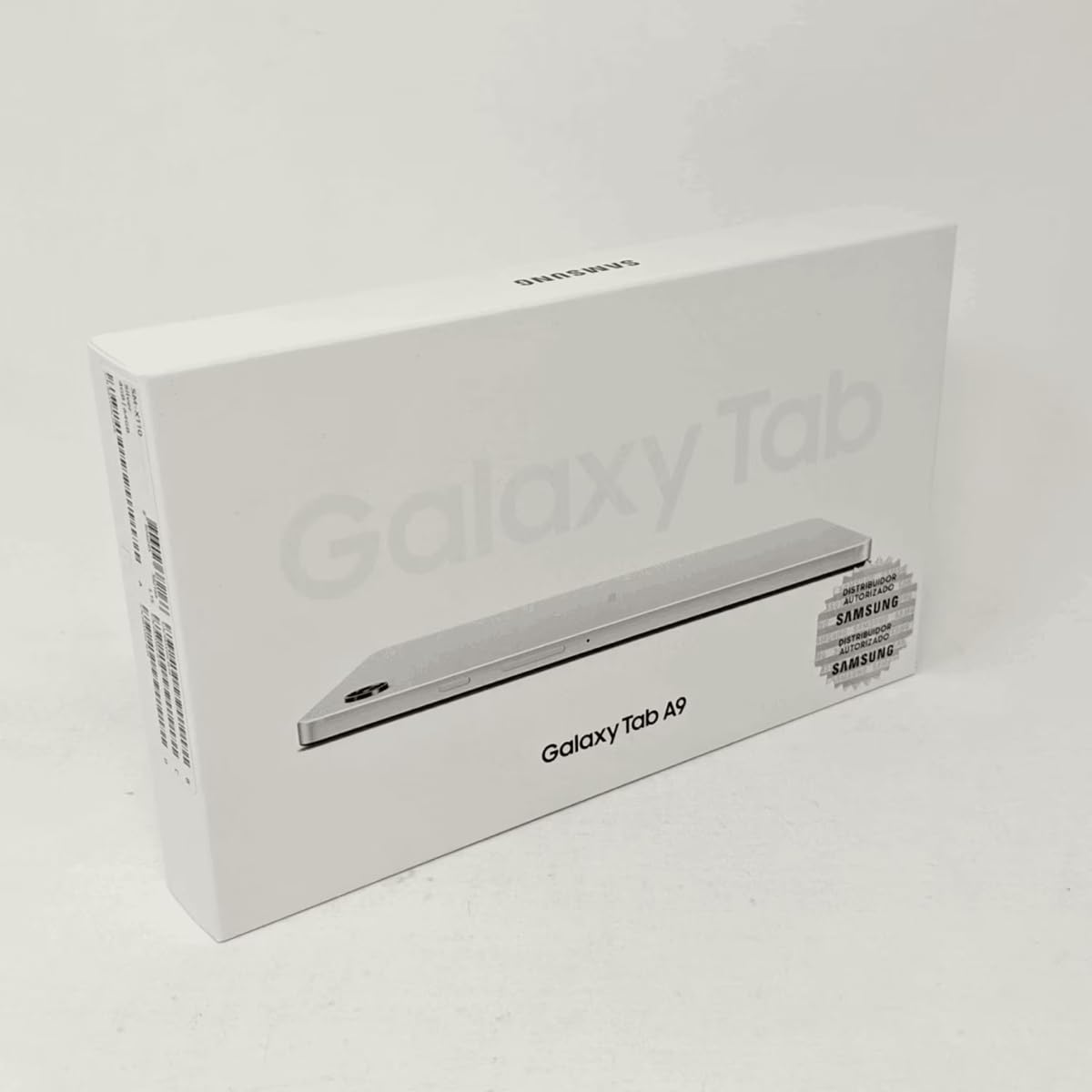
The in-between size that reads like a phone but holds a book page properly.
At 8.7″ with a 1340 x 800 TFT panel running at 60Hz, the A9 sits between a phone and a full-size tablet. That gap matters: it fits one hand comfortably while still showing a full page of text, so it’s the pick for someone who reads in bed or on a commute and doesn’t want to hold an 11″ slab. A Mediatek Helio G99 chip (a 6-nanometer octa-core processor) drives it, paired with 64GB of storage and microSD expansion.
What wins people over is the price-to-capability read. One recurring owner narrative compares it directly to dedicated readers and finds it comes out ahead on flexibility — the screen does color and video the Kindle can’t, and it runs library apps. Battery is a 5100 mAh cell, and buyers reading at low brightness report roughly three days between charges. The metal build feels more substantial than the plastic on budget tablets.
The catch is the display and the camera. 1340 x 800 on an 8.7″ screen is fine for text and HD streaming, but it isn’t as dense as an E Ink reader at 300PPI, and side-by-side it will look softer. The camera is weak, and one buyer couldn’t believe a tablet in this era ships without a decent one. There’s also no fingerprint open up — face open up only. Buyers also note this is an international version, so setup wants a country selection before Wi-Fi.
The size argument: 8.7″ is the read-like-a-phone, hold-one-handed size the 11″ Samsung and 12.2″ TCL can’t match.
The spec compromise: 1340 x 800 resolution is serviceable for text but visibly less sharp than a 300PPI E Ink page.
Who it fits: readers who want a compact Android tablet they can hold one-handed for long sessions.
Who it doesn’t: anyone who needs a sharp, dense display for fine PDF detail or good photography.
5. HUIHUANG Tablet 10 Inch Android
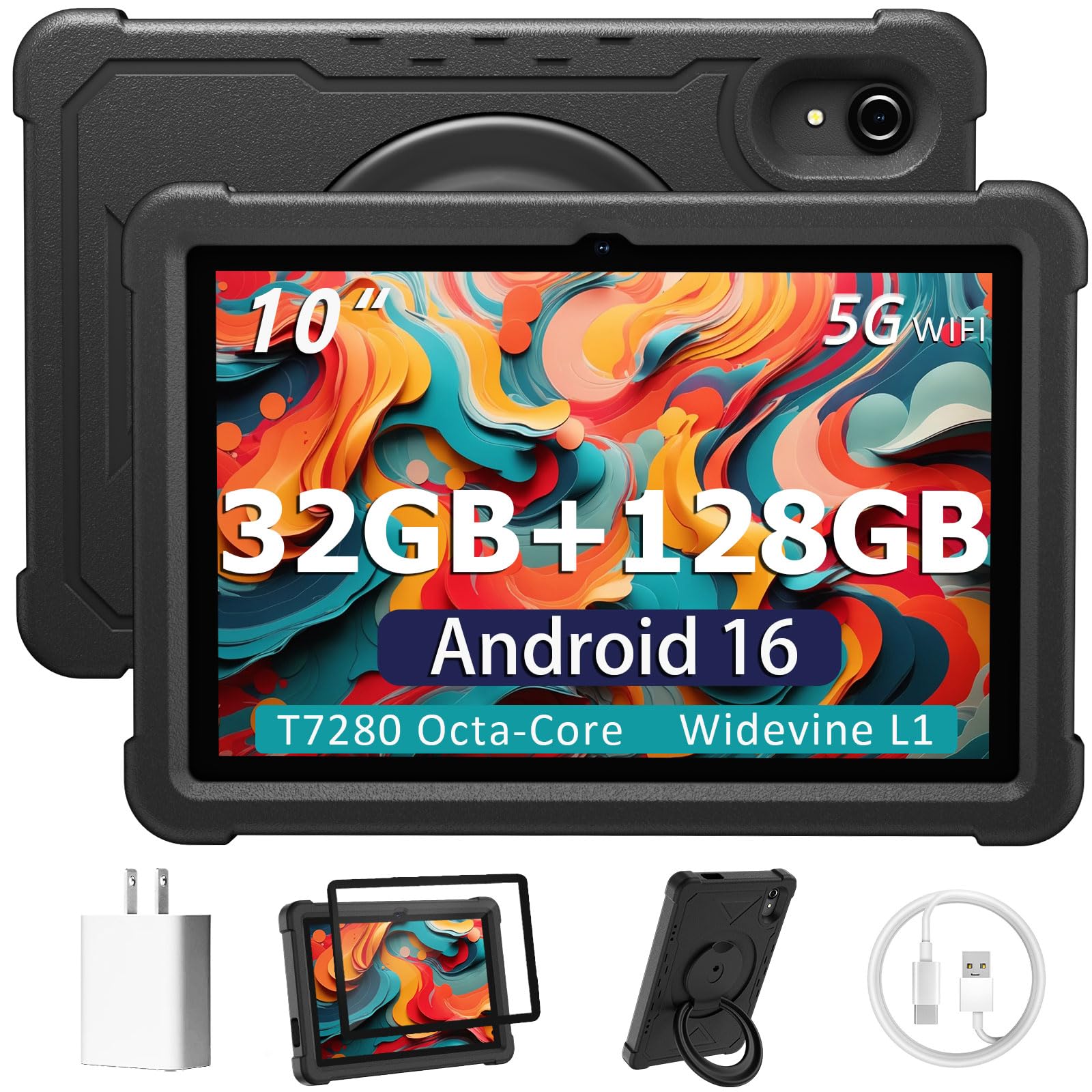
A ten-inch screen, a padded case, and enough room for the whole family’s apps.
For a first tablet or a shared family reader, the practical question is what survives a drop. This one ships with a rotatable EVA case that’s built for drops, scratches and dust, and the case doubles as a 360° stand for watching or typing. The 10.1″ IPS display at a 16:10 ratio gives you a wide page, and the 128GB of storage expands via microSD. There’s a 6000 mAh battery and an octa-core T7280 processor rated at 2.2 GHz.
Google Kids Space and Family Link let you manage app access and screen time, which is the real reason this lands for a household. The listing describes 32GB of RAM as 8GB physical plus 24GB virtual — a marketing figure buyers have pushed back on, so plan around the physical 8GB when you judge performance. Setup is quick, the screen is bright and clear, and it comes with cameras for video calls: 2MP front and 8MP rear.
Be clear-eyed about two things. Battery life is the weak spot — one owner notes “It does die out fast”, and the rating is 6 hours average, so it’s a couch device, not a long-haul travel reader. And the app load can be heavy: one buyer found 30+ preloaded apps that were hard to block through Family Link. Speed is adequate for streaming and simple games, not for heavy multitasking.
The value read: a padded, drop-ready 10.1″ tablet with parental controls, for the price of a decent hardcover stack.
The honest limit: a 6-hour battery rating and preloaded apps that can be a hassle to strip out.
6. BOOX Tablet Go Color 7 Gen II

Seven inches of color ink that runs the apps a Kindle won’t let you install.
This is the reader for someone stuck between ecosystems. It runs Android 13 with Google Play, so Kindle, Google Play Books, Libby and Hoopla all install on one device. The 7″ Kaleido 3 panel shows 4,096 colors and hits 300 ppi in black and white, with color at 150 ppi. An octa-core chip and 4GB of RAM keep page turns smooth, and 64GB of storage expands via microSD. At roughly 195 g it’s light enough to hold one-handed for a commute.
What wins people over is the flexibility of the app ecosystem and the physical controls. Buyers run the full Kindle library alongside Nook, Libby and Hoopla, and the page-turn buttons are configurable as volume keys. The front light mixes warm and cold for night reading, and a G-sensor auto-rotates the screen. The bundled case and stylus support (InkSense, sold separately) make it a note-taker too, though this is not an EMR stylus device.
Here’s the real-world trade-off, and it’s the one buyers flag first: performance. Color E Ink has inherent limits, and running Android apps on it feels slow — web browsing, most apps, and games suffer from the refresh rate and low-power chip. Startup after sleep can take about a minute. If you expect an iPad replacement, this falls short. If you expect a reading device with Play Store access, it delivers.
Why the Go Color 7 wins people over
- Runs Android 13 with Google Play, so every major reading app installs
- 7″ Kaleido 3 color panel with 300 ppi in black and white
- 64GB storage plus microSD expansion and page-turn buttons
- Light at roughly 195 g with a G-sensor for auto rotation
What you should know first
- Slow for web browsing, video and games — it’s a reader, not a tablet
- Stylus is not included in the box
- Color E Ink looks darker and grayer than an LCD by design
The right buyer: someone with books scattered across Kindle, Libby and Hoopla who wants them on one E Ink screen.
The wrong buyer: anyone expecting tablet-speed browsing or video.
7. TCL TAB A1 Plus NXTPAPER
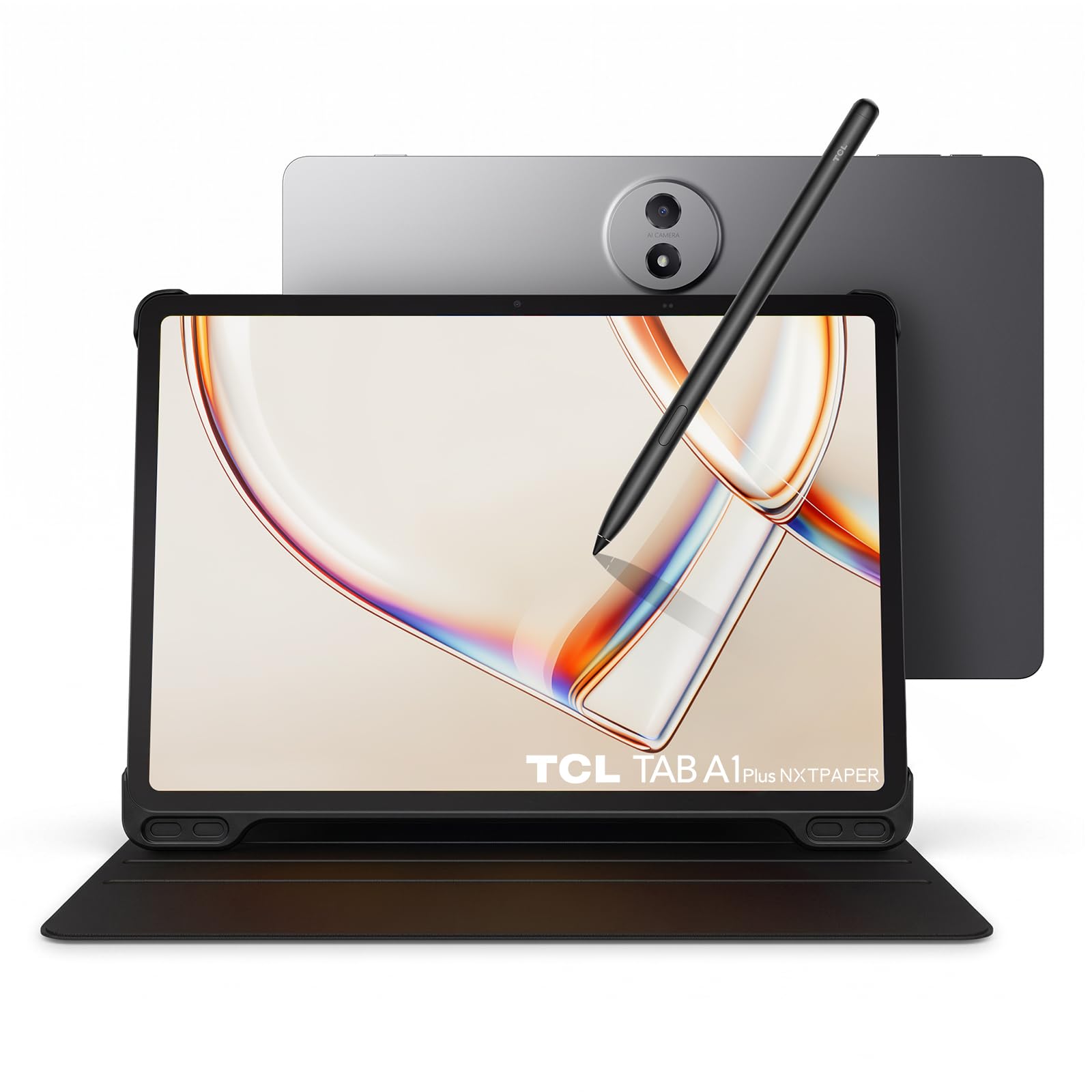
A matte twelve-inch sheet that flips between paper reading and full-color video.
The NXTPAPER panel is the draw — a matte, anti-glare surface that kills reflections and reduces blue light, so an eBook reads like a printed page rather than a glowing screen. Flip a single NXTPAPER Key and the tablet switches between Ink Paper, Color Paper and Regular Mode. At 12.2″ and 2400 x 1600 at up to 120Hz, it gives you room for a PDF beside a browser window. The 3:2 ratio suits documents better than a widescreen tablet.
It’s a workhorse under that glass. A 4nm Snapdragon 4 Gen 2 octa-core chip and LPDDR5 memory drive apps, with 6GB physical RAM and up to 10GB virtual. Storage is 256GB with microSD expansion up to 2TB, and a 10,000 mAh battery with 33W fast charging keeps a long day going. There’s an included T-Pen 2 with 4,096 pressure levels and two interchangeable tips for notes and sketches. The listing puts it at 0.26 inches thick and 1.23 lb with IP54 protection.
Two honest quirks. Buyers who expected a memory card slot found none on some units — the listing says microSD up to 2TB, but multiple shoppers say otherwise, so confirm before counting on it. The other is weight and brightness: 748 g with case and pen in one buyer’s measure, and the matte layer makes the screen a touch dimmer than a glossy LCD. Both are trade-offs of a 12.2″ matte panel, not faults.
The paper trick: the NXTPAPER Key shifts from Ink Paper to Color Paper to Regular Mode, letting one screen be a reader and a video tablet.
The honest note: a 12.2″ body with a case and pen runs heavy, and the matte layer dims the image slightly versus gloss.
Suits you when: you read long documents, take notes with a pen, and want color video on one big, glare-free screen.
Suits you less when: you want a light, hold-for-hours-in-one-hand reader for bed.
8. BOOX Tablet Note Air 5 C

A big, papery canvas for handwritten notes with a stylus that knows 4,096 pressures.
Think of this as a paper notebook that happens to run Android 15. The 10.3″ Kaleido 3 panel hits 300 ppi in black and white and 150 ppi in color, with a BOOX stylus on top that reads 4,096 levels of pressure sensitivity. That’s fine control for handwriting, sketching and highlighting. An octa-core chip and BSR graphics with 6GB of RAM and 64GB of storage keep the native note app fluent. It’s 430 g and 5.8 mm thick, with an included stylus and a cover.
If your work is marking up PDFs and handwriting pages of notes, the responsiveness on the native app is where this shines. Handwriting converts to text offline, there’s no subscription, and the matte writing texture has real drag rather than glassy slip. It also runs Kindle, email and other Android apps through Play. The microSD slot and dual speakers round it out.
Be honest about the limits, because they’re real. Color E Ink is dark and needs the front light in moderate ambient light. Ghosting is present but manageable via selectable refresh modes. It’s a niche, premium tool for a specific job, and worth it only if that job is yours.
Where the Air 5 C shines
- 10.3″ Kaleido 3 with 4,096 pressure levels for real handwriting
- Android 15 and Google Play open up Kindle, email and more
- Offline handwriting-to-text, no subscription required
- 64GB storage plus microSD, with stylus and cover included
Where it holds you back
- Battery won’t last a full day of note-taking; charging can hit 4 hours
- Third-party apps lag noticeably compared with native ones
- Color E Ink is dark and needs front light; some ghosting
Made for: students, writers and PDF annotators who want ink-like notes and Android app access on one screen.
Not made for: anyone who needs a full workday of unplugged use.
Know the Specs
E Ink vs LCD vs NXTPAPER — the screen decides the rest
E Ink panels (like the Meebook’s 300PPI screen or the Kobo’s 6″ Kaleido 3) hold an image without power, which is why battery life is measured in weeks or dozens of hours. They refresh slowly and show color softly, so they’re poor for video. LCD and TFT screens (the Samsung 11″, the Galaxy Tab A9) glow, run apps at speed, and need daily charging. NXTPAPER is a middle path — a matte, anti-glare LCD that mimics paper and cuts blue light while still showing full-color video, as on the TCL 12.2″.
Pixel density (PPI) — why 300 matters for text
PPI is pixels packed into each inch of screen. At 300PPI, letters have clean edges, so long reading sessions don’t tire your eyes the way a lower-density panel can. The Meebook M7, the Go Color 7 and the Note Air 5 C all hit 300 ppi in black and white. Lower resolutions — like the Tab A9’s 1340 x 800 on 8.7″ — are acceptable for text but visibly softer. On color E Ink, the color layer typically lands around 150 ppi, which is fine for comics but not for fine print.
Storage and microSD — why the slot matters
Text books are tiny, so 16GB or 32GB carries thousands of titles (Kobo cites up to 12,000 eBooks in 16GB). Comics and PDFs are the space hogs, which is where a microSD slot earns its place — up to 1TB on the Meebook M7, up to 2TB claimed on the TCL. Check that the slot exists on the model you buy; it’s the one spec where buyers report surprises.
Battery — hours vs weeks, and mAh’s role
E Ink readers get weeks of standby because the screen only sips power on page turns. LCD tablets run on a battery measured in hours — the HUIHUANG’s 6000 mAh and 6-hour average, the TCL’s 10,000 mAh with 33W charging, or the Kobo’s 2-week rating. A larger mAh number on an E Ink device doesn’t automatically mean more reading time, because the panel is the dominant factor. Look at hours or weeks of real use, not raw capacity alone.
Common Questions
Can I install the Kindle app on an Android ereader?
Why is the color E Ink screen darker than a tablet?
Is a 300PPI E Ink screen better than an LCD for reading?
How long does an E Ink ereader battery actually last?
Can I read library books from Libby or OverDrive on these devices?
Do ereaders support audiobooks?
Can I add a microSD card, and how big?
Will a stylus work on these reading devices?
Why does my color ereader show ghosting or keep the last page?
Is a 10-inch Android tablet a good ereader?
The Bottom Line
For most readers, the android ereader winner is the Samsung Galaxy Tab A11+ because it runs every reading app in the Play Store on an 11″ screen with 128GB and microSD room for a full comic library. If you want true paper-like reading with page-turn buttons and a 1TB card slot, the Meebook E-Reader M7 delivers sharp 300PPI E Ink at a friendly size. And for a big, glare-free screen that flips between paper reading and full-color video, the TCL TAB A1 Plus NXTPAPER is the one to reach for. Whatever you pick, match the panel to how you read first — E Ink for long text sessions, LCD or NXTPAPER for color and video.
How we choose
We do not accept paid placement. Every pick is matched to a real buyer and a real use-case; we do not hands-on test units.
Sources
Specifications: manufacturer listings and product documentation. Review insights: verified customer reviews, as of October 2026. Pricing: not shown on this page (it changes often); check the current price via the retailer link.
As an Amazon Associate, Aappliancez earns from qualifying purchases. This does not affect which products we feature.