Disclosure: Some links in this post are affiliate links. As an Amazon Associate I earn from qualifying purchases, at no extra cost to you. Learn more
Specs are compiled from manufacturer listings and verified buyer reviews and can change over time — please confirm the key details on the product page before buying.
If you want one answer: the Kobo Clara Colour is the safest buy for most people, pairing a glare-free color screen with a waterproof body and the widest file support here. Android e-readers matter because they free you from a single store — you can install library apps, comic readers, and note apps yourself. That freedom is also where these devices split apart, so this guide sorts out which one runs your apps smoothly.
This guide is built by comparing the manufacturers’ published specifications and the patterns across verified customer reviews, so you get each pick’s real strengths and trade-offs instead of marketing spin.
Color e-paper is finally usable for comics and covers, but speed and software polish still separate a smooth reader from a sluggish one. This guide walks you through the specs that actually change daily reading, then names the best android e-reader for each kind of reader.
Top Picks

How To Choose The Best Android E-Reader
An Android e-reader is a tablet built around an E Ink panel instead of a glowing LCD. That one change is the whole point. An E Ink screen (electronic ink — tiny particles that physically move to form the page) reflects light like paper, so your eyes relax instead of squinting into a backlight. The Android part means you are not trapped in one company’s store. You install the apps you already use: your library app, your comic reader, your note tool. Everything below is about spotting which device does that smoothly and which fights you.
Screen type: color E Ink vs plain black-and-white
Color E Ink — sold as Kaleido 3 on most of the models here — adds a colored filter layer on top of the usual grayscale panel. You get 4,096 colors for comic art, book covers, and highlighted charts. The catch is that this extra layer softens sharpness and slightly darkens the page, so pure text looks crisper on a plain monochrome screen. If you mostly read novels, black-and-white is cleaner. If you read comics, cookbooks, or illustrated guides, the color layer is worth the softer text.
Reading apps and where your books come from
The main reason to pick Android is app freedom. You can load a library-borrowing app, a Kindle-style reader, and a comic viewer side by side. What decides whether that works well is the processor and the amount of RAM — the working memory a device uses to keep apps open. More RAM means switching between apps feels quicker; less RAM means more waiting. Check which file formats the reader lists before you buy, so you are not converting your whole library afterward.
Size, weight, and where you actually read
A 6-inch screen slips into a coat pocket and stays light in one hand. A 10-inch or larger screen is easier on dense PDFs and note-taking but is a two-hand device you leave on a desk. Weight matters more than you think, because you hold an e-reader for hours. If you read in the bath or by a pool, look for an IPX8 rating (a water-resistance grade meaning it survives being submerged). If you read in bed, a warm front light you can dim low is far more comfortable than a bright white panel.
Side-by-Side Comparison
| Model | Best For | Screen | Storage | Points To Note | Amazon |
|---|---|---|---|---|---|
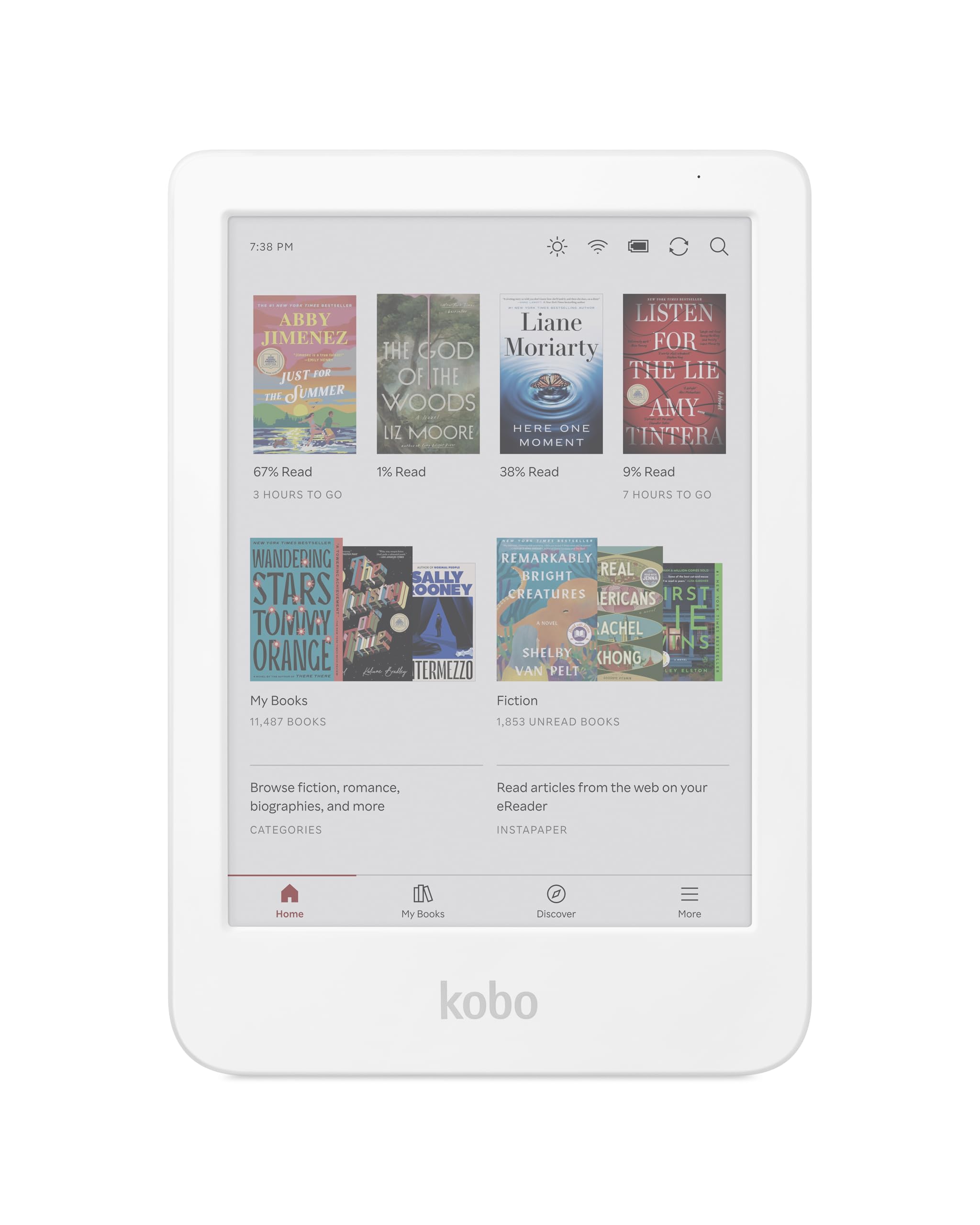
| Kobo Clara Colour★ Best Overall | Pocket reading in color | 6″ Kaleido 3 | 16 GB | IPX8 waterproof, 2-week battery | Amazon |
| PocketBook Verse Pro ColorBest for Portability | Portable open-system reading | 6″ Kaleido 3 | 16 GB | Bluetooth 5.4, text-to-speech | Amazon |
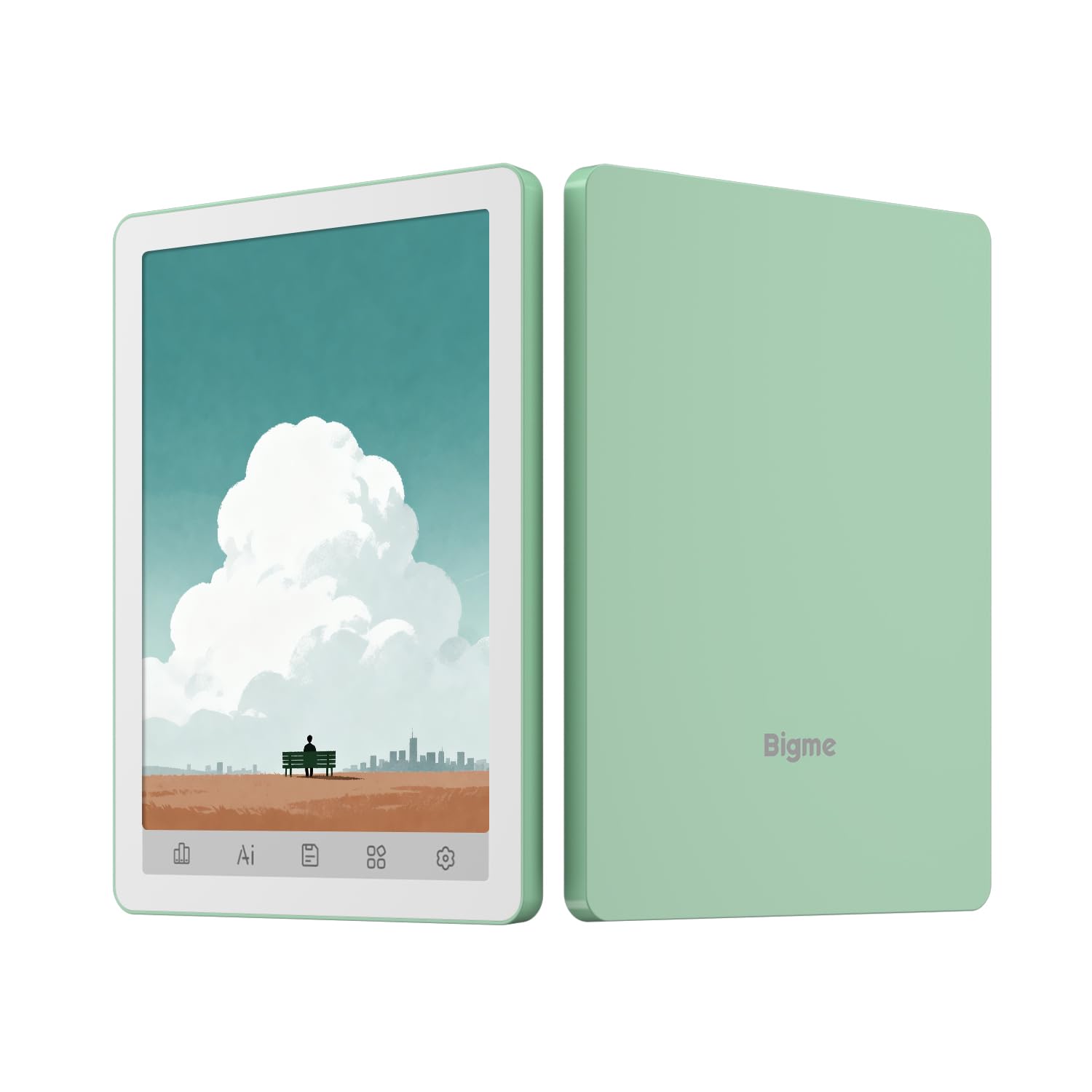
| Bigme B6 ColorTiniest Android Pick | Apps in a tiny body | 6″ color E-paper | 64 GB | Android 14, physical buttons | Amazon |
| Neo C | Budget color with big storage | 6″ Kaleido 3 | 64 GB | Quad-core 2.0GHz, 4GB RAM | Amazon |
| BOOX Go Color 7 Gen II | Stylus notes on the move | 7″ Kaleido 3 | 64 GB | 4GB RAM, microSD slot | Amazon |
| Geniatech Kloudnote Slim | Handwriting on a large page | 10.3″ E Ink, 227ppi | 64 GB | 3000mAh, up to 40 hours | Amazon |
| TCL NXTPAPER 14 | Reading and creatives on a big screen | 14.3″ 2.4K LCD | 256 GB | 10,000mAh, 33W charging | Amazon |
| BOOX Note Air 5 C | Note-taking with wider app support | 10.3″ Kaleido 3 | 64 GB | 6GB RAM, Android 15 | Amazon |
| PocketBook InkPad Eo | Notes-on-photos and sketching | 10.3″ Kaleido 3 | 16 GB | Camera, Bluetooth 5.0, Android 11 | Amazon |
Detailed Reviews
1. Kobo Clara Colour eReader
Our pick — 4.5+★ from 250+ verified ratings; the strongest balance of quality and price.
The color reader you can drop in the bath and not think twice about.
If you read in bed, on a commute, or in the tub, this is the one to start with. The 6-inch E Ink Kaleido 3 screen shows 4,096 colors, so book covers, comics, and graphic novels arrive in muted but real color instead of gray. That same panel is glare-free, which means you read by reflected light rather than staring into a lamp. It is the least fussy way to get color e-paper into your daily routine.
Price-wise it sits in the mid-range, and what you get for that is durability and simplicity. It carries an IPX8 rating — a water-resistance grade that means the sealed body survives being submerged, not just splashed. The built-in ComfortLight PRO automatically dials down blue light through the day, and you can tweak font size, line spacing, or switch on Dark Mode for late-night sessions. With 16GB of built-in storage you can hold thousands of books without thinking about it.
Where it wins people over is the feel of the thing in hand. It is light enough to hold one-handed for a long session and small enough to slide into a coat pocket, and the recycled and ocean-bound plastic body has a texture that grips rather than slips. The open Kobo library system is the other draw: you shop the Kobo Store, borrow library books straight from the device, and drag files over by USB without a proprietary cable or software. Audiobooks play over Bluetooth, so you can switch between reading and listening on the same title.
What earns it first place
- IPX8 waterproofing means the body survives submersion, so bathtub and poolside reading is fine.
- ComfortLight PRO auto-dims blue light, and Dark Mode is there for night reading.
- Library borrowing is built in, so you are not tied to one store’s catalog.
- USB drag-and-drop transfer avoids any need for a desktop app.
What to weigh before you commit
- There are no physical page-turn buttons, so every page change is a tap on the glass.
- Color appears softer than the black-and-white screen on cheaper readers, and it needs a slightly brighter light to pop.
- PDF files do not reflow to fit the small screen, so dense documents need zooming.
Reach for this if: you want one do-everything reader for novels, colored comics, and library borrowing, with waterproofing you do not have to baby.
Look elsewhere if: you read long PDFs or want real page-turn buttons under your thumb.
2. PocketBook Verse Pro Color e-Reader
An open-system reader that asks for no account, no registration, no cloud tether.
PocketBook is the pick for readers who hate being watched or locked in. There is no account requirement and no online activation — you drag your own files over USB and start reading. That matters if your library is already sitting in folders on a hard drive, or if you have DRM-free EPUBs, MOBIs, and PDFs from years of collecting. The 6-inch Kaleido 3 screen keeps text crisp and glare-free, and the SMARTlight lets you shift the color tone warmer as the evening goes on.
The bigger voice here is audio. Bluetooth 5.4 pairs cleanly with headphones and most speakers, and the Text-to-Speech feature reads any text file aloud, so you can turn a document into an audiobook on the spot. It carries an IPX8 water-resistance rating, and the physical buttons give you a real click under your thumb for page turns and menus. It does not need the internet to work, which is a genuinely rare thing in this category.
The trade-off is speed. Where some reviewers love the snappy feel, others describe menus and page turns that lag behind the tap, and the cloud sync feature is inconsistent for some users. The display itself is softer than a black-and-white panel, so you will want the front light on more often than you might expect. If you want a perfect, fast interface you may find it fussy. If you want a private, buttoned, audio-capable reader with a slim, pocketable build, it is a strong match.
Privacy-first, no account needed: it boots straight into your files with no registration step, which is rare in a market full of tied devices.
Audio is the standout: Text-to-Speech and Bluetooth 5.4 let you listen to your own documents, not just purchased audiobooks.
Best for the privacy-minded reader who already owns a library of DRM-free files and wants physical buttons and audio.
Hold off if interface speed is your one non-negotiable, since some users find the menus sluggish.
3. Bigme B6 Color Ebook Reader
A six-inch slab of Android that fits a coat pocket and still runs your apps.
This is the one to look at if storage and app choice matter more to you than polish. It runs Android 14, so you can install third-party readers, library apps, and note tools yourself. The storage tells the story plainly: 64GB here against 16GB on the Kobo Clara Colour and the PocketBook Verse Pro Color, a four-times difference in built-in room. That gap means thousands of books, comics, and PDFs live on the device instead of a memory card. At 176 grams it also weighs roughly half what the PocketBook InkPad Eo carries at 470 grams.
In the hand it is smaller than most people expect — noticeably smaller than a Kindle Paperwhite — and that is either the charm or the limitation depending on what you read. Black-and-white manga reads well once you raise the contrast, and the physical buttons are permanently mapped but reprogrammable, which is a nice touch for one-handed reading. People pair it with a small Bluetooth page-turner so they never lift a finger. Battery settling in for two to three weeks at an hour or two a night is a normal, happy report.
The honest catch is the color layer. It dulls the page’s contrast, looks washed out under the front light, and is better served by an external lamp than by cranking the built-in lighting. Serious color comics and webtoons in wide formats are where it feels cramped and muted, and a 7-inch screen is a more comfortable canvas. A fast device is still the better place to browse and download, then move the files across. If apps and capacity are the point, it delivers those; treat the color as a bonus rather than the reason.
What it does best
- Android 14 opens the door to third-party reading apps, not just one store.
- 64GB of storage holds a large library without a memory card.
- Pocket-sized and light, so it disappears into a bag or coat.
Where it feels its size
- The color layer is muted and low-contrast under the front light; external light helps it considerably.
- Six inches feels small for dense manga panels or wide webtoons.
- Android’s background activity pulls the battery down faster than a simple reader would.
The pick for app-first readers: you want a tiny Android device that holds a huge library and runs the reading apps you already use.
Choose differently if: color comics are your main diet, in which case a larger screen serves you better.
4. Neo C Colour eBook Reader
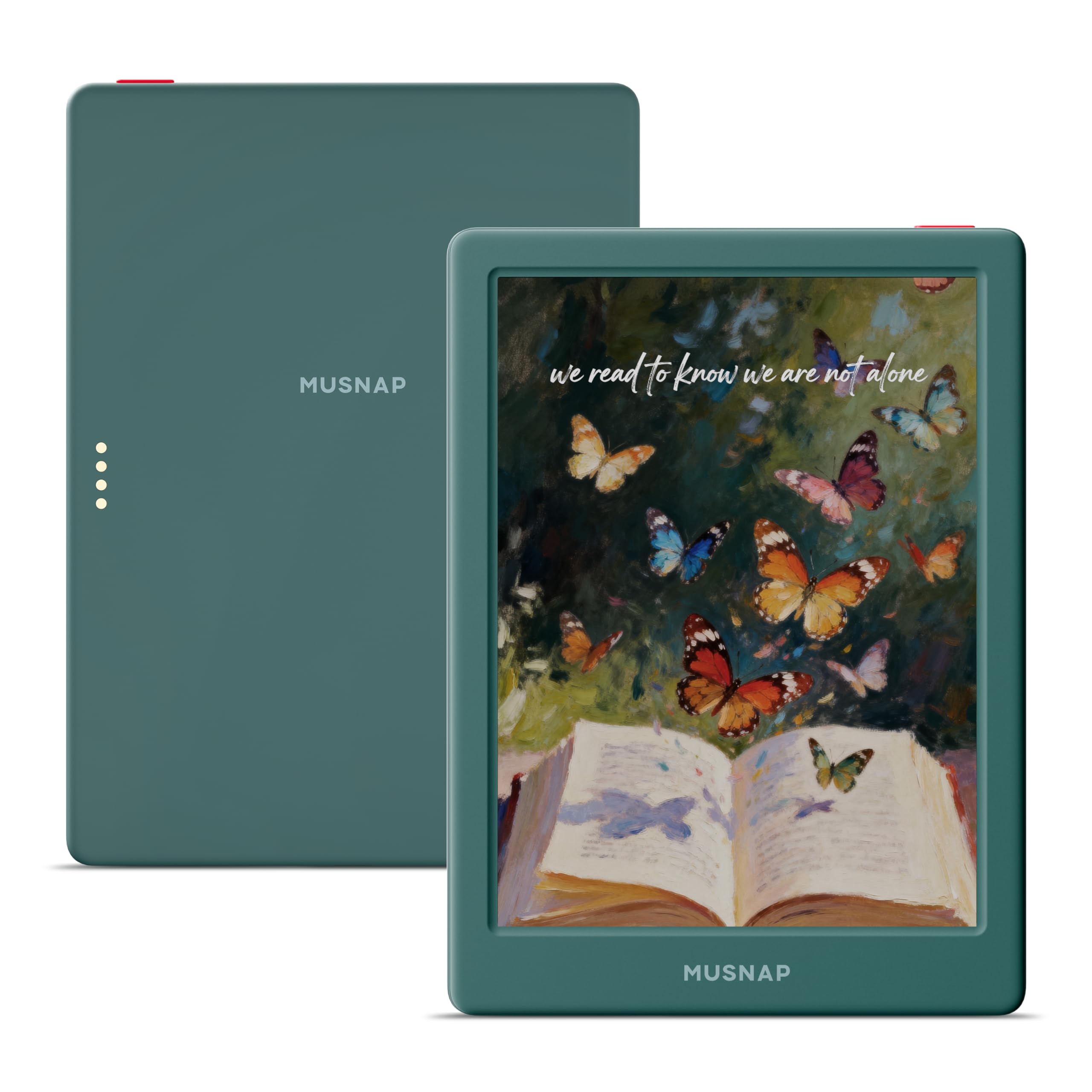
Big storage and a sharp six-inch color screen for the budget-conscious comic reader.
If you are shopping at the entry level and want the most screen and storage for the money, the Neo C is worth a hard look. It runs a quad-core 2.0GHz processor with 4GB of RAM, which is enough to keep a reading app and a comic viewer open at once. It carries the same 64GB of built-in storage as the Bigme B6, so your library has room to grow. The 6-inch Kaleido 3 panel shows 4,096 colors with brightness and color-temperature adjustment, and the auto-adjusting front light shifts to match bright daylight or dim room light.
Where it earns its place is flexibility. It installs apps from Google Play, handles a wide list of file types from EPUB, PDF, and MOBI through to AZW3, and connects over Bluetooth, USB, or Wi-Fi. The touchscreen is responsive, storage is ample — owners pack in hundreds of books and still have room — and the compact body with a case fits a back pocket. It supports both third-party reading apps and a customizable interface, which is more than you normally see at this level.
The caution is consistency. A device that runs well at first can become unreliable, and the screen washes out under strong backlight, with some light bleed along the bottom edge. The gesture-based interface takes getting used to and the touch response can be intermittent. Battery life is squarely in the middle — a few days for heavy app use, longer for plain reading. Those are the realities of the budget tier, and they are worth knowing before you buy.
What you get at this tier: a quad-core chip, 4GB of RAM, and 64GB of storage, which together let you run real Android reading apps without stutter on most pages.
The honest caveat: the screen relies on good ambient light to look its best, and the software layer has rough edges around touch and gesture response.
Built for the value shopper who wants color e-ink and serious storage at the entry level and can live with a little software friction.
Skip if you need a polished, consistent interface from day one.
5. BOOX Tablet Go Color 7 Gen II

A seven-inch color tablet you can write on, with a memory card slot most of these lack.
BOOX knows its audience. The Go Color 7 Gen II runs a 7-inch Kaleido 3 glass screen with 4,096 colors at a resolution of 1680 by 1264 — 300 ppi in black-and-white and 150 ppi in color. An octa-core processor and 4GB of RAM push it along, and the Android 13 system opens the door to third-party apps. The 64GB of storage is joined by a microSD card slot, so you can add even more room for comics and PDFs without deleting anything. There are page-turn buttons alongside the power button, a USB-C port that doubles as an audio jack, plus a speaker and a microphone.
Writing is the differentiator here. It works with an active stylus using InkSense, and the front light adjusts warm and cold along with the color temperature. A G-sensor rotates the screen automatically, so you do not have to fight the orientation. The realistic frame is E Ink’s inherent nature: the screen is darker and grayer than an LCD, and turning on the warm or cold light is how you make it comfortable. That is true of every color e-ink device, not a flaw in this one, and BOOX is upfront about it.
Refresh modes let you decide how smooth the page feels. HD Mode is the default for books and static text, Balanced Mode suits page turns and browsing pictures, Fast Mode handles scrolling websites, and Ultrafast Mode takes on video. Regal Mode cuts ghosting and sharpens display quality specifically for color e-ink. Note that the optional stylus is sold separately, so factor that in if you intend to write. The Go Color 7 Gen II is a compact color reader for someone who wants both a page and a pen in one pocketable device.
Controls are the quietly useful part: real page-turn buttons plus a microSD slot make it faster to navigate and easier to build a large library on the device.
One thing to plan for: the active stylus is not included, so writing capability is an add-on purchase rather than a built-in.
Suits the reader who also writes: you want a compact color screen, buttons, and a card slot, and you plan to add the active stylus.
Look elsewhere if you expect writing tools in the box or need a bright LCD-style panel.
6. Geniatech Kloudnote Slim 10.3″ Digital Notebook

A ten-inch page that turns paper notes into a searchable digital notebook.
This is a digital notebook first and an e-reader second. The 10.3-inch E Ink glass screen runs at 227ppi, so text looks sharp across a much larger surface than the six-inch readers above. A 1.8GHz quad-core processor, 2GB of RAM, and 64GB of storage keep it running, and it comes with a pen for handwriting. It is 5.3mm thick, which is thin even for a device this size, and it feels like a sheet of paper in hand. The 3,000mAh lithium-ion battery lasts up to 40 hours of work, which is a lot of note-taking between charges.
You get real work done on this device, not just reading. It comes with 39 note templates to start from, so you can jump into a meeting note or a to-do list without building one from scratch. The tools go beyond reading: OCR (optical character recognition, which pulls text out of your handwriting) turns your scribbles into editable text, ASR (automatic speech recognition) handles voice input, and you also get document encryption, reading annotations, email management, to-do lists, recording, one-click screen projection, and note sharing. It can read books aloud in audio form, but PDF-format books are not supported for that feature. An app store of its own, plus the ability to import other apps, gives you flexibility for office and study work.
The company side of this is worth your attention. It is a newer product with a small review footprint, and the manual is thin. Some buyers report setup friction and lag, and support responsiveness has been mixed when something goes wrong. The cloud service offers 500MB of free space with support for OneDrive, Dropbox, and Baidu Network Disk, which is a practical bridge if you use one of those already. If you write by hand all day and want a large, thin, paper-like canvas, this fits that need well. If you want a finished, intuitive interface from the start, tread carefully.
Why writers will like it
- The 10.3-inch 227ppi screen gives handwriting and PDFs real room to breathe.
- Pen and 39 templates are included, so you can start writing straight away.
- Up to 40 hours of work per charge suits long office or study days.
What a careful buyer should ask
- The software has a learning curve and sparse beginner guidance.
- Support response has been inconsistent when things need fixing.
- Listening to PDF books is not supported.
Ideal if your priority is a large, thin, paper-like surface for handwriting and notes, and you are comfortable tuning a new device.
Consider your risk tolerance if you want a mature software experience and dependable vendor support from day one.
7. TCL NXTPAPER 14 Android Tablet

A fourteen-inch reading and creative slab built for musicians, students, and note-takers.
This one is not an E Ink device, and that is the point. It uses a 14.3-inch 2.4K LCD with NXTPAPER 3.0, a display coating that cuts glare and filters blue light while supporting DC dimming so the brightness does not flicker. The screen spans a genuinely huge reading surface, which is why it shines for sheet music, digital notebooks, and drawing pads. The included 4096-level T-PEN stylus makes notes, sketches, and annotations feel natural across that space, and it holds up as an all-in-one for students, artists, and musicians.
Under the hood you get a MediaTek Helio G99 processor running Android 15, plus 256GB of storage and 8GB of RAM with 8GB more expandable memory — the largest storage figure in this lineup by a wide margin. A 10,000mAh battery recharges in about 2–3 hours under optimal conditions with 33W fast charging, and reverse charging lets you top up a phone or earbuds from it. Note that the charger is not included and it uses built-in storage only, so microSD is not an option.
Three display modes cover most uses. With the NXTPAPER Key, you switch Standard Mode for everyday tasks, Color Paper Mode for comics and digital art, and Ink Paper Mode for a more natural reading and writing feel. The eye-care assistant adjusts brightness and color temperature automatically and prompts breaks. It is also a capable media device, with dual front cameras, an 8MP rear camera for 1080p video, and a quad stereo speaker system. At 0.27 inches thin and 1.67 lbs, it is light for its size. The one real miss is that it is an LCD, so it glows rather than reflects — great for color work, less paper-like than true E Ink at night.
The appeal is sheer size and capability: a 14.3-inch 2.4K paper-like display and 256GB of storage make it a true work-and-play surface, not just an e-reader.
Mind the glow: an LCD panel is backlit, so it will not feel like paper the way E Ink does in a dark room.
Pick this if you want one large screen for reading, notes, and creative work, with stylus support and a big battery built in.
skip it if you read mostly at night and want the matte, unlit look of true E Ink.
8. BOOX Tablet Note Air 5 C

A large color canvas where Android apps and precision handwriting share the page.
The Note Air 5 C is for the note-taker who also wants Android. It runs a 10.3-inch Kaleido 3 glass screen with 4,096 colors at 2480 by 1860 in black-and-white (300 ppi) and 1240 by 930 in color (150 ppi). An octa-core processor plus BSR and 6GB of RAM put it ahead of the 4GB readers here on multitasking, and Android 15 is the newest operating system in this lineup. A 64GB capacity is joined by a microSD card slot, a USB-C port doubling as a headphone jack, dual speakers, a microphone, and a power button with fingerprint recognition. The stylus supports 4,096 levels of pressure sensitivity and comes in the box.
The screen is the reason to choose it. Color covers notes, annotations, and comics, and the front light adjusts warm and cold to suit the room. It writes well once you hold the pen at a slight angle, and it feels smoother than a textured surface. The BSR engine helps with responsiveness. In the hand it is heavier than you might guess at around 430 grams, and the color layer means the panel sits darker than a plain screen, so the front light earns its keep.
Software polish is where you should temper expectations. The default app interface is awkward in places, file management for notes and books is clunky, and third-party art apps can lag. The bundled pen has a cap that comes loose easily, and the magnets can interfere with the side buttons. Owners who take the time to learn the system tend to be happy, and the broader app support is a real advantage over closed readers. Buy it for the canvas and the apps, and budget time to learn the workflow.
Strengths worth the price
- 6GB of RAM and Android 15 make it the most capable multitasker here.
- 300 ppi black-and-white resolution keeps text and PDFs sharp.
- Included stylus with 4,096 pressure levels makes handwriting precise.
Friction to expect
- The color layer leaves the screen darker, so the front light matters.
- Default software is awkward and takes a real learning curve.
- The pen cap and magnets are fiddly.
For serious note-takers who want a large color surface, precision handwriting, and the freedom to run Android apps.
Only if you’ll invest the learning time — the interface is not intuitive from the start.
9. PocketBook InkPad Eo

A big color e-note with a camera, so you can annotate photos, sketches, and pages.
The InkPad Eo is PocketBook’s attempt to put everything in one device. You get a 10.3-inch color E Ink Kaleido 3 touchscreen with a stylus in the box, and its color resolution is 50% better than earlier versions according to the manufacturer. The glare-free panel is designed to feel like paper for long reading and writing sessions. It is a large-format note-taking device, and at 470 grams it is heavier than the portable readers — something to weigh if you plan to hold it for hours.
The camera is the standout feature and the reason this device exists. It lets you take notes and sketch directly over photos, which suits annotating, active learning, and blending images with handwriting in color. Beyond that, the package is generous: Wi-Fi and a send-by-email feature for sharing notes, stereo speakers with Bluetooth 5.0 for audiobooks and music, a SMARTlight for adjusting brightness and color tone, and Android 11 for third-party apps. It shares a family resemblance to the smaller PocketBook readers but takes the format to a much larger canvas.
Here is the honest part. Android 11 is an older version, and owners mention that some apps misbehave and that color can look pale rather than vivid, with frequent zooming needed on fine text. The speakers are described as weak, and the interface has a learning curve. This is a mature device with a supportive community, but if you want a fast, smooth experience, you may find it tiring to use for anything but its core tasks. Buy it for the large color screen, the camera, and the notes workflow — and go in with your eyes open.
What it does that few others do: the integrated camera captures notes onto photos, and the included stylus makes it a real sketching and annotation tool.
Realistic expectations: Android 11 is dated, colors read pale, and the interface asks for patience rather than offering instant polish.
For the annotator: you want a large color e-note with a camera and stylus to capture notes on photos and documents.
Pick something else if you want snappy menus and modern app behavior.
Know the Specs
Color E Ink and contrast
Color E Ink, branded Kaleido 3 on most of these devices, shows 4,096 colors by stacking a color filter over a grayscale panel. That filter is why color arrives at 150 ppi while black-and-white stays at a higher resolution like 300 ppi. The trade is real: the color layer softens edge definition and makes the page look slightly gray, so turning on the front light is how many readers get comfortable contrast. It is a characteristic of the technology, not a broken screen. If crisp black text is your priority, a black-and-white panel is sharper for the same money.
Storage, RAM, and expandability
Storage holds your library; RAM keeps apps open at the same time. In this lineup storage runs from 16GB up to 256GB, and RAM runs from 2GB up to 6GB. More RAM makes switching between a reading app and a comic viewer feel quicker and reduces lag. Storage matters most if you keep large illustrated files or audio. A microSD card slot, found on some models, lets you expand capacity later without deleting anything — worth checking for if you plan to build a big collection.
Common Questions
Can an Android e-reader run my library apps like Libby and Hoopla?
Is color E Ink good enough for reading comics?
How long does the battery last between charges?
Do I need a separate stylus or is one included?
Can I read in the bath or by the pool with these devices?
Which screen size is best for PDFs and textbooks?
Can I use audiobooks and Bluetooth headphones with an Android e-reader?
Is an Android e-reader better than a Kindle for library books?
Will a color e-reader look washed out in bright sunlight?
Can I take handwritten notes and convert them to text?
The Bottom Line
For most people, the android e-reader winner is the Kobo Clara Colour, because it balances a glare-free color screen, IPX8 waterproofing rated for 60 minutes at 2 meters, and built-in library borrowing in one lightweight body — and its 4.5+ star rating holds across hundreds of verified owner reviews. If you want a private, buttoned reader that turns your own files into audio, grab the PocketBook Verse Pro Color. And for large-format notes with app freedom, the BOOX Note Air 5 C is the one to reach for.
If color and storage are your priorities and you are shooting for value, the Bigme B6 Color packs Android 14 and 64GB into a pocketable frame. If writing on a big page matters more than speed, the Geniatech Kloudnote Slim gives you a large 227ppi canvas. Whichever you choose, match the screen size to where you actually read.
How we choose
We do not accept paid placement. Every pick is matched to a real buyer and a real use-case; we do not hands-on test units.
Sources
Specifications: manufacturer listings and product documentation. Review insights: verified customer reviews, as of October 2026. Pricing: not shown on this page (it changes often); check the current price via the retailer link.
As an Amazon Associate, Aappliancez earns from qualifying purchases. This does not affect which products we feature.