Disclosure: Some links in this post are affiliate links. As an Amazon Associate I earn from qualifying purchases, at no extra cost to you. Learn more
Specs are compiled from manufacturer listings and verified buyer reviews and can change over time — please confirm the key details on the product page before buying.
Buying a tablet is easy. Buying one that still feels quick two years from now is the hard part — and that is exactly what separates the nine picks below. Every model here runs Android 15 or newer, so the software itself is current. What changes between them is everything else: the screen refresh rate, the amount of RAM you actually get, the battery inside, and whether the keyboard and stylus come in the box or cost extra. The Samsung Galaxy Tab S10 FE takes the top spot because it is the only pick here that pairs a high-refresh screen with genuinely multi-day battery life and water resistance. The rest of this list is built so you can pick the right one for your desk, your commute, or your job site.
This guide is built by comparing the manufacturers’ published specifications and the patterns across verified customer reviews, so you get each pick’s real strengths and trade-offs instead of marketing spin.
Android tablets split into two rough camps: the slick glass slabs meant for streaming on the sofa, and the thicker workhorses that survive a drop and last a whole shift. Few tablets do both well, so the honest move is to decide which camp you live in before you compare screens. This breakdown of the android 15 tablets worth your money sorts the two apart, spec by spec.
Top Picks

How To Choose The Best Android 15 Tablets
Most buyers walk in looking at screen size and walk out owning the wrong tablet, because the number on the sticker that actually decides whether you enjoy the thing is the refresh rate — how many times per second the panel redraws, measured in Hertz. A 60Hz screen visibly smears when you flick through a feed. A 90Hz or 120Hz screen stays smooth under your thumb. Everything else follows from there.
Refresh rate is the spec you feel every single day
Anything at 90Hz or above makes scrolling and reading feel like a premium phone rather than a budget slab. Several picks here run 90Hz, and one rugged option pushes to 120Hz, which keeps long technical documents gliding instead of stuttering.
The RAM trick you need to understand before you buy
A tablet advertising 20GB, 24GB, or 32GB of RAM is usually counting virtual memory — storage space borrowed temporarily to hold apps. The real number is the smaller “physical” figure in the parentheses. More physical RAM matters, but be aware that heavy multitasking on very inexpensive hardware can still stutter regardless of the headline figure.
Decide if you want a glass slab or a toolbox
If the tablet never leaves your living room, a thin metal body with a bright screen wins. If it rides in a work van or a kayak, you want the certified ratings — IP68 for water and dust, MIL-STD-810H for drop and shock — and you should accept a heavier, thicker device as the fair trade for that protection.
Side-by-Side Comparison
| Model | Best For | Display | Battery | Memory | Amazon |
|---|---|---|---|---|---|
| Samsung Galaxy Tab S10 FE 256GB WiFi★ Best Overall | All-day media and schoolwork | 90Hz | 20 hours / 8000 mAh | 256GB storage | Amazon |
| Lenovo Idea Tab 11″ with Pen & Folio CaseBest Bundle | Drawing and note-taking on a budget | 2560 x 1600 @ 90 Hz | — | 8GB RAM / 128GB | Amazon |
| Raemond Android 16 Tablet 11 InchBest Value | Value bundle for students | 1920×1200 IPS FHD | 6 hours / 8000 mAh | 24GB RAM / 256GB | Amazon |
| Tablet 12 inch N90 (Nexall) | Older eyes and study sessions | 12-inch 2000×1200 | 9000 mAh | 24GB RAM / 128GB | Amazon |
| Henadigi 12 inch 2K Tablet | Stationary streaming and shows | 12-inch 2000×1200 | 6 hours / 8000 mAh | 20GB RAM / 256GB | Amazon |
| TCL TAB A1 | Bright-room reading and portability | 11″ 2.1K 90Hz, 650 nits | 8000 mAh / 20W charging | 6+128GB | Amazon |
| TECLAST Artpad Pro 12.7″ | Sketching and split-screen work | 12.7-inch 2176×1600 | 7 hours / 10000 mAh | 20GB RAM / 256GB UFS | Amazon |
| Samsung Galaxy Tab A11+ | Families and first-time buyers | 11″ 1920×1200 @ 90Hz | Full charge in about 2 hours | 6GB RAM / 128GB | Amazon |
| ORCATAB WT1 Pro 5G Rugged | Field work and wet outdoor jobs | 11″ 2K 120Hz, 450 NIT | 20080 mAh / 33W charging | 256GB / 2TB expandable | Amazon |
Detailed Reviews
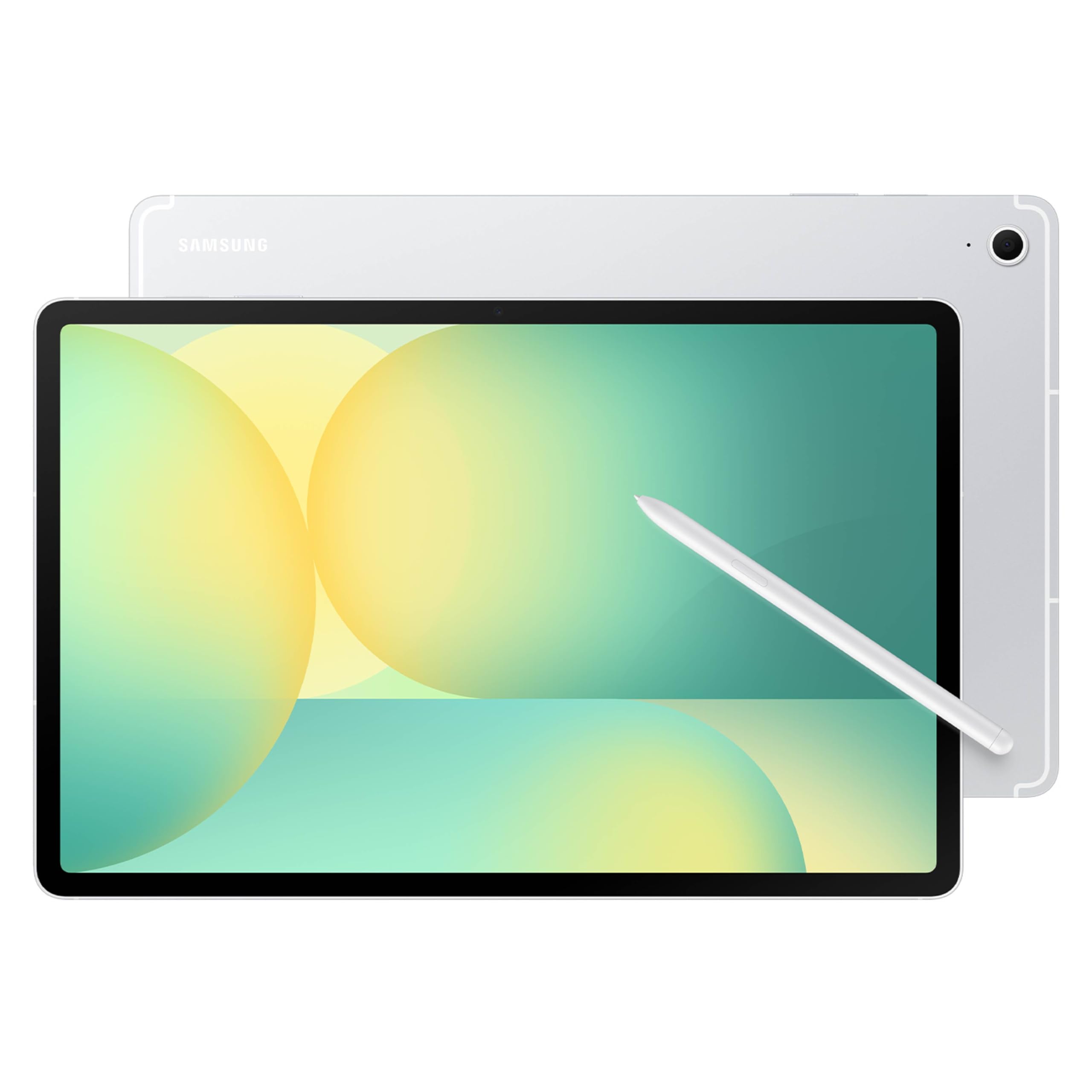
1. Samsung Galaxy Tab S10 FE 256GB
Our pick — 4.5+★ from 1,000+ verified ratings; the strongest balance of quality and price.
20 hours of rated battery life from an 8000 mAh cell, plus water resistance that shrugs off splashes and full immersion.
This is the pick for anyone who wants one tablet to handle a whole day without hunting for an outlet, and it earns that title on a single number: 20 hours of rated battery life from an 8000 mAh lithium-ion cell. The engine behind it is a Samsung Exynos 1580 (S5E8855) chip. In practice, that means you can leave the charger at home on a weekend trip and still watch shows on the train back. It is also the longest-running tablet here by a wide margin — the Raemond manages 6 hours off the same 8000 mAh capacity, so you are looking at a genuinely different class of endurance.
The screen is where Samsung earns its reputation. You get a 90Hz refresh rate, which means the panel redraws 90 times a second instead of the usual 60, so thumbing through a long article stays glassy rather than choppy. Dual speakers handle the audio side, and a fingerprint scanner on board gives you a fast open up without typing a PIN every time the lid opens. Handwriting Assist straightens and aligns messy handwritten notes automatically, and Math Solver turns a handwritten equation into text on the spot — genuinely handy if you are using this for class. Water resistance is the other quiet advantage: droplets, splashes, and full immersion are all covered.
What wins people over here is the overall package quality rather than any single flashy feature — the device itself is the thing buyers talk about most, and screen quality runs a close second. It is the crowd favorite, holding a 4.5+ star score across a four-figure body of ratings. The trade-off is honest and worth naming: this is the most premium-priced tablet in this lineup, and it ships without a bundled keyboard or stylus in the box, so budget for those separately if you plan to type. If you want the bundle included for less, the Lenovo Idea Tab and the Raemond below both hand you a keyboard from the start.
Where it pulls ahead
- 20 hours of rated battery life — multi-day use between charges rather than a single evening
- 90Hz refresh rate keeps scrolling and reading visibly smoother than a standard 60Hz panel
- Exynos 1580 chip with 256GB of built-in storage, expandable via microSD
- Handwriting Assist and Math Solver turn scrawled notes and equations into clean text
What to weigh first
- Keyboard and stylus are not included, so a typing setup is a separate purchase
- Premium tier positioning — this is the priciest tablet on this list
- Some buyers run into compatibility and connectivity quirks on older accessories
Reach for this if: you want one tablet for streaming, notes, and schoolwork that lasts days between charges.
Look elsewhere if: you need the keyboard and pen bundled in from the moment you open the box.
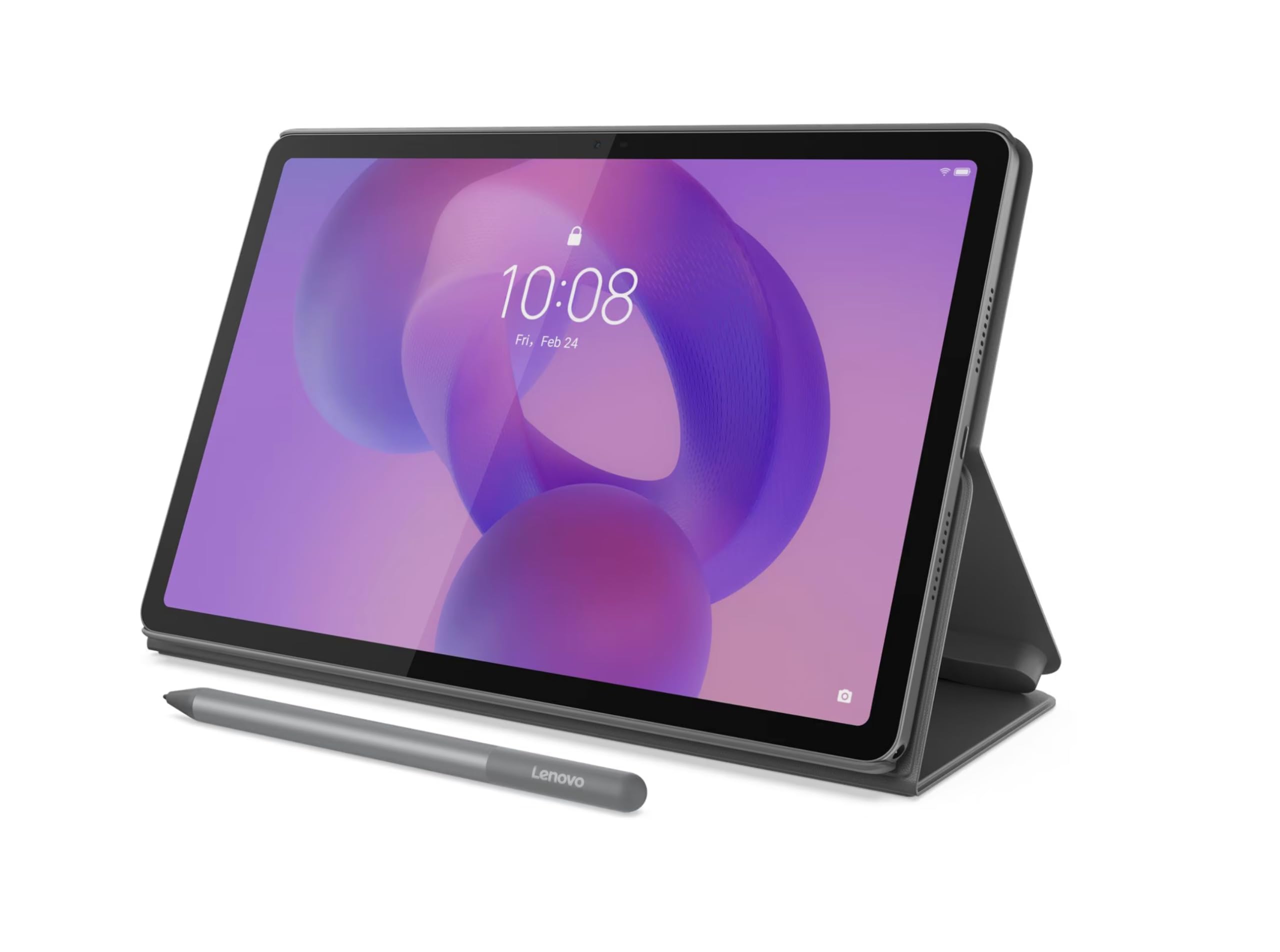
2. Lenovo Idea Tab 11″ Tablet
Fastest mainstream chip in this lineup, and the pen already lives in the box.
The strongest argument for this Lenovo shows up the second you open it: an active stylus and a folio case are both included, so nothing stands between you and drawing or typing. The 11-inch IPS panel runs 2560 x 1600 pixels at 90 Hz, and the Dimensity 6300 processor clocks up to 2.4 GHz — noticeably higher than the Raemond’s 1.8 GHz T7250, which translates into snappier app switching when you have several things open at once. You also get 8GB of physical RAM and 128GB of storage, with microSD expansion on board.
Where this fits is clear once you picture the use: kids drawing with the pen, students marking up notes, and anyone who wants the accessory bundle settled on day one rather than weeks of separate shopping. Buyers report a tablet that genuinely handles art and writing apps, with strong pre-installed software and a touchscreen that responds well. One practical detail worth knowing before you buy: the pen runs on an AAAA battery, a cell size that is not easy to find in stores, so plan to order replacements online rather than pick one up locally.
Weigh the battery honestly. Some owners find it average rather than exceptional, which is the main place this tablet gives ground to the Samsung Galaxy Tab A11+ below. On build quality and overall value, though, this is a device that leaves people satisfied — it is the strongest value proposition in the mid-range group, trading outright battery stamina for the fastest chip in its class and a stylus you never had to buy separately.
The real appeal: everything you need to start drawing or typing arrives in one box, on the quickest mainstream processor on this list.
One logistics note: stock up on AAAA batteries for the stylus, since they are hard to source in a physical store.
Who it beats out: anyone comparing a bare tablet against a full bundle — this one arrives complete for sketching, typing, and carrying.
What you give up: endurance-first buyers should look at the Samsung A11+ instead, because battery life here is simply average.
3. Raemond Android 16 Tablet 11 Inch
A full laptop-style bundle for students — keyboard, mouse, and stylus in one box.
If your budget is tight but you still want a desk setup rather than a slab on your lap, this is the pick that solves it. The Raemond ships as a complete kit: keyboard, mouse, and stylus all included, and the on-screen experience is built around a 24GB RAM figure — 8GB of physical memory plus 16GB of virtual — with 256GB of internal storage that expands up to 2TB via a TF card. The T7250 octa-core chip runs at up to 1.8 GHz. Compared with the Lenovo’s 2.4 GHz Dimensity 6300, this chip is the slower of the two, so heavy app-switching will not feel as instant.
The screen is an 11-inch IPS FHD panel at 1920×1200, which is a meaningful step below the Lenovo’s 2560 x 1600 resolution on the same 11-inch diagonal — text and fine detail will not look quite as tight. Where the Raemond claws back ground is storage: with 256GB built in against the Lenovo’s 128GB, you have room for roughly twice as many files, photos, and installed apps before you touch a memory card. Gemini AI is baked into the Android 16 system for document summarizing and on-the-fly translation, and dual-band 2.4G/5G WiFi plus GPS round out the connectivity.
The honest limitation is endurance and long-term temperament. Battery life is rated at 6 hours, which is genuinely short next to the Samsung Tab S10 FE’s 20 hours, so this is a plug-in-during-the-day companion rather than a travel-without-a-charger tablet. Owners mention it performs well for everyday browsing, email, and video calls right from the start, though reliability over time draws mixed reactions — a portion of long-term owners note slowdowns after extended use. For a first tablet or a student machine on a strict budget, though, the bundle value is genuinely hard to argue with.
Why the bundle wins
- 24GB RAM (8GB physical plus 16GB virtual) keeps everyday multitasking fluid
- 256GB of storage — about double the Lenovo’s 128GB — expandable to 2TB by TF card
- Keyboard, mouse, and stylus arrive in the box with the tablet
- Gemini AI handles document summaries and real-time translation in Android 16
The gaps to accept
- 6 hours of rated battery life means charging becomes part of your day
- 1920×1200 resolution is softer than the Lenovo’s 2560 x 1600 on the same screen size
- Long-term reliability divides owners, with some reporting slowdown after months of use
The value math: a complete typed setup for entry-level money, and the largest storage cushion in the value tier.
When to pass: if you regularly work away from an outlet, the short 6-hour rating makes this the wrong companion.
4. Tablet 12 inch N90
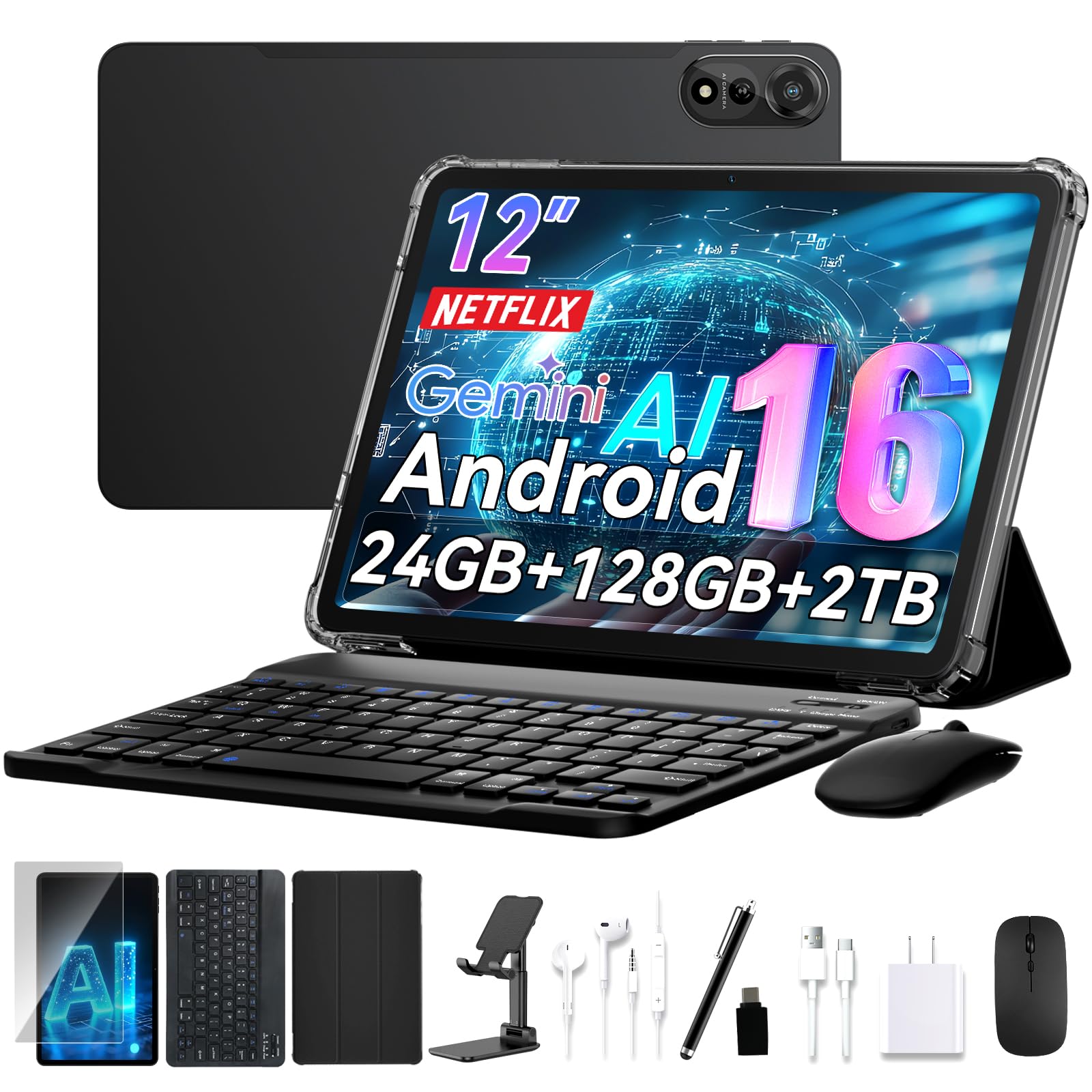
A 12-inch slab that makes small print readable again — keyboard and stylus come with it.
Screen size is the whole reason to buy this one. The N90 stretches to a 12-inch 2K panel at 2000×1200 resolution, which is a larger diagonal than the Raemond’s 11-inch display — and on a spec sheet, that extra inch is the difference between squinting at a PDF and reading it comfortably. It is the pick for older eyes especially, since larger text at the same zoom level is simply easier to follow for long reading sessions. The accessories arrive together: keyboard, stylus, stand, and case all bundled, so it turns into a laptop-shaped workspace within minutes of unboxing.
Inside sits 24GB of RAM alongside 128GB of storage, backed by a 9000 mAh battery that is the second-largest capacity among the mainstream picks here. Face ID handles open up, and 5G WiFi keeps downloads moving. The AI layer runs Gemini AI 3.5, handy for summarizing long documents and letting the system manage battery draw on trips. Performance is the trait owners single out most — the tablet stays responsive when you open a pile of apps at once, and setup is quick enough that most people are using it within a few minutes.
The one recurring snag involves the keyboard: customers note it dropping its connection repeatedly, sometimes more than once a day, and needing to be re-paired each time. That is worth knowing before you commit, because if you plan to type for hours daily, it is a genuine annoyance rather than a passing hiccup. Treated as a big-screen reading and streaming machine that happens to include a keyboard, though, the N90 delivers exactly what its size promises.
Why size sells it: a full 12 inches of 2000×1200 display makes long documents and small type genuinely comfortable.
The caveat to plan around: the bundled keyboard has a tendency to disconnect and need re-pairing, so heavy typists should keep that in mind.
Suits you if: the biggest possible screen for reading, studying, and watching is what you are after.
Think twice if: you type for hours daily and need a keyboard that never drops its link.
5. 2025 Android Tablet 12 inch
A big-screen streaming machine for a fixed station — not a tablet to carry around town.
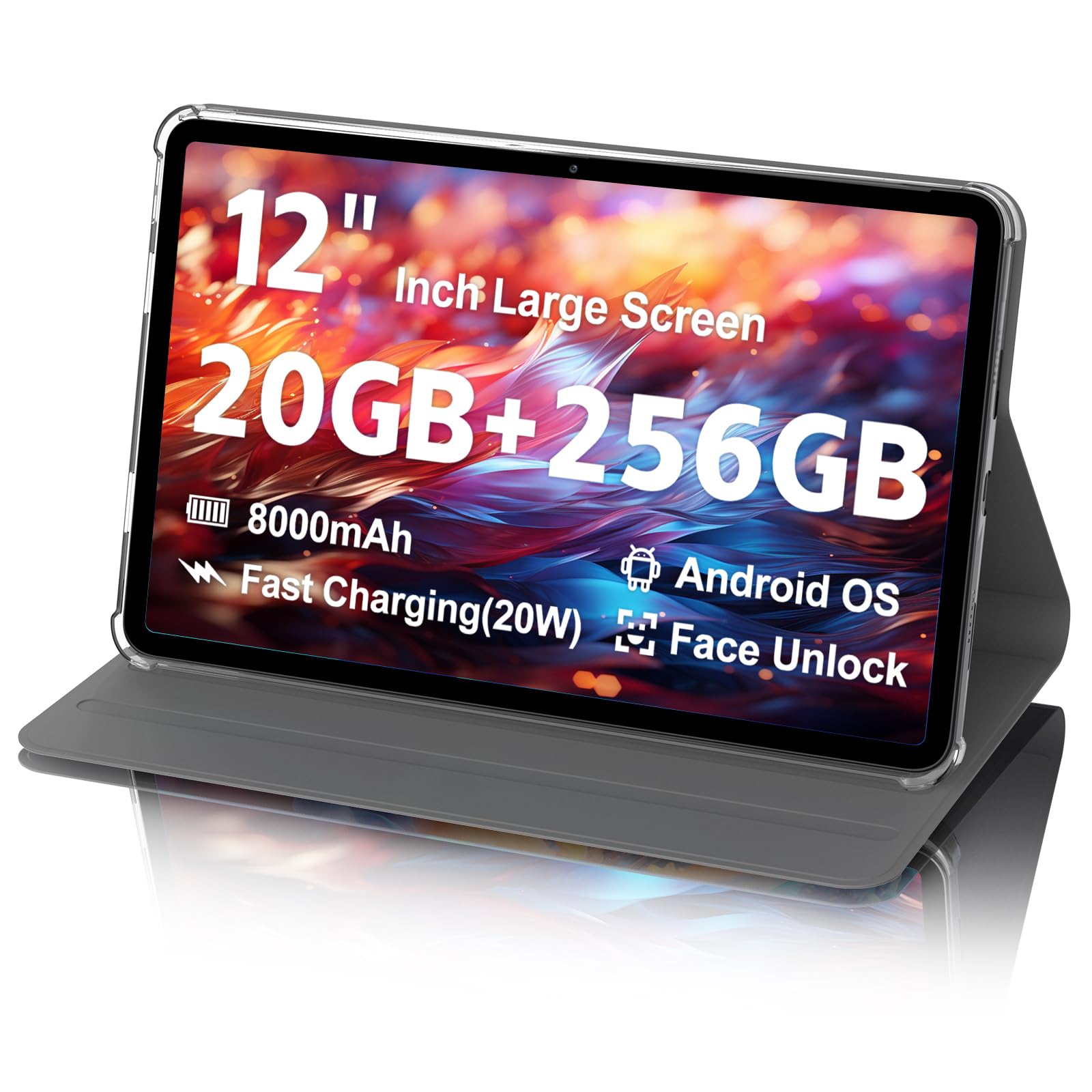
Read the size before you read anything else. This is a 12-inch 2K tablet at 2000×1200, and one buyer’s honest verdict was that there was nothing functionally wrong with it — the 12-inch size was simply too heavy and too big for them to hold comfortably. If your tablet lives on a counter, a desk, or a nightstand and gets watched rather than carried, that bulk stops mattering entirely. That is precisely the niche this fills: a large screen for shows and browsing in one spot.
Under the hood is a T616 Octa-Core processor, 20GB of RAM (8GB physical plus 12GB virtual), and 256GB of storage expandable up to 2TB via TF card. Widevine L1 certification is the detail worth calling out — it is the license level that lets Netflix and Amazon Prime Video stream in true HD rather than a softened standard-definition version, which matters a lot on a 12-inch panel where softness shows. Charging comes through a Type-C port at 20W, and the 8000 mAh battery is rated for about 6 hours of use.
The caveat here is reliability, and it is not a small one. Owners describe units that worked well at first and then developed battery trouble — cutting on and off with false battery readings — and the 1-year warranty proved hard to reach when they tried to use it. Treat this as the pick for light, stationary use where a big HD screen matters more than long-term confidence, and go in knowing the support path is the weak point rather than the display.
What the price buys
- 12-inch 2000×1200 screen — the largest format in the budget tier
- 256GB of storage with microSD expansion up to 2TB
- Widevine L1 certification for genuine HD Netflix and Prime Video streaming
- 20W Type-C fast charging and an 8000 mAh battery
What to go in expecting
- 12 inches and substantial weight make it impractical to hold for long stretches
- Around 6 hours of battery life, so daytime charging is routine
- Long-term battery reliability and warranty support both draw complaints
Fits best as: a fixed-position screen for a kitchen counter or bedside table where the 12-inch picture is the point.
Not the tool for: commuters, travelers, or anyone who needs dependable long-term support behind the device.
6. TCL TAB A1 Android Tablet

Bright enough to fight a sunny window at 650 nits, and thin enough to forget in a bag.
Brightness is the number that decides whether you can actually use a tablet outdoors, and this one leads the mainstream picks at 650 nits — that is the panel’s luminous intensity, and it pushes past the 450 NIT rating on the rugged ORCATAB further down. The 11-inch 2.1K screen runs at 2112 x 1320 pixels with a 90Hz refresh rate and NXTVISION enhancement for richer color. Add a 0.24-inch-thick, 0.95-lb metal unibody with IP54-rated protection against dust and splashes, and this becomes the easiest tablet here to drop in a tote and carry through a day of commuting.
The processor is a MediaTek Helio G100 octa-core with NXTURBO optimization, paired with 6GB of physical RAM and 10GB of virtual memory for a 16GB total, plus 128GB of storage expandable up to 2TB. Power comes from an 8000 mAh battery with 20W fast charging, and audio comes through quad speakers with Sound Booster that pushes volume higher than a standard pair. Gemini AI, Writing Assist, Circle to Search, and Smart Translator all ride along in the system, and a 5MP front camera with CenterFace tracking keeps you framed during video calls. One practical note: the charging block is not included, so check the product safety sheet for a recommended charger.
What divides owners is the screen itself rather than the hardware. Some find the panel crisp with zero glare and ideal for reading, while others report that its polarization causes eye strain in portrait orientation specifically — a real fit issue if you plan to read holding it upright rather than sideways. The battery is solid without being exceptional, and it will not stretch to the Samsung Tab S10 FE’s 20-hour class. For a light, bright, genuinely portable daily carry, though, the combination is tough to match at its tier.
The standout spec: 650 nits of brightness plus 0.95 lbs of weight makes this the most carry-friendly bright-screen pick here.
The honest split: some readers love the panel, others find portrait-mode viewing strains their eyes — orientation matters.
Built for: commuters and café readers who want a light tablet they can actually see outdoors.
Skip if: you read mainly in portrait orientation, where the screen’s polarization bothered some owners.
7. TECLAST Artpad Pro 12.7″

The biggest canvas here, and the 4096 pressure levels make the pen worth holding.
Artists get a genuinely different proposition with the Artpad Pro: a 12.7-inch 2176×1600 IPS panel, which is the largest screen on this list, and a stated 20% more display area than tablets of the same 16:10 aspect ratio. That extra room is exactly what you notice when you sketch — more canvas before you have to zoom or scroll. Pair that with a T-Pen stylus rated at up to 4096 levels of pressure sensitivity, which is the granularity of how hard you press translating into line thickness, and this becomes the most drawing-capable tablet in the group.
The rest of the hardware backs it up. A G99 processor runs up to 2.2 GHz, paired with 20GB of RAM (8GB physical plus 12GB virtual) and 256GB of UFS storage — the faster storage type — expandable to 1TB via TF card. A 10,000 mAh battery is the largest in the mainstream group, charged at 30W peak with intelligent charging protection that adjusts the rate to extend cell life. The ArtOS layer built on Android 15 adds multi-scene modes, a global sidebar, a floating ball for multi-window work, and a dedicated Smart Button for instant app launches. Audio runs through a four-speaker chamber system.
The trade-off is stamina versus capacity. Despite carrying the biggest battery here, battery life earns mixed feedback from owners, with the rated figure sitting at 7 hours — meaning the large cell and the large bright screen largely cancel each other out. Chalk that up to a bigger display doing more work rather than a weak battery. For the drawing and note-taking crowd, what matters most holds up: buyers describe a tablet that is easy to set up, responsive, and versatile with the pen in hand.
Why illustrators pick it: a 12.7-inch screen plus 4096 pressure levels gives you the biggest, most precise canvas in this lineup.
The trade: the 10,000 mAh cell is the largest here, but the 7-hour rating means the big screen consumes most of that advantage.
The pick for: sketchers, note-takers, and anyone who wants maximum screen real estate for creative work.
Not for: buyers chasing marathon battery life, where the rated 7 hours falls well short of the Samsung Tab S10 FE.
8. Samsung Galaxy Tab A11+ 6GB RAM
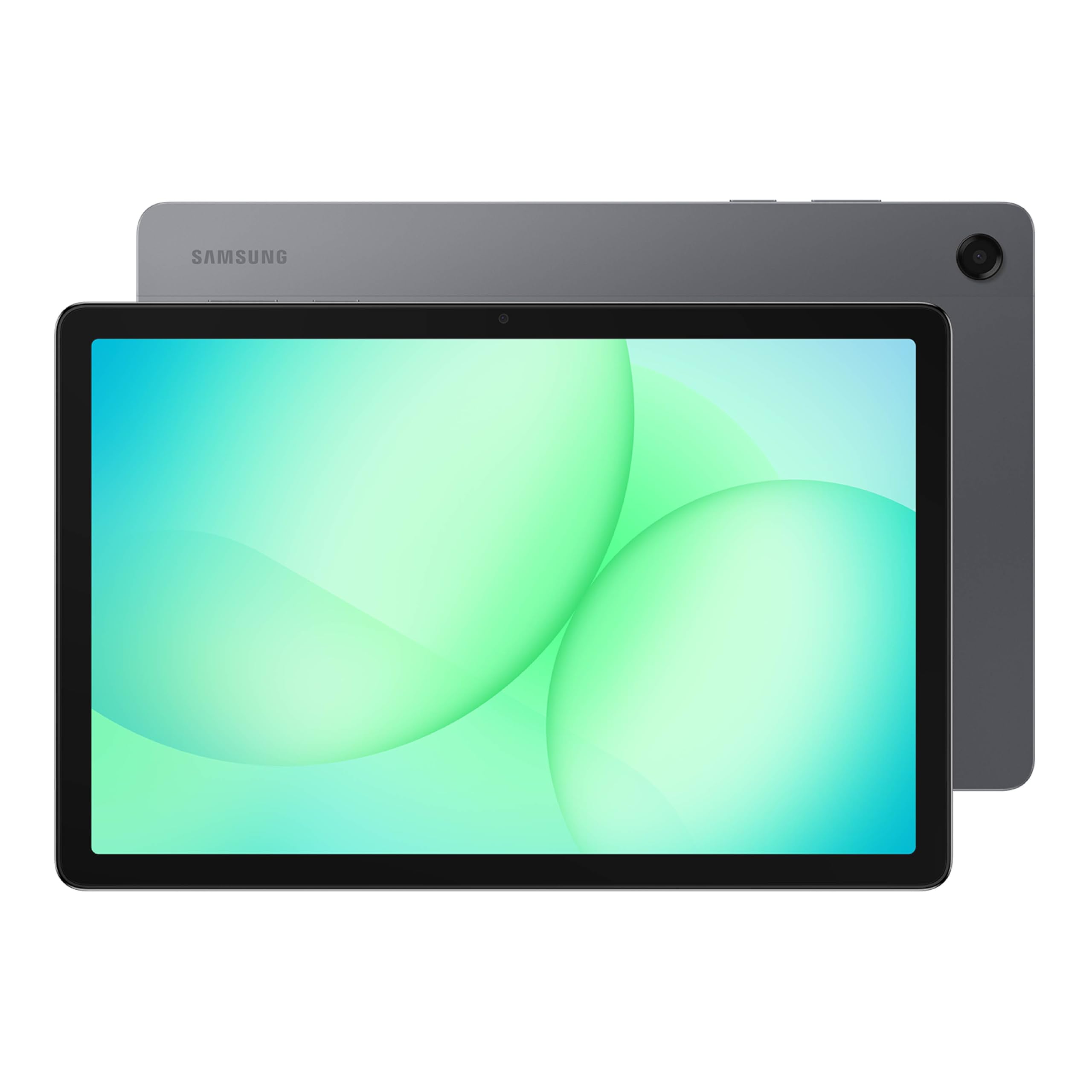
A 90Hz 11-inch screen, quad Dolby Atmos speakers, and a firmware update that fixed early WiFi dropouts.
Families buy tablets in multiples, and this is the one built for that. The 11-inch LCD screen refreshes at up to 90Hz and runs 1920 x 1200 pixels, so motion stays fluid whether someone is streaming or playing. Power comes from an MT8775 chipset with 6GB of RAM and 128GB of storage, and that fills up fast when three kids are loading apps — which is why the microSD slot matters here, and owners do take advantage of it. Audio comes from quad speakers with Dolby Atmos, which is a real step up from the single-speaker budget picks for shared movie nights.
Charging is where this quietly beats most of the list. Reviewers point out going from 0 to 100% in roughly two hours, and the long battery life holds up through a full day of browsing, streaming, and play. It costs nothing extra to type or draw on it either — the tablet works with stylus and S Pen, so accessories are an option rather than a forced purchase. For parents who have already burned money on dedicated kids tablets, the appeal is that this is a full-featured device with real parental controls rather than a locked-down toy.
Two practical notes. First, no wall adapter is included in the box, so plan to supply your own charger. Second, a WiFi dropout issue affected early units and drew widespread reports; Samsung resolved it through a firmware update, and owners who applied it report stable connections since. Consider it the best-reviewed tablet in this lineup by a clear margin — the crowd favorite at 4.5+ stars across 2,500+ owners — and the safest first-tablet purchase for a household.
What families get
- 0 to 100% charge in about two hours, with battery that lasts a full day of mixed use
- microSD expansion turns 128GB into effectively limitless storage for kids’ apps and photos
- Quad speakers with Dolby Atmos for shared viewing, plus Google Gemini and Circle to Search
- Works with stylus and S Pen, so drawing is possible without a separate purchase of the tablet
Before you check out
- No wall adapter in the box — you supply the charger
- Early units had WiFi dropouts until a firmware update fixed them
- 6GB of physical RAM is modest if everyone multitasks at once
Buy it for: a household tablet that handles three kids, a stylus, and a card full of photos without complaint.
Only caveat: budget for a wall charger, and apply the firmware update on arrival if yours ships with older software.
9. WT1 Pro 5G Rugged Tablet
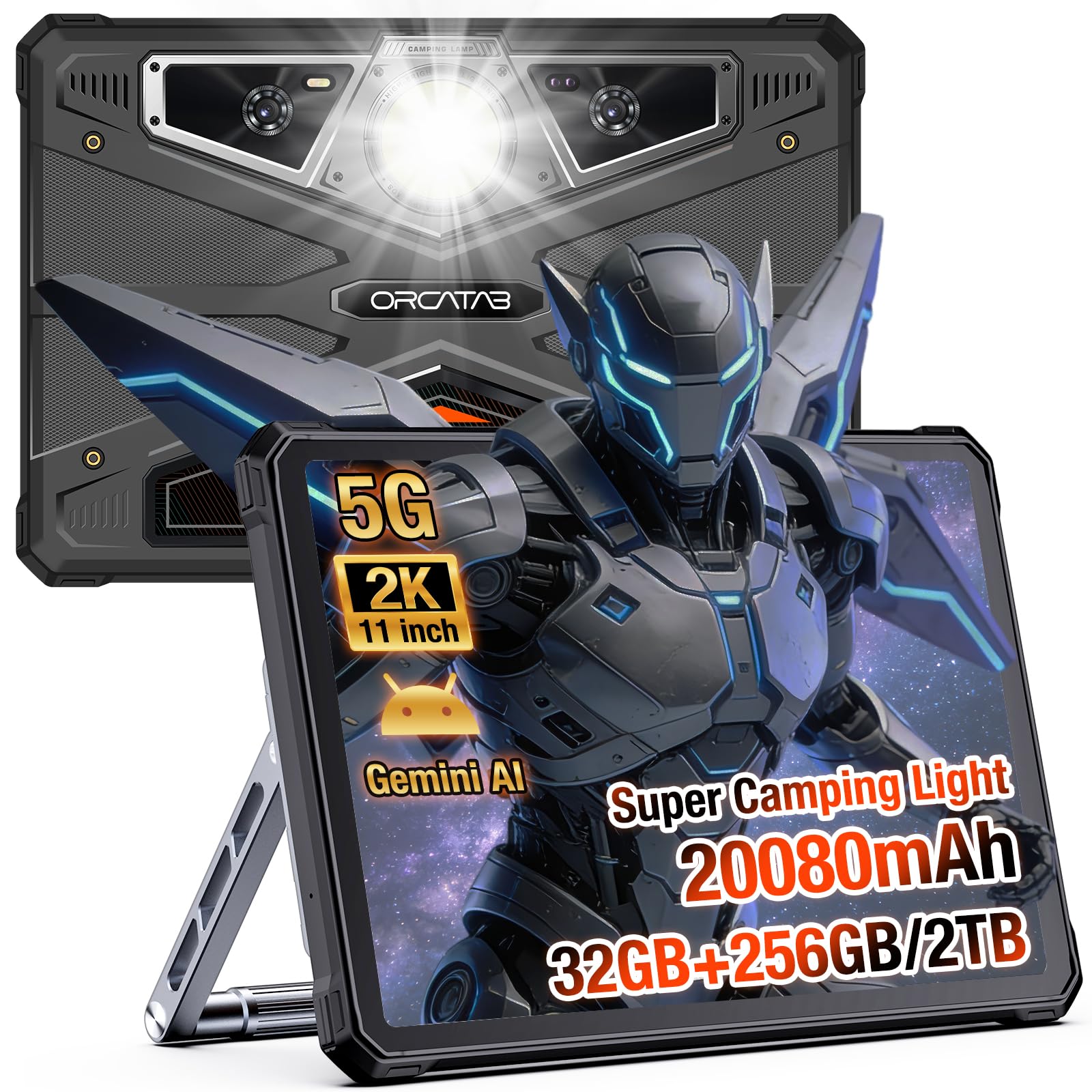
A 20080 mAh battery with OTG reverse charging, IP68/IP69K sealing, and MIL-STD-810H drop protection.
No tablet on this list carries a battery like this one. The ORCATAB WT1 Pro packs a 20080 mAh cell, which is a different order of magnitude from the 8000 mAh found on the Samsung S10 FE and the TCL TAB A1 — and it shows up in the rated 2880 hours of standby. Shoppers say the thing simply does not need charging for well over a week of steady use. It also reverses the flow: OTG reverse charging lets you top up a phone, a handheld GPS, or a headlamp from the tablet itself, which turns it into a backup power bank on a job site.
The screen holds up outdoors, too. An 11-inch 2K panel at 1200×1920 with 450 NIT brightness stays readable under direct sun, and a 120Hz refresh rate is the smoothest on this list — the panel redraws 120 times a second, which keeps long technical documents and GPS logs gliding. A Unisoc T8200 6nm octa-core processor, 256GB of storage expandable to 2TB, and 32GB-level RAM (8GB physical plus 24GB virtual) keep navigation apps and office software running side by side. Widevine L1 licensing means Netflix and Prime stream in genuine HD during downtime at camp.
Durability is the whole point of the design, and it earns its ratings: IP68, IP69K, and MIL-STD-810H certification cover 1.5m drops, dust storms, high-pressure water spray, and temporary submersion, with an underwater camera mode for splashes and shoreline work. The 64MP main camera, 20MP night vision sensor, and 16MP front camera cover documentation and calls. Two caveats to weigh: the rugged build makes it noticeably heavier than a glass slab, and it works on T-Mobile only — not AT&T, Cricket, or Verizon. If you need a tablet that survives rain, grit, and a full week away from a socket, nothing else here comes close.
The headline spec: 20080 mAh with OTG reverse charging means the tablet doubles as a power source for everything else you carry.
Two limits worth knowing: expect real weight from the armored build, and confirm your carrier is T-Mobile before you commit.
Made for: field engineers, campers, and anyone whose tablet gets rained on, dropped, or used for a week straight off-grid.
Check first: it will not work on AT&T, Cricket, or Verizon networks.
Know the Specs
Physical RAM versus virtual RAM
When a tablet lists 20GB or 24GB of RAM, the smaller figure in the parentheses is the real memory chip inside; the rest is borrowed storage acting as temporary workspace for open apps. Real RAM is what your apps live in, but virtual RAM helps a budget tablet juggle a few more windows before it slows down. The Samsung Tab A11+ takes the honest route with 6GB of physical memory, while several picks here advertise 32GB-level totals built from 8GB of physical RAM plus expansion. More is better, but check the physical figure before you judge a machine on its headline number.
Refresh rate and why 120Hz feels different
Refresh rate is how many times per second your screen redraws, measured in Hertz — 60Hz is the baseline most cheap tablets ship with, 90Hz is the comfortable middle, and 120Hz is the smoothest you will find here. Higher numbers show up as fluid scrolling, smoother stylus lines, and less blur when you flick through a long page. It matters most for reading, drawing, and following a moving map, and least for a stationary movie. The ORCATAB WT1 Pro leads at 120Hz, with most picks here sitting at 90Hz.
Common Questions
Does a Samsung Galaxy Tab S10 FE work with a keyboard if none comes in the box?
How long does the ORCATAB WT1 Pro battery actually last away from a charger?
What does Widevine L1 certification actually change on a tablet?
Will these Android 15 tablets fit a microSD card for extra storage?
Is a 90Hz or 120Hz display worth it over a standard screen?
Can a 12-inch tablet be held comfortably for long reading sessions?
Do any of these Android tablets work with a cellular SIM card?
How long does the TECLAST Artpad Pro take to charge with its large battery?
Do these tablets come with a keyboard and stylus in the box?
What does IP68, IP69K, and MIL-STD-810H mean on a rugged tablet?
Is 6GB of RAM enough for a family tablet that several people share?
The Bottom Line
For most people, the android 15 tablets winner is the Samsung Galaxy Tab S10 FE because it is the only pick here that pairs a 90Hz screen with 20 hours of rated battery life and water resistance, so it handles a full weekend away from a charger. If you want the full bundle of keyboard and pen settled on day one, grab the Lenovo Idea Tab 11″. And for work that happens in rain, dust, or a week off-grid, the ORCATAB WT1 Pro is the one to reach for, with its 20080 mAh battery and IP68-rated shell. If you are simply buying a first tablet for a household and want the safest bet, the Samsung Galaxy Tab A11+ carries the most ratings of anything on this list — 2,500+ owners back it at 4.5+ stars — which says a great deal about how it holds up in daily family use.
How we choose
We do not accept paid placement. Every pick is matched to a real buyer and a real use-case; we do not hands-on test units.
Sources
Specifications: manufacturer listings and product documentation. Review insights: verified customer reviews, as of October 2026. Pricing: not shown on this page (it changes often); check the current price via the retailer link.
As an Amazon Associate, Aappliancez earns from qualifying purchases. This does not affect which products we feature.