Disclosure: Some links in this post are affiliate links. As an Amazon Associate I earn from qualifying purchases, at no extra cost to you. Learn more
Specs are compiled from manufacturer listings and verified buyer reviews and can change over time — please confirm the key details on the product page before buying.
If you want the short answer on AM5 CPUs: the chip with the biggest cache wins games, and the chip with the most cores wins work. The AMD Ryzen 7 7800X3D is the safest pick for a gaming PC because its huge 96 MB L3 cache (a big pool of fast memory the processor uses before reaching for slower system RAM) keeps frame rates steady. If you render, stream, or run virtual machines all day, jump to a 16-core Ryzen 9 further down.
This guide is built by comparing the manufacturers’ published specifications and the patterns across verified customer reviews, so you get each pick’s real strengths and trade-offs instead of marketing spin.
Here you’ll find nine AM5 processors and bundles, from six-core budget chips to 16-core flagships, each matched to the build it actually suits — a calm, well-sorted shortlist of the best AM5 CPUs for your next rig.
Top Picks


How To Choose The Best AM5 CPUs
The mistake almost every first-time builder makes is shopping by core count alone. A 16-core chip with a small cache can lose to an 8-core chip with a huge one in the games you actually play. Start with what runs on your screen all day, then match the spec sheet to it.
Match the cache to your workload, not the badge
3D V-Cache is AMD’s name for stacking extra L3 cache directly on the chip. For games, that extra pool means the processor rarely waits on system memory, so frames arrive more evenly. Cache in the 96 MB to 208 MB range is aimed squarely at gaming and heavily modded titles; a 32 MB or 40 MB cache still plays everything well, it just leans on standard memory instead.
Cores and threads: where the money actually goes
A six-core, 12-thread chip like the Ryzen 5 7600X handles gaming and everyday apps comfortably. Eight cores and 16 threads give you headroom for streaming, recording, and background work on the same machine. Anything at 12 cores and 24 threads or above is aimed at rendering, compiling, virtual machines, and AI workloads — those cores sit idle in most game sessions.
Socket AM5, BIOS, and memory: get the platform right first
Every processor here drops into an AM5 motherboard, but the board’s BIOS needs to know the chip exists. A board that shipped before your CPU launched can fail to post until you flash a newer BIOS. Buy DDR5 memory with an EXPO profile (AMD’s one-click memory-speed preset) and budget for a cooler, since several chips here ship without one.
Side-by-Side Comparison
| Model | Best For | Cores / Threads | L3 Cache | Max Clock | Amazon |
|---|---|---|---|---|---|
| AMD Ryzen 7 7800X3D★ Best Overall | Gaming-first builds | 8 / 16 | 96 MB | 4.20 GHz | Amazon |
| AMD Ryzen 5 7600XBest Entry Point | Budget gaming rigs | 6 / 12 | 32 MB | 5.3 GHz | Amazon |
| GIGABYTE B850 AORUS Elite WIFI7 ICEWhite Build Pick | White AM5 board | — | — | — | Amazon |
| AMD Ryzen 7 7700 | Cooler-included value | 8 / 16 | 40 MB | — | Amazon |
| GIGABYTE X870E AORUS Elite X3D | X3D chip owners | — | — | — | Amazon |
| AMD Ryzen 7 9800X3D | Top gaming performance | 8 / 16 | 96 MB | 5.2 GHz | Amazon |
| AMD Ryzen 9 9900X + ROG Strix B650-A | One-box CPU and board | 12 / 24 | 76 MB (L2+L3) | 5.6 GHz | Amazon |
| AMD Ryzen 9 9950X3D2 Dual Edition | Gaming plus heavy work | 16 / 16 | 208 MB | — | Amazon |
| AMD Ryzen 9 7950X3D | Creators who game | 16 / 32 | 128 MB | 4.2 GHz | Amazon |
Detailed Reviews
1. AMD Ryzen 7 7800X3D 8-Core, 16-Thread Desktop Processor
Our pick — 4.5+★ from 8,000+ verified ratings; the strongest balance of quality and price.
The 96 MB cache chip that keeps frames arriving evenly while lesser processors stutter.
The number to know here is 96 MB of L3 cache — the fast scratchpad the chip reads before touching system RAM. That’s the figure that makes this chip the default gaming answer on AM5, because games love a big cache and hate waiting. It pairs with 8 cores and 16 threads, a 4.20 GHz clock, integrated Radeon graphics, and a 5 nm build process, all on socket AM5. Against the Ryzen 5 7600X it carries 96 MB versus 32 MB of L3, plus a 104 MB versus 38 MB total cache figure — and those extra 16 MB of L2 (8 MB versus 6 MB) are why the gap in play feels bigger than the core count suggests.
What wins people over is the steadiness, not a giant peak number. Owners coming from older six-core chips report stutter in dense open-world areas disappearing as low frame drops tighten up. The same owners routinely pair it with high-end graphics cards and find it feeds them cleanly. It’s also a breeze on cooling — a modest air tower is enough for most builds, and one five-star Amazon review sums up the section: “Still an Absolute Beast for Gaming.”
The honest catch is that this is a gaming specialist. If your day is 3D rendering or heavy video export, the 16-core chips further down will finish those jobs faster even though they cost more. And if you already own a recent X3D chip, the step up is smaller than the price suggests. For a fresh build aimed at high-refresh displays, though, it’s the chip the crowd favorite lands on — 4.5+ stars across 8,000+ verified owners.
Where the money lands
- 96 MB L3 cache does the heavy lifting in games — steadier frames than its core count implies
- 8 cores and 16 threads keep streaming and background apps from choking the game
- Easy to cool with an ordinary air tower, so you’re not forced into a costly AIO
- Integrated Radeon graphics give you a display output to troubleshoot with
Fair trade-offs
- Heavy rendering and export work goes faster on the 12- and 16-core Ryzen 9 picks
- Smaller jump if you’re already on a recent X3D processor
- No cooler in the box, so factor one into the build
Build this around: a high-refresh gaming PC paired with a strong graphics card.
Look past it: if your week is mostly rendering and compiling, where core count pays the bills.
2. AMD Ryzen 5 7600X Processor
Six cores that punch far above their price tag on a 5.3 GHz boost clock.
Start with the clock: 5.3 GHz on a six-core, 12-thread layout, built on a 5 nm process with 32 MB of L3 and 6 MB of L2 cache. That combination is the reason this chip feels quick in everyday apps and holds steady in games. Against the 7800X3D’s 96 MB L3 and 104 MB total cache, this chip’s 32 MB and 38 MB are the real difference — here you’re buying speed per dollar, not cache depth. It’s open up, so you can tune it, and the integrated Radeon graphics will run a desktop or serve as a backup output without a graphics card.
Performance is what carries this chip in the feedback. Buyers running demanding titles at high settings talk about smooth, consistent frame rates, and one verified owner reports it holding 5.55 GHz without throttling, above the 5.3 GHz rated boost. Installation is straightforward, and the AM5 socket leaves you a real upgrade path to the X3D chips later. Pair it with a decent aftermarket tower cooler and it stays manageable in normal use.
Two things to plan for. There’s no cooler in the box, so the true cost includes one — a mid-size tower is the sensible floor. And this chip does run warm under sustained load, so a small stock-style cooler will hold it back. The easy fix most builders use is a quick undervolt, which trims heat with almost no performance cost. For a first AM5 build that plays everything well, it’s a smart place to start.
What it’s best at: delivering quick boost clocks and a clean upgrade path without a big spend, which makes it the natural entry chip for a new AM5 system.
The trade you accept: fewer cores than the 7800X3D and a much smaller cache, so heavy multitasking and cache-hungry titles will favor the pricier pick.
Reach for it if: you’re building your first AM5 gaming PC and want the most speed for the least outlay.
Step up instead if: you stream while you play or want the cache advantage without a later swap.
3. GIGABYTE B850 AORUS Elite WIFI7 ICE AMD AM5 ATX Motherboard
The silver-and-white board that makes an all-white AM5 build actually work.
A processor needs a home, and this is a strong one for a bright build. It runs the AMD B850 chipset, supports Ryzen 9000, 8000, and 7000 series chips on socket AM5, and feeds them through a 14+2+2 power phase design — the number of power stages delivering steady voltage to the CPU. Four DDR5 memory slots carry up to 128 GB, memory speed is listed at 5200 MHz, and you get three M.2 slots for NVMe drives (fast stick-shaped SSDs) plus PCIe 5.0 and USB-C. WiFi 7 and a 5-year warranty round it out.
Owners like the way it goes together. There’s praise for clear labeling and instructions that suit a first build, and plenty of USB ports on the back — one owner counted 12 rear USB ports versus 8 on their old board, enough to retire a desk hub. Build quality and the white finish draw consistent approval, and the BIOS has a decent set of customization options. Q-Flash Plus lets you update the BIOS without a CPU installed, which is the safety net you want on a new platform.
The catch is that this board isn’t quite plug-and-play. The WiFi and LAN drivers aren’t preinstalled, the Q-Flash process takes several minutes and the manual could be clearer, and one builder had to rearrange memory slots to get an EXPO profile to post. Plan on a patient first boot with the manual open, and it rewards you with a clean-looking, well-connected base.
Good match for: a white-themed AM5 build that wants WiFi 7 and three M.2 slots without a flagship board’s complexity.
Heads up: expect to install network drivers and possibly shuffle memory slots before the first clean boot.
4. AMD Ryzen 7 7700 8-Core, 16-Thread open up Desktop Processor

Eight cores and a bundled RGB cooler — one box, no extra shopping.
The headline for a builder on a budget is simple: the Wraith Prism RGB cooler is in the box. Tighten its pre-attached bracket, and you’re done — no separate cooler purchase. Underneath sits 8 cores and 16 threads with 40 MB of installed cache, 65W operation, and integrated graphics that will drive a display even when you run a dedicated graphics card. Compared with the Ryzen 5 7600X’s 32 MB of L3, this chip’s larger total cache and two extra cores make it the more comfortable multitasker of the pair.
Performance leads the feedback here, with value close behind. Owners running it in a 1440p setup with a beefy graphics card report smooth frame rates and steady sessions, and even under stress testing it holds sensible temperatures rather than spiking. The 65W rating is the quiet win — the down-blowing cooler also moves air across the components around the socket, and power draw stays modest. Pre-applied thermal paste is another small thing you don’t have to buy.
The trade-off is that 40 MB of cache trails the 96 MB on the 7800X3D, so the cache-heavy, high-refresh crowd will see the difference. And while this chip is no slouch, its peak gaming numbers sit a step behind the X3D parts. If your build needs a cooler anyway and you’d rather not add one to the cart, that bundled cooler quietly closes the gap.
Standout detail: a 65W chip with a free RGB down-blowing cooler is the least fussy way into eight cores on AM5 — you can assemble and boot the same day.
What you give up: cache depth versus the X3D chips, so the very highest refresh-rate targets favor the pricier pick.
Best for: a build that wants eight cores, integrated graphics, and a cooler without a second order.
Consider the alternative if: you chase maximum frame rates and already plan to buy an aftermarket cooler.
5. GIGABYTE X870E AORUS Elite X3D AMD AM5 ATX Motherboard
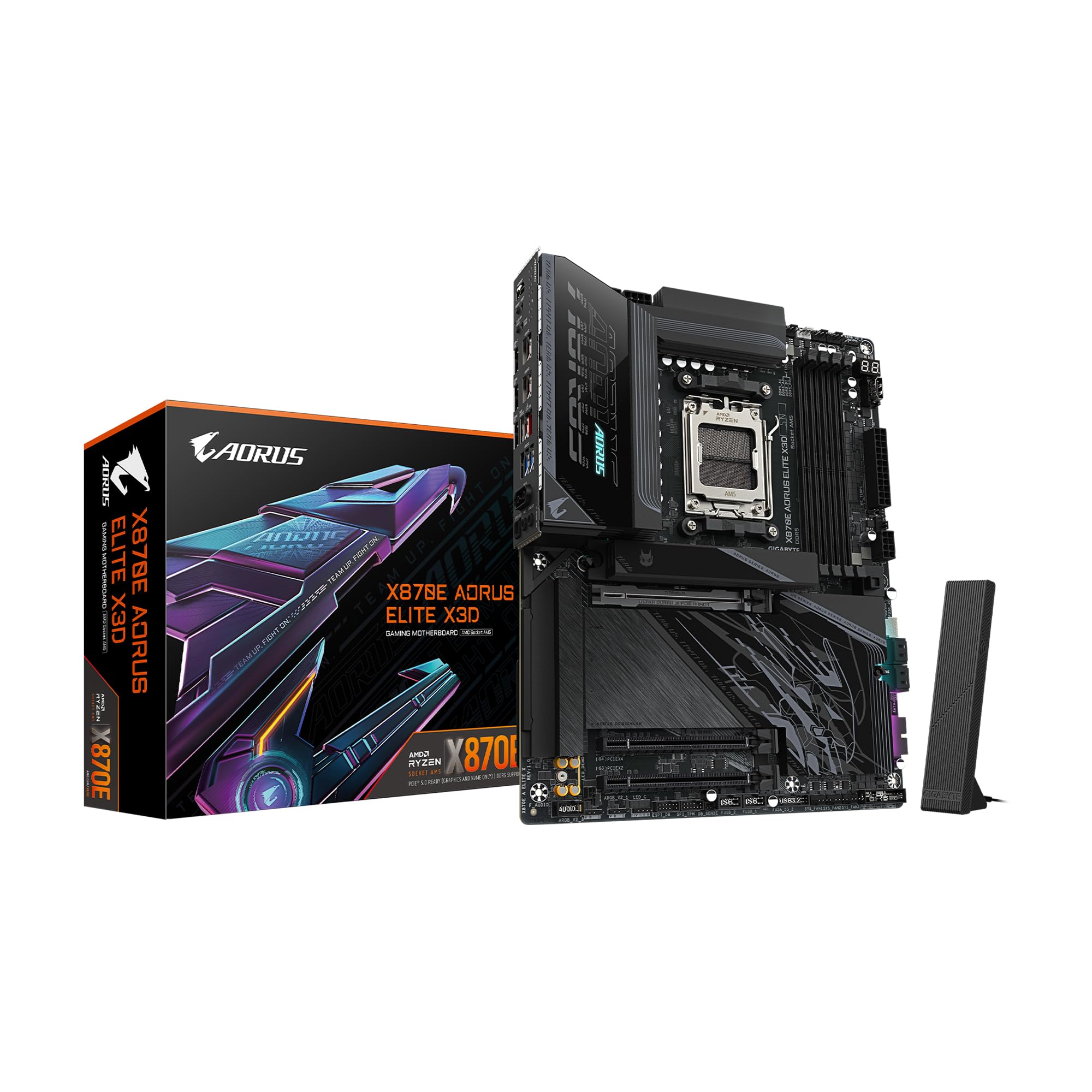
A board built around X3D chips, with four M.2 slots and dual USB4.
This one is aimed at the X3D crowd, and the spec sheet backs it. An AMD X870E chipset sits under a 16+2+2 power phase design with an 8-layer PCB — more power stages than the B850 board above, which matters for a hungry flagship CPU. You get four M.2 slots (two at PCIe 5.0, two at PCIe 4.0), a reinforced PCIe Gen5 x16 slot, dual USB4 Type-C with DisplayPort alt mode, WiFi 7, and a 65W front USB-C header for fast charging. An integrated I/O shield makes assembly tidier, and DDR5 support runs across four slots with EXPO profiles.
Storage is where owners get excited. One five-star review describes running two Gen 5 NVMe drives and a Gen 4 alongside each other without any of them losing speed, and the tool-free SSD latches and heatsink covers make swaps quick. The BIOS gets called clean and easy to navigate, and the board is described as a clear step up from an older B650. Build quality and the added backplate draw approval too.
The honest caveat: this board won’t make your X3D chip faster than a good X670 or B650 would. If you’re already on one of those, there’s little performance reason to move. WiFi and Bluetooth need drivers installed from the start, and the board is heavy. For a fresh high-end build that wants four M.2 drives and USB4, though, it’s the right foundation.
Why it earns its spot: four M.2 slots, dual USB4, and a beefier power design make it a natural partner for a top-tier AM5 chip.
Honest limit: no real speed gain over a good B650 or X670 if you already own one.
Pairs well with: an X3D processor and a drive-heavy build that needs USB4 and four M.2 slots.
Not worth it if: your current board already handles storage and connectivity comfortably.
6. AMD RYZEN 7 9800X3D 8-Core, 16-Thread Desktop Processor

The newest 3D V-Cache chip, now clocking up to 5.2 GHz without giving up cooling headroom.
This is the 7800X3D’s successor, and the upgrade is real. It carries the same 96 MB L3 cache and 8 cores with 16 threads, but the underlying Zen 5 design brings an approximately 16% IPC uplift — more work done per clock cycle — and higher clocks, up to 5.2 GHz. The cache sits so it cools better than the previous generation, which means you can push it harder without heat spikes. It’s a drop-in fit for AM5 boards, and like the 7800X3D, no cooler ships in the box.
What wins people over is how much smoother games feel, not just how many frames show. Owners upgrading from the 7800X3D report modest average frame gains at 1440p and 4K but noticeably better 1% low frames, the dips that spoil fast play. The chip is easy to cool: a 360mm all-in-one liquid cooler keeps it in the 40s under gaming loads, and one owner upgrading from a four-year-old chip calls the jump “literally night and day.” It swaps in without driver drama.
The catch is the price of entry and the cooling. Undervolting through the board’s curve optimizer is worth the ten minutes — it trims temperatures further and quietens the fans. For raw high-refresh gaming on AM5, though, this is the one to beat.
Where it leads: Zen 5 plus 3D V-Cache lifts both average and low frame rates over the older 7800X3D, and it runs cooler doing it.
The catch: it needs a capable cooler and asks more money than its predecessor for a lead that shows most at high refresh rates.
Pick this one for: a new high-refresh gaming build that wants the newest cache chip and has cooling sorted.
Stick with the cheaper option if: you’re on a tighter budget and the older 7800X3D still fits your monitor.
7. AMD 9900X Processor with ASUS ROG Strix B650A WiFi Motherboard

A 12-core workhorse and a capable ROG board bundled into one box.
Buy the processor and the motherboard separately and you get two shipments and two compatibility checks. This bundle skips both. The Ryzen 9 9900X brings 12 cores and 24 threads with a 5.6 GHz max boost, 76 MB of combined L2 and L3 cache, and a default 120W TDP (thermal design power — roughly how much heat it throws off). The ASUS ROG Strix B650-A brings three M.2 slots, four SATA ports, WiFi 6E, Bluetooth 5.2, and a USB 3.2 Gen 2×2 Type-C port, with memory support up to 192 GB.
Builders find the pairing simple to assemble, with all the peripheral connections mapping cleanly and enough ports to go around. The board’s visual design in the bundle draws approval alongside the value of buying the two together. Under load, the combined setup holds sensible temperatures and boots without fuss once you’re past the first power-on.
One thing to expect: the very first start can take a while while the board trains your memory — several minutes depending on how much RAM you installed — and then it settles into normal boots. Note that the cooler isn’t included, so budget one for the 120W chip. For a mixed gaming-and-creating rig that needs more threads than a six-core, the bundle saves you the matching headache.
Why it’s here: 12 cores and 24 threads paired with a proven board means a real step up for multitaskers in a single order.
Plan for: a slow first boot while memory trains, plus a cooler that isn’t in the box.
Suits: builders who want 12-core headroom and a capable board without hunting compatibility.
Skip if: you already own a compatible AM5 motherboard and only need a chip.
8. AMD Ryzen 9 9950X3D2 Dual Edition
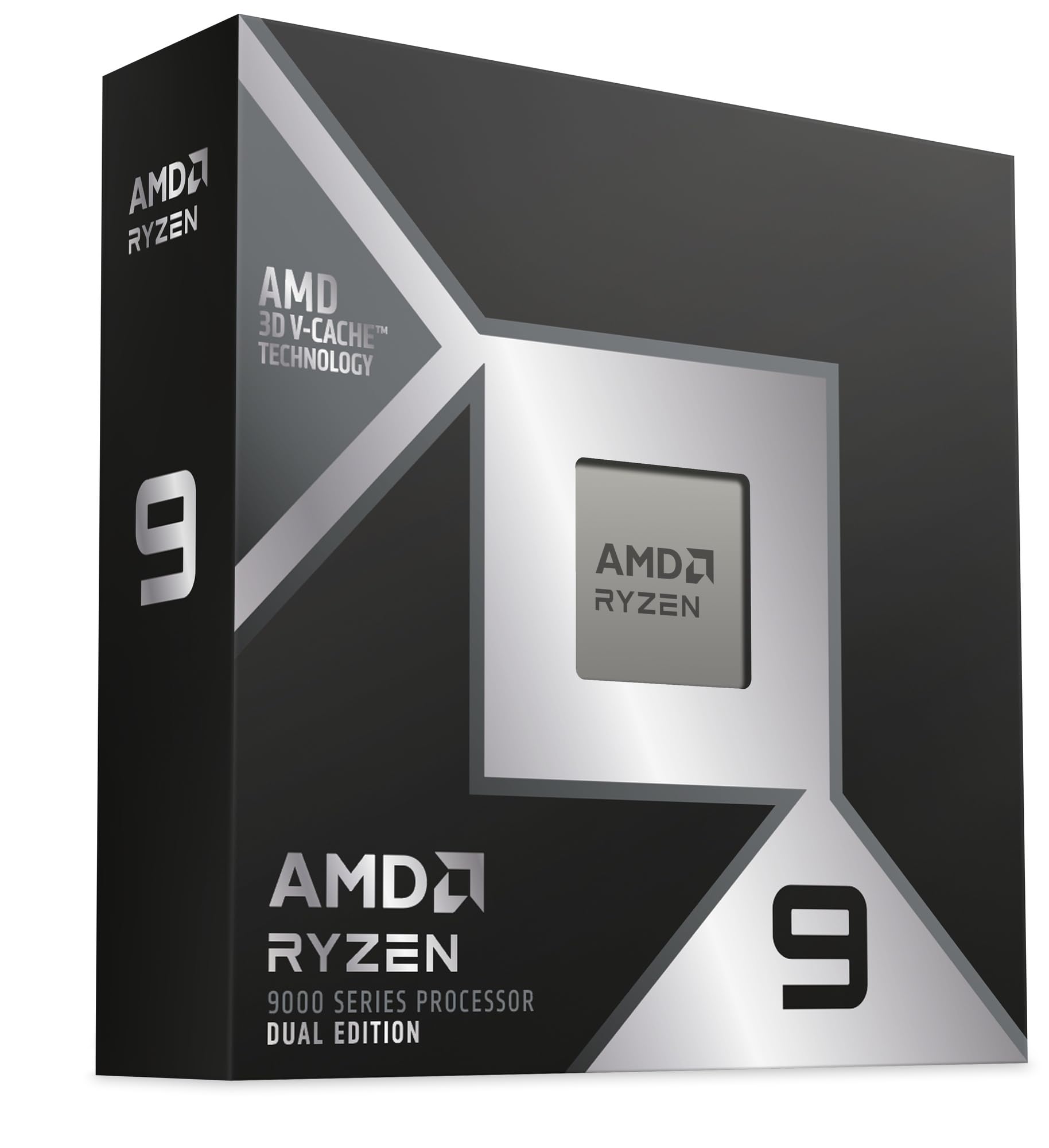
Sixteen cores and 208 MB of cache for people who game and render on the same desk.
Read the cache figure twice: 208 MB of cache, paired with 16 cores on socket AM5. That’s the biggest number in this list, and it’s aimed at a specific buyer — someone who wants the best gaming chip and the best productivity chip in one socket, without owning two machines. It’s the flagship of the pack, and its design assumes you’ll feed it seriously fast memory and serious cooling.
Performance is what the feedback leads with, and the word that keeps showing up is “beast.” Owners describe it handling gaming, virtualization, and AI workloads without strain, and one owner reports a DDR5 kit running stable at 5600 after manual tuning. Emulation and heavily modded games — the ones that punish an unoptimized load — come up as a particular strength. Overclockers report meaningful headroom, with sustained all-core stress runs holding steady when dialed in.
The fair warning is heat and price. This chip runs hot from the start, and the cooling isn’t optional — a high-end all-in-one liquid cooler or a custom loop is the sensible pairing, and a plain air cooler is not enough. Thermal feedback on its page is genuinely mixed. Value opinions are split too: it’s a fantastic chip, but if you mostly play games, an 8-core X3D part at half the money will serve you nearly as well. It’s the right buy for the all-in-one workstation, not the casual desktop.
What it does beautifully
- 208 MB of cache and 16 cores cover gaming, rendering, and virtual machines in one build
- Handles emulation and heavily modded games that choke lesser chips
- Real overclocking headroom for builders who tune their own curves
What it demands
- Runs hot from the start — a high-end AIO or custom loop is the realistic cooling answer
- Premium outlay that gamers on a budget won’t recover in frame rates
- No cooler included
Worth it for: one machine that has to game and render at flagship level without compromise.
Overkill if: your workload is games alone, where the 8-core X3D chips deliver for a lot less.
9. AMD Ryzen 9 7950X3D, 16 Core / 32 Thread, 144MB, 120W

Sixteen cores, 32 threads, and 3D V-Cache for creators who game after work.
Here’s the chip for the person who edits video during the day and plays at night. It runs 16 cores and 32 threads with 128 MB of installed cache, a 4.2 GHz base clock, and a 120W power draw, all on socket AM5. The next-generation 3D V-Cache design gives it the gaming edge that plain workstation chips lack. It supports Windows 11, and it ships without a cooler, so you’ll need to add one.
In play, owners pair it with a top graphics card and a big DDR5 kit and describe smooth, quick results across a range of titles. Installation is straightforward on an AM5 board. The 120W rating keeps it more reasonable than the flagship above, and the 32 threads make short work of the kind of multitasking that lights up all the cores.
The trade to know about is that 4.2 GHz base clock — lower than the boost-happy chips further up — paired with 128 MB of cache rather than the flagship’s 208 MB. For pure gaming it trails the 8-core X3D parts slightly on peak numbers, while beating them comfortably in threaded work. And with no cooler in the box, remember to add one. As a single system that handles creative work and gaming without compromise, though, this is a genuinely versatile 16-core.
Balanced strength: 16 cores and 32 threads meet 3D V-Cache, so threaded work and gaming share one chip.
What you lose: the lower 4.2 GHz base clock and 128 MB cache put pure gaming a step behind the smaller X3D chips.
The right call for: creators who want both rendering horsepower and a real gaming boost from the same chip.
Look elsewhere if: gaming is your only job — the 8-core X3D parts are the more direct match.
Know the Specs
L3 Cache and 3D V-Cache
L3 cache is a pool of fast memory built directly onto the processor, so it can grab data it uses often without waiting on slower system RAM. 3D V-Cache is AMD’s way of stacking extra L3 cache on the chip — which is how the 7800X3D reaches 96 MB and the 9950X3D2 reaches 208 MB. Games love this, because a bigger cache means fewer stalls and steadier frame rates.
Cores and Threads
A core is a processor inside the processor; a thread is one stream of work a core can handle. Six cores and 12 threads handle gaming and everyday apps. Eight cores and 16 threads add streaming headroom. Twelve cores and 24 threads or sixteen cores and 32 threads are for rendering, compiling, and running virtual machines — tasks that put every core to work at once.
Clock Speed and IPC
Clock speed, in GHz, is how fast the processor cycles — a 5.3 GHz chip cycles more often than a 4.2 GHz one. IPC is how much work happens per cycle. A newer design with higher IPC can beat an older, faster-clocked chip, which is why the 9800X3D’s Zen 5 describes roughly a 16% IPC uplift over the prior generation.
TDP and Cooling
TDP is thermal design power — roughly how much heat the chip gives off and how much cooling you should plan for. A 65W chip is easy to cool quietly; a 120W chip wants a bigger tower or liquid cooler. Several chips here ship without a cooler in the box, so budget for one before you build.
Common Questions
Do all these processors fit the same AM5 socket?
Is the 7800X3D or the 9800X3D the better buy?
Will a Ryzen 5 7600X pair well with a high-end graphics card?
Do these chips come with a cooler?
Will a newer AM5 CPU work on an older motherboard?
What memory should I pair with these processors?
Are 12 or 16 cores worth it over 8 for gaming?
Why does my CPU run hot or show higher temperatures than expected?
Is the 9950X3D2 worth it over an 8-core X3D part for gaming?
The Bottom Line
For most people building a gaming PC, the am5 cpus winner is the AMD Ryzen 7 7800X3D because its 96 MB L3 cache keeps frames steady while its 8 cores handle streaming and background apps — and it stays easy to cool. If you want the newest cache chip and have cooling sorted, grab the AMD Ryzen 7 9800X3D. And for gaming and heavy creative work on one machine, the AMD Ryzen 9 9950X3D2 Dual Edition is the one to reach for.
And if you’d rather not spend a second evening checking compatibility, the 9900X and ROG Strix B650-A bundle pairs 12 cores with a proven board in one order — the quiet shortcut for a mixed workload build.
How we choose
We do not accept paid placement. Every pick is matched to a real buyer and a real use-case; we do not hands-on test units.
Sources
Specifications: manufacturer listings and product documentation. Review insights: verified customer reviews, as of October 2026. Pricing: not shown on this page (it changes often); check the current price via the retailer link.
As an Amazon Associate, Aappliancez earns from qualifying purchases. This does not affect which products we feature.