Disclosure: Some links in this post are affiliate links. As an Amazon Associate I earn from qualifying purchases, at no extra cost to you. Learn more
Specs are compiled from manufacturer listings and verified buyer reviews and can change over time — please confirm the key details on the product page before buying.
If you want your phone, laptop or tablet on the big screen without dragging an HDMI cable across the room, the short answer is this: buy a receiver that matches your devices first and your room second. Apple households get the cleanest ride from a unit that speaks AirPlay natively, while mixed Windows and Android homes are better served by a dongle that also handles Miracast. Everything below is sorted that way, so you can skip straight to the pick that speaks your devices’ language.
This guide is built by comparing the manufacturers’ published specifications and the patterns across verified customer reviews, so you get each pick’s real strengths and trade-offs instead of marketing spin.
The two things that decide whether you love or hate one of these are latency and protocol support, and both are spelled out pick by pick below. Here is the honest shortlist of the best airplay receiver for tv options for a wire-free living room.
Top Picks
How To Choose The Best Airplay Receiver for TV
“Wireless HDMI” and “AirPlay” are not interchangeable, and mixing them up is the most common first-buyer error. They are not. A wireless HDMI kit pipes whatever signal comes out of an HDMI port across the room. An AirPlay receiver takes a stream from an Apple device over your network and hands it to your TV. Some boxes do both jobs, some do only one, and picking wrong means a device that sits in a drawer.
Match the protocol to the phone in your pocket
Start with the devices you actually own. If your house runs on iPhones, iPads and MacBooks, you want AirPlay support listed plainly in the specs. If you carry an Android phone or a Windows laptop, look for Miracast, and for Google Cast if you stream from Chrome or a Nest speaker. A multi-protocol unit costs a little more but stops the “my partner’s phone won’t connect” argument before it starts.
Range numbers are line-of-sight, not through-wall
Every long-range figure printed on these boxes assumes a clear, open path. Put a cement wall or a floor between the transmitter and the receiver and that number collapses fast — one maker openly warns the usable distance can shrink dramatically behind thick cement. If your TV and your source sit in different rooms, plan for a shorter hop than the box promises.
Decide how much latency you can feel
Latency is the gap between the action and what you see on screen, measured in milliseconds. For slides, a lecture or a family photo slideshow, even a noticeable delay is harmless. For first-person shooters or racing games, it is a dealbreaker — those frames need to land instantly. One adapter here publishes a low latency figure of only 100ms, which is honest and useful to know before you buy.
Side-by-Side Comparison
| Model | Best For | Max Transmission | Output Resolution | Protocols | Amazon |
|---|---|---|---|---|---|
| POFAN Wireless HDMI 4K Kit★ Best Overall | Presentations and cable-free desks | 165FT/50M | 1080P@60Hz | Wireless HDMI | Amazon |
| BRAIDOL 2027 Upgrade HDMI KitLowest Latency | Portable travel and hotel rooms | 328ft / 100m | 4K decoding | Dual-band 5.8G + 2.4G | Amazon |
| SETOXYX Wireless HDMI Kit | Budget cross-room streaming | 328FT/100M | 1080p@60Hz | 2.4G + 5.8G | Amazon |
| BRAIDOL HDMI Display Dongle | Apple and Android phones to TV | 16 feet / 5 meters | 1080P/60Hz | AirPlay, DLNA, Miracast | Amazon |
| j5create ScreenCast 4K | Classrooms and secure presenting | 50 ft. / 15m | 4K | Miracast, AirPlay, Chromecast | Amazon |
| Lemorele Aluminum HDMI Kit | Multi-screen church and venue work | 656 feet line of sight | 1080P at 60Hz | Wireless HDMI | Amazon |
| WiiM Pro Music Streamer | AirPlay 2 audio for a stereo or TV | — | 24-bit/192 kHz audio | AirPlay 2, Google Cast, Spotify Connect | Amazon |
Detailed Reviews
1. POFAN Wireless HDMI Transmitter and Receiver 4K Kit
Our pick — 4.5+★ from 600+ verified ratings; the strongest balance of quality and price.
A two-piece HDMI kit that puts a laptop on the conference-room TV with no cable run.
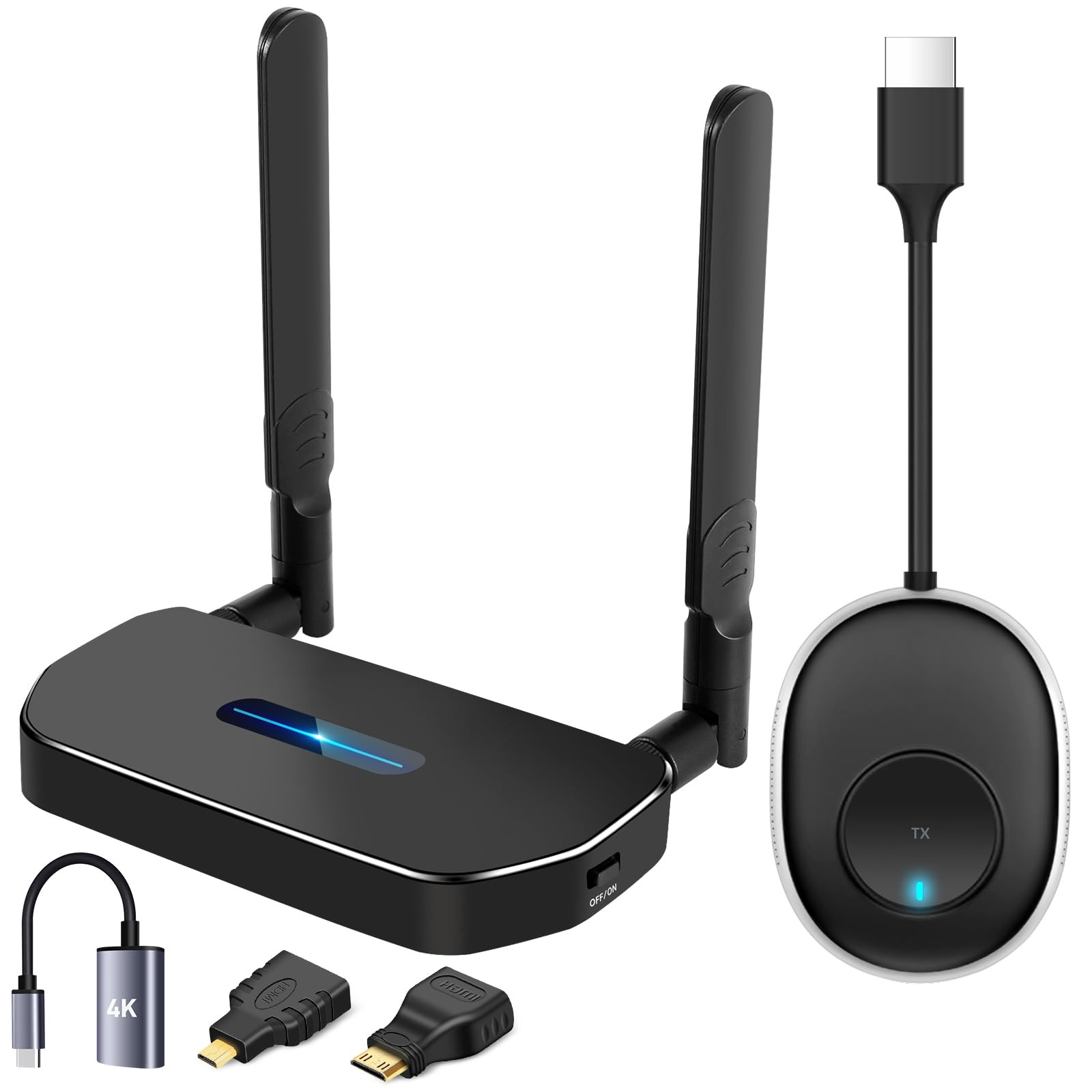
For the person who keeps untangling an HDMI lead from behind the conference table, this POFAN kit solves the actual problem. It is a two-piece set — one transmitter that plugs into your laptop, PC, phone or camera, and one receiver that plugs into the TV or projector — and it moves the picture 1080P@60Hz across the room with no software and no app. The 60Hz part matters: it means the screen refreshes sixty times a second, so motion stays smooth rather than smeary.
Reach is the headline. POFAN publishes a stable transmission distance of up to 165FT/50M using a multi-channel wireless band, and that is genuinely long for a plug-and-play box. The honest caveat is printed right in the listing: put cement walls or a floor between the two halves and usable distance can drop to a few meters, so treat the big number as an open-room figure. The crowd verdict backs the practical side — at 4.5+ stars across hundreds of owners it lands as the easy default. What wins people over is sheer build quality, the most-praised trait by a wide margin, followed closely by how reliably it connects.
One note that saves a support call: POFAN asks you to power both ends from a charger rated 5V/1A or higher. Skip that and some laptops feed too little current, which shows up as a dim transmitter light and stuttering video. A receiver can also pair with up to eight transmitters, so a single-TV office can hand the same screen to eight different presenters in turn. As buyers report, it “works flawlessly even streaming to a 65″ TV,” and a large 60×40-ft conference room reportedly switches between Windows and Mac laptops without a dropped frame.
Where it earns its keep
- 165FT/50M open-air range means no long cable run through the hallway
- 1080P@60Hz output keeps fast motion and game footage smooth
- No driver or app — pair once and present
- One receiver accepts up to eight transmitters for shared meeting rooms
Where it asks for care
- Both ends need a 5V/1A charger, or the link stutters
- Cement walls and separate floors cut the usable distance hard
- Occasional brief drops over long sessions, cleared by a power cycle
Reach for this if: you present from mixed Windows and Mac laptops and want one screen everyone can borrow.
Plan around this: keep the transmitter and receiver in the same open room, and bring a proper charger for both ends.
2. BRAIDOL 2027 Upgrade Wireless HDMI Transmitter and Receiver
A 120 g travel kit with dual-band interference avoidance and a range claim that only holds in open air.
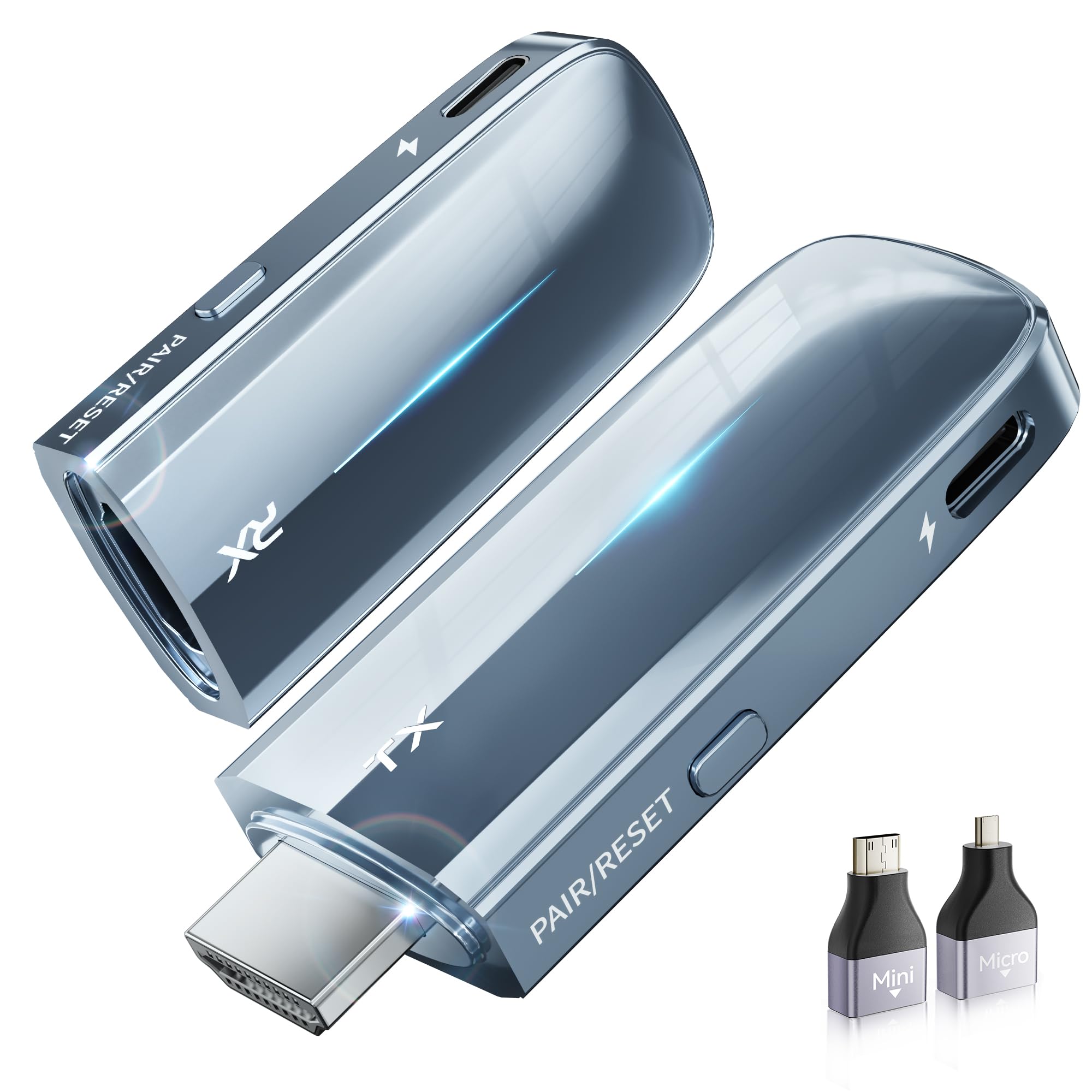
If your main use is hotel-room movies or a projector in a rental, the physical design here is the draw. BRAIDOL builds this one at 0.23 lbs/120 g with male-to-female HDMI connectors that screw together when idle, which keeps dust out of the plugs and means nobody loses a cap in a suitcase. It decodes 4K and pushes a 10-bit 4:2:2 signal with D65 white point calibration, which is a lab way of saying dark scenes hold their detail instead of turning to mush.
Where it beats the bigger kits on paper is spectrum management. The 5.8G + 2.4G dual-band chip plus a Dynamic Stability Equalizer Engine actively scans and avoids interference across 20-plus frequency bands, and that is the right idea for crowded apartment buildings and hotel Wi-Fi. It also offers mirrored or extended screen modes, so a laptop can treat the TV as a second desktop rather than a clone.
Now the part you should hear before you buy. The advertised 328ft / 100m range is a best-case figure, and the mixed signal reports on the listing tell the real story — for some it locks in cleanly, for others the picture blinks non-stop. It also needs USB power at both ends, which undercuts the “true plug and play” pitch a little. Treat this as a compact desk and hotel companion, not a through-wall workhorse, and keep heavy gaming on a wire.
Travel-friendly build: 120 g in the bag, self-capping connectors, and Mini/Micro HDMI adapters included for cameras and slim laptops.
Read the range claim cautiously: dual-band interference avoidance is a real advantage, but the signal consistency is the most-discussed issue here and it is genuinely mixed.
Good match for: the road warrior who wants a tiny, self-protecting kit for hotel TVs and quick projector hookups.
Look past it if: you need a rock-solid link across a big house — power at both ends and in-room placement are non-negotiable.
3. BRAIDOL Wireless HDMI Display Dongle Adapter
The only pick here that lists AirPlay support for iPhone, iPad and Mac.
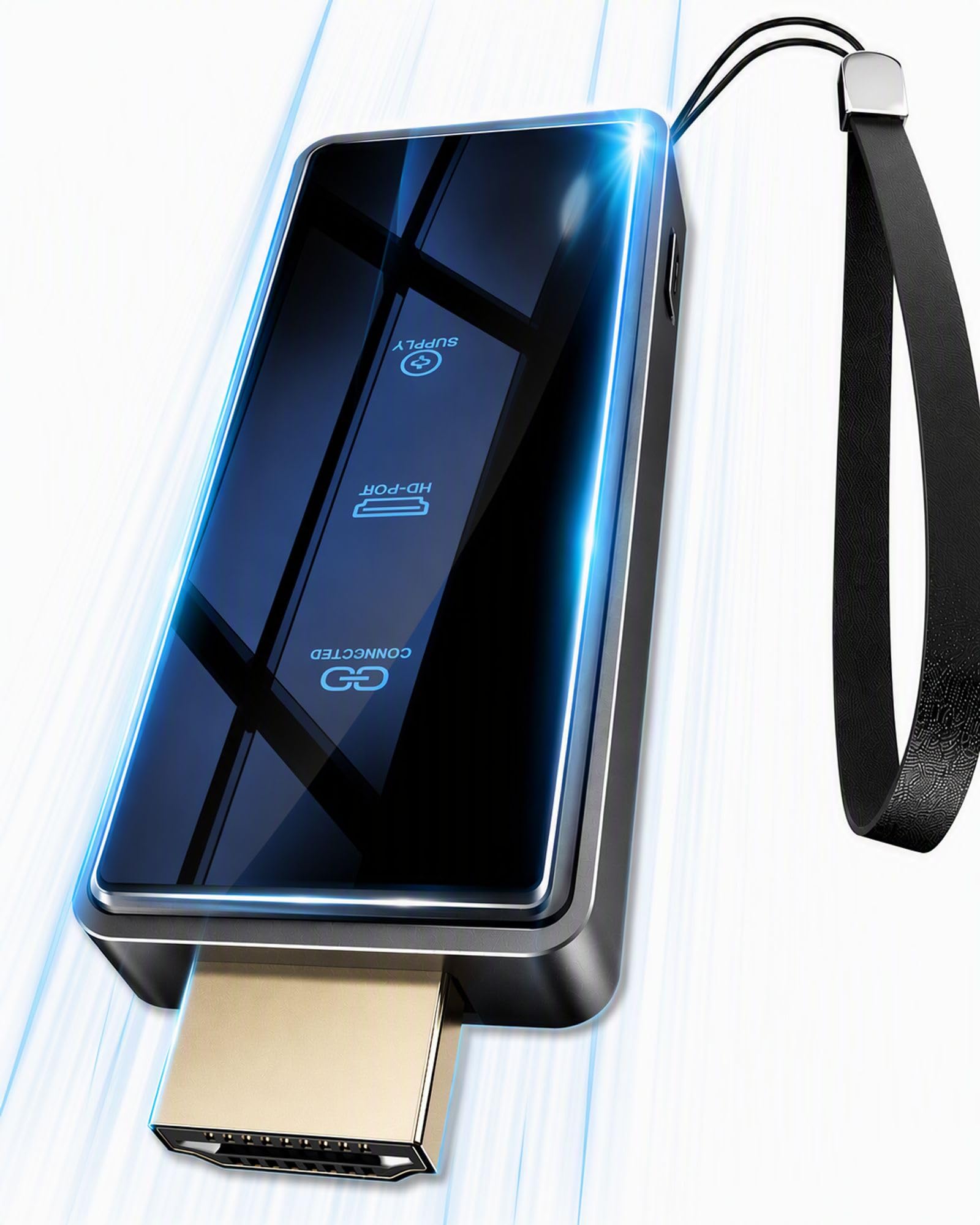
If you searched for an AirPlay receiver and you own an iPhone, iPad or Mac, this is the one that actually speaks the protocol. BRAIDOL lists AirPlay support for Apple iOS and MAC systems alongside Miracast for Android and Windows, so the same dongle covers the whole household. It is a TV-stick shape that drops into an HDMI port and mirrors your screen with one click, plus portrait or landscape switching and a privacy-mode disconnect.
The numbers are modest but honest. BRAIDOL publishes a transmission distance of up to 16 feet/5 meters and a latency of only 100ms, so this is a couch-distance device, not a whole-house one. The 2.4+5GHz dual-band antennas keep the decode stable within that range, and output lands at 1080P/60Hz. There is also a keychain hole in the body, which sounds trivial until you have lost a dongle in a hotel room twice.
The catch is baked into how copyright works, and it applies to every adapter on this page. Apps using HDCP protection — Netflix, Amazon Prime Video, Hulu, Comcast TV, Xfinity, Vudu, Sky Go and BT Sport among them — may refuse to output over this kind of link. Regular mirrored browsing, photos, video calls and your own files are fine. Buy it for casting your own screen, not for pirating a subscription service past its protection.
Best everyday phone-to-TV fit: plug-and-play AirPlay and Miracast in a stick that travels in a jacket pocket.
The single limit: the 16 feet/5 meters range and HDCP app blocks mean it lives in one room with the TV.
Made for: Apple phones and tablets, plus Android backup, casting to the TV in the same room.
Not the tool for: long cross-house runs or anyone hoping to cast a protected streaming app.
4. SETOXYX Wireless HDMI Transmitter and Receiver

Budget pricing, a 328FT/100M open-air claim, and an LED readout for pairing, signal and power.
SETOXYX keeps the price tier low and still lists the features serious buyers check first. You get 2.4G + 5.8G dual-band transmission with anti-interference, a published 328FT/100M reach in open air, and 4K decoding with 1080p@60Hz output. For the money that is a lot of spec on paper, and the practical upside is real: it auto-pairs in seconds with no drivers, no app and no Wi-Fi network.
The small detail I actually like is the upgraded LED screen. It shows pairing, connection, signal strength and power status at a glance, so when something misbehaves you can see whether it is a pairing fault or a weak link instead of guessing. There is also a one-button privacy toggle to start and stop sharing instantly, which matters in a shared office.
Two honest limits. First, some HDCP-enabled devices are not compatible, so check your source before you commit. Second, the 4K claim is decoding — the output is 1080p@60Hz, and a buyer looking for a true 4K picture reported returning it for exactly that reason. Power adapters are also required on both the transmitter and the receiver. Set expectations at crisp 1080p and it is a sensible budget buy; expect native 4K and you will be disappointed.
What the money buys
- Dual-band 2.4G + 5.8G with anti-interference for crowded rooms
- LED status readout for signal, pairing and power
- One-press privacy stop for confidential screens
- Auto-pairs in seconds with no software
Read before ordering
- Output tops out at 1080p@60Hz, not native 4K
- Some HDCP devices are listed as incompatible
- Both ends need their own power adapter
Pick this when: you want a simple, cheap 1080p link and value a status readout that speeds up troubleshooting.
Spend elsewhere if: a true 4K image on a 4K panel is the whole point of the purchase.
5. j5create ScreenCast 4K HDMI Wireless Adapter Receiver

A projector adapter that handles Miracast, AirPlay and Chromecast, with a PIN to block screen hijacking.
Teachers and trainers get the most out of this one. j5create supports Miracast, AirPlay and Chromecast in a single adapter, so a Windows laptop, an iPad and an Android phone can all reach the same projector without three different dongles. The external antenna is the practical bit — it reaches for signal instead of hiding inside the chassis, which is why j5create can publish a 50 ft./15m open-environment range and still keep the box compact. Weighing 2.72 ounces, it clips to a lanyard or drops in a teaching bag without complaint.
The feature that earns it a classroom slot is security. You can set a custom background and a PIN code, so a student cannot hijack the screen mid-lesson. That PIN function is exclusive to Miracast, and j5create notes you may need a firmware update before the options show in the settings menu. Miracast also needs no Wi-Fi network at all — just plug in, power up and cast. AirPlay and Google Cast do require a Wi-Fi configuration step first.
Where it falls short is consistency rather than capability. Disconnections are the most-discussed issue on the listing, and the picture is genuinely split — great for many, flaky for some. An IT professional praised the Windows and Android experience but flagged that macOS and iOS have to leave the network to join the adapter’s ad-hoc signal, which can drop internet access while you cast. Buy it for a Windows-heavy room or a projector setup, and keep an Ethernet option nearby if your lessons run on Macs.
Fits best in: a classroom or training room where several device types share one projector and a PIN keeps order.
The honest snag: AirPlay on Mac and iOS needs its own network dance, and repeated disconnects are the complaint that shows up most.
6. Lemorele Wireless HDMI Transmitter and Receiver

One transmitter feeding up to four receivers at 1080P@60Hz, for venues running several screens off one source.
The defining trick here is fan-out. One Lemorele transmitter can stream to up to four receivers simultaneously, so a single laptop can feed several TVs or monitors around a room without a splitter or a stack of cables. The housing is aluminum alloy, chosen for heat dissipation, and Lemorele lists it at 8 ounces with a 1080P Full HD 60Hz output on a 5GHz signal. That 60Hz output is what keeps motion in sports and film looking natural rather than jerky.
Range is why this sits in the premium tier. Lemorele publishes a line-of-sight reach of up to 656 feet, an ambitious number that assumes nothing in the way. Real-world reports put the useful distance much closer to a single wall or clear sight, and one user trying two rooms and roughly 50 feet lost the signal to dropouts and choppy video. The lesson is fair: this reaches far when it can see, and much less when it cannot.
There is a second feature worth knowing — the TuTuPlay app turns an iOS or Android phone into a live-view monitor for the HDMI source, handy for checking a security camera or framing a shot. One thing it cannot do: the phone only views, it never acts as the signal source. Durability is the open question, since some units run hot and a minority degrade over months of use. It is a strong venue tool priced for people who will actually use the multi-screen capability.
Where it shines: one transmitter into up to four receivers, all in 1080P at 60Hz, in a metal shell that sheds heat.
Where it stumbles: the long-range claim needs clear sight — put walls in the path and it behaves like a much shorter-range kit.
Worth it for: churches, bars and venues pushing one feed to several screens across a large open hall.
Think twice if: your source and display sit in separate rooms, where the headline range rarely survives the wall.
7. WiiM Pro Music Streamer with AirPlay 2
An audio-only streamer that sends AirPlay 2 from your Apple TV or iPhone into an amp or powered speakers.
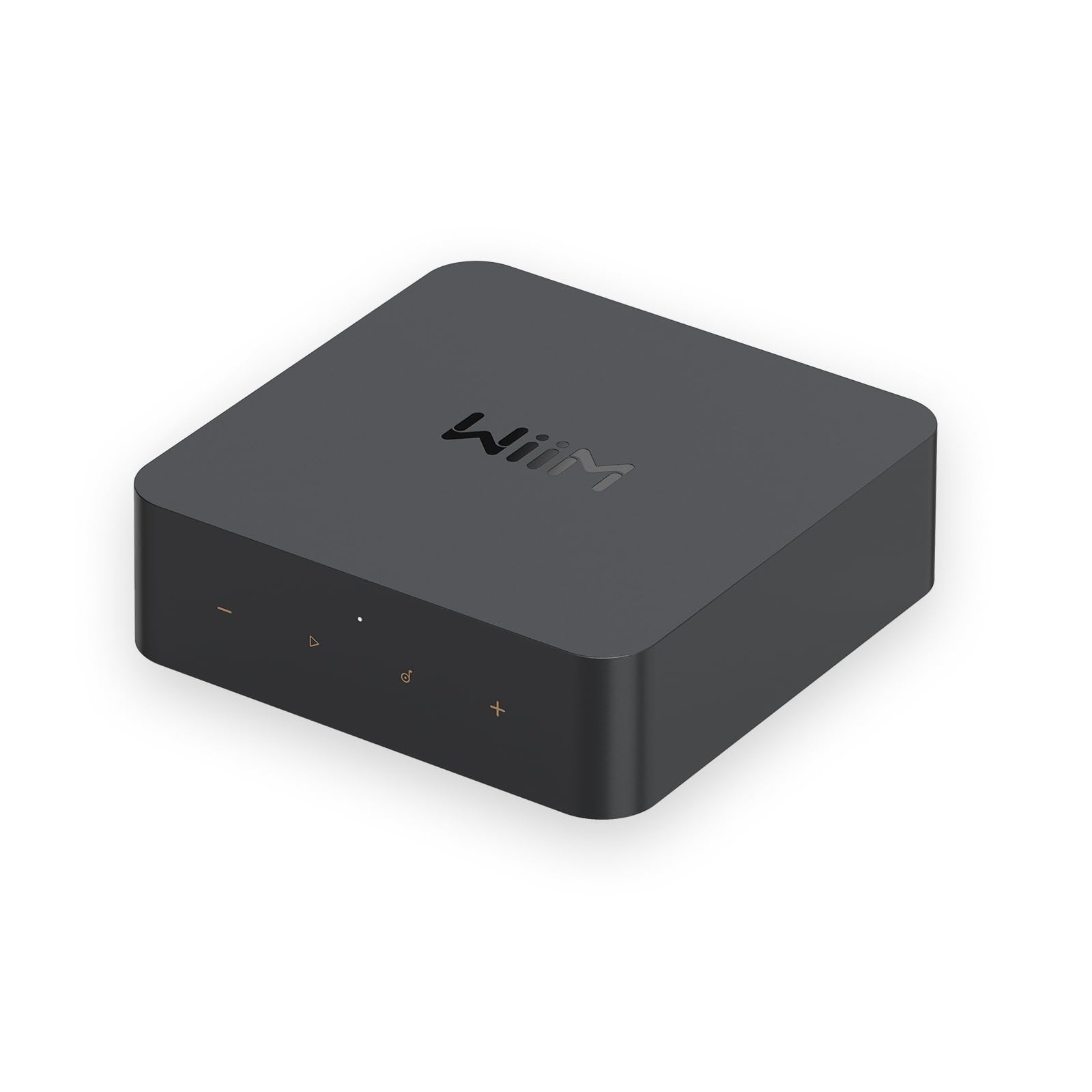
This pick serves a different buyer entirely, and the difference matters. WiiM Pro does not mirror a picture; it takes AirPlay 2 from your iPhone, iPad or Apple TV and sends the audio into your existing amplifier or powered speakers. If your goal is getting TV sound and Apple music into a good stereo instead of a soundbar, this is the route. It also handles Google Cast, Spotify Connect and TIDAL Connect, and supports up to 24-bit/192 kHz on its digital and analog outputs for high-resolution files.
The connectivity on the back is unusually generous for a box this small. You get optical, coaxial, RCA in and out, plus Gigabit Ethernet if you want to skip Wi-Fi entirely. Multiroom works across AirPlay 2, Google Cast, Alexa and other WiiM units, so the same track can play upstairs and down. Setup is quick, and the app handles room correction, EQ and balance without a separate remote.
The recurring gripes are worth flagging. Leave standby mode on and the app can fail to find the unit — set it to “Never” and the problem goes away. The stock charger can cause high-resolution breakup, so a stronger power supply helps, and wired Ethernet smooths it further. The wired connectivity is also the most-discussed topic on the listing, and it is mixed — some report flawless drops, others a hiccup or two. It is a superb audio streamer for the price, with quirks you learn to live with.
The audio-first pick: AirPlay 2 plus 24-bit/192 kHz output turns any wired stereo into a modern streaming system.
The quirks to manage: disable standby, feed it a stronger charger, and use Ethernet if your Wi-Fi is busy.
Buy it if: you want Apple TV and iPhone audio playing through a real hi-fi system, not a soundbar.
Look elsewhere if: you need to mirror a screen or send video — this one is sound only.
Know the Specs
Protocol support: AirPlay, Miracast, Google Cast
These are the languages a receiver speaks, and they are not interchangeable. AirPlay is Apple’s own standard — if your phone is an iPhone and the spec sheet does not list AirPlay, the device simply will not see it. Miracast is the Windows and Android equivalent, and Google Cast is the streaming standard used by Chrome and Nest hardware. A unit that lists several protocols covers more devices in the same home, which is why the multi-protocol picks here cost a little more than a single-standard kit.
Latency and resolution: the two numbers that decide the experience
Latency is the delay in milliseconds between the action and the picture, and it matters most for gaming. One adapter here publishes a low latency of only 100ms, while others leave the figure out. Resolution is what the screen actually receives — 1080P@60Hz is full HD refreshed sixty times a second, smooth enough for film and sport, and 4K decoding means the box can read a 4K signal even if it outputs HD. Match the output figure to your TV panel so you are not overpaying for pixels you will never see.
Common Questions
Will an AirPlay receiver work with my Android phone too?
Why does my receiver lose the signal when I move to another room?
Can I stream Netflix through one of these adapters?
How much delay does a wireless HDMI kit add in games?
Do both halves need their own power supply?
Can one transmitter feed more than one TV at the same time?
Is a music streamer like the WiiM Pro a true AirPlay receiver for a TV?
What happens if I buy a 4K kit for a 4K TV?
Can my phone act as the video source with the Lemorele kit?
Why does the j5create disconnect so often?
The Bottom Line
For most homes, the airplay receiver for tv winner is the POFAN Wireless HDMI 4K Kit, because it combines a 165FT/50M open-air range with 1080P@60Hz output and a no-app setup that suits both Windows and Mac laptops. If your house is built on Apple devices and you want real AirPlay support, grab the BRAIDOL HDMI Display Dongle at couch distance with 100ms latency. And for turning your old stereo into an AirPlay 2 speaker so the TV actually sounds good, the WiiM Pro is the one to reach for.
How we choose
We do not accept paid placement. Every pick is matched to a real buyer and a real use-case; we do not hands-on test units.
Sources
Specifications: manufacturer listings and product documentation. Review insights: verified customer reviews, as of October 2026. Pricing: not shown on this page (it changes often); check the current price via the retailer link.
As an Amazon Associate, Aappliancez earns from qualifying purchases. This does not affect which products we feature.