Disclosure: Some links in this post are affiliate links. As an Amazon Associate I earn from qualifying purchases, at no extra cost to you. Learn more
Specs are compiled from manufacturer listings and verified buyer reviews and can change over time — please confirm the key details on the product page before buying.
Running AI models on your own desk instead of renting cloud time saves money and keeps your data local. Two numbers decide which machine fits: how much unified memory it has, and how much AI compute it can throw at a model. AI compute is measured in TOPS (trillions of operations per second). The Apple MacBook Air 15-inch with the M5 chip is the pick most people should buy — it is the crowd favorite at 4.5+ stars across 200+ owners, and it stays portable while it works. Everything below is sorted by what each machine is actually good at, not by marketing.
This guide is built by comparing the manufacturers’ published specifications and the patterns across verified customer reviews, so you get each pick’s real strengths and trade-offs instead of marketing spin.
A small-form-factor desktop can now hold the memory that used to require several graphics cards, and that changes who can run a large language model locally. This breakdown of the best ai computer covers the specs that decide which local models each machine can run.
Top Picks

How To Choose The Best AI Computer
The single biggest decider for an AI machine is memory — specifically how much of it the processor can hand to a model at once. On most gaming towers, that memory lives on the graphics card, and 16GB is a common ceiling. On the newer mini desktops and Apple’s unified-memory laptops, the whole pool is shared, so a 128GB machine can load a model that would never fit on a typical graphics card. Set your memory ceiling first: it decides which models fit, and TOPS only decides how fast they respond.
Start with the memory ceiling
Unified memory means one pool of RAM serves both the processor and the graphics engine, so the graphics engine can borrow far more than its own dedicated allotment. On the Apple MacBook Air 15-inch, that pool is 24GB. On the msi Aegis R2 it is 32GB of DDR5. On the GEEKOM A9 Max it is 32GB expandable to 128GB, and the NVIDIA DGX Spark and GMKtec EVO-X2 both ship with 128GB. The larger that pool, the larger the model you can load before it refuses or spills to slow disk.
Then look at AI compute, measured in TOPS
TOPS stands for trillions of operations per second — a simple way to compare how much AI math a chip can do. A dedicated NPU (neural processing unit, a chip section built for AI tasks) is what that number usually describes. The Dell Pro Micro Plus carries a 13 TOPS NPU. The GEEKOM A9 Max rates up to 86 TOPS total, with its XDNA 2 NPU alone rated up to 55 TOPS. The NVIDIA DGX Spark is rated up to 1 petaFLOP of FP4 AI performance, which is a far larger figure on a different scale entirely. Higher TOPS means faster responses when a model runs locally.
Weigh cooling and noise for long AI sessions
AI workloads run hot and long, so the cooling method matters as much as the chip. A fanless design like the MacBook Air stays silent but relies on passive heat spread. Air-cooled towers such as the msi Aegis R2 use multiple fans. The Alienware Aurora offers a 240mm heat exchanger on its optional liquid cooling. The GMKtec EVO-X2 gives you three performance modes — Quiet at 54W, Balanced at 85W, and Performance at 140W — so you can trade noise for speed on the fly.
Side-by-Side Comparison
Scan the three columns below — memory, storage, and the AI compute rating — to see how each machine trades off at a glance.
| Model | Best For | Memory | Storage | AI Compute | Amazon |
|---|---|---|---|---|---|
| Apple 2026 MacBook Air 15-inch (M5)★ Best Overall | Portable everyday AI laptop | 24GB unified | 1TB SSD | M5 Neural Engine | Amazon |
| msi Aegis R2 AI Gaming DesktopBest for Gaming | AI gaming and content creation | 32GB DDR5 | 2TB NVMe | RTX 5070 Ti | Amazon |
| NVIDIA DGX Spark | Local model fine-tuning | 128GB unified | 4TB NVMe | Up to 1 petaFLOP FP4 | Amazon |
| Dell Pro Micro Plus Desktop | Compact business workstation | 16GB DDR5 | 1TB PCIe SSD | 13 TOPS NPU | Amazon |
| GEEKOM A9 Max Mini PC | Expandable AI workstation | 32GB DDR5 (to 128GB) | 2TB SSD | Up to 86 TOPS | Amazon |
| Alienware Aurora Gaming Desktop | High-end gaming and creation | 16GB GDDR7 (GPU) | — | RTX 5080 | Amazon |
| GMKtec EVO-X2 AI Mini PC | Large local LLM hosting | 128GB LPDDR5X | 2TB SSD | 50+ TOPS NPU | Amazon |
Detailed Reviews
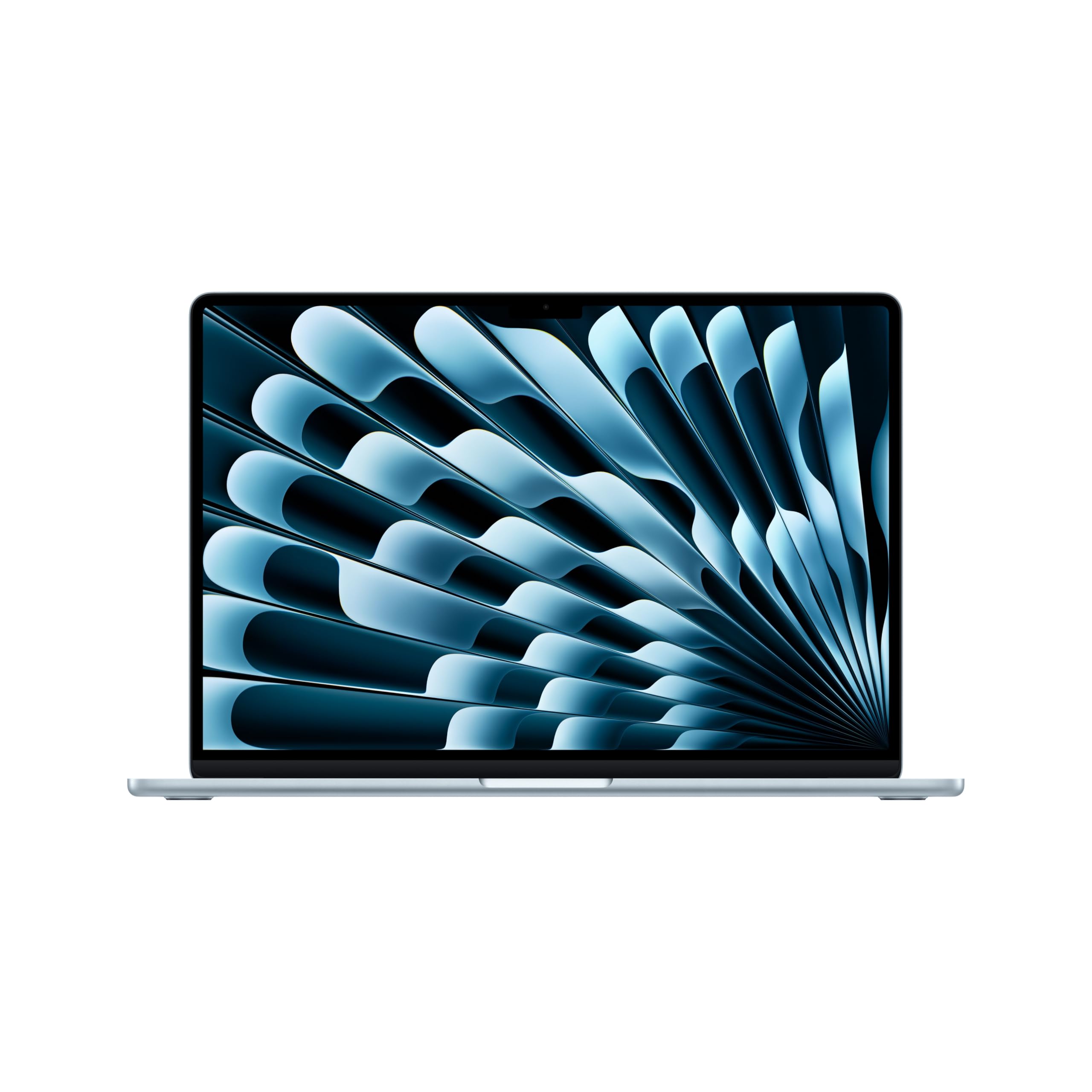
1. Apple 2026 MacBook Air 15-inch Laptop
Our pick — 4.5+★ from 250+ verified ratings; the strongest balance of quality and price.
Slim enough to live in a backpack, strong enough to chew through AI and editing work.
For someone who needs one machine that handles both coursework and AI tools without a power brick weighing them down, this is the obvious starting point. The M5 chip pairs a faster CPU with unified memory so apps stay fluid when you multitask, and the Neural Engine plus a next-generation GPU with Neural Accelerators give you a real platform for on-device AI.
The display is a 15.3-inch Liquid Retina panel that supports 1 billion colors, so photos and video show rich contrast while text stays crisp for long reading sessions. Around the body you get two Thunderbolt 4 ports, a MagSafe charging port, a headphone jack, and the Apple N1 wireless chip for Wi-Fi 7 and Bluetooth 6 — and it drives up to two external displays. Apple rates battery life at up to 18 hours, and the 12MP Center Stage camera keeps you framed automatically on video calls.
What wins people over here is performance: it is the most-discussed strength, and the pattern across reviews is that heavier workloads run without lag. Buyers report the M5 is “fast for AI/photo editing/multitasking” and call the 15.3-inch Liquid Retina display vibrant, the whole package thin and light, and the all-day battery genuinely all-day. For a machine this size, memory is the constraint to understand: at 24GB, it sits below the msi Aegis R2’s 32GB DDR5, so the very largest local models simply will not fit.
The case for it
- 24GB of unified memory in a 3.32-pound body, so AI tools and heavy multitasking travel with you
- Fanless, silent operation — no fan noise at all during long AI sessions
- Wi-Fi 7 and Bluetooth 6 via the Apple N1 wireless chip, plus support for up to two external displays
Where it asks for care
- 24GB of memory will not load the biggest local models that a 128GB machine handles
- Two Thunderbolt 4 ports is a modest count if you run many peripherals
Buy it if: you want AI capability and portability in one machine and value a silent, fanless design.
Think twice if: your work needs a shared pool far larger than 24GB to load very big models.
2. msi Aegis R2 AI Gaming Desktop
A tower that turns AI compute into frames, with airflow designed to keep the pace up.
The Intel Core Ultra 9 285 is the headline here, and MSI pairs it with AI accelerators explicitly aimed at the next era of gaming on an AI PC. Its cores boost up to 5.7 GHz, and it carries 32MB of cache, so gameplay stays responsive under sustained load.
Storage and memory together are where this machine separates itself from the laptop above. The Aegis R2 holds 2TB of M.2 NVMe storage against the MacBook Air’s 1TB — a 2.0x gap — and 32GB of DDR5 against the Air’s 24GB, which is 33% more. That extra headroom helps when you are running AI models alongside a game or a creative app.
Cooling is handled by an RGB CPU air cooler plus four system fans — three pulling air in at the front and one pushing heat out the back. The thing buyers mention most is performance, and the recurring note is that it stays cool: the review pages sum it up with a buyer who has never gone over 75C while not overclocking. The mixed signal is noise, where opinions split, and there is a small cluster of connectivity reports about monitors not being detected that leans negative — worth knowing in case a display handshake gives you trouble.
What $ gets you: a real graphics card and CPU pairing that handles 4K gaming and content creation without drama, plus easier upgrades — the case allows adding a secondary SSD without pulling the graphics card.
The caveat: there is no printed manual, which leaves some parts unidentified, and a handful of units have arrived worse for wear.
Reach for this if: you want one desktop that games hard and still feeds AI workloads through a dedicated GPU.
Look elsewhere if: you need a silent machine or a fully plug-and-play first boot with no monitor-detection fuss.
3. NVIDIA DGX Spark Personal AI Desktop Supercomputer

A desk-sized box meant to fine-tune models, not run spreadsheets.
This is the machine for someone who wants to develop and test large models locally instead of renting cloud time. The GB10 Grace Blackwell Superchip drives up to 1 petaFLOP of FP4 AI performance, and 128GB of coherent unified memory lets you experiment with models up to 200 billion parameters at FP4 right on your desk.
Storage is generous too: 4TB of NVMe with self-encryption, plus a ConnectX-7 Smart NIC for networking that makes it useful in a cluster. It runs the full NVIDIA AI software stack, so you can develop locally and deploy anywhere, and it is designed to augment a laptop, desktop, cloud, or data center rather than replace them.
Performance is what owners praise, and the standout use pattern is clustering — this box is at its best linked to others rather than standing alone, since a single unit leaves the CX-7 networking underused. Owners mention it handles big dual-LLM workflows and runs comfortably under 240W. The trade-off is value: the price draws mixed feelings, and the CPU and GPU are not the fastest for the money if raw speed is your goal.
One honest setup note: this machine powers on the moment you plug it in, with no indicator light and near-silent operation. That makes an improper shutdown easy to miss — cut power carelessly and you risk the file system.
The pick for: developers who need a secure, local environment for large-model work and are willing to pay for memory capacity.
Not the pick for: anyone chasing the fastest single-machine speed, or a buyer who wants plug-and-play simplicity.
4. Dell Pro Micro Plus Desktop
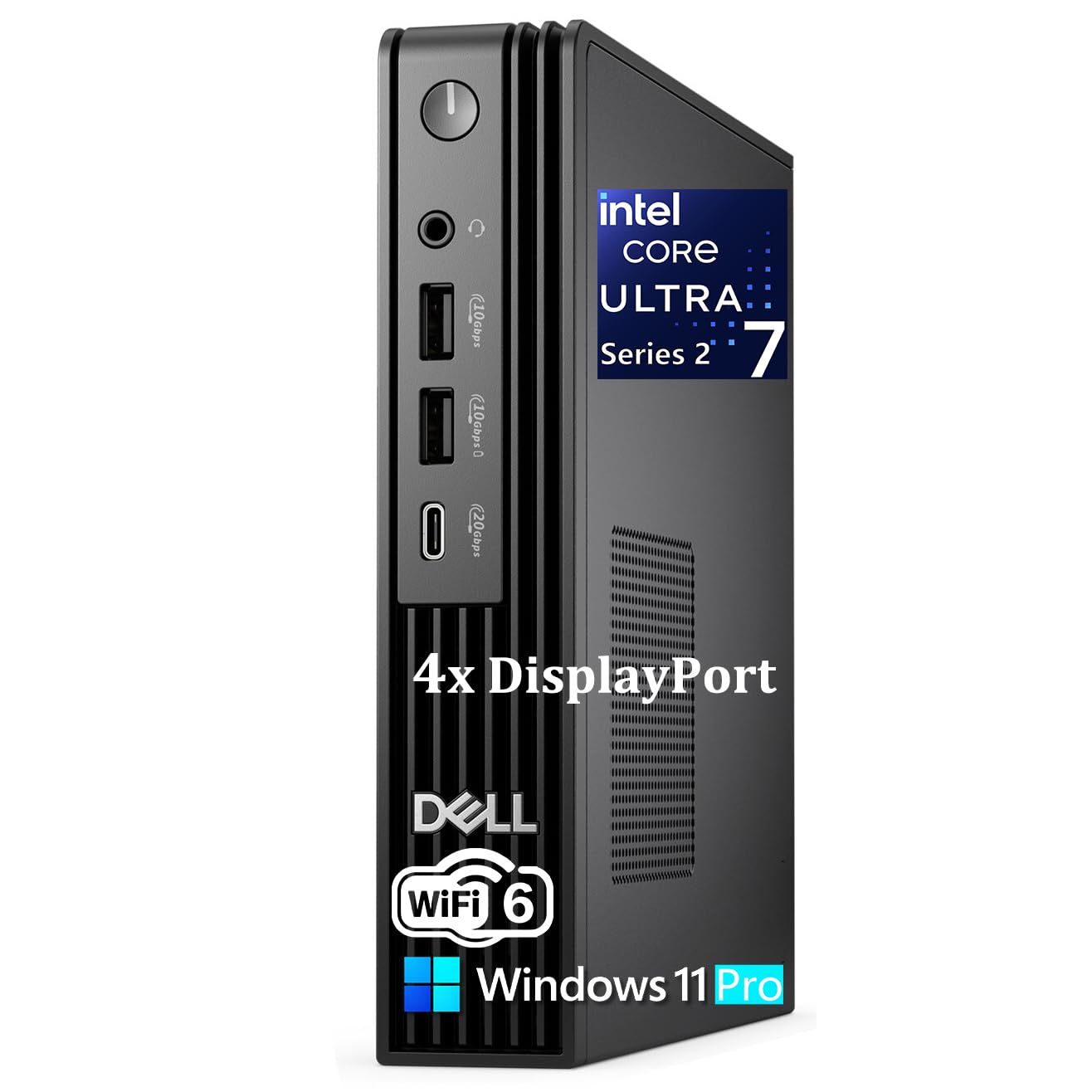
A monitor-back PC that fits where a tower never could, built for AI-assisted office work.
If your goal is a tidy desk and smooth business apps rather than gaming or giant local models, the Pro Micro Plus is the fit. Its Intel Core Ultra 7 265 is a 20-core chip with a dedicated NPU (a part of the chip built specifically for AI tasks) rated at 13 TOPS. That is a three-tier architecture — CPU, GPU, and NPU working together — so AI-driven apps for everyday multitasking, data analysis, and content creation respond faster.
Small is the point here: it measures just 7.17″ x 7.01″ x 1.41″ and weighs under 3.15 pounds, so it mounts behind a monitor or tucks onto a shelf. You get up to four independent 4K displays for real screen real estate, along with 7 USB ports including USB-C 20Gbps, Gigabit Ethernet, and Wi-Fi 6. The 16GB of DDR5 and 1TB PCIe NVMe SSD keep application launches and file transfers quick.
The compact footprint and speed are its most-discussed positives, and it is built for enterprise use with Windows 11 Pro, SmartPower On for remote management, and a 180W power adapter. The one thing to size honestly is reliability: that is the highest-mention topic and it comes back mixed, so treat reports here as a “give it a proper test early” note rather than a reason to walk away. Customers note it runs multiple monitors and programs at once with good boot speed.
Display caveat to file away: dual-monitor boot quirks have shown up, and swapping the DisplayPort cable resolved them — worth knowing before you blame the machine.
Worth it for: office users and media-server builders who want four 4K outputs and a footprint you can hide behind a screen.
Pass if: you need a large shared memory pool for heavy local AI models.
5. GEEKOM A9 Max AI Mini PC
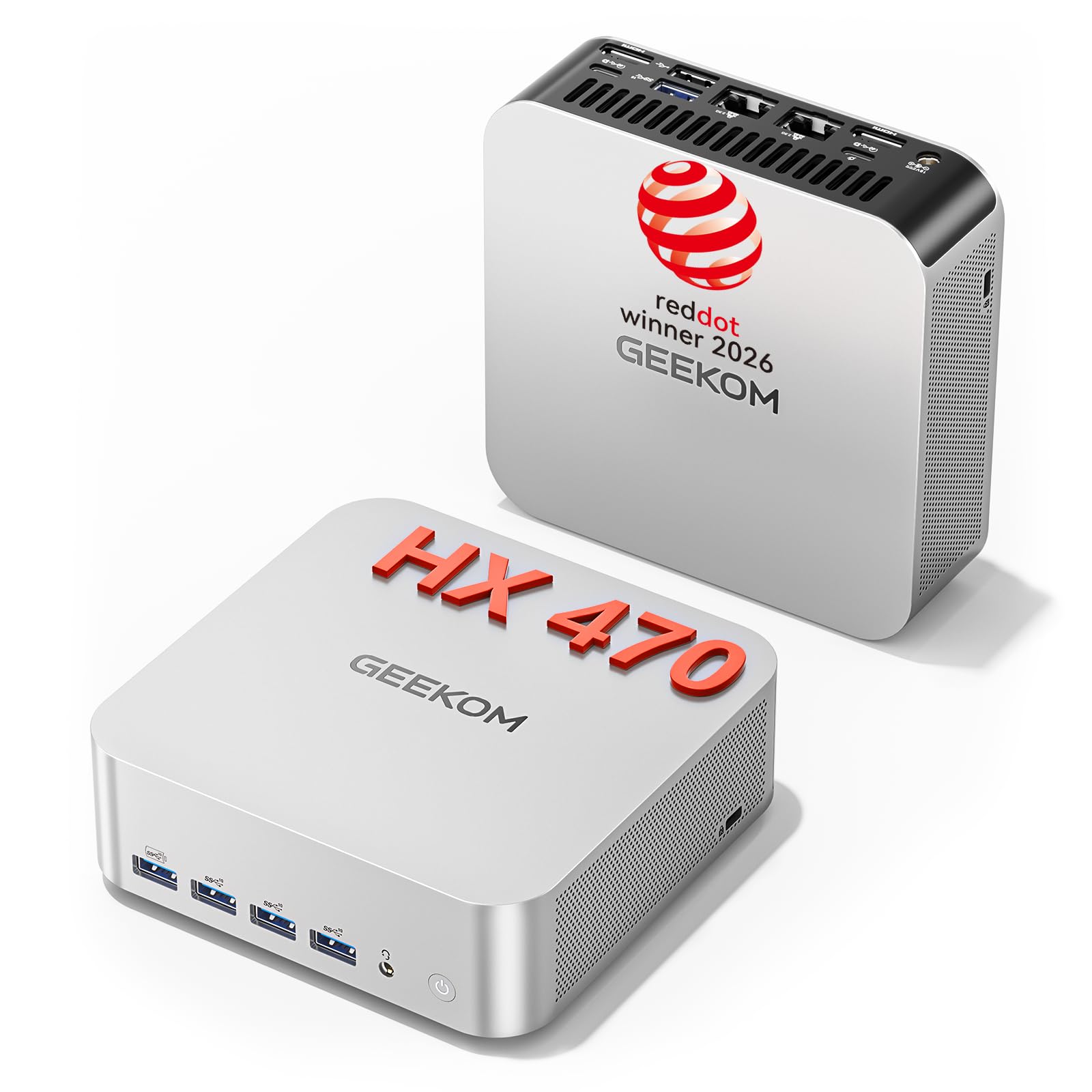
A mini PC that grows — 32GB today, 128GB whenever your models demand it.
This is the pick for professionals who want AI acceleration now but plan to expand later. The AMD Ryzen AI 9 470 delivers up to 86 TOPS of AI acceleration, including an XDNA 2 NPU rated up to 55 TOPS, so it handles local LLMs, 8K video, and 3D rendering without stalling.
The expansion story is the real draw. It ships with 32GB of DDR5 that you can push to 128GB, plus dual PCIe Gen4 NVMe slots (one M.2 2280 and one M.2 2230) for up to 8TB of total storage. The 12-core, 24-thread CPU boosts up to 5.2 GHz, and Radeon 890M graphics support up to four independent displays and 8K output — so a multi-screen workstation needs no docking station.
Performance is far and away the most-praised trait, followed by value, with the small size and quiet operation close behind. A buyer running virtual machines reports it handles 3 VMs and plenty of browser tabs with sufficient USB-C, HDMI, and USB-A ports. Cooling uses the IceBlast 3.0 system — a large copper heatsink, dual heat pipes, and a quiet fan — but under heavy load the fan becomes audible, and a minority note noise when the unit sits flat.
Why it earns its place
- Memory expandable to 128GB and dual NVMe slots for up to 8TB, so it scales with your AI projects
- Up to 86 TOPS with a dedicated NPU rated up to 55 TOPS for local model work
- Dual 2.5GbE LAN, USB4, Wi-Fi 7, and up to four displays including 8K output
Trade-offs to weigh
- The fan spins up audibly during long heavy sessions, and lying flat can make it louder
- You may want to plan for the 128GB upgrade rather than run very large models on the base 32GB
Best for: engineers, editors, and labs that want headroom to grow into bigger models and more storage.
Not ideal for: buyers who need dead-silent operation during peak sustained loads.
6. Alienware Aurora Gaming Desktop

The most graphics muscle in this roundup, wrapped in a design built to run long.
For a buyer whose AI work is really GPU work — rendering, modeling, heavy creation — the Aurora leads on graphics power in this lineup. Its NVIDIA GeForce RTX 5080 with 16GB of GDDR7 sits above the msi Aegis R2’s RTX 5070 Ti, and the Intel Core Ultra 9 processor boosts up to 5.6 GHz with 76MB of cache. The matte “basalt black” chassis carries customizable AlienFX lighting zones, including the stadium lighting.
Cooling is handled by a 240mm heat exchanger on the optional CPU liquid cooling, which raises thermal resistance so temperatures stay low through long sessions. You also get the Alienware Command Center software for lighting, performance modes, and custom profiles, plus 1 Year Onsite Service if something covered by the Limited Hardware Warranty needs a visit.
Performance is the trait owners talk about most, with value and quiet operation right behind it. Reviewers point out it runs demanding titles like Forza Horizon 6 and RDR2 at max settings while staying quiet and cool, and the build quality earns steady praise. The two honest wrinkles: the cooling is described inconsistently — some say liquid, others note it is not — and there is a cluster of reliability reports about crashes and motherboard failures that you should simply weigh with any high-power desktop. Note too that the RAM runs at 5200MHz, a step below 6000MHz seen elsewhere.
If you upgrade later: use Dell-certified DDR5 memory rather than third-party sticks, and skip Gen5 SSDs — a Gen4 drive is the safer route here.
Choose this if: maximum graphics performance for gaming and creative work is your priority and you want onsite service.
Think again if: you want a fanless, whisper-quiet setup or you are nervous about high-power desktop reliability.
7. GMKtec EVO-X2 AI Mini PC

The one that squeezes a 128GB memory pool into a box you can carry to another desk.
If running large local models is the whole point, this machine is built for exactly that. The Ryzen AI Max+ 395 pairs 16 “Zen 5” cores with a 50+ TOPS XDNA 2 NPU and a full 40 RDNA 3.5 compute units, and the on-board 128GB of eight-channel LPDDR5X runs up to 8000MT/s. In practice that lets you allocate up to 96GB as graphics memory for AI work.
It matches the NVIDIA DGX Spark on the 128GB ceiling but targets a different buyer. Whereas the DGX Spark is tuned for clustering, this one is a standalone workstation: quad 8K display support via HDMI 2.1, DisplayPort 1.4, and dual USB4, plus 2.5GbE and Wi-Fi 7. Three cooling fans and three power modes — Quiet at 54W, Balanced at 85W, and Performance at 140W — let you dial speed against noise with a single button.
Performance leads the praise, with speed and value right behind it, and the practical upshot is a machine that runs models far larger than a typical graphics card can hold. In real use that means dense models running at a usable pace while the box stays cool enough. The mixed signals are noise and thermals: some run super quiet, others report fans ramping and occasional overheating, and heavier model work may call for BIOS-level memory tuning and careful batch settings.
Know before you buy: the 128GB memory is soldered on-board, so you cannot expand it later — buy the capacity you will grow into, not just the capacity you need today.
Made for: LLM hobbyists, researchers, and small teams that want the biggest practical memory pool in a portable, quiet-bys-default box.
Skip if: you want a fully plug-and-play AI box with no tuning, or you need expandable memory.
Know the Specs
Unified memory and why it caps your models
Unified memory is a single pool of RAM shared by the processor and the graphics engine, rather than separate stacks for each. That matters because AI models must fit entirely in that pool to run well. A machine with 16GB has a low ceiling; one with 128GB can load far larger models. The trade-off is usually that unified memory is soldered on-board — as on the GMKtec EVO-X2, where the 128GB of LPDDR5X cannot be expanded later.
TOPS, NPUs, and what the numbers mean
A TOPS figure describes how many trillions of operations per second a chip can perform on AI math. An NPU is the part of the chip built specifically for those tasks, so a higher TOPS rating generally means faster responses when a model runs locally. The Dell Pro Micro Plus carries a 13 TOPS NPU, the GEEKOM A9 Max reaches up to 86 TOPS with an XDNA 2 NPU rated up to 55 TOPS, and the NVIDIA DGX Spark is rated up to 1 petaFLOP of FP4 performance on a larger scale.
Common Questions
How much unified memory do I need to run AI models locally?
What does an NPU rating in TOPS actually tell me?
Can I expand the memory on an AI mini PC later?
Will a mini PC overheat during long AI sessions?
Is a fanless laptop good enough for AI work?
How many displays can these AI computers drive?
Does a dedicated GPU matter more than an NPU for AI?
What connectivity should I look for on an AI desktop?
Can these machines do serious gaming as well as AI?
Is a desktop or a laptop better for running large local models?
The Bottom Line
For most people, the best ai computer is the Apple 2026 MacBook Air 15-inch with the M5 chip, because it folds real AI capability into a 3.32-pound fanless body with 24GB of unified memory and 1TB of storage. If your priority is loading the largest local models on a fixed budget, the GEEKOM A9 Max gives you 32GB expandable to 128GB and up to 86 TOPS, while the GMKtec EVO-X2 puts a full 128GB of soldered LPDDR5X in a quiet, portable box for serious LLM work. Whichever fits your workload, choose by memory ceiling first and TOPS second.
How we choose
We do not accept paid placement. Every pick is matched to a real buyer and a real use-case; we do not hands-on test units.
Sources
Specifications: manufacturer listings and product documentation. Review insights: verified customer reviews, as of October 2026. Pricing: not shown on this page (it changes often); check the current price via the retailer link.
As an Amazon Associate, Aappliancez earns from qualifying purchases. This does not affect which products we feature.