Disclosure: Some links in this post are affiliate links. As an Amazon Associate I earn from qualifying purchases, at no extra cost to you. Learn more
Specs are compiled from manufacturer listings and verified buyer reviews and can change over time — please confirm the key details on the product page before buying.
You do not need a whole renovation to make a home feel smart. The seven picks below cover the jobs that actually matter — climate and TV control, door access, leak watching, lighting, and gate alerts — and each one earns its spot because it works without a monthly headache. Start with the SwitchBot Hub Mini for the widest instant win, then match the rest to the problem nagging you.
This guide is built by comparing the manufacturers’ published specifications and the patterns across verified customer reviews, so you get each pick’s real strengths and trade-offs instead of marketing spin.
Radio-based sensors reach the far corners of a property while hubs pull scattered remotes into one app. Getting the mix right is what makes shopping for affordable smart home products so much easier once you know which protocol covers your space.
Top Picks

How To Choose The Best Affordable Smart Home Products
A cheap smart gadget usually lets you down for one of three reasons: the signal cannot reach where you put it, the battery dies inside a year, or it will not talk to the app you already use. Get those three right and the rest is taste. Here is what to check before you add anything to your cart.
Match the radio to your floors, not the price tag
Wi-Fi gadgets are the simplest to start because they join the network you already have. The catch is range and battery drain — Wi-Fi radios work hard and burn through cells fast. A hub-based system, where every sensor talks to a small plugged-in box, keeps those batteries alive far longer and reaches through walls the Wi-Fi on your phone cannot. Worth the extra setup step if you have a basement, a detached garage, or a mailbox at the end of a long driveway.
Check the compatibility list before you commit
Alexa, Google Home, and Apple HomeKit are not interchangeable, and a handful of devices sit behind a separate bridge or gateway to get the full feature set. Read the fine print on which platform the device supports natively and which ones need a paid add-on. A hub that claims one ecosystem often still works with the others through a gateway, but you want to know that before you buy.
Battery life and install effort decide your real cost
A sensor that lasts five years on a set of AA cells costs you nothing after purchase. One that dies every six months is a chore you will resent. The same goes for install — a screwdriver job that takes twenty minutes is fine, rewiring a switch box is a weekend. Pick the projects you will actually finish.
Side-by-Side Comparison
| Model | Best For | Connectivity | Batteries | Key Spec | Amazon |
|---|---|---|---|---|---|
| SwitchBot Hub Mini★ Best Overall | Turning old TVs and ACs smart | Wi-Fi (2.4GHz) | — | 10 devices, 120m range | Amazon |
| Veise VE017 Smart LockTop Performer | Front-door keyless entry | Bluetooth, Wi-Fi (gateway required) | 4 AA, about 12 months | 0.2s fingerprint open up | Amazon |
| Tapo T31 Door Sensor Kit | Whole-home entry alerts | Sub-G via Hub, Matter | CR2032, up to 2 years | 3 sensors, 90dB alarm | Amazon |
| YoLink Leak Sensor Kit | Basements and laundry rooms | LoRa via SpeakerHub | 8 AAA, over 5 years | 105dB alarm, 2,034 ft range | Amazon |
| Kasa Matter Dimmer Switch | Smart wall lighting control | Wi-Fi, Matter | — | 1% to 100% dimming | Amazon |
| YoLink Outdoor Contact Kit | Gates, mailboxes, outbuildings | LoRa via Hub | 2 AA, 5+ years standby | 2,034 ft range | Amazon |
| Philips Hue Starter Kit | Room lighting and scenes | Bluetooth, Zigbee, Wi-Fi | — | 2200 Kelvin, CRI 80 | Amazon |
Detailed Reviews
1. SwitchBot Hub Mini Smart Remote – IR Blaster
A small white puck that makes your old air conditioner and TV answer to your phone.
If you have an appliance with an infrared remote — the kind that shoots a beam at the unit — this hub clones that remote in about five seconds using its Smart Learning mode. You point the old remote at the hub, press a button, and the command is stored. The hub then fires those same infrared commands on its own schedule, so a mini-split air conditioner that never had an app suddenly turns on at 5pm because you told it to.
It reaches around 120 meters, which is a metre-based distance measurement equal to roughly the length of a full city block. In practice, that is plenty for one room or a shared living space, and it runs off USB power rather than a wall socket. You can set it on a shelf within clear line of sight of the TV or AC, and it controls up to 10 devices in a single app. Voice commands work through Alexa, Google Assistant, Siri, and IFTTT — all four are supported, and the SwitchBot app itself handles the scheduling and scenes.
The honest catch is Wi-Fi band compatibility. It connects only to a 2.4GHz network, the older, longer-range band your router broadcasts. If your router only shows a 5GHz network name, the hub simply will not connect, and no amount of app fiddling fixes that. Check your Wi-Fi settings before buying — it is the single most common reason this hub gets returned.
Where it wins you over
- Learns your existing remote in about five seconds — no wiring, no replacement needed
- Controls up to 10 infrared devices from one phone app
- Works with Alexa, Google Assistant, Siri, and IFTTT
- USB-powered, so placement is flexible
What to expect
- 2.4GHz Wi-Fi only — a 5GHz-only router will not work
- Metal or thick construction between hub and device can interrupt the infrared beam
- Some commands need a second, like a Wi-Fi camera or motion sensor, to fire reliably
Buy it if: you want to control a non-smart AC, TV, or fan from your phone without replacing the appliance.
Look elsewhere if: your router broadcasts only a 5GHz network or you have no line of sight to the appliance.
2. Veise VE017 Fingerprint Smart Door Lock with App Control
A deadbolt that reads your finger in the time it takes to blink and forgets the house key.
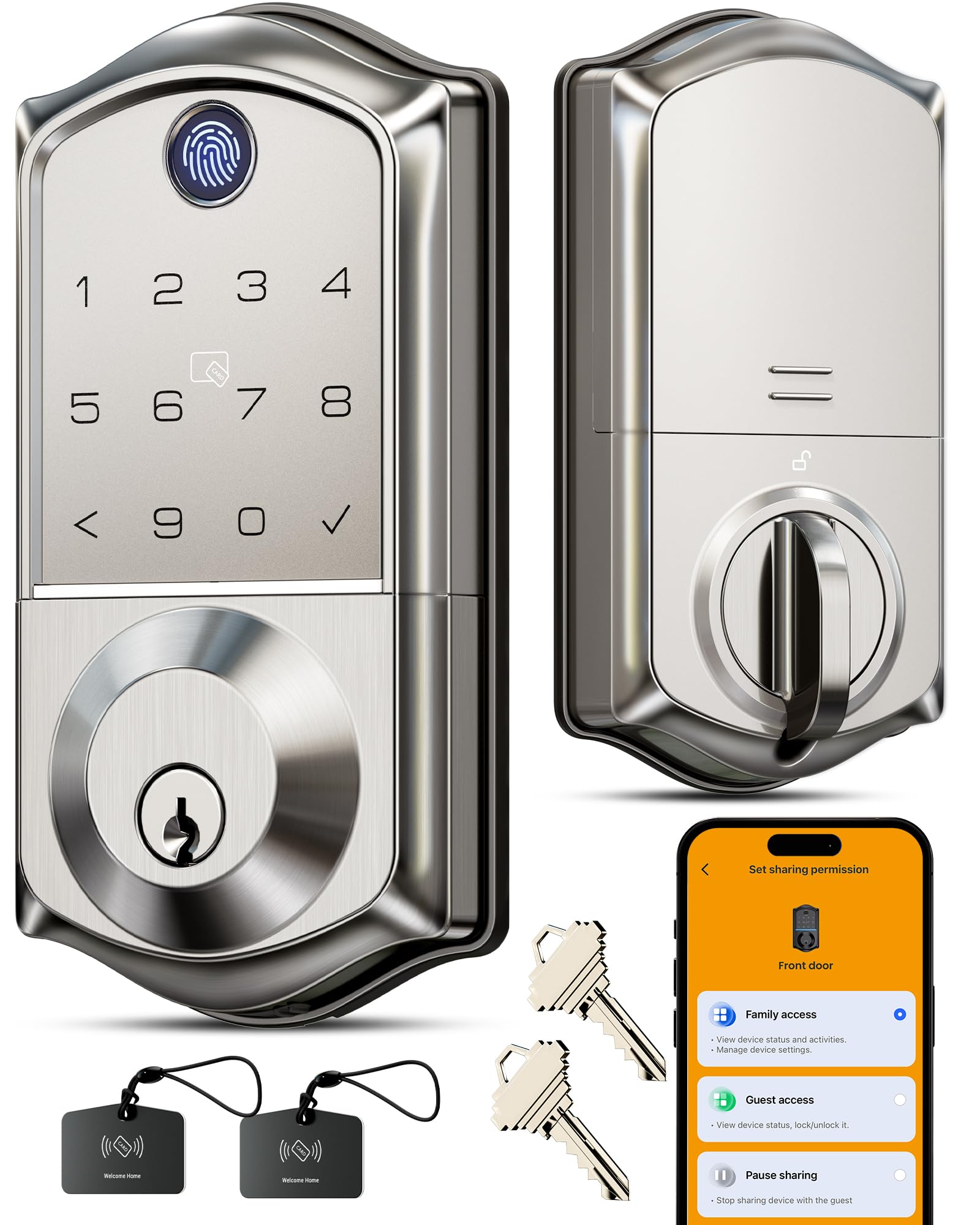
Satin nickel finish, 8 separate ways in, and a fingerprint scanner that grants access in under 0.2 seconds with a claimed 99.99% accuracy on the matching chip. The scanner uses a dedicated AI chip that refines its recognition patterns each time you use it, so the fingerprint that works on day one keeps working.
The lock handles four password modes, from one-time codes for a delivery driver to permanent codes for family and recurring codes for a regular sitter. All entry data — records, codes, fingerprints — stays encrypted with AES128 locally on the lock rather than in a cloud. That means no monthly fee and no stored log on a server somewhere. The battery runs about 12 months on four AA alkaline cells, and there is a USB-C emergency port on the outside in case you let them run flat.
Install is the part that trips people up. The door leaf has to sit parallel and symmetrical to the frame, so the latch lines up with the strike plate hole. If you skip a reset during setup, the lock throws a false “jammed” error — the fix is simply running the reset properly. Some locksmiths are needed for tricky doors, but a standard door is a screwdriver job.
Buyers report: the fingerprint sensor is fast and accurate, and the multiple open up methods — fingerprint, app, keypad, fob card, and mechanical key — get used every day rather than gathering dust.
Also worth knowing: the lock works with Alexa and Google voice control, but only through the Veise G1 Gateway, which is sold separately. Remote open up from your phone also needs that gateway, so factor it in if you want to let a guest in from across town.
Perfect pick for: anyone who wants to stop carrying a key and values a fast, accurate fingerprint read on the front door.
Reconsider if: your door frame is out of alignment or you expect remote phone access without buying the extra gateway.
3. Tapo Door Sensor Starter Kit

Three tiny contact sensors and a chime hub that tell you the second a door opens.
Three contact sensors and one hub with a built-in chime cover the three entry points that matter most in a starter setup. Each sensor uses a magnetic reed switch — two halves pull apart when the door opens and the circuit breaks. They run on CR2032 coin cells rated for up to two years, and they use Sub-G protocol through the hub, which is a lower-power radio that stretches battery life compared to plain Wi-Fi. The hub can hold up to 64 sensors, switches, and buttons if you decide to expand later.
The 90dB alarm is loud enough to notice from another room, and the app shows a full activity history so you can scroll back and see exactly when a door opened. Matter certification is the real headline here — it means the sensors talk to Alexa, Google Home, Apple HomeKit, and Samsung SmartThings without a proprietary adapter, which is rare at this position. If you own Tapo pan/tilt cameras, sync them to the sensors and they will capture footage the moment a door opens.
Setup is genuinely tool-free. Each sensor mounts with the built-in magnet or a strip of 3M adhesive, so renters can peel and place and take them along at move-out. The two-year battery rating assumes normal use; a door that opens twenty times a day will chew through it faster. The one real limitation is that the sensors need the included Tapo hub to work — they will not connect to your Wi-Fi directly.
What lands well
- Matter certified, so it works across Alexa, Google Home, Apple HomeKit, and Samsung SmartThings
- Three sensors plus hub and chime in one kit
- CR2032 batteries rated up to two years
- Magnet or 3M adhesive mounting — no tools, no wiring
Worth knowing
- Sensors require the included Tapo hub to function
- 2.4GHz Wi-Fi required for the hub
- 90dB alarm is clear but not deafening on a large property
Reach for this if: you rent and want instant door and window alerts without drilling or wiring anything.
skip it if: you already own a different smart home hub and want sensors that connect directly without an extra box.
4. YoLink Water Leak Sensor 4 Kit: 3-Pack + SpeakerHub

Three leak pucks and a shouting hub that catch the drip before it becomes a flood.
This kit is built to stop the repair bill you dread most: water damage. You get three water leak sensors to place near the toilet, the water heater, the washing machine, or under the kitchen sink. The moment a puddle forms under one, the SpeakerHub sounds a 105dB alarm (105 decibels, about as loud as a chainsaw) and pushes a notification to your phone, so you hear about a leak before the floor is soaked. A centigrade-based low-temperature sensor (it reads temperature in Celsius) also triggers a freeze warning as the temperature drops toward freezing, so it watches for the frozen-pipe problem before water comes through the ceiling.
The radio inside these sensors is LoRa, a long-range low-power protocol that reaches up to 2,034 feet — over a third of a mile. That distance is what makes this kit useful in a basement, a detached garage, or a shed where your Wi-Fi signal dies at the door. Each sensor is rated IP66, meaning it can survive being doused by spray or splashed water, and they run on replaceable AAA cells rated for over five years. The hub supports over 300 devices if you want to add more sensors later.
Notifications come through email and text, and the app works on Android and Apple. The free tier gives you 20 texts per month, with additional SMS available for a small monthly add-on. The learning curve on the app is the friction point — the difference between a “room” and a “name” for each sensor confuses a lot of new users, and one buyer genuinely asked for a simple label sheet. Worth the patience because once it is set, the sensors quietly watch and you stop thinking about them.
Why it earns its place: a real spill — a cleaning fluid puddle under a sink — was caught and reported the instant it happened. That is exactly the scenario the sensor exists for.
The gotcha: the marketed long range assumes clear line of sight. Through a wooded outdoor area, real range is closer to a few hundred feet. Indoors through walls and floors, it is still strong — the sensor was tested across three separate levels of a home with no connectivity drops.
Made for: a homeowner who has a basement, a laundry room, or a second property and wants to know the moment water shows up.
Not the one if: you want a simple plug-and-forget setup and have no patience for a learning curve on the app.
5. Kasa Matter Smart Dimmer Switch, KS225P3
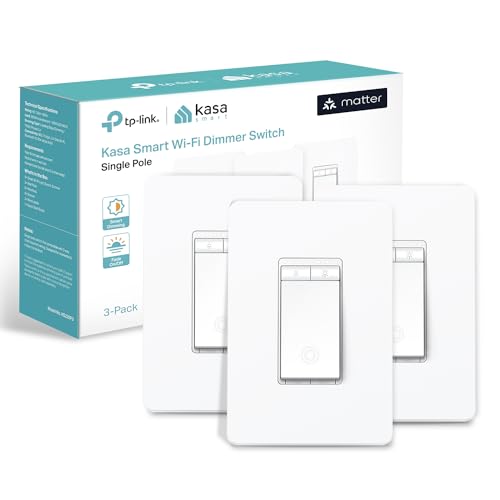
Wall dimming that drops all the way to one percent — the low glow most switches cannot reach.
Wall dimming is the upgrade people skip because they assume it means an electrician. It does not, if your switch box has a neutral wire, the white wire your current dimmer may or may not use. Check the box before you buy — no neutral, no work. When you do have one, the Kasa app walks you through the wiring step by step, labels each wire, and auto-discovers the switch for pairing. The full install is a screwdriver job most people knock out in under an hour.
Dimming runs from 1% to 100%, which is the full range — most cheap dimmers bottom out higher and never reach that faint nightlight glow. Adjust it with a finger slide, the app, or a voice command through Siri, Alexa, or Google Assistant. Matter support is the part that matters long term: the switch works with Apple Home, Alexa, Google Home, and SmartThings at the same time, and it keeps working over your local network even when the internet is down. That is different from Wi-Fi-only switches, which go dark the moment your router does.
The complaints that show up are specific. Some units arrive with an amber light blinking, which customer service resolves with a replacement once you open a case — one owner got that sorted quickly through a support agent. And if you have a three-switch box that is missing a pre-wired neutral, the install confuses even experienced DIYers. The safest move for that box is to call an electrician.
The case for it: dimming stays smooth and the LED bulbs stay silent — no hum from the fixture even at low levels, which is a real annoyance on cheaper dimmers.
Small caveat: the switch needs a neutral wire and a 2.4GHz Wi-Fi connection for setup, so a home without either will need an electrician or a different approach.
Strongest fit: a homeowner who wants wall dimming across multiple platforms and does not want the switch to stop working when the internet drops.
Pause if: your switch box has no neutral wire, or you are not comfortable shutting off the breaker and handling the wiring yourself.
6. YoLink Outdoor Gate and Door Contact Sensor Kit

Gate and mailbox alerts that reach from the property line back to your phone.
This is the pick for the far edge of your property. Two outdoor contact sensors and one hub reach up to 2,034 feet using LoRa, far past the point where Wi-Fi runs out, and they keep working through the concrete and steel that block most wireless signals. Put one on the driveway vehicle gate and one on the mailbox at the end of the road, and each will report when it opens without you walking out to check.
Each sensor runs on two AA batteries rated for five or more years of standby, and they arrive included. The hub supports over 300 devices, so this kit is a starting point rather than a dead end. The app is self-monitored — no monthly fee — and it sends notifications by email and app alert, with limited paid text options. You can also snip off the reed switch and wire the sensor directly to relays or an alarm panel to trigger your own automations, which is more flexibility than most consumer sensors offer at this price.
The honesty part: this sensor is designed for outdoor use but is not itself waterproof. Mount it under an eave, inside a gate post cavity, or in any covered spot away from direct rain and standing water. Prolonged moisture will eventually affect the electronics. A mount in a fully exposed fence post will fail — plan for a covered position and it will hold.
The rearview mirror moment: sensors mounted on a mailbox 154 feet away from the hub reported cleanly once the phone permissions were granted. That is the reach this kit is built for.
Install reality: mounting is the tricky part. Some gate configurations need trial and error to get the magnet alignment right, and the included hardware is not always the right fit for a wood post. Plan an extra half hour.
Best for: a property with a detached gate, a barn, a shed, or a mailbox far from the house — anywhere Wi-Fi cannot reach.
Think twice if: you need to mount fully exposed to rain, or you want plug-and-go setup with zero trial and error.
7. Philips Hue Smart Light Bulbs Starter Kit

The smart lighting that made the whole category respectable, and still the easiest to live with.
Two A19 bulbs and one Hue Bridge — the small white box that turns the bulbs into a proper smart lighting system. The bulbs screw into a standard E26 base, the base size that fits most table lamps and ceiling fixtures in the average home, and the 60-watt-equivalent output is bright enough for general room lighting. The color story is the full White and Color Ambiance range: warm-to-cool white plus millions of colors, with a color rendering index of 80 and a color temperature of 2200 Kelvin at the warm end. That combination means the warm setting looks like an evening lamp, not like a cold office light.
The Hue Bridge is what separates this kit from a Bluetooth-only bulb. Running the bulbs through the bridge, rather than your router Wi-Fi, keeps the connection steady, frees your router from handling another dozen devices, and open up the automations, remote access, and Matter connection. Matter support means the bulbs work with Apple Home, Alexa, and Google Assistant at the same time. Voice control, 24-hour natural light scenes, and per-bulb brightness and color tweaks all live in the app.
The trade-off is the price tag. Hue is the priciest lighting on this list, and one reviewer acknowledged it directly — worth the extra money over cheaper brands because the connection is flawless and the app interface is clean and ad-free. The bridge itself is essential for the full feature set, so this is not a buy-two-bulbs-and-go situation. If you only want two bulbs and a simple app, there are cheaper ways. If you want a lighting system you will not outgrow, this is the one.
The standout: the bridge keeps the bulbs off your Wi-Fi entirely, which is why the connection stays rock solid while cheaper Bluetooth bulbs stutter.
Worth flagging: removing the bridge means losing the automations, and the two-bulb count goes quickly — most people add more within a month.
The right buy for: someone building lighting they will expand room by room and wants a connection that never drops.
Look elsewhere if: you only want two bulbs and want to avoid the extra bridge box sitting on your router shelf.
Know the Specs
Radio Protocol: Wi-Fi, Zigbee, Sub-G, and LoRa
The radio inside a smart gadget is the single biggest factor in how well it works in your home and how long its batteries last. Wi-Fi devices are easy to start with because they connect to the network you already have, but they burn through batteries in months. Zigbee and Sub-G devices use a low-power signal that talks to a small hub, keeping batteries alive for years while still reaching across a home. LoRa, used by the YoLink sensors, is the longest-range option, reaching up to 2,034 feet — that is the protocol that lets a sensor on a distant gate reach the hub. A hub-based system almost always wins on battery life; the trade-off is the extra small box you have to plug in.
Battery Life and What Drives It
The number on the box assumes normal use — a sensor that trips a few times a day rather than constantly. An outdoor contact sensor rated for five years runs that long on two AA cells if it sits idle most of the time; a door that opens twenty times an hour will drain it faster. The chemistry matters too: CR2032 coin cells give the small Tapo sensors up to two years, while the larger AA and AAA cells in the YoLink sensors deliver five years or more. Where the sensor sits and how often it fires decide the real number, not the marketing claim on the front of the box.
Common Questions
Will a smart hub work if my home only broadcasts a 5GHz Wi-Fi network?
Do I need a neutral wire for a smart dimmer switch?
How far will a smart sensor actually reach from its hub?
Can I use a smart lock without the extra Wi-Fi gateway?
What happens to a smart switch when the internet goes down?
How often do I have to replace smart sensor batteries?
Do smart sensors need to be replaced if I move house?
Is a hub really needed, or can I just use the app?
Will these devices work with Alexa, Google Home, and Apple HomeKit at the same time?
What is the difference between standard Wi-Fi smart gadgets and hub-based ones?
The Bottom Line
For most homes, the safe starting point is the SwitchBot Hub Mini, because it makes the appliances you already own respond to your phone without replacing anything — just check your Wi-Fi band first. If you want the front door handled, the Veise fingerprint lock gives you fast keyless entry with local encrypted storage (the fingerprint data stays on the lock, not in the cloud). And for a basement or outbuilding, reach for the YoLink leak sensor kit — a dripping pipe it catches early is the cheapest repair you will ever make.
How we choose
We do not accept paid placement. Every pick is matched to a real buyer and a real use-case; we do not hands-on test units.
Sources
Specifications: manufacturer listings and product documentation. Review insights: verified customer reviews, as of October 2026. Pricing: not shown on this page (it changes often); check the current price via the retailer link.
As an Amazon Associate, Aappliancez earns from qualifying purchases. This does not affect which products we feature.