Disclosure: Some links in this post are affiliate links. As an Amazon Associate I earn from qualifying purchases, at no extra cost to you. Learn more
Specs are compiled from manufacturer listings and verified buyer reviews and can change over time — please confirm the key details on the product page before buying.
The adding machine with tape you actually want is the one that keeps printing legible paper records after the novelty of the calculator wears off. That means a steady paper feed, a printer that doesn’t jam mid-audit, and keys spaced so your fingers know where they are. This guide compares seven desktop printing calculators across ribbon and thermal printing, display type, print speed, and paper handling — the things that decide whether your tape is a clean record or a crumpled mess.
This guide is built by comparing the manufacturers’ published specifications and the patterns across verified customer reviews, so you get each pick’s real strengths and trade-offs instead of marketing spin.
You’ll see which units print in two colors, which run ink-free on thermal paper, and which trade quiet operation for a higher cost per roll. If you want the short answer before the detail, the Sharp EL-2630PIII is the crowd favorite — 4.5+ stars across 900+ ratings — and it earns its spot on reliability and a big display. Here is the full breakdown of the best adding machine with tape.
Top Picks

How To Choose The Best Adding Machine With Tape
The first decision is the printer, because it decides what you spend on supplies forever. A ribbon printer uses a two-color spool — black for positive totals and red for negatives — so a quick glance at the tape tells you which numbers went which way. A thermal printer needs no ink or ribbon at all. It heats treated paper instead, so there is nothing to replace but the roll itself.
Ribbon or thermal, in plain terms
Pick ribbon if you want the classic red-and-black tape that accountants have read for decades; the spools are cheap and easy to swap. Pick thermal if you want a silent machine that needs no ink, but expect paper that costs more per roll and black-only printing on most units. Neither is wrong — it depends on whether two-color clarity or a quiet, ink-free desk matters more to you.
The number that sets your pace: lines per second
Print speed is measured in lines per second — how many rows of tape the machine can push out in one second. The high-speed units here run at 8.0 lines per second, while a slower commercial model runs at 4.8. On a single sum you won’t notice. When you are printing hundreds of entries a day, the faster printer means less waiting between keypresses.
Display and key layout decide your accuracy
A VFD (vacuum fluorescent display) glows bright green and reads clearly across a desk. A backlit LCD is easier on the eyes in low light and lets some units switch to a larger print mode. Key spacing matters just as much — a full-size keyboard layout with room between keys is what keeps your fingers from hitting two numbers at once.
Side-by-Side Comparison
| Model | Best For | Print Speed | Display | Print Method | Amazon |
|---|---|---|---|---|---|
| Sharp 12-Digit Commercial Printing Calculator (EL-2630PIII)★ Best Overall | All-day business desks | 4.8 lines per second | VFD | Ribbon, two-color | Amazon |
| Sharp 12-Digit Thermal Printing Calculator (ELT3301)Fastest Printer | Quiet, ink-free printing | 8.0 lines per second | Backlit LCD | Thermal, ink-free | Amazon |
| Canon P170-DH-3 Desktop Printing Calculator | Compact home-office desks | — | VFD | Ribbon | Amazon |
| Casio HR-300RC Printing Calculator | Big, bright easy reading | — | Backlit LCD | Thermal, two-color | Amazon |
| Canon MP25DV-3 Desktop Printing Calculator | Long-haul business use | — | VFD | High-speed ribbon | Amazon |
| Victor 12-Digit Desktop Adding Machine (1240-3A) | Tax-season workhorses | 4.5 lines per second | Fluorescent | Ribbon, two-color | Amazon |
| Victor Technology PL8000 Thermal Printing Calculator | Advanced financial math | 8.0 lines per second | Backlit LCD, 14-digit | Thermal, two-color | Amazon |
Detailed Reviews
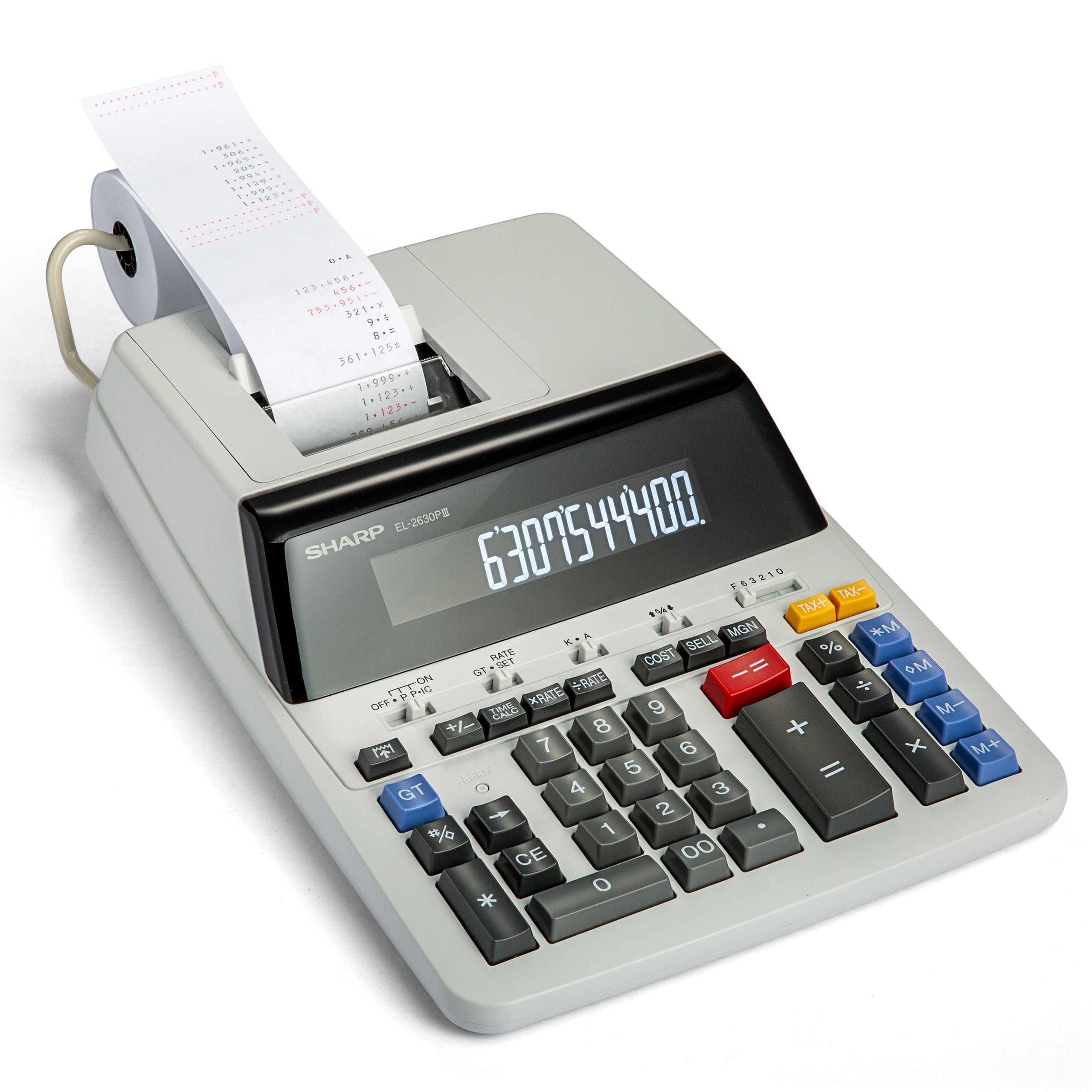
1. Sharp 12-Digit Commercial Printing Calculator (EL-2630PIII)
Our pick — 4.5+★ from 900+ verified ratings; the strongest balance of quality and price.
A full-width commercial desk machine that treats the tape as part of the job, not an afterthought.
What sells this Sharp to working accountants is reliability. One buyer summed it up plainly: “Replaced 13-year-old TI desktop calculator (TI no longer makes them).” That is the pattern with this machine: it is the calculator you stop thinking about.
The tape itself prints through a fast 4.8 lines-per-second ribbon printer, so you get two-color output that separates positive and negative totals at a glance. The extra-large VFD display (a bright fluorescent readout) stays legible from across a desk. Cost-Sell-Margin is built in — enter two of the three variables and the machine solves the third, which is the quiet feature that saves you a calculator app on every pricing job.
The honest catch is paper handling and key placement. The machine prints the running total on the left rather than the right, and the last number sits low on the tape where it’s harder to glance at. Jamming comes up often enough that you’ll want to feed paper straight and keep rolls clean. It is also a big unit — 21 inches long and 13 inches wide at 2 pounds — so it wants real desk space. Compared with the thermal Sharp below, it is far slower on paper (4.8 versus 8.0 lines per second) and far larger (21 inches versus 10), but it gives you the red-and-black tape that thermal models can’t.
Where It Wins
- Reliability is the headline — long-service owners keep coming back to the same model.
- Two-color ribbon tape separates positive and negative totals instantly.
- Cost-Sell-Margin solves the third variable for you.
- Extra-large VFD display reads clearly across a busy desk.
What To Weigh
- Running total prints on the left, and the last figure sits low on the tape.
- Paper jams are a recurring complaint — feed carefully.
- At 21 by 13 inches it needs genuine desk room.
Built for: accountants and small-business owners who want the classic two-color tape and a machine that outlasts the desk it sits on.
Think twice: a cramped desk or a preference for silent printing points you toward a thermal unit instead.
2. Sharp ELT3301 Thermal Printing Calculator
The printer that cuts the racket and never asks you to buy another ink ribbon.
Eight lines per second is the number to fix in your head here. That is the thermal print speed on this Sharp, and it beats the commercial EL-2630PIII above by a wide margin — 8.0 versus 4.8 lines per second. On a long stack of entries the difference reads as a tape that keeps up instead of one that makes you wait. The thermal method means no ink and no ribbon, so the only consumable is the paper roll.
The display is a backlit LCD (a lit screen you can read in dim light), and you can flip it to a 10-digit large-print mode that makes figures roughly double the normal size. Paper changes are genuinely simple thanks to a top-loading compartment you open right on top — no threading a narrow slot. The full-size keyboard adds space between keys, which is exactly the spec that reduces mistyped numbers during a busy afternoon.
What buyers keep mentioning in the negative direction is paper cost. The thermal rolls are small and priced higher than plain ribbon tape — as owners put it, “The adding machine tape is very expensive and tiny rolls.” You also lose red negatives, since thermal prints black on black. And this is the smaller machine: 10 inches long by 9 wide at 1.5 pounds, versus 21 by 13 at 2 pounds for the commercial Sharp. If desk space is tight, that is a plus; if you want red totals, it is not.
The everyday win: a quiet, ink-free desk with a lit display and a big-print option — and a printer that outruns the ribbon Sharp on speed.
The supply math: you trade ink costs for pricier thermal rolls, and you give up two-color tape in the bargain.
Reach for this if: you want fast, silent printing and don’t need red negatives on the tape.
Look elsewhere if: two-color ribbon output is non-negotiable for how you read a tape.
3. Canon P170-DH-3 Desktop Printing Calculator

The tape machine that fits a small desk without shrinking the keys you actually type on.
Build quality is what owners talk about most with this Canon, and it shows in the size-versus-feel balance. The unit measures 14.6 inches long by 9.6 wide and weighs 1.8 pounds — not tiny, but far from the 21-inch commercial Sharp, and it slips onto a modest home-office desk. The VFD display glows bright and clear, and the keys are large enough that touch typists can work without looking down.
Business functions are all here: the Double Check feature re-verifies a calculation, and dedicated keys handle cost, selling price, and profit margin in a few presses. It also covers currency conversion, a clock and calendar, and time calculation. A backup battery (CR2032) and a starter roll of paper come in the box, so you can print your first tape the day it lands.
The two honest notes are noise and speed. A constant high-pitched sound runs while it’s on, and printing is slower than the thermal machines on this list. There’s also a fair split on value — plenty of buyers call it an amazing deal, while others feel it doesn’t justify the cost. Practical advice from the review pages: use a genuine Canon ink wheel, since no-name alternatives print faint tape. On longevity, a long-time user reported units lasting about a year with daily use — treat it as a workhorse, not a lifer.
Good match for: a home office or small desk where the tape matters more than two-color printing speed.
Consider the trade-off: if a high-pitched whine would bother you over a full workday, go thermal.
4. Casio HR-300RC Printing Calculator, Backlit LCD Display

Big, lit numbers for anyone who is tired of leaning in to read a tape.
If squinting at small figures is your daily annoyance, this is the machine built around that fix. The backlit LCD (a screen lit from behind for low-light reading) shows large, bright digits, and the printout uses big numbers on the paper too. It’s one of the few thermal units here that prints in two colors — black and red — so negatives still jump out even without a ribbon. The 10.2-inch by 7.68-inch body weighs 1.4 pounds, making it the lightest unit on this list.
The Corrections feature is the sleeper pick for anyone who makes entry errors: it lets you review, edit, and reprint up to 150 steps, so you fix a mistake on the tape instead of starting over. Cost-Sell-Margin keys, tax keys, and a date/time stamp round out the business side. A CPA who switched from a brand with a fading fluorescent display called this Casio’s lasting LCD the deciding factor, and also praised the ~30-minute sleep mode that wakes with the CA/ON keys.
Be clear on one thing before you buy: this calculator has no battery power option. It runs on AC only, so it needs a wall outlet and won’t travel. The flip side is quiet thermal printing that several owners describe as very quiet and good for home use. Key responsiveness is the other soft spot — some find the buttons less crisp than they’d like.
The readability argument: a backlit LCD with large digits and large print solves the hardest part of tape work — actually seeing the numbers.
The one limit to accept: AC power only, so this is a stay-put desk machine.
Suits: desk-bound workers who value easy reading and two-color thermal tape over portability.
Not for: anyone who needs a calculator that runs on batteries away from an outlet.
5. Canon MP25DV-3 Desktop Printing Calculator

A big, heavy ribbon printer that businesses keep buying decade after decade.
Longevity is the pitch here, and the track record backs it. Business buyers report 30+ years of service from older units, and the current version is close enough that they replace with the same model. That is the kind of continuity that a tape machine lives or dies on.
The hardware is substantial: 3.3 pounds and 15.7 inches long by 10.4 wide, so it holds its ground on a desk instead of sliding around. The high-speed ink ribbon printing system pushes tape out efficiently, and the VFD display gives you the bright fluorescent readout Canon is known for. Cost/Sell/Margin, currency conversion, a clock and calendar, and the Double Check function all come standard, along with a CR2032 backup battery and a starter roll in the box.
The quirk you’ll need to learn is the auto power-down. It shuts off after roughly seven minutes and needs a press of CE/C to wake — a detail buried in the instructions that catches new owners off guard. There’s also an odd little gray cap that fits a slot at the back, likely a pen holder that Canon doesn’t document. None of that changes the math, but it’s worth knowing before your first tape session.
Best for: a business that wants a heavyweight ribbon printer with a proven track record and doesn’t mind learning its power-down habit.
Skip if: you want a lighter, quieter machine with no AC wake-up step — a thermal unit handles that better.
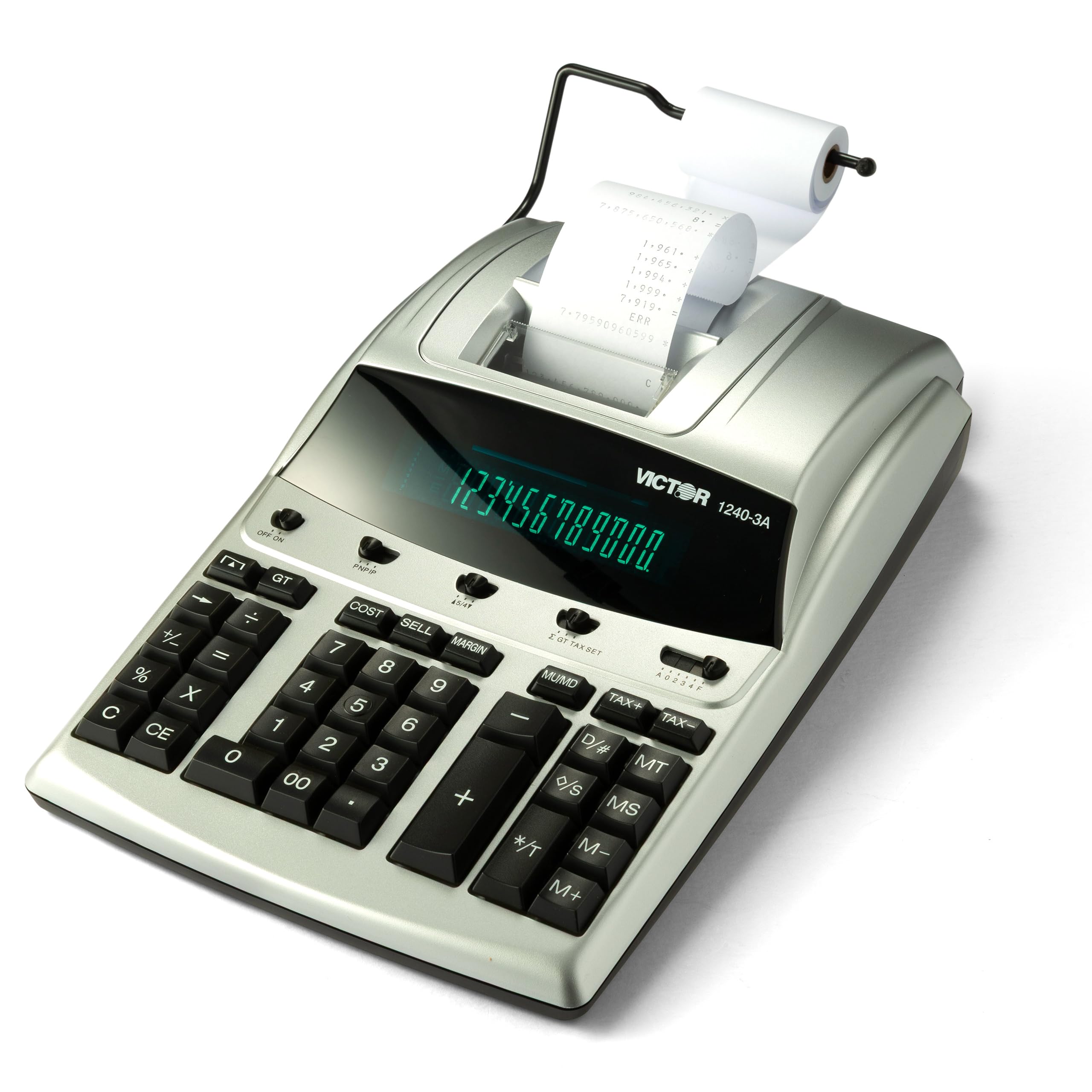
6. Victor 12-Digit Desktop Adding Machine (1240-3A)
The tax-season backup that keeps its cool and its quiet when the pressure is on.
This one was bought mid-tax-season as an emergency replacement and turned into a repeat order. Owners describe it as a workhorse — fast to learn, quiet enough to disappear, and built like the older machines rather than down to a price. The ribbon printer runs at 4.5 lines per second and lays down two-color tape so positive and negative totals read apart at a glance.
The practical functions are tuned for real bookkeeping. A Date/Non-Add key stamps the date without disturbing the running total, item count tracks how many entries you’ve made, and a backspace key deletes the previous entry instead of forcing a restart. Cost, sell, and margin keys solve the third variable automatically. The enclosure is made with 45% recycled plastic — a small detail, but it’s the kind of thing a business with a purchasing policy notices.
Two things to plan for. The included paper roll is small — a 1.25-inch diameter roll ran dry during a first day of taxes, so order extra rolls when you buy. And while it’s quieter than some rivals, the fluorescent display and ribbing mean it isn’t silent. For the function set and the build, it sits in premium territory, and a fair number of buyers feel the price is steep for older technology. What you’re paying for is dependability at the worst possible moment.
Why it earns its keep: quiet, sturdy two-color printing with the item count and backspace keys that keep a long batch of entries clean.
The supply heads-up: the starter roll is genuinely short, so add a stack of tape to the same order.
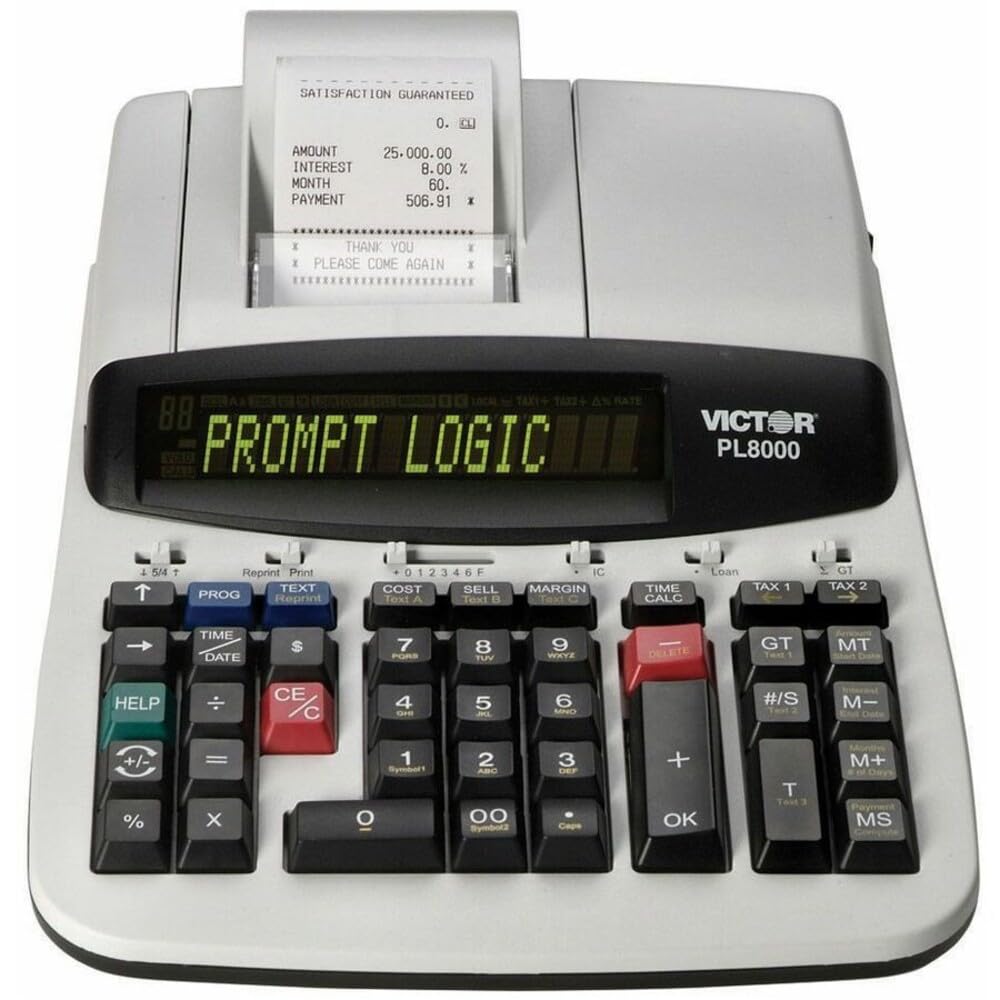
7. Victor Technology PL8000 Thermal Printing Calculator
The only unit here that prints your own words on the tape alongside the numbers.
For a 14-digit thermal machine, this Victor does something none of the others can: it stores up to six custom alphanumeric messages you program to print on the tape. Label a deposit header, a client name, a department — and your paper record carries context, not just totals. The 8.0 lines-per-second thermal printer matches the fastest units here and runs quietly with no ink or ribbons to replace.
Prompt Logic walks you through multi-step functions, and a dedicated HELP key gives instant instructions for the harder calculations. Financial, loan, and time functions sit alongside cost, sell, and margin keys, so multi-step office math stays on one machine. The display is a large two-color backlit 14-digit readout, giving you the widest digit count on this list. The body is 13.5 inches long by 8.8 wide at 3.2 pounds.
The honest weak point is display contrast. There’s no adjustment, and the red background behind negative numbers can be hard to see. Owners work around it by propping the unit up at an angle, and one felt a contrast control was the one feature Victor forgot. Thermal paper also costs a bit more per roll than ribbon tape. Treat the paper-feed button as your friend — pull the tape by hand and you invite a jam.
Standout Specs
- Six programmable tape messages let you label records your own way.
- 8.0 lines-per-second thermal printing — the fastest tier here.
- Prompt Logic plus a HELP key handles advanced calculations step by step.
- 14-digit backlit display, the most digits on this list.
Living With It
- No display contrast adjustment — the red negative background can be faint.
- Thermal paper runs a little pricier per roll than ribbon tape.
- At 13.5 inches wide it still wants a real desk corner.
Made for: a bookkeeper or business that wants labeled, ink-free tape with the most advanced function set here.
Look past it if: a dim or angled display would defeat the purpose — a brighter LCD suits you better.
Know the Specs
Ribbon versus thermal printing
A ribbon printer pulls an inked spool across the paper; two-color spools print black and red, so positive and negative totals look different on the tape. A thermal printer heats treated paper and needs no ink or ribbon, but the paper costs more per roll and most thermal units print only in black. Choose the ribbon for classic two-color clarity and easy spool changes, or thermal for silent, ink-free operation.
Print speed in lines per second
Print speed tells you how fast the machine lays down tape, measured in lines per second. A 4.8 figure is fine for occasional sums; an 8.0 machine keeps pace with hundreds of daily entries. If you print long tapes all day, speed is the spec that saves real time — if you print a handful, it barely matters.
Display types: VFD, LCD, fluorescent
A VFD (vacuum fluorescent display) glows bright green and reads well across a desk. A backlit LCD lights from behind and is kinder in low light, and some units can switch to a larger print mode. A fluorescent display is the traditional bright readout on older designs. All three work — the difference is glare, dim-light reading, and how easy it is to see the number from a seated position.
The key layout and paper path
Full-size keyboards space the keys apart so fingers find them without looking. Business keys sit where your hand lands — cost, sell, margin, tax, and time functions among them. The paper path matters just as much: a top-loading compartment makes roll changes quick, while a narrow feed slot invites jams. Simpler is better here — fewer steps between you and a fresh roll means less downtime.
Common Questions
Do all of these adding machines print two-color tape?
Does a thermal printing calculator ever need ink or a ribbon?
Which tape roll fits these machines?
Why does the printer jam so often, and how do I avoid it?
Is a thermal calculator quieter than a ribbon one?
Do these calculators run on batteries or AC power only?
What does Cost-Sell-Margin actually do on these units?
Can a thermal calculator print the date and time on the tape?
What’s the difference between 12-digit and 14-digit displays?
Can I correct a mistake without starting the whole tape over?
The Bottom Line
The winner here is the Sharp 12-Digit Commercial Printing Calculator (EL-2630PIII), and it’s a comfortable one. It holds the highest rating on this list at 4.5+ stars, and owners praise its reliability most — they replace it with the same model, not something new. You get classic two-color ribbon tape, an extra-large VFD display, and Cost-Sell-Margin in one commercial desktop unit. Think twice only if desk space or jam complaints worry you — the thermal Sharp ELT3301 offers faster, ink-free printing in a much smaller body. For a quiet two-color thermal machine with a big readable display, the Casio HR-300RC is the pick to reach for. And if you want your tape to carry your own labels, the Victor PL8000 prints your messages and your numbers on the same paper.
How we choose
We do not accept paid placement. Every pick is matched to a real buyer and a real use-case; we do not hands-on test units.
Sources
Specifications: manufacturer listings and product documentation. Review insights: verified customer reviews, as of October 2026. Pricing: not shown on this page (it changes often); check the current price via the retailer link.
As an Amazon Associate, Aappliancez earns from qualifying purchases. This does not affect which products we feature.