Disclosure: Some links in this post are affiliate links. As an Amazon Associate I earn from qualifying purchases, at no extra cost to you. Learn more
Specs are compiled from manufacturer listings and verified buyer reviews and can change over time — please confirm the key details on the product page before buying.
If you are building around a GeForce RTX 5070, the card that fits your case matters as much as the card that wins the benchmark chart. A 12GB GDDR7 card can hit 200 fps at 1440p and still be the wrong purchase if it is too long for your tower or too loud for your desk. This guide separates the ones worth your money from the ones that only look good on a spec sheet.
This guide is built by comparing the manufacturers’ published specifications and the patterns across verified customer reviews, so you get each pick’s real strengths and trade-offs instead of marketing spin.
Every pick below runs the same Blackwell silicon and the same DLSS 4 frame-generation tech, so the real differences live in cooling, size, factory clock speed, and how each board handles long gaming sessions. Here is what actually separates a great 5070 gpu from a forgettable one.
Top Picks


How To Choose The Best 5070 GPU
The hard part of buying a 5070 is not picking the chip — every card here uses the same NVIDIA GeForce RTX 5070 processor. The hard part is matching the board to your case, your power supply, and your monitor. Get those three right and almost any of these cards will feel fast. Get one wrong and you are either returning a card or hearing fan noise through your headset.
Measure your case before you measure the card
Card length is the number that decides whether a build works. The short ZOTAC Solid OC sits at 11.98 inches long, while the GIGABYTE Gaming OC 12G stretches to 12.87 inches — a gap that means a tight mid-tower will swallow one and reject the other. Pull a tape measure across your case floor and leave a couple of inches for the power cable bend at the back. Slot width matters too: a 2.5-slot card is the common middle ground, so check how many expansion slots sit free beneath your PCIe x16 slot.
Decide your resolution first, then your memory
All thirteen cards here carry 12GB of GDDR7, which is a fast memory standard, and a 192-bit interface — the width of the data road between the chip and that memory. At 1440p that combination is comfortable. At 4K, 12GB is workable but tight, and it is why the two 5070 Ti models on this list move to 16GB. If you run a 1440p 165Hz screen, a 12GB 5070 is the smarter spend. If you want a 4K display now, budget for the Ti.
Match the power connector to your supply
The 5070 boards pull around 250W and want a quality power supply with a native 16-pin 12V-2×6 cable. Adapters work, but the universal advice across these reviews is to run separate cables straight from the supply rather than a splitter. A 650W unit is the common floor listed on the compact MSI Shadow, while the larger cards and the 5070 Ti models ask for 750W. Check the wattage on the label before you click buy.
Know what factory clock speed does for you
Clock speed is measured in megahertz, and the factory number tells you how hard the maker tuned the chip before shipping. The ASUS Prime 5070 ships at 2542 megahertz; the MSI Gaming Trio lists 2625 megahertz. That gap is real but modest — expect a handful of frames in demanding titles rather than a changed experience. The bigger difference between boards is the cooler, because a cooler card holds its boost clock longer before throttling.
Side-by-Side Comparison
| Model | Best For | Memory | Clock Speed | Length | Amazon |
|---|---|---|---|---|---|
| ASUS SFF-Ready Prime RTX 5070★ Best Overall | Small-form-factor 1440p builds | 12GB GDDR7 | 2542 MHz | 12″L x 5″W | Amazon |
| MSI RTX 5070 12G Gaming Trio OCBest Quiet Performer | Silent gaming with the highest 5070 clock | 12GB GDDR7 | 2625 MHz | — | Amazon |
| GIGABYTE RTX 5070 Gaming OC 12GBest Big-Case Performer | Full-tower builds that want headroom | 12GB GDDR7 | 2600 MHz | 12.87″L x 5.2″W | Amazon |
| ZOTAC Gaming RTX 5070 Solid OC | True 2-slot triple-fan fit | 12GB GDDR7 | 2542 MHz | 11.98″L x 1.64″W | Amazon |
| GIGABYTE RTX 5070 Gaming OC 12G (2625) | Long warranty coverage | 12GB GDDR7 | 2625 MHz | — | Amazon |
| MSI RTX 5070 12G Shadow 2X OC | Compact 2-fan builds | 12GB GDDR7 | 2542 MHz | 231mm | Amazon |
| ASUS Prime RTX 5070 Ti 16GB OC | 4K gaming with 16GB of memory | 16GB GDDR7 | 2452 MHz | 12″L x 5″W | Amazon |
| MSI RTX 5070 Ti 16G Ventus 3X OC | Overclocking a Ti on air | 16GB GDDR7 | 2497 MHz | 15.2″L x 9.3″W | Amazon |
| MSI RTX 5070 12G Gaming Trio OC (2610) | Cyberpunk-style path tracing | 12GB GDDR7 | 2610 MHz | — | Amazon |
| PNY RTX 5070 EPIC-X RGB OC | RGB builders who also want fan-stop silence | 12GB GDDR7 | 2325 MHz | 11.8″L x 4.7″W | Amazon |
| NVIDIA GeForce RTX 5070 (Graphite Grey) | The smallest 5070 footprint | 12GB GDDR7 | 2.51 GHz | 2.36″L x 4.41″W | Amazon |
| GIGABYTE RTX 5070 WINDFORCE OC SFF | SFF builds needing a 750W-class supply | 12GB GDDR7 | 2542 MHz | — | Amazon |
| ASUS Prime RTX 5070 Ti 16GB OC (2497) | Maxed-out 4K builds | 16GB GDDR7 | 2497 MHz | — | Amazon |
Detailed Reviews
1. ASUS SFF-Ready Prime NVIDIA GeForce RTX 5070
Our pick — 4.5+★ from 750+ verified ratings; the strongest balance of quality and price.
The 5070 that slides into a small case and still keeps its cool.
This is the card to buy if your tower is cramped, your budget is mid-range, and you refuse to compromise on frame rate. The ASUS Prime measures 12 inches long and 5 inches wide, and it takes up 2.5 slots — the standard middle ground that lets it clear a front-mounted radiator or a low drive cage. It also supports an SFF-Ready spec (a size standard for small-form-factor builds), so you can plan a compact rig without gambling on clearance.
Cooling is handled by Axial-tech fans with a smaller hub, which means longer blades and more downward air pressure for the same footprint. A phase-change thermal pad sits between the chip and the heatsink to move heat away instead of trapping it, and a Dual BIOS switch lets you pick between a quiet profile and a performance profile. That is the kind of flexibility a normal gaming card usually charges extra for.
The GPU boosts to 2542 megahertz, and it drives a maximum resolution of 7680×4320 pixels — plenty of headroom for a 1440p esports monitor. One detail worth knowing: the card uses PCIe 5.0 x16, so it drops straight into any recent motherboard. If you want the best price-to-performance 5070 that also respects a small case, this is the one that earns the top spot. It is also the most popular 5070 on this list — 4.5+ stars across 700+ owners — which is the clearest signal that it satisfies real builds, not just spec sheets. The budget pick below has more reviews, but the ASUS holds the higher score.
Where this one wins
- Fits a 2.5-slot space in compact towers at 12″ x 5″
- Axial-tech fans push more air per fan diameter
- Dual BIOS lets you swap quiet and performance in seconds
- Holds around 67°C under load in owner builds
What to know first
- Factory clock of 2542 MHz trails the 3-fan MSI boards
- No RGB lighting on the shroud
Reach for this if: you are building 1440p in a compact case and want the safest fit with proven cooling.
Look elsewhere if: you want the highest factory clock or you are chasing 4K at maximum settings — the 16GB models below are the better call.
2. MSI RTX 5070 12G Gaming Trio OC
The 5070 for people who notice fan noise before they notice frame drops.
You get the highest clock speed of any standard 5070 here: MSI tuned this board to 2625 megahertz (MHz, a measure of how many cycles the card runs per second). That beats the ASUS Prime above at 2542 MHz, so the Trio has a modest edge in headroom for 4K upscaling (turning a lower-resolution image into a 4K one). The cooling hardware is the real standout. The TRI FROZR 4 design uses STORMFORCE fans with seven blades, claw texturing, and a circular arc to move air with less noise, so your rig stays quieter during long sessions. A nickel-plated copper baseplate pulls heat off the GPU and memory before it can spread.
Owners talk about silence first. The card runs cool at 4K settings and the fans stay barely audible, which makes it a comfortable fit for a desk build in a quiet room. It also carries 12GB of GDDR7 over a 192-bit interface and three DisplayPort 2.1a plus one HDMI 2.1b output — enough for a triple-monitor setup or a single high-refresh 4K panel. As buyers report, “this gpu works with my 4 monitors so it’s great” — so multi-display work is a real strength here, not a checkbox.
The catch is size. The Trio is a big three-fan card and the compact builders who tried it had to move to a larger chassis, so measure before you commit. There is also a note in the reviews about the stock overclock occasionally needing a small tweak in certain titles, which is fixable in software. At 4.5+ stars, it ties the highest score on this list.
Silence is the headline: the triple-fan cooler keeps temperatures comfortable and the acoustics low enough to disappear behind a headset.
The trade-off: this is a large card, and small-case builders will need to check clearance or upsize their chassis.
Best fit for: a mid-tower or full-tower build where you want the quietest 5070 with the highest clock from the start.
Worth a second look: compact builders who should compare dimensions against the ZOTAC or the NVIDIA card further down.
3. GIGABYTE GeForce RTX 5070 Gaming OC 12G
A three-fan slab with a big heat sink and a bracket to hold it up.
This is the largest standard 5070 on the list at 12.87 inches long and 5.2 inches wide, and it weighs 2 kg. That is a full inch longer than the ZOTAC Solid OC at 11.98 inches, so it belongs in a proper mid-tower or bigger. In exchange you get a huge WINDFORCE cooler that keeps the card well under 80°C at full load in owner builds, and a support bracket in the box to take the sag off your PCIe slot.
The GPU runs at 2600 megahertz — comfortably above the ASUS Prime’s 2542 — and it pairs that with 12GB of GDDR7 over a 192-bit interface and PCIe 5.0. In practice the card pushes 110 to 120 fps at 1440p max settings in modern titles and stays nearly silent while doing it. Owners mention it runs quietly enough that the fans rarely climb above 50% even in long sessions, and the graphics look sharp for the money.
The honest limitation is that this card is not built for compact cases, and it needs breathing room for airflow. Also, 4K is not its target — for 4K at high settings the reviewers point up the stack. But for a standard-size rig that wants strong 1440p performance with headroom and a factory tune, it is an excellent call. What wins people over is the raw performance-per-dollar, and at 4.5+ stars it matches the top of this list.
Why builders pick it
- Holds load temps under 80°C on the WINDFORCE cooler
- Bundled sag bracket supports the 2 kg weight
- 2600 MHz factory clock gives it real 1440p headroom
- Easy to overclock further for people who want to push it
Where you will notice it
- At 12.87″ it will not clear many small cases
- The 2 kg mass needs a strong motherboard and a stand
Go with this: for a full-size tower where the GPU has room to breathe and you want quiet 1440p gaming.
Pass on it: if your case is compact or you are chasing 4K max settings, because the length and 12GB ceiling both push you toward a different pick.
4. ZOTAC Gaming GeForce RTX 5070 Solid OC

A genuine two-slot card that still carries three fans and a boost clock of 2542 MHz.
ZOTAC solved a problem most 5070 makers skipped: this is a true 2-slot design that still fits three 90mm BladeLink fans, so it drops into small-form-factor cases that cannot take a thicker card. It is 11.98 inches long and 1.64 inches thick, which is the slimmest profile on this list. The 28 Gbps GDDR7 memory and 2542 MHz boost clock put it in line with the mid-tier 5070s, and PCIe 5.0 keeps the connection modern.
Cooling comes from IceStorm 2.0 with composite heatpipes, a pass-through airflow design, and FREEZE Fan Stop, which idles the fans at low temperatures for silence outside of games. A metal backplate, SPECTRA RGB lighting, and a bundled GPU support stand round out the package. Real builds report load temps from 50 to 69°C with the card side-mounted, and idle temps near 30°C — that is cool for a card this thin. High-refresh gaming and CGI work are both within its range.
The one software note is that the Firestorm app needs a restart before fan changes stick, and the included fan bracket can touch a fan blade if it is not seated right — a quick check clears it. Otherwise, for a slim build, there is little to fault here. Owners praise its performance most, and at 4.5+ stars it is a safe pick for a compact showpiece rig.
Size is the reason to buy: a real 2-slot card with three fans is rare, and it opens up compact cases that other 5070s cannot enter.
Set aside five minutes: check the fan bracket and expect a restart before Firestorm saves your fan curve.
The right card for: small-form-factor builds, media-center PCs, and anyone who needs a thin card without giving up cooling.
Think twice if: you want the highest factory clock, or you prefer to set fan curves once and never reopen the app.
5. Gigabyte GeForce RTX 5070 Gaming OC 12G (2625 MHz)

The only 5070 here that backs itself with a four-year warranty.
Most cards on this list come with the usual short coverage, but this GIGABYTE board lists a 4-year warranty with online registration. That is a real reason to buy if you plan to keep the card through several builds. It also carries the higher of GIGABYTE’s two 5070 clocks at 2625 megahertz — matching the top MSI and beating the ASUS Prime’s 2542 — with 12GB of GDDR7 over a 192-bit interface and PCIe 5.0.
The WINDFORCE cooling system, Halo RGB lighting, a Dual BIOS switch for Performance or Quiet modes, and a reinforced structure with a versatile VGA stand round out the build. Owners describe it as a huge card with great performance that stays quiet even at full fan speed, with low temperatures at 100% GPU usage. The RGB and the build quality come up repeatedly as reasons people are happy with the purchase.
This is a big card, so it fits full-size builds and not much smaller. The 12GB memory ceiling is the same as every other 5070 here. Performance earns the most praise, and at 4.5+ stars it holds up well.
Standout details
- 4-year warranty covers far longer than a standard card
- Dual BIOS lets you switch between quiet and fast profiles
- 2625 MHz clock matches the fastest standard 5070 boards
- Halo RGB adds a lit accent without a separate controller
Before you commit
- Large footprint means a full-size tower is safest
- Online registration is required to activate the full warranty
Pick this one if: you keep a card for years and want the longest warranty on the list along with a top-tier clock.
Look at the ZOTAC instead if: your case is slim, because this GIGABYTE needs the room of a larger chassis.
6. MSI GeForce RTX 5070 12G Shadow 2X OC
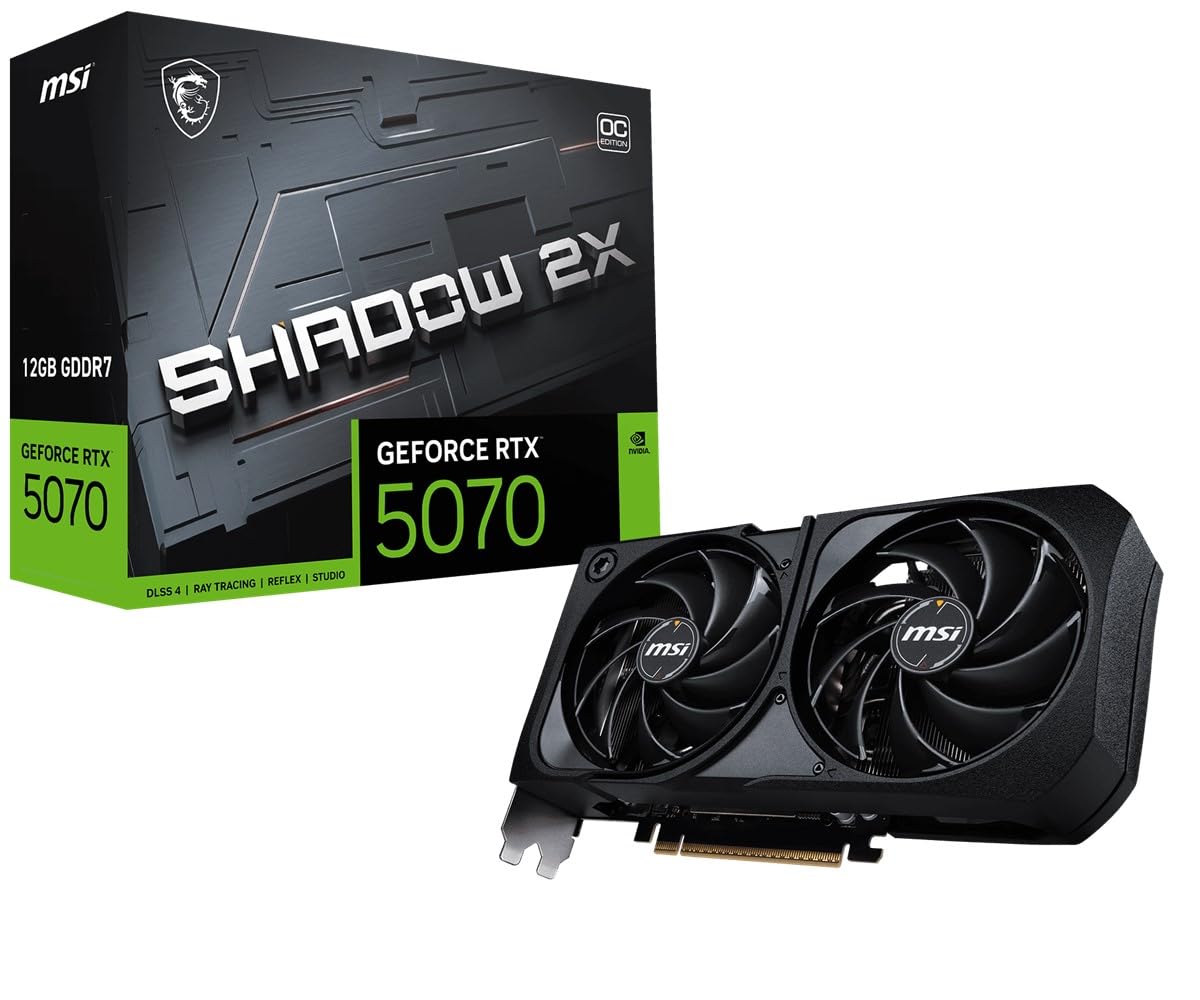
A short 231mm card that gives up a fan but not the frame rate.
If your case has no room for a three-fan slab, this is the answer. The Shadow 2X OC measures 231mm long, weighs 722g, and takes up 2.5 slots — measurements that fit mid-towers and many compact builds without a fight. MSI runs the GPU at 2542 megahertz, which is the same number as the ASUS Prime up top, so the smaller card is not slower on paper. It carries 12GB of GDDR7 memory and lists a 250W power draw with a recommended 650W or higher power supply.
Two TORX Fan 5.0 fans with paired blades, ZERO FROZR fan-stop, a nickel-plated copper baseplate, heat pipes, and an oversized heatsink handle the cooling. Customers note it stays under 75°C in gaming with just three case fans in a room around 14 to 22°C, and that the fans ramp up audibly but never loudly. One buyer upgraded from a 3060 Ti and found it a quarter smaller than the old card while still running ultra settings with ray tracing smoothly.
The trade-off is that 12GB is 12GB — one owner said outright they wish it had 16GB, which is a limit of the 5070 chip rather than this board. Undervolting is a popular move to keep the fans quiet. For a compact or budget-minded build where two fans are enough, this is a sensible, well-rounded card. At 4.5+ stars it is a solid mid-tier pick.
The footprint wins: at 231mm this card opens up compact cases while keeping a 2542 MHz clock.
Then there is the memory: 12GB is workable at 1440p but becomes the ceiling at 4K — plan around it rather than fight it.
Ideal for: space-limited towers and builds that want a short two-fan card without losing clock speed.
Consider the Ti models: if your monitor is 4K and you want the 16GB buffer those cards provide.
7. ASUS Prime NVIDIA GeForce RTX 5070 Ti 16GB GDDR7 OC

A 16GB Ti that fits small cases and runs near-silent under load.
The jump from 12GB to 16GB of GDDR7 is the single biggest reason to step up to a 5070 Ti, and this ASUS Prime shows the difference. It is 12 inches long, 5 inches wide, takes 2.5 slots, and weighs around 4 lbs — a compact frame that slipped into owner builds without a support bracket. The boost clock runs 2527MHz in OC mode and 2497MHz in default mode, and the card requires a minimum 750W power supply with a 16-pin 12V-2×6 connector.
Cooling uses Axial-tech fans with a smaller hub for longer blades and more air pressure, plus a phase-change thermal pad that handles heat transfer without repasting. Dual-ball fan bearings are rated to last longer than standard sleeve bearings, and 0dB technology stops the fans at light loads. Reviewers point out steady temps in the mid-to-upper 60s during gameplay, near-silent operation, and no coil whine. The performance at 1440p with ray tracing on is a recurring theme, and 4K/120 with DLSS comes up too.
Two quirks to know before you buy. A piece of clear tape behind the fans can stick to a blade during setup, so check with tweezers before first boot. A small red LED also stays lit when the system is off, which is normal. If you are still on a 20 or 30-series card, this is a strong upgrade. Shoppers say performance is what they praise most, and at 4.5+ stars across a large base it is a proven 4K option.
What makes it a 4K pick
- 16GB of GDDR7 gives textures and AI upscaling more room than a 12GB card
- 2.5-slot SFF-Ready frame fits compact builds
- Dual BIOS switches between Quiet and Performance profiles
- Stays under 70°C in owner gaming builds
Setup notes
- Needs a 750W supply with a 16-pin connector
- The factory clear protective tape can catch a fan blade
Buy it when: you want a 4K-ready Ti that still fits a compact case and stays quiet.
Not your card if: you are on a 40-series card already, or your power supply is under 750W with no 16-pin cable.
8. MSI Gaming RTX 5070 Ti 16G Ventus 3X OC

The Ti card that likes to be pushed, with a triple-fan cooler to match.
MSI’s Ventus 3X OC is the overclocker’s pick of the 5070 Ti pair. It ships at 2497 megahertz and carries 16GB of GDDR7 over a 256-bit interface — wider memory than the 192-bit 5070 cards above. Owners push it further with good results: one reported adding 425 to the core and 2000 to the memory, and the card holds stable. The performance ceiling is the reason people buy it, and it is what owners praise most.
The TORX Fan 5.0 blades are linked by ring arcs for high-pressure airflow, and a nickel-plated copper baseplate with square-core heat pipes pulls heat off the GPU. The larger cooler has the headroom to laugh off an overclock that would cook a smaller card. Gaming temps stay under 65°C in a demanding 4K setup with the fans barely audible. It also holds up in AI and rendering workloads, not just games.
The honest note is the size — the card is big and needs a roomy case, and the 16-pin connection wants a proper power supply with the right cable rather than a chain. Value is the one thing buyers disagree on, with some saying it is worth it only at a certain threshold. If you want a Ti with room to tune and strong thermals, this is a good choice. At 4.5+ stars across 250+ ratings it stands on its performance and overclocking headroom.
Room to tune: a 16GB, 256-bit Ti card that takes a serious overclock and stays under 65°C doing it.
Check the chassis: this is a large three-fan model, so a roomy tower and a quality 16-pin supply are non-negotiable.
Choose it for: 4K gaming and AI workloads where you want to push clock speeds on air with confident cooling.
Skip the tuning if: you want a plug-and-play card and would rather not touch Afterburner curves at all.
9. MSI RTX 5070 12G Gaming Trio OC (2610 MHz)
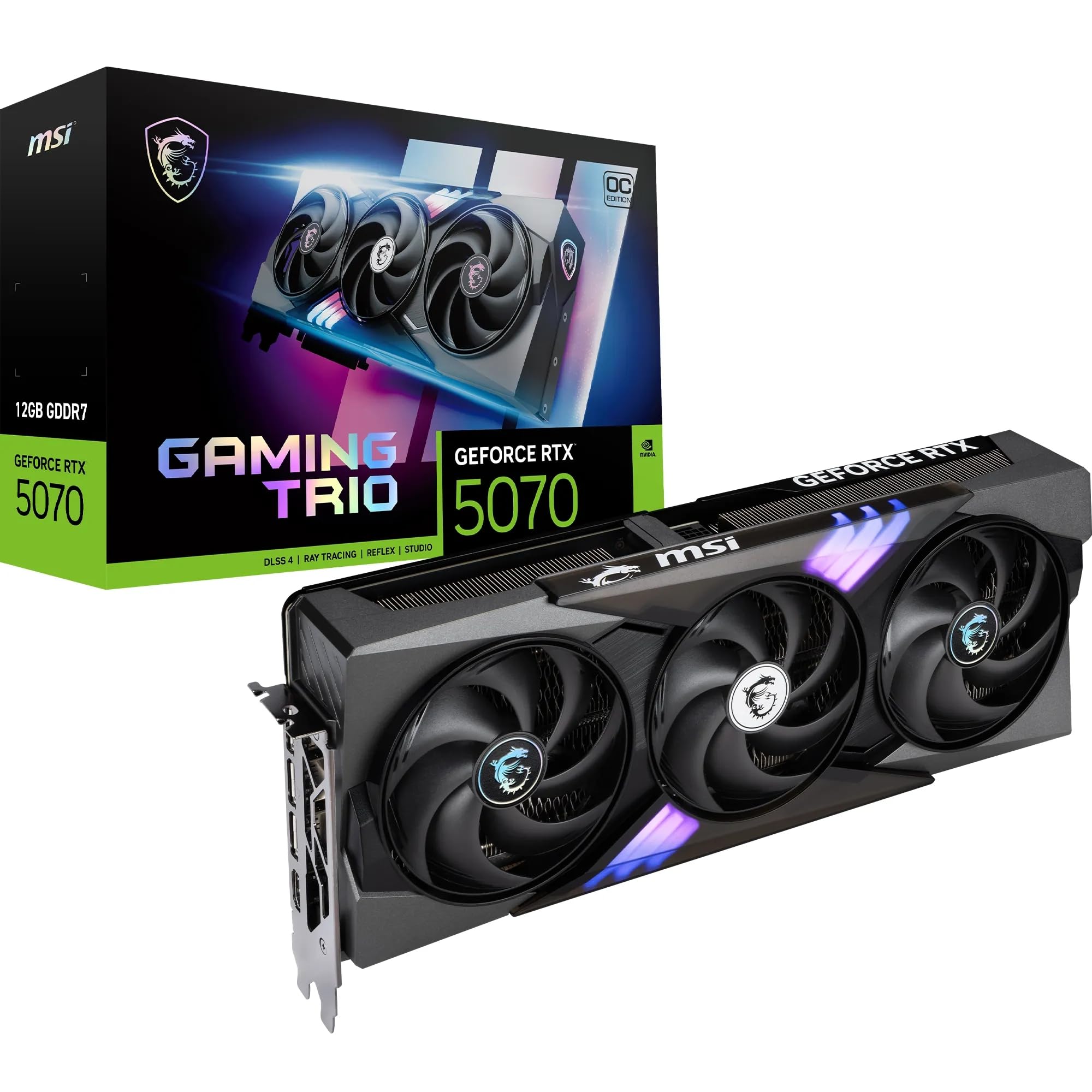
The card for ray-traced showpieces, with a cooler that keeps the fans calm.
This Trio lists a 2610 MHz boost clock and a 2625 MHz extreme performance mode through MSI Center, with 12GB of GDDR7 over a 192-bit interface. It is built around the TRI FROZR 4 system, with STORMFORCE fans and a nickel-plated copper baseplate that captures heat from both the GPU and the memory. The card weighs 1180 grams, enough that a support bracket is a good idea.
What makes this one distinct is how it handles path tracing — the heaviest ray-tracing setting. In one build it ran Cyberpunk 2077 with path tracing at 120fps using 2x frame generation and DLSS. The GPU supports DLSS 4, NVIDIA’s frame-generation technology that inserts AI-generated frames to raise smoothness, and it drives up to 3840 x 2160 through its outputs. The three DisplayPort 2.1b and HDMI 2.1b connections make multi-monitor setups easy.
For all that, 12GB at 4K is still the ceiling, and some buyers compare it to older cards and wonder whether the step is worth it. The card is quiet and cool in practice — 1440p and high-refresh gaming are where it lives. For a full-tower build focused on the flashiest ray-traced titles, this is a strong pick. At 4.5+ stars it earns its place on the strength of its cooling and clock.
Built for the heavy visuals: a 2610 MHz boost clock and TRI FROZR 4 cooling carry high-end ray tracing and path tracing.
Mind the weight: at 1180 grams it wants a stand, and 12GB keeps it a 1440p-first card.
Worth grabbing for: players who live in ray-traced titles and want a quiet three-fan cooler with a top boost clock.
Keep looking if: your monitor is 4K and you want more than 12GB of memory for textures.
10. PNY NVIDIA GeForce RTX 5070 EPIC-X RGB OC Triple-Fan

The one that lights up your case, then goes quiet when you stop playing.
PNY built this around three 90mm axial fans with refined blades, counter-rotation to cut turbulence, and dual-ball bearings — and then wrapped the shroud in EPIC-X RGB lighting you can customize. The base clock sits at 2325 MHz against a 2.16 GHz base reference, with 12GB of GDDR7 over a 192-bit interface and a 250W power draw. It is 11.8 inches long and 4.7 inches wide, which fits many compact builds.
Cooling is serious for the size: an ultra-dense heatsink pulls heat from the GPU, and an open aluminum backplate lets air flow through. Stealth Mode stops the fans entirely at low temperatures, so the card is silent at idle and during desktop work. VelocityX software lets you tune clocks, custom fan curves, and RGB, and store five profiles. In practice owners see load temps around 65°C at 4K with ray tracing on and report no throttling.
The caveats are small. The RGB software is easy to use but dated in its interface, and the card needs two separate power supply cables rather than a splitter. The 12GB ceiling is the same as its 5070 siblings, so 4K remains a stretch for the highest settings. For anyone building a lit, quiet 1440p rig, this is a smart pick. At 4.5+ stars it holds a strong record.
Why it stands out
- EPIC-X RGB with five saved lighting and fan profiles
- Stealth Mode stops the fans at low temps for silent idling
- Open aluminum backplate improves airflow through the heatsink
- 11.8″ light footprint fits more builds than a long three-fan card
Keep in mind
- 2325 MHz base clock is the low end of this list
- VelocityX software interface feels dated
Pick it up if: your build is as much about looks as performance and you want RGB plus branch-level fan-stop silence.
Look elsewhere if: you want the highest factory clock from the start or a 4K card without a memory ceiling.
11. NVIDIA GeForce RTX 5070 12GB GDDR7 (Graphite Grey)
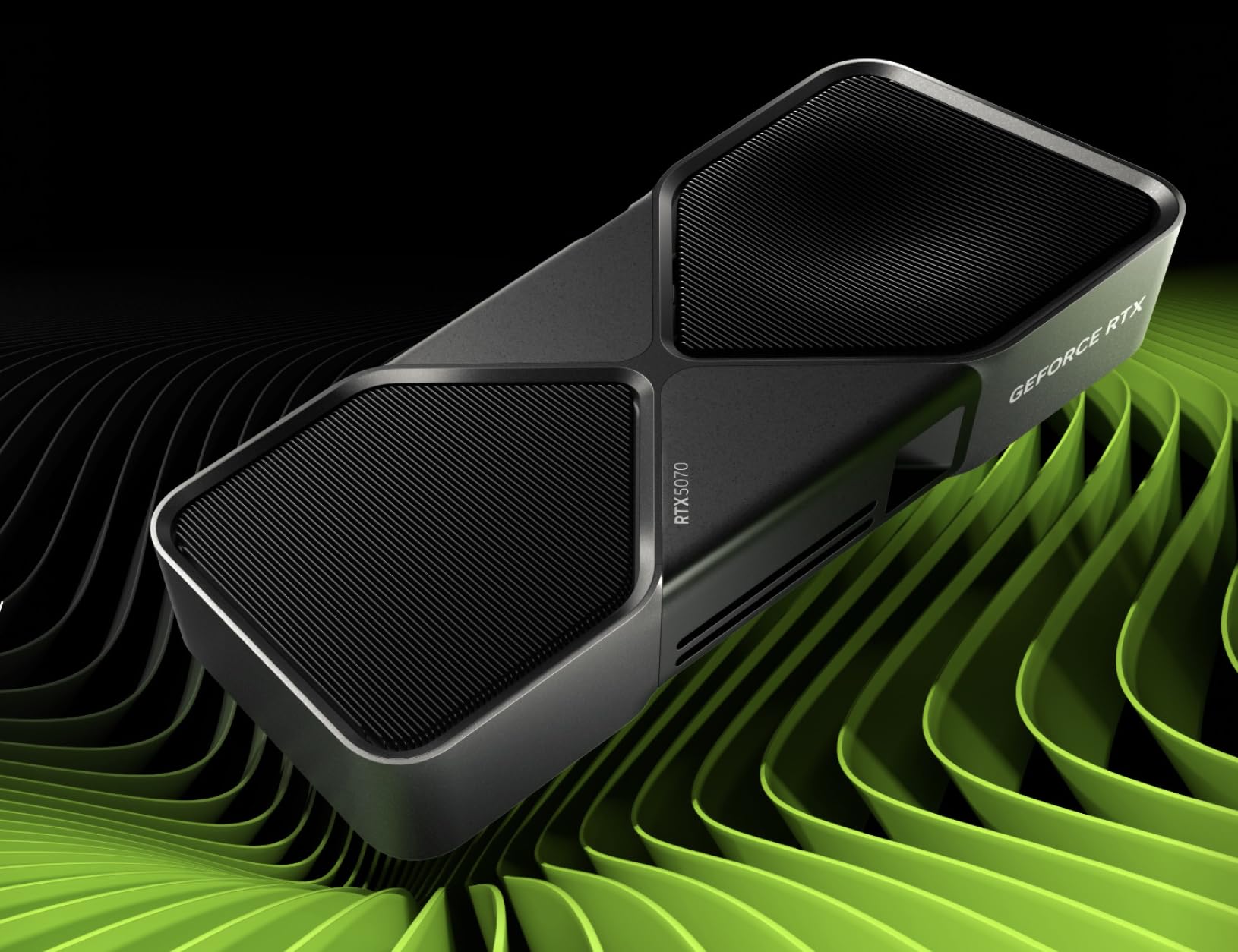
The reference-style 5070 that disappears into a small build without extra hardware.
This is the purest, smallest 5070 on the list. The footprint is tiny compared to the three-fan slabs above, and it weighs 1000 grams — light enough that sag is not a real worry. The GPU runs at 2.51 GHz, carries 12GB of GDDR7, and resolves up to 3840×2160. It uses PCIe x16 and brings the full Blackwell feature set, including DLSS 4 and the Game Ready and Studio drivers.
The sold-signal here is that owners say it runs far cooler than the previous-generation cards they replaced, and that the modern features and compact size make it an easy upgrade. It is a small card thatdoes not crowd a case, and that makes it a natural fit for compact towers and media-center builds. Owners also note it is cool-running and easy to undervolt if you want lower fan speeds.
The practical catch is the price-to-clock balance: this reference card does not chase the highest factory clocks, and it ships with fewer bundled accessories than the third-party boards. It is also the least tunable visually, since there is no RGB. But if a compact, cool, quiet 5070 is the goal and you do not want to fight case clearance, this is the one that just works. Performance is the thing people come back to, and at 4.5+ stars it earns its keep.
Size is the point: a light 1000g card with a small footprint that fits where bigger boards will not.
Know the compromise: the factory clock is conservative compared to the 2625 MHz boards, and there is no RGB to configure.
Great for: compact builds and anyone who wants the NVIDIA reference experience with zero clearance drama.
Think twice if: you want display flair or the highest out-of-box clock, because the third-party boards deliver both.
12. Gigabyte GeForce RTX 5070 WINDFORCE OC SFF 12G

A small-form-factor 5070 that asks for a full-size power supply.
GIGABYTE’s WINDFORCE OC SFF is built for compact cases, with the NVIDIA SFF-ready designation and a reinforced structure to handle the physical stress of tight builds. The GPU runs at 2542 megahertz — the same as the ASUS Prime at the top of this list — and it carries 12GB of GDDR7 over a 192-bit interface with PCIe 5.0. It drives up to 7680×4320 pixels, so it is not short on display capability.
Cooling comes from the WINDFORCE system, and buyers report it performs smoothly across gaming and creative work. One notable win: it handled Blender work well, which means it handled Blender renders as smoothly as games. The 12GB memory is enough for most titles today, and owners running it at high frame rates with smooth results are a recurring theme.
The one thing to plan around is the power requirement. The card calls for a 750W power supply at the system level, and the advice from owners is to skip the included adapter and use the power supply’s native cable instead. That saves you extra connections and keeps the signal clean. If your supply is older or lower wattage, factor that in before buying. Otherwise, for a compact build that needs a trustworthy 5070, this is a sensible pick at 4.5+ stars across a very large pool of buyers.
What it brings to a small case
- SFF-ready frame fits compact builds
- 2542 MHz clock matches the ASUS Prime up top
- 12GB GDDR7 handles current titles and Blender work
- Reinforced structure resists sag in tight installs
Plan for this
- Wants a 750W supply and a native 16-pin cable
- 12GB is the card’s ceiling for 4K texture work
This is your card if: you are building compact and already own a 750W supply with a native 16-pin cable.
Hold off if: your supply is older or lower wattage, since the card is clear about needing headroom.
13. ASUS Prime GeForce RTX 5070 Ti 16GB GDDR7 OC Edition

A 16GB Ti for the 4K build where every megabyte of memory counts.
This is the second 5070 Ti on the list, and it is the one for a 4K-first build. The 16GB of GDDR7 over a 256-bit interface gives you more room for high-resolution textures and AI upscaling than the 12GB cards. The boost clock is 2497 megahertz with the OC profile, and it drives up to 3840×2160. It is SFF-ready, so the 2.5-slot design fits compact cases despite the Ti-grade hardware inside.
Cooling is handled by the same Axial-tech fan design as the ASUS Prime 5070 above, with a smaller hub, longer blades, and a barrier ring for more air pressure. A phase-change thermal pad on the GPU lowers temperatures for a steadier clock. The 2.5-slot design keeps build compatibility wide while maintaining the cooling performance those fans deliver. That combination makes it a good fit for a small chassis that still wants 4K headroom.
The trade-off is the same as with any 5070 Ti: it wants a sturdy power supply and a case with clearance for its length, and the 16GB of memory is what you pay the step-up for. There are fewer independent reviews of this exact model than the proven 5070 cards above, so the record is thinner. Still, if your goal is a 4K rig that fits a compact case and runs cool, this is a strong candidate. At 4.5+ stars it earns its place as the 4K flagship of the group.
Memory is the reason: 16GB and a 256-bit bus make this a genuine 4K card, not a stretched 1440p one.
Weigh the size: it is a Ti board, so check power supply and clearance before you commit to the build.
Choose this for: a 4K-focused build that needs 16GB of memory and wants it inside a compact case.
Compare carefully if: you want the longest track record, since the 12GB 5070 cards above have more buying history behind them.
Know the Specs
Memory: 12GB vs 16GB GDDR7
GDDR7 is the fast memory standard used across every card on this list, and the number in front of it — 12GB or 16GB — is the video-memory pool the card uses for textures and effects. At 1440p a 12GB card is comfortable and rarely runs short. At 4K, 16GB gives you more headroom for high-resolution textures and AI upscaling, which is why the two 5070 Ti models here step up to 16GB. The 192-bit versus 256-bit figure describes the width of the data road to that memory — a wider road moves more data per clock, and the Ti cards use the wider 256-bit version.
Clock Speed And What It Changes
Clock speed, measured in megahertz, is how many processing cycles the GPU completes each second. Higher numbers mean the card can finish more work in the same time. On this list the range runs from 2325 MHz on the PNY up to 2625 MHz on the MSI boards. The difference in real games is modest but not zero — a few frames at high settings. What matters more in a long session is cooling, because a card running near 70°C holds its clock longer than one that throttles at 85°C.
Power And The 16-Pin Connector
The 5070 boards draw roughly 250W, and the 5070 Ti models ask for a 750W power supply at the system level. The 16-pin 12V-2×6 connector is the modern cable these cards use to draw that power. Adapters exist for older supplies, but the recurring advice on this list is to use a native cable straight from the supply rather than a splitter. A clean single cable run keeps the connection reliable and avoids the mess of extra junctions inside a tight case.
Slot Width And Case Fit
Slot width tells you how many expansion slots the card’s cooler occupies. The 2.5-slot standard is the common compromise — thick enough for a big heatsink, thin enough to leave room for other cards or airflow. A true 2-slot card like the ZOTAC Solid OC is the pick for very tight builds, while a 3-fan model like the GIGABYTE Gaming OC needs the room of a larger tower. Always measure your case length and free slots before buying a graphics card.
Common Questions
Will a 5070 fit in my small-form-factor case?
Do I need a 750W power supply for an RTX 5070?
Is 12GB of VRAM enough for 4K gaming?
What is the difference between the RTX 5070 and the RTX 5070 Ti?
Should I use the power adapter that comes with the card?
Does a higher clock speed really change my frame rate?
Can an RTX 5070 handle two or three monitors?
Why do some listings show 192-bit when the box says otherwise?
Is the stock overclock on these cards stable?
How long will an RTX 5070 stay current?
The Bottom Line
Most buyers land on one card. The ASUS SFF-Ready Prime RTX 5070 takes the top spot because it packs a compact 12″ x 5″ 2.5-slot body (2.5 slots is how much case width it blocks) with proven cooling, a Dual BIOS switch (a switch that lets you pick a quieter or faster fan profile), and 4.5+ stars across 700+ owners. That is the best overall balance of fit, performance, and confidence on this list. If quiet operation and the highest standard 5070 clock matter most, grab the MSI Gaming Trio OC at 2625 MHz. For a genuine 4K build, reach for the ASUS Prime RTX 5070 Ti 16GB, with 16GB of GDDR7 (the card’s video memory) and a compact frame. Not sure which to pick? If your case is tight, go small and cool; if you have room and want a little extra clock, go bigger. Either way, none of these cards will leave you short at 1440p.
How we choose
We do not accept paid placement. Every pick is matched to a real buyer and a real use-case; we do not hands-on test units.
Sources
Specifications: manufacturer listings and product documentation. Review insights: verified customer reviews, as of October 2026. Pricing: not shown on this page (it changes often); check the current price via the retailer link.
As an Amazon Associate, Aappliancez earns from qualifying purchases. This does not affect which products we feature.