Disclosure: Some links in this post are affiliate links. As an Amazon Associate I earn from qualifying purchases, at no extra cost to you. Learn more
Specs are compiled from manufacturer listings and verified buyer reviews and can change over time — please confirm the key details on the product page before buying.
You want one thing: a graphics card that physically slides into a slim case and still has 16GB of video memory on board. That combination barely exists. The plain truth is that most true low-profile cards ship with 8GB, so if 16GB is non-negotiable for you, the smart move is a two-slot compact card that fits a small case without the low-profile bracket — not a dedicated LP board. This guide sorts out which cards actually go into a small build, what video memory really does for you, and where each one makes you compromise.
This guide is built by comparing the manufacturers’ published specifications and the patterns across verified customer reviews, so you get each pick’s real strengths and trade-offs instead of marketing spin.
Space in a small case is the first filter for any GPU, and memory come a close second. Here is how the picks shake out for a 5060 low profile 16gb build that has to fit.
Top Picks


How To Choose A GPU For A Slim Build
The first thing to measure is your case, not your monitor. A card that does not physically fit has zero frames per second, no matter what its spec sheet claims. Write down the maximum card length your case allows, then check the width against your side panel and the adjacent slot below.
Length, width, and the slot count
A two-slot card takes up two expansion slots on your motherboard. Cards in the 8 to 10 inch length range clear most small cases. True low-profile boards drop to around 7 inches and swap to a half-height bracket, which is what a slim prebuilt like a Dell Optiplex actually needs. A full-height card will not slide into one of those at all.
Video memory, in plain terms
Video memory (VRAM) is the card’s own scratch pad for textures, lighting data, and models. More of it means you can keep detail settings high without stutter. The catch is that a 16GB low-profile 5060 does not exist in this lineup, so a compact two-slot board is your realistic route to that capacity.
Power connectors and your existing supply
A card that needs an 8-pin power connector from the supply will not run in a machine that has no spare cable. Some compact cards draw all their power from the motherboard slot instead, which is why they turn up in office-refresh builds. Check your supply’s recommended wattage against the card’s published figure before you buy.
Side-by-Side Comparison
| Model | Best For | VRAM | Boost Clock | Card Length | Amazon |
|---|---|---|---|---|---|
| ASUS Dual RTX 5060 8GB GDDR7 OC★ Best Overall | Compact 1080p builds | 8 GB GDDR7 | 2535 MHz | 9″ | Amazon |
| GIGABYTE RTX 5060 Ti WINDFORCE OC 16GSmartest 16GB | 16GB on a tight budget | 16 GB GDDR7 | 2587 MHz | 8.19″ | Amazon |
| PowerColor Reaper RX 9060 XT 16GBSmallest 16GB | Small cases, Linux rigs | 16 GB GDDR6 | 2620 MHz | 8.66″ | Amazon |
| GIGABYTE RTX 5060 OC Low Profile 8G | True half-height cases | 8 GB GDDR7 | 2512 MHz | 7.17″ | Amazon |
| maxsun RTX 3050 6GB Low Profile | Slot-powered office PCs | 6 GB GDDR6 | 1470 MHz | 6.65″ | Amazon |
| ASRock RX 9060 XT Challenger 16GB OC | Highest-clocked 16GB | 16 GB GDDR6 | 3290 MHz | 9.8″ | Amazon |
| PNY RTX 5060 Ti 16GB OC Dual-Fan | 1440p with room to spare | 16 GB GDDR7 | 2407 MHz | — | Amazon |
| MSI RTX 5060 Ti 16G Ventus 2X OC Plus | Quiet AI and server builds | 16 GB GDDR7 | 2602 MHz | — | Amazon |
| ZOTAC RTX 5060 Ti 16GB Twin Edge OC White | White SFF 2-slot builds | 16 GB GDDR7 | 2602 MHz | 8.7″ | Amazon |
Detailed Reviews
1. ASUS Dual NVIDIA GeForce RTX 5060 8GB GDDR7 OC Edition
Our pick — 4.5+★ from 550+ verified ratings; the strongest balance of quality and price.
The 9-inch dual-fan that turns a cramped mid-tower into a 1080p machine
Start with the number that decides the whole build: 9 inches long and 4.8 inches wide, wrapped around a 2.5-slot cooler. That footprint clears adjacent cards in a compact mid-tower or micro-ATX case, which is exactly the case type most people build in when they cannot fit a full triple-fan board. Inside it sits the RTX 5060 on the Blackwell architecture, with an OC mode of 2565 MHz and a default clock of 2535 MHz.
The fans use a smaller hub so the blades run longer, and a barrier ring pushes air down harder onto the heatsink. In practice that means the card can spin down and go silent at idle — ASUS calls it 0dB Technology — while still holding its factory overclock under load. Output runs through HDMI 2.1b and DisplayPort 2.1b, and the card is rated to drive a display at up to 7680×4320 pixels.
Where this pick earns its place is the sheer lack of friction. Installation is about as close to plug-and-play as a graphics card gets, and buyers report it running Minecraft with mid-tier shaders at 130 fps while handling most modern games comfortably. The real ceiling is the 8GB GDDR7 buffer, which fills at 1440p with max textures or raytracing enabled. For 1080p at high frame rates, it delivers without demanding more than 9 inches of clearance.
Where it earns its keep
- 2565 MHz OC mode paired with 623 AI TOPS puts real headroom on the table for 1080p gaming
- The 2.5-slot dual-fan cooler clears the card in the slot below, so tight cases stay buildable
- 0dB idle means the fans stop entirely when you are just browsing or watching video
- Runs at a rated 150W TDP, well within reach of a modest power supply
What it will not do
- 8GB of GDDR7 fills quickly at 1440p with raytracing or max textures
- The card is not silent once you stay in a long gaming session
- No RGB lighting, if that is on your list
The verdict: a 1080p-first builder who cares more about frame rate than about a light show inside the case.
Think twice: if you already know you want 16GB under the hood, the GIGABYTE 5060 Ti below is the upgrade path.
2. GIGABYTE GeForce RTX 5060 Ti WINDFORCE OC 16G
Sixteen gigs of GDDR7 in a card shorter than the ASUS above
Here is the direct contrast that matters: the GIGABYTE measures 8.19 inches long against the ASUS Dual’s 9 inches, and 4.72 inches wide against 4.8. So the card that gives you double the frame buffer is actually the one that takes up less room in your case. That is the whole argument for this pick, in one line: more memory, smaller footprint, same PCIe 5.0 slot.
The memory itself is 16GB of GDDR7 on a 128-bit interface, and the boost clock is listed at 2587 MHz. Every one of those extra gigabytes is headroom you can actually use — maxed textures, big creative projects, or a local language model that would choke a smaller buffer. Cooling is handled by the two-fan WINDFORCE setup, which reviewers report never pushing past 75°C. Owners also note it idles around 5-10W at roughly 35°C and stays very quiet under load as long as your case has airflow.
The trade-off is subtler than a spec sheet suggests. It will not run Cyberpunk at absolute maximum settings, and the packaging side of the purchase has drawn complaints about cards arriving with a bent I/O shield. Budget for care when you open the box, not for regret. If you are upgrading from an older 8GB card and want memory headroom for the next few years, this is the value pick at 16GB.
Why the buffer wins: 16GB of GDDR7 at 2587 MHz boost means modern titles at 1440p keep their detail settings without stutter, and the card still fits a micro-ATX case at 8.19 inches.
The honest catch: shipping has been careless on some orders, with I/O shields arriving bent and straightened back into shape — a packaging issue, not a chip issue.
Reach for this: if you are coming from a 3060-class card and want 1440p memory headroom inside a case that tops out around 8 inches.
Look elsewhere: if you demand maximum settings on the heaviest raytraced titles, which is beyond this tier of card.
3. PowerColor Reaper AMD Radeon RX 9060 XT 16GB GDDR6
Two hundred millimetres of card, sixteen gigabytes of memory
If your case is the real constraint, this is the number to burn into your memory: 200 mm of internal card length, on a board just 39 mm thick. That is genuinely small for a 16GB card, and it runs off a single 8-pin PCIe connector with a recommended 500W supply behind it. The clock sits at 2620 MHz on the RDNA 4 architecture, and the memory is 16GB of GDDR6.
What owners consistently describe is a card that punches well above its size. In a 5120×1440 ultrawide test, owners mention delves running 100-175 fps with cities dipping to 40-75 fps, and the 16GB buffer earning its keep — one open-world area alone pulled 14GB. Temperatures come in around 72-75°C on the GPU with a hotspot of 88-90°C, and it is quiet at full power. Linux support is a recurring theme, since AMD’s drivers on SteamOS and desktop distributions have a strong reputation here.
Then there is the honest caveat, and it is worth weighing properly. The most-discussed downside in the feedback is reliability: driver errors and crashes appear in a small share of reports, and a few buyers found it disliked older CSM (non-UEFI) systems. That is a fraction of the picture, not the headline. But if you are running a legacy board, check that it boots in UEFI mode before you commit.
Best fit for a small chassis: 200 mm long and 39 mm thick, so it drops into cases where most 16GB cards simply will not go.
Worth checking first: a handful of owners hit driver crashes and one found older non-UEFI systems unwilling to boot — verify your board’s boot mode.
Built for: a genuinely tiny build, or a Linux machine where AMD’s driver story is a real advantage.
Second-guess it: if your motherboard is old enough to still boot in legacy CSM mode.
4. GIGABYTE GeForce RTX 5060 OC Low Profile 8G

The half-height 5060 for machines that will not take anything else
This is the pick that actually answers the low-profile half of the brief. The card is 182 mm long with a low-profile design, and the box includes the low-profile bracket so you can swap it in without hunting for parts. Clock speed is 2512 MHz on the RTX 5060, memory is 8GB of GDDR7 on a 128-bit interface, and it is rated to drive up to four displays through DisplayPort and HDMI. There is also a server-grade thermal conductive gel in the cooling stack, which is an unusual touch for a consumer card this size.
Owners who build in genuinely tiny enclosures treat this as the practical answer. It has gone into sub-5-litre cases, with one build needing the backplate removed first to clear the frame. The same buyer put it plainly: the only wish was for a 16GB version. That is the honest limit of the whole low-profile category, not a knock on this specific board. Undervolting works well, and with airflow added around it, temperatures stay manageable.
Two things to know before you click buy. First, low-profile cards run hotter and louder than full-size ones — if your case fits a regular two-slot board, buy that instead. Second, coil whine turns up in some feedback, and the fan noise verdict is genuinely split. At 182 mm and half-height, it is the fastest card that will physically fit these cases.
The case for the half-height
- 182 mm low-profile body with the bracket included in the box, so it fits slim prebuilts and tiny SFF chassis
- 2512 MHz on the RTX 5060 with 8GB GDDR7 and a 128-bit memory interface
- Drives up to four displays, useful when the machine doubles as a workstation
What you give up
- 8GB of VRAM caps heavy texture and raytracing work
- Coil whine appears in some units, and fan noise draws divided opinions
- A full-size card at the same chip runs cooler and quieter if your case allows it
The one to grab: if your chassis is measured in litres rather than inches and nothing else will physically go in.
Do not force it: into a normal ATX case where a taller card would breathe better and run quieter.
5. maxsun GeForce RTX 3050 6GB Low Profile

The card that runs on slot power alone, in a 6.65-inch body
Not every small form factor build has a spare power cable, and that single fact eliminates most of this list. This maxsun board draws 70 watts and takes everything it needs from the PCIe slot, so it drops into an office prebuilt with a stock supply and no modification at all. It measures 6.65 by 2.71 inches, weighs 240 grams, and pairs 6GB of GDDR6 at 14000MHz with a 96-bit interface. The core clock runs at 1042 MHz with a 1470 MHz boost.
Owners are using it to revive machines that had no business gaming. It fits an Optiplex 3060 and 3080 SFF with the stock power supply, and in those builds it runs Warcraft Reforged at 100-140 fps and Warcraft 3 up to 320 fps at 1080p max settings. A 3D printer builder picked it specifically because it needs no rails from the supply. It also supports up to 8K output through HDMI 2.1 and DisplayPort 1.4a.
The honest warning is heat and noise at full tilt. A single fan on a low-profile card has limited room to work, and the feedback reflects that: fine under normal loads, noticeably louder when a game pushes it. At 1080p medium it is comfortable; ask for more and you will hear about it. Note the comparison too — this is one slot lower in memory than every 16GB card here, so treat it as a rescue card for a small PC, not a 1440p machine.
The slot-power trick: 70W of draw with no auxiliary cable means an old office PC with a modest supply can run it without a rebuild.
Where it strains: the single fan works hard at full load, and heat is the most-voiced frustration — keep it to 1080p medium for comfort.
Made for: a slim Dell or similar prebuilt where there is no spare power connector and no room for a taller card.
Go bigger: if you have an 8-pin cable and actual space, because 6GB is the tightest buffer on this page.
6. ASRock Radeon RX 9060 XT Challenger 16GB OC

A 3290 MHz boost clock on a card that stays under 75C and stays quiet
The highest clock speed on this entire list belongs to this card: 3290 MHz in boost, with a 2700 MHz game clock straight from the start. That is a meaningful step over the ASUS Dual RTX 5060’s 2535 MHz, and it rides on 32 compute units of the RDNA 4 architecture with 3rd Gen Ray Tracing and 2nd Gen AI Accelerators. Memory is 16GB of GDDR6 on a 128-bit bus at 20 Gbps.
It is not a tiny card, and it does not pretend to be. At 249 mm long, 132 mm wide, and 41 mm tall it is a proper 2-slot board needing a single 8-pin connector and a recommended 550W supply. Clearance is the one check you must make before buying. What you get in return is a card that owners describe as near-silent even under high load, with temperatures that sit in the mid-60s under full load and stay under 75°C in the most demanding cases.
Where it earns its premium is 1440p. Customers note 1440p Ultra on a demanding sports title at 105-120 fps with raytracing on, and a 3060 Ti upgrade that produced a noticeable step in frame rate. The genuine caveats are modest: the dual-fan heatsink runs warmer than premium cards with bigger coolers, and the RGB bar cannot be customized beyond switching it off with a hardware button. Both are minor next to the 3290 MHz boost and near-silent load fans.
The clock headroom: 3290 MHz boost is the fastest here, and it translates into high-refresh 1440p gaming without the noise you would expect from that kind of speed.
Set your expectations: at 249 mm it needs a real case, and its dual-fan cooler will not match the thermal ceiling of premium three-fan designs.
Worth it when: your case has the length for a 249 mm card and you want the highest factory clock here without a light show.
Not the pick: if your chassis has no clearance for a near-10-inch board.
7. PNY NVIDIA GeForce RTX 5060 Ti 16GB OC Dual-Fan
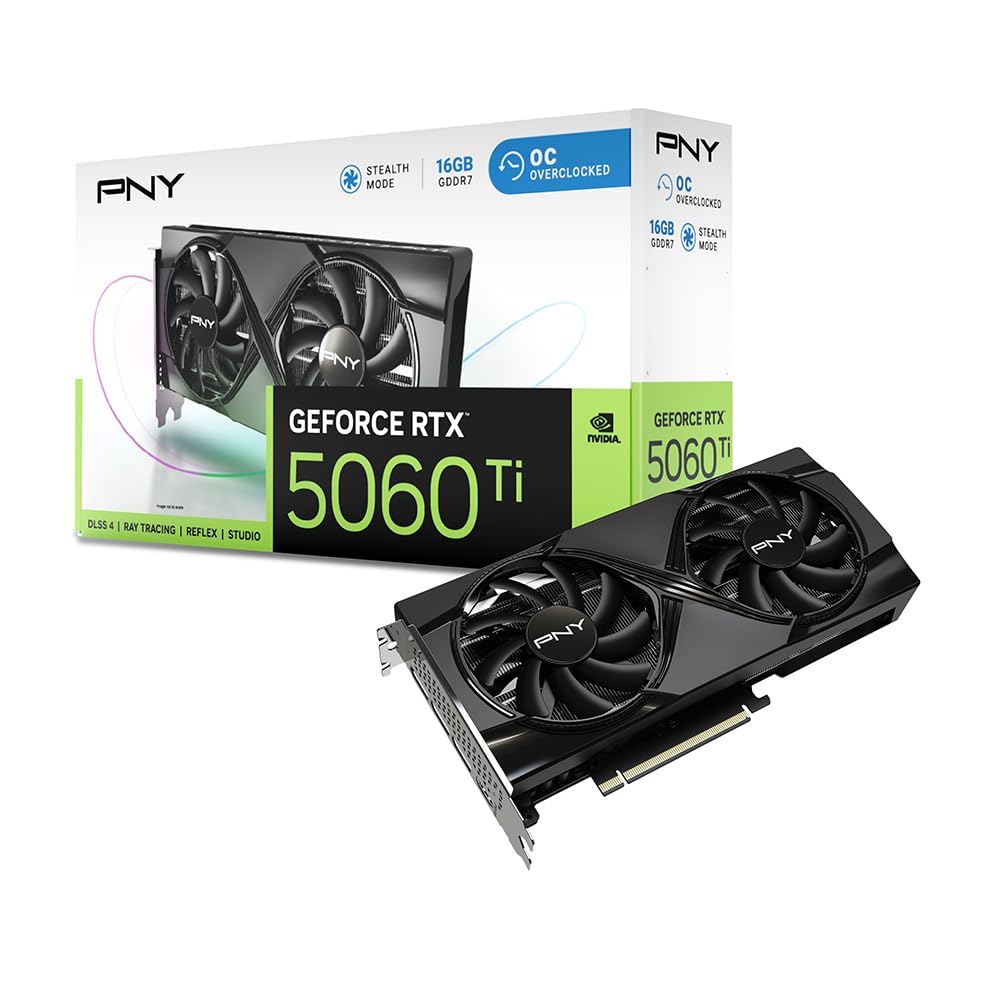
Sixteen gigabytes at 448 GB/s, cooled by two fans and a vented backplate
The memory spec is the story here: 16GB of GDDR7 running at 448 GB/s of bandwidth. That combination is what lets you hold maxed textures at 1440p and keep large creative projects or local AI models in memory. The card runs a 2407 MHz clock on the 5060 Ti, on the Blackwell architecture with 5th-Gen Tensor Cores and 4th-Gen Ray Tracing Cores. Two fans spread heat across a compact body, and a vented metal backplate adds passive cooling while bracing the card against sag.
What owners describe is a card that stays modest on power and quiet on fans. It uses up to 150W while gaming on a 3440×1440 ultrawide, and one build reported it holding under 185W even while streaming and recording simultaneously. The 16GB buffer fixed slow texture rendering on a 2080 Super upgrade, and the card autoconfigured to PCIe 4.0 x8 on an older motherboard without a complaint.
There is a practical wrinkle with installation. The power connector sits close to the mounting bracket, so you may need a longer cable from your power supply, and one buyer found the two-fan length barely cleared a case-mounted rear brace. Measure twice. Also worth knowing: this is an x8 card by design, so it will not saturate a full x16 lane — that is the architecture, not a defect.
Why it earns the spot
- 448 GB/s of bandwidth on 16GB of GDDR7 keeps textures and AI models resident without stutter
- Stays near 150W in gaming, so a modest supply copes without an upgrade
- Vented metal backplate adds cooling and stiffens the board against sag
Plan around this
- The power connector sits near the bracket, so a longer PSU cable may be necessary
- An x8 interface means no benefit from a full x16 lane
- The two-fan length can crowd a rear case brace
Pick it for: a 1440p build that has to stay near 150W and wants 16GB of GDDR7 with real bandwidth.
Hold off: if your case is already tight at the rear brace or your PSU cables are short.
8. MSI GeForce RTX 5060 Ti 16G Ventus 2X OC Plus
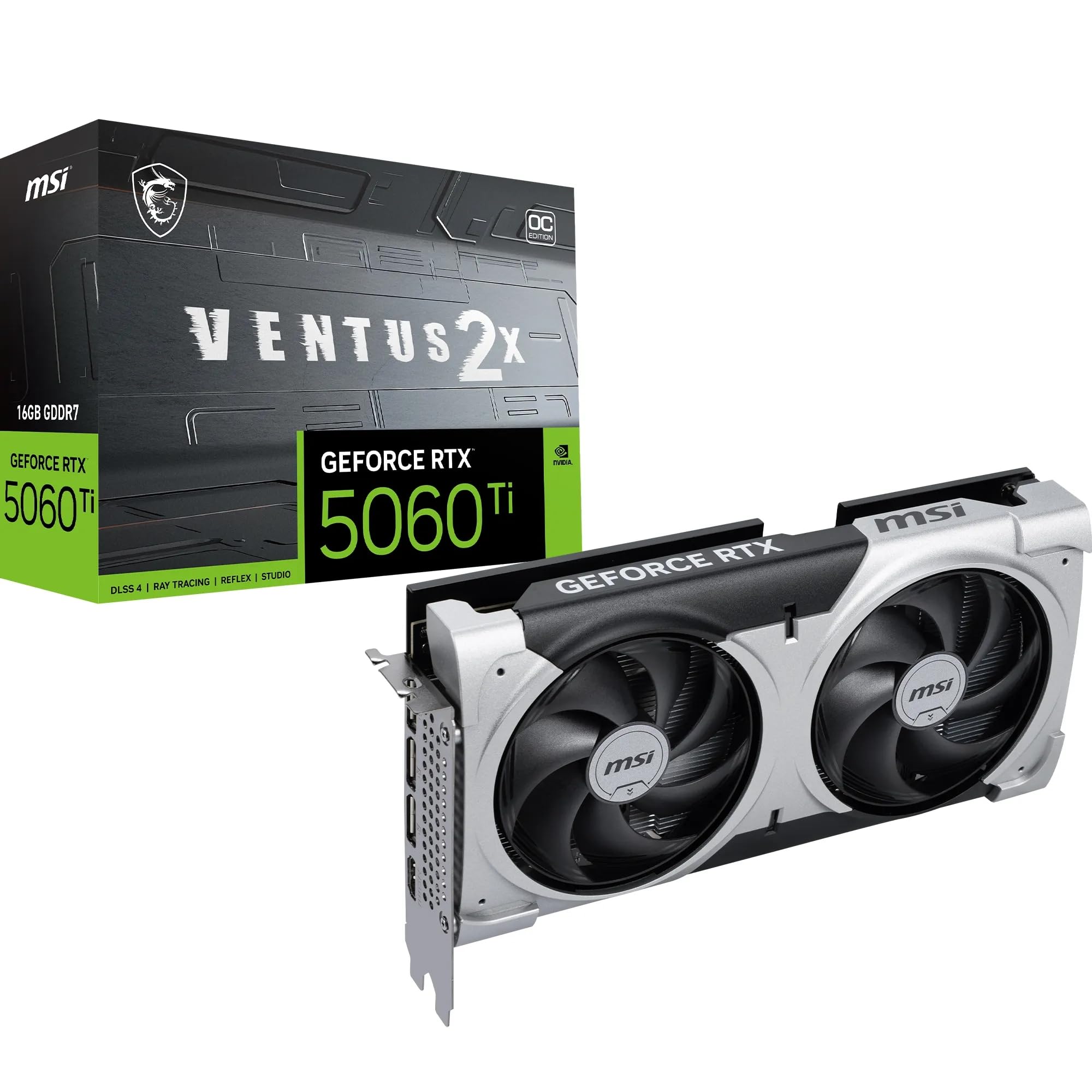
A no-frills 16GB card that runs local AI models without a single light
Sometimes the feature you want is the feature that is missing. This Ventus 2X OC Plus ships with no ARGB lighting at all, which makes it a natural fit for a headless server or a workstation you never look at. Under the shroud it carries 16GB of GDDR7 rated at 28 Gbps on a 128-bit interface, with a 2602 MHz clock on the RTX 5060 Ti and PCIe 5.0 support. Cooling comes from two STORMFORCE fans in a dual-fan layout.
The clearest use case comes from owners running local AI workloads. One build installed it in an Ubuntu server to run moderately demanding local models and found it exactly sufficient, with the lack of lighting treated as an advantage. Desktop reviewers point out an easy install and a substantial performance jump over their previous card. The memory capacity is doing the heavy lifting there: 16GB is the figure that decides whether a model or a large texture set fits.
The one real snag is boot mode. This card wants UEFI, and at least one buyer with a legacy BIOS board could not get it to post without switching the system over and reinstalling Windows. That is a real cost if your machine is old. Check your firmware setting before you order, because no amount of driver work fixes a boot-mode mismatch.
Built for the machine you ignore: no RGB, 16GB of 28 Gbps GDDR7, and dual STORMFORCE fans — a straightforward card for AI work and quiet desktop duty.
The firmware check: it needs UEFI boot, and a legacy BIOS system will demand a switch and a Windows reinstall to cooperate.
The right call for: a quiet workstation or Linux server that needs 16GB of memory and zero lighting.
Skip it when: your motherboard still boots in legacy BIOS mode and you would rather not rebuild the OS.
9. ZOTAC Gaming GeForce RTX 5060 Ti 16GB Twin Edge OC White Edition
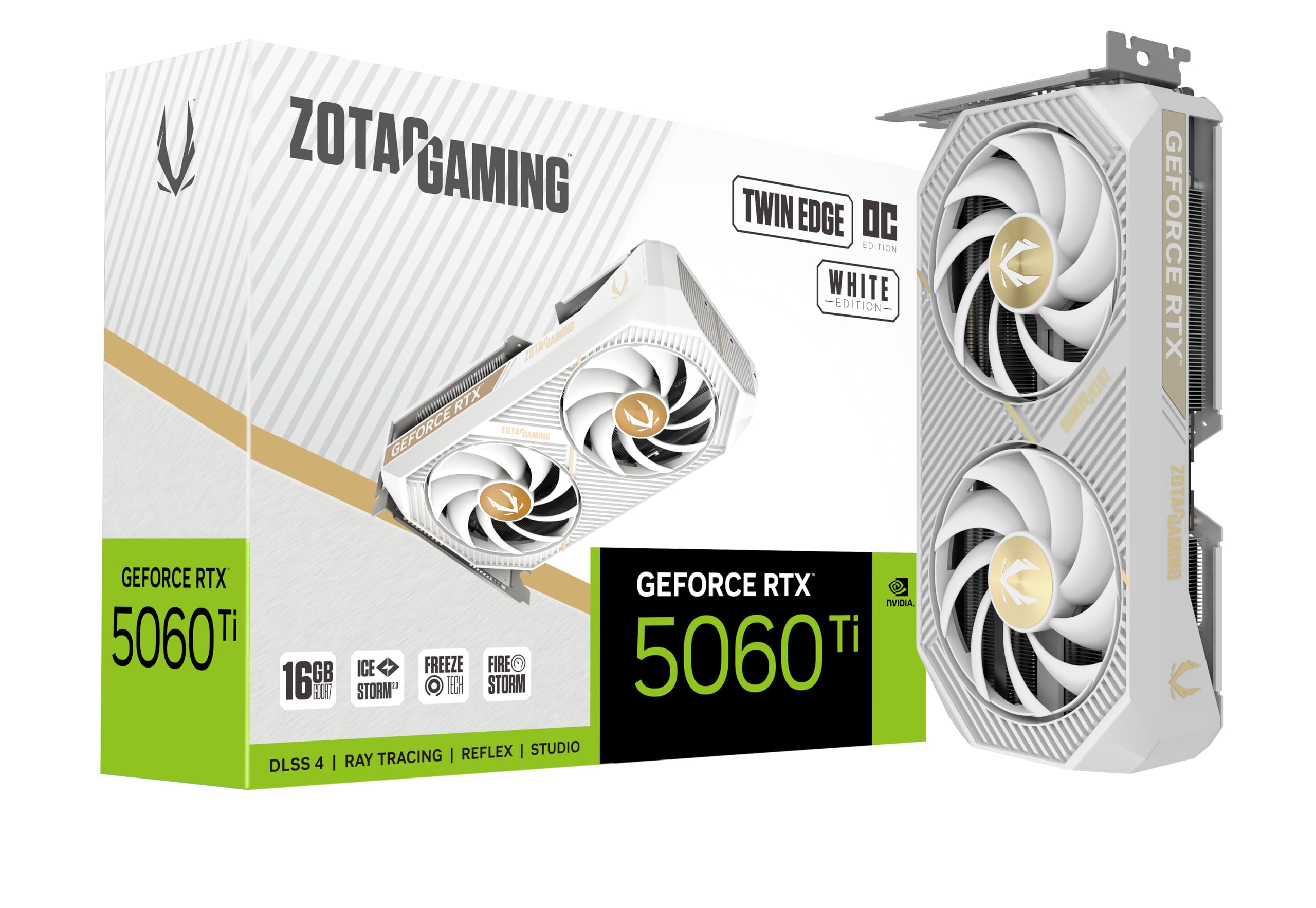
Two slots, 8.7 inches, and a white shroud for a small build with a theme
Take the size first: 8.7 inches long and 1.6 inches wide, built as a 2-slot card that ZOTAC labels SFF-ready. That is compact enough for a small-form-factor chassis while still being a full RTX 5060 Ti, with 16GB of GDDR7 on a 128-bit bus at 28 Gbps and PCIe 5.0. The clock runs at 2602 MHz. Cooling is IceStorm 2.0, using two 90 mm BladeLink fans, composite heatpipes, and a pass-thru airflow design that lets air move straight through the fin stack.
Owners describe it performing above their expectations, and the practical details back that up. It carries a metal backplate for rigidity and runs off a single 8-pin connector. Output is generous — three DisplayPort 2.1b and one HDMI 2.1b, rated 8K ready, 4-display ready, HDCP 2.3, and VR ready. FREEZE Fan Stop means the fans park themselves when the card is cool and idle. In use it handles Cyberpunk and local language models without drama.
The thing to get right is the slot you plug it into. Every card in the 5060 Ti family is x8, not x16, and a secondary slot on many boards drops to x4 — which is a motherboard limitation, not a fault in this card. Run it in the primary x16 slot and the x8 interface costs you nothing. Also remember the 8-pin connector, because a slim case with a weak supply is the one place this otherwise tidy card stumbles.
The fit-and-finish angle: an SFF-ready 2-slot body at 8.7 inches with a white shroud, a metal backplate, and four display outputs including three DisplayPort 2.1b.
Installation detail: it needs a single 8-pin connector and a primary x8 slot — a secondary slot will fall back to x4 and cost you bandwidth.
The match: a white small-form-factor build that wants 16GB of GDDR7 in a 2-slot, 8.7-inch card with a full display array.
Keep looking: if your slim case has no 8-pin power run available.
Know the Specs
VRAM and how much you actually need
VRAM is the card’s own memory for textures, lighting data, and AI models. When a game needs more than the card holds, it starts swapping to system memory and you feel it as stutter and dropped detail. An 8GB card is fine for 1080p, and it starts to strain at 1440p with raytracing or heavy texture packs. The 16GB cards on this list are the ones that keep detail settings where you put them.
PCIe x8 versus x16
The lane count decides how much data the card can pull from your processor. Most RTX 5060 Ti boards run on eight lanes rather than sixteen, which is plenty in the primary slot. Put that same card in a secondary slot on many motherboards and it drops to four lanes, which does cost bandwidth. Check your board’s manual for how its slots split before you plan a dual-card setup.
Clock speed and boost
Boost clock is the speed the card reaches when it has thermal and power headroom, measured in MHz. Higher is generally better, but only alongside cooling that can hold it. A card with a 3290 MHz boost and a two-fan cooler will not hold that clock as long as a bigger cooler would. Look at the clock and the cooling together, never the number on its own.
Power draw and supply sizing
Card manufacturers publish a wattage draw and a recommended supply figure. A single 8-pin connector is standard for this tier, and some compact cards draw entirely from the motherboard slot. Match that requirement against your existing supply before ordering. In a slim prebuilt with a stock supply, a card that needs no auxiliary power is often the only one that works.
Common Questions
Does a true low-profile 16GB RTX 5060 exist?
Will a 9-inch card fit in a micro-ATX case?
Is 8GB of GDDR7 enough for 1440p gaming?
Why do some RTX 5060 Ti cards only use eight PCIe lanes?
Can I run a low-profile 5060 in a prebuilt office PC?
Should I pick an RX 9060 XT 16GB or an RTX 5060 Ti 16GB?
How much power supply do I need for these cards?
Do these cards need UEFI boot?
Will a two-slot card block the slot below it?
Are compact 16GB cards quiet under load?
The Bottom Line
The crowd favorite here is the ASUS Dual RTX 5060 8GB GDDR7 OC at 4.5+ stars across 500+ owners — that volume of happy buyers at that score is the strongest signal on the page. It takes the top spot on a 9-inch, 2.5-slot body, a 2565 MHz OC mode, and 0dB fans that stop at idle. If you want 16GB without growing the case, the GIGABYTE RTX 5060 Ti WINDFORCE OC 16G is the pick, at 8.19 inches it is shorter than the ASUS while doubling the memory. And for a genuinely half-height machine, the GIGABYTE RTX 5060 OC Low Profile 8G at 182 mm is the one that physically goes in.
One honest note on the memory question that brought you here: no true low-profile 5060 carries 16GB. The route to that capacity in a small build is a compact 2-slot card, and the GIGABYTE is the tightest of those at 8.19 inches. Measure your case’s card length and side-panel width, then buy to those numbers rather than to the “low profile” label.
How we choose
We do not accept paid placement. Every pick is matched to a real buyer and a real use-case; we do not hands-on test units.
Sources
Specifications: manufacturer listings and product documentation. Review insights: verified customer reviews, as of October 2026. Pricing: not shown on this page (it changes often); check the current price via the retailer link.
As an Amazon Associate, Aappliancez earns from qualifying purchases. This does not affect which products we feature.