Disclosure: Some links in this post are affiliate links. As an Amazon Associate I earn from qualifying purchases, at no extra cost to you. Learn more
Specs are compiled from manufacturer listings and verified buyer reviews and can change over time — please confirm the key details on the product page before buying.
You already know the disc looks better than the stream. The real question is which player actually reads every disc you own without freezing halfway through act two — and that answer changes a lot depending on whether your shelf is full of US releases or imports from three continents. This guide sorts nine players by what they genuinely do well, from a mainstream Sony that upscales old DVDs beautifully to a region-free deck that opens up Blu-rays from anywhere on the planet.
This guide is built by comparing the manufacturers’ published specifications and the patterns across verified customer reviews, so you get each pick’s real strengths and trade-offs instead of marketing spin.
Some players here lean on streaming apps and wireless convenience, while others strip all of that away and focus purely on spinning a disc cleanly. The picks below cover both philosophies, so you can match the hardware to how you actually watch movies at home. Here is the honest shortlist of the best 4K Blu-Ray Player options for a disc-first setup.
Top Picks


How To Choose The Best 4K Blu-Ray Player
Buying a disc player is really about three things: whether it reads the discs you own, whether it feeds your TV the right picture format, and whether it fits the way you watch. Get those three right and almost everything else is a bonus.
Region coding is the first filter
A standard US player reads Blu-rays from Region A and DVDs from Region 1 only. If you import discs from the UK, Australia, or Japan, you need a region-free model — and you should know that on many of them the Blu-ray region has to be switched manually by opening the tray and pressing a colored button on the remote. DVD regions often switch on their own, but Blu-ray usually does not.
HDR formats decide how your TV performs
HDR (high dynamic range) is what gives a 4K disc its punchy highlights and deep shadows. HDR10 is the baseline, HDR10+ and Dolby Vision are the step-up formats, and your player has to support the same one your TV does to get the benefit. A player that lists Dolby Vision will often still need you to switch it on in a menu — it is not always automatic.
Upscaling quality varies more than the spec sheet admits
Every player here claims 4K upscaling, which means it stretches a standard Blu-ray or DVD picture toward your 4K screen’s resolution. Some players do this smoothly and some introduce choppiness on high-bitrate Blu-rays. If your TV already upscales well, letting the TV handle it is a perfectly good plan.
Sound connections: twin HDMI versus one cable
Twin HDMI outputs send video straight to the TV and audio separately to your receiver, which keeps the signal paths clean. If your AV receiver is older and cannot pass a 4K picture through, that second output is the difference between watching in 4K and not.
Side-by-Side Comparison
| Model | Best For | Region Support | HDR Formats | HDMI Outputs | Amazon |
|---|---|---|---|---|---|
| Sony UBP-X700U★ Best Overall | Everyday 4K disc watching | Blu-ray A / DVD 1 | HDR10, Dolby Vision | 2 | Amazon |
| Samsung BD-KM85C (Renewed)Best Value | Budget streaming plus discs | — | HDR | 2 | Amazon |
| Dynastar Region Free UBP-X800M2Best for Imports | Imported disc collections | Blu-ray A/B/C, DVD 0-8 | HDR, Dolby Vision | 2 | Amazon |
| Wbacon External Drive | PC and laptop playback | Disc-dependent, 5 changes | — | — | Amazon |
| Samsung UBD-M7500/ZA | Wired home theater hub | — | HDR | 1 | Amazon |
| Sony Multi Region Wi-Fi Player | Region-free on a budget | Blu-ray A/B/C, DVD 0-6 | — | 1 | Amazon |
| WONNIE 17.6″ Portable | Movies on the road | Blu-ray A / DVD 1 | — | 1 (out) | Amazon |
| DpBlue DP-5300 | Dolby Vision on a projector | Region A Blu-ray / Region 1 DVD | HDR10, Dolby Vision | 2 | Amazon |
| Krovatar KBU-300 | Wireless headphone viewing | Region free | HDR, HDR10+, Dolby Vision | 2 | Amazon |
Detailed Reviews
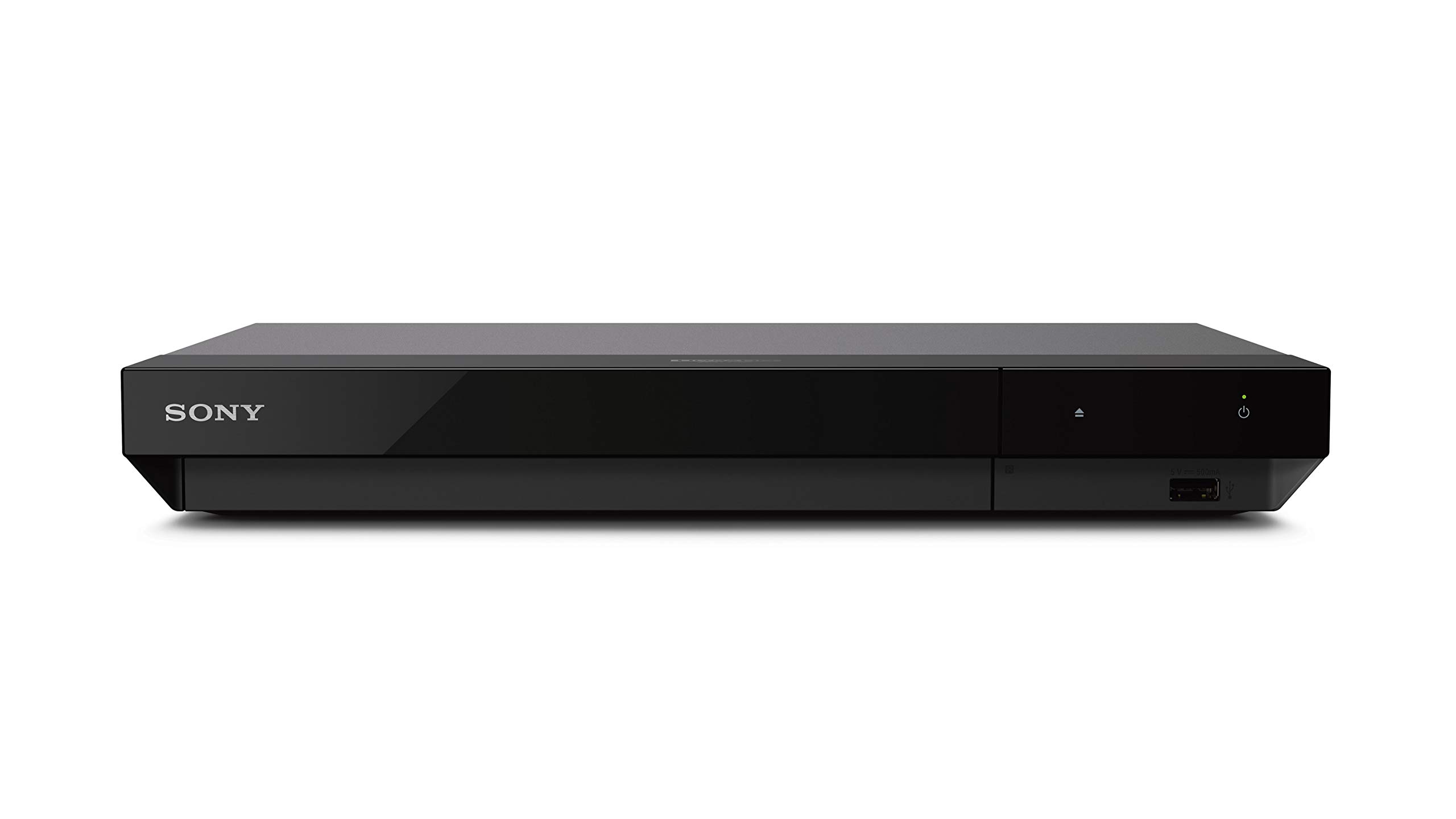
1. Sony UBP-X700U Blu-ray DVD Player
Our pick — 4.0+★ from 400+ verified ratings; the strongest balance of quality and price.
A disc-first Sony that plays 4K UHD, Blu-ray and DVD, with Dolby Vision and dual HDMI outs.
This is the player to buy if you want one box that handles everything on your shelf. Native 4K Ultra HD playback sits alongside 4K upscaling up to 60p (which translates to smoother motion on fast pans) and Dolby Vision support — so a dark, contrast-heavy film keeps its shadow detail instead of crushing to black. DVD playback is included too, which matters if you still pull library discs.
What wins people over is how little drama there is. Owners run through dozens of 4K discs and Blu-rays and describe month after month of flawless playback — as one buyer put it: “I have watched about 50+ different 4K UHD discs and 80+ Blu-rays on this player and it has worked flawlessly for all of them.” The upscaling of standard Blu-rays and DVDs is the other recurring theme; older discs come out looking noticeably better than they have any right to.
The honest catch is the Dolby Vision toggle. You have to switch it on manually in the menu rather than have the player detect it, and the on-screen interface fonts are low-resolution. The glossy front panel also scratches if you’re careless with it. None of that affects the picture once a film is running.
What earns it the top slot
- Plays 4K UHD, standard Blu-ray and DVD, so your whole collection stays usable.
- Dolby Vision and HDR10 on a deck at this tier is genuinely strong value.
- Dual HDMI outputs separate audio to your receiver from video to the TV.
- No Wi-Fi, no streaming apps — a deliberately simple player that just reads discs.
Where it asks a little patience
- Dolby Vision must be toggled manually in settings rather than auto-detected.
- Upscaling high-bitrate Blu-rays can show choppiness in some scenes.
- Glossy front fascia picks up scratches easily.
Reach for this if: you want a straightforward Sony that treats discs as the main event and ignores streaming entirely.
Look elsewhere if: you need to play imported Region B discs, because this one is locked to Region A Blu-ray and Region 1 DVD.
2. Samsung BD-KM85C Blu-Ray Player
A renewed Samsung with built-in Wi-Fi and Bluetooth, 7.1-channel audio and two HDMI ports.
The headline here is connectivity — Wi-Fi and Bluetooth are both built in, plus one USB input and two HDMI ports. The maker quotes 60 frames per second for fast action and a colour range up to 64X that of a conventional Blu-ray player, and 7.1 channel Dolby True HD/DTS-HD Master Audio handles the surround side. Setup is the low-friction part: owners describe a three-minute plug-and-play routine where a Samsung TV or soundbar simply recognises the player and takes over.
Getting 4K video out of it cleanly means using a proper high-speed HDMI 2.0 cable, which is not in the box. The disc-side playback gets good marks for sharpness and balanced colour on standard Blu-rays and MKV files, and the interface is quick to navigate once you are past first install.
Two things to set expectations on. This is a renewed unit, so inspect the case on arrival — scuffing has been reported. And the remote is the weak link; when it misbehaves, pulling the batteries and re-pairing resets it.
The wireless angle: if your TV and soundbar are Samsung, the auto-recognition turns this into the least fiddly box on the list.
The cable you must buy: an HDMI 2.0 cable is mandatory for 4K and not included, so budget for that alongside the player.
The value play: a sensible entry point if you want Wi-Fi streaming and 4K disc playback in one unit without spending much.
Worth knowing: renewed stock varies, and the no-front-power-indicator design means you’ll glance at the top of the unit to check it’s on.
3. Sony UBP-X800M2 Blu-ray Player
A Sony UBP-X800M2 bundle that plays Blu-ray Regions A, B and C and DVDs from Regions 0-8.
If your collection crosses borders, this is the pick that matters. It plays Blu-ray Regions A, B and C and DVDs from Regions 0 through 8, with 4K UHD, 3D, HDR, Dolby Vision, Dolby Atmos and Bluetooth all in the mix. It also streams 4K HDR from Prime Video, Netflix and YouTube, includes a Dynastar 6FT HDMI cable, and handles both PAL and NTSC on a 110-240 volt supply.
Playback is what people rave about — imported discs that simply refuse to load in a locked player go straight in, and the picture and sound hold up well on 4K material. The catch is procedural: setting the Blu-ray region is a manual routine, usually opening the tray and tapping a coloured button on the remote. DVDs tend to switch over automatically.
Be honest about the size gap as well. At 17″L x 10.8″W x 2.3″H and 8.4 pounds, it is a substantially bigger box than the 12.6″L x 8.5″W x 1.8″H Sony UBP-X700U — so check your shelf depth and your AV cabinet before you commit.
The region-free payoff: Region A, B and C Blu-rays plus DVDs from anywhere in the world, which is the whole reason to buy it.
The honest trade-off: region switching is manual on Blu-ray, and the chassis is the largest of the dedicated players here.
Built for collectors: the right box if imported discs make up a real chunk of your shelf.
Think twice if: your library is entirely US releases — a locked player will do the same job for less fuss.
4. Wbacon External 4K Blu Ray Drive
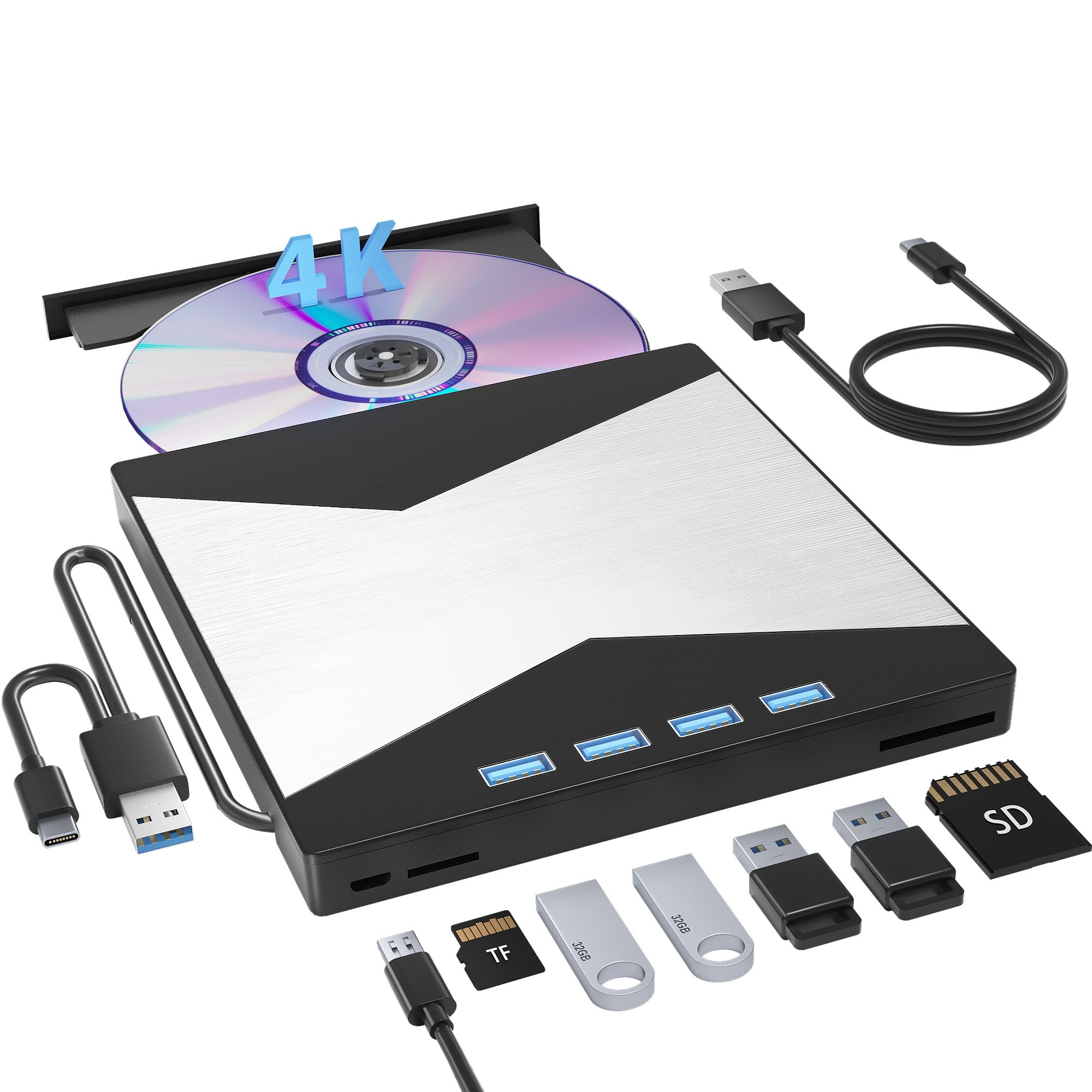
A USB 3.0 external drive that reads and burns CD, DVD and Blu-ray, with four extra USB ports and SD/TF slots.
This is the pick for a laptop with no disc drive and a stack of 4K discs waiting to be ripped or watched. It reads and burns CD, DVD and Blu-ray, connects over USB 3.0 at data rates up to 5 Gigabit/s (625MB/s, roughly ten times USB 2.0 speed), and offers a maximum DVD read speed of 8x, CD read speed of 24x and BD read/burn speed of 6x. It also works as a hub: one USB 3.0 port, three USB 2.0 ports, plus TF and SD card slots.
Once it is set up, it is a workhorse — one owner reports 150 recordings and counting, reading 4K and every other Blu-ray disc. The catch is that “plug and play” is optimistic for 4K. Buyers report they needed a firmware flash before the drive would play 4K Blu-rays, and you must have playback software installed before a disc will load at all. Some units ship with a different internal drive than others, so the exact model you receive can affect the process.
The region code is another limit worth knowing: it can only be changed 5 times, including the initial setting. It works with Windows, Linux and Mac OS, but not with phones, iPads, tablets, projectors or cars.
Reasons it earns a spot
- Reads and burns CD, DVD and Blu-ray on a laptop that has no drive at all.
- USB 3.0 at 5 Gigabit/s keeps ripping and burning brisk.
- Four extra USB ports plus SD and TF slots make it a genuine desk hub.
- Slim, light and pocketable enough for a laptop bag.
Homework before you buy
- 4K playback can need a firmware flash before a disc will load.
- You must install playback software first — it is not included.
- The region code can only be changed 5 times.
For the PC crowd: the right tool if you watch or rip discs on a laptop and want extra ports while you do it.
Not for plug-and-play buyers: if you want to drop in a disc and press play, a standalone player is the smarter buy.
5. Samsung UBD-M7500/ZA 4K UHD Blu-Ray Player

A Samsung with 4K HDR playback and Smart Hub apps, but no built-in Wi-Fi — it needs Ethernet.
Resolution is the pitch: 4K Ultra HD at 4x the resolution of Full 1080p HD, with HDR widening the colour contrast and brightness so details hold in bright and dark scenes. The Samsung Smart Hub sits on top of that, pulling in the major 4K streaming apps and sports content on the same box. A firmware update brings Dolby Atmos support, which is useful if your receiver decodes it.
Setup is quick and the picture draws real enthusiasm on older TVs as well — dynamic sound and sharp visuals being the recurring note. It is quiet in operation, and the upscaling of standard DVDs to 4K is strong enough that library discs stay worth keeping.
Two practical catches. There is no built-in Wi-Fi, so it needs a wired Ethernet connection to reach the apps — if your router is far away, plan for that. And it prefers a direct HDMI cable to your TV; an inline splitter has been known to cause stutter and audio dropouts that firmware updates do not fix.
Picture-first, apps second: 4K at 4x the resolution of 1080p with HDR handling the contrast, plus the streaming hub if you’re wired in.
The Ethernet requirement: no Wi-Fi means you’ll want a port near the TV or a long cable run.
Best if: you have Ethernet near the TV and want one Samsung box for discs and streaming.
Skip if: Wi-Fi is your only option at the TV, since this model has no wireless at all.
6. SONY Multi Region Blu Ray DVD Player

A 2-pound Sony that plays Blu-ray Regions A/B/C and DVD Regions 0-6, with Wi-Fi streaming and 1080p upscaling.
This is the budget route into importing. It plays Blu-rays from Regions A, B and C and DVDs from Regions 0 through 6, handles both PAL and NTSC formats, and folds in Wi-Fi streaming for Netflix and YouTube with a subscription. A 6-foot high-speed HDMI cable in the box means you can connect it straight out of the gate.
Upscaling tops out at Full HD 1080p rather than 4K, which is the one thing to be clear about — standard DVDs get pulled up to a crisp 1080p, and that is the ceiling. The compact footprint and 2-pound weight make it easy to tuck into a tight cabinet, and setup is described as straightforward and quick.
Region changes on Blu-ray are manual: you open the tray and press a coloured button, usually the blue one, then power the unit back on. One quirk worth flagging is that the power brick’s voltage labelling does not state 220-240V even though the listing claims multi-voltage, so overseas users often pair it with a transformer to be safe.
Region freedom on a budget: A, B and C Blu-rays plus DVDs from 0 to 6, with a cable included and a compact 2-pound chassis.
The spec to note: upscaling stops at 1080p, so this isn’t the player for a 4K-first setup.
Right for you if: imported DVDs and Blu-rays matter more than 4K resolution.
Look at the Sony UBP-X700U instead if: you’re building around 4K discs and Dolby Vision rather than a mixed-region DVD library.
7. WONNIE 17.6″ Portable Blu Ray Player with 15.4″ 1080P Screen

A 15.4-inch 1080P screen, a 5000mAh battery and a 270° swivel frame in one portable Blu-ray player.
This is the only pick here with its own screen, which changes the whole use case. The 15.4″ panel runs at full 1080P HD, the frame swivels 270° and flips 180° so you can angle it in a car or a tent, and a built-in 5000mAh rechargeable battery keeps it going without a wall socket. Dual speakers handle the audio, with a 3.5mm headphone jack for when you don’t want to share.
Disc support covers BD, BD-R, BD-RE, DVD, CD, CD-R/RW, DVD±R, DVD±RW, VCD and SVCD, plus USB 2.0 drives and SD/MMC cards up to 32GB (FAT32). It plays Region A Blu-rays and Region 1 DVDs and outputs over HDMI if you want to share the picture on a TV. A last-memory function picks up where you stopped, and a remote plus car charger are both included.
Portability is the whole point and it delivers — big, clear, colourful screen, easy controls, and it lies flat with the screen folded down. Be realistic about the build: the plastic feels basic, colours shift if you look at it from the side rather than straight on, there is no Wi-Fi, and there is no battery level indicator to warn you.
Why it travels well
- 15.4″ 1080P screen plus a 5000mAh battery makes it self-contained.
- 270° swivel and 180° flip mean you can angle it for a back seat or a picnic table.
- Last-memory playback picks up the scene you stopped at.
- HDMI out lets you push the picture to a hotel TV.
Where it stays honest
- No Wi-Fi and no battery level indicator to guess how much charge is left.
- Colours shift when you view it off-angle rather than straight on.
- Bulky plastic body that prefers a hard surface rather than a bed.
Built for the road: the right player if trips, campers and hotel rooms are where your discs actually get watched.
Not a home-theater box: if your movies live on a shelf under a big TV, a fixed deck does that better.
8. DpBlue DP-5300 Blu-ray Player
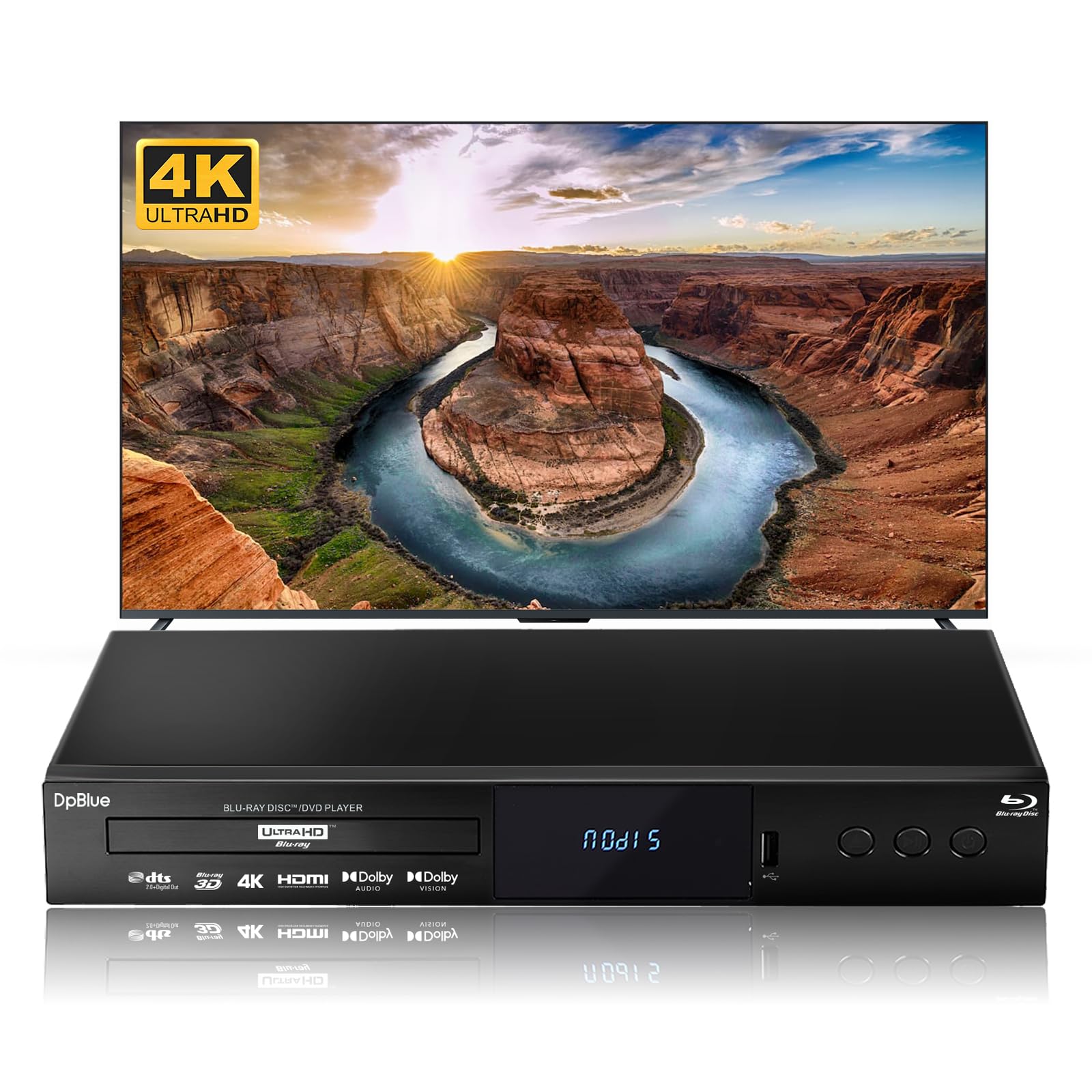
A projector-friendly player with the widest colour spec on the list and twin HDMI outputs.
Native 4K UHD disc playback at 4x the resolution of Full HD is the base, then HDR10 and Dolby Vision add 10-bit colour and the BT.2020 colour gamut — a wider colour range, deeper blacks and better contrast, which is exactly what a projector setup benefits from. Audio comes through Dolby Atmos, Dolby Audio and dts 2.0+Digital Out, and the twin HDMI design sends video on HDMI 2.0 and audio alone on HDMI 1.4 straight to your receiver.
Owners run it with a Sony OLED and a soundbar and note excellent colour and sound compared with streaming, plus fast, quiet loading and a media centre for external drives. The image is a clear step beyond an HD antenna or streaming stick even at 1080p, per the same consensus. Disc compatibility reaches standard Blu-rays, Blu-ray 3D, DVDs and CDs, with DVD playback region-free.
The catch sits in the interface. The remote is cluttered and has a basic non-universal layout, some units arrived with labelling in another language, and there is no software update support or manufacturer contact for help. The media centre works but feels rough, and you must eject the disc before using external drives.
Picture and sound first: HDR10 plus Dolby Vision with the BT.2020 gamut and Atmos, driven out through dedicated video and audio HDMI ports.
The rough edges: a confusing remote and no update path, so buy knowing you’re mostly on your own after setup.
Fit for a projector room: a strong pick if 3D, Dolby Vision and twin HDMI outputs are what your setup needs.
Fit for a tinkerer: someone happy to work around a basic remote and a bare-bones app story.
9. Krovatar KBU-300 Blu-ray Disc Player
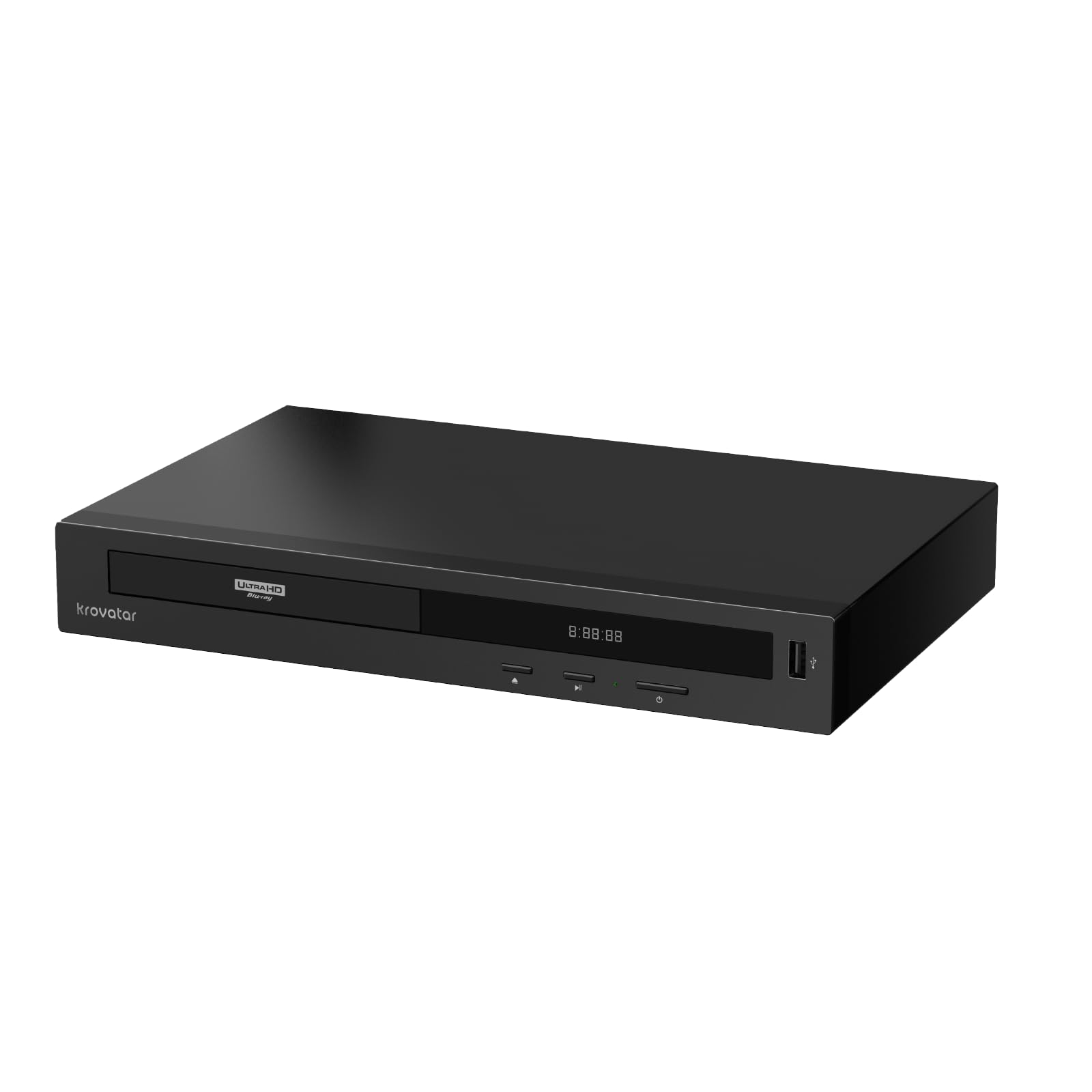
Bluetooth headphones straight to the player — a quiet-cinema box in an aluminum shell.
HDR, HDR10+ and Dolby Vision all make the feature list here, alongside Dolby Atmos and DTS:X for object-based surround sound. The distinctive part is Bluetooth: you can pair headphones directly to the player and listen without disturbing anyone in the next room, which is a rare feature to find written into the spec sheet. The aluminum alloy chassis keeps the box at 1.4 kg and looks the part on a shelf.
The disc support is genuinely broad — BD, BD-R, BD-RE, CD, DVD, CD-R/RW, DVD±R, DVD±RW, VCD, SVCD and SACD — with 3D and 4K upscaling covered, and it plays region-free. Fast, quiet loading and crisp HDR10/Dolby Vision output on a Sony OLED are the highlights, and support is quick: email replies have arrived within an hour to fix Bluetooth pairing glitches.
The caveats are real but small in scope. SACD playback is limited to 2 channels, so surround SACD fans should adjust their expectations. The disc drive is on the noisy side, and the unit likes to shut down quickly after playback with a resume prompt that can be a bit confusing.
What makes it stand out
- Bluetooth headphones pair directly with the player for private listening.
- HDR, HDR10+ and Dolby Vision cover every major dynamic range format.
- Dolby Atmos and DTS:X push object-based sound to your receiver.
- Aluminum alloy body and dual HDMI keep the footprint small and tidy.
Things to weigh honestly
- SACD playback is stereo-only, not surround.
- The disc drive is noticeably noisier than a dedicated player’s.
- Quick auto-shutdown can interrupt a pause with a resume prompt.
Best fit: a late-night film watcher who wants Bluetooth headphones and every HDR format in one aluminum box.
Less of a fit: if you spin SACDs for surround sound, since this player handles those in two channels only.
Know the Specs
HDR and Dolby Vision
HDR (high dynamic range) tells the TV how bright to push highlights and how deep to drop shadows, disc by disc. Dolby Vision is a more granular version of that same idea, and HDR10+ is a rival step-up format. Your player and your TV both need to support the format to get the benefit, so match them rather than assume. On some players Dolby Vision must be switched on manually in a settings menu.
Region Codes
Blu-rays are split into Regions A, B and C — the US sits in A — while DVDs use numbers 0 through 8. A standard player reads only its home region. A region-free player handles discs from all zones, but on most of them the Blu-ray switch is done by hand, usually via a colored button on the remote with the tray open, while DVD regions often flip automatically.
Upscaling
Upscaling stretches a lower-resolution disc picture onto a 4K screen. A well-implemented scaler makes old DVDs look cleaner and more detailed; a weak one introduces soft edges or judder. Note the ceiling: some players upscale only to 1080p, not 4K. If your TV upscales well, letting it do the job is a fine choice too.
HDMI Outputs
A single HDMI cable carries both picture and sound. Twin HDMI outputs let one cable send video to the TV and a second feed audio to a receiver, which matters if your receiver cannot pass 4K through. It also avoids the signal bottlenecks that inline splitters tend to create — a cause of stutter and dropouts in some setups.
Common Questions
Will a US 4K Blu-ray player play my imported discs?
Do I need Dolby Vision in a player if my TV supports it?
Does a 4K Blu-ray player also play my old DVDs and Blu-rays?
Is a portable Blu-ray player worth it over a fixed one?
Why does my player look noisy at first and then go quiet?
Do I need a special HDMI cable for 4K discs?
Can I use Bluetooth headphones with a Blu-ray player?
What’s the difference between twin HDMI outputs and one?
Can a Blu-ray drive for a laptop actually play 4K discs?
The Bottom Line
For most people, the 4k blu-ray player worth starting with is the Sony UBP-X700U — it handles 4K, standard Blu-ray and DVD in one box, brings Dolby Vision, and keeps things simple by skipping Wi-Fi entirely. If imported discs are part of your library, the Dynastar Region Free bundle opens up Blu-rays from Regions A, B and C. For a disc-first laptop setup, the Wbacon external drive is the one to reach for — provided you’re ready for the firmware step.
How we choose
We do not accept paid placement. Every pick is matched to a real buyer and a real use-case; we do not hands-on test units.
Sources
Specifications: manufacturer listings and product documentation. Review insights: verified customer reviews, as of October 2026. Pricing: not shown on this page (it changes often); check the current price via the retailer link.
As an Amazon Associate, Aappliancez earns from qualifying purchases. This does not affect which products we feature.