Disclosure: Some links in this post are affiliate links. As an Amazon Associate I earn from qualifying purchases, at no extra cost to you. Learn more
Specs are compiled from manufacturer listings and verified buyer reviews and can change over time — please confirm the key details on the product page before buying.
Your first printer often fails the same way: the first layer won’t stick, the nozzle clogs, and you spend your weekend watching a bird’s nest of plastic grow on the bed. If you want a machine that prints a recognizable model on day one instead of giving you a new hobby in troubleshooting, buy the Bambu Lab A1. It holds a 4.5+ star rating across 700+ reviews, and buyers report it printing straight after assembly.
This guide is built by comparing the manufacturers’ published specifications and the patterns across verified customer reviews, so you get each pick’s real strengths and trade-offs instead of marketing spin.
Below you’ll find which machines do their own bed leveling, how fast each one actually prints, and where the cheap models quietly cut corners — so the next click buys the right first printer. This breakdown of the 3d printer beginner shelf covers speed, build volume, and the setup headaches that decide whether you keep printing.
Top Picks



How To Choose The Best 3D Printer For A Beginner
New buyers often chase the highest speed number on the page, but a failed first layer makes that speed irrelevant. Speed is the last thing you’ll notice if your first layer won’t stick to the plate.
Put auto bed leveling at the top of your list
Bed leveling means the nozzle and the print plate are perfectly parallel at the right gap, and doing it by hand with a sheet of paper is the step where most beginners quit. An auto-leveling printer measures the plate for you with a sensor and corrects the first layer automatically. On the A1 that process is full-auto, including the Z-offset (the exact nozzle height above the plate).
Match build volume to what you actually want to print
Build volume is the box your model has to fit inside. The minis on this list sit around 80x80mm of usable area, which is fine for keychains and chess pieces but rules out a full cosplay helmet in one piece. If a one-piece mask matters to you, a printer with a 300x300x400mm build volume like the Longer LK5 Pro is the fit — otherwise a 220x220mm bed covers most household prints.
Read the temperature ceiling, not the marketing name
The nozzle temperature (how hot the nozzle gets) decides which filaments you can run. Around 300°C opens PLA, PETG, ABS, TPU and ASA. A 280°C direct extruder (the part that pushes filament) handles the common everyday materials. Think about if you want to try carbon-fiber or high-temp engineering plastic later, because that pushes you toward a 320°C or 370°C nozzle and an enclosed chamber (a box that keeps heat in).
Decide how much tinkering you enjoy
Some machines arrive fully assembled and print in under ten minutes. Others are 90% pre-assembled and expect you to watch the included videos, level the bed manually and tune slicer settings. Neither is wrong — but if you want a printer that behaves like an appliance, pay attention to which one is fully assembled.
Side-by-Side Comparison
| Model | Best For | Build Volume | Max Print Speed | Max Nozzle Temp | Amazon |
|---|---|---|---|---|---|
| Bambu Lab A1★ Best Overall | First printer overall | — | — | — | Amazon |
| Anycubic Kobra S1 ComboFastest Multi-Color | Multi-color on a budget | — | 600 mm/s | — | Amazon |
| Creality Ender-3 V3 KEBest for Modders | Modders and tinkerers | 220×220×250 mm | 500 mm/s | 300℃ | Amazon |
| ELEGOO Centauri Carbon | Big reliable workhorse | 256x256x256mm | 500 mm/s | 320°C | Amazon |
| FLASHFORGE Adventurer 5M | Speed on a tight budget | 220x220x220mm | 600 mm/s | 280°C | Amazon |
| Geeetech Smart | Desk-sized starter | — | — | — | Amazon |
| Entina Tina2 Plus | Kids and supervised homes | — | 250mm/s | — | Amazon |
| Hephi3d TINA2 Plus | Gift for a young maker | 100x100x100mm | 250mm/s | — | Amazon |
| Mini 3D Printer Starter Kit | Lowest-cost first taste | — | 250mm/s | — | Amazon |
| Longer LK5 Pro | Oversized one-piece prints | 300*300*400mm | 180mm/s | 250°C | Amazon |
| QIDI PLUS4 | High-temp engineering plastic | 12 x 12 x 11in | — | 370°C | Amazon |
Detailed Reviews
1. Bambu Lab A1 3D Printer
Our pick — 4.5+★ from 700+ verified ratings; the strongest balance of quality and price.
It auto-levels the bed and sets its own Z-offset, so your first print needs no manual tuning.
Print quality is the thing that wins people over on the A1 — the surface finish and detail are the single most-discussed strength in its reviews, and the machine does that without you touching a single adjustment. Its full-auto calibration handles the Z-offset (the exact nozzle height), bed leveling and the rest of the setup dance automatically. That’s the part beginners usually get wrong, and here you simply don’t.
Under the hood, an acceleration of 10,000 mm/s² moves the print head quickly between moves, so detailed models finish in a reasonable sitting instead of an overnight vigil. Bambu pairs that with active flow rate compensation — the machine constantly reads how much plastic is actually extruding and corrects it mid-print. In plain terms, that’s fewer rough patches and stringy layers to sand off later. Active motor noise canceling keeps the whole thing quiet enough to work next to.
Multi-color is available but not included on this base model: you need the AMS lite unit (buy the A1 Combo or the AMS lite separately). Without it, you can still pause a print and swap the spool by hand. Owners mention the automatic multi-color setup bundled in the Combo works out cheaper than adding it later. At 22 pounds with a 1-Clip quick-swap nozzle, maintenance is a two-minute job rather than a weekend project.
What earns it the top slot
- Full-auto calibration takes the paper-shim leveling chore off your hands completely
- 10,000 mm/s² acceleration keeps detailed prints moving at a pace you’ll notice
- Active flow rate compensation corrects extrusion as it prints for cleaner surfaces
- 1-Clip quick-swap nozzle makes a worn nozzle a quick replacement
- Active motor noise canceling means you can run it beside your desk
Where it asks a little of you
- Multi-color needs the AMS lite, which is a separate purchase on this listing
- Everyday reliability is the one area reviewers push back on most, so plan on the odd hiccup
Reach for this if: you want your first printer to behave like a home appliance and print correctly without a tuning ritual.
Think twice if: four-color printing is your whole reason for buying — the AMS lite is a separate add-on here.
2. Anycubic Kobra S1 Combo 3D Printer
Four colors from the start, at a sprint pace that leaves the older bed-slingers behind.
The headline here is the ACE PRO four-color system, and stacking two of them gets you eight-color printing. That’s the kind of feature that turns a plain model into something worth showing off, and it’s built in rather than bolted on. Speed matches the ambition: a max 600 mm/s at 20,000 mm/s² acceleration. Against the Creality Ender-3 V3 KE at 500 mm/s, the Anycubic leads on raw speed, and its 20,000 mm/s² acceleration outpaces the Ender’s 8000 mm/s² if you care about how quickly it reaches that speed.
The ACE also dries filament — dual PTC heating modules with 360° hot air circulation keep spools in printing condition, which matters the moment you move off PLA onto PETG. Assembly is quick: customers note a fast ~30-min setup with good speed and print quality. Be honest with yourself about the heaviest trade-off, though. At 56 pounds this is a heavy desk fixture, and its listed product dimensions of 8 x 8 x 8 inches read far smaller than its 56 pounds suggests — check clearance before you commit to a shelf.
The recurring gripe in the reviews is the multicolor hardware itself: the ACE takes tuning, non-standard spools may need adapters, and very color-heavy prints spend a lot of time flushing. The base single-color printing is the reliable part. If you mostly print in one color, you’re paying for an accessory you’ll rarely use.
Money well spent on: color. Nobody else on this list bundles four colors with a filament dryer and 600 mm/s speed in one box.
The honest catch: the ACE’s flush cycles and sensor quirks are the most-discussed issue — treat multicolor as a project to learn, not a plug-and-play extra.
Pick it for: multicolor models and PETG work where you want the dryer built in.
Pass if: you want a set-and-forget single-color machine — the ACE’s tuning demands will feel like paying for trouble.
3. Creality Ender-3 V3 KE 3D Printer
A 220×220×250 mm build plate, a 300℃ hotend, and a community for every part you’d ever swap.
The KE’s Sprite direct extruder and 60W ceramic heater reach 300℃, enough for PLA, PETG, ABS, TPU(95A) and ASA. That’s a wider material list than the Flashforge Adventurer 5M’s 280°C ceiling gives you. The all-in-one design promises a 10-minute install, and it carries filament detection plus power outage recovery so a blackout doesn’t waste a half-finished model.
Creality’s CR Touch sensor sweeps multiple points across the platform to set that crucial first layer, and the X-axis carriage rides on ball bearings for steadier motion. Print quality is what owners praise most here — 48 separate mentions of it — with easy setup a clear second. Accuracy is listed at 0.1 mm. The 500 mm/s speed and 8000 mm/s² acceleration don’t match the Anycubic’s ceiling, but for a beginner that’s plenty.
This is the pick on the list where expectations matter most. Reliability draws mixed feedback, and bed leveling is worth doing patiently the first time. Some buyers also find the fans loud enough to notice, which a silent board upgrade fixes for the tinkerers. Go in expecting a machine you learn and shape, and the 220×220×250 mm volume covers most cosplay and household jobs.
Draws a crowd for
- 300℃ hotend runs PLA, PETG, ABS, TPU(95A) and ASA
- CR Touch auto-leveling + ball-bearing X-axis for a steadier first layer
- Huge modding community and aftermarket parts support
- Filament detection and power-outage resume save half-printed models
Expect to learn through
- Reliability feedback is genuinely mixed — some units print flawlessly, others need support early
- Fans are loud enough to be the most common annoyance
Belongs in your cart if: you enjoy learning how a printer works and want headroom for upgrades.
Look elsewhere if: you want a printer you never have to reason about — the KE rewards attention.
4. ELEGOO Centauri Carbon 3D Printer

Straight from the start, pre-calibrated, with a die-cast frame and a camera watching the print.
This is the machine for the buyer who wants real capability from the first evening, not a project printer. It arrives fully assembled and pre-calibrated, and gives you a 256x256x256 mm (10″x10″x10″) build volume — noticeably more room than the 220x220x220mm of the Flashforge Adventurer 5M. Its CoreXY structure with a rigid die-cast aluminum frame handles up to 500 mm/s at 20,000 mm/s² acceleration without shaking itself apart, and auto bed leveling means the plate is sorted before you slice.
A 320°C brass-hardened steel nozzle plus an enclosed chamber separates it for advanced filaments like carbon fiber reinforced plastic. That’s the upgrade path most starter machines simply don’t offer. A built-in chamber camera with dual LED lighting lets you make time-lapse videos and check on prints remotely. The dual-sided plate has a PLA-specific surface for grip at lower bed temperatures. Owners’ most-discussed strength is plain quality, with ease of use right behind it.
The honest trade-offs are small but real: the chamber light is dim for time-lapse work, WiFi can be inconsistent, and some filaments need a glue stick for grip. Durability is also the most-pushed-back-on topic, and some buyers had to sort a failed unit through support before getting a good one. At 38.5 pounds, plan a permanent home for it rather than a carry-back-and-forth spot.
Where the money goes: a 256x256x256 mm enclosed chamber, a 320°C hardened nozzle and camera monitoring at a value-tier position on this list.
The thing to know: durability is the loudest split in reviews — get your support route clear before you start long print jobs.
Go here when: you want room for larger parts and the door open to carbon-fiber filament later.
Just know: the light is weak for timelapse and WiFi drops — keep a USB or network cable handy.
5. FLASHFORGE Adventurer 5M 3D Printer with Fully Auto Leveling

600 mm/s in a 220x220x220mm box, with a nozzle you can change in three seconds.
Nothing on this list matches the Adventurer 5M on entry-level speed-to-price — 600 mm/s travel speed with 20,000mm/s² acceleration from a CoreXY frame. Against the Creality Ender-3 V3 KE’s 500 mm/s, the Flashforge holds a 600-to-500 edge on top speed. Its 3-second nozzle changes and a high-flow 32mm³/s nozzle mean less waiting and less downtime, and it warms to 200°C in 35 seconds. Setup quality is the second most-praised strength in the reviews — it’s ready to print from the start with no bed shimming.
The 280°C direct drive extruder with dual-fan cooling and vibration compensation is a solid everyday setup. A standard 0.4mm nozzle ships installed, and optional sizes from 0.25mm to 0.8mm are available to buy separately. That spread lets you go fine for detail or wide for fast, chunky parts. Flash Studio lets you monitor progress from your phone and adjust settings mid-print.
Be clear about the loudness: it is genuinely a noisy machine, and buyers consistently note it’s better kept away from sleeping children. Reliability is the other honest split — some units run for hundreds of hours, others stumble early. Give the bundled sample filament its own spool holder rather than the bare holder, and read the setup videos before you start.
Why it’s worth a look
- 600 mm/s travel speed outruns the Ender-3 V3 KE’s 500 mm/s
- 3-second nozzle swaps and a 35-second warm-up keep downtime low
- Auto leveling gives a clean first layer without shimming
- High-flow 32mm³/s nozzle supports fast, chunky parts
What you should know going in
- Loud enough that keeping it far from sleeping kids is wise
- Reliability feedback splits — some units run for hundreds of hours, others fail early
- The maker’s companion app is the most frequently criticized piece
It suits: the speed-hungry beginner who wants 600 mm/s and doesn’t mind headphones for long prints.
It doesn’t suit: shared living spaces where noise is a deal unless you can tuck it in another room.
6. Geeetech Smart 3D Printer
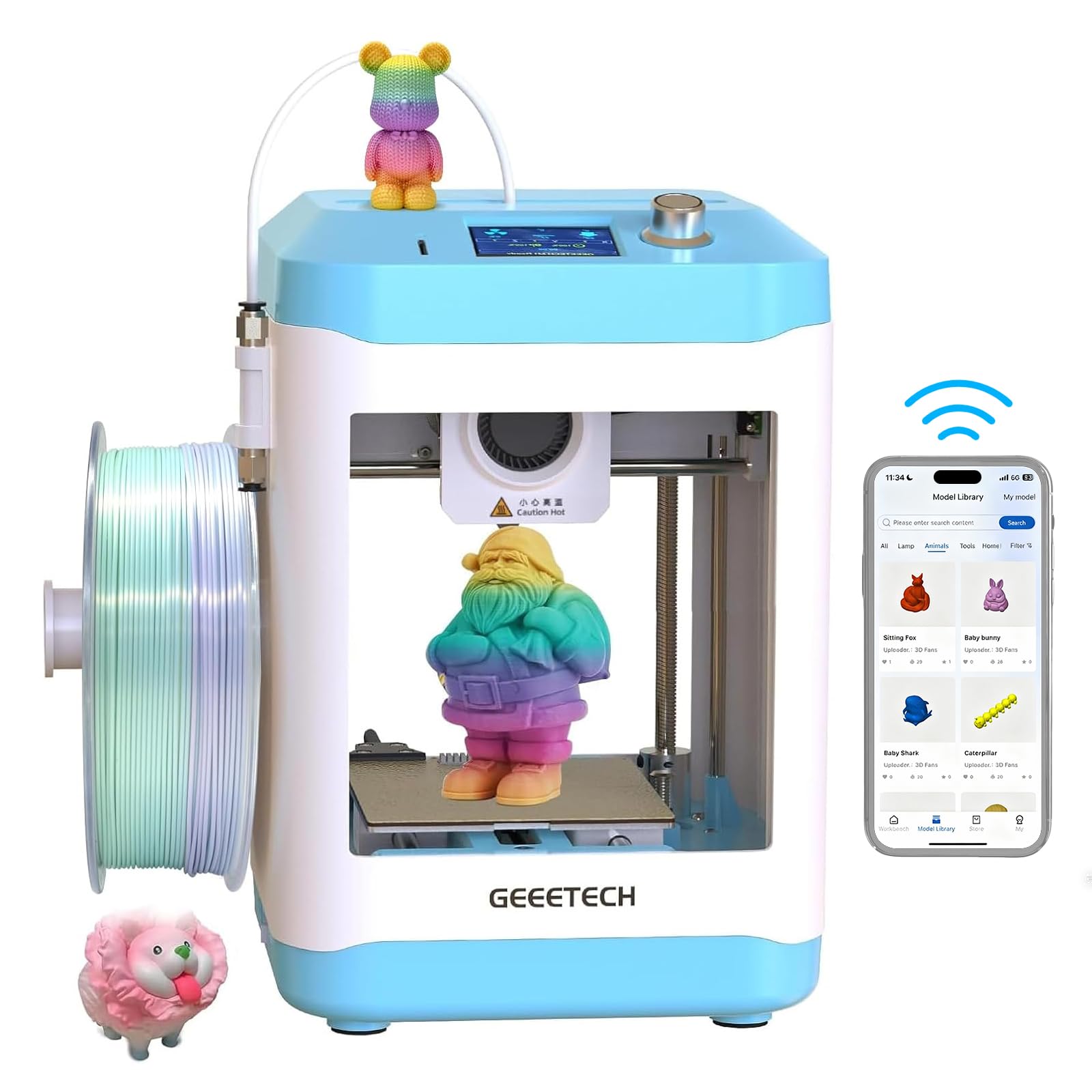
A roughly 80x80mm build area and a rigid frame suit a small desk, with simple controls for first-timers.
Print quality is the reason this one earns a spot — fine layer detail is its most-discussed strength, and for a machine this small it holds up well on prototypes and small decorative parts. It handles a genuinely wide filament list (PLA, ABS and TPU), which is more range than a lot of mini printers advertise. The rigid frame is meant to cut vibration so layers stay consistent through a print.
Setup is where it mostly shines — simple controls and a straightforward assembly make it approachable for a first-timer with a small desk. The usable print area, though, is roughly 80x80mm, so scope your first projects accordingly: keychains, figurines and small brackets fit, an adult-size helmet does not. There’s no WiFi or Bluetooth despite the name, so files go via SD card. One note from the reviews: don’t use glue stick on the nonstick plate — it makes prints stick worse.
The honest catch is reliability, the most-discussed negative here. Some units print great out of the gate, others stall — customer service has been responsive about replacements, but it’s a real risk to weigh. Auto-leveling also splits reviewers. If you want an appliance-grade guarantee, pick a machine higher up this list.
Its charm: a small footprint paired with fine print detail and a surprisingly broad PLA/ABS/TPU material list.
The trade-off to size-up: a roughly 80x80mm usable area and no wireless connectivity — plan for SD-card file transfers.
Fits best when: desk space is tight and you want a low-cost entry that still prints clean small models.
Might disappoint if: you expect WiFi to just work — this one runs on SD card.
7. Entina Tina2 Plus 3D Printer

Fully assembled, phone-controlled, and stocked with 3,000+ models to print the same day.
For a kid or a first-timer, the win here is simplicity plus a ready library: the Poloprint Cloud app gives you 3,000+ printable models and online slicing, so nobody has to design anything from scratch on day one. It’s fully assembled with a TF card and preloaded models included, so printing can start in minutes. Print speed tops out at 250mm/s, and a 40-second fast-heating ceramic hotend gets you going quickly.
The hardware backs that up: dual Z-axis support, automatic leveling and a PEI spring steel build plate work together on first-layer adhesion and easy model removal. A partially enclosed frame separates the hot, moving parts from casual contact, which is a thoughtful detail for households with kids. It supports TF card, WiFi and USB printing across Windows, macOS, Linux and Chromebook.
Now the honest part. Performance is the most-discussed topic and it genuinely splits two ways — plenty of happy families, and some units that never worked. Connectivity is the other recurring complaint, with app and network setup the usual stumbling block. Keep it near your router and expect a little supervised hand-holding. Easiest-use is its top praise overall, so when it works, it works simply.
What parents notice
- Fully assembled with TF card and preloaded models — printing within minutes
- 3,000+ model library and online slicing in the Poloprint Cloud app
- Partially enclosed frame keeps hot parts away from small hands
- PEI spring steel plate makes model removal simple
What can trip you up
- Connectivity issues are the most frequent complaint — setup near the router helps
- Performance splits — some units run great, some never do, so keep the support route handy
Buy this for: a supervised first printer where a kid mainly wants to pick and print from a big app library.
Don’t expect: big-format printing — the compact frame suits models, decorations and DIY projects rather than helmets.
8. Hephi3d TINA2 Plus 3D Printer
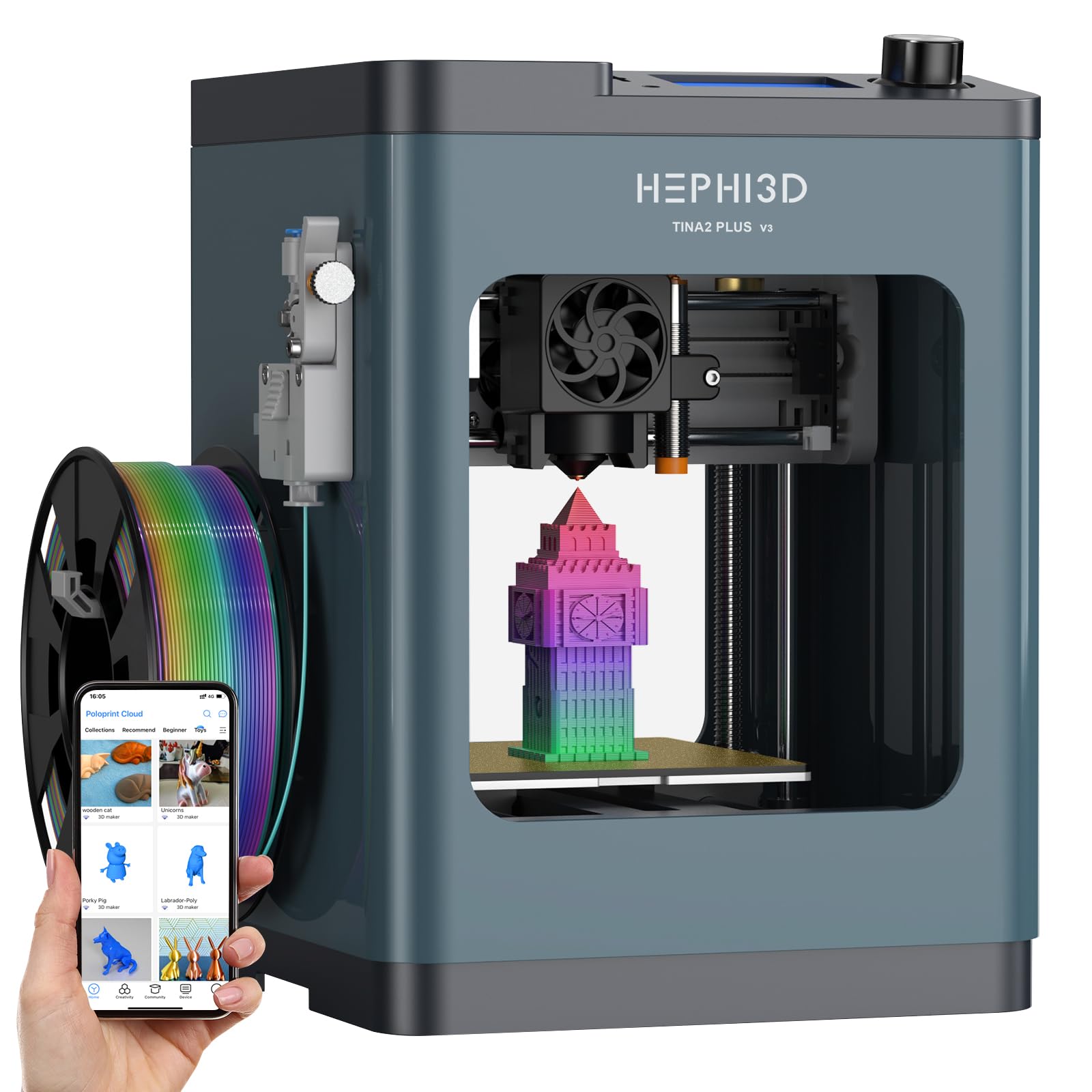
It ships fully assembled, so a kid can print the same morning it’s unwrapped.
It arrives fully assembled with nothing to bolt together — Hephi3d claims you can be printing within 5 minutes, and the size is right for a child’s desk at 5.68 pounds. The one-tap design includes automatic nozzle cleaning, one-button auto-leveling and one-touch filament loading, so a young maker can operate it without reading a manual. Automatic nozzle cleaning is the detail most mini printers skip.
Speed tops out at 250mm/s with a recommended 150mm/s, and the compact frame carries an 80℃ max heated bed, a 3s quick-release hotend, 40s filament heating and a 10,000rpm cooling fan. That combination gives you quick model cooling at higher speeds. On paper, that’s a small printer with more features than its size suggests. It’s open source too, compatible with Wiibuilder, Cura, Kiri (Chromebook), PrusaSlicer and Simplify3d — so a curious kid can grow into the software.
Here’s the honest gut-check: the wireless app is the weak link. Setup via QR code and the Poloprint app is the recurring problem, with network configuration described as fragile. There’s also a hard 100x100x100mm cap to respect — the Wiibuilder slicer is what open up custom designs inside that box. When the machine itself runs, buyers describe easy setup and quiet operation, and print quality is its most-praised trait.
The selling point: true out-of-box readiness at 5.68 pounds, with one-button auto-leveling and one-touch filament loading built for kids.
The real-world snag: poor wireless setup — plan to print from the SD card and skip the app the first night.
Pick it when: the printer must be ready to use on day one with zero assembly, and a small build box fits your projects.
Stay clear if: printing over WiFi is a must — this one’s app is the most troubled part.
9. Fully Assembled Mini 3D Printer
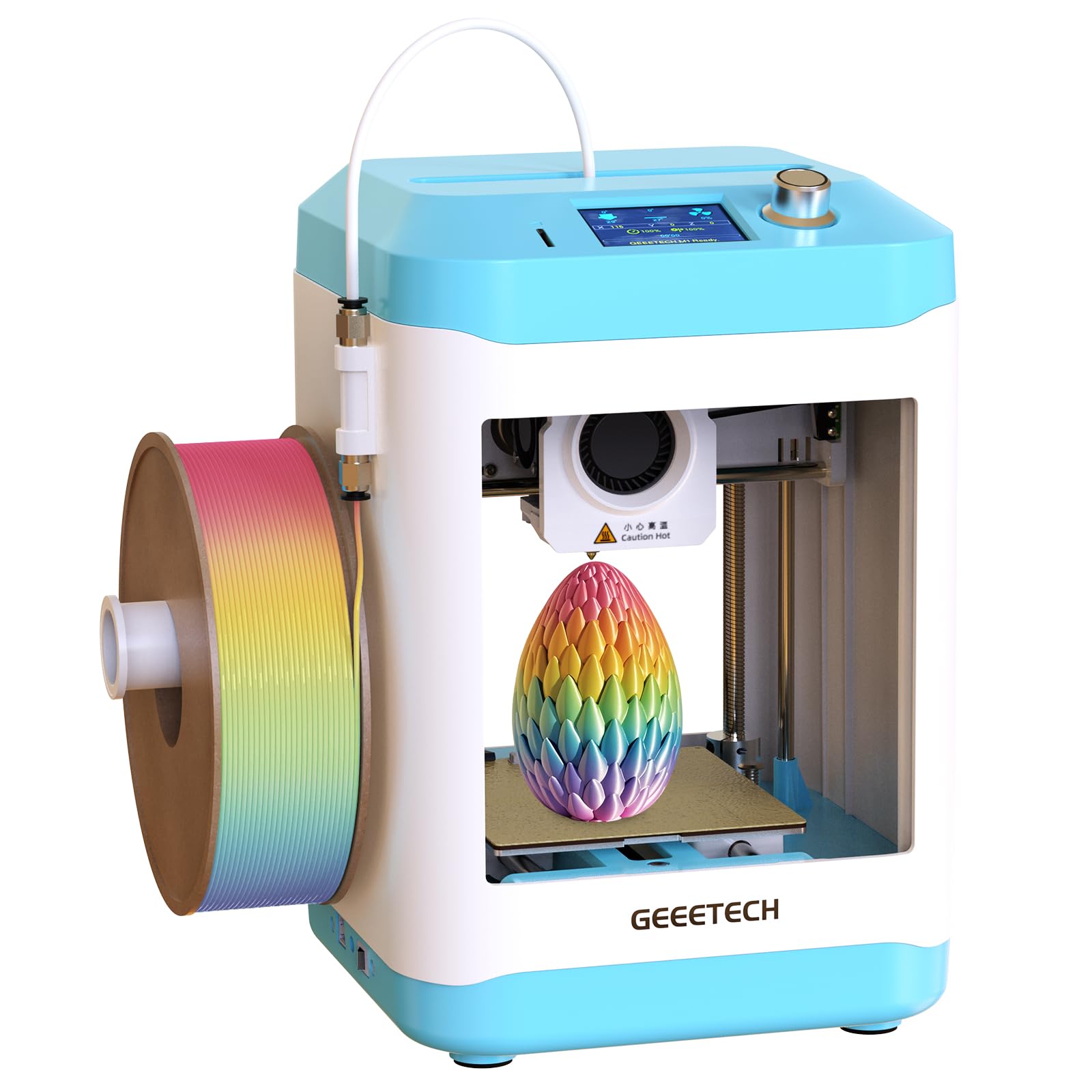
The box includes the printer, a test PLA spool, an SD card and accessories, so nothing else is needed to start.
The whole point of this one is that nothing else is needed on day one. You get the mini printer, a roll of test PLA filament, an SD card and additional accessories in one box, fully assembled and ready to use. It tops out at 250mm/s with a stated 0.01mm precision, which is a fine sanding-friendly resolution for a starter machine. The PEI heated bed makes models easy to lift off once they’ve cooled.
Convenience features punch above its tier: automatic nozzle cleaning, one-button auto-leveling and one-touch filament loading take the usual setup friction out of the equation. That makes it workable for a child who has never touched a printer. Printed samples and the included 5GB SD card mean there’s something to run before you learn slicing at all. It’s a 6.61-pound unit, small enough to keep on the kitchen counter.
Sizing matters: the included filament runs out quickly, so order more the day you unbox it. And be aware of the closed file path — the included SD card is the main way to load files, and importing your own designs means using PC software. Editing the preloaded library is where a frustrated buyer would struggle. Owners praise its print quality overall, with printability close behind, and setup described as simple and beginner-friendly.
Best suited to: the buyer who wants everything in one box and plans to print the included samples first.
Consider the limitation: file flexibility — include the PC software step in your first-week plan, or you’ll be limited to the SD card’s contents.
10. Longer LK5 Pro 3D Printer

A 300×300×400 mm canvas for one-piece prints when no other bed on this list will do.
If you want a cosplay helmet printed in one piece rather than glued from panels, this is the volume that makes it possible: 11.8″ x 11.8″ x 15.7″ (300x300x400mm). That’s the largest build box on this list, bigger than the 256x256x256 mm of the ELEGOO Centauri Carbon. The triangular structure with reinforced inclined rods is designed to reduce resonance, and the silicon carbide lattice glass platform spreads heat across the bed for even adhesion.
Speed is a modest 180mm/s with 0.1mm precision — the slowest of the high-speed crowd, but understandable on a bed this big. An upgraded TMC2209 driver keeps it quiet, and the 32-bit mainboard carries filament and power detection so it pauses and resumes after a blackout or empty spool. The open-source firmware means G-code customization if you want to dig in. It comes 90% pre-assembled.
The caveats come down to assembly and tuning. Instructions are described as unclear with dark, hard-to-read pictures, and manual bed leveling takes patience — one buyer found the bed wobbled on arrival. Adhesion can challenge you until you find a fix like hairspray. Print quality is what buyers like most, and the durable large build suits functional parts better than tiny figurines. Give yourself a weekend to set it up.
Its reason to exist: the biggest build volume here at 300x300x400mm, with power-loss resume and a quiet TMC2209 driver.
What to budget time for: manual bed leveling and vague setup pictures — this is a project, not a plug-and-print box.
Choose it if: one-piece oversized prints like masks or helmets are your whole plan, and you don’t mind a weekend of setup.
Look elsewhere if: you want auto-leveling and a clean first-layer guarantee with no fiddling.
11. QIDI PLUS4 3D Printer

For the beginner who already knows they want to print engineering plastic, not keychains.
The 370°C hotend (the heated nozzle assembly) with an 80W high-temperature setup and multi-metal integrated throat nozzle is the most demanding spec on this list. That ceiling opens up PPS-CF, PPA-CF/GF, ABS, ASA, PC, PA and PET, which almost none of the other picks here can handle. The second-generation active chamber heating pushes 400W with air circulation and dual-layer insulation, which cuts warping when you print those hot materials. Its 12 x 12 x 11in build size lets you print multiple parts at once.
It’s also heavier than the beginner machines — 59.4 pounds with an independent dual motor-driven Z-axis, a 6mm thickened aluminum hot bed plate and 10mm-diameter linear shafts and lead screws. That mass helps hold flatness and precision at speed. QIDI’s studio app allows remote printing and progress tracking, and an HD camera handles time-lapse. The pre-installed boat test model printed in 22 minutes, and the machine is described as printed-flawless once running.
Here’s the truth for a beginner: this is not the turnkey machine. Firmware updates can be fiddly, bed leveling splits buyers, and the chamber takes longer to reach its set temperature — so the value shows up on engineering jobs, not on day-one casual prints. If reliable, fast, large-format printing of PLA and PETG is your goal, the machine above matches your needs with less tuning. The PLUS4 is the machine you buy if hot filament is the whole point.
The right call when: high-temperature filament matters for your projects, and a 400W chamber plus a 370°C hotend is worth the extra tuning and weight.
Not your machine if: you’re new to 3D printing and want a calm first few weeks — this one wants experience.
Know the Specs
Auto bed leveling
Bed leveling is the gap between the nozzle and the print plate — if that gap is off, the first layer won’t stick. An auto-leveling printer probes the plate at several points and corrects the nozzle height for you. A CR Touch sensor, full-auto calibration on the A1, and one-button auto-leveling on the mini printers all do this job. On screen, expect a small correction pass before each print, and note that manual leveling on models like the Longer LK5 Pro turns it into a routine you do yourself.
Nozzle temperature
Nozzle temperature decides which filament type you can melt cleanly. Around 280°C handles PLA and PETG comfortably. A 300°C rating adds ABS, TPU(95A) and ASA to your list. A 320°C brass-hardened steel nozzle plus an enclosed chamber opens carbon-fiber reinforced filament. The 370°C hotend on the QIDI PLUS4 is the ceiling here, reaching engineering plastics like PPS-CF and PPA-CF. Match your nozzle temperature to the material you actually plan to print, not the one on the box.
Print speed and acceleration
Print speed is how fast the head travels, and acceleration is how quickly it reaches that speed — both together decide how long a job takes. A machine capped at 500 mm/s with 20,000 mm/s² acceleration keeps its momentum better than one at 180mm/s. High speed is only useful if the first layer sticks and the model doesn’t warp. That’s why auto-leveling and a solid frame matter just as much on the spec sheet as the speed number.
Build volume
Build volume is the usable box your model must fit inside — width by depth by height. A 220x220x220mm plate covers most everyday prints. The 256x256x256 mm on the Centauri Carbon gives you noticeably more room. A 300x300x400mm plate likethe Longer LK5 Pro is the largest here, and its height matters for tall one-piece models. Anything much smaller than 100x100x100mm pushes you toward keychains and figurines rather than helmets and functional parts.
Common Questions
Do I really need auto bed leveling as a beginner?
Will a mini 3D printer be enough for a child’s first machine?
What is the difference between a bed-slinger and a CoreXY printer?
Can I print in multiple colors without a multi-color system?
How much does a 3D printer cost?
Is PLA safe to print with in a bedroom?
How long should the first print take, and how long does setup take?
Do I need to buy filament separately?
What does the °C rating on a nozzle actually mean for me?
What can go wrong that isn’t the printer’s fault?
The Bottom Line
Across the board, the 3d printer beginner winner is the Bambu Lab A1 because full-auto calibration and that 10,000 mm/s² acceleration mean you print on day one instead of troubleshooting. If you want four colors and a built-in filament dryer, grab the Anycubic Kobra S1 Combo. And for one-piece oversized prints, the largest bed on the list — the Longer LK5 Pro — is the one to reach for.
The pattern across every pick is the same: the machines that do the leveling and calibration work for you are the ones you keep using. The crowd consensus backs that up — the A1 holds a 4.5+ rating across 700+ reviews, and reviewers point out it still printing daily months after setup. Whichever tier you choose, buy for the material and volume you’ll actually print, give the machine a stable, well-ventilated home, and let the auto-leveling do the work.
How we choose
We do not accept paid placement. Every pick is matched to a real buyer and a real use-case; we do not hands-on test units.
Sources
Specifications: manufacturer listings and product documentation. Review insights: verified customer reviews, as of October 2026. Pricing: not shown on this page (it changes often); check the current price via the retailer link.
As an Amazon Associate, Aappliancez earns from qualifying purchases. This does not affect which products we feature.