Disclosure: Some links in this post are affiliate links. As an Amazon Associate I earn from qualifying purchases, at no extra cost to you. Learn more
Specs are compiled from manufacturer listings and verified buyer reviews and can change over time — please confirm the key details on the product page before buying.
Multicolor printing has one nasty secret: the machines can already print four colors, but most of them waste enormous amounts of filament flushing between each change. So the real question is not the color count. It is which one gets you from bare plastic to a clean two-tone model without half a spool going into the purge bucket. This guide ranks each machine on that.
This guide is built by comparing the manufacturers’ published specifications and the patterns across verified customer reviews, so you get each pick’s real strengths and trade-offs instead of marketing spin.
You will see which machines ship with a color box, how big a print you can actually fit, and where the honest limits sit. My aim is a shortlist of 3d multicolor printer options that earn their bench space.
Top Picks


How To Choose The Best 3D Multicolor Printer
Almost every machine here will produce a good-looking single-color part. What separates them is what happens the moment you add a second, third, or fourth color. That is where the color box, the purge routine, the nozzle, and the bed decide whether you love the printer or resent it.
Start with the color box, not the colors
A color box is the separate unit that holds several filament spools and feeds them to the nozzle on demand. Without one, the printer cannot switch colors at all on a single-nozzle head. So check that the box is included in the box you are buying, not sold as an add-on. Some machines list a color count that only works with extra modules you buy later.
Then count the purge waste
On a one-nozzle machine, changing color means flushing the old plastic out of the hot end before the new one can flow. That flushed plastic becomes waste. Some designs reposition the nozzle so the travel distance and purge volume drop sharply. Ask how much waste a color change costs, and whether you can override the default purge setting.
Build volume in plain terms
Build volume is the size of the box of space the printer can fill with plastic, written as three numbers for width, depth, and height. A 260mm cube is enough for figurines, phone stands, and desk organizers. A 300mm or larger cube starts fitting helmets, mask halves, and one-piece enclosures.
Nozzle temperature and a heated chamber
Nozzle temperature sets which filaments you can melt. A 300°C nozzle covers PLA, PETG, TPU, and ABS for most people. A 370°C nozzle opens up engineering materials. A heated chamber — air warmed around the print — helps stop large ABS and PC parts from curling at the edges.
Side-by-Side Comparison
| Model | Best For | Max Speed | Build Volume | Color Capability | Amazon |
|---|---|---|---|---|---|
| Bambu Lab P1S★ Best Overall | Hands-off multicolor workhorse | 500 mm/s | 260 x 260 x 260 mm | Up to 16 colors with AMS | Amazon |
| ELEGOO Centauri 2Budget Champion | First printer on a tight budget | 500 mm/s | 256 x 256 x 256 mm | Enclosed single-color body | Amazon |
| SainSmart x WonderMaker ZRLargest Color Volume | Big four-color prints | 600 mm/s | 300 x 300 x 300 mm | 4 colors built in (MIFS) | Amazon |
| Anycubic Kobra X | Fast color changes on a budget | 600 mm/s | 260 x 260 x 260 mm | 4 built in, up to 19 with ACE 2 Pro | Amazon |
| Creality SPARKX i7 Combo | Beginner photo-to-model printing | — | 260 x 260 x 255 mm | 4-color CFS Lite | Amazon |
| FLASHFORGE AD5X | Rapid prototyping with four colors | 600 mm/s | 220 x 220 x 220 mm | Up to 4 simultaneous | Amazon |
| Bambu Lab A1 Combo + LED Kit | Quiet multicolor for the home desk | — | — | Multi-color with AMS lite | Amazon |
| Creality K2 Combo | Big prints at speed | 600 mm/s | 260 x 260 x 260 mm | Up to 16 colors with CFS | Amazon |
| QIDI Q2 Combo | Engineering filaments, fewer fumes | 600 mm/s | — | Up to 16 colors with QIDI BOX | Amazon |
| Creality K2 Plus Combo | Large-format multicolor builds | 600 mm/s | — | Up to 16 colors with four CFS units | Amazon |
| QIDI Max4 Combo | Oversized industrial parts | 800 mm/s | 390 x 390 x 340 mm | Up to 16 colors with QIDI BOX | Amazon |
Detailed Reviews
1. Bambu Lab P1S 3D Printer
Our pick — 4.5+★ from 400+ verified ratings; the strongest balance of quality and price.
The enclosed workhorse that treats multicolor as a normal job, not an event.
The P1S is the machine that made four-color printing feel like a routine instead of a hobby project. It runs at 500mm/s with 20,000 mm/s² acceleration — a fast machine that finishes a model before you get bored watching it. Its enclosed body (a fully closed cabinet around the print) keeps warm air in, which is the difference between a flat ABS part and a curled one. That enclosure is the reason it earns the top slot here.
Multicolor arrives via the AMS, an add-on unit that feeds extra spools and is required for the up-to-16-color claim. So read the spec carefully: the printer alone prints one color, and the color box is the piece that open up the rest. The upside is that the pairing is genuinely hands-off. Owners describe printing PLA or ABS with barely any effort, and the common thread in the feedback is that it simply works with little tending. Setting up takes about 15 minutes by the maker’s own figure.
One comparison worth knowing: the SainSmart shares the same 600mm/s-class ambitions, but this Bambu tops out at 500mm/s — a real gap on long jobs, less so on a keychain. The trade-off is the locked ecosystem. Filament and parts flow through Bambu’s own world, which some buyers dislike while still liking the machine. Occasional units arrive missing small parts like foot pads, so check the box contents the day it lands.
What earns it first place
- Fully enclosed cabinet keeps ABS and other warpy filaments flat
- 500mm/s with 20,000 mm/s² acceleration finishes models fast
- Auto bed leveling on every print removes the fussiest step
- AMS path opens up to 16 colors, sold separately
- About 15 minutes from box to first print
Where it pushes back
- Multicolor needs the AMS unit added on
- Closed ecosystem for filament and spare parts
- TPU prints are a known struggle for some owners
- Occasional shipping with a small part missing
Buy it for: anyone who wants four-color output with the least possible babysitting and a proper enclosure built in.
Think twice if: you want to run any filament brand you like, since the ecosystem is deliberately closed.
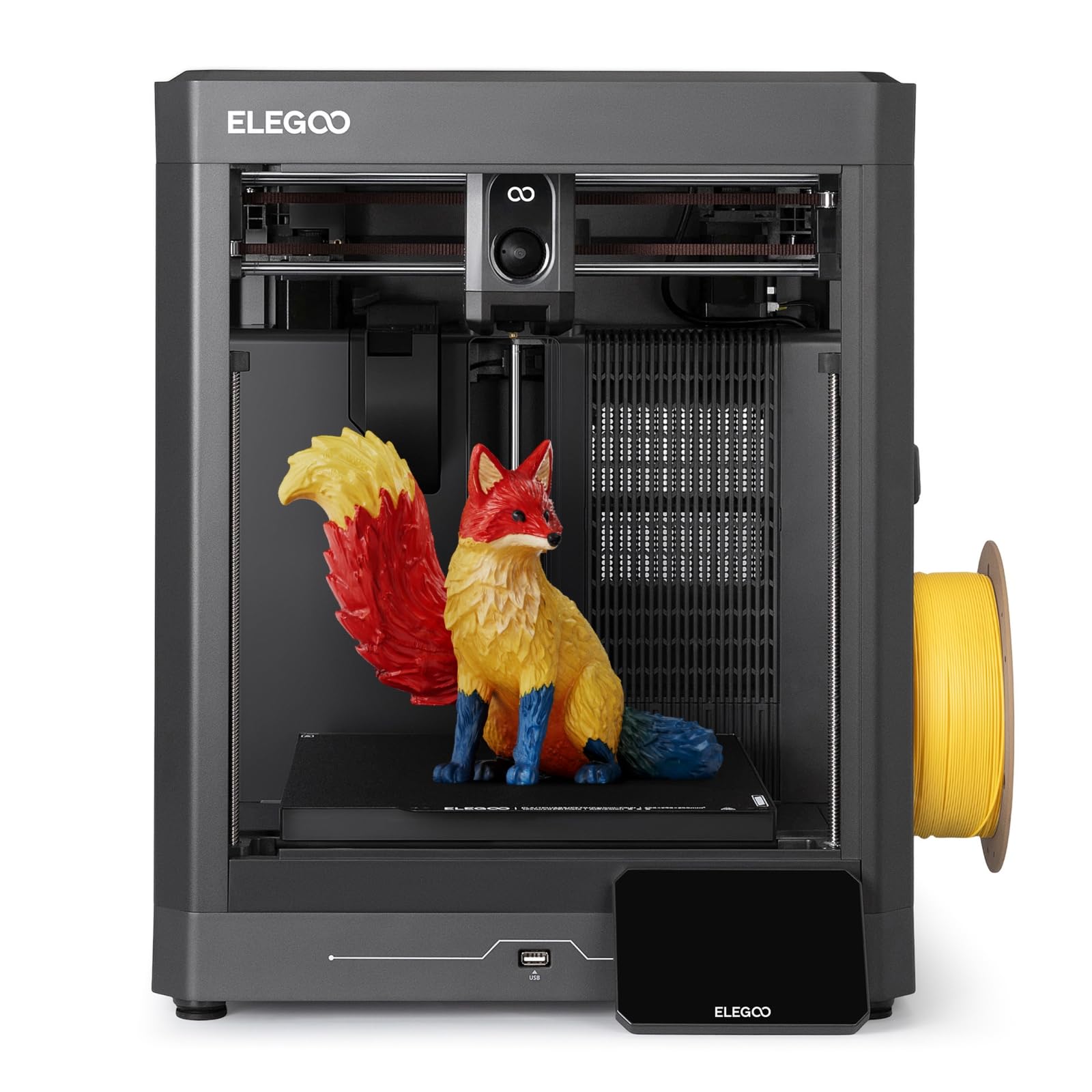
2. ELEGOO Centauri 2 3D Printer
The cheap first step that still hits 500mm/s inside a closed frame.
Two numbers do the talking here: 500mm/s of print speed and a 256 x 256 x 256mm build volume, both inside an enclosed cabinet. That is a lot of machine for the entry tier, and it explains why it is the easiest recommendation for a first-time buyer. The CoreXY layout (the frame style that moves the print head on two linked rails) keeps the motion stable at that speed. A 5-inch touchscreen handles the menus, so you are not poking at a tiny knob.
What wins people over is the sheer print quality for the money — the finish and detail far outrun what the tier usually delivers. Setup is measured in minutes, and the pre-print checks hand most of the fiddly work to the machine. The build plate grabs PLA well, and the 3-move routine of load filament, pick a file, press go is realistic here. It runs for extended stretches without complaint, which matters when you want to leave a job going overnight.
The honest catch is support. A small share of buyers hit a dead unit early and then face a slow, email-heavy repair path — one such case ran seven weeks. That is not most buyers, but it is the risk you carry at the entry tier. Adhesion and auto-leveling also draw mixed feelings in the feedback, so expect to clean the plate and check the first layer now and then. The SainSmart below is far heavier at 50.6 pounds versus this machine’s 30.1 pounds, but it also brings native four-color hardware that the ELEGOO lacks — different jobs entirely.
Editor’s read: the best value in this list for someone printing in one color who wants real speed and an enclosure without paying premium money.
The honest limit: there is no color box in this configuration, so multicolor is not on the table without hardware the listing does not include.
Made for: the buyer who wants one reliable color and speed, and would rather spend the savings on filament.
Leave it if: four-color printing is the whole point of your purchase.
3. SainSmart x WonderMaker ZR CoreXY Multicolor 3D Printer
Four colors and a 300mm cube in one package, if you can handle the setup.
Here is the number that decides it for mask and helmet makers: a 300 x 300 x 300mm build volume, with four colors built in rather than bolted on. That is a genuine step up from the 260mm cube class the other multicolor machines sit in. The 600mm/s top speed and 20,000 mm/s² acceleration keep big parts from becoming overnight affairs. A 300°C hardened steel nozzle and a heated double-sided PEI plate round out a serious hardware list.
The color system is the interesting part. It uses an integrated four-color filament feeder with jam detection and auto-reloading, so you load spools and assign colors in the slicer. Print quality is the headline in the feedback — sharp, clean parts at speed, and a sturdy all-metal frame underneath. Owners who get it dialed in describe multicolor Benchys coming out right and a fast mode that genuinely moves. Setup can be under 20 minutes in a good run.
Now the trade-off, and it is a real one. Color changes are slow and wasteful: roughly six minutes per change, and a four-color layer can take around 30 minutes, with a minimum purge of 300mm and no override. Reliability draws mixed feedback, with some units never working as expected, and the instructions leave gaps around slicing software. This is a machine for someone patient enough to tune. At 50.6 pounds it is also a two-person lift — noticeably heavier than the 30.1-pound ELEGOO above, so plan a permanent spot for it.
The case for the ZR
- 300 x 300 x 300mm volume fits helmets and big one-piece prints
- Four colors built in, not a paid add-on
- 600mm/s and 20,000 mm/s² acceleration for long jobs
- 300°C hardened steel nozzle handles hotter filaments
- Sturdy all-metal CoreXY frame
What you give up
- Multi-color runs slow, around six minutes per change
- 300mm minimum purge wastes filament with no override
- Reliability is a coin flip on some units
- Thin software and slicing guidance
- 50.6 pounds means a two-person lift
Worth it when: the size of the part matters more than the speed of the color changes.
Skip if: you want a printer that behaves identically on day one and day thirty with no tuning.
4. Anycubic Kobra X Multicolor 3D Printer

A 14-minute Benchy with four colors, and a purge path that wastes far less.
Anycubic built this one to answer the purge problem directly. The Kobra X cuts the filament and travel path by 81.25% compared with a standard color-change routine, which is the number behind the claim of 2X speed and roughly half the material cost on multicolor jobs. That matters when a two-tone print otherwise eats more plastic in waste than in the model. It hits 600mm/s and knocks out a Benchy in 14 minutes.
Four colors come built in, so no separate box is needed to start. Expand with ACE 2 Pro units and the palette goes up to 19 colors — though note the listing’s own warning that ACE 2 Pro and the older ACE Pro do not mix. The 260 x 260 x 260mm build volume sits in the same class as the Bambu and ELEGOO machines. LeviQ 3.0 handles bed leveling with a 49-point calibration sweep, and the print goes from pickup to ready in about 15 minutes.
Print quality is what wins people over — crisp detail, smooth layer stacking, and steady output even at full 600mm/s. Color transitions in the feedback come out clean rather than muddy, and the phone app plus desktop slicer plus cloud setup connects smoothly. The recurring gripe is reliability on a minority of units, with clogs and jams showing up, and the warranty is narrow enough that basic jams sit outside it. It is light, too, at 20.9 pounds — the easiest of this group to move around a bench.
Editor’s read: the best pickup for someone who wants four colors now and a path to many more later, without paying premium money.
Real caveat: the warranty narrowness is the thing to understand before you buy — a clog is on you, not the maker.
Pick this if: fast, waste-light color changes are your priority and you want room to grow to 19 colors.
Different machine if: you want a small enclosed machine that never needs expansion — the Bambu P1S above already has that covered.
5. Creality SPARKX i7 Combo
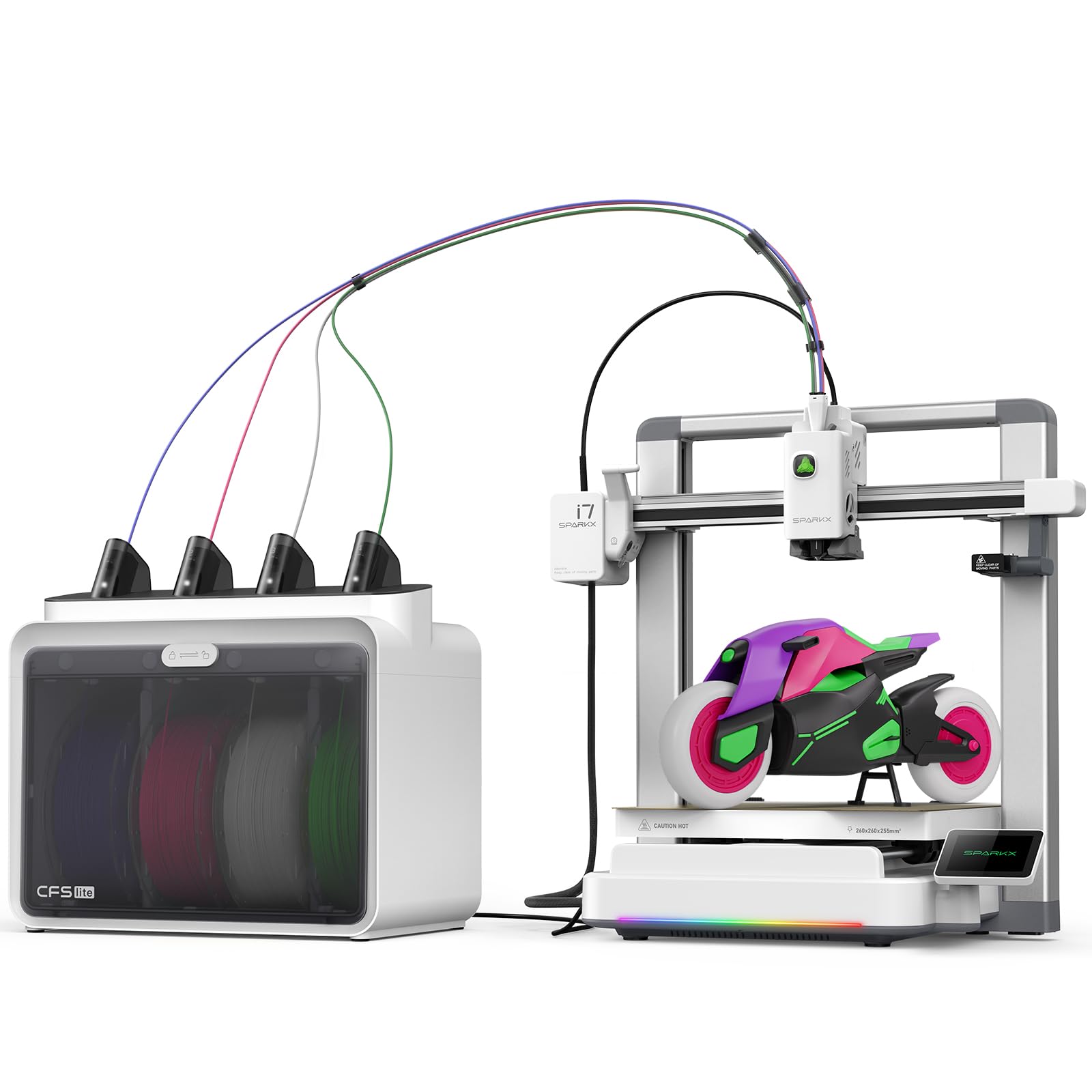
Upload a portrait, get a figurine — the printer that skips the modeling step.
Creality sells the SPARKX i7 on a single promise: five minutes from unboxing to your first print, with no tools and no settings. It arrives 95% pre-assembled, and the CubeMe AI tool takes a portrait and generates a 3D model in seconds. For a gift-buyer or a kid’s first printer, that is a meaningful shortcut past the modeling software most people never learn. The 260 x 260 x 255mm build volume is enough for a full-size desk piece.
Four-color printing runs through the CFS Lite, a compact color box included in this combo. The design cuts waste by about half compared with a traditional multicolor setup, which is the sort of thing you notice on a big multi-tone job. An AI camera watches for spaghetti, air printing, and filament tangles, alerting you before a failed print wastes an hour. A Night Mode drops the noise and light for overnight runs, so a bedroom or apartment setup stays livable.
The honest limit is reliability. Print quality and ease of use are the things buyers talk about most — flat surfaces, clean detail on the parts that finish — but a share of units hit stoppages, and long prints drift in consistency. Assembly feedback is mixed, with some models needing a base assembly step the marketing glosses over. Treat it as a capable starter rather than a production machine.
Why beginners flock to it
- About five minutes to the first print, no tools needed
- AI turns a portrait into a printable model in seconds
- 260 x 260 x 255mm volume with a 4-color CFS Lite
- Camera alerts catch spaghetti and air prints early
- Night Mode for quiet, dark overnight printing
Where it falls short
- Reliability is mixed; some units stop working
- Long prints lose consistency toward the end
- Some assembly still required on the base
- Adhesion is a recurring struggle for a few buyers
Best fit: families and first-timers who value the photo-to-model trick over raw uptime.
Look elsewhere if: you plan to run it as a small print farm where a stopped machine costs real money.
6. FLASHFORGE AD5X Multi-Color 3D Printer

A CoreXY four-color machine that goes from box to first print in half an hour.
Flashforge targets the buyer who wants core speed without a premium bill. The AD5X runs a CoreXY frame at 600mm/s with 20,000 mm/s² acceleration — the same league as machines that cost more. Four colors print at once, and it is light at 24.2 pounds, so it lives comfortably on a bench rather than needing its own table. Setup runs about 20 minutes, and the machine calibrates itself after that.
The nozzle choice is a genuine feature: it takes 0.25mm to 0.8mm nozzles, with the 0.4mm installed for everyday work. Go fine for miniatures, go wide for large sturdy parts and faster prints. A 300°C direct-drive extruder and dual-channel cooling handle the melt and the cooling. A 220 x 220 x 220mm build volume is the smallest here — fine for figurines and desk pieces, tight for anything helmet-sized.
What wins people over is print quality when the machine is dialed in — clean, accurate parts and a fast turnaround that suits prototyping. The trade-off is the multi-color feeder. It copies the Prusa approach without position detection on the filament, so jams at the 4-in-1 connector happen and clear-up can be fiddly. First-layer consistency and possible bed warp show up in the feedback too. Owners who persist past the setup quirks tend to report long, useful service life.
Editor’s read: the value play for a workshop that prototypes fast and treats the feeder as a maintenance item.
The reality check: 220mm of build height is the constraint — skip it if you need big single-piece parts.
Right for: makers who want speed and four colors on a modest budget and accept the feeder needs care.
Not for: helmet-builders or anyone who needs a large build volume.
7. Bambu Lab A1 Combo + LED Lamp Kit

Multicolor for a bedroom desk, built with active motor noise canceling.
The A1 takes a different route to multicolor than the P1S: AMS lite instead of a sealed AMS, and a fuller focus on it living in a room you actually occupy. Active motor noise canceling (electronics that cancel the whine of the motion motors) makes it the quieter pick for an apartment or a spare room. Acceleration sits at 10,000 mm/s², and the machine handles the whole calibration process automatically, including the Z-offset and bed leveling.
The LED Lamp Kit is a small extra rather than the headline: print a compatible lamp design, install the included LED kit, and the print becomes a light. For gift projects and kids’ crafts, that is a nice hook. Multicolor needs AMS lite, which is included in the Combo, and the color transitions are reliable in the feedback. Prints are clean and hands-off once dialed in — the pattern that recurs is hundreds of prints with no support calls needed.
The honest caveat: this is a bed-slinger, meaning the bed slides during printing. Tall, narrow parts can wobble or get knocked loose on fast moves, especially with purge towers sharing the bed. If you build tall, a machine with a stationary bed is safer. Filament clogging shows up on a minority of units, and the instructions are uneven — some buyers find them clear, others find gaps. AMS lite also needs adapters for some spool brands and takes up table space.
What you actually get
- AMS lite included for reliable multicolor from the start
- Active motor noise canceling keeps it quiet in a shared room
- Full-auto calibration with automatic Z-offset and bed leveling
- LED Lamp Kit turns prints into working lights
- 10,000 mm/s² acceleration for fast small-to-mid parts
Where it gets tricky
- Bed-slinger design can knock tall parts loose on fast moves
- Clogging reported on a minority of units
- AMS lite needs adapters for some spool brands
- Instructions are uneven — some gaps and confusing steps
Go for it if: the printer lives near people and you want multicolor with the least noise.
Choose differently if: you print tall, thin models where a sliding bed is a liability.
8. Official Creality K2 Combo 3D Printer

A die-cast aluminum skeleton and a 40mm³/s hotend for serious part work.
Creality put real engineering into the K2’s frame — a matrix exoskeleton of die-cast aerospace aluminum alloy with three step-servo motors, one in the extruder and two on the X and Y axes. That rigidity is what keeps layer stacking clean at 600mm/s and 20,000 mm/s² acceleration. The hotend runs an 80W heater to push 40mm³/s of flow, and a hardened steel nozzle and gears handle abrasive filament without chewing themselves up.
Multicolor arrives through the CFS color box, and up to 16 colors print together when you link four boxes. The 10.24 x 10.24 x 10.24-inch print area fits a helmet or a batch of small pieces in one go. Smart auto leveling probes only where the model sits, saving time on the bed routine. A chamber AI camera watches for spaghetti and foreign objects and pings you when something goes wrong.
Print quality and ease of assembly are what the feedback agrees on — solid, sturdy output with good adhesion and clear color-coded wiring for the roughly one-hour setup. Build quality is mixed, and a share of buyers hit random restarts traced to a faulty part, which support has handled with replacement. This is a heavy piece of hardware that needs a permanent bench spot. Come to it expecting to learn a bit of tuning and it delivers.
Editor’s read: a properly built machine for the buyer who wants a rigid frame and a big hotend without the biggest bill.
Honest caveat: QC is the weak point — budget time for a fault-finding session and support contact.
Best for: makers who value rigidity, flow rate, and a large build area over plug-and-play simplicity.
Not for: anyone who expects a zero-tuning first week.
9. QIDI Q2 Combo Multi-Color 3D Printer
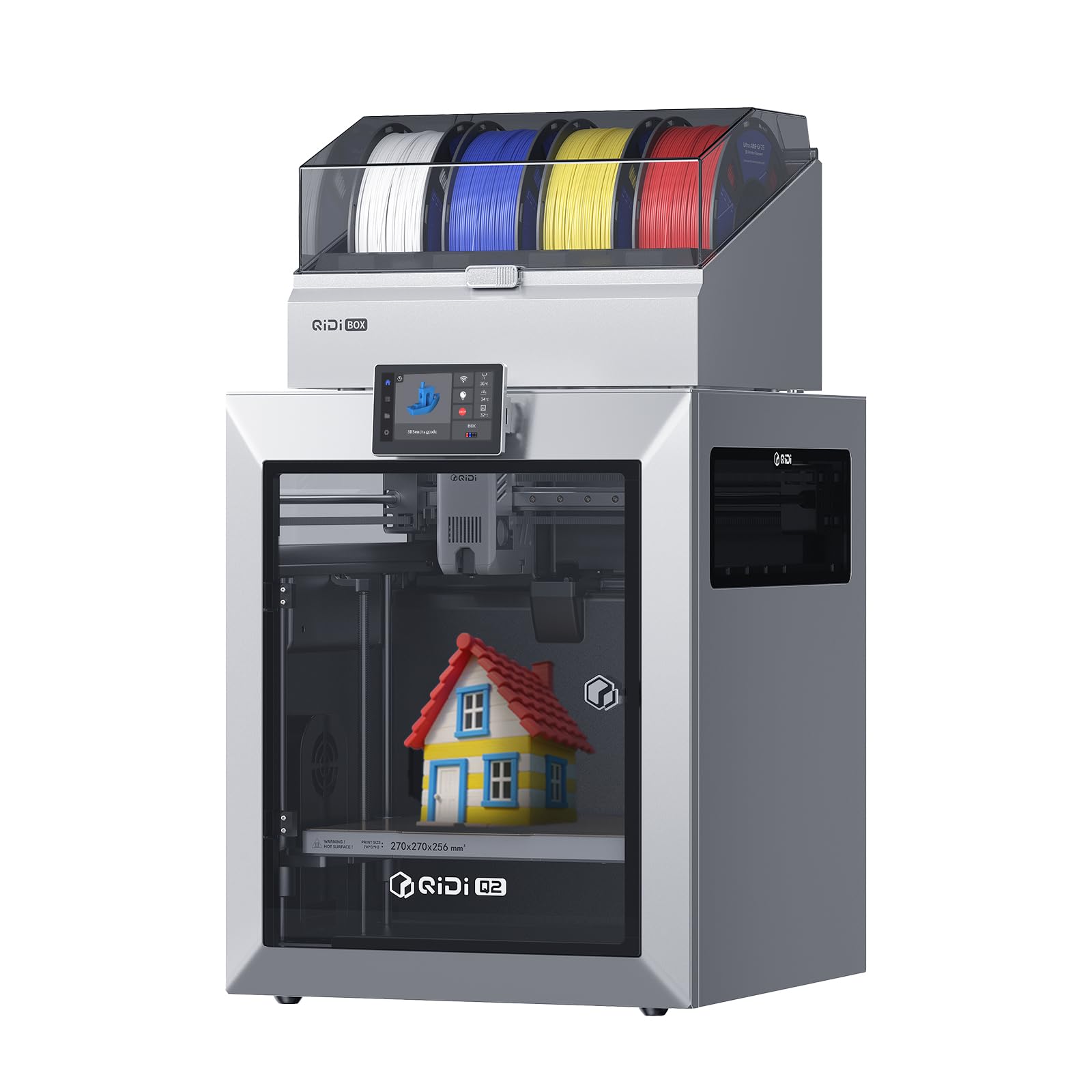
A 65°C drying chamber and a 370°C nozzle, aimed at carbon and glass fiber.
The Q2 is the specialist here: a 370°C nozzle open up engineering filaments like PC, PA, and carbon or glass-fiber composites, and a 65°C heated chamber holds the air warm to stop big parts from warping. The QIDI BOX adds dry-while-print moisture control, which is what makes those fussy materials behave. Add up to 16 colors and the machine covers both multicolor and multi-material jobs.
Where it stands out is the filter stack — a triple filtration system with a G3 pre-filter, an H12 HEPA stage, and activated carbon, designed to pull down odours and fine particles from ABS and similar filaments. That is an indoor-printing feature rather than a marketing line. A flame-retardant chamber and closed-loop temperature sensing back it up. Speed runs to 600mm/s on a full-metal CoreXY with linear rails.
Print quality is what wins people over — sharp multi-filament work and a machine that handles engineering materials with fewer failures than the tier usually manages. The QIDI BOX rotates filament and dries it while printing, and the firmware checks humidity. The catch is the box itself: it is louder than the Bambu AMS, and some units fight the software during sync, especially on mixed setups. Newcomers who want zero setup should look at the Bambu instead; this one rewards someone willing to learn its quirks.
Why engineers like it
- 370°C nozzle opens up PC, PA, and fiber-filled filaments
- 65°C heated chamber stops warping on large parts
- Triple filter stack cuts ABS odours and particles
- Dry-while-print QIDI BOX for fussy materials
- Up to 16 colors and multi-material jobs
Where it gets loud
- The QIDI BOX gets noisy in a shared room
- Software sync can be flaky, especially on mixed setups
- Rewards experience — less friendly to total beginners
- Longer learning curve than the budget tier
Made for: the maker who needs PC and carbon-fiber parts, not just PLA figurines.
Pass if: PLA is all you print and you want the simplest path to color.
10. Creality K2 Plus Combo 3D Printer

A big, heavy, fast machine for one-piece builds that never fit a small bed.
Everything about the K2 Plus is sized up. It runs 30,000 mm/s² of acceleration, higher than the 20,000 mm/s² on the K2 Combo, and prints at 600mm/s with a 40mm³/s hotend. The frame is a die-cast matrix with dual motorized Z axes and four linear rods, which keeps the bed from wandering on big jobs. An actively heated chamber and a hardened steel nozzle let it handle PA-CF, PLA-CF, and other composites.
Multicolor runs through the CFS, and four linked units take you to 16 colors. The marketing point is that this saves painting afterward — you print a finished part in color rather than a blank to paint later. Dual AI cameras watch for spaghetti and idle failures and alert you in real time. Creality’s tilt-reducing auto leveling uses dual independently motorized Z axes and a strain gauge to get a clean first layer.
The trade-off is size and weight. Owners compare taking it indoors to a two-person lift, and the machine is loud enough to fill a room with sound. Setup draws mixed feedback — instructions are vague and the shipping screws are tight — but buyers who get past that tend to love the large-volume speed. This is not the printer for a first-timer unless the big builds are the whole point.
Editor’s read: for the buyer whose projects need the large build area and who wants it fast, this is the right tool.
The constraint: it is genuinely heavy and genuinely loud — plan the room before you plan the print.
Right for: large-format makers who smoke through long prints and value acceleration and volume over portability.
Wrong for: first-timers who want a quiet desk machine — the A1 Combo is the better beginner entry.
11. QIDI Max4 Combo 3D Printer

A 390 x 390 x 340mm build area for industrial parts in one pass, no splitting.
No other machine here prints this big. The Max4 gives you a 390 x 390 x 340mm build area, with closed-loop motors on the X and Y axes holding position at 800mm/s and 30,000 mm/s² acceleration. A full-surface silicone heated bed spreads the heat evenly so large first layers grab without warping. A 2mm lead screw and anti-backlash nut tighten the Z axis, which keeps big parts from showing vertical gaps.
High-temperature work is handled by a 65°C active heated chamber, a 40mm³/s hotend with a hardened steel nozzle, and a self-developed Polar Cooler system for materials like ABS-CF, PC, and PPS-CF. Note that the Polar Cooler — the part-cooling system for high-temp filaments — is a separate purchase on this machine; the listing flags it. Multicolor comes through the QIDI BOX for 16 colors with real-time filament-level monitoring.
The thing to plan for is weight and setup. At 120 pounds it is by far the heaviest machine here — the K2 Plus is lighter, and the A1 Combo is lighter still. Setup draws positive feedback for being easier than expected once the machine is on the bench. Dimensional accuracy within ±0.15mm on 30-40mm diameters shows up in the feedback, along with a 5km filament month in a near-faultless run. The catch is the QIDI BOX sync with the software, which is unreliable for some.
Why the size matters
- 390 x 390 x 340mm build area for one-piece industrial parts
- 800mm/s with 30,000 mm/s² acceleration
- 65°C heated chamber handles ABS-CF, PC, and PPS-CF
- Closed-loop motors keep big parts accurate
- QIDI BOX gives 16-color printing with filament monitoring
What to plan for
- 120 pounds — needs a permanent, reinforced spot
- Polar Cooler sold separately on this series
- Software sync with the QIDI BOX is flaky for some
- Home position raises the bed to the nozzle, complicating cleaning
Choose it when: your parts are simply too big for a 260mm or 300mm bed and you need them in one print.
Steer clear if: you have a normal desk and print desk-sized objects — this machine deserves its own floor space.
Know the Specs
Build Volume
Build volume is the box-shaped space the printer can fill with plastic, written as width × depth × height in millimeters. It decides whether a job fits in one piece or has to be split and glued. A 260mm cube covers figurines, phone stands, and desk organizers. A 300mm cube or larger starts fitting helmets, mask halves, and full-size enclosures. Think in three dimensions: height matters most for tall vases and standing figures, width for flat masks and trays.
Purge Waste
On a single-nozzle multicolor printer, changing color means flushing the old plastic out before the new one can flow. That flushed plastic becomes waste. The amount varies hugely by design — one machine here cuts the filament and travel path by 81.25%, which is the difference between a two-tone print that sips filament and one that eats a spool. Watch for the minimum purge setting and whether you can override it, because that one number decides how expensive a color change really is.
Color Box Capacity
The color box is the side unit that holds extra spools and feeds them to the nozzle on demand. A basic box holds four spools. Some machines let you link boxes to reach 16 colors or, in one case, 19. The color count is only as good as the box actually included in your purchase — several listings offer the printer alone and sell the box separately, so read the box contents before you buy.
Nozzle Temperature and Heated Chamber
Nozzle temperature is the heat the hot end reaches to melt filament. A 300°C nozzle covers PLA, PETG, TPU, and ABS for most people. A 370°C nozzle open up PC, PA, and carbon or glass-fiber composites. A heated chamber is a warmed cabinet around the print — 65°C is typical on the engineering machines — and it stops big ABS and PC parts from curling at the edges as they cool. If you only print PLA, a heated chamber is nice but not essential.
Print Speed and Acceleration
Print speed, in mm/s, is how fast the head moves along its path. Acceleration, in mm/s², is how quickly it reaches that speed. Both matter: a 600mm/s top speed with 20,000 mm/s² acceleration finishes a model faster than a 500mm/s machine that takes longer to get going. Very high acceleration also strains the frame, which is why the fastest machines here pair it with rigid metal frames and closed-loop or step-servo motors.
Enclosure and Bed Movement
An enclosure is a cabinet around the working area that traps warmth. It helps with ABS and other warp-prone plastic, and it keeps noise in. Bed movement is the other half: a bed-slinger slides the build plate back and forth, while a stationary bed moves only the head. Bed-slingers are simpler and lighter, but tall parts can wobble or get knocked loose on fast moves. A stationary-bed machine is steadier for tall, narrow prints.
Common Questions
How does a single-nozzle printer print in four colors without smearing?
Do I need a color box to print multicolor on any of these printers?
What is the smallest build volume that still fits a helmet?
Can a multicolor printer handle ABS and carbon fiber filament?
How long does a four-color change take on a budget machine?
Is a heated chamber worth it for PLA prints?
What is the difference between a bed-slinger and a stationary-bed printer?
Do these printers need a dedicated 2.4GHz network for Wi-Fi printing?
How much space and weight should I plan for when setting one up?
Can I use any filament brand on these multicolor printers?
The Bottom Line
For most people, the 3d multicolor printer to buy is the Bambu Lab P1S. It needs the least babysitting of any pick here, because it pairs a fully enclosed cabinet (a sealed box that keeps heat in and dust out) with auto bed leveling (the machine sets its own print height) and a 500mm/s print speed (how fast the nozzle travels). It also adds an AMS path to 16 colors (AMS is a multi-spool feeder that swaps filament for you), so you can print a 16-color model without changing spools by hand. It holds 4.5+ stars across 400+ ratings. The honest note: the ELEGOO Centauri 2 pulls in far more ratings at a lower tier, but the P1S holds the higher score. That is the trade: fewer owners, a higher score.
To cut purge waste (the plastic a printer throws away when it switches colors) and grow to 19 colors, grab the Anycubic Kobra X. It slashes the filament and travel path by 81.25%, so a multicolor job costs you less plastic. It also prints a Benchy (a small test boat model) in 14 minutes, so each job costs you less time too. For the biggest single-piece industrial parts, reach for the QIDI Max4 Combo. Its 390 x 390 x 340mm build area (the size of the plate it prints on) and 800mm/s speed finish jobs in one pass that nothing else here completes in one piece.
One nudge worth taking: the machines that cut purge waste on color changes are the ones that make multicolor feel like routine instead of an event. When a two-tone print leaves more plastic in the purge bucket than in the model, the color system is costing you money. Start with a fast-changing system and multicolor stays a hobby, not a chore.
How we choose
We do not accept paid placement. Every pick is matched to a real buyer and a real use-case; we do not hands-on test units.
Sources
Specifications: manufacturer listings and product documentation. Review insights: verified customer reviews, as of October 2026. Pricing: not shown on this page (it changes often); check the current price via the retailer link.
As an Amazon Associate, Aappliancez earns from qualifying purchases. This does not affect which products we feature.