Disclosure: Some links in this post are affiliate links. As an Amazon Associate I earn from qualifying purchases, at no extra cost to you. Learn more
Specs are compiled from manufacturer listings and verified buyer reviews and can change over time — please confirm the key details on the product page before buying.
Most 14-inch laptops skip the number pad, which is exactly the problem if you type invoices, enter figures, or run spreadsheets all day. The shortlist below fixes that: each pick pairs a real ten-key cluster with a screen small enough to actually fit in a bag. What matters most is whether the keypad is genuinely full-size, how the keys feel under your fingers, and whether the rest of the machine keeps up with the typing you do.
This guide is built by comparing the manufacturers’ published specifications and the patterns across verified customer reviews, so you get each pick’s real strengths and trade-offs instead of marketing spin.
You will see how processor speed, memory, and screen brightness change what each laptop is good for, so you can match one to the way you actually work. Here is the shortlist of 14 inch laptop with numeric keypad picks.
Top Picks

How To Choose The Best 14 Inch Laptop With Numeric Keypad
Squeezing a number pad onto a 14-inch deck is a packaging trick, and it costs you something somewhere else. Understanding what gets traded away is the fastest way to pick the right machine.
Does the keypad actually have dedicated keys
A real numeric keypad means ten separate number keys you can touch-type without looking down. Some slim designs instead hide digits on letter keys and make you hold a function button — that is not a keypad, and it is useless for fast data entry. Check the listing for a photo of the deck and confirm the digits sit in their own block to the right of the main keyboard.
What the tighter main keys mean for you
Fitting that block in means the letter keys and the touchpad often shrink. If you write long documents, a cramped space bar or a slimmer trackpad is the price you pay. If you mostly enter numbers and click, it costs you almost nothing.
Processor, memory, and storage in plain terms
The processor is the chip that does the calculating. A Core i5, a Core Ultra 7, or a Snapdragon X chip all handle email, spreadsheets, and video calls — the difference shows up when you run many programs at once. Memory (RAM) is your desk space for open apps; 16GB keeps a browser with a couple dozen tabs comfortable, and 32GB gives you room to spare. Storage (SSD) is the filing cabinet, and 512GB holds years of documents while 1TB or 2TB removes the need to shuffle files onto an external drive.
The screen numbers that matter for reading figures
Brightness is measured in nits, and higher numbers mean the screen pushes back harder against window glare. Panel type matters too: an IPS screen stays readable from an angle, while an OLED panel turns each pixel on and off individually for deeper blacks. If you stare at spreadsheets for hours, an anti-glare coating and a low-blue-light setting are worth more than a punchier colour palette.
Side-by-Side Comparison
| Model | Best For | Processor | Memory & Storage | Display | Amazon |
|---|---|---|---|---|---|
| Lenovo ThinkPad E14★ Best Overall | All-day business work | Intel Core i5-1335U, up to 4.6 GHz | 16GB RAM / 512GB SSD | 14″ WUXGA 1920×1200 touch, 300 nits | Amazon |
| ASUS Vivobook 14Biggest Memory | Students and home office | Intel Core i5-1334U, up to 4.6 GHz | 24GB RAM / 1TB SSD | 14″ FHD 1920×1080 | Amazon |
| Dell Latitude 7430Best Refurb Value | Touchscreen on a budget | Intel Core i7-1265U, up to 4.80 GHz | 32GB RAM / 1TB SSD | 14″ FHD 1920×1080 touch, 300 nits | Amazon |
| Acer Aspire 14 AI | Long battery life | Intel Core Ultra 7 256V, up to 4.8 GHz | 16GB LPDDR5X / 1TB SSD | 14″ WUXGA 1920×1200 | Amazon |
| Dell 14 Laptop | Simple everyday use | Intel Core 5 120U, up to 5 GHz | 16GB RAM | 14″ FHD+, 300 nits | Amazon |
| HP OmniBook 5 14 | Marathon battery days | Snapdragon X Plus X1P-42-100, 3.4 GHz | 16GB LPDDR5x / 1TB SSD | 14″ 2K OLED 1920×1200, 60Hz | Amazon |
| GEEKOM GeekBook X14 Pro | Raw power and colour work | Intel Core Ultra 9 185H, up to 5.1 GHz | 32GB LPDDR5x / 1TB SSD | 14″ 2.8K OLED, 120Hz, 450 nits | Amazon |
| Microsoft Surface Pro | Tablet-to-laptop flexibility | Snapdragon X Elite, 12 core | 16GB RAM / 256GB storage | 13″ OLED touch, 2560×1600 | Amazon |
| Dell 14 Plus | Aluminium build quality | Intel Core Ultra 7 258V, up to 4.8 GHz | 32GB RAM | 14″ display | Amazon |
| HP EliteBook 6 G1i | Keyboard with number pad | Intel Core Ultra 7 255U, up to 5.2 GHz | 16GB DDR5 / 1TB SSD | 14″ IPS 1920×1200 | Amazon |
| Lenovo ThinkPad X1 Carbon G12 | Maximum storage and RAM | Intel Core Ultra 7 165U, 12 cores | 32GB LPDDR5X / 2TB SSD | 14″ WUXGA 1920×1200 touch, 400 nits | Amazon |
Detailed Reviews
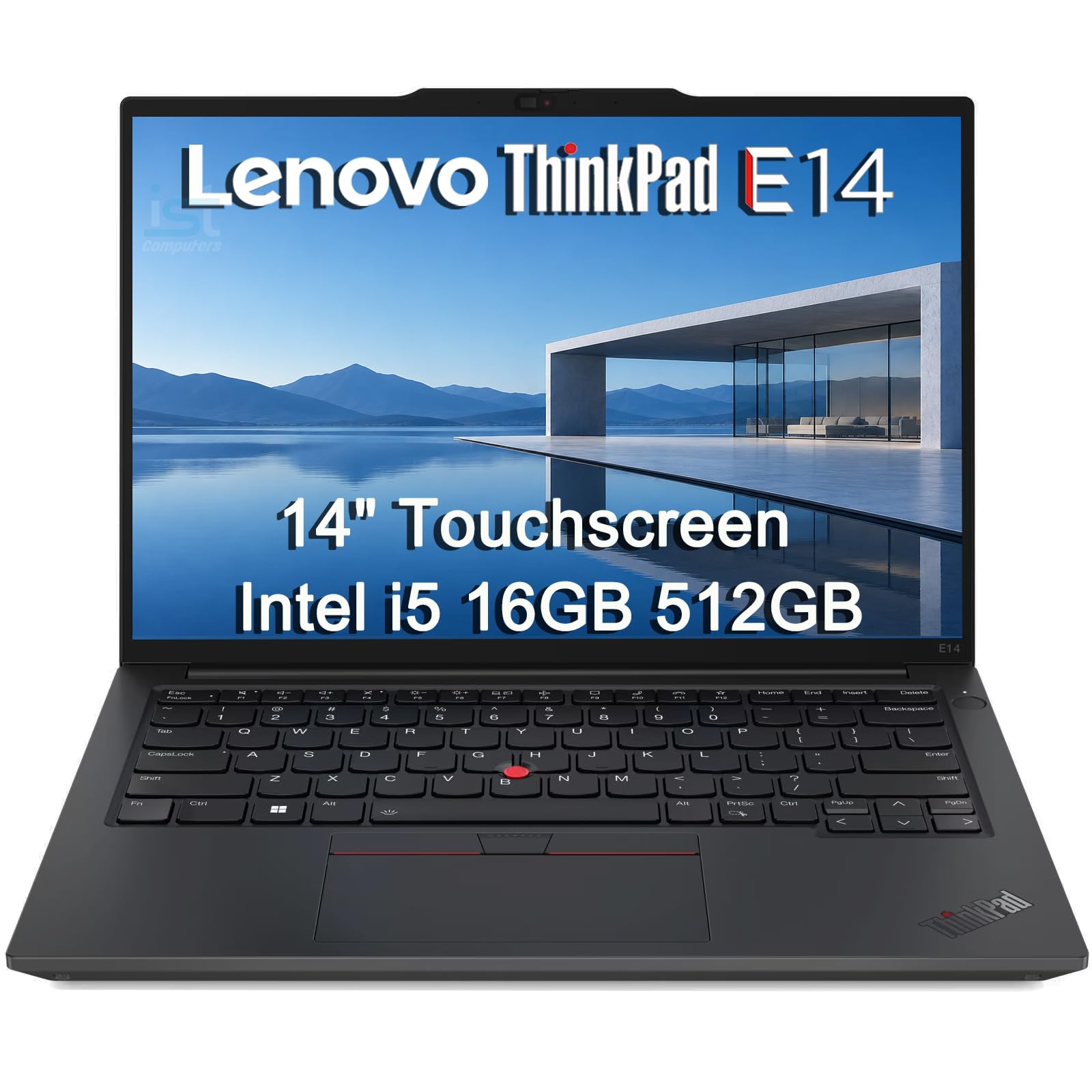
1. Lenovo ThinkPad E14 Business Laptop
Our pick — 4.5+★ from 100+ verified ratings; the strongest balance of quality and price.
The business tank that fits a carry-on and still has room for your numbers.
This is the pick for the freelancer, bookkeeper, or student who types figures all day and then has to drag the machine through an airport. At 3.11 lbs it slides into a carry-on personal item, and the chassis is built to MIL-STD 810H — a military durability standard that means it has been tested against drops, vibration, and temperature swings. Rapid Charge refills the battery fast, so a short stop at a power socket gets you a long way.
The screen is a 14-inch WUXGA panel at 1920×1200 — that is taller than the standard 1920×1080 shape, which means about an extra inch of vertical room for spreadsheet rows before you scroll. It is also a touchscreen with 300 nits of brightness and an anti-glare finish, plus TÜV Rheinland Low Blue Light certification, which is a third-party test for how much blue light the panel emits. Owners consistently point to performance as the reason they keep it, and “It supports multiple PowerPoints, windows and processes at the same time” is a sentiment that shows up again and again from small business buyers. The backlit keyboard is a frequent subject of praise from travellers who work on flights.
Inside sits an Intel Core i5-1335U processor with 10 cores running up to 4.6 GHz, paired with Intel Iris Xe integrated graphics and 16GB of DDR4 memory. The 512GB PCIe NVMe M.2 SSD is the fast kind of storage that boots Windows in seconds rather than minutes. Connectivity is the genuinely unusual part for a 14-inch: Thunderbolt 4, USB-C, two USB-A ports, a full-size Ethernet (RJ45) jack, HDMI 2.1, Wi-Fi 6, and Bluetooth 5.1. That Ethernet port matters if your office still runs a wired network.
Where it earns its keep
- 3.11 lbs with MIL-STD 810H durability testing, so it survives being slung in and out of a bag daily
- Taller 1920×1200 touchscreen at 300 nits with anti-glare and Low Blue Light certification
- Thunderbolt 4, RJ45 Ethernet, HDMI 2.1, and two USB-A ports — no dongle shopping list
- Fingerprint reader plus Windows 11 Pro with BitLocker encryption built in
- Backlit keyboard makes late-night and cabin typing possible
What to weigh first
- The keyboard relies on a compact layout rather than a dedicated number pad, so check the deck photo before you commit
- Battery life is the most common real-world complaint — heavy users report topping up during the day
- Windows 11 Pro has more settings menus than a Home license, and a few owners find the preloaded security tooling noisy
Reach for this if: you run a small business, key in figures daily, and want one machine that survives travel and a wired office dock.
Look elsewhere if: you need a browser-open-all-day laptop without hunting for a socket — the Acer Aspire 14 AI below is the better bet there.
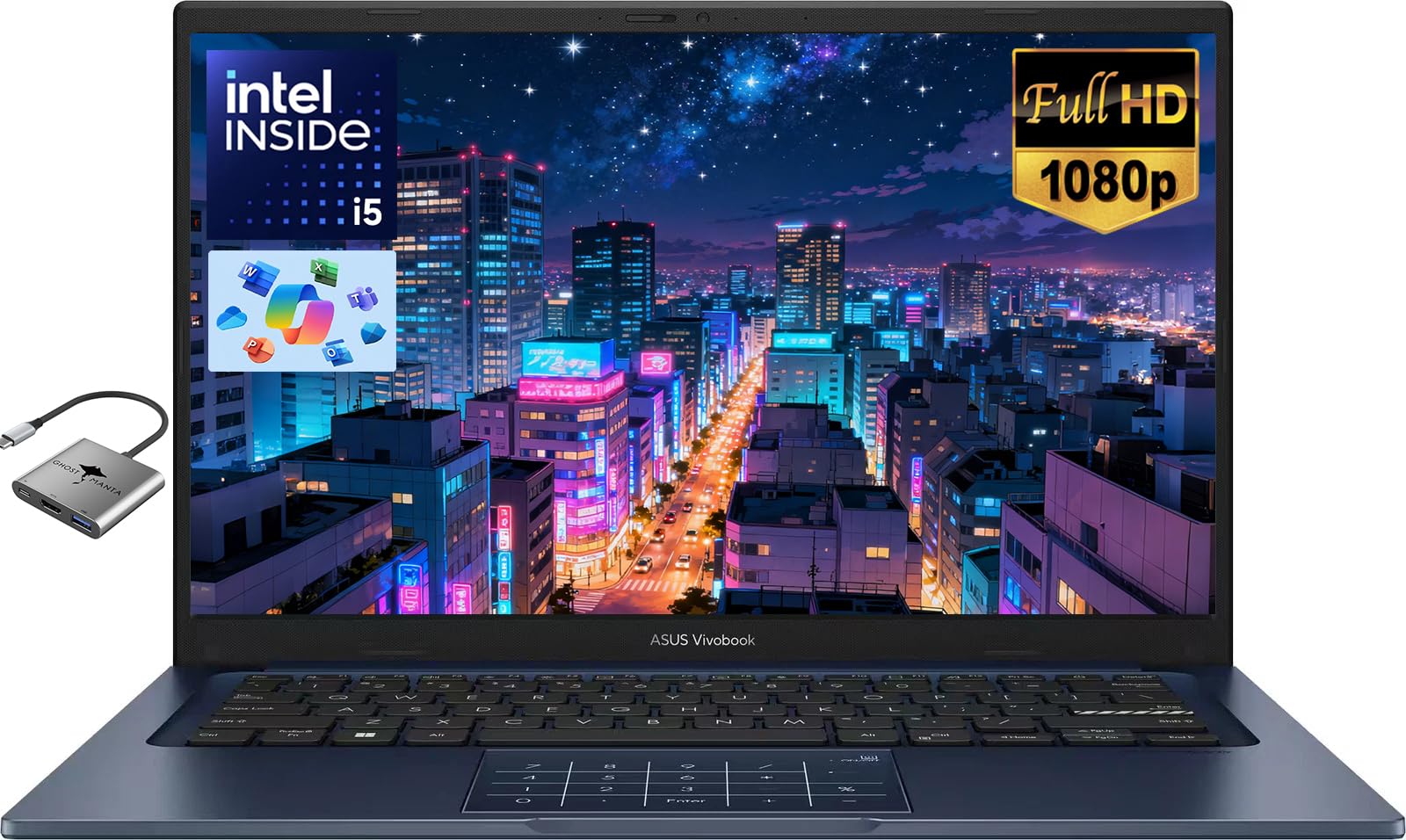
2. ASUS Vivobook 14″ FHD Laptop
The student machine that ships with its own dedicated number pad row.
If you are heading to college and your course involves Excel, accounting, or any lab work where you enter data, a numeric keypad stops being a nice extra and starts being the reason you bought the laptop. This Vivobook has one, and it pairs that with the kind of memory that lets you leave everything open.
The processor is an Intel Core i5-1334U with 10 cores running up to 4.6 GHz, which is the same core count and speed ceiling as the ThinkPad’s chip. The real differentiator is storage: a 1TB PCIe SSD, so lecture notes, work presentations, and large multimedia projects do not force you onto an external drive. Screen is a 14-inch FHD panel at 1920×1080 with ultra-narrow bezels, using a 16:9 shape that suits video and streaming. Wi-Fi 5 and Bluetooth 5.1 cover the wireless side, and there is a 720P privacy camera with a physical shutter for video calls.
Buyers consistently call the build and finish quality the standout, with value running a close second — the reactions run along the lines of “very excellent and elegant, very powerful in its work,” from a buyer who wanted both looks and speed. Battery lands in the six-to-eight-hour range in normal use, and “Battery is fine as well, runs for about 6-8 hours” is the kind of report that recurs. One recurring gripe: a small number of units have been reported with keyboard issues that clear after a reboot, and the keyboard on this model is not backlit. Sound from the built-in speakers is weak enough that most people reach for headphones.
The memory math: 24GB versus 16GB is the single biggest hardware gap on this list, and it is the reason to pick this Vivobook over the ThinkPad E14 if you tend to leave a hundred tabs open and never close anything.
Then accept the trade: it has no backlit keyboard, quieter speakers than the price suggests, and Wi-Fi 5 rather than the newer Wi-Fi 6E some rivals carry.
Pick this one if: you are a student or home user who wants maximum headroom for open tabs and files without paying premium-tier money.
Think twice if: you type in the dark or run a wired office network — you will miss the backlighting and the Ethernet jack the ThinkPad E14 provides.
3. Dell Latitude 7430 14″ Touchscreen Laptop
A certified-refurbished flagship that still reads like new inside the box.
Here is the honest framing before you go further: this is a certified refurbished machine, which means it has been returned, checked, and resold rather than shipped factory-sealed. If that idea makes you nervous, scroll on. If you are comfortable with it, you get a business-class chassis with a 14-inch FHD anti-glare panel at 1920×1080, 300 nits of brightness, and multi-touch. That touch layer is the part that separates it from the two picks above — you tap cells and tick boxes directly rather than hunting for the cursor.
The specs read like a much more expensive machine. An Intel Core i7-1265U processor with 10 cores up to 4.80 GHz, 12MB of cache, 32GB of RAM, and a 1TB PCIe M.2 SSD. Two Thunderbolt 4 ports handle power delivery and DisplayPort 1.4 output, and there is also one USB 3.2 Gen 1 port with PowerShare, an HDMI 2.0 port, and a headset jack. The 4-cell 58 WHr lithium-ion battery and the Intel Wi-Fi 6E AX211 radio round it out with Bluetooth 5.2. A carbon-fibre lid keeps the weight down.
Owner impressions split in an interesting way: people who received a clean unit describe it as indistinguishable from new, while the recurring friction is the reseller side of the transaction rather than the hardware. The condition of the machine is the thing buyers talk about most, and it is generally positive. On the other side, battery life draws the most honest complaint — the summary from buyers is blunt: “Bad battery 🔋 life but Great price.” There have also been reports of charger units arriving dead, which the seller has generally resolved.
What you are gambling on: the hardware is genuinely high-spec for the tier, but refurbished stock varies, and warranty paperwork from third-party sellers has not always matched the listing in buyer experiences.
What you get in return: 32GB of RAM and a 1TB SSD, matching the GEEKOM GeekBook X14 Pro above on both counts at a much lower tier.
Suits you if: you want a touchscreen, top-tier i7 power, and 32GB of memory, and you are comfortable buying refurbished with a warranty check on arrival.
skip it if: you need sealed-new stock or long unplugged runtime — battery life is where this one gives ground.
4. Acer Aspire 14 AI Copilot+ PC

The one you charge on Sunday and forget about until Wednesday.
Acer rates the battery at up to 22 hours of video playback. Real-world use will land below that, but owners still describe running for days on heavy use — and that is a very different experience from the ThinkPad E14 above, where buyers report hunting for a charger mid-afternoon. If you work away from sockets, this is the pick.
Under the lid is an Intel Core Ultra 7 processor (Series 2), and the AI part is real silicon rather than a sticker. The chip combines a CPU, a GPU, and an NPU — a neural processing unit, a dedicated block of the chip that runs AI tasks locally instead of sending them to the cloud. The numbers on the spec sheet are an NPU rated up to 47 TOPS and a GPU rated up to 64 TOPS, and the graphics side is Intel Arc 140V. You also get 16GB of LPDDR5X memory, a 1TB SSD, Wi-Fi 6E, and Bluetooth 5.3. The screen is a 14-inch WUXGA 1920×1200 panel, the same taller shape as the ThinkPad, and the keyboard is backlit with a dedicated AcerSense key for the AI settings panel.
What buyers rave about is the value — a genuinely top-tier chip and a 1TB drive at a mid-tier price. Owners note it handles photo and video editing, heavy browsing, and coding, and one describes it as good enough to run new games at 1080p at playable framerates thanks to the Arc iGPU. The recurring gripe is the feel: the fan gets loud under load, the chassis reads plasticky next to the aluminium laptops in this list, and the trackpad draws criticism for imprecise clicks. The screen is also not a touchscreen, which matters if you were eyeing the Latitude 7430.
The endurance story: its 22-hour rating is the longest battery claim here, which is the main reason to pick the Aspire for workdays away from a socket.
The honest caveat: you are trading finish quality for that runtime — expect a louder fan, a plastic-feeling deck, and a trackpad that makes a mouse worth carrying.
Best for: remote workers, travellers, and students who need to leave the charger at home and want modern AI features without premium pricing.
Not the one for: anyone who wants a machine that feels expensive in the hand, or needs a touchscreen for note-taking.
5. Dell 14 Laptop, FHD+

The silver workhorse you hand to someone who just needs it to work.
Not everyone wants to think about processor generations. This Dell is the pick for the person buying a laptop for a partner, a parent, or a family member who will use it for email, video calls, and typing documents — and nothing more exotic than that. It runs an Intel Core 5 120U processor with a speed ceiling of 5 GHz, backed by 16GB of RAM, a 14-inch FHD+ screen at 300 nits of brightness, a fingerprint reader, and Intel’s adaptive thermal system, which senses when the machine is on a stable surface and trims power accordingly.
The chassis is silver metal and gets the same military-grade durability testing Dell applies across its range. Windows 11 Home is preinstalled, and the 65W AC adapter is in the box. Buyers describe the build quality as the high point, with performance a close second — the pattern is people who bought one and then bought a second for a family member. One owner made the point that the machine is “easy to set up,” which is the tone across most of the feedback.
There are two things to know before buying. First, this is not a touchscreen, and at least one buyer did not realise that until it arrived — if touch matters to you, the Latitude 7430 above has it. Second, battery runtime is the recurring weak spot, with buyers reporting it cannot hold a charge beyond six hours. There is also a known annoyance around the bundled security software subscription lapsing and generating pop-ups, which is fixable but irritating.
Straightforward by design: good build, 16GB of memory, a 5 GHz chip, and a bright 300-nit screen — enough for everyday work with nothing to configure.
Two limits to accept: no touchscreen, and a battery that will not carry you through a full day unplugged.
Buy this for: someone who wants a solid, no-fuss Dell for browsing, documents, and calls — especially as a gift laptop.
Pass on it if: you need touch input or genuine all-day battery, both of which other picks here deliver.
6. HP OmniBook 5 14 inch Next Gen AI PC

A 2K OLED panel with a 0.2 ms response time that makes spreadsheets look expensive.
OLED is the screen technology where each pixel lights itself rather than sharing a backlight, so blacks are genuinely black and colours separate cleanly. Here that panel runs at 1920×1200 — HP markets it as 2K — with up to 300 nits of brightness, a 60Hz refresh rate, and a 0.2 ms response time. If you spend your day in dense financial models or long documents, that contrast is easier on the eyes than a standard LCD. Note it is not a touchscreen.
HP rates the battery at up to 34 hours, and Fast Charge takes it from 0 to 50% in about 30 minutes. Comparing that to the ThinkPad E14 and the Dell 14 above, both of which draw battery complaints from real users, this is in a different league. The chip is a Snapdragon X Plus X1P-42-100 running up to 3.4 GHz with Qualcomm Adreno graphics, paired with 16GB of LPDDR5x memory and a 1TB PCIe Gen4 NVMe SSD. Connectivity covers Bluetooth 5.3 and Wi-Fi 6E.
The important caveat with a Snapdragon chip is software compatibility. It runs on the ARM architecture, so most Windows software works fine, but a minority of older or specialist programs need an ARM-specific version. Buyers flag this as the thing to research before you commit. Performance and value are what win people over — the machine runs cool, stays quiet overnight, uses facial recognition to log in, and owners mention battery life that dwarfs their previous laptops. The known downsides are a limited port selection of one USB-C and two USB-A, and a touchpad with a slight rattle.
The display and battery double-act: a self-lit OLED panel at 1920×1200 with a 0.2 ms response sits next to a rated 34-hour battery and 0-to-50% charging in about 30 minutes, which is the strongest screen-plus-endurance pairing on this list.
Check your software first: ARM-based chips occasionally refuse a legacy Windows program, so confirm the apps you depend on before ordering.
The right call for: knowledge workers who live in documents and spreadsheets, want the sharpest-looking screen here, and rarely want to see a charger.
Wrong call for: anyone running niche x86-era software, or anyone who needs more than three ports without a hub.
7. GEEKOM GeekBook X14 Pro Laptop
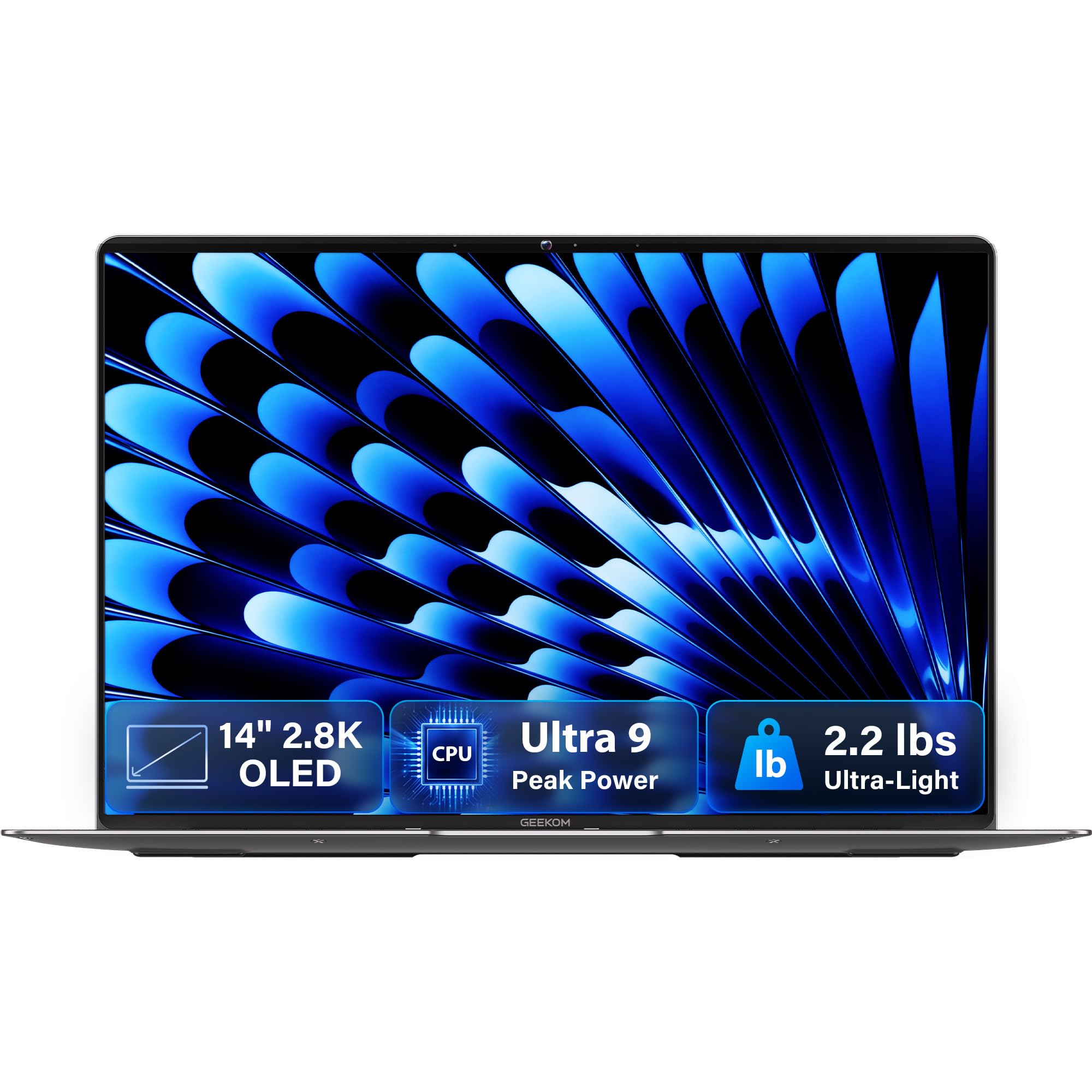
2.2 lbs of magnesium alloy wrapped around a full desktop-class processor.
The processor is the reason this one is here. An Intel Core Ultra 9 185H with 16 cores and 22 threads, running up to 5.1 GHz with 24MB of Smart Cache, built on Intel’s Meteor Lake architecture. That is a heavier chip than anything else on this list. Paired with Intel Arc graphics, it brings XeSS upscaling, ray tracing, and AV1 encoding, and a dedicated NPU handles on-device AI tasks like background blur and noise reduction. For photo and video editors who also need a number pad for client billing, this is the power ceiling of the shortlist.
The screen is a 14-inch 2.8K OLED covering 100% of the DCI-P3 colour gamut — a cinema-oriented colour range that tells you the panel is aimed at creative work rather than office duty. It refreshes at 120Hz with up to 450 nits of brightness, which is the brightest panel in this comparison and the one most likely to stay readable beside a window. Memory is 32GB of LPDDR5x running at 7500MHz, storage is a 1TB PCIe Gen4 NVMe SSD, and there are two M.2 slots if you want to add a second drive later. Wireless is Wi-Fi 6E and Bluetooth 5.4.
Portability is genuinely unusual: 2.2 lbs and 0.23 inches thick in a CNC-milled magnesium alloy unibody, with a 72Wh battery rated for up to 16 hours and a 65W GaN charger about 30% smaller than a typical laptop adapter. Buyers praise the build quality above everything else, with performance close behind — one describes it as a “MacBook killer” capable of running GTA 5 at 60-90fps and 4K emulators unplugged, and several note it handles many Chrome tabs and virtual machines without strain. The recurring complaint is the trackpad, which most owners simply route around with a mouse, and Windows Hello facial recognition does not work because the camera is not compatible.
What the weight buys you: a Core Ultra 9 185H with 16 cores, a 2.8K 120Hz OLED at up to 450 nits, and a 2.2 lb magnesium body — a combination nothing else here matches.
The trade in practice: an unfamiliar brand name, a trackpad that owners describe as poor, and facial login that does not function, so plan on fingerprint open up and a mouse.
For you if: you want the fastest chip on this list, the brightest OLED, and a 2.2 lb chassis you can forget is in your bag.
Not for you if: brand recognition matters, or you rely on face open up rather than a fingerprint reader.
8. Microsoft Surface Pro 2-in-1 Laptop/Tablet

A tablet that becomes a laptop the moment you attach the keyboard.
This one is on the list for buyers whose priority is flexibility over everything else. It is a 13-inch tablet with a kickstand and a detachable keyboard sold separately, so it shifts from tablet to laptop to a flat drawing surface depending on how you fold it. The screen is a 13-inch OLED touch panel at 2560×1600 with a 1M:1 contrast ratio, which is the highest contrast figure on this list and the reason it is popular with people who read sheet music or work in low light.
Being small matters here, because there is no numeric keypad on the type cover. If tapping in long columns of numbers is your daily job, this is the wrong machine — the HP EliteBook 6 below is the one built with a keyboard that has a number pad. What you get instead is an OLED display, up to 14 hours of battery life, with 65W fast charging over Surface Connect or USB-C. The chip is a Snapdragon X Elite with 12 cores and a dedicated NPU, backed by 16GB of RAM and 256GB of storage.
As with the HP OmniBook 5, the ARM-based Snapdragon chip is the compatibility question — most mainstream software runs, but some legacy Windows programs will not. Buyers regularly note the battery runs far longer than older Surface machines and the OLED looks clearer and brighter. The recurring criticism is port count: two USB-C ports, no headset jack, and a feel that some describe as more clipboard than binder. The keyboard and stylus are both extra purchases, which changes the true cost.
The flexibility case: a 13-inch OLED touchscreen at 2560×1600, a kickstand, and up to 14 hours of runtime in a device that weighs about as much as a magazine.
Budget for the extras: the detachable keyboard and stylus are sold separately, there is no headset jack, and only two USB-C ports.
Choose it when: you need one device that reads as a tablet but works as a laptop, and you value screen quality above keypad space.
Choose something else when: sustained number entry is part of your day — the EliteBook 6 is the better tool for that job.
9. Dell 14 Plus Laptop DB14250

Aluminium, Ice Blue, and built for people who notice how a laptop feels.
If the plastic-bodied laptops in this list have been bothering you, this is the answer. The chassis is aluminium and Dell puts it through the same rigorous military-grade testing as the rest of its business range. Colour is Ice Blue, and the machine uses a 65W Type-C adapter. The chip is an Intel Core Ultra 7 258V running up to 4.8 GHz with 12MB of cache, matched to 32GB of RAM — the kind of memory that lets you keep many browser tabs, documents, and applications open at once without the machine grinding to a halt. Wireless is Bluetooth 5.4.
Build quality is what buyers talk about most, and the reviews line up behind it. Setup is quick and the aluminium body reads as premium in the hand. A graduate student described buying it for school: “Very easy to set up, fast loading and lots of memory.” Multiple customers note it stays responsive with several tabs and office programs open at once, that firmware updates arrive regularly, and that the screen and camera are excellent for the tier.
Two honest notes. First, there is no numeric keypad on this model and no Spanish keyboard layout — an owner mentions knowing that in advance and accepting it. If the keypad is your reason for reading this guide, look at the HP EliteBook 6 instead. Second, there is no fingerprint reader, so you log in with a PIN or password. A small number of buyers have reported units shutting down unexpectedly and a keyboard with heavy key resistance, though the broader owner feedback describes a fast, well-built machine. Dell’s 6-month Migrate tool is included to move files across from an old PC.
What stands out: an aluminium chassis with military-grade durability testing, 32GB of RAM, and a Core Ultra 7 chip — the premium-feel option for people who care how the deck feels under their wrists.
What to know going in: no numeric keypad on this variant and no fingerprint reader, so plan on a PIN login.
Ideal for: designers, coders, and professionals who value a premium aluminium body and want memory headroom for heavy multitasking.
Wrong pick if: the numeric keypad is non-negotiable for your work, or you want fingerprint login.
10. HP EliteBook 6 G1i Laptop

The one that states its keypad up front, backlighting and all.
Read the marketing bullet on this and you will see the phrase spelled out plainly: a backlit, spill-resistant keyboard with numeric keypad. That is the explicit promise most of the other laptops on this list make you hunt for. Spill resistance matters if you work near a coffee cup. The processor is an Intel Core Ultra 7 255U with 12 cores running up to 5.2 GHz — the highest clock speed on this list — backed by 16GB of DDR5 RAM and a 1TB PCIe NVMe SSD, with Windows 11 Pro preinstalled. The 14-inch IPS screen runs at 1920×1200.
Connectivity is genuinely office-ready: Thunderbolt 4 over USB-C at 40Gbps, HDMI 2.1, an RJ-45 Ethernet jack for wired networks, USB-A ports, and an audio jack. That Ethernet port puts it in the same practical category as the ThinkPad E14 above — useful if your desk has a network cable rather than reliable Wi-Fi. A 65W USB-C fast charger is included, and there is a fingerprint reader for secure sign-in alongside Windows 11 Pro’s device-encryption support. HP also throws in a mouse, so you can work the moment it is set up.
Performance is the strongest signal from buyers, with speed a clear second — the machine is fast, the keyboard and number pad are called out as a specific strength, and one long-time HP buyer notes it arrived configured as ordered and works without problems. The screen at 1920×1200 has been described as good size and easy to navigate. Caveats worth knowing: the touchpad draws a small number of complaints for being insensitive even after adjustment, there is a recurring note about screen glare when facing a bright window, and at least one owner has reported a unit failing within months and a costly repair quote, which is an outlier against the broader positive picture.
Why it lands here: an explicit backlit, spill-resistant keyboard with a numeric keypad, a 5.2 GHz chip, 16GB of DDR5 RAM, 1TB of SSD, and Thunderbolt 4 with Ethernet — a complete desk setup right from the start.
The honest gaps: the touchpad is less precise than the keyboard deserves, and the glossy screen fights window glare.
Right laptop for: accountants, bookkeepers, traders, and office workers who type columns of numbers all day and want a real keypad with backlighting.
Look at the Dell 14 Plus instead if: you would rather have a premium aluminium body than a keypad, since that model has neither the pad nor a fingerprint reader.
11. Lenovo ThinkPad X1 Carbon G12 Business Laptop

The carbon-fibre flagship with a 400-nit touchscreen and storage for a decade.
This is what the top of the line looks like. A 14-inch WUXGA touchscreen at 1920×1200 with an anti-glare finish, 400 nits of brightness, 100% sRGB colour coverage, and a low-power panel that sips rather than gulps battery. That 400-nit figure is the highest on this list, and the anti-glare coating means it stays readable in an office even with overhead lights reflecting off the back of the room.
Storage and memory are the reason a buyer looks here. A 2TB PCIe NVMe M.2 SSD — the largest on this list, matching the GEEKOM GeekBook X14 Pro’s 1TB and doubling it — paired with 32GB of LPDDR5X RAM. The processor is an Intel Core Ultra 7 165U with 12 cores, 14 threads, and 12MB of cache, running at up to 4.90 GHz on the performance cores. Ports cover two USB-C with Thunderbolt 4 at up to 40Gbps, two USB-A at up to 5Gbps, HDMI, an audio combo jack, Wi-Fi 6, Bluetooth, and a 1080p FHD camera with an infrared sensor and a physical privacy shutter. Windows 11 Pro brings enterprise features like Group Policy, Dynamic Provisioning, and Azure AD support.
Owners describe it in the terms ThinkPad loyalists always use — quick, responsive, and light enough to carry without thinking about it. One thirty-year ThinkPad user replaced a nine-year-old machine with it and praised the setup process and the phone support after a BIOS update solved a rear USB-C charging issue remotely rather than through a service call. The recurring theme is that people who know this keyboard and the TrackPoint pointing nub keep coming back to it.
The honest catch is that this is the premium tier, and the keypad question applies — the X1 Carbon line is designed around a compact typing layout, not a dedicated numeric block. If entering numbers is your primary job, the HP EliteBook 6 above has the explicit keypad. If you want the best screen, the most storage, and the most RAM here, this is the summit of the list.
The premium case: a 2TB SSD, 32GB of LPDDR5X RAM, a 400-nit anti-glare touchscreen, and Thunderbolt 4 with a physical camera shutter — the most fully equipped pick here.
What it is not: a keypad laptop. The X1 Carbon prioritises keyboard feel and a compact body over a numeric block, so check that trade against your daily work.
For the buyer who wants it all: the most storage, the most memory, the brightest anti-glare screen, and ThinkPad build quality in one machine.
Not the price-to-value pick: it is at the top tier of this list, and the GEEKOM GeekBook X14 Pro delivers a faster processor with a higher refresh OLED for noticeably less.
Know the Specs
Why a numeric keypad changes the whole deck
A numeric keypad is a block of ten digit keys to the right of the main keyboard, meant for entering figures without looking down. On a 14-inch chassis there is not much width to spare, so makers usually shrink the letter keys and the touchpad to make room. That is why some owners of these laptops report cramped main keys or a trackpad that needs a firm press — the space went to the pad. The trade is straightforward: if you type numbers constantly, the keypad earns its keep every day, and the tighter letters cost you almost nothing. If you mostly write documents, the reverse is true. Check the deck photo in each listing to see whether the keypad uses dedicated keys or hides digits behind a function button.
Processor tiers and what they actually do
The processor is the chip that performs every calculation, and its tier tells you how heavy a workload it will carry without slowing down. A Core i5 handles email, browsers, spreadsheets, and video calls without strain. A Core Ultra 7 adds more cores and a neural processing unit — a dedicated block that runs AI tasks on the machine itself rather than in the cloud — which helps with things like background blur in calls and local image tools. Core Ultra 9 sits at the top of that family for the heaviest workloads. Separately, Snapdragon X chips run on the ARM architecture, which is power-efficient and cool, but occasionally refuses an older Windows program that was written for a different chip design. Check your must-have software before choosing an ARM-based machine.
Memory and storage in everyday terms
Memory, measured in gigabytes of RAM, is your desk space for open programs. Sixteen gigabytes keeps a browser with a couple dozen tabs, a document, and a video call comfortable. Thirty-two gigabytes means you can add photo editing, a virtual machine, or a much larger browser load on top of that without the machine pausing. Storage, measured in gigabytes or terabytes of SSD capacity, is your filing cabinet: 256GB fills up fast with photos and video, 512GB is comfortable for office work, and 1TB or 2TB means you rarely think about it again. An SSD also loads everything faster than an older spinning drive, so the machine boots in seconds.
How display specs affect reading numbers
Brightness is measured in nits, and higher numbers push back harder against glare from a window or overhead lights. Panels in the 300-nit range are fine indoors; 400 nits is comfortable in bright rooms. Resolution matters too: 1920×1200 gives you a taller working area than 1920×1080, which means more spreadsheet rows visible before you scroll. Beyond that, panel type changes the character of the image — an IPS screen holds its colours from an angle, while an OLED panel lights each pixel independently for deeper blacks. Anti-glare coatings and low-blue-light certifications are the practical features for long sessions, since they reduce the reflections and colour cast that make figures harder to read.
Common Questions
Will a 14 inch laptop with a numeric keypad feel cramped to type on?
Can I use a separate numeric keypad instead of buying a laptop with one built in?
Is 16GB of RAM enough for spreadsheet and accounting work?
How much storage do I need for documents and photos?
Does an OLED screen matter for typing numbers?
Are Snapdragon laptops like the HP OmniBook 5 compatible with my Windows programs?
How long should the battery last on a 14 inch business laptop?
Is a touchscreen worth having on a laptop this size?
What is the difference between an IPS and an OLED display on these laptops?
Does a numeric keypad make a laptop heavier?
The Bottom Line
For most people shopping for a 14 inch laptop with numeric keypad, the winner is the Lenovo ThinkPad E14 because it pairs military-grade durability, a taller 1920×1200 touchscreen, and a full set of ports including Ethernet with a processor that owners describe as running their whole business. If a real backlit numeric keypad is the single thing you cannot compromise on, reach for the HP EliteBook 6 G1i, which states it outright and backs it with a 5.2 GHz chip. And if you want to leave the charger behind entirely, the Acer Aspire 14 AI is the one to grab, with its 22-hour rated battery and 1TB SSD. Whichever way you go, check the deck photo before you buy — that is the quickest way to confirm the keypad you are picturing is the one that ships.
How we choose
We do not accept paid placement. Every pick is matched to a real buyer and a real use-case; we do not hands-on test units.
Sources
Specifications: manufacturer listings and product documentation. Review insights: verified customer reviews, as of October 2026. Pricing: not shown on this page (it changes often); check the current price via the retailer link.
As an Amazon Associate, Aappliancez earns from qualifying purchases. This does not affect which products we feature.