Disclosure: Some links in this post are affiliate links. As an Amazon Associate I earn from qualifying purchases, at no extra cost to you. Learn more
Specs are compiled from manufacturer listings and verified buyer reviews and can change over time — please confirm the key details on the product page before buying.
Most tablets bury the camera you actually use. This guide separates the tablets with genuinely useful cameras from the ones where the lens is an afterthought. The iPad Pro 13-inch (M5) holds 4.5+ stars across 800+ owners, and it earns that spot on camera and screen together.
This guide is built by comparing the manufacturers’ published specifications and the patterns across verified customer reviews, so you get each pick’s real strengths and trade-offs instead of marketing spin.
Camera quality on a tablet breaks down to three things: sensor size, front-versus-rear megapixels, and whether the software can straighten out a shaky hand. Below you will find nine machines ranked by how well their lenses handle real life, so you can pick the tablet with camera that suits your calls, classes, and creative work without guessing.
Top Picks


How To Choose The Best Tablet With Camera
Start with the lens you point at yourself, not the one on the back. A tablet’s rear camera sees occasional use, but the front camera fires every time you join a meeting, call a grandchild, or record a lesson. The front sensor’s megapixel count and whether it sits on the landscape edge are what decide if your face fills the frame properly.
Front versus rear megapixels
A megapixel (MP) is roughly one million pixels — the dots that build the picture. More megapixels give you more room to crop, but a 12MP front camera with good processing will beat a higher-numbered rear lens in low light. For video calls, anything at or above 5MP keeps your face crisp on the other end.
Sensor placement and field of view
Landscape-mounted front cameras sit on the long edge, which lines your eyes up with the screen during horizontal calls instead of leaving you off-center. Wide field-of-view designs like Center Stage actively follow you, so you can shift in your chair without sliding out of frame.
Software stabilization for shaky hands
A 14-inch tablet is heavy enough that one-handed shooting wobbles. Look for software that smooths motion and hold the tablet with two hands when you film. Larger screens also magnify blur, so heavier slates reward a stand or a steady grip.
Storage for photos and video
Video eats space fast. A 128GB tablet fills up with clips sooner than you expect, and microSD expansion gives you a cheap way to keep shooting. Check the expandable limit before you buy if you plan to record often.
Side-by-Side Comparison
| Model | Best For | Front Camera | Display | Battery | Amazon |
|---|---|---|---|---|---|
| Apple iPad Pro 13-inch (M5)★ Best Overall | Creators and video callers who want the sharpest screen and lens | 12MP landscape Center Stage | 13-inch Ultra Retina XDR | All-day | Amazon |
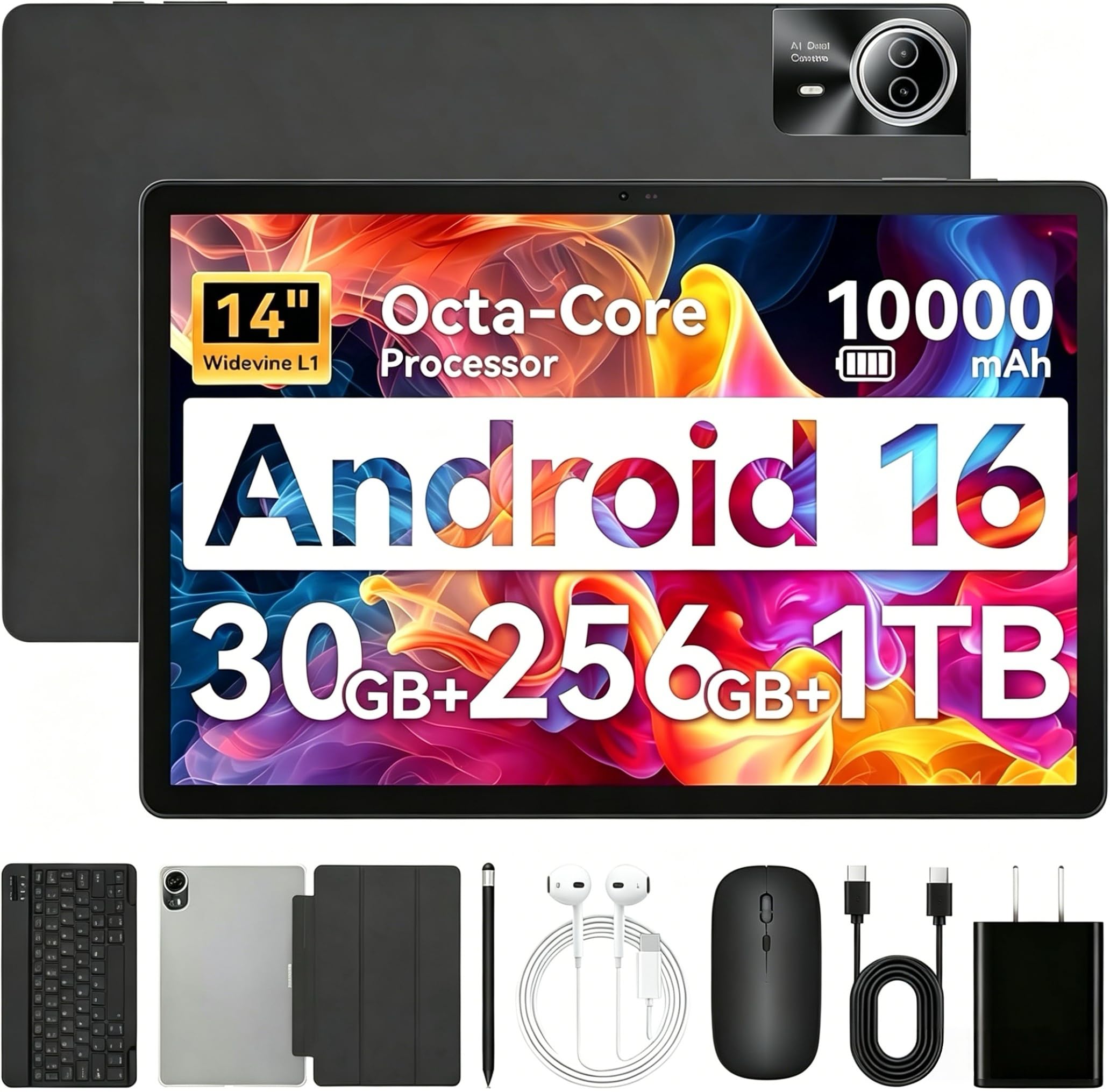
| Urao 14-inch Android 16 TabletBig Screen Pick | Big-screen viewing on a budget | 5MP front / 8MP rear | 14-inch 1920×1200 IPS | 10000mAh, up to 12 hours | Amazon |
| Fire HD 10Family Favorite | Family streaming and casual video calls | 5MP front | 10.1-inch 1080p Full HD | 13-hour battery | Amazon |
| HUIHUANG 10-inch Android Tablet | Kids and first-time tablet owners | 2MP front / 8MP rear | 10.1-inch FHD IPS | 6000mAh, 6 hours | Amazon |
| FEONAL 11-inch Android 16 Tablet | Travelers who want cellular data and a camera | 8MP front / 13MP rear | 11-inch 1280×800 Incell | 7000mAh, 480h standby | Amazon |
| Lenovo Tab M11 | Note-takers and readers who want the pen included | Front and rear cameras | 11-inch 1920×1200 | Up to 10 hours | Amazon |
| Lenovo Idea Tab Pro | Students who want a laptop stand-in with a pen | Front and rear cameras | 12.7-inch 3K LCD | 10200mAh, 11 hours | Amazon |
| Samsung Galaxy Tab S11 | Work and entertainment with a spill-proof body | Front and rear cameras | 11-inch Dynamic AMOLED 2X | 8400mAh, 18 hours | Amazon |
| Samsung Galaxy Tab S10+ | Artists and students doing serious creative work | Front and rear cameras | 12.4-inch, 120Hz | 10090mAh | Amazon |
Detailed Reviews
1. Apple iPad Pro 13-inch (M5)
Our pick — 4.5+★ from 800+ verified ratings; the strongest balance of quality and price.
A 12MP landscape camera that keeps your face centered while the M5 chip does the heavy lifting.
The camera here sits on the long edge, so your eyes line up with the screen during horizontal calls. That landscape 12MP Center Stage camera is paired with a 12MP Wide rear lens and an adaptive True Tone flash. Center Stage means the lens follows you as you move, which keeps you framed without touching the tablet mid-meeting.
What wins people over is raw pace. The M5 chip and Neural Accelerators push through edits, AI tasks, and app switching without a stutter, and 512GB of storage leaves plenty of room for clips and photos. The 13-inch Ultra Retina XDR display gives you extreme brightness and precise contrast, so edited photos look the way they will on the recipient’s screen. It weighs 1.28 pounds, light enough to hold through a long video call without your arm giving out.
The catch is the finish line. Battery reports split both ways — some owners get two to three days, while others hit charging quirks. It is a premium purchase, and that stiffness shows in the value chatter. Buyer reports on charging are split: some see a 35W charger go from 50% to 80% in under an hour, while others hit charging quirks. If you want a tablet whose camera and screen are the star and you work at a desk, this is the one to beat — it holds 4.5+ stars across 800+ ratings.
What it does brilliantly
- Landscape 12MP Center Stage front camera keeps you framed on calls
- 13-inch Ultra Retina XDR screen with extreme brightness and ProMotion
- 1.28 pounds, light enough for long one-handed video sessions
- 512GB of storage for photo and video workflows
Where it asks more of you
- Premium pricing puts it at the top of the pile
- Battery experiences split between multi-day and charging quirks
- Genuinely more tablet than a casual browser needs
Reach for this if: you shoot, edit, or film regularly and want the sharpest camera-and-screen pairing here.
Think twice if: your camera use is an occasional video call — you are paying for performance you may not tap.
2. Urao 14-inch Android 16 Tablet
Fourteen inches of screen for the price of a mid-range tablet and a full accessory kit in the box.
A 14-inch 1920×1200 IPS panel is the reason to look here. That is a lot of glass for video calls, and the front 5MP and rear 8MP cameras cover the basics — calls, online classes, quick snaps. The rear 8MP is the higher-resolution lens, so flip the tablet around if you need a sharper still. Low blue light tech knocks down flicker for long reading sessions.
Inside sits a 10000mAh battery rated for up to 12 hours of mixed use, plus 30W fast charging the maker says fills it in 2.5 hours. The octa-core processor and 30GB RAM (6GB physical plus 24GB virtual) keep apps opening. A Bluetooth keyboard, stylus, case, and headphone come bundled, and the 14-inch size works as a laptop stand-in for email and documents. Screen size is a strong suit — the panel is big enough to display sheet music on a stand.
Weight is the honest trade-off. This slab lands on the heavy side, and at 14 inches it is awkward to hold in one hand while you film. Some units have arrived with charging faults, and the bundled mouse and earbuds draw shrugs. For a big-screen reader and video station you leave on a table, it still delivers. Just plan on a stand rather than hand-holding it.
The large-panel argument: a 14-inch 1920×1200 IPS display and 10000mAh battery make this a strong fixed-position tablet for entertainment and study.
The portability cost: it is cumbersome to hold for long periods, so it suits a desk, a kitchen counter, or a music stand better than a lap.
Best matched to: anyone who wants maximum screen real estate and a keyboard bundle without stretching to a premium tier.
Look elsewhere if: you need a light one-handed tablet for reading in bed or filming on the move.
3. Amazon Fire HD 10
A 5MP front camera built for Zoom calls with the grandkids and a screen that handles schoolwork.
The 10.1-inch 1080p Full HD display is the draw, and that resolution keeps text sharp for reading and video. The 5MP front-facing camera exists for exactly one job: video calls and social clips for apps like Instagram and TikTok. It is not a creator’s lens, but for family Zoom sessions it does the work. A 13-hour battery rating means it survives a school day and an evening of cartoons before it needs a cable.
The design earns its keep with kids. Its aluminosilicate glass (a strengthened glass that resists cracks) survived a tumble test the maker says is 2.7 times as durable as the Samsung Galaxy Tab A8 (2022). Amazon Kids adds parental controls, and Alexa reads books aloud or controls smart home devices. Storage runs 32GB or 64GB, expandable to 1TB with a microSD card, so downloaded movies and school files have somewhere to go.
The honest snag is the app store. The Amazon App Store can run slowly, and there is no Google Play without side-loading. Lock-screen ads also appear unless you pay to remove them. For a household that mainly streams, reads, and calls, those are small annoyances next to the 10.1-inch screen and price tier.
Why families lean this way
- 5MP front camera tuned for video calls and social clips
- 10.1-inch 1080p Full HD screen
- 13-hour battery rating for school days and evenings
- Expandable to 1TB with a microSD card
The fine print
- No Google Play from the start
- Amazon App Store can drag
- Lock-screen ads unless you remove them
The right call for: households that want a durable kid-and-family tablet where the camera is for calls, not content creation.
Not the one for: app-heavy users who need the full Google Play library without workarounds.
4. HUIHUANG 10-Inch Android Tablet
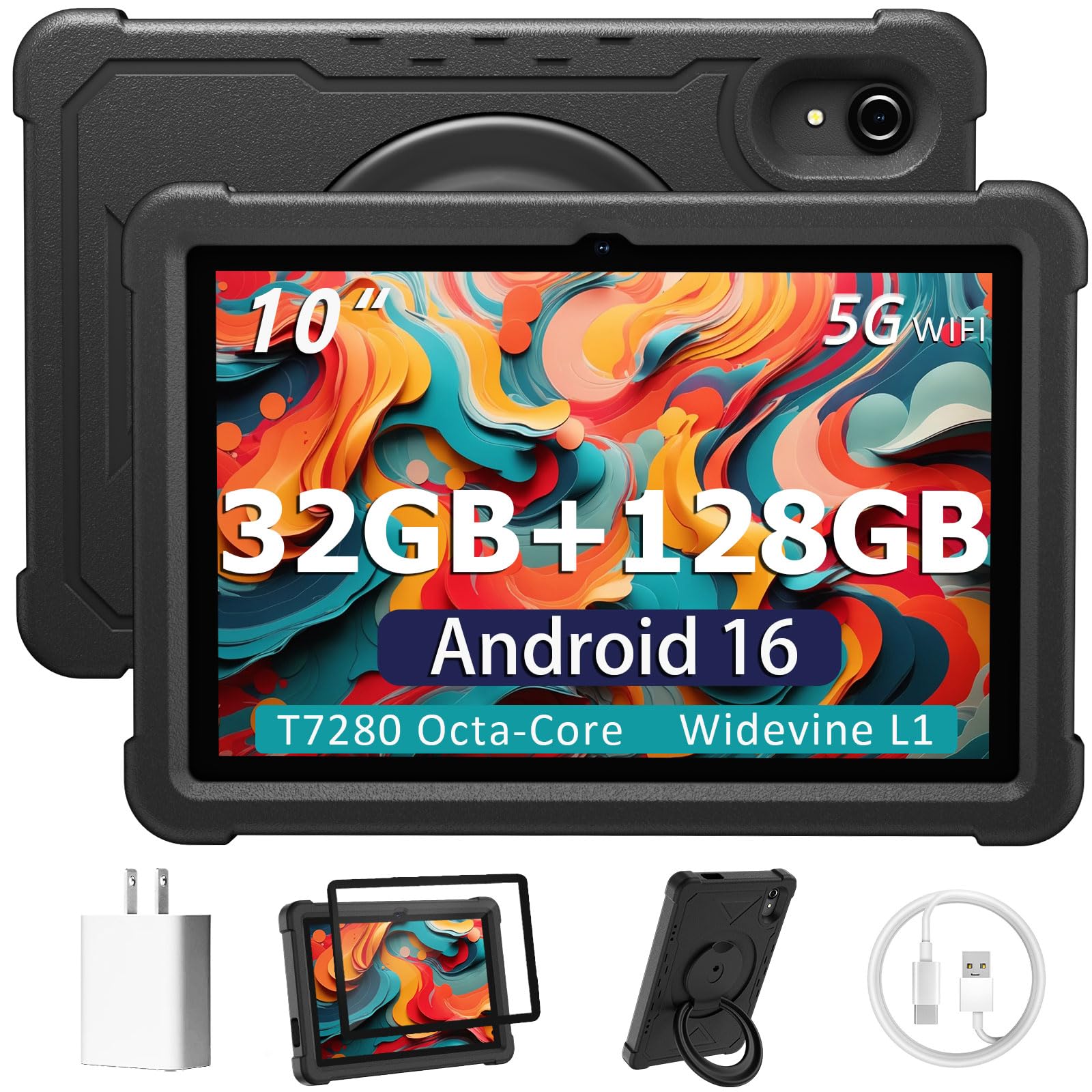
A rugged kid-friendly slab with a rotatable case and a rear camera for homework photos.
The camera spec splits in the usual budget way: 2MP up front, 8MP on the back. Front cameras at this level are for video calls and online learning, so expect serviceable rather than sharp selfies. The 8MP rear lens is the better of the two, useful for snapping homework or a receipt. A 10.1-inch HD IPS display delivers the colors and angles that matter for cartoons and study videos.
Parents gravitate to the EVA case, a foam-like drop shell with a 360° swivel stand that props the tablet at multiple typing and viewing angles. Google Kids Space and Family Link let you cap screen time and app access. The T7280 octa-core processor runs at up to 2.2 GHz, and the 6000mAh battery is rated at 6 hours — enough for the school run and an evening show.
The 32GB RAM claim needs a plain-English read: it is 8GB physical plus 24GB virtual memory, and the virtual portion is borrowed from storage, so it does not behave like true 32GB. Speed is fine for streaming and browsing but not gaming. Storage lands at 128GB, expandable to 1TB. One buyer’s frustration about preloaded apps is worth knowing if you hand this to a young child — the parental tools exist, but a fresh setup check is wise.
The spec that deserves attention: the RAM and battery figures are a compromise — the 6000mAh battery lands on the short side, and the memory is partly virtual, so keep expectations modest.
Suits: parents buying a first tablet where the camera and screen are secondary to durability and parental controls.
Skip if: you need a camera for anything beyond casual calls and quick snaps, or a battery that survives a full day out.
5. FEONAL 11-Inch Android 16 Tablet
An 8MP front camera, a 13MP rear, and a SIM slot for data wherever you roam.
Camera is the headline here. The 5G Wi-Fi tablet pairs a 13MP rear camera with an 8MP front camera, which is the highest-resolution front lens in this group. That matters for video calls and online classes where your face needs to read clearly. The rear 13MP covers travel photos, and a back flash helps in dim rooms. The 11-inch Incell display runs 1280×800 HD with dual stereo speakers.
Cellular is the other draw. Dual SIM card slots support 4G LTE with VoLTE, so you can make calls and use data at once, and AC dual-band Wi-Fi runs 2.4GHz and 5GHz. The 7000mAh battery is rated for up to 480 hours standby. An MTK8786 octa-core processor runs at up to 2 GHz, and 20GB RAM (8GB physical plus 12GB virtual) with 128GB internal storage keeps apps moving. Expansion reaches 1TB with a microSD card.
Battery is the recurring gripe. Some buyers report a huge drop-off versus the rated figure, and nightly readers see standby drain of around 10% a day. It is also a budget build, so expect some flex under stress. One buyer’s 7000mAh unit measured closer to 5400mAh on a battery app, which trims runtime. Test your charging pattern early and you will know what you are working with.
Camera and data wins
- 8MP front / 13MP rear — the highest front resolution in this list
- Dual SIM 4G LTE with VoLTE for calls and data together
- 128GB storage, expandable to 1TB
- Dual stereo speakers on an 11-inch display
Where it shows its budget
- Battery often falls short of the rated capacity
- Standby drain of around 10% a day
- Builds can flex under twisting force
Pick this for: travelers who want the best front camera number here and need cellular data without hunting for Wi-Fi.
Pass if: battery endurance is your first priority — the real-world runtime trails the rated figure.
6. Lenovo Tab M11

A pen-in-the-box study companion that keeps the camera honest and the battery going for a full shift.
The 11-inch 1920×1200 WUXGA display is the sharpest thing here for reading and note-taking, and the ambient light sensor adjusts brightness as your room changes. Cameras sit front and rear, ready for selfies, video chats with family, and snapping reference shots. The MediaTek Helio G88 octa-core processor with 4GB RAM runs at a steadier pace than a premium chip, which is fine for documents and streaming.
The pen is the standout. You get a stylus in the box, and handwritten notes and rough sketches track well. The 90Hz refresh rate keeps scrolling smooth compared to a 60Hz panel. Battery is rated at up to 10 hours, enough for a work shift or a class day. The 7040mAh cell and microSD slot mean storage and time away from the charger are both easy to manage.
Bloatware is the friction. Some owners spend a chunk of the first day removing preloaded apps. Heavy games will lag on the 4GB model, and the ambient sensor occasionally darkens movies too much. For reading, note-taking, and light productivity, the Tab M11 holds up well and lands at 4.0+ stars across 700+ ratings.
The productivity case: an included pen plus a 1920×1200 display at 90Hz makes this one of the better note-taking and reading tablets in the group.
The reality check: 4GB RAM limits heavy multitasking and games, and removing preloaded apps is a chore on day one.
Go here if: you want a pen included and a screen built for notes, comics, and textbooks without paying a premium.
Better elsewhere if: you plan to run demanding games or juggle dozens of browser tabs.
7. Lenovo Idea Tab Pro

A 12.7-inch 3K screen with Gemini built in, a pen in the box, and a folio that turns it into a laptop.
The screen leads: a 12.7-inch 3K LCD at 2944×1840 resolution, sharp enough for streaming lectures and sketching. The MediaTek Dimensity 8300 chip with 8GB memory keeps multitasking smooth, and Wi-Fi 6E handles downloads. Cameras sit front and rear. The front lens is built for the parts of student life that happen on video — class calls, study groups, and recorded notes.
Google Gemini is the productivity bonus, and the included Tab Pen Plus works with Circle to Search — circle anything on screen with the pen or a finger and search it instantly. The quad JBL Dolby Atmos speakers help in lecture playback. Battery is a 10200mAh cell rated at 11 hours of unplugged video, and 45W quick charge gets you back to work quickly. The 128GB of storage handles most study loads, and a microSD slot stretches it.
Weight is the thing to know. At 12.7 inches this tablet is heavy to hold for an hour of reading, and it wants the folio propped up. The included charger matters too — a 45W PD brick gets the full charging speed, and a weaker adapter makes it crawl. Tablet cameras here are honest rather than impressive; this is a stylus-and-screen machine, not a camera-first one.
Study and work strengths
- 12.7-inch 3K LCD at 2944×1840 resolution
- Google Gemini and Circle to Search built in
- Pen and folio case included
- 10200mAh battery rated at 11 hours of video
What to plan around
- Heavy for long handheld reading sessions
- Slower charging without a 45W PD adapter
- Camera is a secondary feature, not a selling point
Right for: students who want a laptop stand-in with a pen, a big sharp screen, and an AI assistant for late-night assignments.
Wrong for: anyone buying primarily to shoot photos or film — the cameras are serviceable, not the reason to choose it.
8. Samsung Galaxy Tab S11

A 5.5mm slab with an IP68 rating that shrugs off rain, spills, and dust.
IP68 is the spec that changes how you live with it. That rating means the tablet is protected against dust and water immersion, so a spilled coffee or a rainy commute is a wipe-down rather than a repair bill. The 11-inch Dynamic AMOLED 2X display with Vision Booster keeps text clear and colors rich in long sessions. Cameras sit front and rear, and Gemini Live can analyze what the camera sees, turning the lens into a search and understanding tool.
Multitasking holds up with 12GB RAM, and the included Galaxy Tab S Pen brings pen-on-paper precision for Note Assist, which tidies up meeting notes. Drawing Assist turns rough sketches into shareable mock-ups. The 8400mAh battery is rated at 18 hours, and 128GB of storage expands with a microSD card. An MT6991 processor keeps apps switching without slowdowns.
The main trade-off is surface grip. Owners note it is slippery without a cover, so budget for a case. One artist also found a specific screen spot where the S Pen cursor jumps, a known quirk on some units rather than a defect. It sits firmly in the premium tier, and some owners consider it pricey, but the AMOLED screen and IP68 body justify the ask for daily commuters.
The durability lead: IP68 water and dust protection at 5.5mm thin is a real daily-life advantage no other pick here offers.
The handling note: the slick finish wants a cover, and an isolated S Pen tracking spot shows up on some units.
Ideal for: commuters and outdoor users who want a premium camera-capable tablet that survives a splash.
Consider other options if: you want the biggest possible screen for drawing — the 12.4-inch S10+ gives you more canvas.
9. Samsung Galaxy Tab S10+

A 12.4-inch 120Hz canvas that artists reach for before their laptop.
For drawing, the 120Hz refresh rate is the difference-maker: strokes land where you put them, with no lag on large Clip Studio projects. The 12.4-inch screen size gives artists room to work, and photos read sharp on the front and rear cameras. Sketch to Image with Galaxy AI turns simple drawings into finished art, and the S Pen handles notes and line work with palm rejection.
The MediaTek Dimensity 9300+ processor with 16:9 aspect ratio keeps things running without overheating, which is what you want mid-drawing session. A 10090mAh battery carries you through long stretches, and a fingerprint scanner open up it. Note Assist transcribes and summarizes recordings, and Samsung Notes lets you take notes while recording a lecture for real-time playback later. Storage reaches 1TB with a microSD card.
Two things to plan for. The S Pen nibs wear down and replacements are worth buying upfront. And not every app is tune for a tablet this size, so some show up in portrait or act awkwardly. Those are small frictions next to a screen this good. The Tab S10+ lands at 4.5+ stars across 700+ ratings.
Where artists win
- 120Hz refresh rate for lag-free drawing
- 12.4-inch screen with S Pen palm rejection
- 10090mAh battery for long sessions
- Expandable storage up to 1TB
Frictions to expect
- S Pen nibs wear and need replacing
- Some apps are not tune for the size
- Premium-tier pricing
Best fit: artists and design students who need a real drawing surface and a screen that keeps colors faithful.
Hold off if: you rarely sketch — you are paying for a creative tool you will not fully use.
Know the Specs
Front Camera Megapixels
The front camera is the one you point at yourself. A 5MP sensor is fine for video calls; an 8MP or 12MP front lens makes your face sharper on the other end. More megapixels help most when you need detail — scanning a document, showing a product, or reading text back to someone. For calls, framing matters more than the number.
Rear Camera and Flash
The rear lens is the one facing away from you. On tablets it is usually the higher-resolution sensor — 8MP or 13MP here — and it handles photos, scanning, and document captures. A rear flash helps in dim rooms but is not a substitute for decent light. Rear cameras on tablets rarely match a phone, so treat them as a convenient backup.
Battery Capacity
Battery capacity is measured in mAh (milliamp-hours), a rough count of how much charge the cell holds. A larger number usually means longer runtime, but the screen size and chip efficiency decide the actual hours. A 10000mAh tablet and a 7000mAh tablet can land in similar places if one drives a bigger, brighter screen.
Display Resolution and Refresh Rate
Resolution is the pixel count — 1920×1200 is sharper than 1280×800. Refresh rate in Hz is how many times per second the screen redraws; 120Hz looks smoother than 60Hz when you scroll or draw. For camera work, a sharper, smoother screen makes it easier to review photos and video before you share them.
Common Questions
Does a tablet front camera work for video calls without Wi-Fi?
What does Center Stage do on the iPad Pro camera?
Can I use the tablet camera as a scanner for documents?
How much storage do I need for recording video on a tablet?
Is the Samsung Galaxy Tab S11 camera protected against water?
Will a stylus work alongside the tablet camera on the Lenovo models?
How do I get Google Play on the Amazon Fire HD 10?
Why do tablet battery claims vary so much from real use?
Can a tablet replace a laptop for photo and video editing?
The Bottom Line
For most buyers, the tablet with camera winner is the Apple iPad Pro 13-inch (M5) because its 12MP landscape Center Stage camera and Ultra Retina XDR screen handle calls, photos, and editing without compromise. If you want the best front-camera number here and need cellular data on the go, grab the FEONAL 11-Inch Android 16 Tablet for its 8MP front and 13MP rear lenses. And for artists who want a 120Hz drawing surface with a faithful screen, the Samsung Galaxy Tab S10+ is the one to reach for. One honest nudge: the iPad Pro’s screen and lens pair so well that buyers keep rewarding it at 4.5+ stars, even though the Fire HD 10 puts more owners in seats. Pick by the lens you actually use, and you will not overpay for a rear camera you never point.
How we choose
We do not accept paid placement. Every pick is matched to a real buyer and a real use-case; we do not hands-on test units.
Sources
Specifications: manufacturer listings and product documentation. Review insights: verified customer reviews, as of October 2026. Pricing: not shown on this page (it changes often); check the current price via the retailer link.
As an Amazon Associate, Aappliancez earns from qualifying purchases. This does not affect which products we feature.