Disclosure: Some links in this post are affiliate links. As an Amazon Associate I earn from qualifying purchases, at no extra cost to you. Learn more
Specs are compiled from manufacturer listings and verified buyer reviews and can change over time — please confirm the key details on the product page before buying.
Here’s the short answer: you want a 2230-size NVMe SSD (a stick-shaped internal drive that fits the Deck’s slot) for your Steam Deck, not a microSD card. A card is fine for extra games, but only an internal SSD gives you fast installs and quick loads. The drive that matches the Deck’s M.2 2230 socket and won’t waste money on speed the Deck can’t use is the Silicon Power UD90 2230. It runs NVMe at PCIe 4.0 (a fast drive connection standard) with a rated 5,000 MB/s read and 3,200 MB/s write, so a 100GB game patches in minutes rather than hours. It comes in the exact M.2 2230 form factor (the small card shape) the Deck accepts, and it’s the one most Deck owners land on because the price-to-capacity math works.
This guide is built by comparing the manufacturers’ published specifications and the patterns across verified customer reviews, so you get each pick’s real strengths and trade-offs instead of marketing spin.
Below you’ll find seven drives and cards that fit the Deck, sorted by what they actually do for you. Each one is rated on speed, capacity, and how well it survives a handheld’s heat.
Top Picks


How To Choose The Best Storage for Steam Deck
The Deck gives you two doors: the internal M.2 socket and the microSD slot. They behave very differently. The internal drive is what the console boots from and installs games to at full speed. The card slot is a way to add a folder of games without opening the shell. Pick the door first, then worry about which unit.
Match the form factor or it won’t go in
The Deck’s internal socket takes an M.2 2230 drive — that’s the 22 mm by 30 mm stubby card, not the long 2280 stick found in a desktop. A 2280 simply will not fit. Every internal SSD on this list is 2230, so you can stop worrying about length. Capacity is where you make the call: 1TB doubles a 512GB Deck, 2TB ends the storage conversation entirely.
Speed beyond the Deck’s ceiling
The Deck’s own hardware caps how fast it can pull data, so a drive rated at 7,100 MB/s and one rated at 5,000 MB/s feel nearly identical in game loads. The rated read and write figures still tell you about overhead when you transfer a big library or run a dual-boot setup. Spend up for capacity before you spend up for read speed the Deck can’t use.
Where microSD fits and where it breaks down
A microSD card skips the screwdriver entirely: pop open the slot, slide it in, and the Deck sees it. The catch is the V30 rating on these cards, which describes a guaranteed minimum write speed for video capture — a class designed for cameras, not game installs. It works. It’s slower to write than an internal SSD, so large downloads and updates take longer. Use a card as a second shelf, not as a replacement for the main drive.
Heat, endurance, and the numbers on the label
A handheld traps heat in a tight shell. Drives that control their own temperature keep their speed under load; cheap ones slow down. Endurance is the other number to read: TBW means terabytes written, or how much data the maker expects the drive to absorb over its rated life. A higher TBW rating means the drive is built to absorb more writes before it wears, which matters in a handheld that runs hot.
Side-by-Side Comparison
| Model | Best For | Capacity | Rated Speed | Form Factor | Amazon |
|---|---|---|---|---|---|
| SanDisk Extreme microSDXC★ Best Overall | The go-anywhere backup card | 1TB | 160 MB/s read | microSDXC | Amazon |
| Silicon Power UD90 2230 | The safest first upgrade | 1TB | 5,000 MB/s read | M.2 2230 | Amazon |
| Crucial P310 | Biggest library, coolest run | 2TB | 7,100 MB/s read | M.2 2230 | Amazon |
| Corsair MP600 Mini | Top-end speed in the tiny shell | 2TB | 7,000 MB/s read | M.2 2230 | Amazon |
| WD_Black SN770M | Proven gaming-drive pedigree | 2TB | 5,150 MB/s read | M.2 2230 | Amazon |
| Kingston NV3 2230 | Small drive, big speed | 1TB | 6,000 MB/s | M.2 2230 | Amazon |
| Silicon Power SDXC Gaming | No-screwdriver game shelf | 1TB | 80 MBps media speed | microSDXC | Amazon |
Detailed Reviews
1. SanDisk Extreme microSDXC, 1TB with Adapter
Our pick — 4.5+★ from 354,500+ verified ratings; the strongest balance of quality and price.
The card that lives in more than one device — a Deck shelf today, a camera card tomorrow.
SanDisk’s Extreme card is the card you buy when you want a card that works everywhere. It’s rated for up to 160 MB/s read and up to 90 MB/s write, with UHs speed class 3 (U3) and video speed class 30 (V30) — a guarantee that sustained video writes stay above a floor, which matters if you ever drop it into a camera. The A2 rating (a class rating for app loading and small-file speed) is the one gamers care about most: it means the Deck reads from the card with less stutter than a plain class-10 unit.
The A2 performance is real but bounded. At 160 MB/s read and 90 MB/s write, this card moves data at a tiny fraction of what the internal SSD can do. A buyer testing it in a good card reader measured 95 MB/s sequential read and 70 MB/s sequential write — close to the rated ceiling once real-world conditions applied. For Deck use, that’s fine for launching a smaller game or loading an indie title. It’s not fine for installing a 90GB AAA game quickly, or for running one where texture streaming is constant.
Where it wins is in the ruggedness you don’t always see. SanDisk builds it for harsh conditions with temperature, water, shock, and X-ray proofing. If you carry your Deck around, that’s a card that can survive the bottom of a bag. Compared to the Silicon Power card, the SanDisk gives you higher rated read and write speeds and an A2 class, which are the specs a gamer actually feels. The catch is you pay for that extra rating, and the card slot’s own limits inside the Deck will still cap what you get out of it.
What it delivers
- Up to 160 MB/s read and 90 MB/s write with an A2 class rating
- U3 and V30 speed classes support sustained video writes
- Rugged build: temperature, water, shock, and X-ray proof
- 1TB capacity fits the Deck’s slot and works in a camera too
The fine print
- Card-class speed sits far below an internal SSD’s on installs
- The Deck’s own card slot caps what the card can actually deliver
Worth it for: buyers who want a rugged 1TB card that moves between the Deck, a camera, and a phone.
Not for: anyone expecting internal-SSD install speeds from a card slot.
2. Silicon Power UD90 2230 NVMe SSD
The drive that fits the Deck’s M.2 2230 socket and doesn’t charge you for speed the Deck can’t use.
If you want the safest internal upgrade, this is the one. The UD90 2230 ships in the 22 by 30 mm M.2 2230 size — the exact stubby card the Steam Deck’s internal slot accepts — and connects over PCIe 4.0 NVMe. Its rated ceiling is 5,000 MB/s read and 3,200 MB/s write. Those numbers matter less inside the Deck than on paper, because the console’s own hardware limits how fast it pulls data. What you actually feel is the difference between a spinning library and a snappy one: games launch straight from the drive, and installs finish in a fraction of the time a card takes.
Put it against the SanDisk Extreme microSD card and the gap is enormous. The UD90’s 5,000 MB/s read and 3,200 MB/s write versus the SanDisk’s 160 MB/s read and 90 MB/s write is not a subtle difference in feel. Bulk transfers, shader compilation (the game’s pre-processing step), and patching a 100GB title all land on the SSD’s side of that gap. Owners who’ve run it in the Deck for a long stretch describe steady speeds and games loading as they should, with one putting it plainly: “Speeds are solid, games play great from it, and it’s still working great after over a year of use.” That durability note matters in a handheld, where heat cycles are constant.
The honest trade-off is endurance headroom. This is a 1TB drive, so doubling a 512GB Deck is straightforward, but it isn’t the biggest option here. A few owners note that the drive’s own thermal envelope (how much heat it can shed) is modest — the Deck’s cooling does the heavy lifting. So if you plan long sessions of demanding titles and want margin, a 2TB drive with a bigger thermal design gives you more room. Otherwise, the fit, the price-to-capacity math, and the fact that it simply works in the Deck’s own socket is what keeps it at the top.
What earns it the top spot
- Exact M.2 2230 size for the Deck’s internal slot — no adapter, no trimming
- PCIe 4.0 NVMe rated at 5,000 MB/s read and 3,200 MB/s write
- 1TB capacity doubles a 512GB Deck without a big spend
- Shock-resistant design suits a handheld that travels
The honest catch
- 1TB is the ceiling here — 2TB options exist if you want a bigger library
- Thermal headroom is modest; the Deck’s own cooling does much of the work
Reach for this if: you want a straightforward 1TB internal upgrade that fits the Deck’s socket and behaves predictably.
Look elsewhere if: your library is already pushing past a terabyte and you want the extra room in one install.
3. Crucial P310 2TB M.2 2230 SSD

Double the capacity of the top pick and the speed ladder to match, in the same tiny footprint.
Two terabytes is where a Steam Deck stops being a “which game do I delete” console. The Crucial P310 packs that capacity into the same M.2 2230 size the Deck accepts, and it runs a PCIe Gen4 NVMe interface rated at 7,100 MB/s read and 6,000 MB/s write. In the Deck you won’t see the full 7,100 MB/s, but you will see faster installs and snappier patching than a card could ever manage, and the capacity means your whole library lives there at once.
This is the one pick in the roundup with a real reason to choose it over the WD_Black SN770M above it on paper — Crucial describes the P310 as power-efficient, engineered for low power draw to stretch battery life on handhelds, and the compact 2230 form factor keeps it inside the Deck’s thermal budget. Owners running it in the Deck tend to come back on two points: it installs without drama, and it keeps a steady pace without cooking. The 2TB capacity is the headline for anyone tired of juggling free space.
Here’s the catch worth knowing before you commit. The P310 uses older NAND technology with a 400 TBW rated endurance — terabytes written, meaning the total data volume Crucial expects the drive to absorb across its rated life. But if you plan to use the drive for heavy sustained writes outside gaming, factor that in. For a handheld playing downloaded games, it’s a sensible ceiling and the capacity-to-speed balance is very strong.
Where it shines: 7,100 MB/s read and 6,000 MB/s write in a 2230 body, with a 2TB capacity that ends the library shuffle and a low-power design that Crucial tunes for handhelds.
Money-back-of-mind note: the 400 TBW endurance figure is the modest part of the spec sheet — fine for games, tighter if you plan sustained large writes.
Pick it because: you want the biggest practical library and the faster PCIe Gen4 rating in one install.
Think twice if: you need a drive rated for heavy long-term write volume rather than game installs.
4. Corsair MP600 Mini 2TB M.2 2230 SSD

The speed-focused pick: a Gen4 controller and 3D TLC NAND inside a card the size of a thumb.
The MP600 Mini is Corsair’s answer to the Deck’s tight socket, and it leans hard into speed. Its PCIe Gen4 x4 controller is rated at up to 7,000 MB/s sequential read and up to 6,200 MB/s sequential write. The 2TB capacity means you can hold a deep library, and the M.2 2230 footprint fits the Deck, the ROG Ally, and the MSI Claw without an adapter. Inside a Deck, those peak speeds are largely theoretical — the housing won’t let the drive stretch its legs — but the response time and the headroom for big transfers and dual-boot setups are real.
What sells this one is build confidence. Corsair uses high-density 3D TLC NAND (a stacked memory chip type built for long life), which it describes as the mix of performance and endurance that keeps the drive at its best over years. Owners who’ve run it in handhelds report it stays cool and holds its pace. One long-term deck user sums it up: “I’ve had this SSD installed in my Steam Deck OLED for roughly 6 months at this point, and it has been excellent so far.” Another moved from the stock 512GB and noted the loading times dropped noticeably.
The trade-off here is the position it occupies — it’s the premium tier, so you’re paying for peak-rated speed that the Deck may never fully use. If your main goal is adding capacity, the Crucial P310 gives you the same 2TB in the same 2230 body and lets you decide if the extra read rating matters. If you also move the drive between a Deck and a PC for large file work, the MP600 Mini’s 7,000 MB/s rating earns its keep on the desktop side of that routine.
What you’re buying
- PCIe Gen4 x4 rated up to 7,000 MB/s read and 6,200 MB/s write
- 2TB high-density 3D TLC NAND for endurance and speed
- Fits Deck, ROG Ally, MSI Claw, and Surface in the 2230 size
What to weigh
- Peak speed rating outruns what the Deck’s own hardware can use
- Premium-tier positioning means you pay for speed headroom
Go for it if: you want the fastest rated Gen4 drive here and you’ll use it across a Deck and a PC.
Hold off if: the Deck is the only home for it and you’d rather put the spend into something the console can actually deliver.
5. WD_Black SN770M 2TB M.2 2230 NVMe SSD
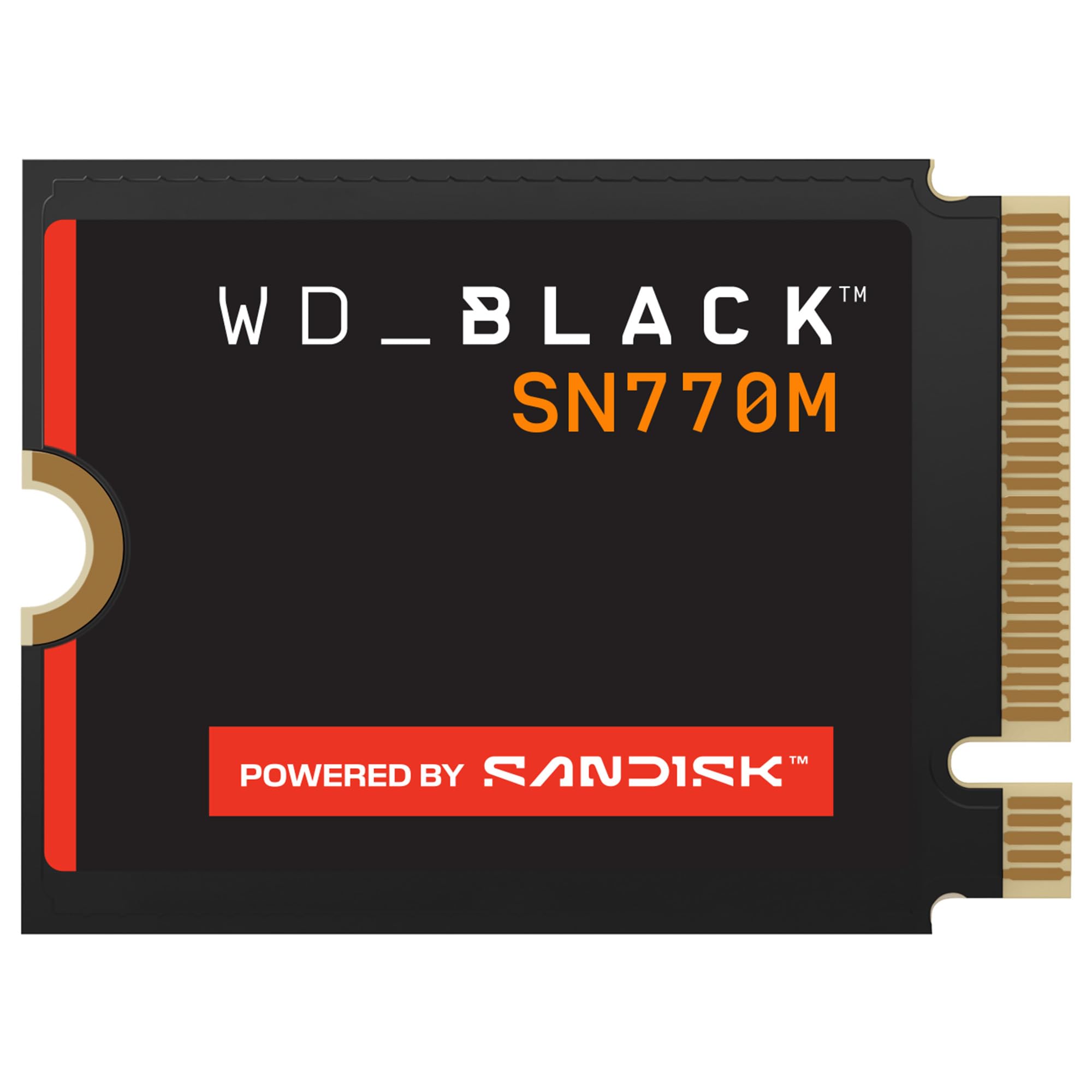
The gaming-brand drive with nCache 4.0 and DirectStorage support — familiar ground for console upgraders.
If you like buying the drive that the gaming world already recognizes, the SN770M is built for exactly this job. It’s a PCIe Gen 4.0 NVMe drive rated up to 5,150 MB/s on the 1TB and 2TB models, with 2TB of trusted SANDISK TLC 3D NAND for capacity. It fits the ASUS ROG Ally and the Valve Steam Deck in the 2230 size, and the gaming-focused extras — nCache 4.0 technology and Microsoft’s DirectStorage Support — are aimed at game installation and level-load speed.
The 2TB capacity is the real draw. Owners who’ve moved to it describe the same pattern: easy install, faster loads, cooler operation under load. One reports write speeds reaching 4800+ MB/s, which sits close to the drive’s rated 5,150 MB/s read ceiling once real-world conditions take their bite. Compared to the Crucial P310, its 5,150 MB/s rating is the lower number, and if pure speed is your goal, the P310 leads. Where this drive holds its ground is the cooling behavior and the fact that it’s built for portables by a company that has done this specific job for years.
One compatibility note worth flagging honestly, because the review pages show it. The SN770M works with the LCD Steam Deck in owners’ reports, but some buyers who tried it in a Surface Pro came away with compatibility trouble. WD also notes the product has been replaced by a newer generation. Neither of those is a dealbreaker for the Deck specifically, but it’s worth knowing that this is a mature product, not the newest one. If you want the freshest drive, the P310 or the Corsair MP600 Mini are further up the ladder.
Best use case: a 2TB Steam Deck library built on a drive with a known gaming pedigree, nCache 4.0, and DirectStorage support.
The caveat to plan around: it’s been superseded by a newer generation and the 5,150 MB/s read rating sits below the Crucial P310’s 7,100 MB/s — fine for Deck play, but not the fastest in this roundup.
Built for you if: you want 2TB of gaming-grade NAND with DirectStorage support and proven thermal behavior.
Skip the upgrade here if: you want the newest generation or the top speed rating in the group.
6. Kingston NV3 1TB M.2 2230 NVMe SSD

A 1TB drive rated at 6,000 MB/s — more peak speed than the Deck’s own hardware needs.
Kingston’s NV3 makes the use case simple: it’s a 1TB PCIe 4.0 x4 NVMe drive in the M.2 2230 size, rated at 6,000 MB/s. For the Deck, that 1TB doubles a 512GB unit and the 6,000 MB/s rating sits above what the console can pull, so you’re never the bottleneck. Kingston positions it for high-speed, low-power storage, which is the right instinct for a handheld that runs on battery. It’s a space upgrade that won’t drag the deck’s runtime down with excess power draw.
This is the drive for someone who wants a known brand in a compact package and cares about the fit. Owners talk about how much punch lives in such a small body — one notes the drive has “a lot of power packed into that tiny size” — and how quickly formatting finishes, which suggests a drive that’s ready to go the moment it’s in. It’s also the pick for a buyer who wants a 1TB drive from a company with a long history making storage, without stepping up to 2TB pricing energy.
The limitation is capacity. 1TB is the ceiling for this model, so if you’re starting from a 512GB Deck and want to carry your whole library, you’ll be at the same wall the next time a new AAA game drops. It also isn’t the fastest-rated drive in this group — the Crucial P310’s 7,100 MB/s read and Corsair’s 7,000 MB/s read are both higher on paper. On the Deck, that gap mostly disappears in real use. For a straightforward, compact 1TB upgrade at the budget-friendly end of the internal-drive ladder, it’s a sensible choice.
Why it earns a spot
- 6,000 MB/s rating on a PCIe 4.0 x4 NVMe interface, in the 2230 size
- 1TB capacity that doubles a 512GB Deck
- Low-power design suits a battery-driven handheld
Where it stops short
- 1TB is the maximum capacity for this model
- Read rating trails the Crucial and Corsair drives in this roundup
One to grab if: you want a compact, low-power 1TB internal drive from a known brand.
Keep looking if: you need 2TB of library space in a single install.
7. Silicon Power SDXC Micro SD Card, 1TB Gaming Memory Card

The no-screwdriver route to a 1TB game shelf — pop the slot, slide it in, done.
If opening the Deck isn’t something you want to do, a microSD card is the shortcut. This 1TB card from Silicon Power is a microSDXC unit with a V30 video speed class and a rated media speed of 80 MBps. It fits the Deck’s card slot, and it’s built for portable gaming storage. The big advantage is zero teardown: the Deck takes a card through the slot on the outside, and your storage grows in under a minute. For a second library of older titles or indie games, that’s genuinely convenient.
The genuine trade-off here is reliability, and it’s the one thing that separates a card from an SSD. The review pages show a mixed picture — plenty of happy owners, including one who calls the card “great value for what you get” and reports a real 1TB capacity, but also reports of a card failing after months of light use. That’s a card-class reality rather than a mark against this brand alone: microSD cards are thinner, smaller, and more fragile than an internal SSD. Treat it as a shelf that holds non-critical games, and keep your saves on the internal drive.
Where this card makes sense is the Deck owner who wants cheap extra room without a screwdriver and understands the limit. It’s the budget-friendly end of the storage ladder, and its 80 MBps media speed (megabytes per second) is well below what the internal SSD delivers. Use it as a secondary shelf. If you want the fastest storage and the biggest confidence, an internal 2230 SSD is the answer — which brings you back to the top of this list.
What it gives you: 1TB of extra game space through the Deck’s external card slot, with a V30 video speed class and 80 MBps media speed, without touching a screw.
What to expect honestly: card-class durability rather than SSD reliability, so keep important saves on the internal drive and treat this as extra shelf space.
It suits you if: you want extra capacity with no teardown and you’re storing a secondary library.
Better to skip it if: you need your main storage to be steady long-term and fast under load.
Know the Specs
Form Factor: Why 2230 Matters
M.2 2230 describes the physical size of an internal SSD: 22 mm wide by 30 mm long. The Steam Deck’s internal socket holds exactly that size, so a longer 2280 drive simply won’t fit. When you shop internal storage, the first filter is form factor, not speed. Every internal drive on this list is 2230, which is the one spec that matters before you even look at gigabytes.
Read and Write Speed in Plain Terms
Read speed is how fast the drive pulls data out — that’s game-loading and boot time. Write speed is how fast it takes data in — that’s your installs, downloads, and saves. A 5,000 MB/s read rating describes the ceiling on a compatible system, not a guarantee inside the Deck. The Deck’s own hardware limits how fast it can pull data, so a drive rated at 7,000 MB/s and one rated at 5,000 MB/s feel close in game loads.
V30, U3, and A2 on a Card
Those short codes describe classes. V30 means the card guarantees sustained video writes above a set floor. U3 is the UHS speed class, another sustained-write indicator. A2 is the rating that matters most for gaming — it notes the card’s app-loading and small-file performance. A card with A2 loads apps with less stutter than a plain class-10 card, but neither comes close to an internal SSD’s install speed.
TBW and Heat in a Handheld
TBW stands for terabytes written — the total data volume the maker expects the drive to absorb across its rated life. Higher TBW generally means a drive built to keep its pace for longer. Heat is the other factor: a handheld traps warmth in a tight shell, so a drive that manages its own temperature holds its speed under load. Cheap drives slow down when they get hot. These two factors usually show up together in the spec sheets.
Common Questions
Will a regular 2280 SSD fit in a Steam Deck?
Is a microSD card good enough for Steam Deck games?
Does an NVMe drive rated at 7,100 MB/s make my Deck faster?
What happens if I put the wrong size drive in?
Do I need a heatsink for a 2230 drive in the Steam Deck?
What does TBW mean and why should I care?
Can I use one card in both a Steam Deck and a camera?
Is the Steam Deck compatible with a microSD Express card?
Which is faster, an internal 2230 SSD or a microSD card?
The Bottom Line
For most people, the best storage for steam deck is the Silicon Power UD90 2230, because it drops into the Deck’s own socket, offers a solid 1TB of internal capacity, and runs PCIe 4.0 NVMe without charging you for speed the console cannot deliver. It’s the crowd favorite here — 4.5+ stars across 600+ owners — and it earns the top spot by dropping straight into the Deck’s M.2 2230 slot.
If you want the biggest library and a faster Gen4 rating in one install, reach for the Crucial P310 2TB. And if opening the Deck isn’t something you want to do, the SanDisk Extreme microSDXC gives you 1TB through the card slot and travels to your camera without complaint.
How we choose
We do not accept paid placement. Every pick is matched to a real buyer and a real use-case; we do not hands-on test units.
Sources
Specifications: manufacturer listings and product documentation. Review insights: verified customer reviews, as of October 2026. Pricing: not shown on this page (it changes often); check the current price via the retailer link.
As an Amazon Associate, Aappliancez earns from qualifying purchases. This does not affect which products we feature.