Disclosure: Some links in this post are affiliate links. As an Amazon Associate I earn from qualifying purchases, at no extra cost to you. Learn more
Specs are compiled from manufacturer listings and verified buyer reviews and can change over time — please confirm the key details on the product page before buying.
If you mainly want a laptop that doubles as a sketchpad, the Surface Pro is the pick most buyers should start with. Its 13-inch touchscreen, 16GB of RAM, and 512GB of storage cover note-taking and drawing in one device. Below you will see how ten current models compare on pen support, display type, hinge design, and battery life, so you can pick the one that fits the way you actually work.
This guide is built by comparing the manufacturers’ published specifications and the patterns across verified customer reviews, so you get each pick’s real strengths and trade-offs instead of marketing spin.
The pen is where buyers most often get it wrong. A laptop can flip, fold, or detach and still lack the pressure-sensitive stylus support that makes handwriting and drawing feel natural. This breakdown covers which models ship with a pen and which expect you to buy one, so you can spot the difference before checkout. Read on for the 2-in-1 laptop with stylus picks that actually match your pen habits.
Top Picks


How To Choose The Best 2-in-1 Laptop With Stylus
The first question to answer is how you will hold the device when you write. A detachable tablet sits flat on a desk like a paper pad. A 360-degree flip lays the screen back over the keyboard, which suits standing sketches and quick signatures. Both put a pen in your hand, but they feel different after an hour of use.
Detachable kickstand vs. 360-degree flip
A detachable model like the Surface Pro pulls the screen away from the keyboard entirely, so you can hold it in one hand and draw with the other. The built-in kickstand props it at whatever angle you need. A convertible with a 360-degree hinge keeps the keyboard attached but flips it out of the way, which is easier to set up on your lap.
Pen sensitivity and screen type
Pressure sensitivity is the number of steps the screen can read between the lightest tap and the hardest press. Higher counts translate to smoother line weight in drawing apps and cleaner handwriting. You will see this labelled as MPP support or a pressure-level count on models that ship a pen. OLED panels tend to show deeper contrast for artwork, while IPS panels hold brightness better in a bright room.
Resolution and brightness for pen work
Higher resolution means finer lines look cleaner, not pixelated, when you zoom in. Brightness in nits decides how readable the screen stays near a window or outdoors. For pen work on a tablet screen you want enough brightness to see your line without squinting, and enough resolution that small details stay sharp.
Battery, processor, and pen battery cost
Some processors stretch battery life longer than others on the same workload. Check the rated battery figure and weigh it against the screen setting you plan to use. Also confirm whether the pen is included in the box or sold separately, because that changes your total spend even though it does not show on the laptop listing.
Side-by-Side Comparison
| Model | Best For | Display | Memory | Pen In Box | Amazon |
|---|---|---|---|---|---|
| Microsoft Surface Pro 2-in-1 (2024)★ Best Overall | Sketching and note-taking on a detachable tablet | 13″ touchscreen | 16GB RAM, 512GB | Sold separately | Amazon |
| Dell Inspiron 14 2-in-1Best Bundle | Students and office workers who want a full bundle | 14″ FHD+ (1920×1200) | 16GB DDR5, 1TB | Not included | Amazon |
| Acer Chromebook Plus Spin 714Best Chrome OS Pick | Chrome OS users and light sketching | 14″ WUXGA IPS (1920×1200) | 8GB LPDDR5, 512GB | Included | Amazon |
| HP OmniBook X Flip 16 | Artists and college students on Windows | 16″ WUXGA 2K touch (1920×1200) | 16GB DDR5, 512GB | Not stated | Amazon |
| Acer Aspire 14 | Multitasking and content creation | 14″ WUXGA IPS (1920×1200) | 32GB LPDDR5X, 1TB | Not included | Amazon |
| HP OmniBook 7 Flip 16 | Business buyers who need a pen included | 16″ WUXGA touch (1920×1200) | 32GB DDR5, 1TB | Included (MPP2.0 pen) | Amazon |
| LG gram 17 Touchscreen | Long battery days and big-screen work | 17″ WQXGA (2560×1600) | 32GB DDR5, 1TB | Not stated | Amazon |
| Samsung Galaxy Book5 Pro 360 | Note-taking and Samsung ecosystem sync | 16″ 3K AMOLED touch (2880×1800) | 32GB, 1TB | Included (S Pen) | Amazon |
| ASUS Zenbook Duo | Dual-screen productivity and art | Dual 14″ 3K OLED 120Hz (2880×1800) | 32GB LPDDR5X, 1TB | Included (ASUS Pen 2.0) | Amazon |
| HP 14 Laptop Computer | Budget everyday work and class | 14″ HD anti-glare (1366×768) | 4GB LPDDR5, 128GB UFS | Not included | Amazon |
Detailed Reviews
1. Microsoft Surface Pro 2-in-1 Laptop/Tablet (2024)
Our pick — 4.0+★ from 350+ verified ratings; the strongest balance of quality and price.
The detachable tablet that flips between laptop and sketchpad without a second device.
The Surface Pro gives you a 13-inch touchscreen and a sturdy built-in kickstand that holds at the angle you set. Pull the screen off the keyboard and it becomes a handheld drawing pad; snap it back and it is a normal Windows laptop. That single change of stance is why this model leads the list for pen work — there is no hinge to flip, just a tablet in your hand.
Inside sits Snapdragon X Plus with 16GB of RAM and 512GB of storage. Battery life is rated at 14 hours, and it fast-charges over a 65W power supply through either Surface Connect or USB-C. Bluetooth 5.4 keeps a wireless stylus and headphones connected without dropouts. Face recognition gets you logged in without typing a password. As owners put it: “Snapdragon X Plus/16GB/512GB model. 13″ fits lap well; light, cool, silent.”
The one gap to plan for is the pen. The Surface Pro Flex Keyboard and the stylus are sold separately, so budget for them alongside the tablet. Some owners also ran into programs that did not yet run on the ARM processor, and one found a third-party stylus did not respond the way it was advertised. Windows-native inking works fine; off-brand pens are the risk. On storage, the 512GB here is four times the 128GB you get on the budget HP 14 below, which matters once you start saving layered art files.
Surface pen and kickstand
- Detachable screen plus kickstand makes it a real tablet for close-in pen work.
- 14-hour rated battery with 65W fast charging over USB-C or Surface Connect.
- 16GB RAM keeps drawing apps and browser tabs running at once.
- Face recognition login and Bluetooth 5.4 for a wireless pen.
Keyboard sold separately
- Keyboard and stylus are sold separately, not in the box.
- ARM processor means a few Windows programs still need a workaround.
- Third-party stylus support can be hit or miss.
Windows tablet pick: you want one device that is a tablet with a pen first and a laptop second.
Cheaper laptop first: if you have no plans to buy the keyboard and pen separately.
2. Dell Inspiron 14 2-in-1 Laptop
The student convertible that arrives with the docking station, mouse, and external drive already in the box.
A 14-inch FHD+ IPS touchscreen rated at 1920×1200 gives you a sharp, wide-view panel for reading and markup. The 360-degree hinge folds it from laptop to tent to stand to tablet, so you can lay it flat and write with the pen you already own. An AMD Ryzen 5 8640HS with 16GB of DDR5 RAM and 1TB of storage (a 512GB SSD plus a 500GB external drive) keeps classwork and browser tabs running side by side.
What makes this bundle stand out is what comes with it: a 6-in-1 USB-C docking hub, an HDMI cable, a wireless mouse, a mouse pad, and that 500GB external drive, plus lifetime Microsoft Office and Windows 11 Pro. Owners often flag how easy setup is. One points out the OneDrive default: “Not a fan of files saved directly to Onedrive instead of hard drive. So now have to save copies on usb’s or external drive.” If you keep big art files local, switch the default save location on the first day.
Everyday hinge flexibility: cloud-first saving means you should redirect your files to the local drive before you start sketching, or the external drive does that job for you.
Budget flip pick: anyone starting school or a home office who wants the accessories handled in one purchase.
Check panel first: you will add your own stylus, and the touchscreen wants a pen designed for Windows inking.
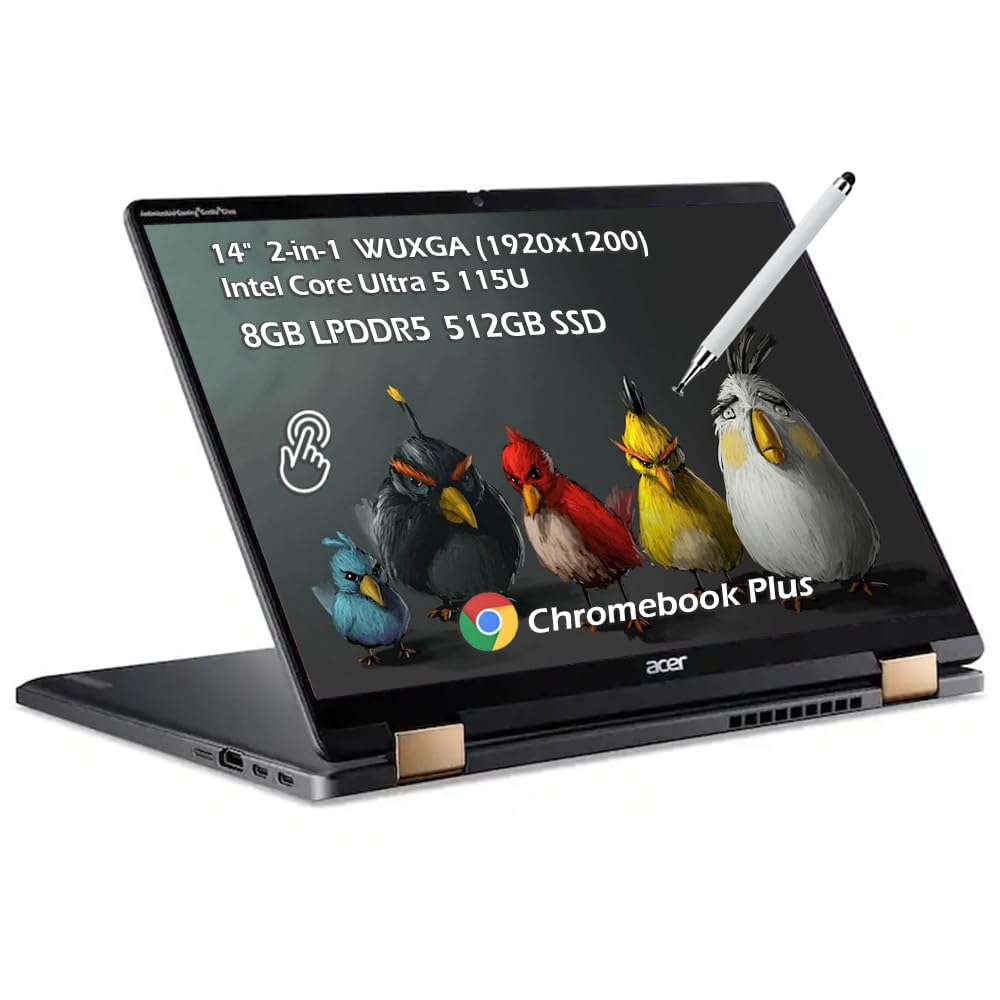
3. Acer Chromebook Plus Spin 714
A pen ships in the box, so you can start sketching the moment the Chromebook powers on.
A 14-inch WUXGA IPS touchscreen at 1920×1200 with a 16:10 aspect ratio and 340 nits of brightness gives you a taller canvas than a standard 16:9 panel. The 360-degree hinge and aluminum chassis let it flip into tablet mode for notes, and the included Stylus Pen means no separate purchase. An Intel Core Ultra 5 115U with 8GB of LPDDR5 memory and a 512GB PCIe NVMe SSD handles Chrome tabs, web apps, and drawing tools in the browser without strain.
Battery life is rated at 10 hours. Connectivity covers two Thunderbolt 4 USB-C ports, one USB 3.2 Gen 1 Type-A, HDMI 2.0, a headphone/microphone combo jack, Wi-Fi 6E, and Bluetooth 5.3. That is enough for a second monitor or an external drive without a hub. This is Chrome OS, so full desktop Windows apps like the Adobe suite are out — browser-based art and note apps are the path here.
ChromeOS tablet mode: Chromebook users and browser-first students who want a real pen included without buying a Windows licence.
Limited offline apps: if your workflow needs a full Windows drawing program, this is the wrong operating system rather than a fixable gap.
Chromebook flip pick: for a pen-included flip laptop that keeps the tablet mode and the drawing app under one browser-based roof.
Needs Windows instead: if you need desktop Windows creative software installed locally.
4. HP OmniBook X Flip 16
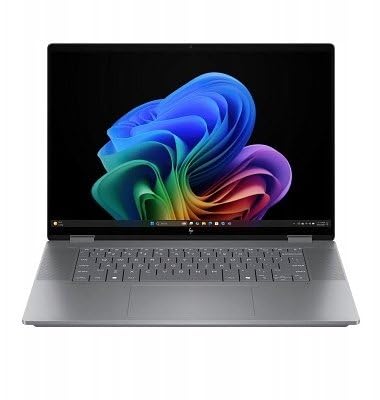
A 16-inch canvas for drawing and a battery rating that covers a full day of classes.
The OmniBook X Flip pairs a 16-inch WUXGA touchscreen at 1920×1200 with 400 nits of brightness and 178-degree viewing angles, so the panel stays readable when you tilt it back in tablet mode. The 2-in-1 body flips through laptop, tent, stand, and tablet positions on a 360-degree hinge. An AMD Ryzen AI 5 340 with a 50 TOPS NPU (a neural processor that speeds up on-device AI tasks) and 16GB of LPDDR5x memory alongside a 512GB PCIe Gen4 SSD covers art apps, browser tabs, and Copilot features.
Battery life is rated at up to 21 hours, a figure that stands well ahead of the smaller HP 14 laptop further down, which lists up to 7 hours 30 minutes of mixed use. The display refreshes at 120Hz, so scrolling and pen strokes feel smooth rather than stepped. A 5MP IR camera with HDR and AI noise reduction handles video class and client calls.
The trade-off is size. A 16-inch flip is a big tablet to hold in one hand for long sketching sessions, and it is heavier than the 14-inch convertibles here. A few units arrived with dead touchpads or blank screens from the start, so open and test before the return window closes. Art apps and a full workday fit this machine; one-handed drawing on a train does not.
Big-screen flip: artists and students who want a large, bright canvas they can flip flat and pin with a pen in a studio or dorm room.
Weigh the bulk: the 16-inch panel and 120Hz refresh are great at a desk but harder to hold one-handed than a 14-inch model.
5. Acer Aspire 14 Laptop
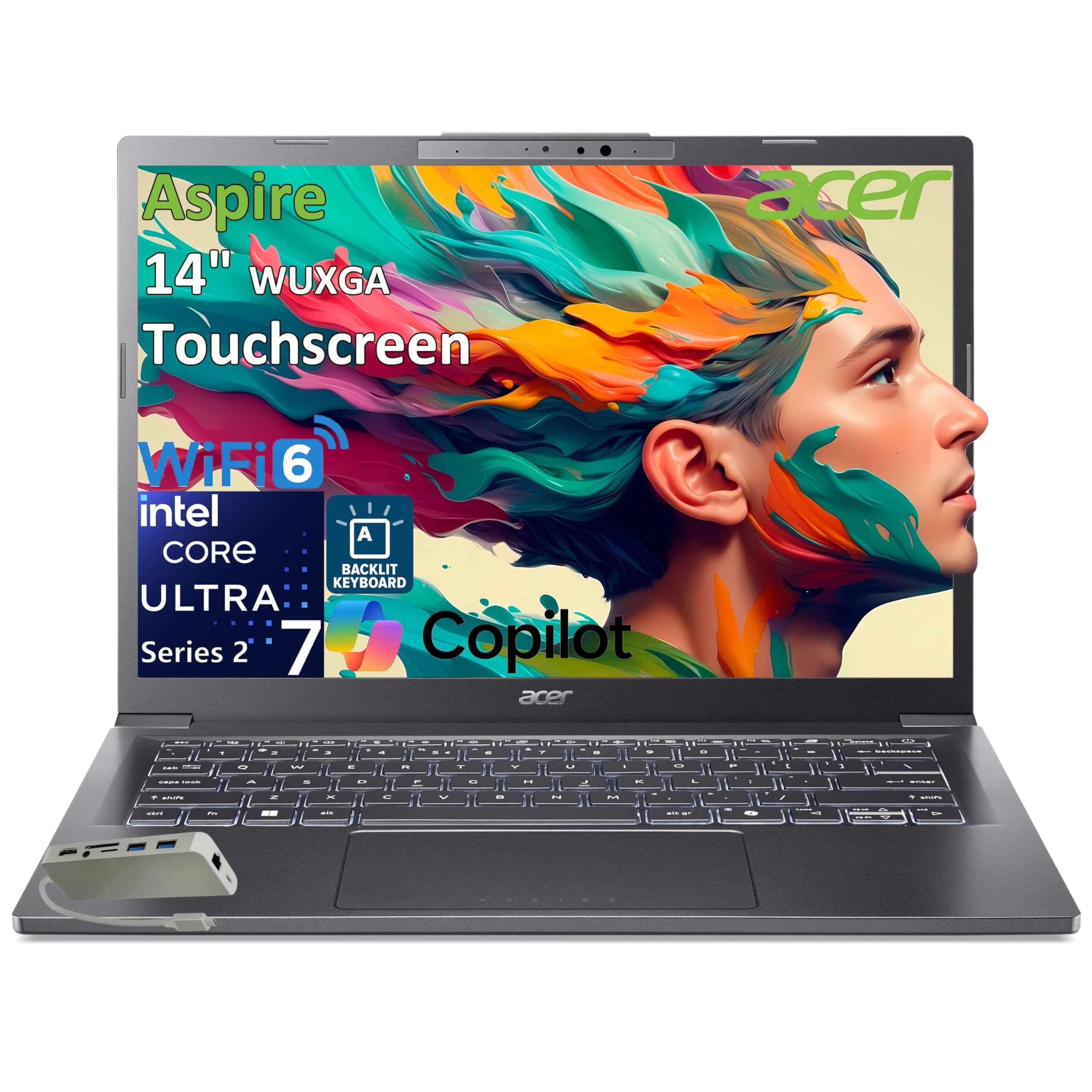
The most memory on this list for running layered art files and many browser tabs at once.
32GB of LPDDR5X memory is the headline: it is double the 16GB on the Surface Pro above, and it keeps large drawing projects, video edits, and a dozen tabs open without swapping to disk. A 14-inch IPS WUXGA touchscreen at 1920×1200 with a 16:10 aspect ratio gives you accurate color and touch input for stylus work. An Intel Core Ultra 7 258V with a 47 TOPS NPU drives the on-device AI features, and a 1TB M.2 PCIe NVMe SSD holds a full sketch library.
The screen refreshes at 60Hz, so scrolling is standard rather than the 120Hz feel on the Samsung and ASUS models. Connectivity covers two USB 4 Gen 2 Type-C ports with Power Delivery and DisplayPort, one USB 3.2 Gen1, HDMI 1.4, an audio jack, and Wi-Fi 6 with Bluetooth 5.3. An 8-in-1 USB-C hub is bundled, which eases external monitor and card-reader duty. Owners praise the quick boot and battery life; some find the touchpad overly sensitive, so dial it down in settings if the cursor jumps while you write.
32GB memory headroom: heavy multi-app days are where this tablet of a laptop keeps up, and most 2-in-1s in this range stop at half the memory.
Multitask workhorse: if multitasking with big files is your daily reality and you want the most RAM at this tier.
Compare Samsung first: if a smooth 120Hz OLED panel matters more to you than RAM headroom.
6. HP OmniBook 7 Flip 16

The business flip that ships with a pressure-sensitive pen and runs Windows 11 Pro from the start.
A 4096-level pressure-sensitive MPP2.0 stylus comes in the box, which is the highest pressure count named on any model here. It is a rechargeable USB-C pen tuned for line weight in drawing, handwriting, and detailed annotation. The 16-inch WUXGA touchscreen at 1920×1200 with 400 nits and IPS tech flips through laptop, tent, stand, and tablet modes on a 360-degree hinge. An Intel Core Ultra 7 258V with a 47 TOPS NPU, 32GB of DDR5 RAM, and a 1TB PCIe SSD carries heavy multitasking and local AI tools like Stable Diffusion.
Owners single out the performance, and the 32GB of RAM and 1TB SSD explain why. Windows 11 Pro adds BitLocker encryption and Remote Desktop for work laptops. Connectivity covers Thunderbolt 4, USB-C, USB-A, HDMI 2.1, Wi-Fi 7, and Bluetooth 5.4, so you can drive up to three external monitors without a dock.
There is a keyboard caveat worth knowing. Several owners find the Fn and Copilot key layout gets in the way of typing flow, and one calls it unusable for their work. If you type all day, test that layout early. A few buyers also reported units that would not power on, so power up and test within the return window. The pen is the strongest reason to choose this over the Samsung below, where the S Pen is included but the screen is the star.
Desk-to-couch flip: the included 4096-level pen and 32GB of RAM matter to your workflow more than keyboard feel.
Try hinge first: the Fn and Copilot key placement divides opinion, so try it before your return window ends.
7. LG gram 17 Touchscreen Laptop
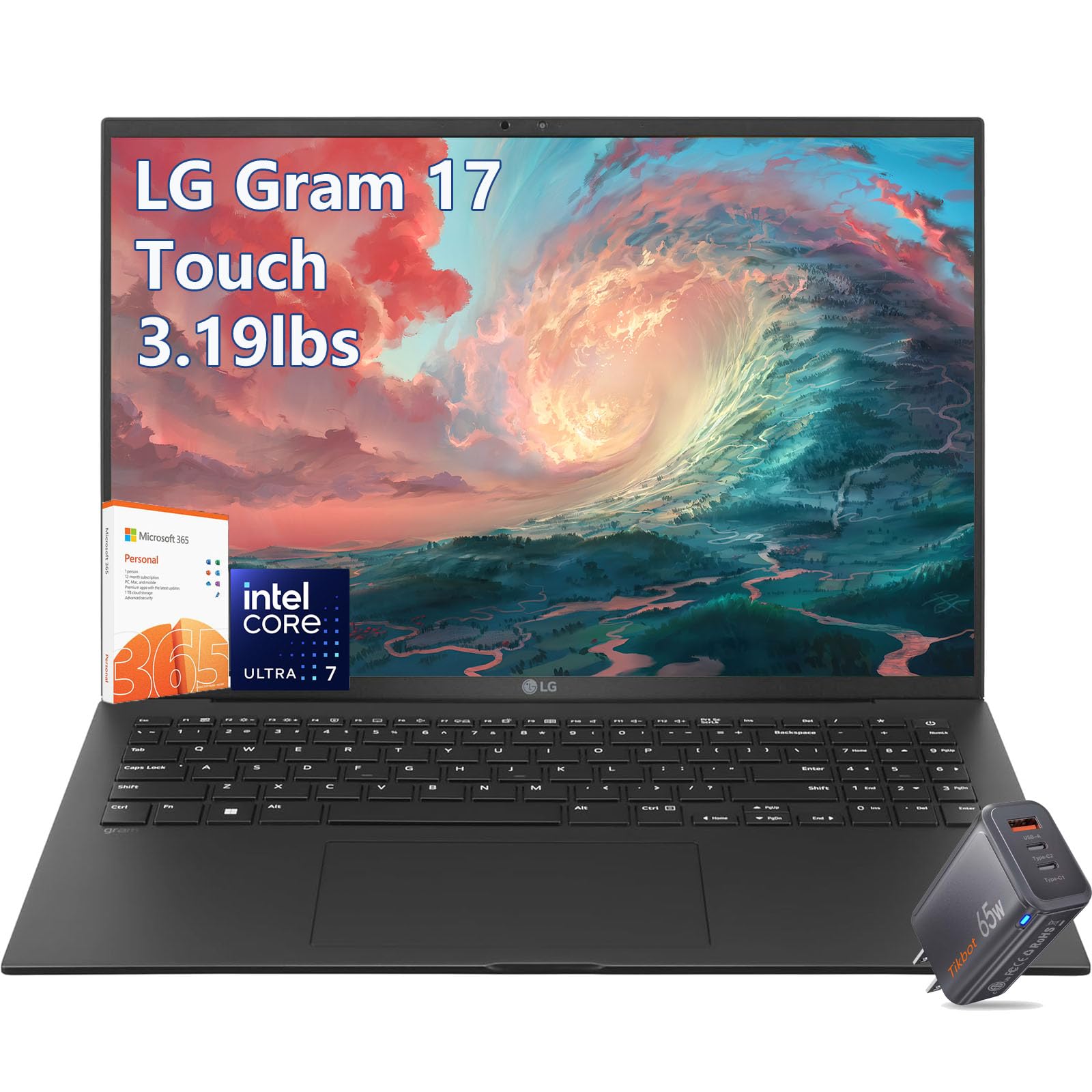
A 23.5-hour battery rating wrapped around a 17-inch 2.5K touchscreen you can draw on all day.
Battery life is rated at 23.5 hours, which is the longest figure named on this list and longer than the 16-hour video figure quoted for the ASUS Zenbook Duo below. The 17-inch WQXGA touchscreen at 2560×1600 covers a 99% DCI-P3 color gamut, so stylus work on color-critical art keeps its tones accurate. An Intel Core Ultra 7 258V with a 47 TOPS NPU, 32GB of DDR5 RAM, and a 1TB PCIe SSD rounds out the core specs. A 65W GaN fast charger is bundled.
Connectivity covers Wi-Fi 7, two Thunderbolt 4 USB-C ports, HDMI 2.1, and a backlit keyboard. Windows 11 Pro and a one-year Office 365 bundle come included, which saves setup time on a new machine. The 17-inch panel is the largest canvas here for drawing, but it is also the biggest body to balance in tablet mode. Think of it as a desk-side sketch surface you can carry, not a pen tablet for standing work.
17-inch light frame: the combination of a 17-inch touchscreen and a 23.5-hour battery rating is why this pick suits long sessions away from an outlet.
Big-screen travel: for a big-screen sketch surface that does not need charging between meetings or classes.
Check ports first: a 17-inch body is less comfortable to hold in tablet mode than the 14-inch flips here.
8. Samsung Galaxy Book5 Pro 360

An S Pen in the box and a 3K AMOLED panel that makes stylus strokes look like ink on paper.
The 16-inch 3K AMOLED touchscreen at 2880×1800 with a 120Hz refresh and anti-reflective Gorilla Glass with DX is the visual centerpiece here. The included S Pen with enhanced tilt sensitivity makes handwriting and drawing feel natural, and it needs no charging. An Intel Core Ultra 7 258V with 32GB of RAM and a 1TB SSD drives the multitasking, and the CNC aluminum body measures 12.7mm thick at 3.72 lbs.
Samsung’s own ecosystem is a real draw: Phone Link syncs a Galaxy phone, Multi Control runs your Galaxy Tab and TV from the laptop, and Transcript Assist turns recorded lectures into written notes. Owners rave about the performance and the AMOLED screen; battery life gives them pause, with some seeing three hours or less under load. The other recurring concern is screen fragility — a few report cracks appearing within three months. Treat the panel gently and consider a protector, especially since pen-on-glass contact adds pressure.
This is the pick with the most direct stylus appeal: the S Pen is included, and the AMOLED contrast brings color work to life in a way the IPS panels on the Acer and HP models cannot match.
S Pen included
- 3K AMOLED at 2880×1800 with 120Hz refresh for smooth pen lines.
- S Pen included, with enhanced tilt sensitivity for shading.
- Samsung Multi Control and Phone Link for Galaxy device sync.
Glossy screen glare
- Battery life is the recurring gripe under heavy load.
- Screen cracks reported by a few; a protector is worth the spend.
- Windows 11 Home rather than Pro on this model.
Android tablet pick: when AMOLED color and an included S Pen are the two things you want most from a 2-in-1.
Compare Asus first: if you want a second full screen more than one beautiful one.
9. ASUS Zenbook Duo

Two 3K OLED touchscreens and a pen in the box, so your reference image sits beside your drawing.
Two 14-inch 3K OLED touchscreens at 2880×1800 with 120Hz refresh, 500-nit HDR peak brightness, and Pantone-validated 100% DCI-P3 color coverage make this the most unusual canvas here. Both panels respond to the ASUS Pen 2.0 with MPP 2.0 support that ships in the box. An Intel Core Ultra 9 285H with a 24MB cache, 32GB of LPDDR5x memory, and a 1TB SSD runs dual-screen workflows and heavy apps, and the detachable Bluetooth keyboard plus kickstand let it stand as a display or fold into laptop mode.
Buyers praise the performance, but the second screen is the feature they say they cannot give up: no portable monitor, no hot-swapping windows. The Ultra 9 at up to 5.4GHz makes both claims easy to believe. The 75Wh battery is rated at up to 16 hours of video playback in Laptop mode and 9 hours in Dual Screen mode. MIL-STD 810H durability testing backs the chassis. The included sleeve, ASUS Pen, and 65W charger mean no add-on purchases.
Two honest costs: the fans can get loud under a heavy load, and the dual OLED panels are reflective, so a matte protector helps. A small number of units had hardware trouble — one owner went through three repairs in about sixty days. Test it early. For drawing with a reference beside your work, nothing else here does that job.
Two-screen multitask: illustrators and multitaskers who want reference and canvas on two separate OLED panels.
Pricey experiment: fan noise and reflective glass are the price of two bright OLED screens in one portable body.
10. HP 14 Laptop Computer

The light, low-cost 14-inch for class and email, not for pressure-sensitive drawing.
Weighing 3.24 lb, this 14-inch laptop is built for carrying between classes and rooms. An Intel N150 processor with 4GB of LPDDR5 memory and 128GB of UFS storage covers web browsing, Word, and Zoom calls. The 14-inch HD display is rated at 1366×768, the lowest resolution on this list, and it is not a stylus-first screen: pressure-sensitive drawing is not what it is built for.
What it does well is last all day and stay cheap. Battery is rated at up to 7 hours 30 minutes of mixed use, up to 11 hours of video playback, and up to 7 hours 30 minutes of streaming. Wi-Fi 6 and Bluetooth 5.4 keep it connected. A 1-year Microsoft 365 Personal subscription is included. An SD card adds 128GB alongside the built-in 128GB of UFS storage, which is a quarter of the 512GB on the Surface Pro above — the trade for the low-tier price.
Owners describe it as an easy first laptop for a child doing schoolwork, and that matches the specs. The one recurring complaint is warmth on the lap during long sessions, plus a few units that would not hold a Wi-Fi connection. Neither is a pattern, but both are worth testing during the return window.
Simple tasks only: a first laptop, a class machine, or a backup computer where a stylus is not the point.
Skip heavy work: sketching or note-taking with a pen — pick a model higher on this list for that.
Know the Specs
Pressure Sensitivity Levels
A pressure-sensitivity count is how many steps the screen reads between a feather tap and a firm press. The HP OmniBook 7 Flip lists 4096 levels, which translates to smoother line weight in sketching apps and cleaner handwriting. A pen without a listed level may still write, but shading and line variation are harder to control.
Detachable vs. 360° Hinge
A detachable tablet (like the Surface Pro) pulls free of the keyboard and props on a kickstand, which suits one-handed drawing. A 360-degree hinge (like the Dell Inspiron, Acer Spin, or Samsung Book5 Pro 360) keeps the keyboard attached and folds it out of the way, which is easier to set up in a lecture hall or on a plane tray.
Display Type: OLED vs. IPS
OLED panels (Samsung’s 3K AMOLED, ASUS’s dual OLEDs) show deeper blacks and stronger contrast, which makes color artwork pop. IPS panels (Dell, Acer Aspire, HP OmniBook) tend to hold brightness better under strong room light and cost less for the same size. Both work with a stylus; the choice is about color fidelity versus brightness and price.
Resolution and Aspect Ratio
Resolution is the pixel count, e.g. 1920×1200 or 2880×1800. Higher counts keep pen lines sharp when you zoom in, which matters for detailed illustrations and small handwriting. A 16:10 aspect ratio gives a slightly taller canvas than 16:9, which sits more like a sheet of paper for note-taking and sketching.
Common Questions
Can I use any stylus on a 2-in-1 laptop touchscreen?
Does the Surface Pro come with a keyboard and stylus?
What does 4096 levels of pressure sensitivity get me?
Is a 360-degree flip better than a detachable for drawing?
Will the Samsung S Pen need charging?
Can I run full Adobe apps on the Acer Chromebook Plus Spin 714?
How long does the battery last on a flip laptop used for sketching?
Is Windows 11 Pro important on a 2-in-1?
Do I need a screen protector for pen work?
Which laptop on this list is best for a college student who draws?
The Bottom Line
For most buyers, the best 2-in-1 laptop with stylus is the Microsoft Surface Pro, because the detachable tablet and kickstand suit close-in pen work without a second device. If you want the pen included and 4096 pressure levels, pick the HP OmniBook 7 Flip 16. And for color-rich drawing with Samsung’s S Pen bundled in, go for the Samsung Galaxy Book5 Pro 360. If you draw every day, the Galaxy Book5 Pro 360’s AMOLED panel and the ASUS Zenbook Duo’s second screen are the two strongest pen-first picks here.
How we choose
We do not accept paid placement. Every pick is matched to a real buyer and a real use-case; we do not hands-on test units.
Sources
Specifications: manufacturer listings and product documentation. Review insights: verified customer reviews, as of October 2026. Pricing: not shown on this page (it changes often); check the current price via the retailer link.
As an Amazon Associate, Aappliancez earns from qualifying purchases. This does not affect which products we feature.