Disclosure: Some links in this post are affiliate links. As an Amazon Associate I earn from qualifying purchases, at no extra cost to you. Learn more
Specs are compiled from manufacturer listings and verified buyer reviews and can change over time — please confirm the key details on the product page before buying.
Most people shopping for a home computer are quietly afraid of two things: buying something too slow for how they actually use a PC, and paying extra for power they will never touch. The short answer is that a mid-range mini PC or a renewed business desktop gives you the smoothest everyday experience for the least fuss. This guide walks through ten real options, explains what each one is genuinely good at, and tells you honestly where each one falls short.
This guide is built by comparing the manufacturers’ published specifications and the patterns across verified customer reviews, so you get each pick’s real strengths and trade-offs instead of marketing spin.
You will see the difference between a tiny box that boots in seconds and a full tower that swallows your whole desk. By the end you will know which of these ten desktops fits your desk, your daily tasks, and your budget.
Top Picks

How To Choose The Best Computers for Home Use
Start with the shape of the machine, not the spec sheet. A mini PC (a small box roughly the size of a paperback) hides behind your monitor and frees your desk. A tower takes up floor or desk space but is easier to open and upgrade later. An all-in-one builds the screen, speakers, and webcam into one unit, which means fewer cables but less room to swap parts. Decide which of those three realities fits your room before anything else.
Match the processor to your actual day
A processor’s cores are its workers, and its clock speed in GHz is how fast each one thinks. A quad-core chip around 3.4GHz handles email, browsing, spreadsheets, and video calls without strain. If you edit photos, cut video, or run several heavy programs at once, look for more cores and a higher maximum speed. Anything above that tier is genuinely useful for creative work but wasted on a machine that mostly runs a browser.
Do not undershoot on RAM
RAM is the desk space your computer works on — too little and everything gets shuffled around slowly. 8GB DDR5 is fine for light home use and streaming. 16GB is the comfortable middle for multitasking and video calls. 32GB or more earns its keep only if you keep dozens of tabs open or run demanding software. Check whether the RAM is soldered in or upgradeable, because upgradeable memory extends how long the machine stays useful.
Storage type beats storage size
An SSD is flash storage with no moving parts, and it is why a modern machine boots in seconds instead of minutes. Look for SSD rather than a spinning hard drive, and note whether there are spare slots for adding more later. 128GB fills up fast on family photos and downloads, 512GB is comfortable for most homes, and 1TB gives you room for years of files and projects. Check the slot type too, since M.2 NVMe drives are much faster than older SATA drives.
The renewed question
A renewed desktop is a business machine that has been cleaned, tested, and reloaded with a fresh operating system. That is the reason a machine with a strong processor and generous RAM can land in a mid-range budget. On a renewed unit, check the warranty terms, confirm what ports and adapters are actually included, and expect a few scuffs on the case. The internals matter far more than the cosmetics.
Side-by-Side Comparison
| Model | Best For | Processor | Memory | Storage | Amazon |
|---|---|---|---|---|---|
| GEEKOM GT15 Max★ Best Overall | Heavy multitasking and creative work | Intel Core Ultra 9 285H, up to 5.4GHz | 32GB DDR5 (up to 128GB) | 1TB SSD | Amazon |
| GEEKOM IT13 MaxTop Performer | Multi-monitor home office | Intel Core Ultra 9 185H, up to 5.1GHz | 24GB LPDDR5 (up to 96GB) | 1TB SSD | Amazon |
| HP ProDesk 600G4 TowerBest Value | Budget content creation | Intel i7-8700, up to 4.6GHz | 32GB DDR4 | 1TB SSD | Amazon |
| Dell OptiPlex 7070 SFF | Family workhorse with upgrade room | Intel i7-9700, up to 4.70GHz | 32GB DDR4 | 1TB NVMe SSD | Amazon |
| HP 22″ All-in-One | Simple everyday home use | Intel N100, up to 3.4GHz | 8GB DDR5 | 128GB SSD | Amazon |
| Lenovo IdeaCentre AIO 24″ | Video calls and homework | Intel N100, up to 4.9GHz | 8GB | 256GB SSD | Amazon |
| GEEKOM A5 Pro | Always-on home server and office | AMD Ryzen 5 7530U, up to 4.5GHz | 16GB DDR4 (up to 96GB) | 1TB SSD | Amazon |
| Dell Slim Desktop | Modern tower-free workstation | Intel Core Ultra 5-225, up to 4.9GHz | — | 512GB SSD | Amazon |
| Acer Aspire Business Desktop | Work-from-home performance | Intel Core i5-13400, up to 4.6GHz | 32GB RAM | 1TB SSD | Amazon |
| ASUS V470 All-in-One | Touchscreen family hub | Intel Core i5-13420H, up to 4.6GHz | 16GB DDR5 | 1TB SSD | Amazon |
Detailed Reviews
1. GEEKOM GT15 Max Full-Power Mini PC
Our pick — 4.5+★ from 200+ verified ratings; the strongest balance of quality and price.
A 4.5-inch mini PC with 16 cores and 32GB of upgradeable DDR5 that replaces a full tower on your desk.
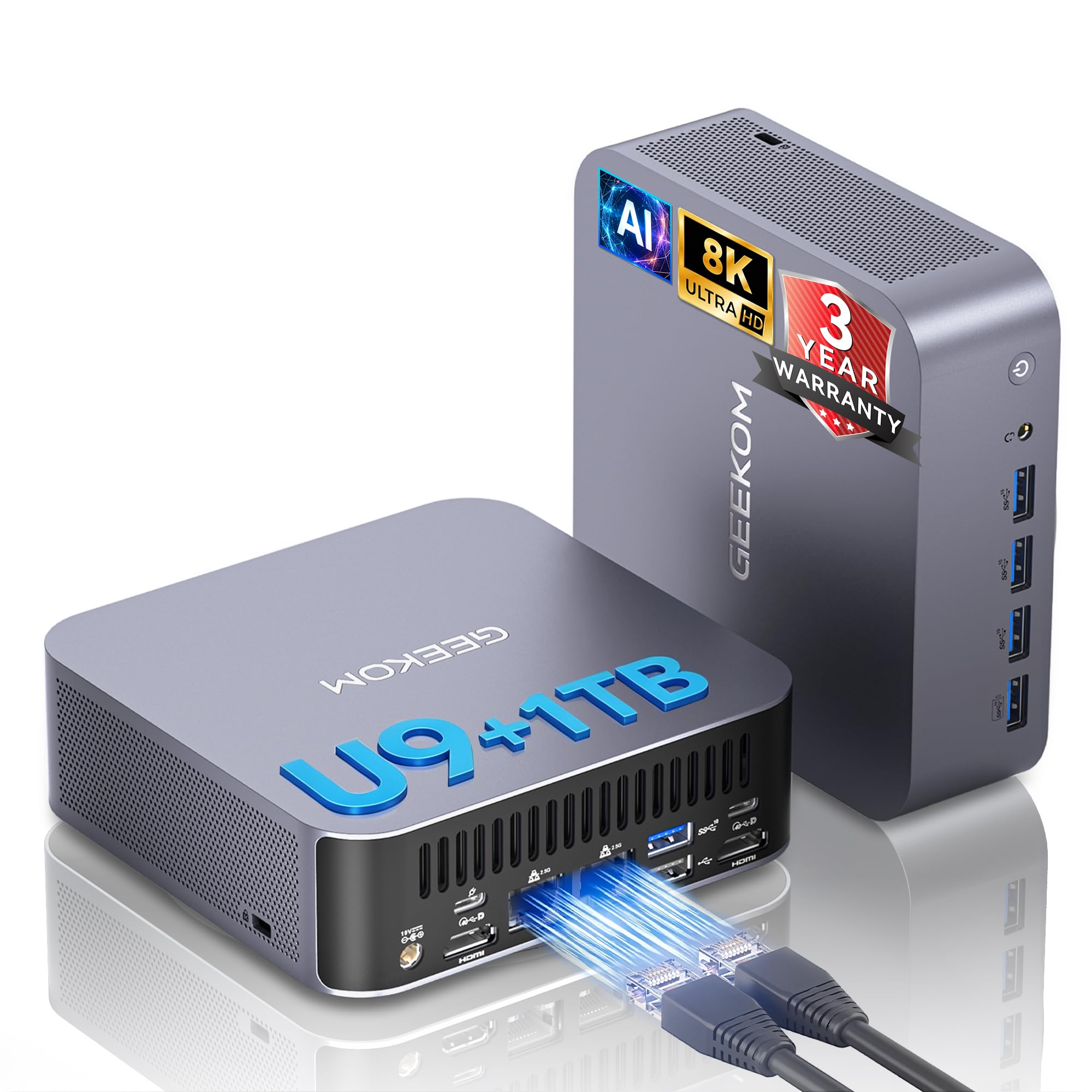
If you want one home computer that will not flinch at anything you throw at it for years, the GT15 Max is the machine to beat here. Its Intel Core Ultra 9 285H processor runs 16 cores at up to 5.4GHz with a 24MB cache and up to 115W of turbo power. In plain terms, that means video exports, big photo libraries, and a dozen browser tabs finish fast rather than grinding. Inside there is 32GB of DDR5 memory — the working space your programs share — and it is socketed, not soldered, so you can take it to 128GB later. Add two NVMe SSD slots that can hold up to 6TB and you have a machine with genuine room to grow.
You get more memory here than on the IT13 Max below: 32GB DDR5 (the newer, faster kind of RAM) against that machine’s 24GB LPDDR5, so more browser tabs and apps stay open at once. The processor also tops out at 5.4GHz versus 5.1GHz there, which means heavy tasks finish a little quicker. For gaming and creative apps, the Intel Arc 140T integrated graphics with 8 Xe-cores (built-in graphics cores that handle games and video without a separate card) does the heavy lifting. The port set is unusually generous: dual USB4 at 40Gbps (a fast connector that moves data and video), dual HDMI 2.0, Mini DP 1.4, and dual 2.5G LAN ports (wired network jacks). Four displays can run at once, two of them at 8K (very high resolution), so a wall of screens is realistic. Owners routinely describe how much desk space they win back, and the pattern across reviews is that it stays quiet even at idle near 20W.
Day to day, it feels as quick as the spec sheet suggests. Boot times drop from the four-minute waits people put up with on old towers to roughly half a minute, so you are working almost as soon as you sit down. The tiny square footprint (owners describe it as about four and a half inches across) tucks under a monitor or mounts to the back of one with the included VESA bracket (a standard screw pattern for monitor mounting). Windows 11 comes pre-installed, and a 3-year limited warranty covers the hardware — double what many rivals offer. Just note the honest trade-off: it is not a true gaming rig for the newest AAA titles, and an uncommon early failure does happen, though GEEKOM’s support resolved one such case with a full refund and return shipping. The proprietary power supply is also hard to buy as a spare.
What earns it the top slot
- 16 cores at up to 5.4GHz with 115W turbo power, so heavy jobs finish quickly.
- 32GB DDR5 memory that upgrades to 128GB instead of being soldered shut.
- Dual USB4 and dual 2.5G LAN ports for fast transfers and low-latency networking.
- 3-year limited warranty versus the usual single year.
Where it asks a little patience
- Integrated Arc graphics, not a dedicated card, so the newest AAA games ask for settings tweaks.
- The proprietary power supply is tricky to replace on its own.
- A rare early failure is possible; keep the warranty handy.
Reach for this if: you want a single small machine that handles creative software, coding, and heavy multitasking for years without touching a tower case.
Look elsewhere if: you are chasing the newest AAA titles at full detail — that job belongs to a machine with a dedicated graphics card.
2. GEEKOM IT13 Max AI Mini PC
A four-screen home office that fits in the shadow of a monitor stand.
For anyone who works across two, three, or four screens from a small desk, this is the most compelling pick on the list. It pairs an Intel Core Ultra 9 185H — 16 cores, 22 threads, up to 5.1GHz — with 24GB of LPDDR5 memory running at 5600MT/s. Those numbers mean photo editing, code compilation, and multiple apps side by side all keep pace. The port count is where it shines: two USB4 ports at up to 40Gbps, two HDMI 2.0 outputs, dual 2.5GbE Ethernet, Wi-Fi 7, and Bluetooth 5.4. You can drive four 4K displays, or one 8K panel over USB4.
Compared with the GT15 Max above, this one trades some raw headroom for a leaner footprint and a lower clock: 24GB versus 32GB of memory, and a 5.1GHz ceiling versus 5.4GHz. Most home users will not feel that gap on day one, and both machines share the same 1TB SSD starting point. What people talk about most with this unit is performance — it is the aspect buyers bring up far more than anything else. Owner reports describe it outpacing both laptops and towers they used before, with boots in under 15 seconds.
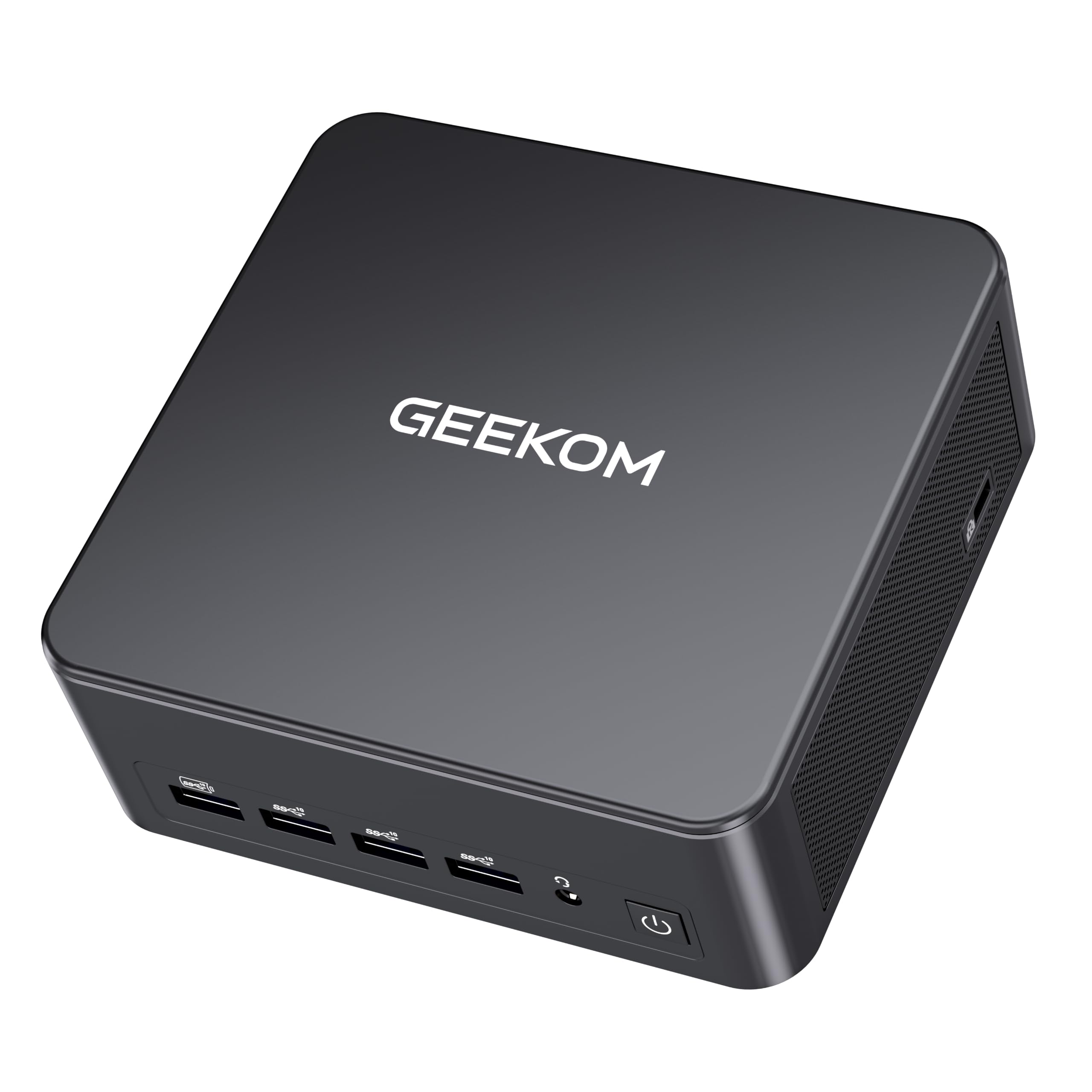
The design is genuinely small: owners describe it as compact and barely visible once it is tucked behind a monitor, and they praise the quiet fan and cool running. The honest caveat is airflow. A case this small means the fans spin up often during long heavy runs; they are audible but not loud, so give it breathing room rather than cramming it into a closed cabinet. Also check your port count if you have a lot of accessories, because a few buyers added powered USB hubs to spread things out. Windows 11 and compatible Linux distributions are both supported, backed by a 3-year warranty.
What wins people over: the performance-per-shelf-inch is the draw, and it is the machine the review pages talk about most.
The honest catch: small case, less airflow — expect the fan to be audible during heavy sessions, and keep a USB hub handy if your desk is accessory-heavy.
The smart buy for: a multi-monitor desk setup where cable clutter and footprint matter as much as speed.
Think twice if: you plan to run it flat out for hours in a closed cubby and cannot stand any fan noise at all.
3. HP ProDesk 600G4 Tower Desktop (Renewed)
A refurbished tower that gives you serious memory without the serious bill.
Thirty-two gigabytes of DDR4 memory and a 1TB SSD in an eighth-generation Intel i7 tower is a lot of machine for a renewed price, and that is the whole pitch here. The i7-8700 runs six cores up to 4.6GHz, which comfortably covers photo editing, video streaming, and heavy web browsing with lots of tabs. That big memory pool is the standout: it is the kind of roominess usually reserved for much pricier computers, and it means you can keep a dozen programs open without the machine slowing down.
The connectivity package is pragmatic rather than flashy. You get six USB 3.0 ports, four USB 2.0 ports, one USB Type-C, dual DisplayPort outs, and an RJ-45 Ethernet jack, plus a Wi-Fi adapter for wireless. Setup is straightforward — the Wi-Fi and Bluetooth dongles come pre-attached and the Windows 11 install is complete from the start. What people mention most is performance, and the reviews bear it out with fast boot and instant program launches.
Here is the fair warning for a renewed tower. Physical condition varies — one buyer found a loose slot cover rattling inside the case, and the included Wi-Fi adapter can be a 2.4GHz-only unit, so a USB adapter is worth keeping in mind. There is only DisplayPort video out, so you will need an adapter for an HDMI monitor. And a small number of units arrive with power supply faults; when that happened, buyers report getting their money back. Buy this knowing it is a refurbished business machine, check everything on arrival, and it rewards you with a lot of capability for modest outlay.
The memory is the star: 32GB DDR4 in a renewed tower is what makes this feel far more expensive than it is.
Set your expectations: condition varies unit to unit, the Wi-Fi adapter may be weak, and an HDMI monitor needs a DisplayPort adapter.
Best for: a buyer comfortable checking a refurbished machine on arrival in exchange for generous memory and storage.
Skip if: you want a plug-and-play wireless setup with no adapters — a new mini PC will save you the fiddling.
4. Dell OptiPlex 7070 SFF Desktop (Renewed)

A small-form business workhorse that still leaves room to grow inside.
Eight cores at up to 4.70GHz from the Intel i7-9700, paired with 32GB of DDR4 and a fresh 1TB NVMe M.2 SSD, is the recipe here. The NVMe drive is the part that changes how the computer feels day to day: programs load nearly instantly and Windows 11 Pro is ready in seconds. A small form factor case keeps this off your floor and out of the way. Internal room for a second hard drive or SSD and memory that can go higher means it will stay useful rather than being sealed shut.
Ports are plentiful — five USB 3.1, four USB 2.0, and dual DisplayPort outputs for two screens — and the AX210 Wi-Fi 6E card handles modern wireless bands plus Bluetooth. A wireless keyboard and mouse come included, which saves you a separate purchase. The machine is quiet in normal use. Boot-up speed and easy setup are its calling cards, and the general picture from the reviews is a fast, clean Windows 11 Pro install with no bloatware to strip out.
Keep the caveats in view. Cosmetics vary on renewed units — light dust and minor scuffs are normal, and one buyer’s unit arrived with a slightly bent back panel. The supplied wireless keyboard and mouse are basic, and some people find the lack of a place for full-size drives limiting. Wi-Fi range can be shorter than a full-size desktop. On reliability, most units run fine for months, but a small number develop power-on faults, so test everything during your return window. For a family workhorse with genuine upgrade headroom, it is a sensible renewed buy.
The fast-storage advantage: a 1TB NVMe SSD here against the HP ProDesk’s standard SSD means quicker boots and snappier program loads.
Buyer be-aware: renewed condition varies and the pack-in keyboard and mouse are basic, so plan around those small extras.
Suits: a household that wants a fast small desktop with room to add storage and memory later.
Not ideal for: anyone hoping for polished cosmetics or premium peripherals right from the start.
5. HP 22″ FHD All-in-One Desktop

One box, one cable, one screen — the machine for people who just want it to work.
Everything sits inside the display here: a 21.5-inch Full HD panel at 1920 x 1080 with an anti-glare coating, dual stereo speakers, and a built-in HD webcam with a privacy shutter. That means no separate monitor, no speakers, and no awkward webcam clipping. The processor is a 13th Gen Intel N100 with four cores up to 3.4GHz, supported by 8GB of DDR5 memory and a 128GB SSD. For browsing, email, video calls, and streaming, that is a complete setup on one power cable.
Setup is the thing buyers bring up repeatedly — this is a computer you can be using within minutes of unboxing. It runs Windows 11 Pro, which brings remote desktop and extra security features. Wireless is modern too: Wi-Fi 6 and Bluetooth 5.3 mean a stable connection for video calls and a pair of wireless headphones. One nice touch that keeps desk clutter down is the HDMI-out port, which lets you send the picture to a bigger TV or second monitor.
The clear limitation is the storage. 128GB fills quickly once you start saving photos, downloads, and documents, so pair it with a cloud account or an external drive. The audio is modest, too; several owners note the speakers are not especially loud, so external speakers will help. Also be aware the USB Type-C port is data-only at 5Gbps, which is fine for a flash drive but not for a second monitor. If your routine is light and your desk is small, this one is about as tidy as a home computer gets.
Made for: a first-time home computer where the priority is a tidy, working setup, not a spec sheet.
Outgrows quickly if: your photo library is large or you need to install several heavy programs.
6. Lenovo IdeaCentre Everyday Tasks 24″ All-in-One

Built around the 5MP webcam for households that live on video calls.
If your computer mostly makes video calls, runs homework, and shows movies, the Lenovo IdeaCentre makes a lot of sense. The 24-inch Full HD screen is easy on the eyes thanks to low blue light technology, and the webcam is a 5MP unit with a privacy shutter. There is AI noise suppression for your voice during meetings, and a 256GB SSD that gives you double the storage of the similarly-sized HP above.
The 8GB of RAM covers everyday workloads comfortably, and the Intel N100 processor keeps up with web browsing and documents. In everyday owner experience, the two things that come up are internet safety and ease of setting the machine up, and it earns praise for both. One owner uses it for their eleven-year-old’s homework, and the 24-inch screen is the kind of size that suits a family shared desk.
Reviews split on this one: some call it excellent for the price, others find the build basic for the money. Some call it excellent for what it costs; others expected more polish from the build and feel it is a bit bare for the money. That does not make it a bad machine for light use, but it is a nudge to check what comes in the box and to buy knowing it is a basic setup rather than a future power machine. The good news is that setup and everyday performance are solid, and a 256GB SSD avoids the tight-storage pressure that a 128GB unit carries. Buy it as a 24-inch screen-and-computer in one for homework and video calls, and it covers those tasks.
What makes it a family pick: a 24-inch display plus a 5MP webcam with shutter, sized for shared homework and video calls.
What to weigh honestly: some owners find the build basic for the price, so go in expecting a straightforward everyday machine.
A good fit for: families that want a large screen and a good webcam without assembling a monitor and separate computer.
Maybe pass if: you want a machine that feels substantial in the hand and can grow into heavier work.
7. GEEKOM A5 Pro Premium Small PC
The quiet, metal-cased mini that runs all day and mounts out of sight.
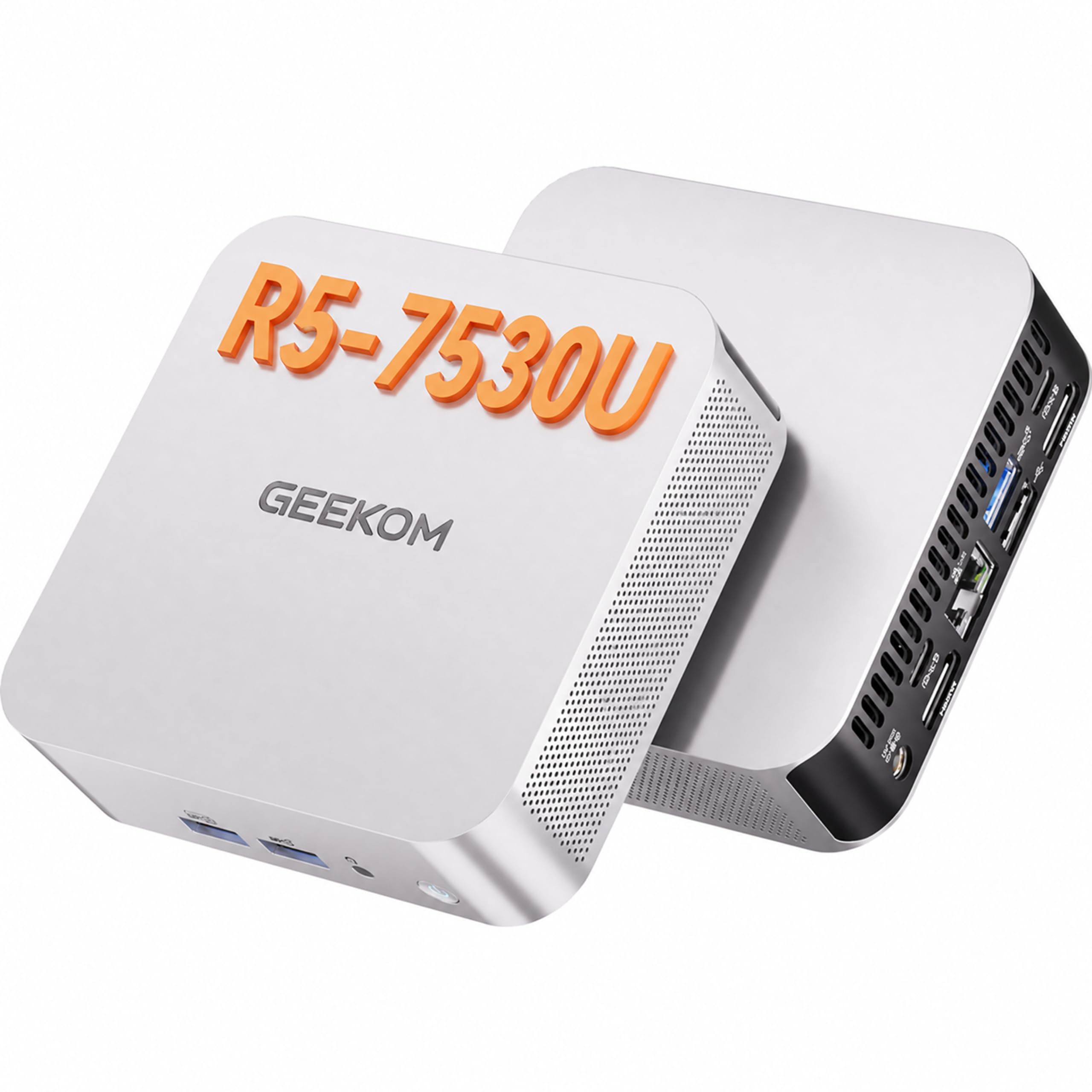
You can leave this one running all day without hearing it or watching your power bill climb: it draws a typical 15W and its fan is rated near 30 dB (about the level of a quiet whisper). The AMD Ryzen 5 7530U chip has six cores and twelve threads (cores are the workers; threads let each handle two tasks) running up to 4.5GHz, paired with 16GB of DDR4 memory that is upgradeable to 96GB and a 1TB SSD (solid-state drive) that can grow to 6TB. Those are the kinds of numbers that let it act as a home server, a home-office workstation, or a secondary always-on machine.
The build is genuinely sturdy — a unibody metal chassis tested for vibration, drops, temperature, and pressure, and the makers say it handles up to 200 kg. IceBlast 3.0 cooling combines a larger fan, a copper heatsink (a metal block that pulls heat off the chip), and side mesh. In the reviews, the thing buyers talk about far more than any other is performance, and the consensus is that it punches well above its size. One small-company buyer uses several of these to run three virtual machines at once through Hyper-V (software that runs separate computers inside one machine); another uses it for a mix of video editing, CAD (computer-aided design), and 3D printing. Both reports point to smooth, fast results.
Portrait of a limitation: this is a CPU with integrated AMD Radeon 680M graphics, so it handles casual games and 8K output rather than serious gaming. And while it supports four displays, the physical ports are two HDMI 2.0 and two USB 3.2, so plan your display cables around that. Under a very heavy virtual-machine load the fan does get noticeable, which is normal for a case this small. Otherwise you get a 3-year warranty and a machine built for quiet continuous operation.
Why it earns the always-on label
- 15W typical draw keeps running costs and heat low around the clock.
- 16GB DDR4 memory upgradeable to 96GB, plus a 1TB SSD expandable to 6TB.
- Metal unibody chassis rated for vibration, drops, and up to 200 kg of pressure.
- IceBlast 3.0 cooling with silicone feet keeping noise near 30 dB.
What to plan around
- Integrated Radeon 680M graphics, not a dedicated card, so gaming is casual-tier.
- Fan gets audible under very heavy sustained virtual-machine loads.
- Four-display support runs through two HDMI 2.0 and two USB 3.2 ports, not four HDMIs.
Ideal for: a home lab, small-office deployment, or a desk where a silent 24/7 machine is the point.
Not for: someone who wants a dedicated graphics card for modern gaming.
8. Dell Slim Desktop, Intel Core Ultra 5-225

A streamlined new desktop that hides the internals behind an easy-open panel.
This is the machine for someone who wants the newest parts and a clean, small build without buying refurbished. The Intel Core Ultra 5-225 processor runs up to 4.9GHz and includes a built-in AI engine for background tasks, and a 512GB SSD handles documents and everyday files. Multiple-monitor support is generous — up to four FHD screens over DisplayPort 1.4a with daisy chaining, or two 4K displays over HDMI 2.1 and DisplayPort. The removable side panel and tool-less entry mean upgrading is a genuinely simple job rather than a screwdriver puzzle.
Security and convenience come bundled: a hardware TPM security chip for data protection, plus a built-in lock slot so you can physically secure it. Dell also throws in a 1-year onsite service commitment, and a 6-month Dell Migrate tool that helps move your personal files and documents over from an old machine. In practice, people report it feels fast for everyday jobs like spreadsheets, word processing, and web browsing, and one owner described replacing a machine that had run for 13 years.
The trade-offs are in the details. There is no display packed in, so budget for a monitor if you do not already have one. A few buyers found their existing monitor needed a driver update to work, so check before assuming the worst. There is also no rear speaker jack — the front headphone jack serves fine with speakers or a subwoofer — and no VGA port, so connect with HDMI. Storage at 512GB is comfortable but not vast. For a modern, efficient home workstation that is easy to open and upgrade, it is a confident pick.
The upgrade story: a tool-less side panel and a hardware TPM chip make this feel workhorse-focused without the bulk.
Do not forget: this is the computer only — a monitor is separate, and older screens may need a driver update.
Right for: a buyer who wants a new, small, upgrade-friendly desktop with onsite service support.
Consider elsewhere if: you want everything in the box including the display, or you need more than 512GB of storage.
9. Acer Aspire Business Desktop

A 10-core desktop with more memory and storage than most homes need — but you will use every bit.
The processor here is one of the more modern on the list: a 13th Gen Intel Core i5-13400 with ten cores and a 4.6GHz ceiling, paired with 32GB of RAM and a 1TB SSD. That combination covers spreadsheets, video calls, multitasking, and heavier web days without slowing down. Wi-Fi 6E supports the 2.4, 5, and 6GHz bands, which means stronger wireless throughput on compatible routers, plus Bluetooth 5.3 and a wired Gigabit Ethernet port. Windows 11 Pro comes installed, and USB-C and USB-A ports plus dual HDMI make it straightforward to connect dual monitors and speakers.
What people notice on arrival is the clean software — no preinstalled clutter like many big-brand machines, and a straightforward local account setup. Keyboards and mice come included. Users running work-from-home or side gigs report it keeps pace with the day’s load. Build quality feels solid, and the machine runs cool in normal use.
The catch: a few owners mention a weak Wi-Fi adapter or receiving less RAM and storage than ordered, so verify on arrival. Most noticeable is the occasional weak Wi-Fi adapter, which can be swapped for a different USB or PCIe card (an add-in card that slots into the board) if you run into it. A few reported receiving a lesser capacity product than ordered, so double-check the RAM and SSD you receive against your order — and note that because this is a newer listing with a smaller review base, you have fewer data points to lean on than the big names. For the price, a 10-core i5-13400 with 32GB of RAM and a 1TB SSD is strong hardware.
Made for: someone who wants modern cores, generous memory and storage, and a clean Windows install without extra software.
Do verify arrival: confirm the RAM and storage match your order, and budget for a replacement Wi-Fi adapter if the bundled one is flaky.
10. ASUS V470 All-in-One, 27″ FHD Touch

A big, bright 27-inch touchscreen that folds the whole family desk into one panel.
The largest screen on this list sits on the ASUS V470: a 27-inch Full HD anti-glare touch panel, which turns everyday navigation into a finger tap and makes shared use easier. Inside is a 13th Gen Intel Core i5-13420H processor with eight cores up to 4.6GHz, backed by 16GB of DDR5 memory and a 1TB PCIe SSD. That combination is far more capable than the budget all-in-ones above, and the 1TB drive gives you room for years of photos and documents without constantly clearing space.
Video calls get real attention here. A 1080p Full HD camera with a built-in array microphone pairs with speakers powered by Dolby Atmos, and AI noise-canceling cleans up your voice during meetings. Peripheral support is broad — three USB 3.2 Gen 1 Type-A ports, one Type-C, HDMI-out, a Gigabit Ethernet port, and a side headphone jack. Wi-Fi 6E and Bluetooth 5.3 keep wireless connections current, with a firmware TPM 2.0 chip handling security.
The trade-offs are mostly about the setup being fixed. It comes with a wired keyboard and mouse, so if you prefer wireless you will be swapping them out, and there is no touch pen mentioned, so plan on finger navigation. The 27-inch panel at 1920 x 1080 is a generous size for shared family use but is not the highest resolution possible on a screen this large. Where it shines is the resident noise — it runs quiet, and the large bright display plus strong audio make it a natural fit for a living-room or multi-person desk. This is the newest listing here, so check the included accessories carefully when it arrives.
The screen is the sell: 27 inches, Full HD, touch, and anti-glare — a size that suits a whole family rather than one chair.
Worth knowing: the keyboard and mouse are wired, and there is no touch pen mentioned in the box.
Ideal for: a shared family computer where a large touch display and clear sound matter more than a compact footprint.
Not quite right if: you specifically want a wireless peripheral setup or a stronger resolution at this screen size.
Know the Specs
Processor (CPU) and clock speed
The processor is the brain of the computer, and its cores are the workers doing the tasks. Clock speed in GHz (gigahertz, a measure of how many cycles per second) is how fast each worker thinks — a quad-core up to 3.4GHz is fine for browsing and documents, while a 16-core processor up to 5.4GHz is what makes video editing and heavy multitasking feel instant. More cores matter when you run several demanding programs at once. For most homes, a modern mid-range chip is plenty; pick the higher-core options only if your actual day involves creative or technical software.
RAM and SSD storage
RAM is your computer’s working surface — the more you have, the more programs and browser tabs can stay open at once. 8GB covers light home use, 16GB feels comfortable for multitasking, and 32GB is generous. An SSD is fast flash storage with no moving parts, which is why it boots in seconds instead of minutes. Size matters less than type, but 128GB fills quickly, 512GB is a good middle ground, and 1TB gives real breathing room. Check whether the RAM and storage are upgradeable, because that is what keeps a machine useful for years.
Why form factor changes the experience
A mini PC is a small box that can hide behind a monitor or sit under a desk, freeing your workspace. An all-in-one builds the screen and computer into one unit, so you plug in a single cable and go. A tower leaves room to open the case and swap parts but takes up real space. Choose a mini PC for a small desk, an all-in-one to avoid cables, or a tower if you plan to swap parts later.
Ports, displays, and connectivity
Count the ports you actually need before you choose: USB-A for older accessories, USB-C for newer drives and phones, and HDMI or DisplayPort for your monitor. The number of displays a machine can drive is often the deciding factor for a home office. Modern wireless standards like Wi-Fi 6E and Bluetooth 5.4 help calls stay stable and keep accessories responsive, while a wired Ethernet port is still the most reliable option when you need one.
Common Questions
Does a mini PC like the GEEKOM GT15 Max work with my existing monitor and keyboard?
Is a reneweddesktop like the HP ProDesk safe to buy for home use?
How much RAM do I really need for family browsing and streaming?
Will 128GB of storage be enough for a home computer?
Can an all-in-one like the ASUS V470 be upgraded later?
Is a mini PC fast enough to replace a full desktop tower for work?
How do I connect two or four monitors to a home computer?
What is the difference between an NVMe SSD and a regular SSD?
Does an all-in-one take up less space than a tower and monitor?
Can I upgrade the memory on the GEEKOM mini PCs?
Do these computers come with Windows 11 already installed?
The Bottom Line
For most homes, the computers for home use pick that quietly covers the widest ground is the GEEKOM GT15 Max, because its 16-core processor up to 5.4GHz, 32GB of upgradeable DDR5 memory, and 1TB SSD with two slots keep it fast for creative work, coding, and day-to-day tasks alike. If a multi-monitor desk is your priority, the GEEKOM IT13 Max drives four displays from a box the size of a paperback. And if you want the computer and screen in one tidy unit, the ASUS V470 brings a 27-inch touchscreen, a 1080p webcam (high-definition video), and Dolby Atmos sound to the family desk. Choose mini PC, all-in-one, or tower for your space first, then compare cores, RAM, and storage.
How we choose
We do not accept paid placement. Every pick is matched to a real buyer and a real use-case; we do not hands-on test units.
Sources
Specifications: manufacturer listings and product documentation. Review insights: verified customer reviews, as of October 2026. Pricing: not shown on this page (it changes often); check the current price via the retailer link.
As an Amazon Associate, Aappliancez earns from qualifying purchases. This does not affect which products we feature.