Disclosure: Some links in this post are affiliate links. As an Amazon Associate I earn from qualifying purchases, at no extra cost to you. Learn more
Specs are compiled from manufacturer listings and verified buyer reviews and can change over time — please confirm the key details on the product page before buying.
If a notification, a browser tab, or an app that syncs to twelve other apps keeps breaking your writing flow, the fix is not more discipline. It is a different machine. A writing device swaps the do-everything computer for a screen that does one thing, which is why people who draft for a living keep buying them. The Kindle Scribe Colorsoft alone has drawn thousands of reviews for its color note-taking.
This guide is built by comparing the manufacturers’ published specifications and the patterns across verified customer reviews, so you get each pick’s real strengths and trade-offs instead of marketing spin.
Some of these run Android apps like a tablet, and some are single-purpose typewriters with no browser at all. What separates a good pick from a frustrating one is whether the hardware matches your habit — whether you jot short meeting notes, draft long-form pages, or convert handwriting to text afterward. Below are honest breakdowns of each device, what it genuinely does well, and the one limitation that might send you toward a different pick. Buying a device for writers really depends on matching the screen and the pen to your own drafting rhythm.
Top Picks


How To Choose The Best Device for Writers
Start with the shape of your writing day, not the spec sheet. If you draft long pages in one sitting, you want a real keyboard and a screen that stays out of the way. If you take notes in meetings and convert them to text later, the pen and the recognition engine matter far more than the keyboard. The two are almost never on the same device, so decide that first.
Screen technology — E Ink versus LCD
An E Ink display is the screen type used in e-readers. It draws almost no power between page turns, works in direct sunlight, and looks like printed paper rather than a glowing panel. The trade-off is refresh speed, which is why E Ink page turns can look slower than a phone’s. An LCD screen refreshes fast and can show smooth scrolling video, but it glows, so it is harder for long reading sessions. Several picks here, including the XPPen 3 in 1, use an etched-glass LCD to fake the paper texture instead of true E Ink.
Pen pressure levels and writing feel
Pressure levels describe how finely the screen reads how hard you press the pen. More levels mean the line gets thicker or darker as you press harder, the way a real pen behaves. A pen that never needs charging is a genuine daily convenience, since you never hunt for a cable mid-draft. The trade-off across these devices is usually the nib: some pens use tips rated for a set distance, so you swap them regularly.
Side-by-Side Comparison
| Model | Best For | Display | Input | Weight | Amazon |
|---|---|---|---|---|---|
| Amazon Kindle Scribe 32GB★ Best Overall | Everyday reading plus note-taking | 11″ glare-free | Included pen, built-in eraser | 400 g | Amazon |
| HUION Note Digital NotebookBudget Champion | Paper-to-digital note capture | No screen (A5 notepad) | Battery-free pen on paper | 433 g | Amazon |
| BOOX Tablet Go Color 7 Gen IIMost Portable | Color E Ink reading and annotation | 7″ Kaleido 3 colour | Active Stylus InkSense (sold separately) | 195 g | Amazon |
| XPPen 3 in 1 Color Digital Notebook | Students and meeting note-takers | 10.95″ AG nano-etched LCD | Battery-free X3 Pro Pencil 2 | 495 g | Amazon |
| Freewrite Alpha | Drafting with zero distractions | Backlit LCD, 5 brightness levels | Full mechanical keyboard | Under 2 lbs | Amazon |
| iflytek AINOTE Air 2 | Meeting transcription and summaries | 8.2″ E Ink | Stylus, 4,096 pressure levels | 230 g | Amazon |
| reMarkable Paper Pro Move | Pocketable color notepad | 7.3″ Canvas Color | Marker Plus included | 248.4 g | Amazon |
| Freewrite Traveler | Long-form drafting on the move | 6 sq in E Ink | Full-size scissor switch keyboard | 1.6 lbs | Amazon |
| Amazon Kindle Scribe Colorsoft 64GB | Color annotation and heavy reading | 11″ Colorsoft color | Included pen, built-in eraser | 400 g | Amazon |
Detailed Reviews
1. Amazon Kindle Scribe 32GB
Our pick — over 4★ from 450+ verified ratings; the strongest balance of quality and price.
The one that reads like paper and refuses to show you a single notification.
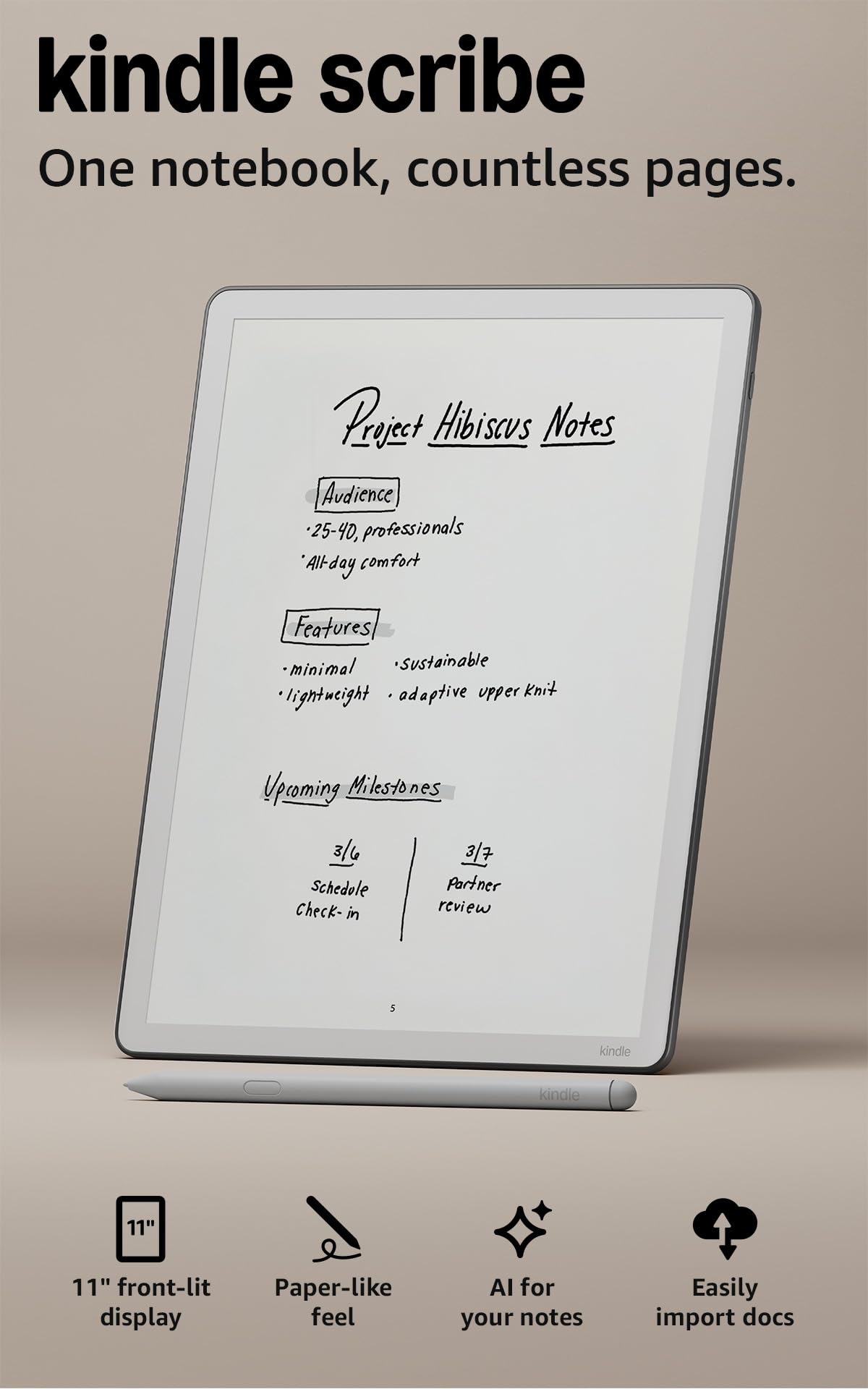
For the writer who wants to draft a chapter and then immediately read a book on the same slab, this is the quiet default answer. The screen is 11 inches and glare-free, which means you can sit by a window at noon and still see your own handwriting. It measures just 5.4mm thin and 400g light, so it holds like a thin hardcover rather than a computer. Amazon also claims 40% faster writing and page turns than the previous Scribe.
The pen never needs charging and carries a built-in eraser plus a shortcut button. That is a bigger deal than it sounds — nothing kills a drafting streak faster than a dead stylus. On the software side, you take notes in the built-in notebook and then use AI to search what you wrote, ask questions about it, or generate a summary. You can clean up handwriting or convert it to text, import files from Google Drive or Microsoft OneDrive, mark them up, and export as PDFs. Notes can also be pushed to Microsoft OneNote for editing elsewhere.
The honest catch is the ecosystem ceiling. Files move through Drive, OneDrive, and OneNote, not through a fully open Android app store like the BOOX Go Color 7 below, which runs Android 13 and pulls apps straight from Google Play. If you want to run a niche writing app you already love, the Scribe will not do it. Battery stretches for weeks of reading and writing, which matters more for a device you leave in a bag than for one that lives on a desk.
Where it earns its keep
- 11-inch glare-free display with auto-adjusting brightness and adjustable warmth
- Pen needs no charging and includes a built-in eraser and shortcut button
- AI can search notes, answer questions about them, and generate summaries
- 5.4mm thin and 400g light, so it carries like a thin book
Before you commit
- No Google Play app store, so you are limited to supported cloud services
- The larger 11-inch panel is not a one-hand device for quick jotting
Made for you if: you read and write in the same session and want zero browser in reach.
Think twice if: your workflow depends on a specific Android writing app you cannot give up.
2. HUION Note Digital Notebook
You write on real paper with a real pen, and the screen never enters the room.
This one stands out because it has no screen at all. You write on an included A5 notepad with 50 pages, and the pen captures every stroke as vector lines (digital lines you can scale without blur) that travel to your phone or tablet through the free Huion Note app. The active writing area is 7.35 × 5.5 inches, and the whole thing weighs 433 g, so it slips into a bag next to a real notebook because it is one. Bluetooth 5.0 (a short-range wireless link) pairs automatically once you open the app, and buyers report it digitizes notes instantly through that pairing.
Battery is the headline for a device you forget to charge. The pen itself is battery-free, and the unit runs 18 hours on a charge with roughly 30 days of standby. The app records audio alongside your handwriting and lets you play it back against the page, which is how you relive exactly what was being said when you wrote a particular line. Notes can be merged, split, or moved between groups, and shared as images, PDF, or MP4. Replace the inner pages with the panel in the box, connect to a PC, and it becomes a drawing tablet for Photoshop or Storyboarder.
Two limits are worth knowing before you buy. The pen tips are rated at 400 meters, and the A5 paper refills are humidity-sensitive. And it only works with the brand’s own pen — lose it and the notebook stops capturing. Neither is a dealbreaker at this price, but they are the reason a traveler writes on something else.
What wins people over: the notepad quality itself gets the most praise of any feature, and the size lands well for people who want a small surface on a desk.
What to plan around: the paper refills and the pen are both consumable, so budget for replacements over time rather than treating this as a once-and-done buy.
Best for: anyone who wants digital copies of handwritten notes without changing how they write.
Look elsewhere if: you need to review your handwriting on a screen at the moment you write it.
3. BOOX Tablet Go Color 7 Gen II
A pocketable color e-reader that happens to run every reading app you already own.
The pitch here is freedom of software. It runs Android 13 on an octa-core processor with 4GB of RAM and 64GB of storage, which means you install Kindle, Nook, Google Play Books, Libby, and just about any reading or note app from Google Play. Reviewers compare the speed favorably against dedicated e-readers, describing it as noticeably quicker than a Kindle in daily use. The 7-inch Kaleido 3 screen shows 4,096 colors at 1680 x 1264 resolution, which works out to 300 ppi in black and white and 150 ppi in color. There is a microSD card slot, page-turn buttons, USB-C that doubles as an audio jack with OTG, a built-in speaker, and a built-in microphone.
Weight is 195 g — roughly the heft of a small paperback — and the back has a grippy texture that keeps it steady in one hand. Front lighting includes warm and cold tones for late-night reading, and a G-sensor rotates the screen automatically. The battery is 2,300mAh, and reviewers describe getting about a week per charge with lighter auto-off settings stretching that to two or three weeks. Startup is around a minute.
Be clear-eyed about what color E Ink is. The panel is inherently darker and grayer than an LCD or OLED screen, and the company itself notes the muted color is a characteristic of the technology rather than a fault. Colors in the color layer are softer than what a phone shows. The stylus is also sold separately — InkSense active stylus only, and it does not accept an EMR pen. A small number of owners have had the screen fail without a drop, and the company treats physical damage as outside warranty.
The trade-off that matters: this is a great Android e-reader and a poor Android tablet — video, web browsing, and games all suffer next to LCD because of refresh rate and a low-power chip.
Reach for this if: you want one small device that runs several reading apps and lets you annotate in color.
skip it if: you expect tablet-grade video and app performance rather than an e-reader that browses the web occasionally.
4. XPPen 3 in 1 Color Digital Notebook

A tablet with a pen that reads pressure so precisely your line weight changes mid-letter.
The pen is the reason to pick this one: 16,384 pressure levels with a soft nib. The X3 Pro Pencil 2 runs on the X3 Pro smart chip with 16,384 pressure levels and a soft nib, so pressing harder visibly thickens the stroke and pressing lighter thins it. That is far finer pressure detection than the 4,096 levels on the iflytek AINOTE Air 2, and for anyone who annotates with shading or varied line weight, it is the difference between writing and drawing. The pen never needs charging, sticks magnetically to the body, and has a customizable shortcut key for tools like the highlighter.
The screen is a 10.95-inch AG nano-etched LCD using TCL NXTpaper 3.0, which the maker says cuts up to 95% of ambient light interference. It refreshes at 90Hz with 1920 x 1200 resolution, so page turns do not drag the way they can on E Ink, and the display shows 16.7 million colors at 400 nits of brightness. An X-key switches between Monochrome LCD, Light Color, and Nature Color modes with one press. An 8000mAh battery charges via a 20W charger, and the tablet weighs 495g at 7mm thick with a 13-megapixel front camera, two speakers, and two microphones for remote meetings.
One thing to internalize: this is a normal Android 14 tablet, not an E Ink device, and the company says so plainly. It earns its paper feel from etched glass over an LCD, and that same etched glass creates a narrow viewing angle — you get the clearest, most paper-like result looking straight at it. Battery is rated at 4 hours of average life, and the battery is the one aspect owners describe in mixed terms, with regular charging being the norm. Its built-in XPPen Notes app supports handwriting-to-text, audio recording, PDF import and editing, an AI assistant, and saving to OneDrive or Google Drive.
What sets it above the field
- 16,384 pressure levels with a battery-free pen and magnetic attachment
- 90Hz refresh rate removes the page-turn lag typical of E Ink
- Three switchable color modes, toggled with a single X-key press
- 8000mAh battery with a 20W charger, plus cameras and dual mics for meetings
The honest trade-offs
- It is an LCD tablet, not E Ink, so expect regular charging rather than weeks of standby
- The etched glass narrows the viewing angle, so it is best viewed head-on
Suits you if: you take heavy meeting notes and want the most precise pen in this group.
Not the one if: you need a device that sits for weeks between charges.
5. Freewrite Alpha

A keyboard and a screen with nothing else in it, because that is the entire point.
There is no browser here, no email, no app store. Alpha is a word processor you turn on and type into. It boots instantly with no software to load, and the warm adjustable backlit LCD runs 5 brightness levels so you can write in a dim room without the panel washing out. Battery lasts up to 100 hours depending on how much you lean on the backlight, and the whole unit is under 2 lbs. The mechanical keyboard uses low-profile Kailh Choc V2 tactile switches, which is the same style of key people seek out on desktop boards for feedback and reduced finger fatigue.
Storage holds up to 1,000,000 words internally, and every draft is backed up in two places — on the device and synced to the cloud over Wi-Fi, accessible through Freewrite’s web application, Postbox. When you are ready to edit, you move the draft into your usual editing software. Font size switches between two and four lines, and the instant-refresh panel uses ambient light so it stays readable under direct lighting.
The honest read is that reviews split sharply. Several writers describe flow-state drafting and a keyboard feel they would not trade — one owner with ADHD put it simply: “I just turn it on and start writing!” Others find the buttons counter-intuitive and report scenes disappearing, and a small number have had a key fail or a laggy unit from the start. At this price that inconsistency is the real risk, not the concept.
Where it shines: forward-only drafting — owners mention it makes backspacing deliberately harder, which pushes momentum instead of second-guessing.
Where to be careful: reliability varies across units, so buy from a seller with a straightforward return path.
Pick this if: your problem is that your laptop is too interesting, and you want a machine that only types.
Pass if: you need editing, formatting, or app access anywhere in your draft flow.
6. iflytek AINOTE Air 2

It listens to the whole meeting and hands you the summary afterward.
If your writing happens in rooms with other people talking, this is the specialist. The 8.2-inch E Ink display has a matte texture and reads 4,096 pressure levels across eight pen styles, so it writes like a notepad. Recording runs voice-to-text transcription in 18 languages, and translation covers 14 languages, which is a real advantage for anyone sitting through calls in more than one tongue. After a recording, AI builds a meeting summary that structures the discussion and pulls out key points, and you can ask questions of the note itself to jump back to a decision or a follow-up item.
The size is deliberately small: roughly 7.6 × 5.4 inches, 5 to 6.5mm slim, and 230g. It is meant to be pulled out of a bag mid-meeting rather than spread on a desk like the 10.95-inch XPPen above. The 2600mAh battery is rated at 5 weeks of average life, and warm and cool reading lights give 24 brightness levels for note-taking or reading in different rooms. Marking notes with stars, triangles, or circles automatically turns those points into to-dos and focus items, and a weekly planner keeps the schedule visible.
Where it stumbles is muscle: performance sits on the mixed side of owner opinion, with some finding it slow and the value proposition weak for the price point. Handwriting recognition is built for English and converts to text across 100+ languages, but voice transcription and handwriting conversion cannot run at the same time. It also leans on Google Calendar for sync.
Made for: professionals who would rather listen than scribble, then read a structured summary rather than replay a recording.
Check first: it is a small writing surface, so long freehand pages will feel cramped against a tablet-style pad.
Get this if: meetings, lectures, and multilingual conversations are where your notes get made.
Keep looking if: you need fast app performance and long uninterrupted scribbling on one page.
7. reMarkable Paper Pro Move

A color notepad smaller than a paperback that you actually keep in a jacket pocket.
The defining number is the 7.3-inch Canvas Color display at 954 x 1696 pixels, sized so the whole tablet is smaller than a paperback book. It weighs 248.4 g and comes with Marker Plus, 6 spare Marker tips, and a USB-C cable, so you are not hunting accessories on day one. Handwriting converts to typed text and shares out, notes sync to the reMarkable cloud, and the marker is said to feel, look, and even sound like paper on that surface.
Owners tend to like the daily reality of it. The pen magnet holds firmly, four rubber feet stop it sliding on a desk, and reviewers describe the writing as natural enough that note-taking becomes genuinely pleasant. Several mention nine pen types and colors with templates, and one long-time user compares the screen favorably to a much larger sibling model. Battery is described as strong for a device this small.
The recurring gripes are also clear. A subscription open up the full search and template features, page size means more panning as you write, and refresh lag shows up on the color panel. A minority of units arrive with panel light bleed or hit an update loop, and the size that makes it portable is the same size that some find limiting. For someone who wants an all-day desk pad, the 11-inch Kindle Scribe is the roomier call.
Ideal owner: the person who wants a color writing tablet light enough to vanish into a coat pocket.
Consider the alternative if: you write long continuous pages and would rather not pan the screen every few lines.
8. Freewrite Traveler

A fold-flat drafting machine for the writer who measures a session in pages, not minutes.
Where the Alpha is a keyboard on a slab, the Traveler is a proper clamshell. Its 6 square inch blue-light-free E Ink screen (a paper-like display that reflects light instead of glowing) shows your draft in black and white, the full-size scissor switch keyboard gives tactile feedback, and the whole thing weighs 1.6 lbs — under half the weight of a typical laptop, which matters when you carry it to a café. Battery runs up to 4 weeks on a charge, and internal flash storage holds up to 1,000,000 words synced to the cloud over Wi-Fi, with drafts moved into your editing software when you are done.
What owners consistently describe is output. Writers who had stalled for months report finishing far more in a single week once the machine removed every escape hatch, and the deliberate friction around backspacing is what forces forward momentum. The screen needs ambient light, so this is a daytime or well-lit-room device rather than a lamp-lit one. Postbox, the cloud app, syncs drafts to email and to services like Evernote, Drive, Dropbox, and OneDrive, and tracks writing stats per session.
The honest limits: there is a small keystroke delay that reviewers describe as roughly half a second, boot from fully off is slow, the glossy plastic shell picks up fingerprints and scratches, and it will not join a 5GHz-only Wi-Fi network (a faster band some routers use alone). Editing is also not the job — this drafts, and you polish elsewhere.
The case for it: reviewers report writing more in one week than in the previous six months, which is the entire value proposition compressed into one sentence.
Right for you if: you draft novels, essays, or long pieces and need the keyboard to feel like a real one.
Wrong for you if: you want to edit, format, or work offline without ambient light.
9. Amazon Kindle Scribe Colorsoft 64GB
The color version of the paper-feel writing tablet, with double the storage of its sibling.
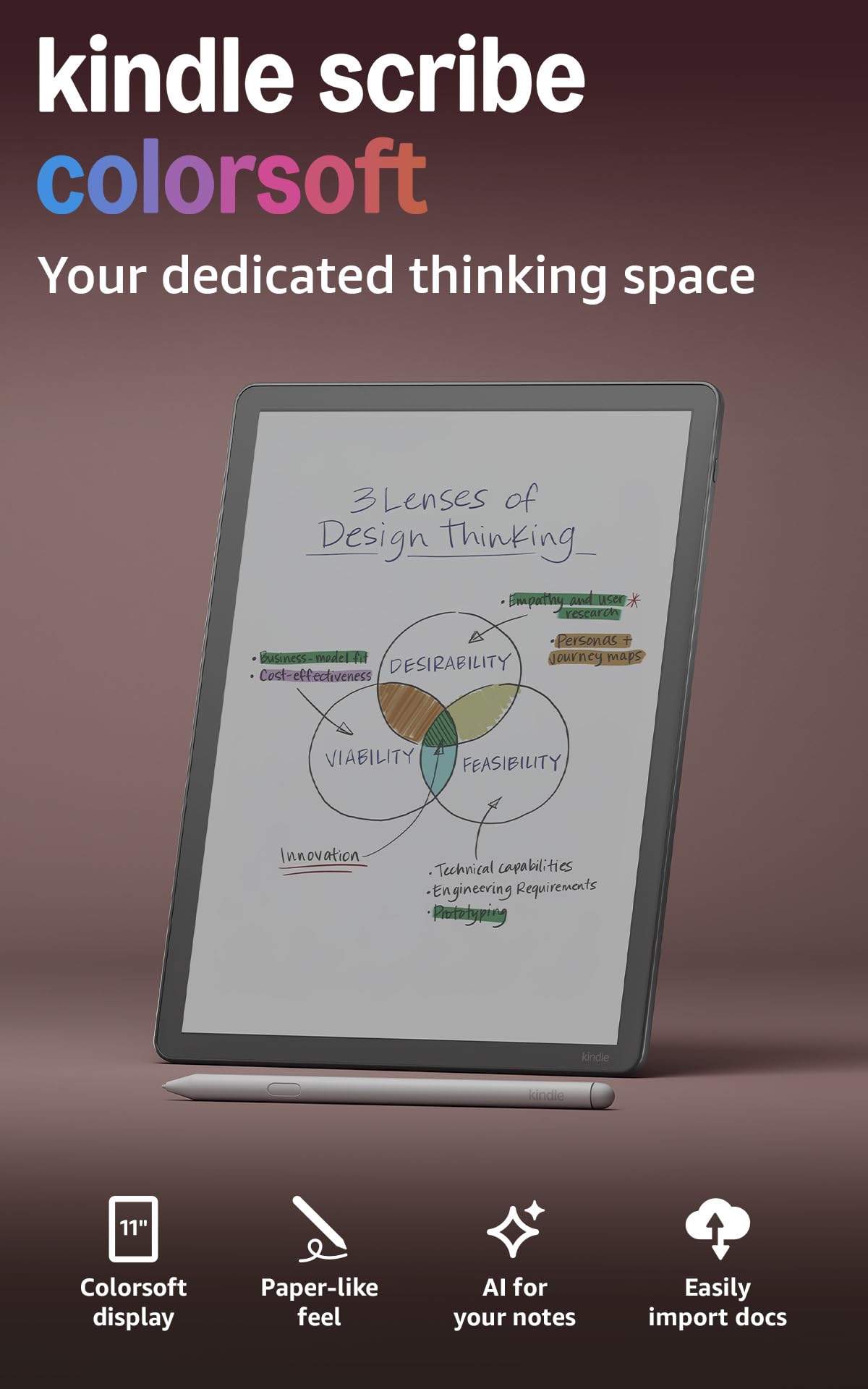
Everything the standard Scribe does, this does with color and 64GB of space. The custom-built Colorsoft panel is an 11-inch display that the maker says delivers high-contrast, paper-like color without distracting flashes while you write, and the textured surface keeps the pen-on-paper feel. It is 5.4mm thin and 400g light, with the same never-needs-charging pen carrying a built-in eraser and a shortcut button for tools like the highlighter. Notes live in the built-in notebook, where AI can search what you wrote, answer questions about it, and generate summaries, and handwriting can be cleaned up or converted to text.
Color changes what you can do with the same screen. Owners describe highlighting and annotating in color, doing puzzles, coloring, tracing, and journaling, and reading children’s picture books on it. It syncs your work across Kindle Scribe models, so a black-and-white Scribe used for work notes can keep both devices current. Files import from Google Drive or Microsoft OneDrive, take handwritten markups, and export as PDFs, and notebooks can go to Microsoft OneNote for editing elsewhere. Battery runs for weeks of reading and writing on a single charge, and the glare-free display holds up in bright sunlight.
The most-discussed limitation is color vibrancy. Several owners want richer, more saturated color than the panel delivers, and a few note inconsistent highlighting across file formats and occasional palm-rejection misses. If you write long freehand sessions on a desk, the 11-inch body is a two-hand device. A minority also mention that cable-free file sync through Drive is less automated than they expected.
Why it tops the range
- 11-inch Colorsoft color display with paper-like contrast and no writing flashes
- 64GB of storage, double the space of the standard Scribe
- Pen included, never needs charging, with built-in eraser and shortcut button
- Weeks of battery on a single charge for reading and writing
Details to know going in
- Color is muted rather than vivid, which is inherent to this class of panel
- The 11-inch size makes it a two-hand device for longer writing sessions
Worth it for: writers who want color annotation without giving up the paper-feel writing surface.
Maybe not for: anyone who needs punchy, photo-grade color rather than soft paper-like tones.
Know the Specs
Refresh rate and why it decides writing feel
Refresh rate is how many times per second the screen redraws, measured in hertz. A higher number keeps your handwriting from trailing behind the pen and reduces the ghosting — faint leftover marks of the previous page — that plagues E Ink panels. The XPPen Magic Note Pad runs a 90Hz panel, which is why its writing feels smooth rather than stepped. True E Ink devices like the Kindle Scribe refresh more slowly on purpose and save power in exchange. The BOOX Go Color 7 lets you pick refresh modes for different jobs, from a crisp mode for reading to a fast mode for scrolling.
Pressure levels and handwriting conversion
Pressure levels count how many gradations of pen force the screen can read. More levels means finer control over line thickness and shading, so a light stroke looks light and a firm one looks bold. The XPPen X3 Pro Pencil 2 offers 16,384 levels, the iflytek AINOTE Air 2 offers 4,096, and both let you adjust stroke weight as you write. Handwriting conversion is separate: it takes those strokes and turns them into typed, searchable text. The AINOTE Air 2 recognizes handwriting across 100+ languages but cannot run conversion and voice transcription at the same time. The HUION Note captures strokes as vector lines, so the digital copy stays sharp at any zoom.
Common Questions
Does a writing device need Wi-Fi to work?
Can I run regular Android apps on these devices?
Will handwriting convert to text on these tablets?
Does the pen ever need charging?
Is color E Ink good enough for annotation?
How long does the battery actually last on a writing device?
How do my drafts get off the device and into my editing software?
Can I use these to draw as well as write?
Does the Freewrite Traveler connect to 5GHz Wi-Fi?
Which screen size suits long-form drafting?
The Bottom Line
For most people shopping for a device for writers, the Amazon Kindle Scribe 32GB fits the widest range of writing days — an 11-inch glare-free screen for reading, a pen that never needs charging, and AI tools that turn handwriting into something searchable. If your writing happens in meetings and you want a summary written for you, the iflytek AINOTE Air 2 is purpose-built for that room. And if what you actually need is to finish a draft without a browser in reach, the Freewrite Traveler gives you 1,000,000 words of storage and up to 4 weeks of battery with nothing else competing for your attention. Whichever direction you go, the color annotation on the Kindle Scribe Colorsoft is the one upgrade worth stretching for if you organize your notes visually — the panel itself is the reason to step up, and it holds the strongest overall reception in this group.
How we choose
We do not accept paid placement. Every pick is matched to a real buyer and a real use-case; we do not hands-on test units.
Sources
Specifications: manufacturer listings and product documentation. Review insights: verified customer reviews, as of October 2026. Pricing: not shown on this page (it changes often); check the current price via the retailer link.
As an Amazon Associate, Aappliancez earns from qualifying purchases. This does not affect which products we feature.