Disclosure: Some links in this post are affiliate links. As an Amazon Associate I earn from qualifying purchases, at no extra cost to you. Learn more
Specs are compiled from manufacturer listings and verified buyer reviews and can change over time — please confirm the key details on the product page before buying.
Long nails and a standard keyboard fight each other all day. A tall, boxy keycap catches your tip on every press, so you mistype constantly and your polish chips. The fix is simple: flat keycaps, a light touch, and enough key spacing that your nails land clean. This guide covers the keyboards that actually work with long tips, not against them.
This guide is built by comparing the manufacturers’ published specifications and the patterns across verified customer reviews, so you get each pick’s real strengths and trade-offs instead of marketing spin.
You will see which layouts leave room for your nails, how key travel changes your typing, and where each board works best. That is what a good keyboard for long nails actually does.
Top Picks


How To Choose The Best Keyboard for Long Nails
The core problem is simple: tall, deeply scooped keycaps give your nail tip a wall to catch on. Every keystroke becomes a small snag, and the faster you type, the more of them you miss. The keyboards that work for long nails are the ones built flat and shallow, so your fingertip lands before your nail does.
Keycap height and shape are the whole game
Low-profile keys sit close to the deck and travel a short distance, which means your tip does not have to sink deep to trigger a press. Scissor-switch designs hold each keycap steady on a thin mechanism, so there is far less wobble under a long nail. Round keycaps change the math too — a circular top gives your tip a centered target with no sharp corners to drag across.
Quiet operation and touch weight matter more than you think
A soft, quiet press lets you type with less force, and less force means your nail stays flat instead of jamming down. A board that reduces noise with noiseless click technology also tends to have a shorter, lighter action. That combination is what keeps a full day of typing comfortable when your nails are long.
Layout, spacing, and battery setup
A full-size layout with a spaced number pad gives longer fingers and nails room to land without clipping the next key. For wireless boards, decide early between a plug-and-play USB receiver and Bluetooth multi-device switching. Note the battery type too — some sets run on AA or AAA cells you replace, and some have a built-in rechargeable battery you top up with a cable.
Side-by-Side Comparison
| Model | Best For | Connection | Key Type | Weight | Amazon |
|---|---|---|---|---|---|
| Logitech MK470 Slim Wireless Combo★ Best Overall | Quiet full desk setup | 2.4 GHz USB receiver | Low-profile scissor keys | 1.5 pounds | Amazon |
| Logitech Signature Slim Wired K620Most Reliable | Business plug-and-play | USB-C wired | Low-profile membrane | 1.6 pounds | Amazon |
| INFINMIND K913 Wireless Keyboard | Budget full-size wireless | 2.4 GHz USB wireless | Short-throw ultra-slim | 1.4 pounds | Amazon |
| Trueque CK24 Round Keycap Combo | Retro desk style | 2.4 GHz USB receiver | Round keycaps, membrane | 0.92 kg | Amazon |
| GAMCATZ Colorful Wireless Keyboard | Colorful office desk | Bluetooth | Low-profile soft touch (104 keys) | — | Amazon |
| Mobifice Retro Slim Combo | Long nail typing | 2.4 GHz RF, 2-in-1 nano receiver | Retro round scissor keys | 0.51 kg | Amazon |
| AUSDOM Multi-Device Keyboard | Multi-device switching | Bluetooth 5.0 or 2.4 GHz | Scissor-switch low profile | 1 pound | Amazon |
Detailed Reviews
1. Logitech MK470 Wireless Combo
Our pick — over 4★ from 8,000+ verified ratings; the strongest balance of quality and price.
The quiet combo that keeps long tips gliding, with a mouse thrown in
If you want one purchase that solves typing and pointing at the same time, start here. The MK470 pairs low-profile scissor keys with a compact layout and a number pad, and the whole set tips the scale at 1.5 pounds. That is 1.6 pounds for the wired Logitech K620 above it — this combo is the lighter of the two by that stated figure. Low-profile keys are shallow, flat-topped caps that sit close to the deck, so your long nail lands on a flat target instead of catching a tall wall.
What wins people over is the build quality and just how quiet the whole thing stays. The keyboard’s low-profile scissor keys and the mouse’s lab-tested noise-reduced click keep early-morning typing quiet. The design is slim enough to free up desk space, and the graphite finish blends into a home office without shouting. Setup is a single USB nano receiver that uses 2.4 GHz wireless with 10 meters (33 feet) of range, so you plug it in and type — no drivers, no pairing dance.
Battery life is where the value hides: Logitech rates the keyboard at up to 36 months of use and the mouse at up to 18 months, with an auto-sleep feature that stretches both. The catch is the mouse — it is built compact and ambidextrous, so if you have larger hands it can feel small in the palm, and the whole combo leans toward light, occasional sessions rather than marathon data entry. Note also that the layout favors Windows, and Mac users report odd key behavior.
What owners keep praising
- Low-profile scissor keys that suit long nails and reduce typing noise
- Up to 36 months of keyboard life and 18 months for the mouse on auto-sleep
- One USB nano receiver covers both keyboard and mouse over 10 meters (33 feet)
- Comfortable ambidextrous 3-button mouse with 1000 DPI optical tracking
Where it gives ground
- The compact mouse feels small for bigger hands
- Built for Windows, with odd key results reported on macOS
- No backlight and no tilt adjustment
Best fit: Anyone who wants a quiet, low-profile keyboard and mouse together for a tidy home or office desk.
Think twice: Big-handed users who need a full-size mouse, or Mac owners who want native key mapping.
2. Logitech K620 Wired Keyboard
A wired board that feels like a laptop and never asks for batteries
For long nails, the K620’s selling point is its laptop-style keys: low-profile caps with a subtle scoop that trip lightly and evenly. The scoop is shallow, so unlike a deep mechanical cap, your nail slides across the top rather than snagging on it. At 1.6 pounds it is the heavier of the two Logitech boards here — a figure that reflects the solid, stable build owners describe rather than any portability claim.
The feel is the story. Owners call it genuinely quiet, low-profile, and stable, with matte-textured caps that give your fingertips grip. Touch typists get defined F and J bumps to find home position without looking, which helps when long nails cut your fingertip sensitivity. There is a multi-OS toggle so the same board runs Windows, ChromeOS, or macOS, handy for anyone who moves between systems.
Power is a single USB-C cable, so there is nothing to charge — Logitech rates the power-saving design at 49% less power draw during use, and the enclosure uses 66% post-consumer recycled plastic. The honest catch is the cord: buyers report it is quite long, and it is not detachable, so cable management on a small desk takes some thought. You will also want a C-to-A adapter if your computer lacks a USB-C port, and the function keys ship reversed by default until you toggle the Fn lock. That said, the crowd favorite here sits at 4.4 stars across 100+ ratings.
Built to last on a desk: The solid, heavier frame and quiet, defined keys make this the pick for a fixed workstation where the board never moves.
One thing to plan for: The non-detachable cable and reversed function keys mean a few minutes of setup fiddling before it feels right.
Reach for this if: You want a rock-steady wired board that types like a good laptop and never needs a battery.
Look elsewhere if: You need a detachable cable, a USB-A-only connection from the start, or a wireless desk.
3. INFINMIND K913 Wireless Keyboard, Ultra Slim Quiet Full Size
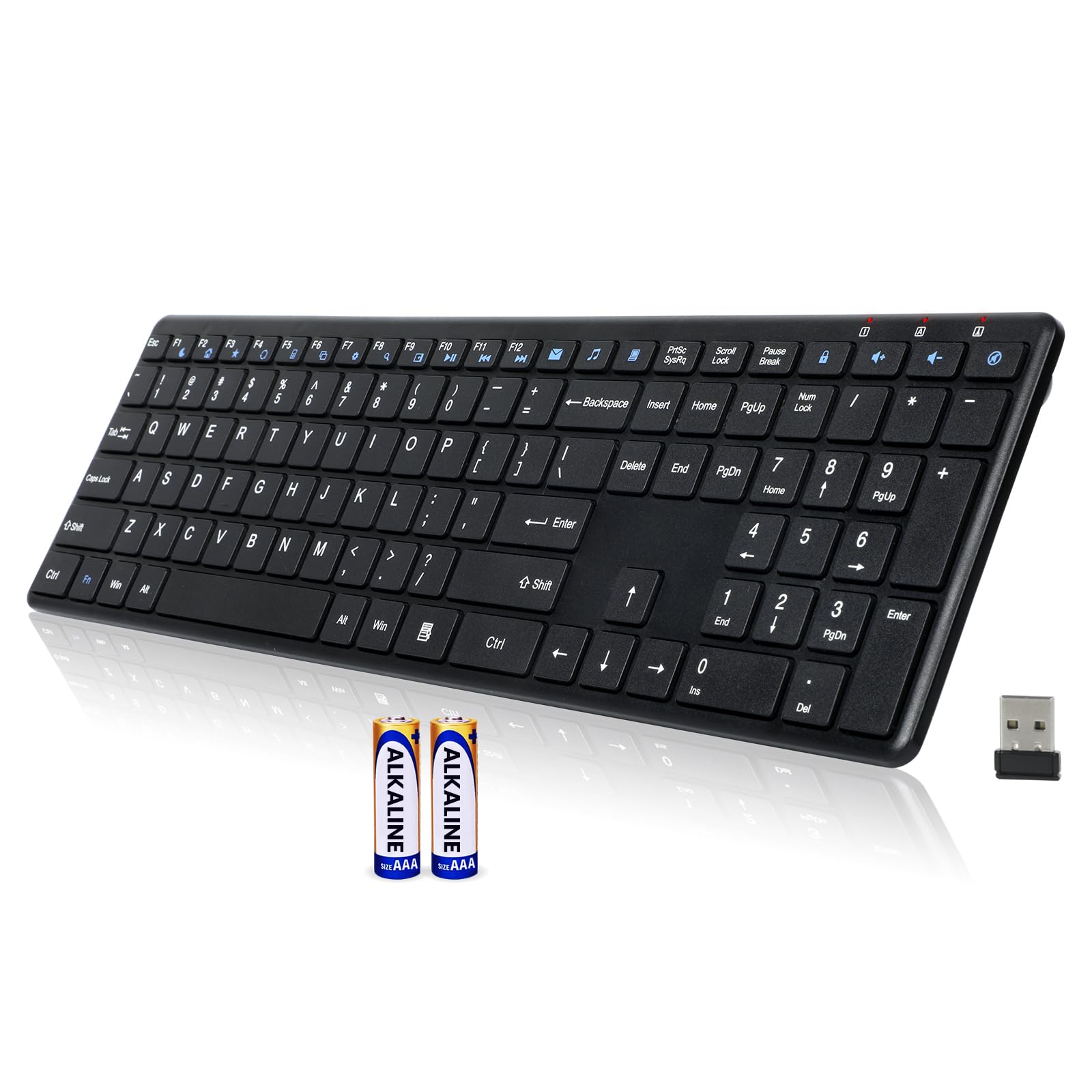
The budget full-size board that goes a year on two batteries
This is the pick for a long-nailed typist who wants a big layout and light touch without stepping up in tier. The K913 uses short-throw, laptop-style keys with a noiseless click design the maker says cuts noise by up to 90%, so your tips press light and stay off the deck. It lays out a full standard layout with dedicated arrow keys, a number pad, and 12 multimedia shortcut keys, so data entry gets room to breathe.
What owners single out is the keyboard quality — thin, light, and quiet, with normal-sized keys that suit a natural reach. The matte-finished keycaps resist fingerprints and smudges, so the board stays looking fresh instead of turning glossy. Connection is a 2.4 GHz USB wireless link that the maker rates for a stable connection up to 33 feet, and it is plug-and-play, so there is no pairing to learn.
Battery life is the headline feature here: two AAA batteries are included, and the maker rates up to 12 months of use on a single set, helped by an auto-sleep that kicks in after 15 minutes of inactivity and an on/off switch on the back. The honest trade-off is that the keys run thin, and a thin key can feel less substantial under a firm press — that is the recurring note in owner feedback, not a dealbreaker for light daily typing. Connectivity also draws a few occasional complaints, though most owners mention it connects easily.
Why it earns its place: A full-size, quiet, matte layout that runs up to a year on two AAAs is a lot of keyboard for the entry-level tier.
Great for: Students and home users who want a big, quiet wireless board that rarely needs new batteries.
Less ideal for: Heavy typists who prefer a firm, substantial key feel rather than thin short-throw caps.
4. Trueque Wireless Keyboard and Mouse Combo with Round Keycaps

Typewriter-style round keys that give a long tip a centered target
Round keycaps are the quiet advantage for long nails: a circular top presents a centered landing pad with no corners for a tip to drag across. This combo wraps that idea in a typewriter look with soft pink styling, and the keycaps pop off for easier wipe-downs — handy because crumbs and dust collect faster around long nails. The set weighs 0.92 kg and runs on a 2.4G USB receiver that links both the keyboard and mouse.
Comfort here is the real draw. There is a firm wrist rest that gives steady palm support and will not sink during long sessions, plus foldable tilt legs and anti-slip pads to hold the angle you like. Owners describe the keys as having a nice, soft touch and the mouse as quiet with no latency, and setup takes a couple of minutes on a work or Mac machine. The one receiver drives both devices, so your desk stays clean.
Pointing gets three DPI levels — 1600, 1200, and 800 — so you can slow the cursor for detail work or speed it up for scrolling. Battery runs on standard AA cells, with on/off switches and auto-sleep after about 10 minutes; note the keyboard takes 2 AA and the mouse takes 1 AA, and batteries are not included. The annoyance owners flag is needing two different battery types, plus an occasional report that the included USB-C adapter did not play well with a Mac. The package includes a wireless keyboard, mouse, USB receiver, USB-C adapter, and cute 3D sticker accessories.
Aesthetic and comfort in one: Round caps, a firm wrist rest, and three mouse DPI settings make this a genuine daily-driver set, not just eye candy.
Small friction point: Mixed battery sizes mean keeping both AA types on hand, and a few Mac users needed a different adapter.
Who it suits: Anyone who wants retro round keys, wrist support, and a matched mouse in a single colorful set.
Who should pass: Buyers who want one battery type across the board or a single-color, plain desk look.
5. GAMCATZ Colorful Wireless Keyboard with Low-Profile Keys
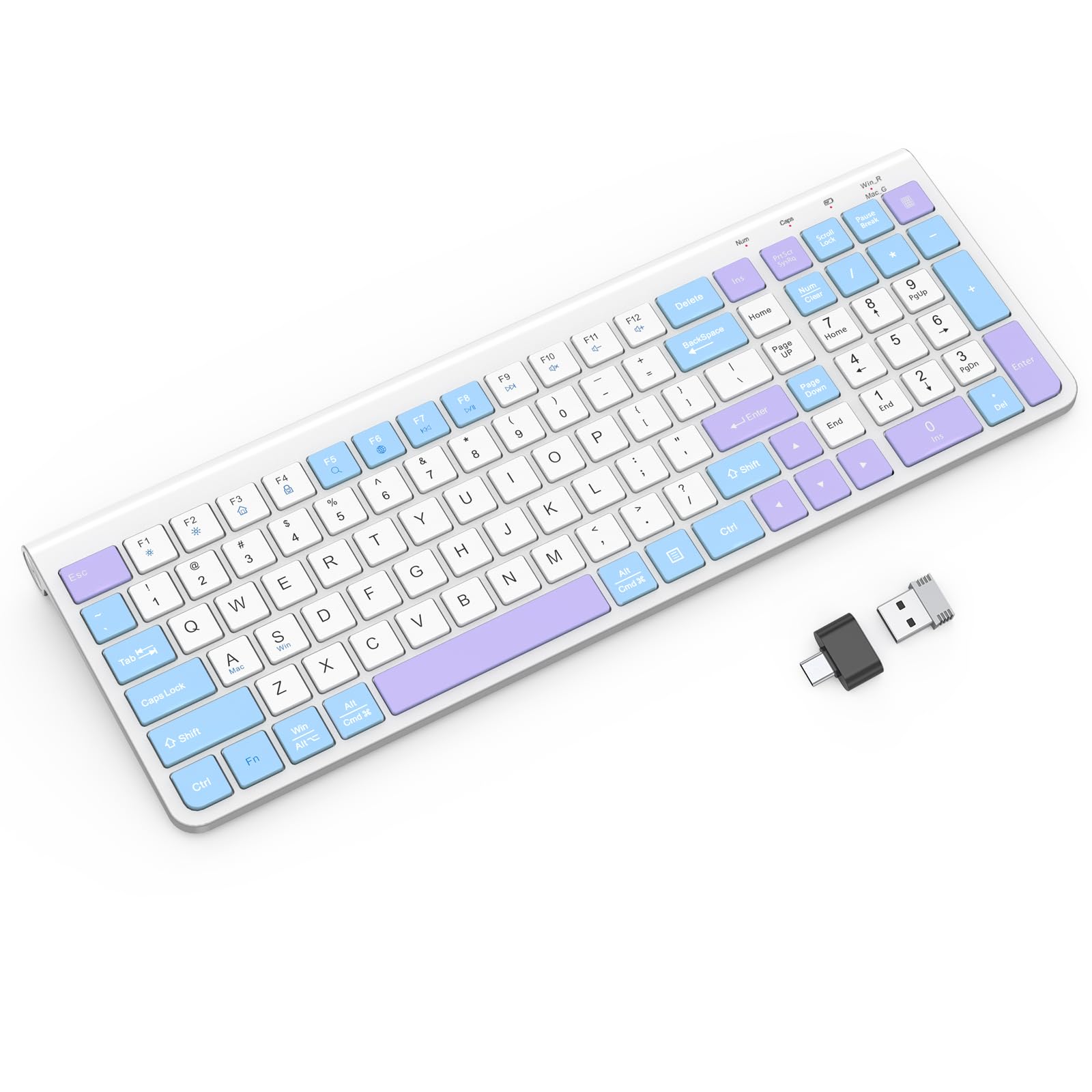
An improve, low-profile board built for long, soft-touch typing sessions
The GAMCATZ leans into the long-nail problem directly with low-profile keys and a soft-touch action across a 104-key QWERTY layout. Because the caps sit low and press softly, your tips do not have to jam down to trigger a key, which is exactly the pressure that chips polish. It connects over Bluetooth and runs on a plastic enclosure in a purple-and-white finish that stands out on a desk.
The improve shape is the second half of the comfort story. Customers note the raised deck improves wrist angle and reduces strain across long typing hours. It stays compact even with the number keys included, and typing runs with no lag on the quiet soft-click keys. Setup is simple on Windows using batteries and a dongle.
A volume knob sits within easy reach, and a phone slot holds a device at eye level — though that slot only fits low-profile cases. The keys are readable with a minimal texture, and the brushed finish keeps fingerprints in check. The one recurring grumble is a packaging mismatch: the box advertises a mouse that does not always arrive, so treat this as a keyboard-only buy and plan accordingly.
Best for: Long-session typists who want a raised, soft-touch, low-profile board to ease wrist strain.
Skip if: You are counting on a bundled mouse, or you need to dock a thick phone case in the slot.
6. Mobifice Wireless Keyboard and Mouse Combo
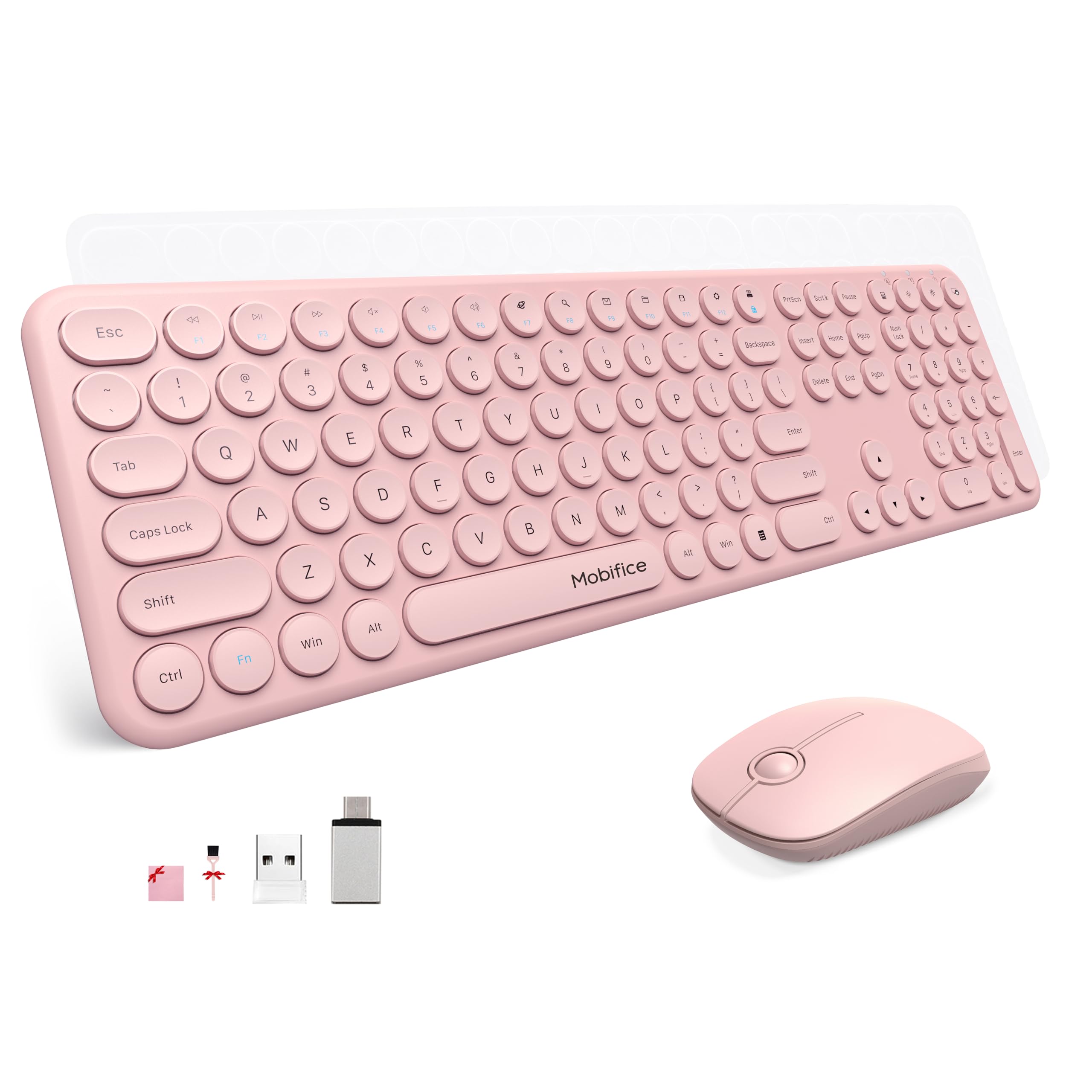
A combo the maker designed with long-nail typing in mind
This is the one set that names your exact problem in its specs. The maker calls the board friendly for long-nail typing, with retro round keys on a low-profile scissor switch that boosts typing efficiency and minimizes noise. Scissor switches hold each cap on a thin, flat mechanism, so your tip lands on a stable surface instead of a wobbling tall stem. The keyboard measures just 0.17 inches at its thinnest point, which is genuinely slim enough to slip into a bag.
The round keycaps are the long-nail win: a circular top centers your tip on the key, backed by a responsive action rated for 5 million keystrokes. An ergonomic tilt lifts the back so your hands fall into a natural typing angle. Setup is a single 2-in-1 nano receiver for both keyboard and mouse — plug it into a USB-A port and pair instantly, no drivers. A Type-C adapter comes in the box for modern USB-C ports.
The keyboard runs on two AAA batteries and the mouse on one AA, with on/off switches and an auto-sleep mode to stretch both; batteries are not included. The honest trade-off owners raise is reliability — most love the quiet, smooth clicks and the soft pink shade, but a minority report daily reconnects or a unit that stops working, though the maker backs it with a 12-month warranty and responsive support that replaced failed units free. It is compatible with Windows XP through 10 and beyond, plus Chromebook and MacBook Pro with the matched adapter.
Designed for exactly this: Round low-profile scissor keys plus an ergonomic tilt make it the most on-target pick for long nails in this list.
Worth knowing: A small share of owners hit connection hiccups, so buy through a seller that honors the 12-month warranty.
Made for you if: Your priority is a slim, quiet, round-key board explicitly built for long-nail typing.
Consider another pick if: You want a rock-solid connection record or prefer a plain rectangular keycap shape.
7. AUSDOM Wireless Bluetooth Keyboard
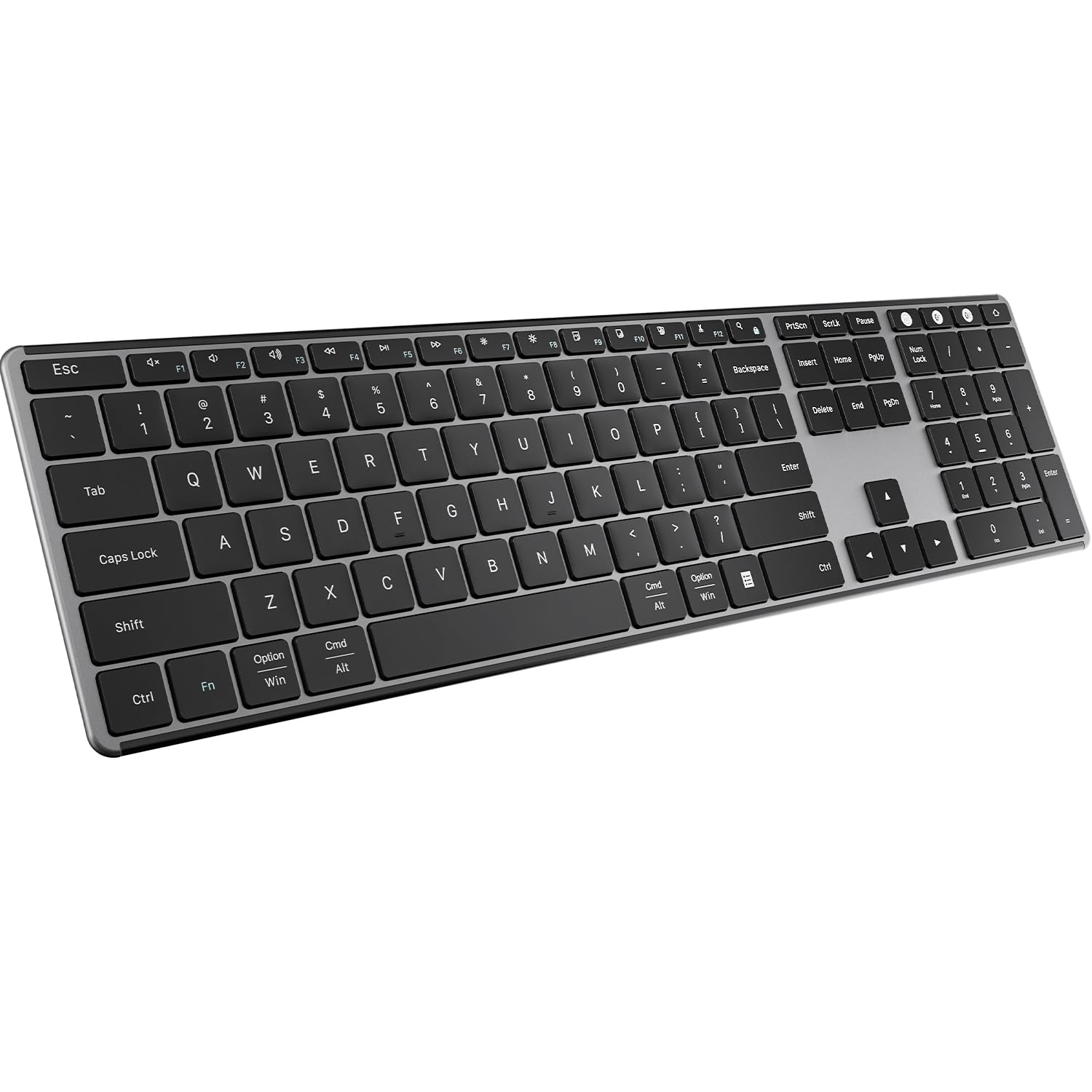
One slim board that hops between three devices on a single charge
If your desk runs a laptop, a desktop, and a tablet, this is the board that keeps up. It pairs with up to three devices and switches between them over Bluetooth 5.0 or a 2.4 GHz USB receiver, so your long-tip typing setup stays the same no matter which machine you are on. The full-size layout packs a number pad and 15 shortcut keys for faster data entry, and the thin, lightweight body at 1 pound is easy to carry between rooms.
The typing feel targets quiet stability: a scissor-switch structure with low-profile keys that reduce tapping noise and keep each button steady under your fingertip. Owners compare the feel to a Magic Keyboard — flat, quick, and precise — and several find it produces fewer typos than a rival Logitech board they had used. The board runs on Windows, macOS, iOS, and Android, and a single charge is rated for more than 30 days, with a sleep mode after 30 minutes of inactivity to save power.
Here is the honest part: this is the lowest-rated pick on the list, and the reason shows up in owner feedback. The look and quiet operation win consistent praise, but reliability and Bluetooth connectivity draw mixed notes, with the biggest complaint being Bluetooth dropouts and, in a few cases, a board that stopped working after a stretch of use. One owner also found the power button stuck after the return window, though the seller stepped in with a replacement. If you want the multi-device flexibility and can live with wired-dongle use as a backup, the value holds up.
The case for it
- Pairs with up to 3 devices and hot-swaps over Bluetooth 5.0 or 2.4 GHz
- Rechargeable battery rated for more than 30 days per charge
- Full-size 104-key layout with a number pad and 15 shortcut keys
- Sleek aluminum-and-plastic build that owners call premium for the tier
The honest caveats
- Bluetooth connectivity is the most-complained-about aspect
- A minority report units failing after a few months
- Membrane keys feel stiff next to a Mac, and F9–F12 hotkeys see little use
Reach for this if: You juggle multiple computers and want one quiet, rechargeable board to rule them all.
Look elsewhere if: You need bulletproof Bluetooth stability or want the highest-rated board on this list.
Know the Specs
Keycap height and switch type
Low-profile and short-throw keys sit close to the deck and travel a short distance, so your fingertip triggers a press before a long nail has to sink down. Scissor switches hold each cap flat and steady on a thin mechanism, which keeps the top from rocking under a tip. That combination is the single biggest factor in how well a board suits long nails.
Battery type and connection
Wireless boards fall into two camps: those that run on replaceable AA or AAA cells and those with a built-in rechargeable battery. A replaceable cell can last up to a year or more on an efficient board, while a rechargeable model trades that for a cable top-up and no battery shopping. On connection, a 2.4 GHz USB receiver tends to pair instantly and hold a stable link, while Bluetooth lets one board switch between several devices.
Quiet operation and touch weight
Quiet designs use short, light key travel and dampened mechanisms, so you press with less force. Less force means your nail stays flat instead of driving down, which is what keeps a full day of typing comfortable. Noise reduction and light touch usually come together on the same board.
Layout and key spacing
A full-size layout with a dedicated number pad and spaced keys gives longer fingers and nails room to land without clipping the neighboring key. Multimedia shortcuts and a number pad speed up data entry. If you share a desk or type at night, a quiet full-size board keeps the room calm.
Common Questions
Will a wireless keyboard really work with very long nails?
Are round keycaps better than square ones for long nails?
Can I use a Mac with a keyboard designed for Windows?
How long do the batteries last on a wireless keyboard?
Do I need a wired or wireless keyboard for long nails?
What is the difference between scissor and membrane keyboards?
Which keyboard is best for typing with long acrylic nails?
Can I plug a 2.4 GHz keyboard into a USB-C port?
Is a full-size keyboard with a number pad harder to type on with long nails?
How do I keep the keys clean when I have long nails?
The Bottom Line
For most people hunting a keyboard for long nails, the winner is the Logitech MK470 Slim Wireless Combo because its low-profile scissor keys keep tips gliding while the keyboard runs up to 36 months on auto-sleep — and you get a matching quiet mouse in the box. If you want a wired board that types like a laptop and never asks for batteries, grab the Logitech Signature Slim Wired K620. And for a slim combo the maker explicitly built for long-nail typing, the Mobifice Retro Slim Combo is the one to reach for.
Whichever you pick, the key is the same: flat caps, light touch, and enough spacing for your tips to land clean.
How we choose
We do not accept paid placement. Every pick is matched to a real buyer and a real use-case; we do not hands-on test units.
Sources
Specifications: manufacturer listings and product documentation. Review insights: verified customer reviews, as of October 2026. Pricing: not shown on this page (it changes often); check the current price via the retailer link.
As an Amazon Associate, Aappliancez earns from qualifying purchases. This does not affect which products we feature.