Disclosure: Some links in this post are affiliate links. As an Amazon Associate I earn from qualifying purchases, at no extra cost to you. Learn more
Specs are compiled from manufacturer listings and verified buyer reviews and can change over time — please confirm the key details on the product page before buying.
If you or someone you love is losing vision, the hardest part is rarely the diagnosis — it is the daily stuff. Reading the mail. Knowing who just walked in the door. Finding the right can in the pantry. The products on this list are not going to restore sight; what they do is far more practical. They turn visual information into audio or into a bigger, closer image, so the world stays reachable. Below, you get seven picks sorted by what they actually do and who they fit best.
This guide is built by comparing the manufacturers’ published specifications and the patterns across verified customer reviews, so you get each pick’s real strengths and trade-offs instead of marketing spin.
Some picks read text aloud, some magnify the TV across the room, and some project a giant virtual screen you control with your head. There is a real difference between a device that reads to you and a device that makes things bigger, and picking the wrong type is the most common mistake people make. What follows is an honest breakdown of the best glasses for blind people.
Top Picks
How To Choose The Best Glasses For Blind People
The first question is not “which one is best” — it is “what do I need it to do at 7 p.m. tonight?” Assistive eyewear splits into three jobs, and each job has its own spec that decides whether a product works for you or frustrates you daily.
Does it read to you, or make things bigger?
A reading device uses a small camera to scan text and speaks it through a tiny speaker or earbud. This is the category built for someone who cannot read print at all, or who can read it only with enormous effort and a bright lamp. A magnification device uses lenses to make an object or a screen appear closer and larger, which helps someone who still has usable central or peripheral vision.
These are not interchangeable. Buying a magnifier for someone who cannot see print at all will leave them stuck; buying a reader for someone who simply needs the TV bigger can be more device and more cost than they need.
Magnification strength: what the number actually means
On a TV-viewing glass, the number such as 2.1X tells you how many times larger the image appears compared to your naked eye. Higher magnification usually brings a narrower field of view, so you see a smaller slice of the room more closely. That trade-off is the entire decision.
Look for a stated field of view in degrees. A wider number means you take in more of the screen without turning your head, which matters if you are watching a movie rather than reading one line of text.
Fit, weight, and IPD — the specs nobody mentions until it hurts
Interpupillary distance (the space between your pupils, in millimeters) is the single most overlooked number in wearable displays. If a device ships with a fixed distance that does not match your face, you get eyestrain or double vision within minutes, which is exactly what buyers of one pick below report.
Weight follows close behind. Anything you plan to wear through a whole movie or a full work shift needs to be light enough that you forget it, and the frame material — resin, plastic, or metal — tells you a lot about how it will hold up.
Finally, check how the device connects. A wearable display over a USB-C cable needs no battery and no app, while a camera-equipped pair needs Bluetooth and Wi-Fi to move video to your phone.
Side-by-Side Comparison
| Model | Best For | Primary Job | Battery / Power | Camera or Magnification | Amazon |
|---|---|---|---|---|---|
| Meta Oakley HSTN Smart AI Glasses★ Best Overall | Everyday wear with custom prescription lenses | Audio, AI answers, photo and video capture | Up to 8 hours, plus 48 hours in case | 12 MP camera, 100° FOV | Amazon |
| AI Smart Glasses with Camera (AMZISH)Best for Travel | Travel, translation, and hands-free recording | Translation, voice assistant, video capture | 300 mAh, rated up to 30 hours | 8 MP camera, 32 MP photos | Amazon |
| Eschenbach Max TV Glasses | Watching television from across the room | Optical magnification for distance viewing | None required | 2.1X magnification, 20° field of view | Amazon |
| RayNeo Air 4 Pro | Private movies, gaming, and flights | Wearable virtual display | No internal battery, USB-C powered | 201-inch HDR10 virtual display | Amazon |
| Meta Ray-Ban (Gen 2) Wayfarer | Mainstream style with AI and translation | Audio, AI answers, translation, capture | Up to 8 hours, plus 48 hours in case | 12 MP camera, up to 3K video | Amazon |
| XREAL 1S | Productivity and spatial viewing on the move | Anchored virtual display with 3DoF | No battery, USB-C DP powered | 500-inch virtual screen screen size | Amazon |
| OrCam MyEye Pro | Reading print, faces, and products aloud | Wearable text and object recognition | 100 mAh battery, Bluetooth | Smart reading camera | Amazon |
Detailed Reviews
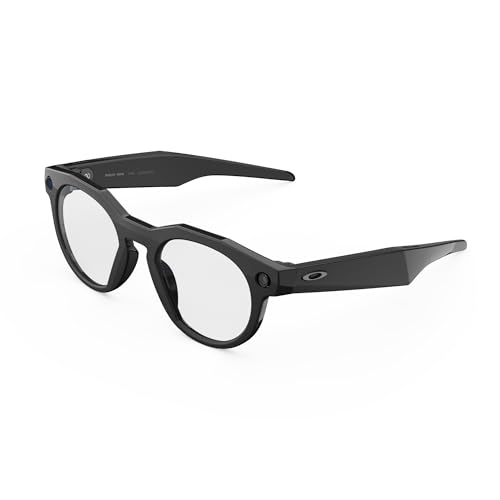
1. Meta Oakley HSTN Smart AI Glasses Black, Clear Lenses
Our pick — over 4★ from 200+ verified ratings; the strongest balance of quality and price.
The Oakley frame people actually wear all day, with a camera and Meta AI riding along.
Here is the spec that decides it for most buyers: the 12 MP camera with a 100° field of view. That wide angle means you capture a whole room or a whole workstation in one shot rather than a tight tunnel, and the 3K video clips run up to 3 minutes per session. For someone who needs to document a space or record a conversation’s setting, that is genuinely useful, and it is the reason this pair is the strongest all-rounder in the group.
The real draw for anyone with low vision is not the camera, though — it is that these are built to take prescription lenses. Owners describe using them as their everyday prescription glasses with custom lenses installed, so the device does not add a second pair of frames to your face. Say “Hey Meta” and you can take a photo, start a recording, or ask a question out loud and hear the answer through the open-ear speakers, which sit outside your ear canal so you keep hearing the room around you.
What wins people over is the fit. This is a half-frame Oakley shape with a 21 millimeter bridge and a 14.2 centimeter arm, and it is the quality buyers talk about more than anything else on the review page. The catch is durability and battery. The frame is resin, and buyers report rain getting into the speaker area and killing a pair, so treat these as fair-weather glasses rather than something to wear in a downpour. Several also note that functionality is hit or miss — some units simply will not power on, and support for a warranty claim can drag.
Where it earns its keep
- 12 MP camera with a 100° field of view captures a full scene, not a narrow slice
- Open-ear audio plus Meta AI answers, so you hear the world and the device at once
- Built to accept prescription lenses, so it replaces your daily pair instead of joining it
What to weigh first
- Resin frame and reported rain vulnerability — a drizzle can end a pair, per owner accounts
- At 53.15 g it is not feather-light on the nose for a full day
- Warranty support complaints show up often enough to plan around
Wear these if: you want one pair that is your prescription glasses and your AI assistant, with a real camera.
Look elsewhere if: you need a device that survives hard weather or you want guaranteed out-of-box reliability.
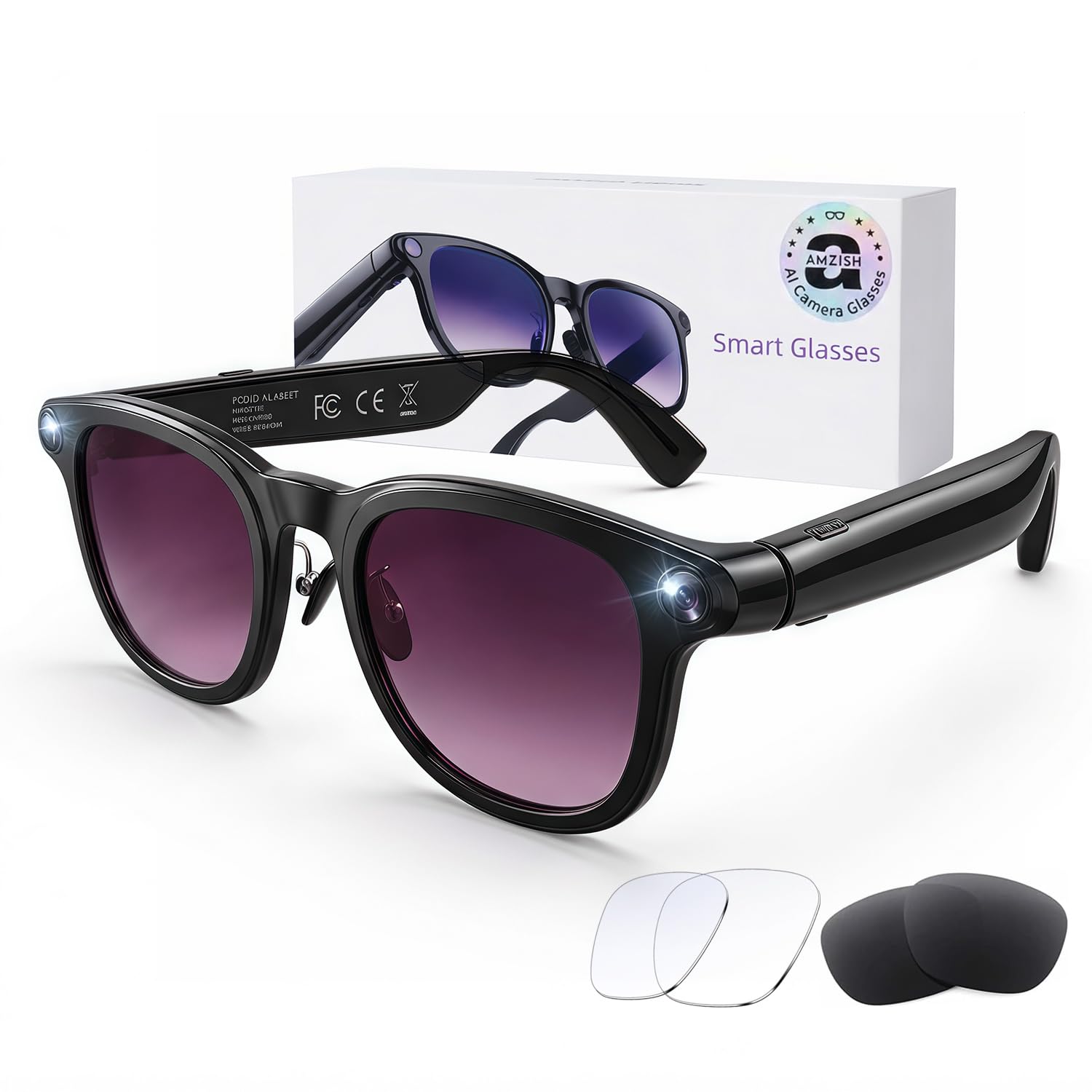
2. AI Smart Glasses with Camera
A 30-hour battery rating and live translation in 144 languages for a fraction of the big names.
The headline spec here is the battery rating: up to 30 hours. Against the Oakley Meta pair’s 8-hour rating above, this AMZISH pair claims 3.8x the runtime. — and if you are relying on a device all day, that difference is the whole ballgame. The cell is 300 mAh, and the listing rates music playback at up to 8 hours and continuous video recording at 12 minutes per session.
Travel is clearly the target. The built-in ChatGPT and DeepSeek assist with real-time translation across 144 mainstream languages with no phone needed, which means you can point, ask, and hear the answer without pulling anything out of your pocket. Three lens sets come in the box — a blue-light clear pair, a UV-protection black pair, and a red polarizing pair — so the same frame carries you from a business meeting to a sunny walk.
The honest catch is video reliability. Owners mention the video download breaking after about a month, once the return window has closed, leaving files that play audio with a blank thumbnail — one owner describes recording a car accident scene and getting only sound. Fit is the other documented weak spot: the frame comes in one generic size with a high narrow bridge and no adjustability, so a 3-star reviewer flatly calls it a bad fit. Comfort is fine for short sessions but the build runs heavy for all-day wear.
What the trio of lenses buys you: swap-in clear, UV black, and polarizing red lets one frame cover indoor reading light and glare-heavy outdoor use without buying a second device. The IP65 rating (protected against sweat and splashes, but explicitly not swimming or submersion) fits exactly that outdoorsy, commuter role.
The risk to price in: the video pipeline is the weak link in owner accounts, so if capturing and downloading footage is your main reason for buying, this is the one to think hardest about.
Reach for this if: translation on the road and long battery time matter more to you than video credibility.
Think twice if: your face rarely matches a generic one-size frame, or you need footage you can trust to download.
3. 2.1X Eschenbach Max TV Glasses Distance Viewing

No battery, no app, no charging — just 2.1X magnification sized for the couch.
This is the simplest device in the entire article, and for a specific person it is the most valuable. There is nothing to charge and nothing to connect. You put them on, you look at the television across the room, and each lens focuses independently to compensate for up to +/- 3 diopters of spherical correction. That means you dial the focus until the picture is crisp, and the adjustment range covers focal lengths from 10 feet out to infinity — exactly the distances involved in watching a screen on the far wall.
For someone whose near-sighted vision has slipped but who still has usable sight, the payoff is concrete. A buyer with cataracts describes using the adjustable focus to read tiny streaming-app text on the TV, calling them lightweight and comfortable. The husband in another household, near-sighted with central vision issues, could see faces and large print beyond 10 feet with these on — and the same buyer returned the near-vision version because it was no better than a 4x reader.
The limits are stated plainly, and you should read them twice. Eschenbach notes these may not work for people with macular degeneration and others with severe vision loss, and the review history backs the narrow use case — owners repeatedly describe them as ideal for TV viewing only, not for reading a book and not for walking around. The 20° field of view is the trade-off of the 2.1X pull: you see a slice of the screen, not the whole living room. Build quality is plastic, and a hinge has been reported snapping after five months of careful use.
Outside that window, the magnification simply will not line up with your eyes.
The comfort question: the molded bridge has no sharp edges to dig in, but the review page splits hard — some find these easy to wear for a full evening of television, and at least one wearer found them painful enough to return them. Sizing, not quality, is usually the deciding factor.
The right buy for: a still-sighted viewer who wants the television to look bigger tonight, nothing more complex.
Not your device if: you need to read print, move around the house, or you already know magnification will not reach you.
4. RayNeo Air 4 Pro AR/XR Glasses
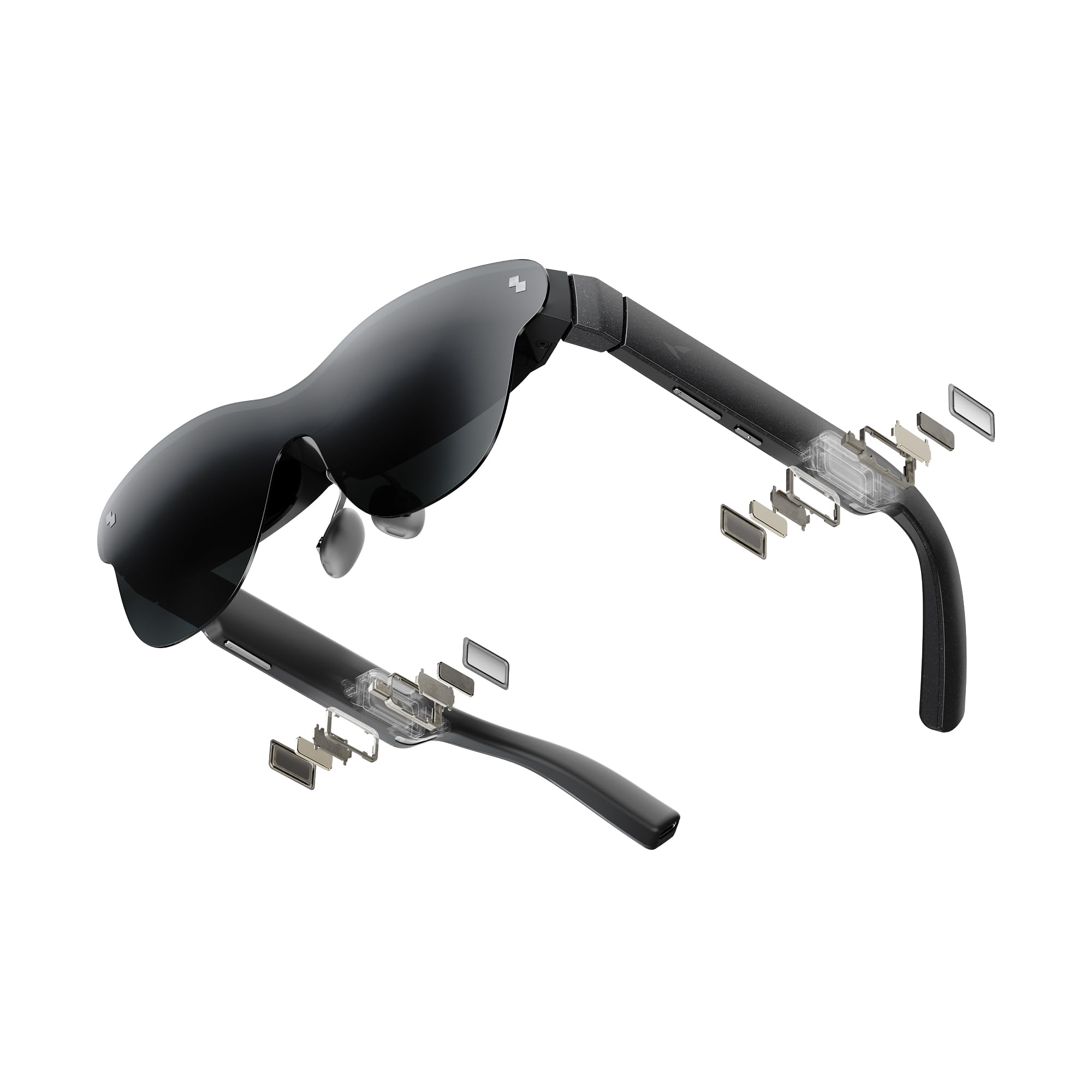
A 201-inch HDR10 screen that lives on your face and pulls everything from one USB-C cable.
Think of this pair less as glasses and more as a private cinema you wear. It throws up a 201-inch virtual display rated for HDR10, which is the format that delivers brighter highlights and richer blacks, and it runs at 120Hz so motion stays smooth. For someone who can no longer sit comfortably close to a television but still wants the immersion of a big screen, that is a meaningful shift — the picture follows your head wherever you are sitting.
There is no battery inside at all, and that is a feature rather than a limitation. You plug the USB-C cable into an iPhone 17, 16, or 15, an Android phone, a MacBook, an iPad, a Steam Deck, or a PlayStation console and it just works, with no Wi-Fi and no app to fight with. Less internal hardware also means less weight on your nose. The audio is tuned by Bang & Olufsen across four speakers with a 360° spatial effect, so you are not automatically reaching for earbuds.
The fixed nature of the display is where you need to be honest with yourself. There is no spatial anchoring, which means the screen moves with your head instead of staying pinned in the room — fine for watching a film, less good if you wanted a static monitor. Fit is the sharper issue: the interpupillary distance sits around 63 mm, and users whose pupils fall outside that range report a “crosseye” feeling and eye fatigue within minutes. If your pupil distance runs wide or narrow, this is the pick most likely to fight you.
Why the picture stands out
- 201-inch HDR10 virtual display with a 120Hz refresh rate for smooth, high-contrast viewing
- No battery means no charging routine — power comes straight off the USB-C source
- Four Bang & Olufsen speakers with spatial audio built into the frame
The honest snags
- Fixed display sits near 63 mm IPD, so off-standard eye spacing brings strain
- No spatial anchoring — the screen tracks your head instead of staying put
- The companion Android app is not on the Play Store and needs a manual install
Ideal for: a movie lover or gamer with standard pupil spacing who wants a huge picture without a huge television.
Wrong fit for: anyone whose interpupillary distance falls outside the fixed setting, or who needs the screen to stay anchored while they move.
5. Meta Ray-Ban (Gen 2) Wayfarer Smart AI Glasses
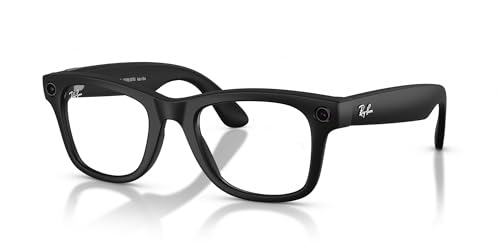
The Wayfarer silhouette, now with a 12 MP camera, live translation, and Meta AI on tap.
The strongest reason to pick this pair over the Oakley version above is the shape and the lens. This is a full-frame square Wayfarer in matte black with clear polycarbonate lenses, a 22 millimeter bridge, and a 15.6 centimeter arm — the frame that has been on faces for decades, which matters if the person wearing it does not want to look like they are wearing a device at all. It is the design that quietly gets a pair out of the drawer every morning.
Capability-wise it keeps pace with its Meta sibling. The camera is the same 12 MP with video up to 3K resolution and clips capped at 3 minutes, and the open-ear speakers let you hear a podcast while still catching conversation around you. Live translation covers French, Italian, Spanish, English, German, and Portuguese, and it does not need Wi-Fi to work. The maker rates its call noise handling at blocking 90 percent of wind and street noise.
What people mention most on the review page is the overall quality, which is a nice way of saying it feels like a real pair of glasses first. The friction sits in the smart features. The battery is the common grievance — customers note the battery draining far faster than the 8-hour rating when recording, with one production manager clocking roughly 30 minutes of continuous capture. Translation needs slow, loud, close speech to land, and the AI occasionally misreads names in text messages. Low-light video is genuinely poor unless you add light.
The daily-use read: frame quality is the standout, the camera and audio hold up, and the charging case stretches time between charges. Lenses smear easily, and cleaning them becomes a small ritual.
Where it falls short: this is a competent pair of smart glasses rather than a full assistive device. If you need something that reads printed text aloud, the OrCam MyEye Pro further down is the tool for that job.
Buy it for: the most recognizable face in smart glasses, with genuine prescription-frame styling and solid AI features.
Pass on it if: your priority is long recording sessions, since the battery drains quickly under that load.
6. XREAL 1S AR Glasses

A 500-inch screen that stays put in the room, thanks to native 3DoF anchoring.
Where the RayNeo above lets the picture drift with your head, this one pins it. The X1 chip drives native 3DoF tracking (three degrees of freedom, meaning the display detects your head turning and holds the image in place), so the screen behaves like a monitor hanging in space rather than a poster taped to your forehead. For someone who cannot comfortably hold a screen close, that anchored, room-sized picture is the most useful thing here.
The numbers behind it are large in both directions. The virtual screen reaches 500 inches in 3DoF, the panel is OLED with 1920 x 1200 maximum resolution, and the field of view is 52 degrees. Refresh runs at 120Hz in 3DoF mode with a 90Hz global rate, XREAL rates the redesigned optical engine at 9 percent more clarity.. A single switch converts everything you watch into 3D, supported up to 30fps with 90 to 100ms of latency. Every unit is individually color-tuned.
Two specs decide whether it works for you. The interpupillary distance range is 59.5 to 70.5 millimeters, a range the maker states fits approximately 95 percent of users — wider than the RayNeo’s fixed setting, but it still needs to include you. There is no diopter adjustment, so prescription lenses are required if you wear them. Setup is plug-and-play over USB-C DP with no apps, though reviewers point out occasional bugs, anchor drift, and settings that reset on reboot.
What reviewers keep praising: overall quality is the attribute buyers return to most, followed by the real 3D conversion — turning ordinary photos and video into 3D is the feature that surprises people. Text stays sharp and the on-board controls handle screen size, distance, and color temperature without relying on a buggy app.
The honest cost of the clarity: this sits several hundred dollars above the RayNeo Air 4 Pro, and accessories like the XREAL Eye for 6DoF anchoring cost extra. Bright-light reflections on the lenses are a real annoyance.
Best for: anyone who wants a big anchored screen for work or television and whose pupil distance falls in the 59.5–70.5 mm band.
skip it if: you need built-in focus correction or you refuse to deal with occasional software rough edges.
7. OrCam MyEye Pro

The one device here that reads printed text and recognizes faces out loud, with no internet needed.
Everything above this line makes the world bigger or records it. This is the only pick built to make the world audible, and for someone with significant vision loss that distinction is everything. A lightweight smart camera clips onto virtually any glasses frame, and it reads printed and digital text aloud from any surface in real time — the morning paper, a book, a menu, a food box, a can in the pantry. It recognizes faces, products, and money notes, and it does all of it without an internet connection.
The feature set is deep and the maker has put serious credentials behind it. MyEye works in more than 40 countries and 20 languages, and the English version runs on more than 20 voice-activated commands plus simple hand gestures. TIME named it one of its top 100 inventions of 2019. A 100 mAh lithium-ion battery keeps it running, and free online video tutorials and user support come with the device.
The 3.8 rating reflects one real hurdle: this is a device with a learning curve, and buyers describe needing time to get fluent with the gestures and commands. Value for money is the other common thread — at the top of the price range, some owners question whether the capability justifies the cost. Technical support, though, draws consistent praise, which matters when you are learning a new assistive tool. Read the maker’s own clarification carefully: this accesses visual information audibly, and it will not improve eyesight.
What it does that nothing else on this list can
- Reads printed and digital text aloud from any surface in real time
- Recognizes faces, products, and money notes — the independence features that matter daily
- Works with no internet connection, in more than 40 countries and 20 languages
What to prepare for
- It will not improve eyesight — it converts visual information to audio and nothing more
- A real learning curve before the gestures and voice commands feel natural
- Clipping to your own frame means you supply the glasses it rides on
The clear answer for: someone who cannot read print and needs the mail, the labels, and the faces in a room spoken aloud.
Not the cheapest route if: your vision still handles magnification and you only need things to look bigger.
Know the Specs
Magnification and field of view
Magnification tells you how much larger an object appears than it does to your naked eye. The Eschenbach Max TV here runs 2.1X. The number pairs with field of view, measured in degrees, which describes how much of the scene you take in at once. A wider field of view means less head turning to follow a screen; the trade-off is that higher magnification usually narrows it. When you are choosing, decide which matters more for the way you actually watch.
Interpupillary distance
Interpupillary distance, or IPD, is the gap between the centers of your pupils in millimeters. In a wearable display, the image has to line up with both eyes at once, so a mismatch is what produces the strain, double vision, or headaches some buyers describe. The XREAL 1S publishes a range of 59.5 to 70.5 mm; the RayNeo Air 4 Pro sits at a fixed setting near 63 mm. Know your number before you buy a display, not after.
Battery life and power source
Some devices carry their own battery and some draw power over a cable. The AI Smart Glasses list a 300 mAh cell with a battery average life of 30 hours; the Meta frames are rated up to 8 hours of typical use with a charging case that adds 48 more. A wearable display with no internal battery never needs charging, but it always needs a connected device. Which is simpler depends entirely on how you plan to use it.
Camera resolution and viewing angle
Camera resolution is stated in megapixels, and it decides how much detail survives when you look at a photo later. The Meta pairs use a 12 MP camera; the AMZISH pair uses an 8 MP lens with 32 MP photo support. Field of view, in degrees, sets how wide a slice of the scene lands in frame — the Oakley Meta HSTN is rated at 100°, which captures a whole room rather than a single object.
Common Questions
What is the difference between glasses that read aloud and glasses that magnify?
How do I know if my pupil distance will work with a wearable display?
Will the Eschenbach Max TV Glasses help with macular degeneration?
Do the Meta smart glasses work without a phone nearby?
How long does the battery actually last on a pair of smart glasses?
Can I put my own prescription lenses in these smart glasses?
Do AR glasses need Wi-Fi or an app to work?
Is the OrCam MyEye Pro hard to learn to use?
Can I wear these smart glasses in the rain or while exercising?
What does a virtual screen size like 201 inches or 500 inches mean in practice?
The Bottom Line
The most useful pick for the widest range of people is the Meta Oakley HSTN Smart AI Glasses, because it is the one pair that can be your prescription glasses, your camera, and your on-demand AI assistant at the same time. If reading printed text and recognizing faces aloud is the actual job — the reason you started looking — the OrCam MyEye Pro is the only device here built for it, and it works without an internet connection. And if the goal is simply to watch television again from across the room, the Eschenbach Max TV Glasses do it with no battery, no app, and nothing to charge.
Whichever way you lean, match the device to the task rather than to the spec sheet. A magnifier cannot read your mail, and a reader cannot make the television bigger. Get the job right first, and the rest of the choice gets a lot simpler.
How we choose
We do not accept paid placement. Every pick is matched to a real buyer and a real use-case; we do not hands-on test units.
Sources
Specifications: manufacturer listings and product documentation. Review insights: verified customer reviews, as of October 2026. Pricing: not shown on this page (it changes often); check the current price via the retailer link.
As an Amazon Associate, Aappliancez earns from qualifying purchases. This does not affect which products we feature.