Disclosure: Some links in this post are affiliate links. As an Amazon Associate I earn from qualifying purchases, at no extra cost to you. Learn more
Specs are compiled from manufacturer listings and verified buyer reviews and can change over time — please confirm the key details on the product page before buying.
If you want a tablet you can actually work on, read on, sketch on and stream on without squinting, the short answer is this: a big 11-inch-or-larger screen and a chip that keeps up with split-screen multitasking matter far more than any logo on the back. The nine picks below range from an entertainment-first slate with eight speakers to a 13-inch Apple flagship that most owners describe as a daily driver over both their phone and their laptop.
This guide is built by comparing the manufacturers’ published specifications and the patterns across verified customer reviews, so you get each pick’s real strengths and trade-offs instead of marketing spin.
Every option here is a genuine adult-sized tablet, not a toy, and each one solves a slightly different problem. The trick is matching screen size, memory and battery to how you actually spend your evenings, which is exactly what this breakdown of the best adult tablet covers pick by pick.
Top Picks



How To Choose The Best Adult Tablet
An adult tablet lives three lives at once: a second screen for work, a reading and sketching surface, and a personal cinema. The pick that suits you depends on which of those three you do most, so start there and let the specs follow.
Start with the screen you will stare at for hours
Screen size sets your whole experience. An 11-inch panel is the balance for one-handed reading and tossing in a bag, while a 13-inch or 14-inch display turns split-screen work and sheet music into something genuinely usable. Resolution matters just as much: a 2K panel (roughly 2000×1200 pixels) keeps text crisp and video detailed on a big screen. Panel type matters too — AMOLED (a screen that lights each pixel on its own for deep blacks and vivid color) delivers deep blacks and vivid color, while an LCD (a screen lit by a backlight behind the pixels) can be gentler on your eyes for long reading.
Memory and storage decide how long it stays useful
RAM (short-term working memory) is what lets you keep a browser, a notes app and a video call open at once without stutter; 8GB is the comfortable modern baseline. Storage is where your files physically live. Some tablets let you slide in a microSD card to expand that space, and some, like the TCL NXTPAPER 14, use built-in storage only, so check before you plan to fill it with movies.
Battery and charging for a day away from the plug
Battery capacity is measured in milliamp-hours (mAh) — the size of the fuel tank. A larger number generally means more hours between charges, but screen brightness and Wi-Fi drain it faster, so treat the hour figure as a best case. Fast charging in watts decides how quickly you get back to work when you do run it down.
Refresh rate and the extras that matter daily
Refresh rate in hertz (Hz) is how many times the screen redraws each second; a higher number makes scrolling and stylus lines feel smoother. Beyond that, weigh the practical extras: an included stylus or folio case, a headphone jack, expandable storage, and whether the tablet handles mobile data or Wi-Fi only.
Side-by-Side Comparison
| Model | Best For | Display | Battery | Storage / Memory | Amazon |
|---|---|---|---|---|---|
| Apple iPad Pro 13-inch (M5)★ Best Overall | Pro-grade work and creativity | 13-inch Ultra Retina XDR | All-day | 256GB / 16GB | Amazon |
| Samsung Galaxy Tab S10+ Plus 12.4”Top Performer | Big-screen streaming and notes | 12.4-inch AMOLED 2X, 120Hz | 16 hours | 256GB | Amazon |
| Lenovo Tab PlusBest for Media | Media and music first | 11.5-inch 2K LCD, 90Hz | 12 hours | 128GB / 8GB | Amazon |
| Samsung Galaxy Tab S9 11” | Compact durability with S Pen | 11-inch AMOLED 2X, 120Hz | 18 hours | 128GB | Amazon |
| TECLAST T65 | Huge screen on a value budget | 13.4-inch IPS, 120Hz | 11 hours | 128GB / 20GB | Amazon |
| Lenovo Idea Tab | College note-taking and study | 11-inch 2.5K IPS, 90Hz | 12 hours | 256GB / 8GB | Amazon |
| TCL NXTPAPER 14 | Readers and sheet music | 14.3-inch 2.4K paper-like | 10,000mAh | 256GB / 8+8GB | Amazon |
Detailed Reviews
1. Apple iPad Pro 13-inch (M5)
Our pick — 4.5+★ from 800+ verified ratings; the strongest balance of quality and price.
The 13-inch slab owners say beats their laptop at its own game.
If you want one tablet to be your second screen, your sketchbook and your evening cinema all at once, this is the one the crowd backs loudest — 4.5+ stars across 800+ owners, and they keep coming back to the same word: fast. The M5 chip is Apple’s laptop-class processor, and it is why owners keep calling this tablet fast. It drives split-screen windows, heavy creative apps and on-device AI tasks without the lag you feel on cheaper tablets. What people rave about most, though, is that 13-inch Ultra Retina XDR display with ProMotion (an adaptive high refresh rate that smooths scrolling and motion) — owners call it breathtaking across contrast, resolution and color.
There are two Apple-exclusive extras worth knowing. Face ID open up the tablet with a glance, and Apple N1 brings Wi-Fi 7 (the newest, fastest home Wi-Fi standard) for quick transfers of big video files. The cameras are a landscape 12MP Center Stage and a 12MP Wide, backed by four studio-quality microphones and a four-speaker system, so video calls sound as clean as they look. It is also genuinely light for the size, and the dimensions line up almost exactly with an 8.5×11 sheet of paper, which makes it a natural stand-in for a notepad.
Here is the honest catch, and it is the one the review pages dwell on: some buyers find it expensive, and the battery results are genuinely mixed — plenty report two to three days per charge, while others hit charging quirks. Storage and RAM lead the field, though. Against the Lenovo Tab Plus below, this one carries 16GB of memory to the Lenovo’s 8GB, and 256GB of storage to its 128GB. A few owners also note that holding it one-handed for a long stretch gets tiring. Buyers report “Great battery, 2-3 days per charge; 35W charger fast.”
What buyers brag about
- The M5 chip keeps pro apps and split-screen windows moving without lag.
- A 13-inch Ultra Retina XDR screen with ProMotion earns the biggest praise after performance.
- Face ID, Wi-Fi 7 with Apple N1, four speakers and four microphones cover work and calls in one device.
- Very light for its size, with a footprint that mirrors a standard sheet of paper.
The trade-offs to weigh
- Battery life splits opinion — some owners hit charging issues while others get days per charge.
- It is the priciest pick here, and the entry storage may feel tight for large video libraries.
- Holding it one-handed for long sessions tires the wrist.
Reach for this if: you want a flagship that doubles as your main work and creative device, with the fastest chip and the best screen in this lineup.
Look elsewhere if: you mainly stream video on the couch, where the Lenovo Tab Plus delivers the same fun for a fraction of the commitment.
2. Samsung Galaxy Tab S10+ Plus 12.4”
A 12.4-inch AMOLED canvas built for long, bright, beautiful viewing sessions.
The number that defines this one is 120 — hertz, the refresh rate. That means the screen redraws 120 times a second, so scrolling, animations and stylus strokes feel fluid rather than steppy. Pair that with a 12.4-inch Dynamic AMOLED 2X panel and you get deep blacks, punchy color and an anti-reflective coating that keeps things readable in a bright room. Samsung’s S Pen support handles notes and sketches, and the included stylus slot keeps it close.
Under the hood it runs a MediaTek Dimensity 9300+ processor, and the battery spec is the one that turns heads: 10,090 mAh, rated for up to 16 hours. Against the Lenovo Tab Plus below, this one holds 10090 mAh to the Lenovo’s 8600 mAh, and a 120Hz refresh rate to the Lenovo’s 90Hz. It is also the larger-screen of the two at 12.4 inches versus 11.5. If you watch a lot of video or edit photos, that combination of size, smoothness and endurance is the whole appeal.
Owners put it simply — as one buyer summed it up, this is “best tablet i ever owned.” The catch is that a big AMOLED screen at 120Hz (a refresh rate that redraws the screen 120 times a second for smoother motion) pulls power, so heavy days will still want a charger nearby, and the 256GB of built-in storage fills up fast if you hoard 4K movies. Worth knowing: some units here arrive as certified refurbished in like-new condition, so check the listing detail if that matters to you.
The headline spec: 10,090 mAh of capacity and up to 16 hours of rated life make this the marathon runner of the mid-range class.
Fair warning: that big, fast AMOLED display is thirsty, so pack the charger for long travel days.
Suits you best if: a huge, smooth AMOLED screen for streaming and note-taking is your top priority.
Think twice if: you want everything in your hands new — some listings here ship as refurbished stock.
3. Lenovo Tab Plus
Eight speakers and a folding kickstand make this the couch companion.
The number that sets this apart is eight — the count of JBL Hi-Fi speakers, split into four tweeters and four force-balanced bass units with Dolby Atmos. Owners describe the eight-speaker output as loud enough to fill a room without a Bluetooth speaker. Pair that with a sturdy flip-out kickstand and an 11.5-inch 2K display at 400 nits, and you have a tablet built around watching rather than working.
The engine is a MediaTek Helio G99 with 8GB of memory and 128GB of storage, expandable up to 1TB with a microSD card — handy if you keep a local movie library. Battery is 8600 mAh rated at 12 hours, and a 45W USB-C charger ships in the box. Against the Galaxy Tab S10+ above, this one gives up screen size, battery capacity and refresh rate, but it fights back on audio and price — buyers call it a great media tablet six months in.
Where it feels the trade-off: this is a media machine first, so demanding games can stutter. Owners warn against running it inside a snug plastic case, which traps heat. It is generally best left on a stand or a soft folio rather than buried in a thick cover.
Why it wins the audio crowd: four tweeters plus four bass units produce room-filling Stereo and Dolby Atmos sound that owners rate above far pricier tablets.
Who should pass: serious gamers, since demanding titles can drop below smooth frame rates on the Helio G99.
Grab this one if: you want big, loud sound and an all-day screen for streaming, music and audiobooks.
Leave it on the shelf if: your tablet lives inside a tight case or you need top-tier gaming performance.
4. Samsung Galaxy Tab S9 11”

The one you can carry anywhere and not baby, thanks to a water-and-dust rating.
Most tablets you guard from spills and rain. This one carries an IP68 rating (the highest dust and water resistance tier for a consumer device) inside an Armor Aluminum frame, which is genuinely rare in a tablet. Pair that with an 11-inch Dynamic AMOLED 2X screen at 120Hz, and you get flagship visuals in a package small enough to toss in a bag. The included S Pen makes it a natural fit for handwritten notes and quick sketches.
Power comes from a Snapdragon 8 Gen 2 processor — Samsung’s fastest tablet chip here — with 128GB of storage and Wi-Fi 7 for fast wireless. Battery is 8400 mAh rated up to 18 hours, the longest rated figure in this lineup save the OnePlus below at 17. Vision Booster automatically lifts brightness and contrast when you step outside, and quad Dolby Atmos speakers plus a high-resolution auto-focus front camera round out the package. It is a strong pick for anyone already living inside Samsung’s ecosystem.
The recurring gripe is battery life, which splits opinion — some owners see it stretch for days of idle use while others want more endurance. There is no charger in the box, and the accessories can get expensive. Still, for a small-but-mighty tablet that survives the real world, it is hard to argue with.
The standout: that IP68 water-and-dust rating makes it one of the few tablets you can genuinely take everywhere.
Watch out for: no charging brick ships with it, so budget for one of your own.
Best matched to: Samsung owners who want a portable, durable, pen-ready tablet with flagship speed.
Not your pick if: you need the biggest possible screen or the longest possible battery.
5. TECLAST T65 13.4”
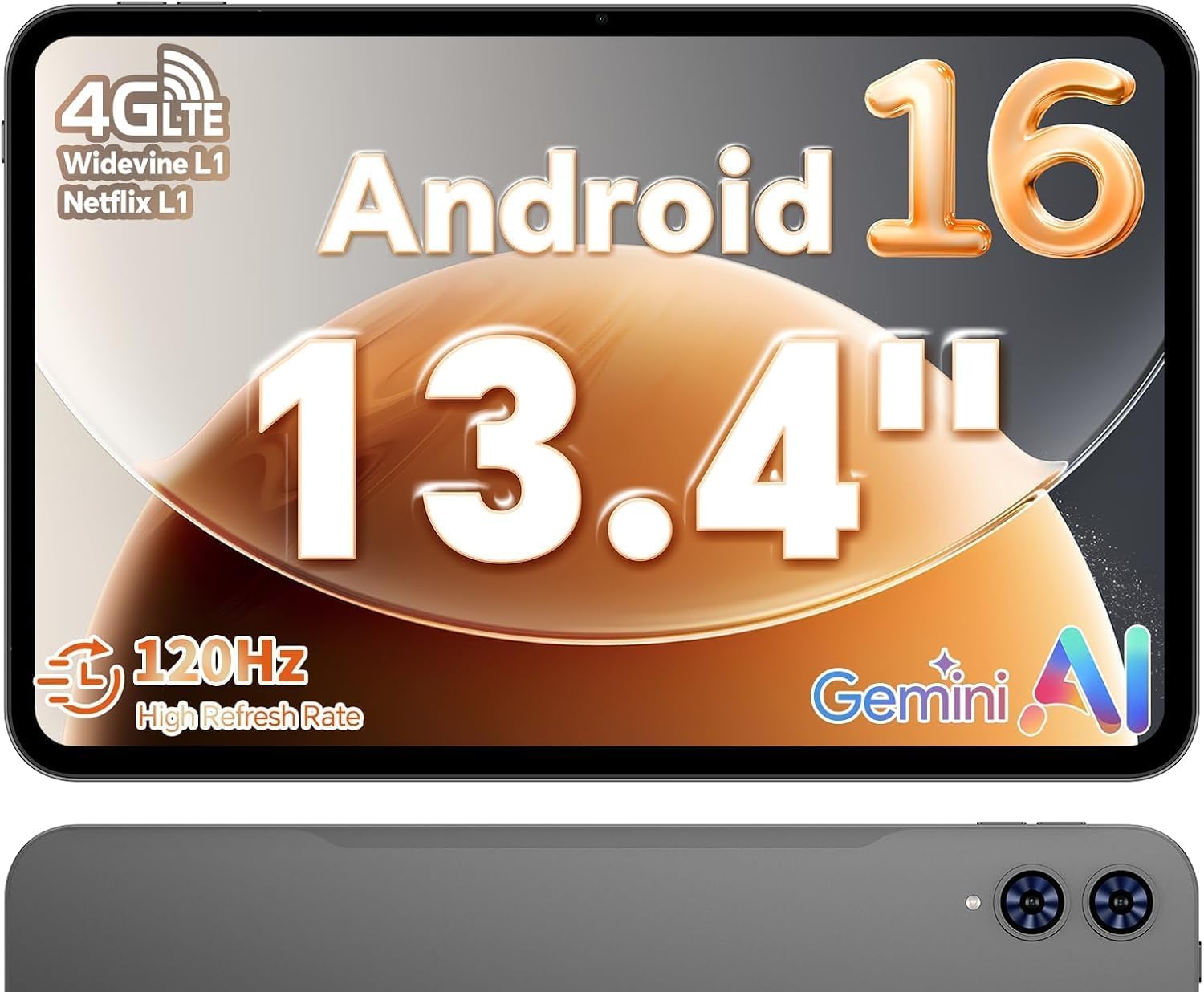
A 13.4-inch screen for reading PDFs, watching movies and calling over LTE.
If screen real estate per dollar is your whole game, this is the smart-money pick. That 13.4-inch IPS display at 1920×1200 with a 120Hz refresh rate gives you a viewing area most tablets at this level cannot touch, and the narrow bezels make it feel even larger. The 120Hz refresh beats the 90Hz floor many cheap tablets still run, which keeps scrolling and app transitions smooth. Text and documents look crisp at this size, so it works for reading, streaming and split-screen multitasking.
The chip is an octa-core T7280 at 2.2GHz, backed by 20GB of RAM and 128GB of storage. Owners say the 20GB of RAM keeps apps launching quickly and split-screen multitasking smooth. It also brings 4G LTE and dual-band Wi-Fi, so you can stay connected away from home — a rarity at this price level. Battery is 8000 mAh rated around 11 hours, and it fits a 1TB microSD card for extra room.
Here is what to know before you buy: battery life is the recurring mixed note, so heavy video days will want a top-up. It is also a bulkier, heavier machine than an 11-inch slate, and the physical button layout takes some getting used to. The upside is a factory-installed tempered glass screen protector and a genuinely competitive price, buyers included.
Reasons owners recommend it
- A 13.4-inch 1920×1200 IPS screen at 120Hz — big and smooth for the money.
- 20GB of RAM and 128GB of storage handle multitasking without lag.
- 4G LTE and dual-band Wi-Fi keep you connected away from home.
- Tempered glass screen protector comes pre-installed.
The honest downsides
- Battery life is the most-mentioned mixed note — plan on a mid-day charge for heavy use.
- It is bulkier and heavier than an 11-inch tablet, so it is not the easiest one-handed carry.
- The button placement takes a little getting used to.
The verdict: the best way to get a giant, smooth screen and mobile data without stretching your budget.
The caveat: you trade portability and easy one-handed holding for that big panel.
6. Lenovo Idea Tab

The note-taker’s tablet, with a bright 2.5K screen and a pen in the box.
Students and anyone who writes by hand will appreciate the details here. The 11-inch 2.5K IPS touchscreen (2560×1600 pixels) is sharper than most panels in its class, and it comes with a Tab Pen and a folio case included, so you are ready to write the moment it arrives. The chip is a MediaTek Dimensity 6300 with 8GB of memory and a generous 256GB of storage, expandable up to 2TB with a microSD card. Four Dolby Atmos-tuned speakers carry the audio for study breaks.
The battery is 7216 mAh rated up to 12 hours of YouTube, and a 20W charger gets you back up quickly. Lenovo layers in four learning apps — Lenovo AI Note, Squid, Nebo and MyScript Calculator — and a TÜV Rheinland low-blue-light solution that cuts glare for long reading sessions. Circle to Search lets you ring an on-screen item to look it up instantly without switching apps.
A couple of practical notes stand out from owners. The bundled pen runs on a AAAA battery, so keep spares handy, and the included folio case is widely described as the weakest part of the package — many owners swap it for a sturdier third-party cover. Neither is a dealbreaker on a tablet this capable, but worth planning around.
What students love: a sharp 2560×1600 screen and included pen make handwriting and note review genuinely pleasant.
Plan around this: the bundle’s folio case is the soft spot — most owners replace it.
Made for: students and note-takers who want a sharp screen, a real stylus and plenty of storage in one box.
skip it if: you need the absolute longest battery life or a premium metal-everything feel.
7. TCL NXTPAPER 14

A 14.3-inch matte screen that reads like paper and pampers tired eyes.
Readers, sheet-music players and anyone who finds glossy screens wearing will find this one speaks their language. The 14.3-inch 2.4K panel uses NXTPAPER 3.0 technology, which reduces glare, filters blue light and supports DC dimming — and an Eye Care Assistant adjusts brightness and color temperature automatically. The bundled 4096-level T-PEN stylus suits sketching and handwriting, and the NXTPAPER Key switches between Standard, Color Paper and Ink Paper modes in a tap.
Inside sits a MediaTek Helio G99 with 8GB of RAM plus 8GB of expandable memory and 256GB of storage, running Android 15. There are dual front cameras at 13MP and 5MP plus an 8MP rear autofocus camera, all handling 1080p video for calls and teaching. Battery is 10,000 mAh with 33W fast charging and reverse charging to top up a phone or earbuds, and the metal body is 0.27 inches thin.
The catch to know up front is storage: this one uses built-in storage only, so there is no microSD card slot to expand it. Buyers who fill tablets with downloaded media should plan around that 256GB. On the bright side, the Paper-Like display wins over exactly the people it targets — reading, sheet music and study all feel comfortable for long stretches.
what separates it: a 14.3-inch paper-like screen with the included 4096-level T-PEN (a stylus that senses 4096 pressure levels for fine control) is tailor-made for musicians and readers.
Know beforehand: no microSD slot, so 256GB of built-in storage is your fixed ceiling.
Perfect for: readers, students and musicians who want a large, eye-comfortable, glossy-free screen and a pen in the box.
Not ideal if: you need expandable storage for a big offline library.
Know the Specs
Battery capacity in milliamp-hours
Milliamp-hours (mAh) measure the size of a tablet’s battery fuel tank. A larger number generally means more hours between charges, which is why the OnePlus Pad Go 2’s 10,050mAh and the Samsung Galaxy Tab S10+’s 10,090mAh sit at the top of this group. Real-world life still depends on brightness, Wi-Fi and what you are running, so treat the rated hour figure as the best case and keep a charger close on heavy days.
Refresh rate in hertz
Refresh rate in hertz (Hz) is how many times per second the screen redraws. A 120Hz panel like the Galaxy Tab S10+’ draws twice as often as a standard 60Hz screen, so scrolling and stylus strokes look fluid instead of steppy. After a day on 120Hz, 60Hz feels noticeably less smooth, which is why enthusiasts check this spec first.
Common Questions
Is a 13-inch tablet too big to use comfortably as an adult tablet?
Do I need a stylus to get the most out of an adult tablet?
How much RAM does an adult tablet really need for multitasking?
Will the tablet hold a microSD card to add extra storage?
Is 120Hz refresh rate worth it over a standard 60Hz screen?
Can these tablets make video calls with a good front camera?
Does a bigger battery in milliamp-hours always mean more hours of use?
How important is water and dust resistance for a tablet I might carry around?
Are these adult tablets Wi-Fi only or do some support cellular data?
Does a mid-range tablet like the Lenovo Tab Plus handle games well?
The Bottom Line
For most people, the best adult tablet is the Apple iPad Pro 13-inch (M5). It leads on every spec that matters for daily work and play — the M5 chip, 16GB of memory, 256GB of storage, a 13-inch Ultra Retina XDR screen, Face ID (open up with your face) and Wi-Fi 7 (the newest fast Wi-Fi standard) — and owners say they reach for it over their phone and laptop. If a big, smooth AMOLED screen and marathon battery are what you want, the Samsung Galaxy Tab S10+ Plus is the pick. And for giant-screen value with mobile data built in, the TECLAST T65 punches well above its tier.
One honest note if you are deciding today: the iPad Pro leads this group on rating, and that reputation is well earned — it is simply the most capable tablet here. But it also carries the most mixed battery feedback of the top picks, so if endurance first or biggest screen per dollar matters more than raw horsepower, the Galaxy Tab S10+ or the TECLAST T65 will likely suit you better.
How we choose
We do not accept paid placement. Every pick is matched to a real buyer and a real use-case; we do not hands-on test units.
Sources
Specifications: manufacturer listings and product documentation. Review insights: verified customer reviews, as of October 2026. Pricing: not shown on this page (it changes often); check the current price via the retailer link.
As an Amazon Associate, Aappliancez earns from qualifying purchases. This does not affect which products we feature.