Disclosure: Some links in this post are affiliate links. As an Amazon Associate I earn from qualifying purchases, at no extra cost to you. Learn more
Specs are compiled from manufacturer listings and verified buyer reviews and can change over time — please confirm the key details on the product page before buying.
You are spending real money on a 1K gaming PC, so here is the short answer: the Skytech Gaming Storm with the Ryzen 5 8400F and RTX 5050 is the one to buy first, and the ZYNEEX Ryzen 5 5500 is the best-feeling alternative if you want a slightly cooler-running build. The rest of this list was sorted by how well each machine holds up once the honeymoon phase ends — not by the prettiest spec sheet.
This guide is built by comparing the manufacturers’ published specifications and the patterns across verified customer reviews, so you get each pick’s real strengths and trade-offs instead of marketing spin.
Every machine here was picked because it can actually run modern games at a solid frame rate without you having to replace the power supply a month in. That is the whole test for a 1k gaming pc.
Top Picks


How To Choose The Best 1K Gaming PC
Most people shopping for a prebuilt gaming tower get the order of importance backwards. They read the CPU name first, then the RAM size, and only glance at the graphics card at the end. That is the exact wrong sequence, and it is why so many affordable towers feel slow two months after purchase.
Start With The Graphics Card, Not The Processor
Your frame rate is decided by the GPU — the dedicated graphics card that draws every pixel on screen. A machine with an RTX 5060 8GB will comfortably push modern games past 60 frames per second at 1080p, while a tower with an older or weaker card will struggle even with a faster processor. Names like RTX 3050, RTX 5050, and RTX 5060 tell you the generation first and the tier second, so the higher the number, the newer the card inside. Check the VRAM figure that follows, because 8GB of dedicated memory gives you more headroom for higher texture settings than 6GB does.
Match Memory Type To Your Upgrade Plans
DDR4 and DDR5 are two generations of system memory, and they are not interchangeable in the same motherboard. DDR4 is older and cheaper, so it shows up in budget-friendly towers. DDR5 is faster and pairs with newer processor sockets, which makes it the smarter pick if you plan to upgrade parts in a couple of years. The capacity number next to it — 16GB in most machines here — is what lets you keep a browser, Discord, and a game open at once without the system stuttering.
Decide How Much Storage You Actually Need
Modern games are large, and a 512GB SSD fills up faster than most buyers expect. An NVMe SSD is the fast, sliver-shaped drive type that boots Windows in seconds and loads levels without a loading-bar wait, while a spinning HDD is much slower but holds more for less. If a tower lists only 1TB and no second drive bay mentioned, budget for adding storage later — a step several reviewers of these machines ended up taking.
Side-by-Side Comparison
| Model | Best For | Graphics Card | Memory | Storage | Amazon |
|---|---|---|---|---|---|
| Skytech Gaming Storm★ Best Overall | Best overall starter tower | RTX 5050 8GB | 16GB DDR5 5200 | 1TB NVMe SSD | Amazon |
| Thermaltake LCGS Quartz i1460Cleanest Looking | Clean white showpiece build | RTX 5060 8GB | 16GB DDR4 3600 RGB | 1TB NVMe M.2 | Amazon |
| ZYNEEX Ryzen 5 5500Best At 1440p | Quiet plug-and-play 1080p | RTX 3050 6GB | 16GB DDR4 3200 | 1TB NVMe SSD | Amazon |
| KOTIN Ryzen 5 9600X | 1440p and streaming | RTX 5060 8GB | 16GB DDR5 | 1TB PCIe 4.0 NVMe | Amazon |
| STGAubron Ryzen 5 5500 | Reliable daily 1080p workhorse | RTX 3050 6GB | 16GB DDR4 | 1TB SSD | Amazon |
| Evounic 12-Core RX580 | Water-cooled multitasking | Radeon RX580 8GB | 64GB RAM | 512GB SSD + 1TB HDD | Amazon |
| ZER-LON Ryzen 5 3500X | Esports and light titles | RX 590 8GB GDDR5 | 16GB | SSD + 1TB | Amazon |
| STGAubron Core i7 | Budget photo and video editing | RTX 3050 6GB | 16GB | 512GB SSD | Amazon |
| suevery Pre Built Bundle | Entry-level kids’ first tower | Radeon 4GB | 16GB DDR4 3200 | 512GB NVMe SSD | Amazon |
| Prebuilt Ryzen 5 4500 | Cheapest way onto the ladder | RTX 3050 6GB | 16GB DDR4 3200 | 512GB NVMe SSD | Amazon |
Detailed Reviews
1. Skytech Gaming Storm Gaming PC, Ryzen 5 8400F, RTX 5050
Our pick — 4.5+★ from 300+ verified ratings; the strongest balance of quality and price.
The 4.7 GHz Ryzen 5 tower that holds 1080p ultra settings at a 72°C peak.
What you notice first is the balance. The Ryzen 5 8400F runs at a 4.2GHz base clock and turbos up to 4.7 GHz, which is the speed the processor hits when a game suddenly needs more power — and that top number is what keeps frame pacing steady when the action gets busy. Pair that with an RTX 5050 8GB graphics card, and you get a system that genuinely holds 60+ FPS at 1080p on titles like Elden Ring Nightreign and Cyberpunk 2077.
That 4.7 GHz turbo is 0.6 GHz higher than the 4.1 GHz ceiling on the Ryzen 5 4500 tower further down this list — a gap you can feel in load-in times and in how quickly menus respond during a session. Memory here is 16GB of DDR5 running at 5200 with a heat spreader, and the newer DDR5 generation pairs with a newer platform, so it stays relevant longer if you plan to swap parts later.
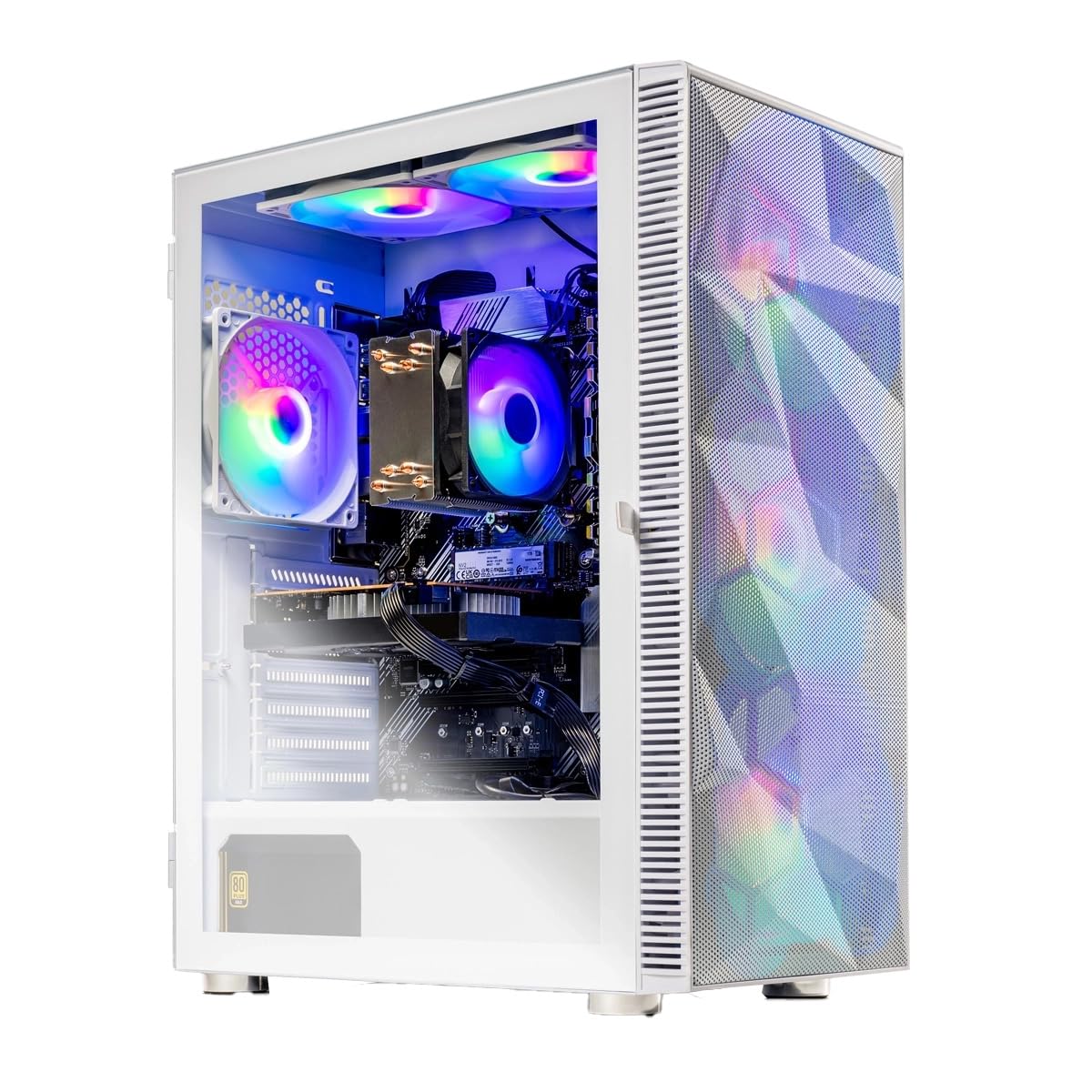
The cooling design deserves a mention because it is the reason the performance claim holds up. A high-performance air cooler and ARGB fans sit inside the white Storm case with a front mesh panel, and buyers report temps below 80C with a 72C peak while streaming. Windows boots in 10 to 25 seconds off the 1TB NVMe SSD — the fast, sliver-shaped storage type that leaves no loading-bar wait — and it arrives with a free gaming keyboard and mouse. The build is assembled in the USA, backed by a 1-year parts and labor warranty, and the thing has been out long enough to have a real track record.
Ryzen 5 8400F speed
- 4.7 GHz turbo boost gives it the highest clock speed on this list
- 16GB DDR5 5200 memory sits on the newer, longer-lived memory standard
- RTX 5050 8GB handles 1080p ultra settings with 8GB of dedicated VRAM
- Free gaming keyboard and mouse plus a 1-year parts and labor warranty
RTX 5050 entry tier
- Reliability is the most-discussed topic and the split is real — the Wi-Fi adapter is the weak point, and it runs on Wi-Fi 5 instead of the newer Wi-Fi 6
- Storage capacity puts some buyers in the upgrade aisle sooner than they expected
first gaming rig: if you want the strongest overall package on this page — newer memory, the fastest boost clock, and 60+ FPS at 1080p from the start — start here.
check PSU wattage: budget for a cheap USB Wi-Fi dongle or an Ethernet cable, because the onboard wireless is where owners most often hit trouble.
2. Thermaltake LCGS Quartz i1460 Gaming Desktop
A white tower that hides its cables and shows off its RGB through 3mm tempered glass.
Thermaltake went after the part of a gaming desk that buyers actually stare at all day. A 3mm thick tempered glass side panel is the clear window on the case, and behind it a full-length PSU cover tucks every cable out of sight, so the only thing visible is the RGB memory and the ARGB tower air cooler. On the hardware side the RTX 5060 8GB puts this a step above the RTX 5050 in the Skytech Storm, and that extra graphics tier is the reason a buyer chasing higher frame rates would look here first.
The processor is an Intel Core i5-14400F paired with an Intel B760 chipset motherboard and 16GB of DDR4 3600Mhz RGB memory. DDR4 is the older memory generation, so it is a touch behind the DDR5 in the Skytech, but it is plenty for competitive shooters — the owner consensus is that it handles Battlefield and AAA titles without complaint as long as you are not cranking every texture setting.
The honest catch shows up in two places. Port alignment on the rear of the case draws the sharpest complaints — one buyer summed it up bluntly: “all these ports are misaligned, cant use half of them.” Storage is the softer gripe, since it arrives with 1TB and no factory 2TB option, which leaves buyers adding a second M.2 drive themselves. Neither issue breaks the build, and for a plug-and-play machine that boots quiet and fast, most people do not notice the ports at all — until they go to plug in a headset.
Intel Core i5 power: the RTX 5060 and the cable-managed, glass-panel presentation make this the pick for someone who cares how the tower looks on a desk as much as how it runs.
midrange balance: you want a display-quality build with a newer graphics card and RGB you can actually see.
weigh upgrade path: you need a second storage drive preinstalled or you plan to run a lot of back-panel peripherals.
3. Prebuilt Gaming Desktop PC AMD Ryzen 5 5500
The quiet one — six cores, twelve threads, and a Windows install that handles itself.
If your real fear is spending an evening wrestling with drivers instead of playing, the ZYNEEX build is the one to look at. The Ryzen 5 5500 runs 6 cores and 12 threads up to 4.2GHz, and the setup story here is the closest thing to truly hands-off on this page. Plug in the cables, let Windows 11 install itself, and go — reviewers describe exactly that, with one writing “the setup was super easy. It feels like a high end computer.”
What consistently wins people over is how quietly it runs while still delivering. The 16GB of DDR4 3200MHz memory covers everyday multitasking with room to spare, the 1TB NVMe SSD (the fast solid-state storage type that skips loading bars) keeps map screens short, and the RTX 3050 6GB handles 1080p gaming with ray tracing in supported titles. Owners mention Civilization 7 and XCOM2 running at high resolution without lag, and for an ex-console gamer making the jump, that is the whole point.
The trade-off is honest and worth naming: the RTX 3050 6GB is the smallest graphics card in this roundup. Owners who mostly play indies and older titles are thrilled with it, but if your library leans on the newest AAA releases at high settings, the 8GB cards elsewhere on this list give you more room to turn settings up.
budget starter: a near-zero-setup tower that runs cool and quiet on a desk without demanding you learn BIOS settings.
consider future games: you want headroom for brand-new AAA games at high settings rather than indie and older titles.
4. KOTIN Prebuilt Gaming PC Ryzen 5 9600X
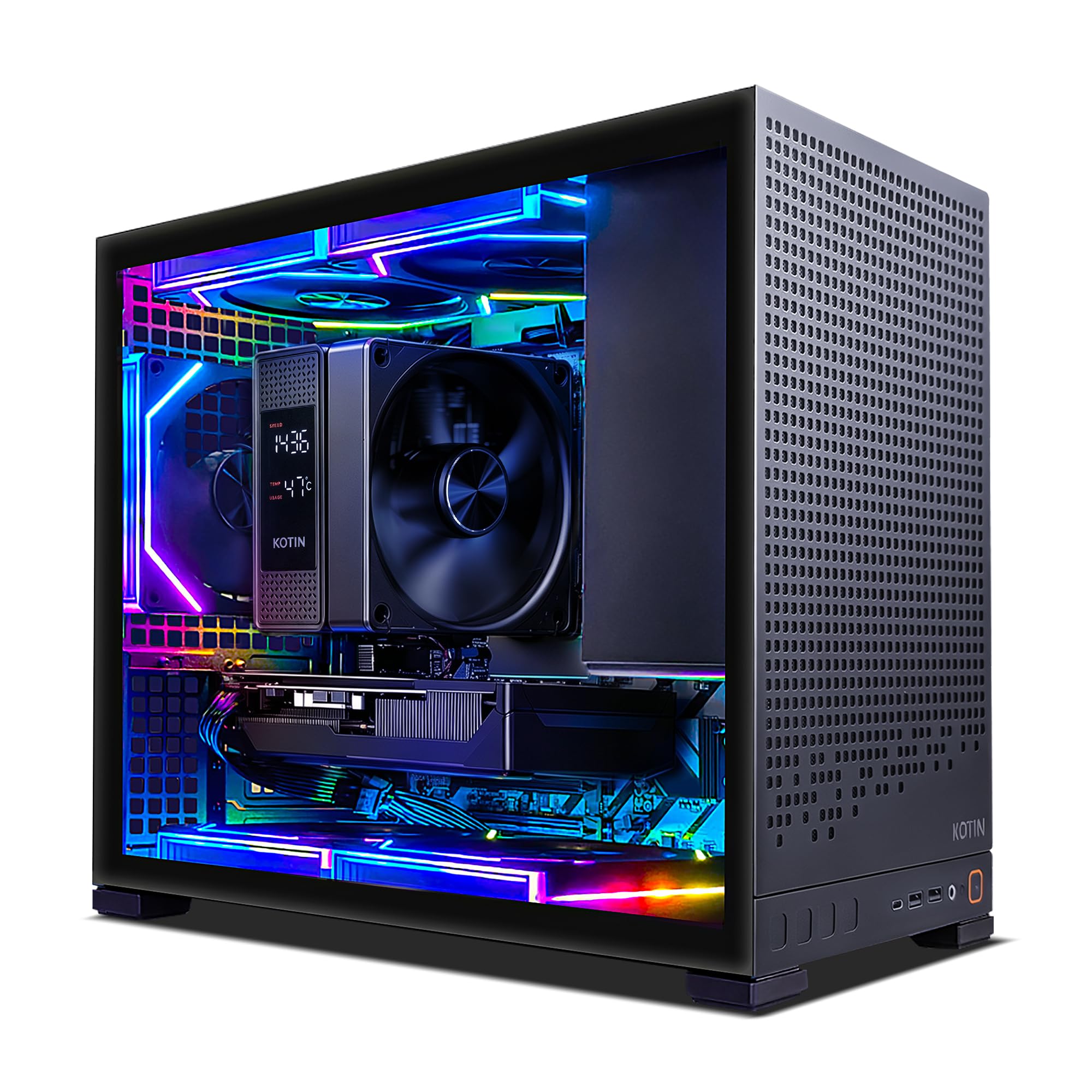
A 5.4 GHz processor and DDR5 memory — the fastest-feeling tower in this comparison.
This is the pick for the buyer who wants the newest parts across the board. The Ryzen 5 9600X clocks up to 5.4GHz, the highest of any machine here, and it is paired with 16GB of DDR5 and an RTX 5060 8GB supporting DLSS 4 with Multi Frame Generation — a feature that renders extra frames to smooth gameplay in supported titles. Together they make the jump from 1080p to 1440p feel natural rather than like a compromise.
The details around the edges are where it separates from cheaper towers. Wi-Fi 7 is the newest wireless standard and the fastest of the Wi-Fi generations named in this guide, and the B850M motherboard supports three M.2 slots with one PCIe 5.0 M.2 bay, so adding storage later is a screwdriver job instead of a rebuild. A 650W 80 PLUS Gold power supply is the efficiency-rated unit that converts wall power with less waste, and the listed support covers parts and labor with lifetime technical support.
Value is the interesting part. Owners describe it as a genuine deal for the hardware inside and report it handles everything from streaming to everyday multitasking without strain. The buyer’s caution to know: the graphics card output ports sit on the lower back of the case, and plugging your monitor into the upper motherboard ports instead gives you no picture at all — a step the listing flags clearly because it trips people up on day one.
Ryzen 5 9600X DDR5: the 5.4GHz boost plus DDR5 and Wi-Fi 7 make this the machine that will feel current the longest.
RTX 5060 unknown: it costs meaningfully more than the budget towers here, and the graphics card is the same RTX 5060 8GB you will find in the Thermaltake — the premium goes to the processor, memory, wireless, and PSU quality.
new platform pick: you want the newest processor, memory, and wireless standard in a single prebuilt and you plan to keep upgrading it for years.
wait for benchmarks: your budget is tight and your games are 1080p esports titles, where a cheaper RTX 3050 build will do the job.
5. STGAubron Gaming PC Desktop R5 5500
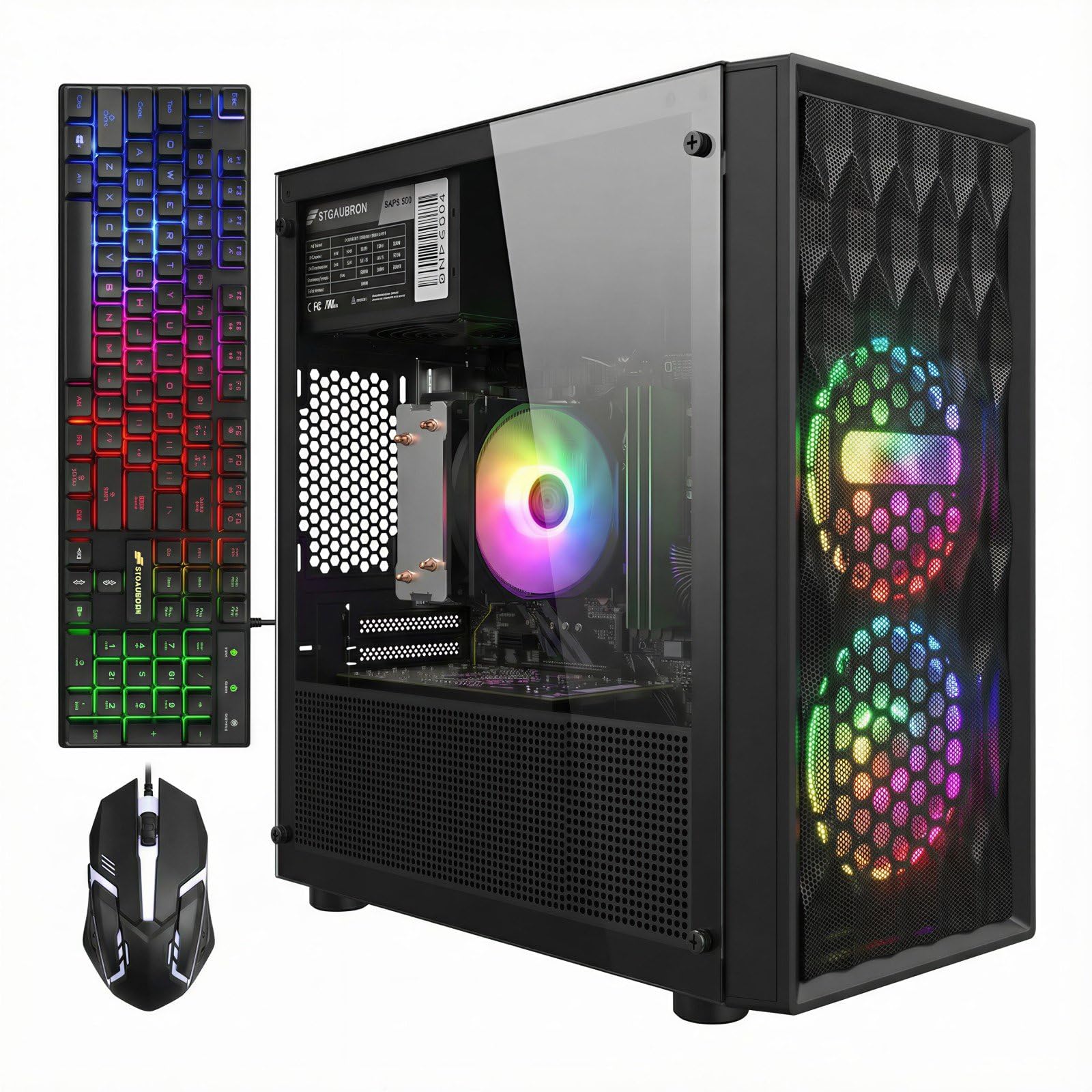
The tower owners describe as quietly dependable — Fortnite at 120 FPS without drama.
Reliability is what this build is built around, and the numbers back it up. The Ryzen 5 5500 runs 6 cores and 12 threads up to 4.2GHz alongside an RTX 3050 6GB, and customers note 120 FPS in Fortnite with fast load times. If your frustration with cheap prebuilts is that they develop a new problem every week, this is the machine aimed squarely at that worry.
The connectivity list is generous for the price range: Wi-Fi 6 (the newer wireless standard that handles a busy home network better than the older Wi-Fi 5), Bluetooth 5.2, an RJ-45 Ethernet jack, HDMI and DisplayPort outputs, plus two RGB fans and an RGB gaming keyboard and mouse in the box. It arrives with Windows 11 Home installed and the 1TB SSD gives you real room for a full game library before you think about adding more.
Two quirks are worth flagging so they do not surprise you. A few owners found the Wi-Fi connection finicky and ended up adding a USB dongle, which is the same fix sellers often suggest — and a handful received a unit that restarted itself repeatedly until it was exchanged. Both are the kind of fit issues common to budget towers, not the standard experience, and the majority describe a machine that simply keeps working.
1080p gaming: a steady daily 1080p tower with all the connectivity you need built in.
avoid heavy textures: the wireless can need a USB Wi-Fi adapter, so have one in the drawer just in case.
6. Gaming Desktop PC Computer 12-Core Processor

Liquid-cooled and loaded with 64GB of RAM — a streaming rig more than a pure gaming tower.
Where every other machine here tops out at 16GB of memory, this one carries 64GB. That is the number that matters if you keep a browser with dozens of tabs, a video editor, and a game running at the same time, because it is the buffer that stops the system from stuttering when several programs demand memory at once. The 512GB SSD plus 1TB HDD split gives you a fast drive for Windows and games and a slower, roomier one for media files.
The processor is a Xeon 12-core unit paired with a Radeon RX580 8GB GDDR5 graphics card, and the cooling is the standout spec — a liquid cooling loop, meaning coolant circulates heat away from the chip instead of relying on a fan and metal fins alone. Owners consistently describe it as running quietly even during long sessions, and the ARGB lighting and glass case make it a showpiece on a desk.
Gaming performance is the part to calibrate your expectations on. The RX580 is an older-generation card, so it handles competitive titles and streaming comfortably but will not match the ray tracing and frame generation of the RTX 5060 machines above. Buyers who went in expecting a budget-friendly plug-and-play rig for esports and video work are happy; buyers expecting the newest AAA titles at ultra settings are the ones who should look toward the Skytech or KOTIN instead.
12-core RX580 muscle: 64GB of RAM and a liquid cooling loop are specs you simply do not find on other towers in this bracket.
multitask champion: you stream, edit video, or juggle heavy multitasking and want a quiet, cool-running white tower with massive memory.
not for ray tracing: your priority is the newest ray-traced AAA games at the highest settings — the older graphics card is the limiting factor here.
7. Prebuilt Gaming PC Desktop Ryzen 5 3500X
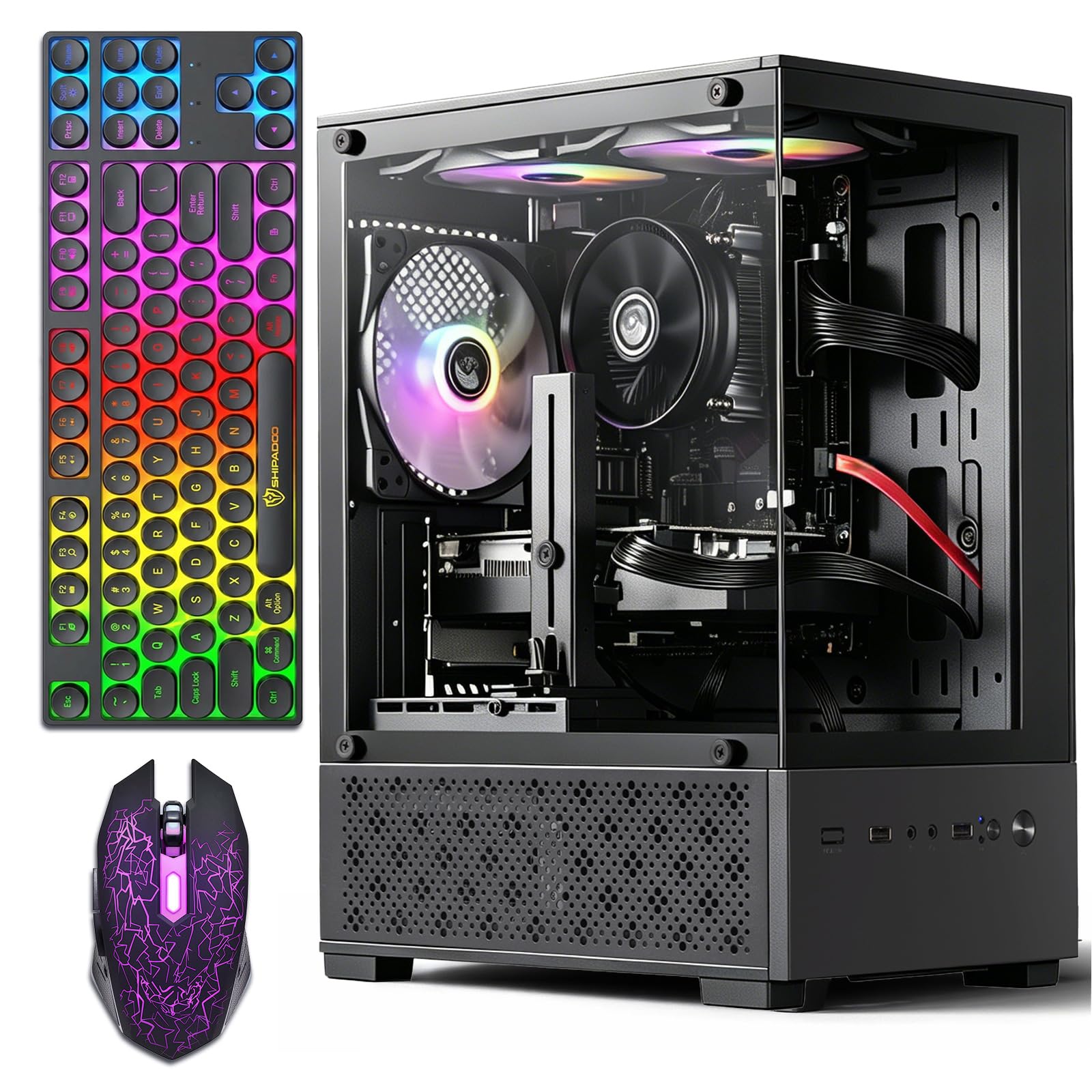
Everything you need in one box — three RGB fans, plus keyboard, mouse, and mouse pad.
If you are starting from nothing, this bundle saves you a shopping trip. Alongside the tower itself you get three RGB fans, a gaming keyboard, a gaming mouse, a mouse pad, and a graphics card holder — the little brace that keeps a heavy GPU from sagging in its slot over time, which is a nice touch you rarely see included. The Ryzen 5 3500X runs a 3.6GHz base up to 4.1GHz, and the Radeon RX 590 8GB GDDR5 handles esports titles like League of Legends, CS:GO, and Overwatch at 1080p.
Performance is what wins people over — it is comfortably the most-praised part of the package. Families buying it for a teenager report Fortnite, Roblox, and Minecraft running smoothly, which is exactly the job a first tower needs to do. The case is compact with a glass side panel showing five colorful RGB fans, and it supports dual monitors through the HDMI and DisplayPort/DVI outputs.
Value is where opinions divide. Some buyers call it excellent for the price and some feel it is not worth the spend, which is the honest signal that this is a starter machine rather than a long-term core. The processor is the older component in the build, so plan to upgrade rather than expecting to grow into it. Setup is genuinely easy, though — buyers describe it as ready to game the moment it is unboxed.
esports focus: a first gaming setup where you want the peripherals bundled in and esports titles are the main diet.
limited future proof: you already own a keyboard and mouse and want a faster processor for heavier new releases.
8. STGAubron Gaming PC Desktop Core i7

Built to double as a work machine — gaming, editing, and schoolwork on one tower.
Not everyone buying a gaming tower only plays games, and this build is aimed at the household that needs it to earn its keep. The Intel Core i7 runs up to 3.9GHz with 16GB of memory and a 512GB solid-state drive, and the RTX 3050 6G with 6GB of VRAM handles Fortnite, Call of Duty Warzone, Valorant, and Minecraft at 60+ FPS. The same hardware covers photo editing, video work, and basic day-trading setups, which is the practical argument for buying one tower instead of two machines.
The connectivity package is stronger than the price suggests: six RGB fans, Wi-Fi 6, Bluetooth 5.0, an RJ-45 Ethernet port, HDMI and DisplayPort outputs, plus an RGB keyboard and mouse in the box. The listing also includes a year of parts and labor coverage and lifetime tech support, which matters more on a machine you plan to keep for years.
The recurring gripe is the Wi-Fi antenna. It arrives as a small USB stick-style receiver that owners describe as slow and weak, and the practical fix is a better external adapter — a cheap swap that takes minutes and solves the complaint entirely. The case is also larger than it needs to be for the parts inside, so plan your desk space accordingly.
Core i7 RTX 3050: one tower that covers gaming, schoolwork, and lighter creative work without needing a second computer.
balanced performer: you need a single machine for a mixed household of gaming, study, and light editing.
check CPU model: you want maximum gaming performance first, since the budget has clearly gone toward versatility rather than raw graphics power.
9. suevery Pre Built Gaming PC Bundle White R5
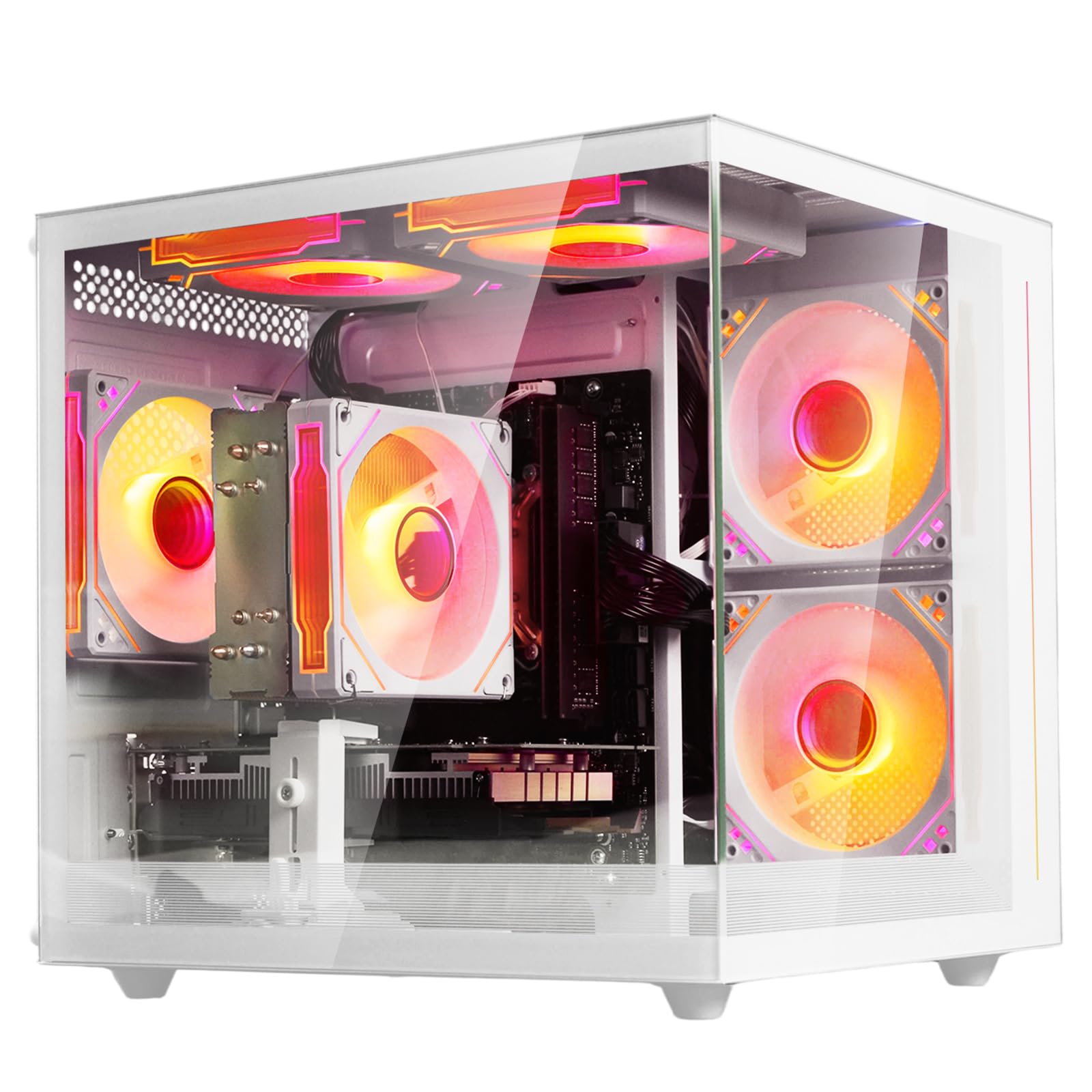
A white tower for a first gaming PC — with RGB lighting you can turn off completely.
When the tower is going in a child’s room, the little details matter as much as the frame rate. The suevery build pairs a Ryzen 5 processor with 6 cores and 6 threads, a 3.6GHz base clock boosting to 4.1GHz, and 32MB of L3 cache — the on-chip memory that keeps everyday software responsive — alongside 16GB of DDR4 3200MHz RAM and a dedicated AMD Radeon 4GB graphics card. The 512GB M.2 NVMe SSD is the fast storage type that loads games and files quickly.
The best feature for a bedroom setup is the lighting control: hold the button for five seconds and the RGB switches off entirely. That is the difference between a tower a kid can sleep next to and one that glows all night. The chassis is white with a modern look, connectivity runs through Wi-Fi 6 (the newer wireless standard built for a busy home network) plus 2 USB 3.0 ports and 4 USB 2.0 ports, and an tune cooling design keeps it quiet during long sessions.
The honest caveat is that performance here is genuinely entry level. The graphics card is a modest Radeon 4GB unit, and while owners running indie titles and lighter games report no lag at all, heavier AAA releases will need settings turned down. This is the machine for Roblox, Minecraft, and lighter titles — not for someone chasing high frame rates in the newest big-budget releases.
aesthetic build: a first gaming tower for a younger player or a light-use desk where the RGB can be switched off at night.
verify bundle items: AAA games at high settings, because the 4GB graphics card sets a firm ceiling on how much detail it can push.
10. Prebuilt Gaming PC – Ryzen 5 4500, GeForce RTX 3050 Desktop

The cheapest ticket onto the ladder — a 6-core starter with room to grow later.
This is where you land if your whole goal is getting into PC gaming without spending much, and the philosophy here is upgrade-first. The Ryzen 5 4500 runs 6 cores and 12 threads on Zen 3 architecture with a 3.6GHz base clock, and the listing tops out at a 4.1GHz boost — the lowest ceiling on this page, which matters most during heavy multitasking rather than casual play. The RTX 3050 6GB with Ampere architecture handles 1080p gaming, ray tracing, and DLSS, and the 512GB NVMe SSD keeps boot times fast.
The reason to consider it is expansion. It uses PCIe Gen 3 slots, so swapping in a better graphics card or adding storage later is a real path rather than a fantasy. Buyers describe it as a solid starter that multitasks well before you upgrade anything, and parents report their kids happily playing Roblox, Rival Stars, and GTA. Setup is easy — one reviewer noted simply “Great PC! Easy set up! I love the size.”
The caveat you need to hear: the reliability record has real lows mixed in. One frustrated buyer reported that “PC crashed with BSOD 3 days after arrival” with nothing but Chrome and Windows updates installed. That is a small share of the total, and the Wi-Fi 6 connection and plug-and-play setup satisfy most owners, but a first-time builder who values stability over savings should weigh that honestly.
Ryzen 5 4500 RTX: the lowest-cost way to start PC gaming with a graphics card you can actually upgrade down the line.
value hunter: getting into PC gaming matters more than maximum performance and you want an easy path to upgrade parts as your budget grows.
expect 1080p only: rock-solid reliability from the start is your top priority.
Know the Specs
Graphics Card Model and VRAM
The graphics card is the part that draws every frame, so its model number tells you more about gaming performance than the processor does. The number that follows in gigabytes is the VRAM — dedicated video memory that holds textures and effects — and it is the difference between being able to leave texture settings on high or having to turn them down. An RTX 3050 with 6GB and an RTX 5050 with 8GB sit in different classes, and the cards supporting newer features like DLSS frame generation can produce smoother motion when a game supports them.
DDR4 vs DDR5 Memory
Both are types of system memory, and they are not interchangeable — the motherboard takes one kind or the other. DDR4 is the older standard and shows up in budget-friendly towers. DDR5 is faster and newer, with typical speeds listed next to the type, like DDR5 5200. For gaming alone the difference is modest; for multitasking or planning to keep the machine for years, DDR5 gives you a newer platform to build on.
Wi-Fi Generations Explained
Wi-Fi 5, Wi-Fi 6, and Wi-Fi 7 are successive wireless standards. Wi-Fi 5 is the oldest of the three and handles a quieter network fine. Wi-Fi 6 handles a crowded home with multiple devices streaming at once more gracefully. Wi-Fi 7 is the newest and the fastest of the three. If you can plug an Ethernet cable into the tower, that beats any wireless option for online games — and it sidesteps the adapter complaints that show up on a few of these builds.
Storage: SSDs, NVMe, and HDDs
An SSD is solid-state storage with no moving parts, which is why it boots Windows in seconds. An NVMe SSD plugs directly into the motherboard and is the fastest of the three types. An HDD uses spinning platters and is much slower but holds more for less money, which is why one build here pairs a 512GB SSD for the operating system with a 1TB HDD for media. If a tower lists only 512GB, plan on a game library that fills up quickly.
Common Questions
Can a 1K gaming PC really run modern games at 60 FPS?
Is DDR5 worth it over DDR4 in a gaming tower?
Why do so many budget gaming PCs have Wi-Fi problems?
How much storage do I need on a prebuilt gaming PC?
What is the difference between RTX 3050 and RTX 5060 graphics cards?
Do I need an Ethernet cable or is Wi-Fi 6 good enough?
Can I upgrade a prebuilt gaming PC later?
Does a 1K gaming PC come witha keyboard and mouse?
Is liquid cooling better than air cooling in a gaming tower?
Why does my monitor show no signal on a new prebuilt gaming PC?
The Bottom Line
For most buyers, the best 1k gaming pc is the Skytech Gaming Storm because it pairs the fastest boost clock in this comparison at 4.7 GHz with 16GB of DDR5 memory and an RTX 5050 8GB card that genuinely holds 1080p ultra settings. If you want the newest parts across the board, with a 5.4GHz processor, Wi-Fi 7, and a 650W 80 PLUS Gold power supply, grab the KOTIN Ryzen 5 9600X. And for a first tower that runs cool, quiet, and near-hands-off from the start, the ZYNEEX Ryzen 5 5500 is the one to reach for.
One thing worth acting on: several of these towers use a modest USB Wi-Fi adapter rather than a proper internal card, so if the place your tower sits can take an Ethernet cable, run one. It costs nothing and removes the single most common complaint across this entire category.
How we choose
We do not accept paid placement. Every pick is matched to a real buyer and a real use-case; we do not hands-on test units.
Sources
Specifications: manufacturer listings and product documentation. Review insights: verified customer reviews, as of October 2026. Pricing: not shown on this page (it changes often); check the current price via the retailer link.
As an Amazon Associate, Aappliancez earns from qualifying purchases. This does not affect which products we feature.